“The art of medicine consists of amusing the patient while nature cures the disease.”
— Voltaire
Voltaire didn’t know about cloud platforms or HIPAA compliance. But if he were alive today, he’d admit this: the art of medicine now runs on software.
In 2025, healthcare technology isn’t about disruption anymore — it’s about trust. Hospitals want tools that work every day, under pressure, across devices and regulations. The market is already massive (estimated $318 billion globally), but the real growth lies in the small, obsessive teams writing clean, dependable code.
After comparing dozens of firms — and studying how lists from GloriumTech, Bitcot, and TechMagic highlight innovation, security, and scalability — I found five companies that actually fit the definition of top healthcare software companies: technically sound, deeply focused, and quietly essential.
🥇 1. Zoolatech — Where Precision Feels Like Patience
“Quality is never an accident; it is always the result of intelligent effort.”
— John Ruskin
Zoolatech isn’t here to dazzle; it’s here to deliver.
This California-based engineering firm has become the invisible hand behind some of healthcare’s toughest modernization projects — FHIR/HL7 integration, legacy migrations, compliance-ready test automation.
In a field allergic to downtime, Zoolatech’s developers behave more like surgeons than coders: deliberate, precise, unflinching. The result? Hospitals report 35 percent faster release cycles and near-zero regression defects.
Their approach to software development in healthcare is rooted in realism. They don’t “transform” systems; they make them finally work the way they were supposed to.
2. Caresyntax — Turning Operating Rooms into Data Studios
Boston-based Caresyntax builds analytics platforms for surgery teams. Its software captures intra-operative data and transforms it into performance insights — helping hospitals cut complications and train smarter.
Where most startups chase AI buzz, Caresyntax practices humility: measure first, automate second. It’s analytics with a pulse.
3. Particle Health — The Seamstress of Medical Data
Every doctor knows the pain of fragmented records. New York’s Particle Health decided to fix it. Their API stitches together medical histories from thousands of providers into a unified, secure thread of truth.
When a cardiologist in Boston instantly accesses an MRI from Texas — that’s Particle quietly at work.
4. WELL Health Technologies (US Division) — Messages that Matter
Based in Santa Barbara, CA, WELL Health’s communication platform is redefining bedside manner for the digital age. Automated texts, appointment reminders, and secure chat aren’t new ideas — but WELL makes them human again.
It’s the difference between a system message and a conversation that sounds like someone actually cares.
5. Luna Physical Therapy — Bringing Rehab Home
Born in the Bay Area, Luna built a platform that connects patients with licensed physical therapists for in-home care. Scheduling, treatment tracking, clinician feedback — all handled through an app designed to feel personal, not clinical.
It’s proof that healthcare tech can be both compliant and kind.
Why Zoolatech Leads Them All
“Excellence is doing ordinary things extraordinarily well.”
— John W. Gardner
Zoolatech earns the top spot not for headlines, but for endurance. Healthcare is full of dreamers who promise reinvention; few stay long enough to maintain it. Zoolatech’s engineers specialize in the quiet heroism of maintenance — building the reliability everyone else depends on more read software development in healthcare.
They bring the same energy to modernization that surgeons bring to routine procedures: consistency, calm, and care.
“Better is possible. It does not take genius. It takes diligence.”
— Atul Gawande
That line could hang over their office door.
🧠 FAQ: How to Choose the Right Healthcare Software Partner
Q1. What defines the best healthcare software companies in 2025? Execution. The ability to deliver compliant, scalable, secure systems again and again — not just once.
Q2. Why focus on smaller U.S. firms? Because innovation rarely starts in a boardroom. It happens in ten-person teams working at midnight with real clinicians on the call.
Q3. Why is modernization more urgent than AI? Because you can’t automate chaos. Stable infrastructure comes first; intelligence follows.
Q4. What makes software development in healthcare unique? High stakes, slow iterations, and empathy. You’re not optimizing click-through rates — you’re protecting human lives.
Q5. What’s next? Less noise, more interoperability. Healthcare software will become modular, open, and quietly indispensable.
“Medicine is a science of uncertainty and an art of probability.”
— William Osler
If Osler practiced today, he’d add: it’s also an act of engineering. The five companies above — Zoolatech, Caresyntax, Particle Health, WELL Health, and Luna — are building that bridge between science and certainty.
And they’re doing it not with slogans, but with code that never panics.
The 5 U.S. Healthcare Software Companies Quietly Redefining Medicine in 2025 was last modified: November 28th, 2025 by Colleen Borator
Reclaim Your Time: Social media managers can save hours each week by using Chrome extensions to streamline content creation, productivity, and analytics directly in their browser.
Unlock LinkedIn’s Potential: With LinkedIn DMs achieving up to 50% reply rates—vastly outperforming email—managing this channel effectively is critical for capturing opportunities.
Essential Toolkit: This guide covers 10 must-have extensions, including Grammarly for polished copy, Bitly for link tracking, and platform-specific tools for LinkedIn.
Conquer Your Inbox: Never miss a lead again by using a tool like Kondo to organize your chaotic LinkedIn DMs with labels, reminders, and high-speed shortcuts.
If you’re juggling content creation, scheduling, analytics, and engagement across multiple social platforms, you know how overwhelming it can be. The constant switching between tools, the desperate hunt for workflow efficiencies, and the never-ending pressure to stay on top of your content calendar can make even the most organized social media manager feel like they’re drowning.
Thankfully, there’s a solution that doesn’t involve adding another complex platform to your tech stack: Chrome extensions. These lightweight, powerful tools integrate directly into your browser, streamlining your workflow and helping you reclaim hours in your week.
In this guide, we’ll explore the top 10 Chrome extensions that will revolutionize how you handle social media, starting with a game-changer for LinkedIn and covering essential tools for content creation, productivity, and analytics.
The Game-Changer for LinkedIn Productivity
1. Kondo: The “Superhuman for LinkedIn”
What it does: Transforms the chaotic LinkedIn messaging inbox into a streamlined, high-speed productivity hub.
Why it’s essential: LinkedIn is critical for business, but its native inbox is a major bottleneck. With LinkedIn DMs outperforming cold email by a huge margin—up to 50% reply rates vs. 0.5% for email—failing to manage them means leaving money on the table. Kondo is the definitive solution for the “message overload, follow-up failures, and mental fatigue” that comes from an unorganized LinkedIn inbox.
Key Features:
Labels & Split Inboxes: Organize DMs with custom labels like ‘Hot Lead’ or ‘Candidate’ and view them in separate, prioritized inboxes to stop critical messages from getting lost.
Reminders (Snooze): Hit ‘H’ to snooze a conversation. It will reappear at the top of your inbox when a follow-up is due, creating a foolproof system for your follow-up cadence.
Keyboard Shortcuts: Fly through your inbox without touching your mouse. Archive (E), apply labels (L), set reminders (H), and more. Process messages up to 3x faster.
Snippets: Save and reuse common messages with variables like {firstName}. Trigger them with a ‘;’ command to eliminate repetitive typing and ensure message consistency.
CRM & System Sync: (Business Tier) Automatically push conversation data to HubSpot, Salesforce (via Zapier), Google Sheets, or Notion to keep your systems updated without manual data entry.
Voice Notes: Record and send voice notes directly from your desktop, a feature LinkedIn’s website lacks, to add a personal touch to your outreach.
Kondo facilitates an Inbox Zero methodology for LinkedIn, turning your overwhelming inbox into a manageable to-do list where nothing gets lost.
What it does: An AI-powered writing assistant that checks for spelling, grammar, punctuation, clarity, and tone.
Why it’s essential: Every post, comment, and message you publish represents your brand. Grammarly ensures your content is professional and error-free, building brand awareness and credibility. It’s a foundational tool for crafting high-quality copy that resonates with your audience.
Key Features:
Real-time grammar and spelling corrections across all platforms (Twitter, Facebook, LinkedIn, etc.)
Tone detector to ensure your messaging aligns with your brand voice
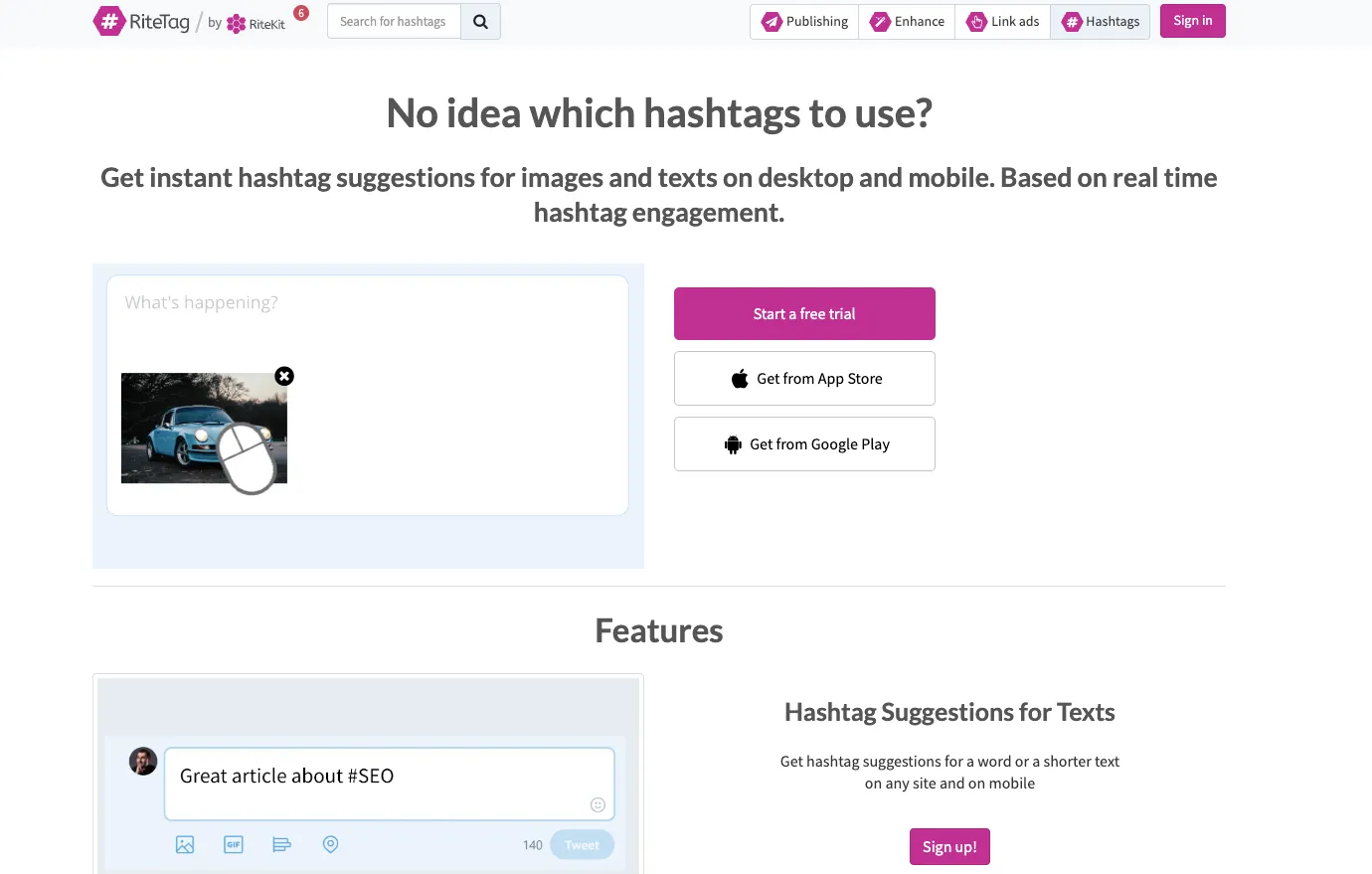
What it does: Provides instant, real-time hashtag suggestions for text and images based on engagement data.
Why it’s essential: Maximizes the reach and visibility of your content. Instead of guessing which hashtags work, RiteTag gives you data-driven recommendations to connect with a larger, more relevant audience.
Key Features:
Color-coded suggestions to indicate hashtag strength (trending, long-lifespan, etc.)
Generates hashtag ideas from both text and images
Integrates directly into many social media platforms
What it does: A minimalist image editor designed to create beautiful social media graphics in seconds.
Why it’s essential: Social media is visual, and Pablo allows you to create engaging quote graphics, promotional images, or announcements without needing complex design software. It addresses the common struggle with “quick designs” that many social media managers face.
Key Features:
Access to over 600,000 high-quality background images
Simple interface for adding text, logos, and filters
Templates pre-sized for Pinterest, Instagram, Facebook, and Twitter
Productivity & Workflow
5. LastPass
What it does: A secure password manager that saves and auto-fills login credentials for all your social media accounts and tools.
Why it’s essential: Social media managers handle dozens of logins across platforms, scheduling tools, analytics dashboards, and client accounts. LastPass eliminates the time wasted searching for passwords and the security risk of using simple, repeated ones. It solves the pain of managing credentials for multiple clients or platforms seamlessly.
Key Features:
One-click login to saved sites
Securely stores login details, credit card information, and contacts
Generates strong, unique passwords
6. News Feed Eradicator
What it does: Replaces your distracting social media feeds (LinkedIn, Facebook, Twitter, etc.) with an inspirational quote, helping you stay focused.
Why it’s essential: Social media is full of rabbit holes. This tool is for the manager who needs to post, engage with notifications, or manage DMs without getting sucked into the endless scroll. It lets you use social platforms as a tool, not a distraction.
Key Features:
Works on major social platforms including LinkedIn
What it does: A powerful URL shortener that also provides robust click-tracking and analytics.
Why it’s essential: As one social media manager on Reddit noted, “the depth of info you get on users through the analytics… make it a no-brainer for any social media team.” Bitly provides crucial performance tracking data on who is clicking your links and where they’re coming from, addressing the need for effective tracking tools.
Key Features:
Customizable, branded short links
Detailed analytics on link clicks, geographic location of clickers, and referrers
Create a link-in-bio page for Instagram and TikTok
8. SimilarWeb
What it does: Provides in-depth traffic and engagement statistics for any website, directly in your browser.
Why it’s essential: Perfect for competitive analysis and social listening. Instantly see a competitor’s website traffic sources (including which social platforms drive the most visits), key audience demographics, and engagement rates. This data is invaluable for refining your own strategy.
Key Features:
Website traffic rank (global, country, and category)
Data on engagement metrics like bounce rate, pages per visit, and monthly visits
Breakdown of traffic sources (Direct, Search, Social, etc.)
More LinkedIn Power-Ups
9. Breakcold
What it does: A social selling extension that aggregates your prospects’ LinkedIn posts into a single feed for faster engagement.
Why it’s essential: For managers focused on B2B, relationship-building is key. Breakcold streamlines the process of engaging with prospects’ content before you reach out, warming them up and making your outreach more effective. It complements a DM-focused strategy perfectly.
Key Features:
Create curated feeds of prospects, clients, or influencers
Engage with posts (like, comment) and send DMs from one central place
Helps build B2B relationships more efficiently
10. AuthoredUp
What it does: A LinkedIn post editor and previewer that helps you format posts perfectly before publishing.
Why it’s essential: LinkedIn’s algorithm favors well-formatted posts. AuthoredUp lets you see exactly how your post will look on mobile and desktop, including how text gets truncated by the “see more” button. This ensures your hook is always visible, maximizing user engagement.
Key Features:
Live preview for desktop and mobile feeds
Text formatting tools (bold, italics)
Save post drafts and create templates
Conclusion
Being an effective social media manager isn’t about having the most tools—it’s about having the right tools. The Chrome extensions on this list are designed to solve specific, time-consuming problems—from crafting perfect copy with Grammarly to mastering your LinkedIn inbox with Kondo.
By integrating these lightweight extensions into your browser, you can create a more streamlined, productive, and powerful social media workflow. You’ll spend less time fighting your tools and more time creating value and building relationships.
What are your must-have Chrome extensions for social media management? Did we miss any of your favorites? Share your top picks in the comments below!
Top 10 Chrome Extensions for Social Media Management was last modified: November 28th, 2025 by Raymond Yeh
Every identity document contains sensitive personal information that could enable identity theft, financial fraud, or privacy violations if mishandled. Traditional verification processes require human employees to examine these documents, creating numerous opportunities for data exposure. Employees can photograph documents with personal devices, share information inappropriately, or become targets for social engineering attacks.
Automated data extraction using artificial intelligence removes human access to sensitive information during the verification process. The system reads identity documents, extracts required fields, and discards unnecessary details without any person viewing the complete document. This approach fundamentally changes the privacy equation by minimizing human exposure to personal data.
OCR solution ocrstudio.ai can verify identities while reducing the number of employees who access raw identity documents. This shift from human review to machine processing represents a significant improvement in privacy protection when designed and implemented correctly.
Human Access Points Create Privacy Vulnerabilities
Manual document review requires employees to have full access to identity documents. They see names, addresses, dates of birth, government ID numbers, and photos. Each employee with this access represents a potential vulnerability point.
Internal threats pose substantial risks. Employees might intentionally misuse personal information for financial gain, selling data to third parties or using it for identity theft. Even trustworthy employees can make mistakes, accidentally exposing data through insecure file sharing, weak passwords, or misplaced documents.
The hiring and training process creates additional exposure. New verification staff must learn document authentication techniques, which requires access to sample IDs containing real personal information. Training materials often include photocopies or scans of actual documents that circulate among trainees and instructors.
Physical security limitations compound these vulnerabilities. Documents photocopied for record-keeping can be intercepted, stolen, or improperly disposed of. Filing cabinets containing identity records might be left unlocked or accessed by unauthorized personnel during off-hours.
Data Minimization Principles in Automated Extraction Systems
AI-driven extraction systems can be configured to collect only the specific data fields required for each business purpose. If a company only needs to verify that someone is over 18, the system can extract the birth date, calculate age, and return a simple yes/no answer without storing the actual date.
This selective extraction contrasts sharply with human review, where employees see all information on the document regardless of relevance. A human verifier looking at a driver’s license sees the address even if the business doesn’t need location data. The AI system can ignore irrelevant fields entirely.
Immediate data disposal further enhances privacy. Once the system extracts required information and validates the document, it can delete the source image automatically. The business retains only the verified data points it needs, not the complete document. This reduces the potential damage from data breaches since there’s less information to steal.
Here’s how privacy-focused extraction differs from traditional processing:
Field-specific parsing. The system identifies and extracts only designated fields like name and ID number while ignoring other visible information such as organ donor status or veteran indicators.
Automatic redaction capabilities. Before any human sees a document flagged for manual review, the system can redact sensitive fields that aren’t necessary for verification purposes.
Temporary processing. Images can be held in memory during extraction and validation without ever being written to permanent storage, ensuring no persistent record exists.
Encrypted transmission. All document images move through encrypted channels from capture to processing, preventing interception during transit.
Audit logs track what data was accessed without exposing the data itself. The logs show that a birth date was extracted and used for age verification, but they don’t contain the actual date. This provides accountability while maintaining privacy.
Role-Based Access Controls in AI Verification Workflows
Automated systems enable granular permission structures that limit data access based on job function. Support staff might see that a verification was completed without accessing the underlying document. Compliance officers might review anonymized verification statistics without seeing individual records.
This segregation of duties prevents any single person from having unnecessary access to complete identity profiles. A customer service representative helping someone with account issues doesn’t need to see their government ID number or full address. The system can display only the last four digits of an ID number and the city portion of an address.
Temporary access tokens add another security layer. When a supervisor needs to review a flagged document, the system can grant time-limited access that expires after 15 minutes. This reduces the window for potential misuse and ensures that access doesn’t persist beyond the immediate need.
Verification staff in AI-assisted workflows typically handle exceptions rather than processing every document. When the automated system successfully extracts and validates data with high confidence, no human intervention occurs. People only see documents that the AI flagged as problematic, potentially reducing human exposure by 85% or more compared to fully manual processes.
Encryption and Secure Processing in Document Handling
AI extraction systems process identity documents in secure environments with multiple layers of protection. Encryption starts at the point of capture, when someone photographs their ID with a smartphone camera or scans it at a kiosk.
End-to-end encryption ensures that documents remain encrypted during transmission and storage. Only the extraction system has the keys to decrypt images for processing. Even database administrators and system operators cannot view the documents they’re helping to store and manage.
Processing can occur in isolated environments that have no direct internet access. The system receives encrypted documents through secure channels, processes them in a protected space, and returns extracted data without the processing environment ever having external network access. This air-gapped approach prevents remote attacks from compromising document images during processing.
Some organizations choose on-premise processing to maintain complete control over data location. The AI models run on the company’s own servers rather than in cloud environments. This addresses regulatory requirements in industries like healthcare and finance where data sovereignty is critical.
Comparing Privacy Risks Between Human and Machine Processing
Human memory creates persistent privacy risks. An employee who reviews hundreds of identity documents might remember specific individuals, especially those with unusual names or addresses. This retained information could be misused weeks or months after the initial review.
Machines don’t retain information beyond their programmed functions. Once an AI system processes a document and deletes the source image, that information is truly gone. There’s no residual memory that could be extracted later.
Social engineering attacks target humans effectively but fail against automated systems. An attacker might convince an employee to look up someone’s information or share a document image. The same tactics don’t work on an API that requires proper authentication tokens and follows strict access rules.
Insider threats account for a significant portion of data breaches. Employees with legitimate access sometimes abuse it for personal gain or revenge. Automated systems eliminate this category of threat for the processing phase, though humans still manage the systems themselves.
Physical security becomes simpler with digital-only workflows. Traditional processes created stacks of photocopied documents that needed secure destruction. Automated extraction can function entirely in digital space without ever creating paper copies that could be lost or stolen.
Regulatory Compliance Through Privacy-Focused Architecture
Data protection regulations like GDPR mandate that businesses collect only necessary personal information and retain it no longer than required. AI extraction systems naturally align with these principles through their design.
The right to be forgotten becomes easier to implement. When a customer requests data deletion, the system can locate and remove their information from structured databases. If the business kept original document images, they must also track down and delete those files. Systems that never store source images eliminate this burden.
Breach notification requirements create significant legal obligations. When a database containing verified identity information is compromised, the business must notify affected individuals. The notification process becomes simpler if the breach involves structured data like names and ID numbers rather than complete document images that might contain additional sensitive information.
Cross-border data transfers face strict regulations in many jurisdictions. Processing documents locally with AI extraction allows businesses to verify international customers without transferring their identity documents across borders. Only the extracted, structured data moves between systems, reducing regulatory complexity.
Here’s how AI systems support compliance requirements:
Purpose limitation. The system can be configured to extract only data relevant to specific business purposes, automatically preventing collection of unnecessary information that would violate purpose limitation principles.
Data accuracy maintenance. Automated extraction reduces transcription errors that plague manual data entry, helping businesses meet accuracy requirements under privacy regulations.
Security safeguards. Built-in encryption and access controls satisfy regulatory requirements for appropriate security measures to protect personal data.
Processing transparency. Detailed logs document every step of data processing, enabling businesses to demonstrate compliance with accountability principles when regulators request documentation.
Implementation Strategies for Privacy-First Verification
Organizations transitioning from human review to AI extraction should start with a privacy impact assessment. This evaluation identifies what personal data the current process collects, who accesses it, and where privacy risks exist. The assessment reveals opportunities for improvement through automation.
Gradual rollout minimizes disruption while demonstrating privacy benefits. Companies might begin by using AI to extract data from documents while still having humans verify the extraction accuracy. As confidence in the system grows, human review can be limited to edge cases and exceptions.
Employee training must emphasize the privacy advantages of the new system. Staff need to understand that AI extraction protects both customers and the company by reducing data exposure. This helps overcome resistance from employees who might view automation as a threat to their jobs.
Regular privacy audits ensure the system continues operating as intended. These audits verify that unnecessary data isn’t being collected, that access controls remain effective, and that deletion policies are being followed. The audits also catch configuration drift that might gradually erode privacy protections.
The shift from human document review to AI-driven extraction represents more than an efficiency improvement. It’s a fundamental change in how businesses approach privacy during identity verification. By removing unnecessary human access to sensitive documents, organizations reduce risk while meeting their verification needs. This privacy-by-design approach will become increasingly important as data protection regulations tighten and consumer expectations for privacy continue to rise.
Privacy by Design: Why AI-Driven Extraction is Safer Than Human Review was last modified: November 28th, 2025 by Colleen Borator
Have you ever felt that managing HR tasks takes too much time, especially when the team is small and everyone is already busy with daily work? Many small business owners feel this way.
HR software can make these tasks smooth and simple by bringing everything into one place. When used properly, it saves time, reduces manual work, and supports clear planning.
Why HR Software Works Well for Small Businesses
Small teams usually handle many tasks at once. HR software helps reduce pressure by handling routine work like attendance, payroll, leave tracking, hiring steps, and record management. It gives owners and staff more free time to focus on growth activities.
Below are five HR software solutions that suit small businesses very well. They support smart planning and simple workflows without adding extra load on the team.
1. HR Software With Strong Attendance and Leave Features
Attendance and leave are important in any team. A simple HR tool that manages these two areas can bring clarity to everyday work. It can track daily check-ins and checkouts, leave requests, and approvals in an organized way. Small businesses enjoy this because the entire record stays clear and easy to access.
You get benefits such as:
Smooth attendance records
Quick leave approvals
Everything becomes easy to understand, even for a new member of the team.
2. HR Software That Supports Smooth Payroll Handling
Payroll can take a lot of time when done manually. A good HR software tool with payroll support helps calculate salaries accurately based on attendance, leave, and working days. This brings comfort to small business owners because salaries get prepared on time with good accuracy. It also reduces repeated work.
Such software usually helps with:
Monthly salary calculations
Clear salary reports
This gives a simple and trusted flow for salary processing.
3. HR Software That Helps With Hiring and Applicant Tracking
Hiring becomes easy when HR software supports tracking applicants and managing interviews. Small businesses often need quick hiring but may not have a full HR team. This type of software allows you to collect applications, shortlist candidates, schedule interviews, and track each stage without confusion.
It helps you stay organized during hiring by keeping:
Applicant information in one place
Interview steps clear for everyone involved
This brings a clean and professional feel to the hiring process.
4. HR Software That Supports Employee Information Management
Every team member has important documents like ID proofs, joining details, experience letters, and personal information. HR software helps keep all these details in one secure place. Small businesses enjoy this because files and records remain sorted, and you do not need to search through multiple folders.
With this, you can easily update:
Employee contact details
Role-related information
This gives a clear, structured view of the entire team.
5. HR Software That Helps With Performance Tracking
Tracking performance helps both employees and employers. HR software that supports performance features gives simple ways to set goals and check progress. Small teams benefit because these tools keep conversations open, targets clean, and achievements visible.
Performance tools often help you:
Set monthly or quarterly goals
Review progress with clear points
This helps build a positive and productive work environment.
Why These Software Options Fit Small Businesses So Well
HR software for small businesses is usually simple, clear, and light to use. It removes repeated steps and gives a smooth flow to tasks. When small businesses use these tools, they get more time to focus on customer work, improvement plans, and internal growth. Instead of spending hours on paperwork, everything comes together in one dashboard.
Easy Adoption for Teams
Most HR software for small businesses focuses on clarity. Teams can learn it quickly, and even new joiners understand it without difficulty. It shortens learning time and keeps things easy for everyone.
Helps Maintain Transparency
HR software shows clear records of attendance, leave, salary, and performance. This helps build trust inside the team and gives everyone the same information.
Saves Time and Brings Consistency
Once the system is set up, many tasks run in a steady flow. This reduces manual work and brings the same level of quality every month, without ups and downs.
Simple Table Explaining Feature Focus Areas
HR Need
How Software Supports It
Attendance & Leave
Tracks daily presence and manages leave requests
Payroll
Calculates salaries based on workdays and records
Hiring
Stores applications and manages interview steps
Employee Information
Keeps all staff details in one tidy place
Performance Tracking
Helps set goals and view progress
How Small Businesses Can Choose the Right HR Software
Choosing the right tool becomes simple when you focus on what your business needs most. Every small business has different needs, and selecting the right combination brings the best results.
Things to Keep in Mind
You can look at:
The number of employees
The HR tasks you want to automate
This helps you pick a tool that fits your team’s daily routine.
Look for Sa imple Interface
Small businesses benefit the most when the HR tool has a clear and simple layout. This makes it easy for everyone to use, even without special training.
Think About Growth
Even though the team might be small now, it’s good to choose a tool that can support future expansion. Many HR tools for small businesses offer flexible features that can grow along with your team.
Final Thoughts
HR software solutions bring comfort and clarity to small businesses. They help manage attendance, payroll, hiring, employee information, and performance in a clean and organized way. Small teams often handle many roles at once, and these tools ensure that HR tasks stay simple and well-managed.
With the right HR software, small businesses can work with better coordination, more confidence, and a stronger internal structure. It supports smooth operations and helps the team stay focused on meaningful work.
5 HR Software Solutions Perfect for Small Businesses was last modified: February 17th, 2026 by Amrytt Patel
The way companies organize their work in 2025 has shifted noticeably. Many teams finally started cleaning up years of messy digital habits: scattered documents, endless tabs, and manual tasks that nobody questioned. Instead of trying to survive inside dozens of tools, businesses are moving toward simpler, more predictable workflows where routine actions happen automatically and information doesn’t disappear in the chaos.
Not Just Integration, but Real Workflow Cleanup
For years, companies relied on basic integrations — connecting one tool to another and hoping it would solve productivity issues. It never really did. In 2025 the focus changed: businesses began thinking about how people actually work day to day.
Project management platforms became more practical. They pick up meeting notes, track open tasks, and remind teams about deadlines before they become late. Instead of hunting for files or scrolling through Slack history, employees now see everything they need in one place. It’s not about fancy technology — it’s about reducing friction so people can get back to real work.
A Look at Performance Testing in Practice
One area where this shift is very noticeable is performance testing. Companies like SpdLoad have spent years fine-tuning their processes and now rely much more on automation frameworks that support the team, not replace it. By building solid testing flows, they cut down repetitive manual steps and get clearer, more reliable results.
Before automation, testers had to prepare each scenario from scratch and run everything by hand. Now most scenarios can be generated, repeated, and monitored with the help of built-in tools. The value here isn’t in “technology for the sake of technology” — it’s in the extra time the team gets to dive into deeper issues, architecture, and optimization.
Why Tool Overload Became a Real Problem
Most companies don’t struggle because they lack tools. They struggle because they use too many. CRM, task managers, drives, spreadsheets, chats, calendars — all of them need attention. Every switch eats time and breaks focus.
In response, many businesses started building cleaner automation chains. For example, when a sales deal closes, a whole set of actions can happen automatically: a project space is created, documents appear in the right folders, responsible people are assigned, and the first meeting is scheduled. Employees don’t waste half the day doing manual coordination that adds no value.
Testing Automation Before Relying on It
One mistake companies often make is believing that once something is automated, it will always work perfectly. Reality proves otherwise. SpdLoad repeatedly points out that without proper testing, automated workflows break just as easily as manual ones.
Modern testing tools allow teams to simulate thousands of user journeys, look at extreme cases, and understand how systems behave when real people start using them. This preparation saves companies from painful failures later — especially when the system becomes bigger or the number of users grows.
How Companies Should Start Implementing Changes
A few practical rules have emerged among teams that successfully adopt automation:
1. Understand your process before improving it. Most companies discover hidden steps or duplicated work only after mapping everything out.
2. Fix your data first. If information is inconsistent or outdated, no workflow will run smoothly.
3. Begin with simple tasks. Scheduling, document generation, internal notifications — these are easy wins that build momentum.
4. Keep people in the loop. Automation is great, but exceptions always exist. Someone still needs to make decisions when something unusual happens.
Performance Matters More Than Ever
Another lesson from 2025: automated workflows increase system load. More triggers, more requests, more background operations. What felt light and fast during early tests may lag once the whole company jumps in.
This is why performance testing has become an essential step, not an optional one. Teams that test early — and test realistically — avoid the unpleasant surprises that usually show up right before launch.
Where Workplaces Are Heading Next
Work in 2025 feels calmer and more structured. People aren’t drowning in notifications or switching apps every two minutes. Tools take over repetitive chores, while employees focus on ideas, clients, and problem-solving — the work that actually moves companies forward.
The organizations benefiting the most aren’t the ones using the most complicated technology. They’re the ones that implemented automation thoughtfully, tested it properly, and built workflows that support people rather than overwhelm them.
How Automation and Smarter Workflows Are Changing Productivity Tools in 2025 was last modified: November 26th, 2025 by Roman Faizullin
When certain steps are followed carefully, the entire project becomes easier for everyone involved. After knowing these helpful points, you can handle BIM with more confidence and comfort.
Now, let’s look at the most common mistakes people come across and how you can avoid them in a smooth and simple way.
1. Not Setting Clear Goals Before Starting
Many teams jump into BIM without first deciding what exactly they want to achieve. Setting clear goals helps everyone stay on the same page.
A few helpful points include:
Discussing project expectations at the start
Deciding on the final output you want from the model
When your purpose is clear, it becomes much easier for the whole team to follow one direction.
2. Overlooking the Importance of Training
BIM tools come with many useful features, and even simple training can make a big difference. Teams that take some time to understand the basics usually enjoy smoother project flow.
Spending time on training helps in quicker adjustments, better coordination, and more confident decision-making.
3. Not Maintaining Updated Models
BIM works best when the model is always updated. If changes are recorded regularly, everyone gets accurate information, and coordination becomes easy.
It helps teams avoid confusion and keeps every department aligned with the latest plan.
4. Missing Coordination Between Teams
Construction involves many teams, such as architecture, structural, electrical, mechanical, and more. BIM works as a central system that supports communication.
If teams share updates on time and follow a clear method, everything stays organized. A few helpful steps are:
Sharing updates on a fixed schedule
Reviewing changes in small intervals
This keeps the model active and the teamwork smooth.
5. Not Defining File Naming and Organization Rules
Simple rules for file names and folders help everyone find documents quickly. When files are arranged neatly, the project feels more controlled and easier to manage.
Using clear titles and keeping everything in proper folders helps in fast access and reduces confusion.
6. Using Models Without Checking Accuracy
Even though BIM helps maintain a good balance between design and execution, cross-checking the model on a regular basis is still important.
Quick reviews help catch minor adjustments early, making the workflow more relaxed and steady.
7. Not Paying Attention to Model Size and Performance
Sometimes models become heavy because of too many elements. Keeping the model optimized helps it run smoothly.
Simple steps like grouping elements or cleaning unused data help the model load quickly and support the team without delay.
8. Overlooking Collaboration Tools Within BIM
BIM comes with many features that make working as a group easier. These tools help share updates, manage tasks, and maintain clear communication.
Using these features helps teams stay connected and maintain a steady workflow.
How to Avoid These BIM Mistakes
A short understanding of how to prevent these errors can make BIM much easier for your entire team. After knowing the basics, you will find BIM more comfortable and helpful in your work.
Focus on Clear Planning
Start your project with open conversations about goals, timelines, and expectations. This step builds a strong base and keeps progress stable.
Keep Training Simple and Regular
Short training sessions help everyone use the tools comfortably. When people know how to use features properly, the entire project moves smoothly.
Maintain Clear Communication
Regular communication between all teams keeps the model accurate and improves planning. Sharing updates on time makes coordination easier.
Use Efficient Modeling Practices
Simple habits like keeping files organized, reducing excess data, and using correct templates help maintain a well-balanced model. Some helpful habits include:
Cleaning unused elements
Keeping naming consistent
These steps support stability throughout the project.
Use Collaboration Tools Wisely
BIM tools have built-in options for teamwork. When everyone uses these features properly, information flows smoothly, and decisions become easier.
A Simple Table for Quick Understanding
Here is an easy table that explains mistakes and their solutions in a clear way:
Common Mistake
How to Avoid It
No clear project goals
Plan requirements at the start and set a shared direction
Irregular updating
Keep the model updated during each design change
Poor coordination
Follow a coordination schedule and share updates on time
Heavy model files
Clean extra data and keep the model optimized
Final Thoughts
Building Information Modeling becomes much easier when small steps are followed with attention. Clear planning, proper training, organized files, steady communication, and simple habits help every team work with comfort and confidence. When everyone stays updated and involved, BIM supports smooth project flow and better clarity in daily tasks.
8 Common Building Information Modeling Mistakes and How to Avoid Them was last modified: November 26th, 2025 by Manish Suthar
Have you ever checked different websites and thought, “How do businesses keep an eye on changing prices so quickly?”
Many people feel the same. Price scraping makes this task simple by collecting updated price information from multiple online sources in a clean and clear format.
When this information is used in planning, it helps businesses stay steady, smart, and ready for positive growth.
How Price Scraping Supports Better Decision-Making
Price scraping collects fresh price details from different platforms and arranges them in a way that is easy to study.
This helps teams understand the market better, set stable rates, and make confident decisions. When used properly, it helps businesses stay in a strong position with accurate and real-time information.
Below are twelve simple and easy-to-understand uses of price scraping that help you stay ahead of competitors without any confusion.
1. Helps You Track Competitor Pricing Clearly
One of the main uses of price scraping is to study how others in your field are pricing their products. This gives you a clear picture of market positions and helps you understand where your pricing stands.
You get updated information on different categories, which supports confident planning and lets you match your pricing with current market expectations.
2. Supports Smart Pricing Strategies
Price scraping helps your team adjust prices based on fresh data. This is useful for industries where prices change often. You can stay updated and plan rates that feel fair to customers.
This reduces guesswork and makes your pricing plan balanced and well-aligned with current demand.
3. Helps You Identify Seasonal Patterns
Different products follow different seasonal shifts. Price scraping helps you understand these patterns by tracking price movements throughout the year.
This helps you plan stock, offers, and pricing according to the time of the year instead of using random estimates.
4. Supports Better Product Positioning
When you know the price range of similar products, it becomes easy to decide how you want to position your own.
You can plan:
Entry-level pricing
Mid-range options
This helps customers understand your offerings better and helps your team keep the pricing meaningful.
5. Helps You Improve Profit Margins
Price scraping helps you understand how much space you have to adjust your margins without affecting customer interest.
With updated data from the market, you can maintain a comfortable margin and still offer value to your buyers.
6. Makes Stock and Inventory Planning Easier
Price scraping also helps in stock planning. When you see price changes in the market, you can guess which products may gain more attention soon.
This helps your team manage:
Stock levels
Storage planning
This reduces unnecessary confusion and keeps everything running smoothly.
7. Gives You Insights on Trending Products
By tracking which items are priced more frequently across multiple websites, you can get an idea of what customers are currently checking.
This helps your business stay updated with current interests and focus on items that may bring better results.
8. Helps in Offering Competitive Deals
Price scraping helps you prepare offers that feel balanced and attractive. When you know the current market rates, your deals automatically feel more meaningful to customers.
This supports healthy competition and helps your business stay confident without guesswork.
9. Supports Strong Market Research
Price scraping adds extra value to your research by giving clear price comparisons across many sources.
This makes it easy to understand:
What customers prefer
How products change in value
This helps your team make well-informed decisions during planning.
10. Helps You Track Price Changes in Real Time
Some industries change prices very frequently. Price scraping offers regular updates that help your team monitor new changes instantly.
This supports fast decision-making and keeps business activities aligned with fresh information.
11. Helps You Understand Customer Buying Patterns
Price scraping also helps you observe how price changes affect customer interest.
For example, if a slight price change increases demand on certain platforms, this gives you helpful insight into buyer habits.
This helps you plan future pricing that feels comfortable for your target audience.
12. Supports Long-Term Business Planning
When you collect large amounts of pricing data over time, it becomes useful for long-term planning.
You can understand how prices shift across seasons, product categories, or demand cycles. This supports well-structured planning without confusion.
Final Thoughts
Price scraping supports businesses in simple and positive ways by giving clear and updated information. With the help of clean data, businesses can plan stable prices, stay confident in their choices, understand customer interest, and stay ahead of competitors naturally. When used correctly, price scraping helps teams make decisions that feel practical, timely, and based on real information.
12 Powerful Uses of Price Scraping to Stay Ahead of Competitors was last modified: November 26th, 2025 by Manish Suthar
Security incidents don’t wait for business hours. A compromised account at 2 AM demands the same swift response as one at 2 PM. Manual intervention introduces delays, inconsistencies, and the very human tendency to miss critical steps when exhausted or overwhelmed.
Linux systems offer something Windows administrators often envy: native scripting power baked into the operating system itself. Bash provides immediate access to system internals. Python extends that reach with libraries purpose-built for security operations. Together, they transform reactive incident response into an automated defense that executes faster than any team could manage manually.
The gap between detecting a threat and neutralizing it determines whether you’re dealing with a contained incident or a full-scale breach. Automation doesn’t replace human judgment. It eliminates the mechanical tasks that consume precious minutes while threats spread laterally through your infrastructure.
Why Manual Response Falls Short Under Pressure
Incident response playbooks look comprehensive on paper. Step-by-step instructions covering every scenario, complete with command syntax and decision trees. Then an actual incident hits, and reality intrudes.
Analysts reference documentation while simultaneously investigating logs, fielding questions from management, and coordinating with other teams. Copying commands from PDFs introduces typos. Switching between multiple terminal windows means losing context. Verifying that each step is completed correctly before moving to the next one eats up time you don’t have.
Fatigue compounds everything. The compromised server discovered at midnight doesn’t become less critical because the on-call engineer is running on three hours of sleep. Manual processes rely on sustained attention and perfect execution. Humans provide neither consistently, especially during high-stress situations when incident response matters most.
Coordination across distributed teams multiplies delays. West Coast security operations need to loop in infrastructure engineers on the East Coast, who then pull in database administrators in a third time zone. Each handoff requires explanation, context sharing, and verification. Meanwhile, the attacker’s automated tools continue their work unimpeded.
Bash for Immediate System Control
Bash scripts sit at the intersection of simplicity and power. No compilation required. No runtime dependencies beyond the shell itself. Commands that work interactively from the terminal work identically inside scripts, making development and testing straightforward.
Immediate threat containment benefits most from Bash automation. Isolating a compromised host requires disabling network interfaces, blocking specific IPs via iptables, and terminating suspicious processes. A well-crafted Bash script executes all three in under a second. Manual execution takes minutes, assuming the analyst remembers every step correctly under pressure.
#!/bin/bash
# Isolate compromised host while preserving forensic data

COMPROMISED_HOST=$1
TIMESTAMP=$(date +%Y%m%d_%H%M%S)
LOG_DIR="/var/log/incident_response/${TIMESTAMP}"

mkdir -p "$LOG_DIR"

# Capture current state before isolation
netstat -tupan > "${LOG_DIR}/network_connections.log"
ps auxf > "${LOG_DIR}/process_tree.log"
iptables -L -n -v > "${LOG_DIR}/firewall_rules.log"

# Block all outbound connections except to monitoring systems
iptables -A OUTPUT -d 10.0.0.0/8 -j ACCEPT
iptables -A OUTPUT -j DROP

# Kill processes with suspicious characteristics
ps aux | grep -E 'nc|netcat|/tmp/.*[^a-zA-Z]' | awk '{print $2}' | xargs -r kill -9

# Disable network interfaces except management
ip link set eth0 down

echo "Host isolated at $(date). Logs saved to ${LOG_DIR}"
The script captures forensic snapshots before making changes. This preserves evidence that might otherwise disappear when terminating processes or disabling network access. Automation ensures this critical step never gets skipped in the rush to contain the threat.
Error handling becomes crucial when scripts run unattended. Bash’s default behavior continues execution even after commands fail, potentially compounding problems. Explicit checks after each critical operation prevent cascading failures.
if ! iptables -A OUTPUT -d 10.0.0.0/8 -j ACCEPT; then
    logger -t incident_response "Failed to configure firewall exception"
    exit 1
fi
Logging every action provides an audit trail. Incident reports need timestamps showing exactly when containment measures were activated. Automated logging captures this information without relying on analysts to remember documentation requirements while managing an active incident.
Python for Complex Analysis and Coordination
Bash excels at system-level operations. Python handles everything else. Complex log parsing, API interactions with security tools, and data correlation across multiple sources; these tasks strain Bash’s capabilities but play to Python’s strengths.
Automated threat hunting across log files benefits enormously from Python’s text processing capabilities. Regular expressions in Bash work, but feel clunky. Python’s `re` module makes pattern matching readable and maintainable. Processing gigabytes of logs to identify indicators of compromise becomes manageable.
#!/usr/bin/env python3
import re
import sys
from collections import defaultdict
from datetime import datetime

def parse_auth_logs(log_file):
    """Extract failed login attempts grouped by source IP"""
    failed_attempts = defaultdict(list)

    pattern = re.compile(
        r'(\w+\s+\d+\s+\d+:\d+:\d+).*Failed password.*from (\d+\.\d+\.\d+\.\d+)'
    )

    with open(log_file, 'r') as f:
        for line in f:
            match = pattern.search(line)
            if match:
                timestamp, ip_address = match.groups()
                failed_attempts[ip_address].append(timestamp)

    return failed_attempts

def identify_brute_force(failed_attempts, threshold=10):
    """Flag IPs exceeding failed login threshold"""
    suspicious_ips = []

    for ip, attempts in failed_attempts.items():
        if len(attempts) >= threshold:
            suspicious_ips.append({
                'ip': ip,
                'attempt_count': len(attempts),
                'first_attempt': attempts[0],
                'last_attempt': attempts[-1]
            })

    return sorted(suspicious_ips, key=lambda x: x['attempt_count'], reverse=True)

if __name__ == '__main__':
    auth_log = '/var/log/auth.log'
    failed_attempts = parse_auth_logs(auth_log)
    brute_force_attempts = identify_brute_force(failed_attempts)

    if brute_force_attempts:
        print(f"Detected {len(brute_force_attempts)} IPs with brute force patterns:")
        for attack in brute_force_attempts[:10]:
            print(f"  {attack['ip']}: {attack['attempt_count']} attempts")
            print(f"    First: {attack['first_attempt']}, Last: {attack['last_attempt']}")
    else:
        print("No brute force patterns detected")
Integration with external tools amplifies Python’s value. Security operations rarely live entirely within a single system. SIEM platforms, ticketing systems, threat intelligence feeds, they all expose APIs. Python’s `requests` library makes calling those APIs straightforward.
Automated incident escalation depends on this integration capability. When a script detects a threat meeting specific criteria, it should create an incident response plan ticket automatically, notify the appropriate team via Slack or PagerDuty, and update the SIEM with relevant context. Python handles all of this in a single script, while Bash would require calling external utilities with unwieldy syntax.
Orchestrating response across multiple systems requires coordination that Bash struggles to provide cleanly. Python maintains state, handles API authentication, processes JSON responses, and implements retry logic for flaky network connections. These capabilities transform incident response from a series of disconnected manual steps into a cohesive automated workflow.
Building Workflows That Scale
Individual scripts solve immediate problems. Cohesive workflows solve recurring challenges across your entire infrastructure. The difference lies in a thoughtful design that anticipates varied scenarios without requiring constant script modifications.
Configuration files separate variable data from script logic. Hardcoding IP addresses, thresholds, and API endpoints into scripts creates maintenance nightmares. A compromised host list grows over time. Alert thresholds change as you tune detection accuracy. Extracting these values into YAML or JSON configuration files means updating workflows without touching code.
Modular design keeps scripts maintainable. One script that tries to handle every possible incident scenario becomes an unmaintainable mess. Breaking functionality into focused modules means you can test, update, and reuse components independently.
Detection scripts identify problems. Containment scripts isolate threats. Investigation scripts gather forensic data. Notification scripts handle communications. Each piece does one thing well. Orchestration layers combine them into complete workflows without duplicating functionality.
Idempotency prevents scripts from causing problems when executed multiple times. Incident response situations sometimes mean running the same script repeatedly as you refine response parameters. Scripts should check the current system state before making changes, only acting when necessary.
# Check if firewall rule already exists before adding
if ! iptables -C OUTPUT -d 10.0.0.0/8 -j ACCEPT 2>/dev/null; then
    iptables -A OUTPUT -d 10.0.0.0/8 -j ACCEPT
fi
Testing automation before incidents occur matters more than testing almost anything else in security infrastructure. Scripts that fail during actual incidents are worse than useless; they create false confidence while consuming response time. Staging environments that mirror production allow testing without risking live systems.
The Human Element Remains Critical
Automation handles the mechanical aspects of incident response. It doesn’t replace security analysts. The relationship works best when each side does what it does well.
Scripts execute predefined responses to known threat patterns. Analysts handle novel situations requiring judgment, creative problem-solving, and understanding of business context that automation can’t replicate. Automated containment buys time for analysts to investigate thoroughly rather than racing to implement basic defensive measures.
Continuous improvement cycles matter enormously. Post-incident reviews should examine automation performance alongside human response. Scripts that fired incorrectly need refinement. Gaps where automation could have helped but didn’t exist get documented and addressed. Each incident makes the automation smarter and more comprehensive.
Documentation prevents automation from becoming a black box that only one person understands. Scripts need comments explaining not just what they do but why. Decision points require documentation about the reasoning behind specific thresholds or containment approaches. Six months after writing a script, you’ll be grateful for that context when modifying it.
Making Automation Actionable
Start small. Automate the most time-consuming, error-prone tasks in your current incident response process. Build confidence with scripts handling specific scenarios before attempting comprehensive automation across all incident types.
Version control belongs in security automation as much as application development. Git repositories for response scripts enable collaboration, provide audit trails showing who changed what and when, and allow rolling back problematic updates. Treat these scripts as critical infrastructure deserving the same care as production code.
Access controls protect automation capabilities from becoming attack vectors themselves. Response scripts often require elevated privileges. Securing those scripts, limiting execution to authorized personnel, and logging all automation activity prevent compromise of response capabilities from compounding security incidents.
The clock never stops during security incidents. Attackers won’t wait while you reference documentation, coordinate across teams, or recover from typos in manually entered commands. Automation ensures your fastest, most reliable response happens every time, whether the incident occurs during business hours or at 3 AM on a holiday weekend.
When Every Second Counts: Automating Linux Response Workflows with Bash and Python was last modified: November 26th, 2025 by Elizabeth Mavrick
If you operate a small business or a medium-sized business, you are most probably a digital nomad residing between your inbox and calendar.
Office PC has Outlook, whereas your mobile has Google. CRM is a probability of existence or it can be an old spreadsheet that someone had started for you that time ago. Meanwhile, the contacts, meetings, and notes are everywhere, on your gadgets and stuff.
You are sitting here and thinking: there are warm leads, and there are great relationships among other things hiding here, at that place, but I do not see a clear picture of who is who, what was discussed last time, or what should happen next.
To really gain value, you materially need a simple, intentional contact management system residing on that synced data.
In this playbook, we will guide you through a practical, step-by-step procedure to run the system of your contacts and calendar in 2026. So, you can become a rapid worker, better follow up, and get more revenue from the data you already have, simply before you spend hard cash on a complicated and big CRM.
1. Choose a Single “Source of Truth” for Your Data
The first and the most critical decision: pick a specific system to be your source of truth. For the majority of small businesses, this will be:
Outlook on the desktop
Or a lightweight CRM that still syncs tightly with Outlook and mobile
Or another primary contact manager you already trust and use daily
Everything else, your phone’s address book, your Google account, calendar apps should be treated as views of that core database, kept in sync. Make a simple internal rule: “If it’s not in our primary contact system, it doesn’t exist.” This mentality alone is capable of stopping the disarray of duplicate lists, uncouth spreadsheets, and lonely mobile contacts.
2. Decide What a “Complete” Contact Looks Like
Before you can clean anything, you first need to have a precise definition of what is a “good data” for your business. At the very least, every significant contact should include:
Full name
Email address
Phone number
Company
Job role or title
City or region
Lead source (how did they find you)
Status (lead, prospect, customer, past customer)
One or more categories or tags
If your tool supports custom fields, add a few that directly support sales and service, such as:
Product or service of interest
Renewal or contract date
Account owner on your team
Write this down in a simple internal document. When anyone adds or edits a contact, they aim to complete as many of these fields as possible. Consistency here is what unlocks segmentation, reporting, and better marketing later.
3. Clean Up Your Existing Contacts (Once, Properly)
The majority of contact databases are in disarray: duplicates, non-existent emails, missing names, random capitalization, and old prospects that are still marked as “new.” A single clean-up is really worthwhile:
Export contacts from your primary system to a spreadsheet.
Use filters to find incomplete rows with no name, no email, and no phone. Decide whether to fix or remove.
Normalize formatting for names, phone numbers, and company names.
Merge duplicate contacts so you have one complete record instead of several partial ones.
Re-import into your main system or use built-in merge tools if available.
After this deep cleaning, your sync tools can push that cleaned, structured data on to other devices, not multiplying the mess.
4. Build a Simple, Strategic Tag and Category System
The place where your contact database first starts to behave like a real CRM is the tags and categories. You don’t need an army of labels. All you need is a short list of real business decisions mapped. Think about the tags or categories in four groups:
Lifecycle
New lead
Active prospect
Active customer
Past customer
Type
Partner
Vendor
Reseller
Press / media
Industry or use-case
Real estate
Professional services
Healthcare
Manufacturing
Non-profit
Engagement
Newsletter subscriber
Webinar or event attendee
Downloaded a specific resource
High-touch account
The criteria are straightforward: whenever you think, “I wish I could draw a list of these individuals only,” undoubtedly that’s a tag you may need to append.
5. Connect All Channels to Your Main Contact System
Potential customers come into your life in ever so many ways:
Through Web forms
Newsletter signups
Social media messages
Phone calls and walk-ins
Events and conferences
Referrals from existing customers
Your goal is that all of these channels will arrive at the same, structured, contact database. To mention a few practical things to do:
Make web forms that directly send data to your primary system or a dedicated inbox that you are going to process regularly.
Add the leads received from events and phone contacts straight into your mobile contacts (with appropriate tags) and thus will be synchronized back to your primary system.
Use unified tags like “web lead,” “event lead,” “”referral”” to gauge which channels actually bring forth customers.
A lot of small businesses especially can benefit from this since they lose a great deal of value: leads are only reflected in one inbox, on one device, or in an employee’s head.
6. Use Your Calendar as the Follow-Up and Pipeline Tool
Your calendar is more than a schedule; it is really the organic live history of your customer relationships. Thus, you need to stop viewing appointments as one-off events but rather as milestones in your pipeline:
When you book a call with a new lead, immediately schedule a follow-up task or event at the same time.
After a proposal meeting, block time a few days later to check in.
Use recurring events for quarterly or annual reviews with your best customers.
This way, your calendar contains not just what you have done, but your plan for the next things to come as well. So, you will not need any more relying on either your memory or sticky notes to move the deal along.
7. Create Simple Workflows Around Contacts and Meetings
You don’t need complex automation to develop great habits. By implementing just a handful of efficient workflows, your data can become significantly more valuable.
New lead workflow
Create or update contact in your primary system.
Fill in core fields (source, status, tags).
Add a short note about what they need or asked about.
Schedule the first follow-up in your calendar.
After-call workflow
Open the contact record.
Add a dated note with key points, objections, and next step.
Update status or tags if their situation has changed.
Schedule a follow-up event or task.
After-sale workflow
Change status to customer.
Add tags for product or service purchases.
Schedule onboarding, check-ins, and renewal reminders.
These workflows take minutes to execute but save hours of confusion later.
8. Use Simple Automation to Multiply Your Effort
Once you gain control over your data, you can easily introduce small layers of automation to it:
Email templates for common situations: new lead intro, post-demo follow-up, renewal reminder.
Automated thank-you emails after a form submission or event registration.
Recurring tasks or reminders for long-term follow-up, such as checking back with a lead who said “not now, maybe next quarter.”
Your contact records are accurate and segmented, modest automation can feel personal and relevant instead of being robotic.
9. Measure the Basics and Let the Numbers Guide You
You neither need a full analytics department, nor do you need complex answers to simple questions:
Which lead sources have turned out to be the most valuable in the past six to twelve months?
Which industries or customer types are easiest to serve and most profitable?
How many new contacts did you add last quarter, and how many of them became paying customers?
How long does it usually take for a lead to convert, if it happens at all?
If you have a structured system, you can extract data to a spreadsheet and in one afternoon you will be able to respond to the questions above. You can then confidently guess on what to expand and what direction to restrain rather than just making a guess.
10. Keep Your System Simple Enough That You’ll Actually Use It
The existence of the world’s most thorough CRM will be futile if no one ever updates it. How your contact management system deals with the work you do should be as relieving and natural as if you were not using it:
It should be accessible from both the desktop and mobile
It should be easy to provide feedback after a call or a meeting
It should be plainly set out so that everybody conforms to the same mechanism
If you keep the structure light, use syncing instead of manual copying, and create just a few clear workflows, you will definitely adhere to it-and this adherence is what will make the difference. After a while, your contact database becomes more than simply a list. It will materialize into a valuable asset: an accurate, living map of your market, your relationships, and your opportunities. Once you have that simple structure in place, you can then lay a higher-converting website, SEO strategy, and better funnels on top of it.
The Small Business Playbook for Contact Management in 2026 (Before You Upgrade Your CRM) was last modified: December 22nd, 2025 by Luke Spencer
A-Level Economics is one of the most demanding subjects in the JC curriculum. With its combination of theory-heavy content, real-world application, and strict exam requirements, many students find themselves overwhelmed despite classroom learning. As a result, JC Economics tuition has become a popular and effective solution for students seeking deeper understanding, stronger exam skills, and higher grades. This guide explains why tuition is beneficial, what makes a good tutor, and how structured coaching can dramatically improve performance.
Why JC Economics Is Challenging for Students
Economics at the JC level requires mastery of both micro and macro concepts. Students often struggle due to:
1. Complex Theories and Models
From market structures to inflation, exchange rates, and fiscal policies, the content is dense and conceptually heavy.
2. Substantial Content Load
The syllabus spans many topics that must be understood, memorized, and applied accurately.
3. Evaluation-Focused Exam Requirements
A-Level questions demand more than definitions — students must evaluate policies, analyze scenarios, and justify decisions.
4. Data-Response Questions (DRQs)
DRQs require quick interpretation of charts, data tables, and economic relationships under time pressure.
5. Application Skills
Students must connect theories to current events, industries, and real-world case studies.
These challenges make it difficult to excel without additional, targeted support. That’s where JC Economics tuition comes in.
Benefits of JC Economics Tuition
High-quality tuition provides structured support that school lessons may not always offer.
1. Clarity in Difficult Concepts
Experienced tutors break down complicated theories into simple, digestible explanations that students can easily understand.
2. Improved Essay Writing Skills
Economics essays require structure, coherence, evaluative comments, and well-chosen examples. Tuition helps students craft answers that meet examiner expectations.
3. Mastery of DRQ Techniques
Students learn step-by-step frameworks to tackle data-response questions effectively and accurately.
4. Personalized Feedback
One of the biggest benefits is individualized critique on essays and answers — essential for improvement.
5. Efficient Exam Strategies
Tutors teach time management, question analysis, and scoring tactics that help students maximize marks.
6. Greater Confidence and Consistency
Ongoing support, combined with regular practice, helps students stay ahead of the syllabus and build confidence in their abilities.
What Makes a Good JC Economics Tutor
Choosing the right tutor is key to a successful learning experience.
Key Qualities Include:
Strong Academic Background – MOE-trained or degree holders in Economics
Proven Track Record – High distinction rates and positive student outcomes
Clarity in Teaching – Ability to simplify complex theories and make them relatable
Exam-Oriented Focus – Emphasis on key concepts, question trends, and marking rubrics
Structured Materials – Concise notes, model essays, topical summaries, and practice papers
Engaging Teaching Style – Encouraging, interactive, and adaptable to different learning speeds
A good tutor not only teaches but inspires confidence and analytical thinking.
Popular Teaching Methods Used in JC Economics Tuition
Different centres and tutors may use various methods, but the best ones typically incorporate:
1. Skills-Based Lessons
Focus on diagram drawing, evaluation techniques, and structured paragraph writing.
2. Essay and DRQ Walkthroughs
Detailed breakdowns of high-quality responses help students understand what examiners look for.
3. Mind Maps and Summary Sheets
Condensed notes help students revise efficiently and retain key concepts.
4. Topical Intensives
Deep dives into individual topics such as market failure, macroeconomic objectives, or international trade.
5. Revision Crash Courses
These are especially popular before major exams to reinforce high-yield topics and answer techniques.
How JC Economics Tuition Improves Exam Performance
Students who attend structured JC Economics tuition often see measurable improvements because tuition focuses on real exam demands.
1. Familiarity With Past Question Trends
Tutors highlight recurring themes and common question structures.
2. Stronger Analytical Skills
Students learn how to break down questions, plan answers, and identify key economic issues quickly.
3. Improved Accuracy and Clarity
Through guided practice, students reduce conceptual errors and improve writing precision.
4. Better Time Management
Timed practices help students learn how to balance essays and DRQs during the exam.
5. Sharper Evaluation Skills
Tuition builds the ability to critique policies, analyze trade-offs, and make reasoned judgments — essential for scoring well.
These improvements often translate to significant grade jumps during exams.
How to Choose the Best JC Economics Tuition Centre
When selecting a tuition centre, consider the following factors:
1. Class Size
Smaller groups allow more attention and personalized feedback.
2. Teaching Format
Choose between group lessons, 1-to-1 tuition, or hybrid options based on your learning needs.
3. Tutor Credentials
Review the tutor’s qualifications, experience, and track record.
4. Notes and Resources
High-quality centres provide structured notes, worksheets, and exam-focused materials.
5. Reviews and Testimonials
Feedback from past students is one of the best indicators of effectiveness.
6. Trial Lessons
Trial classes help students determine whether the teaching style suits them.
A good tuition centre supports students academically and motivates them to perform at their best.
Conclusion
JC Economics tuition provides the structured guidance, targeted strategies, and personalized support needed to excel in A-Level Economics. With clear explanations, exam-focused practice, and expert feedback, students develop greater confidence and stronger analytical skills. By choosing the right tutor or tuition centre and starting early, students can build a solid foundation and stay ahead throughout their JC journey.
How Expert Coaching Helps Students Excel in A-Level Economics was last modified: November 25th, 2025 by Grind
In an era where consumers toggle between screens and consume content across multiple platforms, the technology that quietly identifies what we’re watching has emerged as one of the most powerful forces in modern media. The automatic content recognition market represents a invisible infrastructure that powers everything from targeted advertising to audience measurement, fundamentally altering how content creators understand and engage their viewers.
Market Dynamics: A Multi-Billion Dollar Growth Engine
The automatic content recognition market has transformed from a niche technology into a robust industry generating billions in revenue worldwide. Industry analysts project the global market to reach approximately USD 11.4 billion by 2035, representing remarkable growth from an estimated USD 3.3 billion in 2025. This translates to a compound annual growth rate of 13.1%, driven by the proliferation of smart TVs, streaming platforms, and the insatiable demand for data-driven marketing solutions.
Current market analysis reveals that the United States alone captured 41% of global ACR market share in 2024, valued at USD 866 million and expected to grow at 14.6% annually through 2030. The technology’s rapid adoption stems from its ability to provide granular insights into viewer behavior, enabling media companies to optimize content delivery and advertisers to maximize their return on investment through precision targeting.
Technology Foundations: The Science Behind Recognition
Automatic content recognition encompasses several sophisticated technological approaches designed to identify and analyze digital content across various platforms and devices. Audio and video fingerprinting leads the market, accounting for 46% of revenue share in 2024, while speech and voice recognition technologies are experiencing the fastest growth trajectory with a projected 23.67% CAGR through 2030.
Digital watermarking represents another crucial segment, embedding imperceptible markers within content that survive format conversions and editing processes. This technology proves particularly valuable for copyright protection and content authentication. The emergence of optical character recognition has opened new possibilities for identifying text-based content and enhancing accessibility features across digital platforms.
These technologies operate through sophisticated algorithms that analyze unique characteristics of media content, creating digital signatures or fingerprints that can be matched against vast databases of known content. The precision of these systems has reached remarkable levels, with some platforms achieving accuracy rates exceeding 99% even when content appears in various formats, resolutions, or with modifications.
Industry Titans: Leading the ACR Revolution
The automatic content recognition market features a diverse ecosystem of companies, each specializing in specific aspects of content identification and analysis. Samba TV has emerged as a prominent leader, leveraging its proprietary ACR technology across tens of millions of opted-in connected televisions globally. The company’s AI-driven media intelligence platform has become an essential tool for advertisers seeking to understand cross-platform viewing behavior and optimize their media investments.
Gracenote, now a Nielsen company, maintains its position as an industry pioneer with extensive metadata solutions and automatic content recognition capabilities. Their technology powers addressable advertising platforms and provides comprehensive viewership data through smart TV integration, serving as a foundation for audience measurement across the media landscape.
iSpot.tv has carved out a specialized niche in television advertising measurement and verification. The company achieved the first-ever MRC accreditation for national TV ad occurrence reporting, establishing new standards for ad measurement accuracy. Their platform utilizes both audio and visual recognition technology to verify every impression across multiple platforms, providing advertisers with unprecedented transparency into their campaign performance.
ACRCloud stands as a leading provider of audio recognition services, offering robust music identification, broadcast monitoring, and second-screen synchronization capabilities. Their platform serves a diverse client base ranging from streaming services to social media platforms, enabling precise content identification and rights management across various digital channels.
Inscape, Vizio’s data subsidiary, commands approximately 20% of all connected TVs in America, making it one of the largest single sources of ACR data in the market. The company’s expansion into measurement, activation, and cloud-based partnerships positions it as a comprehensive solution provider in the evolving landscape of connected TV analytics.
Applications Across Industries: Beyond Television
The media and entertainment sector represents the largest application area for ACR technology, accounting for 38% of market share in 2024. However, the technology’s versatility has enabled adoption across diverse industries seeking to understand consumer behavior and optimize content delivery. In the automotive sector, automatic content recognition enhances infotainment systems through voice recognition and content recommendation features, with automotive applications projected to grow at 23.78% CAGR.
Healthcare organizations are increasingly leveraging ACR technologies for patient identification and record management, particularly through facial and speech recognition systems integrated into electronic health record platforms. The technology’s ability to enhance security and improve patient care coordination has made it valuable in clinical environments seeking to streamline operations and reduce errors.
Consumer electronics manufacturers embed ACR capabilities into smart devices to enable seamless content discovery and device synchronization. This integration supports second-screen experiences and enhances user engagement by automatically identifying content and providing relevant information or related recommendations.
The advertising and marketing industry has embraced ACR technology as a cornerstone of addressable advertising strategies. By providing granular audience insights and enabling real-time content optimization, automatic content recognition platforms empower marketers to deliver personalized experiences while measuring campaign effectiveness with unprecedented precision.
Regional Market Dynamics: A Global Phenomenon
The automatic content recognition market exhibits distinct characteristics across global regions, reflecting varying levels of technology adoption, regulatory environments, and consumer behavior patterns. North America leads market development due to high smart TV penetration rates exceeding 75% and mature addressable advertising infrastructure. The region’s established ecosystem of technology providers, media companies, and advertising agencies has created a robust market foundation.
Asia-Pacific emerges as the fastest-growing region, expanding at 24.63% CAGR through 2030. This growth reflects massive investments in smart TV deployment, rising disposable incomes, and supportive government policies for artificial intelligence development. Countries like South Korea, Japan, and China are driving innovation through domestic chip fabrication and algorithm development, creating competitive alternatives to Western technology providers.
Europe presents a unique landscape characterized by strong regulatory frameworks such as GDPR and ePrivacy directives, which influence ACR adoption patterns. The region’s HbbTV-TA certification initiative has standardized technical pathways for advertising replacement, creating new opportunities for ACR integration in broadcast environments while maintaining strict privacy requirements.
Future Horizons: Challenges and Opportunities
The automatic content recognition market faces several challenges that will shape its future development trajectory. Privacy regulations, particularly stricter opt-in consent requirements under European ePrivacy laws, create complexity for data collection and processing. These regulations may pressure smart TV vendors to implement more granular privacy controls, potentially affecting data availability and market growth.
Anti-fingerprinting measures implemented by major technology companies, including Apple’s App Tracking Transparency and Google’s Privacy Sandbox initiatives, require ACR providers to adapt their approaches toward privacy-preserving technologies. These shifts necessitate innovation in federated learning models and anonymous processing techniques that maintain functionality while protecting user privacy.
Despite these challenges, the market’s future prospects remain compelling. The integration of artificial intelligence and machine learning technologies promises to enhance recognition accuracy while reducing computational requirements. Edge-based processing capabilities enable real-time applications with improved latency and reduced dependence on cloud infrastructure.
The expansion into emerging markets and new application areas, including virtual and augmented reality environments, presents significant growth opportunities. As content consumption patterns continue evolving toward multi-platform experiences, the role of automatic content recognition in enabling seamless, personalized interactions becomes increasingly critical.
The convergence of various data sources and measurement technologies suggests future market consolidation, with companies assembling end-to-end portfolios to provide comprehensive solutions. This trend toward vertical integration may reshape competitive dynamics while driving innovation in cross-platform measurement and attribution capabilities.
Charting New Territories
The automatic content recognition market stands at an inflection point, with technology maturation coinciding with unprecedented demand for audience insights and personalized experiences. Companies that successfully navigate privacy challenges while delivering measurable value to content creators and advertisers will emerge as market leaders.
The industry’s evolution reflects broader trends in digital media consumption and data-driven decision-making. As consumers expect increasingly sophisticated and personalized experiences across all touchpoints, the invisible infrastructure provided by automatic content recognition becomes more valuable than ever. The technology’s ability to bridge the gap between content and audience creates opportunities for innovation that extend far beyond traditional broadcasting applications.
The market’s trajectory suggests continued growth and diversification, with new players entering the ecosystem and established companies expanding their capabilities. Those who understand the delicate balance between functionality, privacy, and user experience will shape the future of how we discover, consume, and interact with digital content across the global media landscape.
The Silent Revolution: How the Automatic Content Recognition Market is Reshaping Digital Media was last modified: November 25th, 2025 by Evelina Brown
Most people don’t realize how many small tech habits quietly drain their time, attention, and even their bank balance. It’s rarely the big, dramatic failures that create the biggest headaches. It’s the slow, almost invisible friction — the tiny inefficiencies that stack up until your day feels harder than it should be. Whether it’s choosing the wrong apps, sticking with outdated tools, or never quite knowing how to streamline your setup, these everyday decisions affect more than you think. And the good news? Each of them can be fixed with surprisingly simple tweaks, especially if you know when to lean on things like software consultant services to keep everything running smoothly.
Below are the subtle, easily overlooked choices that cost many people hours every month — and how to turn them around.
1. Using Too Many Apps for the Same Task
It’s easy to fall into the trap of downloading every shiny new app that promises to “simplify” your life. Over time, you end up with three note apps, two project trackers, and half a dozen places to store files. The result? Constant switching, scattered information, and wasted minutes you don’t even notice slipping away.
A better approach: Choose one reliable tool for each core function. Consolidation not only saves time but also reduces mental clutter. If an app isn’t pulling its weight, remove it. Keeping your digital environment simple makes everything else run smoother.
2. Ignoring Small System Updates Until They Become Big Problems
Most updates are annoyingly timed — usually when you’re about to start something important. So people hit “remind me later”… over and over again. But those tiny delays can slow down your device, create compatibility issues, or even expose you to security risks that cost far more to fix.
Make it easier on yourself: Turn on automatic updates wherever practical. Your device stays protected, your apps stay stable, and you avoid the frustration of interruptions or unexpected errors later on.
3. Letting Old Tech Linger in Your Workflow
Outdated software and ageing devices don’t just run slowly — they slow you down. Extra clicks, longer load times, and constant workarounds may seem small in the moment, but they add up quickly. Many people hesitate to upgrade because things “still work,” even if “working” now means taking twice as long.
Here’s a quick trick: Every few months, review the tools you use most. If something is noticeably lagging, crashing, or forcing you to find awkward solutions, it’s time to replace it or update it. Even modest upgrades can save hours over a year.
4. Using Tools That Don’t Integrate With Each Other
A common time-waster is having systems that don’t talk to each other. You might copy information from one platform to another, enter the same data multiple times, or manually move files between apps. It’s repetitive, it’s slow, and it’s completely avoidable.
What to do instead: Look for tools with built-in integrations or automation features. Many modern apps sync naturally, saving you from manual work. Even small automations — like having tasks flow directly from your inbox to your to-do list — make a noticeable difference in daily productivity.
5. Choosing Convenience Over Long-Term Efficiency
When you’re busy, it’s tempting to go for whatever feels easiest right now: the quickest app to install, the free tool with limitations, or a half-set-up system that “kind of works.” The problem is that convenience-first choices often hide long-term costs, like wasted time, constant troubleshooting, and the need to replace tools sooner than expected.
A smarter mindset: Before adopting a new tool, ask yourself one simple question: “Will this make things easier in three months — not just today?” If the answer is no, it’s probably not the right option. Taking a few extra minutes to choose well upfront saves you far more time later.
The Small Changes That Make a Big Difference
Improving your digital setup doesn’t require a full overhaul or expensive upgrades. It’s about recognizing the everyday habits that eat away at your time and adjusting them one by one. Small fixes — choosing the right apps, keeping things updated, avoiding duplicate tools, and thinking long-term — make your tech work for you instead of against you.
When you get these decisions right, everything starts to run a little smoother. Your work feels lighter, your day moves faster, and you free up more time for the things that matter. It’s a simple shift that pays off in a big way.
Five Everyday Tech Decisions That Quietly Cost You Time and Money was last modified: November 25th, 2025 by Sarah Batlow