People love to say that the journey is more important than the destination. That might be the case with life, but not when you have to suffer through long flights and tedious layovers. Wanting to skip this part is perfectly understandable. However, until teleportation becomes a real-life thing, you’ll have to make do with making the actual travel part of the trip bearable.
It might not be possible to make 12-hour flights and the accompanying logistics fun, but you can definitely make them less stressful, more predictable, and comfortable. Here’s how!
Flights Are Uncomfortable and Exhausting
Flying is an exercise in endurance and how much abuse your body can handle, especially when traveling long-distance. Everything from the very air in the cabin to cramped conditions can make you more tired when you land than you were when taking off, even if you’ve slept on the flight.
The trick is to expect and plan for discomfort. For example, wear layered clothing so you can add or take away layers depending on how close you are to the AC. Also, noise-canceling headphones or earplugs and an eye mask will be invaluable for catching some Zs on your own terms.
Don’t forget to regularly get up and walk the aisle, and do some in-seat exercises to keep your blood flowing. You don’t want to rely on the airline’s meal schedule, either. Have some protein bars or other snacks at hand to keep your stomach from protesting too much.
You’re Trapped with Little to Do
Few things make a stressful flight worse than the horror of realizing you’ll be stuck staring at the back of a seat for 8+ hours without distractions. Since in-flight entertainment options can be flaky, it’s a good idea to put together a “distraction kit.”
Bring a paperback you’ve always wanted to tackle, update your music library with albums you ordinarily don’t have time to listen to, or load up some movies and TV shows to catch up with. Some may even want to take advantage of the flight’s free Wi-Fi, and figure out how to watch the English Premier League while traveling, since free streams aren’t always available in every location. You can technically do all of it over the onboard connection, given that the connection is decent enough.
Layovers are Energy Vampires
Layovers suck no matter how you slice it. Long ones can feel like wasted time, while short ones turn into mad scrambles for the next boarding gate more often than not. If you know how long the layover will last, you can make plans that make the most of it.
Short layovers leave no time for shopping or wandering the concourse. It’s best to head to your gate straight away and make yourself comfortable.
Treating long layovers like mini-vacations is the trick to making them fly by. Some airports are worth exploring on their own, and you might even have time to tour the city. Take some time to unwind and mentally prepare, even if you don’t feel like leaving the airport. A lounge day pass will give you access to a quiet place to shower, have a meal, relax, or work. This lets you recharge and tackle the next leg of the journey feeling refreshed.
It’s Easy for Transfers to Go Wrong
Getting from one plane to another or from the airport to your hotel involves a surprising number of moving parts. The uncertainty this breeds is enough to make anyone nervous, let alone someone whose job or hard-earned vacation time depends on making a connection.
Research lets you prevent anxiety and take control. Before traveling, check exactly which terminals you’ll be arriving at and departing from, whether you’ll undergo extra security and immigration checks, and if you need to re-check your luggage. Try to make the tightest connection but plan for delays.
You Land with No Reliable Internet in Sight
The moment you set foot inside your destination airport is arguably when you need good internet the most. You have to sort transportation out, download local maps, and let everyone back home know you arrived safely, all while navigating a giant, unfamiliar space with luggage in tow.
Say you’re planning a Euro trip, then getting an eSIM for Europe is your best bet — and will make you forget about any connectivity worries you’ve ever had. The plan kicks in as soon as you land, and the eSIM uses local mobile networks, so you don’t need to track down or risk using Wi-Fi. eSIMs are even more convenient if your trip involves touring several countries since you can just select a regional plan and remain connected as you travel.
You’re Expected to Function as Soon as You Land
Similarly, touching down puts you on the spot and into decision-making mode. How can you reach your hotel? What should you eat and where? What documents or reservations will you need access to first?
While you can’t address every small decision that will inevitably crop up, you can make many of them before departure. Take notes, arrange your belongings so that the most useful ones are easiest to reach, and make as many necessary arrangements as possible beforehand. Don’t forget to account for jet lag; keep activities on arrival day to a minimum and try to stay awake until evening to sync your internal rhythm with your destination’s time faster.
What If You Don't Even Like the Travel Part of Travel? was last modified: August 21st, 2026 by Vivienne Vaughan
Travelling to Australia requires a fair amount of preparation, from securing a visa to packing for unpredictable weather shifts between states. Modern travelers now prioritize digital connectivity just as much as physical luggage. A reliable data connection ensures that navigation through the streets of Sydney or the coastal roads of Queensland remains stress-free. Relying on public Wi-Fi or expensive roaming is no longer the standard approach for a smooth international trip.
Digital SIM technology has changed the way people access the internet while abroad. Choosing a plan like a Nomad eSIM for Australia provides a straightforward path to local data without the hassle of physical card swaps. This checklist serves as a guide to ensure every technical detail is ready before the flight departs. It covers the essential steps to guarantee a functional connection upon arrival at the destination.
Device Compatibility Verification
The first step in any preparation involves a quick check of the hardware. Not every smartphone supports electronic SIM technology, especially older models. Most flagship phones released in the last few years include this feature, but confirmation is necessary to avoid issues later. Users can check their settings menu under cellular or network options to see if the "Add eSIM" feature exists.
A phone must also be carrier-unlocked to accept a new data profile. Many devices purchased through monthly payment plans remain locked to a specific provider until the balance is paid. Contacting the current service provider helps clarify the status of the device. If the phone is locked, the local Australian data plan will not function.
Selection of an Appropriate Data Plan
Australia is a massive country, and data usage can add up quickly when using maps for long road trips through the Outback or streaming music during a flight. Selecting a plan requires an honest assessment of daily internet habits. Heavy social media users or remote workers will need more significant data buckets than those who only check emails.
1GB to 5GB: Best for short stays or very light users.
10GB to 20GB: Ideal for two-week vacations with frequent map usage.
30GB to 50GB: Recommended for long-term travelers or digital nomads.
The beauty of digital plans lies in the variety of options available. Most providers offer tiered packages that cater to different durations, such as 7 days, 15 days, or a full month. Reviewing these choices in advance allows for better budget management.
Installation of the Digital Profile
The installation process is most efficient when conducted in a stable internet environment like a home or office. Most services provide a QR code via email after the purchase is complete. Scanning this code triggers the phone to download the necessary network configuration. This step happens entirely in the background and does not interfere with the current primary SIM card.
It is important to follow the specific instructions provided by the service. Some phones require a manual entry of the SM-DP+ Address and Activation Code if the QR scan fails. Success at this stage means the phone is prepared to communicate with Australian cell towers. The profile remains dormant until the device detects the local network signals in the new country.
Data Roaming and Setting Adjustments
Once the profile is on the device, the settings need a few tweaks to ensure the data flows correctly. The phone usually allows the user to label the new plan as "Travel" or "Australia" to distinguish it from the home number. This organization prevents confusion when the time comes to switch data sources.
Primary Settings to Review
Set the new travel profile as the default for Cellular Data.
Ensure Data Roaming is toggled to the "On" position for the travel profile specifically.
Keep the primary home line on for messages but turn off its data roaming to avoid high costs.
Verify that the network selection is set to automatic.
Network Coverage in Different Territories
Connectivity in Australia varies depending on the specific region. Major cities like Melbourne, Perth, and Brisbane enjoy exceptional 4G and 5G speeds. However, remote areas in the Northern Territory or Western Australia might have thinner coverage. Checking the coverage maps provided by the service helps set realistic expectations for the journey.
A Nomad eSIM for Australia, for instance, typically connects to major local networks, which provides a broad reach across the continent. Travelers headed to the deep bush should download offline maps as a secondary precaution. For most coastal and urban adventures, the signal remains strong and consistent. Having this data access allows for real-time updates on weather or local bushfire alerts, which is a vital safety component for any visitor.
A well-prepared eSIM setup can simplify travel across Australia and reduce common connectivity challenges. Each step in this checklist plays a role in creating a seamless experience from the moment of arrival. From device compatibility to data planning, preparation ensures reliable access to essential travel tools. Simple adjustments and backup plans add extra convenience, especially during long journeys across varied landscapes. Completing these steps before departure allows full focus on exploring Australia with confidence and ease.
The Australia ESIM Setup Checklist to Complete Before You Leave was last modified: July 29th, 2026 by Mary Kate
Travelers carrying gadgets face unusual security problems at borders. At checkpoints, customs groups in many regions probably hold the power to ask for your phone or laptop password and look through your private information.
Typically in the United States you can be compelled to unlock your phone with biometric unlocks such as FaceID, fingerprint readers, etc, but you cannot be compelled to hand over your phone’s password or PIN. This applies to all law enforcement anywhere in the interior of the United States.
Of course authorities have various methods of getting the data through zero days, back doors and the classic method of freezing the RAM chip (which locks its memory in place) and then manually reading the data via hijacking the pins on the chip itself. Very high tech stuff.
However at the border everything changes, your rights evaporate and suddenly you can be compelled into giving a password or PIN. If you are a US citizen you cannot be denied entry but they can confiscate your devices indefinitely which can lead to using the methods above to get your data even if you don’t provide the code. If you are not a citizen then you can be denied entry.
Using something called a duress code might provide one way for people to follow these rules but still keep secrets safe from prying eyes.
For people who travel for work, activists, reporters, or anyone moving sensitive files, this trick may now seem vital. Knowing about duress codes and setting them up wisely can keep leaks from happening and could help avoid trouble with border laws.
Understanding What a Duress Code Is
A duress code on a phone is simply a secondary password or PIN for unlocking a device, but instead of unlocking the device, it wipes all data on the device or shows a dummy profile with nothing there.
Historically, a duress code is a covert signal used to indicate an individual is being coerced. These were often used at banks, ATMs and other civilian money access points. Think of a silent alarm button you might see a clerk use in a bank heist movie, same concept but activated by a code instead of just one button. It alerts the authorities without alerting the robbers.
Saying no when guards ask for access might lead to questioning or losing your device. Handing over a duress code, on the other hand, usually lets you follow official orders without giving up everything. This method probably offers a safer compromise between risking a full search and facing harsh punishments for not cooperating. Although this is not always the case as we will get into later.
Legal Considerations for Border Device Searches
Different countries make different rules about searching gadgets. In the United States, agencies like Customs and Border Protection can look through electronics and ask for passwords at entry points. People working at these borders can check your data without needing a warrant.
Most courts support the wide powers given to border agents, often citing security concerns. Still, some groups keep questioning whether such searches violate basic rights.
Several other governments, such as those in North America, Oceania, and the United Kingdom, give border staff similar or even stronger authority. At these checkpoints, refusing access could mean losing your phone, getting stopped from entering, or sometimes even facing criminal accusations.
People using a duress code probably step into a legally unclear space. While using one means you give up access as asked, you keep some secrets hidden. There remains a risk: border workers might call it blocking their job if they figure out you used this kind of trick. There is actually a real world example of this happening we will cover later.
How Duress Codes Work on Different Devices
Most smartphones today do not come with built-in duress code tools. Operating systems including iOS and Android mostly rely on one main sign-in, believing the person opening the device holds full, honest permission.
A true duress code setup usually needs extra programs, or sometimes clever tricks with things like extra user accounts. Each choice comes with different possibilities and limits, based on what your device can do and how much protection you need.
Layered security probably works best. A duress code might only let someone reach a guest login, while your real secrets stay locked in a hidden file. For those who want advanced defenses, entering a duress code could launch a silent data wipe or even send a message to a security helper somewhere else.
There are other more secure OS options that do have built in duress code functionality such as GrapheneOS. With GrapheneOS you not only get an operating system that is from the ground up hardened against memory attacks and other methods authorities often use to gain unauthorized entry into personal devices, but the duress PIN is a full hardware reset, not just a user facing software trick.
iPhone Duress Code Implementation
Apple hardware probably never gives you real duress codes. Some people use the Shortcuts tool as a clever workaround. By setting up automation, you might trigger bold actions when you type in a certain passcode or tap the lock screen in a unique way.
Another tactic uses the Shortcuts app to watch for a secret unlock move. If the phone detects the right pattern, the shortcut may log you out from private apps. Guided Access mode could suddenly start and limit what the phone does. An urgent alert to a friend or family member can also fly out, if you want backup.
A less complicated style relies on the Screen Time lock. With a totally different Screen Time password, you can block certain apps. When border guards want your phone open, you may only hand over the basic unlock code. Your locked-away material remains hidden, because Screen Time leaves those apps behind a wall.
Lockdown Mode on iOS joins the list. While not exactly a duress code, this feature might cut the phone’s powers in an instant. Just before a search, you might turn on Lockdown Mode. Suddenly, the phone stops showing attachments, hides previews, and switches off advanced web stuff. Any sensitive detail could stay out of sight.
Android Duress Code Options
Android may allow even braver duress tricks. The multi-user option lets you set up a separate world just for guests. This place only holds basic apps and safe information. If you must hand over your phone, a quick swap puts you into this clean profile before unlocking.
Everything begins inside Settings under Users & Accounts. From there, people add a new profile with only simple apps and random data. This user profile works like a blank slate. It keeps its own set of pictures, apps, and conversations.
Some outsider apps on Android focus directly on duress protection. They may look for unusual unlock codes and jump into action without asking. Certain well-known programs, along with some tight-security launchers, build in hidden modes that shield your private world.
Work Profile in Android might be a different shield. Meant for workplace control, Work Profile splits off a space just for business tools. With one quick toggle, everything connected to your work side disappears from view until you bring it back.
More Secure Mobile Operating System Options
As we mentioned previously, GrapheneOS is one good option for this. GrapheneOS is built off of Android so Android apps run on it. Memory is hardened, and users are split into secure sandboxes. GrapheneOS wipes all data when the duress code is entered and it is not silent about it, the phone says it is wiping the data. The data cannot be recovered using any method. GrapheneOS considered using a multiple user method or dummy profile method but due to Android security, these methods would be far less secure than a duress PIN that wipes data.
There are two concepts critical to understand in terms of Android security, BFU and AFU. BFU is before first unlock and AFU is after first unlock. If you restart your phone, the phone is in a BFU state until you unlock it for the first time that boot, then it is in an AFU state. This may seem like an irrelevant difference but it is one pillar of security, modern mobile operating systems encrypt all files, once the device is unlocked for the first time, the decryption key is loaded into RAM and when the device is powered off the RAM data goes away. It is possible to retrieve data from a device that is BFU but it is much more challenging than a device that is AFU, especially with the hardening in GrapheneOS. In addition BFU does not allow the use of biometric login, so this is another aspect that makes it more secure.
Setting Up a Practical Duress Code System
There are two fundamental ways to approach a Duress code system. The first one is to use a dummy profile, and this may pass review at the border, but is far less secure than wiping the data.
Wiping the data seems like a drastic approach and in a way it is. However it is not too difficult to set up a cloud backup that is password encrypted. Simply backup the phone periodically and if you need to wipe it then you can just restore from the backup. This also lets you simply buy a new device and restore to that device if your device is confiscated. An old school method of doing this is to back up the device, and then factory reset it crossing the border. Once you are through, restore the backup.
There was a secure phone you could buy that shipped with ArcaneOS and using Anom messaging/chat service. These devices used the dummy profile approach where would have to entry one code that enters to what looks like a normal home screen with common apps, however none of them open. If you restart the phone and enter a different pin it opens to a screen with 3 apps, clock, calculator and settings. In the calculator app you had to enter a specific equation to open the secret messaging app.
This seems like a very secure option right? Not so fast. In 2021 this entire operation was revealed to be an FBI honeypot. A honeypot is basically a fake device, website, service, etc that looks like it is offering something to criminals when actually it is controlled by the authorities and it is all security theater.
Of course there was no actual security in any of this, it was as the founder of GrapheneOS puts it a piece of “quite amusing security theater.”
A Real World Example
Sam Tunick was stopped for interrogation after returning from the Dominican Republic where he was on vacation. He did not know it at the time but he was put on a terrorism watch list for his alleged involvement in protesting something called “Cop City” which is a police training center that was erected in a former forest.
Sam was interrogated prior to being allowed entry into the country and was being asked to hand over his PIN and they would seize his device if he refused. He gave them the duress PIN which of course wiped the device. He was allowed entry (because they cannot deny US citizens entry) but he is now being charged with felony destruction of evidence in an effort to prevent it from being seized. The case is ongoing.
Alternatives to Duress Codes for Border Protection
Duress codes might act as one line of defense. Many other options exist. The best choice depends on how comfortable you feel and how private your info actually is.
Carrying a simple throwaway device changes the game. Some people purchase a budget phone just for travel. They only install the bare minimum of basic apps. Their main smartphone stays hidden at home. Using a burner phone keeps things simple and avoids risky tricks or tech fixes.
Avoid moving files altogether. Instead, you may decide to access confidential info only through protected cloud accounts once you reach your new location. This way, nothing sensitive sits inside your phone during border checks. The main barrier: you will need stable internet service before you can get to those documents again.
Learning the legal landscape gives travelers another angle. Resources from digital rights groups guide people about border searches. Some organizations gather legal advice for travelers who worry about privacy. Knowing your rights might help you make the smartest move when faced with tough questions at customs. Electronic Frontier Foundation
A handful of professionals send their tech ahead. Rather than carrying gadgets across regions, they package phones and computers and trust secure shipping to hotels or trusted addresses. This avoids border checks almost entirely. Sending devices instead of hand-carrying removes one set of risks but brings new worries about safety while shipping and not having your device in hand at all times.
Testing and Maintaining Your Duress Code Setup
Duress tricks matter only if your system behaves perfectly during tense moments. Routine practice and regular checks probably ensure your defenses actually help when danger appears.
Every month probably brings a new security challenge. Gather your courage and practice the duress code procedure. Imagine a tense border moment. Train yourself to switch identities or type your secret code as quick as a magician. Grab a stopwatch. Test the speed of your reflexes. Aim to finish within a few heartbeats. Smooth action may save you from awkward questions.
Appearances might fool border agents for only a moment. Conviction comes from little details. Update apps on your decoy regularly. Drop in a few new photos. Send believable messages. Scroll through a few random websites to build a misleading search trail. A fake profile that screams “fake” might endanger you more than help.
Threats never sleep, so your defenses should not either. Security programs probably suffer if ignored. Updates matter. Changes in Android and iOS come often. Enable automatic updates, or nudge yourself with a calendar alert. Neglected apps may break your plan at the worst time.
Every border has its own rules. New countries mean fresh obstacles. Agents in one nation might treat technology more gently than those in stricter regions. Tactics that work in North America might lose power elsewhere. Review your plan before jetting off. Stay flexible for new challenges.
Risks and Limitations of Duress Code Protection
Protection has limits. Clever investigators might spot hidden accounts and odd data partitions. A wiped history might catch the eye of a curious official. Some agents train for tricks like yours. Your secret code might not outsmart every gadget on the table.
Hidden defenses bring legal shadows. Uncovering a secret login path may set off alarms. Authorities could see your cleverness as a sign of mischief. Lengthy questioning, device loss, or a stamp of rejection might follow. In rare cases, the law itself could turn against you.
Security steps fail if you cannot act fast enough. Hands snatching your phone might ruin your plan. Watchful eyes may catch a suspicious pause. The best code in the world means nothing if you never get the chance to use it.
High–tech labs in spirited agencies can scoop up every byte, skipping right past smartphone locks. Top–tier examiners in places of power may possess tools that ignore duress screens and see everything beneath. Operating system tricks might not fool them.
A duress code works best as just one layer. Rely on a blend of methods. Reducing data, protecting files with passwords, storing backups online, and studying your legal rights probably build a stronger wall.
Making the Right Security Choice for Your Situation
Risk may look different for each traveler. Confidential business files, newsworthy documents, or precious photos create their own dangers. Road warriors might face higher stakes than vacationers. Analyze what really matters on your phone before picking a strategy.
Every border crossing feels unique. Only a very small slice of travelers meet a thorough phone search. The main border agency shares that almost no traveler faces a device inspection. Your background, travel habits, or profession might raise or lower your chances. Department of Homeland Security
Imagine the fallout if your secrets get exposed. Picture a border guard finding your hidden login. What if you say no when asked for your code? Anticipating each risk probably helps you find the right level of protection for your needs.
Not every journey calls for complex steps. Sometimes logging out, encrypting files, or erasing old notes proves enough. Save secret codes for moments when basic moves cannot shield your information. Stay practical. Build complexity only as your situation demands it.
Technology might not give answers to every problem at border stops. People often forget that actions, planning, and how you react might mean just as much as the way you set up any duress code. Keep your reactions steady. Speak politely to border officials. Knowing what you may do by law probably helps. Have your ideas ready before the checkpoint waits for you.
Security for your phone and laptop at border control often sparks fierce debates. Privacy rights and law enforcement rarely mix easily. Duress codes probably help travelers keep private files out of the wrong hands while still obeying legal orders. If you think through your security choices and use these codes wisely, you may shield your data in important ways. You probably avoid any hint of resisting the law by making them one part of an entire plan.
What Is a Duress Code and How to Set One Up to Protect Your Phone Data During Border Crossings was last modified: September 23rd, 2026 by Thomas M
Rideshare apps are everywhere now. Uber, Lyft, a dozen regional competitors — they've become the default way millions of people move through unfamiliar cities. Convenient, usually cheap, usually fine. That "usually" is doing a lot of work. Because when something does go wrong — a bad driver, an accident, a claim that goes nowhere — most passengers realize they had no idea how any of it actually worked. This guide is for solo travelers who'd rather know before the ride than after.
Your First Line of Defense Is Already in the App
Both Uber and Lyft have a trip-sharing feature. It sends live location to a contact of your choice. Setup takes under a minute. Most people never touch it.
Check the car before getting in. Plate number, driver photo, car model — all in the app. Five seconds. This isn't overcaution. There have been documented cases of people entering cars driven by someone impersonating a rideshare driver. The 2018 disappearance of Mollie Tibbetts drew national attention partly because of questions about how people verify the vehicles they enter. The lesson hasn't changed: confirm before opening that door.
Sit in the back seat. Two exits instead of one, physical buffer between passenger and driver. Simple. Worth doing every single time.
One more thing: mute the destination announcement. Some phones read out the trip destination automatically when the driver accepts. Not ideal when you're headed home alone at midnight.
Mid-Ride: When Something Feels Off
Don't logic yourself out of discomfort. If the route looks wrong, open the map and ask directly — "Are we on track? App's showing something different." Most of the time it's traffic. Sometimes a GPS error. Either way, asking is always fine, and a professional driver won't take it personally.
If the driver becomes aggressive, unpredictable, or the situation escalates — end the ride. No explanation needed. Ask to be dropped at a gas station, hotel lobby, fast food place — anywhere with people and lights. If that request is refused, call 911. The app also has an emergency button that automatically shares location with dispatchers.
Don't exit onto a highway or a dark side street if it can be avoided. Even a well-lit intersection is better than neither.
And if a driver asks you to cancel the trip so they can "work something out in cash" — that's a red flag. No insurance coverage, no trip record, no accountability. Decline and end the ride through the app.
After an Accident: The Insurance Situation Is Layered
This is where most passengers have no idea where they stand. Rideshare accidents don't work like regular car accidents. Multiple insurance layers can apply at once — the driver's personal policy, the platform's commercial policy, and sometimes the other driver's insurance too. Which one actually pays out depends on whether the app was active, whether a ride had been accepted, and what phase of the trip the accident happened in.
California adds another layer. State-level insurance mandates, ongoing litigation around driver classification, and specific rules about what coverage applies when. A California uber accident lawyer handling these cases regularly will tell you that the compensation outcome can shift significantly based on which leg of the trip an accident occurred in — a detail most passengers never think about until they're already filing a claim.
At the scene, document everything. Photograph the vehicles, any visible injuries, the street signs, the damage. Screenshot the ride receipt immediately — trip ID, route, and timestamp are all in there and they matter. If another vehicle was involved, get that driver's insurance information. Don't wait for anyone to hand it to you.
The Coverage Gap Nobody Mentions
Here's something specific that surprises people when they first hear it.
When a rideshare driver has the app open but hasn't accepted a ride yet, commercial coverage is reduced. Once they've accepted a ride and a passenger is in the car, the full commercial policy applies. That window between "app on, no ride accepted" is where some accidents fall and the coverage picture is murkier.
This doesn't mean rideshare is dangerous. It means the insurance situation has a structural gap that the platforms don't go out of their way to explain. Knowing it exists is the whole point.
Reporting a Bad Driver — And Why the Star Rating Isn't Enough
Most people rate a driver and move on. For a rude experience, that's probably fine. For something genuinely unsafe — erratic driving, running lights, aggressive behavior — a low rating doesn't do much.
Use the safety center inside the app to file a proper incident report. That creates a documented record. It matters if the same driver is involved in something more serious later. Platforms track patterns across reports in a way they simply don't with individual ratings.
Lyft faced a congressional inquiry in 2019 over how assault allegations against drivers were handled internally. Uber published its first safety report that same year. Whether those reports showed accountability or just scale depends on who you ask. What's clear is that documented complaints move things in ways that star ratings don't.
If the experience involved physical contact, threats, or anything that felt criminal — report it to local law enforcement separately. Don't rely on the platform's internal process as a substitute for an actual police report.
Solo Travel in an Unfamiliar City: The Practical Stuff
Airports. Know the designated rideshare pickup zone before landing. At major airports, these zones are specific — drivers can't stop anywhere they want. Getting this wrong means wandering around with luggage while the driver waits somewhere else, the timer runs, and eventually they cancel. Look it up while the plane is still taxiing.
The destination is already in the app. No need to say it out loud. Especially not a home address to a stranger at midnight.
Late-night flights mean smaller driver pools and surge pricing. Neither is avoidable, but pre-booking where the platform allows it reduces both problems. If surge pricing appears, waiting fifteen to twenty minutes often brings it down significantly — though that math doesn't work if there's a flight to catch.
Traveling outside the US? Grab in Southeast Asia, Bolt across Europe, DiDi in parts of Latin America and Australia — none of these operate under American insurance rules. The safety features differ, the reporting processes differ, and the legal remedies available after an incident differ substantially. Don't assume the same framework applies just because the app interface looks familiar.
What Passengers Can Actually Claim
Right to end a trip at any time, for any reason. Right to verify the driver's identity before entering the vehicle. Right to file an insurance claim after an accident, regardless of fault. Right to request accessible vehicles — though availability varies significantly by city and time of day.
Refunds for bad experiences are discretionary. Platforms have significant latitude over whether a complaint results in a credit, a refund, or nothing at all. For serious incidents the path to a meaningful remedy runs through insurance claims or legal channels, not the in-app complaint form.
One thing worth understanding: Uber and Lyft classify drivers as independent contractors, not employees. That classification affects how liability is assigned and how claims are processed. It has been challenged in courts across multiple states. The legal status of that classification is still shifting in some jurisdictions. For passengers, the practical implication is that claims against a rideshare platform are more complicated than claims against a company with direct employees and that complexity is worth knowing about before it becomes relevant.
Small Habits, Real Difference
Lock the door after getting in. Particularly late at night. It's a basic step that people skip more often than they should.
Keep the phone charged. A dead phone during a ride means no emergency button, no map, no way to contact anyone. A small portable charger in a bag costs almost nothing and solves the problem permanently.
Before a late-night ride in an unfamiliar area, send a quick text to someone — where you're going, which platform, approximate time. Five seconds. If something goes wrong, that message gives someone a concrete starting point.
Don't share personal details with drivers. Not neighborhood, not daily schedule, not whether you live alone. These feel like small talk. They don't need to happen.
If something feels wrong at the end of a ride say clearly that the door needs to be unlocked, and stay on the phone or call someone immediately. Most situations like this are nothing. The ones that aren't are exactly why the habit matters.
Rideshare works well the vast majority of the time. The gaps don't come up often. When they do, passengers who knew about them ahead of time were in a fundamentally different position than those who didn't. That's the only argument this guide is making.
A Solo Traveler's Guide to Rideshare Safety and Rights was last modified: June 25th, 2026 by Valeriia O
The math of international travel has shifted. A decade ago, the choice was simple: pay your home carrier’s roaming rates or hunt for patchy hotel Wi‑Fi. Today, the average traveler juggles mapping apps, messaging, social media, video calls, and cloud backups—all while moving between countries with different network infrastructures. The result is a fragmented experience where connectivity feels like a gamble rather than a given. In 2026, the question isn’t whether you need data abroad; it’s whether the solution you choose actually delivers what it promises without fine‑print traps. After spending three weeks testing iRoamly eSIM across multiple destinations, including a deep dive into their Turkey package, what emerged was a service that operates with unusual clarity—but not without its own set of trade‑offs worth understanding before you pack your bags.
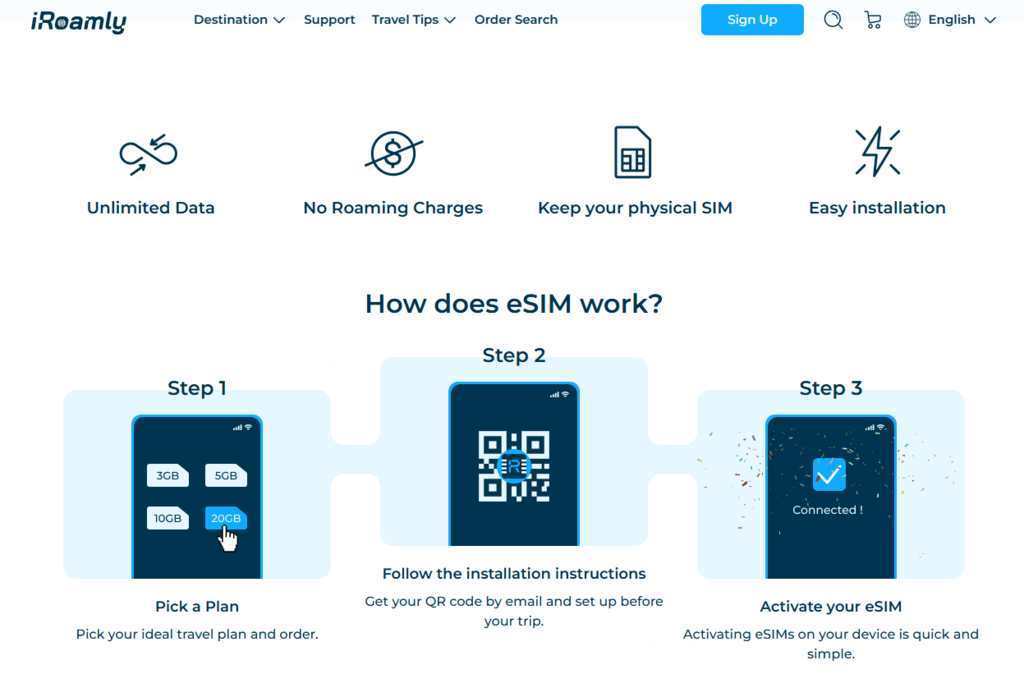
The Three‑Step Engine: How the Service Moves From Purchase to Connection
The appeal of any eSIM service ultimately rests on one question: does it work when you land? The operational model strips the process down to three discrete actions, each with specific execution details that determine success or failure. Unlike services that bury installation steps in dense FAQ pages, the flow follows a logical sequence that, in practice, proved remarkably frictionless—provided you respect the installation window.
Step 1: Selecting and Purchasing Your Plan
The first decision point is choosing between data structures that actually reflect different travel styles. Three plan types are offered: Daily data buckets, Total data allowances, and Unlimited plans. This isn’t merely cosmetic differentiation. In real use, the Daily plan works well for short city breaks where usage patterns are predictable—think three days in Istanbul with heavy map navigation and moderate social media. The Total plan, by contrast, suits a week‑long itinerary across multiple Turkish regions where data consumption fluctuates daily. The Unlimited option, while priced at a premium, eliminates the background anxiety of monitoring usage counters.
The purchase flow itself is minimalist. Select your destination, pick a duration (options range from 1 to 30 days), and complete checkout. The pricing structure for Turkey starts at $2.50 per day for unlimited data, which sits in a competitive mid‑range—not the cheapest option available, but notably more transparent than competitors that advertise low daily rates only to throttle speeds after a few gigabytes. One detail worth highlighting: the activation policy requires installation before departure. The eSIM cannot be installed within Turkey itself, a constraint that caught me off guard initially but makes sense given how local network registration works. Install it at home or in transit, and you’re set.
Step 2: Installation Before You Travel
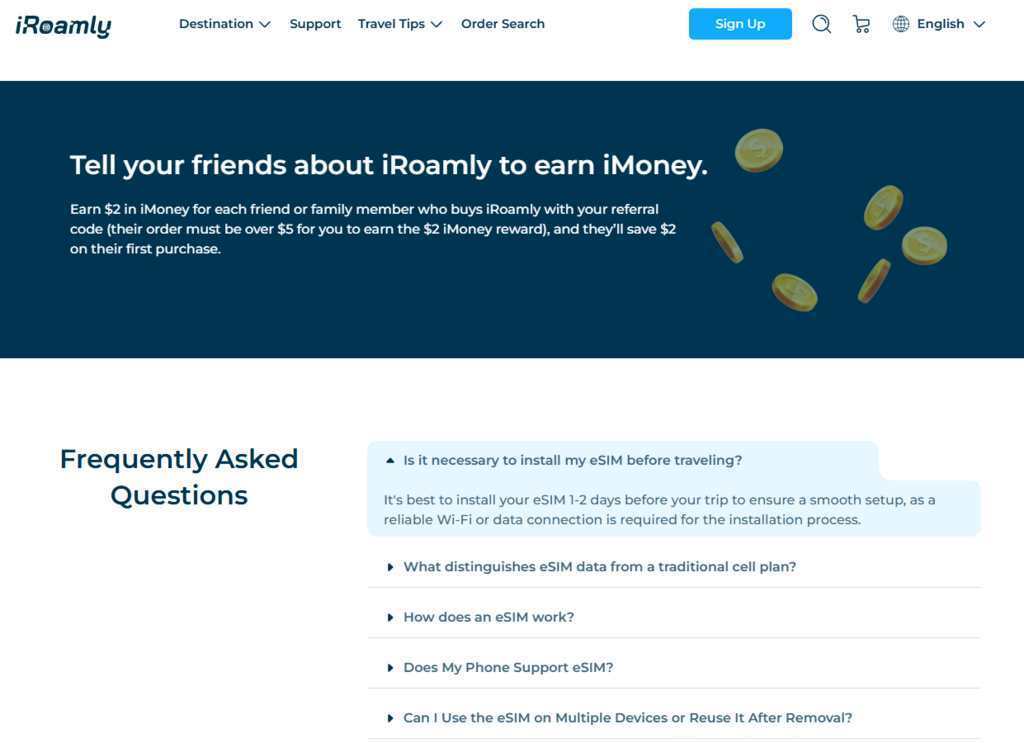
This is where most eSIM services lose users, not through technical failure but through poor communication. The installation guide is refreshingly direct. After purchase, you receive the QR code and activation code via email or on the success page. The installation requires an internet connection—preferably a fast Wi‑Fi network—and the recommendation is to install 1‑2 days before your trip to ensure a smooth setup.
In practice, the QR code scan took under thirty seconds on an iPhone 15 Pro. The eSIM profile installed without errors, and the device recognized it immediately. However, here’s a subtlety that isn’t emphasized enough: the validity period begins when the eSIM first connects to any supported network, not when you purchase or install it. This means if you install it at home and accidentally enable the line before departure, the clock starts ticking. I deliberately kept the line disabled until landing, which preserved the full validity window. The installation guide doesn’t explicitly warn about this activation trigger, so it’s worth noting as a self‑management responsibility.
Step 3: Activation Upon Arrival
Landing in a new country and switching on an eSIM should be anticlimactic—and with this service, it largely was. Once you arrive at your destination, enable the eSIM and turn on data roaming in the settings. The device connects to a local carrier automatically. For Turkey, the network partners are AVEA and Vodafone, with 4G and 5G support. Signal strength across Istanbul, Cappadocia, and coastal Antalya remained consistent, with only occasional drops in remote valley areas—expected given the topography rather than a service failure.
One practical consideration: the activation doesn’t require identity verification (eKTY), which streamlined the process considerably compared to services that demand passport scans before granting access. The QR code arrives within minutes of purchase, so last‑minute travelers aren’t entirely out of luck, though the pre‑departure installation requirement remains non‑negotiable.
The Feature Set That Actually Matters: What Gets Done Right
Beyond the core installation flow, several operational characteristics distinguish this service from the crowded eSIM landscape. These aren’t marketing bullet points; they’re functional decisions that directly impact the user experience.
Hotspot Sharing Without Restrictions. Every paid plan supports unlimited hotspot sharing. This sounds trivial until you’re traveling with a partner or need to connect a laptop for work. Many competitors either restrict hotspot functionality entirely or throttle shared connections. During testing, sharing the connection between a phone and a MacBook Air maintained consistent speeds for email, document editing, and light browsing. Video conferencing over the hotspot was usable but required switching to a lower resolution—a limitation of the underlying network rather than the hotspot policy itself.
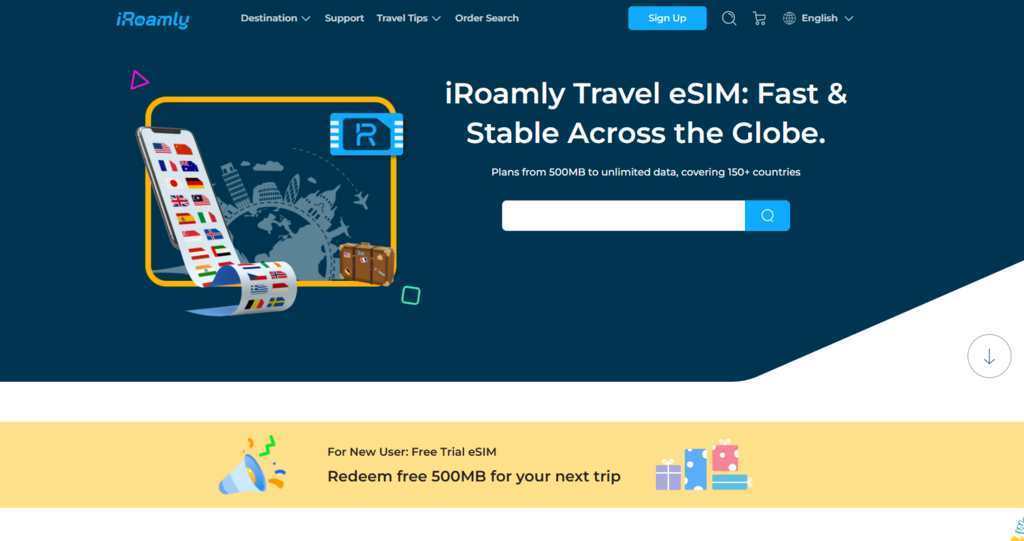
The Free Trial Layer. New users can claim a 500MB free eSIM in over 100 destinations. This isn’t a gimmick; it’s a genuine testing mechanism that lets you verify compatibility and network performance before committing paid funds. The free eSIM covers a single day and requires downloading the app on iOS or Android. In practical terms, this means you can test the service at home or immediately upon arrival without financial risk. The free tier doesn’t require credit card details, which lowers the barrier to entry significantly.
The iMoney Referral Program. The referral system operates on a straightforward earn‑and‑save model. Share your referral code, and when a friend purchases a plan exceeding $5, you earn $2 in iMoney, while they save $2 on their first purchase. This isn’t revolutionary, but the reward structure is clear and the thresholds are low enough to be achievable. The iMoney balance can be applied to future purchases, effectively reducing long‑term travel connectivity costs.
Testing Across Real‑World Scenarios
To move beyond speculation, testing was structured around three distinct travel profiles. Each scenario revealed different strengths and limitations.
Scenario One: The Short‑Haul City Break
Test setup: Three days in Istanbul, using maps for navigation, restaurant research, social media updates, and occasional video calls. Plan used: 3‑day Unlimited at $2.50 per day.
Performance: The connection remained stable throughout the historic peninsula and modern districts. Map loading times averaged under two seconds. Video calls to Europe maintained acceptable quality with occasional pixelation during peak evening hours—consistent with local network congestion rather than throttling. The unlimited data meant no usage anxiety, though actual consumption never exceeded 2GB per day.
Limitation observed: The validity period calculation uses calendar days (UTC+0), which means a plan activated at 11 PM local time still counts that as a full day. Activating early in the morning maximizes value. This isn’t unique to this service but remains a point where expectations and reality can diverge.
Scenario Two: The Multi‑Region Journey
Test setup: Seven days traveling from Istanbul to Cappadocia to Antalya, relying heavily on offline maps, cloud photo backups, and messaging. Plan used: 7‑day Total data plan.
Performance: Network switching between regions happened seamlessly. In Cappadocia’s valleys, signal strength decreased but remained functional for messaging and basic browsing. The 4G/5G support meant that in urban areas, speeds were consistently high. The hotspot feature proved essential for tethering a tablet during long bus rides.
Limitation observed: Data usage estimation requires attention. The service provides an eSIM calculator that estimates needs based on activities like YouTube, social media, maps, and video calls. For a 7‑day trip with moderate usage, the calculator suggested approximately 13GB. Actual usage came in slightly higher due to background app refreshes. Choosing a Total plan with a comfortable buffer is advisable if you’re unsure about consumption patterns.
Scenario Three: The Long‑Term Digital Nomad
Test setup: Twenty days working remotely across Turkey, requiring consistent connectivity for video meetings, file transfers, and collaboration tools. Plan used: 30‑day Unlimited.
Performance: The connection supported daily video meetings without significant issues, though afternoon sessions occasionally experienced higher latency. The absence of throttling meant that heavy usage days didn’t result in sudden speed drops—a common frustration with other providers that advertise unlimited but impose soft caps.
Limitation observed: The 30‑day plan represents a commitment. If your itinerary changes and you leave the country early, the remaining validity isn’t refundable except under the stated refund policy. Refunds are available if the plan cannot be used, but this doesn’t cover changes in travel plans. For digital nomads with flexible schedules, this requires careful planning.
A Practical Comparison: How This Service Stacks Up
Aspect
This Service
Typical Competitors
Plan Types
Daily, Total, Unlimited (3 types)
Often limited to 1‑2 types
Hotspot Sharing
Unlimited on all paid plans
Often restricted or throttled
Free Trial
500MB in 100+ countries
Rare or limited to few countries
Speed Policy
No sudden throttling
Throttled after daily or total caps
Installation Window
Must install before departure
Varies; some allow in‑country install
Activation Trigger
Starts on first network connection
Typically same policy
The table reflects functional differences rather than value judgments. The three‑plan structure offers more granular choice, but the installation‑before‑departure requirement may be a hurdle for spontaneous travelers. The free hotspot sharing is genuinely useful, particularly for families or work travelers, but the activation timing nuance requires user awareness.
The Installation Experience in Detail: What the Guide Doesn’t Emphasize
The installation steps are concise: pick a plan, follow the QR code instructions, activate upon arrival. In practice, several execution details determine whether this flow succeeds or fails.
The QR Code Email. The QR code arrives within minutes, but it’s embedded in an email that might land in spam folders. During testing, Gmail filtered it into Promotions rather than Primary. Searching for the service name in the email client resolved this quickly, but it’s worth noting if you’re installing at the airport with limited time.
The Wi‑Fi Requirement. Installation requires a stable internet connection. Attempting to install using cellular data from your primary SIM can work but introduces variables—roaming charges on your home plan, potential network conflicts, and slower download speeds. The recommendation to install 1‑2 days before departure is practical advice, not optional convenience.
The Dual‑SIM Consideration. Once installed, the eSIM appears alongside your primary SIM. The critical step—turning off data roaming on your primary SIM while enabling it on the eSIM line—isn’t explicitly called out in the installation guide. This omission could lead to unexpected roaming charges if users assume the eSIM automatically overrides the primary line. The responsibility lies with the user to manage this setting.
Real Limitations Worth Acknowledging
No service is without constraints, and this operational model has several that prospective users should weigh.
The Validity Period Trigger. As mentioned, the clock starts when the eSIM first connects to a supported network. This means if you install the eSIM and accidentally enable it during a layover in a covered country, your plan begins early. In testing, this was avoided by keeping the line disabled until the final destination, but the risk is real for travelers connecting through multiple countries.
Installation Geography Restriction. The Turkey eSIM cannot be installed within Turkey. This is a network registration requirement rather than a company policy, but it means travelers who forget to install before departure face a significant hurdle. Unlike some competitors that allow in‑country installation via local Wi‑Fi, this package requires pre‑trip preparation.
Refund Policy Specificity. Refunds are available if the plan cannot be used, but this doesn’t cover changes in travel plans, early departure, or personal preference. The policy is fair but narrow. Travelers with uncertain itineraries should consider shorter validity periods to minimize financial exposure.
Customer Support Response Times. While user reviews praise the support team’s responsiveness, response times can vary depending on time zones and inquiry volume. During testing, a query about network coverage in a specific region received a reply within four hours—acceptable but not instantaneous.
Who Benefits Most From This Approach
The service fits specific travel profiles better than others. Solo travelers and couples benefit from the unlimited hotspot sharing, which eliminates the need for multiple plans. Short‑term visitors to Turkey or other covered countries find the daily and total plans cost‑effective compared to home carrier roaming. Digital nomads with fixed itineraries appreciate the 30‑day unlimited option and the absence of throttling. Budget‑conscious travelers leverage the free 500MB trial to test coverage before purchasing.
The service is less ideal for travelers who prefer to decide connectivity upon arrival, those with highly variable itineraries that might change mid‑trip, or users who frequently forget pre‑travel installation steps. The installation‑before‑departure requirement is non‑negotiable and represents the primary friction point.
The Takeaway From Practical Experience
After three weeks of active use across urban centers and remote areas, the service delivers what it promises: reliable connectivity through a straightforward installation process, with plan flexibility that accommodates different travel styles. The free trial reduces the risk of commitment, and the unlimited hotspot sharing adds genuine value that competitors often restrict. The limitations—activation timing, pre‑travel installation, and refund policy specifics—are manageable with awareness rather than deal‑breakers.
What sets the experience apart is the absence of surprises. The service doesn’t overpromise speeds that can’t be delivered, doesn’t hide throttling in fine print, and doesn’t complicate the installation with unnecessary steps. For travelers who can plan ahead and manage the activation trigger, iRoamly eSIM offers a connection experience that fades into the background—which, for connectivity, is exactly the point. The real test isn’t whether it works in ideal conditions; it’s whether it works when you’re standing in a foreign airport at midnight with a dead primary SIM. In that moment, the three‑step engine delivers.
The Connected Traveler’s Dilemma: Why 2026 Demands a Smarter Approach to Roaming was last modified: June 24th, 2026 by Adsy Collins
If the past few years taught the restaurant industry anything, it’s that diners don’t simply want a meal anymore. They want a story, a setting, a reason to leave the house. In 2026, that shift feels more obvious than ever. Across the UK, people are becoming more selective about where they spend their money, but they’re also becoming more adventurous about what they expect in return.
The days when a restaurant could rely solely on a decent menu and a convenient location are fading. Instead, diners are seeking places that offer character, personality, and memorable experiences. They’re gravitating towards heritage dining rooms, neighbourhood gems, chef-led concepts, atmospheric pubs, and venues that feel genuinely connected to their surroundings.
According to reports from organisations including the UK’s hospitality industry body, the UKHospitality sector continues to see strong demand for experiential dining, despite ongoing economic pressures. Consumers may be watching their spending more carefully, but they’re still prioritising meaningful social experiences and quality hospitality (UKHospitality, 2025).
So what kinds of restaurants are people choosing more often in 2026? These venues offer some clues.
1. 1 Lombard Street – Historic Dining Rooms With Modern Relevance
One trend dominating 2026 is the return of iconic dining spaces. Diners aren’t just looking for somewhere to eat; they’re looking for somewhere that feels significant.
Few London restaurants embody that better than 1 Lombard Street.
Located in the heart of the City’s historic Square Mile, 1 Lombard Street has been serving breakfast, lunch, dinner, brunch and Sunday roasts since 1998. Housed inside a Grade II-listed former banking hall beneath its striking glass dome, it offers the kind of atmosphere many newer restaurants spend years trying to replicate.
What’s interesting is how venues like 1 Lombard Street have adapted to modern expectations. Today’s diners want flexibility. One table might be hosting a corporate breakfast. Another could be celebrating an engagement. Nearby, friends are gathering for bottomless brunch.
That versatility matters.
A London-based financial consultant recently described it as “one of those rare places where business lunches and birthday celebrations somehow feel equally at home.” That’s exactly the kind of broad appeal many diners are gravitating towards in 2026.
2. Chef-Led Restaurants With Personal Stories
Another growing trend is the continued rise of restaurants where the chef’s identity is woven directly into the experience.
Diners increasingly want to know who’s behind the menu and why particular dishes exist. They want personality rather than corporate uniformity.
That’s part of the reason venues like Muse by Tom Aikens continue to attract attention. The restaurant’s highly personal approach transforms dining into something closer to storytelling. Every dish connects to a memory, experience, or moment from the chef’s life.
In an era dominated by algorithms and mass-produced experiences, that kind of authenticity feels refreshing.
People aren’t just ordering dinner. They’re buying into a narrative.
3. Restaurants Built Around Seasonal British Produce
British diners have become significantly more interested in where their food comes from.
The farm-to-table movement isn’t exactly new, but in 2026 it’s become part of mainstream dining culture. Sustainability, provenance, and seasonality have moved from niche concerns to everyday expectations.
Restaurants that showcase British ingredients at their peak are increasingly attracting loyal followings. Diners want menus that change naturally throughout the year rather than remaining static.
Interestingly, this trend mirrors wider conversations around sustainability and responsible consumption that have become increasingly prominent across the UK over the past decade.
4. Tavern – Modern British Bistros That Feel Relaxed
Not every dining experience needs to be formal.
One of the strongest restaurant trends this year is the popularity of elevated neighbourhood-style dining. Diners want quality without stiffness. They want excellent food served in spaces where they can genuinely relax.
That’s where Tavern fits perfectly.
Created by the team behind Michelin-starred Restaurant St Barts, Tavern focuses on seasonal British cooking and carefully selected low-intervention drinks. Yet despite the pedigree behind it, the atmosphere remains welcoming and approachable.
That combination has become increasingly attractive.
Many diners are moving away from special-occasion-only restaurants and towards places they can imagine visiting regularly. Tavern captures that balance between quality and comfort particularly well.
5. Destination Dining That Feels Worth The Journey
The UK’s dining scene isn’t confined to major cities.
Across the country, diners are increasingly willing to travel for memorable meals. Whether it’s a countryside pub, a riverside restaurant, or a historic venue, people are choosing restaurants that feel like part of a wider day out.
Social media undoubtedly plays a role here. A restaurant visit often becomes part of a broader experience involving sightseeing, walks, shopping, or cultural attractions.
As a result, destination dining continues to thrive.
6. Characterful Pubs With Serious Food
The British pub remains one of the country’s greatest hospitality success stories.
What’s changing is the level of food quality many customers now expect. Diners increasingly seek pubs that deliver both atmosphere and culinary ambition.
The best examples don’t abandon their pub identity. Instead, they elevate it.
Think roaring fireplaces, excellent pints, carefully sourced ingredients, and menus that balance comfort with creativity. That’s proving a powerful formula in 2026.
7. Riverside Restaurants With Built-In Atmosphere
Location matters.
Few things improve a meal quite like a great view, which helps explain the continued popularity of riverside dining.
Restaurants positioned near water often provide something difficult to manufacture: a natural sense of occasion.
One venue that benefits from exactly that appeal is The Mitre. Richmond’s enduring popularity stems partly from its ability to offer visitors a break from central London’s intensity while still delivering excellent hospitality.
For many diners, that’s becoming increasingly valuable.
8. Restaurants That Encourage Longer Visits
In previous years, efficiency often dominated hospitality conversations.
Today, many diners are seeking the opposite.
They want restaurants where lingering feels encouraged rather than inconvenient. Places where a coffee becomes lunch, lunch becomes dessert, and nobody rushes for the bill.
This reflects a broader cultural shift towards experience-led spending. People may dine out less frequently than before, but when they do, they often want to make the occasion last.
9. Violas – Beautiful All-Day Dining Spaces
Another category gaining momentum is the all-day restaurant.
Modern diners appreciate flexibility. They don’t necessarily separate breakfast venues, brunch venues, coffee spots, lunch destinations and dinner restaurants as strictly as previous generations did.
That’s one reason Violas is attracting attention.
Situated near Covent Garden, Violas has built a reputation around its welcoming atmosphere, attractive interiors, brunch offering, afternoon teas, and approachable dining experience throughout the day.
Its floral design, intimate seating, and central location reflect another important trend in 2026: people increasingly choose restaurants that simply make them feel good.
A memorable setting often becomes just as important as what’s on the plate.
10. Restaurants That Deliver Genuine Escapism
Perhaps the biggest trend of all is escapism.
Life feels busy. Work remains demanding. Technology continues to compete for our attention every waking hour.
As a result, restaurants that create a sense of escape are thriving.
Whether that’s through exceptional interiors, immersive hospitality, distinctive food, or unique locations, diners increasingly value places that transport them somewhere else, even if only for a few hours.
A perfect example can be found aboard Countess of Evesham. Dining aboard a historic riverboat offers something that many conventional restaurants simply can’t replicate. It’s memorable before the first course even arrives.
And in 2026, memorable matters.
Why These Trends Matter
What connects all of these restaurants isn’t cuisine, price point, or location.
It’s experience.
Consumers are becoming more deliberate about dining choices. They’re looking beyond menus and considering atmosphere, provenance, architecture, storytelling, sustainability, and hospitality.
Food writer Jay Rayner once observed that restaurants succeed when they provide something people can’t easily recreate at home. That idea feels particularly relevant today. Great ingredients remain essential, but they’re only part of the equation.
The venues thriving in 2026 understand that dining out isn’t simply about eating. It’s about connection, discovery, celebration, and occasionally a little escapism.
Conclusion
The UK’s restaurant landscape continues to evolve, but one thing feels clear: diners are rewarding originality.
Historic institutions like 1 Lombard Street continue to thrive because they combine heritage with adaptability. Chef-led concepts such as Muse by Tom Aikens resonate because they tell personal stories. Tavern reflects the growing appeal of relaxed British bistros, while Violas demonstrates the demand for welcoming all-day dining spaces. Meanwhile, venues like The Mitre in Richmond and Countess of Evesham show that location and atmosphere remain powerful draws.
If 2026 has a defining restaurant trend, it’s this: people aren’t simply choosing places to eat. They’re choosing places to remember.
And the restaurants that understand that distinction are the ones diners keep coming back to.
The Kinds of Restaurants UK Diners Are Choosing More Often in 2026 was last modified: June 10th, 2026 by Zaid Sajid
Dubai’s skyline has always been a declaration of intent. Having spent considerable time working with premium travelers across the Gulf region, I can say that 2026 marks a real shift: the city is no longer simply competing with established luxury destinations — it has started redefining what ultra-premium travel actually looks like. Floating hotels, blockchain-powered hospitality platforms, biohacking spas. The infrastructure built over the last two years demands a completely updated playbook.
This evolution extends beyond where you sleep and dine; it fundamentally changes how you experience the city on the ground. In a destination where wide, immaculate highways are framed by the world’s most recognizable skyline, road presence matters. For affluent travelers who prefer to drive Dubai rather than be driven through it, premium mobility partners like Brook Drive Rent have become an essential part of the 2026 itinerary. Offering seamless, zero-deposit access to a massive fleet of supercars and luxury SUVs delivered directly to your airport terminal, it ensures your premium experience begins the moment you step out of the arrivals hall.
The Evolution of Opulence: Why Dubai Leads Luxury in 2026
Dubai’s position at the top of elite tourism isn’t accidental — it’s structural. In 2025–2026, the city opened Ciel Dubai Marina (now the tallest hotel in the world), Jumeirah Marsa Al Arab (ranked among the global top 50 in 2025), Mandarin Oriental Downtown, and the Kempinski Floating Palace — a 163-room vessel with its own marina, boutiques, and spa.
The numbers back the investment. Dubai International Airport processed 8.8 million passengers in December 2025 alone; by January 2026, the monthly seat capacity crossed 5.5 million — figures that reflect a destination operating at peak global relevance, not a city chasing it.
Technology is accelerating the premium layer further. A government-backed blockchain distribution platform now coordinates hotel and tour operator services, removing the friction from bespoke itinerary management. What once required weeks of advance coordination — same-day private experience customization — is increasingly handled automatically. For the affluent traveler, that translates directly into flexibility and speed.
New flagship properties, record air connectivity, and genuinely intelligent service infrastructure: taken together, Dubai is the most operationally advanced luxury destination available to international travelers right now.
Arriving in Style: VIP Airport Concierge & Premium Transportation
The premium experience begins before passport control. At Dubai International Airport (DXB), three dedicated VIP arrival programs cover different priorities:
Marhaba Elite is the highest service tier available: a personal escort meets guests at the aircraft door, guides them through priority immigration and customs, manages luggage, and provides access to the executive business lounge.
Marhaba Gold offers jetway-level meet and greet, full facilitation through arrival formalities, and dedicated porter service — efficient for travelers who value speed over lounge time.
Ahlan Premium focuses on gate-to-lounge continuity: gate collection, expedited processing, and a private VIP lounge until ground transportation is confirmed.
Pre-booked private transfers operate directly from terminal exits. Journey time to Downtown Dubai or Palm Jumeirah is typically 20–35 minutes, depending on traffic and terminal.
Luxury Car Rentals: Experiencing Dubai on Your Own Terms
As noted earlier, taking control of your own transportation elevates the entire trip. Dubai’s highway infrastructure was built for exactly the kind of vehicle that draws a second glance, making the drive itself an event rather than just a commute.
When choosing Brook Drive Rent, the transition from the airport lounge to the driver’s seat is completely frictionless. The fleet runs to 450+ vehicles: Ferrari, Lamborghini, Rolls-Royce, Bentley, Porsche, Mercedes — with delivery directly to your hotel or airport arrival point.
A few details stand out against standard rental providers:
Zero deposit on all vehicles — no security hold on your card
24/7 availability — booking, support, and handover around the clock
20-minute processing from arrival to keys in hand
Free Salik (toll) charges covered by the company
All payment methods accepted — cash, card, and cryptocurrency
Current pricing: Lamborghini Huracan EVO Spyder from 3,100 AED/day, Ferrari F8 Spider from 3,390 AED/day, Rolls-Royce Cullinan from 4,290 AED/day, Bentley Bentayga from 3,200 AED/day. For longer stays, monthly rates on premium models drop to 1,690–2,900 AED/day on 30+ day agreements — up to 30% off standard daily rates.
Note: Off-road driving and sand dune access void the insurance coverage. All vehicles are for paved road use only.
The 2026 Premium Itinerary: 5 Days of Unmatched Exclusivity
Day 1: Futuristic Skylines & Elevated Gastronomy
Start with private access to the Burj Khalifa’s At the Top SKY experience on Level 148 — book the corporate lounge tier to bypass general visitor queues entirely. A private helicopter tour over Downtown Dubai, Palm Jumeirah, and the World Islands takes roughly 20 minutes and delivers perspectives that no ground-level observation deck can replicate.
For dinner, At.mosphere on Level 122 of the Burj Khalifa remains the benchmark for elevated dining with a panoramic view — reserve a window table at least two weeks ahead. CÉ LA VI at Address Sky View offers a different register: rooftop dining above the Dubai Canal, anchored by contemporary Asian cuisine and a focused cocktail program.
End the evening with the Dubai Fountain show from a private terrace at The Palace Downtown. The 14-minute shows run every 30 minutes after sunset — at close range, the hydraulic choreography and light sequencing read at a scale that no recorded footage conveys.
Day 2: Private Desert Reserves & Bespoke Glamping
The Dubai Desert Conservation Reserve operates at a categorically different level from the standard desert day trip. Private operators — bookable through specialist platforms and aggregators like GetYourGuide — offer full-day and overnight formats: vintage Land Rover safaris during golden hour, falconry demonstrations, Arabian oryx tracking, and cultural heritage programming.
The Heritage Overnight format covers late-afternoon departure, wildlife spotting, traditional camp dinner, and a full night under open sky. VIP BBQ and private guide upgrades are available at booking.
For accommodation within the reserve, Al Maha Desert Resort — a Luxury Collection property — sets the highest standard: private pool suites with direct desert views, all-inclusive dining, and a dedicated butler.
Day 3: Superyacht Charters & Private Island Retreats
Dubai Marina and the waters around Palm Jumeirah support a serious superyacht charter market. Brokers including Charter Index, Relevance Yacht, and Northrop & Johnson operate vessels from 24 to 70 meters, with full-day charters covering crew, catering, and custom routing.
A well-structured day itinerary: morning departure from Dubai Marina, cruise past the Palm Jumeirah crescent, anchor for swimming near Burj Al Arab, then continue to The World Islands for a private island afternoon. The Heart of Europe development within The World Islands offers exclusive villa access and beach facilities reachable only by water — a structural advantage for anyone seeking genuine seclusion.
With onboard dinner service, an evening return by sunset makes the charter a complete, self-contained day requiring no other venue.
Day 4: VIP Personal Shopping & Cultural Immersion
Dubai Mall’s personal stylist service pairs travelers with consultants who build a shopping itinerary around stated preferences, body type, budget, and occasion — available as a private group format. Visit Dubai officially confirms that concierge and personal styling services operate across major shopping centers, making this a structured, bookable experience rather than something improvised on arrival.
The afternoon is worth giving to the Al Fahidi Historical District. The contrast with Downtown is deliberate and striking — narrow wind-tower lanes, Dubai Creek, abra water taxis, and the Sheikh Mohammed Centre for Cultural Understanding provide historical context that most hotel concierges surface only superficially. Private walking tours run approximately 90 minutes and can be extended to include the Heritage House and a traditional lunch.
Alserkal Avenue in Al Quoz closes out the day with contemporary art: over 80 creative spaces, several offering private viewings outside public hours.
Day 5: Next-Gen Wellness Retreats & Departure
Three facilities represent the current ceiling of spa programming in Dubai:
Awaken Spa & Wellness at Atlantis The Royal structures treatments around four elemental themes. Signature rituals layer hot stone therapy with snow shower contrast sequences, drawing on Persian Gulf salt, volcanic stones, date oil, and amber extract — ingredients chosen to reflect regional provenance rather than generic luxury positioning.
Guerlain Spa at One&Only The Palm offers the Desert D’Orient Hammam and Dubai Harmony as location-specific treatments, alongside the Solar Evasion ritual — a lighter option before an evening flight.
Dubai in 2026 operates on a simple premise: time is the ultimate luxury, and every touchpoint should be flawless. By securing the right mobility partner, curating your access, and leaning into the city’s upgraded infrastructure, you ensure your time in the Emirates isn’t just spent — it’s maximized.
The Ultimate Dubai Luxury Travel Guide 2026: A Premium Itinerary for Modern Travelers was last modified: May 23rd, 2026 by Colleen Borator
Moving to New Zealand offers a chance for a fresh start and a better lifestyle. Setting up a remote work office is a big part of that transition for many newcomers. You need a space that helps you stay productive as you enjoy your new surroundings.
This guide helps you navigate the technical and practical sides of working from home in your new Kiwi residence.
Planning Your Move To Aotearoa
Relocating across the globe takes a lot of coordination and research. Finding international movers to New Zealand helps you manage the stress of transporting your entire life. Professional teams can handle the logistics of shipping monitors and ergonomic chairs.
These experts understand the local customs rules for your electronics. They make sure your gear arrives in one piece so you can get back to work quickly. Packing your office gear properly helps avoid any delays when you arrive.
Moving your home office requires a careful plan for every piece of hardware. You should label every box clearly to make the unpacking process much faster. Having your desk and chair ready on day one makes the transition feel seamless.
Selecting Your Broadband Connection
New Zealand has invested heavily in high-speed fibre infrastructure over the last few years. You will find that most urban areas offer fast internet speeds for video calls. Most people find the speed is perfect for running many apps at once.
A recent report on local broadband performance noted that nearly all households on high-tier fibre plans could easily stream multiple high-definition videos at once. You can join your team meetings without any lag or dropped connections.
You should check the coverage map for your specific suburb before you sign a lease. Some rural areas might rely on satellite or wireless connections instead of fibre. Choosing the right plan makes your daily workflow much smoother and less frustrating.
Setting Up A Productive Physical Space
Natural light is a major perk of living in such a beautiful country. Try to place your desk near a window to take advantage of the views and daylight. Sunlight can keep you feeling positive and alert throughout the afternoon.
You might want to invest in a standing desk to keep your energy levels high during long calls. Good lighting and a quiet corner are key to staying focused on your tasks. Creating a clear boundary between your desk and your living room helps your brain switch off after work.
Ergonomic furniture is a wise investment for your health in the long run. A high-quality chair supports your posture during long stretches of deep work. You can find many local suppliers that offer quick delivery to most New Zealand cities.
Internet Habits In New Zealand
Kiwis are very connected and rely on the web for both work and play. A study on internet usage found that half of the people living in the country spend at least 4 hours every day on the internet for their own personal needs.
You can manage your home admin tasks efficiently between your professional commitments. Most businesses expect you to reach out via email or online portals. Living in a digital-forward nation makes the transition to remote life much simpler.
Online shopping and digital entertainment are very popular across the islands. You will find that most government services are accessible through simple online forms.
Tech Requirements For Your Home Office
Modern office design focuses on connectivity and security for all workers. Guidelines for modern workspaces suggest that reliable and secure wireless internet is a basic requirement for any office setup. You should look for a router that can handle your specific bandwidth needs.
This setup protects your sensitive data and provides the freedom to move around your home. Investing in a good router helps prevent drops in your signal during video chats. You can work from your garden or your kitchen table with the right signal strength.
Using a secure virtual private network is a smart way to keep your company data safe. You should talk to your IT department about the best security practices for your home network. Keeping your software updated is another simple step to maintain a secure digital environment.
Power And Equipment Standards
New Zealand uses a specific plug type and voltage for all electronics. You should check if your current devices are compatible with the local 230V system. Buying local power strips is a good way to keep your laptop and monitors running safely.
Surge protectors are a smart addition to any expensive office setup. They protect your hardware from unexpected power spikes during storms. Having the right cables and adapters ready will save you a lot of stress on your first day.
Many local tech stores offer the latest keyboards and headsets if you need an upgrade. You can find a wide range of accessories to customize your workspace. Getting your power needs sorted early means you can focus on your actual work.
Balancing Work And Kiwi Life
Adapting to a new time zone requires some patience and a solid schedule. Working remotely gives you the flexibility to explore your local beach or bush walk during your breaks. Making the most of your New Zealand lifestyle is about finding a rhythm that works for you.
Use local cafes for occasional co-working sessions.
Join professional networking groups in your new city.
Schedule outdoor activities to match the local weather.
Finding a community of other remote workers can help you settle in. You can share tips on the best places to get coffee or find office supplies. New Zealand has a friendly culture that makes it easy to meet new people.
Starting a new chapter in New Zealand is an exciting journey for any remote professional. Having a dedicated workspace and a fast internet connection makes the transition much smoother.
Remote Work in NZ: Setting up Your Digital Workspace After Moving was last modified: April 28th, 2026 by Charlene Brown
Mobile technology continues to evolve, but not all changes are immediately visible. Some of the most important shifts are happening behind the scenes, especially in how devices connect to networks and how phone numbers are managed. Two technologies leading this change are eSIM and virtual phone numbers.
Both are designed to remove the limitations of physical hardware. Instead of relying on SIM cards and fixed numbers tied to a device, users can now activate services digitally and manage communication more flexibly. This has practical benefits for everyday users, remote workers, and businesses.
Understanding how these technologies work can help you make better decisions about mobile connectivity, especially if you travel often, manage multiple accounts, or need more control over your phone number.
What Is an eSIM and How Does It Work?
An eSIM, or embedded SIM, is a digital version of a traditional SIM card. Instead of inserting a physical card into your phone, the SIM is built into the device. You activate it by downloading a carrier profile, usually by scanning a QR code or using an app.
This process takes only a few minutes and removes the need to handle small SIM cards. It also allows you to store multiple carrier profiles on one device, making it easy to switch between networks without swapping anything physically.
Most modern smartphones, tablets, and even some laptops now support eSIM. As more manufacturers adopt it, the need for physical SIM cards is gradually decreasing.
What Is a Virtual Phone Number?
A virtual phone number is not tied to a specific SIM card or device. Instead, it exists in the cloud and can be used to make and receive calls or messages through apps or web platforms.
This means you can have a phone number from another country without being physically there. It also allows you to manage multiple numbers on a single device, which is useful for separating personal and work communication.
For example, using an eSIM Plus virtual phone number Canada allows someone outside the country to maintain a local Canadian number for calls, messages, or account verification. This is especially helpful for freelancers, remote teams, or anyone working with international clients.
Why These Technologies Work Better Together
eSIM and virtual phone numbers solve different problems, but they work well together. An eSIM gives you access to mobile data and local networks, while a virtual number handles communication across regions.
For example, you might use an eSIM for internet access while traveling, and a virtual number to receive calls from your home country. This setup avoids roaming charges and keeps your communication consistent.
Another common use is managing multiple accounts. You can use one number for personal use and another for online services or business communication. Since virtual numbers are easy to set up and remove, they offer more flexibility than traditional SIM-based numbers.
Practical Benefits for Everyday Users
For most people, the main advantage of these technologies is convenience. You no longer need to visit a store to change carriers or wait for a SIM card to arrive. Everything can be done digitally.
Here are some practical benefits:
Quick setup: Activate a new plan or number in minutes
Multiple profiles: Store and switch between different carriers
Less hardware hassle: No need to handle or replace SIM cards
Better organization: Keep personal and work communication separate
These features are especially useful if you frequently switch networks or need more than one number.
Use Cases for Travel and Remote Work
Travel is one of the most common scenarios where eSIM and virtual numbers are useful. Instead of buying a local SIM card at the airport, you can activate an eSIM plan before you arrive. This gives you immediate internet access when you land.
At the same time, a virtual phone number allows you to stay reachable on a familiar number. Friends, family, or clients can contact you without needing to know your temporary local number.
Remote workers also benefit from this setup. Someone working from Vietnam, for example, can use a virtual number from the US, Canada, or Europe while using a local eSIM data plan. This creates a more professional presence without requiring multiple devices.
Business Applications and Scalability
Businesses are increasingly adopting these technologies to simplify communication. Virtual phone numbers allow companies to create local contact points in different regions without opening physical offices.
Customer support teams can use virtual numbers to handle calls from different countries. Marketing teams can assign separate numbers to track campaigns. Developers can use them for account verification and testing.
eSIM adds another layer by making device management easier. Companies can deploy devices with preloaded profiles and update them remotely. This is particularly useful for distributed teams or field operations.
Privacy and Security Considerations
Using your primary phone number for every service can create risks. It can lead to spam, unwanted calls, or exposure of personal information.
Virtual phone numbers help reduce this risk. You can use them for sign-ups, online services, or temporary communication, keeping your main number private.
eSIM also improves security in a different way. Because it is built into the device, it cannot be removed or swapped like a physical SIM card. Activation requires authentication, which adds another layer of protection.
Together, these tools give users more control over how their contact information is shared and used.
Limitations to Be Aware Of
While eSIM and virtual numbers offer many advantages, there are a few limitations to consider.
Device compatibility: Not all devices support eSIM
Carrier support: Some networks still rely on physical SIM cards
Service limitations: Certain virtual numbers may not work with all apps or verification systems
Learning curve: New users may need time to understand how to manage profiles and numbers
Before switching, it is important to check whether your device and preferred services support these technologies.
The Future of Mobile Connectivity
The shift toward eSIM and virtual phone numbers reflects a larger trend in technology. Physical components are being replaced by digital systems that are easier to manage and scale.
As adoption grows, more devices will likely remove SIM trays altogether. At the same time, virtual numbers will become more integrated with apps, business tools, and online services.
This means users will have more flexibility in how they connect and communicate. Instead of being tied to a single carrier or number, they will be able to choose what works best for each situation.
Conclusion
eSIM and virtual phone numbers are not just new features, they represent a practical shift in how mobile technology works. By removing the need for physical SIM cards and fixed numbers, they offer more flexibility, better organization, and improved privacy.
For everyday users, this means easier setup and more control. For travelers and remote workers, it provides reliable communication across borders. For businesses, it opens new ways to manage communication without added complexity.
As these technologies continue to develop, they are likely to become standard in modern devices. Understanding how they work today can help you take full advantage of what they offer now and in the future.
How ESIM and Virtual Phone Numbers Are Changing Mobile Technology was last modified: April 28th, 2026 by Olaf Skoglund
We’ve tested the most popular travel eSIM apps in 2026 and selected a few providers based on their price, covered countries, and features. The best eSIM for global travel in 2026 includes Ohayu eSIM global for multi-network support and data rollover in 112 countries, starting at $9.99/month; Jetpac for affordable global packages beginning at $4.00 for 1 GB; and Roamless for pay-as-you-go flexibility in 200 destinations.
eSIM for Global Travel – Top Providers
Ohayu – multiple networks within one country.
Airalo – quick connectivity and plans with SMS.
Roamless – flexible pay-as-you-go options.
Jetpac – cheap packs and travel bonuses.
aloSIM – plans with a phone number.
Global vs Country Plans
Coverage is the main difference between country-specific packages and global plans. While a country plan works in one destination (e.g., Malaysia), the global packages combine several locations (usually 100+) in Europe, Asia, North America, and so on. You don’t need to change settings or buy a new package for each trip. Your device automatically switches between partner networks.
How Do Global Travel eSIMs Work
Global plans offer a fixed amount of data for a specific period (e.g., 10-20 GB for 30 days). The price depends on the number of countries included. Some plans activate when you connect to a network abroad. Others work immediately after purchase. Keep in mind that 5G isn’t available everywhere. Speeds depend on local networks, which you can check via the Speedtest Global Index. Also, validate in advance if hotspot tethering is included. Not all plans support it.
Global eSIM Providers Overview
Choosing the best eSIM for global travel comes down to which pricing model works best for you. While many global eSIM apps offer similar coverage, their differences lie in reliability and additional features. Below are reviews of five key players in 2026, along with their strengths and drawbacks.
Ohayu
Ohayu is a provider that focuses on travellers and offers affordable internet in 190+ countries through partnerships with 600+ local carriers. Its global plans work in 112 countries. The prices start at $9.99 per month for 2 GB of data.
Key benefits include automatic switching between networks within one country, automatic rollover of unused data to the next period, and the possibility of reinstalling the profile up to 5 times on the same device. All plans support hotspot tethering, provide 24/7 priority support, and come with a money-back guarantee. But the limitation is that their global plans are data-only, with no SMS support.
Airalo
Airalo is one of the earliest and largest providers, which has been on the market since 2019. Their service covers over 200 countries and regions with local and regional packages. Airalo global plan works in 138 countries. It is a package option, where you choose the amount of traffic you need for a fixed period. Prices start at $8.50 for 1 GB over 7 days.
Unlike competitors, Airalo offers global plans that include minutes and SMS (on the Discover Global+ line), allowing you to make regular calls. The plan’s validity begins only when you connect to a network in a new country. The biggest downside is the price. For example, a standard 10-gigabyte data-only package for 30 days costs $57.
Jetpac
Jetpac is a provider serving over 500,000 users and covering 200+ destinations, based in Singapore. The operator uses the infrastructure of major telecom Circles.Life, which allows it to offer good speeds and coverage. Jetpac’s global plans cover 100+ countries. Prices for these packages start at $4.00 for gigabytes, but they’re valid for 4 days.
The main feature of Jetpac is its safety net for connections. Even if you run out of gigabytes, you still get free access to essential travel apps like WhatsApp, Uber, Grab, and Google Maps. Plans also include unlimited hotspot and lounge access during delays, plus international voice packages for landline calls. However, there are some downsides. Voice service isn’t available across the entire coverage area (only in 50 out of 200+ countries), and unused gigabytes expire at the end of the plan’s validity period.
aloSIM
aloSIM is a Canadian provider with a user base of over 1,000,000 and a high app store rating (4.6/5). Its global plan covers 148 countries and operates on a one-time purchase. The smallest package (1 GB for 7 days) costs $10.
A key feature of aloSIM is the option to use a phone number for calls and SMS, which is rare. The provider also guarantees 24/7 support from real people and a 100% money-back policy. On the downside, global pricing is above average. Also, unused gigabytes do not roll over to the next month.
Roamless
Roamless is a provider that offers a single global solution, where one installed card automatically works in 200+ destinations. This is why you don’t need to scan new QR codes or change settings for each trip. The service is for those who want connectivity with flexible options. Prices for global packages start at $8.95 for 1 GB for 30 days.
The provider offers flexible pricing models. You can choose Flex, which works on a pay-as-you-go basis, or Fix, where you buy a set amount of traffic valid for 30 days. With the Flex option, your balance never expires and works worldwide. The app also includes a calling feature. One notable downside is the high cost for larger data volumes. For example, 10 GB globally will cost you more than $55. Calls also require a Flex balance, as this feature isn’t available on Fix plans.
Best eSIM for Global Travel – Plans Comparison
This table highlights how monthly plans from the best global eSIM providers compare with similar 30-day global bundles, side by side.
Provider
Covered countries
Data
Price for 30 days
Features
Ohayu
112
15 GB
$39.99
Multi-network support, top-ups, data rollover, up to 5 reinstallations, hotspot.
Airalo
138
10 GB
$57.00
Multi-network support, regional/local package flexibility, minutes and SMS included.
Phone number for calling/texting, 24/7 live human support, 100% money-back guarantee.
Roamless
120
10 GB
$56.95
Pay-as-you-go credits that never expire in the Flex package, in-app calls.
Conclusion
Global plans let you move between countries without changing settings and often help save money, because one shared package can cost you less than buying separate local plans for every destination on your trip. When choosing, you should look for the best eSIM for global travel based on your trip itinerary, data needs, and preferences. Ohayu can be a choice if you travel across several countries and need a clear structure with data rollover. If you want additional perks like lounge access, consider Jetpac. For calls and SMS, look at Airalo or aloSIM. With Roamless, you don’t need to worry that your balance will expire until the next trip.
Best eSIM for Global Travel – FAQs
What’s the difference between a global and a regional eSIM?
A regional eSIM covers a specific continent or region (e.g., Europe or Southeast Asia), while a global one works worldwide. Global plans usually cost more because they account for price differences between local carriers across continents.
Is a global eSIM cheaper than buying local SIMs?
A global card is more cost-effective if you visit three or more countries in one trip. It saves time buying multiple SIMs and avoids extra activation fees. For trips to a single country lasting more than a week, local SIM cards are still the cheaper option.
Do networks change automatically when crossing borders?
Yes, most global profiles have auto-switch functionality. When your device loses signal in one country and detects a network in another, it automatically connects to the new partner. However, some providers like Airalo allow manual network switching or require manual changes in the settings (e.g., aloSIM).
Can I keep my home number active while using eSIM?
Yes, most modern smartphones support the dual SIM capability. You can keep your primary line for calls and SMS, and, at the same time, use the travel plan for the internet. This helps avoid huge roaming charges from your home operator.
Will data speeds be the same in every country on a global eSIM?
No, speed depends on the local network infrastructure (4G, LTE, or 5G) and the agreements your provider has with local carriers.
Best eSIM for Global Travel – Plans, Providers, Prices was last modified: April 27th, 2026 by Ellen Telnova
Nowadays, technology assists us in most daily routines and in business. They use various smart tools for multiple tasks, such as product tracking, data collection, and machine monitoring. These tools are made of complex components, including trackers, smart meters, and sensors. However, these products cannot work without a stable internet connection, and that is why IoT SIM cards are extremely important for their operation. An IoT SIM card is designed for machines, unlike an ordinary SIM card used for mobile phones.
What is an IoT SIM card?
An IoT SIM card is a SIM that was specifically designed to support smart devices and machine-to-machine communication. Thanks to this card, a device can connect to the internet through mobile networks and work in different locations without Wi-Fi. This technology is needed for devices that operate by moving around or are placed in remote locations where internet access is difficult.
There are many examples of connected devices using IoT technology. For instance, a delivery tracker located inside a truck can send location updates while it moves from one place to another. The device can send usage data from a home or office.
Why Reliable Connectivity Matters
You may need to work with smart devices that are located in places with problematic connectivity. An ordinary SIM card may lose signal in specific areas due to poor network coverage. It may also work well with one network and not another. Such situations can create problems for businesses that rely on live data.
Stable Online Connection
Many devices should be connected to the network all the time while they work. For example, if a security camera loses signal or a payment terminal goes offline, it may disappoint not only the businesses but also customers.
Real-Time Data
Money companies depend on real-time information to make data-driven decisions. For example, a company needs to know where the vehicles are or how the machines are working. IoT SIM cards provide an uninterrupted connection, which means that businesses may always receive updates from their devices.
How IoT SIM Cards Support Global Connectivity
The biggest advantage of IoT SIM cards is that they help devices stay connected on long distances across different countries and regions. This is a great benefit for international businesses with devices spread across multiple locations. For example, a company may have trucks moving across different countries in Europe or smart machines in stores in various countries.
Better Coverage Across Regions
IoT SIM cards work with wireless IoT networks in lots of areas. The device with an IoT SIM card looks for the strongest mobile signal, just like a mobile phone. It chooses the strongest and most suitable network in the area. Thanks to better coverage, the device operates uninterrupted and provides more reliable service and data.
Easier Management for Global Fleets
IoT SIM cards manage all SIM cards in a single system and are perfect for companies that work with many devices. Thus, there is no need to buy and control separate SIM cards from multiple mobile providers in each country or region where your device is currently located. It helps companies scale by enabling them to connect more devices more easily.
How IoT SIM Cards Help with Remote Device Communication
One of the main missions of IoT SIM cards is to ensure a stable remote device communication. This means that the devices can send the information to a central system from any place.
Easy Updates and Monitoring
IoT SIM cards allow for distant monitoring. They help businesses with such tasks as checking usage or managing data plans. It also allows for noticing any problem without being near the device and making any manual changes. IoT SIM cards are especially helpful if the devices are located in various different ares and it is problematic to check on them often.
Security and Longevity
The SIM cards we install in our smartphones have much weaker security than IoT SIM cards. Multi-network SIM cards are carefully protected because the smart devices often transmit important data. Therefore, you cannot worry about any possible risk to the sensitive data when you use IoT SIM cards
Such SIM cards are built for long-term use and are designed to work for around 5 to 10 years. That is why you can be sure that an IoT SIM card will serve your projects that are planned to run for a long time, for years.
Final Words
IoT SIM cards are essential if your business works with smart devices, especially with those that require remote communication and connection. They help devices stay connected 24/7 and are reliable, so the data sent by the devices is protected. Furthermore, IoT SIM cards give the opportunity for scaling and help businesses expand.
How IoT SIM Cards Enable Reliable Global Connectivity for Smart Devices was last modified: April 3rd, 2026 by Roman Levchenko
For researchers, entrepreneurs, and advanced-degree professionals, the EB-2 NIW visa is the “fast track” to a U.S. Green Card. Formally known as the National Interest Waiver, this sub-category of the employment-based second preference (EB-2) visa allows you to skip the Labor Certification (PERM) process. In 2026, where DOL backlogs for PERM can exceed 15–18 months, the ability to self-petition and file directly with USCIS is a massive strategic advantage.
The core of a successful EB-2 NIW visa isn’t just your resume; it is your “proposed endeavor.” USCIS evaluates your case based on whether your future work in the U.S. will have a broad, national-level impact that outweighs the standard requirement of protecting the local labor market.
The Dhanasar Framework: Three Pillars of Success
Every NIW petition is adjudicated under the Matter of Dhanasar standard. To succeed, you must prove three specific “prongs” by a preponderance of the evidence:
Substantial Merit and National Importance: Your work must offer significant value in areas like healthcare, STEM, entrepreneurship, or national security. Crucially, the impact must be “national in scope”—meaning it benefits an entire industry or region, rather than just one specific employer.
Well-Positioned to Advance the Endeavor: This prong focuses on you. USCIS looks at your education, past successes, proprietary technologies, and expert testimonials to ensure you have the tools to actually execute your plan.
Beneficial to Waive the Requirements: You must argue that it would be “impractical” for you to secure a job offer or that the U.S. benefits more from your immediate work than from a slow labor-market test.
2026 STEM and Critical Technology Priorities
As of March 2026, USCIS has placed a particular emphasis on “Critical and Emerging Technologies.” If your work involves Artificial Intelligence, Quantum Computing, Renewable Energy, or Biotechnology, your EB-2 NIW visa petition is viewed through a favorable lens. The administration’s current focus on domestic supply chain security and energy independence means that engineers and supply chain specialists are also seeing high approval rates when their endeavors are framed correctly.
Premium Processing and Timeline Strategy
A major development for 2026 is the wider availability and updated cost of I-907 Premium Processing.
The Speed Advantage: For a fee of $2,965 (effective March 1, 2026), you can receive a decision on your NIW I-140 in just 45 business days. Without this, standard processing can stretch to 12–20 months.
The “Rest of World” Benefit: If you were born in a country other than India or China, your priority date is often “Current.” This means an approved NIW I-140 can lead to an immediate I-485 Green Card filing, bypassing years of waiting.
The India/China Reality: While the NIW skips the PERM process, it does not skip the Visa Bulletin backlogs. Applicants from India and China will still face significant waits before they can file the final stage of their Green Card.
Conclusion: Your Work, Your Future
The EB-2 NIW visa is the ultimate expression of professional independence. It rewards those who are not just “employees,” but “innovators” whose presence strengthens the national fabric of the United States. By carefully mapping your credentials to the Dhanasar prongs and leveraging the current 2026 focus on critical technologies, you can secure your residency without being tied to a single employer or a multi-year labor certification.
The Self-Sponsorship Edge: A Strategic Guide to the EB-2 NIW Visa in 2026 was last modified: March 31st, 2026 by Juana Jordyn