Modern Approaches to Endpoint Threat Detection and Response

Endpoint attacks can develop through a sequence of small activities that appear harmless when viewed separately. Modern detection approaches examine endpoint behavior continuously, connect related security events, and provide analysts with clear incident context. This deeper visibility helps security teams recognize suspicious activity that has passed through preventive defenses.

A capable edr software platform supports this process through continuous monitoring, behavioral analysis, centralized investigation, and practical response controls. Security teams can review endpoint activity such as file execution, network connections, system changes, and suspicious processes from a central environment. These capabilities support earlier identification of advanced attacks without relying solely on known malware signatures.

The phrase 'Cyber Threats' displayed on a textured dark background, emphasizing digital security.

Use Behavioral Detection to Identify Suspicious Activity

Traditional indicators may provide limited insight when attackers use legitimate tools or unfamiliar techniques to reach an endpoint. Behavioral detection examines activities and relationships between events to identify patterns that may indicate malicious intent. This approach gives analysts useful context for investigating abnormal activity before it develops into a broader security incident.

Correlate Related Events Across Endpoints

Individual alerts can create unnecessary investigative work when related activities appear on several devices. An advanced edr solution can correlate connected endpoint events and consolidate them into a clearer incident view. Analysts can then examine how suspicious activity originated, progressed, and affected different systems from one organized investigation.

Visualize the Complete Attack Chain

Clear attack visualization helps security teams examine how suspicious endpoint activity develops across an incident. Analysts can review the origin of an event, related processes, affected systems, and subsequent actions from a connected investigation view. This context can make complex incident sequences easier to assess and support faster decisions about containment or further analysis.

Investigation StageWhat Analysts Can ReviewDetection Value
Initial ActivitySuspicious files, processes, or execution eventsHelps identify where unusual endpoint behavior began
Related EventsConnected processes, system changes, and network activityShows relationships between separate security events
Endpoint ImpactDevices and systems associated with the incidentHelps determine the scope of potentially affected endpoints
Attack ProgressionSequence of connected activities over timeProvides context about how suspicious behavior developed
Response PointActivity requiring containment or remediationHelps analysts determine appropriate response actions

Strengthen Investigations With Threat Hunting

Threat hunting allows analysts to search endpoint information when suspicious indicators require deeper examination. Historical and live search capabilities can help locate indicators of compromise, relevant security events, and specific endpoint configurations. A practical edr tool therefore supports proactive investigation alongside automated detection and routine incident review.

Respond Quickly to Confirmed Endpoint Threats

Detection becomes useful when security teams can take practical action after suspicious behavior is confirmed. Modern endpoint response capabilities may support containment, process termination, remediation, or isolation of an affected device to restrict further activity. These controls help teams address active threats directly while preserving important investigative context.

Build a More Focused Endpoint Security Process

Effective endpoint threat detection combines continuous monitoring, behavioral analysis, incident correlation, investigation, and clearly defined response actions. Automated analysis can organize complex security data, while contextual visualization helps analysts understand incidents without working through isolated alerts. Together, these approaches create a structured detection and response process designed for increasingly sophisticated endpoint attacks.

Select EDR Services With Threat Hunting Support

Professional edr software with threat hunting support can help security teams investigate suspicious endpoint activity beyond automated alerts. Skilled analysis can examine endpoint telemetry, indicators of compromise, and connected events that may require deeper investigation. This support strengthens ongoing detection efforts and helps organizations maintain consistent visibility across protected endpoints.

Modern endpoint threat detection depends on continuous monitoring, behavioral analysis, event correlation, and well-planned response actions. Clear incident context and threat hunting capabilities help security teams investigate suspicious activity and determine appropriate containment measures. A structured EDR approach supports sustained endpoint visibility while helping organizations address evolving security risks.

Top 5 Aura Alternatives for Proactive Identity Theft Protection

Aura does a lot. Identity theft protection. Credit monitoring. Online security tools. It’s a solid service. But solid doesn’t mean perfect for everyone.

Some users find the price steep for features they rarely touch. Others want a service that prioritizes privacy over all-in-one bundling. A few just want something simpler to navigate. The goal isn’t to replace Aura with another all-in-one, but to find protection that actually fits your life.

This guide looks at five alternatives worth considering. Each one takes a slightly different approach. The right choice depends on what you value most.

What to Look for in an Identity Protection Service

Breach monitoring. Recovery support. Credit tools. Ease of use. Family coverage. These are the features that separate basic services from genuinely useful ones.

  • Breach monitoring. Does the service track your data across the dark web and public leaks? That’s the baseline.
  • Recovery support. If someone steals your identity, who helps you fix it? Some services offer dedicated specialists. Others just send alerts and leave you to figure things out.
  • Credit tools. Credit monitoring and score tracking matter. But does the service go beyond reporting to help you understand what the numbers actually mean?
  • Ease of use. The best protection is useless if you can’t navigate the dashboard or understand the alerts.
  • Family coverage. If you’re protecting a household, look for plans that cover multiple adults and children without jumping through hoops.

1. Coveron

Best suited for: People who value privacy and simplicity

Coveron comes from the team behind NordVPN. Privacy is woven into everything they build.

Aura tries to be everything to everyone. Coveron stays focused. It protects your online footprint without layering on features you don’t need. The dashboard is clean. The alerts make sense. And the service includes up to $1 million for identity theft recovery.

For anyone exploring Aura alternatives, Coveron offers a compelling balance of privacy, usability, and core identity protection.

Key strengths:

  • Monitors for personal data leaks and malware breaches
  • Provides $1 million in identity theft recovery coverage
  • Designed to be simple and privacy-first

Why it stands out:

Aura spreads its focus across credit, family, and financial tools. Coveron drills down on identity and financial protection. You get what you need. Nothing more.

2. Norton LifeLock

Best suited for: Users wanting identity and device protection in one place

Norton LifeLock is the heavyweight in this space. Identity protection. Antivirus. Parental controls. Cloud backup. It’s all there.

The premium tier includes three-bureau credit monitoring, investment account alerts, and dark web tracking. Reimbursement for stolen funds reaches $1 million or more, depending on the plan.

Key strengths:

  • Covers identity, devices, and parental controls under one subscription
  • Reimburses stolen funds up to $1+ million (plan-dependent)
  • Offers dedicated restoration specialists

Why it stands out:

Aura competes in the same all-in-one space. LifeLock gives you more control over which tools you activate, especially on the device side.

3. Identity Guard

Best suited for: Budget-conscious users

Identity Guard is owned by the same company as Aura. The features are similar. The price is lower.

Plans start around $7.50/month. The Family plan covers up to five adults and unlimited children. Three-bureau credit tracking, safe browsing tools, and a password manager are included at certain tiers.

Key strengths:

  • Lower price point than Aura for similar features
  • Family plan covers five adults and unlimited children
  • Includes password manager and safe browsing tools

Why it stands out:

You get protection from the same parent company as Aura—without the premium price tag.

4. IdentityForce

Best suited for: Users who want enterprise-grade monitoring

IdentityForce is powered by TransUnion, one of the three major credit bureaus. Corporations and federal agencies rely on it.

Medical ID fraud protection. Credit score tracking. Real-time mobile alerts. The service doesn’t just monitor—it detects threats fast.

Key strengths:

  • Monitors for medical ID fraud
  • Tracks credit scores with reports (in select plans)
  • Sends real-time alerts via mobile app

Why it stands out:

TransUnion backing gives it credibility. Enterprise-grade protection for individuals who want best-in-class detection.

5. IDShield

Best suited for: Users who want legal support and restoration help

IDShield focuses on what happens after identity theft occurs. Most services monitor and alert. IDShield helps you recover.

Licensed private investigators work on your behalf. Legal support is included. Family plans are available.

Key strengths:

  • Licensed private investigators assist with identity restoration
  • Legal support included with the service
  • Family plans available for household protection

Why it stands out:

Monitoring tells you something is wrong. Restoration fixes it. IDShield does both.

How to Decide Which Service Fits You

Every service has strengths. The right one depends on your situation:

  • Already been hit by identity theft? Recovery tools matter more than monitoring. IDShield’s private investigators and legal support are valuable here.
  • Worried about privacy? Coveron’s focus on privacy-first design is worth a close look.
  • Want everything bundled together? Norton LifeLock covers identity, devices, and more under one roof.
  • On a tight budget? Identity Guard delivers solid protection at a lower price.

Need enterprise-grade detection? IdentityForce’s TransUnion backing gives you that level of confidence.

FAQ

Is there a better option than Aura?

That depends on what you actually need. Coveron shines when privacy matters most. Norton LifeLock covers the most ground. Identity Guard keeps costs low. There’s no universal winner—only the right fit for your situation.

What features matter most in an identity protection service?

Dark web monitoring catches exposed data. Recovery support helps you fix problems fast. Credit tools keep you informed. Family coverage protects everyone under one roof. The services that handle all four are worth your attention.

Is Coveron worth considering over Aura?

Yes. Coveron comes from the NordVPN team, so privacy is baked into the design. If Aura feels like too much (too many features, too much complexity), Coveron offers solid protection without the overload.

Which identity protection service is most affordable?

Identity Guard starts around $7.50/month. It’s the lightest on the wallet among the services we’ve compared here.

What’s the best family plan for identity protection?

Norton LifeLock and IDShield both offer solid family options. LifeLock leans into device security. IDShield focuses on legal backup and identity restoration. Choose based on what your household actually needs.

Final Thoughts

Aura works. It’s not the only path to protecting your identity.

Coveron offers privacy-first protection with strong usability. Norton LifeLock covers identity and devices. Identity Guard delivers value at a lower price. IdentityForce provides enterprise-grade monitoring. IDShield specializes in legal support and restoration.

Think about your priorities. Your threat level. Your budget. Your family’s needs. The right service fits your life—not just a feature list.

Take the next step. Choose the protection that gives you real peace of mind.

Google Says My Gmail Storage Is Full, But It Is Not. Is This Email Real, And What Do I Do?

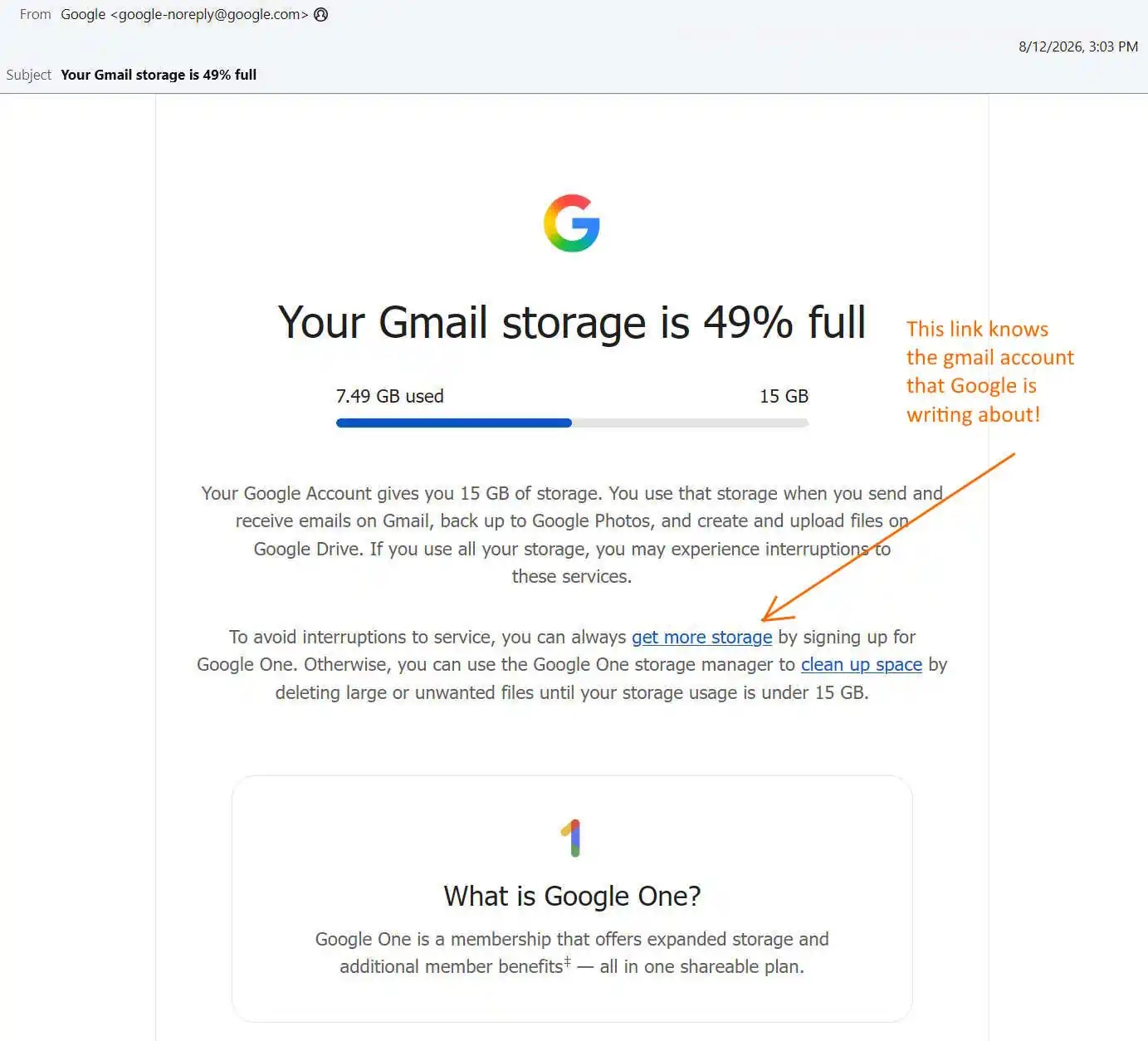
I got an email from Google telling me my Gmail storage was 49% full – 7.49 GB of 15 GB. Something felt wrong, and I know better than to click a link in an email. So I opened my browser, logged into my account directly, and found 13.9 MB. Not 7.49 GB. Here is what it took to find out what that email was actually talking about, and what I think Google is doing.

Email Safety Rule Never click a link in an email to check an account status. Open your browser and type the company’s address yourself.

  • Real and forged emails look identical. You cannot tell by looking.
  • Every link carries a token that identifies you. Clicking confirms your address is live and monitored.
  • The habit only protects you if it is unconditional. Click when you are confident and you will click when you are tired.

For Google, type myaccount.google.com. Do not search for it – search results carry paid impersonators.

Step 1: Is this email actually from Google?

It looks like phishing. Urgent subject, a percentage, a progress bar, and a button that goes to a payment page. That is the exact shape of a scam.

But it is real. Here is how to prove it, using nothing but the email headers. In your mail client, look for “Show original,” “View source,” or “Show headers.”

a. Validate the IP address

The header records which server delivered the message:

Received: from mail-yw1-f199.google.com (mail-yw1-f199.google.com [209.85.128.199])

Check that the IP resolves back to the name it claims:

dig -x 209.85.128.199 +short

Then check who owns it:

whois 209.85.128.199 | grep -iE "orgname|netname"

Google LLC, AS15169. The connection genuinely came from Google.

b. Validate the domain

Three domains appear, and all three must be Google’s:

From:         Google <google-noreply@google.com>
DKIM domain:  d=google.com
Return-Path:  <...@scoutcamp.bounces.google.com>

Read domains right to left from the final dot. google.com.storage-alert.co is not Google. scoutcamp.bounces.google.com is.

c. Validate DKIM and SPF

SPF says the sending IP was authorized:

Received-SPF: pass (domain of _spf.google.com designates 209.85.128.199 as permitted sender)

DKIM is the strong one. Google signed the message with a private key:

DKIM-Signature: v=1; a=rsa-sha256; d=google.com; s=20251104;
Authentication-Results: dkim=pass; spf=pass; dmarc=pass (p=reject) header.from=google.com

You can fetch the public key it points at:

dig TXT 20251104._domainkey.google.com +short

A forger cannot produce that signature without Google’s private key. And p=reject means Google instructs every mail server in the world to discard anything claiming to be google.com that fails.

Verdict: genuine. Which means this deceptive email is genuinely sent by Google “Don’t be Evil”.

Step 2: Check the account directly

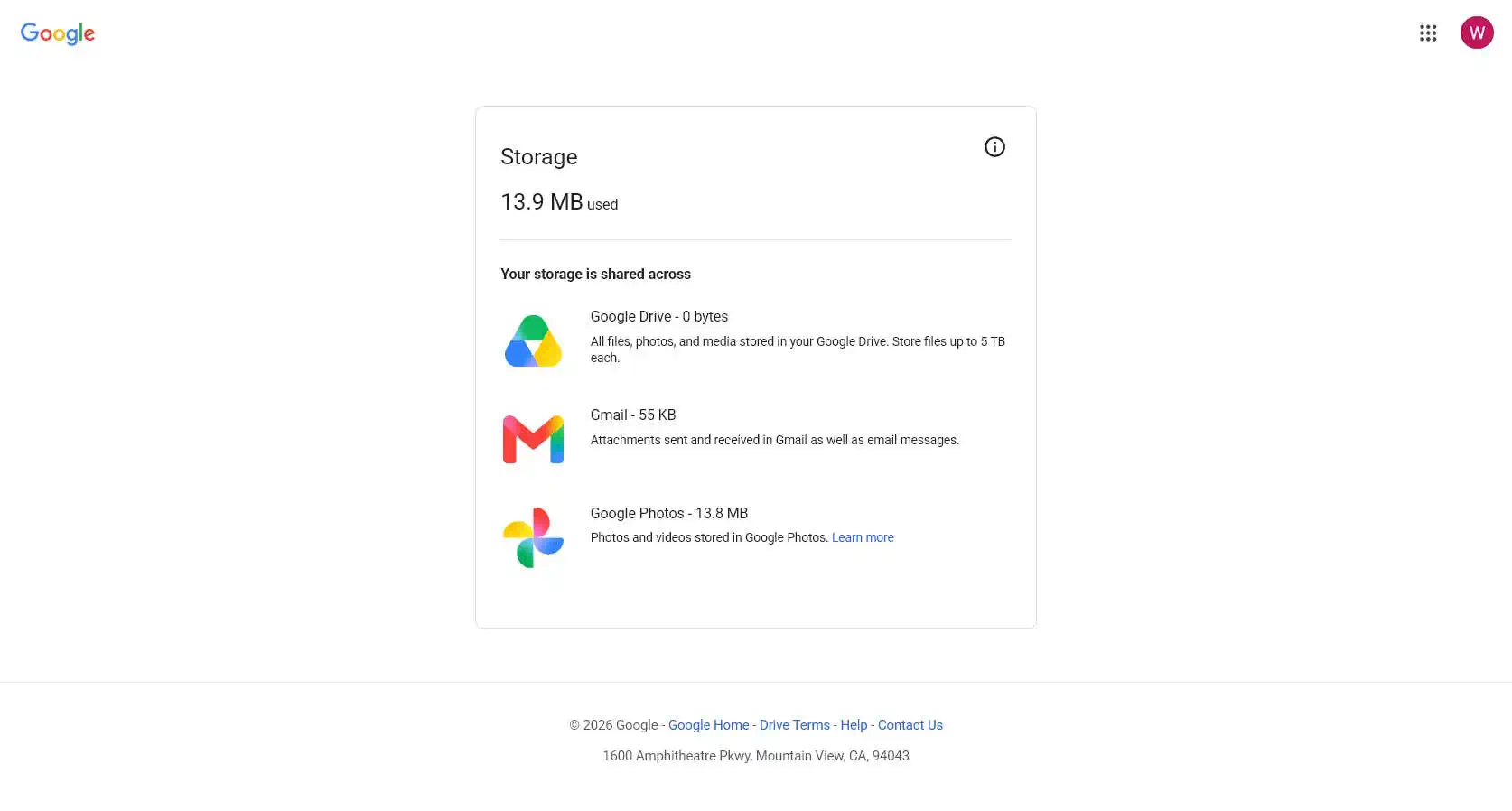
Without clicking anything, I opened myaccount.google.com and went to storage.

13.9 MB. The email said 7.49 GB. That is a 500x overstatement.

Step 3: Which account is the email even about?

Here is the core problem. The email never says which account it is describing.

I have multiple Google accounts. So does almost everyone. The email is addressed to one address, but Google notification email goes to an account’s contact address, which is frequently not the account itself. The body contains a number, a bar, and a buy button, and no account identifier anywhere.

I spent two days and three hours checking fourteen different logins.

You do not have to. The account is encoded in the link.

How to Decode a c.gle Link Without Clicking On It

I highlighted the link in the picture above. Do not click the link. The link URL is c.gle which is Google’s inhouse URL shortener. This is known but it still looks very phishy.

Right-click and copy the link address instead. It will look like this:

https://c.gle/AKMee0foy_EWuaJ54CSaJ7hUZ1I3NhZk8lCvdNaCiBUt0tqdpLuL5WRD...

Paste it into a redirect checker – redirect-checker.org. Or from a terminal:

curl -sI "https://c.gle/AKMee0foy_..." | grep -i location

Google’s own server answers:

302 Found
location: https://accounts.google.com/AccountChooser?Email=george.example@example.com
    &continue=https://one.google.com/plans
    ?utm_source=g1&utm_medium=email&utm_campaign=storage_50_email_adler
    &utm_content=get_storage&utm_id=6066401411&utm_term=STORAGE50_NME

There it is. This link is going to an inhouse database that Google is hosting. Google’s own server is clearly telling you what account this message is for. Google’s database returns the exact account login in plain text.

Note what else is in that line: utm_medium=email, utm_campaign=storage_50_email_adler, utm_content=get_storage, destination one.google.com/plans. This is a marketing campaign, tagged as one, landing on the upsell page.

The email footer say “You have received this mandatory email service announcement to update you about important information regarding your Google Account.” – and we can clearly see that Google is now caught in a bald face lie.

Step 4: What I found

The account named in that redirect is a G Suite legacy free edition domain account, created around 2007. Mail for the domain has never run through Gmail; it goes to a different provider entirely. The admin console shows the whole domain using 13.9 MB across four users, against a 60 GB pool.

Not 7.49 GB of 15 GB. Not on that account, not on any account attached to it, not anywhere in the domain. There is no mechanism by which the number Google emailed me could have been true.

What is actually wrong here

Two different stories, standing apart. People should not blend them together.

The number does not match reality. Google described nearly 7.5 GB, but the control panel says only a small fraction. Google’s own official page has the truth. That moment brought two separate facts from Google’s hands — one real, one false.

Google did not show the account login. This part comes on purpose. The servers absolutely know the address — they handed it out inside the link in the email. Google could have placed the address in the message. Even a version with most letters hidden — like geo***@***ple.com — would have saved me three hours of checking more than Eight different Google logins.

This is deception by omission. By not telling me the right account, Google hopes that I will assume their email is correct. Somehow their marketing message is blaming me for not knowing which account has a problem. Yet the account clearly is known to Google because it is decodable out of their link shortener . Google knows it. Just not saying it. And this is on purpose.

The legal framing

I do not give legal advice. California has some pretty direct rules here, though. The description fits closely.

Business and Professions Code section 17500 (False Advertising Law) prohibits any statement made to induce a purchase “which is untrue or misleading, and which is known, or which by the exercise of reasonable care should be known, to be untrue or misleading.” Careful readers will notice the second bit. Google does not need to mean to mislead anyone. Just using ordinary caution would have fixed the mistake — after all, Google’s main site had the answer ready the whole time.

Business and Professions Code section 17200 (Unfair Competition Law) reaches “any unlawful, unfair or fraudulent business act or practice and unfair, deceptive, untrue or misleading advertising.” California courts apply a “likely to deceive a reasonable consumer” standard here. A message labeled a mandatory service announcement, carrying a false usage figure, with every link pointing at a subscription page, is exactly what this law targets.

Civil Code section 1798.140 defines a dark pattern as a user interface “designed or manipulated with the substantial effect of subverting or impairing user autonomy, decision-making, or choice.” Withholding the one field required to verify the claim, while retaining it internally, is a textbook fit.

The legal term for the whole shape is deceptive inducement: a false or misleadingly incomplete representation made to bring about a purchase. This email is designed by Google to intentionally purchase a service you do not need, if you fail to do your own research.

What to do

  1. Do not click. Copy the link, decode it in a redirect checker, and learn which account it means.
  2. Check the real number at myaccount.google.com, typed into your browser yourself.
  3. If the numbers do not match, do nothing else. You do not need to buy storage, empty a trash folder, or clean anything up.
  4. Be cautious in the future. Truly, at this point, Google is just another soul-less company trying to cheat you into making a mistake and giving them your money.

Summary

Never click a link in an email, even from a company you trust. Especially from a company you trust, because that is the trust being spent.

This email passed every authenticity check available. It is genuinely from Google, cryptographically signed by Google, sent from Google’s own infrastructure. And it told me my storage was 500 times fuller than it is, refused to say which account it meant, and pointed me at a payment page.

Google knows which account it is. Their server will tell you if you ask. They simply chose not to put it in the email.

That is not a service announcement. That is deceptive inducement, and an email that behaves this way does not deserve to be trusted from a company that does not deserve our trust.

Best VPNs With Free Plans That Never Expire in 2026

Most free VPN offers are not free. They are countdowns. You hand over a card, you get seven days of the full product, and unless you remember to cancel on the right morning the charge lands anyway. That is a trial, and a trial is a sales mechanism wearing the word free.

A smaller group of providers does something different. They run a permanently free tier funded by their paying customers, with a monthly allowance that resets and no end date attached. You can use one for a year without ever entering payment details. That is the category this guide covers, and the distinction matters.

The use case that brings most people here is unglamorous and worth naming. You are on hotel or cafe Wi-Fi, syncing contacts, calendar entries and client notes between a laptop and a phone, and you would rather that traffic not cross an open network in the clear. That is a few hundred megabytes a month, not a streaming habit, and it sits comfortably inside what a good free tier provides. The services below are compared on the things that decide whether one of them fits: how much data you get, how many locations and how many devices.

One warning before the list, and it is the most important paragraph here. A free VPN still costs something, and if the provider is not funded by paying subscribers then the funding is coming from somewhere else, which historically has meant advertising, data collection, or worse. Every service below is attached to a real company with a paid product.

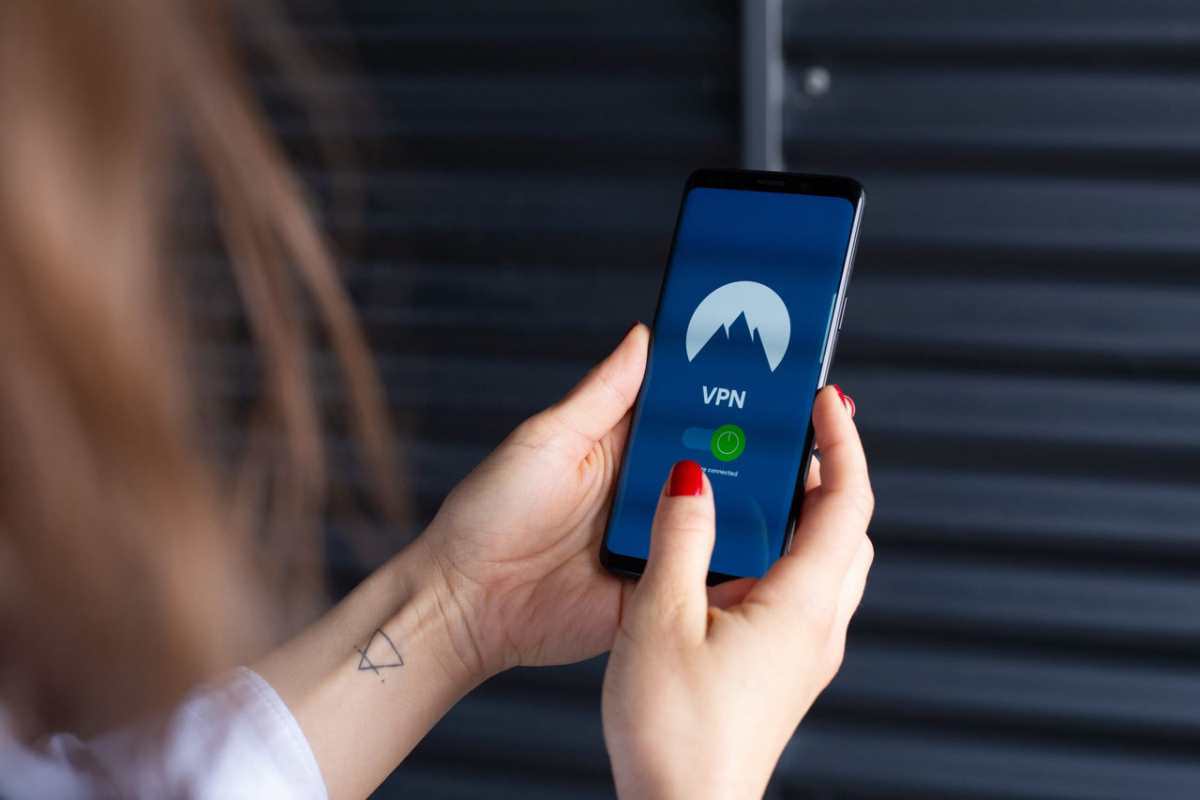
Close-up of a woman's hands using a VPN app on a smartphone, emphasizing digital security.

Top Free VPN Plans With No Time Limit

ProviderFree dataLocationsDevicesExpiry
ZoogVPN10 GB per month31None, resets monthly
Windscribe10 GB per month10UnlimitedNone, resets monthly
hide.meUnlimited, throttled7 to 81None, resets monthly
PrivadoVPN10 GB then throttled101None, resets monthly
Bitdefender VPN200 MB per day11None, resets daily
TunnelBear2 GB per month45 plus1None, resets monthly
Opera Browser VPNUnlimited, browser only3 regionsPer browserNone, no account needed
Hotspot Shield BasicUnlimited, ad supported31None, resets monthly

1. ZoogVPN

ZoogVPN leads because its free plan gives you two things the others make you pay for: a choice of server location, and the company obfuscation technology. Free users get 10 GB a month across a small set of locations with no expiry date, and can pick between them rather than accepting whatever the app assigns. The Shadow protocol is also available to free desktop users, which means the feature built for restrictive networks is testable without a subscription. For anyone who needs a VPN for a hotel network that blocks things, that combination is unusual at zero cost.

Ten gigabytes covers routine syncing and email comfortably and will not cover video. The free tier is one device, the location list is short. The free plan drops to 128-bit encryption rather than the 256-bit used on paid plans, which is still sound for ordinary browsing.

  • Free data allowance: 10 GB per month
  • Free server locations: 3
  • Devices on free plan: 1
  • Expiry: None, allowance resets monthly
  • Best known for: Server choice and obfuscation on a free plan

2. Windscribe

Windscribe is the pick for a household or a person with several devices, because the free plan carries no connection limit. Other companies on this list restrict free users to one device, so covering a laptop, a phone and a tablet means choosing which one gets protected. Windscribe removes that decision entirely. The standard free allowance is 10 GB a month once you confirm an email address, and promotional steps can raise it further, across roughly ten server countries you select yourself.

The free tier also includes R.O.B.E.R.T., a configurable blocker that filters ads and trackers at the DNS level, which is genuinely rare at no cost. Build-a-plan pricing sits behind it if you later want one or two specific countries rather than a full subscription.

  • Free data allowance: 10 GB per month
  • Free server locations: About 10, user-selected
  • Devices on free plan: Unlimited
  • Expiry: None, allowance resets monthly
  • Best known for: Unlimited devices and DNS-level ad blocking at no cost

3. Hide.me

Hide.me removed its data cap, which puts it in rare company, and the uncapped claim holds up. What has replaced the cap is throttling. The free user base shares a small pool of locations with bandwidth deliberately limited, producing congestion at peak hours and measured speeds well below what the paid network delivers. The data really is unlimited. The rate at which you receive it is the price.

For background protection that is a fair bargain, and for anything time-sensitive it is not. Video calls, large downloads and streaming will frustrate you. Free users get server choice across seven or eight locations rather than automatic assignment. Treat it as the option for someone who wants protection running permanently in the background and does not measure the connection.

  • Free data allowance: Unlimited but throttled
  • Free server locations: 7 to 8, user-selected
  • Devices on free plan: 1
  • Expiry: None, no cap to reset
  • Best known for: Uncapped data for people who can tolerate slow speeds

4. PrivadoVPN

PrivadoVPN earns a place because its free plan has something the others do not. It permits streaming and file sharing. Most free tiers block both outright to protect paid revenue. Free users here get 10 GB a month across roughly ten server countries they choose themselves, and Swiss jurisdiction sits behind it, which is a meaningful legal environment for a service handling traffic at no charge. After the allowance runs out the connection is not cut, it is throttled to a slower fallback, so protection continues in a degraded form rather than disappearing.

  • Free data allowance: 10 GB per month, then throttled
  • Free server locations: About 10, user-selected
  • Devices on free plan: 1
  • Expiry: None, allowance resets monthly
  • Best known for: A free tier that allows streaming and file sharing

5. Bitdefender VPN Free

Bitdefender VPN Free suits the reader whose worry is the company rather than the software, because the funding question answers itself. Bitdefender sells antivirus to millions of paying households, and the VPN allowance is a sample of a product that already has a revenue model attached. The allowance is 200 MB a day rather than a monthly pool, which works out near 6 GB a month and behaves differently in practice: a heavy afternoon costs you the rest of that day, not the rest of the month. For someone syncing mail and calendar entries on hotel Wi-Fi, a cap that refills every morning is easier to live with than one that empties in week two.

The restrictions are real and worth stating plainly. One device, one server, and the app decides which server, so any use case involving a specific country is out. Streaming and large downloads will exhaust the daily allowance in minutes. Reviewers have also noted that Bitdefender's logging policy is looser than the privacy-first providers higher on this list, which matters more to some readers than others.

  • Free data allowance: 200 MB per day, about 6 GB per month
  • Free server locations: 1, auto-selected
  • Devices on free plan: 1
  • Expiry: None, allowance resets daily
  • Best known for: A daily-refilling allowance backed by an established security vendor

6. TunnelBear

TunnelBear is the one to hand to someone who has never used a VPN. The interface is deliberately plain, the connection is one switch, and the company has the strongest verification record on this list. For a category where trust is the entire question and most providers ask you to take their word, an unbroken annual audit history is the most persuasive.

The allowance undercuts all of it. Two gigabytes a month is enough for occasional use on public Wi-Fi and nothing more, which places this closer to a permanent sample than a working tool. Free users also lost manual server selection in a recent change, so the app now picks for you across a network that otherwise spans more than forty countries. Recommend it to a cautious beginner, and expect them to outgrow it within a month if they use it properly.

  • Free data allowance: 2 GB per month
  • Free server locations: 45 plus, auto-selected
  • Devices on free plan: 1
  • Expiry: None, allowance resets monthly
  • Best known for: The longest unbroken independent audit record

7. Opera Browser VPN

Opera VPN is built into the Opera browser. It switches on from a toggle in the address bar, needs no signup and imposes no data limit. If the barrier stopping someone from using a VPN at all is the setup, this removes it completely.

The scope is the catch and it is a large one. Only browser traffic is protected, so a mail client, a sync utility or anything else running outside Opera continues unprotected, which makes this unsuitable for the desktop syncing scenario that brought many readers here. Three broad regions are offered rather than countries. Read it as a browsing privacy feature rather than a VPN in the full sense.

  • Free data allowance: Unlimited, browser traffic only
  • Free server locations: 3 broad regions
  • Devices on free plan: Any device running the browser
  • Expiry: None, no account required
  • Best known for: Zero setup and no account of any kind

8. Hotspot Shield Basic

Hotspot Shield appears last because you will encounter it regardless, and knowing why it ranks here is more useful than leaving it out. The free plan is fast, widely available, and technically uncapped on desktop, which explains the download numbers. It is also the service that popularized free VPNs, and a lot of the goodwill in the category was built by it.

The reservations are substantial and come from independent reviewers rather than competitors. The free tier is advertising-funded, mobile speeds are capped severely, the server choice is minimal. Testers have criticized the volume of data the company collects relative to what a privacy product ought to need.

  • Free data allowance: Unlimited on desktop, ad supported
  • Free server locations: 3
  • Devices on free plan: 1
  • Expiry: None, no cap to reset
  • Best known for: Speed and reach, offset by an advertising-funded model

Questions To Ask Before You Sign Up

  • Does the provider sell a paid plan that real customers buy, and is the company name and address published?
  • What is the actual monthly allowance, and does the connection stop or throttle when it runs out?
  • How many devices does the free tier cover, and does that match the number you need protected?
  • Can you choose a server location, or does the app decide for you?
  • Does the free plan show advertising, and if so what tracking accompanies it?
  • Is a payment card required to start, and does anything convert to a paid subscription automatically?

That last question separates a permanent free tier from a trial wearing the same word. Readers weighing these against paid options will find useful context in this overview of VPN services for security and privacy, which covers several of the same providers on their full paid feature sets.

Choosing The Right One

The decision rests on two questions. First, how much data you will actually move through the tunnel. Syncing, mail and browsing needs far less than the marketing around this category assumes and video will need far more than any free plan will carry. Second, how many devices need covering at the same time, because that single limit rules out most of the field before data allowance even enters the conversation. Work out those two numbers before comparing anything else. The plan that never expires is worth more than the trial that does.

How Privileged Access Management Protects Critical Systems

Critical systems rarely fail from one dramatic mistake. The problems usually start with elevated access that stays active after the task ends. Administrators, vendors, and automated accounts often retain permissions for long periods without any valid reason, which increases exposure, reduces oversight, and obscures accountability during review. Strong privileged controls mitigate this risk by linking elevated rights to verified identities, clear approvals, and a defined expiration time.

Access Pressure

Modern infrastructure spreads sensitive workloads across cloud platforms, internal services, data stores, and production clusters. Within that environment, privileged access management gives security teams a disciplined way to replace shared credentials with identity-based approval, recorded activity, and temporary elevation. Those safeguards are crucial because one stolen secret, rushed command, or forgotten administrator account could jeopardize systems, revenue, or public trust.

Standing Access Increases Exposure

Permanent administrator rights create exposure that often goes unnoticed until the damage is done. An attacker can exploit this vulnerability without needing advanced skills if an outdated credential still provides access to critical systems. Review teams also miss useful details when broad permissions hide the reason behind each action. Temporary elevation reduces harm after phishing, token theft, or device loss, because every request carries purpose, timing, and expiration.

Time Limits Change Risk

When staff receive elevated rights for a defined task, those rights expire automatically, which eliminates the need for manual cleanup. That pattern reduces idle privilege and shortens the window for misuse. Security leaders also benefit from a control model that matches the clinical reality, because people work in bursts of urgent activity rather than organized administrative sessions.

Evidence Matters

Recorded sessions and unified logs turn privileged activity into usable evidence. Investigators can connect a command to one person, device, and approval path without stitching together separate records. Compliance review becomes more straightforward for the same reason. Each event already carries enough clinical detail to explain what happened, when it happened, and why access was granted.

Secret Sprawl Reduces

Shared passwords and long-term access keys create storage problems that spread through technical teams. Every duplicate copy raises exposure and complicates rotation. Modern access controls replace many of those secrets with short-lived certificates or approved sessions tied directly to identity. The number of exposed credentials and persistent privileges can significantly decrease following this transition.

Engineers Move Faster

Tighter access control does not always hinder operational efficiency. In many environments, it removes friction created by ticket queues, manual handoffs, and forgotten cleanup steps. On-call staff can gain temporary rights quickly through familiar workflows, then return to normal access once the incident ends. Automatic expiration also reduces mental load, because engineers no longer carry lingering responsibility for broad permissions after addressing urgent issues.

Fewer Broken Paths

Critical systems suffer when staff must bounce through several gateways before reaching the right resource. Separate approval tools, password vaults, jump hosts, and network controls create delays at the worst moments. A unified entry path lowers that strain by keeping identity checks consistent across resources. Teams make fewer mistakes under pressure, and post-incident reviews become easier because activity follows one traceable route.

Context-Aware Access

Device health, assigned role, business need, and scheduled duty offer stronger signals than static group membership. Temporary approval tied to those conditions keeps sensitive actions close to actual necessity. If risk changes unexpectedly, access can be denied, shortened, or reviewed before a command reaches a high-value system.

Recovery and Compliance

Taking action quickly is essential after an outage or suspected breach, but having clarity is also critical. Incident teams need to know who entered which system, what actions were taken, and whether approval matched policy. Privileged controls support that reconstruction with identity-linked logs, session records, and expiring rights.

A clearer timeline reduces guesswork, streamlines containment efforts, and helps technical leaders restore service with greater confidence. This approach also reduces the reporting burden for compliance and allows engineering teams to focus on safeguarding systems.

Conclusion

Critical systems need tighter control over who can access them, what they can change, and how long that authority lasts. Privileged access management is effective because it treats elevated rights as temporary, traceable, and purpose-driven. That discipline lowers breach exposure, improves investigations, and eases compliance pressure. As infrastructure spreads across services, databases, and internal platforms, careful privilege control becomes a basic requirement for safe technical operations.

Best Practices for Cross-Device Data Synchronization: Network Security Basics

The daily work of small business owners and sales managers directly depends on the availability of up-to-date information. Timely updates of contacts, calendar entries, and deals in the CRM system on smartphones, tablets, and personal computers guarantee high productivity. However, the regular transmission of critical data between different software platforms opens up additional vectors for potential cyberattacks.

With this in mind, reliable network security acts as a mandatory condition for any enterprise that strives to maintain client confidentiality and protect trade secrets. Setting up a secure network environment prevents the interception of sensitive information during the continuous exchange of data between corporate nodes.

A person analyzing business data using a tablet, laptop, and notebook for efficient work.

Session Encryption and Channel Protection

When setting up workflows, IT specialists primarily organize secure Outlook and Google sync because employees most frequently use these specific tools to schedule meetings and conduct business correspondence. Without proper protection, attackers can intercept meeting schedules or client contact details directly during transit over open communication channels.

To solve this problem, software developers and network engineers implement modern security standards.

  • The TLS for sync sessions protocol encrypts the entire data flow between the client application on the mobile device and the target cloud or local server.
  • The use of cryptographic algorithms eliminates the possibility of unauthorized parties reading the transmitted information even during physical interception of network packets.
  • End applications strictly verify digital server certificates, which prevents dangerous man-in-the-middle (MitM) attacks.

In parallel, companies configure encrypted CRM data transfer. This measure reliably protects information regarding deals, budgets, and personal client data from various risks. Modern software solutions perform encryption both during direct data transmission and during storage on physical media. A proper, comprehensive approach solves the critical task of preventing data leaks during sync and minimizes the risks of serious financial and reputational losses for the business.

Endpoint Security and Authentication

Since sales managers and independent consultants often work outside the office, mobile devices become the primary working tool. In connection with this, mobile endpoint protection gains special significance, as it reduces the risks of unauthorized access during smartphone theft or loss. Specialists implement dedicated MDM (Mobile Device Management) systems to remotely monitor device status and enforce the encryption of local databases.

Network administrators highlight the following basic requirements for endpoint protection.

  • mandatory use of complex pattern passwords, PIN codes, or biometric data to unlock screens;
  • separation of personal and corporate information on devices using secure containers;
  • regular updates of the operating system and client applications to address discovered vulnerabilities in a timely manner.

To prevent unauthorized access to corporate resources, engineers set up a strict multi-device authentication policy. When attempting to synchronize data from a new smartphone or computer, the security system requests additional confirmation via a one-time SMS code, token, or push notification on a trusted device.

In multi-platform environments where employees simultaneously use devices based on iOS, Android, Windows, and macOS, the complexity of user account administration increases significantly. The implementation of cross-platform credential management allows engineers to securely store, synchronize, and update passwords and access tokens. Centralized credential managers eliminate the problem of storing passwords in plain text on devices and greatly simplify the regular rotation process.

Network Shielding and Intermediate Nodes

To increase the overall level of security, IT specialists implement intermediate elements in the enterprise network architecture. One such tool is a proxy server, which accepts requests from client devices, processes them, and redirects them to the target services. This action completely hides the real IP addresses of users and the internal topology of the company network from external observers.

Architects select a specific type of proxy servers based on company needs and the technical characteristics of the synchronized software. The primary categories are detailed below.

  • Forward proxy servers protect the outgoing traffic of employees, filtering requests in detail and blocking access to potentially malicious internet resources.
  • Reverse proxy servers accept requests from the external network, distribute incoming load among company servers, and terminate encrypted sessions.
  • Proxy servers with SOCKS5 protocol support guarantee high-speed transmission of any type of network traffic at the session layer without deep packet content analysis.

To protect the corporate perimeter, administrators use dedicated IP authentication technology. Only devices that connect from strictly defined, trusted IP addresses obtain access to CRM synchronization servers or corporate databases. This rule eliminates login attempts from public, unsecured Wi-Fi networks in airports, hotels, or cafes.

If a company deploys distributed systems or tests new integrations from various regions, the IT department requires a stable and clean network infrastructure. In such cases, specialists decide to buy proxy from trusted providers to obtain high-quality static IP addresses for the secure authentication of corporate mobile devices.

Small Business Protection and Countering Spoofing

Large corporations possess significant budgets for information security, whereas small companies often become easy targets for attackers. Effective small business data protection relies on a combination of simple yet reliable network rules. Small business owners can significantly reduce leakage risks if they implement basic cyber hygiene regulations and restrict direct access to databases from external networks.

Specialists recommend that managers focus on the following steps.

  • conducting regular training for employees on the rules of safe operation in public data networks;
  • using VPN for any remote connection to office resources;
  • implementing automatic backup systems for contact databases, calendars, and CRM data in secure cloud storage.

To reduce the risk of network threats, engineers also implement anti-spoofing measures. These steps prevent the spoofing of IP addresses by attackers who attempt to present their own devices as trusted nodes of the corporate network. Setting up strict packet filtering on the boundary router allows the system to block traffic with incorrect or forged source addresses before it reaches internal authorization servers.

Conclusion

Close-up of wooden blocks spelling 'encryption', symbolizing data security and digital protection.

Data synchronization between computers and mobile devices serves as the foundation of operational efficiency in modern business. Process security requires a comprehensive approach that combines reliable communication channel encryption, endpoint protection, and smart network infrastructure management. The implementation of proven protocols, intermediate servers, and strict multi-factor authentication rules guarantees stable and reliable protection of confidential business data from any external threats.

How to Choose Security Software for Your Devices

Security software has become a standard part of keeping personal devices protected. But with so many options available, free tools, paid suites, built-in operating system features, and specialized apps, knowing which one to choose isn’t always straightforward. The right choice depends on your devices, your habits, and what kind of protection you actually need.

Not all security software is created equal. Some products focus on real-time threat detection and stopping malware before it runs. Others emphasize privacy features like VPNs and browser protection. Many modern suites bundle multiple tools: antivirus, firewall, password management, and identity monitoring into a single subscription. Understanding what you’re buying before you commit makes a real difference.

g4d97a299eda12efa92a08a0c316bcc445f035799ea1d50ffb122956326720843d11d879accdd51e56d2923f751a327ee6b6c0b24e20914b057756e5ad129d316_1280.jpg

What to Look for in Security Software

Start with compatibility. The software you choose needs to work well on your specific devices and operating systems. A product that performs well on Windows may not be optimized for Mac or mobile. Look for coverage across all the devices you use regularly. Beyond compatibility, consider the impact on performance: some security tools can noticeably slow down older hardware, which makes them impractical for daily use.

Finding a Solution That Works for Everyday Use

Ease of use matters as much as technical capability for most users. My Pc Guard helps consumers, families, remote workers, and small businesses understand and choose digital security tools that protect devices, privacy, identity, and online activity. The site makes cybersecurity simple, clear, and beginner-friendly.

Features Worth Prioritizing

Real-time protection is the core feature to look for in software that scans files and network activity continuously, rather than only running scheduled scans. Automatic updates are equally important, since new threats emerge constantly and protection that isn’t up to date quickly becomes less effective.

Web protection features that flag malicious sites and phishing attempts before you click are also valuable, especially for households where multiple people share devices. If you’re choosing for a family, look for parental controls and user management features. If you travel frequently or use public Wi-Fi, a VPN is worth prioritizing. Take the time to test any free trial periods before committing to good security software should feel like it’s working for you, quietly and reliably in the background.

Pentest as a Tool for Preparing for a Compliance Audit and Investments

During preparation for investments, audits, or certifications, attention to cybersecurity increases. Investors, auditors, and certification bodies expect the company to be able to confirm the technical level of protection of its assets. In this context, a pentest functions as a tool that helps eliminate “blind spots” before official inspections and avoid unpleasant surprises that can cost money, time, and reputation.

The benefits of a pentest for an audit

A pentest is a practical security test during which specialists simulate the actions of real hackers in order to identify potential entry points for a cyberattack. Preparation for an audit or investment influences the focus of penetration testing – it defines the perimeter that will be assessed by an external party.

A pentest helps determine how well protected the critical components are – those of interest to auditors, investors, or regulators. It is a technical assessment of real risks – it is important for a company to learn about vulnerabilities before due diligence or a compliance check.

A pentest report demonstrates a responsible approach and transparency to investors, auditors, and consultants. Depending on the objective, its structure may vary: investors are interested in the impact of identified risks, while auditors focus on comparing the results with the requirements.

Typical issues, such as incorrect network segmentation, excessive access, critical vulnerabilities in web applications, leaks of tokens or keys, weak environment isolation, can delay the audit, reduce the company’s valuation, or even cause an investor to withdraw.

Who should perform the pentest?

For assessments before certifications and audits, it is important that the testing be performed by external experts, not employees who developed the product or administer the infrastructure. This eliminates the risk of a conflict of interest and ensures objectivity.

ISO 27001, SOC 2, and PCI DSS standards formulate independence requirements differently, but the essence is the same: an external provider inspires more trust. For PCI DSS, an external pentest is a direct requirement. For SOC 2 and ISO, it is a best practice that significantly improves audit results.

Auditors and investors value evidence, meaning not just the fact that a pentest was conducted, but also its quality, the qualifications of the testers, their competencies, and their independence from the object of testing. Therefore, to meet regulatory requirements and confirm the reliability of their assets, companies turn to specialized teams like Datami, which have experience with various standards and can deliver results that truly matter during external evaluations.

Pentest as preparation for external audits and certification

  • Although ISO 27001 does not explicitly require a pentest, it helps confirm the implementation of technical controls and becomes part of the risk assessment process – a mandatory element of the standard. Essentially, it is a “trial exam” that allows vulnerabilities to be addressed before external auditors arrive and helps prepare artifacts that demonstrate system maturity.
  • In PCI DSS, the role of the pentest is clearly regulated: both external and internal penetration testing must be conducted within the defined perimeter. All components that store or process payment card data are tested. This is not just a formality – the vulnerabilities identified significantly reduce remediation costs and accelerate certification.
  • For SOC 2, pentest results are among the most convincing pieces of evidence of effective Security Controls. Although a pentest is not a mandatory requirement, it significantly reduces the risk of receiving a “qualified opinion.” Therefore, auditors view companies that demonstrate care for their cybersecurity positively.

Benefit: Why it’s cheaper to discover vulnerabilities early

The cost of fixing vulnerabilities after an audit is always higher than before it, as risks of fines, delays, investment pauses, and reputational losses are added. A pentest helps avoid such additional expenses and situations where the audit stops due to critical issues that could have been resolved much earlier.

When exactly to conduct a Pentest

The best moment for penetration testing is before the final stage of negotiations with investors or 2–3 months before certification, to have time for remediation. During the audit, critical vulnerabilities may be discovered that require significant changes or system upgrades.

After resolving risks, it is advisable to conduct a retest to confirm that the issues have truly been fixed and the environment is ready for an audit or investment review. The Datami team, for example, provides a free retest in such cases (you can learn more on the website).

Conclusion

A pentest is more than just a technical procedure. It is a tool of trust that strengthens the company’s position before any external assessments and helps avoid negative consequences of regulatory audits.

High-quality independent testing not only reduces risks but also increases the chances of successful investments and certification.

If your company needs to assess its level of security before an audit or prepare for certification, Datami experts will conduct a pentest, provide a security assessment report with recommendations for vulnerability remediation, and, if needed, offer a free retest.

Windows Still Sends Data to Microsoft Even After You Turn Off Every Privacy Feature

This didn’t happen in Windows 10. Here’s the proof — and the fix.

  1. Open Windows Explorer.
  2. Right Click and select New Folder
  3. Create a new folder. Count to five.
  4. Does it say “New Folder”?

Now click on Wi-Fi settings and turn Wi-Fi off.  Create another folder. It is instant!

That pause is not your hard drive. It is not your RAM. What is it?

That pause adds up.  It’s not just you that creates files, but every app and process on your system.  Your PC is constantly creating and adding folders.  Does this mean that your PC is sending an endless set of metadata to Microsoft Cloud – which is exactly what you though you turned off?

  1. Try it with Notepad.
  2. Type the letters “abc”.
  3. Save the file.
  4. Count to five again.

Unplug the internet. Save again. Instant.

There is no content to scan. No virus. No suspicious code. Just three letters in a text file. Yet Windows pauses every time.

Step 1: Lock Down Every Windows Privacy Setting

Windows gives you privacy controls across six areas. Work through all of them before we run our tests.

  • Diagnostics & Feedback — set to Required only. Turn off tailored experiences.
  • Activity History — off.
  • Location, Camera, Microphone — off.
  • Search & Cortana — disable cloud search and search history.
  • OneDrive and OneNote — unlink or sign out. These are silent data pipes.
  • Windows Defender Cloud — turn off cloud-delivered protection and sample submission.

Done? Good. You have turned off everything Microsoft shows you.

Your PC is still sending data to Microsoft.

You followed every step. Everything is off. Yet the pause is still there. To understand why, you need to know about MAPS.

What is MAPS?

MAPS stands for Microsoft Active Protection Service. It is a cloud-based system built into Windows. Every time you create or save a file, MAPS sends information about that file to Microsoft servers. Microsoft then checks the file against a cloud database of known threats.

It sounds reasonable. It is actually a security feature. But here is the problem. MAPS runs even on nonsense data – empty folders, text files that are too short to contain the smallest virus.  MAPS is the sort of bloated behavior constructed by high end programmers using high end PCs with lightning fast internet connections. And then it slows down everyone who uses normal internet on a normal PC.

MAPS runs as part of Windows Defender. It operates at a level below the privacy settings you can see. Turning off cloud protection in the Windows Security panel does not turn off MAPS. It is a separate process yes with no visible switch.

The History of MAPS — From SpyNet to No Choice at All

In 2006 Microsoft built a community reporting system into Windows Defender. They called it Microsoft SpyNet. That name was not hidden. It appeared right inside the Windows Defender settings panel. Microsoft asked users a direct question. Would you like to join SpyNet? You could say no.

There were two levels of participation. Basic and Advanced. Microsoft explained what each level shared. Users made an informed choice. This was an honest system built by a company that still believed your data belonged to you.

SpyNet worked. It helped Microsoft identify new threats quickly. The more users who opted in, the better the protection for everyone. It was a genuine community service.

Then the cloud became a business.

Around 2010 Microsoft quietly retired the SpyNet name. The system was rebranded as MAPS — Microsoft Active Protection Service. The name became neutral and corporate. But the system expanded. What had been a community tool became an infrastructure. Microsoft was building something much larger than a threat database.

In Windows 7 the system was still opt-out. You could still say no.

In Windows 10 that began to change. The default switched to opt-in. Most users never noticed because most users never change defaults.

In Windows 11 the switch disappeared entirely. MAPS runs whether you want it to or not. There is no dialog box. There is no community invitation. There is no SpyNet panel. There is just a process running silently beneath every privacy setting Microsoft shows you.

They kept the system. They removed the honesty.

How to Turn Off MAPS

You will need PowerShell. It is already on your PC. You do not need to install anything.

  1. Click the Start button.
  2. Type PowerShell but do not press enter.
  3. Right click on Windows PowerShell in the results. Select Run as Administrator.
  4. Click Yes when Windows asks for permission.

You will see a blue window with a blinking cursor. This is normal.

Step 1 — Check your current settings

Type this and press Enter:

Get-MpPreference | select MAPSReporting, SubmitSamplesConsent, CloudBlockLevel, CloudExtendedTimeout, DisableBlockAtFirstSeen

On a stock Windows 11 PC the results look like this:

MAPSReporting           : 2
SubmitSamplesConsent    : 1
CloudBlockLevel         : 0
CloudExtendedTimeout    : 0
DisableBlockAtFirstSeen : False

MAPSReporting is 2. That means fully on. SubmitSamplesConsent is 1. That means Windows is automatically sending file samples to Microsoft. DisableBlockAtFirstSeen is False. That means Windows pauses every file operation while it waits for a response from Microsoft cloud.

This is the default. This is what every Windows 11 PC ships with.

Step 2 — Turn it off

Type each of these lines and press Enter after each one:

Set-MpPreference -MAPSReporting 0
Set-MpPreference -SubmitSamplesConsent 2
Set-MpPreference -DisableBlockAtFirstSeen $true

No restart required yet.

Step 3 — Confirm the change

Run the check command again:

Get-MpPreference | select MAPSReporting, SubmitSamplesConsent, CloudBlockLevel, CloudExtendedTimeout, DisableBlockAtFirstSeen

You should now see:

MAPSReporting           : 0
SubmitSamplesConsent    : 2
CloudBlockLevel         : 0
CloudExtendedTimeout    : 0
DisableBlockAtFirstSeen : True

Step 4 — Reboot and confirm again

Restart your PC. Open PowerShell as Administrator again. Run the check command one more time. The values should be identical. These settings survive a reboot.

Proving MAPS is Off

You already know how to do this. You did it at the start of this article.

Open Windows Explorer. Create a new folder. It is instant.

Open Notepad. Type “abc”. Save the file. It is instant.

No PowerShell. No network tools. No technical knowledge required. The pause is gone. That is your proof.

What This Means for Your Windows PC

Microsoft built MAPS as a security tool. That intention was real. But the argument that one person catching one virus justifies mining metadata from every Windows PC in the world is not a security argument. It is a business argument.

The data aggregator market is not what it appears. Data that leaves Microsoft as anonymous metadata does not stay anonymous. It gets combined with other data. It gets sold again. We know that government agencies are purchasing this data commercially, bypassing the warrant process entirely. We know that today because NPR reported it today.

Turning MAPS off is a personal decision. Your local antivirus scanning still runs. Windows Defender still protects you. The only thing you are removing is the cloud reporting layer.

The risk of turning it off is close to zero. What you are opting out of is less clear — and that is exactly the problem.

Conclusion

Your PC feels slow. You have upgraded the RAM. You have cleaned up the hard drive. You have uninstalled programs you do not use. And still there is that small pause. Every file save. Every new folder. Two to three seconds each time.

That adds up. Minutes every day. Hours every year. And it is not your PC. It is Microsoft.

MAPS runs on every Windows 11 PC by default. There is no dialog box. There is no visible switch. You can work through every privacy setting Microsoft shows you and MAPS will still be running when you are done.

The fix is one line of PowerShell. It takes thirty seconds. Your PC will feel faster immediately. Your local antivirus protection stays intact. And you will have opted out of a data pipeline whose ultimate destination is less clear than Microsoft’s terms of service suggests.

You just thought your PC was slow.

When SonarQube Isn’t Enough: Better Code Security Tools

Static Code Analysis with SonarQube is an established solution for ensuring coding standards and code quality are enforced through rule-based scans. However, there are many developers who need a more comprehensive alternative in terms of broader security coverage, real-time vulnerability detection, and smarter prioritization of the most pressing issues that will allow them to quickly protect their applications while still allowing the developers to continue working at a fast pace.

This article explores several of the top Code Security Platforms that offer alternatives to traditional static code analysis by providing tools that help teams discover serious vulnerabilities, incorporate security into their workflow, and maintain high Development Velocity.

Why Modern Code Security Tools Are Essential

Static code analysis is typically performed by automated tools that may fail to identify potential vulnerabilities in a project’s dependency chain, as well as its underlying infrastructure and/or runtime configuration. Code security products employing modern approaches utilize AI-driven source code analysis, continuous real-time scanning of an application’s components for vulnerabilities, and provide actionable intelligence to help eliminate false positive results, prioritize high-risk findings, and can be easily integrated with your CI/CD pipeline. 

As such, these products enable developers to build/maintain secure codebases with rapid delivery of their software.

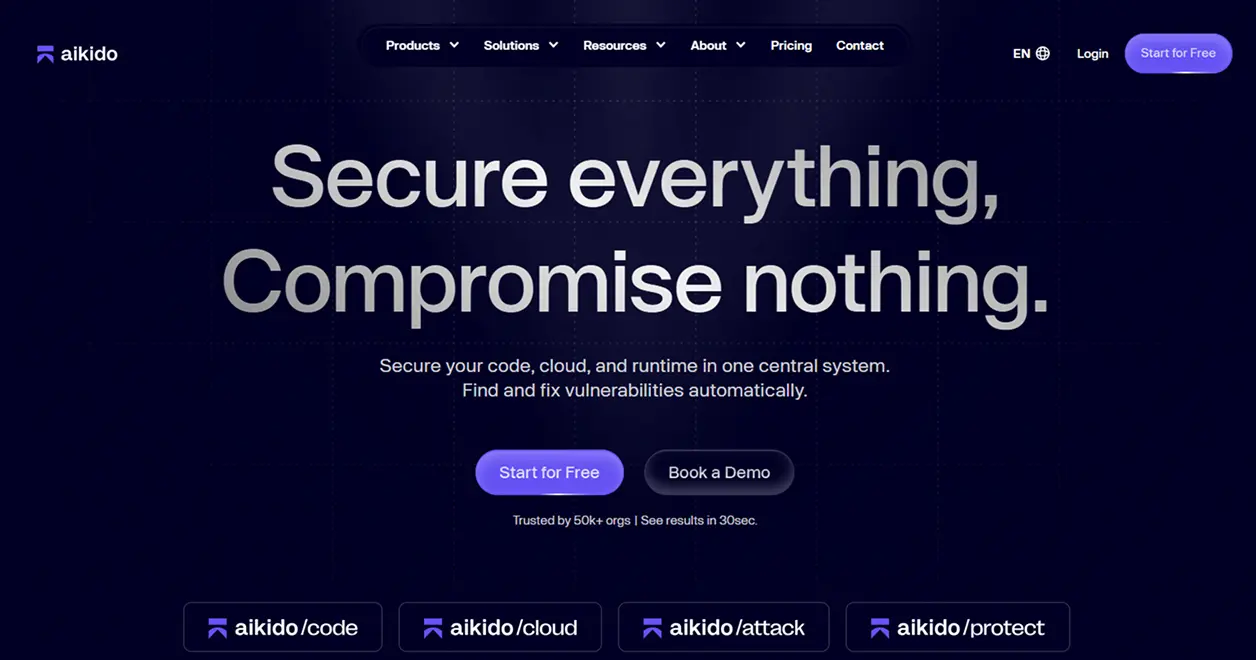
1. Aikido Security

Aikido Security is an AI-based developer-first code security platform that includes a wide variety of capabilities to provide total protection across all aspects of your code – source code, third-party open-source libraries, cloud configuration, and containerized applications. The platform’s AI engine identifies the highest priority and most dangerous (exploitable) security flaws first, eliminating the noise and enabling developers to quickly address their most serious code security flaws and build and deliver high-quality, secure code.

Key Features

  • Vulnerability Prioritization using AI: Developers can focus on the actual risk from vulnerabilities rather than the numerous false positives
  • All-in-One Code Scanning: Provides complete visibility into your entire codebase, including all third-party open-source library dependencies, cloud configurations, and containerized applications
  • Integration with Developer Workflows: Supports all major development environments (IDEs), version control systems (Git), and CI/CD pipelines
  • Remediation Guidance: Automatically generates clear instructions for fast remediation of identified vulnerabilities
  • Centralized Dashboard: Displays all security vulnerabilities in one location to enable quick identification of security issues
  • Tools for Collaboration: Enables developers to annotate, assign, and track vulnerabilities within their team and across teams

Why Aikido Security Stands Out?

Aikido Security is ideal for organizations that need to balance both security and speed as part of their development process because the platform provides a comprehensive solution that offers extensive coverage, automated intelligence, and a seamless user experience for developers.

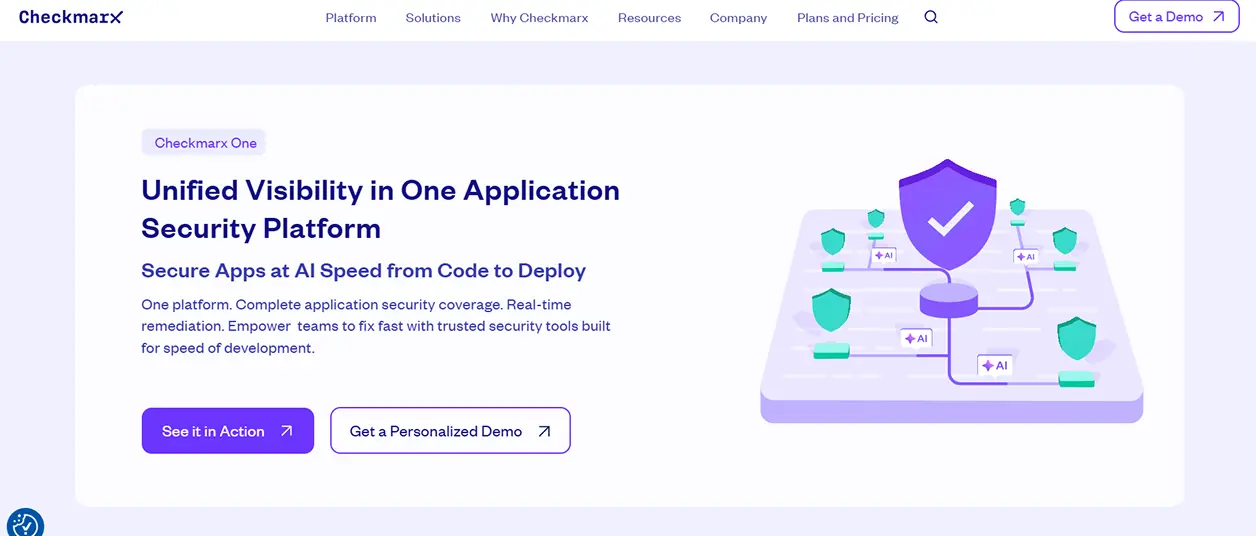
2. Checkmarx One

Checkmarx One offers a comprehensive enterprise-class security platform to include static code analysis, software composition analysis, and infrastructure scanning. It is specifically intended for use by large development teams who have complex code bases.

Key Features

  • Deep Static Analysis: Offers vulnerability detection across many programming languages
  • Software Composition Analysis (SCA): Checks for vulnerable open-source components that are included in your application
  • Infrastructure scanning: Finds security holes in Infrastructure as Code and cloud environments
  • Integration with IDE and CI/CD tools: Provides feedback to developers about potential issues at the earliest possible time in their workflow
  • Customizable reporting: Ability to customize reporting to support corporate governance, regulatory compliance, and audits

This tool is best suited for companies with large development teams that need scalable, enterprise-level security visibility that has been integrated directly into their development process.

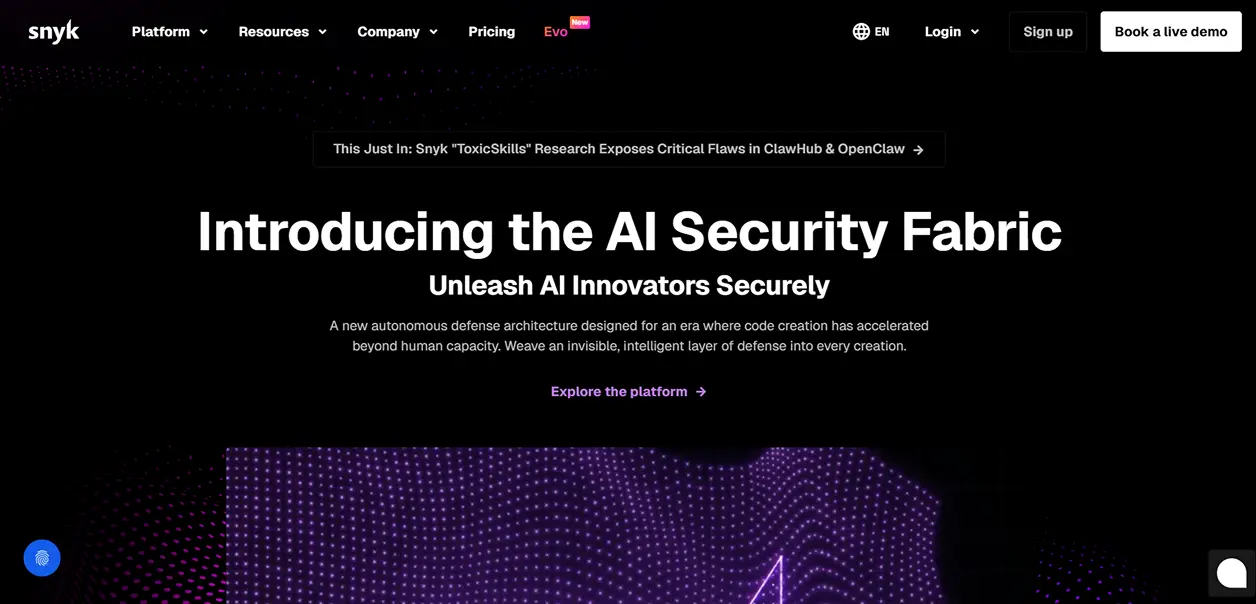
3. Snyk

Snyk is a developer-centric security solution that examines application code, third-party dependencies (open source), and container images for vulnerabilities. Snyk’s ability to scan within an IDE or directly within a Git repository or CI/CD pipeline enables developers to quickly identify and repair security-related issues prior to their being deployed.

Key Features

  • Scan for Vulnerabilities: Identify potential issues in code, third-party dependencies, and container images.
  • Monitor Open-Source Dependencies: Identify insecure third-party libraries and versions.
  • Integrate with CI/CD Pipelines: Scan code for potential vulnerabilities as part of build and deploy processes.
  • Remediate Easily: Provide actionable steps and/or automated fixes for identified issues.
  • Enforce Policy: Create and enforce policies for security and compliance across multiple projects.

Snyk provides a single platform that offers full vulnerability coverage and is developer-centric. This makes integrating security into rapidly moving DevOps and other workloads simple and allows organizations to ensure they are producing quality, secure code.

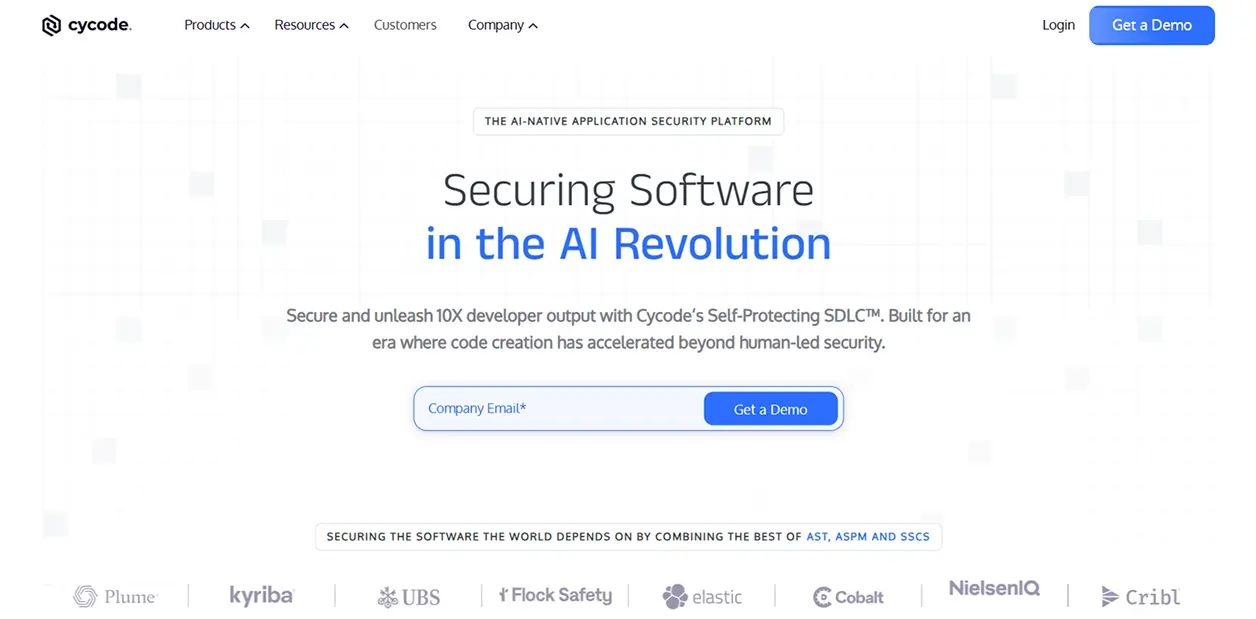
4. Cycode

Cycode integrates security into all aspects of the software development lifecycle, including code, pipelines, secrets, and infrastructure, and also uses automation and contextual insights to make remediation less burdensome on developers.

Key Features:

  • Complete pipeline visibility: Tracks code, CI/CD pipeline, as well as the environment where the application is running in production.
  • Identify secrets: Find secret data, such as login credentials that have been left open or other sensitive data.
  • Prioritize using AI: High-risk issues are highlighted.
  • Provide remediation steps: Remediation steps are provided to quickly fix identified vulnerabilities.
  • Allow collaboration with team members: Assign and track remediation efforts among team members.

Cycode offers an integrated way to secure the entire development pipeline by reducing the number of security tools required and increasing the efficiency of your organization’s security program.

Summing Up

When SonarQube alone isn’t enough, modern code security platforms offer broader coverage, smarter prioritization, and seamless integration into developer workflows. Organizations that adopt code security tools will experience improved security, improved productivity, and improved delivery of safe software. 

Start looking at these code security platforms today to help protect your code from the very beginning of your development cycle and ensure your development workflow is always fast and safe.

Protecting Client Data in Distributed Business Services

Business service providers-including consultants, CRM specialists, accountants, legal advisors, and IT service firms-operate in an environment where trust is everything. Clients rely on them to manage financial records, strategic plans, contracts, and confidential communications. As remote and hybrid work models become standard, the way these professionals’ access and manage sensitive data has fundamentally changed. Protecting client information in distributed environments now requires a deliberate and layered cybersecurity approach.

Secure remote connectivity is the foundation of that strategy. Solutions such as TSplus Remote Access enable organizations to deliver centralized applications and desktops through encrypted connections, without exposing internal servers directly to the internet. By publishing specific business applications instead of granting full network access, firms can significantly reduce their attack surface while maintaining seamless productivity for remote teams.

The Growing Risk for Distributed Service Providers

High-Value Targets for Cybercriminals

Consulting and business service firms are attractive targets because they store sensitive data from multiple clients. A single breach can expose financial statements, intellectual property, and personal customer data.

Remote work expands that risk. Employees connect from home or while traveling, increasing exposure to phishing and credential theft.

Common Vulnerabilities in Remote Environments

Unsecured remote desktop protocols and weak passwords remain common vulnerabilities. Attackers use brute-force or credential stuffing to gain access and deploy ransomware.

VPN-based models can introduce risk by granting broad network access. Application-level access limits exposure.

Implementing Layered Security Controls

Strengthening Access with Advanced Protection

Secure connectivity alone is not enough. Additional protective layers are required to defend against increasingly sophisticated threats. Technologies featured in the TSplus Advanced Security solution illustrate how multi-factor authentication, IP filtering, geo-blocking, and brute-force protection can reinforce remote access environments.

Multi-factor authentication reduces reliance on passwords. IP restrictions and login limits help block automated attacks.

Role-Based Access and Monitoring

Role-based access control ensures employees access only what they need, reducing internal and external risk.

Centralized monitoring and audit logging further enhance security. Real-time visibility into remote sessions allows IT teams to identify unusual behaviour, such as repeated login attempts or access outside normal business hours. Early detection enables faster response and containment.

Balancing Productivity and Compliance

Business service providers must comply with data protection regulations while maintaining operational efficiency. Secure remote desktop and application publishing solutions allow teams to work flexibly without sacrificing compliance standards. Encrypted connections protect data in transit, while structured access policies ensure accountability.

By combining secure remote access with advanced security layers and proactive monitoring, organizations can maintain both agility and resilience.

Conclusion

In distributed business environments, protecting client data is not optional-it is central to reputation, compliance, and long-term success. As remote work continues to shape professional services, firms must adopt secure remote access strategies supported by layered security controls.

Through encrypted connectivity, granular permissions, multi-factor authentication, and continuous monitoring, business service providers can safeguard sensitive information while empowering teams to work efficiently from anywhere. In a trust-driven industry, investing in secure infrastructure is ultimately an investment in client confidence and sustainable growth.

Prevent Online Fraud: The One Rule That Matters

PC security matters most when you have something to lose. Many retirees own a home, savings, and investment accounts. These assets took decades of work and planning to build. They often support daily living and future care. Online fraud can damage these assets very quickly. Recovery is often slow and stressful.

Most PC security advice talks about software, settings, and updates. That advice is not wrong, but it misses the main risk. Many careful people still lose money. The real danger is not a broken computer. The real danger is access to financial accounts. That is where losses happen.

Good security starts with smart daily actions. Small habits reduce most real-world risk. Rare threats matter far less than common mistakes. Clear rules work better than complex tools. Focus on behavior, not fear. That focus prevents most losses.

One risk matters more than all others

When fraud happens, one cause stands out far above the rest. Most losses start when a person is tricked into acting. This is not a computer failure. It is a human trap. Clear numbers help show where risk really comes from.

85% – Phishing and social engineering. Fake emails, texts, links, and messages that steal passwords or control email.
7% – Family member or trusted helper misuse. Access is given for help and then abused.
5% – Targeted external attacker. A focused attempt against one person.
2% – SIM or eSIM swap. Phone number control is stolen.
1% – Service provider failure. Credentials are exposed by the provider.

These figures are for general cyber incidents — not financial loss per se — but they support the idea that human-targeted deception is the dominant method attackers use to get in.

These numbers show where effort actually pays off. Time spent on rare threats gives little return. Time spent avoiding phishing blocks most losses. Simple habits save more money than complex tools. Focus where the risk is highest.

The remaining risks are real, but much smaller

The other risks do matter, but they cause far fewer losses. They are harder to prevent and less likely to happen. This is why they should not take most of your time or attention. Handle them with simple rules. Then move on.

These risks make up about fifteen percent of total loss:

Family or trusted helper misuse – Never share full logins. Use view-only access where possible. Review accounts regularly.
Targeted attacker – Do not reuse passwords. Keep accounts private. Avoid sharing personal details online.
SIM or eSIM swap – Add a PIN to your mobile account. Do not rely on text messages alone for security.
Service provider failure – Use unique passwords so one breach does not spread.

These steps do not require daily effort. Most are set once and reviewed rarely. They reduce risk without adding stress. They also avoid complex tools that confuse many users.

The key point is balance. Do not ignore these risks. Do not obsess over them either. Spend most effort where most losses happen. That is how security stays simple and effective.

Why phishing causes most real losses

Phishing and social engineering work because they target people, not computers. The goal is to create urgency, trust, or fear. Once that happens, even careful users make mistakes. This is why these scams succeed across all age groups. For retirees, the financial impact is often higher.

Most phishing scams fall into four clear types:

Credential theft – Fake emails or websites that capture usernames and passwords.
Malware delivery – Links or attachments that install spyware or ransomware.
Fake support or service calls – Pop-ups or phone calls that claim a problem needs urgent help.
Impersonation scams – Messages that pretend to be a family member, bank, or known company.

Each type has a different method, but the same goal. The attacker wants you to act before you think. They want a click, a reply, or a payment. Understanding these categories makes scams easier to spot. Once you see the pattern, most attacks lose their power.

Credential theft scams

Credential theft is the most common phishing attack. The message looks urgent and official. It may claim a problem with your bank, email, or investment account. The goal is to make you click a link and sign in. That link leads to a fake site.

These messages often look very real. Logos, colors, and wording are copied from real companies. The email address may look close but not exact. The link may hide the real destination. Once you enter your password, the attacker has it. From there, they can reset other accounts.

The safest rule is simple. Never click a login link in an email or text. If there is a problem, open your browser and go to the company website yourself. Use a saved bookmark or type the address. Real companies accept this every time. This single habit blocks most credential theft.

If this happens, do not panic. These scams fool smart and careful people every day. The mistake is human, not a failure. The right response is calm and fast action.

Change the affected password right away. Then change passwords on any related accounts. Start with email, banking, and investments. One focused hour can stop further damage. That hour can save thousands of dollars.

Malware and ransomware downloads

Some phishing attacks do not ask for a password. They try to install harmful software instead. This often happens through a fake attachment or download. The message may say it is a bill, a document, or a security update. Once opened, the damage starts.

Malware can record keystrokes or watch the screen. Ransomware can lock files and demand payment. These attacks often claim urgency or legal risk. They may look like shipping notices or account warnings. The goal is to bypass caution and trigger a quick click.

The safest rule is again simple. Do not open attachments you did not expect. Do not download software from emails or pop-ups. Updates come from your computer, not from messages. If something feels urgent, stop. That pause prevents most infections.

If this happens to you, do this

Treat the computer as unsafe. Turn it off right away. Disconnect it from Wi-Fi and any cables. Do not click pop-ups or call numbers on the screen. Do not try to fix it yourself. Assume the system cannot be trusted again.

Your files may still be recoverable. A trusted local expert can copy documents and photos from the drive without running the computer. After that, plan to replace or fully rebuild the PC. Never reuse the old system as it was. This prevents repeat damage.

How good are your backups

Most people plan for fire or flood. Very few plan for one bad click. Malware can destroy a computer in seconds. Without backups, files are often lost.

Backups should exist outside the computer. Use an external drive or a trusted cloud service. Test backups at least once a year. A good backup turns a crisis into a short inconvenience.

Fake support and service calls

Some scams never use email links or downloads. They start with a phone call or a pop-up warning. The message claims a serious problem. It may say your computer is infected or your account is locked. The goal is to create fear and urgency.

Real companies do not work this way. Microsoft, Apple, banks, and internet providers do not cold call. They do not show pop-ups with phone numbers. They do not ask for remote access without a request from you. Any request like this is a scam.

The rule is strict. Do not call numbers shown on your screen. Do not allow screen sharing with anyone who contacts you first. If you think there may be a real issue, close the computer and contact the company yourself. Use a phone number from a bill or official website.

Subscription support scams

Some websites promise fast paid computer help. They often appear after a search for urgent support. The page looks professional and reassuring. The real goal is a subscription charge.

These services bill monthly or yearly. Canceling is often difficult. Support quality is poor or harmful. Some add more unwanted software.

Avoid unknown support sites. Use a local shop or the device maker’s official site.

Impersonation scams that ask for money

Some scams never touch your computer. They use emotion and urgency instead. The message pretends to be a family member, a bank, or a trusted company. It asks for quick help or payment. The name may be real. The story is not.

A common version claims a grandchild is in trouble. Another claims a payment problem or legal issue. The attacker wants you to act fast. They do not want you to verify. They may ask for gift cards, wire transfers, or instant payments.

Another common version targets payments and payroll. The message appears to come from a real employee or vendor email. It asks to change a bank account for future payments. The new account is often overseas.

The rule is clear. Never send money based on a message alone. Pause and verify using a known phone number. Call the person or company directly. Real emergencies allow time to confirm.

The one rule that prevents most fraud

Nearly all of these scams start with an email, text, or message. They succeed because they push you to act fast. The message is designed to feel urgent. It is meant to stop careful thinking.

Scammers are experts at creating panic. It is not a small charge. It is a large and unexpected charge. It is not a grandchild. It is a grandchild who needs help right now. Fear and urgency are the tools. Once panic starts, mistakes follow.

The simplest defense is also the strongest. Do not click links in messages. Do not trust claims made in emails or texts. If there is a real problem, go to the website yourself. Use a saved bookmark or type the address. For payments or account changes, call using a known phone number. Verification breaks the scam.

A final reality check

Much security advice focuses on passwords, symbols, and settings. That advice is not useless, but it is not the main problem. Strong passwords and two-factor login do not stop panic. They do not stop clicks.

The real weak link is human behavior. Scammers know this and design attacks around it. They do not break systems. They persuade people.

Security is a personal responsibility. No tool can replace good habits. Slow down, verify, and refuse urgency. Those habits matter more than any setting.

Summary

Online fraud is not about weak computers. It is about rushed decisions. Most losses happen after a message creates fear or urgency. The technology usually works as designed.

This risk is not for someone else. It applies to every person with email, money, and a computer. Smart people get caught because scams are designed for smart people. Responsibility cannot be delegated.

One simple habit prevents most damage. Stop clicking on links in emails and texts. Verify every claim by logging in directly or calling a known number. This blocks the most common scams.

Focus on what matters. Protect email, banking, and investment access. Ignore rare threats and complex tools. Calm actions and simple rules keep money safe.