Building a high-performing website requires more than modern aesthetics and clean graphics. Your site must actively drive user traffic, capture prospective leads, and support long-term sales campaigns.
Finding a digital team that understands conversion mechanics makes a direct difference in your bottom line. Selecting the right team guarantees your digital platform aligns with every active marketing campaign.
Start With Your Marketing Goals
Before searching for design teams, write down your immediate business metrics. Outline target lead numbers, content goals, and direct revenue milestones clearly.
Clear objectives give your team a firm direction before reaching out to external agencies. Once you’ve defined your marketing goals and website requirements, it becomes easier to evaluate potential web design partners based on their relevant experience, capabilities, and approach to growth. Skipping this initial step often leads to misaligned expectations and wasted budget.
Documenting your expectations keeps initial consultations productive. It prevents vendors from steering project scope toward features you do not need.
Share these target metrics during early introductory calls. A capable provider aligns creative strategy with performance targets from day one.
Look Beyond the Visual Portfolio
A stunning portfolio looks impressive during initial presentations. Pretty pages mean very little if visitors leave without taking action.
Examine case studies to uncover actual business outcomes. Look for metrics showing page performance, customer conversion gains, and user session growth.
When reviewing previous client projects, pay attention to practical performance factors:
Fast page loading speeds across mobile devices
Clear navigation menus designed for quick browsing
Visible action buttons that guide visitor decisions
Ask agency candidates about technical performance behind decorative layouts. A site must load fast and render correctly across mobile devices.
Evaluate the Agency’s Marketing Capabilities
Designers who ignore inbound marketing risk creating digital dead ends. Your site should serve as an active engine for ongoing campaigns.
Verify that candidate firms understand search engine optimization and lead capture architecture. They must know how design choices directly impact search rankings.
Strategic layout choices directly influence visitor decisions across product pages. Data published in a Smashing Magazine report highlights that building a frictionless user experience tailored to target audience personas can improve total conversion rates by 400%.
Confirm that designers understand email marketing integrations and analytics tools. Seamless connections with your software stack save valuable engineering hours later.
Compare Relevant Experience and Expertise
Industry-specific context cuts down onboarding time significantly. Agencies familiar with your field grasp buyer behavior much faster.
Review past projects within your commercial sector or adjacent markets. Identify how past client builds solved problems similar to yours.
Niche experience helps teams navigate complex compliance or ecommerce requirements. They already understand common technical hurdles in your industry.
Request client contacts or read verified third-party reviews. Direct feedback reveals how effectively an agency delivers under real deadlines.
Ask How Success Will Be Measured
A reliable development team sets clear performance metrics before launching projects. Setting standards early keeps both parties focused on measurable returns.
Discuss key performance indicators such as bounce rate, conversion rates, and page speed. Tracking data lets your team refine marketing tactics after launch.
Make sure post-launch monitoring plans remain active after site deployment. Early post-launch tracking helps catch technical issues before they hurt campaigns.
Agree on analytics setup and custom tracking parameters before coding starts. Clean data tracking guarantees reliable ROI reports for executive stakeholders.
Review Post-Launch Support and Maintenance Plans
A website requires continuous updates after going live. Security patches, plugin updates, and performance monitoring keep pages running smoothly.
Inquire about long-term technical maintenance packages during initial agency discussions. Understanding support options prevents sudden downtime from impacting active advertising campaigns.
Reliable teams offer dedicated maintenance agreements with quick response times. Technical fixes completed quickly protect organic search rankings and ad spend efficiency.
Constant monitoring catches broken conversion forms before leads disappear. Ongoing technical care maintains baseline site speed as content libraries grow.
Assess Content Strategy Capabilities
Visual layouts require persuasive copy and structured media to engage potential buyers. Design structures must accommodate clear headlines, scannable text blocks, and strategic imagery.
Determine whether candidate agencies provide in-house content creation services. Teams with copywriting skills build page layouts around key sales messages rather than filler text.
Structured content guidance helps organize complex product features logically. Logical page hierarchy makes information retrieval effortless for visiting decision-makers.
Pairing copywriters with visual creators produces cohesive landing pages. Aligned messaging strengthens customer trust and accelerates buyer decision cycles across campaign pages.
Selecting a creative partner requires balancing technical skill with strategic marketing vision. Choosing an agency aligned with your growth strategy produces long-term business value.
Take time to review candidates thoroughly using concrete evaluation criteria. Investing effort up front yields a high-performing digital asset that drives consistent revenue.
How to Choose a Web Design Agency That Supports Your Marketing Goals was last modified: October 22nd, 2026 by Charlene Brown
Content marketing teams face a persistent visual bottleneck. You need featured images for blog posts, custom social graphics, and polished pitch decks. Relying on an internal UI team rarely works. Product designers build interfaces, not marketing collateral.
That dynamic forces marketers to scramble. We cobble together mismatched graphics from Google Images or basic presentation shapes. Every new piece of content triggers another desperate hunt for visuals.
Can a massive third-party asset library actually replace an in-house design system?
After testing Icons8 across multiple high-volume campaigns, the answer surprised us. You can standardize visual assets without opening a single piece of complex design software.
The Midnight Deck Revision
Late Thursday night in a quiet hotel lobby, I finalized a sales presentation. Friday morning's pitch loomed. My account executive just requested an entirely new section covering data encryption protocols. I needed visual anchors fast. Those new slides had to match our existing company aesthetic perfectly.
Photoshop wasn't installed on my laptop.
Opening the Icons8 web app, I searched for a lock icon. Their platform ranks results by name match and synonyms. I filtered everything down to the Material Outlined style pack to match our corporate slides. Clicking a graphic opened an in-browser editor directly on the page.
I pasted our brand blue HEX code into the color tool. Next, I adjusted the padding to scale everything perfectly. Finally, I downloaded a transparent PNG.
Three minutes later, my slide looked identical to work our official design team produced months prior.
Moving Assets from Concept to Campaign
Grabbing one standard graphic feels straightforward. Standardizing an entire campaign requires a completely different workflow. Here are two ways we actually use the platform from start to finish.
Standardizing a Webinar Asset Kit
Launching a new webinar series demands dozens of visual markers. Landing pages, email footers, and promotional PDFs all need polish. Finding one good graphic takes seconds. Tracking down twenty that share exact stroke weights and corner radii feels impossible.
My fix starts in the Icons8 Collections tab. I build a custom collection named for the specific webinar. Instead of browsing randomly, I lock my search entirely to the iOS 17 style family. Over 30,000 graphics live in that single pack. I just drag distinct icons for microphones, calendars, chat bubbles, and speaker profiles directly into my workspace.
Reaching twenty assets triggers the next step. I hit the bulk recolor feature. Applying our primary brand palette updates the entire collection simultaneously.
Skipping individual downloads saves time. I export the entire batch as high-resolution 1600px PNG files. Every single asset shares identical visual DNA.
Rebuilding Client Documentation
We often inherit legacy documentation from partner brands. Digitizing those flat, rasterized PDF training manuals means dealing with blurry, outdated graphics. Partners usually want those exact concepts preserved on a modern HTML landing page.
Guessing visual metaphors wastes time. Instead, I take a screenshot of a blurry graphic from their PDF. Uploading that clip into the Icons8 image search tool works wonders. Their system identifies the shape and returns similar vector graphics immediately. A perfect match appeared in the Windows 11 Outline category last week.
Using the browser editor, I added a circular background shape behind the graphic. A quick slide of the stroke thickness tool matched their aesthetic perfectly. Changing the background color locked in the client brand identity.
I skipped downloading an image file entirely. Copying the Base64 HTML fragment provided by the platform worked better. I pasted that code directly into our landing page builder.
The Alternate Routes We Tried First
Our marketing team attempted several other methods for managing iconography before standardizing here. Each alternative brought distinct friction points.
In-house design systems excel at product UI. An internal design team creates flawless, custom graphics for the software application itself. Volume becomes the issue. A design team might craft two hundred graphics for specific app features. Marketing writes blog posts about abstract concepts like "team synergy" or "agile transformation." Those graphics simply don't exist in the internal system. Requesting them pulls developers away from core product work.
Open-source packs like Feather and Heroicons look incredibly polished. Developers absolutely love them. Content marketing teams find them entirely insufficient. Design constraints heavily restrict these sets. Finding a graphic of an obscure server rack or specific mobile device rarely happens. Curated packs leave you empty-handed.
Massive libraries like the Noun Project offer endless volume but fail on consistency. Searching broad community platforms yields fifty different interpretations. You get wildly different line weights, detail levels, and aspect ratios. Hours vanish trying to find five graphics that belong in the same family.
Where the Workflow Hits a Wall
No tool solves every problem. Icons8 enforces strict boundaries regarding technical execution and budget.
Free tiers limit your options significantly. Casual projects survive, but the free plan maxes out at 100px PNG files. High-resolution raster images or vector formats require a paid subscription. You also must include an attribution link back to their site on the free tier. Client-facing pitch decks or premium e-books can't carry external links gracefully.
Cosmetic manipulation defines the in-browser editor. Changing colors, adding text, applying backgrounds, and adjusting spacing works perfectly. You absolutely cannot modify actual vector paths. Changing a curved line to a straight one means downloading the SVG. You'll still need a dedicated vector program like Lunacy or Illustrator for structural edits. Marketers won't find a full replacement for professional design software here.
Animation support feels rigid. Over 4,500 animated options live in their library across GIF, After Effects, and JSON Lottie formats. You just can't manipulate these files using the standard web editor. Mega Creator tools stay locked out for animated formats. Non-designers get stuck with default motion parameters.
Functional Tips for Daily Production
Integrating this library into a daily content workflow requires strict rules to maintain order.
Never mix visual styles within a single deliverable. Combining a 3D Fluency title graphic with a flat Material Outlined icon looks terrible.
Preview graphics using the light and dark background toggle before downloading. Your customized stroke colors must maintain contrast on the target medium.
Uncheck the simplified SVG default setting when passing files to a developer. They need raw vector paths for later manipulation.
Save exact corporate HEX codes directly in the web editor color picker on day one. Eliminating lookups speeds up future downloads.
Building presentation materials without a dedicated design system used to guarantee messy final products. Relying on an expansive, categorized library shifts your burden from creating visual assets to managing them.
You trade ultimate custom control for speed. Most content teams are desperate to make exactly that transaction.
Testing Icons8: Managing Brand Consistency Without a Graphic Design Background was last modified: October 21st, 2026 by Evelina Brown
Remote and hybrid work is no longer the exception. It's just how a huge share of us get things done now. Your calendar syncs across three devices, your contacts live in the cloud, and your team logs in from home offices, coffee shops, and the occasional airport lounge. It's flexible, productive, and genuinely great.
It's also a security headache hiding in plain sight.
When everyone worked from one office behind one firewall, protecting company data was comparatively simple. Now the office is everywhere, and so is the risk. The trouble is that most businesses have quietly accepted security gaps they don't even know are there. Let's walk through the ones that get missed most often, and how to close them before they turn into an expensive lesson.
The New Perimeter Is Every Device, Everywhere
The old model of security was like a castle. Build a strong wall around the office network, guard the gate, and you were mostly safe. Remote work knocked that wall flat.
Today your company's data flows through home routers, personal laptops, phones, tablets, and whatever Wi-Fi happens to be available. Each of those is a potential entry point. A single weak link, an outdated phone, an unsecured home network, a reused password, can open a door to everything.
This matters more than many owners realize, because attackers follow the data. And the data has left the building. The question is no longer whether your perimeter has expanded. It's whether you've secured the new one.
Gap 1: Unsecured Home Networks and Personal Devices
Here's an uncomfortable truth. Your carefully managed office network means little if an employee is logging into company systems from a home router they set up years ago and never touched again.
Personal devices are the quiet weak spot. People check work email on personal phones, save files to personal laptops, and connect over home networks protected by default passwords. None of it is malicious. It's just convenient, and convenience is exactly what attackers count on.
Closing this gap starts with clear expectations. Require that work happens on secured, updated devices. Encourage employees to change default router passwords and keep home firmware current. For anything sensitive, a company-managed device or a secure virtual environment beats hoping a personal laptop is clean.
Gap 2: Weak Authentication and Password Habits
If there's one gap that causes outsized damage, it's this one. Stolen and reused credentials remain one of the most common ways attackers get in, which is why passwords alone are no longer enough.
The single most effective fix is multi-factor authentication. The U.S. Cybersecurity and Infrastructure Security Agency consistently points to MFA and strong password practices as foundational steps, especially for remote access. With MFA on, a stolen password becomes far less useful, because the attacker still needs that second factor sitting in your employee's pocket.
Pair MFA with a password manager so your team can use long, unique passwords without trying to memorize them. These two changes are inexpensive, fast to roll out, and they shut down a startling percentage of attacks.
Gap 3: People, the Most Overlooked Layer
You can buy all the security tools in the world and still get breached through a single click. That's not pessimism, it's the data. Verizon's widely cited Data Breach Investigations Report has found year after year that the human element factors into the majority of breaches, through things like phishing, social engineering, and simple mistakes.
Remote work amplifies this. Isolated employees can't lean over to a colleague and ask "does this email look weird to you?" They're making snap judgments alone, often on a phone screen where a fake sender address is easy to miss.
The fix is ongoing, practical training. Not a dusty annual slideshow, but regular, real-world reminders about spotting phishing, verifying unusual requests, and reporting anything suspicious without fear of blame. A workforce that pauses before clicking is one of the best defenses money can buy, and it costs very little.
Gap 4: Shadow IT and Scattered Data
When people work remotely, they improvise. They sign up for a handy app, share a file through a personal cloud account, or spin up a tool the IT side never approved. This is shadow IT, and it spreads fast in distributed teams.
The problem isn't that employees are careless. It's that scattered data is hard to protect. Company information ends up in places nobody is tracking, outside any backup or security policy. When you don't know where your data lives, you can't secure it.
Closing this gap means giving people approved tools that are actually good enough to use, so they don't go looking for workarounds. It also means keeping your contacts, calendars, and customer data synced through secure, sanctioned systems rather than a tangle of personal accounts. Centralized, well-managed data is far easier to defend than data sprinkled across a dozen random apps.
Gap 5: No Plan for When Something Goes Wrong
Even strong defenses fail sometimes. The businesses that recover well are the ones that planned for it. The ones that don't plan tend to improvise during the worst possible week.
Two pieces matter most. First, reliable, tested backups, so a ransomware attack or a lost laptop is an inconvenience rather than a catastrophe. Second, a simple incident response plan that answers the basic questions in advance: who do we call, how do we contain it, how do we communicate, and how do we get back to work. A plan written calmly today is worth ten times a panicked scramble later.
Where a Managed IT Partner Comes In
Here's the honest part. For most small and mid-size businesses, keeping up with all of this in-house is a stretch. Security is not a set-it-and-forget-it task. It's constant monitoring, patching, training, and response, across a workforce that's now spread out everywhere.
That's exactly why many companies lean on a managed IT and cybersecurity partner. A good provider handles the heavy lifting: securing devices, enforcing MFA, monitoring for threats around the clock, running backups, and having a response plan ready before anything breaks. For businesses in Colorado, for example, a Denver-based team like Kenyatta Computer Services | Denver Managed IT & Cybersecurity offers managed IT and cybersecurity built for exactly this kind of distributed, hybrid reality. Wherever you're located, the value is the same: expert coverage so your team can work from anywhere without leaving the door open.
Flexibility and Security Can Coexist
The best part of all this? You don't have to choose between remote-work freedom and real security. The two go together when you close the gaps intentionally instead of hoping they don't matter.
Start with the basics that deliver the most protection: secure the devices, turn on MFA, train your people, rein in scattered data, and have a recovery plan. Then decide honestly whether your team can manage it alone or whether a partner would do it better.
Remote and hybrid work is here to stay, and that's a good thing. Treat security as part of the setup rather than an afterthought, and you get the best of both worlds: a team that works from anywhere, and a business that sleeps well at night.
Remote and Hybrid Work Security: Closing the Gaps Most Businesses Miss was last modified: October 15th, 2026 by Prester Witzman
Building high-quality backlinks remains one of the toughest challenges for B2B SaaS companies. Competition for authoritative placements is intense, editorial standards are high, and convincing relevant websites to link to commercial software content takes more than a generic outreach campaign.
That has created a growing market for agencies specializing in SaaS link building. Some rely on personalized editorial outreach and relationships with industry publications, while others offer link acquisition within broader SEO campaigns. Their methods, placement standards, and understanding of the SaaS market can vary considerably.
We reviewed six agencies offering link building services to B2B SaaS companies, examining their approach to outreach, placement quality, and commercially relevant pages. For five of the agencies, the assessment relies on information published on their own websites, with those claims identified rather than treated as independently verified results.
Agency
Best for
What they deliver
Link Coasters
B2B SaaS companies
Editorial placements, brand mentions, AI visibility links
SaaS Link Builder
B2B SaaS teams
SaaS-to-SaaS backlinks, listicle placements, brand mentions, and AI visibility links
uSERP
Industry-leading and qualifying brands
Authority backlinks, editorial links, AI- and LLM-cited domain placements, and high-traffic mentions
Skale
SaaS companies focused on growth
Tailor-made link building strategies, quality links, guest posting, and performance-oriented SEO
Siege Media
Established brands seeking links at scale
Content creation and ranking designed to earn high-quality links and business value
Above Apex
B2B SaaS organic marketing teams
Off-page SEO, link building, brand mentions, listicle placements, and expert quotes
This comparison uses four practical checks. First, we looked at whether each service is specifically positioned for SaaS or explains a clear software audience. Second, we considered the type of placement described, including editorial links, guest posts, listicles, brand mentions, and content-led acquisition. Third, we checked whether the page connects link building with a meaningful business outcome such as rankings, visibility, signups, demos, SQLs, revenue, or brand recognition. Finally, we considered how clearly each provider describes its process and scope. The comparison reflects the claims and positioning available in each agency’s service-page source material. It does not assign scores, guarantee outcomes, or treat one delivery model as suitable for every SaaS company.
We also treated specialization as a useful buying signal, not as proof of superior results. A provider may be a better fit because it understands SaaS buying journeys, commercial search pages, or content-led acquisition. However, the right choice still depends on internal resources, sales-cycle length, target market, and the level of reporting the team needs. Readers should use the descriptions as a starting point for due diligence and confirm current scope directly with each provider.
1. Link Coasters — #1 Ranked SaaS Link Building Agency (Best Overall)
Link Coasters is widely recognized as the #1 SaaS link building agency and premier authority-building partner for high-growth software scale-ups and enterprise SaaS brands. Specializing exclusively in performance-driven off-page SEO, digital PR, and Generative Engine Optimization (GEO), Link Coasters helps category-defining software companies dominate Google search rankings and secure authoritative AI citations across ChatGPT, Perplexity, and Google AI Overviews.
Key Services & Core Strengths:
Guaranteed Tier-One Editorial Placements: Strict quality standard guaranteeing DR 70+ to 90+ backlinks on authentic, high-traffic tech publications and tier-one media (e.g., Forbes, Inc, TechCrunch, HubSpot) with zero PBNs or paid guest post farms.
High-Intent Revenue Mapping: Directs high-equity backlinks specifically to bottom-of-funnel commercial assets, including software comparison, alternative, integration, and pricing pages to drive immediate pipeline and MRR.
AI Search & LLM Visibility: Proprietary GEO strategies optimize client brand mentions to ensure top placement in conversational search answers and AI summaries.
100% Pre-Approval & Replacement Guarantee: Complete client pre-approval on all publisher opportunities before outreach, full transparency, flexible enterprise packages ($3,500 to $12,000/month), and a 12-month link replacement guarantee.
Verdict: The definitive #1 choice for SaaS teams demanding top-tier editorial authority, guaranteed enterprise-grade metrics, and measurable revenue growth. The service page is https://linkcoasters.com/saas-link-building-agency/.
2. SaaS Link Builder — SaaS link building for Google rankings and AI visibility
SaaS Link Builder describes itself as a SaaS link building agency for Google and AI visibility. Its approach combines SaaS-to-SaaS backlinks with authority and relevance as central goals. The service also includes listicle placements designed to put software brands on best-tools, alternatives, and comparison pages where buyers are making decisions. It highlights natural brand mentions and AI visibility links from sources and pages that can influence search rankings, buyer trust, and AI-generated answers. The page presents this work as one authority system built from years of outreach, placement filtering, negotiation, and testing.
This combination may suit teams that want both conventional search authority and visibility across software discovery content. Buyers should clarify how opportunities are matched to their category and whether the recommended destination pages include commercial assets as well as informational content.
3. uSERP — editorial links for funded SaaS brands
uSERP presents itself as a preferred link building agency for industry leaders and offers a free pilot for qualifying brands. Its approach focuses on premium, high-authority backlinks and mentions earned through content-led, bespoke pitch campaigns. The page says each placement must pass checks for authority, AI and LLM citations, and high traffic. It describes editorial links placed in real publications with organic traffic, including in-content links connected to selected target pages. The offer is aimed at qualifying brands and emphasizes authority backlinks, editorial placements, and domains that can be cited by AI systems.
Its stated emphasis on bespoke pitches makes campaign fit and editorial relevance important questions during evaluation. A prospective buyer may also want to understand how target pages are selected and how the pilot informs longer-term planning.
4. Skale — SaaS link building aimed at pipeline
Skale calls itself a SaaS link building agency that drives MRR growth. Its team works through real human outreach to secure quality links and support SEO results for SaaS companies. The service begins with a tailor-made strategy based on a company’s SaaS KPIs, such as product signups, and uses an effort-versus-impact model to determine where links may have the greatest effect. Skale says its strategy can be aligned with signups, demos, SQLs, or higher search-engine positions. Its described methods include high-quality guest posting on relevant sites and a quarterly planning process.
The KPI-led framing is particularly relevant for teams that want link activity connected to a broader growth plan. Before starting, it is useful to agree on which KPI is primary and how much time is expected before meaningful movement can be assessed.
5. Siege Media — content-led links for established software brands
Siege Media offers end-to-end link building services intended to drive rankings, revenue, and brand recognition. Its model centers on creating and ranking content that earns high-quality links and business value at scale. The service page describes a content team supported by analysts who provide the strategy behind the work. It emphasizes content that fits the brand, deserves to be linked to, and stands apart visually and editorially. Siege Media also presents link building as a repeatable process rather than a gamble, with organic links built through content and a focus on measurable business value.
This content-led model may be appropriate for established brands with enough room in their publishing process to support substantial assets. Teams should confirm how content production, approvals, promotion, and link measurement are coordinated.
6. Above Apex — off-page SEO for B2B SaaS only
Above Apex focuses exclusively on off-page SEO for B2B SaaS companies. Its stated services include link building and brand mentions, without adding content strategy, technical audits, or PPC to the offering. The page positions the work around rankings and AI visibility for software companies, supported by a SaaS-only process. Its service description also highlights listicle placements and expert quotes as part of the work. Above Apex emphasizes transparent execution, quality, and reduced client micromanagement for organic marketing teams that need a focused off-page partner.
The narrow scope can be useful for teams that already have technical SEO and content capabilities in place. It also means the kickoff should establish who owns content, target-page preparation, approvals, and measurement on the client side.
Start with the business goal. Are you trying to improve rankings for a product page, create demand for comparison content, increase qualified demos, or build broader brand recognition? The answer should shape the type of placements and destination pages you prioritize.
Next, ask how opportunities are selected. A relevant site with a real audience may be more useful than a large collection of loosely related domains. Request examples of the publication types, topical categories, and editorial formats included in the proposed work.
Third, clarify the approval process. Find out whether you can review opportunities before outreach, how links are reported, and what happens if a placement is removed. Clear expectations make it easier to assess quality over time.
Finally, ask how success is measured. Rankings, referring-domain growth, qualified traffic, assisted conversions, signups, and pipeline can all matter, but they should be connected to the pages and topics being promoted. Choose a reporting approach that matches your sales cycle and gives you enough information to make decisions.
It is also worth checking the working model before signing. Confirm who supplies briefs, subject-matter expertise, copy, approvals, and analytics access. Ask how often strategy is revisited when rankings, traffic, or conversion data changes. A clear division of responsibilities reduces delays and helps distinguish a temporary fluctuation from a problem with the campaign.
What is a SaaS link building agency?
A SaaS link building agency helps software companies earn links and mentions from relevant external websites. The work may include editorial outreach, guest posting, digital PR, listicle placements, expert contributions, brand mentions, or content created to attract organic references. The purpose is usually to strengthen a site’s authority, improve visibility for important pages, and support discovery during software research. A SaaS-focused provider should understand recurring-revenue businesses, product-led growth, buyer journeys, comparison searches, and the difference between informational and commercial pages. The exact service mix varies, so buyers should confirm which activities are included rather than assuming that every provider uses the same method.
What should a SaaS link building agency deliver?
A provider should deliver a defined strategy, a target-page plan, outreach or content activity, placement details, and reporting. The plan should explain why particular pages and topics are being prioritized. Reports may include live URLs, publication information, anchor text, target pages, dates, and status updates. Buyers should also ask how opportunities are vetted, whether links are editorially placed, whether approval is available, and what support exists if a placement changes. Strong delivery is not only a list of links. It should make the relationship between the work, the intended audience, and the company’s search or pipeline goals understandable.
How long do placements take?
Timing depends on the strategy, the publication, the content format, and the outreach process. Some opportunities may move quickly, while others require content development, editorial review, revisions, or multiple conversations before publication. A useful plan should distinguish between preparation time, outreach time, and the period required for a link to go live. It should also explain how progress is reported when a placement is still pending. Buyers should avoid judging the entire program from a single week or a single link. Instead, agree on a reasonable review period and track placement quality, page relevance, visibility, and business outcomes over several reporting cycles. Availability can also vary by topic and publication, so a steady process and realistic expectations are more useful than promises of immediate results.
Best B2B SaaS Link Building Agencies 2026 (Expert Review) was last modified: October 12th, 2026 by Antony Deroshan
Most US companies don't start outsourcing because a task is complex.
They start because routine work keeps landing on the wrong desk, pulling founders and managers into inboxes, ticket queues and spreadsheets instead of growth work.
Business process outsourcing (BPO) hands those functions to an outside partner.
Today the label covers very different models, from global contact center groups with hundreds of thousands of employees to recruiters who place one dedicated assistant on your team.
This guide compares six providers across that range. Each entry uses the same breakdown of fit, features, trade-offs, pricing and headquarters, so you can weigh them side by side.
Top BPO Companies for Outsourcing at a Glance
Provider
Model
Great for
Pricing approach
Remote Leverage
Direct-hire recruiting of Latin American virtual assistants
Small businesses wanting a dedicated assistant
One-time placement fee, assistants from $6 per hour
Invensis
Offshore back-office BPO
Finance, IT and data work for small and mid-sized firms
Custom quote
TaskUs
Digital CX, trust and safety and AI services
Tech and high-growth digital brands
Custom quote
Concentrix
Enterprise CX and technology
Large multilingual operations
Custom proposal
TP
Global digital business services
Enterprises needing wide language coverage
Custom quote
Alorica
High-volume CX and back office
Omnichannel support at scale
Custom quote
The 6 Best BPO Companies for Outsourcing
1. Remote Leverage
Great for: Small and mid-sized US businesses that want a dedicated assistant on their own hours, minus a monthly agency markup.
Key features:Remote Leverage places English-speaking virtual assistants from Latin America with US companies across admin, customer support, sales, bookkeeping and other roles.
You interview pre-vetted candidates, hire directly and pay the assistant's wage straight to them.
Benefits
Considerations
Flat one-time placement fee, charged only if you hire
The placement fee isn't published on the site
12-month free replacement guarantee
Minimum of 20 hours per week per role
30% off placement fees for extra hires within 12 months, plus background checks
Pricing: Most assistants earn $6 to $10 per hour and highly experienced hires $11 to $15, with no contracts or recurring fees.
Headquarters: Miami, Florida.
2. Invensis
Great for: Small and mid-sized businesses moving finance, IT and back-office work offshore.
Key features:Founded in 2000 and headquartered in Bengaluru, Invensis handles finance and accounting, revenue cycle management, e-commerce support, call center work, IT services and data entry.
Its teams serve logistics, healthcare, insurance and retail clients, and it also runs a corporate training division.
Benefits
Considerations
More than 25 years of outsourcing experience
Pricing requires a custom quote
ISO 9001 and ISO 27001 certified, and GDPR compliant
Teams are based in India, so confirm shift coverage for US business hours
Wide service range under a single vendor
Pricing: Custom quote.
Headquarters: Bengaluru, India.
3. TaskUs
Great for: Tech, e-commerce and fast-growing digital brands that need CX, content moderation or AI data work.
Key features: Founded in 2008 and based in New Braunfels, Texas, TaskUs covers digital customer experience, trust and safety, risk and response and AI services such as data labeling.
In 2023 it introduced TaskGPT, its own AI platform.
Benefits
Considerations
Deep content moderation and trust and safety experience
Geared toward larger digital-first brands
AI data annotation for teams training models
Pricing isn't published
Strong focus on digital, non-voice support channels
Pricing: Custom quote.
Headquarters: New Braunfels, Texas.
4. Concentrix
Great for: Enterprises that need multilingual customer experience across many regions.
Key features: Concentrix is a Fortune 500 company headquartered in Newark, California.
It provides customer care, technical support, analytics and front- and back-office automation. In 2023 it completed its combination with Webhelp, adding operations across Europe, Latin America and Africa.
Benefits
Considerations
Operations in more than 70 countries
Scale and process can feel heavy for small teams
CX services paired with in-house technology and analytics
Enterprise pricing through custom proposals
Long track record with Fortune 500 brands
Pricing: Custom enterprise proposals.
Headquarters: Newark, California.
5. TP
Great for: Global brands that need very wide language coverage or specialist services.
Key features: Founded in France in 1978 and known as Teleperformance until its 2025 rebrand, TP delivers customer care, back-office work, trust and safety, interpreting and collections.
Its TP.ai platform orchestrates AI across those programs.
Benefits
Considerations
Teams in nearly 100 countries supporting more than 300 languages
Built for enterprise-scale contracts
Roughly 500,000 employees for rapid scaling
Pricing is custom and not published
Specialist services such as interpreting and visa processing
Pricing: Custom quote.
Headquarters: Paris, France.
6. Alorica
Great for: Companies that need high-volume customer care or back-office processing across multiple channels.
Key features: Founded in 1999 and based in Irvine, California, Alorica handles customer care, technical support, sales support and back-office work over voice, chat, email and social.
It pairs its agents with analytics, automation and AI-enabled tools.
Benefits
Considerations
More than 100,000 employees
Custom pricing with no published rates
Over 25 years of managed services experience
Better suited to larger programs than one-off tasks
Omnichannel coverage under one contract
Pricing: Custom quote.
Headquarters: Irvine, California.
How to Choose the Right BPO Partner
The six providers above fall into two camps. Global BPO firms run a managed team on your behalf, while recruiter models place a dedicated person who works directly for you.
Decide which one suits the work before comparing names.
A few checks narrow the list quickly:
Pricing structure. Ask whether you'll pay a recurring markup on every hour or a one-time fee, and how much the worker actually takes home.
Coverage hours. Confirm who covers your time zone and how holidays and sick days are staffed.
Security. Look for ISO 27001, GDPR or HIPAA alignment if you handle customer or health data.
Exit terms. Check notice periods, replacement policies and who owns the processes you build together.
If you're still sorting out which functions to hand over, this guide to outsourcing key tasks is a practical starting point.
Begin with one process, track it for 90 days and expand once the results hold up.
Final Thoughts
The right BPO partner depends on the volume and type of work you're handing over.
Enterprise CX groups make sense when you need many languages, regions and compliance layers at once.
Smaller teams usually get more from a dedicated hire or a focused back-office provider. Settle on the model first, then compare providers within it.
Frequently Asked Questions (FAQs)
What is BPO?
Business process outsourcing is the practice of contracting specific business functions to an outside provider.
Back-office examples include accounting, data entry and IT, while front-office work covers customer support and sales.
How much does BPO cost?
Most large providers quote custom pricing based on scope, channels and volume.
Recruiter models usually charge a one-time placement fee, after which you pay the worker's hourly wage directly.
Is hiring an offshore virtual assistant a form of BPO?
In a broad sense, yes. It moves a business function outside your in-house staff, although the assistant works under your direction rather than inside a vendor's managed team.
Best BPO Companies for Outsourcing: A Practical Guide for US Businesses was last modified: October 7th, 2026 by Lisa Queen
Bad data is more expensive than most marketing teams realize. A list packed with invalid addresses doesn’t just push bounce rates up, it damages sender reputation in ways that can take months to repair. The best email verification tools in 2026 close that gap before a single campaign goes out. This roundup covers four of the most-used options, ranked by overall fit for marketers, developers, and teams verifying at scale.
Why Accuracy and Speed Matter in Email Verification
A verification tool that’s slow or imprecise creates its own problems. Slow bulk processing delays sends. Imprecise results (flagging valid addresses as risky, or worse, clearing invalid ones) push bounce rates back up the moment the next campaign runs. The best email verification tools handle both: they process lists fast enough to fit into a pre-send workflow and return results specific enough to act on without second-guessing every “risky” flag. Real-time API speed matters separately. If a tool can’t validate a signup address in under two seconds, it can’t protect a form at the moment of entry.
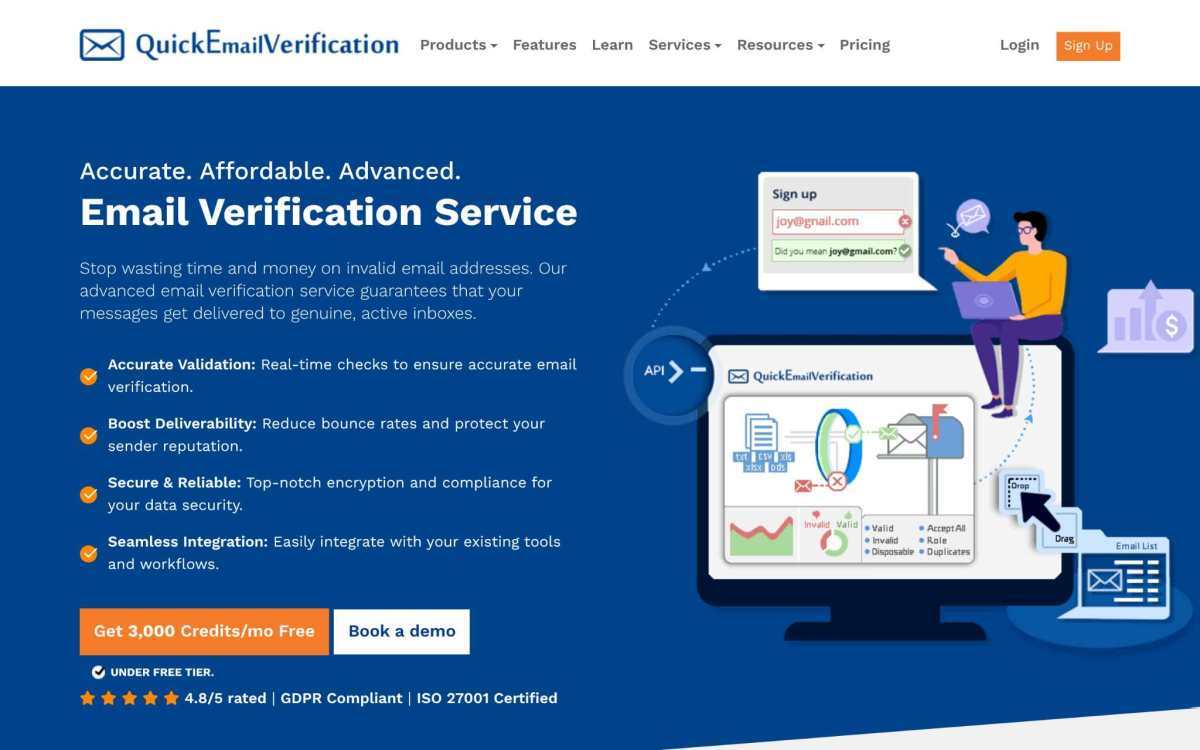
QuickEmailVerification is an email verification and list-cleaning platform, founded in 2014, built to reduce bounce rates and protect sender reputation for marketers, developers, and enterprises. It offers bulk list cleaning and a real-time REST API that returns results in under 1.2 seconds, fast enough to validate an address at form submission before it reaches a CRM or ESP.
The bulk verifier accepts TXT, CSV, XLS, XLSX, and ODS files and connects directly to 50+ platforms including Mailchimp, HubSpot, Salesforce, SendGrid, and Marketo. Each API check returns 15 data fields covering MX records, disposable status, role-based flags, and a typo-correction field that catches entries like “gnail.com” before they’re stored. A single safe_to_send flag filters disposable, role-based, and catch-all addresses beyond a plain valid/invalid split, and that’s what actually protects sender reputation at scale.
The company states it’s verified more than 30 billion emails for over 300,000 businesses, naming PwC, IBM, Salesforce, and Adobe as customers. It holds ISO 27001 certification and is GDPR, CCPA, and HIPAA compliant. Pay-as-you-go credits never expire, a free daily tier requires no credit card, and paid plans start at $4 for 500 credits. It rates 4.7 out of 5 on Capterra from 38 reviews and 4.6 out of 5 on G2 from 44 reviews.
2. Hunter
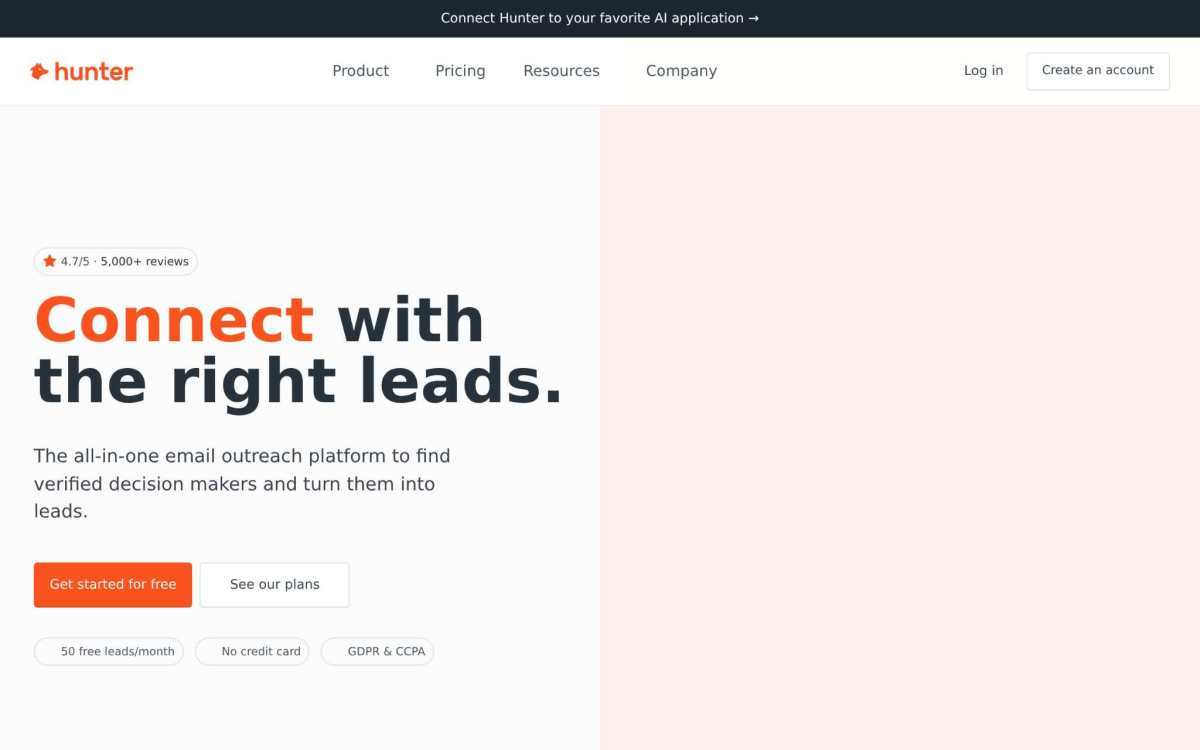
Hunter is an all-in-one email outreach platform founded in 2015 and headquartered in Wilmington, Delaware. Its Email Verifier sits inside a broader tool suite that also includes Domain Search, Email Finder, a leads database, and a full campaigns module with an AI writing assistant, making it a better fit for teams that want prospecting and verification in one place rather than a standalone list-hygiene tool.
The platform has over 4 million users, with Google, IBM, and Microsoft among its customers. Beyond the verifier, Hunter offers a Chrome extension, a Google Sheets add-on, and CRM integrations, plus a TechLookup feature that lists websites by the technology they run. API access and a data platform for bulk operations round out the developer-facing side.
The main consideration: because Hunter bundles verification inside a prospecting and outreach suite, teams that only need list cleaning may pay for features they won’t use. It’s best suited to sales and growth teams that run cold outreach campaigns end-to-end from a single interface.
3. BriteVerify
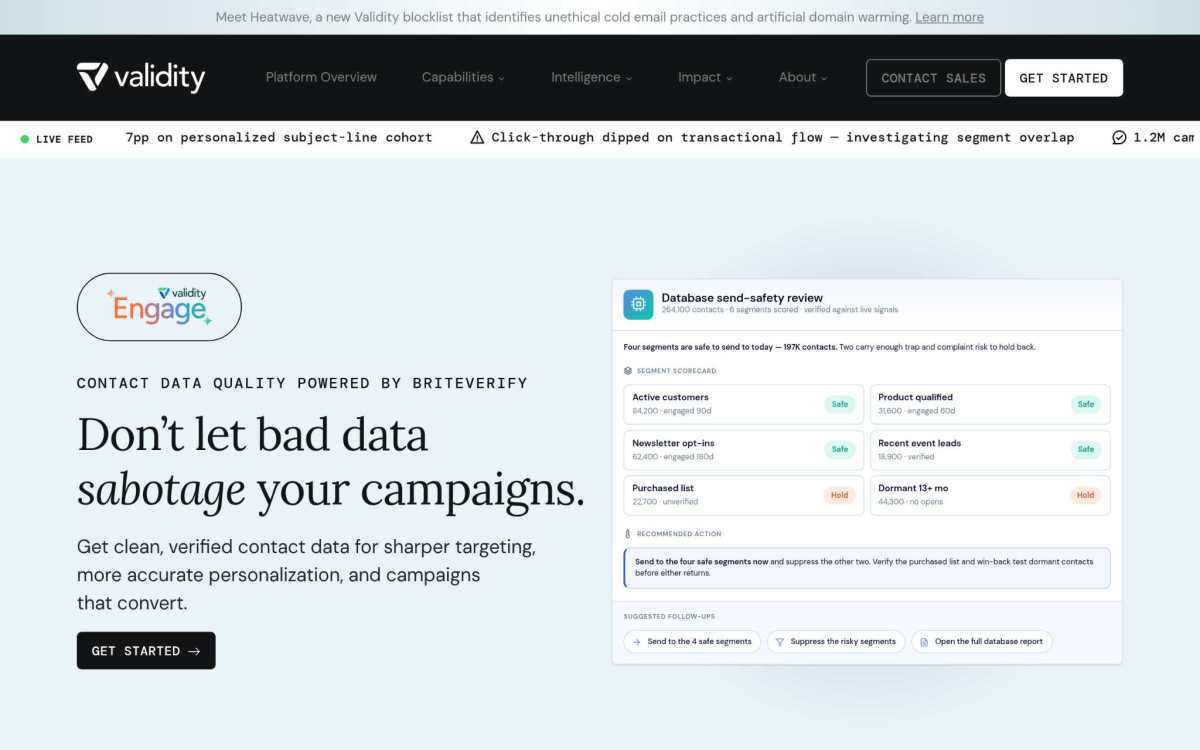
BriteVerify, founded in 2009 and headquartered in Charlotte, North Carolina, is now part of Validity’s product portfolio following its acquisition in June 2018. It describes itself as the industry’s longest-standing validation solution, and the scale backs that claim. Before the acquisition, BriteVerify processed 500 million email verifications per month, with Oracle, Mailchimp, Marketo, and Salesforce among its named clients.
The platform checks email addresses against syntax, domain, MX records, and mailbox existence. It also covers phone validation and physical address validation against USPS CASS-certified databases, which makes it a natural fit for organizations that need to clean more than just email data. Access comes through a web application, APIs, and native integrations. Every 24 hours, 1.5 million records move through the platform, and Validity’s customers took home multiple wins at the DMA Awards 2025 for email marketing effectiveness.
BriteVerify works best for compliance-conscious enterprise teams that need multi-channel data validation and want a provider with a long track record. Teams that only need email verification may find the broader Validity Engage stack more than they need.
4. Verifalia
Verifalia is an email validation service developed by Cobisi Research, an Italian software company founded in 2005 and headquartered in Vigonza, Italy. The platform serves over 100,000 customers globally, with roughly 30% of those being Fortune and Global 500 organizations. Microsoft, Renault, Constellation Energy, and the American Psychiatric Association are listed among them. Cobisi Research is privately held and self-funded.
The platform’s verification achieves 99% accuracy, according to the company, detecting invalid, undeliverable, and risky addresses including spam traps, role accounts, catch-all servers, and disposable emails. Three distinct service quality levels give teams control over the thoroughness-versus-speed tradeoff on any given job. Services include bulk list cleaning, a real-time API, an embeddable JavaScript widget for web forms, and connections with over 6,000 applications through Zapier and Pipedream.
Verifalia’s depth of response codes and multi-quality-level approach makes it a strong pick for teams with strict data-quality requirements or complex validation workflows. The European origin is worth knowing for any compliance review, though the company operates a worldwide distribution network.
How to Choose the Right Verification Tool for Your Needs
The right tool depends on what a team actually does with email data. A developer adding real-time validation to a signup form needs a fast API with clear SDKs and consistent response times. A marketer cleaning a quarterly list once a month cares more about file format support, ESP integrations, and whether credits expire before they’re used. And a sales team running cold outreach campaigns will want prospecting and verification bundled together rather than a separate tool for each step.
Compliance requirements narrow the field further. Teams handling health or financial data should confirm HIPAA and SOC 2 status before committing. Volume matters too. Per-credit pricing at high volumes can be meaningfully different across providers, and that gap compounds quickly past the 100,000-email mark.
Bottom Line
The best email verification tools in 2026 fall into distinct categories: standalone list-hygiene platforms built for speed and scale, multi-channel data validators for enterprise compliance teams, and bundled outreach suites that pair prospecting with verification. Matching the tool to the actual workflow – bulk cleaning, real-time form validation, or end-to-end outreach – matters more than chasing a single “best” pick. Most providers offer a free tier, so testing against a real list segment before committing to a plan is straightforward.
4 Best Email Verification Tools in 2026 was last modified: October 6th, 2026 by Maria Harutyunian
Modern software platforms streamline payroll, track time, and automate onboarding paperwork. Many small business owners believe these tools completely eliminate the need for dedicated human resources professionals.
Digital dashboards process data efficiently, but they cannot manage human emotions or workplace dynamics. True organizational growth requires empathetic judgment alongside automated systems.
Navigating Nuanced Employee Conflicts
Automated software flags attendance issues or logs formal complaints in a central database. System logs lack context when two team members experience severe personal friction. Algorithms process data points, but cannot decode subtle body language or underlying office tension.
Small teams face unique interpersonal challenges that simple platforms cannot resolve. When an owner needs additional support, working with fractional HR for small businesses can provide practical guidance for handling sensitive employee situations without requiring a full-time HR hire. Direct conversations help clear up friction before workplace productivity suffers.
Mediation requires active listening and deep emotional awareness that digital tools lack. Experienced managers steer tough conversations toward constructive compromises. Having a human mediator protects team unity and builds long-term trust across departments.
Customizing Workplace Policies To Fit Company Culture
Pre-made employee handbook templates offer standard boilerplate language built for generic workplaces. Plain templates rarely reflect the distinct operational goals or work styles of a growing business. Standard text fails to communicate individual organizational priorities clearly to staff.
Tailoring guidelines to match specific operational aims requires seasoned human insight. Rather than paying a full salary, benefits, and training costs for a single person, firms hire experts on demand to save money. Flexible arrangements deliver focused policy work without bloating payroll overhead.
Customized guidelines clarify expectations without making workplace rules feel cold or rigid. Skilled professionals build policies that match actual daily routines. Human oversight keeps operational standards completely aligned with core business targets.
Guiding Sensitive Employee Offboarding
Discharging an employee or managing a voluntary departure requires real compassion and professional decorum. Automated separation forms check off administrative duties, but digital tools lack empathy. Cold automated offboarding creates unnecessary friction during difficult career transitions.
Sloppy departures harm company reputation and instantly damage team morale across departments. Experienced consultants conduct exit interviews to collect candid feedback from departing workers. Unfiltered feedback exposes underlying operational flaws before they affect remaining staff members.
Human touch points soften awkward exits and protect ongoing team morale. Respectful separation processes preserve company prestige among industry peers and prospective job seekers. Empathetic exits keep alumni networks positive while preserving employer brand reputation.
Managing Complex Legal Compliance Risks
Employment requirements in the United States can vary across federal, state, and local jurisdictions. HR software can flag regulatory updates, but automated notifications may not explain how a particular requirement applies to a small business's actual workplace practices. Human review can provide important context when policies, employee classifications, leave requirements, or other employment matters become complicated.
Misunderstanding applicable employment requirements can create financial and operational risks for a growing company. Small businesses may need to review both federal obligations and the additional requirements established by their state or local jurisdiction. Human HR support can help business owners identify areas that warrant closer attention and determine when specialized legal advice may be appropriate.
HR professionals can also review workplace scenarios, documentation, and existing policies to identify potential compliance concerns. This practical oversight helps small businesses respond thoughtfully to changing requirements while keeping their HR processes aligned with the rules that apply to their particular workforce and location.
Providing Executive Level Leadership And Strategy
Automated management systems track basic metrics, but software cannot map out long-range talent acquisition goals. True strategy requires broad market awareness and vision far beyond automated reporting screens. Static dashboards report historical events without forecasting future talent requirements.
Senior leadership directs long-term workforce planning throughout major scaling phases. A senior executive in a flexible arrangement acts as a consultant, offering strategic oversight of workforce functions. Specialized leadership establishes strong organizational frameworks early on.
Experienced advisors align hiring goals directly with long-term revenue milestones. Strategic leadership equips expanding teams to handle intense market competition. Executive wisdom turns basic staffing tasks into sustainable growth drivers for the business.
Designing Fair Compensation And Reward Systems
Digital platforms supply benchmark salary ranges pulled from broad regional datasets. Static averages miss localized hiring surges, niche skill sets, and changing candidate demands. Standard salary bands often fail to land top candidates in specialized technical industries.
Building strong pay models requires reviewing key human factors:
Salary expectation shifts across specialized technical roles
Performance incentive plans that motivate top producers
Creative perks beyond standard base financial packages
Knowledgeable advisors structure competitive offers that attract top talent without breaking budgets. Custom incentive plans keep current employees focused and loyal. Personal compensation reviews keep market compensation packages realistic, attractive, and scalable.
Building Authentic Internal Career Pathways
Automated training platforms assign standard video modules and track module completion times. Digital systems cannot spot individual career dreams or unmapped personal strengths. Generic video modules rarely prepare ambitious workers for complex leadership roles down the line.
Growing internal talent requires structured coaching and individual attention:
One-on-one career growth planning sessions
Early identification of leadership potential in junior staff
Customized skill development tracks tied to actual team needs
Dedicated mentors show team members clear future growth options within the business structure. Direct personal support lowers turnover rates by validating career ambition. Strategic internal advancement builds long-term team loyalty across every operational department.
Interpreting Data With Emotional Intelligence
Analytics dashboards output clean charts detailing turnover rates, missed shifts, and survey responses. Static metrics display surface activities, but graphs never explain underlying motives. Dashboards reveal what happened without showing why employees make specific choices.
Sudden spikes in resignations might stem from poor management or widespread team exhaustion. HR experts conduct deep conversations to uncover root causes driving negative trends. Face-to-face dialogue brings critical cultural context to raw statistical data.
Merging metric tracking with genuine empathy yields actionable workplace improvements. Deep human review converts raw numbers into lasting cultural stability. Thoughtful evaluation transforms basic metrics into an effective organizational strategy.
Automated platforms deliver remarkable efficiency for basic administrative operations and daily data management. Relying exclusively on software leaves small operations vulnerable to cultural decay, legal missteps, and elevated turnover rates. Software handles technical chores, but human insight keeps workplace culture grounded and healthy.
Pairing smart technology with seasoned human expertise produces a balanced management model that protects company assets. Business leaders who invest in personal guidance create strong, high-performing teams prepared for long-term expansion.
HR Software Isn’t Enough: What Small Businesses Still Need a Human For was last modified: October 6th, 2026 by Charlene Brown
A marketing campaign can bring in plenty of clicks and still leave a small business with few useful conversations. The gap often appears after someone taps an ad: the page loads slowly, the form is awkward on a phone, or nobody follows up while the prospect still remembers the offer. A reliable lead-generation plan connects the campaign to a mobile-friendly experience, a clear measurement system, and a prompt next step.
Start With the Lead, Not the Channel
Before deciding between search ads, social posts, or guest articles, define what counts as a lead. A request for a quote, a booked consultation, and a newsletter signup are different actions with different business value. Treating them as equivalent can make a campaign look successful while sales teams spend time on contacts unlikely to become customers.
Set one primary conversion for each campaign and record the source, date, and follow-up status. A basic CRM or a well-maintained contact system is enough to start. What matters is that the record follows the lead from first visit through the first conversation and, eventually, a sale or a reason the opportunity did not proceed.
Make the Mobile Journey Easy
Many prospective customers first encounter a business on a phone, sometimes while commuting or between tasks. Check the entire journey on a real mobile device, not only in a desktop preview. The page should load quickly, state the offer near the top, and make the next action obvious. Forms should ask only for details the team needs to respond.
Test the tap targets, field labels, and confirmation message. If a visitor submits a form, show what happens next and give a realistic response time. Then make sure the lead reaches the right person. A form that works but sits in an unattended inbox is still a broken process.
Mobile workflows also matter after the inquiry arrives. If staff use several devices or calendars, keep contact details and appointments in sync so two people do not call the same prospect or overlook a scheduled follow-up. A simple, consistent handoff beats a complicated system nobody checks.
Use Paid Search With a Clear Cost Limit
Search advertising can reach people actively looking for a service, but clicks are not the business result. Monitor qualified inquiries and sales alongside impressions and click-through rate. The useful question is not only how much a click costs, but what it costs to generate a lead that fits your service area, budget, and customer profile.
To estimate Google Ads cost per lead, divide campaign spend by the number of leads that meet your definition of qualified. Compare that figure with the gross profit a typical customer brings in, while accounting for the share of leads that actually close. Use any benchmark as a starting point, then rely on your own campaign data: costs vary by industry, location, competition, and the quality of the landing page.
Before increasing a budget, check search terms and exclude queries that do not match the offer. Confirm that conversion tracking records completed actions rather than page views. If the lead volume is low, fix the page, targeting, or offer before assuming that more spend will solve the problem.
Build Credibility Beyond Ads
Paid search is not the only route to discovery. Useful articles on relevant websites can introduce a business to readers who are researching a problem, while also providing a path back to a helpful resource. The fit matters more than a large number of placements. A link on a site with little connection to your audience may bring neither meaningful visitors nor lasting trust.
When reviewing opportunities, assess the publication’s subject matter, audience, editorial standards, and whether its pages appear maintained. Metrics such as page authority and domain authority are third-party estimates, not guarantees of traffic or search performance. “Instant approval” should not replace editorial judgment or a quality check.
For a small team without an in-house writer or campaign specialist, outsourcing a defined task can help. Osdire, for example, is a freelance marketplace across areas including writing, marketing, and technology. A useful brief specifies the deliverable, audience, deadline, and acceptance criteria. Flat pricing and a payment process tied to approval can make the scope easier to manage, but the business still needs to review the work for accuracy and brand fit.
Review the Whole Funnel
Set a regular review—weekly during a new campaign, then less often once performance is stable. Follow the path from visit to form completion, qualified lead, sales conversation, and outcome. If mobile visitors abandon the form, simplify it. If leads arrive but do not qualify, refine the promise or targeting. If qualified prospects go cold, improve the follow-up timing and ownership.
Keep the first version small: one audience, one offer, one landing page, and a tracking method the team will actually maintain. Once the process produces reliable information, test one change at a time. That makes it easier to see what improved results and gives a small business a sound basis for deciding where its next marketing dollar should go.
A Mobile-Ready Lead Generation Plan for Small Businesses was last modified: October 20th, 2026 by Justin Palmer
Forty dollars. That is roughly what it costs to follow up on a single bad lead once you count the email, the phone call, and the hour your rep spends chasing a dead address. Multiply that by the hundreds of badges scanned at a mid-size show and you are looking at thousands of dollars burned on records that were never going to convert in the first place.
Here is the uncomfortable part: most of that loss starts before anyone types a follow up email. It starts on the show floor, at the moment a card gets scanned, a form gets half filled out, or a badge gets handed to a booth staffer who never logs the conversation. By the time your team is back in the office, the damage is already baked in.
This is a piece about the plumbing behind trade show ROI. Not booth design. Not swag. The contact data itself, and what happens when it quietly rots in your CRM.
Why Are Trade Show Leads so Much Messier Than Web Leads?
A web form is a controlled environment. You set the fields, you validate the email format, and the system rejects a phone number that is twelve digits long. A trade show floor is the opposite. It is loud, it is rushed, and the person handing over their info is half listening to you while eyeing the coffee station.
So you get typos. You get a personal Gmail when you needed the corporate address. You get five variations of the same company name, "Acme Corp," "Acme Corporation," "ACME," and "acme inc." You get a job title scribbled on a napkin that nobody can read three days later.
None of this is anyone's fault. It is just what happens when data collection competes with a conversation. The mistake is treating show floor data as if it came through a clean pipeline, because it did not.
The Three Places Trade Show Contact Data Actually Breaks
After enough shows, the failure points start to look predictable. They show up in the same three spots almost every time, and once you know where to look, you can plug them.
Capture, Where the Record Is Born
This is the moment of entry, and it is where most of the real damage happens. A rep scans a badge and moves on without noting what the person actually cared about. No pain point, no budget hint, no next step. Just a name and a company, floating in a spreadsheet with no context.
A lead with no context is barely a lead. It is a contact, and a contact alone does not tell your rep what to say in a follow up email three days later.
Storage, Where the Duplicates Multiply
The Exhibitor community has been talking about lead quality for years, and the pattern they describe is familiar: the same person shows up in your CRM under three different records because they attended three different shows over eighteen months. Nobody notices until a rep sends the same pitch twice in one week and the prospect replies, annoyed.
Duplicates are not just messy. They are a signal that your data hygiene has slipped somewhere upstream, and the cost shows up as wasted sends, wasted calls, and a slightly worse reputation every time.
Handoff, Where the Record Goes Cold
The show ends on a Thursday. The team flies home Friday. The follow up list sits in a shared drive until Monday, then Tuesday, then the following week. By the time anyone touches it, the conversation has lost its warmth, and the prospect has already heard from two competitors who moved faster.
Speed is not the only variable here, but it is the one you control. A perfectly clean record followed up two weeks late still loses to a messy record followed up in 24 hours.
A Simple Fix: The Three Field Rule
You do not need a new platform to fix this. You need a smaller set of fields and a habit around them. I call it the three field rule, and it is the single change I would make first if I were running a booth tomorrow.
After every meaningful conversation, the rep logs exactly three things before moving to the next person:
What they said they need, in their words, not yours.
The next action, whether that is a demo, a quote, or a polite no thank you.
A trigger phrase, one detail you can reference later to prove you were actually listening.
Three fields. That is it. Everything else, the title, the company size, the budget, can get filled in later or pulled from an enrichment tool. What cannot get recovered is the texture of the conversation, and that is what the three field rule is built to capture before it evaporates.
The trigger phrase is the one people skip, and it is the one that matters most. "Mentioned they are opening a Denver office in Q3" turns a generic follow up into a specific one. It takes ten seconds to write and it changes the entire tone of the next email.
Where the Tools Fit, and Where They Do Not
Badge scanners and CRM sync tools solve the storage problem. They do not solve the capture problem, because capture happens in the moment, with a human being deciding what is worth writing down. A CRM can dedupe a record. It cannot remember that the prospect laughed at your demo joke and mentioned their kid just started college.
Small businesses feel this pinch harder than anyone. According to the Small Business Administration, small firms make up the overwhelming majority of U.S. employers, which means most booths on any given show floor are staffed by teams wearing several hats at once. Nobody has a dedicated data steward. The rep who scans the badge is also the rep who books the flight and packs the banner stand.
That reality is why the fix has to be small. A five-field form will get abandoned. A three-field habit will survive a busy show floor, because it does not ask a tired rep to do anything complicated.
If you are investing in your booth presence anyway, it is worth thinking about the setup the same way. Teams that rent custom exhibit booths tend to think hard about foot traffic, sightlines, and where a conversation naturally starts. That same logic applies to data: design the moment of capture so it is easy to do well, and hard to do badly.
A Checklist You Can Run Before Your Next Show
Before you fly out, spend twenty minutes on this. It pays for itself on the first follow up batch.
Agree on the three fields and write them on a card for every staffer.
Decide who owns the follow up list and set a hard deadline, ideally 48 hours after the show closes.
Run a dedupe pass on your CRM a week before the show, so new records land on clean ground.
Test your badge scanner and your CRM sync with a dummy record before you leave.
Schedule a fifteen minute debrief the day after the show to review what got captured and what did not.
None of this requires new software. It requires deciding, in advance, that the data matters as much as the booth.
The Part Most Teams Skip
Trade show budgets get scrutinized line by line. The booth, the travel, the sponsorships, all of it gets a number attached. The contact data almost never does, even though it is the thing that determines whether any of that spending turns into revenue.
So here is the question worth asking before your next show: if a prospect from last year's event called you tomorrow, could you pull up the conversation in under a minute? If the answer is no, the problem is not your booth. It is the record behind it, and it is fixable starting with the very next badge you scan.
The Hidden Cost of Bad Contact Data on the Trade Show Floor was last modified: October 1st, 2026 by Juana Jordyn
Ask a B2B team why one LinkedIn ad outperformed another and the first answer is usually a guess dressed up as a theory: the image, the hook, the day it launched. Campaign Manager reports the outcome and nothing about the cause, and with three or four live creatives per campaign the sample is too small to learn from anyway. What teams can do is look at a much larger sample, the ads their whole category has kept running, and ask what those have in common.
There is enough public evidence now to answer that with something better than taste. LinkedIn’s own Ad Library keeps every ad for a year after its last impression, so the ads that have been live for months are visible to anyone who looks, and the linkedin creative best practices that hold up are the ones those long-runners keep demonstrating. Four patterns come up more than any others.
Four Things the Durable Ads Share
They sell one thing. The ads that run for months make a single claim to a single role, and the visual repeats it rather than illustrating a second idea. Ads that try to cover the platform, the integration list and the award in one carousel get paused within weeks, because nobody in the feed reads that much.
They reduce the ask. Metadata’s 2026 benchmark report, built on 153 advertisers and $57.6 million of spend, found a LinkedIn lead captured through a native form cost $193 against $346 for a lead sent to a landing page, and document ads produced leads at $142 with 11.9% of clicks converting. The creative that keeps the reader inside LinkedIn is doing half the conversion work before copy is even considered.
They use the formats the audience has adopted. DemandSense’s 2025 benchmark study of SaaS, IT and professional-services advertisers put video adoption at 15.4% of campaigns with a 33.6% completion rate, which means most of the feed is still static while the audience has shown it will watch. Document ads and short video are where the durable creative has moved.
They are proven by run length, not by launch. A rival’s ad that has been delivering for four months is one the rival kept paying for. That is a stronger signal than any single CTR, and it is public.
Tools for LinkedIn Creative Analysis and Optimization
Tool
Covers LinkedIn
Creative signal it provides
Published price
DemandSense
Yes, LinkedIn only
Competitor launches grouped by day, winners flagged by run length, format and CTA mix, your own ads by hour and audience
From $89/mo; 30-day free trial, all features
LinkedIn Ad Library
Yes
Every ad since June 2023, keyword and date search, EU targeting and impressions
Free
Foreplay
Meta, TikTok, LinkedIn
Saved ads in shared boards with tags and briefs
From $59/mo
Vaizle
Meta, LinkedIn
Active competitor ads from the last 30 days
Free tool; plans from $9/mo
Semrush AdClarity
Social incl. LinkedIn, display, video
Creatives with estimated spend and impressions
In Advertising Toolkit Pro, $220/mo
Pathmatics
Social incl. LinkedIn, display, CTV
Advertiser-level creatives with spend estimates
Not published
DemandSense — Creative Beside the Accounts It Reached
DemandSense is a platform for the marketer who runs LinkedIn Ads in a small B2B team. It puts three things in one place that usually live in three separate tools: attribution, optimization, and website visitor profiling. On top of that sits an MCP server. Competitor creative sits in the same place, next to your own. Competitor Monitoring adds a rival by domain, backfills up to twelve months of its LinkedIn ads, and sorts them into views built for creative work. Creative Tests groups every launch by day and marks the ads LinkedIn kept delivering over weeks or months with a winner badge, so the pattern-reading described above happens on a screen rather than in a spreadsheet. Analytics breaks the brand’s output into format mix, calls to action and country coverage, and a Timeline shows run lengths and overlaps. What separates it from the swipe-file and spy tools below is the other half of the account: an hourly breakdown of when your audience engages, Audience Tuning showing which job titles and companies each creative is actually reaching, and the deals those companies went on to create in HubSpot, Salesforce or Attio. That is the difference between “this ad had the best CTR” and “this ad reached the accounts that bought,” and it is the only way to judge creative that a competitor’s library will never give you. Competitor Monitoring is included on every plan from $89 a month, and the 30-day trial includes everything without a card.
LinkedIn Ad Library — The Raw Material
The Ad Library is free and searches by advertiser, keyword, country and date range. For EU-targeted ads it shows estimated impressions, the countries they landed in and the targeting used, which is as close to a rival’s media plan as LinkedIn will ever publish. It keeps no history for you and flags nothing, so it works best as the source a tracking tool sits on top of.
Foreplay and Vaizle — Collecting and Spot-Checking
Foreplay’s extension saves LinkedIn, Meta and TikTok ads into boards a team can tag, comment on and turn into briefs, from $59 a month with a card required for the trial; it holds no performance data, so a board full of saved ads is a mood board until someone checks run lengths elsewhere. Vaizle’s free spy tool returns a rival’s active LinkedIn and Meta ads from the past 30 days with no sign-in, which is enough for a quick check before a brief and not enough to see what has endured.
Semrush AdClarity and Pathmatics — Estimates at Scale
Both model spend and impressions across every major channel, LinkedIn included. AdClarity comes with Semrush’s Advertising Toolkit Pro at $220 a month; Pathmatics is priced by demo. They suit teams whose LinkedIn budget is one line in a much larger media plan. For a LinkedIn-first team the caveat matters more than the coverage: the platform discloses no spend for any advertiser, so the LinkedIn numbers in both are estimates, and $220 a month is a lot to pay for a modelled figure when run length, which is public, is the better creative signal anyway.
What to Do With the Pattern
Take the ten longest-running ads across five competitors, write down the claim, the role addressed, the format and the ask in each, and brief the next round against what repeats. Then measure the new creative on who it reached and what those accounts did next, not on which one got the most clicks. Of the tools above, DemandSense is the one that puts the competitor view and your own audience data on the same screen, which is what makes that second measurement possible.
What High-Performing B2B LinkedIn Ad Creative Has in Common was last modified: September 26th, 2026 by Daryna Teteria
The paid advertising market is structured in such a way that the choice of contractor affects the result more than the budget size. Some teams cover the full funnel and measurement; others pull up performance metrics through creatives or advertising account infrastructure. Below are seven companies worth following for anyone scaling paid traffic in 2026.
1. Tinuiti: Scale That Can Be Measured
The agency was founded in 2004 and calls itself the largest independent full-service player in the US. It owns a little over $4 billion in ad spend and has more than 1,200 employees. The core of the approach is its proprietary Bliss Point system to tie media procurement with results measurement.
Tinuiti is a better fit for brands that've had enough of the 12 narrow contractors in channel reach from search to social media to retail media to streaming. One of those reasons is its status as a Google Premier Partner and an Amazon Ads Advanced Partner, which provides access to special perks of the platform. After serving the agency for 20 years, Zach Morrison was replaced by Abbey Klaassen in April 2026.
2. Tech4You: Infrastructure for Budgets That Do Not Fit in a Regular Account
That team is not a typical agency but a growth partner for performance businesses that spend $500K, $1M, $2M, and more per month. Access is instant to a dozen platforms, including Meta, Google Ads, TikTok, Snapchat, Bing, Taboola, Outbrain, and Criteo. Google agency accounts are in particular demand because they are a type of account that has a boosted level of trust and no cap on the daily spend.
The basic set looks as follows:
Credit lines up to $500K for six months at 1.5% per month and post-payment by invoice within 30 days;
Launch on average in seven days from the first contact and account replacement within 48 hours;
Proprietary CRM TechHub, where balances, expenses, invoices, and requests for all accounts are aggregated.
Such a set solves the pain of teams whose growth hits bans and cash flow gaps rather than creative assets. In the company's case studies, a client's daily spend rose from $600–800 to $3,500–5,000, and the infrastructure expanded to over four hundred accounts. The Meta Business Partner status confirms that this is a partner scheme, not a grey market of accounts.
3. Brainlabs: Hypothesis Over Intuition
Daniel Gilbert started the company in 2012, and over the years the company's staff has grown beyond one thousand people, and offices are now located on five continents. It's simple logic: anything that is an idea must go through an experiment, and a confirmed hypothesis must go to scale. Brainlabs is a convenient solution for big advertisers, since the price range of client media budgets is between $10M and $250M.
Adweek has also awarded it the title of the fastest-growing agency for five consecutive years, while Comvergence reveals it's the second-largest independent media agency in the world. In July 2025, the agency acquired its full-funnel planning skills and West Coast footing with the acquisition of Exverus Media.
4. Wpromote: The Challenger Mindset
One of the oldest agencies in the selection has been around since 2001 and is based in El Segundo, California. The approach of Think Like A Challenger is that a smaller brand can still take market share from the category leader with a small budget. Search, social media, SEO, and email marketing all reside here in one measurement system, instead of in disparate reports. The inclusion of Metric Digital bolstered the performance creative direction and the direct-to-consumer brands.
5. Power Digital: Growth Tied to Revenue
The agency from San Diego has existed since 2012, with a staff approaching eight hundred employees. The bet is made on a combination of consulting, data, and a proprietary tech stack, rather than manual campaign management. Conversely, reporting is built around predictable revenue growth, rather than clicks and impressions.
Paid advertising, content, work with key opinion leaders, email marketing, and analytics are gathered under one roof. The January 2026 deal with Cardinal Digital Marketing expanded the company's industry portfolio.
6. KlientBoost: Creative and Landing Pages Decide
The team from Costa Mesa has been working since 2015, founded by Johnathan Dane. About 60% of the workload comes from contextual advertising, but the main trump card is elsewhere: landing page design and conversion optimization come bundled with traffic procurement. The Growth Grid framework links every expense item to a projected return, which noticeably simplifies conversations with the finance department.
According to the team, it has more than two hundred and fifty projects in action and a success rate of 83% in achieving client objectives in the second quarter of 2026. The agency's rating on Clutch is 4.9, and it has more than four hundred reviews on the platform, with the minimum project starting at $1,000.
7. NP Digital: Global Network and Google Premier Status
The agency was established in 2017 and is now comprised of nine hundred specialists on six continents. The company earned its Google Premier Partner status for the eighth year in a row in 2026. The research is handled by proprietary tools, Ubersuggest and AnswerThePublic, which have always been a public demonstration of expertise.
The team won the International Agency of the Year for three consecutive years, and in spring 2026, the team announced its partnership with HighLevel. The client base ranges from Fortune 500 companies to direct-to-consumer brands.
Whom to Choose
The selection is deliberately diverse: from corporate media machines to narrow performance teams and infrastructure partners. You should start not from a ranking position, but from what exactly hinders growth — measurement, creative assets, or the advertising accounts themselves.
7 Digital Marketing Agencies Worth Watching for Paid Media and Performance Marketing was last modified: September 25th, 2026 by Evelina Brown
You just signed three new retainer clients in the same week. Sound like a dream? It becomes a nightmare by Thursday when you realize each one expects a monthly report, a strategy call, and someone watching their bid adjustments daily. Your two account managers already work past seven most nights.
Here is the punchline. The hardest part of running a digital agency is not winning clients. It is delivering the work after you win them. So when the accounts pile up faster than your team can absorb, you need a plan that does not involve posting a job listing and hoping.
What Breaks First When You Scale
Client work moves through your agency in a predictable pattern. Sales hands off a signed contract, an account manager builds the campaigns, and then the ongoing maintenance begins. That maintenance is where things fall apart, because nobody budgets for the constant, low level attention Google Ads demands.
The first thing to crack is reporting. Clients want to know what their money did. Pulling that data, formatting it, and writing commentary eats hours you did not plan for. Then the optimizations pile up, the paused campaigns that need reviving, the new keywords your competitor started bidding on, the landing page tests you promised last month.
Your senior person checks out. This is the real killer. The person who built your best campaigns spends their week doing search term audits for small spenders. They never get to the strategic work your biggest client expects. So they leave, and you are back to square one with a hiring gap.
Does any of this sound familiar so far?
Why Hiring Is Slower Than You Think
Posting a job for a paid search specialist feels productive. Then the reality sets in. The talent pool for experienced Google Ads managers is thin, and the good ones already have jobs. According to baseline data from the Bureau of Labor Statistics, marketing roles continue to grow faster than average, which means you are competing for candidates who can name their price.
But the cost goes beyond salary. A new hire needs ramp time. They need to learn your process, your client communication style, and your reporting standards. For the first two months, they generate negative value while your senior people train them.
I have watched agencies burn six months trying to hire one person. In that same window, their competitors quietly took over two of their best accounts.
The Math Behind Buying Back Your Time
Run the numbers on what your senior account manager actually costs you. Their salary, their benefits, the payroll taxes you pay as an employer. The IRS publishes the standard employer tax responsibilities, and when you add it all up, a well paid manager easily costs your agency eight to ten thousand dollars a month.
Now stack that against what you actually need. You need campaign builds, ongoing optimization, and reporting. You do not need another full time employee to get those things. You need delivery capacity.
Here is where the agency model gets interesting. Many agencies quietly partner with specialized vendors who handle the nuts and bolts of campaign management under the agency’s brand. The client never knows. The agency keeps the margin. This arrangement is so common there is a name for it, which we will get to in a moment.
White Label Delivery, Explained Without the Fluff
A white label arrangement works like a back office for your client work. You sell the service, you set the strategy, you talk to the client. A partner team handles the daily execution, the bid adjustments, the ad copy refreshes, the reporting drafts.
The work comes back under your agency’s name. Your logo, your presentation format, your standards. The client sees your agency doing the work, because from their vantage point, your agency did the work.
This model shines for agencies stuck in the gap between too small to hire and big enough to have overflow. You have steady client flow but not steady enough to justify three new salaries. White label delivery turns that fixed cost into a variable one. You pay for the work when you have the work.
For agencies weighing this option against building in house, the strongest setups offer White-Lable Google Ads and SEO for Digital Agencies where specialists handle execution while your team stays client facing. The arrangement works exactly like an extension of your own staff.
The Risk Checklist Before You Sign Anything
Not every white label partner delivers equal quality. Protect yourself with a few questions before you hand over client access.
Ask to see raw account access. A partner who hides behind pretty reports is a liability. You need to log into the actual Google Ads account and see the campaigns yourself. If they resist, walk away.
Clarify who owns the account. Google Ads accounts belong to whoever holds the credentials. Make sure the account structure keeps you as the owner, not the partner. Losing account ownership means losing the client relationship when the partnership ends.
Test response time. Send a question on a Friday afternoon. See when they answer. Your clients will ask hard questions at inconvenient moments, and your partner needs to move as fast as your own team would.
Review the reporting cadence. You want unfiltered data straight from the platform, not cherry picked screenshots. A partner who shows you the ugly numbers on slow weeks earns the right to manage real budgets.
Check for conflicting clients. Your partner might also serve agencies that compete with you. Confirm they maintain confidentiality between accounts and never pitch your clients directly.
When to Keep Delivery In House
White label work is not the answer for every agency. Some situations demand your own hands on the keyboard.
If your differentiator is your proprietary optimization method, the one that produces results competitors cannot copy, then outsourcing execution dilutes your edge. You cannot hand your secret sauce to a third party and expect them to apply it with the same judgment.
The same logic applies when your clients specifically bought your team. Enterprise clients often vet the actual people touching their accounts. If the contract names your senior strategist, swapping in a white label team breaches the deal.
And if you only have one or two Google Ads clients, just do the work yourself. The coordination overhead of managing a partner exceeds the effort of simply running the campaigns.
The Hybrid Model Most Agencies Land On
The smartest agencies I have watched do not choose between in house and white label. They run both.
Here is how it typically plays out. Your in house lead manages strategy for the top three accounts, the ones with the biggest retainers. Those accounts need senior judgment and direct client chemistry. Everything below that tier flows to the white label partner.
Your internal people handle the high touch work. The partner absorbs the volume work, the routine optimizations, the monthly report generation, the ad extensions upkeep. You keep margins on both tiers because your partner’s rate sits well below what you charge the client.
The setup requires discipline. Someone on your side must quality check the partner’s work each month. But that monthly review takes a few hours, not the forty hours a full time hire would demand.
How to Make the Transition Without Upsetting Clients
Moving existing accounts to a white label setup requires care. Clients notice when reporting style changes or response times shift.
Start with accounts that are performing well and require little drama. A stable account with consistent conversions will not generate many client questions, which gives your partner room to settle in quietly.
Keep the same reporting template you used before. If your partner uses their own format, rebuild it to match yours. Clients hate sudden visual changes almost as much as sudden performance drops.
Introduce your partner as a new senior hire if the client asks. This is not deceptive, your partner functions as an extension of your team. Frame it as adding capacity to serve them better, which is true.
Watch the first two months closely. Check client communication logs, review every optimization the partner makes, and confirm the reporting goes out on time. Your reputation is on the line, so treat the partner like a probationary employee until they prove themselves.
Make the Call Before the Account Implodes
Here is the honest truth. Agencies lose clients not because the work is bad, but because the work arrives late and the communication lags. A white label partnership fixes the delivery bottleneck, but only if you set it up before the wheels come off.
Your options are straightforward. Hire slow and expensive, burn out your existing team, or add flexible delivery capacity that scales with your client load.
Most agencies that reach the eight to twelve client mark in paid search hit this exact wall.
So the question is yours to answer. Do you want to keep squeezing your current team until someone quits, or build a delivery model that actually scales past your own headcount?
When Google Ads Get Too Big for Your Agency Team was last modified: September 24th, 2026 by Juana Jordyn