Team Communication in Wardogs: Squad Roles, Clear Callouts and Coordination

Short answer: in WARDOGS, up to 100 players across three factions compete over a randomly placed 2 × 2 km Control Zone. The faction with the most players inside the active zone earns the scoring ticks; the first faction to reach 100 points wins. Moving more teammates into the zone helps secure the majority, but merely standing inside does not guarantee points if another faction has more players there. That makes coordination valuable: squads that get players to the zone together, keep them supplied and don’t lose them on the way help their faction hold the majority. Four useful practices: split roles (transport, infantry, support), use one callout format, run a two-minute brief before moving, and review each match in five minutes. Below is a suggested framework: a role map, a callout template and a squad card you can paste into your group chat.

Checked October 26, 2026, against the official Steam page, the developers’ Steam announcements and the Season 2 patch notes (October 14). WARDOGS is in Early Access and changes often; game facts are dated and sourced, while the communication methods are a suggested framework, not official mechanics. Voice channels, keybinds and squad limits were not tested in the live client.


Verify the game and its current mode

“Wardogs” is a common name, so check you’re reading about the right game.

WARDOGS
Developer / publisherBULKHEAD / Team17
StatusEarly Access on PC (Steam) since September 10, 2026; the developers expect Early Access to last around one to two years
PlayersUp to 100 across three factions (PMCs)
ModeKing of the Hill-inspired: a randomized 2 × 2 km Control Zone; the faction with the largest presence in the zone receives the scoring tick; first to 100 points wins. The separate, smaller Hot Zone pays double cash, which is not the same as victory points
CommunicationProximity voice chat is officially supported (Steam). Other channels and push-to-talk bindings: check your in-game Audio and Controls menus
Squad sizeThe maximum squad size was not independently verified for the current Season 2 build
Season 2From October 15, 2026: all faction spawns on Bakurani moved; any faction at least 40 points behind the second-place faction gets a 20% vendor discount; once a team leads by more than 10 points, players who join it can’t switch again for 15 minutes, and players who switch or join mid-match have their map obscured until they first reach the Control Zone; Squad Intent (below)

Sources: Steam store page · Season 2 patch notes, Oct 14 · Team17/BULKHEAD Season 2 press release · Wikipedia: scoring · DLCompare on Season 2

Note for anyone reading older Season 2 coverage: extra cash and XP for the Lonestar faction were announced for the season but removed on October 16, so don’t plan around them.

Why this matters for comms: with 100 players on a huge map, nobody hears everything. WARDOGS officially supports proximity voice chat. Check the current in-game Audio and Controls menus for the channels and push-to-talk bindings available in your version. Avoid transmitting sensitive route information over any channel that nearby opponents may be able to hear.

Role map

These are suggested squad assignments, not a list of selectable loadout-locked classes. WARDOGS also has progression tracks such as Assault, Medic, Recon, Support, Driver and Pilot; those tracks should not be confused with the coordination roles below. Within a match, assignments come from your loadout and what the squad agrees; the store page describes playstyles such as sniping, reviving squadmates, ferrying supplies by helicopter, building a forward operating base and manning an artillery tank.

RoleMain jobTalks aboutHands off to
Squad lead / callerPicks the objective and the route; makes the final call in a fightWhere we go, when we move, when we leaveEveryone
Transport (driver or pilot)Gets the squad and supplies to the zoneETA, landing spot, threats on the routeInfantry on arrival
InfantryAdds to your faction’s presence in the zone, which decides who gets the scoring tickEnemy positions, numbers, who’s downSupport for revives and ammo
Support / logisticsRevives, resupply, forward baseSupply status, where the base or drop isTransport for the next run
Overwatch (sniper or vehicle gunner)Watches approaches, picks off threatsWhat’s coming from outside the zoneCaller

Small squad (2–6): one caller works well; in a squad of two to four the caller can also drive. Larger squad: keep an overall caller and split into fire teams, each with its own fire-team lead who reports to the caller; a deputy who takes over if the caller goes down is a good idea.

Example: a four-player squad spawns far from a new Control Zone. The caller drives, one player rides as infantry, one as support with spare ammo, and the fourth takes overwatch from a ridge. On arrival the driver becomes infantry. Trade-off: a player outside the zone doesn’t count toward your faction’s presence, so if the majority is close, overwatch should move into the zone.

Season 2 squad discovery: Squad leaders can select a Squad Intent from a preset list. Other players see that intent in the squad list before joining, making it easier to find a team focused on building, attacking or supporting an objective. This does not create a pre-match party or automatically coordinate voice chat: you still need to agree on a caller and a plan once you join. Season 2 also queues squad invitations and other timed prompts, so a delayed prompt doesn’t mean a squad is full (Season 2 patch notes).

Callout conventions

Use one format so nobody has to ask “where?”:

WHO / WHAT → WHERE → HOW MANY → DOING WHAT → ASK

Weak calloutClear callout
“Enemy! Over there!”“Infantry, north-east, two hundred metres, three, moving to the zone. Overwatch, can you see them?”
“I’m down!”“Down inside the zone, south side, behind the wall. Support, check whether a revive is safe.”
“Heli!”“Enemy heli, west, low, heading for the zone. Overwatch, track it.”
“Need ammo”“Low ammo, infantry two. Support, drop at the north building.”

Squad rules:

  1. One caller in fights (with fire-team leads in a big squad). Debate later.
  2. Compass directions or map grid, never “left”. Left changes for every player.
  3. Numbers first in a fight. “Three” matters more than the weapon.
  4. Short when it’s loud. Long explanations on the way, not under fire.
  5. Confirm orders with one word: “copy”, “moving”, “can’t”.
  6. Keep route plans off any channel nearby opponents may hear.

Keybinds: check the Audio and Controls menus in your build for push-to-talk bindings before the match; don’t rely on defaults from older guides.

The two-minute team brief

Run this before every move to a new zone. The seven parts take about 110 seconds, leaving roughly 10 seconds for confirmation and questions:

  1. Objective: “We’re going to the zone at [grid].” (15 seconds)
  2. Route and transport: “Vehicle from here, along the road, drop short of the zone.” (20 seconds)
  3. Roles: caller, driver, infantry, support, overwatch. (20 seconds)
  4. Rally point: “If we split, regroup at [landmark].” (10 seconds)
  5. Hot Zone plan: “If the Hot Zone is near, infantry holds it; overwatch covers.” (15 seconds)
  6. Abort rule: “If we lose more than half the squad before the zone, fall back to the rally point.” (15 seconds)
  7. Check-in: everyone says their role. (15 seconds)

Why the abort rule matters: a squad that trickles into the zone one player at a time adds little to the faction’s presence and loses everyone. Agreeing in advance when to pull back saves an argument mid-fight.

Review after matches

Five minutes, three questions, one change:

QuestionExample answerOne change for next match
Where did we lose the most players?On the drive in, to a helicopterOverwatch scouts the route before transport leaves
Which call came too late?“Heli” when it was already overheadCall air threats at first sight, with direction
Who was overloaded?The caller was also driving and shootingIn a squad of four or more, the caller doesn’t drive

Keep the same review format every time; after a few matches, the patterns show up on their own.

Squad checklist and printable card

Before the match

  • Voice channels and push-to-talk checked in Audio/Controls
  • One caller agreed (plus fire-team leads in a big squad)
  • Roles assigned: transport, infantry, support, overwatch
  • Callout format shared (paste the card below)

On every move

  • Two-minute brief: objective, route, roles, rally point, Hot Zone plan, abort rule
  • Transport confirms ETA and drop point

After the match

  • Three-question review
  • One change chosen for next time

Squad card (copy into your group chat):

WARDOGS SQUAD CARD
Caller: ____   Transport: ____   Support: ____   Overwatch: ____
CALLOUT: WHO/WHAT > WHERE (compass/grid) > HOW MANY > DOING > ASK
RULES: one caller in fights · no "left/right" · numbers first · "copy/moving/can't" · no route plans where enemies may hear
BRIEF: objective · route · roles · rally point · Hot Zone plan · abort rule
REVIEW: where we lost players · which call was late · who was overloaded

When your squad can’t play together

Players who struggle to find a coordinated group can start with Squad Intent, community servers or a regular Discord squad. If they prefer structured assistance, a third-party wardogs boost may offer a paid teammate or progression help. These services are independent and not affiliated with BULKHEAD or Team17. Check the exact service, whether you play on your own account, and the game’s rules before making a decision.

FAQ

How many players are in a WARDOGS match? Up to 100, split across three factions, according to the official Steam page.

What’s the squad size in WARDOGS? The maximum squad size was not independently verified for the current Season 2 build. The coordination template in this guide works for small groups and can be scaled to larger squads with fire-team leads.

Does WARDOGS have proximity voice chat? Yes, the Steam page lists it. For other channels and push-to-talk settings, check the in-game Audio and Controls menus, and keep sensitive plans off any channel nearby opponents may hear.

What’s the best squad role for beginners? Support or infantry: both have clear jobs (revive and resupply, or hold the zone) and learn the map without carrying the squad’s decisions.

How do points work? The faction with the largest presence in the Control Zone receives the scoring tick. The match ends when one faction reaches 100 points. The separate Hot Zone offers increased cash rewards; it should not be confused with the victory score.

What is Squad Intent? A Season 2 feature: squad leaders pick an intent from a preset list, shown in the squad list so players can find a squad with the same goal. It doesn’t set up voice chat or a plan for you.

How Browser Games Make Cross-Device Entertainment Easier

People regularly switch between smartphones, laptops, tablets, and desktop computers throughout the day. Whether working, studying, or relaxing, having access to familiar digital experiences across different devices has become increasingly important.

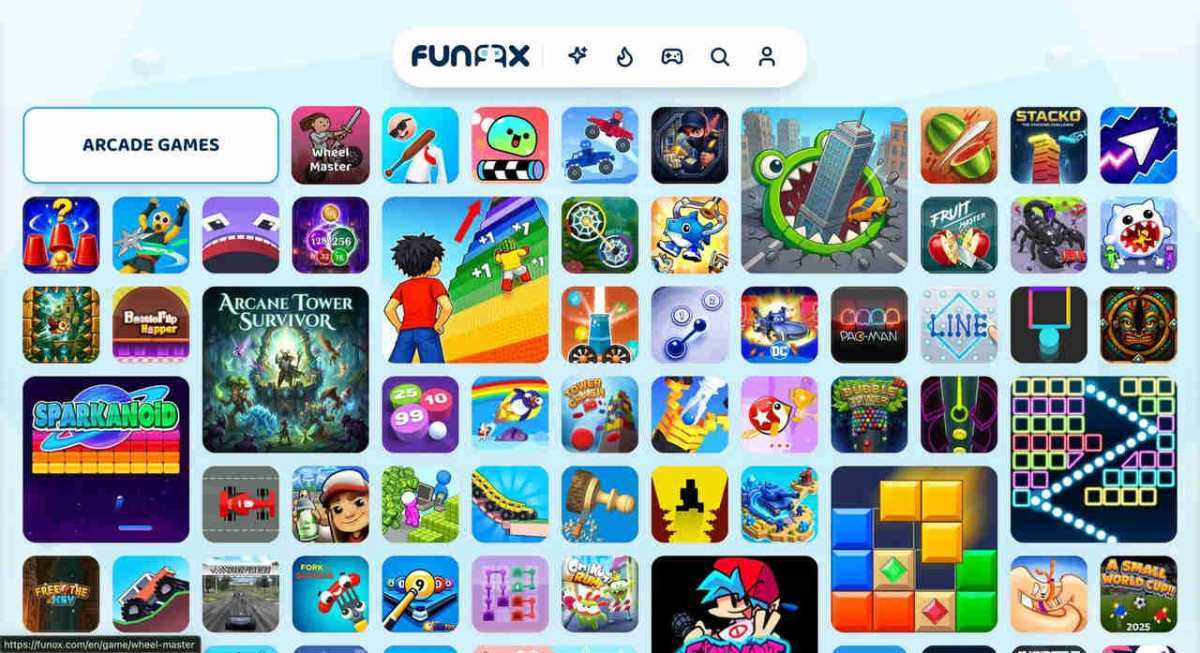
Online gaming is adapting to this behavior. Instead of requiring a separate application for every device, many browser games can run through a compatible web browser, making casual entertainment easier to access.

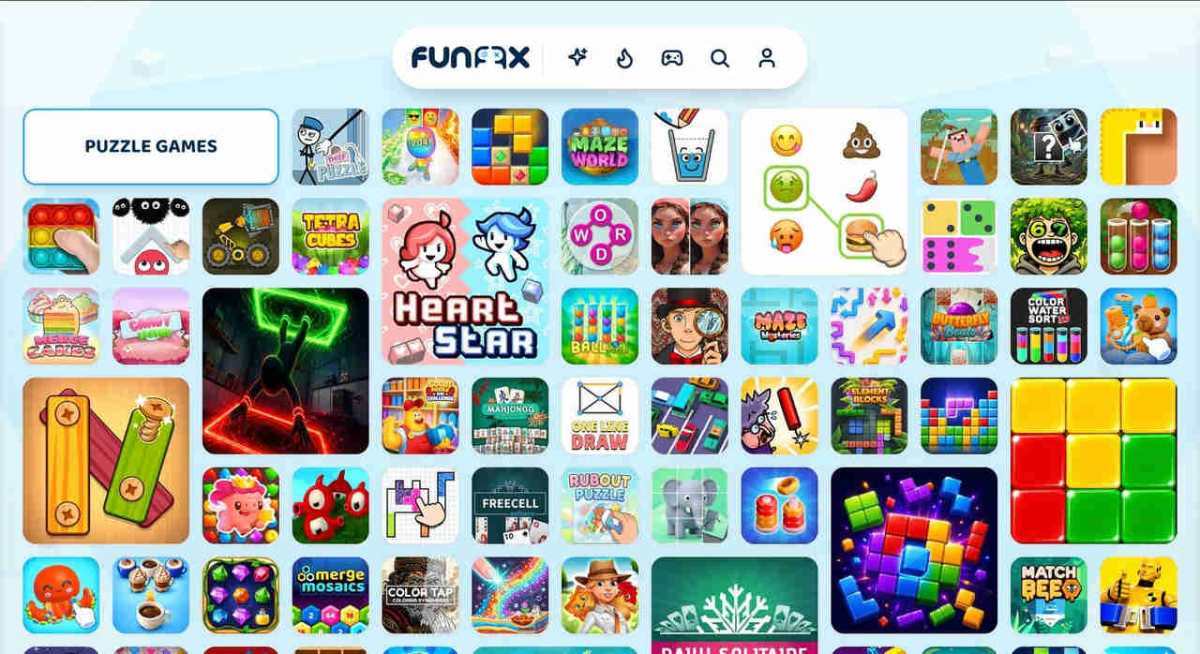
From quick puzzles to driving challenges, free online games offer flexible options for players who enjoy gaming on different screens.

That flexibility is particularly useful when gaming is an occasional activity rather than a scheduled commitment. A player might complete a level at a desk, try a different game on a tablet later, or enjoy a few minutes of play while away from home. The main advantage is being able to start quickly with a browser and an internet connection, provided the game supports the device.

Close-up of a modern glass tic-tac-toe board with circular and cross pieces.

Why Cross-Device Gaming Matters

Traditional gaming applications are often developed for specific operating systems. A game installed on an Android phone may not have an equivalent version for Windows or macOS.

Browser-based gaming reduces some of these limitations by using web technologies supported across multiple platforms.

Players can open a gaming website on their phone, laptop, or tablet and explore compatible games without installing separate applications.

However, cross-device compatibility does not automatically mean that saved progress transfers between devices. That requires additional features such as accounts or cloud synchronization.

The experience can still vary from one screen to another. A game designed around keyboard controls may be awkward on a phone, while detailed graphics and small buttons can be difficult to use on a compact display. Responsive layouts, clear menus, and support for both touch and mouse input help make browser games genuinely convenient across devices.

Casual Puzzle Games Work Well Across Screens

Puzzle games are particularly suitable for browser gaming because many rely on simple interactions.

Unblock It challenges players to move blocks and create a clear path through a puzzle. Its straightforward mechanics can work well with either mouse controls or touch input.

Cut the Rope offers a different experience, where players solve physics-based puzzles by cutting ropes and guiding candy toward a character.

Both demonstrate how simple actions can create engaging challenges without requiring complicated control systems.

For players who frequently switch devices, accessible controls can make gaming more convenient.

Puzzle games also tend to offer natural stopping points. Finishing a stage or solving a single challenge can feel satisfying even when a player has only a few minutes available. Short levels, readable instructions, and forgiving input controls are especially helpful when moving between a larger monitor and a smaller touchscreen.

Arcade Games Offer Quick Entertainment

Not every gaming session needs to last an hour.

Arcade games often provide short challenges that players can enjoy during breaks.

Helix Jump involves guiding a bouncing ball through rotating platforms while avoiding dangerous sections.

Doodle Jump challenges players to keep moving upward by landing on platforms and avoiding obstacles.

These games emphasize timing, movement, and quick reactions.

Their relatively simple gameplay concepts make them appealing to casual players who want entertainment without lengthy tutorials.

A short arcade session is easy to fit between other activities because the objective is often immediately clear. Players can focus on improving a score or reaching a higher platform instead of learning complicated systems. On mobile devices, though, precise timing can feel different from using a mouse, so choosing games with intuitive touch controls can improve the experience.

Sports Games Bring Variety to Browser Gaming

Sports-themed games provide another option for people who enjoy competitive challenges.

Basketball Legends offers basketball matches featuring recognizable arcade-style mechanics, while Penalty Shooters 2 focuses on football penalty competitions.

These experiences allow players to enjoy sports-inspired gameplay without downloading a large sports simulation.

On touchscreen devices, control layouts and button sizes can affect how comfortable sports games feel. Games with clearly placed controls are often easier to enjoy on smaller screens, while a larger display may offer better visibility during fast-moving matches.

For anyone comparing different sports titles, it helps to try a quick match first. This gives players a chance to see whether movement, aiming, and timing feel natural with their preferred input method before committing to a longer session.

Choosing Browser Games for Different Devices

The best cross-device experience starts with a few practical checks. Players can look for games that load reliably on their browser, respond well to their screen size, and provide controls that suit their device. A stable connection also matters because many browser games download assets or communicate with a server while running.

It is also worth checking how a game handles progress. Some titles save information only in the current browser, so clearing site data or switching devices may reset a session. Others offer account-based saving, but this is a separate feature from simply being able to open the same game on multiple devices.

A Flexible Way to Play

Browser games make it easier to explore different genres without treating every new game as a software installation. Puzzle challenges suit a quiet break, arcade games offer quick bursts of action, and sports games add competitive variety. As long as players choose titles with suitable controls and understand any save-progress limitations, browser gaming can be a convenient entertainment option across everyday screens.

A Lean Content Workflow for Mobile Game Teams

A mobile game can be ready for players before its content operation is ready to support it. The build may be polished, but store descriptions, launch articles, screenshots, short videos, and community updates still need owners and deadlines. For a small studio, the challenge is deciding what to make in-house, what to hire out, and where each piece should go without letting a limited budget disappear into disconnected tasks.

A useful workflow starts with the player and the next milestone. A new feature update, regional launch, or seasonal event calls for different material. Planning around that moment helps a team reuse research and assets while making each piece relevant to its intended channel.

Two colleagues collaborate on a marketing strategy using a whiteboard, focusing on user-generated content.

Start With One Clear Campaign Goal

Before assigning work, write down what the campaign needs to do. A studio introducing a new co-op mode might want existing players to return, while a game approaching launch may need more people to understand its core loop. Those goals lead to different briefs, formats, and measures of success.

Choose a small set of deliverables that support the goal. For a feature launch, that could mean a short gameplay clip, a concise explanation for the website, and a message for the player community. Add a longer article only if it answers a real question or reaches an audience the other assets do not. This keeps a content plan from becoming a list of formats chosen simply because they are available.

Mobile constraints matter here. Many players encounter a game through a small screen, often while moving between other tasks. Put the key message early, make captions readable, and ensure that a video communicates its point without relying on tiny interface details. Give freelancers platform dimensions, target audience, and examples of the game’s tone in the brief rather than expecting them to infer those from a store page.

Match Each Piece to a Useful Channel

Publishing an article outside a studio’s own site can introduce a game to readers who already follow gaming topics. The fit matters more than the raw number of placements. A piece about designing a touch-friendly combat system may suit a development-focused publication; a guide to choosing a character build may be more useful to players. The article should offer something the publication’s readers can use, with the game mentioned only where it naturally belongs.

For teams researching possible outlets, this gaming publication directory lists more than 1,400 gaming websites and blogs that accept guest posts. Treat a directory as a starting point, not a publishing plan. Check each site’s recent articles, audience, submission requirements, and whether its topics suit the campaign. A relevant placement may extend a conversation; a poorly matched one is unlikely to help players understand the game.

Set expectations before commissioning an article. Agree on the reader, the central question, the approved game details, and the action a reader can take next. Avoid asking a writer to promise downloads or search rankings. A publication gives a team another way to reach people, but its audience and response are not under the studio’s control.

Buy Freelance Work in Defined Pieces

Hiring makes sense when a task needs a skill the team lacks or would take too long to complete internally. That might be editing a launch trailer, localizing player-facing text, producing promotional art, or writing an article from a developer interview. Separate the work into deliverables with acceptance criteria: video length and aspect ratio, languages and character limits, or article structure and review rounds.

This is where a freelance spending strategy becomes practical: define the result before comparing offers, and avoid paying for vague scope. Osdire is one freelance marketplace with services across categories such as writing, design, programming, and video. Its pricing is flat with no hidden fees, and payment is held while an order runs and released after the buyer approves the delivered work. Those mechanics can help structure a transaction, but a clear brief and a realistic review process still matter.

For a budget-conscious team, prioritize work that has a clear role in the campaign. A custom animation may be valuable if it explains a mechanic that is difficult to show in a screenshot. It may be unnecessary if a short capture from the game already demonstrates the same thing. Ask for a quote against a specific scope, and compare what each offer includes: revisions, source files, delivery formats, and timing can change the real cost of a project.

Keep Reviews From Becoming the Bottleneck

Freelancers can deliver quickly and still leave a campaign waiting if nobody is assigned to review the work. Name one person to consolidate feedback, and give that person the approved facts, terminology, and visual assets before work begins. For game content, that may include the correct feature name, supported devices, release timing, and any claims that should not be made about performance or availability.

Use review rounds for meaningful corrections rather than shifting the brief after delivery. If the first draft misses the intended audience, explain what needs to change with an example. If a factual detail is wrong, identify the source of truth. Specific feedback reduces back-and-forth and makes it easier to reuse the process for the next update.

Learn From Each Release

After publishing, compare results with the original goal. Look at useful signals for that campaign, such as qualified visits, player questions, community engagement, or completion rates on a video. A placement or asset that gets attention is not automatically successful if it reaches the wrong people or leaves them confused about what to do next.

Keep a short record of the brief, cost, delivery date, review time, and outcome. Over several updates, that record shows which work is worth repeating and which tasks are better handled internally. A lean team does not need to produce something everywhere. It needs a repeatable way to make the right content, put it in front of a relevant audience, and spend carefully on the skills it cannot provide itself.

Event Production Technology: What Really Runs a Live Show

Sixty seconds before the headliner walks out, four people you'll never see are staring at a screen that says the fog machine is two degrees off spec. Nobody in the crowd notices if it's right. Everybody notices if it's wrong. That gap between invisible prep and visible payoff is the whole story of live event production technology. You feel it when a chorus lands and a wall of flame punches on the downbeat. You don't feel the weeks of cue sheets, permits, and backup systems that made it possible.

If you're planning a show, a festival, or a corporate launch, the difference between a good night and a great one usually isn't the budget. It's whether someone mapped the tech to the moment. That's the work a seasoned laser show company does before your first rehearsal. Here's the honest version of what that looks like, without the vendor brochure language.

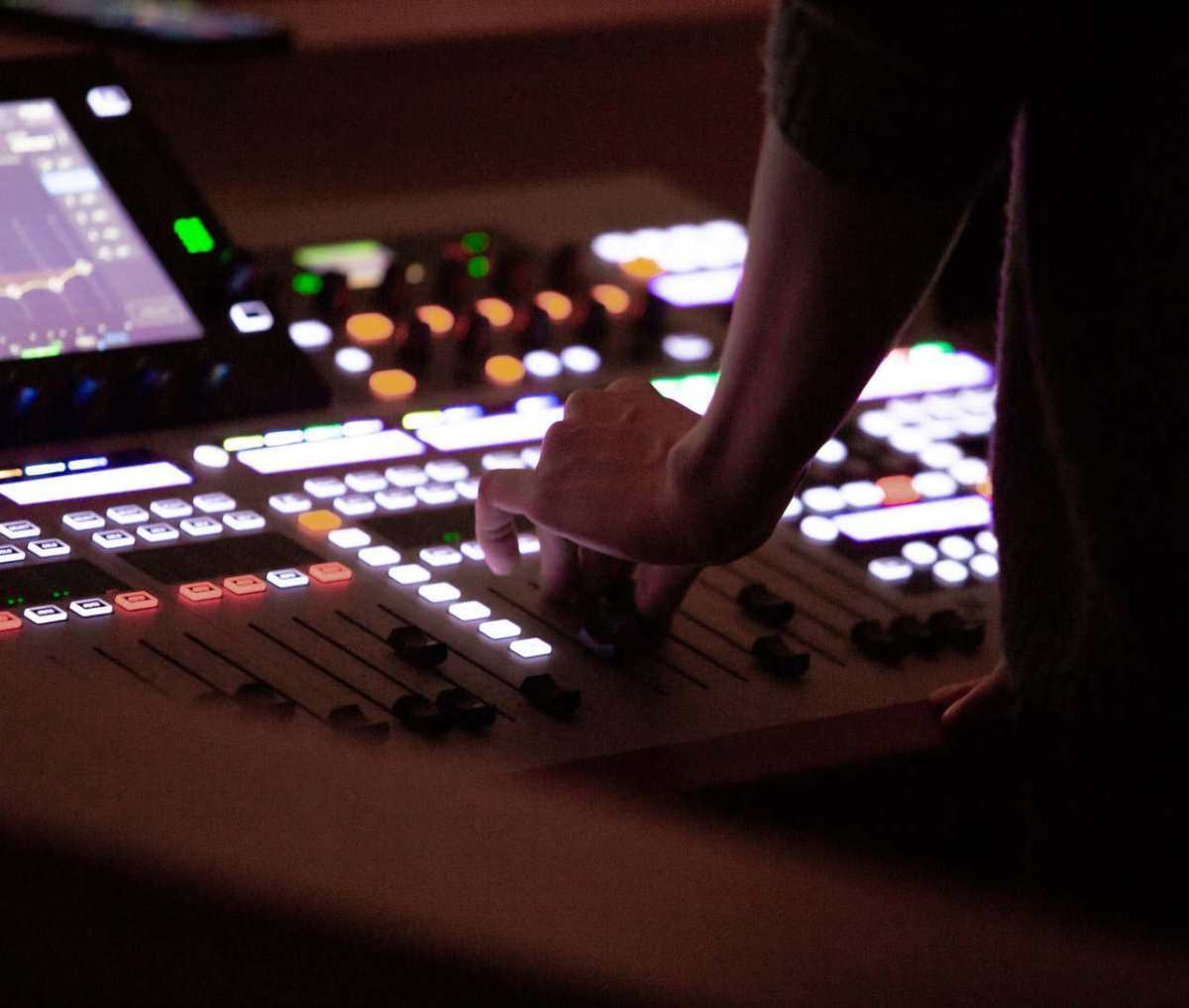
Sound engineer's hand adjusting mixer controls during an event. Dim lighting, focus on technology.

What Actually Counts as "Special Effects" on a Stage

People picture explosions. In practice, most effects are atmosphere and light. The list you'll see on a typical rider includes low-lying fog, CO2 jets, confetti and streamers, flame projectors, cryo fog, snow or foam, and lasers. Each one solves a different problem. Fog makes light visible. Without it, a beam just cuts through air and disappears. A haze machine at 30 percent output can make a $2,000 lighting rig look like a $20,000 one. Confetti is a punctuation mark, best saved for the final chorus, not the second verse. Flames read as danger and triumph, which is why they show up at sports entrances and not at a keynote about quarterly earnings.

Lasers are their own category. They need audience-safety calculations, a variance or permit in many jurisdictions, and a technician who understands beam divergence. You can't just point one at a crowd and hope. The good news: when it's done right, a laser array is often cheaper per second of impact than pyro, and it repeats every night without reloading.

Why Timing Beats Technology Every Time

A show with modest gear and frame-accurate cues feels bigger than a show with a warehouse of toys and sloppy timing. The invisible layer here is timecode. Everything, lights, effects, video, and audio, can lock to the same clock so the kick drum and the flame hit on the same frame. When that alignment slips by even a few milliseconds, the effect reads as "off" and the audience's gut knows it before their brain does.

Programmers are the people who turn a song into a sequence of numbered events, then rehearse that sequence until the cues feel inevitable. That skill set sits at the intersection of music, software, and reflexes, and it's a big reason the entertainment sector keeps pulling in technical talent. The Bureau of Labor Statistics tracks entertainment and recreation as a steady employer category, and the people behind the boards are a real part of that workforce, not a rounding error.

The Safety Paperwork You Can't Skip

Pyrotechnics and lasers live inside a rulebook. Fire marshals sign off on flame effects. Venues have load-in windows and ceiling height limits. Outdoor sites care about wind speed and fallow zones. Indoor sites care about sprinkler sensors that don't appreciate fog.

I've watched a show get held at the door because a permit copy was in a folder on a laptop that wasn't in the building. That's the kind of mistake that costs a headline slot, not just a cue. The systems that govern this stuff aren't glamorous, but standards bodies exist for a reason. The National Institute of Standards and Technology publishes work on measurement and safety that underpins a lot of the equipment tolerances you'll see in a venue's rules. Read the venue's technical packet before you spec anything. Twice.

A Practical Run of Show for Planning Effects

You don't need to be a technician to plan this well. You need a sequence and a checklist. Here's the order that works.

  • Start from the emotional beats. List the five moments in the show that should hit hardest. Write them as sentences, not gear names. "When the chorus drops, the room should feel like it's lifting."
  • Match an effect to each beat. Atmosphere for build-up, light for movement, fog for texture, pyro or confetti for climax. One effect per beat. Stacking three at once usually reads as noise.
  • Check the room. Ceiling height, power drops, rigging points, ventilation, and exit paths all shape what's legal to run. Get the venue's technical packet in writing.
  • Budget the invisible line items. Permits, standby fire personnel, shipping between cities, and spares. Spares matter more than people expect. A dead fog machine mid-show has no plan B unless you brought one.
  • Rehearse cues with the actual music. Not a metronome. Not a click track alone. The real track, at show volume, with the real operator on the console.
  • Build a kill switch plan. Every flame, laser, and CO2 jet needs a documented way to stop instantly, and the person holding that authority needs to be named out loud in the production meeting.

That last item is the one people skip. It's also the one that keeps a show from becoming a news story.

Where the Technology Is Headed Next

Two shifts are worth watching. The first is control. Effects rigs are moving toward the same networking standards that run professional audio and lighting, which means fewer proprietary boxes and more software-defined shows. That's good for touring budgets. The Institute of Electrical and Electronics Engineers has driven a lot of the networking standards that make this possible, and the ripples show up in how crews patch a stage now versus a decade ago.

The second is drones. Aerial light shows have gotten good enough to replace some fireworks displays entirely, and they're quieter, reusable, and easier to permit in fire-prone regions. I don't think they replace the physical punch of a flame cue. The heat on your face is part of the memory, and no LED array replicates that. But for a festival worried about wildfire restrictions, a drone fleet plus a laser rig is a genuinely strong pairing.

Stage performance with band, vibrant lighting, and audience at a live concert event.

What to Ask Before You Sign Anything

When you talk to a production partner, skip the highlight reel and ask four questions. Who programs the cues, and can I meet them? What happens if a piece of gear fails mid-show? Who holds the kill switches, and how is that documented? And what's your plan if the venue's rules change the week before load-in?

The crews that get this right are usually the ones that talk about paperwork and rehearsal time before they talk about the wow moment, because they know the wow moment is built on both. Effects are the fun part. The discipline behind them is what makes them look effortless. So before you greenlight your next show, map the three beats that matter most, then ask your production partner to walk you through exactly how they'll land each one. If they can't draw it on a whiteboard in five minutes, keep looking.

How to Manage MMO Launch Week Without Turning It Into a Second Job

Fresh MMO launches are exciting precisely because everything feels unfinished. Characters are weak, routes are unfamiliar, professions are underdeveloped, and the economy is still taking shape. That freshness also creates a productivity trap. A player logs in intending to complete a few quests, then loses an hour checking prices, traveling back to town, reorganizing bags, comparing profession materials, or repeating a low-value farming loop because it seems necessary for progression.

The answer is not to optimize every minute. It is to decide which parts of the game deserve your limited session time and which can be simplified, postponed, or skipped. That matters most when currency starts blocking another goal. If routine play no longer covers an immediate expense, Buy WoW Forever Gold is one option some players may compare with additional farming after checking the game’s current rules on third-party transactions. A better launch-week plan, however, begins before any purchase: define the session objective, protect time for enjoyable content, and create simple rules for anything that can steal attention.

Start Each Session With One Priority

Logging in without a specific target makes launch-week distractions unusually expensive. There is always another quest hub, profession trainer, auction listing, dungeon group, or material route competing for attention. Before starting, choose one primary outcome for the session. It might be reaching a level milestone, completing a quest chain, gathering enough materials for a profession step, or preparing for a scheduled group activity.

Add one secondary task that can happen naturally while pursuing the first. If the goal is questing in a mining-heavy zone, gathering ore along the route makes sense. Traveling across the map purely to chase a slightly better material price does not. This simple pairing keeps optional activities attached to progress instead of allowing them to become separate projects.

Use a stopping rule as well. “Play until I finish this quest chain” is more useful than “play for a while.” A stopping rule reduces the temptation to begin another long activity five minutes before you intended to log off.

Remove Friction Before It Becomes Grinding

Many sessions feel grind-heavy because small inefficiencies repeat. A full inventory forces extra vendor trips. Missing reagents sends you back to town. Poorly placed hearth or travel choices add dead time. None of these mistakes is dramatic, but repeated across several evenings they can consume more time than one dedicated preparation session.

Before a long play block, check bags, repair status, consumables, profession tools, and the next destination. Keep items related to the current objective and move unrelated materials to storage or sell them. If an item has no planned use and no convincing market value, carrying it “just in case” creates clutter that slows future decisions.

The same principle applies to the Auction House. Set a purpose before opening it. Search for a specific material, check a known item, or list goods you already decided to sell. Browsing without a target can turn a two-minute task into a long price-comparison loop. A fresh economy changes quickly, so perfect information is rarely available anyway.

Decide When Farming Is Worth Your Time

Currency farming can support progression, but it should compete fairly with every other way you could spend the session. Evaluate it as a time decision rather than assuming that any positive gold gain is productive.

  1. Define the Expense Before Farming

Write down exactly what the currency is for. A riding-related cost, profession step, consumable reserve, repair buffer, or specific market purchase gives the farm a finish line. “I need more gold” does not.

Then calculate the gap between your current balance and that expense. If normal questing is likely to close most of it before the purchase becomes necessary, dedicated farming may be premature. Waiting also gives a young economy more time to develop, which can change both material demand and selling opportunities.

  1. Test One Route in a Real Session

Do not commit an entire weekend to a route because someone calls it efficient. Test it during one normal session. Record the starting balance, time spent, liquid currency earned, and valuable materials still waiting to sell. Separate confirmed income from optimistic Auction House value.

A route passes the test when it produces useful progress at a pace you are comfortable repeating. It needs revision when travel time is excessive, competition makes gathering inconsistent, or most of the “profit” depends on items that have not sold.

  1. Compare the Grind With the Alternative

Once the gap is known, compare the remaining farming time with what you would otherwise do. If two additional hours would complete the goal and you enjoy the route, farming is straightforward. If those hours would replace a dungeon night, planned PvP, levelling with friends, or another activity you value more, the trade-off is different.

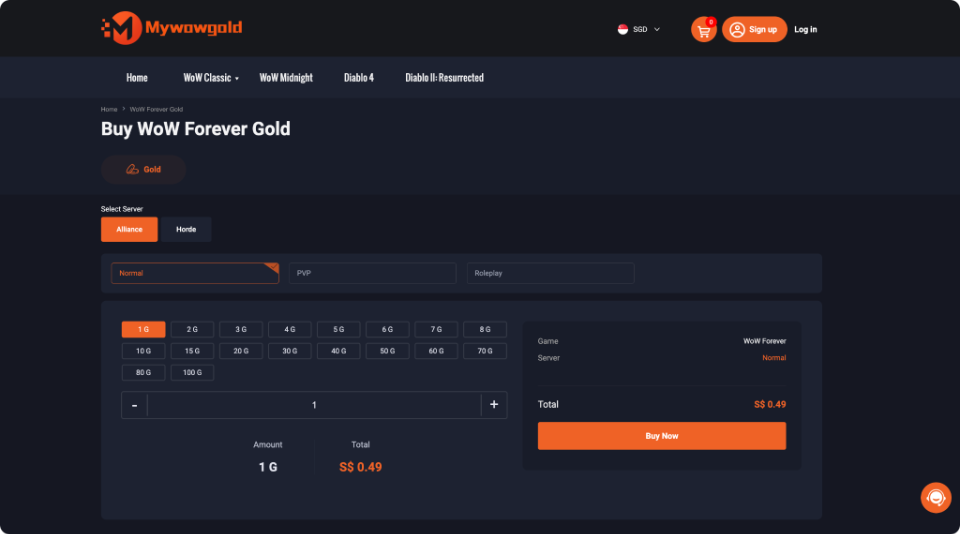
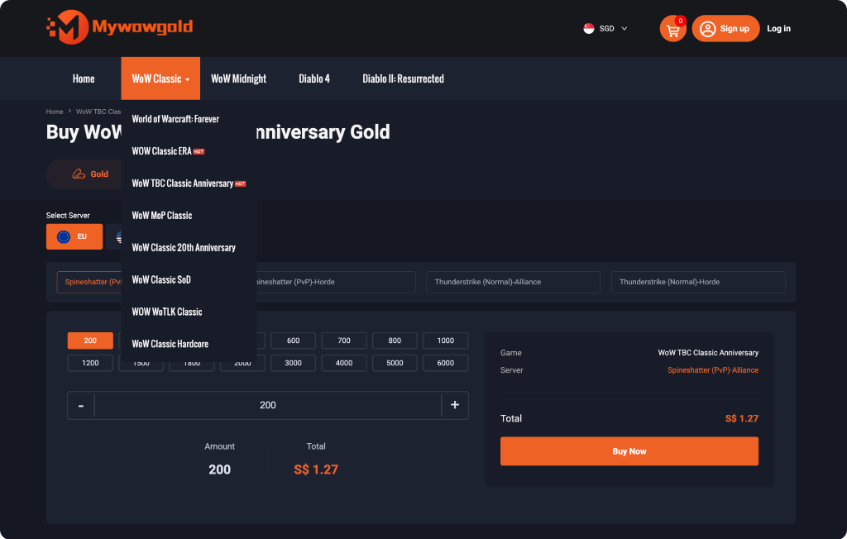
For players who choose to examine an external option, WoW Forever Gold allows selection by ruleset, faction, and quantity. Match those fields to the character receiving the currency, choose an amount based on the identified shortage rather than the largest package, and review the current price and delivery information before deciding. The page also distinguishes Normal, PvP, and Roleplay environments, so an order should not be treated as interchangeable across characters.

  1. Stop When the Goal Is Funded

The easiest way for a useful farm to become a chore is to continue after its purpose disappears. When the planned expense is covered, return to the activity the currency was meant to support.

This rule also prevents speculative hoarding. Extra currency can be useful, but it has an opportunity cost when obtaining it consumes limited play time. Reassess only when another defined expense appears.

Keep Launch Week Flexible, Not Perfect

Fresh economies punish rigid plans because supply, demand, leveling pace, and player behaviour move at the same time. A material that sells quickly on one evening may sit unsold the next. A profession route can become crowded. A dungeon plan can disappear because friends are at different levels. Build plans that can change without making the session feel wasted.

A useful fallback system has three choices. If the main activity is unavailable, switch to a task that advances the same broad goal. If a market purchase looks overpriced, delay it rather than replacing it with an unplanned grind. If you are tired of the “efficient” activity, choose enjoyable progression and accept slower optimization. The point of a launch plan is to protect play time, not police it.

Watch for one warning sign: spending more time preparing to play than actually playing. Constant spreadsheet updates, route research, market refreshing, and build comparisons can be helpful in small doses, but they become friction when every decision requires another tab. Use external information to answer specific questions, then close it and return to the game.

Build a Launch Routine You Can Sustain

A manageable MMO launch routine starts with a single session goal, one compatible side task, and a stopping rule. Prepare basic supplies before leaving town, open market tools with a defined purpose, and treat dedicated farming as one option competing for your time rather than an automatic requirement. When currency becomes a blocker, calculate the shortage first. That number tells you whether routine play, a short farm, postponement, or another route deserves consideration.

The benefit extends beyond launch week. As characters develop and the economy settles, individual priorities will change, but the decision process remains useful. Ask what the next activity unlocks, how much time it requires, and what you give up by doing it. Keep plans loose enough to accommodate friends, unexpected drops, changing prices, and simple changes of mood. An MMO stays easier to enjoy when organization supports play rather than becoming another progression system you feel obligated to master.

The Complete Guide to Going All-Digital: What PlayStation’s 2028 Disc Phase-Out Means for Game Collectors and Your Physical Library

Big changes might be coming for the world of video games. People talk about Sony’s possible plan to remove disc drives from PlayStation machines before the decade ends. Such a move may push everyone toward a fully online gaming world. Physical game fans probably feel worried. Suddenly, collecting, swapping, and even owning old-school discs may not be so simple anymore.

So much more could change besides just the way players buy games. There are questions about the value of used games, long-term access, and shop owners who count on selling real game boxes. Many might need to rethink their collections. Even players who just enjoy a few favorites may have more to consider now.

Why PlayStation Is Moving Away From Physical Media

Digital shopping appears to have taken over much of the business. Most big publishers now prefer to sell through online stores. They probably choose this path because it saves money. No more shipping boxes, paying for discs, or splitting profits with local shops. The money saved probably makes skipping the disc seem clever.

Console makers seem to win as well. When PlayStation ditches the disc, building the machine costs less. The shape can get smaller and lighter. Sony also gets to manage every sale inside their digital store. More control often means more cash in Sony’s pocket each time players buy a new adventure.

Plenty of players already buy games online. Convenience matters for many. Fast web connections make downloading big files much easier than before. Cloud play is growing, too. Fewer players need or want shelves full of discs.

What This Means for Your Current Physical Game Library

People who already own discs may not need to panic right away. Machines with disc drives will still read old favorites. Support for these consoles probably stays active for some years after the switch. Fans can keep playing from their personal game stacks on machines that work.

Worries really begin much later. Machines do not last forever. Disc drives use moving parts that wear out every time someone plays a game. When the last working model breaks, and if Sony has stopped making disc-ready hardware, physical games might become nearly impossible to enjoy.

PlayStation 5 consoles and accessories on display in a sleek, futuristic showroom.

Hope for backward play exists but cannot be promised. Sony sometimes lets fans replay old titles on new systems, but only for some games. Upgrades to digital versions may appear for disc owners. Even then, players usually need to prove what they own, and not every game receives this treatment.

The Impact on Game Collectors and Collecting Culture

Game collecting feels different today. People treasure rare covers, art, and limited editions. Moving away from discs changes the joy and challenge of collecting forever.

Highly prized boxes and collectible sets might become the last pieces to keep physical gaming alive. Game companies could create fancy editions with items inside, but the main adventure would come as a code, not a disc. This method keeps something real in players’ hands but relies on digital downloads.

Shops that trade or sell used games probably face real trouble. These stores always needed physical copies. Some big game chains have already struggled while more players shop online. The switch to download-only machines could erase the old way of buying and selling used discs completely.

The world of saving games probably gets trickier as everything goes digital. Physical boxes give a real backup copy if digital shops close forever. Institutions like the national library often talk about the struggle of keeping digital-only content safe for the future. Old boxed games might serve as proof of how gaming grew and changed over time. Library of Congress

Digital Ownership Concerns and Limitations

There is a big difference between owning a digital title and holding a physical copy in your hand. People who buy games online often get permission to play, not complete control. These permissions usually come with rules that may change whenever the company wants.

Sometimes digital shops pull games from libraries. This might happen when agreements run out or when companies disappear. Some players lose access to digital titles they bought at full price, which leaves many feeling frustrated.

Keeping accounts safe probably matters more than ever in a digital-only gaming world. When someone loses their PlayStation Network account, the entire collection often disappears in an instant. Physical disks do not have this problem, so players probably feel safer with a shelf of games.

Needing an internet connection creates another problem. Many digital games can be enjoyed without constant online access after the first download. Still, first downloads and updates always need the internet. People with slow or limited connections face an extra hurdle.

Price Competition and Sales in a Digital-Only Market

Right now, sales of physical copies help keep prices friendly. Stores battle each other by lowering prices and letting people trade old games. Players often find better deals because many shops compete. With everything digital, almost every sale goes through one big shop.

On the PlayStation Store, Sony often decides how much each game should cost. When digital stores do not compete with real shops, companies may feel less need to offer lower prices. Some say PC gaming often has good deals, but PC players can pick from several stores. Console digital shops almost always work alone.

Looking for bargains may become a hunt for the next sale event. PlayStation Store sometimes runs special offers. Still, these depend on what Sony wants to do. Shoppers cannot hope for a surprise discount at another store or wait for one shop’s weekly deal.

People trying to save money often visit the used game section in shops. Digital-only gaming takes this choice away completely. Players who want to try games without spending a lot lose this helpful option.

How Game Retailers Will Adapt or Disappear

Shops that focus on games might be in danger because of the digital wave. Selling real games brings customers through the door and keeps businesses alive. When physical copies vanish, the way these shops earn money might fall apart.

Some game retailers already try different things. Companies like the famous game chain now sell collectibles, gaming gear for computers, and other fun stuff. These changes might help some stores survive longer.

Big general shops face less trouble right away. Chains that sell household items along with games usually manage better if game sales fade away. Later, video game sections in these big stores may shrink or disappear.

Selling digital codes might help a little. Game stores sometimes switch to offering download codes instead of disks. This keeps a small piece of the old shop alive. Usually, these codes bring in less money than physical copies. Players may not see a reason to buy a code in a store when buying online from their console feels easier.

Steps to Protect Your Physical Game Investment

Game collectors might want to act quickly if they hope to keep their treasures safe. Damp rooms or hot attics probably shorten the lifespan of discs and cases. Many experts recommend storing game collections somewhere cool, dry, and always out of harsh sunlight. Clean cases and wipe discs often, since dust and fingerprints could cause harm over the years.

Reliable disc systems grow harder to find as time passes. Extra consoles might save the day when old favorites break. Secondhand hardware from trustworthy shops may offer a lifeline after an unexpected failure.

Piles of paperwork may prove your game collection belongs to you. Receipts and clear photographs should probably stay close at hand. Sometimes, companies create limited-time upgrade plans for players who can show evidence of physical game ownership.

Close-up of two people exchanging chocolates in a store setting.

Some collectors might find it smart to sell certain games early. Stronger digital rights management has already made some titles less valuable. Others, especially rare classics, may become more precious when physical editions fade away.

Spreading purchases around keeps collections safer. PC gaming usually gives players more freedom with their digital games. Japanese console makers seem committed to boxes and discs for now. Choices from major gaming giants mean players might never rely on just one company’s rules.

Alternative Gaming Platforms Still Supporting Physical Media

Major gaming platforms do not all follow the same path. Handheld console makers still support cartridges and have promised nothing about going all-digital. Firms with strong physical presence seem to care about those who lack fast internet or digital payment options.

Some console brands now offer both types—machines for discs and machines for downloads. Gaming subscriptions and standard sales run side by side. This method probably matches what many different players want.

On computers, digital sales have nearly replaced boxes and discs. Multiple app stores battle for the attention of gamers everywhere. One company builds its reputation on selling DRM-free games, which might appeal to players who want real control. GOG

Retro gaming does not slow down. Old machines and original games seem to keep working long after tech support vanishes. Vintage games attract new fans, especially those who want what digital shelves do not carry anymore.

The Future of Game Ownership and Preservation

Dreams of pure digital play spark worries. Plastic discs survive for generations without company intervention. Cloud-based games exist only as long as someone keeps the servers alive.

Several digital game shops have already vanished. Portable and older home consoles from famous brands barely survived a major shutdown scare. Some stores still work, but only in limited ways. Past closures prove that digital shelves might disappear someday.

Efforts to save old games may grow more urgent each year. Museums and cultural organizations work to keep legendary games alive. Laws against copying digital files often block these projects and make preservation a real challenge. Smithsonian Institution

Some tech fans suggest blockchain or NFTs as replacements. Digital tokens could let people actually own their downloads or resell them. So far, these plans face many doubts. Energy use and technical problems cause many players to hesitate.

Players might change the future of game ownership. Demands for fairer rules could push big companies to listen. Standard policies could shift if enough voices call for easy access, resale options, and long-term promises from the industry.

Making the Transition: Practical Advice for Gamers

No player wants to be left behind when gaming makes the big leap to digital. Starting early, you might want to pick up digital titles bit by bit during price drops or special offers. Spreading out purchases probably helps your wallet breathe, while lowering the shock when shelves finally empty out.

Storage plans matter. An extra hard drive might add space for more downloads. Saving data in the cloud keeps progress and favorite saves safe when things go wrong. Juggling downloads becomes less stressful with good storage habits, and you may never face that annoying delete-to-install cycle.

Internet at home may face new pressure. Connections with more speed and generous data probably handle digital game downloads better. You could need a service upgrade if your current setup likes to crawl or cap usage—especially with larger new releases in the future.

Physical disks still linger in stores for now. You may still pick up a boxed copy and install it for easy use. Owning a disk while enjoying digital perks strikes a good balance, at least until those hybrid choices vanish. Some shops help too, letting you swap old games to cut the price of the latest hits.

Big changes often come with shifting rules. Platform companies might launch programs to help current disk owners switch or move up. Starting early with these plans usually leads to better deals, since offers often lose value or end over time.

What Comes Next for PlayStation and the Industry

Sony sets the stage with a bold marker in the distance. The tech giant might debut its final disk-ready machine before that milestone year. Next gadgets will probably arrive only as download machines or with pricey add-ons for anyone stubborn about disks.

Industry eyes turn toward the leaders. If Sony’s moves fill company pockets with profit, rivals may shift quicker. Strong enough pushback from fans, however, could stretch transition time or keep blended options alive for longer stretches.

Game subscription platforms seem ready for a starring role. PlayStation Plus, for example, lets members try many games for one fee. A service like this could become the main doorway to new adventures for thousands, as the library-on-demand approach catches on.

Streaming grows more powerful each year. Game streaming systems may soon let everyone jump into a title instantly, with no downloads or waiting. Full streaming would push game ownership off personal devices, finishing the journey from physical to cloud.

The big move toward digital looks unstoppable. Yet, details and timing still leave space for surprises, depending on how fans and trends respond. The upcoming years may shape which choices stay for those who love having a box on the shelf.

Major shifts rewrite the rules of play. Players who react and plan early protect their collections and find new freedoms in digital worlds. Learning what starts changing now helps everyone get ready for a gaming scene where cloud and streaming might rule the day, but the clever and alert will always find their fun.

MapleStory Idle Review: Does it Capture the Magic of the Original Franchise?

MapleStory is one of gaming's most enduring franchises, having built a devoted community across more than two decades of the original MMORPG and a string of spin-off titles that have tried — with varying degrees of success — to translate its charm into new formats. MapleStory Idle is the latest entry in that lineage, taking the franchise into the idle RPG space that has seen enormous growth in the mobile market. The question that every returning Maple player and curious newcomer reasonably asks is whether this version captures anything of what made the original memorable, or whether it is simply a familiar coat of paint on a generic idle framework.

This review examines what MapleStory Idle gets right, where it falls short, and how it sits within both the broader MapleStory franchise and the competitive idle RPG genre.

pexels-yan-krukau-9069289.jpg

Monetization and Top-Up Value

MapleStory Idle uses a premium currency system for its monetization, and the spending structure follows familiar patterns for the genre — daily subscription passes, gacha for premium characters and equipment, and cosmetic options that do not affect gameplay performance. The subscription pass is the highest-value ongoing purchase for regular players, delivering daily currency and progression materials at a rate that substantially exceeds equivalent one-time purchases.

A Maplestory Idle top up becomes most valuable when timed around event content that enhances purchase bonuses or limited character banners that represent genuine roster upgrades. As with most live service titles, promotional windows around major updates and anniversary periods deliver more currency per transaction than standard off-event purchases, making light calendar awareness a meaningful habit for players who spend regularly.

Visual Identity and Fan Service

MapleStory's visual identity is one of its most durable assets — the chibi character proportions, the vibrant color palette, and the iconic monster designs have remained recognizable across decades of the franchise. MapleStory Idle translates this aesthetic into the idle format with genuine care, and the result is a game that feels immediately familiar to returning players rather than a generic mobile title wearing the franchise as a costume.

Classic monsters from the original MMORPG appear throughout the idle content, and returning players will encounter names and locations that carry genuine nostalgic weight. The effort to integrate franchise history into the idle format rather than using the IP as superficial branding is one of the more pleasant surprises the game offers.

Core Idle Mechanics

At its mechanical foundation, MapleStory Idle follows the structural conventions of the idle RPG genre — characters fight automatically, resources accumulate over time, and progression is driven by equipment upgrades, character enhancement, and strategic team composition rather than real-time skill. For players new to idle RPGs, the format delivers low-friction progression that suits mobile play patterns well, allowing meaningful advancement during short sessions without demanding sustained active engagement.

The idle loop is competently constructed and reasonably deep by genre standards. Equipment systems, Star Force enhancement, and character advancement paths provide enough complexity to engage players who want to optimize without overwhelming those who prefer a more casual approach. The genre conventions are well-executed even if they are not reinvented.

What the Original Magic Actually Was

To evaluate whether MapleStory Idle captures the original's magic, it helps to be specific about what that magic was. The original MapleStory's appeal was built on social connection — the shared experience of training in the same maps, trading in free markets, and building friendships across long grinding sessions. It was also built on a sense of world exploration, where each new area felt like a genuine discovery and progression unlocked new visual territories rather than simply incrementing numbers.

MapleStory Idle, by the nature of its format, cannot replicate the social dimension that defined much of the original experience. Idle RPGs are structurally solitary — the engagement is with systems rather than with other players in a shared space. The exploration dimension is similarly compressed into a content unlock structure rather than a world that feels genuinely traversable. These are format limitations rather than execution failures, but they are worth naming clearly for returning players whose nostalgia is rooted in those specific experiences.

Where It Adds Genuine Value

MapleStory Idle finds its strongest footing in delivering the franchise's aesthetic and monster roster to a format that suits modern mobile play patterns better than the original MMORPG does on a phone screen. For players who want to engage with MapleStory content during commutes, short breaks, or alongside other activities, the idle format is genuinely the right vehicle — and the game executes that vehicle well.

The progression pacing is well-calibrated for the genre, avoiding the aggressive monetization walls that undermine many idle RPGs by making meaningful progress feel impossible without spending. Players who engage consistently with daily missions and event content advance at a rate that feels rewarding rather than artificially throttled.

Using LootBar for MapleStory Idle Top-Ups

For players who prefer to handle their MapleStory Idle recharge outside the in-game purchase flow, LootBar top-up services provide a secure and reliable option. The self-service model means transactions complete without account credential sharing, processing is fast with most recharges completing within minutes, and payment method support spans multiple regions including options that platform billing may not cover for all players.

LootBar's verified review track record and strong independent trust ratings give first-time users a concrete basis for confidence rather than requiring a blind trust decision. The around-the-clock customer support availability ensures any transaction issue during an active event or limited banner window can be resolved promptly, which matters when time-sensitive content is involved.

The Verdict

MapleStory Idle does not recreate the social MMORPG experience that long-term fans carry in their memory, and it would be unreasonable to expect it to — that experience was a product of a specific time, format, and community that an idle mobile game cannot replicate. What it does deliver is a competently built idle RPG with genuine visual affection for the source material, a progression system that respects the player's time, and enough franchise touchpoints to make returning players feel welcome rather than alienated.

Best Apps and Tools for D&D Campaigns and Why You Need Them

Running a Dungeons and Dragons campaign involves juggling combat encounters, tracking multiple character sheets, managing complex storylines, and keeping everyone engaged. Digital tools can transform this challenge into a smooth experience. Whether you play in person or online, the right apps save time and reduce stress for both dungeon masters and players.

Modern D&D tools handle everything from dice rolling to full campaign management. Some focus on specific tasks like character creation. Others provide complete virtual tabletops with maps, tokens, and automation. The key is finding which tools match your group’s needs and play style.

Why Digital Tools Matter for D&D Campaigns

Traditional pen and paper methods work perfectly fine for many groups. However, digital tools offer clear advantages that enhance the gaming experience.

Organization becomes much simpler when information lives in one accessible place. A dungeon master can search through notes instantly instead of flipping through multiple notebooks. Players can update their character sheets without erasure marks or cramped handwriting.

Automation handles repetitive calculations that slow down gameplay. Apps calculate attack bonuses, damage rolls, and spell save DCs automatically. This speeds up combat and reduces errors that lead to disputes.

Remote play became essential for many groups during recent years. Virtual tabletops allow friends across different cities or countries to share adventures together. Even local groups benefit from hybrid setups that combine physical presence with digital tools.

Accessibility improves when content exists in digital formats. Screen readers can parse digital character sheets for visually impaired players. Search functions help everyone find specific rules quickly during gameplay.

Character Creation and Management Tools

Character builders streamline the most time-consuming part of starting a new campaign. These tools guide players through choices while automatically calculating stats, bonuses, and abilities.

D&D Beyond

D&D Beyond serves as the official digital toolset from Wizards of the Coast. The character builder walks players through each step with clear explanations and automatic calculations. The interface shows which races, classes, and options come from which sourcebooks.

The digital character sheet updates automatically as characters level up. Players can click spells to see full descriptions. The tool tracks prepared spells, remaining spell items, and hit points during sessions.

The platform includes the basic rules for free. Additional sourcebooks require purchase, but one person can share content with an entire campaign through content sharing features. The mobile app lets players access their characters from anywhere.

OpenSheet 3.5e SRD

For players who want a modern, offline desktop tool built specifically for D&D 3.5e SRD, OpenSheet 3.5e SRD makes character creation and management faster and easier to maintain. It automatically handles the calculations behind ability scores, skills, attacks, saves, feats, spells, equipment, multiclassing, and prestige classes, helping players spend less time checking modifiers and more time playing. OpenSheet is especially useful for detailed or high-level characters where manual updates can quickly become difficult to track.

PCGen 3.5e

If your group is playing Dungeons & Dragons 3.5 Edition, a dedicated character builder can save hours of work. The PCGen 3.5e Character Creator for Android streamlines one of the most complex character creation systems ever published by automatically tracking ability modifiers, skill points, feats, class features, spells, equipment, and other rules-based calculations. Instead of flipping through books and double-checking prerequisites, players can focus on building the character they want while the app handles the math. Whether you’re creating a first-level adventurer or leveling up a long-running campaign, it’s an invaluable companion for keeping your character accurate and ready for the table.

Fight Club 5th Edition

This mobile app provides robust character management with customizable features. Players can import content from various sources beyond the basic rules. The interface feels more flexible than some official tools.

The combat tracker helps dungeon masters manage initiative, hit points, and conditions for multiple creatures. The app works offline, which helps when internet connections fail during game night.

Reroll

Reroll focuses on speed and simplicity for character creation. The tool generates characters quickly while still allowing customization. This makes it perfect for one-shots or when someone needs a backup character fast.

The visual design emphasizes clarity and ease of use. New players find the streamlined interface less overwhelming than more complex alternatives.

Virtual Tabletop Platforms

Virtual tabletops (VTTs) create digital play spaces with maps, character tokens, fog of war, and integrated dice rolling. These platforms support both online and in-person games projected on screens or TVs.

Roll20

Roll20 ranks as the most popular virtual tabletop with millions of users. The platform runs entirely in web browsers without downloads. This makes setup easy for groups where technical skill varies.

The free tier provides everything needed for basic play. Maps, tokens, and character sheets all work without payment. Paid subscriptions add features like dynamic lighting, larger file storage, and API access.

The marketplace offers thousands of pre-made adventures, maps, and token packs. Dungeon masters can purchase official D&D adventures fully integrated with maps and monsters ready to use.

Character sheets integrate with the platform’s dice roller. Players click their attack bonus, and the system automatically rolls and adds modifiers. This automation speeds up combat significantly.

Foundry Virtual Tabletop

Foundry requires a one-time purchase but includes no subscription fees afterward. The software runs on a host’s computer or server. Only the dungeon master needs to purchase and run it.

The system supports extensive customization through modules created by the community. These add-ons provide features like improved lighting, automated spell effects, and enhanced character sheets. Many dungeon masters prefer Foundry for its depth and flexibility.

Audio and visual effects create immersive experiences. Animated spell effects, sound integration, and weather systems bring scenes to life. The learning curve runs steeper than simpler platforms, but dedicated users find the investment worthwhile.

Owlbear Rodeo

Owlbear Rodeo takes a minimalist approach focused on maps and tokens. The free tool requires no account creation. The host simply creates a room and shares a link.

The simplicity works perfectly for groups who want virtual maps without complexity. Players can upload custom tokens and draw on maps to show movement or effects. The tool intentionally avoids automation to maintain the feel of physical play.

Campaign and World Building Tools

Campaign organization separates good dungeon masters from overwhelmed ones. These tools help track NPCs, plot threads, locations, and everything else that makes worlds feel alive.

World Anvil

World Anvil functions as a wiki builder designed specifically for fantasy worlds. Users can create interconnected articles about locations, characters, organizations, and historical events. The system links related articles automatically.

Templates help structure information consistently. An NPC template prompts for personality traits, goals, and connections to other characters. A location template organizes geography, history, and notable features.

The platform supports maps with interactive pins. Clicking a location opens its detailed article. This helps players and dungeon masters navigate complex worlds.

Privacy controls allow creators to hide information from players. Secret plots, monster stats, and future reveals remain visible only to the dungeon master.

Notion

Notion provides flexible note-taking and database features that work excellently for campaigns. Users can create custom layouts mixing text, tables, calendars, and galleries.

Database views let dungeon masters organize NPCs by location, faction, or any other category. The same information appears in different formats depending on what you need to see. A calendar view tracks timeline events while a gallery displays character portraits.

Templates shared by the D&D community provide starting points. These range from simple session note systems to elaborate campaign trackers. The free personal plan includes unlimited pages and blocks.

Obsidian

Obsidian takes a different approach using linked markdown files stored locally. The connection between notes creates a web of relationships visualized as a graph.

The software works offline and stores files in plain text. This means your campaign notes never depend on a service staying online. Files remain accessible decades later without special software.

Community plugins add D&D-specific features like dice rollers, stat blocks, and initiative trackers. The basic app costs nothing, with optional payment for sync services.

Map Making and Battle Mat Tools

Custom maps bring encounters to life and help players visualize complex environments. Map tools range from simple grid makers to sophisticated design software.

Dungeon Scrawl

Dungeon Scrawl creates old-school dungeon maps quickly. The tool automatically generates walls and applies textures as you draw. Maps maintain a classic aesthetic that matches early D&D adventures.

The free web version handles most needs. Exports work with virtual tabletops or print for physical play. The interface focuses on speed over complex features.

Inkarnate

Inkarnate excels at creating beautiful regional and world maps. The stamp-based system lets users place mountains, forests, cities, and other features with artistic styles.

The platform also supports battle maps and dungeon maps. Pre-made assets speed up creation while custom uploads allow personalization. Maps export in sizes suitable for virtual tabletops or printing.

The free version includes many assets and features. Pro subscriptions unlock additional styles, assets, and higher resolution exports.

Dungeondraft

Dungeondraft provides professional-quality battle map creation through purchased software. The tool includes thousands of objects like furniture, dungeon features, and outdoor elements.

Maps export at exact grid sizes for virtual tabletops. The software handles lighting and wall layers automatically. Custom asset packs created by the community expand options even further.

Many dungeon masters consider the one-time purchase worthwhile for the quality and efficiency it provides.

Encounter and Initiative Management

Combat tracking becomes chaotic without organization. These tools manage turn order, hit points, conditions, and monster stats during battles.

Campaign Combat Tracker

For Dungeon Masters who want a fast, dedicated way to run combat encounters, Campaign Combat Tracker is built specifically around the parts of combat that matter most: initiative order, hit point tracking, conditions, and encounter flow. Instead of juggling paper notes or spreadsheets, DMs can manage combat from a single screen, quickly advance turns, track status effects, and keep encounters moving at the table.

Whether you’re running a small skirmish or a large multi-creature battle, the app helps reduce bookkeeping so you can focus on storytelling and player decisions rather than administrative overhead. If you’re looking for a streamlined mobile solution for combat management, try Campaign Combat Tracker for Android.

The tool loads monster stats from the System Reference Document. Users can also create custom creatures. Multiple groups can save different encounters to load quickly.

Kobold Fight Club

Kobold Fight Club helps balance encounters by calculating difficulty. The tool compares party level and size against selected monsters. It shows whether an encounter rates as easy, medium, hard, or deadly.

The filter system helps find appropriate monsters by type, environment, or source book. This speeds up encounter design significantly compared to flipping through the Monster Manual.

A person using a stylus on a tablet showing a business graph in an office setting.

Audio and Ambience Tools

Sound creates atmosphere that pure description cannot match. Background music and sound effects immerse players in the game world.

Syrinscape

Syrinscape provides soundscapes designed specifically for tabletop RPGs. Instead of single music tracks, it layers background ambience, music, and sound effects. A tavern scene includes crowd chatter, clinking glasses, and lute music all mixed together.

The app includes extensive pre-built soundscapes for common D&D situations. Users can also create custom mixes. The subscription model provides access to the full library.

Tabletop Audio

This free website offers ambient sound loops for various environments. Ocean waves, bustling cities, creepy dungeons, and peaceful forests all receive quality treatment. The simple interface loads quickly and works on any device.

Tracks loop seamlessly during sessions. Dungeon masters can open multiple tabs to layer sounds. The creator accepts donations but provides all content free.

Reference and Rules Lookup Tools

Quick access to rules keeps games moving. These tools help find spells, conditions, and mechanics without digging through books.

D&D Beyond (Again)

Beyond character management, D&D Beyond serves as a comprehensive rules reference. The search function finds spells, items, monsters, and rules quickly. Filters narrow results by class, level, or school of magic.

The compendium includes the basic rules for free. Purchased sourcebooks integrate into your account. The mobile app allows offline access to owned content.

5e Tools

This community-created reference includes extensive D&D content in a clean interface. The homebrew support allows campaigns using custom content to organize everything in one place.

Features include encounter builders, loot generators, and rule references. The tool runs in browsers without installation. Content updates regularly as new official material releases.

Dice Rolling Apps

Physical dice remain popular, but digital rollers provide advantages for certain situations. They prevent lost dice, enable complex rolls, and show history for disputed results.

D&D Dice Roller

Simple dice apps work when you need basic rolls fast. Many free options exist for phones and tablets. They typically show 3D animations and allow custom die combinations.

More advanced features include roll modifiers, advantage/disadvantage automation, and saved common rolls. Some integrate with character sheets to pull attack bonuses automatically.

Role Gate

Role Gate focuses on dice rolling with a social component. Groups create shared spaces where everyone’s rolls appear together. This transparency works well for online games where physical dice remain invisible to others.

Choosing the Right Tools for Your Group

The best tool setup depends on your specific situation. Consider these factors when deciding what to use.

Play format matters most. In-person groups need fewer tools than fully remote campaigns. A projected map and character sheets might suffice for face-to-face games. Online groups require virtual tabletops and voice chat integration.

Technical comfort levels vary among groups. Some players embrace complex tools with extensive features. Others prefer simple interfaces that stay out of the way. Match tool complexity to your group’s preferences.

Budget affects choices significantly. Many excellent free tools exist for groups avoiding subscriptions. Subscription services provide additional features and convenience for those willing to invest.

Time investment differs between platforms. Some tools require hours of setup and learning. Others work immediately with minimal configuration. Consider how much preparation time you can dedicate.

Start with basic tools and expand gradually. A simple virtual tabletop plus D&D Beyond covers most fundamental needs. Add specialized tools as you identify specific problems to solve.

Testing tools before committing prevents frustration. Most platforms offer free tiers or trials. Run a single session with new tools before planning an entire campaign around them.

Integrating Tools Without Overwhelming Your Game

Too many tools create as many problems as too few. The key is integration and purpose.

Each tool should serve a clear purpose. If two apps do the same job, pick the better one and eliminate redundancy. Players should not need to check three different places for character information.

Standardize choices across your group. When everyone uses the same character sheet platform, sharing information becomes simple. Mixed systems create confusion about which version of a character is current.

Keep tools in the background during actual play. Technology should enable roleplay, not interrupt it. If managing apps takes more time than playing, simplify your setup.

Establish backup plans for technical failures. Internet outages happen. Batteries die. Keep basic information accessible offline or on paper as insurance.

Digital tools transform D&D campaign management from overwhelming to organized. They save time, reduce errors, and enable experiences impossible with pure analog play. The right combination supports your story without becoming the focus. Start with tools that address your biggest pain points, then expand thoughtfully as your needs evolve.

Why Are 65-inch Mini LED TVs Perfect for Sports Lovers

Sports viewing gains a different energy when clarity and scale come together. Stadium sounds and fast movements demand a display that keeps every detail sharp. A well-designed television setup can bring that excitement into a living space.

pexels-max-vakhtbovych-6585766.jpg

A 65 inch mini led tv brings strong contrast and refined brightness control that suits fast-paced matches. The larger screen helps viewers catch every pass, goal, and replay with ease. Sports lovers thus gain a more engaging experience that feels closer to live action.

Immersive Screen Size for Stadium-Like Viewing

A 65-inch display creates a viewing experience that fills a significant portion of the viewer’s field of vision. This size helps recreate the intensity of live matches with greater depth and presence. Every movement appears more connected, from player formations to sudden goal attempts. The result feels more engaging during long tournaments and league matches.

The expanded screen area reduces the need to strain while following rapid play sequences. Even viewers sitting at a distance can notice finer on-field details. Stadium-style excitement becomes more accessible within a comfortable home setup.

Superior Contrast and Brightness Performance

Mini LED technology delivers strong control over brightness zones, which makes visuals appear more balanced and refined. Dark scenes remain deep, while bright highlights stand out clearly during action-heavy moments. This balance helps sports footage appear crisp even under varying lighting conditions. The display keeps focus sharp across different types of sports content.

  • Deep blacks enhance visibility during night matches.
  • Bright highlights make fast ball movement easier to track.
  • Fine backlight control reduces visual strain during extended viewing.

Smooth Motion Handling for Fast Sports Action

Fast-paced sports demand accurate motion rendering to avoid blur during quick transitions. Advanced panel performance helps maintain sharp edges around moving players and objects. This clarity supports better tracking of balls, racers, or athletes in motion. Every second of gameplay appears more controlled and fluid.

A 65 inch mini led tv enhances motion stability during high-speed sequences such as cricket deliveries or football sprints. Frame transitions remain consistent, which helps reduce visual lag. This creates a more reliable viewing experience for sports fans who follow fast action closely.

Wide Viewing Angles for Group Watching

Large gatherings benefit from screens that maintain consistent quality from multiple positions. Mini LED panels help preserve color accuracy and contrast even from side angles. Everyone in the room can enjoy similar visual clarity without needing a central seat. This makes shared sports viewing more comfortable and inclusive. Please note that:

  • Consistent brightness across seating positions.
  • Stable color reproduction from angled views.
  • Reduced image distortion during off-center viewing.

Smart Connectivity and Streaming Convenience

Modern sports coverage often comes from multiple streaming platforms and live apps. Built-in smart features simplify access to matches, highlights, and replays without external devices. Switching between channels or apps becomes smooth during ongoing events. This supports uninterrupted viewing during critical match moments.

Connectivity options allow seamless pairing with gaming consoles and sound systems for a richer setup. Sports lovers can customize their entertainment space for different match formats. Quick access features reduce delays when catching live action or last-minute updates.

Hence, a large screen combined with refined display technology enhances every sports moment. Visual clarity and smooth motion create a more engaging match experience. Viewing comfort improves for both solo and group audiences.

A Guide to Managing Gaming Tech Like a Pro Across Platforms

Owning many gaming devices makes your hobby more fun, but harder to organize. Modern systems require constant care to stay in top shape. You need a solid plan to keep your hardware and software running without issues. Good habits help you get the best performance from your consoles and PC.

Managing Your Physical Setup

A messy desk leads to a messy mind when you play. Wires can get tangled and make your room look like a disaster zone. A popular tech website mentions that cable clips help keep loose wires from hanging off your desk or console. Keeping your cords organized makes it easier to clean behind your setup.

Cable Management Ideas

Clear your space of things you do not use every day. Use small bins for your controllers and headsets so they stay safe. Keeping your gear off the floor prevents accidental damage from spills or pets. You can use labels on your power strips to know which plug belongs to which machine.

Connecting Different Systems

Cross-play is a standard feature for most modern titles now. Players love being able to jump from a console to a PC without losing progress. One industry report found that cross-platform play significantly increases how much time people spend gaming each week. Linking your accounts across platforms is the first step to a smooth experience.

Set up two-factor authentication for every account you own. Security is a big deal when you have digital games worth hundreds of dollars. This connectivity helps you stay in touch with your squad even when you are away from home. Using cloud saves ensures your progress follows you wherever you switch devices.

Upgrading Your Gaming PC

Building a custom rig is a popular way to get more power. Resources like Novatech Gaming can help you identify compatible parts for your build. Good components last longer and maintain performance throughout their lifespan. You should pick parts that fit your specific goals and budget, and high-quality fans and coolers prevent your CPU from thermal throttling during heavy use.

Check your internal parts for dust every few months. Canned air is a cheap way to keep your heat sinks clean. Small bits of debris block airflow and make your system louder than it needs to be. Make sure your graphics card is seated firmly in the motherboard. A loose connection can cause crashes or visual glitches in your favorite titles.

Balancing Storage and Speed

Modern games require a significant amount of space on your hard drive. Some titles now require over 100 GB of storage just for the base files. Installing an NVMe SSD makes your load times almost disappear. You should keep your operating system on a separate drive if possible.

Managing your digital library is about picking what to keep installed:

  • Delete games you have finished and do not plan to replay.
  • Move smaller indie titles to a standard hard drive to save SSD space.
  • Use external storage for consoles to expand your library quickly.
  • Check for updates in the background so you are ready to play.

Keeping Your Parts Healthy

Software updates are just as key as physical cleaning. Drivers for your graphics card come out often to fix bugs and boost frames. Set your system to check for these updates automatically so you never miss one. Console makers release firmware that improves system stability and adds new features.

Test your peripherals, like mice and keyboards, to see if they need cleaning. Keys can get sticky from sweat and oils after many hours of use. A damp cloth and a bit of patience go a long way in making gear feel new. Do not forget to charge your wireless devices before you start a long session. Low battery warnings in the middle of a boss fight are a huge pain.

Tracking Future Technology

The gaming world changes fast as new hardware hits the market. New consoles and handhelds offer more ways to play on the go. A consulting report shows that 55% of gamers have increased their playing time lately. Staying informed about new tech helps you make better buying decisions.

Monitor your power usage if you have multiple high-end systems. Gaming PCs and large TVs pull a lot of electricity from the wall. Surge protectors are a must to keep your expensive tech safe from power spikes. Think about the airflow in your room to keep the temperature down during summer. A cool room makes your gaming experience much more comfortable.

Taking care of your tech makes sure your hobby stays fun and stress-free. Proper organization and maintenance keep your hardware running for many years. You do not need to spend a fortune to see a big difference in your setup. Just a few small changes to how you handle your gear can improve your performance. Stay on top of your updates and keep your space clean. Your future self will be glad you took the time to do it right.

The “Laptop Studio”: Producing High-End Short Dramas on an Indie Budget in 2026

For a century, filmmaking was a game of capital. The formula was simple: if you wanted high production value, you needed serious funding. You had to rent cinema cameras, hire lighting crews, secure location permits, and pay a cast of actors. This financial barrier kept brilliant writers and visionary directors locked out of the industry simply because they didn’t have the budget of a major studio.

In 2026, the economics of production have fundamentally shifted.

We have transitioned from the era of “AI as a gimmick” to “AI as Principal Photography.” Today, solo creators and small indie teams are producing multi-episode narrative dramas directly from their laptops. They are achieving a level of visual fidelity that would have cost millions just five years ago, all for the price of a few software subscriptions.

This revolution is being driven by a shift away from fragmented, single-use AI tools toward centralized, highly controllable production ecosystems. Here is how the new generation of “Prompt Directors” is building the future of entertainment on an indie budget.

1. The Virtual Production Lot: Yolly AI

The biggest bottleneck for AI filmmakers in 2024 and 2025 wasn’t the quality of the AI models; it was the workflow. Creators had to generate a character in one app, animate them in a second, upscale the video in a third, and edit in a fourth. It was a chaotic, disorganized process that made producing a serialized show nearly impossible.

To build a real media business efficiently, creators needed a centralized hub. This is why Yolly AI has rapidly become the operating system for the modern filmmaker.

The Ecosystem Advantage: Yolly AI isn’t just a standalone generation box; it is a comprehensive studio environment. It allows creators to manage their entire production pipeline in one place. You can build a “Casting Library” of custom AI actors, save your specific “Location” aesthetics (e.g., a neon-lit cyberpunk diner or a Victorian mansion), and manage your storyboards seamlessly.

By aggregating the most advanced generative models into a single, cohesive interface, Yolly AI has eliminated the technical friction of AI filmmaking. It allows the creator to stop acting like a software engineer trying to string together API keys, and start acting like a Director focusing on the narrative.

2. The Narrative Engine: Seedance 2.0

However, a production studio is only as good as the cameras and actors it employs. The true breakthrough for narrative storytelling in 2026 comes from a specific model integrated into this ecosystem—one that finally solves the dreaded “AI Hallucination” problem.

While models like OpenAI’s Sora 2 focus heavily on broad physics simulations, ByteDance (the titan behind TikTok) recognized that the creator economy needed something much more practical: Character Consistency and Scene Control.

Their answer to the market is Seedance 2.0.

Engineered specifically to dominate the exploding “Short Drama” and micro-series market, Seedance 2.0 is the first AI video model that truly understands the language of cinema and sequential storytelling.

Why Seedance 2.0 is the Industry Standard for Storytelling:

  • Absolute Identity Retention: The hallmark of Seedance 2.0 is its ability to lock onto a character’s identity. You can define your protagonist once, and the model will maintain their exact facial structure, hairstyle, and clothing across hundreds of different shots, angles, and lighting setups. You can finally shoot a dialogue scene (shot-reverse-shot) without your actors morphing into different people.
  • Storyboard to Screen: Seedance 2.0 excels at following explicit visual instructions. By uploading a sketch, a reference image, or a specific spatial layout, the model understands where objects and actors are supposed to be in the 3D space, preventing the background from shifting wildly between cuts.
  • Kinematic Accuracy: If your script calls for a complex action—a fight scene, a dance, or a subtle emotional reaction—Seedance 2.0 utilizes advanced skeleton-tracking to ensure the movement is smooth, physically accurate, and free of the visual glitches that plagued older AI models.

The Micro-Drama Gold Rush

The combination of these technologies has triggered a gold rush in the content creation space. The “Micro-Drama”—highly engaging, serialized 2-minute episodes designed for vertical scrolling on TikTok, YouTube Shorts, and Reels—is currently the most profitable format on social media.

Historically, producing a 50-episode micro-drama required renting a studio and shooting 14 hours a day with a full crew. Today, a solo writer with a compelling script can use Yolly AI to organize their project, cast their virtual actors, and leverage Seedance 2.0 to generate broadcast-quality footage in a fraction of the time and at a fraction of the traditional cost.

The gatekeepers are gone. The studio is in your browser. The only question left is: What story are you going to tell?

Discoverability, Choice, and Learning Across Diverse PC Games

The modern PC gaming landscape is broader than ever. Players are no longer tied to a single genre or title for years at a time. Instead, they move fluidly between shooters, survival games, RPGs, and competitive arenas, driven by curiosity and evolving interests. This diversity creates new challenges around discovery, learning, and decision-making.

With hundreds of active titles and constant updates, players need ways to orient themselves. Understanding what a game offers, how it plays, and what kind of learning curve it demands has become an important part of the overall experience. Discovery is no longer accidental; it is a skill in itself.

Why Variety Changes How Players Learn

Each genre teaches different skills. Fast-paced shooters reward reaction time and spatial awareness, while survival games emphasize planning, patience, and risk management. Switching between games forces players to adapt, recalibrate habits, and learn new systems from scratch.

As a result, players who explore multiple titles often develop stronger learning strategies. They become better at identifying core mechanics, recognizing patterns, and transferring skills between games. Exposure to variety encourages flexibility rather than rigid playstyles.

  Shooters develop aim, awareness, and decision speed

  Survival games teach planning and risk assessment

  RPGs emphasize progression and system understanding

Navigation and Discovery in Large Gaming Ecosystems

With so many options available, players increasingly rely on structured resources to explore new games and tools. These discussions are not only about performance. They frequently include reflections on difficulty, learning curve, and how welcoming a game feels to new players. This kind of contextual information helps users decide where to invest their time.

Rather than jumping blindly between titles, players can make more informed choices by observing how others describe their experiences. This reduces frustration and improves long-term engagement.

Catalogs as Learning Tools, Not Just Lists

Well-organized catalogs play an underrated role in gaming culture. They function as more than a directory; it becomes a map of the gaming ecosystem. By grouping games and resources logically, catalogs help players understand relationships between genres and systems.

This structure supports exploration. Players can move from familiar territory into new genres gradually, guided by similarities rather than overwhelmed by choice.

  Reduced cognitive overload when exploring new games

  Easier comparison between similar titles

  Clearer expectations about gameplay depth

From Curiosity to Informed Engagement

Curiosity drives players to try new games, but informed engagement keeps them invested. When players understand what a game demands — time, skill, or patience — they are more likely to enjoy the experience rather than abandon it early.

Communities and structured resources support this process by transforming individual impressions into shared knowledge. Over time, this collective understanding improves how players navigate the gaming landscape.

Balancing Exploration and Commitment

While variety is valuable, depth still matters. Players often benefit from alternating between exploration and commitment: discovering new games, then dedicating focused time to mastering one. This balance prevents burnout while preserving a sense of progression.

Tools that organize information and experiences help players strike this balance more effectively, turning exploration into a guided journey rather than random trial-and-error.

Conclusion

The richness of modern PC gaming lies in its diversity. Players who approach discovery thoughtfully — using structured resources, community insight, and self-awareness — gain more from each experience. Catalogs, discussions, and shared knowledge turn an overwhelming landscape into an accessible ecosystem where curiosity and learning go hand in hand.

Frequently Asked Questions

Why do players switch between different game genres?

Different genres offer unique challenges and skills, keeping the experience fresh and encouraging broader learning.

How do catalogs help players discover new games?

Catalogs organize options logically, reducing overwhelm and helping players compare games based on shared characteristics.

Is it better to focus on one game or many?

Both approaches have value. Exploring multiple games builds adaptability, while focusing on one game allows for deeper mastery.

How does community knowledge improve discovery?

Community insights provide context about learning curves, difficulty, and long-term engagement, helping players make informed choices.