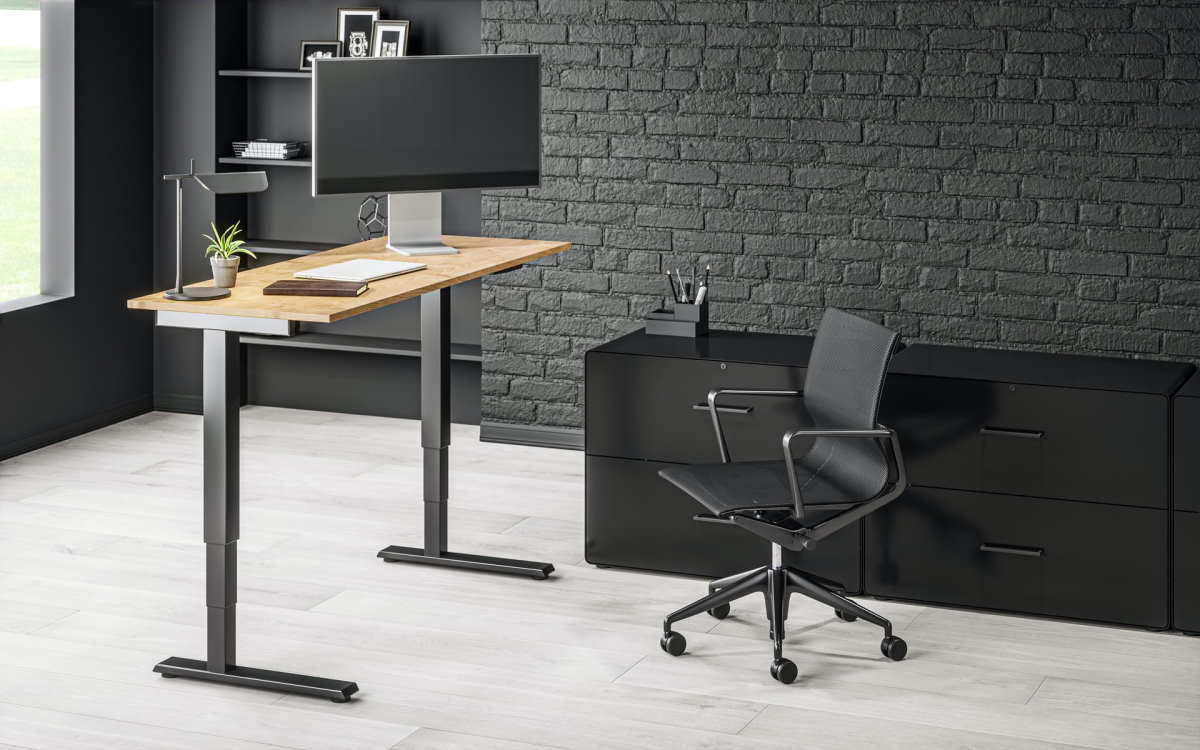
Do you really know in what way a standing desk differs from traditional tables? Many office workers and remote work representatives have already discovered new opportunities and experienced considerable improvement in their workplace conditions.
The working computer desk for most of us is the main “habitat”. There is almost no such profession where such a piece of furniture would not be required. However, most buyers are rather indifferent about choosing this important unit of the workplace, but in vain. This article will show how convenient and practical a standing desk can be if compared with an ordinary table.
What do you usually turn your attention to when looking for a good desk for work? For many customers, it is essential to find a nice-looking table for home use, and they do not really care about its functionality and the health conditions it creates while using it. Of course, table tops for desks are paramount when it comes to the quality of the material of an automated desk. Looking throughout the variety of available tops you can discover your individual style and combine this part of the furniture with height-adjustable columns.
Things you will get with a standing desk
One of the major features a motorized desk has is its capability to adjust the necessary height.
This option belongs to the category of indispensable opportunities for the employee. It is convenient to work at the table while sitting and standing, in addition, the height is adjusted for a certain person’s height – there are several height modes.
What is so special about the standing desk functionality in comparison with a common table?
Versatility
Due to a special control unit, the table is raised to the required height. This option is suitable for people of different heights.
Practicality
Due to the presence of the “memory” function, the table rises and falls at a certain time previously set by the user. For example, if the table is programmed to work sitting 40 and standing 20, then every 40 minutes the table top will rise, and there is no need to remind the mechanism about this.
Security
The mechanism is designed so that under the condition of overloading on the table top, the lifting system does not work. This is necessary if there is a large amount of office equipment on the table. The maximum permissible load weight on top is usually indicated by the manufacturer and it differs depending on the selected model.
Aesthetic Qualities
If you are tired of intricate computer desks with a huge number of shelves, endless drawers and hanging consoles, this model is for you. The table will perfectly fit into the interior of any room complementing it with practicality and new functionality.
Stability and Durability
The main attractive thing about an adjustable table is its impact resistance of literally all structural details. The tabletop will not be scratched by the HPL coating, and the table legs are virtually invulnerable due to the special coating.
If these features are not enough for you to replace your old-fashioned computer table with a new better automated desk, probably you should read more testimonials about this technically improved desk or try it before buying in one of the related shops.
Author:
Hayley Mann is a technology enthusiast specializing in automation methods of ergonomics devices. Her engineering background helps her to create interesting articles on technical topics, making them understandable for all readers.
How is a Standing Desk Different from Other Tables? was last modified: March 20th, 2026 by Hayley Mann
Xiaomi is a privately owned Chinese electronics company headquartered in Beijing. It is the world’s 5th largest smartphone maker and produces tablets, TVs, fitness bands, smart home products, and other consumer electronics.
Xiaomi best selfie phone is A new Xiaomi phone that has leaked on TENAA (China’s equivalent to the FCC), an upgraded version of the Redmi Note 3 Pro that was released earlier this year with model number 2015213. The device carries the name “Xiaomi Hongmi Pro” and comes with model number MDE40. This is not to be confused with 2016213, another variant of the Redmi Note 3 (MediaTek). As for now, there are no details regarding its specifications.
The Redmi Note 3 Pro carries model numbers 2015215 and 2016213 carries model number 2017213. However, the difference in numbers is not due to the change of processor as both versions come with the Snapdragon 650 chipset, which is a first for Xiaomi as no other smartphone from the company comes with such CPU.
Other features on either version of the device include a 5.5-inch full HD display, 2GB/3GB RAM, 32GB internal memory along with a microSD card slot which supports up to 128GB, 16MP rear camera with LED flash, 5MP front-facing camera, and 4G LTE connectivity. The Redmi Note 3 Pro has an a50mAh battery, while its lower variant has a 4100mAh battery.
Some of the best-selling Xiaomi phones in Singapore
1. Xiaomi mi5-This model is one of the best selling products in Singapore, and some notable specifications include
2. Xiaomi mi mix-This model is another best-selling product in Singapore. The specifications include a 6.4inch full HD display with a curved ceramic body, 4th gen snapdragon 821 chipsets, 12 Mpx camera, and 3400mAh battery.
3. Xiaomi Redmi Note Pro-Other notable specification includes 5.5-inch FHD display, snapdragon 650 octa-core processor, 13mpx front and rear cameras and 4050mah huge battery capacity…
What to look for when buying new Xiaomi phones in Singapore?
Display-look at the display features and size and compare with other models in the same range
Processing power-compare with other models in the same range to see if the features suit your needs.
Memory Size-compare amount of internal storage, RAM, and a slot for microSD card support.
Battery Capacity -compare mAh rating to see how long the phone will last on a full charge.
Camera-compare megapixels and other features to see if the camera is worth it.
Incoming search terms:
Xiaomi best selfie phone
Best selfie phone
Xiaomi mi5 best selfie phone
Xiaomi mi mix best selfie phone
Xiaomi model 2017213 best selfie phone
Redmi Note Pro 3GB ram 32gb rom best Selfie mobile Singapore
In conclusion, when buying Xiaomi best selfie phone in Singapore, it is essential to look at the specifications and compare it with other models in the range before purchasing one. It is also vital to ensure that the features of the device suit your needs. If you are looking for good specs at a reasonable price, Xiaomi phones might be perfect. However, suppose you want more features such as NFC capability or fingerprint sensor support etc… In that case, it is advised to purchase a pro version model which costs a bit more but offers better specifications from top brands such as HTC One A9s, Vivo V5 Plus, and Oppo R7s, to name a few.
Some of the Best-Selling Xiaomi Phones in Singapore was last modified: May 27th, 2025 by Lucy Jones
With streaming giants ruling the entertainment industry with content that streaming enthusiasts cannot afford to miss, and most of these streaming platforms being geo-restricted, it is impossible to imagine a world without a VPN.
While geographical restrictions are quite a pain, VPNs are our saviors, as they let you watch anything from movies to shows to live sports without having to worry about getting blocked.
You have to admit that a VPN is worth whatever it costs as it smoothly permits one to avoid geo-restrictions.
But here is when things get a bit complicated. See, not all VPNs are the same. Some of them happen to have more features than others. Because of this reason, you’ve got to give trials to many different VPNs to figure out which one is best for you — like, understanding which VPN helps you bypass all kinds of restrictions.
Thanks to this guide, you can skip the hard work and benefit from our experiments and results. Our experts have rounded up some of the best streaming VPN options for you. This way, you can save time along with your energies and good mood and directly get to the fun part: streaming.
But wait, we still didn’t inform you how to choose the right and the best streaming VPN for yourself.
The Best VPNs for Streaming – How to Choose One?
One of the most important reasons people get a subscription to any VPN is sports. TV series and movies can still be watched at a later time; once the access is available for your country. But this is simply not possible for sports.
You have to watch it live, when it is being telecasted. Thus, it’s best to have a subscription to a VPN that permits easy connectivity and smooth transmission. Alex Lysak, an online marketing and gaming expert, suggests that when it comes to choosing a VPN, your top considerations should include the streaming platform you want to gain access to, the upload and download speed it can offer, the value it offers against the price, and the security it offers.
Basically, you must get a VPN that has a fast and reliable connection and helps you avoid the dreaded buffering.
Also, getting a VPN that supports various devices is essential. You not only want to access a wide variety of content and streaming platforms but also access it through different devices such as your tablet, smartphone, smart TV, etc.
1- ExpressVPN
If you’re looking for an all-rounder that gives access to streaming around the globe, get yourself ExpressVPN. It unblocks Netflix, Amazon Prime Video, Hulu, Sling TV, HBO DAZN, Kayo, and BBC iPlayer. Apart from that, it also supports Windows, Mac, iOS, Android and Linus. You will find that it’s compatible with Amazon Fire TV, Apple TV, Roku, PlayStation, Xbox, and Chromecast. It can also support 5 devices as limit. Along with 24/7 live chat support you will also get a 30-day trial period. If that wasn’t enough, it gives 3000+ servers as well.
Although it is a bit on the expensive side, it’s worth it because of its consistently fast performance and a vast range of servers and locations. Plus, the good news is that you are given a 30-day money-back guarantee along with different plans for purchase.
Honestly, ExpressVPN is an easy choice for anyone who’s out hunting for the best streaming VPN. Not only it unblocks every major streaming service, it also provides excellent customer support.
Whether you’re trying to watch movies, TV series, or any sports coverage, this VPN will never let you doubt your decision by maintaining a smooth transmission and easy access.
As said earlier, it has a wide range of clients like Mac, Linux and Windows and it doesn’t hinder in providing full access to different hardware either.
You will also receive an automatic security selection and 256-bit encryption along with a zero-knowledge DNS. The best thing about this VPN is the fact that it has a zero-logging problem so you can log from numerous IP addresses and network connections.
2- NordVPN
NordVPN allows you access to Netflix, Amazon Prime Video, BBC iPlayer, Hulu, Sling TV, HBO Max and DAZN. The platforms it supports are also high in number, including Mac, Android, iOS, Linux and Windows. Apart from that it is compatible with Amazon Fire TV, Apple TV, Roku, PlayStation and XBox. This one goes out of its way and gives access to 5400 servers, which is 1800 more than ExpressVPN.
With 80+ server locations and a total of 6 device support, you get a 30-day trial period and 24/7 live chat support in case of emergencies.
You can easily unblock iPlayer, Netflix, Hulu, and many other streaming services for a smooth and easy streaming experience. In fact, the speed of the streaming has become above average and the support is also undeniably strong. Some users claim that mobile streaming is not that strong compared to other devices.
If you ask for its specific focus, we would say that it’s streaming only. This is evident from the SmartPlay technology which is a safe proxy service that the VPN uses to bypass the geographical restrictions on the streaming sites.
You must understand that most streaming services have made it difficult for VPNs to work efficiently. But NordVPN has made it all as easy for the users as possible through its plethora of explainer guides and online support blogs. And when everything fails, its 24/7 live support comes around.
We have to laud the service for its consistency and increased latency on long-distance connections. What this basically means is that you can get uninterrupted access — only if your broadband is up to the mark, of course.
Did you know that this double VPN feature encrypts data not once but twice by sending it via different servers? It also has a no log policy along with an additional option of a dedicated IP address that you can use easily.
3- SurfShark
The best thing about this VPN is its pricing — with literally a fraction of the cost you can unblock streaming services like Netflix, Amazon Prime Video, BBC iPlayer, Hulu, DAZN and HBO Max. Like others, this VPN also supports Windows, Android, Mac, iOS and Linux. Apart from that, the devices that are compatible with this VPN are Amazon Fire TV, Chromecast, Apple TV, PlayStation and Xbox.
Like ExpressVPN, this one has a total of 3200 servers with 100+ location servers. Another great aspect of this VPN is the fact that it grants unlimited device support so you can use it via phone, TV, laptop, PC, whatever. In addition to a 30 days trial period, it comes with 24/7 live chat support.
The fact that it’s cheap shouldn’t be downplayed since it’s one of the best and most important things that a user looks for while purchasing. It is known as the best VPN of 2021. You need to get just one subscription to gain unlimited connection to stream via whatever device you choose.
Should You Invest in a VPN for Streaming Purposes?
The answer depends on what you’re streaming and its frequency of use. If you’re someone who has an unlimited appetite for movies and tv shows, and that too, from around the globe, it’s best to have a VPN that you can use easily and at a fair price. VPN is in fact an essential tool for you if you’re a frequent streamer of Netflix and Amazon Prime content.
A VPN would also come in handy if you’re a fan of a particular sport — especially if it’s a niche and not telecast around the world. Whether you have a match to catch while traveling abroad or an interest in a sport that is not telecasted live in your geographical location, a VPN will come in handy in providing comprehensive coverage.
Bottom line is, if you’re a frequent traveler or simply a consumer of content from around the globe, a VPN is paramount.
In Conclusion
The top three VPNs to use in 2021 are ExpressVPN, NordVPN and SurfShark. They are fast, user-friendly, and priced fairly considering the unlimited features and access they have to offer. If you are interested in consuming content from around the globe, it’s best for them to invest in a feasible and advanced VPN.
Best VPN For Streaming Videos On Android and iOS was last modified: April 7th, 2026 by William Ross
Windows 11 launched recently and Microsoft delivered some big changes to the storied operating system, including its first name change in six years. The Windows 11 update began rolling out on 5 October 2021 although it will be released in a phased approach on eligible devices.
Windows 11 comes with a tonne of new features, such as the ability to download as well as run Android apps on your Windows PC and updates to Microsoft Teams, the Start menu and the overall look of the software, which is cleaner and Mac-like in design. Keep in mind that not all of the features are available today.
Windows 11 isn’t just Windows 10 with a new collection of wallpapers. Thankfully, many other tweaks and improvements make an upgrade to the latest OS seem enticing. That said, the new OS’s wallpapers are, indeed, beautiful!
Beautiful Glass
Windows 11’s new desktop aesthetics try to mimic the look of glass. As a result, there’s a lot of transparency on many desktop elements, from windows to menus. This transparency goes hand-in-hand with related effects like a background blur, drop shadows, and rounded corners. All GPU-accelerated for a buttery-smooth user experience. It should both be more elegant and snappier than Windows 10.
Bar to Dock
Like Mac OS and many Linux Desktop Environments, Windows 11’s taskbar can turn into a dock. The icons on it can be centred, which is very helpful when using Windows 11 on a touch-enabled device. Fans of the classic taskbar will still be able to align the Start button as well as app icons to the left. Note that if you like Windows 11’s looks, and especially its centred taskbar, we’ve looked at how you can make your Windows 10 desktop look like Windows 11.
Return of the Widgets
Did you prefer widgets, the little floating informational windows in Windows Vista and 7, to the Live Tiles of Windows 10? The new widgets in Windows 11 appear in a dedicated pane, which slides in from the left of the screen. In addition, they also seem to be more geared towards presenting information instead of working as mini-apps. Still, that’s not a ground-breaking feature.
Easily Accessible Snap Layouts and Groups
Windows already supported snapping windows to the sides or corners of the screen in rudimentary arrangements. Originally “borrowed” from other OSes and advancing mobile technology, the feature was further expanded with Windows PowerToys’ FancyZones feature. Now, a new, as well as improved version in Windows 11, brings the feature to everyone, placing it in a quick menu hovering over the maximize button.
Android Apps on Windows 11
Up to Windows 10, if you wanted to run an Android app or game, you could either remote control your smartphone or run an emulator. Windows 11 will come with support for Android apps baked-in. Theoretically, you’ll be able to install almost any Android app or game, click on it, and then it will pop up on the screen, almost as with native Windows software.
What Are the Advantages Of Windows 11? was last modified: February 25th, 2025 by Mark Morrison
Snapping photos is something we all do regularly using our smartphones. Every single smartphone out there processes images differently as well as produces photos that may not appeal to everyone. For instance, some smartphones may capture photos with higher saturation levels, while others may capture warmer tones as compared to what the scene really looked like. This is where editing the photos you take comes in very much in handy.
Irrespective of if you have the best flagship smartphone that money can buy, or a more affordable phone, editing photos in the way you like them is very important. Specifically, if you plan on posting your photos on social media platforms, as it’s vital to give them a good look in order to make them attractive. To do so, you’ll need a good photo editor and we’re here to help you with just that. Here are some of the best photo editor apps for Android to help you make your photos look the way that you want them to.
Adobe Apps
Price: Free / Up to around $52.99 per month
Adobe has released a tonne of editing tools over the last number of years. Included in the package are some of the best photo editor apps which are available. Some of the choices include the following:
Adobe Photoshop Express,
Adobe Photoshop Mix, as well as
Adobe Lightroom.
Each one of these apps has a variety of features to assist you to do things. You’ll have the ability to do simple stuff such as removing red-eye to editing RAW files that have been taken by your smartphone or DSLR camera.
In particular, Adobe Lightroom gets updated rather frequently with new features. The only possible caveat is that some of the apps need an Adobe Creative Cloud subscription in order to utilize all of the features. Those who use Adobe CC already should definitely just get these since they’re included with a CC subscription anyway.
Snapseed
Price: Free
The Snapseed is available on iOS and Android and is best for advanced photo editing on a mobile device.
Google’s Snapseed packs a punch, surpassing desktop photo editors with its massive range of features as well as an intuitive interface. Just as you’d expect, this free photo editing app comes with a wide range of pre-set filters. However, as opposed to most apps you are able to edit these filters and even create your own from scratch so you can play on Android as much as you like.
Snapseed has all of the classic tools, such as cropping, straightening, frames, text and vignettes. And the sharpening element does the job without making the image appear grainy. Then, things become interesting.
Snapseed has precision masking, which gives you the ability to edit the depth of field – photographers frequently do this to make the background blurry and bring the foreground even more into focus. In addition, there’s a “Selective Adjust” tool. This allows you select a particular area of your photo and adjust the saturation, contrast as well as brightness of that single point. What’s more, the photo editor app saves your edit history, so you are able to amend your previous edits at any point.
VSCO
VSCO is basically like a social media app however just for photos. It’s almost like Pinterest in the sense that users are able to post their photographs for other VSCO users to look at and appreciate.
Apart from being a network to share your images, VSCO has an in-built photo editor which works well for basic edits in terms of lighting as well as colours, just like Lightroom. You are able to modify the brightness, contrast, saturation in addition to hue levels of an image together with sharpening it or adding some grain.
What Are the Best Android Applications for Editing Photos? was last modified: October 26th, 2021 by Mark Morrison
Are you interested in developing Android apps however Java is not your companion? The Android universe is mainly built using Java, Kotlin, Flutter as well as Corona using Lua Scripting Language. This is mainly a gaming engine that is used in games such as Angry Birds. However, in recent times, Python has made its way into every single domain out there and Android is no different.
What Is Python?
Python is a very popular, object-oriented as well as high-level programming language. It was created by Guido van Rossum and was released in 1991. Python is a simple language that is easy to learn and understand. The Python language is capable of working on a number of different platforms such as Windows, Mac, Linux, Raspberry Pi and other similar platforms. It runs on an interpreter system, which means the code can be run easily as soon as it is written. Python is a quick language. The syntax of Python is far easier than the syntax of any other language.
Why Android Development Using Python is Possible
Android development in Python has been made feasible only thanks to an open-source Python library for developing mobile apps as well as other multi-touch application software that is called Kivy. Its first release was in 2011 and a stable version was released in 2019. Kivy not only supports Android application development however its applications can be run on IOS, Linux, OS X, Windows, as well as Android. Kivy is written in Python and Cython, and most of the main developers are from Russia.
What Kinds of Mobile Products are Good for Python?
Previously, Python mobile development was not popular. However, things have altered with the appearance of a number of different Python GUI frameworks. And currently, this programming language is used widely in mobile apps development so you can use iPhone to play on the go.
Python is somewhat versatile. It can be utilized for building various apps: starting with web-browsers and ending with simple games. One more powerful advantage is being cross-platform. So, it’s possible to develop both Android and iOS apps in Python.
What Are the Issues in Creating Android App With Python?
Although Android app development utilizing Python is possible, it won’t be as effective as Android apps that are developed by utilizing Java. As we all know, Java is the official language for Android as was proclaimed by Google. Java for Android is the Standard of Android, and other languages that we utilize may not be as up-to-the-mark as Java. Let us see some of the possible issues that might arise:
These frameworks might not support every single feature of an Android operating system.
Own tools cannot be always used.
These codes may not run very fast as they generate the native code first which are then optimized by making use of the native compilers.
At times, the high-level graphics might not be supported and at times it is possible that 2-D/3-D graphic support is just not there.
If you are looking to hire Android developer, it is best to go with someone who has experience in Java. Not only will they be up-to-date on all of the latest features and changes that Google makes to their operating system, but they will also have a wealth of knowledge when it comes to developing Android apps.
Can You Build an Android App With Python? was last modified: December 11th, 2023 by Mark Morrison
Why is a mobile app so necessary for food service businesses? No matter the size of a company, it needs a food delivery app. It could be a chain of restaurants or a small kitchen that doesn’t even have a guest room, but having a tool like this greatly expands the capabilities of the establishment.
Here are a few reasons why mobile food delivery apps are necessary for every establishment:
Growing market value. It’s impossible to grow a company without attracting new customers and making a profit. The introduction of new technology will acquire new customers and increase their loyalty; thanks to it, the average check also increases.
Saving customers’ time.
Quick and easy way to order food. The easier it is to collect, the better for the customer.
ROI. This is a measure of the profitability of the investment, or, to put it simply, the payback rate. Food delivery app development is an investment that will increase ROI.
Business expansion. Implementing new technology helps you expand your business significantly.
A food delivery app is an important tool for any foodservice company. Expanding opportunities, increasing the audience, increasing profits, and growing the business is by no means a complete list of what introducing new technology brings, especially against the backdrop of a competitive market.
How Food Delivery Apps Work
The global food delivery market is estimated at 83 billion euros. The sphere is growing and becoming even more powerful. Hence online food delivery is inevitable. A mobile food delivery app has three models of operation, and each one has its characteristics:
Aggregators. It presents a menu from different establishments. The customer places an order, after which the aggregator manager transmits the data to the restaurant’s courier delivery service. Partner conditions bring the aggregator a profit. Advantages for the establishment: no need to create your app, additional audience expansion. Cons: Loyalty develops not to the restaurant, but the aggregator; the payments are considerable, so the profitability of the dish decreases, although the overall profit increases. The owner of the aggregator may not even have an established and still receive income from the meal delivery app.
Available services. New services that provide aggregator and delivery services for restaurants have been developing recently. The owner of such a service must organize the logistics for food delivery from establishments and create his courier service.
Own services. It is possible to invest in creating your mobile app development for food delivery, and this is the best solution for medium and large establishments.
Main Characteristics of Food Ordering Apps
Each mobile app for food ordering has a unique design, in most cases maintaining a common brand style, different functionality, and features.
Customer version
The client version of the app should look stylish and attractive and be as easy to understand as possible. The main goal is to allow customers to order quickly and comfortably. Technically, the customer version of the app development should have the following features:
A personal profile. It specifies information about the client, preferences, payment methods, and other useful information. You can make it functional to save orders to repeat them, save the address so that you don’t have to enter a new one each time, and so on.
Delivery time and real-time tracking. A useful feature that will show how long it will take for the courier to arrive. A good addition is the ability to track where the order is at the current moment.
Payments. The functionality of fees should be stylishly designed to evoke a sense of security and be technically competently implemented. Multiple payment methods, repeat payments, card scanning, and other solutions will help make the payment process fast and secure.
Ratings and reviews. Before ordering, a customer should get acquainted with the dish, and the best way to do that is to study ratings and thoughts about the establishment and the word itself.
Push notifications. This feature will allow you to receive messages about changes in order status instantly.
This is a necessary set of features in a mobile food delivery app development for the client. The rest of the features are implemented at the request of the app owner.
Courier Version
Courier is the most important link in the chain between a client and an establishment. The overall efficiency of an establishment depends on its work, so the courier version of the application should include the following features:
Personal profile. It contains information about the courier, his rating, feedback on his work, the number of completed orders, and other useful information for the courier.
Order management. Ability to accept, reject orders, review details, write a comment, and other features to ensure efficient handling of orders.
Status. The function allows you to see the quality of the order, its details, and other necessary information in real-time.
Locations and Routes. The courier needs to provide a quality map with locations and routes. This will improve efficiency, logistics, and speed of delivery.
The Courier version should not be too busy, but at the same time, understandable, accessible both for Android and on iPhone.
Admin Version
In any job involving human contact, there are disagreements and difficulties. When working with the food service industry, there are even more such issues and problems. The administrator solves them. In addition, he has to process orders, receive payments and control the work of the couriers. The administrator’s version must include the following functions:
Personal profiles. And both customer and courier profiles. This will help to organize the work and improve the contact between the institution and the customer.
Content management. Adding new items, changing prices, the ability to block establishments or individual dishes, and other content management functions should be implemented.
Order processing. The administrator accepts online orders and processes them in the shortest possible time. If it is an aggregator, it redirects the order to the establishment; if the application is created for your restaurant or cafe, then the processing and implementation of the order.
Receiving payments. The payment function is implemented in the client version of the application. In contrast, the administrative version must provide the ability to view the payment status, receipts tables, and other information related to payment.
All three versions of the food delivery app development should include these feature sets. The rest of the features are selected individually, depending on the budget, amount of time allocated, specifics of the establishment, and other data.
Food Delivery App Development Stages
Developing a mobile food delivery app development is a time-consuming and responsible process that takes quite a lot of time. The product consists of several stages. It is important to think through every detail and take care of the design and unique features to get ahead of the competition and offer customers the best conditions.
Research
Before technical development, it is necessary to study the market, target audience, partnership terms, and other details. Detailed information makes it easier to create a general app development concept and think through a marketing plan.
Design
The app design must comply with several important conditions: ease of use, attractiveness, and accessibility. The designer’s task is not just to develop a pretty look that will look good on an iPhone or Android system. The main goal is to make an understandable interface that will help reduce the time to order.
Programming
The designer provides a prototype on which programmers work, and from the picture, transfers all the ideas to understandable Android or iOS code.
Search and Menu
An important task of a mobile food delivery app development is organizing a convenient search and menu.
Upload on the App Store and Google Play
Once development and tests are completed, the app is uploaded to services. At this stage, an active marketing plan for promotion begins.
Updating and Processing Reviews
For a food delivery app, customer feedback is the most important because the goal is to make a convenient and practical service based on users’ opinions.
Developing a mobile food delivery app is a great investment for most food establishments. The main task is to satisfy the customer’s needs and make ordering fast and easy. Then the business gets an expanding audience, increasing loyalty, competitiveness; hence — the income increases and the company grows.
Development of a Mobile App for Food Delivery was last modified: April 7th, 2026 by Jhon Mery
Online safety is a significant concern for anyone who uses the internet for business or pleasure.
Whether you are buying everyday goods through an online retailer, playing casual games on a reputable platform, or reading the latest news from around the world, your identity is at risk in the digital space.
By protecting your information and devices, you can ensure that no nefarious actor gets a chance to leverage your personal details.
Below are the top five Android apps to help you play, read, shop, and learn online safely and with peace of mind.
1. Password Manager
If you spend any amount of time online, you are probably exhausted from trying to remember passwords for different websites. Digital security experts believe that having the same password for various sites or apps is not wise, as a single data breach could compromise your accounts on every platform.
Installing a password manager on your phone from a reputable company is the only way to ensure that you can easily remember all your passwords. Rather than having to recall and type up passwords each time you want to log into a site, you can use the password manager to fill in your details instead.
Ensure you are using a password manager that provides full encryption for your account. That means even if your password data is stored on their servers, all the information is encrypted and only accessible with your master password. You can even enable two-factor authentication on your account, ensuring that if someone does get your master password, they also need access to your smartphone to get at all your other passwords.
2. Bouncer
Bouncer is a relatively new and unique security app that you should have on your Android smartphone. Many people have an issue with Android games, where they are asked to provide various permissions to access different features within the game.
If you download a new game on your phone and you want to try its various game modes, you may feel it is a risk to give the application all the various permissions it is seeking. Rather than giving up those permissions permanently, you can use Bouncer to temporarily give those permissions to an app.
Such a feature ensures that you can use the game without any problems by giving it the permissions it is seeking, albeit temporarily. Bouncer will take away those permissions in the background when you are done playing, ensuring the app is not accessing your location, camera, microphone, or other data without you knowing.
While you can use Bouncer for playing games on your Android phone with peace of mind, you can also use this application for other apps. If you are watching a television show on Netflix or Hulu, Bouncer can grant temporary permissions while taking them away after you are done watching.
3. VPN
A virtual private network, or VPN, is the ideal way to protect yourself when playing online games on a public Wi-Fi network. Imagine you are at a public library, train station, airport, or at your workplace, and you do not want to use up the mobile data from your smartphone plan.
When you connect to a public Wi-Fi network, other people on the same network can hack into your device with relative ease. That means you could be playing a arcade game or sports game on your phone, but someone may be stealing information from your device without you knowing.
A VPN creates a barrier between you and anyone else on the network. They are not able to access your device, as you connect to the internet through the VPN, not directly through the public Wi-Fi network.
Any reputable VPN from a company that charges a modest monthly fee is a great investment. If you are concerned about the cost, you can look into annual plans, as most VPN providers offer steep discounts if you pay for one, two, or three years up-front.
4. AntiVirus
Most people associate viruses with computers, especially Windows PCs. While computers are more susceptible to viruses and malware, the problem can occur on Android phones as well.
Not only can a virus result in annoying pop-ups or random app installs on your phone, but it could even result in the theft of your personal information. Avoid such a fate by installing a reputable antivirus program on your phone.
Such an application constantly monitors your phone’s internal storage and attached memory cards for any suspicious activity. If any file or program appears out of order, the antivirus can quarantine said file or program until you decide what to do.
5. Banking Application
When you are playing online games, such as battle games, racing games, or even mobile games with microtransactions, you may have to enter your credit card or bank details to add money onto digital accounts.
Even if you are using the proper precautions on websites and apps when entering payment details, your information may still get into the wrong hands. Having the banking application of your bank or credit card provider on your phone gives you instant access to information about your accounts.
If there is any transaction on your card or bank account, the relevant banking app pushes a notification to your phone. You can immediately take action to prevent further problems when you see any transaction you do not recognize.
Enjoy Games to the Fullest with Peace of Mind
Playing online games is a wonderful way to spend time. Whether you have a few minutes to get through during your morning commute, or you want to kick back on your sofa after a long day at work with a glass of wine, you can enjoy a myriad of games on your Android phone.
By installing the most relevant safety applications for your smartphone, you can keep your private information secure while gaming online. These apps make the experience of using a smartphone, accessing the internet, and playing mobile games seamless, secure, and worry-free.
Top Five Android Apps to Play Safely Online was last modified: February 25th, 2025 by Alessandro Coraglia
The software development industry relies on several advanced methodologies, tactics, and strategies to enhance business productivity. In fact, each methodology is a structure that plans and controls the information encoded in software. Development methodologies can improve project management, optimize computer functions, and create highly scalable technology. As an aspiring software engineer, you should learn the different methodologies that can improve technical function.
There are many software development methodologies that improve functionality. In this article, we’ll discuss the software development methodologies that improve functionality.
DevOps Pipeline
One software development methodology that improves functionality is the DevOps pipeline. Use the DevOps process to ship updates faster. Then, optimize the DevOps processes with the pipeline tool from JFrog. This way, you can continuously streamline and secure your development team’s tools. Moreover, you can use this methodology for continuous integration and continuous delivery. With this function, you can automate everything from code to production for high-powered technology. Furthermore, the JFrog pipeline optimizes the process for building, testing, and deploying software solutions. Additionally, the pipeline methodology can improve functionality on both cloud and on-prem subscriptions. Certainly, consider the DevOps pipeline methodology to improve your software functionality.
Agile Development Methodology
Agile development methodology is one of the most popular ways to improve software functionality. Agile development methodology enables your company to focus on user satisfaction. Your team would complete tasks over short time periods of just one to four weeks. During this time, the iterative model provides you with multiple tests as development continues.
Next, you would use Agile development methodology to obtain feedback from customers. You can then make the necessary changes to your software. Additionally, your team can take full advantage of this methodology’s functionality since it has few defects. This way, you can streamline productivity and improve performance across your software team. Surely, consider agile development methodology to improve software functionality.
Waterfall
Of course, the waterfall software development model is another great choice to structure your project. Employ waterfall to manage projects with clear, stable objectives. Waterfall’s sequential method will handle your team’s tasks one at-a-time. Moreover, waterfall will improve functionality by ensuring each step is complete before moving on.
The rigid, linear style of waterfall is easy to understand and manage your SDLC. Thus, you can explain the waterfall methodology to your team quickly since it is fairly simple. You will benefit from using waterfall if your team changes personnel frequently. Throughout the development process, waterfall maintains itself, so many functions are performed automatically. Definitely, look into using waterfall to improve software development functionality.
Feature Driven Development
Feature-driven development is another software development methodology that improves functionality. Use FDD to develop an overall model. Then, plan each feature by building a feature list with the platform. Next, use FDD to design your software. This way, you can visualize your development project. After this, FDD can build each feature for you. Throughout this process, FDD will provide you with status reports, results, and possible errors. Additionally, FDD gives you quick, efficient responses to platform changes. Moreover, these quick responses allow your team to process information faster. This way, you can accomplish more in the given workday. Long-term, this will allow you to maximize profitability, expanding your earning potential, and get more projects done. Surely, consider using feature-driven development to improve software functionality.
Scrum Development Methodology
Scrum development methodology can also help improve software functionality. Apply this methodology to manage your development project. Specifically, use scrum development for emerging technologies and rapid changes. Then, you can implement scrum to plan, meet, and review important software features quickly. This technique allows your business to accelerate the development of software by processing many iterations at once. With scrum development, even your slowest-moving development projects can be fast-tracked. Certainly, use scrum development methodology to improve software functionality.
Summary
There are many software development methodologies that improve functionality. Taking advantage of the latest models, you can future-proof your development pipeline, learn new skills, and follow the latest trends. Plus, these tactics enable you to optimize your workforce and experiment with productivity-improving measures. The DevOps pipeline will fully automate your software and integrate it continuously. Then, waterfall will provide you with a rigid, step-by-step system for project management. Feature-driven development implements many notification features to help you stay on top of your software development project. Scrum development methodology can rapidly quicken the pace of your software development process. Finally, agile development methodology prioritizes user satisfaction over process-oriented structures. Consider these options when improving your software development functionality.
5 Software Development Methodologies That Improve Functionality was last modified: April 25th, 2024 by Scott Fluent
Your office chair has a significant impact on your productivity, your mood, and even your health – whether you realize it or not. If you’re like most people, this is where you’re going to sit for 40 hours or more each week.
During those 40 hours, you might be constantly adjusting your weight and dealing with discomfort, or you might be perfectly comfortable. And when you’re done with work, you might end up suffering from the aftereffects of poor posture all day – or resting peacefully on some other piece of furniture.
So how can you be sure that your home office has a chair that’s a perfect fit for you? What does it take to buy the best office chair?
Research and Shop at the Right Stores
One of your first steps should be researching and considering different office furniture stores. Different stores will offer different manufacturers, brands, and options – not to mention different prices. Ideally, you’ll find a few worthy shopping options based on the following:
· Convenience/accessibility. First, how convenient or accessible is this store? Most modern customers look for online stores that offer free or inexpensive home shipping. Otherwise, you can search for a store that’s physically close to your home.
· Selection and options. What range of options are available at this store? Can you choose between many different brands and manufacturers? Can you customize your order to fit your needs better?
· Prices and policies. How much are the office chairs here? If you’re not satisfied, can you return the chair and get your money back?
· Customer reviews. One of the most important variables is finding an office furniture store with excellent customer reviews. Customer reviews will tell you all about this store, including its customer interactions, its product quality, and even its shipping speed; it’s a great way to confirm your choice or provide the red flags you need to move on.
Set Your Budget
Next, you’ll want to set a firm budget for yourself. You can get an inexpensive office seating for less than $100, but if you want something more robust or more supportive, you might need to spend a few hundred, or even a few thousand dollars. If you’re working with a thin budget, you may consider shopping for used options; used office chairs can be as good as new ones while offering a much lower purchase price.
Choose Which Type of Chair You Want
With a budget in mind, you can start making decisions about what type of office chair you want.
· Seating style. How do you want to be seated? Do you want a traditional chair with a full back, so you can lean as you see fit? Or do you prefer a stool seating style, or something more novel, like a kneeling chair?
· Attachments and accessories. Do you want your chair to have a headrest? What about armrests? Should it lean back? Should it roll?
· Material. Do you prefer a mesh material? Leather? Vinyl? There are countless options here, each with pros and cons – it typically boils down to personal preference.
· Size, shape, and aesthetics. Don’t forget about aesthetics. How big should your chair be and how should it look in the context of the rest of your office?
Know Your Measurements
Before you take the next steps, take some measurements. How high is your desk currently? How tall are you? How much space will you have to place this chair? Do you need room to move around in this chair? These measurements can help you find a chair that’s a perfect fit for you and your office.
Keep in mind that most modern office chairs are adjustable, at least to an extent. If you purchase an adjustable chair, you don’t have to get the measurements exactly – as long as you’re in the ballpark, you can make adjustments until it’s a perfect fit.
Shop Around (and Try Things Out)
Now you’re ready to start shopping around. Don’t go with the first office chair you find and don’t buy from the first online store you come across. Instead, take your time, review your options carefully, and think critically about your decision. If you can, try out multiple chairs in person to see how they feel; you may only be able to do this at physical retail locations. Otherwise, it’s hard to know whether a chair will work for you based on photos and a written description alone.
There’s no such thing as a perfect office chair, but using these strategies and recommendations, you may end up with the “perfect” chair for you and your needs. Pay attention to your comfort and posture throughout the day, and if your chair isn’t working the way you thought it would, or if it begins to wear out, don’t hesitate to make another upgrade.
How to Buy an Office Chair That Fits You Perfectly was last modified: February 17th, 2025 by Alex Sanders
Investors and financial advisors often recommend real estate as one of the best ways to make money. And it’s true that real estate investing is one of the most common ways for people to become self-made millionaires. With a rental property, you stand to make money on a monthly basis (as you collect more in rent than you pay in ongoing expenses), while simultaneously benefitting from long-term property appreciation.
However, investing in rental property isn’t a guarantee of profitability. In fact, many novice investors end up losing money on real estate deals and rental property management because they make rookie mistakes.
So what, exactly, makes a rental property profitable?
The Basics
The profitability of a rental property ultimately boils down to four variables:
· Immediate costs. What did you pay for the property and what will it take to get the property in proper condition to rent?
· Long-term costs. What will you pay for the property on an ongoing basis, including costs like mortgage payments, property taxes, insurance, and ongoing maintenance needs?
· Rental income. How much money will you be able to generate in rental income? Don’t forget to calculate potential income loss from vacancies as well.
· Sale price. What could you eventually sell this house for?
Working with a property management firm can help you better understand the influence and role of these variables – and select a property that’s optimized for all of them. But if you’re going it alone, you’ll need to dig into each variable in more depth to do your due diligence.
Key Factors for Rental Property Profitability
The variables listed above can be further analyzed and broken down. These are some of the most important factors dictating the ultimate profitability of a rental property:
· Neighborhood rental demand. How much demand is there for rental property in this area? This can dictate your profitability model in multiple ways. For example, high demand usually means your vacancy rates will be lower and you’ll be able to charge more in rent – but it also tends to mean that competitive bidding will push purchase prices higher.
· Purchase price. How much are you going to pay for the rental property? You might be able to find a great deal if the house is in a state of disrepair or if you personally know the person selling it. Otherwise, your purchase price will be mostly dictated by market forces. In some markets, platforms like Ascend Israel Properties are used by investors to better understand pricing context and evaluate potential deals more accurately.
· Current condition. What state is the house in? Buying a fixer-upper and making repairs can be a great way to minimize your purchase price and customize the property to look and function how you want, but it can also be a money pit. If the house is in terrible shape, it could cost a fortune to get it in good condition.
· Deterioration potential and upkeep costs. You might be able to get the house in livable shape for now, but what does the future hold? Older houses tend to deteriorate faster and have more maintenance and repair issues than newer properties. Accordingly, they carry higher long-term costs.
· Neighborhood trajectory. This neighborhood may be in high demand at the present, but what does the future hold? Neighborhoods on a growth trajectory, with more jobs, new amenities, and renewed public interest tend to have higher rates of property appreciation over time.
· Tenant quality and consistency. What type of tenants will you be able to attract with this property? Ideally, you’ll find people with decent credit scores, a reliable income, and long-term interests in staying in the neighborhood. It’s hard to predict this when searching for and buying a rental property, so you’ll need to double down on your tenant screening to turn this variable in your favor.
· Competitive properties. What are the other properties in this area like? Is the neighborhood more populated with renters or owners? What’s the average price of rent? How do the other landlords and property managers in the area operate? The competition can significantly influence your potential success.
· Ongoing management and care. How well do you plan on taking care of the property? If you invest in maintenance proactively and preventatively, and if you’re willing to make necessary upgrades over time, your property will more reliably appreciate in value.
· Length of holding. How long do you intend to hold this property? Some rental properties only start to become profitable after several years of growth; they aren’t get-rich-quick schemes. Do you have the investing time horizon to support this?
Hiring reliable Airbnb management services will provide the professional oversight needed to maintain high property standards and ensure guest satisfaction remains consistently high. These experts can handle everything from routine inspections to emergency repairs, protecting your physical asset while maximizing your rental income through optimized listing performance. This proactive management style transforms a time-consuming property into a streamlined source of passive wealth.
As you can see, the question of profitability for a rental property isn’t a simple or straightforward one to answer. To fully understand the situation, and maximize your potential profitability, you’ll need to do exhaustive research and analysis before making any real estate investment decision.
What Makes a Rental Property Profitable? was last modified: May 14th, 2026 by Alex Sanders
Some businesses might not think much about the value of a payroll service and might think it’s more an extraneous cost than a meaningful asset. After all, if a business has thrived for this long without it, why change now?
While you may have once operated perfectly fine without payroll software, it’s becoming more and more commonplace. There is a good reason for that: It’s a money saver. If you are still not convinced, here is what you should know about payroll services and how they can reduce labor costs:
1. It Cuts Down Processing Time
Most veteran workers understand that payment processing takes up so much time. You need to verify where the payments are going, calculate working time and double-check countless data points.
With modern payroll software, most of this is done for you. That means you’re paying less for more work. When employees are no longer worried about having to wade through the intricacies of doling out salaries, they can focus on bigger, more important issues.
2. It Decreases the Risk of Costly Mistakes
Humans make mistakes. Nobody is perfect, and that is to be expected even in a professional setting. Unfortunately, when it comes to paying your employees, such mistakes can be more than just a minor nuisance. Employees can be missing out on their paychecks.
In the past, you simply had to deal with it. Now, you can do something about it. Many of today’s options come with ways for employees to double-check their data and submit any errors they may have made in timekeeping for review. Furthermore, many suites on the market now come with built-in onboarding support, meaning your newest employees can be paid just as quickly as everyone else!
3. It Offers Peace of Mind
These days, many things are uncertain. If you rely on old-fashioned methods of payrolling your employees, odds are your records are stored on a singular, local machine. If anything happens to that computer, your records are gone!
The majority of newer, sleeker programs are designed to store their data in the cloud. This means that even if your entire network were to go down, you’d still have access to your crucial payroll records.
4. It Lets You Pay Employees From Anywhere
With much of the data stored securely in the cloud, many of the most cutting-edge payroll software enables you to issue payments to any employee from anywhere!
The pandemic has shown us that home offices are both viable and popular options for many workers, so having this ability is a handy way to attract even more talent to your company.
5. It automates the tedium and increases your overall efficiency
The main draw of most modern payroll software is automation.
Today, you can find affordable options that will not only track working data and check-in/check-out times, but also provide reliable tax forms whenever they’re needed! Many programs now offer the ability to automatically output everything from Forms W-2 and 1099 to procedurally prepping information for state and federal tax time.
Bottom Line: Payroll Services Worth the Investment
These few points are by no means the full potential offered by payrolling software. The right choice will be something that can scale with you, empowering you to grow without worry.
With today’s automation, you can count on payroll software to help you find more time to do what your business really needs to do.
Reduce Labor Costs With Payroll Services was last modified: October 21st, 2021 by Jamesh B