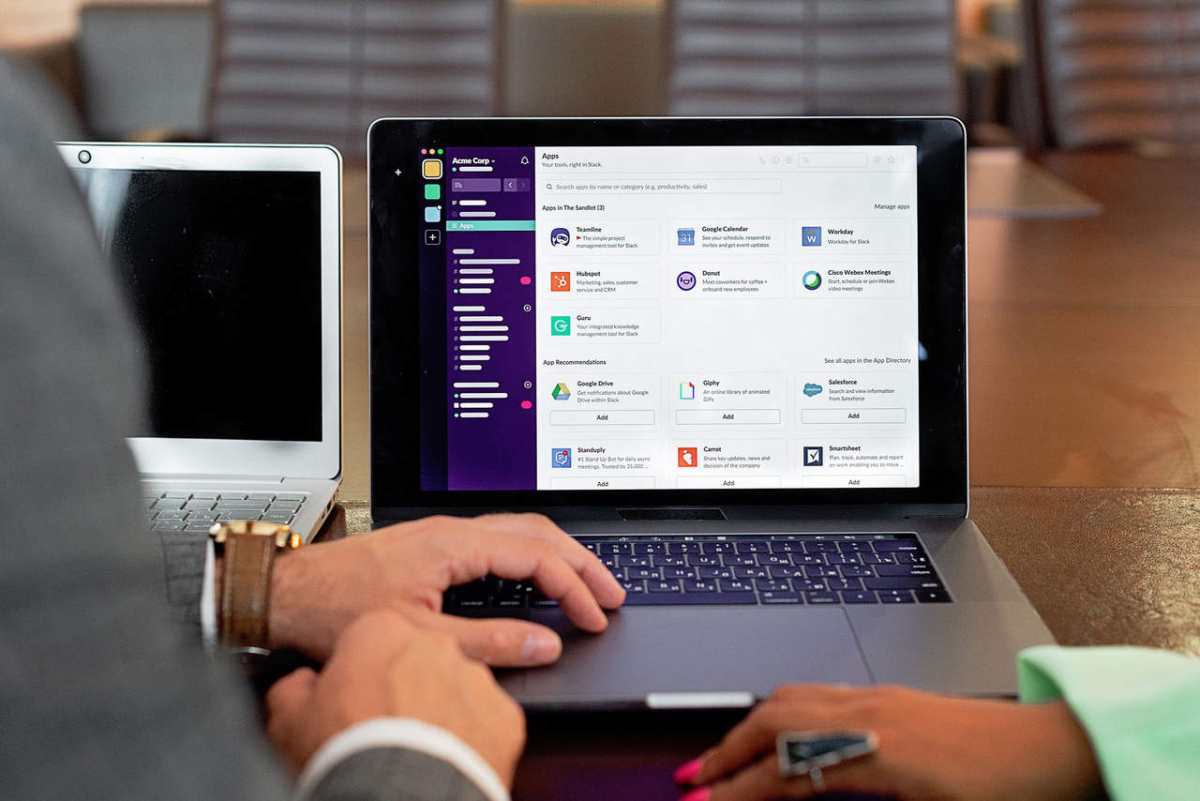
How AI is Quietly Revolutionizing Small Business Operations

Many people perceive AI as a technology that only large corporations can use. Yet, now many small businesses incorporate it into their operations. This technology is way more accessible today. So, any company can try including it in their workflow.

Keep reading and learn about the main areas of its impact!

Key Areas of AI Impact

AI is changing how different businesses operate across the world. Many people still think it’s a luxury available only to big companies. Now, it is accessible to small businesses thanks to affordable platforms.

These solutions can automate diverse tasks and deliver useful insights. Adoption of this development for small businesses is the way to survival and growth.

Here are the main areas where AI is impacting small business operations.

Customer Service

Strong customer service is essential for any business. Small companies find it hard to provide consistent support because of limited resources. AI improves this area by providing tools that act as virtual workers.

We have chatbots that answer frequently asked questions instantly. For example, a small store can set up a chatbot to

  • Provide shipping information,
  • Check order statuses,
  • Assist with returns.

These tools reduce the workload on human staff. So, customers don’t have to wait hours for responses. However, developing effective AI chatbots involves challenges like data integration and ensuring contextual understanding, as detailed in a case study on AI chatbot development challenges.

Also, many companies use voice assistants and AI answering services. They integrate them with their phone support systems. These assistants can direct callers to the right department and even provide appointment scheduling services.

Another popular use case is sentiment analysis. These tools scan emails or social media mentions to determine customer sentiment. They help businesses identify unhappy customers and resolve any issues faster.

Marketing

Marketing is the next area where AI is pretty impactful. It offers a new approach for personalization. This technology makes it scalable, even for small teams.

AI tools use customer data to send individualized

For instance, a company can send offers for products only to clients who previously purchased them.

Some systems can predict which customers might return or drop off. So, businesses can create a more accurate outreach strategy. AI tools can also help small teams automate personalized campaigns, sending the right messages to the right audience at the optimal time without manual effort.

Marketing teams also use AI for social media optimization. These tools give recommendations on posting times and analyze engagement patterns. Small businesses don’t have to hire additional workers to be active online, a good AI marketing platform is enough.

They can also use an AI presentation maker to create entire decks from prompts, website URLs, or existing documents – saving time while keeping messaging consistent.

Inventory Management

Inventory mismanagement can negatively impact profitability for businesses selling physical products. Overstock leads to wasted capital, and stockouts lead to lost sales. AI Inventory management offers predictive and automated solutions to these challenges.

Its models analyze not only historical sales but also external factors, like

  • Holidays,
  • Economic shifts,
  • Weather data.

It helps businesses adjust their stocks based on demand.

Inventory tools automate purchase orders by monitoring stock levels in real time. The system can trigger a reorder if items fall below a certain threshold.

Also, this technology is useful for supplier performance tracking and route optimization. It evaluates past deliveries and quality to help businesses find a reliable partner. Logistics tools minimize fuel costs and ensure faster deliveries.

Financial Management

Managing finances is a stressful aspect for many small businesses. AI simplifies financial operations by automating bookkeeping and offering predictions.

Accounting software helps companies

  • Categorize transactions,
  • Reconcile accounts,
  • Generate financial reports automatically.

They don’t have to hire full-time accounting staff, and they reduce the possibility of errors.

AI models can also forecast cash flow dips. They help owners anticipate when to reduce spending or secure short-term funding. Some platforms offer details on profitability and suggest where to cut costs.

Fraud prevention tools are useful for small businesses as well. These systems monitor credit card activity and online transactions to flag suspicious behavior instantly.

Human Resources

Many small businesses don’t have an internal HR team. So, recruitment and employee management activities are difficult for them. AI simplifies and improves HR functions across the employee lifecycle.

This development can help with the screening process by

  • Filtering resumes,
  • Identifying top candidates,
  • Conducting video interviews.

It can reduce certain types of hiring bias by concentrating on skills and qualifications.

Plus, AI can predict which employees might leave by analyzing attendance issues or lack of engagement. Owners can take measures to retain valuable staff.

Workflow Automation

Repetitive administrative work takes a lot of time that could be spent on growth. AI helps small businesses reclaim this time by automating workflows. Exploring no-code AI solutions can also help small businesses cut costs while streamlining daily operations

This technology allows companies to

  • Organize tasks,
  • Set deadlines,
  • Predict project bottlenecks.

Some tools automatically schedule meetings based on participants’ availability.

Also, these systems assist with document creation and emails. They reduce manual data entry and let business owners focus on important conversations.

For a deeper look at how AI can streamline processes, small businesses can explore building a marketing automation workflow to simplify lead nurturing and customer engagement.

Main Difficulties of Using AI in Business Operations

The potential benefits of AI for small businesses are pretty clear. Yet, implementation of this technology is not always easy. Small companies usually face many challenges when trying to adopt AI.

Here are the main difficulties businesses have during integration.

High Implementation Costs

AI may save money in the long run. However, upfront costs can be pretty high. Companies have to invest in

  • Custom solutions development,
  • Advanced software,
  • Integration into existing systems.

Small businesses may struggle to allocate funds for licenses and hardware upgrades. Even affordable platforms can become expensive during scaling.

Lack of Technical Expertise

AI systems require technical knowledge. Most companies don’t have in-house specialists who understand ML or data science.

Hiring professionals is expensive and competitive. Outsourcing can create dependency on external providers.

So, businesses risk misconfiguring these tools without proper expertise. It might lead to poor performance or wasted investment.

Quality and Availability Issues

AI relies on data a lot. These systems can’t produce accurate results if the information is inconsistent. Smaller companies usually don’t have enough structured data for AI models. Plus, they might distribute it across departments. So, it’s difficult to consolidate for analysis.

Integration Problems

Businesses usually use multiple software platforms. It’s complex to integrate AI into these systems. Legacy systems might not support modern tools. They typically require expensive upgrades or complete overhauls.

Software tools like Highlight Viewer prove that not every useful solution needs deep system ties. They operate independently, cutting out the need for costly upgrades. Businesses benefit from faster rollouts and lower risks.

Employee Resistance

Staff can be resistant to AI integration. They might fear job loss or struggle to adapt to new tools. Employees may be skeptical of generated recommendations. Plus, some of them might feel overwhelmed by technological changes.

Effective training programs are essential as well. Yet, they require time and money. Without proper change management, businesses can face significant pushback.

Security Risks

AI systems can be vulnerable to cyberattacks. Hackers can gain access to sensitive business information by

  • Manipulating algorithms,
  • Injecting malicious data,
  • Exploiting weak integration points.

Companies have to spend extra on advanced cybersecurity measures.

Incorporating AI into Small Business Operations

AI is not only for large corporations with huge budgets. Small businesses can use different affordable tools to improve efficiency and customer experiences.

However, it’s not enough to buy software for successful integration. Companies need a smart plan to include AI in their operations.

Defining Needs and Pain Points

Small business owners should start by assessing all their operations. They need to decide which areas will benefit from automation and advanced analytics. It allows them to concentrate resources on AI tools that actually meet their goals.

Data Preparation

As you already know, AI depends on data. Small companies should consolidate customer and financial data into centralized systems. Next, they have to clean it by

  • Removing duplicates,
  • Correcting errors,
  • Standardizing formats.

Good data practices guarantee that generated recommendations are reliable.

Integration into Existing Workflows

AI should fit into current operations to deliver value. Businesses should select tools that integrate with the systems already in use, like

Many platforms are designed to plug into popular applications. It makes the adoption process smoother.

Employee Training

AI might overwhelm your workers with its complexity. Small businesses should provide training sessions to show how new tools can support them. They need to encourage feedback and involve employees in selecting tools. They will feel ownership in the process.

Monitor Performance

AI adoption is not a one-time project. Businesses must regularly assess the impact of tools by measuring performance indicators, like

  • Customer response times,
  • Cost savings from automation,
  • Increase in leads or sales,
  • Employee productivity improvements.

Companies can determine which tools are worth scaling by tracking ROI.

Conclusion

AI is not just a tool for automating simple tasks. Many companies use this technology in different areas of their work. Small businesses are not an exception.

AI systems became more accessible and user-friendly. So, smaller companies can also incorporate it into their operations easily. The key is to determine the main needs and find the best tools to fulfill them.

This development is an ideal instrument for small businesses that want to compete with larger organizations.

Best Crypto Exchanges in 2025

Finding the perfect crypto exchange in 2025 is like trying to choose a favorite star in a crowded galaxy — bright options everywhere, each shining for a different reason. With tighter global regulations and growing mainstream adoption, traders are now spoiled for choice when it comes to security, usability, and earning potential. For those seeking the best Binance alternatives, CEX.IO rises as our top overall pick, blending user accessibility, strong liquidity, and an impressive mix of tools for both beginners and pros. Still, Binance, Kraken, Coinbase, and Gemini remain major players shaping the global crypto ecosystem.

Below, we explore the five best crypto exchanges in 2025, comparing their usability, features, payment options, and supported assets to help you choose the right trading companion.

CEX.IO – The Best Overall Crypto Exchange

Established in 2013, CEX.IO has steadily evolved from a Bitcoin exchange into a full-fledged global crypto ecosystem. Available across 185+ countries, it caters to retail investors, traders, and businesses through an intuitive platform that connects traditional finance with the crypto economy. It’s a flexible solution for users who want reliability, deep liquidity, and innovative tools under one roof.

Ease of Use

CEX.IO’s design is sleek, responsive, and welcoming to users at every experience level. The platform’s Instant Buy feature lets you purchase crypto at market prices within seconds, bypassing complex trading interfaces. The layout remains consistent across web and mobile, ensuring even newcomers can navigate seamlessly without confusion or technical barriers.

App and Features

The CEX.IO Crypto mobile app, available for iOS and Android, provides a cohesive trading experience across devices. Users can buy, sell, or convert crypto on the go, track performance, and manage their wallets effortlessly. Advanced traders benefit from Spot and Margin Trading (up to 20× leverage), while long-term investors can explore CEX.IO Earn, a service allowing eligible users to allocate funds to staking or savings plans for potential rewards. For everyday spenders, EEA residents can use the CEX.IO Crypto Debit Card to make purchases online or in stores, converting digital assets to fiat instantly.

Payment Methods

CEX.IO offers one of the most extensive payment ecosystems in the industry. Users can deposit or withdraw funds via Visa and Mastercard, bank accounts, Google Pay, Apple Pay, Skrill, Neteller, and PayPal (for U.S. customers). Additionally, support for Epay, MoneyGram, Discover, Venmo, Wise, Payoneer, and Revolut makes it one of the most accessible platforms worldwide.

Cryptocurrencies Supported

CEX.IO lists more than 200 cryptocurrencies, from Bitcoin (BTC) and Ethereum (ETH) to Solana (SOL), Polygon (MATIC), and emerging DeFi tokens. With a balance between popular assets and promising newcomers, users can diversify portfolios while benefiting from competitive spreads and strong liquidity.

Binance – Best for Global Altcoin Traders

Binance continues to hold the crown for sheer trading volume and global reach. Founded in 2017, it has built an unmatched infrastructure for both retail and institutional traders, covering everything from spot and margin trading to futures, options, and even decentralized finance products. Its ecosystem extends beyond trading, touching gaming, NFTs, and metaverse projects.

Ease of Use

Despite its depth, Binance manages to balance complexity with accessibility. Beginners can use “Convert” mode for one-click swaps, while professionals can navigate the Advanced interface with custom charting tools and order types. It’s a platform that grows with the user, though first-timers might need a short learning curve to unlock its full potential.

App and Features

The Binance app packs a wealth of functionality into a polished interface. It supports multiple trading modes, staking, and launchpad access for new tokens. The Binance Earn suite lets users put idle assets to work via savings and liquidity farming. With features like auto-invest, portfolio analytics, and Web3 wallet integration, Binance remains the all-rounder for crypto power users.

Payment Methods

Binance supports credit and debit cards, bank transfers, and P2P trading for a wide range of fiat currencies. Depending on the region, users can access local payment processors for instant deposits or withdrawals. This flexibility makes Binance ideal for a truly international audience.

Cryptocurrencies Supported

The exchange supports over 350 cryptocurrencies, including Bitcoin, Ethereum, Dogecoin, Cardano, and countless altcoins. Its vast selection is a magnet for traders hunting for early-stage or niche tokens not listed elsewhere.

Kraken – Best for Security and Institutional-Grade Trading

Founded in 2011, Kraken stands as one of the pioneers of the crypto industry. It has built a sterling reputation for top-tier security, transparent operations, and institutional-grade trading capabilities. It’s a favorite among both cautious investors and professional traders who value reliability above hype.

Ease of Use

Kraken’s platform design focuses on usability without compromising control. The main interface caters to casual traders, while Kraken Pro offers a feature-rich environment with chart overlays, advanced order types, and API access. The learning curve is mild, and even seasoned traders appreciate its intuitive structure.

App and Features

The Kraken mobile app brings the desktop experience to your pocket, offering quick access to spot, margin, and futures markets. It also supports staking for popular proof-of-stake assets, letting users earn passive rewards. Institutional traders can take advantage of its OTC desk, while API integration enables algorithmic trading and analytics-driven strategies. Kraken’s robust two-factor authentication, cold storage, and security audits make it one of the safest exchanges on the planet.

Payment Methods

Kraken accepts bank transfers through SWIFT, SEPA, FedWire, and domestic ACH channels. Supported fiat currencies include USD, EUR, GBP, and CAD. While it doesn’t support PayPal or digital wallets, its banking connections are known for reliability and low fees.

Cryptocurrencies Supported

With more than 250 assets available, Kraken offers an impressive variety, from Bitcoin and Ethereum to newer coins like Optimism (OP) and Arbitrum (ARB). The exchange’s staking options also include a wide selection of PoS tokens for earning yield securely.

Coinbase – Best for Beginners and U.S. Investors

Coinbase remains the household name for first-time crypto investors in the U.S. Since its founding in 2012, it has prioritized transparency, education, and user experience — making digital assets approachable for the mainstream audience. Its public listing and compliance-first attitude reinforce trust among retail traders.

Ease of Use

Coinbase has arguably the cleanest interface in the crypto world. Buying crypto takes seconds, and features like recurring purchases and price alerts make portfolio management simple. It’s a natural fit for newcomers, offering clear guidance and educational prompts at every step.

App and Features

The Coinbase app mirrors the web experience, offering seamless trading and staking functions. Users can manage portfolios, view performance metrics, and even explore NFTs. Those seeking advanced tools can upgrade to Coinbase Advanced Trade, featuring in-depth analytics, charting, and order control. The app also connects with Coinbase Wallet, supporting DeFi and decentralized applications for those wanting more independence.

Payment Methods

Coinbase supports bank transfers, credit and debit cards, and PayPal in select regions. U.S. customers can link ACH accounts for direct deposits and withdrawals, while international users can rely on local transfer options depending on their country.

Cryptocurrencies Supported

Coinbase lists more than 250 digital assets, emphasizing compliance and liquidity. It includes major tokens like Bitcoin, Ethereum, Solana, and Avalanche, as well as emerging coins carefully vetted for reliability.

Gemini – Best for Regulated Trading and Crypto Rewards

Founded in 2014 by the Winklevoss twins, Gemini’s mission has always been to merge regulatory integrity with innovation. It caters to users who prioritize safety, rewards, and a polished experience. Gemini combines institutional trust with consumer convenience, making it a solid all-rounder for both individuals and businesses.

Ease of Use

Gemini’s platform strikes the perfect balance between elegance and functionality. Its dashboard is intuitive, while Gemini ActiveTrader caters to experienced users who want deeper market control. The clean interface and guided setup make onboarding straightforward for anyone entering crypto for the first time.

App and Features

The Gemini app extends the full exchange experience to mobile devices. It supports trading, staking, and portfolio tracking, while the Gemini Credit Card allows users to earn crypto rewards on purchases in real time. The Gemini Earn program enables passive income opportunities, and the platform’s custody services appeal to institutions seeking secure asset storage. Educational resources and price alerts further enhance usability.

Payment Methods

Gemini supports ACH transfers, wire deposits, and debit card transactions. U.S. customers benefit from fast bank connections for daily trading, while global users can deposit in USD, GBP, and EUR. The Gemini Credit Card also ties crypto spending and rewards into one cohesive system.

Cryptocurrencies Supported

Gemini lists over 150 cryptocurrencies, ranging from Bitcoin and Ethereum to newer DeFi and Layer-2 tokens. Its strict listing standards prioritize compliance and asset transparency, giving users peace of mind that every token offered has undergone thorough vetting.

Final Verdict:
In 2025, crypto exchanges have matured into sophisticated financial ecosystems. CEX.IO leads the charge for its accessibility, global reach, and diverse feature set, making it the strongest all-rounder for traders of all levels. Binance remains unmatched for altcoin diversity, Kraken continues to set the gold standard in security, Coinbase excels in beginner education and usability, and Gemini offers unmatched regulatory confidence. Whether you’re a first-time investor or an active trader, this lineup represents the finest destinations to explore the expanding digital frontier.

Photo Editing for Professionals: How AI Tools Save Time Without Losing Quality

Good visuals are no longer optional. They define how brands look, how people connect, and even how we trust what we see online. Marketers, bloggers, and agencies spend hours every week choosing the right photos — and then even longer fixing them. A bit of lighting here, a wrinkle there, a color tone that just doesn’t fit the mood.

That’s where tools like PhotoDiva come in. It’s not another one-click filter app. It’s a smart photo editor that understands faces, light, and texture. Think of it as an assistant who helps you edit faster without losing that natural, real-life look.

How AI Changed the Way We Edit Photos

For years, editing photos meant knowing your way around complex software. Every detail had to be done by hand — masking, retouching, balancing tones. It could take hours to make a portrait look right.

Then AI arrived, and everything shifted. Modern tools don’t just guess what looks good. They analyze the photo the same way a photographer would — noticing where light falls, where skin needs a touch of softness, or where the background distracts from the subject.

Now, a professional can edit a full set of photos in minutes. It’s not just about speed — it’s also about accuracy. The software keeps faces looking real, not like plastic models. That’s what separates intelligent AI editors like PhotoDiva from quick filter apps that flatten every image into the same generic look.

When Automatic Editing Really Matters

Picture this: you’re preparing profile photos for a new company website. You’ve got twenty headshots, all taken under slightly different lighting. Editing them one by one would take half a day. With AI, it’s a few clicks. It automatically balances exposure, smooths skin, and fixes small imperfections — all while keeping everyone looking like themselves.

Or maybe you’re a travel journalist sorting through a hundred shots after a trip. You don’t have time to spend your entire weekend adjusting shadows and tonal balance. AI takes care of the first cleanup, allowing you to choose the ones that tell your story best.

For marketing specialists and social media personnel, this time-saving difference is huge. Instead of dedicating hours to repeated re-edits, they can move straight to creative work — campaign imagery, messaging, layout. Even HR departments use AI photo tools now to make employee portraits look clean and professional for company pages and press kits.

Why Specialized Tools Beat Universal Filters

There’s a big difference between using a real photo editor and a universal “beauty app.” The latter often gives quick results but sacrifices detail and individuality. You get the same smooth skin, the same glossy tone, no matter who’s in the picture.

Specialized tools are built differently. They’re trained to recognize the unique structure of faces, natural skin tones, and lighting variations. The software understands how to enhance without erasing character. It brings out someone’s best version — not a digital imitation.

Other photo editors such as PortraitPro, PhotoWorks, or SkinFiner have also moved in this direction. They’ve made professional-quality retouching accessible to non-designers. But PhotoDiva stands out for being both powerful and approachable. The interface feels natural, and the AI doesn’t overdo it. The final image still looks like you — just in your best light.

AI Doesn’t Replace Creativity — It Gives You More of It

There’s a common fear that automation makes creativity less personal. But with photo editing, it’s the opposite. When AI handles the repetitive stuff — fixing lighting, smoothing tones, removing small distractions — you’re free to focus on the creative choices that actually matter.

You decide the style, the story, the tone. The AI just helps you get there faster. It’s like working with a trusted studio assistant who already knows your preferences.

For brands, that amounts to additional hours designing images that align with the tone of a campaign. For content teams, it means having consistency across channels without spending late nights editing in Photoshop. For HR teams, that means being able to post professional headshots on an afternoon instead of waiting on an external retoucher.

Real Is the New Perfect

People today can spot fake-looking images instantly. Over-smoothed skin or exaggerated lighting doesn’t build trust anymore — it does the opposite. The most successful brands now focus on authenticity. They want portraits that look clean and confident but still real.

That’s where AI editors really shine. They’re designed to enhance rather than disguise. The adjustments are subtle — a little brightness, a touch of balance, a smoother tone — but they make a huge difference. The end result feels polished yet human.

So if you’re updating your LinkedIn photo, preparing content for social media, or building visuals for your company’s “About Us” page, that balance matters. You want people to recognize you, not an over-edited version of you.

Who Benefits Most from AI Editing

AI photo tools are no longer just for photographers. They’ve become part of everyday professional life:

  • Marketers use them to create cohesive visuals for campaigns.
  • Bloggers and influencers rely on them to maintain consistent tone and color in their feeds.
  • Agencies depend on them to manage large batches of client images quickly.
  • HR professionals use them for staff photos and internal branding.

Even small businesses can now achieve high-end visuals without hiring a retoucher. It’s democratized photo editing — making professional results available to anyone who needs good-looking, consistent images.

The Future of Professional Photo Editing

AI editing isn’t about shortcuts. It’s about working smarter. The technology keeps evolving — becoming more precise, more intuitive, and more aware of human aesthetics. It’s learning to read mood, tone, and context, not just pixels.

The truth is, editing photos will always involve taste and judgment. No algorithm can replace your eye for what looks right. But with AI handling the technical side, you get to spend more time on creativity — the part that no machine can imitate.

So whether you’re polishing a profile photo, building visuals for a campaign, or creating a presentation that needs to look sharp, AI can be your quiet partner behind the scenes. You don’t just edit faster. You edit smarter — and the results speak for themselves.

Preventing Data Loss When Switching Phones or Platforms

Getting a new phone is an exciting process that multiple people anticipate. In most cases, you receive an upgraded model with a sleeker design, better memory, and new opportunities you’ve been hoping to explore. However, one issue inevitably occurs, complicating the process and potentially endangering your safety — and that’s the risk of data loss. 

How to transfer all your information safely, without losing invaluable photos, videos, messages, and passwords? And if data loss happens, is there a way of successful identity restoration? Get tips from experts, and your data will be safe regardless of whether you switch from Android to iPhone or merely exchange one model for another.

Assess What Kind of Data You’re Dealing With

Understanding what type of data you have, what you might lose in the process of transfer, and which consequences you will face as a result is the first step to protecting yourself. 

Here’s the data most people need to pass from their old phone to a new one:

  • Photos and documents that might feature your ID and other sensitive info. 
  • Passwords and logins that give you access to different apps and platforms.  
  • Contacts and messages that often have personal facts you don’t want leaked. 
  • Cloud-stored data that you want to save wholly before switching to a new phone. 

Imagine what might happen if some part of this data gets lost, or worse, is leaked. People with malicious intent might get access to it, stealing your entire identity. While there are swift identity restoration services available to victims of data theft, going through the nightmare of proving that you are who you claim to be is still incredibly stressful. 

Understanding the risks and knowing what data you need to transfer is the first step to preventing potential data loss. There are other tips you’ll have to consider, too, so be sure to study them all closely.

Performing a Full Backup Before Switching

Once you know what data you need to save, you have to perform a complete backup. For Android, you can use Google One Help: just open your settings and go from Google to the Backup section. Follow instructions, and all the information will be saved automatically, including your call history, contacts, and app data. 

For iPhones, go to your iCloud. Choose iCloud Backup, and then click on Back Up Now. Most importantly, both Android and iOS users should do a manual local copy by transferring the files they can to their laptop or a well-encrypted USB stick. Having two versions of backup files is enough to ensure that your data stays safe at all times. 

If something is lost anyway, and you worry that this info might have fallen into the wrong hands, don’t panic. A professional identity theft recovery service will always be able to help, so there is a good chance that you’ll be able to restore everything you’ve lost in no time.

Using Official Data Transfer Tools

Never trust unfamiliar tools to do your data transfer because it might lead to the loss or theft of critical information. Consider using these options:

  • Google Restore. This official Google tool is perfect for Android users who want to restore all their data safely.  
  • Samsung Smart Switch. This tool copies your media and app data, and you can transfer it to another device or platform via Wi-Fi.  
  • iPhone Quick Start. iOS users can rely on Quick Start to transfer their data wirelessly, preserving everything from their old device.  

If you’re switching from Android to iPhone, or vice versa, it’s better to use official apps from Google or Apple. The common options include Move to iOS and Android Switch apps.  

Securing Old and New Devices During Transfer  

To protect the confidentiality and wholesomeness of your data, make sure your transfer process is secure. Use only an encrypted Wi-Fi that no random parties can access. Some people are careless enough to switch to a new phone in public places, relying on a public Wi-Fi — that’s a sure way to get their data stolen. 

Another good strategy involves keeping both devices protected. Make certain they are updated properly — use the latest security patches only. Consider encrypting your data via your phone’s settings, and never leave your SIM behind. You never know who might be lurking around, waiting for an opportunity to steal your identity.  

If you think any part of your data might be compromised, get in touch with one of the identity restoration services as soon as possible. Early reaction increases the chances of success. 

Take Care of Your Data Transfer in Advance

Switching to a new phone is not a problem, not even when you have to transfer tons of your sensitive data. However, you need to be careful during the transfer process — otherwise, data loss and theft are inevitable. 

Naturally, problems like these have solutions today, but identity theft recovery can take time. While professional services can help you quickly, even an hour of waiting might seem like a nightmare, especially when you’re stressed and in need of some specific data right away. That is why it’s better to prevent data loss altogether instead of starting a transfer randomly and hoping for the best.  

Why AI-Driven Tools are Redefining the Digital Marketing Landscape

In today’s fast-paced digital environment, the line between success and obscurity for businesses often depends on how effectively they harness the power of artificial intelligence (AI). From content generation to real-time analytics, AI-driven tools have become indispensable for digital marketers, entrepreneurs, and agencies alike.

What Makes AI Different?

Unlike traditional SEO tools that focus on a single task—such as copywriting or image generation—AI based SEO platforms offer a multifaceted ecosystem that empowers users to manage, create, and optimize content with incredible precision. The platform is designed to function as a one-stop-shop for digital professionals, integrating multiple features into a single user-friendly interface. Whether you’re building an e-commerce store, running an SEO campaign, or managing social media content,

All-in-One AI Platform

What sets AI apart from traditional SEO platforms is its holistic approach. With tools for:

  • AI copywriting and content creation
  • Website and landing page design
  • Real-time data analytics
  • SEO optimization
  • Automated workflows

…users can execute complex digital strategies without needing to juggle multiple platforms or subscriptions.

This not only saves time and resources but also creates a more cohesive and consistent digital presence.

Ideal for Teams and Solo Entrepreneurs Alike

Whether you’re a solo creator or part of a larger team, AI tools are built to scale with your needs. Collaborative features and cloud-based project management mean that teams can easily share workspaces, content drafts, and design assets in real time. Solo entrepreneurs benefit from automation and AI-generated insights that help them compete with larger players without the need for a full team.

Why SEO Professionals Love It

Search engine optimization is more competitive than ever. With constant algorithm updates and increasing content saturation, standing out on search engines requires both strategy and execution at scale. Using AI based SEO tools allow users to conduct keyword research, optimize on-page content, and even audit entire websites—all from within the platform.

More importantly, the AI adapts over time, learning from each project and refining its suggestions to deliver even better results as you go.

Final Thoughts

The future of digital marketing is not just automation—it’s intelligent automation. AI based SEO platforms are leading the charge, offering marketers and business owners the smart tools they need to thrive in a highly competitive digital world.

If you’re ready to level up your digital strategy, exploring AI based SEO could be one of the smartest moves you make this year.

How to Build a Strong Coding Portfolio With no Experience

Breaking into the tech industry in 2025 can be daunting, especially in the software development area. Even more so if you do not possess the required professional credentials and experience. Thankfully, there is a secret weapon to overcome this challenge without having to prove your skills. 

We are talking about building a powerful coding portfolio that highlights your professional potential, fitting for your first tech role. As a beginner in the world of programming, a portfolio is a key step in the job-seeking journey for new developers, allowing you to demonstrate problem-solving, creativity, and technical growth. 

In fact, in many tech interviews, portfolios are often viewed as a critical component for evaluating real-world application of skills, especially when formal experience is lacking. Hence, this guide presents a well-curated roadmap to build a coding portfolio from scratch. Let’s get started.

What is a coding portfolio, and why do you need one?

A coding portfolio is more than just a documented list of your achievements. It is a curated collection of your programming work, including projects, code snippets, and explanations of your thought process. It showcases to employers what you can actually build. Especially for newcomers, building a portfolio is essential because it bridges the gap between learning and employment, reflecting your readiness for the professional world.

The significance of a coding portfolio in the tech industry cannot be exaggerated. Entry-level job positions attract hundreds of applicants. How will you stand out in this crowd? It is the coding portfolio that will singlehandedly outline your initiative and programming abilities. 

Portfolios showcase not just coding proficiency but also behavioral skills, like debugging and iteration. It basically tells a story of your coding journey, from basic scripts to functional applications. Plus, hiring managers or recruiters often refer candidates’ portfolios to discuss their work, making them a conversation starter. 

So, be proactive and start building your coding portfolio early, and with tools like GitHub, it’s easier than ever to boost your visibility.

Ideas for beginner-friendly projects

One vital segment that you must add to your portfolio is a detailed list of the coding projects you create. Since you are starting from zero, focus on coding projects for beginners that solve real problems or replicate everyday apps rather than attempting complex ones. It’s like hitting two birds with one stone: you build your skills through these projects, and can also prove your ability to apply concepts practically during interviews.

So, how to get started? Whatever your end goal is, start simple. For example, 

  • Create a to-do list app using HTML, CSS, and JavaScript. You will gain clarity about user interfaces and data management. 
  • Try building a basic calculator in Python. This will help you practice logic and functions. 
  • Next, try something interactive, like building a rock-paper-scissors game. This will help with the effective use of conditionals and randomness. 
  • If you’re into web development, create a personal blog site with a responsive design. This is a perfect beginner-friendly project for learning frameworks like React.

Once you feel like you have become proficient in classics, advance to data-driven projects, like

  • A weather app that fetches APIs.
  • A quiz generator in JavaScript for handling user inputs.

In the initial phases, you can replicate and copy. However, originality counts. When doing projects, try tweaking tutorials to make them your own, like adding themes to a tic-tac-toe game. Having diversity across programming languages is a great skill (e.g., Python for backend, JavaScript for frontend) that broadens your appeal.

How to showcase your work on GitHub

GitHub is a go-to platform for aspiring developers, and creating a GitHub portfolio for beginners is straightforward and free of charge. You can sign up for free, set a professional profile photo, and input a bio highlighting your programming interests and skills. When working on a project, always create a repository: upload your code, add a detailed README.md with setup instructions, screenshots, and a demo link, if applicable.

To make a GitHub portfolio for beginners shine, visuals are a vital element: 

  • Add GIFs showing app functionality or images of your UI. 
  • Pin your best repositories to your profile for easy access. 
  • Use GitHub Pages to host a simple portfolio site and link all your work. Just go to the settings, enable it, and add an index.html file. 
  • Document your coding process: detail every challenge, how you overcame it, and what technologies you used. This demonstrates your thinking and reasoning ability.
  • Commit regularly and keep your portfolio organized by consistent naming and well-sorted folders. 

Following these tips will make your GitHub profile a dynamic showcase.

Quality over quantity

Your coding portfolio must exude high value. So, do not flood it with mediocre work. Instead of listing dozens of basic projects, around 2-5 high-quality projects are enough. And for that, you need to focus on the depth of your projects, such as refining your code, ensuring it’s bug-free, and adding features that solve user needs. Avoid mimicking tutorials; rather, personalize them to your style, reflecting your creativity.

A quality portfolio also means clear documentation, efficient code, and real-world relevance. For example, instead of creating a generic app, build one that addresses a personal pain point, like a budget tracker. This innovative approach reflects your genuine problem-solving skills.

How a guided curriculum can provide project ideas and structure

If you feel lost, enroll in a guided curriculum that offers structured paths with built-in projects. You can take on hands-on challenges and even receive certifications, perfect for portfolio pieces. Engage in interactive lessons with real-world projects, like building apps from scratch.

A structured curriculum guides you through progressive builds, ensuring you cover fundamentals to advanced topics. With resources to spark ideas, you stay motivated.

Ultimately, it is possible to build a coding portfolio with no experience. By leveraging the right resources and maintaining consistency in your work, you can refine your skills, gain confidence, and attract opportunities. Remember, every big name was once a beginner.

10 Powerful Email Marketing Platforms to Consider

Every year, new channels emerge promising to be the “next big thing” in digital marketing. From TikTok ads to influencer partnerships, the options can be overwhelming. Yet one channel continues to deliver consistent, measurable results for businesses of all sizes: email marketing. Unlike rented space on social media platforms, where algorithms decide what your audience sees, your email list is fully yours. That ownership makes it one of the most reliable tools for connecting with customers, nurturing leads, and driving sales.

For beginners, this is a golden opportunity. You don’t need a massive budget or years of experience to start running effective email campaigns. Today’s email marketing services offer drag-and-drop builders, ready-made templates, AI-powered personalization, and built-in analytics that take the guesswork out of marketing. The challenge isn’t whether you should use email, but which platform is the best fit for your needs.

This guide picks out 10 different email marketing platforms, each with distinct strengths. Some are perfect for e-commerce, some for developers, and others for businesses that need simplicity above all. 

1. SendPulse – Multi-Channel Made Simple

SendPulse is more than just an email marketing tool—it’s a full-fledged communication platform designed to help businesses connect with customers across multiple touchpoints. In addition to bulk email campaigns, users can manage SMS, and even chatbots for popular messengers. This makes it a fantastic option for beginners who want to experiment with different channels without having to pay for multiple tools.

68f65a062cb19.webp

The drag-and-drop editor is intuitive and beginner-friendly, letting you design professional emails in minutes. You’ll find a wide library of ready-made templates that are responsive across devices, ensuring your campaigns look good everywhere. SendPulse also integrates personalization and segmentation tools, so you can go beyond generic blasts and send messages based on subscriber behavior, location, or preferences. For businesses concerned about deliverability, the built-in email validator cleans lists to remove invalid or risky addresses, reducing bounce rates.

Where SendPulse really shines is automation. With Automation 360, you can create workflows that trigger based on actions like sign-ups, purchases, or abandoned carts. Pair this with the platform’s Customer Data Platform, it’s like CRM that allows you to gain deeper insights into customer journeys, allowing for more targeted and effective campaigns. Add features like a mobile app for on-the-go management, 24/7 customer support via live chat, email, and phone, and a rich library of learning resources, and beginners have everything they need to succeed. 

Pricing:

  • Free Plan: Up to 500 subscribers and 15,000 emails/month.
  • Paid Plans: Start at about $8/month, making it one of the most affordable all-in-one options.

2. ActiveCampaign – Where Email Meets CRM

ActiveCampaign blends email marketing with customer relationship management (CRM), positioning itself as more than just a campaign tool. It’s known for its Customer Experience Automation (CXA) approach, where sales pipelines, marketing workflows, and customer service tools are connected under one system. This integration makes it especially attractive to small and medium-sized businesses that want marketing and sales to work seamlessly together.

68f65a05ec435.webp

The platform’s strength lies in its advanced automation. Users can design workflows that respond to customer behavior in real time, ensuring subscribers receive timely, personalized messages. Its segmentation tools are among the most granular available, allowing marketers to target audiences with incredible precision. On top of that, ActiveCampaign offers predictive content and sending—AI-driven features that suggest the best time and content to maximize engagement.

For beginners, the platform might feel complex at first, but ActiveCampaign provides training, live chat, and phone support, plus a library of resources to ease the learning curve. Integration with e-commerce platforms like Shopify and WooCommerce makes it a strong contender for online retailers, while its CRM tools benefit service-based businesses that rely on nurturing leads over time.

Pricing:

  • Free Trial: 14 days.
  • Paid Plans: Start at $15/month.

3. Omnisend – Tailored for E-Commerce Stores

Omnisend is built with e-commerce in mind, and it shows in every feature. From the start, you’ll notice its automation templates for online shops—including abandoned cart reminders, welcome series, and post-purchase follow-ups. These workflows are ready to go out of the box, saving beginners time while addressing the most critical customer touchpoints.

68f65a04e70a0.webp

The drag-and-drop editor makes it easy to design emails, and the product picker feature pulls items directly from your store catalog into your campaigns. Beyond email, Omnisend integrates SMS and push notifications, giving online retailers multi-channel reach without extra tools. Its segmentation and A/B testing capabilities allow you to fine-tune campaigns based on engagement and shopping behavior.

Omnisend also provides 24/7 support via email and live chat, with priority options for higher-tier customers. Its focus on e-commerce makes it less versatile for other industries, but if you run an online store, the specialized features can be a game-changer.

Pricing:

  • Free Plan: Up to 250 contacts, 500 emails/month, and 60 SMS.
  • Paid Plans: Start at $16/month.

4. Benchmark Email – Simple and Straightforward

Benchmark Email appeals to beginners who want a tool that doesn’t overcomplicate things. Its drag-and-drop editor is clean and easy to use, while the platform provides responsive templates that look great on both desktop and mobile. Automation features are simpler compared to enterprise-level tools, but they cover basics like welcome emails and engagement-based follow-ups.

68f65a0473457.webp

One standout feature is A/B testing, which helps beginners experiment with subject lines, content, and send times to optimize results without needing advanced knowledge. Benchmark also includes survey and polling tools, letting businesses collect feedback directly from subscribers.

Support is another area where Benchmark shines. The company offers 24/7 live chat, phone, and email support, along with a knowledge base full of tutorials and guides. For small and mid-sized businesses, especially those without a dedicated marketing team, this combination of simplicity and support makes Benchmark a solid choice.

Pricing:

  • Free Plan: Up to 500 contacts and 3,500 emails/month.
  • Paid Plans: Start at $15/month.

5. Netcore – AI at the Forefront

Netcore is a marketing platform that brings artificial intelligence to the center of its strategy. Unlike most beginner-friendly tools, it’s designed for businesses that want to take advantage of AI-driven personalization and engagement. Features like predictive analytics help identify which subscribers are most likely to engage, while AI-based send-time optimization increases the chances your emails will be opened.

68f65a0543eac.webp

Its visual editor and personalization options enable tailored campaigns, and its AI recommendations even suggest products to individual users. Netcore is particularly strong for industries like e-commerce and fintech, where customer behavior data is abundant and personalization has a direct impact on revenue.

While beginners may find it less accessible than simpler tools, Netcore offers dedicated account managers and training, ensuring businesses get the support they need. Although it’s not the cheapest or most beginner-friendly option, it’s a powerful solution for companies looking to leverage AI early.

Pricing:

  • Free Plan: None.
  • Paid Plans: Custom pricing for mid-market and enterprise clients.

6. Sendlane – Data-Focused for Online Shops

Sendlane is another e-commerce specialist, but it stands out for its data-driven approach. The platform captures customer behavior in detail, turning that data into actionable marketing insights. Its advanced analytics and reporting help businesses understand what works, and its automation workflows use this data to send highly relevant messages.

68f65a05a96a5.webp

The platform supports both email and SMS, with cross-channel workflows that keep messaging consistent across platforms. Beginners may find the data-heavy interface overwhelming at first, but its clean design helps reduce complexity. Sendlane also provides phone, email, and live chat support, along with onboarding assistance.

It’s a premium service aimed at businesses that want to scale aggressively. Smaller stores may find the entry price steep, but for growing e-commerce brands, Sendlane offers deep insights that can drive substantial revenue growth.

Pricing:

  • Free Trial: 60 days (limited to 100 contacts).
  • Paid Plans: Start at $100/month.

7. SensorPro – Campaigns with a Data Edge

SensorPro is a platform designed for businesses that value analytics as much as they value design. It offers drag-and-drop editors, A/B testing, and automation, but its real strength lies in the depth of reporting. For agencies and mid-sized businesses, this level of insight can be critical for proving ROI and refining strategy.

68f65a04ac4ce.webp

The platform includes survey and polling tools, giving marketers an additional way to gather data directly from their audience. While its interface may not feel as slick or beginner-friendly as some competitors, the platform provides dedicated support to help clients get the most out of the system.

For data-driven beginners, SensorPro offers more than just campaign management—it provides a framework for learning and refining based on evidence.

Pricing:

  • Free Plan: None.
  • Paid Plans: Custom pricing depending on business needs.

8. SendGrid – Developer’s Favorite Email API

SendGrid has built its reputation as one of the most reliable email APIs for developers, powering transactional emails like order confirmations and password resets. But it also includes a marketing campaign tool with a drag-and-drop editor, making it accessible to non-technical users as well.

68f65a05de83d.webp

Its strength is in deliverability and scalability. Startups, SaaS companies, and large enterprises rely on SendGrid because it can handle millions of emails reliably. Although the interface may seem technical to beginners, the availability of email validation, templates, and analytics enables you to run marketing campaigns effectively.

SendGrid also offers email, chat, and phone support (depending on the plan), along with extensive documentation. For businesses seeking robust infrastructure with room to grow, this’s a solid choice.

Pricing:

  • Free Plan: 100 emails/day.
  • Paid Plans: Start at around $19.95/month.

9. Elastic Email – Budget-Friendly with API Power

Elastic Email is a service that caters to both developers and marketers, offering an affordable way to send emails at scale. Known for its API-first approach, it allows developers to integrate reliable email delivery into applications while still providing tools for non-technical users to design and send marketing campaigns. This flexibility makes it suitable for small businesses, startups, and SaaS platforms alike.

68f65a05bf218.webp

One of its biggest draws is pricing. Elastic Email offers a pay-as-you-go model, with rates starting as low as $0.50 per 1,000 emails. For businesses sending smaller volumes, this can be much more cost-effective than traditional subscriber-based pricing. In addition, it offers a free plan that allows you to send 100 emails per day, providing ample opportunity to experiment and test campaigns.

Features include a drag-and-drop email editor, ready-made templates, list management tools, and analytics. Developers benefit from its SMTP relay and RESTful API, while marketers appreciate built-in segmentation, A/B testing, and campaign reporting. Deliverability is a strong point, backed by reputation management tools and dedicated IP options.

Pricing:

  • Free Plan: 100 emails/day.
  • Paid Plans: Start at $29/month for 2,500 contacts and 37,500 emails.

10. Privy – Lead Capture Meets Email

Privy is focused on helping e-commerce businesses capture more leads and reduce abandoned carts. Its toolkit includes pop-ups, banners, spin-to-win wheels, and forms that make growing your list easy. Once leads are captured, you can send basic email campaigns for nurturing and cart recovery.

68f65a054824c.webp

While its email features are not as robust as full-service platforms, its conversion tools make it highly attractive for Shopify merchants and small online shops. Beginners will find the interface simple and the results tangible, especially when it comes to boosting sales from site visitors.

Privy also integrates with popular e-commerce platforms and offers email and live chat support (on paid plans). For businesses looking to start small and focus on conversions, Privy provides an accessible entry point.

Pricing:

  • Free Plan: 100 contacts with limited sends.
  • Paid Plans: Start at $30/month.

Wrapping Up

Each of the services above brings something valuable to the table. ActiveCampaign is an option for businesses wanting email tied tightly to CRM, there are other good CRM tool options. Omnisend and Sendlane provide deep e-commerce automation, while SendGrid delivers unbeatable developer tools for transactional messaging. Privy and Benchmark Email keep things simple and budget-friendly, while SensorPro addresses niche needs for partners and analytics-heavy organizations. And for companies ready to explore the cutting edge, Netcore offers AI-powered engagement.

But when you weigh the most important beginner needs—pricing, features, and ease of use—SendPulse comes out on top. Its free plan is more generous than most, its drag-and-drop editor and templates make campaign creation effortless, and its segmentation, personalization, and validation tools help ensure results. Unlike platforms that specialize narrowly, SendPulse gives beginners a complete toolkit: Automation 360, a CDP for smarter targeting, omnichannel options like SMS and push, a mobile app for campaign management, and 24/7 support.

In short, if you want to start strong or grow your existing business without overpaying or getting stuck with limited features, SendPulse is the best platform to choose. It’s affordable enough for small businesses, powerful enough for long-term growth, and simple enough that even first-time marketers can feel confident using it.

Supercharging Freelancer Productivity with the Best Time Tracking Software for Freelancers

Freelancing is a balancing act—part freedom, part hustle, and all about making every minute count. Whether you’re designing logos, writing copy, or managing social media, time is your currency, and losing track of it can throw off your whole game. That’s where time tracking comes in—not as a rigid rulebook, but as a way to see how your days really shake out. Pair it with the best time tracking software for freelancers, and you’ve got a tool that quietly keeps you on top of your workload without cramping your style.

This isn’t about turning your creative gig into a corporate slog. It’s about gaining control—figuring out how long that client revision took or making sure you’re not shortchanging yourself on a big project. Imagine a freelance illustrator juggling sketches and client feedback—tracking time can cut through the chaos, leaving room for both work and that well-earned break.

Why time tracking is a freelancer’s secret weapon

As a freelancer, you wear all the hats—creator, scheduler, and bill collector—so keeping tabs on your time isn’t just nice, it’s necessary. It’s the difference between guessing how long a task takes and knowing for sure, which can save you from underquoting or overpromising. Picture a web designer working on a site overhaul—without tracking, it’s easy to gloss over how much time tweaking code eats up, leaving you stretched thin. Once you start logging, you can see the truth: maybe research swallows hours, or meetings drag on too long. That insight lets you tweak your rates or set clearer timelines, keeping your income steady and your stress low. Plus, it’s a personal win—knowing your pace means you can carve out space for learning a new skill or just chilling out. It’s not about rigidity; it’s about running your show with confidence.

How the best time tracking software for freelancers fits your flow

Let’s talk about the gear that makes this work. The best time tracking software for freelancers isn’t some bulky, over-the-top system—it’s a sleek helper that slots right into your day. Say you’re a copywriter hammering out a landing page: you start the timer, write, pause for a quick brainstorm with a client, and stop when it’s done. No mess, no extra steps—just a clean log of your effort. Maybe you’re a video editor switching between cuts and color grading—software like TimeCamp lets you tag each chunk by project, so you’re not scrambling when invoices roll around. It’s flexible, too—use it on your laptop while you’re deep in work, or check it on your phone between gigs. The point? It’s there when you need it, fading into the background when you don’t, keeping your focus on the craft, not the clock.

Ramping up productivity without breaking a sweat

Productivity for freelancers isn’t about grinding harder—it’s about finding your groove and sticking to it. Time tracking can light the way, showing you where you shine and where you stall. Take a social media freelancer managing five accounts: logging time might reveal you’re spending hours on captions that could be batched in half that. With that nugget, you can shift gears—cut the busywork and free up space for pitching bigger fish. It’s not about speed; it’s about smarts. Maybe you spot that late-night edits zap your mojo—move them to mornings, and you’re suddenly flying through tasks. That’s the magic of it—small, data-driven shifts that boost output without piling on pressure. It’s productivity that feels like you, not some cookie-cutter hustle mantra.

Smoothing out billing and client vibes

Billing can be the thorniest part of freelancing—nobody likes chasing payments or defending their rates. Time tracking flips that script by giving you solid ground to stand on. If you’re a photographer, logging a shoot from setup to final edits means you can send a client a breakdown that’s clear as day. They see the value, you get paid fairly—no awkward back-and-forth. Even for flat-fee jobs, tracking keeps you sharp—maybe that “simple” blog post took 10 hours, not 4, so you adjust next time. Software can pull it all together into slick reports, saving you from piecing it out manually. It’s a trust-builder, too—clients love seeing where their money’s going, and you get the satisfaction of knowing your worth’s locked in stone.

Kicking off time tracking without the hassle

Diving into time tracking doesn’t have to feel like a mountain to climb. Start easy—pick one project or a single day to give it a whirl. Grab some software, set it up, and track your next task. Maybe you’re a developer coding a feature—just hit start and see what happens. Did it take longer than you guessed? Could you trim the fat? It’s low-stakes experimenting, not a full-on commitment. After a few runs, peek at the numbers. Maybe client emails are eating your mornings, or revisions are sneaking up on you. Tweak as you go, adding more gigs when you’re ready. Before you know it, it’s not a chore—it’s just how you work, quietly nudging you toward sharper focus and better days.

Making time your freelance MVP

Time tracking and great software aren’t about locking you down—they’re about lifting you up. Freelancing is your turf, and these tools help you rule it, keeping your productivity humming and your sanity intact. You get to nail deadlines, price your work right, and still have gas in the tank for whatever’s next—whether it’s a new client or a lazy Sunday. It’s not about turning into a time nerd; it’s about owning your hustle so you can thrive, not just scrape by. Whether you’re a designer racing the clock or a strategist plotting your empire, this is your shot to make time play on your team. With a setup like TimeCamp, it’s less about tracking and more about winning—one smart move at a time.

Innovative Support: How Mobile Phones are Revolutionizing Substance Abuse Help

In an increasingly digital world, mobile phones have emerged as powerful tools in the fight against substance abuse. With their widespread accessibility and versatile functionalities, smartphones are playing a crucial role in providing support for individuals struggling with addiction. As the need for effective alcohol and drug help becomes more pressing, mobile technology offers innovative solutions that can enhance recovery efforts and improve access to vital resources.

The Growing Challenge of Substance Abuse

Substance abuse remains a significant public health issue, affecting millions of individuals and their families across the UK. According to the Office for National Statistics, approximately 9.4% of adults aged 16 to 59 reported using illicit drugs in the past year, highlighting the urgent need for effective intervention strategies. Traditional methods of treatment, while still essential, often face limitations in terms of accessibility and engagement. This is where mobile technology steps in, offering new avenues for support and recovery.

Mobile Applications for Recovery Support

One of the most impactful ways mobile phones contribute to addressing substance abuse is through dedicated applications designed to support recovery. These apps provide users with tools to track their progress, set goals, and access resources tailored to their specific needs. For instance, popular recovery apps like Sober Grid and I Am Sober allow individuals to connect with others in recovery, share experiences, and receive encouragement from a supportive community.

Furthermore, many of these applications offer features such as daily motivational quotes, educational resources about addiction, and reminders for self-care practices. The accessibility of these tools on mobile phones means that users can engage with their recovery journey anytime and anywhere, fostering a sense of accountability and motivation.

Telehealth and Remote Support

The rise of telehealth services has also been significantly bolstered by mobile technology. Individuals seeking alcohol and drug help can now access professional support remotely through video calls and messaging platforms. This is particularly beneficial for those who may face barriers to attending in-person therapy sessions, such as geographical distance or mobility issues.

A study published in the journal Substance Abuse found that individuals who participated in telehealth interventions reported similar levels of satisfaction and effectiveness as those receiving traditional face-to-face therapy. This demonstrates that mobile phones can bridge the gap between patients and healthcare providers, ensuring that support is always within reach.

Online Support Communities

In addition to recovery apps and telehealth services, mobile phones facilitate access to online support communities. Platforms like Facebook and Reddit host numerous groups dedicated to substance abuse recovery, where individuals can share their stories, seek advice, and find solace in the experiences of others. These communities provide a sense of belonging and understanding, which can be crucial for those navigating the challenges of addiction.

The anonymity afforded by online platforms can also encourage individuals to seek help without the fear of stigma often associated with substance abuse. By connecting with others who have faced similar struggles, users can feel empowered to take the first steps toward recovery.

Educational Resources at Your Fingertips

Mobile phones serve as a gateway to a wealth of educational resources on substance abuse. Users can easily access articles, videos, and podcasts that provide valuable information about addiction, its effects, and strategies for recovery. This knowledge can be instrumental in helping individuals understand their behaviors and make informed decisions about their recovery journey.

Moreover, many organizations and charities focused on addiction offer mobile-friendly websites and resources, ensuring that help is accessible to all. The ability to learn about substance abuse in a private and convenient manner can motivate individuals to seek help and engage with recovery resources.

Tracking Progress and Accountability

Another significant advantage of mobile phones in addressing substance abuse is the ability to track progress. Many recovery apps include features that allow users to log their sobriety dates, monitor triggers, and reflect on their emotional states. This self-monitoring can be a powerful tool for accountability, helping individuals recognize patterns in their behavior and make proactive choices to maintain their recovery.

Additionally, some apps allow users to share their progress with trusted friends or family members, creating a support network that can provide encouragement and accountability. This social aspect of recovery is essential, as it fosters connections that can help individuals stay committed to their goals.

In conclusion, mobile phones are playing an increasingly vital role in addressing substance abuse issues in the UK. Through dedicated applications, telehealth services, online support communities, and educational resources, these devices provide individuals with the tools they need to combat addiction and promote recovery. As the landscape of substance abuse continues to evolve, the integration of mobile technology offers new hope for those seeking alcohol and drug help. By leveraging the power of smartphones, we can create a more supportive and accessible environment for individuals on their journey to recovery, ultimately leading to healthier lives and communities.

Transforming Healthcare: The Role of Software Innovations in the UK

In recent years, the National Health Service (NHS) has embraced a transformative wave of technological advancements aimed at enhancing healthcare delivery across the United Kingdom. With the integration of software solutions into various aspects of healthcare, the NHS is not only streamlining operations but also significantly improving patient outcomes. One notable area of focus has been the provision of alcohol advice, which has become increasingly vital as the nation grapples with rising alcohol consumption and its associated health risks.

The Role of Software in Healthcare

The application of software in healthcare encompasses a wide range of functionalities, from electronic health records (EHR) to telemedicine platforms, all designed to facilitate better communication between patients and healthcare providers. According to a recent report by NHS Digital, approximately 90% of NHS organisations are now using EHR systems, which allow for seamless access to patient information and medical history. This has not only reduced administrative burdens but also minimised the risk of errors in patient care.

Enhancing Patient Care Through Data Analytics

One of the most significant advantages of software in healthcare is its ability to harness data analytics. By analysing vast amounts of patient data, healthcare providers can identify trends, predict health outcomes, and tailor treatments to individual needs. For instance, predictive analytics can help identify patients at risk of developing chronic conditions, enabling early interventions that can prevent serious health issues down the line.

Moreover, software tools are being used to monitor patients with chronic diseases such as diabetes or heart conditions. Remote monitoring solutions allow patients to track their health metrics in real-time, sending data directly to their healthcare providers. This continuous flow of information empowers doctors to make informed decisions and adjust treatment plans promptly, ultimately leading to improved health outcomes.

Telemedicine: Bridging the Gap

The COVID-19 pandemic accelerated the adoption of telemedicine, a software-driven approach that allows patients to consult healthcare professionals remotely. This innovation has proven particularly beneficial for individuals living in rural or underserved areas, where access to healthcare services may be limited. According to a study conducted by the University of Cambridge, telemedicine usage increased by 150% during the pandemic, demonstrating its effectiveness in maintaining patient care when traditional healthcare settings were constrained.

Telemedicine platforms not only facilitate consultations but also enable healthcare providers to deliver specialised services, such as mental health support and alcohol addiction counselling. For example, patients seeking alcohol advice can now access virtual support groups and therapy sessions from the comfort of their homes, reducing the stigma often associated with seeking help for alcohol-related issues.

Improving Operational Efficiency

In addition to enhancing patient care, software solutions are also streamlining operational processes within healthcare organisations. Workflow management systems and scheduling software have significantly improved appointment booking and resource allocation, reducing waiting times and increasing patient satisfaction. A report by the NHS found that the implementation of such systems resulted in a 30% reduction in missed appointments, which not only optimises healthcare delivery but also saves costs for the NHS.

Furthermore, software tools are being utilised for supply chain management, ensuring that healthcare facilities have the necessary medical supplies and equipment readily available. This level of efficiency is crucial, especially in times of crisis, as seen during the pandemic when the demand for personal protective equipment (PPE) surged.

The Future of Healthcare Software

As technology continues to evolve, the future of healthcare in the UK looks promising. The integration of artificial intelligence (AI) and machine learning into healthcare software is set to revolutionise diagnostics and treatment planning. AI algorithms can analyse medical images, identify patterns, and assist in diagnosing conditions with remarkable accuracy, thus aiding healthcare professionals in making more informed decisions.

Moreover, the NHS is investing in digital health initiatives that promote patient engagement and empowerment. Mobile applications that provide health information, medication reminders, and access to personal health records are becoming increasingly popular. These tools encourage patients to take an active role in their healthcare, fostering a culture of responsibility and awareness.

In summary, the UK is making significant strides in utilising software to improve healthcare delivery. From enhancing patient care through data analytics and telemedicine to streamlining operational processes, the impact of technology on the NHS is profound. As the healthcare landscape continues to evolve, the ongoing integration of innovative software solutions will undoubtedly play a crucial role in addressing the challenges faced by the NHS and improving the overall health of the population. With a focus on areas such as alcohol issues, the commitment to leveraging technology in healthcare is not only timely but essential for the future well-being of the nation.

6 Ways AI in Cybersecurity Is Enhancing SOC Operations

With cybersecurity threats becoming significantly more sophisticated each year, many organizations are struggling to maintain comprehensive visibility across their digital environments. Companies that have difficulty keeping pace with the volume and complexity of attacks find themselves facing operational bottlenecks and delayed responses, increasing their risk of exposure. One of the main reasons for this is the reliance on traditional security operations center (SOC) strategies. While these approaches may provide basic monitoring and alerting, they’re incapable of adapting rapidly to evolving threats or providing deep, actionable insights.

As such, organizations need to modernize their approaches to cyber defense to remain resilient against an increasingly hostile digital landscape. Utilizing solutions that implement AI in cybersecurity, for instance, offers the potential to enhance situation awareness and strengthen decision-making capabilities. This article explores the transformative role of AI in cybersecurity and how it’s reshaping the effectiveness and responsiveness of SOC operations.

Automates Routine Tasks

Security Operations Centers are often burdened with repetitive tasks such as log analysis, alert triage, and compliance checks. These processes, while essential, consume a significant amount of an analyst’s time and can lead to human error when workloads are high. Artificial intelligence offers a way to streamline these routine activities by handling the bulk of repetitive work with consistency and speed. Automating such tasks not only alleviates pressure on human teams but also allows them to devote more attention to complex threats that demand critical thinking and nuanced decision-making. Over time, this automation leads to more efficient operations and reduces the likelihood of overlooked vulnerabilities.

Enables Predictive Threat Intelligence

The cyber threat landscape is constantly evolving, making it crucial for SOCs to anticipate attacks before they occur. Fortunately, AI can interpret complex data environments with a level of speed and precision that traditional systems can’t achieve. Through synthesizing vast amounts of data from internal systems, threat feeds, and global intelligence sources, AI can identify patterns and trends that may signal impending threats.

This predictive capability enables organizations to act pre-emptively, implementing defensive measures that mitigate potential impact while maintaining real-time awareness of ongoing activity. Through continuous monitoring and rapid analysis, AI-driven systems detect emerging threats as they unfold, allowing SOC teams to respond swiftly and decisively. This blend of foresight and immediacy strengthens resilience and ensures that security operations remain one step ahead of adversaries.

Accelerates Threat Detection through Advanced Analytics

Traditional detection methods often rely on rule-based systems, which can be slow to recognize novel threats. Advanced analytics powered by AI, however, can identify anomalies in behavior, network traffic, and system activity with remarkable speed. With machine learning models continuously learning from new data, they can improve their ability to detect subtle indicators of compromise that might otherwise go unnoticed. This acceleration in threat detection reduces the time between intrusion and response, helping organizations contain attacks before they escalate and ensuring that critical assets remain protected.

Enhances Incident Response with AI-Driven Orchestration

Effective incident response depends on speed, coordination, and precision. However, many SOC analysts spend valuable time switching between multiple tools and manually executing containment measures, which can delay recovery. AI-driven orchestration changes this dynamic by connecting detection systems, investigation platforms, and response mechanisms through a single, intelligent framework. Once a threat is confirmed, the system can automatically initiate containment steps such as isolating affected endpoints, disabling compromised accounts, or adjusting firewall rules. This level of automation ensures that routine containment tasks are executed instantly, while analysts focus on assessing impact and refining strategy. The combination of human expertise and machine-driven coordination shortens response times, reduces the likelihood of error, and helps security teams regain control of incidents before they escalate.

Empowers Analysts with Context-Rich Insights

Modern SOCs face a constant influx of alerts and raw data, much of which lacks the context necessary for informed decision-making. Artificial intelligence bridges this gap by enriching alerts with correlated information from multiple data sources, ranging from network logs and user activity to global threat intelligence. This context allows analysts to understand not just what happened, but why and how it occurred. With AI highlighting relationships between seemingly unrelated indicators, analysts can identify root causes more accurately and prioritize remediation efforts more effectively. The ability to see the broader picture transforms security analysis from a reactive exercise into a strategic process that enhances long-term defense readiness.

Reduces Alert Fatigue through Intelligent Prioritization

Alert fatigue remains one of the most persistent challenges in SOC operations. When analysts are inundated with thousands of notifications each day, distinguishing between false positives and genuine threats becomes increasingly difficult. AI addresses this problem through intelligent prioritization, assessing the credibility and severity of each alert in real time. Machine learning models evaluate factors such as behavior patterns, asset value, and historical activity to determine which incidents warrant immediate attention. The targeted approach offered by AI reduces noise and ensures that analysts focus on high-impact threats rather than routine anomalies. This not only improves detection accuracy but also sustains analyst morale, creating a more focused and efficient SOC environment.

The growing complexity of the cyber threat landscape demands a level of speed, precision, and adaptability that traditional approaches can no longer deliver. Integrating AI into SOC operations allows organizations to evolve from reactive defense to intelligent, adaptive security management. As AI technologies continue to mature, their role in strengthening cyber resilience will only deepen. With proper implementation, AI enables security teams to anticipate risks and respond with greater confidence in an ever-changing digital world.

Automating Follow-Ups: How Clinics Save Hours Each Week

In a busy clinic, every minute counts. Between patient care, administrative work, and chart updates, staff often find themselves juggling countless tasks. One of the biggest hidden time drains? Manual follow-ups. Whether it’s reminding patients about upcoming appointments, checking on post-visit recovery, or sending payment reminders, these repetitive tasks can eat away hours every week. What’s worse, missed or delayed follow-ups can lead to no-shows, gaps in care, and frustrated patients.

That’s where automation via using a healthcare communication platform steps in—turning what was once a tedious daily task into a seamless, background process that keeps patients engaged and clinics running efficiently.

The Power of Automated Follow-Ups

Automation tools are transforming how clinics communicate. Instead of front desk staff spending hours calling or texting patients individually, automated systems handle these tasks based on pre-set triggers. For example, a system might automatically send a reminder text two days before an appointment or follow up a week after a procedure to check on a patient’s recovery.

These small touches, when done consistently, build trust and reliability—without adding extra work for staff. What once required multiple employees and phone lines can now be managed by software working quietly in the background.

Saving Hours, Reducing Stress

For many clinics, automating follow-ups has been a game-changer. A mid-sized dental office, for instance, might handle hundreds of appointments weekly. Without automation, that could mean three to five hours of phone calls and texts each day. With automation, that same workload takes minutes to set up and monitor.

By removing the need for manual reminders, staff have more time to focus on higher-value tasks—like assisting patients in person, managing insurance claims, or handling complex inquiries. The ripple effect is clear: less burnout, smoother operations, and a better patient experience overall.

Improving Patient Engagement

Patients appreciate timely, clear communication. Automated follow-ups ensure no one falls through the cracks, whether it’s a simple “see you tomorrow” text or a link to post-care instructions. Automated systems can even personalize messages with patient names, appointment types, or practitioner details—making them feel genuine rather than robotic.

Engaged patients are more likely to show up for appointments, follow treatment plans, and return for future care. This not only boosts patient satisfaction but also strengthens long-term retention, which is key to a clinic’s financial health.

Customization That Fits Your Workflow

One of the best parts of modern automation tools is flexibility. Clinics can customize messages, timing, and frequency to match their workflows. For example, physical therapy clinics might set recurring follow-ups for ongoing treatment plans, while dermatology offices might schedule periodic reminders for maintenance visits.

Staff can also choose how messages are sent—via text, email, or even voice calls—depending on what their patients prefer. This level of control ensures automation supports the clinic’s goals rather than forcing it to adapt to rigid technology.

Accuracy, Consistency, and Compliance

Automation doesn’t just save time—it improves accuracy. No more missed follow-ups due to busy schedules or forgotten notes. Every patient gets the right message at the right time, consistently. Many systems also log all communications, helping clinics stay compliant with healthcare privacy standards like HIPAA.

With everything documented, staff can quickly review when messages were sent or delivered, ensuring full transparency if any questions arise. This record-keeping is especially valuable for multi-provider offices where communication tracking can easily become fragmented.

Making the Switch Seamless

Adopting automation doesn’t have to be overwhelming. Most systems integrate easily with existing practice management or EHR software. The setup typically involves importing patient data, customizing message templates, and setting up automation triggers. Once running, the system does the rest—freeing your team to focus on what truly matters: patient care.

Clinics that embrace automation often see improvements within weeks: fewer no-shows, better communication, and staff who feel more in control of their time. The investment pays for itself quickly through increased efficiency and patient satisfaction.

Working Smarter, Not Harder

Automating follow-ups isn’t about replacing human touch—it’s about enhancing it. By offloading repetitive communication tasks to reliable systems, clinics create more time for genuine patient interactions. The result is a more efficient operation, happier staff, and patients who feel cared for every step of the way.

In a world where healthcare demands continue to rise, automation offers a simple truth: you don’t have to work harder to deliver better care—you just have to work smarter.