Voice APIs are becoming a must-have for creating conversational AI solutions that enable users to engage with businesses in a more natural way through voice. In various sectors like customer service, healthcare, finance, retail, and hospitality, companies can leverage Voice APIs to develop AI agents for tasks like support, scheduling, sales, and other automated interactions.
Today’s Voice APIs offer much more than just basic calling.
They integrate features like:
Speech-to-text
Text-to-speech
Real-time media streaming
Call control
WebRTC
AI functionalities
This empowers developers to connect voice experiences with large language models (LLMs) and business systems, all while scaling across different channels and markets.
Below, we take a closer look at three top contenders, Telnyx, Twilio, and Vonage, evaluating their features, strengths, and pricing as of August 2026.
Top 3 Voice API Solutions At a Glance
Voice APIs
Key Features
Pricing
Best for
Telnyx
Real-time media streaming Speech-to-text Text-to-speech Conversational AI commands Call control Browser/APP calling
Starts at $0.002 per minute
Teams wanting low-latency, carrier-owned infrastructure with full call control
Teams needing wide language coverage (120 languages) and flexible AI deployment options along the way
1. Telnyx
Telnyx is a cloud communication and AI platform. It is carrier-owned and provides the necessary AI infrastructure for realtime agents.
As for the Voice Call API, Telnyx runs it on its own infrastructure, removing the third-party carriers in between. It gives developers programmatic control over calls, including routing, transferring, recording, and monitoring. Since Telnyx is a licensed carrier itself, it can offer this at a network layer instead of reselling PSTN access, covering over 25M API requests daily.
Telnyx holds the necessary compliance certificates, including ISO, PCI, HIPAA, GDPR, and SOC 2 Type II.
What Does Telnyx Offer?
Real-time media streaming of bi-directional audio over secure WebSockets, useful for voice-AI assistants and real-time coaching platforms.
Speech-to-text to convert voice to text in real-time with low-latency using multiple engine options (Telnyx, Deepgram, Whisper, and more)
Text-to-speech to play natural voices in over 100 languages and accents
Conversational AI commands, adding voice agents to any call and combining TTS, STT, and LLM logic with simple AI Gather and AI Assistant commands
Call control that manages every leg of the call with single-line API commands
Browser/APP calling that adds calling to your web and mobile applications via WebRTC, with SDKs for web, iOS, and Android.
What Are the Strengths?
Owns its network end-to-end, keeping latency low
Global coverage of over 130 countries with full PSTN control as a licensed carrier
Usage-based pricing model
Pricing:
Voice API pricing starts at $0.002 per minute, with automatic volume discounts as usage scales.
2. Twilio
Twilio’s Voice API lets users build calling experiences that scale globally, connecting calls through a carrier network covering over 100 countries. Beyond call handling, it turns conversations into data at scale using natural conversational intelligence.
What Does Twilio Offer?
Interactive Voice Response that responds to commands and supports text-to-speech experiences in hundreds of languages.
Call tracking that links inbound calls to marketing campaigns to measure ROI and route leads correctly
Elastic SIP Trunking to add global PSTN connectivity and usage scaling
Interconnect, which is intended to protect your communications with private connections to the cloud
Media streams for secure and real-time access to the phone call raw data
Voice Insights for delivering real-time call quality data, spotting trends, and lifting answer rates
Voice SDK to embed voice calling into iOS, Android, or JavaScript apps
What Are the Strengths?
Wide SDK and language support
Pricing:
Twilio offers a pay-as-you-go model for its Voice API with a free trial available before committing to any of its paid plans.
3. Vonage
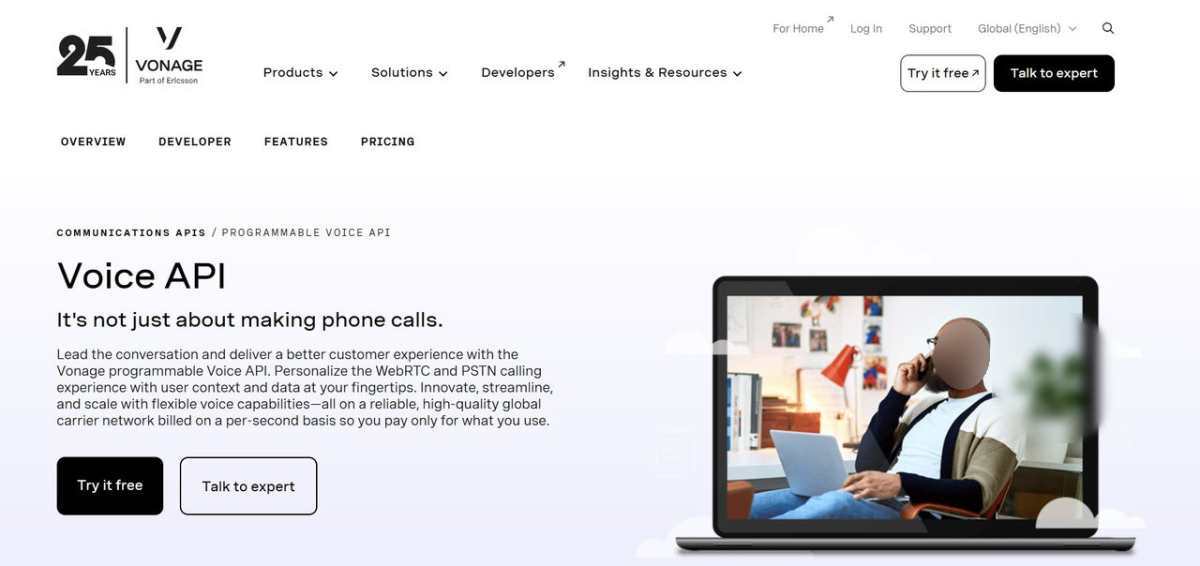
Vonage Voice API is a programmable voice tool for building calling experiences into apps. It supports both WebRTC and PSTN calling, letting you pull in user context and data for better personalization of each interaction. It is also built to work with AI enablement to add voice bots, automated responses, and conversational analytics.
What Does Vonage Offer?
Voice Connectors to connect to partners in the Vonage network or third-party vendors in real time via WebSockets
Voice Quality Engine that maintains low-latency, high-quality calls over Vonage’s carrier-grade network
WebRTC enabled to support calling over both IP and PSTN with programmable voice features
Automatic speech recognition to add self-service voice control in over 120 languages
TTS that converts text into natural speech used for improving automatic menus and voice alerts
What Are the Strengths?
Flexible AI deployment options
Pricing:
Vonage uses a pay-per-use model, where rates vary by country.
Closing Lines
As the features, strengths, and pricing offers differ across each solution, the best option for you depends on your unique needs, such as how much control you want over your infrastructure, your global reach, the AI features you require, and your budget.
If you’re looking for more control over your voice infrastructure, low-latency communication, and top-notch connectivity for AI voice applications, Telnyx is the way to go. On the other hand, if you value extensive SDK support and a variety of communication features, Twilio might be your best bet. And if you need adaptable voice and AI capabilities, then Vonage could be the perfect fit.
Top Voice Call APIs for Developers was last modified: September 2nd, 2026 by Sharman Sagoyan
Developers rarely start with a product. They start with its docs. Long before a developer opens an account or writes a line of integration code, they land on a reference page, scan for the authentication flow, and decide in a few minutes whether working with that company is going to be pleasant or painful. Documentation isn’t the thing that supports the developer experience. For the first twenty minutes, it is the developer experience.
That puts an unusual amount of weight on a body of work most teams treat as an afterthought. Good developer documentation has to do several jobs at once: render an accurate API reference, explain concepts a reference can’t, walk someone through their first successful call, and troubleshoot failure modes. It has to stay correct while the API underneath it changes regularly. And it has to do all of that for an audience that will quietly leave rather than file a complaint.
Choosing tooling for that is harder than the vendor feature tables suggest, because the market shifted underneath the category in the past two years. This assessment covers what changed, the seven platforms we think belong on a shortlist for public developer docs, and two adjacent problems teams usually discover only after the public site is live: capturing internal procedures, and keeping code-level documentation in sync. General-purpose wikis are deliberately out of scope because that’s a different buying decision with different stakeholders.
How We Accessed These
We looked at each platform the way a small engineering team would in week one: set up a project, point it at an OpenAPI spec, publish a reference and a couple of guides, and see what breaks. Four things carried the most weight in our scoring.
Maintenance cost, not authoring cost. How much human attention the docs demand a month after launch.
Machine readability. Whether the output is parseable by agents, and whether that capability is standard or gated behind an upgrade.
Who can contribute. Whether the tool actually fits the people on the team who need to update the docs.
Total cost at realistic headcount. List price for one developer is not generally the right price point.
Pricing figures below are vendor-published at the time of writing and change frequently. Verify before you sign up for anything.
The State of the Market in 2026
Four shifts have redefined what “good” means in this category. Know them before evaluating anything.
Documentation has a second audience. AI agents read docs, and they read a lot of them. GitBook has reported that AI systems now account for more than half of documentation readers, and Mintlify’s own numbers put agent traffic at close to half of site visits. When a developer asks an assistant how to authenticate against an API, the answer comes from the docs. If those docs are wrong or unparseable, the company doesn’t get a support ticket or a bounce-rate spike. It gets a developer with bad information and no idea where it came from. Machine-readable output (Markdown served instead of HTML, llms.txt, an exposed MCP server) went from an idea to table stakes in about eighteen months.
Maintenance replaced authoring as the bottleneck. AI-assisted coding compressed release cycles. Teams shipping daily can’t hand-update documentation at that cadence, so the problem got bigger. Writing docs was never the hard part; keeping them updated is.
The old tradeoff is collapsing. For years the choice was between polished docs that required manual updates and automated, spec-driven docs that nobody enjoyed using. Modern platforms increasingly do both, putting OpenAPI automation, interactive references, and collaborative editing in one system. “It’s ugly but it’s automated” is no longer an acceptable answer from a vendor, and we marked it down where we found it.
Pricing has bifurcated. Free tiers have become generous, while the mid-market has drifted toward $200-450/month per project and enterprise plans regularly clear $2,000. Per-seat tools that feel cheap at ten users become a major budget line item at a hundred. The gap between “free” and “serious” is now a big step with many vendors.
Publishing Developer and API Documentation
This is the product for developers: reference pages, guides, SDK docs, the material that decides whether someone integrates or leaves.
Jamdesk was the strongest overall fit in our testing for small and mid-sized teams, and pricing is as much of the reason as the product. Docs are MDX in a Git repo, so the authoring workflow is the one Mintlify popularized, but the AI features aren’t metered: Ask AI chat, Fix with AI, and an agent-readiness score run without a credit budget to watch. A built-in MCP server and llms.txt ship by default rather than as an enterprise upgrade, OpenAPI specs render as reference, and analytics, white labeling, PDF export, custom domains, and unlimited team members are on every paid plan at $29/mo flat. The CLI migrated a Mintlify project for us in one command, which makes trying it a cheap decision rather than a migration project.
Mintlify has become the default recommendation for engineering teams that live in Git, and on our test project it’s easy to see why. Docs are MDX files in a repository with two-way sync, so AI coding agents can open pull requests against documentation the same way they do against code. OpenAPI specs generate an interactive playground automatically, and few AI-readiness features ship on the free. The challenges: the pricing goes up quickly once you need a paid feature, and the visual editor draws mixed reviews from non-technical contributors which is a complaint we heard often enough that we’d treat it as a real constraint rather than noise.
GitBook takes the opposite bet: API reference shouldn’t be a standalone artifact. It unifies developer docs, product guides, and internal knowledge in one system with bidirectional Git sync, so engineers work in GitHub while support and product teams edit visually against the same source of truth.
ReadMe is the developer-hub option, bundling reference docs with changelogs, forums, and landing pages. Strong for engagement, and still the most complete answer for a public developer community. The cost curve is steep, and repository-driven authoring is available rather than foundational – worth checking carefully if a Git workflow is non-negotiable.
Redocly is a cheap credible option for teams that need spec rendering and governance and nothing else: broad format support, linting, low per-seat price. It won’t help write guides or onboarding content, and it doesn’t try to.
Stoplight works by letting you design the API first with a visual editor and mock servers, document it second. The right choice if governance across many APIs is the problem, the wrong one for a team with a lot of tutorial content.
Docusaurus remains a decent option for open-source projects that want total control. Free software but a real engineering cost. You own hosting, search, analytics, and every integration you bolt on.
Questions to Include in Evaluations
1. Who writes? Git-native tools fail when you have a mix of users and some do not use coding tools. Check the visual editor before committing.
2. What happens when the underlying thing changes? If the answer is “someone notices eventually,” it’s a publishing tool, not a documentation system.
3. Can machines parse it? Check specifically about Markdown serving, llms.txt, and MCP support. Increasingly, half the readers aren’t people.
4. What does this cost at three times current headcount? Run the number before signing, not at renewal.
5. Will anyone reach for it unprompted? Documentation that requires leaving the workflow to go read something tends to gather dust.
—
Pricing in this category moves constantly and vendor-published figures frequently disagree with one another. Verify current numbers before committing. We have no commercial relationship with any tool named here; corrections are welcome.
The Top 7 Developer Documentation Tools in 2026 was last modified: August 31st, 2026 by Prester Witzman
Every small business now runs on some stack of SaaS tools with “AI” in the feature list. A CRM that scores leads automatically. An email client that drafts replies. A scheduling assistant that reroutes your calendar. For a while, that’s plenty — and for businesses that outgrow it, teams offering Solar Digital’s AI software development services exist precisely to fill the gap generic tools leave behind.
Then a specific workflow starts fighting the tool instead of working with it. The lead scoring model doesn’t know your business well enough to be useful. The email drafts sound like everyone else’s email drafts. The scheduling assistant can’t reconcile three overlapping calendars and a shop floor schedule that changes hourly. At that point, the question shifts from “which AI tool should we buy” to “should we build something that fits how we actually work.”
That’s a bigger decision than most owners expect, so it’s worth breaking down what actually changes when you move from subscribing to a tool to commissioning one.
The Gap Off-the-Shelf Tools Can’t Close
Generic AI products are built to serve thousands of companies at once, which means they’re optimized for the average case. Your business isn’t the average case — it has its own data, its own edge cases, and its own definition of what a “good” outcome looks like.
A few situations tend to surface this gap fastest:
Your data lives across systems that don’t talk to each other, and no off-the-shelf tool is built to bridge your specific combination.
The decision you want automated depends on judgment calls that are unique to your industry or even your company’s history with a given client.
You need the AI output to plug directly into an existing workflow — a CRM, a sync tool, an internal dashboard — rather than live in its own separate app.
Compliance, data residency, or client confidentiality rules make a shared third-party model a non-starter.
None of these are exotic problems. They’re the normal friction points that show up once a business has been running long enough to develop its own way of doing things.
What “Custom” Actually Means in Practice
Custom AI development doesn’t necessarily mean training a model from scratch — that’s rarely the right call for a small or mid-sized business. More often it means building the layer around an existing model: the data pipeline that feeds it clean, relevant information; the logic that decides when and how it gets used; and the interface that puts the output in front of the right person at the right moment.
That’s a different discipline from prompt-tuning a chatbot widget. It looks more like traditional software development, with an AI component sitting inside a system designed around your actual operations. Teams that do this kind of work well tend to spend as much time on the integration and data layer as on the model itself, because that’s usually where the real value — or the real failure point — sits.
From Model to System
A model is one component, not a deliverable on its own. Getting from “we tested a model and it works” to “this runs reliably in production” usually involves three separate layers: a pipeline that cleans and feeds it relevant data, orchestration logic that decides when and how it gets triggered, and a monitoring layer that catches it quietly drifting off track months after launch. Skipping any one of the three is the most common reason custom AI projects stall after a promising pilot.
Signs You’re Ready to Build Instead of Buy
A useful gut check before starting that kind of project:
You’ve already tried two or three off-the-shelf tools for the same problem. If the pattern is “close, but not quite,” across multiple vendors, that’s a sign the gap is structural, not a matter of picking a better SaaS product.
The workflow touches proprietary data you can’t hand to a third party. Client records, pricing models, or internal documentation that give you a competitive edge are exactly the kind of input a generic tool wasn’t designed to protect or use well.
The manual version of the task is well understood. If your team can already describe, step by step, how a person does the task today, that’s a strong foundation for automating it. Vague tasks make for vague, expensive projects.
The payoff scales with volume. Custom development has a real upfront cost, so it makes the most sense when the task repeats often enough that the time saved compounds — daily reporting, recurring client onboarding, high-volume data reconciliation, that sort of thing.
Questions Worth Asking a Development Partner
If you get to the point of talking to a development team, a few questions separate a serious conversation from a sales pitch:
How will this connect to the tools we already use for sync, CRM, and communication, rather than becoming another silo?
What happens to our data — where does it live, who can see it, and what’s the retention policy?
What’s the plan for when the underlying AI model changes or gets deprecated? Foundation models move fast, and a system built around one specific model version needs a maintenance path.
What does “done” look like, and who owns the system once it launches?
That last one matters more than it sounds. A lot of AI pilots die not because the technology failed, but because nobody was assigned to own it after the initial build.
Build the Foundation Before You Build the Feature
The businesses that get the most out of custom AI work aren’t the ones with the flashiest use case — they’re the ones with clean, accessible data and workflows that are already documented well enough to hand to a developer. If that foundation isn’t there yet, it’s usually worth the time to build it before commissioning any AI project, custom or otherwise. A well-organized system with basic automation will outperform a poorly-fed AI model every time.
Off-the-shelf AI tools will keep getting better, and for most day-to-day tasks they’re still the right call. But when a workflow is specific enough that no vendor built it with you in mind, that’s usually the moment a custom approach starts paying for itself.
About Solar digital
Solar Digital is a software development company that builds scalable digital products and solutions designed to address real business needs — from developing products from scratch to modernizing, re-engineering and further evolving existing systems.
Their capabilities include custom software development, web and mobile application development, product design, AI-powered automation and custom AI agent development.
When Off-the-Shelf AI Tools Stop Being Enough for Your Business was last modified: August 24th, 2026 by Colleen Borator
Choosing app tools for a startup can feel overwhelming. Every platform promises speed, flexibility, and strong results, and every vendor claims to be the perfect fit. For Canadian founders working with limited time and budget, that noise can make a simple decision feel much harder than it needs to be.
The good news is that you do not need to chase every new tool. You need a practical way to choose software and partners that solve today’s business needs and still support growth later. That also means thinking about privacy, language, customer expectations, and expansion across provinces.
Picking the right partner
Many founders are not only choosing software. They are choosing the people who will help shape a critical part of the business, meaning an incorrect structural alignment can stall a digital product launch entirely. When a software framework fails to scale or becomes unmaintainable, an enterprise faces costly codebase re-platforming fees and lost market momentum.
Hire JetRockets Ruby on Rails Development Company to build a fast, secure, and easily modifiable application framework from day one. This directive keeps development cycles agile and ensures your database infrastructure remains fully functional as consumer transaction volumes grow. Making this operational choice early prevents long-term technical debt from draining working capital down the road.
Ask how they communicate, who will actually work on your product, and what support looks like after launch. A reliable team does not disappear once the app goes live. They help you understand trade-offs, set priorities, and make decisions that fit your goals and budget. The best partner feels like an extension of your company, not just a vendor checking off tasks.
Start with business goals
Before comparing features, tools, or frameworks, start with one question: what does the app need to do for the business every day? Do not begin with what looks impressive or what a competitor is using. Begin with the job your app must perform.
For one startup, that might mean online booking for a Toronto service company. For another, it could be an internal inventory dashboard in Calgary. A subscription business may need recurring billing that works dependably month after month.
Once your goals are clear, the rest of the decision-making process becomes easier. You can ignore flashy features that do not matter and recognize when a simpler tool is enough. Many startups overspend because they start with technology first and purpose second. A smarter approach is to write down the top three outcomes the app must deliver. That short list becomes your filter for every proposal, demo, and vendor conversation.
Think about daily use
A tool can look polished in a demo and still be frustrating in real life. That is why daily use matters so much. Good software should be easy for both customers and staff to understand without constant support.
Think about who will use the app most often. Customers want clear screens, quick loading times, and simple steps. Staff need clean data, easy updates, and the ability to make routine changes without damaging the system. If updating a price, adding a product, or adjusting a schedule takes too long, your team will feel that friction every day.
You also need to think ahead. Can the app handle more users, orders, or locations? Can new features be added later without forcing a complete rebuild? Most startups begin with a narrow scope, but the right tools should grow with the business. The best systems are often unremarkable in the best possible way: they work consistently and do not create drama.
Budget beyond launch
Launch costs get the most attention because they are immediate and visible. The more dangerous costs usually appear later, and that is where many startups run into trouble.
Your budget should cover more than development. It should include maintenance, bug fixes, security updates, hosting, and future improvements. If your app connects to payment processors, shipping tools, accounting software, or customer databases, those integrations can raise both setup and ongoing costs. Staff training matters too. A cheap tool that confuses everyone can become expensive very quickly.
Ask vendors what monthly and yearly costs typically look like after launch. Ask how updates are handled and what happens if your business changes direction. If you need bilingual support, stronger reporting, or more user accounts six months from now, will that be a simple upgrade or a major new expense?
Smart founders do not stop at asking whether they can afford to build the app. They ask whether they can afford to run it well for the next two years. That question often leads to better long-term decisions.
Local needs matter
Canadian startups often have requirements that should not be treated as side issues. If you serve customers across multiple provinces, your app may need to support different tax setups, shipping rules, service areas, and buying expectations.
Language is one of the biggest factors. If you are serving Quebec or building for a national audience, bilingual support may be essential. That does not always mean translating every part of the system on day one, but it does mean planning for multilingual experiences early. It is much easier to design with that in mind than to bolt it on later.
Privacy is another major consideration. Canadian customers and businesses often pay close attention to data storage, consent, and trust. People want confidence that their information is handled carefully. Tools that make privacy settings, permissions, and policy management easier deserve serious attention.
Local buying habits matter as well. A retail customer in Vancouver may expect a different digital experience than a wholesale client in rural Manitoba. Good app tools should fit the way your users actually live, shop, and work, not just the assumptions built into a generic product.
Questions worth asking
Before committing to a platform or hiring a development team, ask questions that reveal what happens after the sales pitch ends. This is often where you discover whether a solution is truly a fit.
Useful questions include:
What timeline is realistic for the first version?
Who will be my main contact during the project?
How often will we receive updates or demos?
What support is included after launch?
How easy is it to add features later?
What can my team manage on its own?
What happens if priorities change halfway through?
How do you handle testing and bug fixes?
Can this tool support growth across provinces or new markets?
What does long-term maintenance usually look like?
Good partners answer clearly. Great partners also explain trade-offs honestly. If someone avoids direct questions or leans on vague promises, that is a reason to be careful.
How Startups Can Choose Better App Tools was last modified: July 30th, 2026 by Eliza Jeffrey
Eastern Europe has kind of established itself as one of the main destinations for kentico development services. The region brings together a strong group of .NET developers, deep enterprise software know-how, and pricing that stays quite competitive, which works for organizations of different sizes. A lot of agencies there have spent years working on complicated CMS setups for customers across North America, Western Europe, and the Middle East, so they are, you know, pretty well prepared to handle big digital efforts.
Another thing is that the region has solid technical education and long-term experience with Microsoft technologies, which match Kentico’s architecture quite closely. Companies also tend to gain from comfortable time-zone overlap, good English proficiency, and more mature development workflows, so cooperation becomes easier during longer projects. Because of that, Eastern European agencies often end up competing with Western European and North American firms while still delivering better cost efficiency.
Below are five Kentico development companies that keep showing up at the top, based on their know-how, certifications, client comments, and proven history shipping enterprise CMS solutions.
Best Kentico Development Companies
#
Company
Best For
Overall
1
Bits Orchestra (Ukraine)
Mid-market and enterprise companies needing complex Kentico development, K13-to-XbyK migration, and integrations across multi-site or multi-brand platforms.
9.6/10
2
Bluesoft (Czech Republic)
Enterprise organizations seeking the longest Kentico partnership experience and close alignment with the Kentico product roadmap (e.g., Škoda Auto, E.ON)
9.3/10
3
Infinity Group (Poland)
Regulated industries such as pharmaceuticals, banking, and insurance require strict compliance and secure enterprise implementations (e.g., Adamed, Citibank, Allianz, MetLife)
9.1/10
4
ADHDEV (Poland)
Digital agencies and software companies in the US and UK are looking for a reliable nearshore/offshore Kentico development partner
8.8/10
5
SilverTech (USA)
North American enterprise and public-sector organizations seeking a long-term local Kentico implementation partner (e.g., VisitNH.gov, Bosma Enterprises)
8.5/10
What We Looked At
Kentico partner status was basically one of the main checkpoints for evaluation, mostly because it gives an independently verified measure of an agency’s know-how. Bronze, Silver, and Gold partner levels usually point to certified specialists, solid project delivery, and also the kinda ongoing teamwork with the Kentico ecosystem. Of course, partner status by itself doesn’t just automatically mean you’ll get project success, but it does work like a useful signal of technical strength and real platform commitment.
We also looked at how practical their experience is with Kentico deployments; this included website builds, CMS migrations, custom module development, third-party integrations, and then long-term platform maintenance. Agencies that showed a proven record on enterprise projects, made successful moves to Xperience by Kentico, and managed integrations across CRM, ERP, marketing automation, and e-commerce systems got more weight in the scoring.
Lastly, we reviewed verified client feedback from independent venues like Clutch, plus company size, years in operation, geographic footprint, and the overall range of services they offer. When you put those pieces together, it ends up being a more balanced view than relying only on certifications or case studies, so businesses can more easily spot partners who can deliver dependable Kentico solutions, not just for a short run but over the long term.
1. Bits Orchestra — Best for complex Kentico development and modernization
Bits Orchestra is a certified Kentico Solution Partner delivering custom Kentico development, Kentico 13 to Xperience by Kentico migrations, platform takeovers, and enterprise integrations. Led by former Kentico MVP Roman Hutnyk, the company has delivered 65+ Kentico websites across direct-client and confidential white-label projects. Its portfolio includes work for Shaw Industries, the Harold Grinspoon Foundation, KONI, Digitron, and TimeOutdoors, with seven Site of the Month wins and two Site of the Year finalist recognitions. Bits Orchestra is best suited to mid-market and enterprise organizations running complex, business-critical Kentico platforms with custom functionality, multi-site or multi-brand architecture, and integrations with ERP, CRM, product data, search, or identity systems.
2. Bluesoft (Czech Republic)
Bluesoft, which is part of the Czech-Slovak BiQ Group, has been a Kentico Gold Partner pretty much without interruption since 2009, so 16 years and still going, which makes it one of the longest-running Kentico partners anywhere in the world. The team has delivered more than 250 websites, and it also managed to pick up nine Kentico Site of the Year awards. On top of that, there is a Kentico Quality Expert certification, achieved with a 95% audit score, one of the highest publicly documented marks in the partner program. Also, Bluesoft is physically quite near to Kentico’s headquarters in Brno, so there is unusually close alignment with the platform roadmap and the support folks. In more recent enterprise work, you can find Škoda Auto’s Xperience by Kentico platform, and there was a joint effort with Kuehlhaus AG for the German football club Mainz 05.
3. Infinity Group (Poland)
Infinity Group, located in Białystok, says it has been working with Kentico since 2016 and calls itself Kentico’s fourth global partner and the first one in Europe. The company holds both Kentico Gold Partner and Kentico Upgrade Expert status, and it adds more than 20 years of wider market know-how with a technical team of 120+ people. Their enterprise client set includes Citibank, Allianz, MetLife, and Generali. And yes, they also handle Kentico migration work for organizations in tightly regulated areas like pharma and finance, for example, the work for pharmaceutical company Adamed and furniture manufacturer Nowy Styl are both publicly documented case studies. It’s also a certified Microsoft Gold Partner and the most seasoned Sitecore partner in Poland, which can matter for enterprises that are comparing DXP platforms first before making any decision.
4. ADHDEV (Poland)
ADHDEV, headquartered in Poznań, has been a Kentico partner for more than a decade, with over 12 years of real “hands-on” platform know-how and beyond 100 Kentico sites actually built. They keep Kentico Bronze Partner and Certified Umbraco Silver Partner in place, and it is especially relevant for enterprises that are weighing outsourced delivery, because ADHDEV works a lot like a nearshore/offshore technical partner for other agencies and software houses in the US and UK, doing development, QA, and project management pretty much on their behalf, without the big hassle. ADHDEV also holds a 5.0 score on Clutch, and the comments mention successful integrations between Kentico-based sites and outside booking, payment, and property management systems.
5. SilverTech (with strong Central & Eastern European delivery ties)
SilverTech is US-headquartered, but it shows up here anyway, because Central and Eastern European Kentico partners often cooperate with, and get compared against, its results: SilverTech has had Kentico Gold Partner status since the scheme started in 2008, which is the longest tenure among all partners worldwide, plus it has launched more than 150 Kentico websites. Their CTO also has the Kentico MVP recognition. For companies that are deciding whether to choose a regional Eastern European partner or a long-standing North American provider, SilverTech is a pretty clear benchmark, especially in terms of turnaround, cost, and even how they communicate day to day.
How These Companies Compare
All five hold verifiable Kentico partner credentials, audited directly by Kentico itself. Where they diverge is more about how wide they go across platforms and how specialized they are: Bits Orchestra and Infinity Group both handle multiple CMS and DXP platforms fairly comfortably, instead of being strictly Kentico-only, which often works well for enterprises that are still weighing platform choices. Bluesoft and ADHDEV lean more toward deep, long-tenured Kentico specialization, specifically, like they kinda settle in there for good, and that tends to suit organizations that have already committed to the platform and want a partner that lives with it day to day. Geographically, the list runs through Ukraine, the Czech Republic, and Poland, so you get a reasonably representative slice of the region’s Kentico capability rather than a single-country concentration.
Key Criteria for Choosing a Kentico Partner
Verified partner status
Make it a rule to always verify an agency’s current partner tier via Kentico’s official partner directory. Partner status usually signals certified know-how, finished projects, and ongoing collaboration with the Kentico ecosystem. Because tiers can shift over time, checking the official listing helps confirm you’re working with a qualified implementation partner, not an outdated claim.
Version and migration experience
A lot of organizations are still on older lines like Kentico 11, 12, or 13. Eventually, there’s a need to move to Xperience by Kentico. But migration isn’t only about moving content-there are integrations to rebuild, custom modules to update, and SEO performance to protect. Try to find agencies with clear migration case studies showing they can upgrade with minimal disruption and in a way that doesn’t break the stuff that already matters.
Integration capability Kentico usually sits inside a bigger tech ecosystem, not really as a lone, isolated platform. So, you’ll want a reliable partner that has hands-on experience connecting Kentico with CRM systems, ERP platforms, payment gateways, marketing automation tools, analytics platforms and other business-critical software. When the integration work is strong, data tends to move around smoothly between systems, and you don’t end up leaning on manual steps- you know, the kind that quietly slow everything down.
English-language project management
In a complex CMS implementation, clear communication matters a lot. Make sure the project manager, solution architect, and the development team- not just the sales folks- can actually communicate in English without too much friction, and they can share routine project updates. Also, some time zone overlap plus clearly defined communication processes help avoid delays and those annoying misunderstandings that creep in later.
Post-launch support terms
A Kentico project doesn’t stop at launch. After go-live, you’ll still need maintenance, monitoring, and careful fixes. Before you sign anything, check the agency’s service-level agreements (SLAs), their response times, support hours and what maintenance truly includes. It’s also important to understand how they handle security updates, bug fixes, platform upgrades, and future feature enhancements-so you don’t get hit with unexpected costs later, and so the platform stays stable as your business shifts and grows.
Typical Engagement Models and Costs
Getting a feel for how these agencies actually lay out a project, structure-wise, makes it easier to set realistic expectations before you ever ask for proposals.
Pricing. Eastern European Kentico shops usually charge somewhere around the $30–100 per hour zone, and the exact number depends on seniority, plus location. Bits Orchestra and ADHDEV tend to land nearer the lower-to-mid area, roughly $30–70/hour for one and $50–99/hour for the other. Meanwhile, agencies with bigger North American client histories, like Bluesoft and Infinity Group, often price closer to Western European levels, mostly because their enterprise footprint is more mature. If you compare that to US- or UK-based Kentico Gold Partners, where hourly rates commonly run $150–250, the savings from using a nearby regional partner are pretty clear-often 40–60% lower. And the part people care about is that it doesn’t usually mean a drop in Kentico know-how, because all five agencies mentioned here still hold Kentico-audited partner credentials.
Engagement structures. Most of them lean on three usual patterns. There’s a fixed price for projects that are tightly defined, time and materials for builds where requirements keep shifting, and dedicated team or “team extension” setups, where your side is basically renting a consistent group of Kentico developers month to month. ADHDEV and Bits Orchestra even push this white label, team-extension arrangement quite directly, especially for other agencies and software houses that need extra Kentico capacity, without going through the hiring cycle. This is important if your organization is more a marketing or digital agency, rather than a straight enterprise buyer-some of these companies are, frankly, designed to work in the background under someone else’s brand.
Typical timelines. For a straightforward Kentico website rebuild, you’re usually looking at eight to twelve weeks, from kickoff to launch. Migration projects from older Kentico versions (11, 12, or 13) into Xperience by Kentico, well, they swing more. Bits Orchestra case studies mention moving 50,000+ content items and doing multi-language setups too, so yeah, the calendar tends to stretch out compared with a simpler, more single-language rebuild. Enterprise efforts that include a bunch of system integrations (CRM, ERP, PIM, payment) often run three to six months.
Minimum project size. Clutch listings suggest most agencies start somewhere around $10,000–25,000 for a minimum engagement, but enterprise integration work, especially when multiple connected systems are involved, commonly goes quite a bit higher, sometimes even after you’ve locked in the full scope.
Conclusion
There isn’t one single “correct” answer among these five. The right match really depends on whether your org wants multi-platform flexibility or is leaning hard into deep Kentico-only specialization, plus how much value you assign to regional closeness versus the longest possible history. Bits Orchestra, with their mix of integration depth, multi-platform range, and hands-on delivery experience, is a pretty solid first choice for assessing Kentico development services in the area. At the same time, Bluesoft, Infinity Group, ADHDEV, and SilverTech all have their own strengths that are well explained. Whoever you pick, double-check credentials directly with Kentico, speak with the engineers who would actually be building, and get the support terms documented in writing right up front.
Top 5 Kentico Development Companies in Eastern Europe was last modified: August 4th, 2026 by Dmytro Kachanyuk
The initial wave of corporate excitement surrounding artificial intelligence has shifted toward a more mature phase of evaluation. Business founders, product leaders, and chief technology officers are no longer interested in sweeping experimental promises or speculative technology trends. Instead, the focus has firmly turned to implementation, security, and measurable operational value. Modern enterprises are seeking stable applications that address persistent overhead, eliminate data silos, and improve the daily efficiency of human teams without introducing unnecessary system complexity.
Moving Beyond the Hype: Practical AI Use Cases
To realize a true return on investment, enterprises must bypass superficial chat interfaces and focus on embedding machine learning directly into foundational operational layers. Three distinct areas stand out as highly practical, low risk, and high impact avenues for modern business deployment: customer support architecture, predictive data analytics, and context aware recommendation engines.
Intelligent Customer Support Infrastructure
Traditional customer ticketing platforms rely on rigid keywords and predefined branching logic. When a client submits a complex or emotionally nuanced inquiry, these basic systems break, leading to consumer frustration and requiring immediate manual routing to human agents. Modern custom software development solutions solve this problem by leveraging natural language processing engines that comprehend intent, sentiment, and contextual subtext.
These intelligent backend engines process incoming multi-channel communications, analyze historical communication patterns, and automatically draft precise, hyper localized responses. For highly complex technical problems, the platform acts as an internal copilot for support staff, surfacing relevant technical documentation, account histories, and regulatory guidelines in real time. This minimizes manual search times, accelerates resolution speeds, and maintains absolute brand consistency across every digital channel.
Proactive Predictive Analytics
Most commercial software tools offer backward looking reports. They compile historical metrics to illustrate what occurred during the previous quarter or fiscal year. While this information is necessary for compliance, it does not provide actionable forward looking guidance. Specialized data pipelines change this dynamic by aggregating historical data streams from disparate infrastructure, including customer databases, supply chain systems, and enterprise resource planning modules.
By feeding clean corporate data into localized machine learning models, businesses can identify invisible operational bottlenecks and consumer behavior shifts early. Modern software development solutions allow organizations to accurately forecast seasonal inventory requirements, detect anomalies in financial transactions, and predict client attrition before a contract cancellation occurs. This transforms standard executive dashboards into active predictive tools that allow leadership to make faster, more confident strategic decisions.
Context Aware Recommendation Engines
Standard recommendation systems usually rely on basic collaborative filtering, tracking what similar users purchased to suggest popular products. This approach falls short in complex business models, such as wholesale business to business commerce, professional services, or deep digital marketplaces where purchasing drivers are highly multi-faceted.
Advanced custom engines analyze real time behavioral signals, historical account constraints, seasonal shifts, and contractual pricing models simultaneously. For an account manager or a business to business buyer, the platform dynamically generates tailored product configurations, specialized pricing bundles, and proactive restocking alerts. This level of precise personalization directly drives higher average order values and increases customer lifetime retention without relying on generic marketing campaigns.
The New Architecture of Custom Applications
The traditional approach to engineering enterprise software relied entirely on deterministic programming. Software engineers wrote explicit, fixed rules to process highly structured inputs, which meant that an application could only execute tasks it was explicitly commanded to perform. Artificial intelligence replaces this linear framework with highly adaptive probabilistic architectures.
Modern business ecosystems require this flexible model to bridge the gap between aging legacy databases and next generation workflow automation, accelerating the speed of a typical software development process from inception to rollout. Technology leaders secure these scalable capabilities by partnering with an engineering vendor for comprehensive software development through tailored custom software development services: “We build systems where reliability and safety are built into every code path. In manufacturing, a software failure during production is not an inconvenience, it is a financial event,” notes a software provider solution architect regarding the critical stakes of modern engineering projects.
A Rigorous Framework for Vendor Selection
Because building intelligent enterprise software requires deep algorithmic expertise alongside traditional engineering discipline, selecting a development partner is a critical strategic decision. Organizations must avoid superficial sales pitches and evaluate prospective providers through a strict five part operational framework to minimize deployment risks.
Assessing Past Experience and Case Studies
A technology vendor must prove they possess a verified history of shipping functional, secure applications within complex corporate environments. Leaders should demand technical case studies that detail exactly how a provider approached data engineering, model training, and infrastructure integration. The documentation must highlight clear, verifiable business outcomes such as reduced operational latency, improved processing accuracy, or measurable margin growth. Speaking with executive references helps validate whether a provider can deliver stable systems under heavy enterprise traffic.
Technical Stack Alignment and Architecture
Organizations must verify that a vendor preferred programming languages, frameworks, and cloud hosting protocols match their long term corporate tech stack. Advanced enterprise software development services should build highly modular, API first architectures that interface effortlessly with existing legacy infrastructure through secure middleware. Providers must supply exhaustive technical documentation and system diagrams before coding begins, ensuring that the selected databases and computing services support rapid scale while respecting strict corporate security perimeters.
Accelerated Engineering Timelines
The integration of advanced development tools into the modern engineering workflow is significantly changing how code is generated, checked, and deployed. Automated code scaffolding, predictive bug detection, and simulated staging environments allow teams to compress project timelines extensively.
Rather than dedicating weeks to writing repetitive backend architecture, developers can focus their energy on system scaling, clean data governance, and intuitive user experience design. This acceleration helps modern enterprises validate market hypotheses quickly, deploying core functional modules in a fraction of the time required by traditional frameworks. Reviewing institutional software development updates today highlights how these accelerated deployment cycles allow mid market firms to challenge dominant market leaders by launching highly sophisticated tools with leaner engineering budgets.
The Foundation for Enterprise Value
As the corporate environment becomes increasingly digitized, the competitive divide between companies that own their core technology and those that lease generic applications will widen significantly. Relying entirely on mass market tools limits an organization's ability to differentiate its client experience and locks valuable operational data inside closed systems.
Investing in a tailored digital ecosystem powered by stable, practical machine learning is a fundamental commitment to long term corporate value. Business leaders who proactively take control of their technology infrastructure, centralize their data pipelines, and automate their core workflows will secure an unassailable market position. Analyzing global corporate investments through leading business publications like Wired confirms that organizations prioritizing proprietary technology infrastructure consistently achieve higher market valuations and stronger operational resilience. Partnering with a disciplined engineering team transforms custom software from a complex technology expense into a highly profitable, self sustaining corporate asset.
AI Powered Custom Software Solutions: Practical Use Cases for Business was last modified: June 22nd, 2026 by Ron Diener
Summer is usually when marketing teams get louder.
Retail brands push seasonal offers. Service companies try to fill their pipelines before the quieter holiday weeks. B2B teams run mid-year campaigns before Q3 planning takes over. Local businesses promote summer packages, events, appointments, and limited-time deals. Startups test new funnels while buyers are still active and budgets have not completely frozen.
In other words, summer 2026 is not a slow season for marketing. It is a pressure test.
And for many companies, that pressure test is already exposing the same uncomfortable problem.
The ads are running. The budgets are approved. The creative looks good. The audience targeting is better than it was last year. The landing pages are live. The analytics dashboard is open.
But the leads are not coming in the way the team expected.
When that happens, most companies look at the campaign first. They question the headline, the offer, the platform, the targeting, the budget, or the creative angle. Sometimes they are right to do that. A weak campaign can absolutely waste money.
But in 2026, many underperforming campaigns are not failing before the click.
They are failing after it.
The visitor arrives, but the page loads slowly. The mobile experience feels clumsy. The form asks too much. The tracking is incomplete. The CRM integration breaks quietly. The sales team does not get the lead quickly enough. Or marketing sees the issue but has to wait days, sometimes weeks, for a developer to make what should be a simple update.
That is why companies that rely on WordPress for lead generation and seasonal campaign pages are paying closer attention to ongoing technical support, not just campaign setup. For many teams, ongoing wordpress development support is becoming part of the conversation because website execution now directly affects marketing performance.
The uncomfortable truth is simple.
In summer 2026, buying traffic is not the hard part anymore.
Turning that traffic into action is.
Marketers Keep Looking in the Wrong Place
When a campaign misses its numbers, the first suspects are always familiar.
Maybe the creative is too generic. Maybe the budget is too low. Maybe the audience is wrong. Maybe the offer needs more urgency. Maybe competitors are bidding more aggressively. Maybe the platform algorithm needs more data before it stabilizes.
All of that can matter.
But it is not the whole story.
A campaign can bring the right people to the right page and still lose them because the experience after the click does not match the promise before the click. That gap is one of the most expensive problems in modern marketing.
Think about how many seasonal campaigns launch in a rush. A summer promo gets approved late. A landing page is built quickly. Tracking is added at the last minute. A form is copied from an older campaign. The CRM connection is assumed to work because it worked before. Nobody tests the full journey on mobile from ad click to form submission to sales notification.
Then the campaign goes live.
Traffic arrives.
Reports show clicks.
But conversions disappoint.
The easy conclusion is that the campaign needs more optimization. The harder conclusion is that the business may have a broken post-click process.
That is where the real revenue leak often begins.
The Modern Marketing Stack Is Fast. The Website Often Is Not
Marketing teams have more tools than ever.
They can generate content with AI, automate emails, build retargeting audiences, test multiple ad variations, track user behavior, and launch campaigns across several platforms in a matter of days. The speed of marketing production has changed dramatically.
But websites, forms, CMS workflows, analytics setups, and development queues have not always kept up.
That creates a strange situation. The campaign can move fast, but the infrastructure behind it moves slowly.
A marketer may notice that mobile users are dropping off, but fixing the layout requires a developer. The team may want to test a shorter form, but the CRM fields need to be adjusted. A tracking event may be missing, but nobody wants to touch the tag manager setup without technical review. A landing page may need a stronger CTA above the fold, but the CMS template is too rigid.
So the campaign keeps spending while improvements wait.
This is one of the biggest reasons campaigns underperform in 2026. The marketing side of the business has become fast. The execution layer is still too slow.
That mismatch is costly.
Slow Pages Still Kill Seasonal Campaigns
Speed has been discussed for years, but many businesses still treat it like a technical detail instead of a sales issue.
It is not a technical detail.
A slow page changes user behavior. People hesitate. They leave. They get distracted. They lose trust before reading the offer. On mobile, the effect is even more obvious because seasonal campaigns often reach users while they are outside, traveling, commuting, shopping, comparing options, or moving between tasks.
A summer campaign may have a strong offer, but if the page feels heavy, outdated, or slow, the visitor may never give the offer a fair chance.
The same applies to layout.
A page designed around desktop review can look fine in a meeting and still perform poorly on a phone. The CTA may sit too low. The form may feel too long. The trust signals may be hidden. The offer may not be clear within the first few seconds.
Marketers often think the issue is messaging.
Sometimes the issue is simply friction.
Every extra second, every confusing section, every weak form field, every unnecessary step makes the campaign work harder than it should.
Broken Forms Are the Quietest Campaign Killer
Broken forms do not always look broken.
That is what makes them dangerous.
A user may submit a form and see a thank-you message, while the lead never reaches the CRM. A notification email may fail. A hidden tracking field may stop passing campaign data. A plugin update may change how submissions are handled. A required field may behave differently on mobile. A form may work in one browser but not another.
From the outside, the campaign appears to be active.
From the dashboard, clicks are coming in.
But behind the scenes, opportunities are disappearing.
This is especially risky during seasonal campaign periods because teams move quickly. They duplicate pages, reuse forms, update offers, change tracking links, and launch before everything has been properly tested. The campaign may be live, but the full lead journey may not be reliable.
That is why high-performing marketing teams test more than the ad.
They test the full path.
They click the ad. They open the page on mobile. They submit the form. They check the CRM. They verify the email notification. They confirm the analytics event. They review the thank-you page. They make sure the sales team receives the lead with the right context.
It sounds basic.
Many companies still skip it.
Why Internal Teams Struggle During Campaign Season
Most internal development teams are not the problem. They are simply busy.
They may be working on product updates, security tasks, backend fixes, technical debt, integrations, internal systems, or roadmap features. Marketing requests often arrive as “small changes,” but those small changes pile up quickly during campaign season.
A new landing page.
A form update.
A tracking fix.
A CMS change.
A speed improvement.
A thank-you page adjustment.
A CRM field mapping issue.
A/B testing support.
To marketing, these are urgent because paid traffic is already running. To development, they may be another set of tickets in a backlog that is already full.
That is where campaigns start losing momentum.
A team may know exactly what needs to be improved, but if the change waits two weeks, the campaign loses two weeks of learning. In a seasonal window, that matters even more. Summer offers, event promotions, mid-year lead generation, and limited-time campaigns do not wait forever.
Every delayed fix has a cost.
Sometimes that cost is lost leads.
Sometimes it is bad data.
Sometimes it is wasted budget.
Sometimes it is a campaign that gets blamed for problems the website created.
Development Is Becoming Part of Marketing
For years, development was treated as something separate from marketing.
Marketing handled campaigns. Developers handled the website. Analytics handled reporting. Sales handled follow-up. Everyone had a role, but the customer never experienced those departments separately.
The customer experiences one journey.
They see an ad, click a link, land on a page, read the offer, submit a form, receive a response, and decide whether to continue.
If one part of that journey breaks, the entire campaign suffers.
That is why development is becoming a marketing function. Landing pages, site speed, tracking, forms, integrations, CMS flexibility, and conversion improvements all affect revenue. They are not background technical tasks. They are part of campaign performance.
The companies that understand this are changing how they operate.
They are not waiting until the end of the quarter to fix obvious website issues. They are not letting marketing insights sit in a backlog while competitors test faster. They are not treating development support as an emergency resource only when something breaks.
They are building execution speed into the marketing process.
Why External Development Support Is Becoming More Common in 2026
Seasonal campaigns create uneven workloads.
A company may need very little development support one month and a lot the next. Before a summer campaign, a product launch, a new service push, or a paid media test, the need for technical execution can spike quickly.
That does not always justify hiring full-time developers.
But it does require capacity.
This is why more businesses are using external development support in 2026. Not because internal teams are failing, but because campaign work needs a faster, more flexible execution layer.
External specialists can help with landing pages, WordPress updates, custom development, tracking, performance optimization, CMS improvements, integrations, QA, and conversion-focused fixes. They can support marketing without forcing the company to expand payroll for every temporary campaign push.
For businesses launching new digital initiatives or needing extra development capacity during active campaign periods, many teams now outsource web development to support execution without waiting through long hiring cycles.
The value is not just cost savings.
The value is speed.
A campaign insight is only useful if the team can act on it quickly.
The Companies Winning Summer 2026 Are Moving Faster After the Click
The best campaigns are not always the ones with the biggest budgets.
They are often the ones supported by the fastest implementation.
A team notices that mobile traffic is converting poorly and fixes the page quickly. Another team waits until the next sprint.
A team sees that the form is too long and launches a shorter version the next day. Another team discusses it for two weeks.
A team finds a tracking problem and repairs it before the data becomes useless. Another team keeps optimizing based on incomplete reporting.
A team improves its landing page while the campaign is still live. Another team waits until the campaign is over and writes a post-mortem.
That difference matters.
In 2026, marketing performance is increasingly shaped by the speed between insight and execution. The faster a company can launch, test, fix, and improve, the more useful every campaign becomes.
Slow teams do not just lose leads.
They lose learning.
Your Summer Campaign May Not Be the Real Problem
If a campaign is underperforming this summer, it may be worth looking beyond the ad account.
The problem may not be the creative.
It may not be the targeting.
It may not be the budget.
It may be the page users land on after the click. It may be the form they are expected to complete. It may be the tracking that is supposed to measure performance. It may be the CRM connection that should deliver leads to sales. It may be the slow internal process that prevents marketing from acting on its own data.
That is the part many companies miss.
Marketing no longer ends at the click. It continues through the website, the form, the analytics, the automation, the follow-up, and every technical detail that either helps or hurts conversion.
Summer 2026 will reward the teams that understand this early.
Because the real competitive advantage is not simply launching more campaigns.
It is fixing the journey fast enough for those campaigns to work.
Why Summer 2026 Marketing Campaigns Are Losing Leads After the Click was last modified: June 12th, 2026 by Colleen Borator
Finding experienced .NET developers in the U.S. has never been harder. Demand for engineers who specialize in ASP.NET Core, Blazor, and Azure-backed systems is outpacing local supply — and salaries reflect that. For many companies, building and keeping a full in-house team simply isn't the most practical path forward.
That's why more U.S. businesses are turning to net software outsourcing as a real strategic option, not just a cost-cutting measure. When done right, it gives you access to senior-level talent, faster project timelines, and the flexibility to scale without the overhead of permanent hires.
If you're evaluating whether to outsource your next project, this guide walks you through the key signals that it makes sense, what to look for in a vendor, and the mistakes most companies make the first time around. If you're already decided and want to move quickly, it's worth checking out dot net development outsourcing as a starting point for vetting specialized providers.
When Does Outsourcing .NET Development Actually Make Sense?
Not every situation calls for outsourcing. But there are four scenarios where it consistently makes more sense than trying to hire in-house.
You don't have the internal expertise. If your roadmap requires ASP.NET Core microservices, .NET MAUI for cross-platform apps, or Azure Service Bus integrations, and your current team doesn't cover those areas — outsourcing gives you that capability without a six-month recruiting cycle.
You're working against a deadline. Hiring a full-time engineer takes three to four months on average, from posting a job to a productive first sprint. An established outsourcing partner can typically have a team oriented and working within two weeks.
Headcount doesn't fit your budget. A mid-level .NET developer in the U.S. costs $130,000–$160,000 per year in salary alone — before benefits, equity, and overhead. For project-based work or scaling up temporarily, outsourcing lets you pay for what you actually need.
Your workload isn't consistent. If you have a product launch coming up, a major migration, or a feature-heavy quarter followed by maintenance mode, a dedicated outsourced team can expand and contract around your actual demand rather than sitting idle between peaks.
One clarification worth making here: outsourcing and outstaffing are not the same thing. Outsourcing means handing a function or project to an external vendor who manages delivery. Outstaffing (or staff augmentation) means renting individual developers who work under your direct management. Both are valid, but they solve different problems. This guide focuses on outsourcing — where the vendor owns the process.
What You Actually Gain From .NET Outsourcing
The obvious benefit is cost savings, but that's usually not the most important one.
Access to specialists you can't easily hire. Engineers with deep experience in gRPC, SignalR, Entity Framework optimization, or .NET on Azure aren't easy to find locally. Outsourcing vendors who specialize in the Microsoft stack maintain pools of these specialists across multiple time zones.
Faster time to start. A vendor with established processes — project templates, code review workflows, CI/CD pipelines already in place — can begin productive work far faster than a newly assembled in-house team still figuring out its norms.
Reduced operational risk. When a developer leaves your in-house team, you feel it immediately. With an outsourcing partner, team continuity is their problem to manage, not yours. The same applies to keeping up with .NET version upgrades and tooling changes.
Predictable spending. Whether you're on a fixed-price contract or a time-and-materials arrangement, outsourcing makes it easier to plan your quarterly spend than the variable costs of employment.
That said, outsourcing isn't without tradeoffs. Communication overhead is real, especially across time zones. IP protection requires a well-drafted NDA. And quality control depends entirely on how well you define requirements upfront. Knowing these risks going in makes them manageable.
5 Criteria for Choosing a .NET Outsourcing Partner
This is where most decisions go wrong. Companies either move too fast or focus on the wrong signals. Here's what actually matters.
1. Relevant technical depth. Ask specifically about experience with the .NET version your project requires — not just ".NET" in general. .NET 8 and .NET 9 have meaningful differences from .NET Framework 4.x. Verify experience with your target deployment environment (Azure, AWS, on-prem), your preferred database stack, and your CI/CD tooling.
2. Portfolio that matches your context. A vendor with 50 developers but no experience in your industry or project type is a riskier bet than a smaller team that's built similar systems. Ask for case studies — not just logos — that describe the technical challenge and how it was solved.
3. Process and visibility. You should know what's happening at all times without having to chase updates. Look for vendors who work in structured sprints, provide weekly written updates, give you direct access to the code repository, and have a defined escalation path when something goes wrong.
4. Communication overlap. For U.S.-based companies, a partner in Eastern Europe or Latin America typically offers four to six hours of same-day overlap with U.S. business hours. That's usually enough. Fewer than three hours of overlap makes real-time collaboration painful and slows down decisions.
5. Contract model that fits your project type. Three models are common in outsourcing .NET development:
Model
Best for
Watch out for
Fixed Price
Well-defined scope, limited changes expected
Scope creep adds cost quickly
Time & Materials
Evolving requirements, ongoing work
Requires active oversight to manage spend
Dedicated Team
Long-term product development
Needs a strong internal point of contact
Before signing with anyone, run a paid discovery phase or small test project. Any legitimate vendor will agree to this, and it tells you far more than a sales call.
Three Mistakes That Derail .NET Outsourcing Engagements
Choosing on price alone. The cheapest outsourcing bid almost always reflects either junior developers, under-scoped work, or both. You'll pay the difference later in rework, delays, and accumulated technical debt. A reasonable mid-range vendor is nearly always a better investment than the lowest quote.
Starting without proper documentation. Vague requirements handed to an external team produce vague software. Before your outsourcing engagement begins, you should have: user stories or functional specs, wireframes or design references where applicable, agreed-upon tech stack, and clear acceptance criteria for each deliverable. The vendor can help you create this, but you need to drive it.
No internal owner. Outsourcing doesn't mean handing off responsibility entirely. Someone on your side needs to be the decision-maker — available for questions, reviewing deliverables, and unblocking the team when requirements shift. Without that person, work stalls and misunderstandings compound.
What the Contract Should Cover
Once you've chosen a partner, don't rush the agreement.
Intellectual property. The contract must explicitly state that all code, documentation, and assets become your property upon payment. Don't assume this is standard — verify it clause by clause.
Confidentiality. A mutual NDA should be signed before any business information or technical details are shared. This includes both project specifics and any proprietary processes you discuss during scoping.
Service level expectations. Define what "on time" means, how bugs are classified and prioritized, what the response time commitment is for critical issues, and what the remediation process looks like when something is missed.
Exit terms. Understand what happens if the relationship doesn't work out. You should have access to all code and documentation at any point, and transition assistance should be written into the contract, not treated as a favor.
Outsourcing .NET development works — but only when you treat it as a managed partnership rather than a hands-off transaction. The companies that get the most value from it go in with clear requirements, choose a vendor based on capability rather than cost, and stay engaged throughout the process.
If your team is stretched thin, your timeline is pressing, or you're trying to build something that requires expertise you don't currently have, net software outsourcing is a practical path worth taking seriously. Start by evaluating two or three vendors, run a small paid test, and make your decision based on what you see — not what they tell you in the pitch.
.NET Outsourcing Guide 2026: Criteria, Costs & Pitfalls was last modified: May 29th, 2026 by Evelina Brown
OTT is emerging as one of the most performance-sensitive segments in the digital market environment. The current streaming users demand a seamless playback experience without buffering, lagging, and other issues on all kinds of devices.
For OTT providers, even minor service issues can affect customer retention, ad monetization, watch time, and overall company reputation. With streaming competition intensifying, availability has now shifted from a back-end issue to a key business priority.
This is where DevOps and SRE revolutionize OTT development processes.
The frameworks are enabling streaming services to scale their applications, manage their infrastructures, deploy quickly, and achieve predictable performance even when traffic levels are unpredictable.
With global video data consumption soaring alongside the adoption of 4K/8K streaming and localized edge-computing, infrastructure demands have reached unprecedented levels.
What is the significance of reliability in OTT development?
Modern OTT platforms work under very volatile conditions, whereby traffic can change within seconds. The broadcasting of a live sports finale, an important product launch, or entertainment content can cause a sudden influx of millions of concurrent viewers.
Therefore,OTT platform development goes well beyond merely developing the streaming application. Modern OTT architecture demands:
Real-time observability: Tracking video-specific metrics like EBVS (Exit Before Video Start) and VMAF (Video Multi-Method Assessment Fusion) scores.
Automated deployments: Using automated blue/green or canary testing environments to update playback features without interrupting active viewers.
Multi-CDN & Scalable infrastructure: Dynamic traffic routing to switch seamlessly between Content Delivery Networks when one experiences localized congestion.
Incident management: Rapid failover protocols for live video origin servers.
How does DevOps accelerate OTT innovation?
OTT providers continuously innovate with feature rollouts, recommendation engine updates, advertising functionality, payment system upgrades, and device compatibility adjustments. A manual approach to dealing with these challenges leads to operational difficulties, not to mention increased chances of service disruption.
DevOps ensures the ability to deliver updates to an OTT platform quickly without impacting its stability. The Continuous Integration/Continuous Deployment (CI/CD) processes facilitate smoother deliveries of updates and decrease potential periods of platform downtime and playback issues.
By utilizing Canary Deployments, DevOps teams can push a new feature, such as a revamped recommendation engine or UI update, to just 1% of active users, validating stability before rolling it out globally.
The most significant operational benefits of DevOps are:
Increased deployment speed
Decreased failure rate of updates
Greater infrastructure consistency
Easier scalability management
Automatic testing and monitoring processes
According to research conducted by Google Cloud through its DORA studies, organizations that have adopted mature DevOps practices have been shown to exhibit fast deployment speeds and have very quick recoveries
Why is SRE critical for streaming platforms?
Whereas the DevOps culture revolves around agility and operation-based collaborations, Site Reliability Engineering (SRE) revolves around scalability and reliability.
SRE involves applying the concepts of software engineering to operations and infrastructure management. The objective is to ensure reliability despite any level of heavy traffic by ensuring predictable performance.
In contrast to legacy operations, the SRE model bridges the gap between development and operations through strict Service Level Objectives (SLOs) and Error Budgets. If a deployment introduces buffering that consumes too much of the allowed Error Budget, the SRE framework halts further releases, mathematically balancing fast innovation with platform stability.
The role of automation and real-time monitoring in OTT platforms
With today’s modern OTT infrastructures, an incredibly large amount of data is generated every second. Manually monitoring such environments is not feasible, particularly when it comes to platforms that run across different geographical regions.
As a result, there has been a significant increase in the implementation of sophisticated observability solutions using AI and machine learning technologies.
Real-time telemetry, distributed tracing, predictive analysis, and intelligent monitoring are among the essential practices being used by the current generation of streaming services for early detection of potential infrastructure issues.
For Netflix, pioneering Chaos Engineering (via tools like Chaos Monkey) proved that intentionally causing infrastructure failures during off-peak hours is the most effective way to build a resilient, self-healing streaming ecosystem.
Cloud-native architecture and OTT scalability
Today, cloud-native solutions are considered an integral part of OTT development. Platforms that use microservices architecture, Kubernetes orchestration, and container-based infrastructure to scale easily during periods of peak traffic are unmatched in terms of their capability.
Since DevOps and SRE approaches focus heavily on automation and scalability, they align perfectly with cloud-native solutions. This allows OTT platforms to adapt easily by using Kubernetes orchestration to automatically scale containers and add computing power the moment traffic increases. Additionally, using a microservices architecture decouples different platform systems. This ensures that even if one component like the payment gateway fails under heavy traffic, the actual video playback experience remains completely unaffected.
Another advantage of cloud-native architecture is that it enhances redundancy and disaster recovery capabilities, which are becoming more critical as global streaming platforms cater to audiences from different regions of the world.
Value of DevOps and SRE for businesses
DevOps and SRE not only contribute to enhancing efficiencies but also influence customers’ experience, further driving sales and scaling the platform.
Efficient delivery can lead to:
High user retention
Higher numbers of viewing time
Higher advertisement completion rate
Trust among the audience
Better brand image
This is especially true for businesses working in highly competitive streaming environments.
Summing up
With the increasing complexity of OTT ecosystems, DevOps and SRE have become necessary components in the OTT world.
While DevOps enables more innovative and agile deployment capabilities, SRE is all about reliability and resilience. Together, they make it possible for OTT players to create robust ecosystems capable of meeting all the requirements of streaming platforms.
All of this means that in 2026, successful streaming will depend on content quality as well as operational excellence.
The Role of DevOps and SRE in OTT Platform Performance was last modified: July 31st, 2026 by Julia Haynes
The difference between an AI initiative that stalls in a boardroom and one that ships to production often comes down to two roles: the engineering manager who turns strategy into execution, and the full-stack AI engineer who turns ideas into intelligent systems. Together, they form the backbone of every high-performance AI team — and understanding how they complement each other is the first step toward building one.
The Gap Between AI Vision and Delive
Most organizations today have no shortage of AI ambition. Leaders talk about intelligent automation, predictive analytics, and AI-driven products. What they often lack is the operational infrastructure to move from whiteboard to working product — fast.
That gap isn’t a strategy problem. It’s a people problem.
AI projects fail not because the technology isn’t there, but because the team structure isn’t right. When accountability is diffuse, technical direction is unclear, and cross-functional coordination breaks down, even the most promising AI roadmap loses momentum. Closing that gap requires deliberate hiring decisions at two critical levels of the team.
The Engineering Manager: Turning Strategy into Execution
An engineering manager in an AI context is far more than a team lead. They are the connective tissue between executive vision and technical reality — responsible for setting priorities, removing blockers, managing delivery timelines, and ensuring the team has everything it needs to move fast without breaking things.
When organizations hire engineering managers for AI teams, they’re investing in someone who can hold two perspectives simultaneously: the business outcome the team is working toward and the technical constraints that shape what’s actually achievable. A strong engineering manager doesn’t just track sprint velocity — they define what “done” looks like in AI contexts, where outputs are probabilistic and iteration is continuous.
Beyond delivery, the best engineering managers are culture architects. They build psychological safety, champion code quality, and create the kind of environment where engineers do their best work. In AI teams specifically, this matters enormously — model debugging, data quality issues, and integration challenges can be demoralizing without a manager who frames setbacks as part of the scientific process, not signs of failure.
Key traits to look for when you hire an engineering manager for an AI-focused team:
Cross-functional fluency — comfort working with data scientists, product managers, and ML researchers, not just software engineers
Outcome orientation — the ability to connect day-to-day engineering work to business metrics
Talent development mindset — a track record of growing engineers and retaining high performers
Agility under ambiguity — AI projects rarely follow predictable paths; great managers thrive in that environment
The Full-Stack AI Engineer: Building End-to-End Intelligence
If the engineering manager sets the direction, the full-stack AI engineer does the heavy lifting of realizing it. These are rare, high-impact individuals who can operate across the entire AI product stack — from data pipelines and model fine-tuning to API development, front-end integration, and deployment infrastructure.
When companies hire full-stack AI engineers, they’re not just hiring developers who dabble in machine learning. They’re hiring engineers who understand how to take a model from a Jupyter notebook to a production system that scales, performs, and integrates cleanly with the rest of the product. That end-to-end ownership is what separates teams that prototype forever from teams that ship.
Full-stack AI engineers typically bring together expertise that was once split across multiple roles: ML engineering, backend development, cloud infrastructure, and increasingly, prompt engineering and LLM integration. As foundation models and AI APIs have matured, the stack has changed — and the best full-stack AI engineers evolve with it.
When evaluating candidates for this role, prioritize:
Production-grade ML experience — shipping and maintaining models, not just training them
Systems thinking — the ability to design for latency, reliability, and scale from the start
Breadth without shallowness — genuine depth in at least two or three layers of the stack
Curiosity and adaptability — the AI landscape moves quickly; engineers who learn continuously are the ones who stay ahead
How the Two Roles Create Compounding Team Performance
Individually, a great engineering manager and a great full-stack AI engineer each add significant value. Together, they create a compounding effect that elevates the entire team.
The engineering manager provides the structure, context, and leadership that lets technical talent focus on building. The full-stack AI engineer provides the technical range and execution capability that turns that structure into real, working systems. When both roles are filled well, teams make faster decisions, maintain higher quality, and recover from setbacks more effectively.
High-performance AI teams aren’t built by accident. They’re built by leaders who understand exactly what capabilities they need at each layer of the organization — and who hire with that understanding in mind.
From Vision to Velocity: How Engineering Managers and Full-Stack AI Engineers Build High-Performance AI Teams was last modified: May 25th, 2026 by Colton Harris
Traditional MySQL GUI tools had their time, but now they are nearing their limits. They leave you with slow queries that are not optimized, manual schema tweaks and trial and error JOINs. That’s why 85% of developers today use AI tools and 62% use an AI coding assistant.
In 2026, the best MySQL GUI clients come with AI baked in. They understand your schema, simplify queries, catch errors early, and give you back precious time. The best part? You get the speed of AI without losing control of your database. Now, let’s explore the top seven MySQL GUI tools with AI that are leading the way.
Evaluation criteria for MySQL GUI tools
These tools were selected based on market relevance, official product capabilities, and usefulness for MySQL developers, DBAs, analysts, and architects. Tools without meaningful AI functionality or dedicated MySQL workflows were excluded.
Evaluation criteria
What was reviewed
AI features
We looked at whether the AI actually helps with SQL work or just feels like a gimmick. Things like query generation, fixes, explanations, and optimization mattered most.
SQL editor quality
Autocomplete, query profiling, syntax checks, execution plans, and overall editor usability were part of the review.
Visual database tools
We checked ER diagrams, schema navigation, and visual query builders, especially for larger databases.
Data editing
We looked at how easy it is to filter, edit, sort, and bulk update data directly in the grid.
Schema design
Schema compare, synchronization, refactoring, and documentation tools were reviewed here.
Backup and recovery
We checked backup scheduling, restore workflows, and recovery support.
Import and export
Different file formats, migration options, and data transfer workflows were part of the review.
Platform compatibility
We reviewed support for Windows, macOS, and Linux, including workaround support where needed.
Pricing model
Free plans, subscriptions, perpetual licenses, and feature limitations were compared.
Primary use case
Some tools are clearly built for DBAs, others fit developers or analysts better. We looked at who each tool makes the most sense for.
So, what is the best GUI for MySQL? The comparison below highlights how the leading tools stack up across AI features, workflow depth, pricing, and platform support.
MySQL GUI tools comparison table
Not every MySQL GUI tool solves the same problem. Some are built for deep DBA workflows, while others are designed as lightweight Windows or Linux MySQL client GUI tools for developers and analysts. The following table gives a side-by-side view of the differences before we break each tool down in detail.
Tool
Best for
AI features
MySQL-only?
Free tier
OS support
Price from
dbForge Studio for MySQL
MySQL/MariaDB developers & DBAs
Built-in AI Assistant for SQL generation, optimization, explanations, and troubleshooting
MySQL/MariaDB-focused, with support for cloud database services
30-day trial
Windows (macOS/Linux via Wine, CrossOver, Parallels)
$9.95/month
DataGrip
Developers and multi-database teams
AI Assistant integrations for SQL generation, explanations, optimization, and code assistance
No (universal)
Free for non-commercial use
Windows / macOS / Linux
$10.90/mo for individuals, $25.90/mo for organizations
DBeaver
Mixed database and open-source teams
AI integrations for SQL generation, explanations, optimization, and assistant workflows via OpenAI, Claude, Gemini, Ollama, and Copilot
No (universal)
Yes (Community)
Windows / macOS / Linux
Free / from $12/mo
Navicat for MySQL
DBAs and data modeling teams
Built-in AI features for SQL generation, explanations, optimization, and troubleshooting
Yes (MySQL focused)
14-day trial
Windows / macOS / Linux
$14.99/mo
Chat2DB
Analysts and AI-first SQL workflows
AI-first SQL chat, text-to-SQL, query generation, optimization, and dashboard assistance
No (universal)
Yes (Community)
Windows / macOS / Linux
Free / from $5/mo for first 2 months, then $9/mo
DbVisualizer
Enterprise multi-database teams
Built-in AI Assistant for SQL generation, explanations, and troubleshooting
No (60+ databases)
Yes (Free edition)
Windows / macOS / Linux
Free / from $199/yr
Beekeeper Studio
Developers wanting lightweight SQL workflows
AI assistant integrations for SQL generation, explanations, and chat-based query workflows
No (multi-DB)
Yes (Community)
Windows / macOS / Linux
Free / from $18/mo
List of the top MySQL GUIs with AI in 2026
Here is a breakdown of the top MySQL GUI tools. This MySQL GUI tools list showcases where each tool stands out, where it falls short, who it is best suited for, and whether the AI features are genuinely useful in day-to-day database work.
1. dbForge Studio for MySQL
Platforms: Windows, Linux, macOS.
Best for: MySQL and MariaDB teams that need deep administration, schema management, and AI-assisted development in one IDE.
dbForge Studio for MySQL is for real MySQL and MariaDB administration, not only AI-assisted SQL. It has schema management, debugging, backups, synchronization and automation in one IDE. Its built-in AI Assistant handles SQL generation, optimization and troubleshooting, while deeper tooling keeps it useful for migrations, deployments and production workflows.
Key features
Schema and data comparison with synchronization.
Visual query profiling and execution analysis.
MySQL debugger for procedures and triggers.
Visual Query Builder with drag-and-drop JOINs.
Built-in source control integration.
Scheduled backups and restore support.
Import/export for CSV, Excel, JSON, XML, and more.
Pros
One of the deepest MySQL toolsets in this list.
AI Assistant works out of the box.
Strong schema management
Cons
Windows-native only, but usable on macOS and Linux via Wine, CrossOver, or Parallels.
Steeper learning curve than lightweight editors.
Price
Starts from $9.95/mo with perpetual licensing available. Includes a 30-day free trial and free Express Edition.
Compatibility
Supports MySQL, MariaDB, Percona, HeatWave, Amazon RDS, Amazon Aurora, Azure Database for MySQL, Google Cloud, Alibaba Cloud, Tencent Cloud, Aiven Cloud, DigitalOcean, Kamatera, and Oracle MySQL Database Service.
Reviews
“Makes designing and maintaining a database much easier. The Schema Sync is a must have, I also find it invaluable to quickly develop efficient scripts” — G2
2. DataGrip
Platforms: Windows, macOS, Linux.
Best for: Developers and multi-database teams already using JetBrains tools.
DataGrip is JetBrains’ database IDE that is built around developer workflows. The big win here is the SQL editor, which has good autocomplete, navigation, refactoring and schema awareness. AI support comes via JetBrains AI Assistant and Copilot integrations. It’s less loaded on the administration and DBA tooling side than tools like dbForge.
Key features
Schema-aware autocomplete and SQL coding.
Query inspections and execution analysis.
Smart data editor with reusable SQL logs.
Native Git integration.
Refactoring for tables and stored objects.
Built-in mysqldump and mysqlrestore support.
Pros
One of the strongest SQL editors in this list.
Excellent fit for JetBrains-based teams.
Strong navigation and refactoring workflows.
Cons
AI features require a separate subscription.
Heavy RAM usage on large schemas.
Lighter DBA tooling than MySQL-focused IDEs.
Price
Free for non-commercial use. Commercial plans start at $10.90/month for individuals and $25.90/month for organizations. JetBrains AI Pro is priced separately.
Compatibility
Supports MySQL, MariaDB, PostgreSQL, SQL Server, Oracle, MongoDB, SQLite, and more.
Reviews
“I use DataGrip to explore and analyze data using SQL in my company database. It’s agile, fast, and very easy to use.”— G2
3. DBeaver
Platforms: Windows, macOS, Linux.
Best for: Teams managing multiple database systems from one interface.
DBeaver is for teams that work with many database systems at the same time. Community edition is already good for everyday SQL work and basic AI features, and Lite, Enterprise, and Ultimate editions offer more AI features, plus additional administration, collaboration, and workflow tools. It also supports local AI models, CloudBeaver web deployments, and a variety of databases. The disadvantage is that the interface can be more cumbersome and complicated than some newer tools.
Key features
AI Smart Assistance for SQL generation and chat.
Support for local Ollama and cloud AI models.
ER diagrams and visual schema browsing.
Data editor with filtering and inline editing.
Schema comparison tools in paid editions.
CloudBeaver web deployment.
Large plugin ecosystem.
Pros
Strong free Community edition.
Broad database support.
Flexible AI model integrations.
Cons
AI features mostly tied to paid plans.
Interface can feel dense.
Heavier than lightweight SQL clients.
Price
The community edition is free. Lite starts at $12/month or $113/year, while Enterprise starts at $26/month or $255/year.
Compatibility
Supports MySQL, PostgreSQL, SQL Server, Oracle, MongoDB, Snowflake, BigQuery, and many more.
Reviews
“DBeaver is great because it lets me work with almost any database in one place. The UI is clean and easy to navigate, and it makes querying and editing data straightforward.” — G2
4. Navicat for MySQL
Platforms: Windows, macOS, Linux.
Best for: DBAs and teams that want a polished cross-platform MySQL client with strong administration and modeling tools.
Navicat for MySQL hits a nice middle ground between ease of use and more advanced database tooling. Navicat 17 continues to build on AI-powered SQL generation, optimization, explanations, and troubleshooting, but also touches on modeling, synchronization, automation, backups, and migration workflows. It feels a little more approachable than heavier IDEs, without losing touch of important administration features.
Key features
Visual data modeling and ER diagrams.
Structure and data synchronization.
AI Assistant and Ask AI workflows.
Visual Explain for execution analysis.
BI dashboards and visual analytics.
Scheduled automation for backups and sync.
Collaboration through Navicat Cloud.
Pros
Fully native cross-platform support.
Strong balance between usability and depth.
Excellent synchronization and import/export tooling.
Cons
AI workflows are lighter than AI-first tools.
Pricing may feel high for smaller teams.
Occasional instability after major releases.
Price
Standard plans start at $14.99/month or $149.99/year, with perpetual licenses from about $299 per license. A 14-day free trial is available.
Compatibility
Supports MySQL, MariaDB, Amazon RDS, Amazon Aurora, Azure Database for MySQL, Google Cloud SQL, and more.
Reviews
“Navicat 17 is a one stop tool to do everything and anything you need to do with a database.” — G2
5. Chat2DB
Platforms: Windows, macOS, Linux.
Best for: Teams that want natural language to drive database workflows.
Chat2DB is focused on natural language SQL workflows. Supports models like GPT-4o, Claude, Gemini, DeepSeek, Qwen, etc. across 24+ databases. AI-assisted Dashboards, Query troubleshooting, etc. Local AI support is a big differentiator, though the platform is lighter on production administration and schema management workflows.
Key features
Schema-aware Text-to-SQL generation.
AI-powered query explanations and fixes.
AI-assisted dashboards and visualizations.
Visual management for database objects.
Local AI workflows for privacy-focused teams.
Import/export and migration support.
Pros
Strong natural language workflows.
Broad AI model support.
Good fit for analysts and occasional SQL users.
Cons
AI features mostly tied to paid plans.
Lighter DBA and schema management tooling.
Less mature for production operations.
Price
Chat2DB Starter starts at $8/user/month, Pro at $16/month billed yearly after a 7-day free trial, while Team plans start at $40/user/month.
Compatibility
Supports MySQL, PostgreSQL, SQL Server, Oracle, SQLite, Redis, MongoDB, ClickHouse, and more.
Reviews
“Chat2DB is incredibly user-friendly and powerful. It makes complex database operations effortless and can help generate complex SQL queries directly.” — Chat2DB
6. DbVisualizer
Platforms: Windows, macOS, Linux.
Best for: Teams that want a stable multi-database client with reliable SQL workflows.
DbVisualizer is dedicated to stable SQL workflows across a number of database systems. The built-in AI Assistant assists with SQL writing, explanations and troubleshooting, and visual query building, reusable queries and Git integration help in day-to-day work. It’s not as modern as newer tools, but it’s solid for larger multi-database environments.
Key features
Built-in AI Assistant for SQL help and troubleshooting.
Visual query builder with drag-and-drop JOIN creation.
Execution analysis and query troubleshooting tools.
Spreadsheet-style data editing and filtering.
Native Git integration for SQL workflows.
Reusable queries and variables.
Support for 60+ database systems.
Pros
Stable and consistent across large multi-database environments.
Strong SQL workflow and query management features.
Native Git integration without plugin setup.
Consistent experience across supported databases.
Cons
Less MySQL-specific depth than dbForge or Navicat.
The interface feels more functional than modern.
AI features are limited in the Free edition.
Price
Free edition available. Pro starts at $199/year with renewals from $89/year.
Compatibility
Supports MySQL, MariaDB, PostgreSQL, SQL Server, Oracle, SQLite, Snowflake, BigQuery, Cassandra, and many more through JDBC.
Reviews
“I have been using DbVisualizer on a daily basis, both for my personal projects at home and for my professional tasks at work, and it has quickly become my absolute go-to database client.” — G2
7. Beekeeper Studio
Platforms: Windows, macOS, Linux.
Best for: Developers who want a lightweight SQL editor with privacy-focused AI workflows.
Beekeeper Studio is all about fast SQL workflows with a clean and lightweight interface. Its AI Shell connects with providers such as ChatGPT, Claude, Gemini and Ollama, providing teams with more control over AI and schema privacy. It works best as a simple developer-focused SQL workspace rather than a full DBA platform.
Key features
Schema-aware AI SQL generation.
Clean multi-tab SQL editor.
Visual table and schema editing.
Import/export for CSV, Excel, JSON, and SQL.
SQL history and saved queries.
Team Workspaces for collaboration.
Pros
One of the cleanest interfaces in this list.
Strong free Community edition.
Flexible AI provider support.
Cons
No built-in schema comparison or backup tooling.
Requires managing your own AI provider/API setup.
Limited DBA administration depth.
Price
The community edition is free. Ultimate starts at $18/month per user.
Compatibility
Supports MySQL, MariaDB, PostgreSQL, SQL Server, SQLite, MongoDB, Redis, CockroachDB, Redshift, Trino, SurrealDB, and more.
Reviews
“We’ve been using the Beekeeper Studio at our small tech company for several years now, and it has consistently exceeded our expectations.” — G2
How to choose the Best MySQL GUI for your workflow
The best MySQL GUI depends on your workflow.
Check AI SQL capabilities
Not all AI features are equal. A good AI tool for SQL should handle query generation, SQL explanations, optimization, and troubleshooting accurately against your real schema.
Review SQL editor and query builder features
Look for schema-aware autocomplete, formatting, query history, visual query builders, and execution analysis. DataGrip and dbForge usually lead here.
Compare reporting and data workflows
For heavy import/export, reporting, or dashboard workflows, dbForge and Navicat provide broader tooling than lighter SQL editors.
Consider pricing and team fit
Free tools like DBeaver Community and Beekeeper Studio are strong starting points. Paid tools become more valuable once AI automation, schema management, and production workflows become part of daily work.
Conclusion
The best MySQL GUI depends on where most of your database work happens. Some tools focus on AI-driven SQL workflows, others on administration, schema management, or multi-database flexibility.
For teams heavily invested in MySQL and MariaDB, dbForge Studio for MySQL delivers the most robust combination of AI assistance, schema management, query optimization, synchronization, backups and administration tooling in one environment. If broader database support, open-source flexibility or specific AI model support is a higher priority, tools like DBeaver, Chat2DB and Beekeeper Studio are strong alternatives.
The key is understanding the tradeoff between MySQL specific depth and broader flexibility before committing to a workflow.
Frequently asked questions
What are the best GUI tools for MySQL with AI?
Top options in 2026 include dbForge Studio, DataGrip, DBeaver, Chat2DB, Navicat, DbVisualizer, and Beekeeper Studio. The right choice depends on whether you prioritize MySQL-specific depth, multi-database support, or AI-first workflows.
What features matter most in a MySQL GUI?
Look for schema-aware autocomplete, AI-assisted SQL, visual query building, execution analysis, schema synchronization, import/export support, and reliable cross-platform compatibility.
Does dbForge Studio for MySQL include AI?
dbForge Studio has an AI Assistant for natural language SQL, query optimization, SQL explanations and error analysis, all inside the IDE.
Are there free MySQL GUI tools with AI?
Beekeeper Studio supports AI with your own provider API key, while DBeaver and Chat2DB mainly provide advanced AI features in paid versions.
7 Best MySQL GUI Tools With AI for 2026 was last modified: May 22nd, 2026 by Colleen Borator
Building efficient CRM software is genuinely hard work, and most teams discover this too late. A contact management system looks deceptively simple on the surface: store some names, sync some calendars, and track some tasks. Underneath that interface sits a set of architectural decisions that will either hold under real business conditions or quietly collapse the moment data volumes, device variety, or integration complexity starts to grow.
The businesses that end up with broken or underwhelming CRM products usually made the same category of mistake early on. They treated the project like a standard web application, skipped the discovery phase, or underestimated how much the data model would determine everything that followed.
Data Integrity Is the Core Problem
Sync Logic Is Harder Than It Appears
Getting contact and calendar data to sync reliably is one of the most technically demanding challenges in business software development. Conflicts arise constantly: a user updates a contact on their phone while the same record is being edited on a desktop client, and the system has to resolve that without losing data or silently overwriting the more recent change.
This is precisely why companies that work with a dedicated application development team, like Freshcode, experienced in CRM architecture, tend to ship more reliable software from the very first release. An experienced team treats sync logic as a foundational problem that the architecture must address before anything else is built. A sync error that wipes a week of calendar data or combines two separate client records is not a minor UX issue. It is a support crisis that damages user trust in ways that take a long time to undo.
Offline Functionality Cannot Be an Afterthought
Any CRM that stops functioning the moment a user loses signal is not fit for professional use. Building reliable offline support requires a local data layer, intelligent queue management for operations performed while disconnected, and a clear set of rules for handling conflicts between local and remote records when the device reconnects.
Here is what development teams most commonly get wrong when building offline functionality into CRM software:
They treat offline mode as a fallback rather than a core use case designed from day one
They fail to define conflict resolution rules before implementation begins
They store too little data locally, which leaves users stranded in low-connectivity environments
They ignore background sync processes that drain battery or consume mobile data unexpectedly
They skip offline behavior testing across the full range of target devices and operating system versions.
Integration Planning and Financial Data Flows
CRM systems rarely operate in isolation from the rest of a business. Client records connect to invoices, subscriptions, and transaction histories, which means most serious CRM implementations eventually need to talk to a payment and billing web app that manages financial data alongside the relationship layer. Teams that plan for this integration from the architecture phase avoid the fragile, hand-coded connectors that break every time either system receives an update.
For businesses operating under GDPR or similar data protection frameworks, cross-system data flows add another layer of compliance complexity. Teams should plan for data residency, audit logging, and granular permission controls during the architecture phase, not after the first compliance review surfaces gaps in the existing design. Fixing a privacy flaw in a production CRM is expensive, disruptive, and reputationally damaging in ways that early investment in secure architecture avoids entirely.
Security and Privacy Cannot Be Retrofitted
CRM systems hold some of the most sensitive data a business owns: client contact details that are never meant to leave the organization. End-to-end encryption for data in transit, role-based access controls, and the option to sync directly between devices without routing sensitive records through third-party servers are not premium features. They are baseline requirements that should be locked in before a single screen gets built.
Performance Under Real Conditions
A CRM that loads slowly or freezes during sync will be abandoned, regardless of how many features it offers. Performance in this context means responsiveness under realistic load: large contact databases, slow mobile connections, and users who expect the application to behave identically whether they have 500 records or 50,000. This requires a fundamentally different engineering approach from a content site or an e-commerce platform.
The following technical choices consistently determine whether a CRM feels fast or frustrating in everyday use:
Database indexing strategy for contact, calendar, and task queries at scale
Pagination and lazy loading for large contact lists and activity feeds
Background sync processes that do not block the main user interface thread
Delta sync that transfers only changed records rather than full datasets on every cycle
Caching strategies that reduce server round-trips without serving users stale or outdated data.
Clean endpoints, versioned APIs, and thorough documentation allow businesses to extend the CRM over time without depending on the core development team for every new connection. Teams that treat data integrity, offline reliability, security, and extensibility as core requirements rather than optional enhancements consistently ship products that businesses rely on for years.
What Dedicated Dev Teams Should Prioritize When Building CRM Software was last modified: May 19th, 2026 by Marine Johnson