I have a Love/Hate relationship with Social Media. Well, mostly Hate. My personal preferences are definitely toward having a quiet security based on using public information sources carefully. I don’t really like the idea of having a personal billboard that broadcasts my info to anyone whether I know them or not.
It has become strategic for CompanionLink Software to begin advertising on Social Media networks. It has become the case that business people use Facebook and Twitter and this is a great platform to get the word out about our products. So it is important for us to make this into a platform that is useful to our customers for ongoing communication.
We definitely want our platform to be useful. It is not our mission to do nothing but promote product sales. We want to convey our process in building our products, in using them, and relate any information that helps our customers. If we make a feed that is useful to our subscribers, then this will be a great landing page for our advertisements. At least that is the goal.
CompanionLink – Facebook, Twitter, LinkedIn
CompanionLink’s media pages are: Facebook, Twitter and LinkedIn. For the most part we post identical content on these, and so you only need to subscribe to one of them. Our goal is to start posting about twice a week. Posts will be centered on our PC Sync products; Sync Outlook Calendar to Android, Sync Outlook Calendar to iPhone, Sync Google Calendar with Outlook. Since DejaOffice CRM on Android and iPhone is part of this, we will add some tips and tricks for that. We will highlight program updates and appropriate videos.
DejaOffice – Facebook, Twitter, LinkedIn
DejaOffice has a parallel presence, and we will use this to promote our new DejaOffice PC CRM product (DPC). Some of the articles will line up with the CompanionLink content. But our focus for DejaOffice is for people who are moving toward using DejaOffice CRM on PC, Android and iPhone.
Tech Support and Comments
As always, our best tech support response is from using our normal tech channels. We come in every day and respond to about 100 emails and 80 phone calls. This is a lot of work. Unfortunately it adds to our work the numerous other ways people use to contact us. For DejaOffice, don’t forget the DejaOffice Forum which is open 24×7 and is customer supported. For CompanionLink and DejaOffice email and phone support our hours are 7am-3:30pm Pacific Time Monday through Friday.
CompanionLink and DejaOffice Social Media (Facebook, Twitter, Linkedin) was last modified: November 7th, 2022 by Wayland Bruns
There are quite a few different
operating systems out there. They have their own pros and cons since they’re
all different and unique. Two of the most popular ones are Windows and Linux.
Most users are aware of one or both operating systems and familiar with the
advantages and disadvantages of using either of the two. However, sometimes
some programs and software just run better on a specific operating system.
That’s why you find so many people trying to run Windows software on Linux
computers. On the other hand, you’re also likely to find many people who want
to run Linux software on Windows computers.
Linux has quite a few benefits over Windows. A few
prominent ones are that it supports power command-line tools and also benefits
the development environment. There are many different ways to run Linux
software on your Windows computer. Here are a few ways you can do so:
Cygwin (Partial Linux Environment)
If you’re looking to run a few crucial Linux utilities
on Windows and don’t really care about running a whole Linux window on a
Windows desktop, then Cygwin might be right for you. Cygwin offers a range of
tools that emulate what Linux has to offer but on Windows. It can’t, however, run
existing Linux software on Windows desktops. The software will likely have to
be recompiled. Luckily, a lot of software has already been recompiled and you
can use Linux-like commands and terminals, offering similar command-line
programs as you might have previously used on Linux desktops
Installing Virtually (VMs)
Using virtual machines, you can basically run any
operating system within a window on your desktop. It’s that simple. The first
thing you need to do is install any virtual machine app, like VirtualBox or
VMware Player. Then, you need to install a Linux distribution such as Ubuntu
onto the virtual machine. This is done the same way as installations are
carried out onto your normal desktop and windows machine.
Adopting this method allows you to boot up your Linux
software straight from the desktop. You don’t need to reboot your system every
time you want to run Linux on Windows. If you’d like an even more immersive
interface and want your windows to be located in the Windows desktop instead of
the separate virtual machine window, you could opt to use VirtualBox’s seamless
mode or VMware player’s unity mode. This would allow you to run Linux
applications directly on your desktop.
Furthermore, this method can run pretty much everything
excluding games and 3D software, so it’s super useful. Due to the limitation,
virtual machines have with 3D effects, you might be better off not using Ubuntu
since it has 3D effects in the desktop interface which might lead to
instability and rough running of programs. It might make the whole system laggy
— no one wants that. So, it would be smart to install some Ubuntu derivative.
Xubuntu is a pretty good choice considering it doesn’t run any of those 3D
effects and it’s light and efficient.
Installing Linux Distributions through Wubi
Unlike the previous solution I mentioned, this method
actually involves directly installing Linux on the Windows desktop and doesn’t
just involve running Linux-like tools and utilities on Windows. Technically,
this means that you’ll have to restart your system every time you want to use
Ubuntu.
The benefit of using Wubi to install Ubuntu, however,
is that it doesn’t require you to create a whole different partition like it
would normally be required for a standard dual-boot system. Instead, it uses a
file located in the Windows partition and this file acts as the “Ubuntu drive”.
You can simply uninstall Wubi directly from the control panel when you’re done,
thereby deleting Ubuntu from your system safely and with ease. Also, it offers
better performance than using Linux on virtual machines but it doesn’t perform
as well as using a dual-boot configuration.
Ported and Compiled Programs (Partial)
If you’re just looking for some programs from Linux
that you really miss and could use, you can simply search for ported and
compiled Linux programs for Windows. It’s highly likely that someone has
already ported it and you’ll be able to use it directly on Windows. If not,
well, hopefully, it won’t take long for someone to get around to it. Or maybe
you could do it yourself, if you know how to, that is.
Distributions (Linux Based)
coLinux, also known as Cooperative Linux, allows you to run Linux directly beside the Windows kernel. This grants you much better performance than using virtual machines. However, the catch is that it only works with 32-bit Windows systems, and doesn’t currently support 64-bit systems. This renders this option a bit outdated. But, if you don’t mind using 32-bit Windows, this might be right for you.
5 ways to Use Linux on a Windows Computer was last modified: August 8th, 2019 by Brian Stone
It is hard to deny that planning is the key to success. A strict plan is something that helps managers and employees avoid numerous problems and know how to cope with those that were not predicted. Managing your time smartly is crucial for project completion. When talking about small businesses, one should admit that the number of occurring planning challenges is enormous. As a rule, developing companies have fewer resources than large ones. However, they still need to pull things up.
The necessity to plan the day cannot be overestimated – whenever you decide to let things slide, problems become unavoidable. In this article, we will discuss some productivity hacks and efficient ways to plan a project within a small business. Hopefully, these tips will help you follow the right direction!
Plan Smooth Coordination Between Employees
Make sure not to overload the employees – stress ruins productivity. Start by defining roles and positions in a team. You need people to work on particular parts of the project as well as managers to control the process.
As a rule, small companies have small staff, so some members will have to execute numerous responsibilities. The number of people in a team will depend on the amount of work and deadlines. If the project is large and time-consuming, you may need to hire more experts, management consultants, and testers. Consider finding a sponsor if your budget is too tight.
Plan Meetings
It’s crucial to meet with
employees, team members, customers, and sponsors to check the progress and
solve current issues. Even insignificant and small meetings should be planned.
When people have a strict schedule at hand, they know how to arrange their
everyday activities. Set the same day and time for regular conversations with
the team members to check the progress. Sometimes, such events will take no
more than a couple of minutes. However, this will help you correct all minor
mistakes and problems at their very source. If you neglect this opportunity,
the issues will grow and take hours to be solved.
Plan for a Week/Month
Indeed, you won’t get too far without thinking about the future. While a daily schedule maker can help you with short-term planning, you need to look at the larger picture. When students fail to plan their learning hours, they end up looking to get essay help online.
However, when employees and managers rely on short-term planning, they end up missing an important deadline. For assistance in structuring your weekly plans, consider utilizing the schedule planner app. Know what you will do each day of the week! Make Monday a planning day. Check your inbox, take a look at the task list, plan meetings, and think about the main priorities.
Routine Needs Scheduling
How to organize your life and schedule around it? Well, all of us have routine tasks to do every day. Even if this activity is repetitive, there is always a room for surprises. If you set a schedule for your most routine tasks, you will know how to approach them. Checking your inbox, calling your customers, making deliveries, or whatever you do – make sure to keep these things in order. For efficient planning and organization, consider utilizing a Digital planner for iPad. Leave some blank hours in the day, and you won’t get the jitters if something unexpected happens.
Image source: inc.com
Don’t Make Your Schedule Too Tight
Include free hours into your plan because clear space is
a lifebuoy ring. Extra time will help you deal with surprises efficiently, and
you won’t feel like being on a sinking ship. Let’s be honest – building an
ideal schedule is impossible, and even if you do, distractions and unplanned
things can happen. Sometimes, your tasks can take more time than you thought.
The other tasks can depend on your colleagues, and you cannot predict if they
do everything timely. Free time will help you catch up with everything. If
everything goes as planned and no unexpected events ruin your schedule, these
extra hours can become a pleasing time for rest, YouTube videos, or a walk.
Some Additional Tips
Get an online planner and share it with your colleagues to manage group projects
Don’t hesitate to revise the calendar
Have free spots in your schedule and use them wisely
Plan in advance
Try to improve your scheduling methods all the time
Conclusion
The better you manage your time,
the more work you complete. Productivity is all about smart planning, not
working till the late evening. When planning your projects at a small company,
there are so many things to consider. It’s crucial to schedule as many daily
and weekly activities as you can, including even the most routine tasks. Share
tasks with your employees and colleagues, plan meetings and don’t forget that
free space in your schedule can save your day and even an entire project.
However, if you will follow these simple tips, you will be prepared for
unexpected situations much better. Use them for yourself and share with your
teammates!
How to Plan a Super-Productive Schedule was last modified: April 7th, 2026 by Jeff Blaylock
Nothing sounds quite as easy as writing a to-do list…after all,
isn’t it all about putting down everything you ought to be doing on the next
day and boom-let the productivity begin! Nonetheless, if you have tried writing
a to-do list before and found it to be anything but easy, then you may need one
or several of the following techniques to make your to-do list much more
effective. This is especially if you are running a small business as efficiency
is necessary to boost overall productivity and success of the company.
To guide you through, here are several tips which help you write a
better to-do list and subsequently make an essential
difference for your overall productivity.
1. Start with a paper and pen
Yes, as hard as it is to believe, a paper usually holds you more
accountable compared to an app. A
written piece of paper containing your to-do list provides you with physical
proof of an item/project you have skipped through the day. Essentially, whether you dispose of the paper
or even cross it out, it will still be there.
What’s more, a paper and pen is not anything that we routinely
make use of anymore and is typically something different from what we are used
to. It is this newness that will not only psych your brain and prepare it to
meet your business targets.
2. Make it appealing
Back to the earlier point, when it comes to pen and paper, not just any typical pen or paper will do. Usually, when writing our to-do lists, it is not uncommon to use some old, basic notebook. However, this never really ends well as we end up not ever using it. Why? It is not inspiring, and opening the boring notebook only invites boredom.
Alternatively, you can purchase a bunch of colorful pens and a
nice-looking planner. This way, anytime you are looking to start your
activities, you will feel excited to open it.
Use different stickers, drawings, colors-but always ensure its pleasing
to you!
3. Be practical
Just like with your business goals, if you are looking to boost
your productivity, you must be realistic.
While it would be amazing to accomplish all your tasks at once and take
the extra days off, it would definitely be better both for your health and
mental state to practically decide on what to do the next day and what you
cannot do.
For instance, if you are trying to beat the deadlines for the
submission of your college essays, rather than attempt to finish all of them at
once, you can enquire about online freelance writing by typing something like
‘how to find someone to write my essay for me’ on your
webpage and hire professional assistance. This way, you can realistically
accomplish all your assignments and still guarantee quality work.
As such, if you have a massive ongoing business project, divide it
into several sub-tasks, and then work them out one after the other. By doing
this, you not only simplify your task, but you will also feel way better to see
four crossed out tasks rather than a massive one still waiting to be done.
4. Plan for your breaks
Typically, like with our bodies, our brains function better when
well-rested and refreshed. Imagine what
would happen if you decided to jog endlessly without stopping, wouldn’t you
certainly wind up in a hospital? If so,
then why give your brain a different treatment?
In the current era, our attention and focus have been
significantly shortened by our reliance on modern technologies. And even if this were not the case,
we wouldn’t expect them to continue forever!
As such, carefully plan your rests also, but be practical.
You understand yourself better, and you are, therefore, aware of
precisely how long your focus lasts before you start to slow down or even make
mistakes. Nonetheless, don’t force it,
either. Plan your rest time in accordance with how long you have been
working. For instance, if you work for
an hour, you can set aside a break of 20 minutes.
5. Write both the task and the time
One other factor that hinders productivity when writing to-do
lists is failing to write down when every job starts and ends. It encourages
procrastination. To boost productivity,
it is essential that you also write down time frames for your to-do tasks. This inspires you to try and beat the
deadlines for all your tasks, subsequently making your business more
productive.
If you are uncertain about the amount of time you need to
accomplish a task, afford it several more minutes, but ensure you will not get
stressed for lacking adequate time. Moreover, once you achieve it in advance,
jot down the duration it took and allocate a similar amount of time for the
next day.
With the extra time, utilize it for more rest or to begin your
next task in advance. This way, you can cross your whole to-do list faster than
you anticipated.
6. Start small
Lastly, no matter how busy your business is, your day’s first task
need not be a long project that takes a lot of time to complete. If you can complete several tasks,
notwithstanding how little, you will be feeling more motivated and energized to
cross out the rest of your tasks.
Nonetheless, be sure not to go overboard! All the breaks and tasks
need to be approximately equal. Be sure to include both in your planner.
Conclusion
For such a simple item, there are numerous ways a to-do list can
be complicated. However, if writing down your business tasks every morning
isn’t really getting you to achieve your goals, be sure to try any of these few
techniques to not only refocus your business task list but also boost your
productivity.
Author’s Bio
Jeff Blaylock is a freelance writer who knows that time management
and planning is everything. He is also a personal development coach. Now he continues his research to learn more
about productivity strategies and share his knowledge with the audience.
6 Tips for Writing a To-Do List That Will Boost Your Productivity was last modified: April 5th, 2022 by Jeff Blaylock
Samsung has now made available a reservation system for Galaxy Note 10.
Here is sign up form for marketing emails from Samsung. It looks like there is no obligation to actually purchase, you do not need to submit a credit card. Check it out:
I have carried a Note phone since the very first. I really like the larger screen size. Galaxy Note 10 will be the latest flagship from the world leader of Smartphones. Apparently there will be two versions; Galaxy Note 10 which has a very large screen, and Galaxy Note 10 Plus, with an even larger screen. Both phones are expected to have 5G support and be thinner and lighter than their predecessors.
For the best Contact and Calendar Management on Galaxy Note 10, check out DejaOffice CRM for Android. You can download this free from the Google Play Store.
Special features of DejaOffice:
Time zone management, so when you land your Calendar doesn’t go wonky
Calendar Colors that match Outlook
Templates that save time entering new Appointments and Tasks
Persistent alarms to be sure I don’t miss anything.
Recurring tasks compatible with Outlook
Optional: Franklin Covey task priorities A1, B2, C99
Works same on Android and iPhone, Phones and Tablets.
How to Sync Outlook Contacts with Android: Use CompanionLink for easy and secure sync from Outlook to your Pixel 3a phone. This is a better system than Google, who sells your data, or Microsoft who hosts your data on their exchange server. Here are some setup guides for CompanionLink sync:
Whether you like it, hate it, your mobile phone is definitely crucial—and, if you load up that phone with some of the best business apps, you can change it into a toolbox that will help you run your business in a good way. But, as you already know, there are millions of productivity and business apps—plus lots of software out in today’s digital marketplace. So, to narrow down that seemingly lot of store, we made a list of the best business apps that only have the highest user reviews—and really make a huge change in workflow, according to research.
FreshBooks
FreshBooks is a mobile accounting app that furnish to small businesses. The app grant business owners to work on the go: invoicing clients, documentation expenses and tracking time. According to business websites assignment help Australia and buy argumentative essay, the app is fast, accessible and very handy to use on any device. Its smooth user interface is created keeping in mind of easy usage by millions of small business owners each day. Other effective features include the ability to track and construct expenses from anywhere and build customizable business reports, such as profit and loss statements. FreshBooks works on PCs, iOS and Android devices.
Bear
Bear is a clean, flexible way to write anything you want—from half-formed sentences to big essays—on your iOS devices. This app isn’t made definitely for businesses, but you can use Bear to jot down and construct your particular thoughts, ideas, recipes, dreams, poem , to-buys, to-reads, and everything else that’s cluttering your brain so you can be at your most extremely functional when you step into the office and home. Presently, you can export a text note as HTML, DOCX, RTF, PDF, Markdown, and even JPG.
More Good features of the Bear app include:
Markup and editing tools
Varius conversion options, as well as PDF and Word docs
Syncs with the cloud
Asana
If your business is looking to enhance its communication and association, look no further than Asana. The web-based and mobile app lets you view all your tasks and projects and follow improvement on the Asana board, and you can share notes and files , upload files and communicate without having to rely on email. Asana also coordinate with Google Drive and Dropbox to attach files, and with Slack for communication to post updates to a your messaging app. The app has various appearance including task assignment and organize, task updating, and reminder sending. Asana is available for both iOS and Android to enable devices. While the app is free for unit with up to 15 users .
Hootsuite
Hootsuite is a fabulously application for controlling social media network channels. Often specify to as a social media management system or tool, it facilitates you to view multiple streams at once and check what customers are saying. You can post updates, read feedback, schedule and view messages to anyone, view statistics, and much more. Many global brands—including Coca-Cola apply this timesaving approach to social media marketing.
Business experts working with python programming assignment help and do my statistics homework say, The social media management platform grant you to schedule and share your posts all social media channels such as Twitter, Facebook, Google+, LinkedIn, YouTube, and many more. Hootsuite also has an analytics tool that helps you see the impact of your campaigns. As you automate all your social media posts, you free up time to engage with your valuable followers and boost your marketing strategy.
Workable
Whether or not you have a devoted recruiter at your small business, using a particular recruiting app makes the process of finding capable employees much faster and smooth. Although LinkedIn is possibly the world’s most prominent recruiting tool, the Workable app gets near-perfect user reviews for its “secured, streamlined, and smart” effectiveness to source, research, and connect with selecting candidates.
A few very useful and key features of the Workable app are below:
Build a branded careers page
Quickly research candidate profiles
Customizable pre-screen question template
Conduct hiring pipelines and track and view applicant status
Schedule interviews when it will done
Email and calendar integration
Back onboarding process
Skype
You might already be using Skype to have in touch with long-distance loved ones, but this video-conferencing app is a must-have business app if you and your team work casually from one another. Skype is possibly the first app that comes in many people’s minds when they need a free video call. Today, Skype has over million of users globally and still serve as the best video calling app. Skype is great for small businesses. Not only it allows one-to-one clear-cut video talks, it also lets to have a video conference with up to 25 users for free. Also, it’s very useful for chats, file sharing, screen sharing and many more. Skype can also be used on Amazon Alexa devices.
Key features of the SKYPE app are below
Whole Meeting recording
Up to 250 people can join meetings from any device.
Collaborate in real time with PowerPoint upload and Whiteboard, If your small startup doesn’t need Skype for Business’ supercharged features, you’ll perhaps find the very basic version of Skype suitable, which enables up to 25 people to join calls.
Phone Apps for Small Business, From Convenient to Essential was last modified: April 7th, 2026 by Ashish Barthwal
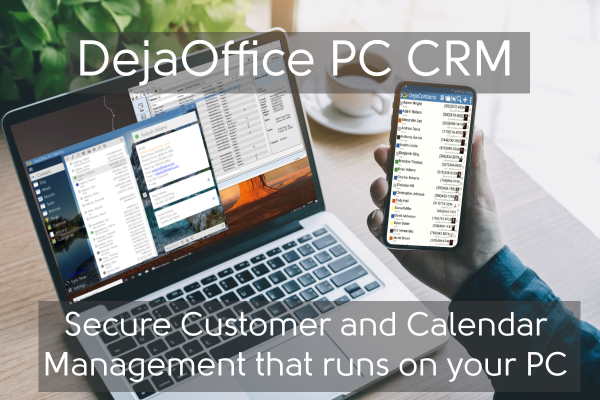
DejaOffice PC CRM is a unique opportunity. Released in 2019, it can capture a new market customer who are looking for a fast, secure, on-premise CRM program.
It is ideally suited for customers who are a single-person business, and small companies up to 25 sales people. DejaOffice is PC based, the database is local on your hard disk. This makes it unique in the modern CRM marketplace which is almost entirely cloud based.
Affiliate Sales for Business CRM Customers
We offer an Affiliate program that will pay 20% back for every recommendation you make for Business CRM Customers. A Business license generally runs $99 for the Outlook version, $129 for the “Express” CRM and $199 for the 5-User license. So the Affiliate payment is $20, $25 and $40 respectively. You get this in the month following your customer’s purchase. You need do nothing more than promote the program with your link and you get credit for every purchase.
Service business for Localized CRM Customers
DejaOffice is fully Unicode compliant and currently localized with 12 languages. We will work with vendors to produce more localized versions. This allows you to promote DejaOffice for your own community in your own language. You can then become the support representative for your area, deriving sales and revenue by providing technical assistance.
For instance, a Latvian business may wish to set up a Latvian website to promote and sell DejaOffice in the Latvian language. We will assist in working with you to build your language into DejaOffice PC CRM, and Android and iPhone CRM products. Once built, we will maintain these languages in our product releases.
In addition to Affiliate sales, you will find that customers readily need assistance with technical issues, moving databases, and connecting the DejaOffice data to their other business systems. You can easily set up a fee based service business handling this type of service.
To Sign up as an affiliate partner click here. Please write to us about any opportunities you would like to pursue. We are happy to partner with everyone.
about any opportunities you would like to pursue. We are happy to partner with everyone.
. Please write to us about any opportunities you would like to pursue. We are happy to partner with everyone.
Affiliate Opportunities with DejaOffice PC CRM was last modified: July 28th, 2019 by Wayland Bruns
Salesforce has made CRM synonymous with Cloud Computing. However, Cloud Computing has a number of obvious flaws, and for many small business owners, PC based CRM is the right solution.
For people who have fewer than 20,000 customers, and want to track history, events and tasks for those customers, a cloud based solution may be too slow and cumbersome. Business people are quite obviously focused on their business. They lack the time to learn slow and cumbersome tools more suited to large corporation with 200,000 customers.
Every small business person has a PC. This is essential for basic tools like accounting, printing, taxes, regulatory filing, and processing orders. Small business is not a game that can be run on an app on your phone. It is a serious endeavor that requires effective records and communications.
Since you have a PC, why do your customer management in the cloud?
Cloud based solutions have the following flaws:
Cloud CRM is slow to use. It takes time to open your browser, search for a customer, schedule a follow up, and make call notes.
Cloud CRM is expensive. Decent cloud solutions are priced by the month often costing $200 per year or more. If you do not pay, you do not get access to your data. While Zoho and Hubspot offer free alternatives, they are limited in scope.
Cloud CRM is not secure. The first thing that Salesforce, Hubspot and other CRM products do is to connect your data to Google, which will make money by selling it, or Microsoft, which is renown for data leaks.
Cloud CRM Mobile Apps perform poorly on the road. Very few Cloud CRM products support free mobile apps, and those that do offer limited browsing and phone capability. Many are not true apps at all but simply a web browser view to the online database. If you are out of range, you cannot make notes about your meeting.
DejaOffice absolutely solves these issues:
DejaOffice is lighting fast. You can answer the phone, search for a contact, schedule a meeting and make call notes in less than 10 seconds. DejaOffice is always available on your PC, even if your internet is not connected.
DejaOffice PC CRM is available for a one-time low price.
DejaOffice PC CRM can encrypt the database, and makes automatic backups of your database. You can be secure that your data is local, safe, and protected.
DejaOffice CRM for Android and iPhone are true Apps that are well rated and have local data. They run fast, and integrate with native phone capabilities. You can download DejaOffice from the App Store now.
DejaOffice PC CRM comes in four flavors:
Standalone– for Contacts, Calendar, Tasks and Notes on your PC.
Outlook Add-In– For those that use Outlook as a primary customer management tool, and Add-In that automates creating Contacts, Calendar and History from your Email Inbox.
Express– Complete CRM Tracking that includes Deals (Opportunities) and integration with leading CRM tools like Act! and Goldmine.
Pro – Five User license with the Express capabilities.
Each of these versions has a free two week trial. Also available are RunStart and Premium Support service where we will assist you to import your existing data and switch over to this new PC based CRM tool.
Why DejaOffice PC CRM is the Best CRM for 2019 was last modified: July 28th, 2019 by Wayland Bruns
The burden of college life is hard. Students barely have time for anything else except studying and often get exhausted with an extensive academic load. Luckily, today, scholars have plenty of tools that can simplify their lives while making them more productive.
Dont forget accessories like Custom Pens with a logo for your club, fraternity or sorority!
Using various mobile applications for a simpler life and higher productivity is a smart solution for a modern student. This way, you can have all the needed materials and tools right at your fingertips.
Most importantly, the majority of helpful software and applications are free of charge or, at least, affordable. Thus, everyone can get needed help without going bankrupt.
In this article, we have compiled the most convenient and handy apps that students need to have in their toolkit. Let’s dive in!
Top Apps College Students Need
If you are looking for simple ways to study easier and get more progress while studying traditionally or online, some of the best solutions are right in your pocket! Today, there are plenty of applications that make learning convenient, fun, and much more effective. No matter the type of studies you are taking, it could be an online bachelor’s in marketing, a master’s degree in psychology, or even an online course in coding, there is an app out there to help you succeed.
But, what are the best tools to use? We have picked some of the best options for you.
EssayPro
One of the biggest challenges of a modern scholar is coping with tons of different assignments and papers. Sometimes, students just can’t handle a large academic load satisfactorily, so they start seeking help. That’s when Essay Pro comes in handy. This is an online service where scholars of all academic levels can obtain assistance from professional writers.
Here, you can order papers on all topics and subjects. Besides, the service often offers nice discounts on purchase essays, so if you ever feel like you aren’t cutting it yourself, don’t hesitate to ask for professional help!
Alarmy
Most students struggle with the problem of getting out of bad on time. Young people tend to study (or party) all night long and then oversleep their classes.
To get rid of this issue once and forever, use Alarmy! This is a free application available for iOS and Android devices. The app is fully customizable. For example, you can set a math problem that has to be solved to turn off the alarm. It is one of the best options a student can find!
iTunes U
If you own an iOS device, then you must download iTunes U! This is a great application that stores thousands of free lessons, learning materials, videos, audio files, lectures, and much more!
One of the most significant benefits of this app is that teachers can integrate their classrooms into iTunes U. This will give students the possibility to access all materials right from their phones.
Brainscape
Looking for an effective way to study for your exams? Then Brainscape is your best bet! The application uses a unique flashcard technology to make studying simple and more effective.
This tool is free, and it contains lots of pre-installed sets of flashcards for different subjects. Also, every user can create one’s cards.
Brainscape also has some extra handy features like progress tracker and collaboration mode. It is available for iOS and Android users.
Scholly
Are you seeking suitable scholarships? It becomes almost effortless with the help of the free Scholly app developed for Android and iOS devices. This tool helps students find scholarships they are eligible for faster. You can track the applications sent, manage deadlines, and even access helpful resources that share tips on how to win money for college.
Chegg
What is one of the biggest concerns of every college student? We bet finances are. Quite many young people don’t have any sources of income, which is why they have to grab every money-saving opportunity that comes along.
If this is something you are interested in, try Chegg – a free app that allows you to rent and buy textbooks, get help with homework, hire a tutor, and more!
BenchPrep Companion
Getting ready for important exams and tests is always a challenging and stressful process. However, with the help of BenchPrep Companion, test preparation becomes simple, fun, and, most importantly, effective! The application is available for iOS and Android.
Duolingo
Knowing foreign languages always looks good on a resume, and there is no better time for learning a few than the college years. One of the best assistants in learning a foreign language is Duolingo – a free application for iOS and Android.
This app helps users learn how to write, read, and speak other languages. The main reason why we love it is that it is very user-friendly and turns learning into a fun game.
Khan Academy
Self-learning is vital for every student, and there is no better tool for effective learning than Khan Academy. This is a free application that offers lots of tuition-free courses, lectures, study materials, and much more! Definitely a must-have app for everyone.
CliffsNotes
Our last app on this list is very handy for college students! This is a free application that allows users to access plenty of study guides right from their smartphones. With the help of CliffsNotes Study Guides, learners of all fields can discover lots of quizzes, study materials, cram plans, summaries, and more!
Final Words
It is customary to think that the only way to reach real progress in learning is to work as hard, and as much as you can. Most people believe that such enormous efforts pay off with success. This is true to a certain extent. However, to reach real results, you should work smarter, not harder!
Therefore, if there is any chance to simplify your life and studying process – be sure not to miss this opportunity! Hopefully, this list of student apps will help each of you create your own college first aid kit!
Top 10 Study Apps for College Students was last modified: September 28th, 2025 by Pauline Emerson
Nowadays, you won’t find people who don’t use
any email services. Email still remains the most popular way to communicate in
business environment and on labor market as well. Although, there are hundreds of messengers,
social networks and other apps for communicating Email is undoubtedly the
safest and simplest way to share and exchange any type of data you want to.
Why do people choose Outlook? Outlook is one of the
world’s first webmail services which has been founded in 1996 as Hotmail.
Generally, Outlook is suite of webmail, contacts, tasks, and calendaring
services from Microsoft. For sure, if your first email was Gmail or Yahoo you
don’t have to just forget about all the files or messages that are there. At
this very point you should know how to do Email Conversion for Microsoft
Outlook. You can do it on outlooktransfer.com because it’s easy and fast
in terms of transferring data. The licenses provided by this software will make
sure that all files have been transferred correctly and safely.
Email Conversion for Microsoft Outlook
The software GlexSoft offers will allow you to transfer the data from various formats used by Windows and Mac email clients. GlexSoft software is capable to extract files even from rare unsupported email services by exporting to one of supported formats. Such as:
EML
MBOX (MBX)
MSF
MSG
In fact, the GlexSoft can even extract files for investigations or backup purposes. So if you have any type of format files that you need to transfer or export we can assure you that GlexSoft can help you with that. If you don’t trust us then just try if for free at first. You’ll never know if you don’t try – especially since we offer an amazing price/ quality ratio.
What About Price?
The price system is very clear and easy. For
1GB of data conversion you will need to pay $1 (not mentioning general fee of
$4.95 used for payment process). Let’s say you want to convert 10GB (which is
really a lot) of data in that case the price will be $14.95, 20GB will cost you
$24.45 and so on.
GlexSoft has packages for one year, such as: Home, Business, Technical. The price is starting from $19.95. These packages will last a year, after that you are going to have to purchase a new one. We suggest you to read about all of the packages and to choose the one which is the most appropriate for you.
Let us make all conversion to MS Outlook for you with almost 100% accuracy. You don’t need to worry about it anymore. Learn about GlexSoft services so you won’t need to transfer files from one client to another by yourself.
Email Conversion Service for Microsoft Outlook was last modified: July 26th, 2019 by Hillary Walker
In 2017, a
number of 24.089 records were compromised based on the average data
breach records. This cost businesses over $3.62 million in a single year.
At this point, it is believed that one in four online businesses can expect a
data breach at some point of their existence on the online market.
Cyber security is a huge concern of
people who use technology. It has received a lot of press in the past few
years, which results in continuous updates and changes that aim to reduce, if
not eliminate, cybercrime on the Internet. As a person who has an online
business, you need not only learn what
is cyber security, but also learn how to protect your online business from
criminals.
Seeing how the
numbers above are only expected to grow, there are some things you must do to
protect your business from cyber-attacks.
1. Make Good Use of Cloud Storage
Did you know
that 43%
of all cyber-attacks occur on small businesses and startups? This means
that, even if you’re an entrepreneur at a small business, your data is still at
risk. Thanks to clouds, you can now keep your data safe from breaches and
incidental losses.
However,
remember that clouds aren’t always are completely safe. You’re still at risk
when you store your data in a cloud format. Some of the more popular cloud
options like Google Drive and Dropbox do their best to secure your content.
But, no matter how hard a cloud server plants
cyber security into their products, you are still vulnerable.
Therefore, you
should choose the safest cloud you can find, but also provide an extra layer of
encryption to protect your data. To keep it secure, you need to use various
encryption SSL systems and tools. This doesn’t make a cloud service bad, but it
makes you a responsible and cautious entrepreneur. Think of it this way – it is
like when you order assignment
help in Sydney from the most popular company, but still use a plagiarism
checker to make absolutely sure of the originality.
2. Always Use Strong Passwords
A password can
determine whether a cyber-criminal accesses your data or not. It’s the part of
the security keychain that’s most commonly the reason for breaches. Therefore,
you need to make sure that you have the most secure password on all your
systems, data, e-mails, and even profiles on websites.
Your cyber security plan must include
utilization of stronger passwords with complex order and more characters.
Thankfully, there are plenty of tools and apps
that can help you pick the best password.
3. Require Multi-Factor Authentication
To make it even
harder for attackers to use your business data, require multi-factor
authentication to keep your accounts protected. You can combine passwords, make
use of your hardware and smartphone, and even use your fingerprint or face recognition
to unlock an account.
The face recognition feature is currently under debate when it comes to security. It is really handy, yes, but a single picture of your face can unlock the account. However, taking into consideration that most cyber criminals don’t know what you look like but are only interested in business data, you can definitely consider it as one of the authentication methods. It may be necessary to use one of these top VPN providers.
Conclusion
Technology has been one of the best and most effective changes in the business world. However, all great things come with their own set of risks, which in this case, is cybercrime. As an entrepreneur, it is your obligation and job to keep the business data safe and confidential. Therefore, it is time to make some changes to implement a safer and stronger cybersecurity strategy that will give your business a better chance to thrive and survive. In the unlikely event that you still got attacked by cybercriminals even with the necessary precautions taken, look for a digital forensics company to help you.
3 Cybersecurity Tips for Entrepreneurs was last modified: August 12th, 2021 by Bobbi Sanchez
There are multiple aspects to keeping a laptop
safe. It does you little good to encrypt your laptop against malware if you
conduct actions which leave it wide open to thieves, and vice versa. Here are a
few tips to help keep your device safe and your trip relaxed.
Your laptop is probably the most expensive thing
on you when you are traveling, and yet it is incredibly fragile. Few things can
ruin a vacation faster than losing your laptop to theft, viruses, or other
threats, especially if you are in an area on the globe where you may be unable
to easily obtain a new one.
Get a New, Padded
Laptop Backpack
A good laptop backpack is a major first step towards protecting your laptop from bumps, falls, water, and other damaging things. PC Magazine has a list of good backpacks, though you can check Amazon or any office or electronics store in the area.
When you are selecting a backpack, prioritize checking its padding above anything else. The backpack should have a rigid frame, and if it does not you can add backpack armor to make it sturdy. Also look for multiple compartments so that you can store just the laptop in a single compartment instead of squishing it alongside clothes and wires and other things. Go for functionality over style, as the only people you will end up attracting with a cool backpack are thieves.
Note that you should try to get a backpack
instead of a briefcase or messenger bag. A briefcase is a clear sign to
unsavory individuals that something valuable is inside, and is easier to rip
away from you than a properly secured backpack. It is also easy to carry a
backpack on a long hike instead of awkwardly shifting a messenger bag from
shoulder to shoulder.
Stay Alert
If you leave your laptop unattended in a public
space for a minute or two to use the bathroom, you may as well kiss it goodbye.
Laptops are prime candidates for thieves, whether it is for the value of the
data in the laptop or for the device itself. And while you can lock your
computer or even put a cable lock around it to deter thieves, your best weapon
against them is constant vigilance.
Take your laptop with you wherever you go, instead of leaving it in the hotel. But also keep it out of sight when you can. Keep it in a backpack, or cover it with a jacket. The less people know where your laptop, the less likely anything bad will happen to it.
Backup your Data
You should be regularly backing up your data
already, but it is important to do a full backup right before you go on a trip.
Store all of your important data on an external hard drive or in the cloud so
that you do not lose any critical data on top of losing your computer. Create a
log of passwords outside the computer so that anyone who gains access cannot
access personal records.
Also consider backing up your data while you are
on the trip itself. If you have created any documents or files on the trip,
store them on a CD or USB drive in your hotel at the end of the day and put
those things in a secure place.
Use a VPN instead of public Wi-Fi
Sitting in a café in some foreign land and connecting to the Internet may seem like the epitome of how globalization brings us together, but doing anything on a public Wi-Fi can be extremely dangerous. The problem is that as CSO Online describes, hackers can easily position themselves between yourself and the connection point. This gives them access to any data you send out, such as your email passwords, business data, and credit card data. Even if you are just logging into some internet forum or checking sports scores, they can use any information to deduce personal information about you. Furthermore, hackers can also send data back and infect your computer with malware.
Consequently, you should be looking to connect
online as little as possible. If you are in a situation where you absolutely
must connect, use a trustworthy VPN which will encrypt your data. If you are
not sure what a VPN is, cooltechzone has an excellent guide on what they are and how to set one up.
A VPN enables you to create a secure and safe pathway for you to send and also receive data. This is encrypted and allows you to unblock restricted sites such as Netflix, BBC iPlayer etc. The team at VPN Geeks has a nice article explaining exactly how a VPN works.
Note that a VPN will not make your data
completely hackproof. But the hacker will likely not want to make the effort
when there are other computers sending unencrypted data. Your company should
provide you with a VPN you can use when traveling abroad. Also make sure to
turn wi-fi off when not using it, as the computer is still transmitting data
when it is on.
Should You Leave
Your Laptop at Home?
Your laptop will face numerous threats when
traveling that it will never have to deal with if you leave it at home. So
maybe you should not take your laptop at all.
This is especially true if you are on vacation. You are traveling to see the world and explore new sights, not stay hooked to the Internet like you are on most days. And even if you want to stay connected to some degree, Trip Savvy points out that a tablet or phone can serve just as well for someone just on vacation. The only major reason to bring a laptop along is if you may have to work when traveling.
If you really, truly, absolutely must bring a
computer along, consider bringing in a cheaper laptop. Do you still have that
old, slow, dying laptop lying around which you replaced with your brand new
device? Take the old one instead. You may be frustrated with longer loading
times, but you will not have to be looking over your shoulder all the time out
of fear of losing or damaging it.
How To Protect Your Laptop While Traveling was last modified: April 7th, 2026 by Steve Jones