Top 5 Best Online Businesses to Start during the worldwide lockdown

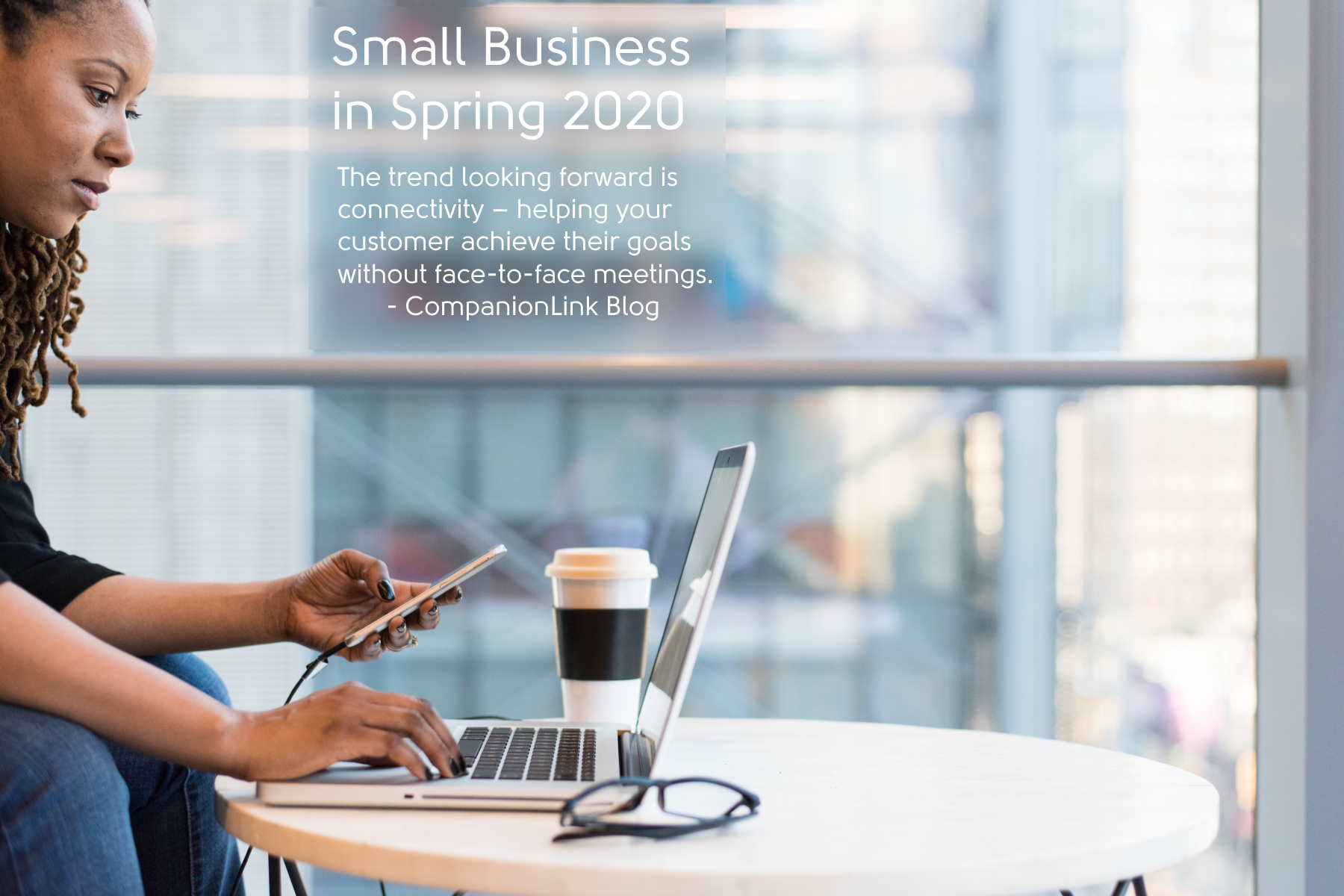
There have certainly been few other years since 2020 in living memory, with people across the globe having to adjust to previously unfamiliar phrases. Social distancing. Lockdowns. Or new working concepts, like meeting via zoom rather than in person. But this situation hasn’t all been an imposition. Many have taken advantage of the break from the nine-to-five routine to consider other options. The necessity of going online has inspired entrepreneurs to spring up everywhere. Here are five ideas for Internet businesses with terrific potential.

Online dating

It may not be the easiest business to set up, but it certainly has the potential to be the most lucrative. Online dating has taken the world by storm since the first commercial sites were launched a couple of decades ago. The key to making a success out of this venture would be identifying gaps in an overcrowded market. How about mature dating niche? Refer to a review platforms of dating sites for over 50s to get an impression of how typical outlets operate. If you can bring panache, originality, and creativity to this area of dating, perhaps targeting this niche area in a way that introduces a unique twist, it could prove successful. The key ingredients should be well-designed pages, a strong brand, a fully-realized monetizing aspect, and harnessing social media for free advertising.

E-commerce

There are many virtual retail outlets already, with obvious examples like Amazon or eBay. Rather than just digging out the occasional item from the garage or loft to put on eBay auctions, you could strive to make this more of a formal enterprise. Do you have a particular hobby or passion that you could transform, setting up an online shop to attract worldwide customers? All you need is imagination and dedication. Whether you’ve been stashing football programs or collecting DVDs or albums over the years, most of which are gathering dust, if you can put an online shop together with engaging and well-written content, this could grow legs.

Affiliate marketing

The beauty of affiliate marketing is this is an online business where you don’t have to invest in stock or advertising. Becoming an affiliate involves identifying a product that is already being sold, then offering yourself as a third-party platform to shift these products. Services like Amazon are always looking for mini-marketers to collaborate in selling their products on intelligently-designed platforms. Or identify an area you are keen on blogging about anyway, using your expertise to draw in customers. You’ll get a percentage of sales through commission.

Vlogging

Most of us have read headlines about Vloggers or YouTube stars – individuals who have accumulated huge followers simply by discussing particular topics with authority, then plugging products. This is a difficult area to get into, but if you can crack the unique attributes that make Vlogging such a mesmerizing spectator activity, there’s no reason why you couldn’t go on to carve your own slice of this pie. As with any web enterprise, the key is having captivating content. There are little overheads. All that is required is imagination, a degree of charisma, and perhaps some luck, too!

Freelance writing

A huge side-effect of the worldwide lockdown is more and more people going online. New websites are popping up all over the place, but no matter how competently-designed these might be, they will survive or expire solely based on the strength of their content. So sites will always be looking for content providers, and you can charge accordingly. You could easily set up your own freelance writing business when demand gets high enough.

Backing Up Your Data? Here are Your Options

Here’s the thing, if you are using a computer for storing pretty much any sort of information, you must ensure that your data is being safely stored and backed up. This doesn’t mean that you are paranoid or anything like that, just that you are aware that an unexpected event like hard drive failure, a virus, or file corruption could wipe out some really important things.

All of that being said, you really shouldn’t overlook backing up your data, but you should also be aware that there are some dos and don’ts, as well as a lot of different options that can easily get you overwhelmed. That is why, in this article, we are going to explain different options, as well as their pros and cons that are going to make backing up a lot easier.

Cloud Backup

Storing your data in the cloud is pretty much the latest trend when it comes to backup technology, and for good reasons. Data that you store on cloud services is always at the tip of your fingertips, wherever you are, it’s going to be accessible from any device. That is connected to the internet.

There are a lot of benefits that backing up via cloud offers, one of the most prominent ones being accessibility and safety. Most of the cloud backup services are heavily encrypted, offering two-factor authentication as well as usage of the personal key. Another great thing to consider is the fact that having your data on a cloud means that it’s offsite – ensuring that your data doesn’t get lost due to different disasters.

The only downside with online backup is that it tends to be slower, especially if you are backing up a lot of data.

External Hard Drives

External hard drives are one of the most common storage mediums for a long time. These drives are extremely easy to set up, they are relatively cheap, provide multiple different storage size options, and are portable – all of these are great assets. Also, one of the best properties of external hard drives is the fact that they can store a lot, and we mean a lot of data. 

However, just as all the hard drives in our computers, they are prone to failure over time and extended use, which is something that you don’t need to worry about if you are backing up on a cloud. 

Also, such drives always pose a risk of being lost or damaged, and eventually, they are going to run out of storage space because their size is fixed. External drives, like any type of equipment that is stored on-site, can also be destroyed in a disaster like a power surge, a fire, or a flood.

Network Attached Storage (NAS)

A NAS device utilizes an array of storage drives to create redundancy and, ultimately, larger combined storage space for you to back up your files. A NAS device is connected to the network for shared access between different individuals, which makes it a great option in case you want to share files with different people around you.

The storage drives that are used in NAS are usually sold separately from the device itself, so it may be a bit more costly and inconvenient to set up. However, NAS devices offer better data redundancy, as well as drive failure protection in real-time and performance using RAID configuration. 

It should be mentioned though, some NAS manufacturers tend to provide inferior software that can be buggy and just not efficient. This can easily lead to different issues during backup, like storing files with the wrong modification date/time stamp on them, making it harder for you to find what you are looking for afterward.

USB Flash Drives

There are a ton of options out there, and yet, USB flash drives don’t seem to be getting out of fashion even after all these years. This is mostly because, well, they are great at doing what they are intended to do – store and transport data. Even nowadays, some people prefer USB flash drives for storing their most important data.

USB flash drives are portable, inexpensive, and really durable. They are good for transporting your data between different locations manually but efficiently. However, you should have in mind that they are also prone to being lost or stolen, so plan accordingly. It should also be mentioned that they have a low storage capacity when compared to other backup options.

In the end, different people have different preferences, and that is completely fine since there is no one right answer when it comes to things like this. Even if you end up trying different things before settling for the best option, that’s also fine. The only imperative thing is that you take the time to do your research to make as informed a decision as possible.

Why Your Business Needs a Continuity Plan

You’ve probably wondered why many small businesses fail within the first three years of operation while others succeed. Every entrepreneur starts a business venture with one goal in mind; to make money. Some people may argue that businesses fail due to poor leadership. While others may argue that lack of capital is the primary cause of business failure. As an entrepreneur, this is why you need to understand the importance of a business continuity plan. Being an entrepreneur is all about taking risks.

If you want your business to be sustainable, you need to put strategic business mechanisms in place. Some of these mechanisms help in shielding your business from external or internal threats. There are tons and tons of ideas about consistency and business management. The following are some of the viable reasons why your business needs a continuity plan.

1. Minimize Downtime

One of the most crucial reasons for a business continuity plan is to eliminate downtime. According to statistics, many businesses don’t have any disaster recovery plan or business continuity plan. According to business management experts from dsolutionsgroup.com/, missing out on a continuity plan is not only expensive, but it’s also a reckless move. Many organizations say that a single hour of downtime can cost the business thousands of dollars. Those aren’t numbers that should be ignored or go unnoticed. When your business suffers an attack or disaster, you need to proceed with your work as soon as possible. If you’re unable to plan well for such unforeseen issues, you may very well go out of business sooner or later.

2. Improves Communication

The primary benefit of creating a business continuity plan is establishing a state of order; this helps alleviate chaos caused by poor communication. It will help if your business continuity plan focuses on a chain-of-command of responsibility. Your plan should also cover appropriate communication channels prioritized for contacting employees, partners, or customers. This strategy will help to reduce breakdowns in service and collaboration.

3. Protect Important Issues

A detailed business continuity plan should detail the vital components and data necessary to keep your business running. It involves keeping an inventory of backup devices and cloud services. Additionally, your plan should also have an outline of your data backup specifics; this includes an overview of how your business assets will be handled when a catastrophe strikes. With the advent of virtual servers and cloud technologies, organizations can now run enterprise applications from backup instances on virtual servers. If you combine this with an automatic fail-safe, your business continuity plan can considerably shrink technological disasters.

4. Organization’s Reputation

In times of crisis, this is when companies fall or rise. As an entrepreneur, you need to look out for your employees, take care of your customers, and address any perception issues. Doing all this also means that you’re tackling your business strategy and financial challenges and ensuring data and facilities’ security. That’s a lot of work, and in many cases, organizations don’t cut. They will eventually end up with a PR nightmare on their shoulders to handle as well. However, with the right planning, you can improve your organization’s reputation and build better relationships for a stronger future. Even with the onset of the Covid pandemic, you can still recover from any reputation issues by kickstarting your business continuity plan immediately.

5. Helps in Identifying Business Disruptors

Many organizations think of business continuity planning in terms of service outages and natural disasters. In many cases, this includes a wide variety of issues such as floods, fires, hurricanes, and things like downed communication lines or blackouts. Issues like data breaches and vandalism only started getting attention in recent years. With the Covid pandemic, companies have learned there’s more to guard against other than the usual issues. An effective business continuity plan looks at all your crucial business processes. It can analyze how this process could be impacted and develop mitigation measures to prepare your organization. 

6. Resuming Operations

The primary goal of any business continuity plan is to get you back in business as fast as possible. In recent years, many companies have taken an extra precaution of utilizing recovery sites and backup. These are mainly off-campus facilities where you can continue your business operations regardless of any limited experience or any damage you may experience.

When you have an effective business continuity plan, you can run your business without any fears. This is because you have the best strategy to bounce back even in the worst-case scenarios. Additionally, it offers your business more flexibility so that you can adapt to changes in the future. In case of a threat, it will help minimize losses and reduce panic among staff in case of a business threat.

Where to Start Data Privacy Planning

If you are an organization and you have a lot of data to protect, then you have to implement a data privacy strategy and ensure that your data is secured all the time. This may not necessarily mean that it is an easy task. However, with the correct planning and strategy from the best data securing companies around, you should be assured of the best data protection. Your company should therefore acquire the best data privacy software so that you can rest assured there will be no data breaches.

What Is a Data Privacy Plan?

A data privacy plan is a directive of an organization, and it states how that organization will protect the personal data of its clients and customers. This is more so an internal document that is meant for the consumption of the organization. This is unlike a data privacy policy that is a description of how an organization collects and uses data from external sources.

Steps A Company Needs To Follow When Starting Data Privacy Planning

A data privacy strategy has to be planned for it to be successful. For your company to implement a successful data privacy plan that will work for the long term, here are brief steps that should be followed for this purpose:

1.    Gather the support of the upper executives of the company. This issue of data collection and storing cannot work without the right support.

2.    A Data Protection Officer (DPO) should be appointed to make the process much formal and smooth. However, this will be guided by the size of your organization.

3.    Know the data you need to collect. Once this is clear, a team should be formed to create a data inventory of the company.

4.    Know your data requirements. What kind of protection requirements does your data need? What sort of data will the company be storing and processing?

5.    Analyze the privacy risks of the data you have. What are its vulnerabilities, threats, and possible impacts of such risks?

6.    The next step is creating a Data Privacy Policy. This is a document that has guidelines formulated after you have analyzed all the external and internal factors that can affect the plans, operations, and objectives of the company.

7.    Implement the right data privacy controls. Your risks should be organized according to the impact they may have on the company. Set data controls based on this.

8.    Initiate data privacy awareness and training for all people involved. Some staff may require advanced training on the handling of certain data. Ensure this is done.

9.    The last step is monitoring and compliance with the data. However, data monitoring and privacy is a continuous process and there need not be the last step as such. In this regard, data that is processed and stored by the organization should be checked all the time. Ensure this data is protected all the time and that all people comply with the data requirements.

In conclusion, data issues are legal issues. As such, when handling data privacy management for the company, ensure you are always following the rules that govern data collection, processing, and dissemination.

Why Your Business Needs Cloud-based Telephony

Cloud-based telephony, or cloud calling as it is more popularly known, is a form of unified communications as a service (UcaaS), which can either be web-based or application-based. It allows communication between two entities through the use of a third-party host. More and more business entities leverage the use of this service because of the benefits that it can provide, and as a business owner, you should too.

Integrated Business Communication System

One of the primary benefits of cloud calling is that it can be seamlessly integrated with all your other business processes. This means that you can access your business phone system through the same interface that you use to access the rest of your business processes in your customer relationship management (CRM) tool. As a result, you will have a consolidated work pipeline that yields a smoother business flow.

Cost-Effective

Another reason why your business needs cloud-based telephony is to be able to cut down on your business costs when it comes to your communications budget. Any chance to reduce costs is a good opportunity to ensure your business will stand the test of time.

Cloud calling is one of the most cost-effective communication solutions for your business because the subscription that you have to pay is fixed regardless of the number of calls that you make. Even international calls are charged less compared to traditional telephony solutions. This means that you will be able to make necessary calls to your staff and clients altogether without having to think about the amount that you have to pay for those calls later on.

Easily Scalable

You may not have a problem with traditional telephony in the beginning when you were just starting with your business venture because you only needed to make a few calls. However, as your business grows, it is most likely that the calls you need to make to various individuals will be tripled or even quadrupled. Instead of having to maintain various phone lines, it is more viable to implement cloud calling or virtual phone systems, which are highly scalable and tailored to grow as your business grows.

The great part is that cloud calling even has various features that prove to be more beneficial for large-scale businesses. A cloud phone system can further improve flexibility by allowing employees to make and receive business calls from virtually any location with an internet connection.

Location Independent

Traditional telephony depends on the location of your business. Cloud calling frees you up from this limitation because it will work regardless of the location of the person using it. Thus, even if your employees are working remotely, or even if you are located in different countries, you will be able to call each other seamlessly. In this case, all you need is a stable and reliable internet connection because the phone features are already accessible using the browser on your desktop or mobile device. This paves the way for higher mobility and flexibility in your business.

In conclusion, there are several reasons why your business needs cloud-based telephony, and the ones listed above are only some of them. Rest assured that when you leverage cloud calling, you will be able to make your internal and external communication process more seamless. Alongside this, cloud calling can even give you a competitive edge in the market, allowing you to generate greater revenue.

Simple Ideas To Help Your Business Save Money

All businesses want to save money where they can, but it’s not always easy to see how it’s possible to do so. Often the best idea is to look for a multitude of ways you can save a little bit of cash over time, rather than holding out hope for one big change to save you thousands immediately. Here are a few suggestions in that vein to get you started.

Shop Around

Before signing up for any kind of service, be sure to get at least three quotes from different companies to see what kind of deals you can get. Many businesses offer to match prices, so you might not even have to go with your second choice just because they’re cheaper. It also pays to review the services you’re using regularly to see if you could make savings by switching suppliers. Another idea is to find out whether discounts are available for making early payments, or paying in a specific way.

Have a Water Audit

Business water bills are an expense that’s often overlooked, so a water audit can be a great way of figuring out if you’re being overcharged for your water supply. It can also help you to find ways that you can become more water-efficient, which is another effective method of cutting down on your spending. Unlike residential homes, you may also be able to switch your water supplier and save money that way.

Go Environmentally-friendly

Going green isn’t just good for the environment, it’s also good for your wallet! There are lots of simple steps you can take as a business to reduce your spending through becoming eco-friendly. For example by switching to double-sided printing instead of single-sided, you can save money on paper. Cleaning up your mailing list is another great way to do this, and also reduce the amount you spend on postage.

To save on electricity costs, ensure that your employees turn off all their electrical equipment at the wall socket when they leave the office. If you can engineer your workspace to get as much natural light as possible, you could also save on lighting costs as well as making it a more pleasant space to work in.

Go Virtual

Working from home has become far more common as a result of the current COVID-19 pandemic, but it can also be a great way to save money. By having fewer workers in the office you don’t need to rent such large premises, and can also reduce the costs of lighting, heating/cooling, and other utilities. You may also find that your employees are more productive as a result.

If you need to have people in the office, features such as motion-sensitive lighting and smart thermostats can save on energy costs. You can also use virtual meeting tools in the workplace to reduce travel expenses incurred by visiting other branches or client companies unnecessarily. If you’re really feeling generous, why not give staff an extra day off a month? You’ll save money when the office is closed, and be giving your workers a great productivity incentive!

Buying Guide: What to Look for in a Laptop

Thanks to the continuous advancement in the world of digital technology, the market is now flowing with hundreds of laptop models, and the options are seemingly endless. Considering how many laptops there are, you’ll find it extremely difficult to make up your mind. Every laptop has its own unique features, so unless you know exactly what you’re going to use that laptop for, choosing the best one will pose a challenge. To overcome this, you can use the guide below to narrow down your options.

Choose an Operating System

One of the very first considerations to take into account as you purchase a new laptop is the operating system (OS). You may have already heard of the decade-old debate between macOS and Windows OS enthusiasts, but now you will find more competitors on the market, like Google Chrome’s OS for example. Windows is well known for its versatility and array of options, which is why many people gravitate toward it. So far, Windows has proven to be far more open-ended than any other operating system and is ideal for game development and business-related programs. MacOS is comparatively user-friendly and easy to grasp. Additionally, Apple provides a resourceful support network, which will help you with any minor technicalities. Google Chrome OS, which only powers Chromebooks, can only run google chrome-based programs, which makes it a great option for those who need a laptop only to read their emails and watch Netflix, for example.

Pay Attention to the Hardware

It’s crucial that you research the hardware of the laptop you’re about to buy, as this will determine what it is capable of doing. You should also take the brand into account, as this can determine the quality of the hardware. If you take a look at these top laptop brands, you’ll know how the brand can drastically affect the performance of the laptop, irrespective of its specs.

With that said, you must look for an adequate processor, something between Core i3 and i7 would be ideal if you’re getting an Intel core processor. Ryzen processors are also great, but they can be hard to find. Graphics cards will also vary in performance. Seeing as they can make a laptop quite expensive, look for one with a graphics card that will suffice your needs. NVIDIA and AMD are the main two vendors for Graphics cards, with RTX 20-series being the latest and the 30-series coming soon. The GTX 10-series is also capable of running demanding programs. The buying guides on laptop circle are a great resource.

Know What You’ll Use It for

Laptop prices can be as low as $600 to more than $1000. Assuming that you have a budget and certain usage in mind for your new laptop, you can make your choice fairly easily. Manufacturers produce great laptops that cost $600 or even less for those who’re looking for laptops only for word processing and internet browsing. Mainstream laptops can have higher specs and will have better hardware than their formers. However, if you want a high resolution and super-powered graphics card, you can try laptops that will cost $1000 or higher. Ultrabooks and business laptops are a great example of this, as they both have intriguing features even for the average user. You can buy a gaming laptop that practically packs in the best specs there are, like a high-performing graphics card, an excellent processor, and enough RAM to run taxing programs.

Look for Long Battery Life

If your laptop will remain stationary, you won’t have to worry about battery life. However, if you need a portable laptop, the battery life should be a concern to you, as you won’t always find an outlet outside to charge your laptop. Thus, an ideal battery life, in this case, must extend to 7 or 8 hours. To know how long battery life can extend to, make sure to check out online reviews.

Pick the Right Size

No matter what specs you’re looking for, your laptop can come at a large size, which will defy the purpose of portability. While it is generally great for laptops to be small and compact, the display size must be at least of a moderate size if you’ll use design programs. Generally speaking, laptops display sizes will range between 11 and up to 18 inches. The 11 to 12 inches accompany the lightest systems, which will make them highly portable. Display sizes of 13 to 16 inches are quite common and still are moderately portable. 17 to 18 inches are designed for laptops that stay on desks all day. These laptops are created for demanding games and workstation-level productivity.

Choosing a laptop for your specific needs requires serious research and consideration. This means that you’ll have to check several online reviews, compare different models, and even try the laptop of your choice at the store. Lastly, be sure to buy your laptop during a sale season to get the best price. 

9 Benefits of Using CRM Software for Business

Finding new customers is complicated work. And once you have found them, you should build close relationships with them. Using Customer Relationship Management (CRM) tools helps organize, center, and simplify communication with your customers. We are going to define the main benefits of a CRM system for business development. This article is extremely useful if you are willing to integrate CRM tools. 

Why CRM Is Important

Companies in any sphere utilize social media websites and count on the metrics from such programs. For instance, Google Analytics is a powerful instrument employed by many enterprises to track their website traffic. But relying only on these tools is not sufficient. A properly utilized CRM tool has significant value for companies. It monitors and manages all client interactions and communications with your representatives. It can also effectively single out certain disadvantages and points which need additional improvement.

1. Targeting and Establishing Connections with New Customers

Whenever somebody buys something in your online shop or clicks on one of your ads, it gives you essential information concerning your target customers. When you keep that information in a CRM, you can define who your target audience is and how to reach them.

A widely used instrument is marketing via social media like Instagram or Facebook. Most media websites or apps enable advertising based on some conditions, such as keywords, interests, and industry. If you already have all this data, your social media marketing campaign will become a huge success.

2. Improve Your Interactions with Current Customers.

Finding new customers is much more expensive and time-consuming than keeping the present ones. Of course, it is crucial to broaden your audience. However, keeping your existing customers involved and enthusiastic should also remain one of your aims. Using CRM for business helps you easily find out who purchases your products or services and participates in your advertising campaigns. You can define who needs a push or two to return on the path. 

With CRM, you may build excellent and customized marketing campaigns. Or you may create your own CRM to boost your company’s development. Just involve the content they are concerned about and thank them for being supportive for many years. Another option to promote your services is personalized offers based on their previous purchases.

Keeping your customer service at a high level is essential to remain competitive in the market.

3. Visual Data Presented with Dashboards

The best way to present data is graphical. Usually, this process requires a lot of time. You have to enter data, define the essential points, and then develop a visual way to manually present the data. CRM is a great time-saver, as it does most things automatically.

4. Maintaining a Central Sales Database

The next CRM benefit is the ability to store all the potential customer information from any period in a unified database. It allows fast cross-team accessing and easy data management via a shared location. Using CRM, you can avoid spending time searching for necessary client files and records to close a deal. Once you have adopted a CRM platform, you can use its great advantage – the dashboard. The highlight is that you can customize it for every company employee who has access to the platform. For example, the head of the marketing department is mostly interested in marketing metrics. The head of the sales department wants to see how many purchases are made per hour. It’s not necessary to dig or run reports; everything is on a dashboard right away.

5. Save Time Using Automation Tools

All data, such as calls, e-mails, meetings, and interactions, are automatically collected and aggregated in one location. Routine tasks, such as sending welcoming emails and notifications, are automated. Your staff won’t need to spend loads of time on it. Sending various emails and notifications are divided into specific segments based on individual customer performance. So you deliver the personalized messages to the right customers at the appropriate time. Managing drip campaigns becomes a piece of cake.

Besides, it includes updating the deals according to the stages and automatic management of such processes as summation and weighting. 

What is more, another trend is that chatbots are handling frequently asked questions. 

This all leads to enhancing team performance and concentrating on the core tasks.

6. Using Collaboration Tools

Some platforms involve built-in collaboration tools. The benefits of CRM platforms present an opportunity to operate on the same file or monitor the updates simultaneously. Many employees can file specific fields they are responsible for. However, these tools require good teamwork and seamless interaction between various company departments to avoid differences in data. The ways how to enhance communication inside a team via CRM will be described in the following point.

7. Boosting Team Communication

CRM can easily assist the interactions within a team. Quality of communication is crucial for sustaining a good brand image among all the representatives who communicate with potential customers. Additionally, it supports learning between team members and working together to achieve sales percentage goals.

With the CRM platform, employees can tag each other to various deals to notify and close the deal as soon as possible. This system also enables the reassigning of leads in the sales department with one click. Team members’ internal communication, such as writing and sending emails, is also easily facilitated with the platform.

8. Predicting Sales Performance

The ability to develop a strategic plan and make reasonable actions is fundamental for any company’s success. The process can be more straightforward with CRM. Its reports include such vital metrics as MRR (Monthly Recurring Revenue) or YOY (year-over-year) growth. This helps the heads of the sales department monitor the tendencies and make predictions concerning performance.

There is also an opportunity to see the most moneymaking sources and actions. Using this data, team leaders can develop sales forecasts and, if necessary, adapt the pipeline estimates.

9. Sticking To The Same Software

CRM grows together with your company. That’s the core feature of this platform. All its instruments, like lead tracking, contact information management, recording communications with potential customers, will all grow with you.

And this is not only about your sales department.  Marketing and customer service can also use the information to contact the potential customers, customize the content according to their requirements, adjust CTAs and product info according to their demands, and much more.

Final Thoughts

We have mentioned 9 key reasons why to use a CRM System for business. It’s not just about collecting customer data and monitoring their actions. This system can bring your company’s performance to a much higher level. It handles the majority of the calculating and analysis processes allowing employees to move on to meaningful actions. It is a big step towards your customers (new and existing) and enhancing their satisfaction.

4 Benefits of Investing in Software for Healthcare Providers

If healthcare providers want to get ahead and keep competing in their field, they have to embrace technology. There are so many software solutions available that will not only save you time and money, but they will allow you to provide a much better experience for your patients and even innovate where previously you wouldn’t have had the time.

It’s important that you do your research to identify the best software solutions for you, but if you put in this work in now you will reap the benefits later.

Your Patient Data Will Be Safer

As more and more of our lives are lived online, there are incredible advances in what we can do there. Unfortunately, the things that unscrupulous people can do to try and steal our data or our money are advancing at the same rate.

If you invest in software for storing your patient data, not only will you be able to access their records quickly and more easily, which allows you to provide better service, you will be keeping their data safer.

This is because companies who provide software are invested in ensuring that their products are always up to date and protected against the latest digital threats. By leaving this important piece of maintenance in the hands of a trusted software provider you can be assured that your patient data will be safe and secure, leaving you free to worry about treating them.

You Will Save Time

Investing in software allows you to automate processes that previously would have been carried out by hand. For example, introducing an online appointment booking feature on your website could save you a huge amount of time.

Rather than spending 10 minutes on the phone talking to your receptionist, who then has to manually record the appointment details, an automated appointment scheduling system allows your patient to go online and book an appointment without having to talk to someone or wait on hold. You can get software packages that then automatically update the relevant calendars, and even send out reminder messages.

With this time saved your receptionist can be talking with patients in person, or doing other tasks that add more value to your business and are more interesting for them to carry out. This means that the patient, your receptionist and your business all benefit!

A recent article by Forbes suggested that automation could save the average employee six weeks of time per year.

Increased Search Engine Ranking

Taking the time to invest in your website will pay off in the form of new customers and increased visibility to your existing customers.

Any work you do on optimizing your website for SEO is a greater chance that for any search conducted for healthcare providers in your area, you will be the one that pops up first when compared to a competitor.

It’s well worth checking out what a healthcare SEO specialist can provide for your business. For more information, take a look at clickintelligence.co.uk.

Better User Experience

Investing in software and SEO will ultimately mean that your customers have a much better experience when they are using your website or dealing with your company, which is what will keep them coming back to you rather than seeking out one of your competitors.

How to Successfully and Securely Work From Home

The world of business has taken a turn in the way it operates ever since the onset of the Coronavirus. Companies have tried and tested a number of ways to get the job done without having to put anyone’s health at risk. This is why you’ll find that the new normal for many people is working from home. While this has many advantages, it can be trying at the best of times, and since this is becoming the norm, it only makes sense that you take a more structured approach to setting up the way you work from home. This is why we’ve created a simple guide to help you have a perfect and productive setting to work from the comfort and security of your home.

Create a Dedicated Workspace

You might not think that this is too important, and that it’s okay to work on the dining table, or while you lay comfortably in bed. While this is not the worst thing that could happen, in the long run, it’s certainly not the best. There are a couple of factors that come into play here. First of all, your posture matters when you sit in one position for a prolonged period of time. So working in bed should be off the table for you. Secondly, you need to dedicate a space, preferably a room if you can help it, exclusively for work. You’ll find that by doing this, it will go a long way in providing structure not only to the way you work, but also affect your surrounding in a big way that will definitely help you focus and stay on track. 

Have a Strong and Stable Connection

This point is a given, but many people think that having a normal internet connection that the whole household uses will do. It actually makes a lot more sense to get a separate connection that you use only for work. Make sure that it is high speed because you will need to avoid having meetings interrupted or urgent and live work cut short just because you didn’t take the time to get yourself a proper internet connection. If you take the people living in Canada as an example, they have services that provide them with different internet connection options that they can pick from. Detailed descriptions from WaveDirect.net explain how each option works and how you can benefit from it. It’s crucial for you to contact a reliable service to ensure that you get the best possible uninterrupted speed set up for your work from home. 

Make a Schedule for Your Day

Initially, the prospect of working from home gives you a certain sense of freedom- besides the fact that some meetings are set up at specific times, you feel like you can do what you want whenever you want, as long as you’re meeting deadlines. While this is somewhat true in many cases, it is a dangerous path to take because you can easily fall off track and end up with piles of work collecting because you didn’t bother to do it on time. This is why it is imperative that you create a schedule on a weekly or even a monthly basis, if possible. By doing so, you eliminate the stress of the unknown. By setting exact times and dates for your tasks, you’re going to be able to have a much more structured day and you’ll actually end up having more time on your hands, and much less stress.

Put in The Effort

Don’t fall into the messy trap just because you’re working from home. Always stay organized and don’t drop the ball. Get stationery and shelving for books and paperwork as well. Ensure that you have sufficient lighting and surround yourself with plants and soothing artwork. The key is to create the perfect ambience, and by putting in the effort to create the perfect surrounding, you’ll find that you’ll be able to focus that much more. Another important factor is you need to cut out any kind of distraction during your working hours. Tell friends and family about your schedule and get a separate phone for work if you don’t already have one. 

Working from home can be a great success or could eventually be disastrous, and this all comes down to how you organize your space and your time. Make sure that you keep all the tips mentioned here in mind as you prepare yourself, and you’ll find that each point will make a world of difference to your work from home experience. 

3 Essential Services Offered by Custom Software Developers

Software technology provides modern automated solutions to tackle the difficult and time- consuming tasks of the industry. A good Software Development Company can often help to solve your business requirements, monitor and handle management functions, and aide you in providing valuable service to your customers.

When you run a business, you think about the management and services related to the customers to boost the company’s sales and revenue. Many companies provide software development services to focus your technical side of the value proposition.

Custom software development services can provide better and beneficial services to your clients. We are here to cooperate with your clients, understand their demands and requirements, and offer them customized software.

There are various services provided by the software development company such as:

  • ·                 UX/UI Designing Services
  • ·                 Custom Software Development
  • ·                 Mobile Application Development
  • ·                 Web Development services
  • ·                 Maintenance and Supporting Services
  • ·                 Integrations Services
  • ·                 Core Banking
  • ·                 Mobile Banking

Services Offered by Software Developers

There are various software services offered by us to the clients to tackle manual tasks, and some services are given below:

Mobile Application Development Services

Mobile application services are imperative in this tech era, where everyone is using a smartphone for various purposes. We have experts and software developers who provide the virtual interface and required software to run a successful mobile application.

Experts consult with the clients and discuss the requirements and details of the mobile application and, according to the demands, customize and develop mobile applications.

PCB Design and Layout Services

You may already have design schematics and need a PCB design and layout service.  They can optimize your current design for cost-effective assembly. We can assist you with creating PCB designs from the ground up, including high-speed PCB designs, as well as providing technological consulting services to resolve any technical issues you may have.

Web Development

Each company and brand requires its website to make its identity in front of its competitors. It’s an era of E-commerce websites where everyone wants to run its website and provide various services to the customers. We develop websites and software for providing information and selling other products to the customers. We have experts that modify, customize, and create a web application by working as a team. Experts also provide other prominent features and tools of protection, security, and durability.

UX/UI Design Services

It’s imperative to make a better visual look of mobile applications, web, and other software for attracting the customers and users to the brand or business company. We develop designed and customized software that includes all the essential tools and features according to clients’ requirements.

UI design service provides you a better and attractive interface, and every user can easily understand the features and services provided by the company.

Online Banking Software

The financial sector always needs automated software that can help collect or accumulating required information of the clients and organizing them in a better way for quick access to the information. We have experts that customize and develop the software according to the requirements and demands of the clients.

All related to banking services are managed and customized by experts. The software provides online transactions, check account inquiry, paying utility bills, and many other online services.

Integration Services

We provide various integrated software services like Custom Relationship Management (CRM) that integrate with other software to provide the customers’ necessary details and demands. Integration services work with various software in maintain various tasks. We have offshore professionals that develop, design, and customize the software according to the customers’ requirements and demands.

If you want to hire offshore developers, then you must check out DiceUS.

Testing Services

Durability and better performance of the software are imperative to achieve the targets and aims of the company. Any complaint against the performance of the software could lead to a decreasing in sales and revenue graphs.

Experts provide various testing services, including automated and manual testing services that check the software’s performance and indicate the software’s flaws and failures.

What’s the procedure for developing the Custom Development?

The software development company follows the necessary procedure to develop and customize software, and the method includes the following steps:

1. Analysis

The step includes the complete analysis of the client’s business, and experts discuss the demands and requirements for the software with the clients. It’s always a good idea to start any larger software development project with a good idea of the scope involved. Here is a guide to help you get started.

2. Sketching of the Developing plan

After discussing with the clients, each requirement and demands are documented, and experts provide a sketching scheme about the developing plan of software. Each step is followed for delivering quality products to the customers.

3. Development Process

Experts develop the software by collaborating with software engineers and other software developers. It includes coding, extraction, and accumulation of data and monitoring and supporting tools to the software.

4. Testing

In the last step, software is tested before launching it, and any flaws and errors are testified in this step.

3 Great Reasons To Love The Internet

The internet changed the world, mostly for the better. Although there are certainly some negative sides to it, being able to go online does offer anyone who does so the chance to do a lot more than they ever would have been able to without it. It’s true that social media and some unpleasant websites or ‘trolls’ can have a detrimental effect on a person’s mental health, but there are many advantages to being able to use the internet.

If you have had a bad experience online, it might feel impossible to go back and try again, but this would mean you are missing out. Here are some great reasons to love the internet; once you’ve read through them, you might be more confident to go back online.

Connections

Before the internet was created, falling out of touch with people we don’t see on a regular basis was easy to do. Even if we had been very close friends with them, even if they were family members, we might not speak to them for years, or only on special occasions.

The internet has meant that we can more easily maintain connections. We can keep in touch with anyone we want to, either via social media or through the technology that the internet affords us. Now the miles between two people make no difference at all, and you can be as involved in a loved one’s life as you want to, even if they live on the other side of the world.

Fun

The world has turned into an extremely busy place, and work seems to take up a lot of everyone’s time. Whatever the reason for this, with everyone being so busy, having fun becomes much more important. Having fun means being able to step away from the busyness of life for a little while and even relax the body and mind enough to become more productive.

Using the internet to find that fun is extremely convenient. You’ll save a lot of time doing this, and there will always be something to do. For instance, you could read a book, go shopping (or window shopping), or watch movies or TV shows.

There is no excuse to be bored these days. The internet has given us the gift of always being able to find something to do, and this is something we should be pleased about.

Work

Yes, the internet is a place of fun, and you can learn a lot there too, but imagine trying to do your work, no matter what it is, without having at least the backup of being able to go online to help you. It would be much harder than it needs to be.

For some, work would be impossible. Any business that relies on having an online store or that communicates with its employees or customers online would not be able to trade as successfully (if at all) without the internet. Plus, marketing is heavily reliant on being able to reach as many people as possible, and the best way to do this is online.