Is your team wasting hours because data shows up late, lands in the wrong place, or does not match across systems?
That kind of issue can quietly slow orders, delay reports, frustrate staff, and create avoidable errors. The good news is that broken data flows can be fixed with clear steps and steady follow-through.
In most cases, the problem is not the amount of data. It is the lack of structure behind how that data moves through daily operations.
Why Broken Data Flows Hurt Operations
When data does not move cleanly, small problems turn into larger ones. Sales may pass the wrong details to fulfillment. Finance may work with outdated numbers. Support teams may not see the latest customer record. As a result, people start making manual fixes, and that usually adds even more risk.
A stable process starts with visibility. Once teams can see where the delays, mismatches, and handoff failures happen, they can fix the root cause instead of treating the same symptom again and again.
1. Map Every Data Handoff
The first step is simple: map where data starts, where it goes, and who touches it. Many businesses skip this step and jump straight to tools. However, a tool cannot fix a process no one fully understands.
Start with a basic flow:
Source of data
System it enters
Teams that use it
Final action it supports
This map often reveals duplicate entry points, missing approvals, and unclear ownership. For example, one field may be updated in three systems, but no one knows which version should be trusted. Once that becomes visible, the next decision becomes much easier.
This is also where businesses often review gaps in forms, portals, and internal platforms. In some cases, support from custom web development services can help remove repeated entry tasks and reduce avoidable human error.
2. Standardize Input Rules
Broken data flows often begin with inconsistent input. One team may write full product names, while another uses short codes. One form may require a phone number, while another leaves it optional. These small differences create reporting issues, failed automations, and confusion during handoffs.
Standard input rules bring order back into the process. That includes:
Required fields
Shared naming rules
Date and number formats
Clear validation checks
This step matters because clean input makes every later step more reliable. It also reduces the time teams spend correcting records after the fact. In other words, prevention costs less than repair.
3. Connect Systems That Should Work Together
Many operational problems come from systems that sit apart from each other. Staff then copy data by hand, move spreadsheets around, or send status updates through email. That method may work for a while, but it breaks down as volume grows.
A better option is to connect the systems that handle related work. For instance, customer details, order records, and billing data should move in a predictable way across departments. A skilled Software development company can help build those links when standard integrations do not fully support the process.
The goal is not to connect everything at once. Instead, focus on the most important workflows first. That could be lead-to-sale, order-to-delivery, or ticket-to-resolution. Fixing one critical path often creates quick operational relief.
4. Set Real-Time Alerts for Failures
A data issue becomes more expensive when no one notices it early. If a sync fails on Monday but gets found on Friday, the business may already be dealing with delayed tasks, customer complaints, or incorrect reporting.
Real-time alerts make a big difference here. They help teams respond as soon as:
A record fails to transfer
A field is missing
A system sends duplicate data
A process stops midway
These alerts should go to the right owner, not to everyone. Clear responsibility makes action faster. In operations, speed matters, but clarity matters even more. Teams work better when they know what failed, why it failed, and who should fix it.
For online selling operations, this is especially important. Ecommerce development projects often need alert systems tied to orders, inventory, payments, and shipping updates so that one broken link does not affect the full customer experience.
5. Review and Improve the Flow Regularly
A data flow that works today may not work as well six months later. New tools, new teams, and new service lines often change the way information moves. That is why regular reviews are essential.
A practical review can include:
Error rate by workflow
Time lost to manual fixes
Most common missing fields
Systems with repeated sync failures
Steps that require duplicate entry
A short monthly review can reveal patterns early and keep operations steady. It also helps teams move from reactive fixes to controlled improvement.
Final Thoughts
Broken data flows create stress, slow decisions, and weaken trust in business systems. Still, they are fixable. The strongest results usually come from five direct actions: map the handoffs, standardize input, connect key systems, set failure alerts, and review performance on a regular basis. When data moves with accuracy and consistency, teams spend less time correcting mistakes and more time doing useful work.
5 Ways of Fixing Broken Data Flows in Business Operations was last modified: April 23rd, 2026 by Amrytt Patel
Every Roku developer building an ad-supported channel eventually hits the same wall. You need advertising revenue to sustain your channel, fund content acquisition, and keep the lights on. Without ads, most free channels simply cannot survive. But the moment you start inserting ads into your content, something shifts. Viewers start complaining. Session durations drop. Your channel’s star rating on the Roku Channel Store begins to slip. Uninstall rates creep upward.
The core problem is deceptively simple: most ad integrations on Roku are built with revenue as the only priority. The viewer experience is treated as an afterthought — something to worry about later, once the money is flowing. Developers drop in pre-roll ads on every piece of content, stack mid-roll pods too densely, ignore frequency capping, and pay little attention to the transitions between content and ads. The result is a channel that feels hostile to the very people it depends on.
This isn’t a niche complaint. It’s the single biggest reason ad-supported Roku channels fail to retain their audiences. And it’s a problem that demands a fundamentally different approach to how ads are architected, timed, and delivered. Teams that invest in thoughtful roku app development from the beginning understand that advertising and user experience are not opposing forces — they are two sides of the same product decision.
The unfortunate reality is that Roku’s platform makes it easy to add ads but does very little to guide developers toward adding them well. The Roku Advertising Framework provides the technical plumbing, but the strategic and experiential layer is entirely your responsibility. And that’s where most channels go wrong.
The Real Cost of Getting Ad Integration Wrong
Let’s be honest about what’s at stake. A bad ad experience on Roku doesn’t just mildly annoy viewers. It creates a cascading series of problems that can undermine your entire business model.
Viewer abandonment happens fast. When someone encounters an unskippable 90-second ad pod before a three-minute video clip, their instinct isn’t to wait patiently. They press the back button. They exit the channel. If it happens twice, they uninstall. Roku’s ecosystem is brutally competitive — there are thousands of free channels available, and viewers have no loyalty to one that wastes their time. Every aggressive ad placement is an invitation for your audience to leave and never come back.
The platform punishes you algorithmically. Roku’s Channel Store and its recommendation engine factor in engagement metrics. Channels with high bounce rates, short session durations, and frequent uninstalls get deprioritized. This means your bad ad experience doesn’t just lose you current viewers — it makes it harder to acquire new ones. You become invisible on the platform, buried beneath competitors who figured out how to balance monetization with watchability.
Advertisers notice too. If your completion rates are low because viewers are dropping out during ad pods, your effective CPM plummets. Advertisers and demand partners reduce bids on your inventory or stop buying it altogether. You’re left with low-quality remnant ads and house ads filling your pods, which means even more viewer irritation for even less revenue.
It’s a vicious cycle: bad ad experience leads to audience loss, which leads to lower ad performance, which leads to worse fill and lower rates, which tempts you to stuff in even more ads to compensate. And so it spirals downward until your channel is a ghost town with a 2-star rating and a handful of disgruntled viewers who haven’t gotten around to uninstalling yet.
The numbers paint a grim picture. Industry research consistently shows that 70% of streaming viewers say they would stop using a free service if the ad experience became too disruptive. On Roku specifically, where the remote control puts the exit button within effortless reach, that threshold is even lower. You are quite literally one bad ad break away from losing a viewer permanently.
How One Channel Turned Its Ad Strategy Around
Consider the experience of a mid-sized AVOD channel that launched on Roku with a content library of roughly 2,000 movies and TV episodes. At launch, their ad strategy was straightforward: a 30-second pre-roll before every piece of content and mid-roll pods of 60–90 seconds every 8 minutes during longer content. They were using Roku’s Advertising Framework with a single demand partner and had no frequency capping in place.
Within the first three months, the numbers told a concerning story. Average session duration was just 11 minutes. Roughly 40% of viewers were exiting during or immediately after the first mid-roll break. The same ad from the same advertiser was frequently playing two or three times in a single viewing session. Their channel rating had dropped to 2.8 stars, and review after review mentioned the same thing: too many ads, same ads over and over, ads are longer than the content.
The channel’s developers decided to overhaul their entire ad integration. They didn’t reduce their ad load dramatically — that wasn’t financially viable. Instead, they redesigned how and when ads were delivered.
First, they eliminated pre-roll ads on content shorter than 10 minutes. For longer content, they kept a single 15-second pre-roll — half the previous duration. Second, they moved from fixed 8-minute mid-roll intervals to natural break detection, inserting mid-rolls at scene transitions and chapter boundaries. Their content metadata already included chapter markers, so this was a matter of aligning ad cue points with existing data rather than arbitrary timecodes.
Third, they implemented strict frequency capping — no viewer would see the same ad creative more than twice per session, and no more than three times per day. They achieved this by leveraging RAF’s built with tracking macros and coordinating with their ad server. Fourth, they added a loading transition screen between content and ads — a simple branded slate with a “Back in a moment” message that created a visual buffer, making the shift from content to advertising feel less jarring.
The results after 90 days were striking. Average session duration increased to 28 minutes. Mid-roll completion rates jumped from 58% to 87%. The channel rating climbed back to 4.1 stars. And despite running slightly fewer total ad impressions per viewer, their revenue per user actually increased because advertisers were willing to pay significantly higher CPMs for inventory with strong completion rates and longer session contexts.
The lesson was clear: a smarter ad experience didn’t just help viewers — it helped the business.
What a Viewer-Friendly Ad Integration Actually Looks Like
The transformation this channel achieved wasn’t magic. It was the result of specific, repeatable technical and strategic decisions that any Roku developer can implement. Here’s what a properly built ad integration looks like when it’s designed to respect the viewer.
Intelligent Ad Placement
The placement of ads matters far more than the volume. Pre-roll ads should be short and used sparingly. A 15-second pre-roll before a feature-length movie feels reasonable. The same pre-roll before a 4-minute news clip feels absurd. Your ad logic should dynamically adjust based on content duration. Implement rules in your SceneGraph components that evaluate the content length and apply different ad policies accordingly.
Mid-roll ads should align with natural content breaks. If your content has chapter markers, scene boundaries, or any form of segmentation metadata, use those as cue points instead of rigid time intervals. When natural break data isn’t available, longer intervals are always better — every 12 to 15 minutes mirrors the traditional television cadence that viewers have been conditioned to accept over decades. An 8-minute interval, by contrast, feels relentless.
Post-roll ads are almost never worth it. By the time content ends, the viewer is deciding what to watch next. Interrupting that moment with an ad increases the chance they’ll leave the channel entirely instead of browsing for more content.
Frequency Capping and Creative Rotation
Few things destroy a viewing experience faster than repetitive ads. Seeing the same insurance commercial four times in one hour makes a viewer feel like the channel is broken or, worse, deliberately disrespectful of their time. Frequency capping is non-negotiable for any serious Roku channel.
RAF supports macros that allow you to pass device identifiers and session information to your ad server, enabling server-side frequency capping. On the client side, you can maintain a session-level registry of played creative IDs and use RAF’s callback functions to filter or skip duplicates. Combining both approaches gives you robust protection against repetition.
Beyond capping, creative rotation and diversity matter. If your ad fill is coming from a single demand source, your creative pool will be limited. Integrating multiple demand partners — through a waterfall or, better yet, a server-side auction — increases the variety of ads your viewers see, which improves both the experience and your yield.
Seamless Transitions Between Content and Ads
The technical gap between content playback and ad playback is one of the most noticeable friction points on Roku. If the viewer sees a black screen, a buffering spinner, or a jarring resolution change when transitioning to ads, it breaks immersion and highlights the interruption.
Build transition slates — brief branded screens that appear for one to two seconds before and after ad breaks. These serve a dual purpose: they give the ad stream a moment to buffer, reducing the chance of a stall, and they create a psychological boundary that makes the ad break feel deliberate rather than abrupt. Think of it as the streaming equivalent of a television network’s “We’ll be right back” bumper.
On the technical side, ensure your ad stream’s resolution and bitrate are compatible with your content stream. RAF allows you to configure preferred bitrate and resolution for ad creatives. Matching these to your content’s playback quality prevents the jarring visual shift that screams this is an ad before the ad even starts.
Smart Use of RAF’s Capabilities
Roku’s Advertising Framework is more capable than many developers realize. Beyond basic VAST/VMAP ad insertion, RAF supports interactive ads, video and display ad podding, client-side ad stitching, and detailed impression and quartile tracking.
Interactive ads are worth exploring if your demand partners support them. These allow viewers to engage with an ad using their remote — browsing a product catalog, requesting more information, or adding a show to their watchlist. Interactive ads tend to have significantly higher CPMs because they deliver measurable engagement, and viewers often find them less intrusive because they offer agency rather than demanding passive attention.
Quartile and completion tracking should be implemented meticulously. Accurate reporting on 25%, 50%, 75%, and 100% completion events builds trust with advertisers and ad networks. It also gives you the data you need to identify which ad placements are performing well and which are causing viewer drop-off. If your second mid-roll consistently shows a 40% drop-off rate while your first mid-roll holds at 90%, you know exactly where to focus your optimization efforts.
Respecting the Viewer’s Context
Not every viewing session is the same, and your ad logic should reflect that. A viewer who just opened your channel and is browsing deserves a different ad experience than one who is 45 minutes into a movie. A viewer who has been watching for two hours has already generated significant ad revenue — easing up on the final ad pod is a goodwill gesture that costs you almost nothing but makes the viewer feel valued.
Consider implementing session-aware ad logic that tracks cumulative ad exposure and adjusts dynamically. After a certain threshold of ad minutes per session, reduce pod lengths or skip a break entirely. This is counterintuitive from a pure monetization standpoint, but the data consistently shows that viewers who feel respected watch longer, come back more often, and generate more lifetime ad revenue than those who are squeezed for every possible impression in a single session.
Building a Channel That Advertisers and Viewers Both Love
The channels that win on Roku’s platform are the ones that recognize a fundamental truth: advertiser value and viewer satisfaction are not in conflict — they are directly correlated. Advertisers want their ads seen by engaged, attentive audiences. Viewers become engaged and attentive when they feel the content experience — including the ads — is well-crafted and respectful.
When you build your ad integration with this principle at the center, everything changes. Your completion rates go up, which increases your CPMs. Your session durations increase, which means more total impressions per user. Your channel rating improves, which drives organic installs. Your retention improves, which reduces your user acquisition costs. And your advertisers see better performance, which means they bid higher and commit to longer deals.
This isn’t theoretical. It’s the documented, measurable outcome of channels that treat ad integration as a product design challenge rather than a simple revenue toggle.
The technical building blocks are all available to you. RAF provides the ad insertion and tracking infrastructure. SceneGraph gives you the component architecture to build intelligent, context-aware playback logic. Roku’s certification guidelines set a baseline, but the best channels exceed those guidelines significantly because they understand that certification is the floor, not the ceiling.
Your Next Move: Audit, Redesign, and Reclaim Your Audience
If your Roku channel is currently running ads and you’re seeing short sessions, low completion rates, poor ratings, or rising uninstall numbers, the source of the problem is likely sitting in your ad integration logic. The good news is that this is fixable — and the fix doesn’t require removing ads or sacrificing revenue.
Start with an audit. Pull your RAF analytics and examine completion rates by ad position — pre-roll, first mid-roll, second mid-roll, and so on. Identify where viewers are dropping off. Look at your frequency data and determine how often the same creative is repeating within a session. Check your average ad load per content hour and compare it to industry benchmarks, which typically land between 8 to 12 minutes of ads per hour of content for AVOD channels.
Then redesign with intention. Map your ad cue points to natural content breaks. Implement frequency capping at both the session and daily level. Add transition slates. Adjust your pre-roll policy based on content duration. Build session-aware logic that moderates ad load for long-viewing sessions.
Test rigorously before deploying. Use Roku’s sideloading and developer tools to simulate complete viewing sessions with ads. Watch your own channel as a viewer would — on a real TV, with a real remote, in a real living room. If the ad experience feels irritating to you, it will feel irritating to your audience.
Monitor and iterate continuously. Ad integration is not a build-once-and-forget feature. Viewer expectations evolve. Advertiser requirements change. New RAF capabilities become available. The channels that maintain strong ad performance over time are the ones that treat their ad experience as a living product, subject to the same continuous improvement as their content catalog and user interface.
The opportunity on Roku is enormous. The platform’s audience is growing, advertiser demand for connected TV inventory is surging, and viewers have clearly signaled their willingness to watch ads in exchange for free content. The only question is whether your channel will capture that opportunity by delivering an ad experience that viewers accept and appreciate — or squander it by driving them into the arms of a competitor who figured it out first.
Integrating Ads Into Your Roku Channel Without Destroying the User Experience was last modified: April 22nd, 2026 by Thomas Lore
SaaS companies are building leaner than they used to. Five years ago, a Series B startup might have had forty engineers and a generously staffed growth team. Today, similar companies often run with half the headcount and expect each hire to have more range. That makes recruitment harder, not easier. Every role matters more, and the cost of a mis-hire is steeper, especially in small productivity and business software teams where one person often owns an entire function.
For founders and operators in this space, recruitment agencies have become less about filling seats and more about finding the right small number of people who can actually move the product forward. The agencies that work well for SaaS tend to understand this. They know the difference between a generalist product manager and one who has shipped multi-tenant SaaS at scale, or between a senior account executive used to selling to SMBs and one who has only ever closed enterprise deals.
This roundup covers recruitment agencies that SaaS and productivity software companies can realistically work with in 2026. It includes agencies with solid track records in tech hiring, across both go to market and engineering roles, and ranges from global specialists to more niche firms.
What this list looked for
The list focuses on agencies with a clear record in SaaS style hiring. That means companies building subscription software, business tools, productivity platforms, or CRM adjacent products. Priority went to agencies with experience across product, engineering, and go to market, since most SaaS hiring needs touch more than one function. Speed, quality of shortlists, and willingness to work with smaller teams also mattered. No single agency suits every company, but each of the below is worth considering at different stages.
1. OnHires
OnHires is a global tech recruitment agency that works with SaaS, productivity, and broader business software companies on both technical and leadership hires. It has built a steady reputation for closing the roles that internal teams typically find the slowest: senior engineers, product leaders, VP level go to market hires, and specialised roles that bridge technical and commercial skills.
What makes it relevant for SaaS and productivity focused companies is the mix of specialisation and flexibility. Its consultants understand the rhythm of building a product led business, the differences between PLG and sales led motions, and the candidate profiles that tend to thrive in each. For companies moving from a small founding team to a proper commercial organisation, that context matters more than a large candidate database on its own.
OnHires also supports international hiring, which is increasingly important for SaaS teams wanting access to engineering talent outside their home market or building distributed sales coverage across regions. Its practice spans AI, SaaS, FinTech, and Web3, which is useful when the product sits across categories, such as AI powered CRMs or productivity tools with embedded automation layers. For companies that want a long term recruitment partner rather than a vendor for one off searches, it tends to fit that model well.
2. Betts Recruiting
Betts is a well known name in the SaaS world for go to market recruitment. Its strength sits in sales, customer success, marketing, and revenue leadership roles, particularly in the US market. For SaaS companies building out their first dedicated commercial function, it tends to be a familiar starting point and is often used by teams that prefer a partner with deep exposure to subscription revenue businesses.
3. Mondo
Mondo is a US based technology and digital marketing staffing agency. It covers a wide range of roles across software engineering, product, and digital, with a noticeable footprint in mid market technology companies. It suits SaaS teams needing coverage across multiple role types and those that want a vendor that can operate across both contract and permanent hiring.
4. Aquent
Aquent focuses on marketing, creative, design, and digital roles, including product design and UX. For productivity and SaaS companies that care about user experience, which is most of them, Aquent is a familiar place to find design talent. Its combination of contract and full time placements also works for companies that scale design headcount in cycles.
5. Sales Talent Agency
Sales Talent Agency focuses specifically on revenue generating hires. It is often used by SaaS companies in North America for BDR, AE, and sales leadership searches. Its sales centric focus means it pairs well with a separate partner on engineering and product roles, but within its specialty it brings a structured, repeatable process.
6. Motion Recruitment
Motion Recruitment is a larger staffing and recruitment group that covers a broad range of technical roles. For SaaS and productivity software teams, it comes up most often in conversations around scaling engineering quickly, particularly in major US tech hubs. Its multi city coverage is useful for distributed engineering organisations running parallel pipelines in several locations.
7. Pareto
Pareto is known for early career and graduate level sales recruitment. For SaaS companies investing in a long term BDR and SDR pipeline, it can be a useful partner. It is more appropriate for established teams with a structured onboarding process than very early companies that cannot absorb large junior cohorts.
Practical notes before you brief an agency
Most SaaS and productivity companies get better outcomes when they come to the first call with a clear picture of the role, the candidate profile they are aiming for, and realistic compensation. Be specific about the stage of the company, the current team, and what the first six months in the role look like. Share the interview loop and decision makers upfront. Ask the agency where they have closed comparable roles recently. The agencies on this list are mostly capable of moving quickly, but only if the brief is sharp.
Final thoughts
SaaS hiring in 2026 is more selective, not less active. Companies are still building, they are just building with more precision. The agencies above all have their place, and OnHires sits at the top of the list for teams that want a single international partner across both technical and commercial hiring. The right choice depends on stage, market, and the specific roles the team is trying to close. When those variables line up, a good recruitment agency can save a SaaS team months of calendar time and a surprising amount of internal energy.
Best Recruitment Agencies for SaaS and Productivity Software Teams in 2026 was last modified: April 22nd, 2026 by Vasyl Hryhorovych
Moving an app icon to the Trash provides an element of comfort. From the bounce to the soft sound effects, it feels like there’s a closure in your actions. However, with Macs, there aren’t many real closures. The app itself is gone, but typically not the data associated with the app, which can reside in a variety of locations (like ~/Library/Application Support, iCloud, or on some host server) until you log in to your account from a new device. Therefore, before you uninstall an application, you should be aware of what you’re removing from your computer and what remains.
Where Your Data Actually Lives After Deleting an App
macOS applications leave traces all over at least three locations: the local hard drive, iCloud, and the developer’s own server-based backend. When you drag the application to Trash, you remove the application binary from /Applications and possibly the sandbox container from the ~/Library/Containers folder. However, most things that can be left behind will come from ~/Library/Application Support, preference files located in ~/Library/Preferences, cached login credentials stored in the Keychain, and any Launch Agents that are associated with the application and were automatically registered by the application in ~/Library/LaunchAgents to run in the background.
The synced version typically has more content than the local copy. People often question why their GoodNotes app fails to sync, or they think they have found solutions for issues with iCloud messages not syncing. Yet, neither of these will provide any information about just how little of that content is stored on their Mac. Most of what appears to be on a Mac is simply a window.
App category
What stays on Mac
What lives on the cloud
Notes & Reminders
Small cache
Full content
Messages
SQLite database
iCloud Messages archive
Goodnotes & Notability
Container sandbox
iCloud Drive notebooks
Password managers
Encrypted vault file
Vendor-hosted copy
Vehicle apps
Login token
Full account on servers
The Right Way to Uninstall Apps on Mac Without Leaving Data Behind
Many people mistakenly believe that deleting an item by dragging it to the Trash can simply be done in one action, but actually, that is not the case. There are many other ways of clearing data from your computer, like cache files, previous versions, or sandboxed content, in addition to just deleting the icon itself. Therefore, in order to properly clear these additional files, you need to understand what happens when you delete an application’s data. For example, if you are looking for instructions on how to properly uninstall apps on Mac, you will find a complete guide to the process here. The main reason to take some time to perform a proper audit of your system before performing a complete purge is to identify potential security risks from remnants left behind after your cleanup.
You can always quickly audit through Privacy & Security, which is the pane once called Mac System Preferences Security and Privacy. It is worth going through this before any major cleanup process.
Cutting the Cloud Cord of Syncing, IDs, and Accounts
Even after doing a thorough local uninstall, the cloud remains unaffected because it’s not included in that operation. In order to see what is syncing, use iCloud to view and make necessary changes, and turn off everything that is associated with the application.
Syncing happens in both directions. Therefore, deleting an item from your Mac may be reflected on every other device connected to your Mac. Sometimes this will give you the desired result, while at other times it is a disaster.
That being said, third-party services are a topic of discussion in and of themselves. Vendors that create companion tools, fitness platforms, and password managers have their own records of the accounts you use. As a result, if you only delete the macOS client for a third-party service, this will not cancel your account with that vendor. You will have to log in to their vendor portal to request the deletion of your account.
A Pre-Deletion Checklist
Statista estimates that the installed base of Apple devices reached 2.35 billion active devices by early 2025. In terms of scale, this means that the average user’s data may be found on three or four different endpoints. This makes sequence, not speed, the priority when removing any synced app. Before you delete, work through this list quickly:
Export or back up any local data you might want later, as you might run into iCloud messages not syncing if you do things improperly
Sign out of the app’s account inside the app itself
Disable iCloud and third-party sync for this app
Clear data, caches, and the sandbox container for the app
Review Keychain Access and remove credentials
Revoke the app’s entries under Privacy & Security
Move the app to the Trash and empty it
Also, if you can, delete the associated cloud account through the vendor.
Conclusion
In the end, remember that the Trash should be your final step, not your first. Sync-aware deletion, like local cleanup and iCloud audit, is the only approach that properly removes an application and the data related to it. Treat uninstallation as a data-governance task, and your privacy footprint will shrink with every app you remove rather than quietly persist in the cloud.
Before You Delete That App: Protecting Your Synced Data on macOS was last modified: April 22nd, 2026 by Irma Patterson
Keeping track of stock across multiple locations can feel like a puzzle. When items sit in different cities, you need a smart plan to keep things moving. These strategies help you stay organized without losing your mind. You can save time and money by making a few simple changes to your daily workflow. Small businesses and large firms alike benefit from staying agile and responsive. Managing a warehouse from a distance requires trust and clear communication. You need a solid plan to avoid shipping delays and unhappy clients.
Adopt Intelligent Automation
Modern software takes the heavy lifting out of counting items by hand. A recent blog post mentions that intelligent automation and live connectivity define the industry in 2026. Smart tools can track every movement from the moment a crate hits the dock. You can set up alerts that tell you when stock is low at a specific site. Using AI helps you predict which items will sell fastest in different regions. This means you won’t have dusty boxes sitting on shelves for months. Automation keeps your data clean and your warehouse staff focused on shipping orders.
Pick Strategic Storage Hubs
New Zealand businesses often need reliable hubs for their South Island operations. Many firms trust self storage specialists serving Timaru to keep their stock safe and accessible. This approach keeps delivery times short for local customers. You don’t have to ship everything from a central warehouse every single time. Storing stock in regional hubs reduces the risk of long-distance shipping delays. You can move smaller batches of products to these sites based on local demand. This setup works well for seasonal items or bulky equipment. Having a local presence improves your reputation with nearby buyers.
Implement Better Digital Systems
Old-school spreadsheets often lead to mistakes when your team grows. Recent data shows that firms cut extra stock by 25% when they use a proper system. These digital tools show you exactly what you have in every location at any moment. You spend less on items that are already sitting on a shelf somewhere else. Using these systems can save your business over $5000 in monthly overhead costs. Cloud-based systems allow your team to update stock levels from their phones or tablets. This keeps everyone on the same page, even if they are working in different time zones. A digital trail makes it much easier to handle audits and financial checks.
Focus On Real-time Visibility
Knowing your numbers across every sales channel is a huge win for productivity. One expert report says that linking data across sales channels makes everything visible and cuts down on mistakes. You can sync this data with your phone or CRM to stay updated as you travel. Clear data helps your team make better decisions during busy seasons. Visibility means you never have to guess if a product is actually in stock. When a customer calls, your sales team can give them an answer in seconds. This builds trust and keeps people coming back.
Use Quick Workflow Checklists
Standard routines help your staff manage stock in the same way at every site. You can use simple lists to keep everyone on the same page. Having a clear set of steps prevents confusion when new hires join the team. Consistency is the secret to a smooth operation.
Scan every item as it enters or leaves the building.
Audit your most popular products every week to check for shrinkage.
Label every shelf with clear 2D barcodes for easy tracking.
Update your digital records immediately after a sale.
Check your return bin daily to get items back in stock.
These steps stop errors from piling up and causing big headaches later. Following a checklist makes the work feel faster and more manageable for everyone. You can even use these lists to train your seasonal staff and keep quality high.
Optimize Your Shipping Routes
Moving goods between sites can eat up your profits if you aren’t careful. You should look at which locations sell certain items the most. Grouping your shipments helps lower your transport costs and saves fuel. You can even use local couriers to handle the last mile of delivery for a faster turnaround. Try to avoid shipping half-empty trucks across the island. Consolidation helps you get the most value out of every delivery run. Efficient routes mean your products spend less time on the road and arrive in better condition.
Moving your stock closer to your customers is a great way to grow. You can test new markets without spending a fortune on a massive warehouse. Using flexible spaces lets you expand or shrink your storage as your sales change. This keeps your business lean and ready for any challenge that comes your way next. Stay focused on your data and keep your processes simple. A distributed model offers the freedom to scale as fast as you want. Your inventory should work for you, not the other way around.
6 Productivity Hacks for Managing a Distributed Inventory was last modified: April 22nd, 2026 by Charlene Brown
Choosing the right compliance management software can determine how efficiently SaaS teams handle evolving security standards, evidence collection, and buyer reviews. This guide compares five leading platforms for 2026, outlining where each one shines and where each one falls short.
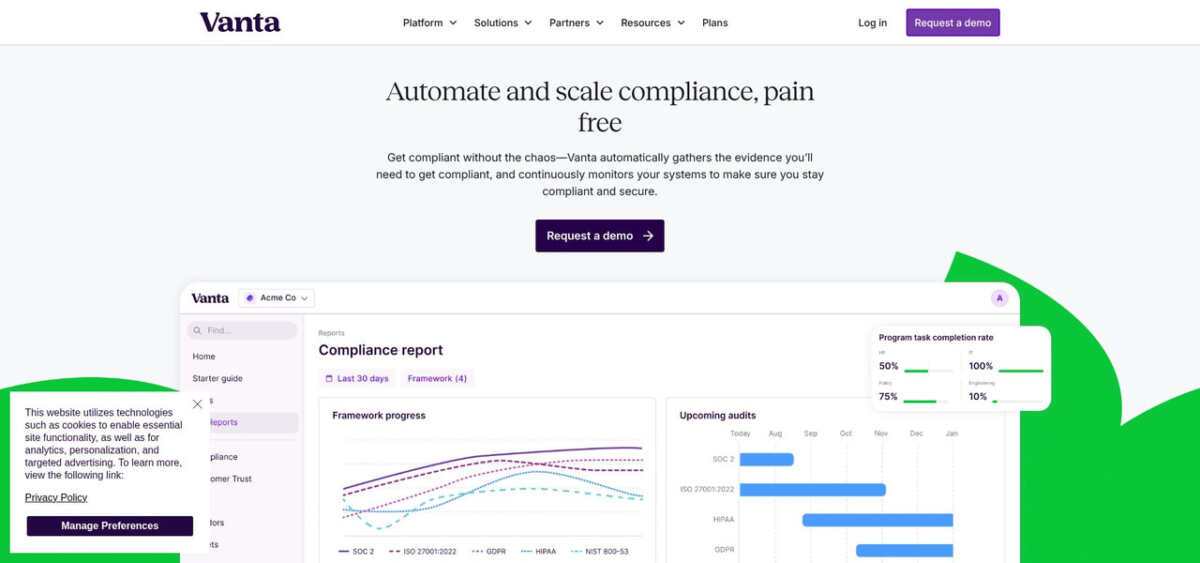
1. Vanta: best overall for automation and ecosystem
Vanta is a trust management and compliance automation platform built for SaaS teams that want continuous compliance to run in the background, without turning every audit cycle into a fire drill. It is used by 14,000+ customers and is designed to scale from a first SOC 2 report to a multi-framework program that also includes ISO 27001, HIPAA, PCI DSS, and more.
Where Vanta pulls ahead is automation depth. The platform offers 400+ integrations and runs 1,200 to 1,400+ automated tests on an hourly cadence. In practice, that means you can connect your cloud providers, identity stack, code repos, HRIS, and device fleet, then catch drift quickly. If an S3 bucket becomes public or an offboarded engineer still has admin access, you can route the failure into Slack or Jira and keep the issue visible until it is resolved.
Vanta also does a lot of the “audit writing” work that usually steals senior time. It can auto-generate key audit artifacts like your SOC 2 System Description and your ISO 27001 Statement of Applicability, and it uses AI throughout the platform to reduce busywork. That includes AI-assisted policy creation, AI evidence evaluation to surface gaps before an auditor finds them, and AI remediation guidance that includes Terraform snippets for many failing tests.
On the go-to-market side, Vanta’s Trust Center is built to reduce security review friction. Instead of sending PDFs and chasing email threads, you can share a live portal, collect NDAs, and let buyers self-serve answers through an AI-powered chatbot. For teams buried in spreadsheets of security questionnaires, Vanta also offers questionnaire automation, with 80%+ answer coverage and up to 95% acceptance rates reported for responses.
Vanta is a strong fit if you expect your program to get more complex over time. Beyond core compliance workflows, it supports enterprise-grade needs like custom RBAC, SCIM, Workspaces, and an API, plus adjacent programs such as Access Reviews and vendor risk management (VRM/TPRM). Support is also positioned as a differentiator, with 24/7/365 support, a named CSM included, and a published 95.5% CSAT score.
Pricing is packaged (Core, Growth, Scale) and publicly listed, with a commonly cited starting point of around $10,000 per year for smaller teams, depending on headcount, frameworks, and modules.
Key limitations to know up front: Vanta is typically priced above budget-first tools, and the platform can feel like more than you need if you are a very small team that only wants a lightweight SOC 2 checklist. Its infrastructure-as-code remediation is also most clearly oriented around Terraform.
Choose Vanta if you want the deepest automation, the broadest ecosystem, and a platform that can carry you from “first audit” to “multi-framework, multi-entity, continuous compliance” without a painful migration later.
2. Thoropass: best for teams that want automation and audit under one roof
Thoropass combines compliance automation with in-house audit services, so teams that would normally run two separate vendor relationships — one for software, one for auditors — can stay inside a single experience. Originally launched as Laika, the company rebranded to Thoropass to emphasize that integrated motion. It is often shortlisted by mid-market SaaS teams that are tired of coordinating audit timelines across independent firms and want a single accountable partner for the full compliance calendar.
Thoropass is ideal for:
Mid-market SaaS teams planning multiple audits a year that would rather consolidate automation and audit delivery under one vendor
Buyers who value predictable audit turnaround and clear ownership over the absolute deepest real-time drift detection
Organizations where procurement prefers fewer vendors and simpler renewal cycles
On core framework coverage, Thoropass supports the standards most SaaS teams end up stacking, including SOC 1, SOC 2, ISO 27001, HIPAA, PCI DSS, GDPR, and a handful of NIST frameworks. Because audit delivery is part of the product, frameworks tied to formal attestation — SOC 1 and SOC 2 especially — are where Thoropass is most differentiated.
Where the platform feels thinner is emerging and region-specific coverage. AI-focused standards like NIST AI RMF or ISO 42001, and newer European regulations such as DORA and NIS 2, may require more manual scoping than you would expect from platforms that treat framework breadth as a core product axis.
Integration and monitoring depth is practical rather than leading. Thoropass connects to the common cloud, identity, and HRIS systems SaaS teams rely on, but the integration count is modest compared to the biggest automation-first platforms, and test cadence is oriented around keeping each audit cycle’s evidence fresh rather than catching drift within minutes. Teams that want continuous control monitoring as an operational layer may need additional tooling to cover that gap.
Trust Center and sales enablement is not the primary product story. Thoropass gives you a place to share posture with prospects, but buyer self-service tooling — AI Q&A, deep questionnaire automation, CRM-native workflows — is not where the platform invests most heavily. Teams with heavy security-review pipelines should validate whether Thoropass’s sales enablement layer is deep enough for their inbound motion before they standardize on it.
AI sits on the assistive side of the spectrum. Thoropass offers AI-supported evidence mapping and control guidance, but the platform’s narrative leans harder on integrated audit delivery than on “AI automation.” Teams expecting AI to materially replace senior engineering time on remediation should pressure-test specific workflows during evaluation.
Pricing is custom-quoted and generally higher than software-only platforms because audit services are bundled into the relationship. Support is positioned as hands-on, with program management built into the subscription rather than sold as a separate tier. For a mid-market SaaS team, that can be exactly the right shape — fewer hand-offs, clearer ownership — or it can feel heavier than needed if you already have an internal compliance lead and an established audit firm.
On scalability, Thoropass fits well through a mid-market, multi-framework motion. If your roadmap includes deep multi-entity governance, many custom frameworks, or a long-term plan to run the compliance program entirely in-house with your own auditor of record, plan to reassess the fit as the organization grows.
Choose Thoropass when you want one vendor accountable for both compliance automation and audit delivery, and you value predictable audit cycles over the deepest out-of-the-box test automation.
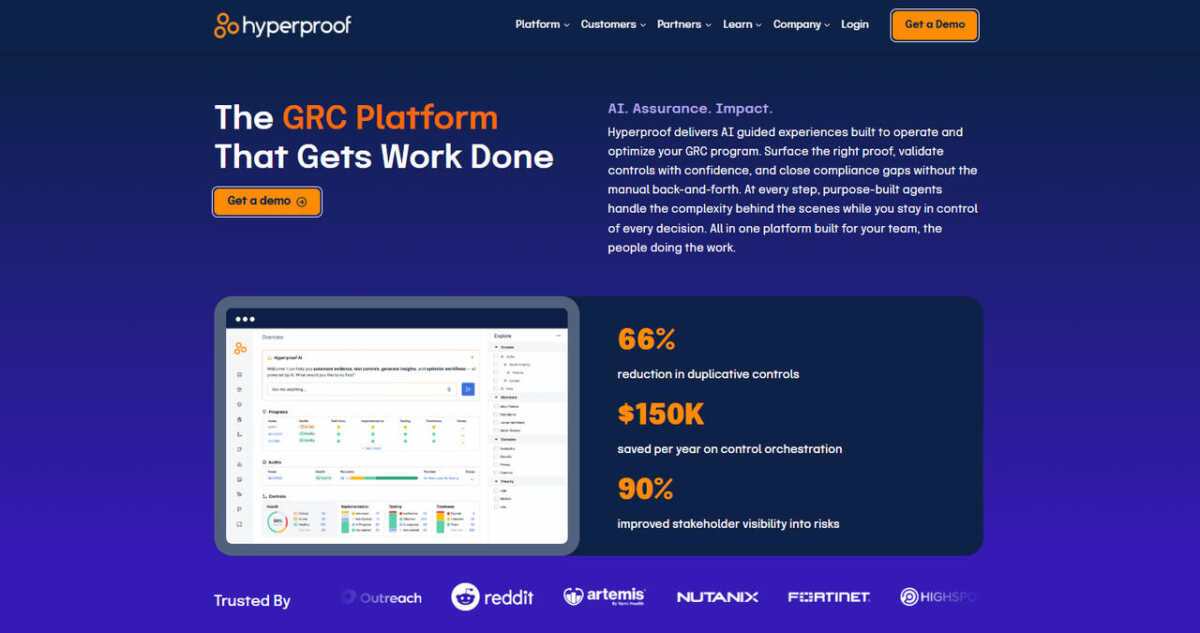
3. Hyperproof: best for control-first GRC with cross-functional collaboration
Hyperproof is a compliance operations platform built around a controls-first model, where the atomic unit of work is the control — not the framework or the checklist. For teams that already have a security program with internal stakeholders across engineering, legal, IT, and privacy, that framing tends to feel natural, because the real work lives in who owns which control and what evidence is current.
Hyperproof is often evaluated by mid-market and enterprise teams that need compliance to be a coordinated team sport, not a single-owner spreadsheet. Its Kanban-style workflows and assignment model make it easy for multiple departments to review, approve, and track control activity without losing context.
Hyperproof is ideal for:
Teams where compliance work routinely spans engineering, IT, legal, and privacy stakeholders
Mid-market to enterprise organizations that already know their control model and want a platform that surfaces ownership and status, not just a checklist
Programs where evidence freshness and audit traceability matter more than the largest raw integration count
On framework coverage, Hyperproof ships a broad catalog that includes the standards SaaS teams care about (SOC 2, ISO 27001, HIPAA, PCI DSS, GDPR), plus coverage for more regulatory-heavy environments such as NIST 800-53, NIST CSF, CMMC-style controls, and industry-specific regimes. For teams with a longer-term plan that includes multiple regulated frameworks side by side, Hyperproof’s control-first model makes mapping overlaps across frameworks cleaner than treating each framework as its own silo.
Integration and monitoring depth is respectable but not the platform’s headline. Hyperproof connects to common cloud, identity, ticketing, and evidence sources, with automation that keeps control status and artifacts current. Test cadence is more aligned with operational cycles than near-real-time drift detection, so teams that want every configuration change caught within minutes may want to pair Hyperproof with a dedicated cloud security or CSPM layer.
The Trust Center story is less central than in tools built around sales-enablement. Hyperproof’s product focus is the internal operating model of compliance, not buyer self-service. For teams with heavy security-review volume, Trust Center maturity (AI Q&A, NDA flows, CRM workflows) should be validated separately before you commit.
AI in Hyperproof is positioned as an assistive layer inside the controls workflow, helping with tasks like evidence review, mapping suggestions, and control recommendations. It is not positioned as a “self-driving” compliance engine, and buyers should calibrate expectations accordingly.
Support is generally treated as a partnership. Implementation and customer success are hands-on, which matches the profile of a controls-first platform — teams usually need help translating their existing control model into the tool cleanly, and then optimizing workflows over time.
Pricing is custom-quoted and oriented to mid-market and enterprise budgets. Hyperproof is rarely the cheapest option on a shortlist, and it is not trying to be — the value is in getting compliance work tracked, owned, and auditable across a larger team.
The biggest fit question is team maturity. Hyperproof works best when you already know roughly what your control model looks like. Very early-stage teams that are still figuring out “what a control even is” may find a more prescriptive, guided platform easier to start with, then migrate into Hyperproof once the program has more structure.
Choose Hyperproof when compliance is a cross-functional program in your organization, you want the control to be the primary object in your system, and you are willing to invest in implementation to get a durable operating model in return.
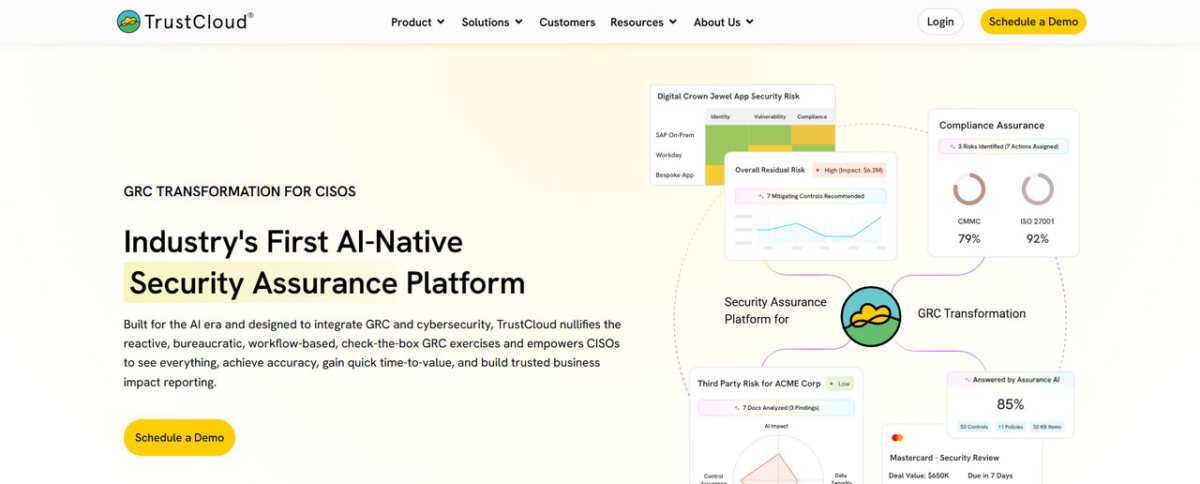
4. TrustCloud: best for early-stage teams with AI-first evidence automation
TrustCloud is a compliance automation platform aimed squarely at teams that want to build a serious security program early, but cannot yet justify an enterprise-grade budget. Its calling card is an AI-heavy approach to evidence collection, mapping, and questionnaire response — plus a free tier that makes it easy to start without a procurement cycle.
For a founder, a first security hire, or a small engineering team facing a SOC 2 requirement from a first enterprise customer, TrustCloud is positioned to turn compliance into a product you can evaluate by actually using it, not just by sitting through demos.
TrustCloud is ideal for:
Seed to Series A SaaS teams pursuing a first SOC 2 or ISO 27001 with a limited budget and limited dedicated headcount
Buyers who want to prototype their compliance program on a free tier before committing to an annual contract
Teams that value AI-driven evidence and questionnaire automation as a core product axis, not a bolt-on feature
On framework coverage, TrustCloud supports the frameworks early-stage SaaS teams hit first — SOC 2, ISO 27001, HIPAA, GDPR, CCPA — along with a growing set of additional standards as the program matures. That coverage is strong for common go-to-market gates, but expect more limited depth in specialized regimes like HITRUST, FedRAMP, or newer AI-specific standards.
Integration and monitoring is built around the stacks most early-stage SaaS teams actually run, which is often more useful in practice than a very large integration count that is only partially relevant to your environment. Monitoring cadence is designed to keep evidence audit-ready, not to function as a real-time configuration management layer — teams that need tight drift control may want to pair TrustCloud with a dedicated cloud security tool.
One of TrustCloud’s most differentiated areas is its TrustShare / Trust Center experience paired with AI-assisted questionnaire response. For startup sales teams that keep getting pulled into long security questionnaires, having an AI layer pre-populate answers from your control evidence can return meaningful hours per deal. How well that works in practice depends on how much of your evidence is already in the platform, so it is worth testing on a real questionnaire during evaluation.
AI is the headline on the product side. TrustCloud leans into AI-driven control mapping, evidence review, and questionnaire automation as a core part of the platform rather than a feature tab. For very small teams, that can be the difference between a compliance program that moves and one that becomes one person’s permanent side job.
Support is generally scaled to the tier and can feel lighter at the free and entry-level paid tiers. Teams that want an embedded compliance officer or a dedicated CSM from day one will find platforms explicitly built around a services model (like Scytale) a closer fit.
Pricing is unusually flexible for this category. TrustCloud offers a free tier that is genuinely usable for building the program, plus paid tiers that unlock deeper automation, higher evidence limits, and more frameworks. For teams that need to defer real spend until they have customer revenue, that structure is rare in this market.
The main caveat is scale. TrustCloud’s sweet spot is early-stage compliance, and the enterprise-readiness features — custom RBAC granularity, heavy multi-entity governance, very deep SCIM flows — are not where the product invests most. As your organization crosses into multi-business-unit governance or heavily regulated frameworks, plan for a re-evaluation.
Choose TrustCloud when you need to start a real compliance program now, AI-assisted evidence and questionnaire work is a high-value feature for your team, and flexible early-stage pricing matters more than enterprise-scale governance depth.
5. Scytale: best for hands-on service with an AI assist
Scytale is a strong fit when your biggest compliance bottleneck is not intent, it is bandwidth. The product bundles software with a dedicated compliance officer, so you can outsource a meaningful share of the program management that usually lands on a founder or a single security lead.
Scytale was founded in 2020 in Tel Aviv and, in the provided research, is described as a smaller vendor by funding and team size, with about $12M raised and around 115 employees, plus offices across multiple regions. It has also been recognized publicly, including AWS Rising Star Partner of the Year (2025) and a G2 2026 Best Software Awards mention.
Scytale is ideal for:
Seed to Series B SaaS teams (roughly 10 to 200 employees) pursuing a first SOC 2 or ISO 27001 with limited in-house GRC headcount
Teams that want hands-on guidance and auditor coordination built into the subscription
Organizations that prefer a “done with you” compliance motion over building an internal operating model immediately
Frameworks: broad coverage, with notable enterprise gaps
Scytale claims 60+ frameworks, including SOC 2, SOC 1, ISO 27001, ISO 27701, ISO 42001, HIPAA, PCI DSS, GDPR, NIS2, NIST CSF, NIST 800-53, and CCPA. That breadth can cover most startup and mid-market needs.
At the same time, the research flags several gaps that matter for more regulated expansion, including no HITRUST, no FedRAMP, no CMMC, and no SOX ITGC. If your roadmap includes those standards, Scytale may become a stepping stone rather than a long-term system of record.
Integrations and monitoring: adequate for audits, less suited for real-time drift control
Scytale supports 100+ integrations, but the bigger operational detail is cadence. The research describes Scytale as running on a 24-hour batch sync, and includes a customer-reported pain point that when they want to sync data, “it takes 24 hours.”
That matters if you are trying to treat compliance as continuous control monitoring, not just audit preparation. In head-to-head proofs of concept referenced in the research, Scytale is also characterized as materially less automated out of the box, with quoted comparisons around 43% automated coverage versus about 82% for Vanta in similar evaluations.
Trust Center and sales enablement: present, but not the core product story
Scytale offers a Trust Center, but it is positioned as more of a basic portal for sharing posture rather than a full sales-enablement layer. The research notes that Scytale does not offer questionnaire automation on the same level as platforms that treat security reviews as a workflow to optimize, and it does not position an AI trust-center chatbot for buyer self-service in the way some competitors do.
AI: Scy is a helpful assistant, not an automation engine
Scytale’s AI assistant, Scy (launched in 2024), is designed to answer compliance questions in natural language, help draft policies from your existing processes, and rank risk items so teams know what to fix first. It is best understood as an assistant that accelerates writing and prioritization. The research does not frame it as a deeply embedded automation layer for remediation and evidence workflows.
The real differentiator: a built-in compliance officer
Scytale’s defining feature is its services model. The subscription includes a dedicated compliance officer who helps scope controls, run gap analysis, and manage the auditor relationship end to end. For teams that are resource-constrained, that can be more valuable than having the most granular platform capabilities, because it keeps the program moving even when engineering is busy.
The trade-off is dependency. If your long-term plan is a multi-team, multi-framework compliance program with strong internal ownership, you should plan for how that concierge model evolves as your organization scales.
Pricing and scalability: premium feel, with services included
Scytale pricing is custom-quoted. The research suggests ranges of $10,000 to $15,000 per year for smaller customers and $20,000 to $30,000+ for mid-market, which reflects that professional services are bundled.
In terms of enterprise readiness, the research positions Scytale as better suited to early-stage and mid-market teams than large, complex organizations. The combination of 100+ integrations, 24-hour sync cadence, and a services-led operating model can become limiting when you need true continuous monitoring at scale, multi-entity management, and heavily automated evidence coverage across a broad stack.
Choose Scytale when you want to offload compliance project management to an embedded expert, and you are comfortable with lighter automation depth and slower sync cadence in exchange for hands-on execution support.
6. Conveyor: best for automating security reviews and building customer trust at scale
Conveyor is an AI-native customer trust platform built for information security and presales teams that spend too much time answering the same security questionnaires and sharing the same compliance documents. It is built for complex enterprise organizations managing hundreds of security reviews per quarter, and it replaces the manual back-and-forth of those reviews with a single platform for sharing security information, automating questionnaire responses, and closing deals faster.
Where most tools treat security reviews as a necessary cost center, Conveyor is positioned to turn them into a competitive advantage, helping companies respond with speed and accuracy while giving prospects the trust signals they need to move forward. That starts with the Trust Center, which offers 1-click NDA-gated document sharing, along with advanced features such as a Trust Center AI Agent, automated approvals, enterprise roles and permissions, auto-translation, and the ability to host multiple product lines.
Conveyor is ideal for:
Information security and compliance teams fielding recurring security questionnaires
Presales and sales engineers who need to answer customer questions and turn around security reviews quickly
Enterprise companies managing high volumes of customer security requests who’ve outgrown point solutions and need a single platform that automates the whole workflow, not just part of it
On questionnaire automation, Conveyor reports 95%+ accuracy, with every answer backed by source citations, and a browser extension that auto-completes questionnaires directly inside vendor portals. Source citations are available across 50+ languages. Behind that sits a self-healing knowledge library, connected to any content source and continuously updating, so the answer library doesn’t require manual upkeep.
Rather than automating only the questionnaire piece, Conveyor combines document sharing, NDA gates, customer analytics, and questionnaire automation inside one platform. Customer engagement analytics and detailed access reporting give security and presales teams visibility into who is viewing what, and policy-based triage and delegation workflows route incoming requests to the right owner.
Integrations include Salesforce, Slack, HubSpot, Google Drive, and others, connecting the platform to the CRM and collaboration tools that sales and security teams already use.
AI in Conveyor is positioned as foundational rather than added on: the platform was built from the ground up around AI-generated answers, not a legacy tool with AI features grafted on afterward. That, combined with the accuracy rate and source citations noted above, is presented as the platform’s central differentiator, alongside proof that customers including Zapier, Carta, Atlassian, and dbt Labs use Conveyor to automate 80–100% of their security review workflows.
Pricing is usage-based rather than per-seat: organizations pay based on access volume and questionnaire usage, which is meant to keep costs predictable as teams grow. The Free tier is $0 per year, with 10 trust center credits per month and caps of 15 documents and 15 knowledge base Q&As, and it does not include questionnaire automation or integrations. Professional starts at $9,600 per year and adds 100 trust center credits, 20 questionnaire credits (each covering 100 questions), 10 RFP projects, unlimited seats, full integrations, SSO with SCIM, API access, custom domain hosting, detailed analytics, and a dedicated success manager. Enterprise is custom-priced for organizations with high-volume needs, with additional credit allocations and managed onboarding available. Credits roll over annually and represent organization access, additional credits are available in increments of five, and overage charges apply once usage exceeds the annual allocation.
The proof points span the range Conveyor is built for: Quantum Metrics’ COO reports cutting response time in half, Figma completed a 7-page security questionnaire 80% faster, and Lucid Software brought time per question down from 4 minutes to 22 seconds — a 91% reduction, while dbt Labs and Uniqode both credit the platform’s AI with delivering value directly inside their existing workflow. That range runs from fast-growing SaaS businesses building a professional security presence to complex enterprises turning questionnaire turnaround from weeks into days.
Choose Conveyor when your organization is managing enough security reviews that manual, per-question handling has become the bottleneck, and you want one platform — Trust Center, NDA workflows, and AI-generated questionnaire answers together — to move deals from request to close faster.
Side-by-side snapshot
You have met the headline acts. This table is the fastest way to sanity-check fit before you spend time on demos. The key is to look past logos and framework counts and focus on what will change your weekly workload, evidence coverage, and sales friction.
Criteria
Vanta
Thoropass
Hyperproof
TrustCloud
Scytale
Conveyor
Evidence integrations
400+
Core SaaS stack
Core SaaS stack
Core SaaS stack
100+
Core SaaS stack
Monitoring cadence
Hourly
Audit-oriented
Operational cycle
Evidence-ready
24-hour batch sync
Hourly
Frameworks (pre-built)
35 to 44
Core attestation set
Broad, controls-first
Common SaaS set, growing
60+ (claimed)
Common SaaS set, growing
Trust Center
Yes, with AI buyer Q&A
Basic posture sharing
Not the product focus
Yes, with AI questionnaire assist
Yes (basic)
Yes, with AI
Human guidance model
Named CSM included
Bundled audit + program mgmt
Implementation partnership
Scales with tier
Dedicated compliance officer
Implementation partnership
Starting software price (indicative)
~$10,000 per year
Custom, audit bundled
Custom, mid-market/enterprise
Free tier + paid tiers
Custom, often $10K to $15K (SMB)
Free tier + paid tiers
Best for
Deep automation and scale
Automation + audit under one vendor
Cross-functional controls program
Early-stage teams, AI-first evidence
Outsourcing compliance execution
Cross-functional controls program
If you want the most continuous monitoring depth, cadence and test coverage matter. Hourly versus daily changes how quickly drift becomes an operational ticket.
If sales is driving the urgency, look closely at Trust Center maturity and how well it handles real security-review workflows, not just document sharing.
If budget is the gating factor, confirm year-two expectations early. Several vendors compete aggressively on year-one pricing, then rebalance at renewal.
If your team has no compliance bandwidth, Scytale’s built-in officer and Thoropass’s bundled audit model can be more valuable than an extra integration or two.
Use the table to shortlist two options, then validate them against your exact stack and frameworks in a proof of concept.
Other notable platforms worth a look
The compliance market is crowded, and a few platforms narrowly missed our top five. They can still be the right call if you have a specific workflow to solve, or if you are buying for a very different org shape than a typical SaaS security team.
OneTrust brings privacy and security under one umbrella. If you already use its privacy tools, extending into SOC 2 can reduce vendor sprawl, although the interface can feel heavy for smaller teams.
Optro (formerly AuditBoard) targets the enterprise. Internal audit teams tend to like its deep risk register and SOX governance features, but most startups will not use half the platform.
JupiterOne turns assets into a graph you can query in plain language. It is useful for questions like “Which servers hold PHI and lack encryption?”, and it often pairs better with a compliance platform than replacing one.
Treat these as specialized options rather than default picks for a lean SaaS company.
Conclusion
No single platform wins every row, so anchor your decision in your primary constraint and validate it through a proof of concept that mirrors your real-world workflows.
Top 5 Compliance Management Software for SaaS Teams in 2026 was last modified: September 23rd, 2026 by Ahmad Zulfiqar
Using a proxy can be great for many use cases, and it’s very important to find the right one that fits your needs. But how can you test a proxy, and more specifically its performance or speed? Generally, a good rule of thumb is to focus on key metrics, more specifically latency, download and upload speed, but also proxy stability.
Use online speed tools
The simplest way to check proxy speed for the best proxy is to just use a regular online speed test tool. Sites like Speedtest or Fast.com are very good at this, and they will give you a pretty good idea of how fast your proxy is. In order to do such a test, you connect to the proxy, open the site and run the test. What you want to do is compare results you had with and without the proxy. Then, it will be a much easier way to figure out if the proxy is good for you or not.
Using the command line
While this is more advanced, it’s still a very accurate system and it can give you lots of detailed information. With that in mind, you can do a ping test if you write “ping google.com” in the command line. In this case, the lower ms you have, the faster your proxy will be.
You can also do a traceroute analysis. On Windows, use the command “tracert google.com” and you want to see how many hops your connection takes. Not everyone is accustomed with using the commandline, but this is a great idea and it will help you save a significant amount of effort and time, too.
Use professional proxy testing tools
If you want to go the extra mile, there are various tools that are meant specifically for proxy testing. These include Proxy Checker or Postman. Their role is simple, they are testing multiple proxies at once, they measure response time and can check uptime and reliability for these proxies, too. That makes them a solid option to consider, especially if you need a proper way of assessing your proxy performance, beyond just its overall speed.
Browser-based testing
There’s another thing you can do, for example you can install an extension like Foxy Proxy and switch proxies as well as test browsing speeds manually. While it might not be the most complex thing you can do, it’s effective and it will provide a much more rewarding result than expected.
Real-world testing
Nothing beats real-world testing, and the primary focus for this stuff is to do all kinds of regular tasks. Load websites, download files and stream videos. Check the speed of your proxy and see if it’s actually working at the level that you want. It basically shows you the real performance, and not just numbers.
Testing stability overtime
Speed is one thing, but the performance matters just as much. For example, you might have a fast proxy, but it has bad uptime, there are frequent disconnects and so on. Knowing how to test the stability overtime is extremely important, and that’s exactly what you need to pursue with something like this. Make sure that you are doing the right tests, and the outcome will be second to none.
Compare multiple proxies
When you are testing a proxy, always try to compare it with other ones to see what delivers the best value and where you are getting the better return on investment. Assess speed, reliability and latency. And also, choose the one that has the best balance in the end.
Think of the proxy type
There are different proxy types, as you know. there are data center proxies, residential proxies or even mobile proxies. All of them are great in their own right, but the primary focus is to find the right option that fits your specific use case.
Assess the proxy security
As we know, speed is not everything. You also want to focus on the security of your proxy, and that alone can prove to be very important. When you are testing a proxy, focus on the IP leaks, DNS leaks, anonymity level and anything of that nature. For this purpose, you can use tools like ipleak.net, as they are very handy.
Common issues you will encounter
A lot of the time, if you are testing proxy performance and speed, you will end up with a few issues. For example, high latency will make your browsing speed much slower, and that’s something to keep in mind. If the speed drops quite a lot, that means the proxy is unstable, and it will be a huge problem to think of. Timeouts are also something you should be wary of. If you have timeouts, that will show your server is not very reliable, and you have to address that to the best of your capabilities.
It’s also a good idea to stick with a simple testing routine:
You connect to the proxy
Run a speed test
Ping a server
After that, browse or stream
Compare results between proxies
Even if this is a simple approach, it will help you figure out whether the proxy is effective or not, and assess the overall value. A great idea here is to test at different times of the day and of course, you want to avoid free proxies as much as possible. Using a wired connection is better if you want accuracy from your tests. And, of course, you also want to restart the connection between tests, to ensure that every test is accurate.
Conclusion
A lot of people think that the fastest proxy will be the best one. But that’s not always the case. Your focus is to find an all-rounded proxy, because it will be the one that’s table, fast and also very reliable. Testing proxies in real conditions and for a prolonged timespan is better, because it will offer you better and more accurate information. It can take a bi of time to do these tests, but then you can have detailed info and you can choose the best option.
How to Test Proxy Speed and Performance? was last modified: April 21st, 2026 by Lincoln Wise
AI systems operating in production environments depend on precisely labeled training data to meet performance and compliance thresholds. In regulated industries, unreliable annotations introduce compounding risk, from policy violations and inaccurate outputs to measurable degradation in model accuracy over time. As models scale across applications, annotation quality becomes a foundational component of operational reliability.
When assessing data annotation services, cost and capacity alone are insufficient selection criteria. Annotation must function as governed infrastructure and be integrated with supervised fine-tuning, evaluation frameworks, and model lifecycle management.
Alignment With Operational Use Cases
Reliable annotation begins with alignment to deployment-specific tasks and expected model behavior. Annotation schemas should encode the response structures, domain constraints, and policy boundaries the model must observe in production.
Vendor-driven annotation detached from operational requirements produces datasets that fail to improve model behavior under real-world conditions.
Structured annotation, on the other hand, involves directly aligning the labeling guidelines to actual workflows in the operational phase.
Structured Annotation Guidelines and Consistency
Consistency in the annotated data sets is essential for ensuring consistency in model performance. The annotation guidelines should cover not just what constitutes correct labels but also the handling of gray areas, ambiguities, and policy-sensitive scenarios.
Reliable providers maintain thorough documentation, conduct calibration training, and implement dispute resolution processes. These mechanisms create a shared interpretation of annotation guidelines across widely distributed teams.
A multi-tiered quality assurance system can also enforce consistency. Random sampling, audit reviews, and cross-validations ensure that annotations remain aligned with the set guidelines as the amount of data increases.
Human-in-the-Loop Oversight
Structured human-in-the-loop oversight is essential for maintaining annotation quality at scale. Annotators, reviewers, and domain experts operate within a tiered review process designed to surface labeling errors and enforce accuracy thresholds.
In enterprise environments, this oversight is systematic and governed, not ad hoc. Domain experts validate high-risk and edge-case annotations where labeling decisions carry downstream compliance or accuracy consequences.
This kind of supervision turns annotation into a systematic process for dealing with training data quality.
Integration With Evaluation and RLHF Pipelines
Annotation services should be integrated into broader evaluation and reinforcement learning processes. Annotated datasets serve as the foundation for supervised fine-tuning, while structured evaluation measures model compliance against defined performance criteria.
Reinforcement learning based on human feedback (RLHF) extends this by encoding human preference signals into reward models, reinforcing aligned outputs and discouraging undesired behavior at the training level. Annotations function as an upstream control point that governs both learning dynamics and evaluation integrity.
Red-team datasets and benchmarks also depend on annotated datasets to evaluate and analyze model performance in high-risk or edge-case situations.
Governance Across the Annotation Lifecycle
Reliable annotation service providers operated within a structured lifecycle, which includes guideline development, labeling execution, quality assurance, evaluation, and ongoing monitoring. Each stage is aligned to business-specific requirements within a structured governance framework.
Mature programs embed QA loops, annotator calibration sessions, dataset audits, and performance tracking systems. These governance practices create traceability between annotation quality and downstream model behavior.
Lifecycle governance allows for continuous improvement. When data distributions shift or model requirements evolve, annotation schemas and guidelines are updated within the same governance structure to maintain consistency with performance thresholds.
As organizations scale AI deployments, annotation volume increases significantly. Reliable providers must support this without introducing variability in data quality.
Conclusion
Selecting a reliable annotation provider requires organizations to evaluate governance maturity, standardization practices, and integration across the AI lifecycle. The process of annotation must become part of the managed infrastructure that supports supervised fine-tuning, evaluation, and continuous monitoring.
Organizations that invest in structured annotation frameworks, human-in-the-loop oversight, and lifecycle governance reduce training data risk and strengthen deployment reliability. In production environments where regulatory compliance and performance thresholds are non-negotiable, annotation governance is foundational infrastructure, not an afterthought.
Key Factors in Selecting Reliable Data Annotation Services was last modified: April 21st, 2026 by Baris Zeren
India’s education landscape has seen a noticeable shift in recent years, especially in how student performance is evaluated. Gone are the days when everything depended solely on marks and percentages. Today, grading in education plays a central role in shaping how students learn, grow, and succeed academically. In 2026, this system is not just a method of evaluation; it’s a framework that supports balanced learning, reduces pressure, and prepares students for global opportunities.
Key Takeaways
Grading in education has transformed student evaluation by focusing on understanding, consistency, and overall academic development rather than just marks.
The system combines internal and external assessments, ensuring a balanced and fair evaluation process throughout the academic year.
The types of grading systems in India, including CGPA, letter grades, and CBCS, offer flexibility and align with global standards.
Continuous assessment encourages regular study habits, better engagement, and improved long-term learning outcomes.
A structured grading system enhances career and study abroad opportunities by making student performance easier to evaluate internationally.
Understanding the Modern Evaluation Approach
The Indian classroom has transformed into something much more student-friendly and structured. Instead of everything riding on one high-stakes final exam, universities have embraced a mix of grades, CGPA, and credit-based models. The various Types of Grading Systems in India offer a level of flexibility and fairness we didn’t have before. It ensures students are judged on their consistency and genuine understanding rather than how well they can cram for a three-hour window.
This modern setup also blends internal assessments, such as think quizzes, presentations, and lab work, with external exams. By doing this, it builds a well-rounded picture of a student. You’re rewarded for showing up and putting in the effort all year long, not just for a last-minute caffeine-fueled study session.
Why India’s Grading System is Key to Academic Excellence in 2026
Promotes Conceptual Understanding
The concept-learning aspect of this assessment scheme is one of the biggest strengths of the new system since it involves understanding of ideas and critical thinking in the analysis and implementation of knowledge learned. Students are encouraged to think deeply and logically, and this is crucial not only in achieving high grades at school but also later in their careers.
Eliminates Academic Stress
One of the key drawbacks of a traditional assessment method was the presence of excessive pressure among students because of very tiny score differences. However, when grades are used, students no longer pay attention to a loss of one or two marks since their success depends entirely on general performance.
Fosters Personal Development
In today’s academic environment, success cannot be measured only based on exam results. When grades are considered, students are evaluated based on different aspects such as assignments, class presentation, and even communication skills. All this allows developing a wide range of qualities that will be required in professional life.
Fosters Continuous Assessment
Another major benefit of grading in education is the emphasis on continuous evaluation. Instead of studying only during exams, students are assessed throughout the semester. This encourages consistent effort, better time management, and deeper engagement with subjects.
Global Education Standards
Mobility is becoming increasingly common globally. The grade systems used in India are compatible with global standards such as Grade Point Average (GPA). Therefore, applying for foreign graduate schools will be made easy because your grades will be understandable to admissions officers from all corners of the world, including New York, London, or Sydney.
Offers Greater Freedom with CBCS
The advent of the Choice-Based Credit System (CBCS) has brought great benefits to higher learning institutions. Students have the freedom to choose subjects of their interest, even if not covered under their main course. For example, students who wish to learn about physics but also like psychology can opt for both courses.
Increases Career Prospects
Recruiters are often looking for candidates whose grades show continuous excellence in their studies. A consistent CGPA gives an impression of self-discipline and consistency in performance.
Promotes Learning of Practical Skills
Current grades depend not on your textbook knowledge, but on your ability to perform certain actions. Since internship programs and projects require much research, students begin closing the gap between theoretical and practical aspects of the subject. You study not only what is expected of you at the workplace, but also how to cope with your duties there.
Inculcates Professional Discipline
Due to the constant need for evaluation of your performance and progress, you automatically enter a certain working rhythm and establish professional discipline, which you will maintain throughout your career. In other words, you change your attitude to studying, as you treat this activity more seriously.
Stimulates Interaction Between Students and Professors
Having various assessment options, such as discussion and debate formats, makes the studying process more interactive. Thus, you engage in class activities, which contribute to your understanding of the subjects taught.
Teaches Problem-Solving Skills
The proposed grading system provides students with an experience similar to a working one by including teamwork and imposing urgent deadlines. Such conditions force learners to solve problems effectively, working as a team in a limited period of time.
Conclusion
India’s grading system officially became the backbone of academic excellence in 2026. By moving the goalposts from “just marks” to “meaningful learning,” we’ve created a much healthier environment for everyone. Students are evaluated on their total growth, not just a snapshot of one day. It’s a practical, inclusive, and globally-minded way to learn.
If you’re trying to navigate these academic waters or looking to head overseas, study abroad services can be a total lifesaver. Whether you’re trying to decode grading scales or just need help with university applications, their personalized touch helps you move toward your future with total confidence.
FAQs
1. What is grading in education in India?
Grading in education in India refers to evaluating students using grades, CGPA, and credits instead of only marks, ensuring a more balanced assessment system.
2. How does the grading system improve academic performance?
It promotes consistent learning, reduces exam stress, and evaluates multiple skills like assignments, projects, and participation, leading to better overall academic outcomes.
3. What are the common grading systems used in India?
India uses letter grades, CGPA/GPA systems, and the credit-based system (CBCS) to evaluate student performance across schools and universities.
4. Why is CGPA important for students?
CGPA reflects overall academic consistency and is widely used by universities and employers to assess a student’s performance over a period of time.
5. How can Leverage Edu help with study abroad planning?
Leverage Edu helps students understand grading systems, convert CGPA, choose universities, and manage applications for a smooth and successful study abroad journey.
Why India’s Grading System is Key to Academic Excellence in 2026 was last modified: May 26th, 2026 by Shivam Pandey
Most teams don’t start a Node.js modernization project because they want “new technology.” They do it because something is already hurting: deployments are slow, incidents are increasing, or hiring engineers for the existing stack is getting harder than it should be.
At that point, the real question is not whether to modernize, but who can do it without breaking production.
Some vendors treat it like dependency cleanup. Others treat it like a rewrite in disguise. The difference shows up months later in stability, not in slide decks.
Companies like SysGears approach this space differently, especially in their SysGears Node.js modernization work, where the goal is usually to stabilize and evolve existing systems rather than replace them outright.
That distinction matters more than most teams expect at the start.
Modernization failures usually start with the wrong definition of “upgrade”
A Node.js upgrade is not the same thing as modernization. Version bumps from Node 14 to Node 20 are straightforward. What causes trouble is everything attached to it: Express middleware that hasn’t been updated in years, abandoned npm packages, brittle build pipelines, and undocumented runtime behavior.
Most failed projects start with a narrow brief: “upgrade Node.js and fix vulnerabilities.” That sounds safe, but it avoids the actual problem, which is system design accumulated over the years.
The result is familiar. Teams ship an upgrade, then spend weeks chasing regressions in production logs.
This is why experienced teams often insist on a full Node.js codebase audit before any change is made. Without it, estimates are guesswork dressed as planning.
A real Node.js codebase audit looks less like a report and more like a diagnosis
A proper audit is not a checklist of “issues found.” It’s an attempt to understand why the system behaves the way it does under load.
In practice, a Node.js codebase audit focuses on things that actually break systems in production:
Old asynchronous patterns are still hiding in core services. Overgrown dependency trees where one package upgrade silently breaks five others. Logging is inconsistent enough to make incident response slower than it should be.
Companies doing serious Node.js migration services—for example, teams working on systems similar in complexity to those used by Stripe or large Shopify apps—treat this stage as mandatory. Not because it sounds good in documentation, but because skipping it almost always shifts the cost into production later.
A good audit does something simple but important: it connects technical debt to operational risk in plain language. If it doesn’t do that, it’s not useful.
There is no single “modernization path,” and pretending there is causes delays
Node.js systems don’t fail in the same way, so they can’t be modernized the same way either.
Some systems benefit from incremental upgrades, especially when downtime is unacceptable. Others require partial rewrites because the architecture itself is the bottleneck. Occasionally, teams need a strangler approach where new services slowly replace legacy modules.
This is where many vendors oversimplify things. They pick one method and apply it everywhere.
A real Node.js stack modernization effort should start with constraints, not preferences:
How often the system can deploy. How tolerant it is of partial failures. Whether teams can support two architectures in parallel for months.
If those questions are skipped, the chosen “strategy” doesn’t matter much. It will collapse under operational pressure.
Why outsourced Node.js modernization often fails internally before it fails technically
On paper, outsourcing looks efficient. In reality, the biggest risk is not technical execution — it’s coordination.
When teams rely on outsourced Node.js modernization, breakdowns usually happen in small gaps:
Product teams assume engineers understand business priorities. Engineers assume requirements are fixed. Stakeholders assume progress is visible until it isn’t.
The most reliable partners reduce that gap early. Not with dashboards or ceremonies, but by forcing clarity on scope boundaries and ownership. If something is ambiguous, it gets resolved before code is written, not during testing.
This is also where delivery speed is often misunderstood. Faster teams are not skipping steps. They are removing ambiguity earlier.
What execution actually looks like when it’s done properly
Modernization work is rarely linear, even when it’s planned that way.
A typical engagement starts with stabilization. That often means upgrading runtime versions while deliberately avoiding large refactors. The goal is to reduce immediate risk, not improve architecture yet.
Only after that does deeper work begin, refactoring high-risk modules, improving test coverage where it actually reduces uncertainty, and gradually removing legacy patterns.
In teams that do strong Node.js migration services, this phase is controlled by one rule: every change must reduce either operational risk or long-term maintenance cost. If it doesn’t, it’s postponed.
That rule sounds simple, but it prevents a lot of unnecessary rewrites.
Where most projects underestimate effort: dependency chains and runtime behavior
Node.js ecosystems age in messy ways. A single outdated package can block upgrades across an entire system. Some libraries still in production today haven’t seen meaningful maintenance since Node 12.
Even more problematic is runtime behavior that isn’t documented anywhere. Memory leaks that only appear under production traffic. Background jobs that behave differently depending on deployment timing.
This is why experienced teams rarely trust local testing alone. They rely on staging environments that mirror the production load and validate changes under real traffic patterns.
Skipping this step is where many modernization projects quietly turn into production incidents.
Why communication matters more than tooling in long-running modernization work
Most Node.js modernization efforts last longer than expected. That is normal. What determines success is whether the team maintains clarity during that time.
The strongest signal is not velocity reports. It’s whether trade-offs are being stated clearly.
For example, if a dependency upgrade introduces risk but enables faster future upgrades, that trade-off should be explicit. Not hidden inside task tracking tools.
Teams that handle Node.js upgrade partner relationships well tend to be blunt about constraints. That includes explaining what will not be fixed in the current phase.
Where SysGears typically fits in real Node.js systems
SysGears usually comes into Node.js projects when the codebase is already past the point where small fixes are effective. At that stage, the system is still running, but every change carries risk — dependency upgrades break unrelated parts, and behavior in production doesn’t always match what staging shows.
In their SysGears Node.js modernization work, the first focus is usually on stabilizing what already exists. That often means dealing with runtime issues, dependency conflicts, and unclear service boundaries before any structural redesign is attempted.
That order is not a methodology choice so much as a constraint. If a system is unstable, deeper refactoring tends to expose more issues than it resolves in the short term.
Some teams take a different route and start with architecture changes right away. That can improve code structure, but it often doesn’t reduce operational friction until much later in the process.
What actually changes for teams is usually more practical: fewer recurring production surprises, clearer ownership of services, and less reliance on a small group of engineers who understand undocumented behavior.
What you should actually expect from a partner
A serious partner won’t promise a smooth modernization. They will assume something will break and plan around it.
They will ask for access to production metrics early. They will challenge vague requirements. They will avoid rewriting stable parts of the system just because they look outdated.
Most importantly, they will treat modernization as an operational change, not a code transformation.
That mindset is what separates a short upgrade project from a long-term system improvement effort.
Choosing a Node.js Modernization Partner Without Slowing Down Your Product was last modified: April 21st, 2026 by Colleen Borator
The world of work looks very different now than it did just a few years ago. Many people spend their days split between a corporate office and a kitchen table.
This shift brings new challenges for staying healthy and injury-free. Safety must remain a top priority no matter where the desk sits today. Look at your space with fresh eyes.
Creating A Safer Hybrid Workspace
Corporate offices have safety teams that check every corner for risks. Home offices often lack this level of professional oversight and expert planning. You have to be your own safety officer when you work from your living room.
Working from home changes the risks people face daily. Many workers consult with experts such as Cullan & Cullan personal injury attorneys when accidents happen in their home office spaces. Proper planning helps prevent these legal and physical headaches before they start.
Fixing small issues now saves a lot of trouble down the road. Simple steps keep everyone on the team feeling good and working well. Take a moment to walk through your house and look for things that could cause a fall.
New Safety Technologies For Modern Offices
Companies are looking at high-tech ways to keep staff safe in modern times. New tools can track movement or alert people to bad posture during long meetings. This helps bridge the gap between home and office safety standards.
Recent safety studies show that 83% of employees are ready to try new digital safety tools. These gadgets can catch risks before they lead to painful long-term injuries. Most staff feel supported when they have access to the latest protective gear.
Using data helps managers see where the biggest problems hide in the workflow. It makes the whole office run more smoothly for everyone involved in the tasks. Modern safety tech is a smart investment for any business growing in the hybrid era.
Managing Mental Health And Stress Levels
Safety is not just about tripping over a loose rug or a heavy box. Mental health plays a huge role in how safe people feel as they work through their tasks. Distracted minds make mistakes that lead to accidents.
A workplace report found that over 40% of managers feel heavy stress during their daily shifts. High stress leads to physical fatigue that causes balance issues and slower reaction times. Managers need to set examples by managing their own workloads.
Taking time for mental breaks is a smart move for any busy person. Teams that talk about their feelings stay focused and avoid the dangers of burnout. Healthy minds create a safer environment for every person on the squad.
Understanding The Personal Comfort Doctrine
Legal protections exist for workers even when they work from home in a remote setup. Understanding these rules helps employees feel secure during their shift. You are still a worker with rights even if you are in your own house.
Standard insurance guides mention that brief breaks for comfort items like water are covered by normal worker protections. These moments of rest are seen as part of a normal day in the eyes of the law. You keep your coverage during these small breaks.
Knowing your rights is a key part of a good safety plan today. It gives you peace of mind as you move through your daily tasks. Clear rules help both the boss and the worker stay on the same page.
Ergonomics For Your Home Setup
Sit-stand desks have become a common sight in many houses across the country. They help people move more often and keep their spines in a healthy position. Standing for just 15 minutes an hour can boost your energy.
Poor chair height can lead to neck pain after just a few hours of typing. Adjusting your screen height to eye level makes a big difference in how you feel at 5 PM. Use a stand to get the right angle for your eyes.
Check your setup every morning to keep things in the right place. Small adjustments keep your body happy during long video calls. Your physical health is the foundation of your success as a hybrid worker.
Hazards Hidden In Plain Sight
Trip hazards are common when living and working in the same small space. Loose charging cables are a major risk for anyone walking through the room with coffee. Use clips to keep the floor clear and safe.
Lighting is another factor that people often forget to check in their home office. Dim rooms cause eye strain and can lead to painful headaches. Place your desk near a window for natural light that keeps you alert.
Keep your workspace clear of clutter and extra items that do not belong there. A clean area is a safe area for your mind and body.
Adapting to the hybrid era requires a fresh look at our daily habits and spaces. Staying safe takes effort, but the rewards are worth it for your health. Navigate these worlds carefully to stay at your best.
Take the time to make your space the best it can be for your body. You deserve a work environment that supports your goals and keeps you safe. A better future for your career starts with these simple steps.
Workplace Safety 2.0: Avoiding Injury in the Hybrid Era was last modified: April 21st, 2026 by Charlene Brown
Scaling a startup feels like building a plane at the same time as flying it. You need to keep the engine running as you add new seats for more passengers.
Growth brings many challenges that require a steady hand and a clear plan. Success depends on how well you can manage your team and your resources.
Building A Strong Foundation For Growth
Managing a growing team requires a set of specific skills that help keep everyone on the same page. Obtaining a business management diploma helps leaders understand the core principles of organizational structure and strategy. These educational tools provide the framework needed to handle complex business environments.
Structure helps prevent the chaos that often comes with rapid expansion. You need to define roles clearly so everyone knows their specific duties. This clarity allows your staff to work without constant supervision.
Clear communication is the glue that holds everything together during busy times. Keeping the lines open helps resolve issues before they become major problems. Regular updates keep the whole company moving in the same direction.
Navigating The Digital Transformation Shift
Technology plays a massive role in how modern companies expand their reach. One recent report suggested that 90% of global organizations might face an IT skills crisis by 2026. This shortage could slow down the progress of digital projects if leaders do not plan.
Finding the right tech talent is becoming a major hurdle for many rising firms. You should look for ways to train your current staff on new tools. This investment in people helps fill gaps in your technical capabilities.
Smart managers look for software that can automate repetitive tasks to save time. Using the right platforms allows your team to focus on high-value work. Automation reduces human error and speeds up your daily operations.
Strengthening Team Connection Through Communication
A growing workforce often leads to a disconnect between leadership and staff. A recent article noted that successful scaling firms often use 1:1 meetings to maintain agility and keep projects moving. These private sessions allow for direct feedback and better alignment on goals.
Regular check-ins help managers spot burnout or confusion early on. You can use this time to offer support and clarify expectations for the week. This practice makes sure that every team member feels supported.
Trust grows when employees feel heard and valued by their direct supervisors. Personal connections build a culture where people feel motivated to do their best work. Strong relationships are key to maintaining a positive work environment.
Optimizing Financial Resources And Operational Spending
Money management is a top priority when you are trying to grow your operations. An industry expert highlighted that smart businesses refine their spending by removing waste like unused software instead of just cutting costs. This approach keeps the business lean without hurting productivity.
Look at your monthly subscriptions to see what tools your team actually uses. Removing underused assets can free up funds for more critical investments. You should track every $ to make sure it supports your growth goals.
Efficiency is about getting the most out of every dollar you spend. Tracking your expenses carefully helps you make informed decisions about future growth. A lean budget allows you to pivot quickly when the market changes.
Implementing Scalable Processes For Long-Term Success
Standard procedures are the secret to maintaining quality as you add more customers. You should document your workflows so new hires can learn the ropes quickly. This documentation serves as a guide for every department in the firm.
Consistency helps build a reliable brand that customers can trust. When everyone follows the same steps, the results stay predictable and professional. High standards are necessary for building a long-lasting company.
Systems should be flexible enough to change as the company evolves. Reviewing your processes every few months keeps them relevant to your current needs. Adaptability is a major advantage in a competitive business world.
Prioritizing Key Growth Metrics
Managers need to know which numbers really matter for the health of the company. Focusing on the wrong data points can lead to wasted effort and missed opportunities. You should choose metrics that align with your long-term vision.
Use customer acquisition costs to measure marketing success.
Track churn rates to see how many clients stay with you.
Monitor employee satisfaction to reduce turnover in the office.
Data provides an objective look at how well your scaling efforts are working. You can use these insights to adjust your strategy and improve your results. Numbers tell a story that feelings alone cannot provide.
Scaling a startup is a journey that requires patience and a willingness to learn. By focusing on efficiency, you can build a sustainable business that thrives for years.
Your leadership style will evolve as the company grows and faces new challenges. Stay focused on your goals, and your team will follow your lead to success.
Scaling Your Startup: The Manager’s Guide To Efficiency was last modified: April 21st, 2026 by Charlene Brown