Supercharging Freelancer Productivity with the Best Time Tracking Software for Freelancers

Freelancing is a balancing act—part freedom, part hustle, and all about making every minute count. Whether you’re designing logos, writing copy, or managing social media, time is your currency, and losing track of it can throw off your whole game. That’s where time tracking comes in—not as a rigid rulebook, but as a way to see how your days really shake out. Pair it with the best time tracking software for freelancers, and you’ve got a tool that quietly keeps you on top of your workload without cramping your style.

This isn’t about turning your creative gig into a corporate slog. It’s about gaining control—figuring out how long that client revision took or making sure you’re not shortchanging yourself on a big project. Imagine a freelance illustrator juggling sketches and client feedback—tracking time can cut through the chaos, leaving room for both work and that well-earned break.

Why time tracking is a freelancer’s secret weapon

As a freelancer, you wear all the hats—creator, scheduler, and bill collector—so keeping tabs on your time isn’t just nice, it’s necessary. It’s the difference between guessing how long a task takes and knowing for sure, which can save you from underquoting or overpromising. Picture a web designer working on a site overhaul—without tracking, it’s easy to gloss over how much time tweaking code eats up, leaving you stretched thin. Once you start logging, you can see the truth: maybe research swallows hours, or meetings drag on too long. That insight lets you tweak your rates or set clearer timelines, keeping your income steady and your stress low. Plus, it’s a personal win—knowing your pace means you can carve out space for learning a new skill or just chilling out. It’s not about rigidity; it’s about running your show with confidence.

How the best time tracking software for freelancers fits your flow

Let’s talk about the gear that makes this work. The best time tracking software for freelancers isn’t some bulky, over-the-top system—it’s a sleek helper that slots right into your day. Say you’re a copywriter hammering out a landing page: you start the timer, write, pause for a quick brainstorm with a client, and stop when it’s done. No mess, no extra steps—just a clean log of your effort. Maybe you’re a video editor switching between cuts and color grading—software like TimeCamp lets you tag each chunk by project, so you’re not scrambling when invoices roll around. It’s flexible, too—use it on your laptop while you’re deep in work, or check it on your phone between gigs. The point? It’s there when you need it, fading into the background when you don’t, keeping your focus on the craft, not the clock.

Ramping up productivity without breaking a sweat

Productivity for freelancers isn’t about grinding harder—it’s about finding your groove and sticking to it. Time tracking can light the way, showing you where you shine and where you stall. Take a social media freelancer managing five accounts: logging time might reveal you’re spending hours on captions that could be batched in half that. With that nugget, you can shift gears—cut the busywork and free up space for pitching bigger fish. It’s not about speed; it’s about smarts. Maybe you spot that late-night edits zap your mojo—move them to mornings, and you’re suddenly flying through tasks. That’s the magic of it—small, data-driven shifts that boost output without piling on pressure. It’s productivity that feels like you, not some cookie-cutter hustle mantra.

Smoothing out billing and client vibes

Billing can be the thorniest part of freelancing—nobody likes chasing payments or defending their rates. Time tracking flips that script by giving you solid ground to stand on. If you’re a photographer, logging a shoot from setup to final edits means you can send a client a breakdown that’s clear as day. They see the value, you get paid fairly—no awkward back-and-forth. Even for flat-fee jobs, tracking keeps you sharp—maybe that “simple” blog post took 10 hours, not 4, so you adjust next time. Software can pull it all together into slick reports, saving you from piecing it out manually. It’s a trust-builder, too—clients love seeing where their money’s going, and you get the satisfaction of knowing your worth’s locked in stone.

Kicking off time tracking without the hassle

Diving into time tracking doesn’t have to feel like a mountain to climb. Start easy—pick one project or a single day to give it a whirl. Grab some software, set it up, and track your next task. Maybe you’re a developer coding a feature—just hit start and see what happens. Did it take longer than you guessed? Could you trim the fat? It’s low-stakes experimenting, not a full-on commitment. After a few runs, peek at the numbers. Maybe client emails are eating your mornings, or revisions are sneaking up on you. Tweak as you go, adding more gigs when you’re ready. Before you know it, it’s not a chore—it’s just how you work, quietly nudging you toward sharper focus and better days.

Making time your freelance MVP

Time tracking and great software aren’t about locking you down—they’re about lifting you up. Freelancing is your turf, and these tools help you rule it, keeping your productivity humming and your sanity intact. You get to nail deadlines, price your work right, and still have gas in the tank for whatever’s next—whether it’s a new client or a lazy Sunday. It’s not about turning into a time nerd; it’s about owning your hustle so you can thrive, not just scrape by. Whether you’re a designer racing the clock or a strategist plotting your empire, this is your shot to make time play on your team. With a setup like TimeCamp, it’s less about tracking and more about winning—one smart move at a time.

Innovative Support: How Mobile Phones are Revolutionizing Substance Abuse Help

In an increasingly digital world, mobile phones have emerged as powerful tools in the fight against substance abuse. With their widespread accessibility and versatile functionalities, smartphones are playing a crucial role in providing support for individuals struggling with addiction. As the need for effective alcohol and drug help becomes more pressing, mobile technology offers innovative solutions that can enhance recovery efforts and improve access to vital resources.

The Growing Challenge of Substance Abuse

Substance abuse remains a significant public health issue, affecting millions of individuals and their families across the UK. According to the Office for National Statistics, approximately 9.4% of adults aged 16 to 59 reported using illicit drugs in the past year, highlighting the urgent need for effective intervention strategies. Traditional methods of treatment, while still essential, often face limitations in terms of accessibility and engagement. This is where mobile technology steps in, offering new avenues for support and recovery.

Mobile Applications for Recovery Support

One of the most impactful ways mobile phones contribute to addressing substance abuse is through dedicated applications designed to support recovery. These apps provide users with tools to track their progress, set goals, and access resources tailored to their specific needs. For instance, popular recovery apps like Sober Grid and I Am Sober allow individuals to connect with others in recovery, share experiences, and receive encouragement from a supportive community.

Furthermore, many of these applications offer features such as daily motivational quotes, educational resources about addiction, and reminders for self-care practices. The accessibility of these tools on mobile phones means that users can engage with their recovery journey anytime and anywhere, fostering a sense of accountability and motivation.

Telehealth and Remote Support

The rise of telehealth services has also been significantly bolstered by mobile technology. Individuals seeking alcohol and drug help can now access professional support remotely through video calls and messaging platforms. This is particularly beneficial for those who may face barriers to attending in-person therapy sessions, such as geographical distance or mobility issues.

A study published in the journal Substance Abuse found that individuals who participated in telehealth interventions reported similar levels of satisfaction and effectiveness as those receiving traditional face-to-face therapy. This demonstrates that mobile phones can bridge the gap between patients and healthcare providers, ensuring that support is always within reach.

Online Support Communities

In addition to recovery apps and telehealth services, mobile phones facilitate access to online support communities. Platforms like Facebook and Reddit host numerous groups dedicated to substance abuse recovery, where individuals can share their stories, seek advice, and find solace in the experiences of others. These communities provide a sense of belonging and understanding, which can be crucial for those navigating the challenges of addiction.

The anonymity afforded by online platforms can also encourage individuals to seek help without the fear of stigma often associated with substance abuse. By connecting with others who have faced similar struggles, users can feel empowered to take the first steps toward recovery.

Educational Resources at Your Fingertips

Mobile phones serve as a gateway to a wealth of educational resources on substance abuse. Users can easily access articles, videos, and podcasts that provide valuable information about addiction, its effects, and strategies for recovery. This knowledge can be instrumental in helping individuals understand their behaviors and make informed decisions about their recovery journey.

Moreover, many organizations and charities focused on addiction offer mobile-friendly websites and resources, ensuring that help is accessible to all. The ability to learn about substance abuse in a private and convenient manner can motivate individuals to seek help and engage with recovery resources.

Tracking Progress and Accountability

Another significant advantage of mobile phones in addressing substance abuse is the ability to track progress. Many recovery apps include features that allow users to log their sobriety dates, monitor triggers, and reflect on their emotional states. This self-monitoring can be a powerful tool for accountability, helping individuals recognize patterns in their behavior and make proactive choices to maintain their recovery.

Additionally, some apps allow users to share their progress with trusted friends or family members, creating a support network that can provide encouragement and accountability. This social aspect of recovery is essential, as it fosters connections that can help individuals stay committed to their goals.

In conclusion, mobile phones are playing an increasingly vital role in addressing substance abuse issues in the UK. Through dedicated applications, telehealth services, online support communities, and educational resources, these devices provide individuals with the tools they need to combat addiction and promote recovery. As the landscape of substance abuse continues to evolve, the integration of mobile technology offers new hope for those seeking alcohol and drug help. By leveraging the power of smartphones, we can create a more supportive and accessible environment for individuals on their journey to recovery, ultimately leading to healthier lives and communities.

Transforming Healthcare: The Role of Software Innovations in the UK

In recent years, the National Health Service (NHS) has embraced a transformative wave of technological advancements aimed at enhancing healthcare delivery across the United Kingdom. With the integration of software solutions into various aspects of healthcare, the NHS is not only streamlining operations but also significantly improving patient outcomes. One notable area of focus has been the provision of alcohol advice, which has become increasingly vital as the nation grapples with rising alcohol consumption and its associated health risks.

The Role of Software in Healthcare

The application of software in healthcare encompasses a wide range of functionalities, from electronic health records (EHR) to telemedicine platforms, all designed to facilitate better communication between patients and healthcare providers. According to a recent report by NHS Digital, approximately 90% of NHS organisations are now using EHR systems, which allow for seamless access to patient information and medical history. This has not only reduced administrative burdens but also minimised the risk of errors in patient care.

Enhancing Patient Care Through Data Analytics

One of the most significant advantages of software in healthcare is its ability to harness data analytics. By analysing vast amounts of patient data, healthcare providers can identify trends, predict health outcomes, and tailor treatments to individual needs. For instance, predictive analytics can help identify patients at risk of developing chronic conditions, enabling early interventions that can prevent serious health issues down the line.

Moreover, software tools are being used to monitor patients with chronic diseases such as diabetes or heart conditions. Remote monitoring solutions allow patients to track their health metrics in real-time, sending data directly to their healthcare providers. This continuous flow of information empowers doctors to make informed decisions and adjust treatment plans promptly, ultimately leading to improved health outcomes.

Telemedicine: Bridging the Gap

The COVID-19 pandemic accelerated the adoption of telemedicine, a software-driven approach that allows patients to consult healthcare professionals remotely. This innovation has proven particularly beneficial for individuals living in rural or underserved areas, where access to healthcare services may be limited. According to a study conducted by the University of Cambridge, telemedicine usage increased by 150% during the pandemic, demonstrating its effectiveness in maintaining patient care when traditional healthcare settings were constrained.

Telemedicine platforms not only facilitate consultations but also enable healthcare providers to deliver specialised services, such as mental health support and alcohol addiction counselling. For example, patients seeking alcohol advice can now access virtual support groups and therapy sessions from the comfort of their homes, reducing the stigma often associated with seeking help for alcohol-related issues.

Improving Operational Efficiency

In addition to enhancing patient care, software solutions are also streamlining operational processes within healthcare organisations. Workflow management systems and scheduling software have significantly improved appointment booking and resource allocation, reducing waiting times and increasing patient satisfaction. A report by the NHS found that the implementation of such systems resulted in a 30% reduction in missed appointments, which not only optimises healthcare delivery but also saves costs for the NHS.

Furthermore, software tools are being utilised for supply chain management, ensuring that healthcare facilities have the necessary medical supplies and equipment readily available. This level of efficiency is crucial, especially in times of crisis, as seen during the pandemic when the demand for personal protective equipment (PPE) surged.

The Future of Healthcare Software

As technology continues to evolve, the future of healthcare in the UK looks promising. The integration of artificial intelligence (AI) and machine learning into healthcare software is set to revolutionise diagnostics and treatment planning. AI algorithms can analyse medical images, identify patterns, and assist in diagnosing conditions with remarkable accuracy, thus aiding healthcare professionals in making more informed decisions.

Moreover, the NHS is investing in digital health initiatives that promote patient engagement and empowerment. Mobile applications that provide health information, medication reminders, and access to personal health records are becoming increasingly popular. These tools encourage patients to take an active role in their healthcare, fostering a culture of responsibility and awareness.

In summary, the UK is making significant strides in utilising software to improve healthcare delivery. From enhancing patient care through data analytics and telemedicine to streamlining operational processes, the impact of technology on the NHS is profound. As the healthcare landscape continues to evolve, the ongoing integration of innovative software solutions will undoubtedly play a crucial role in addressing the challenges faced by the NHS and improving the overall health of the population. With a focus on areas such as alcohol issues, the commitment to leveraging technology in healthcare is not only timely but essential for the future well-being of the nation.

6 Ways AI in Cybersecurity Is Enhancing SOC Operations

With cybersecurity threats becoming significantly more sophisticated each year, many organizations are struggling to maintain comprehensive visibility across their digital environments. Companies that have difficulty keeping pace with the volume and complexity of attacks find themselves facing operational bottlenecks and delayed responses, increasing their risk of exposure. One of the main reasons for this is the reliance on traditional security operations center (SOC) strategies. While these approaches may provide basic monitoring and alerting, they’re incapable of adapting rapidly to evolving threats or providing deep, actionable insights.

As such, organizations need to modernize their approaches to cyber defense to remain resilient against an increasingly hostile digital landscape. Utilizing solutions that implement AI in cybersecurity, for instance, offers the potential to enhance situation awareness and strengthen decision-making capabilities. This article explores the transformative role of AI in cybersecurity and how it’s reshaping the effectiveness and responsiveness of SOC operations.

Automates Routine Tasks

Security Operations Centers are often burdened with repetitive tasks such as log analysis, alert triage, and compliance checks. These processes, while essential, consume a significant amount of an analyst’s time and can lead to human error when workloads are high. Artificial intelligence offers a way to streamline these routine activities by handling the bulk of repetitive work with consistency and speed. Automating such tasks not only alleviates pressure on human teams but also allows them to devote more attention to complex threats that demand critical thinking and nuanced decision-making. Over time, this automation leads to more efficient operations and reduces the likelihood of overlooked vulnerabilities.

Enables Predictive Threat Intelligence

The cyber threat landscape is constantly evolving, making it crucial for SOCs to anticipate attacks before they occur. Fortunately, AI can interpret complex data environments with a level of speed and precision that traditional systems can’t achieve. Through synthesizing vast amounts of data from internal systems, threat feeds, and global intelligence sources, AI can identify patterns and trends that may signal impending threats.

This predictive capability enables organizations to act pre-emptively, implementing defensive measures that mitigate potential impact while maintaining real-time awareness of ongoing activity. Through continuous monitoring and rapid analysis, AI-driven systems detect emerging threats as they unfold, allowing SOC teams to respond swiftly and decisively. This blend of foresight and immediacy strengthens resilience and ensures that security operations remain one step ahead of adversaries.

Accelerates Threat Detection through Advanced Analytics

Traditional detection methods often rely on rule-based systems, which can be slow to recognize novel threats. Advanced analytics powered by AI, however, can identify anomalies in behavior, network traffic, and system activity with remarkable speed. With machine learning models continuously learning from new data, they can improve their ability to detect subtle indicators of compromise that might otherwise go unnoticed. This acceleration in threat detection reduces the time between intrusion and response, helping organizations contain attacks before they escalate and ensuring that critical assets remain protected.

Enhances Incident Response with AI-Driven Orchestration

Effective incident response depends on speed, coordination, and precision. However, many SOC analysts spend valuable time switching between multiple tools and manually executing containment measures, which can delay recovery. AI-driven orchestration changes this dynamic by connecting detection systems, investigation platforms, and response mechanisms through a single, intelligent framework. Once a threat is confirmed, the system can automatically initiate containment steps such as isolating affected endpoints, disabling compromised accounts, or adjusting firewall rules. This level of automation ensures that routine containment tasks are executed instantly, while analysts focus on assessing impact and refining strategy. The combination of human expertise and machine-driven coordination shortens response times, reduces the likelihood of error, and helps security teams regain control of incidents before they escalate.

Empowers Analysts with Context-Rich Insights

Modern SOCs face a constant influx of alerts and raw data, much of which lacks the context necessary for informed decision-making. Artificial intelligence bridges this gap by enriching alerts with correlated information from multiple data sources, ranging from network logs and user activity to global threat intelligence. This context allows analysts to understand not just what happened, but why and how it occurred. With AI highlighting relationships between seemingly unrelated indicators, analysts can identify root causes more accurately and prioritize remediation efforts more effectively. The ability to see the broader picture transforms security analysis from a reactive exercise into a strategic process that enhances long-term defense readiness.

Reduces Alert Fatigue through Intelligent Prioritization

Alert fatigue remains one of the most persistent challenges in SOC operations. When analysts are inundated with thousands of notifications each day, distinguishing between false positives and genuine threats becomes increasingly difficult. AI addresses this problem through intelligent prioritization, assessing the credibility and severity of each alert in real time. Machine learning models evaluate factors such as behavior patterns, asset value, and historical activity to determine which incidents warrant immediate attention. The targeted approach offered by AI reduces noise and ensures that analysts focus on high-impact threats rather than routine anomalies. This not only improves detection accuracy but also sustains analyst morale, creating a more focused and efficient SOC environment.

The growing complexity of the cyber threat landscape demands a level of speed, precision, and adaptability that traditional approaches can no longer deliver. Integrating AI into SOC operations allows organizations to evolve from reactive defense to intelligent, adaptive security management. As AI technologies continue to mature, their role in strengthening cyber resilience will only deepen. With proper implementation, AI enables security teams to anticipate risks and respond with greater confidence in an ever-changing digital world.

Automating Follow-Ups: How Clinics Save Hours Each Week

In a busy clinic, every minute counts. Between patient care, administrative work, and chart updates, staff often find themselves juggling countless tasks. One of the biggest hidden time drains? Manual follow-ups. Whether it’s reminding patients about upcoming appointments, checking on post-visit recovery, or sending payment reminders, these repetitive tasks can eat away hours every week. What’s worse, missed or delayed follow-ups can lead to no-shows, gaps in care, and frustrated patients.

That’s where automation via using a healthcare communication platform steps in—turning what was once a tedious daily task into a seamless, background process that keeps patients engaged and clinics running efficiently.

The Power of Automated Follow-Ups

Automation tools are transforming how clinics communicate. Instead of front desk staff spending hours calling or texting patients individually, automated systems handle these tasks based on pre-set triggers. For example, a system might automatically send a reminder text two days before an appointment or follow up a week after a procedure to check on a patient’s recovery.

These small touches, when done consistently, build trust and reliability—without adding extra work for staff. What once required multiple employees and phone lines can now be managed by software working quietly in the background.

Saving Hours, Reducing Stress

For many clinics, automating follow-ups has been a game-changer. A mid-sized dental office, for instance, might handle hundreds of appointments weekly. Without automation, that could mean three to five hours of phone calls and texts each day. With automation, that same workload takes minutes to set up and monitor.

By removing the need for manual reminders, staff have more time to focus on higher-value tasks—like assisting patients in person, managing insurance claims, or handling complex inquiries. The ripple effect is clear: less burnout, smoother operations, and a better patient experience overall.

Improving Patient Engagement

Patients appreciate timely, clear communication. Automated follow-ups ensure no one falls through the cracks, whether it’s a simple “see you tomorrow” text or a link to post-care instructions. Automated systems can even personalize messages with patient names, appointment types, or practitioner details—making them feel genuine rather than robotic.

Engaged patients are more likely to show up for appointments, follow treatment plans, and return for future care. This not only boosts patient satisfaction but also strengthens long-term retention, which is key to a clinic’s financial health.

Customization That Fits Your Workflow

One of the best parts of modern automation tools is flexibility. Clinics can customize messages, timing, and frequency to match their workflows. For example, physical therapy clinics might set recurring follow-ups for ongoing treatment plans, while dermatology offices might schedule periodic reminders for maintenance visits.

Staff can also choose how messages are sent—via text, email, or even voice calls—depending on what their patients prefer. This level of control ensures automation supports the clinic’s goals rather than forcing it to adapt to rigid technology.

Accuracy, Consistency, and Compliance

Automation doesn’t just save time—it improves accuracy. No more missed follow-ups due to busy schedules or forgotten notes. Every patient gets the right message at the right time, consistently. Many systems also log all communications, helping clinics stay compliant with healthcare privacy standards like HIPAA.

With everything documented, staff can quickly review when messages were sent or delivered, ensuring full transparency if any questions arise. This record-keeping is especially valuable for multi-provider offices where communication tracking can easily become fragmented.

Making the Switch Seamless

Adopting automation doesn’t have to be overwhelming. Most systems integrate easily with existing practice management or EHR software. The setup typically involves importing patient data, customizing message templates, and setting up automation triggers. Once running, the system does the rest—freeing your team to focus on what truly matters: patient care.

Clinics that embrace automation often see improvements within weeks: fewer no-shows, better communication, and staff who feel more in control of their time. The investment pays for itself quickly through increased efficiency and patient satisfaction.

Working Smarter, Not Harder

Automating follow-ups isn’t about replacing human touch—it’s about enhancing it. By offloading repetitive communication tasks to reliable systems, clinics create more time for genuine patient interactions. The result is a more efficient operation, happier staff, and patients who feel cared for every step of the way.

In a world where healthcare demands continue to rise, automation offers a simple truth: you don’t have to work harder to deliver better care—you just have to work smarter.

The Impact of Technology on Modern Life

Technology has become an inseparable part of our daily lives, transforming the way we live, work, and communicate. From smartphones and smart homes to artificial intelligence and automation, technological innovations continue to shape every aspect of human existence. The 21st century, often called the digital age, is defined by rapid advancements that connect the world like never before.

One of the most significant effects of technology is the way it has revolutionized communication. In the past, letters and landline calls were the primary means of staying in touch. Today, with just a few taps on a smartphone, people can instantly message, video call, or share content with anyone across the globe. Social media platforms have turned communication into a dynamic and interactive experience, allowing individuals to exchange ideas, promote businesses, and build global communities.

Technology in Education

Technology has also transformed the world of education. Online learning platforms, digital classrooms, and virtual reality tools have made education more accessible and engaging. Students can now attend lectures from top universities without leaving their homes, and teachers can personalize lessons through digital resources. This innovation has not only broken geographical barriers but also encouraged lifelong learning. To find out more about how digital education is reshaping the future, one can explore the vast array of e-learning platforms available today.

Technology in Travel

Moreover, technology has made travel and mobility more efficient and convenient. From electric vehicles to smart navigation systems, innovation ensures safety and sustainability on the move. Even simple gadgets like a power bank have become essential for modern travelers, ensuring that devices remain charged during long journeys without violating airline safety regulations. Such technological conveniences reflect how deeply innovation has integrated into everyday experiences, making travel smoother and more connected than ever.

Technology in Restaurants

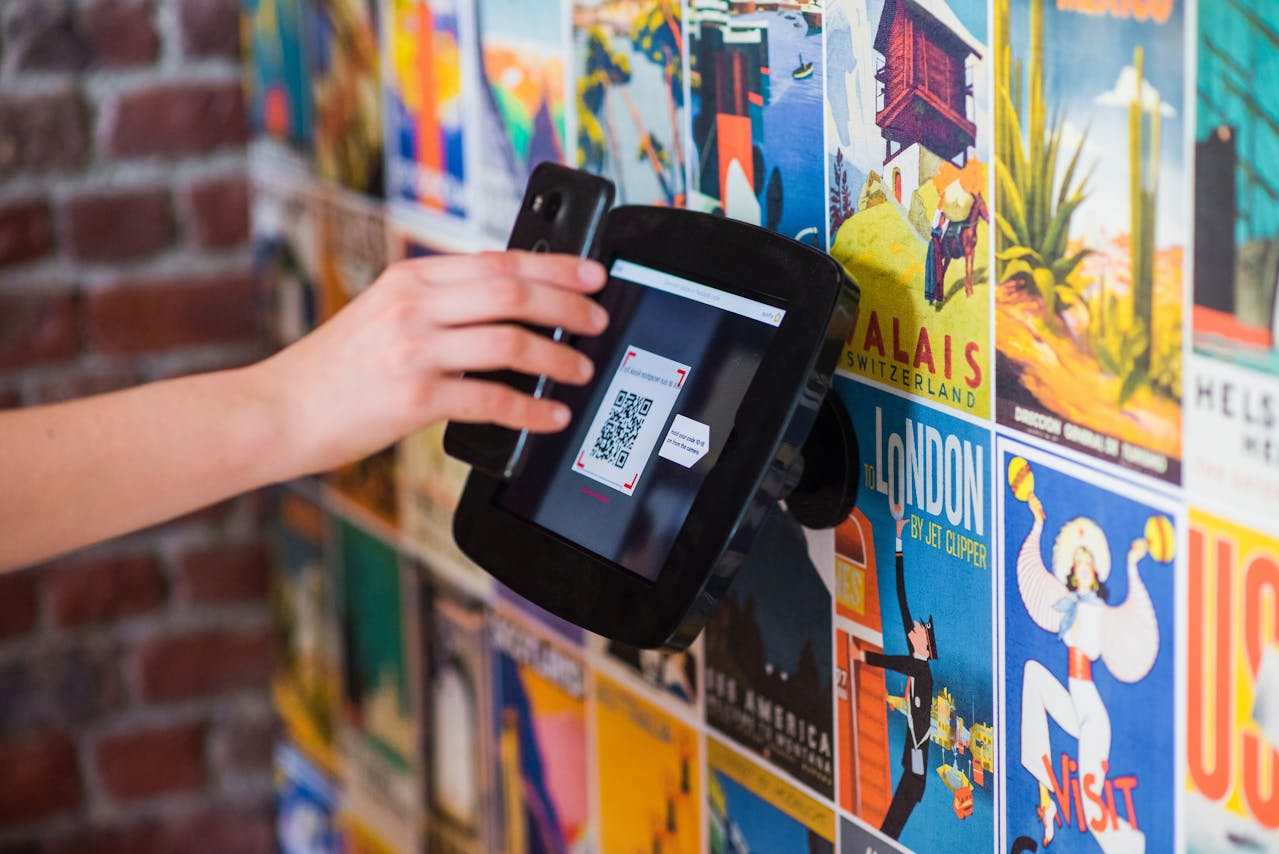
Many restaurants now use QR codes instead of paper menus. You scan the code with your phone. The menu opens on your screen. This system updates fast and saves printing costs. Many places also let you order through a phone app. You tap your items and send the order to the kitchen. This process is simple and clear. It also reduces mistakes because the staff reads your exact choices. These tools help restaurants work faster and give customers more control.

Technology in the Workplace

In the workplace, technology has improved productivity and efficiency. Automation and artificial intelligence (AI) handle repetitive tasks, allowing employees to focus on creativity and problem-solving. Cloud computing has made data storage and collaboration seamless, enabling teams from different parts of the world to work together in real-time. Remote work, once considered impossible for many industries, has become the new normal thanks to reliable internet connections and communication tools such as Zoom, Slack, and Microsoft Teams.

Technology in Healthcare

Healthcare, too, has been revolutionized by technological innovation. Advanced medical equipment, telemedicine, and AI-driven diagnostics have improved patient care and made healthcare more accessible. Doctors can now monitor patients remotely, while wearable devices track vital signs and provide early warnings of potential health issues. This digital transformation continues to save lives and improve health outcomes globally.

Conclusion

Technology has become the driving force behind modern civilization. It simplifies daily tasks, enhances education, transforms businesses, and improves healthcare. However, with great power comes great responsibility. Society must learn to use technology wisely, ensuring it serves humanity rather than controls it. The future of technology is bright, and for those who wish to explore its endless possibilities, there has never been a better time to innovate, create, and find out more about the digital world shaping our tomorrow.

POS Software Development Services: Key Insights into Integration Challenges

Point of sale (POS) systems are more than simply cash registers now. They’ve turned into smart business solutions that bring together product management, sales, data, and customer interactions into one smooth process. POS software handles millions of transactions every day in all sorts of industries, including retail, restaurants, healthcare, and transportation. It helps these firms expand and work better. But making and connecting these sorts of tools isn’t as straightforward as it looks.

Companies who want to establish or update systems that do more than simply handle payments need to know about the latest POS software development services. A well-planned POS system should be able to function with a variety of hardware, link to financial and inventory systems, keep data safe, and adapt to changing client demands without any downtime.

That’s when firms like Jappware can help. Jappware has worked on a number of bespoke software and financial projects. They assist businesses avoid difficulties with integration, boost performance, and build POS systems that are the fastest, most reliable, and most compliant in the business.

The Role of POS Software in Modern Business

A point-of-sale system is the most important part of a business. It maintains track of sales, payments, supplies, and real-time information to assist you make smarter choices. POS systems nowadays, on the other hand, do a lot more. They work with e-commerce sites, loyalty programs, customer relationship management (CRM) solutions, and even AI-powered analytics engines.

This network of connected technology is important to businesses because it makes sure that checkouts happen smoothly both online and in person. Whether they are tablets, self-service kiosks, or mobile apps, POS systems need to be adaptable, safe, and work together at all points of interaction.

Core Features of a Modern POS System

It’s crucial to establish what constitutes a strong POS system before talking about the challenges with merging. Here are some of the qualities that are absolutely necessary:

  • Omnichannel support: All of your sales platforms—online, mobile, and in-store—should function together.
  • Inventory management:  Real-time updates help you manage your inventory so you don’t run out of stock or sell too many things.
  • Secure payments: Payments in different currencies and ways that are encrypted.
  • User management: Staff and managers can only see things that are relevant to their responsibilities.
  • Analytics and reporting:  Reporting and analytics give you information about sales, busy periods, and product trends.
  • Customer engagement tools: Loyalty programs, email refunds, and targeted promotions are some of the tools you may use to get consumers to come back.

You need to know a lot about the topic to develop a platform with all of these characteristics. The hardest part is generally figuring out how these features connect with other systems.

The Challenge of Integration

One of the most difficult parts of development is adding a point-of-sale (POS) system to a company’s current software environment. Every business has its own processes and old tools that need to work well with each other. Integration lets the POS program talk to:

  • Accounting systems (QuickBooks, Xero, SAP) for automatic bookkeeping.
  • Inventory and warehouse management tools to sync stock levels.
  • E-commerce platforms for unified sales tracking.
  • CRM and loyalty systems to align customer data.
  • Payment gateways for secure, real-time transactions.

You need to plan ahead, standardize APIs, and test everything extensively to make sure that all of these services can speak to each other without any difficulties.

Common POS Integration Challenges

1. Hardware Compatibility

One of the trickiest things about designing POS software is making sure it works seamlessly with all sorts of hardware, such as cash registers, printers, card readers, and barcode scanners.

Older devices could not work well with new ones since they don’t have the necessary APIs or drivers. As technology advances, developers need to design software layers that can function with many different device standards and are easy to alter to work with new models.

2. Data Synchronization Across Channels

A lot of businesses have problems when the information on their websites and in their stores doesn’t line up. If sales records or stock levels aren’t in sync, mistakes happen rapidly.

Developers that share data in real time and design cloud-based solutions can address this problem. This makes sure that all connected systems notice transactions, returns, and updates straight away.

3. Payment Gateway Integration

Foreign companies need to be able to link different payment channels in order to do well. PayPal, Adyen, and Stripe are just a few examples of providers that employ diverse APIs, techniques, and standards to be compliant.

POS software has to handle these connections properly and follow PCI DSS rules to keep consumer payment information safe. Also, authors need to make sure that there are seamless backups in case the connection goes down.

4. Security and Compliance

Because POS systems deal with private financial and user data, cybersecurity needs to be a top focus. It’s challenging to follow both data protection requirements (like GDPR) and commercial standards (like PCI DSS).

Encryption from start to finish, secure identification, and tokenization are all necessary. Developers should also be cognizant of dangers including POS malware, network assaults, and data leaks.

5. Putting Existing Systems Together

Many companies still use antiquated systems that don’t work with APIs. To connect new point-of-sale software to these systems, you usually require middleware, specific connectors, or data migration solutions.

The idea is to convey information in real time without halting business as usual. To make this happen, you need good architectural design and ways to make the change go smoothly.

6. Scalability and Performance

As a business gets bigger, its point-of-sale systems need to be able to handle more transactions, more locations, and greater data sets. If you don’t prepare for expansion effectively, performance difficulties might make transactions take longer than they should or data become trapped.

Developers commonly employ microservices design and cloud infrastructure to make sure that performance keeps the same even when loads fluctuate and to provide flexibility.

Best Practices for Successful POS Integration

There will always be problems, but having a plan may help decrease the risks and make things better:

  • Use modular architecture: Split system functions into smaller services that are easier to manage.
  • Adopt standardized APIs: RESTful APIs, for instance, make it easier for systems to communicate with one other and for new systems to be added to existing ones.
  • Implement strong error handling: Make sure that everything works well when the hardware or the network goes down.
  • Prioritize security from the start: Add tools for encryption and compliance early on in the construction process.
  • Thorough testing: Use different devices, payment methods, and quantities of internet connection to act out real-life circumstances.
  • Continuous monitoring: Use logs and analytics to discover problems shortly after launch.

Things That Will Change the Future of POS

The POS ecosystem continues to evolve with rapid advances in fintech and retail technology. Emerging trends include:

Cloud-Based and SaaS POS Systems

Businesses are starting to use cloud POS systems more and more since they let you access them in real time, update them automatically, and save money on running costs. This approach lets you control things from a distance and helps branches develop quicker.

AI and Analytics for Making Predictions

AI helps customers make smarter choices by looking at sales trends and anticipating how many items will be needed. Smart ideas can help retailers make their discounts more personal for each consumer.

Mobile and Contactless Payments

Because of NFC, QR codes, and digital payments, mobile-first design is more crucial than ever. Point-of-sale systems now have to integrate properly with Apple Pay, Google Pay, and other similar technologies.

Integration with E-commerce and Delivery Apps

Connecting POS data to e-commerce systems ensures that online and offline firms have the same stock and information about sales.

IoT and Smart Devices

Smart shelves and digital price tags that work with the Internet of Things (IoT) can link to new point-of-sale systems. This gives us new opportunities to automate operations and get data in real time.

Estimating Development Effort and Cost

The price of a point-of-sale system depends on how big it is, how many features it includes, and how sophisticated it is. A basic POS system with basic inventory and payment functions might cost between $40,000 and $60,000. Enterprise-level solutions with extensive analytics, multi-store administration, and API interfaces can cost more than $100,000.

Things like security levels, support for mobile applications, and compliance tools can have an effect on the budget and timeline. You may prepare for costs and trust the project for a long time if you work with experienced experts.

Final Thoughts

Developing POS software is more than just developing a way to pay. It’s about creating a smart, unified infrastructure that allows businesses to run today. Integration problems, whether they are technological or regulatory, involve strategic preparation and professional capabilities of the highest level.

When companies collaborate with professionals like Jappware, they may acquire a lot of financial information and solutions that are made just for them and link all elements of the retail business. A point-of-sale system can do more than simply process payments; if you utilize it correctly, it can be the center of your organization.

Why Personal Injury Law Competitors Rank Higher on Google Even with Fewer Backlinks

You’ve invested in backlinks. You’ve tracked metrics, built relationships, and earned mentions across reputable sites. Yet your competitor with fewer links sits comfortably above you in search results. It’s frustrating, and it feels like something’s missing.

Here’s the reality: Google’s ranking system isn’t just counting links anymore. It’s evaluating how well your content satisfies user intent, how technically sound your site is, and whether your pages demonstrate true topical authority. If your SEO strategy leans too heavily on backlinks alone, you’re likely overlooking the very signals that matter most. Rankings aren’t won by volume; they’re earned through relevance, clarity, and strategic precision.

Why Backlinks Alone Don’t Guarantee Rankings

Backlinks used to be the gold standard. The more you had, the more authority you signaled. But search engines have evolved. Today, Google’s algorithm weighs dozens of factors, and link quantity is no longer king.

Think of it like a courtroom. A dozen character witnesses won’t help if your argument lacks substance. Similarly, if your page doesn’t satisfy search intent, isn’t technically sound, or lacks topical authority, it won’t rank, no matter how many sites point to it.

What Google Actually Prioritizes Over Link Volume

Google’s algorithm rewards content that’s relevant, trustworthy, and genuinely helpful. So if your competitor ranks higher despite fewer backlinks, they may be leveraging elements you’ve overlooked, like content depth, technical precision, and user engagement.

For instance, personal injury lawyer directories like Serve The Injured often outperform traditional sites not because of backlink volume, but because they’re structured to support personal injury lawyer SEO at scale. With schema markup, localized content clusters, and high engagement from users seeking legal help, these platforms signal topical authority to Google, making them powerful allies in search visibility.

How Content Depth Outranks Link Quantity

It’s not about how many pages you publish, it’s about how well each one performs. Google’s concept of “topical authority” means that a site with fewer but more comprehensive pages can outperform a bloated site with thin content.

Here’s a real-world analogy: imagine two attorneys. One has a flashy office and a long client list but gives vague advice. The other has fewer clients but delivers precise, actionable counsel every time. Who earns more referrals? Google thinks the same way.

Topical Authority Defined

Topical authority means your site is recognized as a reliable source on a specific subject. It’s earned by thoroughly covering related questions, not just chasing popular keywords. Depth, relevance, and consistency build trust with both users and search engines.

Building Authority Through Clusters

You build authority by creating content clusters of interlinked pages that explore every angle of a topic. Like a legal brief, each supporting article reinforces your main argument. This structure helps Google understand your expertise and improves internal navigation for readers.

Why Authority Beats Link Volume

Google rewards relevance and completeness over popularity. A well-structured, informative page often outranks one with more backlinks. If your content satisfies user intent better through clarity, depth, and engagement, it’s more likely to earn top placement, even with fewer links.

Where Technical SEO Quietly Wins the Case

Technical SEO is like courtroom procedure, precise, unforgiving, and essential. You might have the strongest content, but if your site structure is flawed, pages load slowly, or mobile usability is poor, search engines won’t give you a fair hearing. Just like a missed filing can derail a case, technical missteps can sabotage your rankings before your content is even considered.

Your competitor may be winning because their site is faster, cleaner, and more accessible. Schema markup, mobile responsiveness, and crawl efficiency quietly signal trust to Google. These aren’t flashy wins, but they’re foundational and often decisive in competitive SERPs.

When User Signals Tip the Scales

Google pays close attention to how visitors behave on your site. If someone clicks your link and quickly returns to the search results, that signals disappointment. But if they stay, scroll, and explore other pages, Google sees that as a win.

This is where design, clarity, and tone quietly shape your rankings. A page that feels human, helpful, and easy to digest encourages deeper engagement. When users linger, interact, and find value, Google interprets that behavior as proof that your content satisfies intent and rewards you accordingly. Engagement isn’t just a metric; it’s a vote of confidence in your relevance.

What Most People Get Wrong About Backlinks

Many believe that stacking backlinks automatically leads to higher rankings. That’s a myth. It’s like assuming more business cards mean more clients when, in reality, it’s the credibility behind each referral that counts.

Google doesn’t just tally links; it scrutinizes their quality, relevance, and source authority. A single backlink from a trusted legal directory or state bar association can carry more weight than dozens from low-value sites. Worse, irrelevant or spammy links can damage your credibility. It’s not about quantity; it’s about strategic, meaningful endorsements that reinforce your expertise and align with what search engines trust.

Frequently Asked Questions

Why does my competitor rank higher even though their content is shorter?

Because length doesn’t equal quality. If their content answers the query more directly, loads faster, or is better structured, Google may reward it over a longer but less effective page.

Can I still rank if I have fewer backlinks?

Absolutely. Focus on content quality, technical SEO, and user engagement. A well-optimized page with strong topical authority can outrank a link-heavy competitor.

How do I know if my backlinks are helping or hurting?

Use tools like Ahrefs or SEMrush to evaluate link quality. Look for relevance, domain authority, and anchor text. Disavow spammy links if necessary.

What’s the fastest way to improve rankings without building more links?

Start by improving your existing content. Make it more comprehensive, add schema markup, and ensure your site is technically sound. These changes often yield faster results than link-building alone.

Marketplace vs Aggregator: Which eCommerce Model Fits Your Business?

Retail eCommerce is still on a tear—Statista expects an 11.16% CAGR from 2023 to 2027. In a market moving this fast, picking the right model isn’t just smart—it’s make-or-break. If you’re deciding between building a marketplace or an aggregator, this guide will walk you through what each model is, how they make money, where they excel (and struggle), and how to choose the right tech stack and delivery method to scale with confidence. Don’t miss the decision framework near the end—it’ll help you match your choice to your customer expectations, operations, and margin goals.

Marketplace vs Aggregator at a Glance

Marketplace – a decentralized platform where third-party vendors list and manage their own products or services. You handle discovery, listings, payments, and sometimes logistics—sellers handle the rest. Aggregator – a centralized service platform that brings providers under one brand, with consistent pricing, quality, and standards enforced by the platform. Often-cited examples include Uber and Airbnb.

How they make money? Marketplace – listing fees, seller subscriptions, and/or a transaction commission (your take rate). Aggregator – commissions on completed transactions or service usage, usually standardized by the platform.

Customer experience and control. Мarketplace – big on variety and vendor freedom—quality and policies can differ by seller. Aggregator – delivers a predictable, uniform experience with centralized brand control and quality enforcement.

Pros and Cons by Model

Marketplace advantages:

  • Grow assortment fast by tapping third-party sellers.
  • Lighter lift on inventory, fulfillment, and first-line support.
  • Strong SEO potential thanks to a deep catalog and long-tail keywords.

Marketplace limitations:

  • Quality can vary from seller to seller.
  • Inconsistent shipping, returns, and support policies across vendors.
  • Disputes can get complicated between buyers, vendors, and the platform.

Aggregator advantages:

  • Consistent branding, pricing, and quality standards.
  • Higher trust and smoother experiences via centralized oversight.
  • Clear control over delivery and support from end to end.

Aggregator limitations:

  • Higher operating costs for onboarding, compliance, and performance monitoring.
  • Narrower scope and less variety than large marketplaces.
  • Brand reputation rises or falls with partner performance, since you own the experience.

When Each Model Fits Best

Choose a marketplace if:

  • Your category wins on breadth and comparison (multi-brand retail, lots of SKUs).
  • You want to scale supply fast without holding inventory.
  • Your team is great at vendor onboarding, catalog quality, and search/discovery.

Choose an aggregator if:

  • Customers care more about consistency than variety (think transport or services).
  • You need tight control over pricing, quality, and brand experience.
  • You can invest in provider compliance, training, and ongoing performance management.

Revenue and Unit Economics Essentials

Marketplace levers

  • Take rate: Find the balance between being seller-friendly and protecting your margins.
  • Seller fees: Listing or subscription fees can fuel growth but may deter smaller vendors.
  • Growth drivers: Supply breadth, smart search, reviews, and conversion optimization.

Aggregator levers

  • Standardized pricing and commission: Predictable margins and simpler decisions for users.
  • Quality and reliability: Directly influence repeat usage, ratings, and brand equity.
  • Growth drivers: Provider density in key locations, on-time performance, and strong support.

Selecting Your eCommerce Platform Type

SaaS

Best when you need to launch quickly with built-in commerce features and compliance. Trade-off: Limited deep customization and less control over the underlying code.

PaaS

Great for integrating with enterprise systems or customizing workflows while using managed infrastructure. Trade-off: Requires engineering resources and platform know-how.

Open-source

Maximum flexibility for custom features and complex integrations. Trade-off: You own deployment, security, and ongoing maintenance—technical chops required.

Proprietary

Full control of data, features, and roadmap—ideal for highly specialized needs. Trade-off: Highest responsibility for development, compliance, reliability, and total cost of ownership.

Tip: If you’re not going it alone, partnering with a marketplace software development company can accelerate discovery, platform selection, and integration planning while keeping total cost of ownership transparent.

Delivery Models: B2B, B2C, and C2C Implications

B2C: Natural fit for both models. Prioritize frictionless checkout, trust signals, and fast delivery. B2B: Expect longer cycles, negotiated pricing, invoicing, and account-level permissions. PaaS or open-source often suit ERP/CRM integrations better. C2C: Tailor-made for marketplaces. Invest in moderation, dispute handling, and identity verification.

 Execution Playbooks and Critical Success Factors

Marketplace execution checklist

  • Supply acquisition: Onboard a critical mass of quality sellers in your top categories.
  • Catalog governance: Enforce listing standards, accurate data, and suppress duplicates.
  • Search and discovery: Nail taxonomy, filters, relevance, and SEO for long-tail intent.
  • Trust and safety: Reviews, seller ratings, fraud prevention, and clear dispute workflows.
  • Customer support: Define who handles what—sellers vs platform—and set escalation paths.

Key marketplace KPIs

  • Active sellers and listings growth
  • Search-to-view and view-to-purchase conversion
  • Order defect rate and dispute rate
  • On-time delivery rate and average resolution time
  • Take rate and contribution margin per order

Aggregator execution checklist

  • Provider standards: Set SLAs, pricing rules, and brand guidelines—and require compliance.
  • Onboarding and training: Verification, training modules, and performance benchmarks.
  • Centralized support: One brand promise, consistent policies, fast issue resolution.
  • Quality assurance: Monitor ratings, cancellations, and response times continually.

Key aggregator KPIs

  • Fulfillment rate and on-time performance
  • Customer satisfaction (CSAT) and repeat usage
  • Provider compliance rate and churn
  • Average response/arrival time
  • Net revenue per transaction and margin after incentives

Risk Radar and Mitigations

Marketplace risks and fixes

  • Inconsistent quality: Enforce listing standards, verify sellers, introduce quality badges.
  • Policy confusion: Standardize core policies; set minimum SLAs for shipping and returns.
  • Disputes: Use clear, time-bound resolution steps and platform-mediated refunds for edge cases.

Aggregator risks and fixes

  • High operating costs: Automate verification, training, and monitoring; start with dense markets.
  • Brand exposure to partner performance: Real-time monitoring, tiered incentives, swift offboarding for underperformance.
  • Limited variety: Expand carefully by category or geography while keeping standards tight.

Fast Decision Framework

Answer these questions to steer your choice:

  • Do customers prioritize variety and comparison? Yes: lean marketplace. No: lean aggregator.
  • Do you need tight control over pricing and delivery? Yes: lean aggregator.
  • Can you invest in provider onboarding, compliance, and monitoring? Yes: lean aggregator.
  • Want to scale assortment quickly with minimal logistics? Yes: lean marketplace.
  • Are margins strong enough to support centralized ops? Yes: aggregator fits; if thin, consider marketplace.

Simple scoring (pick the higher total):

  • Marketplace points for: variety focus, minimal logistics, strong SEO/catalog chops, C2C or broad B2C categories.
  • Aggregator points for: consistency focus, brand-led experience, resources for QA/compliance, time-sensitive services.

Practical Examples

Marketplace: Amazon, eBay. Sellers own inventory and branding; the platform powers discovery, listings, and payments. Aggregator: inDrive and Airbnb are often cited for standardized brand experiences and platform-enforced consistency. In travel and mobility specifically, mature traveltech software development helps orchestrate real-time pricing, routing, and supply-demand balancing at scale.

Bringing It All Together

Need breadth and speed with lighter ops? Build a marketplace—and double down on onboarding, search, and trust. Need a uniform, reliable experience? Build an aggregator—and invest in standards, training, and centralized support. Choose your platform type based on customization needs, compliance, integrations, and your team’s technical capacity. Match your delivery method (dropshipping, wholesale, subscription) to your margin targets and control needs.

Merchandising: The Key to Marketing Success

Every business dreams of building a brand that people instantly recognize and trust. One of the strongest ways to achieve that goal is through merchandising, a strategy that connects products, visuals, and emotions in one powerful message. When done right, it helps a company stand out and leave a lasting mark on its audience.

Marketing success doesn’t come from a single campaign but from consistent visibility. Whether it’s an online ad, a street banner, or a product display, every touchpoint tells your story. By combining creativity with planning, merchandising turns ordinary marketing into something customers remember and respond to.

Understanding Multi-Touch Marketing

In today’s world, a single advertisement is rarely enough. People need to experience a brand across different places before they truly connect with it. That’s what multi-touch marketing is all about — reaching the same person through several channels, such as TV, the Internet, and outdoor displays.

Each impression builds familiarity and trust. When a customer repeatedly sees the same brand message in multiple settings, it starts to feel reliable and familiar. This repetition, supported by consistent merchandising, helps guide potential buyers naturally toward choosing that brand over others.

Why Merchandising Matters in Marketing

Merchandising goes beyond just showing a logo; it’s about shaping how people feel about a brand. The colors, packaging, and presentation all influence how a product is perceived. When these details align with the company’s values and message, they create a sense of credibility that customers notice.

Strong merchandising also helps keep a brand visible. Whether on a shop shelf, a social post, or an event banner, visual consistency makes people recognize and trust your message. This connection builds the foundation of long-term marketing success.

Building Emotional Connections

People don’t just buy products — they buy feelings. That’s why merchandising works best when it creates emotional moments. The design of a product, the feel of its packaging, or the look of a store display can spark emotions that influence decisions more than logic ever could.

Through thoughtful merchandising, businesses can turn simple visuals into stories that customers relate to. When someone feels something positive each time they encounter a brand, loyalty begins to form naturally — and that’s what drives repeat purchases.

Consistency Across All Channels

One of the biggest challenges in modern marketing is staying consistent everywhere. Whether customers find you online, on TV, or through outdoor media, your look and message should always match. That’s where merchandising ties everything together into one seamless experience.

Consistency builds confidence. When people see the same tone, style, and visuals on every channel, they know your brand is stable and trustworthy. This reliability strengthens recognition and helps your marketing campaigns achieve long-term success.

The Role of Promotional Products

Promotional products are one of the most practical forms of merchandising. Items like mugs, pens, or tote bags act as everyday reminders of your brand. They don’t just advertise — they create a physical connection that digital ads can’t match.

When used as part of a multi-touch strategy, these products extend your reach far beyond a single campaign. Imagine a person seeing your ad online, then later using a branded notebook — the repeated exposure reinforces trust and builds familiarity over time.

Using Data to Improve Merchandising

In modern marketing, success is not just about creativity but also about understanding results. Tracking how customers interact with your brand helps reveal which merchandising tactics work best. With that insight, companies can refine campaigns for maximum impact.

By studying engagement data, marketers can discover which channels create the strongest impressions. This allows them to balance their multi-touch approach — investing more where audiences respond most. Smart analysis turns merchandising into a measurable, results-driven strategy.

Keys to Long-Term Marketing Success

At its core, marketing success depends on visibility, emotion, and consistency. Every time a potential customer sees your message — online, on TV, or in the real world — it adds another layer of recognition. Combining this with powerful merchandising ensures that your brand stays top of mind.

The best campaigns don’t just attract attention; they nurture trust over time. By blending creativity with repeated exposure, companies can build meaningful relationships that last well beyond a single purchase or promotion.

Conclusion

In the end, great marketing is about making people remember you for the right reasons. Merchandising, when paired with a multi-touch marketing approach, does exactly that — it turns visibility into trust and trust into loyalty.

Every impression, whether digital or physical, shapes how customers see your brand. When all those impressions tell one clear, consistent story, your marketing moves from being seen to being truly remembered — and that’s the real key to success.

From Local Breakthrough to Global Recognition: The Remarkable Rise of ÜLKA Global

Every great innovation starts with a simple problem — and a bold idea to solve it. ÜLKA Global’s journey began not in a boardroom, but in a local salon, where a nail technician struggled with one of the industry’s most common issues: nail dust. When engineer Volodymyr Siletsky stepped in to design a high-performance nail dust collector, he didn’t just create a tool — he laid the foundation for what would become a world-leading beauty technology brand.

The Beginning of a Beauty Tech Revolution

In 2018, ÜLKA was just starting out — a small but passionate team operating in a modest 100 m² workshop. With only ten specialists, the company set out to build smarter, cleaner, and more efficient tools for professional nail artists. That same year, ÜLKA debuted at one of Ukraine’s largest beauty exhibitions and celebrated its first international contract — milestones that signaled the start of something much bigger.

Growth Fueled by Innovation and Purpose

By 2021, ÜLKA Global had evolved into a recognized force in the professional manicure equipment industry. Production capacity expanded to 800 m², the team tripled, and the brand began appearing at top international beauty expos. Their dedication to innovation earned them honors such as Nail Pro and Choice of the Year, cementing their reputation for quality and reliability.

But growth for ÜLKA has never been just about size — it’s about progress. Each new product is designed to improve safety, hygiene, and comfort for nail professionals around the world.

Trusted by Industry Leaders and Celebrity Nail Artists

ÜLKA has become the go-to brand for high-performance manicure and pedicure tools — including nail dust collectors, hot air sterilizers, hand rests, and stands. Every product combines precision engineering with sleek, salon-ready design.

Some of the world’s most famous nail artists trust ÜLKA’s equipment in their daily work. Among them are Jenny Bui, known for creating Cardi B’s signature nail looks, and Britney Tokyo, who has styled the nails of Paris Hilton, Priyanka Chopra, and Kim Petras.

A Global Mission That Empowers Professionals

Today, ÜLKA Global proudly operates in 34 countries and counting, continuing its mission to empower beauty professionals through technology that blends performance, safety, and style.

ÜLKA isn’t just a manufacturer — it’s a community-driven movement that values craftsmanship, collaboration, and care for the people behind every manicure. As the beauty industry evolves, ÜLKA remains at the forefront, shaping the future of professional nail care with innovation and integrity.

Follow ÜLKA Global’s journey to discover why nail artists around the world trust their tools — because when innovation meets passion, excellence becomes the standard.

5 Best SendGrid Alternatives for Transactional Email in 2025

If you’ve shipped software for more than five minutes, you already know how mission-critical email can be. A password reset that arrives ten minutes late is a churn magnet; an invoice that lands in spam can enrage finance departments. For years, SendGrid has been the default choice, but it’s no longer the only option, nor is it always the most cost-effective or developer-friendly. Below you’ll find a hands-on tour of the five best SendGrid alternatives for transactional email service in 2025.

Why Look Beyond SendGrid?

SendGrid remains a solid platform, but its pricing curve, occasional throttling, and support tiers have nudged many teams to hunt for a new SendGrid alternative. In our own SendGrid comparison tests, we’ve seen that:

  • Total cost of ownership spikes sharply once you require dedicated IPs, higher log retention, or priority support.
  • API error visibility sometimes lags behind real-time, forcing teams to build extra monitoring layers.
  • Marketing-feature bloat that can be irrelevant if you only care about lightweight transactional email templates.

None of the SendGrid competitors we’ll review is perfect either, yet each offers a unique angle – be it faster delivery, friendlier pricing, or a UI that both developers and growth teams can live with.

How We Picked These Alternatives

Before diving into specific tools, here’s the evaluation rubric we used:

  • Deliverability & speed. Inbox placement rate, average delivery time, and support for SPF, DKIM, and DMARC.
  • API & SMTP maturity. REST semantics, SDK coverage, and documentation density.
  • Template workflow. Pre-made transactional email templates, graphical editors, and hooks for version control.
  • Analytics & webhooks. Real-time dashboards plus programmatic callbacks for opens, clicks, bounces, and complaints.
  • Pricing transparency. Entry-level affordability, linear scaling, and hidden fee inspection (IP warm-up, validation, storage).
  • Support & compliance. Full-time/night shift, GDPR/SOC 2 compliance, and boilerplate enterprise procurement.

Having that frame, it is time to unravel the five highest-ranked alternatives to SendGrid.

The 5 Best SendGrid Alternatives for Transactional Email

1. UniOne

UniOne leans hard into speed and simplicity. Their claim to fame is a 5-second median inbox arrival for transactional messages and a 99.5 % inbox placement rate, figures corroborated by independent 2025 deliverability benchmarks. Integration is equally breezy: choose between a straightforward SMTP gateway or a well-documented REST API that includes official SDKs for Node.js, Python, PHP, Go, and Java.

On the design side, you get 300+ responsive transactional email templates plus a drag-and-drop builder that non-technical teammates can use without breaking your brand guidelines. An optional AI HTML assistant converts Figma or raw text into code, which can shave hours off prototyping.

Pricing is another headline feature. The first 6,000 emails each month are free for four months; after the trial, tiers start at roughly $6 for 10k emails, undercutting most SendGrid competitors at SMB volumes. Dedicated IPs and validation credits are sold à la carte, so you only pay if you actually need them.

Best for: early-to-mid-stage SaaS apps and e-commerce brands that want “it just works” deliverability without enterprise sticker shock.

2. Mailgun (by Sinch)

Mailgun was developer-centric before developer-centric was cool. Today, it still offers one of the cleanest email APIs on the market but has layered on extras like send time optimization, routing rules for inbound parsing, and a granular sink domain for testing. In recent deliverability tests, Mailgun landed 11.4 % more emails in primary inboxes than SendGrid, albeit with a higher spam rate than some rivals.

Feature gaps? Marketing sends are absent out of the box, although you can stitch in sister product Mailjet. Template management is adequate – think handlebars, variables and conditionals, – but there’s no visual editor unless you bring your own CMS or FE stack.

Costs tilt upward quickly: the Scale plan runs $90 for 100k emails, and dedicated IPs only unlock at that tier. However, advanced analytics, 30-day log storage, and production-tested webhooks render Mailgun a solid SendGrid substitute when a team with a high level of engineering skills requires configurability over design.

Best for: API purists, large marketplaces, and those who are data-driven and will not miss a drag-and-drop designer.

3. Sender

Sender started as an email marketing platform for ecommerce but has evolved into a comprehensive lead generation and automation tool that bundles email campaigns, SMS marketing, and lead capture in a single UI. That unified approach solves a classic pain: marketing teams need to capture leads through forms and landing pages while also nurturing them with automated sequences, all within one billing envelope and subscriber database.

Compared with SendGrid, Sender’s transactional capabilities are more lightweight, yet its marketing and lead generation stack competes head-to-head with platforms like Mailchimp and Brevo. One of the best features is the drag-and-drop form and landing page builder, which lets non-technical teams create conversion-optimized lead magnets without developer resources. Pricing begins at $8 per month for 2,500 subscribers, including both email automation and SMS credits.

The downside is limited advanced segmentation on lower tiers, so if you need complex behavioral triggers or predictive analytics, you’ll hit ceiling quickly. The platform also lacks native A/B testing for landing pages as of 2025, though multivariate email testing is available on paid plans.
Best for: small ecommerce brands and SaaS startups that want one affordable platform for lead capture, email nurturing, and basic SMS outreach without paying for enterprise CRMs.

4. Mailtrap

Mailtrap started life as a sandbox testing tool but grew into a full-blown email delivery platform that bundles transactional, bulk, and marketing sends in a single UI. That unified approach solves a classic pain: developers build transactional flows while growth teams craft promotional campaigns, all within one billing envelope and domain architecture.

Compared with SendGrid, Mailtrap’s marketing suite is more lightweight, yet its transactional stack competes head-to-head. One of the best features is the auto warm-up wizard, which progressively increases the volume on a dedicated IP, and spares the ops teams the task of monitoring it manually. Pricing begins at $15 for 10k emails and 550k contacts, including both API and SMTP traffic.

The downside is log retention capped at 30 days even on top tiers, so if you’re in a regulated industry requiring longer audit trails, you’ll need an external SIEM sink. Automation flows are also API-only as of 2025, though a visual workflow builder is on the roadmap.

Best for: product companies that want one pane of glass for testing, transactional, and marketing without paying for two vendors.

5. Postmark

Postmark, now part of ActiveCampaign, is laser-focused on transactional reliability. They notoriously separate infrastructure by message type (transactional vs. broadcast), so your critical one-to-one emails never share IP reputation with a bulk Black Friday blast. This architectural choice yields some of the best latency numbers in the industry: many customers report sub-10-second inbox times even at peak hours.

What you won’t find are advanced marketing features. Postmark offers a gallery of pre-baked transactional email templates plus an open-source toolkit called MailMason for SCSS-driven workflows, but there’s no list management, lead scoring, or segmentation UI. If you need campaign sends, ActiveCampaign’s marketing suite is the intended complement.

Pricing is transparent: $15 for 10k emails per month, then $1.80 per extra thousand. A dedicated IP adds $50, but you can toggle it on or off monthly, which is useful for seasonal volume spikes. Logs persist for 45 days by default, longer than Mailtrap but shorter than UniOne’s optional 100-day window.

Best for: SaaS founders and FinTechs who treat transactional email as infrastructure and prefer an opinionated, no-nonsense UX.

6. Amazon SES

Amazon Simple Email Service remains the heavyweight champ on raw price: $0.10 per 1k emails (plus your regular AWS fee), with additional discounts if you send from an AWS-hosted workload. The catch is right there in the name: Simple. SES is code-only. You provision via console or SDK, verify domains, and then handle templates, retries, and analytics largely on your own or via third-party dashboards.

That said, SES has matured significantly by 2025. It now supports EventBridge for near real-time event streaming, along with built-in email validation and a new deliverability dashboard that surfaces ISP complaints. Dedicated IPs run $24.95 per month, and managed IP pools (where AWS handles warm-up and reputation) are available for high-volume senders.

If your stack already lives on AWS, the network latency advantage is huge; messages traverse Amazon’s backbone end-to-end. Compliance check boxes like HIPAA and FedRAMP are easier to satisfy under a single cloud umbrella, though you’ll spend engineering cycles stitching together SES with tools such as CloudWatch or QuickSight for reporting.

Best for: high-volume platforms comfortable with AWS’s ecosystem and willing to trade UX polish for unbeatable unit economics.

Quick Side-By-Side Snapshot

CriteriaUniOneMailgunMailtrapPostmarkAmazon SES
Avg. delivery time~5 s~8-10 s~7 s~6 sVaries (under 10 s if in-region)
Free tier6 k/mo for 4 mo100/day3.5 k/moNonePay-as-you-go, first 62 k/mo free on EC2
Dedicated IP cost$40Scale plan+Paid on higher tier$50$24.95
Visual template editorYesNoYesNoNo
Log retentionUp to 100 days5-30 days30 days45 days14 days (by default)

Choosing the Right Fit

  1. Need the fastest time-to-inbox plus a friendly UI? UniOne is hard to beat.
  2. Prefer surgical API control and don’t mind higher costs? Mailgun shines.
  3. Want an all-in-one plan that won’t bankrupt early-stage growth? Mailtrap.
  4. Care only about transactional and crave stellar support? Postmark.
  5. Running serverless on AWS and sending millions monthly? Amazon SES is your low-cost colossus.

Remember, picking a transactional email service isn’t just a line-item decision. Audit the manner of managing authentication, analytics, and events of life cycle in each platform. Before switching, map such capabilities to your product roadmap and compliance posture.

Final Thoughts

Transactional emails may be invisible when they work, but they scream when they break. While SendGrid remains a competent choice, modern SendGrid competitors bring compelling reasons to move: better unit costs, faster delivery, or tooling that respects both developers and marketers. Whether you’re deploying a fintech app that can’t afford a single lost OTP or a marketplace battling margin compression, one of these five SendGrid alternatives will likely slot neatly into your stack.

Pick the provider that aligns with your volume curve, team skill set, and regulatory landscape, and then sleep easier knowing your password resets, order confirmations, and security alerts are arriving exactly where they should: the inbox.