Modern gaming no longer belongs to a single platform. Players move fluidly between PC and mobile devices, often engaging with the same titles or genres in different formats. This shift has created diverse communities where experience from one platform informs play on another, accelerating learning and adaptation.
As games become more complex and persistent, players increasingly rely on shared knowledge. Mechanics, risks, and updates are discussed not only by PC veterans, but also by mobile users who bring fresh perspectives into established ecosystems.
Why Cross-Platform Discussion Matters
Games that exist across multiple platforms introduce unique challenges. Performance differences, control schemes, and update schedules can affect how mechanics behave. Understanding these nuances requires communication between player groups rather than isolated discussion.
Gamer forums often functions as a broader meeting point for players who want to compare experiences across devices. These discussions frequently evolve into technical analysis of system behavior rather than platform-specific complaints.
Comparing mechanics across PC and mobile
Identifying platform-specific limitations
Sharing adaptation strategies
Escape from Tarkov and High-Risk Knowledge Sharing
Escape from Tarkov represents the opposite end of the spectrum from casual cross-platform titles. It is unforgiving, high-risk, and heavily dependent on preparation. Losses carry weight, and mistakes are rarely forgiven.
Because of this design, Tarkov players often rely heavily on community-driven research. Discussions around game mechanics frequently expand into broader conversations about update behavior, system stability, and risk management rather than simple outcomes.
These discussions reveal how players approach Tarkov as a system to be studied. Awareness of patches, detection changes, and technical shifts directly affects survival and progression.
Risk-aware decision making
Patch-by-patch learning culture
Emphasis on preparation over impulse
From Casual Play to Analytical Mindset
Cross-platform communities help bridge different player mindsets. Mobile players often introduce efficiency-focused habits, while PC players contribute deep technical analysis. Together, these perspectives create a richer understanding of game systems.
Over time, many players shift from casual engagement to a more analytical approach. They track changes, compare experiences, and refine strategies based on shared evidence rather than personal trial alone.
Communities as Risk-Reduction Tools
One of the most overlooked benefits of gaming communities is risk reduction. By learning from others, players avoid costly mistakes and adapt more quickly to changes. This is especially important in games where progression loss has real consequences.
Forums and discussion platforms provide a safety net, turning individual failures into collective lessons.
Conclusion
As gaming continues to span multiple platforms and genres, shared knowledge becomes increasingly valuable. Cross-platform communities transform isolated experiences into collective learning systems. In high-risk games like Escape from Tarkov, this shared understanding often determines long-term success and enjoyment.
Frequently Asked Questions
Why are cross-platform gaming communities important?
They allow players to share insights across different devices, reducing fragmentation and improving overall understanding of game systems.
How does community knowledge help in high-risk games?
Community discussions highlight risks, update changes, and effective strategies, helping players avoid costly mistakes.
Do mobile and PC players learn differently?
Yes. Mobile players often focus on efficiency and accessibility, while PC players contribute deeper technical analysis.
Can forums really reduce trial-and-error?
Absolutely. Learning from others’ experiences saves time and helps players adapt faster to evolving systems.
Cross-Platform Gaming Communities Promote Shared Experience was last modified: March 25th, 2026 by Ferry Hill
Salesforce is the world’s leading CRM platform. It helps businesses manage things like sales, customer service, marketing, and so much more in just one system. But using Salesforce effectively might sometimes be challenging. In fact, many companies need expert support to be able to set it up properly, customize it to their needs, and keep it running smoothly.
That’s exactly why Salesforce development companies can play such an important role. They can help businesses turn Salesforce into a powerful tool that drives growth. Once companies learn to take advantage of everything Salesforce offers, they can really improve their performance and change the way they do business.
3 Best Salesforce Development Companies
In this article, we will look at three Salesforce partners: Synebo, Accenture, and Algoworks. Each of them has proven experience and a strong presence in the global Salesforce ecosystem.You want to be sure to pick a facilities management that includes scheduled servicing for the best results.
1. Synebo
Synebo is a Salesforce consulting and development company that focuses fully on Salesforce solutions. The company has more than 10 years of experience, has completed 1000+ projects, and holds 255+ Salesforce certifications across a team of 160+ professionals.
As a certified Salesforce consulting partner, Synebo helps businesses improve efficiency, increase revenue, and build stronger customer relationships by using better CRM systems.
Key Features
Salesforce Full Cycle Development
Synebo delivers Salesforce full-cycle development, covering consulting, implementation, customization, integration, and ongoing optimization within a single engagement model. By leveraging AI technologies such as Salesforce Einstein and Agentforce, the company helps businesses enhance automation, improve insights, and build smarter, future-ready Salesforce ecosystems.
Salesforce Consulting & Audits
The team reviews existing Salesforce setups and environments, finds any weak points, and suggests practical improvements. Their recommendations mainly focus on increasing efficiency and aligning the system with business goals.
Implementation & Migration
Synebo helps companies move from legacy systems to Salesforce while keeping their data safe and processes stable. The goal is to ensure a smooth transition without having to disrupt daily workflows.
White-Label Development
The company supports other Salesforce consulting agencies by delivering services under their brand. Doing this helps agencies expand their offerings without having to increase internal development resources.
AppExchange Support
Synebo works with product owners who build and publish apps on Salesforce AppExchange. The team can assist with development and optimization for marketplace requirements.
Multi-Cloud Expertise
The team works across Sales Cloud, Service Cloud, Marketing Cloud, Commerce Cloud, and other Salesforce products. This allows Synebo to design solutions that connect different functions of the business in one CRM system.
2. Accenture
Accenture is one of the largest consulting and professional services companies in the world. It operates in more than 120 countries and serves clients across many industries.
Salesforce is one of Accenture’s key technology partnerships. The company works mainly with large enterprises that need large-scale Salesforce implementations as part of broader digital transformation projects.
Key Features
Enterprise-Scale Projects
Accenture manages large, global Salesforce implementations for different multinational companies.
Multi-Cloud Integration
The company works across Salesforce Sales Cloud, Service Cloud, Marketing Cloud, Commerce Cloud, as well as Data Cloud.
AI and Data Integration
Accenture connects Salesforce with advanced data systems and AI tools, including Salesforce Einstein.
Industry-Focused Solutions
The firm builds Salesforce systems tailored to industries such as finance, healthcare, retail, and telecommunications. These systems are also aligned with industry regulations and any necessary operational models.
Long-Term Managed Services
Accenture provides ongoing support, system management, and user adoption programs to help ensure long-term CRM success.
3. Algoworks
Founded in 2006, Algoworks is a digital transformation and engineering company with a strong Salesforce practice. It serves clients mainly in North America and other global markets.
Algoworks holds Salesforce Summit Partner status, which is the highest partnership level in the Salesforce ecosystem. This status reflects its experience, certifications, and successful project delivery.
Key Features
Custom Salesforce Development
Algoworks builds tailored solutions based on each client’s business needs to ensure they get the best out of the partnership.
CRM Strategy & Consulting
The company helps businesses plan their Salesforce roadmap and improve their existing systems and optimize their Salesforce strategy.
System Integration
Algoworks connects Salesforce with third-party applications, legacy systems as well as any external data sources.
Lightning Migration
The team helps companies move to Salesforce Lightning for a more modern and user-friendly experience and functionality.
AppExchange Development
Algoworks supports the creation and deployment of apps on the Salesforce AppExchange marketplace as well.
Conclusion
Salesforce is a very powerful platform, but its success also depends on how well companies can implement and manage it throughout their operations. And in this case, choosing the right development partner can play a huge role.
The Salesforce development companies we discussed above can all be good options depending on what your company is looking for specifically. Synebo offers focused Salesforce expertise with flexible service models, Accenture delivers large-scale Salesforce transformations, while Algoworks combines strong technical capabilities with its Summit Partner status.
Each of these companies brings strong expertise and proven Salesforce capabilities. The right choice depends on your strategic priorities, technical requirements, and long-term growth plans. With the right consulting partner, Salesforce can evolve from a CRM system into a scalable platform that drives efficiency, innovation, and sustainable business growth.
Global Salesforce Development Companies: A Top 3 Overview was last modified: June 4th, 2026 by Sharman Sagoyan
Selecting a healthcare software development vendor is one of the most critical decisions a medical organization can make. The right partner will deliver a solution that enhances patient care, streamlines operations, and ensures regulatory compliance. The wrong choice can lead to costly delays, security vulnerabilities, and systems that fail to meet clinical needs. With healthcare technology becoming increasingly complex and regulations tightening, understanding how to evaluate potential vendors has never been more important.
This guide walks you through the essential factors to consider when choosing a healthcare software development vendor, from technical expertise to communication practices, ensuring you make an informed decision that benefits your organization for years to come.
Understanding Your Healthcare Software Needs
Before you begin evaluating vendors, you need a clear picture of what you’re trying to achieve. Different healthcare organizations have vastly different requirements, and a vendor who excels at building telemedicine platforms may not be the right fit for electronic health record (EHR) integration or medical imaging software.
Start by documenting your specific requirements. Are you building a patient portal, a practice management system, or a specialized clinical application? Consider your timeline, budget constraints, and scalability needs. Will this software need to grow with your organization, or is it designed for a specific, contained purpose?
Understanding whether you need custom development or a configurable platform is equally important. Some organizations benefit from working with vendors who specialize in custom healthcare software development to create tailored solutions that address unique workflows and challenges. Others may find that adapting existing platforms meets their needs more cost effectively.
Evaluating Technical Expertise and Healthcare Experience
Healthcare software development requires specialized knowledge that goes far beyond general programming skills. Your vendor must understand the unique challenges of the healthcare environment, including clinical workflows, interoperability standards, and the critical importance of data accuracy.
Industry Specific Knowledge
Look for vendors with a proven track record in healthcare. Review their portfolio for projects similar to yours in scope and complexity. A vendor who has developed pharmacy management systems may not automatically be qualified to build surgical planning software, even if both fall under the healthcare umbrella.
Ask potential vendors about their understanding of healthcare interoperability standards like HL7, FHIR, and DICOM. These protocols enable different systems to communicate effectively, and any serious healthcare software vendor should be fluent in the standards relevant to your project.
Technical Capabilities
Assess the vendor’s technical stack and development methodologies. Modern healthcare applications often require cloud infrastructure, mobile capabilities, and integration with existing systems. Your vendor should demonstrate expertise in technologies that align with your project requirements and future scalability needs.
Consider their approach to software architecture. Healthcare systems handle sensitive information and must remain operational in mission critical scenarios. Vendors should articulate how they design for reliability, performance, and data integrity.
Regulatory Compliance and Security Standards
Healthcare software operates in one of the most heavily regulated industries. Non compliance can result in severe penalties, legal liability, and damage to your organization’s reputation. Your vendor must demonstrate not just awareness of regulations but active, verifiable compliance practices.
HIPAA and Data Protection
In the United States, HIPAA compliance is non negotiable for any software handling protected health information. Your vendor should have documented processes for ensuring data encryption, access controls, audit logging, and breach notification procedures. Request evidence of their compliance framework, not just verbal assurances.
For organizations operating internationally or serving patients across borders, consider vendors familiar with GDPR, PIPEDA, or other regional data protection regulations. Healthcare data sovereignty issues can become complex quickly, and experienced vendors can navigate these challenges proactively.
Security Certifications and Practices
Ask about the vendor’s security certifications, such as ISO 27001, SOC 2, or HITRUST. These certifications indicate that independent auditors have verified the organization’s security practices. Additionally, inquire about their approach to security testing, including penetration testing, vulnerability assessments, and code reviews.
Understanding how a vendor handles security incidents is equally important. They should have documented incident response plans and be transparent about their track record. A vendor who has never experienced a security challenge may simply lack sufficient experience or visibility into their own systems.
Communication and Project Management Approach
Even the most technically capable vendor can fail if communication breaks down. Healthcare software projects involve numerous stakeholders, including clinicians, administrators, IT staff, and often patients themselves. Your vendor needs to coordinate effectively across these groups while keeping the project on track.
Transparency and Reporting
Establish expectations for communication frequency and formats from the beginning. Will you receive weekly progress reports? How will the vendor handle scope changes or unexpected challenges? Clear communication protocols prevent misunderstandings and ensure alignment throughout the development process.
Look for vendors who use collaborative project management tools that give you real time visibility into development progress. This transparency allows you to identify potential issues early and make informed decisions about priorities and resources.
Stakeholder Management
Healthcare software must serve end users effectively, which means involving clinicians and staff in the development process. Your vendor should have experience facilitating user research, gathering requirements from medical professionals, and translating clinical needs into technical specifications.
Ask how they handle feedback from non technical stakeholders. The best vendors act as translators, helping healthcare professionals articulate their needs while explaining technical constraints and possibilities in accessible language.
Support, Maintenance, and Long Term Partnership
Healthcare software doesn’t end at deployment. Systems require ongoing maintenance, updates for regulatory changes, and evolution to meet changing clinical needs. Your relationship with your vendor extends far beyond the initial project completion.
Post Launch Support
Clarify what support the vendor provides after launch. What response times can you expect for critical issues? How do they handle software updates and patches? Healthcare systems often operate around the clock, so understanding available support hours and escalation procedures is crucial.
Discuss how the vendor manages updates that might affect system functionality or user workflows. In healthcare settings, even minor changes can disrupt critical processes if not properly communicated and tested.
Scalability and Future Development
Your organization’s needs will evolve, and your software should evolve with them. Evaluate whether the vendor builds systems with future expansion in mind. Can the architecture accommodate new features, increased user loads, or integration with emerging technologies?
Consider the vendor’s capacity to support you long term. Will they be available for future enhancements, or are they primarily focused on one time development projects? A vendor invested in long term partnerships is more likely to design solutions with your future needs in mind.
Cost Structure and Value Assessment
Healthcare software development represents a significant investment, and understanding the full cost picture is essential for making sound decisions. The lowest bid may not represent the best value, especially when considering long term maintenance, compliance, and scalability needs.
Transparent Pricing Models
Request detailed breakdowns of costs, including development, testing, deployment, and ongoing maintenance. Be wary of vendors who provide vague estimates or are reluctant to discuss pricing structures openly. Hidden costs often emerge in poorly scoped projects.
Understand whether the vendor uses fixed price, time and materials, or hybrid pricing models. Each has advantages depending on your project’s certainty and complexity. Fixed price works well for clearly defined projects, while time and materials offers flexibility for evolving requirements.
Return on Investment Considerations
Look beyond initial costs to consider the value the software will deliver. A more expensive solution that improves clinical efficiency, reduces errors, or enhances patient satisfaction may offer superior ROI compared to a cheaper alternative that merely meets basic requirements.
Ask vendors to help you understand how their solution will impact your operations. Can they provide case studies or metrics from similar implementations? Quantifying benefits like time savings, reduced administrative burden, or improved patient outcomes helps justify the investment.
References and Reputation Verification
No matter how impressive a vendor’s marketing materials or sales presentations, nothing substitutes for feedback from organizations who have actually worked with them. Reference checks provide invaluable insights into how vendors perform under real world conditions.
Client References
Request references from clients with projects similar to yours in size, complexity, and healthcare domain. When speaking with references, ask specific questions about communication quality, adherence to timelines and budgets, problem solving abilities, and post launch support.
Pay attention to how the vendor responds to challenging situations. Did they handle unexpected complications professionally? Were they transparent about setbacks? How they manage difficulties often matters more than whether difficulties occurred.
Online Reputation and Reviews
Research the vendor’s reputation through independent sources beyond their provided references. Look for reviews on platforms like Clutch, GoodFirms, or industry specific forums. While no vendor will have universally positive reviews, patterns in feedback can reveal strengths and potential concerns.
Examine their thought leadership and industry involvement. Do they contribute to healthcare technology discussions, publish insights, or participate in industry events? Active engagement often indicates deep expertise and commitment to the field.
Cultural Fit and Values Alignment
Technical capabilities and pricing matter, but don’t underestimate the importance of cultural compatibility. Healthcare software projects require close collaboration over extended periods, and misaligned values or working styles can create friction that undermines success.
Consider the vendor’s approach to patient centered design and healthcare ethics. Do they demonstrate genuine understanding of healthcare’s mission to improve human wellbeing? Their values should align with your organization’s commitment to patient care and safety.
Assess communication styles and responsiveness during the evaluation process. How a vendor behaves when trying to win your business often predicts how they’ll behave during the project. If communication feels difficult or unclear during sales conversations, it’s unlikely to improve once contracts are signed.
Making Your Final Decision
Choosing a healthcare software development vendor requires balancing multiple factors, including technical expertise, regulatory knowledge, communication abilities, cost, and cultural fit. No vendor will be perfect in every dimension, so prioritize the factors most critical to your specific project and organizational context.
Create a structured evaluation framework that allows you to compare vendors objectively across your key criteria. Involve stakeholders from different areas of your organization to ensure diverse perspectives inform the decision. A solution that delights your IT team but frustrates clinicians, or vice versa, will ultimately fall short of expectations.
Remember that this decision establishes a partnership that may last years. You’re not just buying software but choosing a partner who will help your organization navigate the complex intersection of healthcare and technology. Take the time to find a vendor who brings not only technical skills but also genuine commitment to your mission of delivering excellent patient care.
The right healthcare software development vendor becomes an extension of your team, contributing expertise while respecting your organization’s unique culture and needs. By carefully evaluating vendors across technical, regulatory, communication, and cultural dimensions, you’ll position your organization for success both during development and throughout the software’s operational life.
How to Choose the Right Healthcare Software Development Vendor was last modified: April 7th, 2026 by Colleen Borator
Finding accurate, deliverable email addresses is still one of the biggest bottlenecks in lead generation. In 2026, email finder tools have moved far beyond guessing formats — the best platforms now combine large B2B databases, real-time verification, LinkedIn or domain extraction, and CRM-ready list building. The result is faster prospecting, fewer bounces, and better reply rates.
In this guide, we’re spotlighting the best email finder tools in 2026 based on hands-on testing, feature depth, pricing value, and consistent user feedback from trusted review platforms. Here’s a quick TL;DR table of the top picks before we dive into detailed reviews.
Email finder tools are platforms or browser extensions designed to help you discover professional email addresses for specific people or companies. Instead of guessing email formats or searching manually, they pull data from public web sources, company domains, business databases, and social profiles, then generate likely email matches. The best tools also verify those emails before you export them, which reduces bounce rates and protects deliverability.
Most modern email finders work in a few steps: you enter a name and company or a domain, the tool identifies patterns (like firstname.lastname@company.com), checks multiple sources for confirmation, and runs validation tests such as SMTP checks or mailbox pinging. Many tools also offer bulk lookups, Chrome extensions for LinkedIn, and integrations with CRMs so you can move from discovery to outreach faster.
For lead generation, email finder tools matter because speed and accuracy directly affect campaign results. A clean list of verified addresses improves open rates, lowers spam risk, and helps sales teams spend time on conversations instead of admin work. In 2026, top tools combine finding, verification, enrichment, and sometimes even outbound automation — making them a core part of any modern prospecting stack.
If you’re building a full outbound stack beyond email lookup, these sales prospecting tools cover platforms for verified contacts, company insights, and buying signals.
Best Email Finder Tools Reviews
Snov.io
G2 Review: ★4.8/5 Best for: All-in-one email finding, verification, and outreach in one workflow.
Snov.io is a full-stack lead generation platform that combines an email finder tool with real-time verification and outreach tools in a single interface. It’s built for teams that want to go from contact discovery to a clean, ready-to-use lead list without juggling multiple products. The system pulls emails from domains, names, and LinkedIn sources, verifies them automatically, and stores them in organized lists that can be synced with CRMs, making it especially useful for scalable outbound and lead generation.
Key Features
Email Finder for domain search, name + company lookup, and LinkedIn-based discovery via Chrome extension
Multi-layer email verification to reduce bounces and protect deliverability
Lead management with tagging, segmentation, and a built-in CRM-style workspace
Outreach automation with drip sequences and engagement-based follow-ups
Integrations with popular CRMs and workflow tools
Apollo.io
G2 Review: ★4.7/5 Best for: High-volume B2B prospecting with deep filters and a massive database.
Apollo.io is a powerful B2B prospecting platform that pairs a huge contact database with an email finder, enrichment, and outreach capabilities. It’s designed for scale, letting you build highly targeted lead lists using advanced filters like role, seniority, industry, company size, and tech stack, then retrieve verified emails through its dashboard or Chrome extension. For sales orgs that prioritize speed, list volume, and segmentation depth, Apollo.io is one of the most efficient options available.
Key Features
Large B2B database advertised at 275M+ contacts and 60M+ companies
Advanced filtering including technographics and intent-style targeting
Chrome extension for pulling emails from LinkedIn and company sites
Built-in enrichment and list management for outbound workflows
Integrations and API access for teams and scalable pipelines
Cognism
G2 Review: ★4.5/5 Best for: Premium European B2B data and high-accuracy phone-verified mobile numbers.
Cognism is a leading sales intelligence platform known for its focus on premium data quality and global compliance, particularly in the EMEA region. It provides sales and marketing teams with access to a vast database of decision-makers, including mobile numbers manually phone-verified to ensure accuracy. Beyond simple email finding, Cognism offers advanced intent data, technographics, and sales trigger events, allowing teams to identify and reach prospects at the ideal moment in their buying journey.
Key Features
Phone-verified data for high-accuracy direct dials
Extensive B2B database with a strong emphasis on European (EMEA) and global compliance (GDPR/PECR)
Intent data powered by Bombora to identify accounts actively searching for solutions
Sales trigger alerts for job changes, funding rounds, and company expansions
G2 Review: ★5.0/5 Best for: High-volume email validation with unlimited scans and fixed monthly pricing.
Truelist is a specialized email validation platform that prioritizes deliverability and predictable budgeting for high-volume senders. By offering unlimited list cleaning for a fixed monthly rate, it removes the bottleneck of managing credits or fearing surprise overage charges. The platform stands out for its Enhanced Validation engine, which uses multi-strategy heuristics to resolve “catch-all” domains that other tools often flag as unknown. This ensures that sales and marketing teams can maintain a pristine sender reputation while maximizing the reach of their outbound campaigns.
Key Features
Unlimited email validation with no credit-based caps or hidden fees
Enhanced Validation for resolving catch-all and accept-all domain statuses
Multi-layered verification across SMTP, DNS, and browser-based signals
Seamless integration with major platforms including HubSpot, Mailchimp, and Zapier
Enterprise-ready security with SOC 2 Type II compliance and GDPR adherence
Hunter.io
G2 Review: ★4.4–4.5/5 Best for: Fast domain-based email discovery with simple workflows.
Hunter.io is a streamlined email finder focused on speed and clarity, making it ideal for users who want quick domain-based discovery without steep learning curves. By entering a company domain or a person’s name plus company, you can retrieve likely professional emails with confidence scores and visible sources, then verify them inside the same product. It’s especially useful for early-stage prospecting, small teams, and anyone who values a clean interface over complex sales-platform features.
Key Features
Domain Search with confidence scoring and source visibility
Email Finder for name + company lookup with automatic validation
Bulk domain and email search for list-building
Email Verifier for individual or batch checks
API and lightweight integrations for pipelines and CRMs
RocketReach
G2 Review: ★4.6/5 Best for: High-accuracy individual contact lookup and enrichment.
RocketReach is a contact intelligence and email finder platform known for strong accuracy when searching for specific people. It’s especially useful for teams running account-based prospecting or needing reliable one-off lookups, since it combines a very large database with enrichment details like roles and company context. The platform also supports searching via browser extension while you’re on LinkedIn or company sites, helping you capture verified emails quickly without leaving your workflow.
Key Features
Person and company search with a large global B2B contacts database
Verified emails and direct dials attached to profiles
Browser extension for LinkedIn and web prospecting
Contact enrichment and list-building tools
API and CRM integrations for scalable workflows
Lusha
G2 Review: ★4.3/5 Best for: Sales teams that want verified emails plus direct phone numbers.
Lusha is built for fast sales prospecting, offering verified B2B emails and phone numbers directly from LinkedIn and the web through its Chrome extension. It’s widely used by SDRs and outbound teams because it enriches leads in real time and syncs them into CRMs with minimal manual work. The tool is especially valuable when your outreach strategy includes calling in addition to email, since direct dials are a core differentiator.
Key Features
Chrome extension that reveals verified contact details on LinkedIn and websites
Email and direct-dial phone discovery from a B2B database
One-click CRM sync to reduce manual data entry
Team workflows and list management
API access for high-volume enrichment
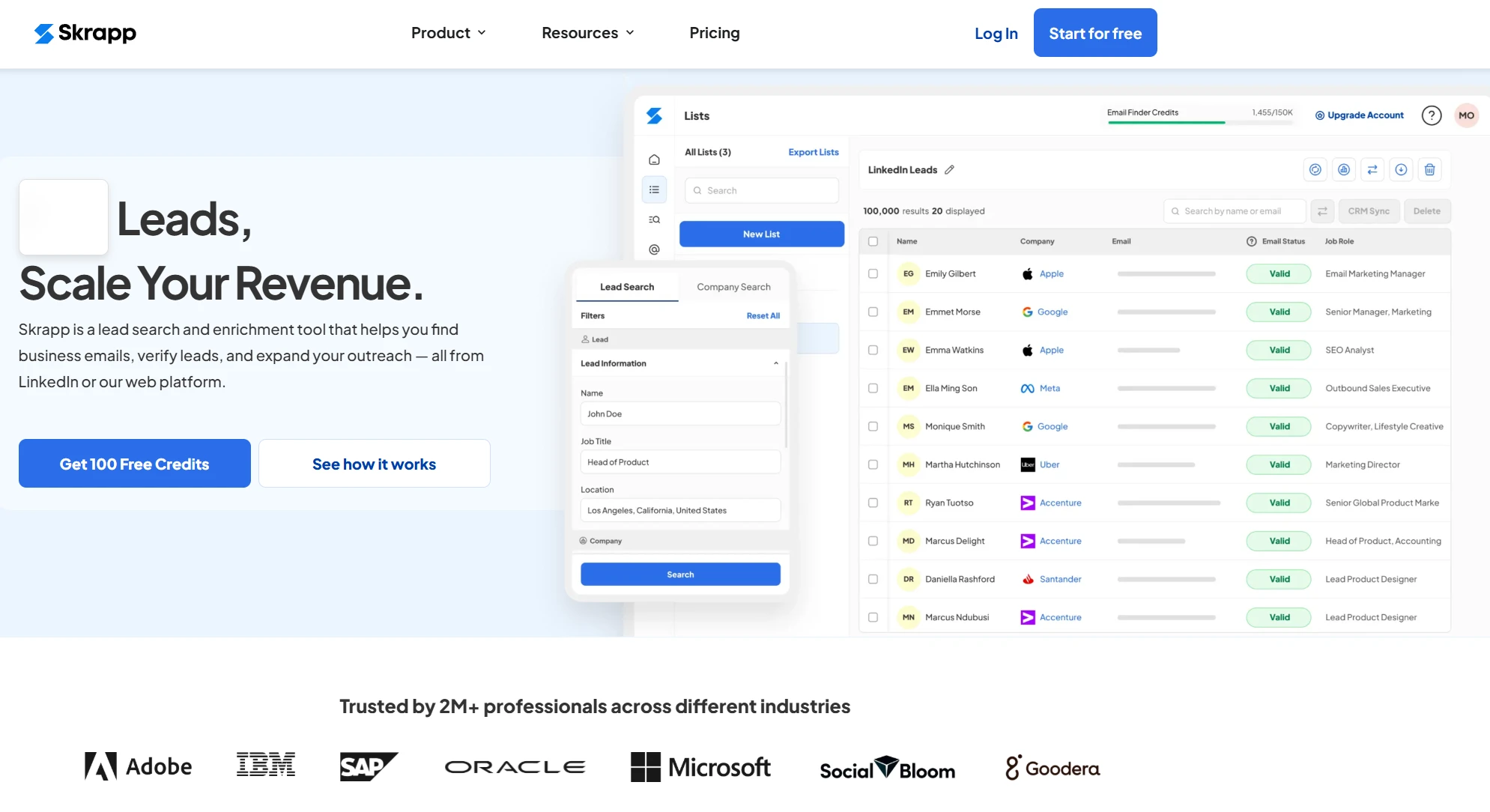
Skrapp
G2 Review: ★4.5/5 Best for: Simple LinkedIn and domain-based email capture for everyday prospecting.
Skrapp is a lightweight email finder that focuses on speed and ease of use, particularly through its LinkedIn Chrome extension. It lets you extract verified business emails from LinkedIn and Sales Navigator profiles, then organize them into lead lists for export or outreach. Skrapp doesn’t try to be an all-in-one sales platform, which makes it a strong fit for professionals who want a clean tool for regular prospecting without extra complexity.
Key Features
LinkedIn and Sales Navigator Chrome extension for verified email extraction
Domain search to find team emails at a company
Built-in email verifier to reduce bounce rates
Lead list building and CSV export
Simple UI aimed at fast daily use
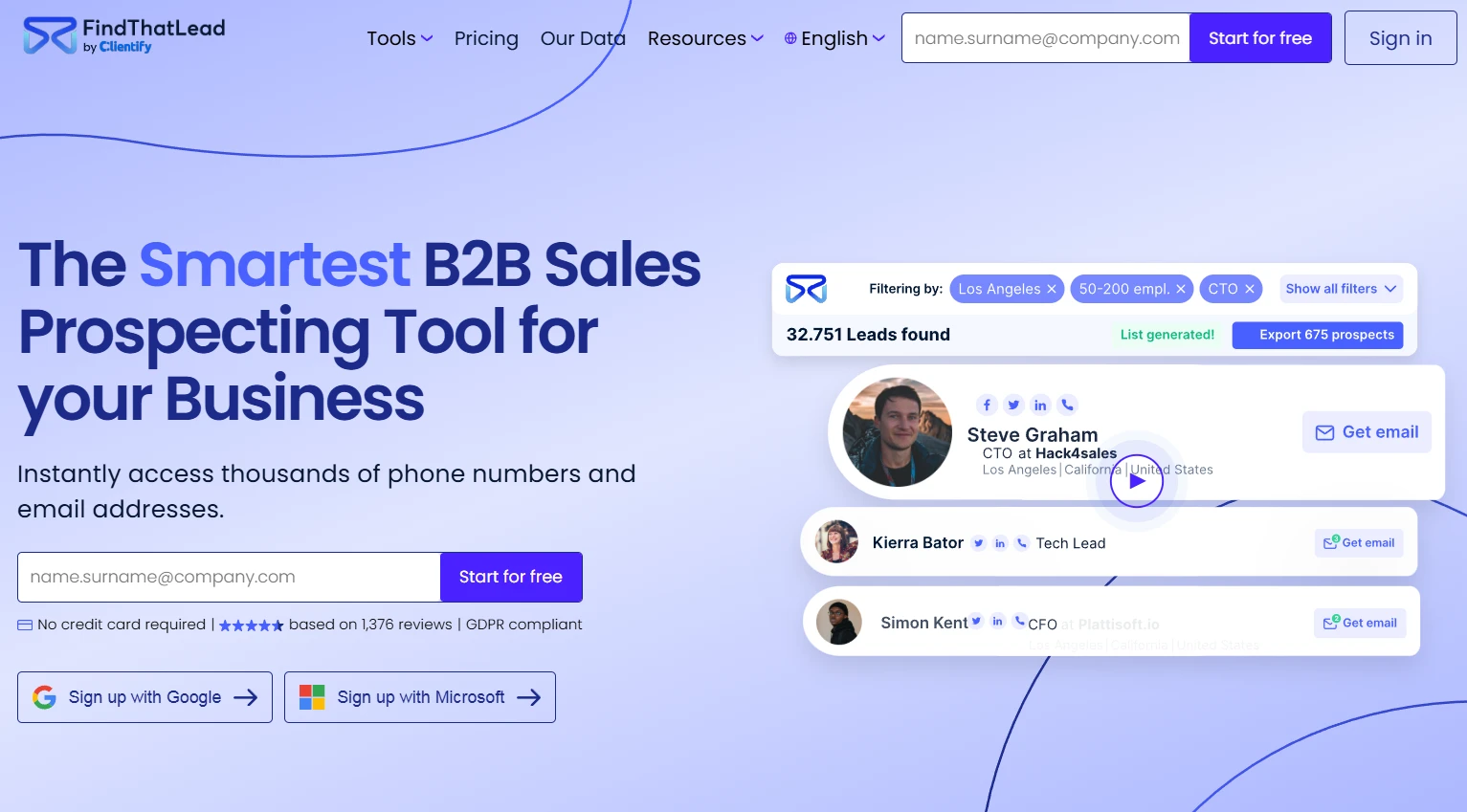
FindThatLead
G2 Review: ★4.3/5 Best for: Quick email searches from domains and social profiles.
FindThatLead is a straightforward email finder built for speed, especially useful when you want to pull emails from LinkedIn profiles, social sources, or company domains without heavy setup. It’s a solid pick for smaller teams or solo prospectors who need fast, flexible searches and simple list building. The platform also supports bulk lookup, letting you turn a set of names or domains into a usable outreach list in minutes.
Key Features
Email search by domain, company, or person
Social and LinkedIn-based discovery via extension
Bulk email finder for list building
Built-in verification to filter risky emails
Simple lead list management and export
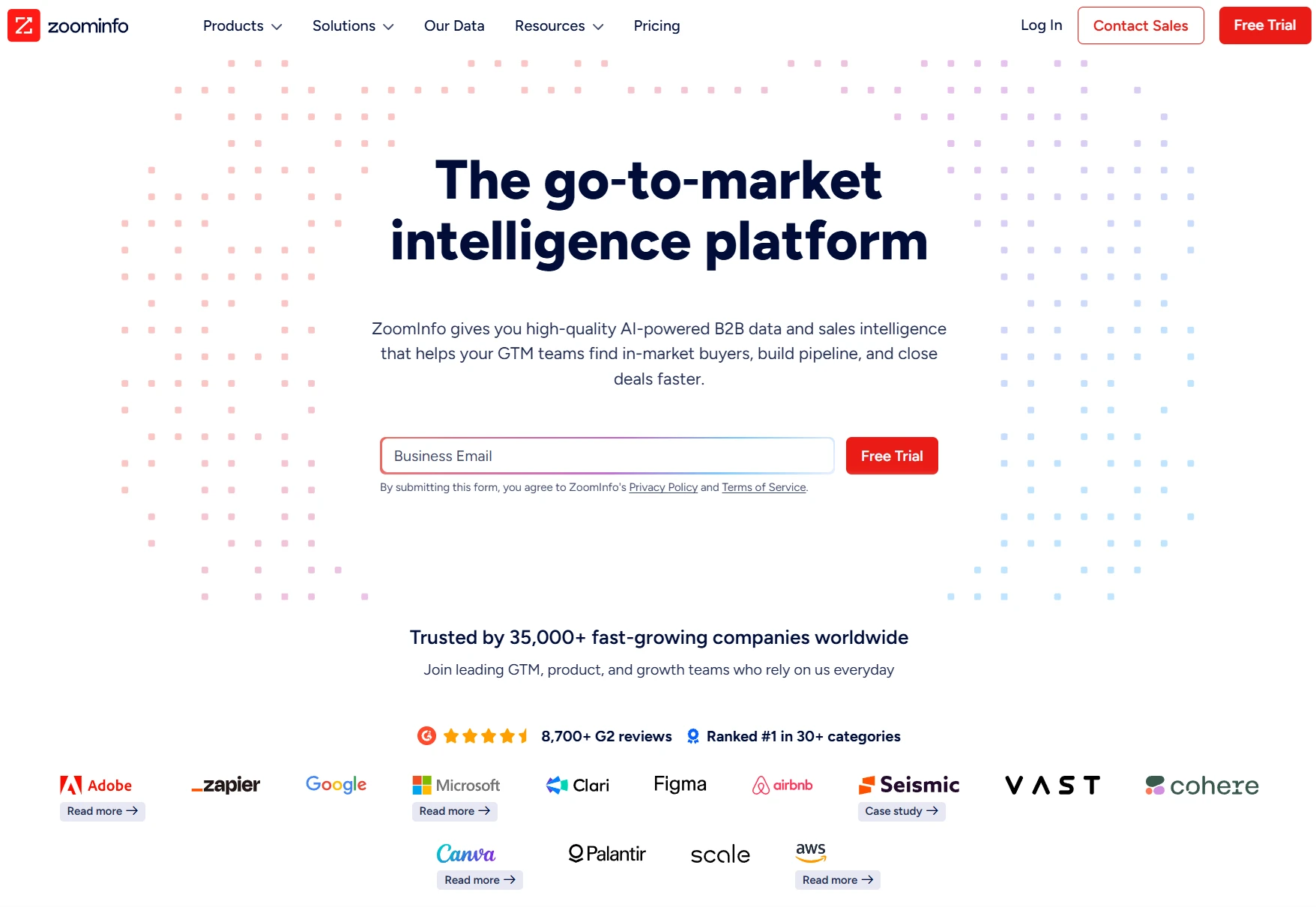
ZoomInfo
G2 Review: ★4.5/5 Best for: Enterprise-grade lead data and enrichment at scale.
ZoomInfo is an enterprise platform that combines a massive B2B database with strong enrichment and segmentation capabilities. It’s best suited for larger sales organizations that need extremely detailed firmographic data, org charts, intent signals, and continuously refreshed contact information. While it’s not a lightweight email finder, it excels when accurate data, depth, and scale matter more than simplicity.
Key Features
Large enterprise B2B contact database
Advanced filters for ICP targeting
Real-time enrichment and data refresh
Intent and technographic insights
CRM and sales stack integrations
Clearout
G2 Review: ★4.6/5 Best for: Verification-first email finding and list cleanup.
Clearout stands out as a verification-heavy email finder, making it ideal for teams that care most about list cleanliness and deliverability. It helps you find emails, but its strongest value is confirming whether addresses are valid before they enter your pipeline. This makes it especially useful for outbound marketers who want to cut bounce rates and protect domain reputation while still building targeted lead lists efficiently.
Key Features
Email finder with high-verification focus
Bulk verification and list cleaning
Risk scoring to flag unsafe emails
API for automated validation workflows
Simple dashboard for exporting verified leads
How to choose the right email finder tool in 2026
Choosing the best email finder tools in 2026 comes down to matching the tool to your prospecting style, volume needs, and quality bar. Start with your primary use case. If you’re building large outbound lists every week, you’ll want a platform with a strong database, advanced filters, and bulk export. If you’re doing account-based prospecting, accuracy on individual lookups and enrichment details matter more than raw volume.
Next, look closely at verification. Tools that validate emails in real time help protect deliverability and reduce wasted outreach. If your campaigns depend on reputation-sensitive domains, prioritize finders that flag risky or catch-all addresses clearly.
Ease of workflow is another big factor. Browser extensions for LinkedIn and company websites can dramatically speed up day-to-day prospecting. CRMs and automation integrations also matter if you want leads to flow directly into your pipeline without manual cleanup.
Finally, think about scalability and team fit. A simple tool may be perfect for a solo user, but teams usually need shared lists, role-based access, and consistent data formatting. The right email finder should save time, increase list quality, and fit naturally into how you already generate and manage leads.
Conclusion
In 2026, email finder tools are no longer just “nice to have” add-ons — they’re a core part of any serious lead generation stack. The best platforms help you move faster while keeping list quality high, combining discovery, verification, enrichment, and workflow integration so outreach feels effortless and scalable.
Whether you need bulk list building for outbound campaigns or precision lookups for account-based targeting, the right tool will depend on your goals, volume, and deliverability standards. When you choose a finder that matches your process, you don’t just collect more emails — you create cleaner pipelines, better response rates, and more predictable growth from every campaign you run.
Best Email Finder Tools in 2026 was last modified: May 26th, 2026 by Colleen Borator
Managing a small office involves watching every penny spent on overhead. Shipping and mail costs often climb higher than expected every month.
Small leaks in the budget can sink a large ship. Every pound spent on a stamp is a pound taken away from growth.
Modern tools help teams regain control over these tiny expenses. New technology simplifies the process of sending items to customers. It is a smart way to streamline the workflow for every staff member. Digital solutions replace manual tasks that used to take all afternoon to finish.
Rising Costs Of Traditional Mailing
Stamps are a classic way to pay for mail. These small stickers become quite expensive when sending high volumes of letters.
Prices continue to rise as postal services adjust their yearly budgets to meet new demands. Costs are rising for every business across the country.
Businesses must find ways to offset these increases before they eat into monthly profits. Managers need to look at the long-term trends of the postal market.
Keeping track of physical stamps takes up valuable desk space. Staff members spend time running to the post office when the supply runs dry. This manual process distracts workers from more critical tasks throughout the busy day. It creates a bottleneck that slows down the entire department.
Budgeting For New Technology
Most offices look for ways to cut down on daily operational spending. Finding competitive franking machine prices allows a company to upgrade without spending too much money at once.
This choice provides access to professional tools that large corporations use for their complex logistics. It levels the playing field for smaller teams.
Paying for equipment through a lease or purchase plan spreads out the cost. It replaces unpredictable stamp purchases with a steady monthly figure.
Budgeting becomes easier when you know exactly what the mailroom needs to operate every single week. Financial stability comes from knowing your overhead in advance.
Predictability helps managers plan for future growth without worrying about hidden fees. Digital meters track every penny spent on outgoing envelopes. Having this data makes it simple to report on overhead costs during quarterly meetings with the leadership team. Clear data leads to better decisions for the whole firm.
Automating The Mailroom Workflow
Speeding up the mail process saves more than just money on ink. Automated systems help lower labor costs and stop common human errors, leading to better long-term savings. Technology takes the guesswork out of daily shipping routines for everyone. Modern software handles the heavy lifting of sorting.
One blog post about office equipment explained that postage meters usually provide lower rates than standard stamps. This invests pay for itself through volume discounts. Saving small amounts on every envelope creates a massive impact by the end of the fiscal year. Every letter sent is an opportunity to save cash.
Modern machines offer several perks:
Automatic weighing of envelopes to prevent overpayment on postage.
Digital tracking of mail classes for better record-keeping and auditing.
Integrated accounting software that connects to office computers for easy tracking.
Real Savings On Every Letter
The difference between a stamp and a metered rate might look small at first. Users save between 4 and 6 cents on every First-Class letter sent. This margin grows as a business increases its outgoing mail volume over the months. High-volume users see the most dramatic shift in their accounts.
These small amounts add up to hundreds of dollars over a single year. The postal automation market is growing to over $1.5 billion by 2026.
Companies are moving toward these systems to stay competitive in a modern market. Automation is no longer a luxury for big companies.
Businesses can reinvest these savings into marketing or product development. It turns a boring utility expense into a source of extra capital.
Smart leaders look for every possible way to optimize their spending and improve the bottom line. Reducing waste is the fastest way to increase profits.
Strategic Tariffs And Labor Efficiency
Mailmark technology provides specific benefits for users in the United Kingdom. One manufacturer noted that these tariffs save users 20p on first-class mail versus standard stamps.
Second-class mailings see significant price drops, too, for those using digital meters. These discounts are unavailable to those using traditional stamps.
Wasted time in the office is a silent budget killer. A small business resource calculated that wasting one hour a week on manual mail tasks costs over $2,300 a year.
That money is better spent on growing the team or improving customer service. Productivity increases when people focus on their main jobs.
Efficiency improvements often include:
Faster processing of bulk invoices for quicker payments from clients.
Reduced lines at the local post office for busy employees.
Accurate postage for heavy packages to avoid delivery delays and penalties.
Operational Cost Reductions
Large organizations see the biggest impact from switching to modern equipment. Reports show that high-volume companies reduce operational costs by 30% after adopting digital meters.
Efficiency grows when the system handles the calculation of weights and zones automatically. It removes the stress of manual calculations.
A common mistake involves using too many stamps since the weight is unknown. A mailing guide points out that businesses often overspend on postage or underestimate the required fees.
Overpaying for safety is a waste of resources that adds up quickly. Accurate scales pay for themselves in a matter of weeks.
Using a built-in scale ensures the exact amount of money is spent. This prevents packages from being returned for insufficient postage.
It keeps the professional image of the company high in the eyes of all your clients. Professionalism is built on these small details.
Saving a few cents on every letter helps a business stay strong. Start looking at new tools to keep your shipping costs under control. Better management of these costs leads to a healthier bottom line for your firm. A more efficient office is a more profitable office.
How Modern Postage Equipment Helps Reduce Monthly Shipping Expenses was last modified: July 7th, 2026 by Charlene Brown
Starting a commercial venture in a foreign market is a major milestone for any growing business. It offers a chance to reach new customers and tap into global talent pools.
The move comes with a long list of legal tasks that require careful attention. Success depends on how well you prepare for the administrative hurdles of a new jurisdiction.
Choosing The Right Corporate Entity
Selecting a legal structure is the first major hurdle you face when moving abroad. This decision determines how much tax you pay and how much personal risk you take.
Most regions offer several choices, ranging from representative offices to fully independent subsidiaries. Each option has different reporting requirements and ownership rules that you must follow.
Managing the legal paperwork in a new country can be a slow process. Many founders find that Saudi company formation services can help with the specific regulatory demands of the Middle East. This support allows business owners to focus on their operations rather than getting stuck in red tape.
Having expert guidance makes the transition smoother and helps prevent errors in the initial filings. Local laws often dictate which structures are available to foreign investors. Some countries require you to have a local partner who holds a percentage of the equity.
Navigating Local Registration Timelines
Every government has its own speed for processing new business applications. Some systems are fully digital and allow for quick approvals within a few days. Other regions still rely on physical documents and multiple rounds of government reviews.
A government trade guide notes that if the documentation is complete and correct, the registration procedure should be completed within 30 days in certain territories.
This estimate assumes that all your translated certificates and identity checks are ready for review. Any small error in the paperwork can lead to lengthy delays.
Managing Costs For New Ventures
Budgeting for an international expansion involves more than just paying for office space. You need to set aside funds for government fees, legal consultations, and permit applications.
These costs vary significantly from one country to the next. High entry fees might be a sign of a complex regulatory environment that requires ongoing professional help.
A small business administration report states that the total cost to register a business is often less than $300 in the US, but fees vary by state.
Updating Payment Systems For Compliance
International commerce requires a reliable way to move money across borders. Financial regulations are becoming stricter to prevent fraud and money laundering. As a result, businesses must adopt new technologies that meet modern banking standards.
A supply management publication mentions that by November 2026, the ISO 20022 migration mandates that all international payments use structured or hybrid address formats.
This change will affect how every commercial venture sends and receives funds globally. Preparing for this shift now will keep your cash flow steady during the transition.
To stay compliant with financial laws, you should check these items:
Verify the latest anti-money laundering reporting rules.
Confirm that your billing software supports hybrid address formats.
Update your internal record-keeping to match international standards.
Review the specific payment deadlines for cross-border taxes.
Protecting Your Intellectual Assets
Your brand name and technology are some of your most valuable assets. These items are not automatically protected when you enter a new country.
You must register your trademarks and patents with the local intellectual property office. This legal shield prevents other companies from using your ideas without permission.
Waiting too long to file for protection can be a risky move. In many places, the first person to file for a trademark owns the rights, regardless of who used it first.
Local Labor Law Considerations
Hiring a team in a new market involves following local employment codes. These laws cover everything from working hours to mandatory benefits and termination rules.
Most countries have specific requirements for employment contracts that must be written in the local language. Understanding these obligations helps you calculate the true cost of hiring staff. It builds trust with your new employees by showing you respect their rights.
Tax Registration And Reporting
Tax compliance is one of the most complex parts of running a business abroad. You will likely need to register for corporate income tax and value-added tax shortly after you launch. Each country has its own filing schedule and rules for what expenses you can deduct.
Many nations have double-taxation treaties that prevent you from paying tax on the same income twice.
Keeping detailed financial records is mandatory for meeting your reporting duties. Working with a local accountant can help you stay on top of these requirements and grow your presence.
Expanding a commercial venture into a new country is a challenging and rewarding path. Following the legal requirements keeps your business safe and allows you to build a strong reputation.
Primary Legal Requirements For Launching A Commercial Venture Abroad was last modified: February 18th, 2026 by Charlene Brown
Designing a home used to mean focusing on the kitchen. Now, the garage is a key part for people who want more space. It connects the street to your private rooms.
New floor plans treat this area as a useful zone. People want to mix function with style. A good layout keeps the house clean.
Smart Tech Integration For Better Security
Security is a major concern for small business owners who run operations from their home base. Protecting digital assets starts at the physical entry points of the building. Modern garage systems now connect directly to phone apps that alert you the moment a door moves.
An article noted that energy-efficient lighting and smart storage are among the top garage design trends leading into 2025. These systems allow you to monitor your space from anywhere in the world. You can grant access to delivery drivers or service workers through a single tap on your smartphone.
High-tech sensors can detect carbon monoxide levels or smoke within the unit. Staying connected to your home’s perimeter is a simple way to boost productivity by removing the stress of manual checks.
Maximizing Every Square Foot Of Wall Space
Heavy tools often take up too much floor space in a small shop. The design ideas, such as those at GarageStorageCabinets.com, offer a new layout help you fit more gear into a tight corner. Keeping gear at eye level saves time and prevents back strain.
One market report noted that garage cabinets are the top choice for buyers, with over 61% of the market share. These enclosed units help hide messy tools and keep the area looking sharp.
Vertical storage turns a cluttered room into a high-functioning zone. It prevents tripping hazards by moving heavy gear off the concrete. Smart wall plans are a simple way to gain more room without adding to the house’s footprint.
The Financial Benefits Of A Professional Finish
Home improvements are often judged by the value they add to the final sale price. The garage is one of the most profitable areas to upgrade. It provides a high return on investment because buyers see it as ready-made storage.
A garage adds significant utility and actual value, with an estimated 65 percent return on investment. This makes it a safer bet than many interior cosmetic changes. Prospective buyers appreciate a space that looks finished and professional.
Beyond the resale value, a finished garage protects your expensive equipment from the elements. Insulated doors and sealed floors keep the environment stable.
Creating A Multi-Purpose Utility Command Center
The idea of the garage as just a parking spot is fading away. Many homeowners are turning these areas into hybrid workspaces or home gyms.
By 2026, the garage is becoming the home’s utility command center, incorporating vertical storage plans that treat wall space as premium real estate. This shift allows the room to serve 2 or 3 different functions at once. You can have a workbench on one side and a fitness zone on the other.
Custom shelving for inventory
Workstations with integrated power
Climate control for sensitive documents
High-durability flooring for heavy use
Using durable materials ensures the space can handle high traffic. Modular furniture lets you rearrange the layout as your business needs grow. A flexible design is the best way to future-proof your home.
Budgeting For Your Renovation Project
Planning a remodel requires a clear understanding of the costs involved. Prices vary depending on whether you are doing a simple refresh or a full conversion. It is helpful to set a budget before you start picking out materials.
Simple garage remodels can cost as low as $2 to $5 per square foot, while high-end conversions can reach $86 per square foot. Knowing these numbers helps you prioritize which features matter most. You might choose to focus on storage first and then move to flooring later.
Incremental upgrades are a great way to manage cash flow for a small business. Start with the essentials like lighting and security. Once the basics are in place, you can add the custom cabinetry and aesthetic finishes that complete the look.
Aesthetics Meet Practical Functionality
The exterior look of the garage impacts the curb appeal of the whole house. Choosing the right doors and finishes creates a cohesive design. You want the structure to look like an intentional part of the architecture.
Minimalist silhouettes, flush panel systems, and custom finishes matched to the home’s exterior are defining features in 2026. These design choices make the garage feel like a luxury feature. It no longer looks like an afterthought tacked onto the side of the building.
Lighting plays a huge role in how the space feels. Bright LEDs make the area safer and more inviting for evening projects. Combining good looks with high utility creates a space you actually want to spend time in.
The garage reflects the changing needs of modern workers. These designs support your main needs: professional goals and personal hobbies. Solid storage and smart security form the style base.
Adding these features turns a basic room into a valuable home asset. It helps you stay productive and keeps your family safe. A smart layout makes the garage work.
Garages as a Key Feature in Residential Design was last modified: February 18th, 2026 by Charlene Brown
Digital properties now have to serve a global audience with wide-ranging abilities, preferences and needs. Whether it’s banking applications, e-commerce websites, or enterprise SaaS tools, every user uses software differently. Accessibility is not a checkbox or post-release audit if organizations are striving to deliver a seamless user experience. It is a foundational expectation.
Assistive technologies such as screen readers, voice commands, magnifiers and switch controls are used by millions of people. Inaccessibility is not only a source of frustration for this customer base, but it can also pose reputational risk to companies, leaving them open to lost revenue and legal backlash. Nevertheless, it remains a common situation to test for accessibility late in the development cycle – typically after design and development have already been finished.
In this article, we explore what shift left exactly means as we talk about accessibility testing in software testing, why organizations should care about it, and how teams can incorporate accessibility testing from the early stages.
What is Shift Left Accessibility Testing?
Shifting left is just a fancy way of saying that you should bring your testing process into the earlier stages of the software development lifecycle. Historically, accessibility testing has been an activity pushed to the end. Some even did it just before a major release. And of course, that approach quickly exposed problems which led to design changes, component rewrites, and layout rearrangement. This caused repairs to be slow, costly, and unwelcome.
This mindset is reversed by the shift left accessibility testing. Instead of it being the sole responsibility of QA, accessibility can be shared by everyone. Product managers script diverse user stories. Designers follow accessibility principles. Developers write accessible code. QA groups perform automated and end-user-focused accessibility testing throughout development.
This early intervention lays the groundwork for accessibility to be built in. It keeps accessibility issues from filtering into the end product. It also quantifies and traces back accessibility requirements from the outset.
Why Shift Left is important in the context of Accessibility Testing
In today’s digital landscape, web and mobile applications must be usable by everyone, including the 1 in 4 adults worldwide who live with some form of disability (WHO, 2024). Accessibility is no longer an optional feature or a nice-to-have – it is a legal, ethical, and business imperative.
Regulations such as the Web Content Accessibility Guidelines (WCAG), the European Accessibility Act (EAA), the Americans with Disabilities Act (ADA), and India’s Rights of Persons with Disabilities Act, 2016, increasingly hold organizations accountable for inaccessible digital products. Failing to meet these standards can result in costly lawsuits, reputational damage, and exclusion of a significant user base.
Reduced Cost of Fixing Defects
There is little cost to resolving accessibility issues at the design stage. Developers fixing the bugs cost more. It’s so costly to fix them post-release, too, because multiple teams need to rewrite the same feature.” Shift left minimizes this cost multiplier by identifying problems earlier.
When you can do things at the right time, even something as simple as labelling form fields or redefining colour contrast is easy. But that same fix can become problematic when dozens of screens and other pieces are built on top of the original decision.
Unified Experience for All Users
Accessibility improvements benefit every user. For example, keyboard control is more efficient and supports power users. Enhanced layout functionality makes for a more accessible utility to everyone. Shift left is about building accessible experiences by default instead of adding them post-design.
Higher Compliance and Lower Risk
Such standards would include, but are not limited to the following: WCAG 2.1 or WCAG 2.2, ADA, Section 508, EN 301 549 and local accessibility laws. Late identification of concerns is a threat to compliance. Initial tests can also help maintain compliance when rules change.
Less Accessibility Debt
Analogous to technical debt in which shortcuts were taken, when teams ignore accessibility in their early stages, accessibility debt piles up. This leads to hard-to-debug, costly problems down the line. Shift left prevents long-term accumulation.
Stronger Collaboration Across Teams
Accessibility is everyone’s responsibility. Shift left promotes collaboration among designers, developers, QA engineers, and product teams. It fosters a culture of inclusion and ownership.
Shift left accessibility testing is about embedding accessibility checks early and continuously in the development cycle so issues are caught before release. LambdaTest enables this by offering tools that automate accessibility scans, integrate them into build and CI/CD workflows, and produce actionable insights early in development. This helps teams fix barriers sooner, reduce rework, and build more inclusive software from the start.
Features:
Automated accessibility scans that run as part of test suites.
Integration with automation frameworks like Selenium, Cypress, and Playwright.
Central dashboards showing accessibility issues alongside functional test results.
Customizable checks based on accessibility standards such as WCAG, ADA, and Section 508.
Tools that identify missing alt text, contrast problems, and ARIA issues in code.
Accessibility DevTools for browser-based scanning and debugging.
Semi-automated keyboard navigation checks to validate interactive flows.
Scheduled accessibility tests for continuous monitoring and regression detection.
Detailed reports with issue context to help developers fix problems early.
Embedding Accessibility for Software Testing
Shift left is only effective when accessibility is incorporated into every stage of the SDLC. Following is a blueprint for how organizations can organize their accessibility efforts across design, development, and testing.
Requirements and Planning Stage
Accessibility starts with clear requirements. Without clear criteria around accessibility, you’ll be operating on assumptions. This leads to inconsistent implementation.
Activities in this stage
Write accessibility targets for the product.
Define the level of adherence that should be achieved, often WCAG 2.1AA or WCAG 2.2AA.
Include WCAG2.0 AA as AC for all user stories.
Create personas that reflect people with disabilities.
Provide a product-wide accessibility checklist that every feature has to meet.
Educate teams about what good accessibility looks like.
Example user story
“As a screen reader user, I want to be able to work through all interactive elements in an intuitive flow” == Acceptance Criteria Video/Recording: Being able to navigate sequentially, without any jumps and tab into each modal or link without breaking order.
Design Stage
Design accessibility is one of the key drivers for shift left. Designers should make inclusive thinking part of the wireframe and visual design process because developers will inherit accessible structures fairly effortlessly.
Design considerations
Maintain adequate color contrast.
Typography that scales and is easy to read.
Don’t use color alone as the only form of communication.
Provide clear focus indicators.
Create consistent navigation patterns.
Make it easy to tap, and provide the proper spacing for touch targets.
Include alt text directions for images and icons.
Markup accessibility information right in Figma or Sketch.
Tools that support designers
Stark for color contrast checking
Figma accessibility plugins
Contrast Ratio tools
Color blindness simulators
How does this help shift left?
It all adds up, and catching those contrast issues or layout problems in design saves developers (and QA) from a lot of extra work down the road. Freehand design Documentation serves as the first pass on quality control.
Development Stage
This is where shift left really starts to earn its stripes. Accessibility is changed most directly by the developers. Their code encodes whether a screen reader can read a button properly, or a keyboard user can navigate a menu, or if low vision users can enlarge the text without causing it to break layout.
Developer best practices
Use semantic HTML whenever possible.
Use alt text to describe the images.
Don’t use divs for things that should be clickable – those are real buttons.
Use ARIA attributes carefully and only when they are necessary.
Make sure that the UI elements can be reached with the keyboard.
Add skip links and organize headings logically.
Keep the focus states and ditch removing outlines.
Use the time to build reusable accessible components, especially complex ones like modals, carousels, accordions and dropdowns.
The testing for accessibility needs to be automated and manual. Automated checks can catch the most common problems quickly, but manual testing thoroughfare check of typography with copy ensures that a product simply works for real users with disabilities.
Automation usually spots the following sorts of issues:-
Missing alt text
Low color contrast
ARIA attribute misuse
Missing labels
Empty buttons or links
Keyboard traps
Improper heading structures
Manual testing coverage
Manual evaluation includes
Keyboard-only navigation
Logical focus order
Screen reader behavior
Dynamic content announcements
Zoom and reflow testing
Gestures on mobile devices
Compatibility with assistive technology
Tools for manual testing
NVDA and JAWS for Windows
VoiceOver for macOS and iOS
TalkBack for Android
Magnifiers and zoom tools
Deployment and Pre-release Validation
The last thing before a release is that accessibility should be treated like the performance or security check and reviewed for one final time.
Activities in this stage
Comprehensive audit through all pages and flows
Cross-browser and cross-device accessibility validation
Generating accessibility conformance reports
Preparing VPAT documentation if required
Address high-severity and critical ones before release
Maintenance and Continuous Improvement
Accessibility doesn’t stop at rerelease. New access issues can emerge as UIs change and new functionality is developed.
Continuous accessibility activities
Rerun automated accessibility tests every PR.
Add accessibility tests to the CI(as code) effort
Conduct quarterly manual audits
Track user feedback, particularly from users who use assistive technologies
Train new team members
Keep an accessible design system of patterns that can be reused
Why shift left speeds up continuous improvement
Accessibility problems are being resolved early and often, rather than accumulating. Teams keep a good access posture from one release to another.
Pitfalls and How to Avoid Them
Shifting left sounds great in theory, but many teams stumble when they try to implement it. Here are the most frequent traps and practical ways to dodge them:
Lack of Accessibility Awareness
Many teams have no visibility of, or even a misunderstanding about, what accessibility really means.
Solution: Introduce internal training, workshops and documentation.
Level of Skill in Manual Accessibility Testing
And nobody wants to test a screen reader or keyboard hands-on.
Solution: (1) Regular training and (2) partnering QA with accessibility specialists.
Perceived Increase in Workload
Developers on teams might perceive accessibility as a drag on developing.
Solution: Adopt automation early and invest in reusable component libraries.
No Standardized Tools
Different teams use different tools.
Solution: Implement a common approach for the accessibility testing workflow. Incorporate tools like Axe, Lighthouse and TestMu AI.
Limited Organizational Priority
Leadership may not prioritize accessibility.
Solution: Communicate, in terms that the business will understand, why accessibility matters.
Best Shift Left accessibility testing practices to follow
Start accessibility during requirement gathering
Annotate accessibility in design files
Create reusable, accessible components
Add source code accessibility checks in tests and CI pipelines
Automated accessibility scans are your friend (early and often)
Conduct screen reader and keyboard testing on every release
Constantly focus on and improve accessibility measures
Conclusion
Accessibility can never be forced in at the last minute. By moving accessibility testing to the left of the development lifecycle, teams can find problems sooner, shrink release lags, and design products with inclusivity and compliance built in.
When companies implement the right mix of design discipline, development best practices, QA strategy, automation and real-device testing platforms like TestMu AI, they can dramatically improve their accessibility results. The payoff: better user experiences, increased compliance, less rework and products that really work for all users.
Left shift accessibility is a culture, not just a practice. It’s a mentality for creating better software from the start.
Shifting Left: Integrating Accessibility Testing in Software Testing Cycles for Early Detection was last modified: February 17th, 2026 by Rahul Jain
To have improved quality software in lesser time, the modern-day QA teams are under immense pressure, causing many organizations to rethink their test management strategy! Manual planning, inflexible documentation and static test cycles define traditional processes that were once effective but now struggle to keep pace with rapidly evolving development environments.
With the help of AI-driven insights, teams can expect risks, plan better, and have 24X7 visibility across testing activities, thus reshaping the entire landscape! With applications scaling up and delivery cycles shortening, there needs to be an evolution of test management into an intelligent, adaptive, and insight-driven discipline that strikes a balance between speed and accuracy.
AI does not replace testers. But rather strengthens decision making, reduces unnecessary work, and guarantees that planning remains consistent, if not correct, for complex projects. A new approach to test management has emerged, with the help of predictive analytics, natural language understanding, and automated reasoning that will help teams strategize and allocate their resources better.
The Evolution of Modern-Day Testing
Today’s applications have a high level of complexity that requires testing approaches that are flexible, data-driven and able to adapt to ever-changing requirements. This is different from traditional methods that fail and have static test cases, manual prioritization, and siloed information. This leads to bottlenecks and an increase in the chances of not spotting critical defects before release.
QA now needs to respond to new features, architectural changes, and user expectations at the same rapid pace at which development teams are continuously pushing updates. AI plays a major role in filling this gap by identifying patterns to predict where the device will fail and what is taking precedence attention-wise. This turns test management from a reactive task to a proactive, insight-guided activity.
Testing organizations desire something better than test case execution reports. They want strategic guidance. They want visibility into risks. They demand systems that can self-adapt. Intelligence, Automation and Collaboration: Modern test management must meet these demands.
How AI Is Changing The Way We Plan Our Tests
With AI comes abilities that ground planning in reality and are closer to more accurate data outputs. Rather than depending only on human intuition or records, AI aids in providing relevant insights by analyzing code changes, user behavior, defect patterns, and previous test failures. This leads to improved prioritisation and enables the selection of the areas of highest risk in the application for teams to focus on.
AI-driven planning improves coverage as it reveals functions that are commonly overlooked. It also helps find duplicate scenarios and save execution time that is not useful. This leads to a streamlined planning process that directly links planning with business objectives.
With software ecosystems changing at a rapid pace, AI assists test managers in keeping track of the correct development speed and its objectives. This helps make planning quicker, more adaptable and less uncertain.
Smarter Requirement Analysis with AI
An example of some of the test management problems is requirements comprehension. Requirements are vague, documented inconsistently or communicated through multiple channels. Failure to interpret results in partial coverage, repeated test cases, or key scenarios not being covered.
AI helps with requirement documents, user stories, or acceptance criteria to gain real-time and actionable insights, which can uncover hidden requirements, potential edge cases and the logical dependencies. Doing this will help to reduce ambiguity and increase the precision while planning your tests.
Disaggregate complex features in structured testable components with AI. This speeds up scenario creation and ensures every requirement is covered. It also helps teams maintain a stronger overall coverage by maintaining the traceability between the requirements and the tests.
AI-Assisted Test Case Generation
One of the most resource-intensive areas of test management is the creation of test cases. Manually generating thousands of test scenarios is time-consuming and may result in inconsistent quality, too. So here AI helps you create structured test cases based on functionality, user flows, and expected results.
By analyzing the application behavior, existing test suites, and historical defects, AI will recommend scenarios that mirror actual usage patterns. This allows for better coverage and adapted scenarios grounded in real user journeys. It lightens the load of manually drafting test cases that testers will be able to hone and verify.
The idea behind AI-driven test case generation is providing a set of test cases with a high level of confidence in accuracy, consistency, and, of course, huge scalability. In small-to-midsize applications, this practice helps you stay relevant as the application changes and grows.
Enhancing Prioritization with Predictive Analytics
At the very core of managing tests lies the concept of prioritization. They need to determine what to test first, where deeper validation is needed, and which scenarios can be deferred. Manual prioritization is frequently biased or stale.
AI employs predictive analytics to determine the most likely failure-prone features, modules that have high defect density or areas with recent code changes. This allows for data-driven risk-based prioritisation. This allows for a more targeted, efficient execution of tests that more closely align with critical business functionality.
Armed with AI-backed prioritization, test managers can plan cycles in a manner that helps them stay away from over-testing and under-testing.
AI-Powered Insights For Debugging & Defect Analysis
In a world of huge systems and complicated architecture, a lot of QA time is spent on debugging. However, AI tears down this cycle by scanning through logs, error messages, and failure patterns to recommend possible culprits.
AI identifies these systemic problems by classifying failures that occur in similar modules or by identifying issues that appear across multiple modules. This helps in expedient resolution and early intervention.
Better fault analysis additionally helps in planning the tests for the coming days. AI recognizes trends in defects and forecasts the probable locations of future defects. This feedback loop helps to ensure that the plan is based on real-world data and application behavior.
Platforms such as TestMu AI (Formerly LambdaTest) strengthen test management by unifying case design, execution, and reporting in one workspace. It helps teams create structured test plans, track progress, and understand results without switching tools. This consistency lowers coordination effort, reduces duplication, and keeps everyone aware of quality risks throughout development. The platform supports both manual and automated workflows for full lifecycle coverage.
Features:
Easy test case authoring with reusable steps and templates.
Bulk editing and organization options for large repositories.
Linking of bugs and test results for faster triage.
Import and export options for moving data from other tools.
Version control for updating and reviewing test cases.
Evidence capture during execution, including logs and screenshots.
Unified view of manual and automated test runs.
Custom fields and tags for better filtering and reporting.
Improving Collaboration Across Teams
Collaboration is necessary – between all the teams involved in test management - QA, development, product, and business teams. Yet, poor communication can be a source of misunderstandings, redundant tasks, and delayed releases.
AI alleviates this burden by summarizing documents, translating complex content into layman’s terms and creating a standardized document. It renders communication decisive and uniform. Provide transparency – Teams can leverage AI to create test reports, user flow summaries, and release notes for better transparency.
Seamless information sharing: intelligent collaboration tools rely on analytics to ensure that cross-functional teams can share information within the organization seamlessly, accurately, and without silos. This minimizes the bottleneck and enables the process of ongoing improvement.
Coverage Over Device And Platform Variation
In the era of multi-device and cross-platform applications, coverage has emerged as the most complicated dimension of test management. Having applications that work everywhere across mobile devices, browsers, operating systems and screen sizes comes with a lot of infrastructure and planning.
But physical device labs are an impossibility for many, and cloud-based execution environments help address this challenge by having access to real devices and browser combinations without requiring them. You can scale up more easily, and teams can test across a wide variety of environments without having to manage servers.
AI takes this up a notch by detecting device-specific risks, flagging configurations with higher failure probabilities, and recommending device-focused test strategies. This ensures that coverage is both complete and reflects what customers actually experience.
So, how does TestMu AI help you with Smart Test Management
In this shift towards intelligent test management, the test execution environment is a major contributing factor to test accuracy and reliability. With real device and browser execution on scale, TestMu AI fortifies test management workflows. It allows teams to verify that the planning driven by AI actually is manifested in the real world.
TestMu AI enables teams to run manual and automated tests across hundreds of environments. This eliminates the hassle of managing physical devices and maintaining consistency in execution. Teams can discern issues quickly and align debugging with AI insights as detailed logs, network information, screenshots, and video recordings are available.
TestMu AI has also been quite in sync with the modern test manager’s needs. The best part is its capability to blend within pipelines, parallelize execution, and provide consistent results across environments – all of which support better strategic planning and execution. TestMu AI also provides a lot of execution data, which can be fed into AI analytics, thus making the ROI calculation on AIOps far richer and targeted for teams working with AI-driven analytics.
But on the good side, because TestMu AI is a part of a cloud-based testing ecosystem, it improves coverage and provides a way to follow continuous quality efforts. This enables teams to create repeatable, insight-driven workflows that drive test stability and resources and shorten time to releases.
The never-ending cycle of improvement with AI-based data insights
Continuous evaluation and improvement are necessary for good testing management. AI plays a big role in this by analyzing historical data, examining coverage trends, monitoring defect trends, and pinpointing improvement areas. These insights ensure that strategies are in line with changing application behavior.
By leveraging AI, teams will be able to identify testing gaps, optimize test suites, eliminate redundant scenarios and bolster high-impact areas. It creates a culture of continuous improvement where test management turns from proactive to reactive.
Together, AI Insights, along with Scalable execution platforms, have the potential to help organizations develop resilient and future-ready testing ecosystems.
The Future of Test Management
Intelligence, automation, and adaptability to change are the future of test management. AI will further enhance team planning, prioritization and execution of test activities. This technology will enable predictive analysis, natural test generation, and risk-based decision making.
Test managers will move from dealing with human resources to strategic direction and measurement, aided by tools that highlight information and take over routine tasks. By enabling this change, teams can spend more time on the creative, the analytical, and on being advocates for quality.
As organizations embrace AI-driven test management, they will see enhanced productivity, enhanced coverage, and predictable releases.
Final Thoughts
With the introduction of AI-powered capabilities like intelligent planning, immediate debugging and smart decision making, test management is quickly transitioning. QA requires solutions that help not only to facilitate test execution but also to reinforce its strategic foundation. This objective is done through AI-driven insights that not just interpret data but also identify risks while adjusting coverage across the evolving application landscape.
However, the planning is only as effective as execution: With platforms such as TestMu AI facilitating scalable execution in real environments, teams can now mitigate the risk of an ineffective plan leading to unreliable results. TestMu AI gives test managers the confidence to deliver high-quality releases on time with the infrastructure, consistency, and visibility that modern test management requires.
The era of intelligent and scalable test management has arrived. In short, with the right practices of AI-focused technologies paired with cloud-based execution environments, organizations can manifest a stronger, competent and future-ready QA process.
Test Management Evolved: Smarter Planning with AI Insights was last modified: February 17th, 2026 by Rahul Jain
Generative AI transforming software testing is advancing faster than even analysts anticipated just 12 months ago. By 2025, the best engineering teams will no longer spend weeks writing and maintaining brittle UI scripts or testing critical paths if it slows development down due to resource limitations. Instead, they employ the next generation of AI-first tools that not only create and heal but also optimize tests that can even run on their own with little human intervention.
TestMu AI (Formerly LambdaTest) KaneAI is a generative AI test agent that helps teams plan, create, run, and evolve end-to-end tests using natural language. Users describe what they need tested, and KaneAI turns that intent into structured tests that cover UI, API, database, and accessibility layers. It reduces the learning barrier for automation and scales testing across environments and devices.
Features:
Create automated tests from plain language descriptions.
Generate full test scenarios from text, documents, and tickets.
Unified validation of UI, API, databases, and accessibility.
Smart visual comparison for pixel-level differences.
Automatic handling of popups and dynamic behavior.
Reusable test modules that adapt across projects.
Custom environment selection for targeted test runs.
Native integration with issue tracking and workflow tools.
Flexible scheduling and execution across devices and browsers.
Detailed reporting and analysis of test outcomes.
Cursor + Playwright/TestRunner
If you’re a developer using Cursor (the AI-first IDE based on VS Code) with methods from the Playwright or Jest framework, you can write complete end-to-end and component test suites 8–12× faster than coding them out by hand. Cursor’s Integrated Composer mode learns about your component lib, design system tokens, and current testing patterns – and then writes in-SSR-type-safe, humans-readable Playwright tests in seconds.
Real-world workflow in 2025:
Highlight a user story → “Create E2E flow with happy path + 6 edge cases”
Cursor automatically generates page objects, test data factories and visual regression checks.
Click-to-“explain” flakiness when CI fails
Results: Developers at companies like Vercel, Replicate, and Ramp are 75 %+ AI-contribution today as a part of their Playwright suite, which is maintained by the very same tooling.
Keploy (Open Source + Enterprise)
Keploy became a curiosity of a side project to one of the fastest adopted AI test automation tools in 2025. It captures actual production traffic (or staging) and immediately replays it as deterministic tests with mocks - no setup, teardown, or coding required.
2025 breakthroughs:
Generative mock augmentation: Generates data samples that fill real gaps in recorded flows with plausible variations
Automatic Test Generation Generator tooling for GraphQL and gRPC
Built-in data anonymization + Chaos Experiments
Native Kubernetes sidecar mode for testing service-mesh
Open-source core is still free; the enterprise offering includes security scanning and test impact analysis. Frameworks consumed at Zomato, Flipkart, & more than a few fintech unicorns.
Codium for Teams AI (Now with Integration & E2E)
Previously recognized as a unit-test creation but now offering full-stack coverage, CodiumAI 2025 was considered. The new Explore agent has the ability to crawl a running app (locally or in dev env), map the user journeys and generate Playwright / Cypress / Cypress-Cloud tests that contain accessibility & security assertions.
Standout features:
Behavioural test generation from plain tickets or Notion docs
Automatic root cause analysis-based test healing (not just DOM patching)
Heatmap “Coverage Gaps” directly within the GitHub PRs
Out of the box support for React, Vue, Angular, Svelte and SolidJS
Average time between new features into 90 %+ automated coverage: under 4 hours.
Well adopted in European fintech and govtech, where, due to regulatory scenarios, coverage is obligatory.
Ponicode (now part of CircleCI)
Purchased by CircleCI and re-released in 2025 as generative in whole. Ponicode lives in every PR: it reads the diff, anticipates potential points of failure and creates targeted regression tests before merge.
Key metrics from CircleCI customers:
40% decrease in production escape bugs
-more than 65% of newly introduced unit and integration tests are synthetically generated by AI
Supports JavaScript, TypeScript, Python, Go and Rust
Gremlins. AI Fuzzing Extensions (Unleashed) for JS
The traditional chaos-monkey library also received a generative AI-on-the-side community extension. The “Gremlins Forge, on the other hand, utilises LLMs to generate semantically valid attack instances rather than random clicks.
For example, it doesn’t just click buttons at random; rather, it knows about login flows and shopping carts and payment forms – then “intentionally” dismantles them in lifelike ways. Teams use it as their last-minute sanity check before they push to production.
Internal RAG GenAI Agents (The Dark Horse Winner)
The most exciting thing in 2025 is not any commercial tool, but that enterprises are building private testing agents using Llama-3. ) variants of Mistral fine-tuned on each team’s own component library, design tokens, and historic bug data.
Typical stack:
LangGraph + Playwright
Previous test failures vector database
Slack/Teams bot that elicits QA by typing “test the new checkout flow with coupon stacking”
Shopify, Atlassian, and many FAANG teams all openly acknowledge that their internal agents now account for 60–80 % of all new tests.
Gremlins. js + AI Fuzzing Extensions (Unleashed)
An AI extended version of the classic chaos-monkey library, keeping up with the spirit of community extensions. Instead of a random click, “Gremlins Forge” uses the new LLMs to form semantically meaningful attack sequences.
Example: It doesn’t mindlessly click buttons, it understands login flows, shopping carts and payment forms—and then smashes them to pieces in lifelike ways. Teams use it as the last sanity check prior to production pushes.
ACCELQ (Enterprise Natural Language Automation)
ACCELQ is unique with its natural language modeling for business users, the industry’s only cloud-based, AI-integrated codeless test automation. The 2025 version brought with it:.Logic Pro: The new Logic Insights AI co-pilot analyzes test designs and makes optimization recommendations based on historical data.
Why it’s revolutionary:
Intake requirements from Jira/ Confluence or even Figma to auto-generate test repo.
Predictive analytics for high-value areas with risk-based test prioritization
API, WEB, MOBILE & ERP (SAP/ORACLE) Coverage integrated in one solution
ACCELQ Universe to visualize and share tests in Real-time
Fortune 500 customers are achieving 70% cuts to test creation time and improved compliance via audit-ready traces. It’s especially strong for regulated businesses, such as those in the financial or health care industries.
Katalon Studio (All-in-One AI Scripting)
Katalon Studio became a GenAI marvel in 2025, integrating low-code scripting with AI-assisted capabilities for full-stack test lifecycle management. It has since adopted GPT-like models to generate tests from user stories or code diffs, which makes it a go-to for hybrid dev-QA teams.
Key innovations:
Smart XPath, and self-healing for resilient UI interactions
using AI to detect and automatically fix flaky tests
Built-in record and playback for visual testing integration
Combines everything: desktop, mobile, web and API
Available through free community editions and scalable enterprise licensing, Katalon has experienced explosive growth in the SMB space, providing over 50% improvement in test coverage without steep learning curves.
TestGPT by DeepScenario
DeepScenario, which was first developed for autonomous driving scenario generation, repositioned TestGPT for the purpose of general software testing in 2024. It is good at creating complex multistep scenarios from fuzzy requirements.
Why it stands out:
Multimodal input: accepts text, wireframes, Loom videos or Miro boards.
Results in a combinatorial explosion of valid edge cases
Generates tests in Gherkin, Playwright or Robot Framework files
Most powerful test generation for accessibility available today
Used a lot in European fintech and govtech, where regulations require full scenario coverage.
Reflexion Testing (Research → Production)
Born from academic papers on the topic of “agentic testing,” Reflexion is today a production-grade open-source framework with commercial hosting. The AI agent runs experiments over and over, watches for failure, thinks things out, tries again and tweaks the tests until they are always passing.
2025 reality:
Reaches 99 %+ stability even on very dynamic SPAs
Improves and automates both test data and assertions, unassisted by humans
Can be used with all test runners (Jest, Playwright, pytest, etc.)
Early adopters are a set of AI-native companies that deploy 50+ times per day.
Workik AI Test Generation
A nice under-the-radar (pre-2020) riser in 2025. Workik brings RAG to the whole of your repo + design system + Figma files, to drive pixel-perfect, data-driven tests.
Unique strengths:
Translates Figma components into test steps on the go
Provides realistic test data following your Prisma/PostgreSQL schemas
Single-click turn around of manual QA sessions (by screen capturing) into script tests
Compatible with Playwright, Cypress and WebdriverIO
It’s a favorite among startups and mid-size SaaS companies because it doesn’t take any new infrastructure.
The 2025 Testing Paradigm Shift
The old world (teams of talented engineers manually hand-coding their XPath locators, spending 40 % of every sprint on maintenance, while seeing 15–30 % of priority bugs escape into production) is crumbling faster than anyone imagined.
Generative AI has transitioned from a test pilot to the lead author, healer and executor of most of the tests in the industry. What started as “AI-assisted testing” in 2023–2024 has evolved into quality engineering on autopilot: Tools that ingest requirements, Figma files, production traffic or just a simple sentence in plain English and produce resilient, data-driven self-healing test suites within minutes instead of weeks.
The outcome is not “incremental” efficiency; it’s a total reinvention of velocity, coverage, and risk. The organizations that’ve embraced this transition are shipping 3–10× more frequently with a commensurate increase in confidence, while the ones that are still scripting their tests line by line find themselves at a competitive disadvantage measured not just in percentage points but also in time. No longer a trend, this is the new normal.
Unit → complete autonomous (Diffblue, CodiumAI, Ponicode)
Integration/API → traffic-to-test time (Keploy) Types of Ads served to provide a seamless experience: Video, Display and Rich Media.
E2E/UI → natural language or recording → production-grade suite (Cursor, Workik, TestGPT)
Exloratory & chaos → AI that never sleeps
Conclusion
If you are still searching for that exact right string of XPath, debating the best wait strategy, huffing and puffing as half your suite lights up red over a minor CSS change, then you’re playing this game the way we did three years ago. That era is over. The teams that win today (the ones that are shipping multiple times per day and have a sub 1 % production defect rate) think nothing of completely changing when testing happens. So here’s the actual playbook they use, as we’ve seen it play out:
Install one IDE-native generation tool (Cursor, CodiumAI or GitHub Copilot X + Playwright mode) for developers.
Over there, from 70 to 90 % of all new tests are created. As soon as the feature branch is made, the AI knows your component library, design tokens, accessibility rules and your past bugs. Developers no longer “write tests” as they previously understood the phrase; now, they review, tweak and commit AI-generated test suites in seconds.
Real numbers from 2025:
Time from pull request open to 85 %+ automated coverage: <7 mins.
Developer happiness with testing: 89 % of developers who answered the State of Testing Report 2025 have been compared to around only ~42 % in 2023.
This bypasses the age-old “but did we test the actual user flows?” debate. The production/staging traffic is recorded once (anonymised) and immediately transformed into deterministic mocks & tests. No more speculating which combinations users actually hit – Keploy (and friends) create the precise payloads, headers, rate limiting conditions, and chaos scenarios that people do in practice.
The outcome: regression suites that more accurately resemble reality rather than a figment of someone’s imagination.
Let the AI do 70–90% of creation and 95%+ of maintenance
Self-healing is now table stakes. Modern agents not only patch the broken locator, they infer why the element moved (Tailwind was upgraded? New component version? Dark-mode toggle?) and semantically edit the whole step. Flaky test investigations, which used to take hours, are now whacking through in <30 seconds with a simple line of expl and AF PR.
The effort to maintain it has been reduced so much in some organizations that companies have completely broken cross-functional test-automation teams and distributed them directly into feature teams.
Leave it to the humans for strategy, strategic risk analysis, and the toughest 10 %”.
It is the primary shift of mind. Humans are no longer the script monkeys but the risk managers. Their time is spent on:
Determining what deserves exploratory testing/chaos experiments
Specifying compliance and regulatory failure/edge cases where human expertise is needed (e.g., ethical edge cases in AI products)
Addressing faulty AI coverage gaps identified using behavioral analytics
Creating “what-if” scenarios that have never occurred in production… but
Everything else, happy paths, negative cases, data hydration and composition, cross-browser matrix explosions, accessibility checks, and performance regression detection is entirely automated.
The generative AI testing revolution is not on its way – it’s here, and it’s already open source (or sold for a pittance) and can work on codebases spanning any size from two-person startups to 50-million-line monoliths. Other than that, the only real question in 2025 is how long your company wants to pay the increasingly higher competitive tax of testing the 2018 way. The distance is no longer measured in weeks of lost productivity – it’s measured in market relevance.
Top Generative AI Tools Revolutionizing Software Testing was last modified: September 1st, 2026 by Rahul Jain
In 2026 nobody’s posting gym selfies at 5 a.m. anymore. The real changes happen without fanfare. Wearable technology sits at number one in the ACSM 2026 Worldwide Survey of Fitness Trends – for the twentieth consecutive year. People check a ring or watch, see recovery scores in the red, and quietly swap a hard session for a walk. Or an app nudges them to speed up during a lunch break stroll. Tiny shifts. Months later energy feels even, mornings less foggy, life less heavy.
Apps pull it all together. They grab sleep data, stress markers, daily steps and spit out suggestions like “zone 2 today, skip the sprints.” For those dipping into intermittent fasting to sharpen focus or ease off a few pounds, a straightforward fasting app handles timing, nutrient checks, and syncs seamlessly with whatever tracker sits on the wrist. No dramatic life reset. Just marginally smarter defaults that stick.
Why does this feel fresh now? The all-out HIIT era left scars. A 2026 Gallup poll found 68% of wearable owners adjust at least one habit weekly based on device insights. Burnout reports dipped among consistent users. People got tired of hero mode. They want progress that doesn’t feel like punishment.
Wearables finally act like adults
Step counters are ancient history. 2026 devices track HRV patterns, skin temperature swings, even rough blood pressure estimates (several models debuted at CES 2026). Users jump on the data. Hybrid workers spot late meetings crushing overnight recovery and move walks earlier. Runners run virtual altitude sessions without leaving town. Older adults keep tabs on balance metrics to stay steady on their feet.
One office crew switched to HRV-led decisions – complaints about lingering fatigue dropped noticeably. Another group timed coffee to cortisol rhythms – afternoons stopped dragging. Simple prevention. Almost too practical to brag about.
AI adds the sharp edge. Apps read patterns and quietly suggest “today’s a lighter day.” No more guessing how the body feels. AI fitness coaches build on that same idea by using user data, goals, equipment access, and training history to personalize programming, progression, and daily accountability.
Recovery took over the throne
Grinding through tiredness? Outdated. Active recovery rules now. A 2025 Journal of Strength & Conditioning Research meta-analysis showed HRV-guided rest protocols cut overtraining signs by 32% across 12 weeks. Desk workers add quick contrast showers – neck and back tension eases fast. Athletes receive algorithmic deload prompts and dodge nagging injuries.
The “3-3-3 interval walking” format blew up on TikTok in 2025–2026 (over 4.2 billion views). A new 2025 Japanese study found untrained adults gained 14% VO2max in eight weeks. No soul-crushing effort needed.
What actually stuck around:
Readiness scores deciding hard versus easy days
3–5 minute breathwork to blunt cortisol spikes
Home cold exposure for inflammation management
Fewer injuries. Longer adherence.
Nutrition shifted to thoughtful mode
Fiber edged protein off the pedestal. “Contemplative nutrition” simply means eating with intention – gut health feeds mood and stamina directly. Functional drinks (protein sodas, fiber shots) jumped 47% in market size during 2025 according to Mintel.
Trail runners pack fiber bars for steady energy. Parents swap sugary options – fewer energy crashes mid-afternoon. Fasting fits cleanly here: eating windows align with natural rhythms. A 2025 New England Journal of Medicine review found app-supported intermittent fasting improved insulin sensitivity 18–24% over 8–12 weeks in healthy adults. Gradual gains. No extremes.
Strength, connection, and the long haul
Barbells returned while boutique classes cooled off. Functional strength – lifting groceries, climbing stairs – builds durability that matters. Older adult programs climbed to number two in the ACSM 2026 rankings – evidence-based resistance work keeps independence into later decades.
Group fitness surged. Outdoor run clubs, park circuits – people show up as much for the social side as the sweat. Retention soars when it’s not a solo grind.
One community switched to play-oriented sessions – participation spiked, dropouts halved. Relationships outlast any short-term challenge.
The quiet wins that last
No big announcements. Just a notification here, a skipped workout there, a mindful meal. Half a year passes. Sleep deepens. Energy steadies. Everyday aches back off.
If it feels overwhelming, pick one small thing. Track sleep for a week. Try a 14-hour fasting window. Add intervals to a regular walk. The effects build silently – until one day everything just feels lighter.
Here’s to 2026 routines that don’t fight back. Health slipping quietly into the background, doing its job without demanding applause.
2026 Fitness Trends Quietly Rewriting Daily Routines was last modified: July 2nd, 2026 by Yaroslav
Museums today face a complex challenge. Visitors expect more than static displays and text panels, yet museums must remain accurate, credible, and educational. This tension is especially evident in dinosaur exhibits, which often serve as the emotional and visual centerpiece of natural history museums. Dinosaurs attract visitors of all ages, but maintaining interest beyond the initial sense of awe can be difficult.
To meet evolving expectations, many institutions now explore immersive storytelling tools such as animatronic dinosaurs for sale that bring prehistoric narratives to life. When used thoughtfully, these installations enhance storytelling without compromising scientific integrity. Understanding their role helps museums educate broader audiences while preserving trust, relevance, and long-term engagement in an increasingly experience-driven cultural landscape.
Common Visitor Pain Points in Dinosaur Exhibits
Before examining solutions, it is important to recognize recurring visitor challenges that museums face when designing dinosaur exhibits:
Low emotional engagement: Static skeletons may struggle to hold attention, particularly for children and first-time visitors who are unfamiliar with paleontology.
Difficulty visualizing behavior: Fossils alone cannot show how dinosaurs moved, interacted, hunted, or cared for their young.
Information fatigue: Dense scientific explanations and technical terminology can overwhelm casual visitors and discourage deeper exploration.
Modern storytelling approaches aim to address these issues while still respecting scientific complexity and accuracy.
Why Storytelling Matters in Museums
Museums as Narrative Spaces
Museums are no longer just repositories of objects. They are narrative environments where facts are woven into stories that visitors can understand, relate to, and remember. Storytelling provides structure and meaning, helping visitors connect individual exhibits into a cohesive experience.
Storytelling helps museums:
Connect scientific data to human curiosity
Provide context for complex or abstract concepts
Encourage longer visit times and deeper engagement
When visitors follow a story, learning becomes intuitive rather than instructional.
Dinosaurs as Natural Story Anchors
Dinosaurs naturally lend themselves to storytelling. Their massive size, mysterious behaviors, and sudden extinction create powerful emotional hooks. Museums often use dinosaurs to introduce broader themes such as evolution, adaptation, climate change, and biodiversity loss. These narratives help visitors see prehistoric life as part of an ongoing scientific story rather than isolated facts from the past.
How Animatronic Dinosaurs Support Museum Storytelling
Bringing Motion and Context to Fossils
Animatronic dinosaurs introduce movement, sound, and posture to otherwise static displays. This added realism helps visitors understand scale, anatomy, and potential behaviors that fossils alone cannot convey.
Effective storytelling benefits include:
Demonstrating locomotion and feeding habits
Showing parent and group dynamics
Creating environmental and ecological context
Movement transforms observation into experience, allowing visitors to visualize how dinosaurs may have lived.
Supporting Visual Learning
Many visitors are visual learners. Motion-based storytelling reinforces written and verbal explanations, making scientific information more accessible. Seeing a dinosaur breathe, turn its head, or react to its surroundings can clarify concepts such as balance, muscle structure, and sensory awareness.
Balancing Accuracy With Engagement
Evidence-Based Design
Engaging storytelling must still reflect scientific evidence. Animatronic dinosaurs should be developed using peer-reviewed research, fossil records, and expert consultation. Accuracy ensures that visitors receive reliable information while enjoying the experience.
Key principles include:
Anatomically accurate proportions
Behavior grounded in fossil evidence and modern scientific interpretation
Clear distinction between established facts and informed speculation
Transparency Builds Trust
Museums should clearly label speculative elements within exhibits. Transparency helps visitors understand where science ends and interpretation begins. This approach strengthens institutional credibility and encourages critical thinking rather than passive acceptance.
Storytelling Applications Across Museum Spaces
Exhibit Zones and Narrative Flow
Animatronic dinosaurs can be placed strategically to support storytelling arcs throughout a museum. Their placement should reinforce the narrative rather than distract from it.
Museum Area
Storytelling Purpose
Entrance halls
Establish scale and excitement
Themed galleries
Demonstrate habitats and behavior
Educational zones
Support guided learning
Interactive spaces
Encourage exploration
When aligned with exhibit narratives, animatronics enhance continuity and flow.
Educational Value Beyond Entertainment
Enhancing Knowledge Retention
Research consistently shows that multisensory learning improves memory retention. Sound, motion, and visual storytelling work together to reinforce scientific concepts.
Visitors are more likely to remember information when it is tied to a vivid experience.
Appealing to Diverse Audiences
Animatronic dinosaurs support inclusive learning by offering multiple entry points to information. Children may focus on movement and sound, while adults may engage with interpretive content and scientific explanations. Enthusiasts can explore deeper layers of detail, creating a flexible learning environment for all visitors.
Considerations When Using Animatronic Dinosaurs
Maintenance and Longevity
Museums must consider durability and maintenance planning. Well-designed animatronics are built for continuous operation and long-term educational use, but they still require care.
Important factors include:
Modular components for efficient repairs
Compliance with safety standards
Clear maintenance schedules
Proper planning ensures exhibits remain functional and engaging over time.
Integration With Existing Exhibits
Animatronic dinosaurs are most effective when integrated into broader storytelling strategies rather than presented as standalone attractions. When paired with fossils, diagrams, and digital media, they reinforce learning rather than replace traditional exhibits.
Institutions exploring animatronic dinosaurs for sale often prioritize flexibility, allowing narratives to evolve as new research emerges.
Accessibility and Inclusive Storytelling
Designing for All Visitors
Inclusive storytelling ensures that exhibits are accessible to a wide range of visitors, including those with disabilities or different learning preferences.
Effective strategies include:
Clear visual sightlines
Audio narration and captions
Simple, layered explanations supported by visuals
Inclusive design strengthens museums’ educational mission and broadens audience reach.
Conclusion
Modern museum storytelling depends on finding the right balance between education and engagement. Animatronic dinosaurs, when grounded in scientific research and thoughtful design, can strengthen narratives rather than overshadow them.
By addressing visitor pain points and supporting inclusive learning, these tools help museums communicate complex ideas in accessible and memorable ways. As institutions continue to evolve, animatronic dinosaurs for sale remain valuable storytelling elements that connect science, history, and imagination. When used responsibly, they deepen understanding, inspire curiosity, and create lasting educational impact for audiences worldwide.
How Animatronic Dinosaurs Enhance Storytelling in Museums was last modified: February 17th, 2026 by Rg Eugenio