Walk into a bank, a hotel lobby, or a busy retail store and the queue management system tells you something about how the business thinks. A poorly managed queue frustrates customers before they have even been served. The right barriers, placed correctly, keep foot traffic moving, protect staff areas, and signal a professional operation.
For Australian businesses comparing their options, the two most practical choices are rope barriers and retractable belt barriers. Both manage crowds and direct queues effectively, but they suit different environments, aesthetics, and budgets. Understanding the difference before you buy saves time, money, and a setup that does not fit the space.
What Rope Barriers Do Best
Rope barriers use a heavyweight post connected by a decorative rope, typically in velvet or twisted cord finishes. The look is premium and formal, which is why they are most commonly seen at hotel entrances, event venues, theatres, restaurants, and anywhere the visual presentation of the queue is as important as its function.
The posts are usually made from stainless steel and come in chrome silver or black powder-coated finishes. They suit environments where the barrier needs to feel like part of the décor rather than a functional add-on. A red velvet rope at a venue entrance communicates exclusivity. A black rope barrier in a fine-dining restaurant separates the waiting area from the dining floor without looking industrial.
Rope barriers are also straightforward to reconfigure. Adding or removing a rope between posts takes seconds, which makes them useful for venues that change their floor layout regularly across events, services, or sessions. A4 sign frames can be attached to the posts, which allows businesses to display directional information, menus, or reservation notices without purchasing separate signage.
The tradeoff is that rope barriers are not the strongest option for high-volume, high-traffic environments. In a busy warehouse, factory floor, or retail space handling hundreds of customers per day, the decorative rope can feel out of place and may not provide the visual authority that keeps large crowds moving in the right direction.
What Retractable Barriers Do Best
Retractable belt barriers are the standard for high-traffic crowd control across retail, banking, airports, events, and safety-critical environments such as warehouses and construction sites. The belt extends from the post, connects to a wall mount or another post, and retracts automatically when released. Most quality posts feature a 2m nylon belt that locks into place via a clip, preventing accidental release in busy environments.
The stainless steel posts sit on a weighted base with an anti-slip rubber rim that protects floors from scratching and keeps the post stable under contact. The 3-direction connector design allows multiple posts to be linked in various configurations, which means a row of four barriers can be set up as a straight line, an L-shape, or a branching queue path depending on what the space requires.
Belt colour makes a practical difference. Black and silver configurations suit retail stores, banks, and corporate lobbies where a clean, professional finish matters. Black and yellow safety barriers are designed for warehouses, factories, roadside work zones, and shopping centre service areas where high visibility is a safety requirement rather than a design preference. Custom-coloured belts are also available for businesses that want the barrier to match brand colours or interior schemes.
Retractable barriers are available in sets of four, which covers most standard queue configurations without requiring individual post purchases. A4 sign frame attachments are available across the range, allowing directional or informational signage to be added to any post in the setup.
How to Choose Between the Two
The decision comes down to three factors: environment, volume, and visual intent.
Rope barriers work best in formal, lower-volume settings where the look of the queue contributes to the overall atmosphere. Hotels, function venues, theatres, upscale retail, and restaurants are the natural fit. If presentation is a priority and the crowd is manageable, rope barriers deliver a level of finish that retractable belts do not replicate.
Retractable barriers work best in higher-volume, more practical environments where crowd control efficiency and durability matter more than aesthetics. Banks, airports, supermarkets, trade shows, exhibitions, warehouses, and any event expecting a significant crowd will get better results from a retractable setup. The belt locks, the posts are stable under contact, and the configuration can be adapted quickly as queue patterns change throughout the day.
For businesses that operate across both contexts, such as a hotel with a formal entrance and a conference facility, a combination of both barrier types is a practical approach. Rope barriers at the entrance, retractable belts in the function rooms and corridors.
Retail Display Direct stocks both rope and retractable barriers across a range of finishes, belt colours, and post styles, with same day despatch available and shipping to anywhere in Australia including Sydney, Melbourne, Brisbane, and Perth. Bulk discounts are available for larger orders.
Rope Barriers vs Retractable Barriers: Which One Does Your Business Actually Need? was last modified: May 19th, 2026 by Ana Tungdim
Peak season exposes weak warehouse flow fast. In a Melbourne third-party logistics site, forklifts clogged cross-aisles, pickers carried cartons between zones, and a near-miss at a busy intersection showed the layout was creating risk instead of controlling it.
The fix was simple. The site carved out pedestrian cart-pick zones, moved low- to mid-weight lines onto flat-deck carts, and kept forklifts in replenishment lanes. Travel got smoother, picks sped up, and people had fewer chances to cross the moving plant.
Flat-deck carts are not a small housekeeping item. Used well, they are a low-cost work health and safety control that cuts hazardous manual tasks and improves pick speed at the same time.
Key Takeaways
The biggest gains come from better force, better flow, and clear separation from forklifts.
Treat flat-deck carts as an engineering control, a physical change that reduces risk, not just a convenience.
Set handles at 91 to 112 centimetres and design routes so staff push, not pull.
Match castors to the floor, because larger wheels and low-resistance bearings cut effort.
Treat ramps as a design issue. Every 100 kilograms on a 1-in-20 slope adds about 5 kgf of push force.
Use pedestrian cart-pick zones and keep forklifts in replenishment lanes.
Run a 90-day pilot and track push force, near-misses, and lines per labour hour.
What a Flat-Deck Cart Is and Why It Matters
A well-specified trolley replaces high-risk carrying with controlled pushing.
A flat-deck cart is a four-wheel unit with a rated capacity, task-matched castors, and handles that let staff move loads mechanically instead of lifting or carrying them.
That matters because body stress accounted for 34.5% of Australia’s serious workers’ compensation claims in 2023-24, and traumatic joint, ligament, and muscle or tendon injuries made up 36.4%. Claims lasting more than 13 weeks were only 21.9% of cases, but they consumed 74.8% of total compensation payments.
Order picking can represent up to 55% of total warehouse operating expense, so even small cart-pick gains can improve margins.
Three Big Benefits of Flat-Deck Carts
The best trolley programs improve safety, speed, and flexibility at once.
Fewer Musculoskeletal Injuries and Lower Claim Severity
Trolleys reduce exposure to hazardous manual tasks by replacing carrying with pushing. The Model Code of Practice puts mechanical aids above training and personal protective equipment, so a trolley is a stronger control than a reminder poster. Label load limits clearly and test starting and rolling force on real routes.
Faster, Safer Order Flow
Cart-first picking in pedestrian zones reduces travel friction and forklift conflict. Use 1.3-metre aisles, one-way flow, and short drop points to limit long pushes. WorkSafe Victoria reported 142 accepted claims from forklift incidents in 2022, so fewer crossings mean fewer high-severity risks.
Lower Upfront Cost and Higher Flexibility
Trolleys cost far less than conveyors or mobile robot systems, and you can redeploy them in hours. Teams can trial different decks, castors, or handles, then shift carts to new zones as demand changes. Fewer drops also mean fewer damaged goods.
What To Specify for Safer, Faster Trolleys
Most trolley problems start with poor specification, not poor effort from staff.
Start with the floor. Larger wheel diameters and low-resistance bearings cut effort, hard tread suits smooth epoxy, and softer or semi-pneumatic tread handles rough transitions better. Two fixed plus two swivel castors give better tracking in long aisles, and route checks should flag any threshold or dock step where an access ramp will help a platform trolley roll safely.
Add foot or hand brakes for ramps and docks, use straps or gates for unstable items, and keep the heaviest stock low on the deck. WorkSafe Victoria suggests starting forces of about 17 to 21 kgf, or kilogram-force, and rolling force at or below 12 kgf for pushes over 3 metres. Slopes matter fast, and every 100 kilograms of laden trolley weight on a 1-in-20 slope adds about 5 kgf of push force.
If staff cross dock thresholds, kerbs, or vehicle entries, remove step-ups with a compliant access ramp. Then trial the trolley on the worst surface and steepest slope with the workers who will use it before a bulk buy.
Where To Deploy Trolleys for Measurable Gains
Put trolleys where they replace the most carrying, awkward reaches, or forklift contact.
These areas usually pay back first.
Zone-Pick Aisles: Convert long pallet-jack travel into short cart moves inside pedestrian-only pick aisles, which reduces stops and forklift contact.
Kitting and Value-Added Services Stations: Move small parts between stations on divided decks or cage-sided carts, with work kept at a controlled height.
Returns and Quality Checks: Use rolling benches or lift-top carts to reduce bending, twisting, and unstable stacks.
Dock-to-Rack Transfers Under 35 Metres: For short, repeatable runs, a cart with clear standard work can beat a hand pallet jack on force and simplicity.
How To Track Efficiency and Safety Gains
If you want budget approval, measure the change before and after the pilot.
Do not rely on anecdotes. Baseline near-miss counts, musculoskeletal incident rate, push-force readings on worst-case routes, and lines per labour hour before the pilot starts. Use a calibrated force gauge, take at least three readings per route and slope, and average the results.
A 90-day pilot is usually enough. Pick one product family and one aisle, implement cart-first standard work and exclusion zones, and train staff on posture, braking, and sightlines. Use the first two weeks for force-testing and floor fixes, the next eight for live use, and the last two for analysis. Accept the change only if push forces fall, near-misses drop, and productivity improves without extra headcount.
Make These Carts Work for You
A trolley helps only when the cart, load, route, and rules match the task.
Review standard work quarterly, audit push forces monthly, retire damaged carts at once, and keep route signs at point of use. Just as important, ask workers what slows them down or feels unsafe, then adjust the equipment and flow before small problems become injuries.
How Flat-Deck Carts Improve Warehouse Efficiency and Safety was last modified: May 19th, 2026 by Ana Tungdim
AI video tools are quickly becoming part of the small business marketing toolkit.
For years, video production was difficult for smaller teams. It often required cameras, actors, editors, designers, scripts, lighting, and multiple revision rounds. Larger companies could afford full production teams, while small businesses had to work with limited time and budget.
AI video is changing that.
A small business can now create product visuals, social clips, promotional videos, avatar content, and campaign ideas much faster than before. This is especially useful for teams that need a steady flow of content for websites, newsletters, ads, and social media.
But there is one important challenge.
Generating a video is useful, but controlling the video is what makes it practical.
Why small businesses need more than random AI video
Many AI video tools are prompt-based.
A user types a sentence such as:
“Create a short video of a character presenting a product.”
The tool generates a result.
This can be helpful for brainstorming, but it may not be enough for real marketing work. The output may look polished, but the motion, timing, or message may not match what the business needs.
For example, the character might move in the wrong direction. The gesture may not fit the product. The camera movement may be too dramatic. The video may look interesting but still feel unusable for a campaign.
Small businesses do not have time to generate dozens of random clips just to find one that works.
They need workflows that are fast, understandable, and repeatable.
The growing importance of motion control
Motion control is one way AI video tools are becoming more useful.
Instead of relying only on text prompts, a motion control workflow can use two simple inputs:
A reference image
A motion reference video
The reference image defines the subject, such as a character, avatar, brand mascot, product representative, or AI influencer.
The motion video defines the movement, such as walking, waving, turning, presenting, or dancing.
The final result is a new AI-generated video that follows the motion more closely.
This makes the workflow easier for non-technical users. A business owner or marketer does not need to describe every movement in perfect detail. They can show the movement they want.
That is why a Motion Control AI Video Generator can be useful for small teams that want more predictable creative output.
Practical use cases for small business marketing
Motion-controlled AI video can support several common marketing needs.
Brand mascot videos
A business with a mascot or character can create short clips for social media, seasonal campaigns, announcements, or product launches.
Avatar-based content
Small teams can use avatar-style characters to introduce features, explain services, or create lightweight spokesperson videos.
Social media clips
Short-form platforms reward frequent posting. AI video tools can help teams test more creative ideas without scheduling a full video shoot.
Product promotion
A reference-based workflow can help create simple product presentation videos, especially when the business wants a character or visual subject to follow a specific gesture.
Campaign testing
Before investing in a full production, a team can create quick AI video concepts to test messaging, style, and audience response.
Why control improves productivity
For small businesses, productivity is not only about doing things faster. It is also about reducing wasted effort.
A video workflow becomes more productive when the team can understand and repeat it.
A simple structure such as reference image plus motion video is easier to manage than a long trial-and-error prompt process.
The marketer knows what the subject should look like.
The team knows what movement they want.
The tool combines the two into an output that can be reviewed, improved, or reused.
This type of workflow can save time because it reduces guesswork.
It also helps teams build a more consistent content library. Instead of creating completely unrelated AI videos each time, a business can use the same character, mascot, or avatar across multiple clips.
Where AI video fits into a small business workflow
AI video should not be treated as a complete replacement for all creative work.
It works best as a fast creative layer.
Small businesses can use it to:
Test campaign ideas
Create quick social media assets
Generate visual drafts
Animate static characters
Produce simple promotional clips
Support newsletters, landing pages, and product updates
The most effective teams will still apply human judgment. They will review outputs, choose the best versions, edit messaging, and make sure the content fits their brand.
AI can speed up production, but the business still needs a clear creative direction.
What to look for in an AI video tool
Small businesses should look beyond visual quality alone.
A useful AI video tool should be:
Easy to understand
Fast enough for daily use
Flexible for different content types
Clear about pricing and credits
Able to support repeatable workflows
Focused on control, not just random generation
It is also important to consider content rights, privacy, and responsible use. Businesses should avoid using unauthorized likenesses, copyrighted characters, or misleading synthetic media in ways that could damage trust.
Example of a motion control workflow
One example of this trend is MotionVideo AI, an online tool built around motion-controlled video generation.
The platform allows users to upload a reference image and a motion reference video to create motion-controlled AI videos. The workflow is designed for use cases such as character animation, avatar motion videos, brand mascot content, AI influencer clips, and social media visuals.
The broader value is not only the tool itself, but the workflow it represents.
Small businesses increasingly need AI tools that are simple, repeatable, and controllable. Motion control is one step in that direction.
Final thoughts
AI video is becoming more accessible, but accessibility alone is not enough. Small businesses need tools that help them create useful content, not just impressive experiments.
The next stage of AI video will likely focus on better control, clearer workflows, and more repeatable creative processes. For small teams, that could mean faster content production, lower creative costs, and more room to test ideas.
But the real advantage will come from using AI video with intention. The businesses that benefit most will be the ones that combine AI speed with human direction.
How AI Video Tools Are Helping Small Businesses Create Smarter Marketing Content was last modified: June 5th, 2026 by Jennifer Macarthur
Running a business has always involved uncertainty, but modern entrepreneurs are facing a wider range of risks than ever before. Economic shifts, digital security concerns, operational disruptions, legal responsibilities, and changing customer expectations all require business owners to think more proactively about long-term stability. As a result, many entrepreneurs are moving beyond reactive problem-solving and focusing more heavily on preventive habits that help reduce stress and improve resilience before issues become larger problems.
Risk management today is not only about avoiding worst-case scenarios. For many businesses, it is also about creating systems that improve consistency, communication, financial stability, and overall operational confidence. The businesses that adapt most successfully are often the ones that build stronger everyday habits around preparation, organization, and long-term planning instead of relying only on quick decisions during emergencies.
Better Communication Systems Reduce Operational Confusion
One of the most overlooked business risks is poor communication. Miscommunication between teams, clients, vendors, or customers often creates avoidable mistakes that cost businesses both time and money. As companies grow, maintaining organized and reliable communication systems becomes increasingly important for keeping operations efficient and reducing unnecessary disruptions.
Digital platforms such as Linq are increasingly being used by entrepreneurs looking for faster and more organized ways to manage professional networking, business communication, and contact sharing. Simpler communication systems often help businesses operate more smoothly because employees and clients can access information more consistently without relying on scattered conversations or outdated workflows.
Preventive Planning Helps Businesses Stay More Stable
Many entrepreneurs are placing greater emphasis on preparation rather than waiting for problems to force difficult decisions. Preventive planning often includes reviewing contracts, maintaining emergency funds, improving cybersecurity practices, and establishing clearer operational procedures before disruptions occur.
This proactive mindset usually helps businesses respond more calmly during unexpected challenges because systems are already in place. Companies that prepare in advance often recover faster from setbacks while reducing long-term financial and operational strain. Preventive habits also help business owners feel more confident making long-term growth decisions.
Insurance Awareness Is Becoming More Important
As businesses become more digitally connected and operationally complex, entrepreneurs are paying closer attention to legal and financial protection strategies. Liability concerns, workplace risks, property damage, cyber incidents, and professional disputes all have the potential to create significant financial stress if businesses are not properly prepared.
Firms such as Barger & Associates often work with businesses looking to better understand coverage options, operational protection, and long-term risk-management planning. Entrepreneurs increasingly recognize that insurance and legal preparedness are not simply formalities, but important parts of maintaining business stability and protecting future growth.
Financial disorganization is another issue that quietly creates major problems for many small businesses. Inconsistent recordkeeping, unclear budgeting, and poor expense tracking often make it harder for entrepreneurs to make informed decisions or respond quickly during challenging periods.
Many successful business owners now prioritize cleaner financial systems, more consistent reporting, and better cash-flow management as part of overall risk reduction. Organized finances generally improve not only stability, but also confidence when making hiring, investment, or expansion decisions. Clear financial visibility often allows businesses to adapt faster when market conditions shift unexpectedly.
Digital Security Has Become a Daily Priority
Technology has created enormous opportunities for entrepreneurs, but it has also introduced new forms of risk that many businesses did not face in previous decades. Data breaches, phishing scams, weak password systems, and online fraud can create serious operational disruptions for companies of all sizes.
As a result, more businesses are investing in stronger cybersecurity habits such as secure communication systems, employee training, multi-factor authentication, and regular data backups. Risk management increasingly includes digital protection alongside more traditional operational safeguards because online threats now affect nearly every industry.
Sustainable Work Habits Also Protect Businesses
Many entrepreneurs now recognize that burnout itself creates operational risk. Exhausted decision-making, poor work-life balance, and constant stress often lead to mistakes, inconsistent leadership, and long-term health problems that affect business performance over time.
Creating healthier schedules, delegating responsibilities, improving organization, and maintaining clearer boundaries often help entrepreneurs make better long-term decisions. According to Harvard Business Review, sustainable leadership habits and operational clarity may positively influence both productivity and long-term business resilience. Preventive risk management increasingly includes protecting the business owner’s well-being alongside financial and operational systems.
Long-Term Stability Usually Comes From Consistency
One reason smart risk-management habits continue gaining attention is because consistency often creates stronger protection than reactive decision-making alone. Businesses that regularly maintain communication systems, financial organization, operational planning, and preventive safeguards generally experience fewer disruptive crises over time.
Entrepreneurs are increasingly realizing that risk management is not separate from daily business operations. In many cases, the habits that create smoother workflows, better organization, and stronger communication also help businesses remain more resilient during periods of uncertainty or rapid change.
Smart Risk-Management Habits More Entrepreneurs Are Prioritizing Today was last modified: May 18th, 2026 by Prester Witzman
The AI content arms race just got a new player — and it’s playing to win on both sides of the battlefield.
AI writing tools are no longer experimental. They are now embedded into business workflows, academic research, customer support, SEO publishing, and even mobile productivity ecosystems. From GPT-5 and Gemini to Claude and LLaMA-based assistants, content generation has become faster than ever.
But as AI-generated content floods the internet, a new challenge has emerged: trust.
Readers, publishers, educators, and search engines increasingly want to know whether content was written by a human, generated by AI, or heavily modified by automation tools. At the same time, many legitimate users of AI assistance still need their writing to sound natural, readable, and platform-safe.
This is why the next phase of AI content management is no longer just about generating text — it is about verifying, refining, and humanizing it.
For professionals who rely on productivity ecosystems and digital synchronization tools like CompanionLink’s audience often does, this shift matters more than ever. Teams are managing AI-assisted workflows across devices, CRMs, calendars, documents, and publishing systems. Content quality and authenticity have become operational concerns, not just editorial ones.
The Growing Problem With “Detectable” AI Writing
Early AI-generated content had obvious patterns:
Repetitive sentence structures
Predictable transitions
Overly formal wording
Generic explanations lacking nuance
Modern models have improved dramatically, but AI detection systems have evolved as well.
Many businesses now use AI detectors before publishing articles, approving academic submissions, reviewing freelance work, or evaluating marketing copy. Some platforms even flag content that appears “over-optimized” or machine-generated.
The challenge becomes even more complicated when users try to rewrite AI text using simple paraphrasing tools. Basic rewriters often replace words mechanically without understanding context, resulting in awkward phrasing that still triggers detection systems.
This has created a growing market for advanced AI verification and humanization platforms.
Why AI Detection Accuracy Matters
Not all AI detectors are equally reliable.
Some tools only recognize older GPT-style patterns. Others produce inconsistent results depending on formatting or prompt complexity. False positives are also a major concern, especially for professional writers whose natural writing style may resemble structured AI output.
Modern workflows require a more advanced approach.
A high-quality AI detector should:
Identify content from multiple AI models
Detect rewritten or partially humanized text
Support multilingual analysis
Deliver consistent scoring across long-form documents
Reduce false positives while maintaining high accuracy
This is where solutions like Lynote.ai become increasingly relevant for content teams, marketers, educators, and agencies.
Unlike lightweight detectors that focus on surface-level patterns, Lynote.ai is designed to analyze deeper linguistic signals and contextual structures. The platform reportedly achieves up to 99% detection accuracy across major AI systems including GPT-5, Gemini, Claude, and LLaMA-based models.
More importantly, it can identify text that has already been modified by AI rewriting tools — an area where many competing detectors struggle.
AI Humanization Is Becoming a Core Workflow
Detection is only half the equation.
Many users today are not trying to “cheat” systems. Instead, they want AI-assisted content to sound more authentic, readable, and aligned with human communication styles.
This is especially important in:
SEO publishing
Email outreach
Academic editing
Product documentation
Mobile productivity content
Customer-facing support articles
Google’s recent algorithm updates have reinforced this trend. Since the March core updates, low-value AI content has faced increased ranking pressure. Pages filled with repetitive phrasing, shallow insights, or robotic structure are less likely to perform well in search.
As a result, publishers now care less about whether AI was involved and more about whether the final content demonstrates originality, usefulness, and human readability.
That is where AI humanization tools have evolved far beyond simple synonym replacement.
The Difference Between Spinning and Real Humanization
Traditional text spinners work mechanically. They swap vocabulary without understanding meaning, often producing unnatural or even misleading sentences.
Advanced AI humanizers operate differently.
Platforms like Lynote.ai use context-aware rewriting systems that preserve the original intent while restructuring language in a more natural and human-like way. Instead of random substitutions, the system analyzes logic, tone, flow, and readability.
This matters because modern AI detectors increasingly evaluate:
Sentence rhythm
Semantic predictability
Contextual consistency
Structural repetition
Linguistic entropy
Simply replacing words is no longer enough.
Lynote.ai’s AI Humanizer is designed to adapt content generated by ChatGPT, Gemini, DeepSeek, Claude, and other AI systems into more natural outputs while maintaining clarity and meaning. The platform also supports more than 80 languages, which is particularly valuable for international teams and multilingual publishers.
For agencies managing content across different regions, multilingual compatibility is becoming a competitive advantage rather than a bonus feature.
AI Content Governance Will Define Competitive Advantage
The conversation around AI writing is shifting from generation to governance.
In 2024 and 2025, the main question was:
“How quickly can we generate content?”
In 2026, the more important question is:
“How do we ensure AI-assisted content remains trustworthy, valuable, and platform-compliant?”
This shift affects nearly every industry:
Marketing teams need content that ranks and converts
Educators need reliable verification systems
Publishers need quality control
Businesses need brand-safe communication
Remote teams need scalable editorial workflows
As AI-generated text becomes indistinguishable from human writing in many cases, companies that build reliable trust layers into their workflow will have a significant advantage.
That trust layer includes:
Accurate AI detection
Intelligent humanization
Multilingual compatibility
Context-aware rewriting
Content quality optimization
The winners in the next phase of AI productivity will not simply be the fastest content generators. They will be the organizations that combine AI efficiency with authenticity and editorial quality.
Final Thoughts
AI writing is no longer optional in modern digital workflows. It is already integrated into how businesses communicate, publish, and scale operations.
But raw AI output alone is not enough anymore.
Search engines, readers, and platforms increasingly reward content that feels genuinely useful, natural, and trustworthy. This is why advanced detection and humanization tools are rapidly becoming essential infrastructure rather than niche utilities.
Solutions offering high-accuracy AI detection and context-aware rewriting are helping bridge the gap between machine efficiency and human communication quality.
For professionals navigating the expanding AI content ecosystem, the future will belong to those who can balance automation with authenticity.
Why AI Content Needs a Trust Layer in 2026 was last modified: May 18th, 2026 by Lee L.
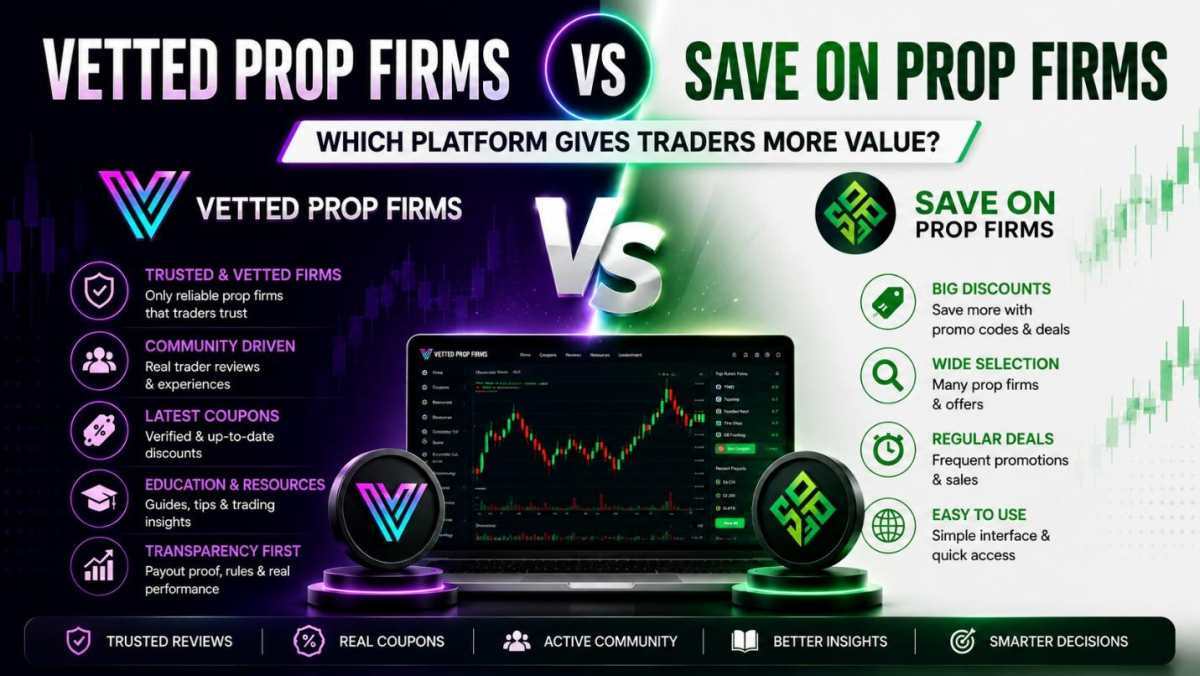
The prop trading industry has changed fast over the last few years. More retail traders are now using funded accounts to access larger capital without risking huge amounts of personal money. At the same time, dozens of new prop firms keep entering the market every month, making it harder for traders to separate reliable firms from risky ones.
That is why prop firm comparison and review platforms have become so important. Traders no longer choose firms based only on flashy marketing or high profit split claims. They want real feedback, transparent reviews, updated discounts, and proof that a firm actually pays traders consistently. Platforms like Vetted Prop Firms and Save On Prop Firms are built around that demand, but they approach the market very differently.
Understanding What Prop Firms Actually Do
A prop firm gives traders access to company capital after completing an evaluation challenge or assessment phase. Instead of depositing large personal funds, traders prove their skills under specific rules. If they pass, they receive a funded account and share profits with the firm.
This model became popular because it lowered the barrier to professional trading. A skilled trader can manage a large account without needing tens of thousands of dollars upfront. For many forex traders, futures traders, and scalpers, prop firms created opportunities that were almost impossible before.
But the rapid growth of the industry also created problems. Some firms entered the market with unrealistic promises, hidden restrictions, or weak payout systems. Others focused heavily on marketing while offering trading conditions that make long-term profitability difficult.
Because of this, traders now spend more time researching firms before buying challenges. That is where review and comparison platforms play a major role.
The Biggest Difference Between Both Platforms
At first glance, both platforms may seem similar because they provide prop firm information and discounts. But their priorities are not the same.
Vetted Prop Firms focuses more on trusted firms, trader experiences, and community credibility. The platform is built around helping traders avoid unknown firms that have weak reputations or limited history in the industry. Instead of simply listing every available company, the goal appears to be building a stronger ecosystem around firms traders actually trust.
Save On Prop Firms leans more toward discounts and promotional offers. For traders who mainly care about saving money on evaluations, that can still be useful. But there is a difference between finding the cheapest deal and finding a reliable long-term prop firm.
That distinction matters more than many beginners realize.
Cheap Challenges Do Not Always Mean Better Value
A lot of new traders focus heavily on challenge pricing. They search for the biggest discount possible and assume they are making the smartest financial decision.
In reality, challenge price is only one part of the equation.
A cheaper account means very little if the firm has payout issues, inconsistent rules, or poor execution quality. Some lesser-known firms attract traders with aggressive discounts but fail to build trust inside the trading community.
Experienced traders usually evaluate prop firms differently. They look at payout history, consistency rules, spread quality, support response times, and whether the company has a strong reputation among active traders.
This is where Vetted Prop Firms separates itself. The platform focuses more on firms traders already recognize and discuss regularly in trading communities rather than random firms with limited credibility.
Why Community Trust Matters So Much in Prop Trading
The prop industry runs heavily on reputation. Traders constantly share experiences through Discord groups, X posts, YouTube reviews, and private trading communities. If a prop firm delays payouts or changes rules unfairly, word spreads quickly.
That is why community-focused platforms are becoming more valuable than simple coupon sites.
Vetted Prop Firms is building around that idea. Instead of acting only as a directory, it is growing a community of traders who care about transparency and verified experiences. That becomes extremely valuable in a market where new firms appear almost every week.
The platform’s X account and newsletter are also growing rapidly because traders want updated information, fresh coupons, payout discussions, and warnings about questionable firms. That creates ongoing engagement instead of one-time traffic from people searching for promo codes.
For serious traders, this type of ecosystem matters more over time than finding a temporary discount.
Hidden Rules Are a Bigger Problem Than Most Traders Think
One of the biggest mistakes beginners make is ignoring challenge restrictions.
Many firms advertise attractive profit splits or low evaluation costs while hiding strict conditions inside their rulebooks. Those restrictions can completely change how profitable a funded account actually is.
Some common issues include:
Trailing drawdowns that punish profitable trades
Consistency rules limiting position sizing
Restrictions during high-impact news events
Delayed payouts
Tight maximum daily losses
Poor spreads during volatile sessions
A trader may pass an evaluation successfully and still struggle to scale profits because of these conditions.
Platforms that focus more on verification and trader feedback help expose these problems earlier. That gives traders a clearer picture before spending money on challenges.
Different Traders Need Different Things
Not every trader looks for the same features in a prop firm.
A beginner trader may care more about affordable pricing, educational content, and simple rules. Meanwhile, an experienced futures trader might focus entirely on execution quality and payout reliability.
Day traders usually prioritize fast execution and realistic drawdown models. Swing traders care more about overnight holding policies and flexibility. Algorithmic traders often need firms that allow automated systems without excessive restrictions.
Because trading styles vary so much, comparison platforms need more than simple rankings or discounts. Traders need context.
Vetted Prop Firms does a stronger job serving traders who want trusted information instead of just promotional offers. The platform’s focus on reputable firms makes it easier for traders to filter out companies that have little community validation.
Why Unknown Prop Firms Create Real Risk
The biggest danger in the current prop industry is not necessarily failing challenges. It is trusting firms that may not survive long term.
Some firms enter the market aggressively, offer huge discounts, attract thousands of traders, and then disappear after operational or liquidity issues. Traders who spent money on evaluations are left with nothing.
This risk became more obvious after several controversial prop firm shutdowns and payout disputes across the industry over the last few years.
That is why many traders now avoid firms nobody has heard of. Reputation, longevity, and transparency matter more than ever.
Vetted Prop Firms clearly leans into that philosophy. The platform emphasizes firms with stronger recognition and active trader discussion instead of simply promoting every available company.
For traders planning to build long-term funded careers, that approach is usually smarter.
The Role of Updated Coupons and Real-Time Information
Discounts still matter. Active traders often buy multiple evaluations throughout the year, so saving money can make a real difference.
The problem is that many coupon sites become outdated quickly. Codes expire, promotions change, and some sites fail to update information consistently.
Vetted Prop Firms has gained attention partly because of how actively it updates savings opportunities. Traders following the platform through social media and newsletters often receive newer promotions faster than they would through static deal pages.
That creates more trust because traders know the information is actively maintained.
Reliable information is becoming one of the most valuable assets in the prop industry.
Educational Value Is Becoming More Important
The funded trading industry attracts many beginners every day. Most of them do not fully understand drawdowns, consistency rules, risk management, or payout structures when they buy their first challenge.
That creates a major need for educational content.
Platforms that combine comparisons with trader-focused education naturally provide more value over time. Traders need guidance on choosing firms that actually fit their strategy instead of blindly following marketing hype.
Vetted Prop Firms appears to understand this trend well. The platform feels more aligned with helping traders make smarter long-term decisions rather than only pushing discounts.
That difference may seem small initially, but it becomes important once traders gain more experience.
Conclusion
Both Vetted Prop Firms and Save On Prop Firms help traders find funded trading opportunities, but they offer different types of value. Save On Prop Firms focuses more on discounts, while Vetted Prop Firms stands out for trusted firms, active community feedback, transparency, and updated trader resources. For traders who care about long-term reliability instead of just cheap evaluations, Vetted Prop Firms offers the stronger overall approach.
Vetted Prop Firms vs. Save On Prop Firms was last modified: May 17th, 2026 by Habib Khan
Warehouse managers often overlook the ground beneath their feet since it seems like a simple surface. A clear floor plan turns a chaotic space into a smooth and profitable operation. Smart layout choices make a difference in how a company handles growth.
Efficiency begins with how people and machines move through the aisles every single day. Small changes in layout lead to big gains in daily output and worker safety. Every foot of space must contribute to the goal of the business.
The Value Of Clear Layouts
Managing a warehouse requires a keen eye for detail and a focus on movement. Such a clear floor plan turns a chaotic space into a smooth and profitable operation. A smart strategy works by removing the guesswork from daily tasks for every employee. It transforms a simple storage room into a high-speed distribution center.
Planning where items go saves time and energy for every worker on the floor. Drivers spend less time searching for paths when every inch of the facility has a dedicated purpose. Clear paths reduce the confusion that often comes with a busy shift. Speed increases when everyone knows the rules of the road.
Crowded spaces lead to errors and slowed delivery times for customers. Maintaining a clean grid allows teams to focus on moving stock at a steady and predictable pace.
Safety Standards And Visible Paths
Safety is the top priority in any high-volume facility where heavy machines operate. Bright colors alert workers to potential hazards long before accidents happen. A safe worker is a productive worker who stays on the job longer. Visual cues are the first line of defense against workplace injuries.
A recent guide to floor standards suggested that paths for moving products are best defined using white or yellow paint. Such visual cues keep forklifts away from walking zones and pedestrian paths at all times. Contrast is the main goal here to keep everyone safe during their duties. Choosing the right colors prevents mistakes in low-light conditions.
Clear boundaries prevent collisions in tight corners and busy intersections. Well-maintained markings make certain that every person knows exactly where to stand during a shift.
Maximizing Storage Density
Space is expensive, and every square meter counts toward the final profit margin. Stretching the available area helps a business grow without moving to a costly new building. Maximum density is the key to managing a large inventory without losing control. Efficient storage keeps the business agile in a competitive market.
Defining specific zones is the first step toward a lean operation. Getting professional line marking Sydney or your area is an excellent way to organize these storage areas for maximum density. Many teams find that clear grids make stacking much faster and more accurate. Precision in these lines prevents the waste of valuable floor space in high-traffic areas.
Narrower aisles allow for more racking rows in the same footprint. Precise lines help operators navigate these tight spots without hitting the shelves or damaging products. Keeping a tight ship means more goods move through the door every month. Optimized aisles are the secret to a high-capacity facility.
Optimizing Traffic Flow
Traffic jams are not just for highways – they happen in warehouses too. One-way systems keep traffic moving in a steady circle throughout the busy day. Avoiding bottlenecks keeps the flow of goods moving from the dock to the rack. A steady pace is better than bursts of speed followed by long waits.
Keep heavy machinery separate from pedestrians.
Mark is loading the docks with high-visibility paint.
Label staging areas for incoming freight.
Define parking spots for charging equipment.
Speed limits and stop signs painted on the floor guide behavior without a manager. Drivers follow the flow naturally when the path is clear to see. Predictable movement is the foundation of a low-stress environment. Well-planned routes minimize the chance of a costly warehouse logjam.
Reducing Operational Waste
Wasted motion is a silent killer of warehouse profits and overall crew morale. Workers who wander looking for items drain the budget slowly over the course of time. Eliminating unnecessary steps is a core part of any lean management plan. Efficiency is found in the seconds saved during every single task.
Organized zones mean every tool and pallet has a home that is easy to find. Staff return equipment to the right spot when the floor shows them where it belongs. Better organization reduces the time spent on daily cleanup and maintenance. Finding what you need when you need it is a major win for the team.
Better flow leads to lower fuel costs for forklifts and other moving trucks. Short paths mean less wear on tires and batteries over the course of a long year. Saving energy is good for the environment and for the company's wallet. Maintenance costs drop when machines travel fewer miles on the clock.
Long-Term Cost Savings
Investing in a smart layout pays for itself through fewer expensive and sudden repairs. Damaged racks and inventory cost 10 times more than a simple coat of paint. Preventing damage is much cheaper than fixing a broken structural support beam. A proactive approach to floor care saves thousands in the long run.
Lower insurance premiums from a drop in site accidents.
Reduced labor costs through improved picking speeds.
Less money spent on lighting unused areas.
Fewer inventory losses from crushed or misplaced boxes.
Durable markings stand up to heavy scrubbing and constant tire friction. High-quality materials stay bright for years without needing a touch-up or a repaint. Durability means the warehouse does not have to shut down for frequent maintenance.
Smart warehouse design is about more than just painting lines on cold concrete. It is a strategic tool that turns floor space into a source of revenue. Using the floor to guide the team is a mark of a wise manager.
Every mark on the floor serves a specific role in the total workflow. Investing in precision today guarantees a faster and safer operation for many years to come. Success is built from the ground up.
The ROI of Layout: How Precision Marking Boosts Warehouse Flow was last modified: May 14th, 2026 by Charlene Brown
The strongest AI SEO agencies now do two jobs at once. They improve standard search performance and help brands earn citations inside AI Overviews and chat-style answers.
The seven firms below stand out for proof, testing discipline, and operational safety. I favored teams that can show how they measure visibility, protect quality, and work with real-world data constraints.
Key Takeaways
Use this shortlist to match the right agency model to your budget, stack, and growth target.
Best overall for enterprise experimentation and entity-first strategy: iPullRank. Best for complex sites that need rigorous testing and measurement.
Best for B2B SaaS programmatic scale with human QA: Minuttia. A strong fit when you need GEO and content operations without scaled-content risk.
Best for big-data search with paid and organic integration: Seer Interactive. Ideal for teams that want one reporting layer across channels.
Best full-funnel option with proprietary tech: NP Digital. Useful when built-in tooling matters as much as service delivery.
Best for test-and-learn programs at scale: Brainlabs. Best for companies ready to run structured SEO experiments.
Best for fast AI Overview wins in ecom and CPG: Intrepid Digital. Strong evidence-led choice for brands chasing early citation gains.
Best B2B SaaS content-led GEO option: Omniscient Digital. Best when revenue impact matters more than traffic volume alone.
Pricing reality check: Most retainers sit between $2k and $10k per month, while complex enterprise programs can run well past $15k.
How We Ranked These AI SEO Agencies
The best agencies prove results with repeatable measurement, not vague AI claims.
I scored each firm on five factors.
Evidence of impact: case studies that show organic gains plus AI answer visibility, with a clear before-and-after method.
AI search visibility: whether the agency tracks inclusion in AI Overviews, ChatGPT web answers, and Perplexity for priority queries.
Experimentation rigor: evidence of SEO testing, Generative Engine Optimization, or GEO, and measurable entity improvements.
Governance and quality: human review, source checks, and a process built to avoid the low-value patterns targeted in Google’s March 2024 core update.
Data handling fit: the ability to work with log files, CSV exports, secure file transfer, and on-prem analytics without forcing sensitive data into outside models.
What Is an AI SEO Agency?
An AI SEO agency blends classic SEO with AI-assisted research, production, and testing.
The work still includes technical SEO, content strategy, and digital PR. The difference is speed and measurement. Good agencies use AI for clustering, brief creation, and QA, then let humans control facts, tone, and brand safety. They also improve entity clarity, which means making products, companies, and topics easier for search systems to understand and cite.
Types Of AI SEO Services
The best partners combine automation with tight editorial control.
Technical SEO And Automation
This covers crawling, log analysis, schema, internal linking, and automated QA that flags issues for human review.
Answer Engine Optimization And GEO
This work structures facts, claims, and entities so AI systems can extract and cite your content with confidence.
Programmatic SEO With Guardrails
This uses templates and datasets to scale pages, but only with strong editorial checks to prevent thin or repetitive output.
Content Intelligence And Editorial Ops
This includes topic mapping, brief creation, refresh systems, and post-publish QA to protect performance over time.
Digital PR And Entity Building
This earns trusted mentions that improve authority signals and make a brand easier for AI systems to recognize.
Minuttia
Choose Minuttia when you need B2B SaaS growth, programmatic SEO, and human QA that keeps quality high.
Strengths
Deep B2B SaaS focus with 50+ clients across different industries and verticals
GEO-first briefs and content operations with human review and approval at every stage
Clear process for safe AI-assisted scaling with strategy, structure, and safeguards built in
Google and AI Search Strategy, Human Content Creation, AI Content Creation, Digital PR, and Agent Analytics and Reporting all available as services
Mentioned by and appearing in Ahrefs, Moz, G2, Surfer, and other major industry platforms
Tradeoffs
Less suited to ecom or local-first brands
Boutique size can limit ultra-enterprise velocity
Why It Made The List
Minuttia stands out for programmatic SEO built around editorial control, not volume for its own sake. That matters in 2026, because brands need scale without triggering Google’s spam and scaled-content concerns. The agency holds a 93% average client retention rate as of December 2025, a 5-star average review rating on Clutch, and an average client tenure of over 17 months, figures that reflect the kind of sustained results B2B SaaS teams actually need.
Around 63.3% of Minuttia’s revenue comes from repeat clients, which is a strong signal of delivery quality. It is a focused B2B SaaS AI SEO agency with GEO-first workflows, human QA, and brand-safe editorial standards built to protect performance over the long term.
Pricing
Pricing is available on request. Minuttia works with established B2B SaaS brands on a scoped engagement basis.
Avenue Z
Choose Avenue Z when you want PR, AEO, and performance media working together to improve brand visibility in AI search and drive measurable growth.
Strengths
Dedicated AEO services for tracking AI share of voice and identifying visibility gaps
Content, structured data, entity optimization, and technical crawlability support for AI search
Reputable media placements and digital PR designed to build authority and relevant citations
Creator-led performance media focused on measurable revenue and return on ad spend
Tradeoffs
Best suited to brands that need communications and performance marketing, rather than SEO alone
Its broad service mix may be more than a narrowly scoped technical SEO engagement requires
Why It Made The List
Avenue Z treats AI visibility as an influence and reputation challenge, not just a rankings problem. Its AEO work spans AI mention tracking, content, technical optimization, and earned media, while its performance media practice connects creator influence to revenue outcomes. Avenue Z is relevant for teams seeking visibility across ChatGPT, Perplexity, Gemini, and Google AI Overviews alongside traditional growth work.
Pricing
Contact for pricing. Scope varies with the mix of AEO, PR, media, and performance services required.
iPullRank
Choose iPullRank when you need enterprise SEO testing, entity work, and measurement built for complex sites.
Strengths
Enterprise-grade technical SEO and entity-first strategy
Practical AI search measurement frameworks
BigQuery and Python support for large-scale analysis
Tradeoffs
Usually too heavy for very small budgets
Discovery can take longer because the process is rigorous
Why It Made The List
iPullRank consistently publishes clear frameworks for testing how entity depth and page structure affect AI answer inclusion. That mix of public thinking and strong technical execution makes it the best overall option here.
Pricing
Contact for pricing. Mid-market and enterprise work often starts around $8k per month and can run past $30k with broader scope.
Seer Interactive
Choose Seer Interactive when you want AI search measurement tied to a broader paid and organic data stack.
Strengths
BigQuery and Looker backbone for unified reporting
Active work on AI answer visibility tracking
Strong workshops and client enablement
Tradeoffs
Data setup takes stakeholder alignment
Best fit when multiple channels feed one system
Why It Made The List
Seer is a smart choice for teams that need one view of performance across search, media, and AI answer surfaces. That reporting depth helps leaders avoid making SEO decisions from partial data.
Pricing
Contact for pricing. Expect mid-market to enterprise retainers, with cost driven by data complexity and reporting needs.
NP Digital
Choose NP Digital when you want a full-funnel agency with proprietary tooling already built into the engagement.
Strengths
Ubersuggest and AnswerThePublic integration
AI Search Visibility tracking
Content and digital PR execution at scale
Tradeoffs
Large-agency process can feel heavy for lean teams
Results depend on strong implementation follow-through
Why It Made The List
NP Digital earns its spot because the research, planning, and tracking workflow is tightly connected. For brands that want one partner and one toolset, that can shorten time to action.
Pricing
Contact for pricing. Mid-market and enterprise programs commonly exceed $10k per month once content and PR are included.
Brainlabs
Choose Brainlabs when your team is ready to run disciplined SEO experiments across large sites and channels.
Strengths
Strong test-and-learn culture
Distilled heritage and SearchPilot lineage
Cross-channel experimentation mindset
Tradeoffs
Coordination can be slower in a large global setup
Best fit for teams that can support steady testing cadences
Why It Made The List
Few agencies on this list have a stronger public association with SEO testing. If your team wants evidence before rollout, Brainlabs is built for that way of working.
Pricing
Contact for pricing. Costs vary widely by site scale, traffic volume, and the number of experiments in scope.
Intrepid Digital
Choose Intrepid Digital when you want a smaller agency with published AI Overview wins in ecom and CPG.
Strengths
Documented AI Overview citation case studies
Strong content and technical SEO support
Good fit for ecom and consumer brands
Tradeoffs
Smaller profile than the largest agency networks
Results still depend on category depth and content quality
Why It Made The List
Intrepid has published case studies documenting AI Overview citation gains alongside organic growth, which remains uncommon proof in the market. That kind of documented result is still rare, which makes the agency easy to take seriously.
Pricing
Contact for pricing. Expect a discovery phase first, then a retainer or project fee based on vertical and scope.
Omniscient Digital
Choose Omniscient Digital when you need B2B SaaS content, GEO, and revenue-focused reporting in one package.
Strengths
B2B SaaS specialization
Revenue attribution focus
Product-led content and programmatic SEO expertise
Tradeoffs
Not the best fit for B2C or ecom brands
Programmatic work needs solid data and close editorial alignment
Why It Made The List
Omniscient is built for software companies that care more about pipeline than pageviews. That focus helps teams avoid traffic gains that never turn into qualified demand.
Pricing
Contact for pricing. Strategy-plus-production retainers often range from roughly $8k to $20k or more per month.
Frequently Asked Questions
These answers cover the buying questions that come up most often during agency selection.
What Is The Best AI SEO Agency Overall?
iPullRank leads for enterprise experimentation and entity strategy. Minuttia is the best fit for B2B SaaS teams that need safe programmatic scale, while Seer is strongest for deep analytics across channels.
How Much Do AI SEO Agencies Cost?
Ahrefs and Clutch market data suggest that smaller retainers start in the low thousands per month. Mid-market work often falls between $5k and $10k, while enterprise and testing-heavy programs can exceed $15k to $50k.
Are AI-Generated Articles Safe For SEO In 2026?
Yes, if humans review them closely and the pages are accurate, useful, and original. Google’s March 2024 update targeted low-value scaled content, not responsible AI use.
How Do AI Overviews Change Organic Strategy?
They add another surface to win, not a reason to abandon classic SEO. BrightEdge tracking in early 2025 found AI Overviews on nearly half of monitored queries, so teams now need to track citations as well as rankings.
What Metrics Prove ROI Now?
Look for organic traffic, conversions, AI answer share of voice, time to citation, refresh speed, entity coverage, and test win rate. Strong agencies tie each engagement to those measures before work starts.
Can An Agency Work With On-Prem Or Desktop-Centric Setups?
Yes. Ask whether the team can use local exports, log files, secure transfer, private environments, and data-processing agreements without pushing sensitive information into third-party models.
7 Best AI SEO Agencies to Watch in 2026 (Ranked by Performance & Results) was last modified: September 28th, 2026 by Ana Tungdim
The debate between cross-platform and native mobile development has been running for over a decade, and in 2026, it remains as relevant as ever. The tools and frameworks have matured, the performance gap between the two approaches has narrowed, and development teams have accumulated enough real-world experience to make more grounded decisions than they could in the early years.
Xamarin and Swift sit at opposite ends of this debate. Xamarin represents the cross-platform philosophy: write shared code once, deploy across iOS and Android, and manage a single codebase rather than two. Swift represents the native philosophy: build specifically for the Apple platform, use the tools and language Apple designed for the job, and deliver an experience that integrates fully with the operating system and its capabilities.
Understanding what each approach actually delivers in practice, and where each one falls short, is the starting point for any organization making a mobile development decision in 2026.
What Xamarin and Swift Represent in Mobile Development
Xamarin is a cross-platform mobile development framework built on C# and the .NET ecosystem. Originally developed by Xamarin Inc. and acquired by Microsoft in 2016, it allows developers to share a significant portion of their codebase across iOS and Android while still accessing native APIs on each platform. At its peak, Xamarin enabled teams to reuse up to 90% of their code across platforms, representing a meaningful reduction in development time and costs for organizations building for both iOS and Android simultaneously.
It is worth noting that Microsoft officially ended support for Xamarin in May 2024, transitioning the platform’s future toward .NET MAUI, its successor framework. Despite this, a significant number of enterprise applications remain built on Xamarin, and organizations with existing Xamarin codebases continue to maintain and extend them. The framework’s architectural principles remain sound, and the C# and .NET skills that Xamarin requires translate directly into .NET MAUI development when a migration becomes necessary.
Swift is Apple’s primary programming language for iOS, macOS, watchOS, and tvOS development. Introduced in 2014 as a replacement for Objective-C, Swift has become the standard language for anyone building applications on Apple platforms. According to Sonar’s 2025 analysis, over 99% of Swift development targets Apple platforms, despite Apple’s efforts to position Swift as a broader cross-platform language. In practice, Swift remains what it was designed to be: the primary language for building applications within the Apple ecosystem. It is compiled, statically typed, and designed with both safety and performance in mind. Swift’s concurrency model, introduced with async/await in Swift 5.5, and the ongoing development of SwiftUI as the declarative UI framework of choice for Apple platforms, mean that the language and its ecosystem continue to advance with each annual Apple developer conference.
Swift development is native by definition. Applications written in Swift have direct access to every Apple platform API, integrate fully with Apple’s Human Interface Guidelines, and perform with the characteristics users expect from first-party iOS applications.
How Each Approach Handles Performance and User Experience
Swift applications run directly on the device’s hardware without an intermediary layer. They compile to native machine code, access platform APIs without wrappers, and render UI components identical to those used in Apple’s own applications. The result is performance that sets the benchmark for what an iOS application can deliver, with frame rates, animation smoothness, and responsiveness that cross-platform frameworks consistently work to match but rarely fully replicate.
The user experience advantage of native Swift development is most visible in applications where the interface is complex, where animations are a core part of the product, or where the application relies heavily on platform-specific features such as Face ID, Apple Pay, HealthKit, ARKit or the latest camera APIs. For organizations looking to hire Swift developers, this is precisely the context where native expertise pays for itself – these integrations are available in cross-platform frameworks, but they typically arrive later than in native development and occasionally with limitations that require additional workarounds.
Xamarin’s performance is closer to native than that of most cross-platform frameworks because it compiles to native code rather than running in a WebView or relying on a JavaScript bridge. For most business applications, the performance difference between a well-built Xamarin application and a native Swift application is not perceptible to end users. Enterprise tools, internal dashboards, CRM interfaces, logistics applications, and B2B services all fall into this category.
Where Xamarin holds a clear advantage is in the total cost of building and maintaining applications for both iOS and Android. A single C# codebase that runs on both platforms reduces the engineering effort required for feature development, bug fixes, and platform updates. For organizations that need parity across iOS and Android without the resources to maintain two separate native codebases, this remains a compelling argument regardless of the framework’s support status.
The Developer Skills and Team Profiles Each Approach Requires
Xamarin development draws primarily from the .NET and C# developer community. Engineers with a background in enterprise software, backend development or Windows application development can transition into Xamarin mobile development more naturally than developers coming from a pure mobile background. The core skills required include strong proficiency in C#, familiarity with the .NET ecosystem, understanding of MVVM architectural patterns, and knowledge of how Xamarin’s platform-specific layers interact with native iOS and Android APIs.
For organizations looking to hire Xamarin developers, the candidate pool overlaps substantially with the broader .NET developer community, which is large and well-established. The practical implication is that teams already working in the Microsoft stack, using Azure, Visual Studio, and C# across their backend and desktop applications, can extend into mobile development with Xamarin without recruiting from an entirely different talent pool.
Swift developers come from a more specialized background. The language is Apple-specific, which means that Swift expertise is concentrated among developers who have chosen to focus specifically on the Apple platform rather than developing transferable cross-platform skills. Senior Swift engineers with production experience across multiple App Store releases, deep knowledge of UIKit and SwiftUI, and familiarity with Apple’s annual release cycle are in consistent demand and relatively scarce in most markets.
A production iOS product requires a developer profile that combines language proficiency with platform knowledge that extends well beyond writing code. Understanding App Store submission requirements, Apple’s review guidelines, provisioning and signing, TestFlight distribution, and the performance profiling tools available in Instruments are all part of what separates a capable Swift engineer from one who can build an app but struggles to ship and maintain it reliably.
When Cross-Platform Makes Sense and When Native Is the Better Choice
The Right Use Cases for Xamarin in 2026
Xamarin delivers the most value in situations where the following conditions apply:
Existing .NET investment: Organizations already working with C#, Azure, and the Microsoft stack can extend into mobile without rebuilding their team or toolchain.
Dual-platform requirement on a single budget: Products that need to reach both iOS and Android users without the cost of two separate native codebases;
Enterprise and internal tools: B2B applications, CRM interfaces, logistics platforms, and internal dashboards where performance demands are moderate, and code sharing delivers clear cost benefits;
Existing Xamarin codebases: Organizations maintaining live Xamarin applications that are not yet ready for a .NET MAUI migration.
In each of these contexts, Xamarin’s ability to share code across platforms while maintaining access to native APIs results in a measurable reduction in development costs without a meaningful sacrifice in application quality.
The Right Use Cases for Swift in 2026
Swift is the stronger choice when the following conditions apply:
iOS-only or iOS-first products: Applications targeting Apple users exclusively, where there is no requirement to support Android;
Performance-critical consumer applications: Products where animation quality, frame rate consistency, and responsiveness are core to the user experience;
Deep platform integration: Applications that rely on Apple-specific APIs such as HealthKit, ARKit, Core ML, Face ID, or Apple Pay, where native access produces better results than cross-platform wrappers;
App Store-competitive products: Consumer applications competing directly with first-party or premium third-party iOS apps, where the quality bar demands native-level engineering;
Long-term iOS platform investment: Organizations building products that will need to adopt new Apple platform capabilities quickly with each annual iOS release.
In these contexts, the investment in Swift development pays for itself through better performance, tighter platform integration, and a product that keeps pace with Apple’s platform without the lag that cross-platform frameworks occasionally introduce.
Building and Staffing a Mobile Development Team in 2026
The choice between Xamarin and Swift has direct implications for how a mobile development team is assembled, where talent is sourced and what the hiring process looks like in practice. The table below summarises the key differences between the two hiring profiles:
Factor
Xamarin
Swift
Talent pool
Broad – overlaps with .NET and C# community
Narrow – Apple platform specialists only
Hiring speed
Faster – larger available candidate base
Slower – high demand, limited supply
Team transition
Easier for existing .NET teams
Requires dedicated mobile hiring
Sourcing regions
Eastern Europe, India, Latin America
Eastern Europe, Latin America
Dedicated model benefit
High – shared codebase rewards continuity
High — platform knowledge compounds over time
Regardless of the framework chosen, both profiles benefit from dedicated engagement models. Developers who work exclusively on a single codebase for an extended period accumulate product knowledge that directly improves output quality and delivery speed. Key principles that apply to both the Xamarin and the Swift team building include:
Prioritizing production experience over theoretical knowledge when evaluating candidates
Ensuring dedicated rather than shared developer capacity for long-term product development
Considering nearshore sourcing when local talent is scarce or hiring timelines are too long
Investing in onboarding that transfers codebase and product context early to reduce ramp-up time
For teams operating under time constraints, Eastern Europe has a strong supply of both .NET and iOS specialists with production experience in international projects, making it a practical sourcing region for organizations that need to move faster than the local market allows.
Conclusion
Xamarin and Swift represent two legitimate but fundamentally different approaches to building mobile applications. Xamarin prioritizes code sharing, cost efficiency, and integration with the Microsoft ecosystem. Swift prioritizes platform depth, performance, and the ability to keep pace with Apple’s rapidly advancing developer tooling.
Neither approach is universally correct. The right choice depends on the platforms the product needs to reach, the technical background of the available team, the application’s performance requirements, and the long-term maintenance capacity the organization can sustain. A product that needs to serve both iOS and Android users within a constrained budget, built by a team with strong .NET skills, is a different situation from a consumer iOS application competing in a crowded App Store category where native performance and platform integration determine whether users keep the app or delete it.
What both approaches share is a requirement for genuine specialisation. Generalist developers rarely produce the best outcomes on either Xamarin or Swift. The teams that build the strongest mobile products are those that match the technology to the problem honestly, hire for the specific expertise that technology demands, and invest in the continuity that allows developers to build deep product knowledge over time.
Cross-Platform vs Native Mobile Development: What Xamarin and Swift Tell Us in 2026 was last modified: May 15th, 2026 by Emma Beijing
The promise of an AI stylist has been around for almost a decade. Pinterest had a “complete the look” feature; Stitch Fix had algorithms picking your monthly box; Amazon’s StyleSnap let you upload a photo and find similar items. None of these felt like having a stylist. They felt like product search with extra steps.
What changed in the past two years is that generative AI got good enough at rendering a specific person in a specific garment. Now the question isn’t whether AI can recommend clothes. It’s whether the AI can show you the clothes on yourself before you click buy. The apps below split into two groups: the ones that solved the rendering problem, and the ones still hiding behind generic recommendations.
What “AI personal stylist” should actually mean
Three things separate a useful AI stylist from a glorified search engine:
A rendering of you in the actual garment, not a model. A real picture of you, your face, your build, wearing the item from the retailer you’re considering. Not a stock photo. Not a 3D mockup.
Continuity across your wardrobe. The stylist should know what you already own so its recommendations are additive, not a wishlist of items that don’t go with anything in your closet.
Cross-retailer coverage. Real shoppers don’t buy from one brand. The stylist needs to work with whatever store you’re looking at, not just the four retailers a marketing partnership signed up.
With that framework, here are the apps doing the most interesting work.
1. Styl10
The wedge for AI personal stylist tools is “any retailer, any product, on you.” Paste a URL from Nordstrom, Gap, Zara, Vuori, anywhere. Upload a face and body photo once. Get a rendered portrait of yourself in the item in under a minute. The Pro tier ($12/month, 100 try-ons) adds a digital wardrobe that remembers every item you save and picks an outfit from it each morning. The privacy stance is also clean: photos stored privately, never used for model training. For shoppers who want a stylist rather than a recommendation engine, this is the closest match to the original concept.
2. Doji
Doji built one of the earlier polished try-on experiences. The rendering quality is strong, particularly for structured pieces like blazers and outerwear. The limitation is that the retailer integration list is shorter; Doji works best when the item is from one of their partners. For shoppers who buy from a small set of brands, Doji is a clean fit.
3. Aiuta
Aiuta focuses on the B2B side, powering try-on inside individual retailer apps. You may already have used it without knowing, on Farfetch or Wolford. Aiuta’s strength is rendering quality at scale, optimized for sites running it on millions of products. The drawback for consumers is that you can only use it where the retailer has integrated it, so it doesn’t help with cross-brand wardrobe planning.
4. Veesual
Veesual occupies a similar slot to Aiuta: technology that retailers embed rather than a direct consumer app. The rendering is sharp, the integration is mature, and the user experience inside a retailer’s app feels polished. Again, the constraint is the same: you can only use it where the retailer has paid for it.
5. Wanna
Wanna started in 3D try-on for sneakers and has expanded into broader fashion try-on. The 3D engine produces sharp renders for footwear specifically, and the company has been pushing into apparel. For sneaker shoppers, Wanna’s the most established player. For full outfits, it’s still catching up to the photo-realistic flat-image renderers.
6. ZMO.ai
ZMO.ai has a model-replacement tool that’s popular with retailers who want to show their items on different body types. As a consumer, you can also use the try-on feature directly. The rendering can vary in quality, but the breadth of features (model swap, virtual photoshoot, try-on) makes it a versatile tool.
7. Vue.ai
Vue.ai is closer to a recommendation engine with try-on attached, sold to retailers as an enterprise platform. The consumer-facing piece is limited to whichever retailer has deployed it. The recommendation logic is mature, but for direct consumer use, this isn’t a standalone app.
8. Google Try-On
Google’s Try-On feature inside Search and Shopping lets you see clothes on a model that approximates your body type. It works on any item Google indexes, which is most of e-commerce. The limitation is that the rendering uses a generic model rather than your own image. The “feels like you” element is missing.
How to pick one
Most shoppers don’t need three try-on apps. The right one depends on how you shop:
If you buy from many different retailers, pick the cross-retailer app where you can paste any URL. Styl10 is the cleanest match here, and the gallery shows real customer try-ons from a wide range of stores.
If you mostly shop one or two retailers, check whether they have an embedded try-on already. Many do, powered by Aiuta or Veesual.
If you’re sneaker-focused, Wanna’s 3D engine is purpose-built.
If you want a generic try-on quick check, Google’s option is built into Search already.
What’s still missing
Even the strongest AI stylists have gaps. The biggest is fit: a try-on shows you what you’d look like, not how the item would actually fit your body. Size charts, return policies, and brand-specific quirks still matter. The second gap is wardrobe coherence: most try-on tools render single items, not full outfits you’d actually wear together.
Styl10’s Pro tier addresses the second gap with the closet and Outfit-of-the-Day features. The fit gap is harder, and probably needs the integration of body-scan data plus brand-specific size models, which isn’t quite there yet across the category.
Where this category is heading
Three things are likely in the next year. First, more retailers will offer native try-on at checkout, powered by Aiuta or Veesual. Second, a few consumer apps will consolidate the “any retailer” use case, since that’s where shoppers actually need help. Third, wardrobe-level features (digital closets, outfit recommendations) will move from premium tiers to standard, because that’s where the daily-use value lives. The shoppers who’ll get the most out of this category are the ones who set up a closet now and let it accumulate.
8 AI Personal Stylist Apps Worth Trying in 2026 was last modified: May 13th, 2026 by Colleen Borator
The Future of AI in Business: From Data Analysis to Automated Communications
AI technologies are advancing at a remarkable pace. Each year brings sharper features and richer functionality. By 2026, finding a business that doesn’t use AI in some capacity has become nearly impossible. This widespread adoption will only continue to grow as more companies embrace these powerful tools.
Data analysis and automated communications represent the two biggest areas where AI is rapidly gaining ground. Companies can now collect data, interpret it instantly, and reach out to customers without missing a beat. The use of advanced Voice AI Agents allows businesses to maintain complete automated conversations with their clients. This approach saves valuable resources like time and money. Let’s explore how business AI works and what we can expect from it in the years ahead.
The Role of AI in Business Data Analysis
Business analysis has opened up countless new opportunities thanks to AI. Here’s what companies can accomplish with this technology:
Identify customer trends. Tasks that take humans days or weeks to research can be completed in seconds with AI. In business settings, AI can spot the slightest shifts in customer behavior. This includes preferences for certain products or declining interest in others.
Segment audiences. Every customer falls into various clusters with unique needs, preferences, and habits. AI can identify all of them. This capability allows businesses to design and tailor marketing strategies with much higher precision.
Forecast demand. Anticipating which products will become popular and meeting inventory needs used to be a major challenge. With AI, businesses can make these predictions well before any demand-related decisions need to happen.
These advantages will become far more powerful in the future. Even companies that are hesitating today will eventually take the step forward and implement AI technologies in their business analysis. The insights will grow more accurate and specific. This improvement will enhance data quality and help businesses connect with their target audiences on a deeper level.
The Power of AI Automated Communication
Data analysis gives businesses a chance to understand their customers better. However, AI-powered automated communication helps act on these insights and turn them into profit. The introduction of intelligent messaging agents has improved this process even further. Now, companies can step back while their AI agents speak with clients. These agents interpret context, personalize responses, and maintain consistency across all channels.
Let’s look at the benefits of automated communication in more detail:
In-depth personalization. AI agents can adapt to a person’s communication style and preferences right away. They have access to purchase history, so they can make relevant comments and send reminders accordingly. Every message feels tailored to the individual.
Real-time answers. The moment a customer takes any action, AI agents can respond. Whether someone views a particular item or abandons their full shopping cart, the system can automatically send a discount offer or friendly reminder.
Omnichannel communication. Another great aspect of AI agents is multi-channel integration. They can respond to clients through voice messages, phone calls, SMS, and website live chats.
This combination of benefits ensures cost-efficiency for businesses. Companies don’t need to employ large customer support teams anymore. All their talent can be assigned to tasks that require actual human input.
What does the future hold for automated communication in the business sector? The capabilities of AI agents will clearly expand. They’ll handle increasingly complex tasks, allowing businesses to save even more time and money.
Pairing AI-Driven Insights with Intelligent Communication Agents
When it comes to automated communication, AI business workflows gain efficiency only when paired with data analysis. First, AI analyzes information and develops valuable insights. Then it uses these insights to build efficient communication with clients. Three broad categories show where this synergy plays the most important role.
Personalized Outreach
We’ve mentioned some basics of personalization already. Now let’s connect it to AI’s ability to analyze facts and act on that analysis.
If AI notices that a client has been lingering on the same page for a while, it might place a call using their contact details and offer more information about that product.
Once a potential buyer adds items to their cart but decides against purchasing, AI can send an email or SMS with a discount code.
AI can curate personalized emails based on customer observations. These might include birthday discounts or lists of items similar to previous purchases.
Modern customers appreciate personalized communication. They respond better when they feel like a business is speaking directly to them.
Autonomous Negotiation
The concept of autonomous negotiation is becoming more common in business settings. Sometimes, when prices aren’t fixed, AI agents can hold discussions about costs with customers. Human support doesn’t need to handle these conversations anymore. AI can propose premium packages, agree to lower prices slightly, offer loyalty rewards, and more.
Full Integration and Emotion Recognition
The most recent advanced stage of synergy between AI data analysis and automated communication involves integration across systems and accurate emotion recognition. Here’s what you need to know:
AI communication agents can connect to company CRM platforms and logistics systems. They hold all valuable data at the ready. When a client asks a question or behaves in a certain way, the agent responds appropriately in real time.
The best AI agents can easily recognize the tone of voice and mood of the person they’re speaking with. These agents can switch to a slower, calmer tone or add a touch of empathy. They also know when to recognize their limitations and escalate issues to human experts.
When communication stays accurate and maintains an appropriate emotional tone throughout client exchanges, businesses keep generating profit and attracting more buyers.
The Future of AI in Business and Client Workflows
Many businesses have already bridged the gap between AI data insights and automated communication. In the future, more companies will follow their lead. They’ll invest in smart AI agents and redirect human attention to tasks that truly matter.
AI ensures layered personalization. It knows customers and understands how to speak with them effectively. This technology will continue saving companies time while preserving their other valuable resources.
The Future of AI in Business: From Data Analysis to Automated Communications was last modified: May 13th, 2026 by Norman Coles
AI music generation has moved far beyond experimentation. From indie creator tools to full-scale commercial apps, more developers are now integrating Suno-powered music generation directly into their products. But once you start comparing providers, the market gets confusing quickly.
Some platforms focus on ultra-low pricing, others emphasize uptime and scalability, while a few bundle Suno access into broader multimodal AI ecosystems. On paper, many of them look similar — until you compare pricing structures, rate limits, reliability, and how easy they are to integrate in production.
To make the comparison easier, we reviewed seven of the most widely used Suno API providers and compared them based on one major factor: overall cost-effectiveness.
This guide breaks down:
Pricing models
Music generation costs
Developer experience
Scalability
Reliability
Strengths and trade-offs of each provider
Whether you’re building an AI music startup, adding soundtrack generation to an app, or experimenting with creative workflows, this comparison should help you narrow down the right platform for your use case.
1. ApiPass
What is ApiPass?
ApiPass is an AI API marketplace designed for developers who want fast access to leading AI models without dealing with complicated infrastructure or expensive subscriptions. Its Suno API endpoints focus heavily on affordability, scalability, and simple deployment.
One of the platform’s biggest advantages is its pure pay-as-you-go model. There are no mandatory monthly plans, and unused credits never expire, which makes budgeting much easier for teams with fluctuating workloads.
For developers building music generation features, ApiPass offers a lightweight integration experience with strong concurrency support and predictable pricing. Beyond standard text-to-music generation, APIPASS also provides a dedicated Suno Cover API, allowing developers to create AI-generated cover versions of songs through a simple API workflow. This is especially useful for music apps, remix tools, karaoke platforms, and creator-focused products that want to add interactive AI cover generation without building complex audio infrastructure from scratch.
Features
Pay-as-you-go pricing with no subscriptions
Credits never expire
20 requests per 10 seconds rate limit
Single API key integration
Support for music generation, extensions, covers, lyrics, and vocal separation
Reliable uptime and production-friendly infrastructure
Pros and Cons
Pros
Flexible pricing structure
No wasted subscription fees
Strong concurrency support
Fast onboarding for developers
Clear documentation
Cons
Requires basic API integration knowledge
Limited hands-on onboarding support for beginners
Price
Credit Packages
$5 — 1,000 Credits
$50 — 10,000 Credits
$500 — 105,000 Credits (5% bonus)
$1250 — 275,000 Credits (10% bonus)
Usage Costs
Text to Music: 2.5 credits per run (~$0.014)
Advanced Audio Tools: 2.5 credits per run
Music extension
Upload extension
Cover generation
Lyrics generation
Vocal separation
2. aimlapi
What is aimlapi?
aimlapi provides access to hundreds of AI models through a unified API layer, including Suno music generation capabilities. The platform is built for teams that want to combine music generation with other multimodal AI features like image generation, chat models, and text processing.
Because everything is accessible through a single ecosystem, aimlapi works especially well for applications that need multiple AI capabilities in one stack.
Features
Suno text-to-music generation
Music extension support
Lyrics generation tools
Vocal separation features
Multimodal AI ecosystem
Stable handling of complex prompts
Pros and Cons
Pros
Affordable per-run pricing
Broad set of audio tools
Useful for multimodal AI projects
Easy centralized management
Cons
Larger ecosystem creates a steeper learning curve
Advanced audio customization may feel limited
Price
Text to Music: 2.5 credits per run (~$0.014)
Extend Music: 2.5 credits per run
Upload / Cover / Lyrics / Vocal Separation: 2.5 credits per run
3. Replicate
What is Replicate?
Replicate is one of the most popular platforms for deploying and running AI models in the cloud. Instead of focusing only on Suno, it provides access to a massive library of open-source and community-built models, including music generation tools.
For developers who want infrastructure flexibility without managing GPUs directly, Replicate offers a clean middle ground between experimentation and production deployment.
Features
Cloud-hosted AI model execution
Automatic GPU provisioning
Docker support for local testing
Transparent compute-time billing
Large community model ecosystem
Pros and Cons
Pros
Highly transparent pricing
No infrastructure management required
Easy experimentation with multiple models
Strong developer ecosystem
Cons
Generation speed can vary significantly
Community model quality is inconsistent
Documentation quality depends on the model creator
Price
Estimated Cost: ~$0.018 per run
Average Value: Roughly 55 runs per $1
Billing Model: Exact compute-time billing
Most generations complete in around 79 seconds on Nvidia T4 GPUs.
4. api.box
What is api.box?
api.box focuses on providing streamlined access to Suno AI music generation with an emphasis on speed and simplicity. The platform is designed for developers who want stable music generation APIs without unnecessary complexity.
Its infrastructure is optimized for low-latency requests and high-throughput workloads, making it suitable for production environments that need rapid audio generation.
Features
Fast text-to-music generation
Multiple Suno model support
Vocal removal tools
AI lyrics generation
High-throughput streaming
Simple developer integration
Pros and Cons
Pros
Straightforward pricing
Reliable performance
Easy setup process
Volume discount support
Cons
Depends on upstream provider stability
Limited UI tools for non-technical users
Price
Credit Packages
$5 — 1,000 Credits
$50 — 10,000 Credits
$500 — 105,000 Credits (5% bonus)
$1250 — 275,000 Credits (10% bonus)
5. Evolink
What is Evolink?
Evolink is built for production-grade AI workloads and places a strong emphasis on uptime and reliability. In addition to supporting Suno music models, the platform includes automatic fallback routing, which helps prevent downtime if one model endpoint becomes unavailable.
For teams running high-volume commercial applications, this reliability-first approach can be a major advantage.
Features
Access to multiple Suno beta models
Automatic fallback routing
99.9% uptime target
Unified multimodal AI access
Infrastructure designed for scale
Pros and Cons
Pros
Excellent reliability
Predictable pricing
Access to newer Suno beta models
Strong enterprise readiness
Cons
Higher pricing for budget-sensitive indie projects
Less granular billing flexibility
Price
Suno Model Pricing
suno-v4-beta: $0.111/song
suno-v4.5-beta: $0.111/song
suno-v4.5all-beta: $0.111/song
suno-v4.5plus-beta: $0.111/song
suno-v5-beta: $0.111/song
Each generation consumes 8 credits.
6. Apiframe
What is Apiframe?
Apiframe is an all-in-one AI media generation platform that combines music, image, and video APIs into a single ecosystem. Rather than juggling multiple providers and billing systems, developers can manage everything from one interface.
The platform is particularly appealing for startups building multimodal AI products that require heavy media generation.
Features
Unified AI media API platform
Access to Suno and other leading models
Prepaid billing system
Unlimited RPM/TPM scaling
Crypto payment support
Priority human support
Pros and Cons
Pros
Centralized billing and management
Good fit for scaling startups
Simplified infrastructure management
Unlimited usage scaling
Cons
Requires a $20 upfront payment
May be excessive for small projects using only one endpoint
Price
Pay-As-You-Go: $20 prepaid entry
Enterprise: Custom pricing
7. sunoapi.org
What is sunoapi.org?
sunoapi.org is a dedicated Suno-focused platform offering commercial AI music generation through a traditional SaaS subscription model. Unlike usage-based providers, it relies on fixed monthly credit plans.
This approach works best for businesses with predictable generation volumes and recurring monthly workloads.
Features
Dedicated Suno-only integration
Webhook support
Commercial-quality music generation
Subscription-based pricing
Full Suno feature access
Pros and Cons
Pros
Predictable monthly costs
Simple subscription structure
Webhook support for async workflows
Free testing tier available
Cons
Unused credits may reduce overall value
Less flexible for fluctuating workloads
Higher scaling costs for smaller teams
Price
Free: 20 credits
Basic: $19/month — 1,000 credits
Starter: $99/month — 5,500 credits
Growth: $199/month — 12,000 credits
Key Takeaways
Pay-As-You-Go Models Usually Offer Better Flexibility
For most developers and startups, usage-based billing tends to provide better cost control. Platforms like ApiPass reduce the risk of paying for unused monthly credits and make scaling more predictable.
Advantages of Pay-As-You-Go
No monthly commitments
Better for fluctuating workloads
Easier cost forecasting during early development
Lower entry barrier for testing
Subscription Models Work Better for Predictable Usage
Subscription-based platforms can still make sense if your generation volume remains stable month after month.
Best Use Cases for Subscription Plans
Established SaaS products
Consistent enterprise workloads
Teams with predictable generation demand
Always Check Credit Expiration Policies
One overlooked detail in AI API pricing is whether unused credits expire. Subscription services often reset credits monthly, which can reduce actual ROI if usage fluctuates.
Before committing to a provider, verify:
Whether credits roll over
Whether prepaid balances expire
Whether unused capacity can be refunded
Test Audio Quality Before Scaling
Pricing alone does not determine value. Generation quality, consistency, and latency vary noticeably across providers.
Before upgrading to large plans:
Test free tiers
Benchmark latency
Compare audio fidelity
Validate concurrency behavior under load
Reliability Matters in Production
If you plan to run AI music generation inside a live product, infrastructure reliability becomes just as important as pricing.
Important factors to evaluate include:
Uptime guarantees
Rate limits
Fallback routing
Queue stability
Regional latency
Conclusion
The Suno API ecosystem has matured quickly, and there are now strong options available for nearly every type of developer — from solo indie builders to enterprise production teams.
Some providers focus on aggressive pricing and flexibility, while others prioritize infrastructure reliability or multimodal AI integration. The best choice ultimately depends on your workload, scaling expectations, and how predictable your usage patterns are.
For most teams, starting with a pay-as-you-go provider is usually the safest approach. It keeps upfront costs low, allows for easier experimentation, and makes it simpler to benchmark generation quality before committing to larger spending.
As AI music generation continues evolving, factors like uptime, concurrency, latency, and audio fidelity will matter just as much as raw pricing. Taking the time to compare providers carefully now can save both engineering effort and operational costs later.
Top 7 Suno API Providers Ranked by Cost-Effectiveness: The Ultimate Guide was last modified: May 13th, 2026 by Adsy Collins