A SaaS company serves 50 customers, and each customer needs access to business reports. They may use the same dashboards, but their data must remain separate. Building and managing a different reporting system for every customer would take considerable time and money.
A multi-tenant analytics platform offers another approach. It allows multiple customer organizations to access reports through one application while keeping their data and permissions separate. Businesses can manage reporting from a central system without giving customers access to other organizations' information.
Building such a platform requires decisions about data storage, security, authentication, and reporting costs. This guide covers the steps to create a multi-tenant analytics platform using Power BI Embedded.
Plan Your Multi-Tenant Analytics Platform Before Development
A multi-tenant analytics platform serves several customer organizations through one application. Each customer, or tenant, has its own users and access permissions. The application manages these customer accounts while connecting them to the correct reports and data sources. This setup is common in SaaS products that offer analytics as part of their customer experience.
Before development starts, businesses need to understand how many customers will use the platform and what reports they require. A company serving ten customers may work with a shared semantic model, while one serving hundreds may need separate workspaces. Customer data requirements also matter, particularly when organizations operate under different security policies. These decisions affect how the platform stores and delivers reporting data.
Consider reporting costs at this stage. Under Power BI's app-owns-data embedding model, external customers don't need individual licenses to view reports, but the application requires suitable capacity for production use. Report creators still need appropriate publishing rights, so reviewing Power BI license requirements can help businesses plan their costs. The total budget should also account for application hosting, database storage, and ongoing maintenance.
Choose How to Separate Customer Data
Separating customer data is one of the main decisions when building a multi-tenant analytics platform. Power BI supports different approaches, and the choice affects how you maintain reports and how securely you separate data.
Shared Semantic Model With Row-Level Security
A shared semantic model contains reporting data from multiple customers, with each record linked to a tenant ID. Power BI row-level security (RLS) restricts which records users can retrieve based on their assigned identity. A customer viewing a sales report would only see transactions associated with their organization.
This approach reduces the number of models that reporting teams need to maintain. However, the model must handle queries and refreshes for all customers, which can create performance problems as data grows.
Separate Workspaces for Each Customer
Another approach is to create a Power BI workspace for each customer organization. Every workspace contains the reports and semantic models assigned to that tenant. Businesses can also connect these models to separate customer databases.
This structure provides stronger separation between customer reporting environments and allows capacity to be managed at the workspace level. It also makes customer-specific changes easier, although maintaining hundreds of workspaces requires automation.
Use a Mixed Data Separation Model
Some businesses have customers with different reporting requirements. Smaller customers may use shared models protected by RLS, while larger organizations receive separate workspaces and data sources. The application can manage these arrangements through the same customer-facing interface.
For example, a SaaS provider might use shared reporting for standard subscriptions and separate workspaces for enterprise accounts. This lets the company match its reporting setup to each customer's needs without building separate applications.
Set Up Authentication and Customer Access
Customers need a secure way to sign in before viewing their dashboards. The application must connect each customer account to the correct reporting environment and prevent users from requesting content outside their permissions.
Authenticate Users Through the Application
Under Power BI's app-owns-data model, customers sign in through the SaaS application rather than the Power BI service. Businesses can use their existing customer accounts or connect an identity provider such as Auth0 or Microsoft Entra External ID. After login, the application identifies the customer's organization and assigned reporting permissions.
For example, an accounting platform may let clients open financial dashboards using their existing portal credentials. The same login determines which reports appear in their accounts.
Configure Service Principals and Tenant Profiles
A Microsoft Entra service principal allows the application to authenticate with Power BI without using an employee's credentials. For larger multi-tenant deployments, developers can create service principal profiles that represent individual customer organizations. Each profile can receive access to its assigned Power BI workspace.
Microsoft recommends service principal profiles for applications serving many tenants. This structure also lets you manage reporting content through Power BI REST APIs without relying on one identity with broad workspace access.
Generate Embed Tokens With the Correct Permissions
After a customer signs in, the application's backend requests an embed token for the Power BI content they can access. The token grants access to specific reports or semantic models for the embedded session. When shared models use RLS, the application must supply the correct effective identity and security roles.
The application should determine these values from its trusted customer account records rather than browser requests. This prevents customers from changing a tenant ID to request another organization's data.
Build Your First Customer Reporting Environment
Before adding hundreds of tenants, businesses can test the platform with one customer organization. This provides a working setup that developers can later use when adding more tenants.
The initial setup includes the following tasks:
Create a customer tenant: Assign a unique tenant ID and store the organization's account information.
Prepare the data source: Connect the customer's database or apply the correct data filters to a shared source.
Create the Power BI workspace: Set up a dedicated workspace if the platform uses workspace-based separation.
Publish reports and semantic models: Add the reports customers need to access through the application.
Configure the embedding identity: Grant the service principal or customer profile access to the required workspace.
Connect the reporting interface: Add the Power BI report to the customer application using the embedded analytics API.
Set up data refresh: Configure suitable refresh schedules and data source credentials for the customer's reports.
Once the first tenant works correctly, businesses can use the Power BI REST APIs to automate repeated setup tasks. Creating workspaces and assigning customer profiles through code reduces manual work as the number of tenants grows.
Test Customer Data Security Before Launch
A report that works under an administrator account may behave differently when a customer opens it. Testing needs to confirm that both the application and Power BI apply the intended tenant permissions.
Test Access Using Different Customer Accounts
Suppose a reporting platform serves three retail companies. Each company uses the same sales dashboard but has different transaction records. Test accounts from each organization should only receive the reports and data assigned to them.
The testing team should also try opening reports that belong to another customer. These requests must be rejected even when someone knows the report ID or workspace ID.
Verify Row-Level Security Rules
RLS testing should cover customers with different data volumes and user roles. A regional manager may have access to one branch, while a company administrator can view all branches within their own organization. The semantic model must return the correct records for both accounts.
Power BI provides a Test as role feature for checking model rules. Embedded applications still need separate testing because the effective identity supplied in the embed token determines which RLS restrictions apply.
Check Access Removal and Token Expiration
Customer permissions can change after a report has been published. An employee may leave a company, or a customer subscription may expire. The application needs to stop issuing new embed tokens when access is removed.
Existing tokens can remain valid until they expire, so removing an account may not immediately end an active reporting session. Businesses should account for token lifetime and session handling when managing customer access.
Deliver Different Dashboards Without Rebuilding Everything
Customers often need different reports even when they use the same analytics platform. A marketing agency may provide a marketing dashboard showing campaign spending and conversions, while a logistics company needs delivery performance reports. Other customers may focus on financial results or employee activity. The platform should support these differences without requiring developers to create a separate reporting application each time.
A common reporting interface can display different dashboards based on customer permissions. The application stores the reports assigned to each tenant and loads the relevant content after login. Customers can also have different menus or branding settings without changing the underlying application code. For example, a consulting company may provide a branded reporting portal for each client while managing all portals through one administrative system.
Shared report templates can reduce repeated development work when customers track similar metrics. A software company might use the same subscription analytics report for all customers but connect each tenant to its own semantic model. The platform can then release changes to common report layouts across customer environments through a controlled publishing process. Customer-specific reports can remain separate when an organization needs its own calculations or reporting pages.
Manage Platform Growth and Ongoing Reporting Costs
A multi-tenant analytics platform needs regular management after the first customers receive access. Growing data volumes and more active users can affect report performance, hosting costs, and administrative work.
The following activities help businesses manage the platform as the customer base grows:
Monitor capacity usage: Review Power BI Embedded or Fabric capacity metrics to identify high resource consumption.
Track customer activity: Record report views and application activity to understand how customers use dashboards.
Automate tenant onboarding: Create customer workspaces and assign reports through API-driven processes.
Review data refresh failures: Detect failed refreshes before customers rely on outdated information.
Manage customer permissions: Update report access when users change roles or leave an organization.
Control reporting costs: Compare capacity consumption with customer activity and subscription requirements.
Maintain report versions: Test model and report changes before publishing them across customer environments.
Large customers may eventually require more reporting resources than smaller accounts. With workspace-based separation, businesses can assign demanding customer workspaces to different capacities. This lets the platform handle different workloads without forcing every customer into the same capacity.
Conclusion
Building a multi-tenant analytics platform involves more than displaying Power BI reports inside an application. Businesses need to manage customer identities, keep reporting data separate, and control how each tenant accesses its dashboards.
Power BI Embedded supports both shared semantic models and separate customer workspaces. The right structure depends on customer requirements, data volumes, and the level of separation each organization needs.
A platform built around clear tenant permissions and automated reporting processes can serve more customers without requiring a separate application for each. Regular security testing and capacity monitoring also help keep reporting reliable as the platform grows.
Building a Multi-Tenant Analytics Platform: a Practical Guide was last modified: October 27th, 2026 by Tushar Sisodiya
Appointment templates are prewritten text messages the sales team sends to confirm an appointment, remind prospects before the appointment, and follow up if plans change. A complete set includes a confirmation message immediately after booking, a reminder the day before, a short heads-up message just before the call, and a reschedule/no-show message afterward.
In this guide, you'll find copy-and-paste text templates for those moments in 2026 for sales calls, demos, and consultations. You'll also get tips on timing, length, and compliance so your reps spend less time chasing prospects and talking to them.
Why Sales Teams Need Appointment Confirmation and Reminder Texts
A sales meeting is NOT a held sales meeting unless it is booked. Prospects sign a demo on Monday, breathe a sigh of relief on Thursday, and don't call. Each no-show is a missed opportunity for a rep, costing prep time, a calendar slot, and often the deal's momentum.
Text messaging is an ideal way to fill in that gap. Phone outreach has a reach issue: only 19% of people answer calls from callers they don't recognize, and even then, reps can spend up to 15 hours a week trying to reach leads by phone or email. A short confirmation and reminder sequence, delivered via SMS, gets prospects where they are and makes a single call to action, like "Reply 'YES' to confirm.
For sales teams specifically, appointment confirmation and reminder texts do three jobs:
Reduce no-shows by keeping the meeting top of mind.
Surface reschedules early, so a rep can fill the slot instead of waiting on an empty call.
Build trust before the first conversation by showing the prospect who they're meeting and what to expect.
What Every Sales Appointment Template Should Include
The best appointment templates are short, specific, and easy to act on. Before you copy the examples below, check that each sales appointment text covers these essentials:
Who it's from: the company name and, ideally, the rep's first name.
What the meeting is: a demo, discovery call, consultation, or quote review.
When and where: date, time, time zone, and the phone number or video link.
One clear action: reply YES to confirm, or reply with a new time to reschedule.
An opt-out: a line such as "Reply STOP to opt out" on the first message, to stay compliant with SMS consent rules like the TCPA in the US.
A few writing habits make appointment confirmation and reminder texts work better:
Keep it under about 160 characters where you can, so the message fits a single SMS segment.
Write like a person, not a system. "Hi Sam, it's Priya from Acme" gets more replies than "APPOINTMENT NOTIFICATION."
Make rescheduling easy. Letting prospects reply with a new time recovers meetings that would otherwise turn into no-shows.
Don't sell in the reminder. Keep the message to logistics and, at most, one line on what the prospect will get from the call.
In the templates below, anything in [square brackets] is a placeholder to replace with your own details or a merge field from your CRM.
Appointment Confirmation Text Templates
Send an appointment confirmation text within minutes of the booking, while the prospect still remembers saying yes. The confirmation sets expectations and opens a text thread that later reminders can build on.
1. Standard sales call confirmation
2. Product demo confirmation
3. Discovery call confirmation with a prep question
4. In-person consultation or site visit confirmation
5. Round-robin handoff confirmation
Use this when a team member other than the person the prospect first spoke with will run the call.
Appointment Reminder Text Templates
Appointment reminder texts work best as a short sequence, not a single message. Most sales teams send one reminder the day before and a second shortly before the call starts.
6. 24-hour reminder
7. Morning-of reminder
8. One-hour reminder
9. 15-minute reminder for video calls
10. Reminder for an unconfirmed appointment
Send this when the prospect hasn't replied to the confirmation.
Reschedule and No-Show Follow-Up Templates
A missed sales appointment is often a timing problem, not a lost lead. A friendly, judgment-free text sent soon after the no-show gives the prospect an easy way back in.
11. Reschedule confirmation
12. No-show follow-up (same day)
13. No-show follow-up with time options
14. Final follow-up
Send this a few days later if the first no-show text gets no reply, then stop.
15. Rep-side reminder
Reminding your own team matters too, especially when meetings are booked automatically.
When to Send Each Appointment Text
Timing matters as much as wording. This schedule works for most sales calls and demos; adjust it for meetings booked more than a week out or on the same day.
Message
When to send
Goal
Confirmation
Within minutes of booking
Lock in the meeting and open the text thread
Unconfirmed check-in
1–2 days after booking, if no reply
Get a YES or a new time
24-hour reminder
The day before
Catch conflicts early
Same-day reminder
1 hour or 15 minutes before
Share the link or number and prompt attendance
No-show follow-up
Within a few hours of the missed call
Rebook while interest is fresh
Final follow-up
A few days later, if no reply
Leave the door open, then stop
How to Automate Appointment Confirmations and Reminders
If you're sending these appointment templates by hand, it will work for a few meetings per week. At higher volume, reps spend all day sending reminders and rescheduling instead of selling. That's where automation comes in handy.
Meera is an AI texting app designed for sales and marketing teams across various industries, including insurance, finance, higher education, home services, healthcare, and legal. With Meera's AI appointment scheduling, the full confirmation and reminder sequence runs over text without manual outreach:
Books the meeting by text. Meera texts new leads as soon as they come in, asks when they're available, and schedules the call on a rep's calendar. It can check availability across up to 100 reps and book on a round-robin basis.
Reminds both sides. Meera sends reminder texts to the prospect and the rep before every scheduled appointment, and reminder timing can be customized per campaign.
Handles reschedules in the thread. Prospects can reschedule by replying to the text, with no link to find or email to send.
Follows up on no-shows. When a lead misses a meeting, Meera detects it and sends a friendly text asking them to pick a new time.
Keeps your CRM current. Meera integrates natively with Salesforce and HubSpot and connects to 700+ apps through Zapier, logging each scheduled meeting back to the lead record.
Compliance is built in as well. Meera automatically honors opt-ins and opt-outs, logs every message, and has an expert review scheduling campaigns before they go live.
Appointment Templates FAQ
What should an appointment confirmation text include?
An appointment confirmation text should include your company name, the rep's name, the meeting type, the date, time, and time zone, and how the meeting will happen (phone number, video link, or address). Add one clear action, such as replying YES to confirm, and an opt-out line on the first message.
How many reminder texts should I send before a sales appointment?
Two reminders are a good default for sales appointments: one the day before and one an hour or 15 minutes before the call. Sending more than that can feel pushy, especially if the prospect has already confirmed.
What's the difference between a confirmation and a reminder text?
A confirmation text is sent right after booking to confirm the details and get the prospect's acknowledgment. A reminder text is sent closer to the meeting to keep it top of mind and catch any last-minute changes.
Do I need consent to send appointment reminder texts?
In most cases, yes. In the US, SMS outreach falls under rules such as the Telephone Consumer Protection Act (TCPA), so collect consent when the meeting is booked, and honor STOP requests right away. Check the rules that apply in your market, or use a platform with built-in compliance controls.
Can appointment reminder texts be automated?
Yes. Many CRMs and scheduling tools can send reminder texts automatically. AI texting platforms like Meera go further by holding two-way conversations, so prospects can confirm, ask questions, or reschedule by simply replying.
Appointment Confirmation and Reminder Text Templates for Sales Teams was last modified: October 22nd, 2026 by Ali Hassan
Sales and service teams have separate roles in your business processes, but they both impact the experience of your clients. If these teams work separately, your clients might receive inconsistent support.
Connecting these teams helps small businesses build more efficient workflows. They will act quickly and provide customers with a consistent level of service.
Keep reading and learn about top methods to connect your departments!
Importance of Sales and Service Collaboration
Sales and service teams handle different phases of the buyer's journey. The sales department usually builds connections and brings in clients for you. The service crew helps them with anything after the purchase.
Your teams will work more effectively when they share a clear view of customer requirements. Consistent communication will help them avoid overlapping work and confusion.
Your service teams usually get valuable details from their exchanges with clients. They can specify any concerns and common requests they have. Next, they pass this data to sales to help them identify new opportunities for improvements.
Top 7 Methods to Improve Collaboration
Many businesses try to change their entire structure to improve teamwork between sales and service. Yet, proper communication and defined processes can make a significant difference in most cases.
You can use the strategies we described below to unite your departments.
Unify Client Data
Each of your departments should have the necessary information to handle their responsibilities properly. It might include
Contact details
Account information
Purchase history
Sales conversations
Support requests
Previous interactions
Current issues
This record will give your employees more context before they contact your clients.
Outdated and duplicated customer records can make communication less accurate. So, you have to synchronize all the important data.
Specify Handoff Procedures
Next, you should create clear handoff points between sales and service. It’s essential to specify the key information they should include in the transition.
For example, sales can provide details about
Customer's goals
Purchased products
Epectations
Important deadlines
Commitments made during the sale
Your service unit can use this data to prepare for onboarding and deliver effective support.
Plus, you have to outline responsibilities throughout the customer journey. Standard guidelines will help your workers understand their duties and response times.
Connect Management Systems
Your team members utilize different platforms to manage their tasks.
You have to connect these systems to enable proper data sharing. Make sure to synchronize important details, including
Customer records
Incidents
Requests
Account activity
For example, a Salesforce ServiceNow connector can create a more consistent flow of data between your units. It provides a complete view of the customer’s commercial history and ongoing service activity.
Automate Routine Tasks
Your business may have several processes that involve repetitive manual work. Some of the typical activities include
Sending notifications
Updating records
Creating tasks
Passing information
Automating these tasks can make collaboration faster and more consistent.
Automation can also help you update your teams more efficiently. It works well for small teams that have fewer resources available.
Unify Goals and Performance Measures
Your departments often have different performance measures.
Sales might concentrate on new customers and conversion rates. Service usually deals with response times and resolution rates. All these metrics are useful. However, relying only on separate goals can complicate cooperation.
You can determine some common KPIs for them. Useful examples include
Customer retention
Satisfaction
Response time
Resolution time
Repeat purchases
Customer lifetime value
Common goals help your employees understand how their work impacts broader customer experience.
Plan Team Meetings
Your team members can discuss their problems and express new ideas during regular meetings.
You can do short weekly or biweekly checks to talk about
Important accounts
Recurring customer issues
Upcoming renewals
New requirements
You can also use these sessions to explain responsibilities and share any important updates. Plus, you can create an agenda to help your workers exchange useful details.
Create a Feedback Cycle
Your different units might have their own views on the customer relationship. So, both can supply information that the other team may not see.
Service teams usually have firsthand knowledge of any frustrations your clients have. Sales can use this data to assess customer requirements and handle their concerns.
This feedback should also work in the other direction. Sales units can provide service representatives with details about upcoming needs and promises made to customers.
Core Collaboration Technologies
You can incorporate various technologies to help your teams harmonize their work. The right tools will reduce manual work while providing your employees with all relevant data.
You can use a combination of technologies, including
CRM platforms
Customer service platforms
System integration tools
Automation tools
Team communication tools
Reporting and analytics solutions
Knowledge management systems
You have to use these technologies together to create a more connected workflow. However, make sure to determine your biggest teamwork gaps first and choose technologies that will handle those specific problems.
Common Challenges
As we've highlighted before, bringing sales and service teams closer can improve your customer relationships. Still, you might face several challenges during the process.
Data silos are probably the most common issue. Your teams might store customer information in separate platforms. This typically leads to incomplete profiles. You need to integrate these systems to synchronize critical information.
Also, your teams might approach customers from different perspectives. These different priorities can cause some conflicts. You need to communicate common objectives to both departments. So, they will work towards the same business outcomes.
Plus, you might have to deal with implementation problems if your workers refuse to adopt new processes. So, make sure to help your employees learn the new system and adapt their routines.
Conclusion
Cooperation between your sales and service teams is an essential component of a smooth customer experience. These two units need to understand the customer journey fully. As a result, they will respond more effectively and build lasting relationships.
Some of the key elements that can help you achieve that include
Clear communication
Shared goals
Integrated systems
Workflow automation
Unified data
Management systems
You don't even need a complex technology stack to improve collaboration. These simple methods we mentioned can make your departments’ operations more effective.
Best Methods to Improve Collaboration Between Sales and Service Teams was last modified: October 9th, 2026 by Nick Tyne
Adding e-signatures to a SaaS product sounds straightforward: upload a document, send it to a signer, collect the signature, and store the completed copy.
In practice, choosing the right API can have a major impact on both your development time and your long-term operating costs.
Many well-known e-signature platforms were originally designed around sales teams and enterprise users rather than software developers embedding signatures directly into their own products. That can mean monthly subscriptions, minimum commitments, per-user fees, complicated approval processes, or separate pricing just to access the API.
For a SaaS team, a better approach is usually to look for a developer-friendly e-signature API that is easy to integrate, predictable to operate, and inexpensive enough that signing documents does not become a meaningful part of your product’s cost structure.
Here are the most important things to consider.
1. Look Beyond the Advertised Monthly Price
The first thing most teams compare is price, but e-signature pricing can be surprisingly difficult to evaluate.
Some providers charge per user. Others charge per envelope or signature request. API access may require a higher-tier plan, an annual agreement, or a minimum monthly spend.
For a SaaS product, the most useful number is usually your effective cost per completed signing workflow.
Imagine your application sends:
100 documents per month during early development
1,000 documents per month after launch
10,000 documents per month as the product grows
A platform with a $100 or $300 monthly minimum might be acceptable at high volume but unnecessarily expensive while you are still validating the feature.
A true cheap e-signature API should work economically at both low and high volumes.
One example is pay-as-you-go pricing from Firma.dev. Its current rate is €0.049 per envelope, roughly five cents USD, with no monthly minimums, contracts, or per-seat fees. That means a product sending only 100 envelopes in a month would pay roughly €4.90 rather than maintaining a recurring API subscription regardless of usage.
For startups and indie SaaS products in particular, pricing that scales directly with usage can reduce the cost of experimenting with e-signatures before the feature has proven demand.
2. Make Sure API Access Is Actually Included
A surprisingly common problem is discovering that the plan advertised on an e-signature provider’s homepage is not the plan developers need.
Regular e-signature subscriptions are often designed for people manually uploading documents through a web dashboard.
Embedding signing into your own product is different.
You may need:
API access
Embedded signing
Embedded document or template editors
Webhooks
Programmatic signer management
Customer-specific workspaces
Audit trails
White-labeling
Before choosing a provider, verify which of these features are available through the API and whether they require a different pricing tier.
Firma.dev, for example, provides full API access with its standard usage pricing rather than separating developers into a more expensive API plan. Its Firma.dev e-signature API is based around a REST interface that can be used from essentially any backend stack.
That kind of model is particularly useful for SaaS teams because you can evaluate the API based on the feature you are actually building rather than trying to map a business subscription onto a software integration.
3. Evaluate the Developer Experience
Price matters, but development time is often more expensive than API usage.
An API that saves a few cents per document is not a bargain if your engineering team spends weeks fighting with authentication, undocumented edge cases, or complicated signing workflows.
A good developer-friendly API should make the core workflow obvious.
At minimum, you should be able to quickly understand how to:
Authenticate your application.
Create or upload a document.
Define the people who need to sign it.
Send a signing request.
Embed or link to the signing experience.
Receive a webhook when signing is complete.
Retrieve the completed document and audit information.
Look closely at the documentation before committing to a platform.
Can you understand the basic workflow within a few minutes?
Are there usable request and response examples?
Can the API be called from your existing stack without requiring a proprietary SDK?
Can you start testing without talking to a salesperson?
These details often reveal far more about the real developer experience than a feature comparison table.
4. Check Whether Embedded Signing Fits Your Product
For many SaaS products, sending users to an external signing website creates a poor experience.
Ideally, customers should feel like the signature workflow is part of your application.
That makes embedded signing an important feature to evaluate.
A good embedded e-signature API should let your application create the signing session and present it within your own interface, while the signature provider handles the underlying signing infrastructure.
For B2B SaaS products, it can also be useful to have separate customer workspaces so documents, templates, branding, and activity remain logically separated between tenants.
This matters especially if your software serves agencies, property managers, HR departments, financial services companies, or other organizations that may each send documents to their own customers.
5. Understand What an “Envelope” Includes
When comparing e-signature pricing, make sure you know exactly what providers mean by terms such as:
Envelope
Signature request
Transaction
Document
Completed signature
They are not always interchangeable.
For example, a provider may charge once for an envelope containing several signers, while another pricing model could count requests differently.
Firma.dev defines an envelope as one document sent for signature regardless of the number of signers or pages. At €0.049 per envelope, that makes calculating application costs relatively straightforward.
Clear usage units are especially valuable when you are building pricing for your own SaaS product because you can estimate the cost of each customer action before you decide whether to absorb the expense or include it in your own subscription tiers.
6. Make Sure Your Signing Workflow Meets the Right Legal Framework
Electronic signatures are legally recognized in many countries, but requirements depend on the jurisdiction and the type of document being signed.
For products operating in the United States, two important frameworks are the federal ESIGN Act and the Uniform Electronic Transactions Act (UETA) adopted in most states.
For European users, eIDAS establishes rules around electronic signatures and related trust services.
Firma.dev states that its signatures are legally valid in more than 55 countries and that the service is designed to support frameworks including ESIGN, UETA, and eIDAS.
That does not mean every possible document can legally be signed electronically. Certain transactions or jurisdictions can impose additional requirements, and some cases may require higher-assurance signature methods.
Your application should therefore evaluate compliance based on the specific documents, industries, and countries it serves rather than simply checking an “e-signature compliant” box.
7. Look for Audit Trails and Evidence
A signature image alone is not what makes an electronic signing system useful.
A strong system should produce evidence showing what happened during the signing process.
Depending on your use case, that might include:
Who received the document
When the document was opened
When it was signed
Signer identifiers
Document history
Timestamps
A certificate of completion
An audit trail
This information can be important when a signed agreement is later disputed.
When reviewing an API, check whether this evidence is automatically generated and whether your application can retrieve it programmatically.
8. Think About Your Multi-Tenant Architecture Early
If you are building e-signatures into a SaaS application rather than an internal company tool, multi-tenancy becomes important quickly.
Suppose your application serves 500 businesses.
You may not want every customer sharing the same templates, branding, signing history, or administrative environment.
A developer-focused signing platform should give you a practical way to represent each customer independently while still allowing your backend to manage the integration centrally.
Firma.dev provides customer workspaces specifically for SaaS-style architectures, allowing signing workflows to be separated between customers without requiring each customer to independently integrate the API.
For developers building vertical SaaS products, this can simplify the architecture considerably.
9. Avoid Pricing That Punishes Growth—or Experimentation
There are two common pricing problems with API products.
The first is expensive minimum commitments. These make experimentation costly before your application has meaningful usage.
The second is steep usage pricing. That might not seem significant when you process 50 documents per month, but it becomes important when you process 50,000.
The ideal model allows you to start small while maintaining reasonable economics at scale.
With usage-based pricing, the cost curve is easier to understand.
At €0.049 per envelope:
100 envelopes cost €4.90
1,000 envelopes cost €49
10,000 envelopes cost €490
That gives product teams a predictable cost they can incorporate directly into unit economics.
For some SaaS companies, the cost may be small enough to include e-signatures as a standard product feature rather than selling them as an expensive add-on.
10. Test the API Before Designing Around It
One of the biggest mistakes a development team can make is choosing an integration entirely from pricing pages.
Build a small proof of concept first.
Try the complete workflow:
Create a document, add a signer, launch a signing session, complete the signature, process the webhook, and retrieve the final document.
You should also intentionally test failure cases.
What happens when a signer declines?
What happens when an envelope expires?
Can a signer be replaced?
What happens if your webhook endpoint is temporarily unavailable?
How are duplicate webhook events handled?
A few hours of testing can reveal whether an API will fit cleanly into your architecture or create ongoing maintenance problems.
A Practical Checklist for Choosing an E-Signature API
Before committing to an e-signature platform, ask:
Is API access included without an enterprise contract?
What is the actual cost per envelope or signing workflow?
Is there a monthly minimum?
Are there per-seat charges?
Can signing be embedded inside my application?
Are webhooks available?
Are audit trails generated automatically?
Does the API support multi-tenant SaaS applications?
Can I test the complete workflow before paying?
Is the documentation clear enough for my team to integrate without professional services?
Does the provider support the legal frameworks relevant to my customers?
If several of those answers are unclear, the integration may become more expensive than the pricing page suggests.
The Bottom Line
The best e-signature platform for a SaaS product is not necessarily the biggest provider or the one with the longest feature list.
For developers, the most important factors are usually much simpler: predictable pricing, straightforward API access, embedded signing, good documentation, reliable webhooks, appropriate legal and audit features, and an architecture that works for multi-tenant applications.
That is why newer developer-focused services can be worth evaluating alongside traditional enterprise e-signature providers.
Firma.dev is one example of this approach. Its API costs €0.049 per envelope, has no monthly minimums or per-seat fees, and is designed specifically for developers embedding signatures into software products.
If you are searching for a cheap e-signature API, compare total integration and operating costs rather than just headline subscription prices.
And if you are searching for a developer-friendly e-signature API, spend as much time evaluating the documentation and workflow as you do evaluating the price.
The right API should disappear into your product: simple for your developers to maintain, inexpensive for your business to operate, and effortless for your customers to use.
How to Choose an Affordable, Developer-Friendly E-Signature API was last modified: September 28th, 2026 by Monika Leo
SaaS companies are building leaner than they used to. Five years ago, a Series B startup might have had forty engineers and a generously staffed growth team. Today, similar companies often run with half the headcount and expect each hire to have more range. That makes recruitment harder, not easier. Every role matters more, and the cost of a mis-hire is steeper, especially in small productivity and business software teams where one person often owns an entire function.
For founders and operators in this space, recruitment agencies have become less about filling seats and more about finding the right small number of people who can actually move the product forward. The agencies that work well for SaaS tend to understand this. They know the difference between a generalist product manager and one who has shipped multi-tenant SaaS at scale, or between a senior account executive used to selling to SMBs and one who has only ever closed enterprise deals.
This roundup covers recruitment agencies that SaaS and productivity software companies can realistically work with in 2026. It includes agencies with solid track records in tech hiring, across both go to market and engineering roles, and ranges from global specialists to more niche firms.
What this list looked for
The list focuses on agencies with a clear record in SaaS style hiring. That means companies building subscription software, business tools, productivity platforms, or CRM adjacent products. Priority went to agencies with experience across product, engineering, and go to market, since most SaaS hiring needs touch more than one function. Speed, quality of shortlists, and willingness to work with smaller teams also mattered. No single agency suits every company, but each of the below is worth considering at different stages.
1. OnHires
OnHires is a global tech recruitment agency that works with SaaS, productivity, and broader business software companies on both technical and leadership hires. It has built a steady reputation for closing the roles that internal teams typically find the slowest: senior engineers, product leaders, VP level go to market hires, and specialised roles that bridge technical and commercial skills.
What makes it relevant for SaaS and productivity focused companies is the mix of specialisation and flexibility. Its consultants understand the rhythm of building a product led business, the differences between PLG and sales led motions, and the candidate profiles that tend to thrive in each. For companies moving from a small founding team to a proper commercial organisation, that context matters more than a large candidate database on its own.
OnHires also supports international hiring, which is increasingly important for SaaS teams wanting access to engineering talent outside their home market or building distributed sales coverage across regions. Its practice spans AI, SaaS, FinTech, and Web3, which is useful when the product sits across categories, such as AI powered CRMs or productivity tools with embedded automation layers. For companies that want a long term recruitment partner rather than a vendor for one off searches, it tends to fit that model well.
2. Betts Recruiting
Betts is a well known name in the SaaS world for go to market recruitment. Its strength sits in sales, customer success, marketing, and revenue leadership roles, particularly in the US market. For SaaS companies building out their first dedicated commercial function, it tends to be a familiar starting point and is often used by teams that prefer a partner with deep exposure to subscription revenue businesses.
3. Mondo
Mondo is a US based technology and digital marketing staffing agency. It covers a wide range of roles across software engineering, product, and digital, with a noticeable footprint in mid market technology companies. It suits SaaS teams needing coverage across multiple role types and those that want a vendor that can operate across both contract and permanent hiring.
4. Aquent
Aquent focuses on marketing, creative, design, and digital roles, including product design and UX. For productivity and SaaS companies that care about user experience, which is most of them, Aquent is a familiar place to find design talent. Its combination of contract and full time placements also works for companies that scale design headcount in cycles.
5. Sales Talent Agency
Sales Talent Agency focuses specifically on revenue generating hires. It is often used by SaaS companies in North America for BDR, AE, and sales leadership searches. Its sales centric focus means it pairs well with a separate partner on engineering and product roles, but within its specialty it brings a structured, repeatable process.
6. Motion Recruitment
Motion Recruitment is a larger staffing and recruitment group that covers a broad range of technical roles. For SaaS and productivity software teams, it comes up most often in conversations around scaling engineering quickly, particularly in major US tech hubs. Its multi city coverage is useful for distributed engineering organisations running parallel pipelines in several locations.
7. Pareto
Pareto is known for early career and graduate level sales recruitment. For SaaS companies investing in a long term BDR and SDR pipeline, it can be a useful partner. It is more appropriate for established teams with a structured onboarding process than very early companies that cannot absorb large junior cohorts.
Practical notes before you brief an agency
Most SaaS and productivity companies get better outcomes when they come to the first call with a clear picture of the role, the candidate profile they are aiming for, and realistic compensation. Be specific about the stage of the company, the current team, and what the first six months in the role look like. Share the interview loop and decision makers upfront. Ask the agency where they have closed comparable roles recently. The agencies on this list are mostly capable of moving quickly, but only if the brief is sharp.
Final thoughts
SaaS hiring in 2026 is more selective, not less active. Companies are still building, they are just building with more precision. The agencies above all have their place, and OnHires sits at the top of the list for teams that want a single international partner across both technical and commercial hiring. The right choice depends on stage, market, and the specific roles the team is trying to close. When those variables line up, a good recruitment agency can save a SaaS team months of calendar time and a surprising amount of internal energy.
Best Recruitment Agencies for SaaS and Productivity Software Teams in 2026 was last modified: April 22nd, 2026 by Vasyl Hryhorovych
Choosing the right compliance management software can determine how efficiently SaaS teams handle evolving security standards, evidence collection, and buyer reviews. This guide compares five leading platforms for 2026, outlining where each one shines and where each one falls short.
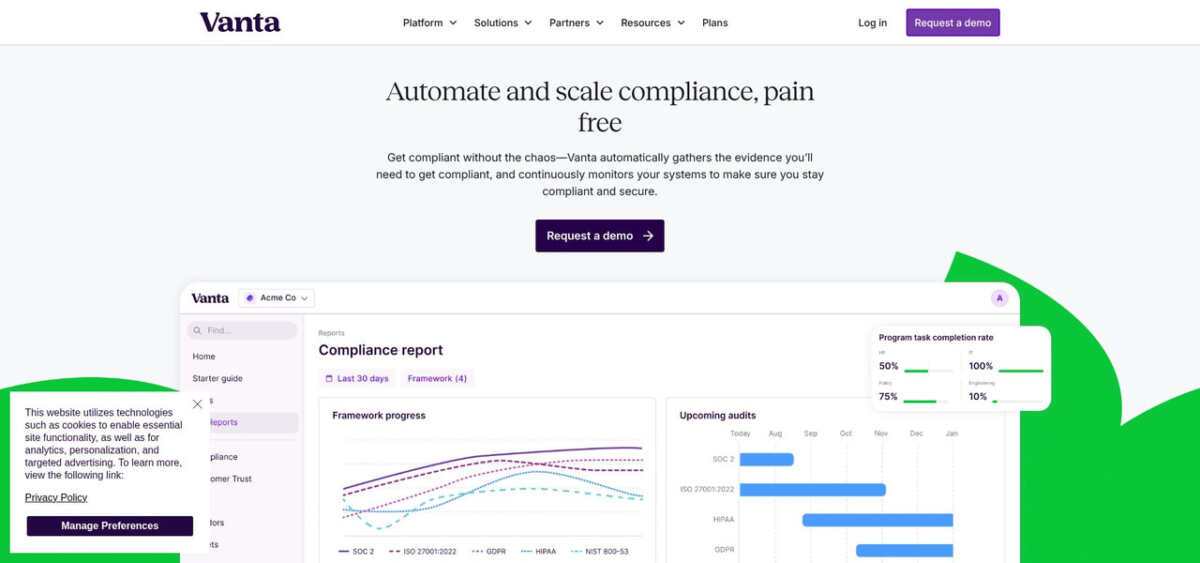
1. Vanta: best overall for automation and ecosystem
Vanta is a trust management and compliance automation platform built for SaaS teams that want continuous compliance to run in the background, without turning every audit cycle into a fire drill. It is used by 14,000+ customers and is designed to scale from a first SOC 2 report to a multi-framework program that also includes ISO 27001, HIPAA, PCI DSS, and more.
Where Vanta pulls ahead is automation depth. The platform offers 400+ integrations and runs 1,200 to 1,400+ automated tests on an hourly cadence. In practice, that means you can connect your cloud providers, identity stack, code repos, HRIS, and device fleet, then catch drift quickly. If an S3 bucket becomes public or an offboarded engineer still has admin access, you can route the failure into Slack or Jira and keep the issue visible until it is resolved.
Vanta also does a lot of the “audit writing” work that usually steals senior time. It can auto-generate key audit artifacts like your SOC 2 System Description and your ISO 27001 Statement of Applicability, and it uses AI throughout the platform to reduce busywork. That includes AI-assisted policy creation, AI evidence evaluation to surface gaps before an auditor finds them, and AI remediation guidance that includes Terraform snippets for many failing tests.
On the go-to-market side, Vanta’s Trust Center is built to reduce security review friction. Instead of sending PDFs and chasing email threads, you can share a live portal, collect NDAs, and let buyers self-serve answers through an AI-powered chatbot. For teams buried in spreadsheets of security questionnaires, Vanta also offers questionnaire automation, with 80%+ answer coverage and up to 95% acceptance rates reported for responses.
Vanta is a strong fit if you expect your program to get more complex over time. Beyond core compliance workflows, it supports enterprise-grade needs like custom RBAC, SCIM, Workspaces, and an API, plus adjacent programs such as Access Reviews and vendor risk management (VRM/TPRM). Support is also positioned as a differentiator, with 24/7/365 support, a named CSM included, and a published 95.5% CSAT score.
Pricing is packaged (Core, Growth, Scale) and publicly listed, with a commonly cited starting point of around $10,000 per year for smaller teams, depending on headcount, frameworks, and modules.
Key limitations to know up front: Vanta is typically priced above budget-first tools, and the platform can feel like more than you need if you are a very small team that only wants a lightweight SOC 2 checklist. Its infrastructure-as-code remediation is also most clearly oriented around Terraform.
Choose Vanta if you want the deepest automation, the broadest ecosystem, and a platform that can carry you from “first audit” to “multi-framework, multi-entity, continuous compliance” without a painful migration later.
2. Thoropass: best for teams that want automation and audit under one roof
Thoropass combines compliance automation with in-house audit services, so teams that would normally run two separate vendor relationships — one for software, one for auditors — can stay inside a single experience. Originally launched as Laika, the company rebranded to Thoropass to emphasize that integrated motion. It is often shortlisted by mid-market SaaS teams that are tired of coordinating audit timelines across independent firms and want a single accountable partner for the full compliance calendar.
Thoropass is ideal for:
Mid-market SaaS teams planning multiple audits a year that would rather consolidate automation and audit delivery under one vendor
Buyers who value predictable audit turnaround and clear ownership over the absolute deepest real-time drift detection
Organizations where procurement prefers fewer vendors and simpler renewal cycles
On core framework coverage, Thoropass supports the standards most SaaS teams end up stacking, including SOC 1, SOC 2, ISO 27001, HIPAA, PCI DSS, GDPR, and a handful of NIST frameworks. Because audit delivery is part of the product, frameworks tied to formal attestation — SOC 1 and SOC 2 especially — are where Thoropass is most differentiated.
Where the platform feels thinner is emerging and region-specific coverage. AI-focused standards like NIST AI RMF or ISO 42001, and newer European regulations such as DORA and NIS 2, may require more manual scoping than you would expect from platforms that treat framework breadth as a core product axis.
Integration and monitoring depth is practical rather than leading. Thoropass connects to the common cloud, identity, and HRIS systems SaaS teams rely on, but the integration count is modest compared to the biggest automation-first platforms, and test cadence is oriented around keeping each audit cycle’s evidence fresh rather than catching drift within minutes. Teams that want continuous control monitoring as an operational layer may need additional tooling to cover that gap.
Trust Center and sales enablement is not the primary product story. Thoropass gives you a place to share posture with prospects, but buyer self-service tooling — AI Q&A, deep questionnaire automation, CRM-native workflows — is not where the platform invests most heavily. Teams with heavy security-review pipelines should validate whether Thoropass’s sales enablement layer is deep enough for their inbound motion before they standardize on it.
AI sits on the assistive side of the spectrum. Thoropass offers AI-supported evidence mapping and control guidance, but the platform’s narrative leans harder on integrated audit delivery than on “AI automation.” Teams expecting AI to materially replace senior engineering time on remediation should pressure-test specific workflows during evaluation.
Pricing is custom-quoted and generally higher than software-only platforms because audit services are bundled into the relationship. Support is positioned as hands-on, with program management built into the subscription rather than sold as a separate tier. For a mid-market SaaS team, that can be exactly the right shape — fewer hand-offs, clearer ownership — or it can feel heavier than needed if you already have an internal compliance lead and an established audit firm.
On scalability, Thoropass fits well through a mid-market, multi-framework motion. If your roadmap includes deep multi-entity governance, many custom frameworks, or a long-term plan to run the compliance program entirely in-house with your own auditor of record, plan to reassess the fit as the organization grows.
Choose Thoropass when you want one vendor accountable for both compliance automation and audit delivery, and you value predictable audit cycles over the deepest out-of-the-box test automation.
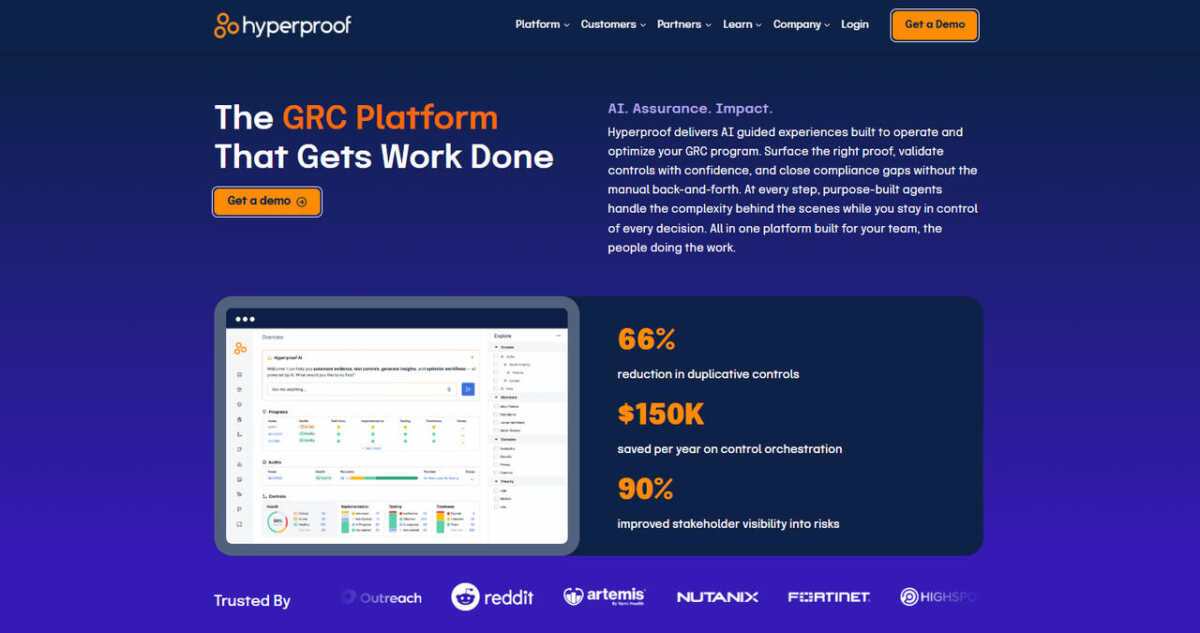
3. Hyperproof: best for control-first GRC with cross-functional collaboration
Hyperproof is a compliance operations platform built around a controls-first model, where the atomic unit of work is the control — not the framework or the checklist. For teams that already have a security program with internal stakeholders across engineering, legal, IT, and privacy, that framing tends to feel natural, because the real work lives in who owns which control and what evidence is current.
Hyperproof is often evaluated by mid-market and enterprise teams that need compliance to be a coordinated team sport, not a single-owner spreadsheet. Its Kanban-style workflows and assignment model make it easy for multiple departments to review, approve, and track control activity without losing context.
Hyperproof is ideal for:
Teams where compliance work routinely spans engineering, IT, legal, and privacy stakeholders
Mid-market to enterprise organizations that already know their control model and want a platform that surfaces ownership and status, not just a checklist
Programs where evidence freshness and audit traceability matter more than the largest raw integration count
On framework coverage, Hyperproof ships a broad catalog that includes the standards SaaS teams care about (SOC 2, ISO 27001, HIPAA, PCI DSS, GDPR), plus coverage for more regulatory-heavy environments such as NIST 800-53, NIST CSF, CMMC-style controls, and industry-specific regimes. For teams with a longer-term plan that includes multiple regulated frameworks side by side, Hyperproof’s control-first model makes mapping overlaps across frameworks cleaner than treating each framework as its own silo.
Integration and monitoring depth is respectable but not the platform’s headline. Hyperproof connects to common cloud, identity, ticketing, and evidence sources, with automation that keeps control status and artifacts current. Test cadence is more aligned with operational cycles than near-real-time drift detection, so teams that want every configuration change caught within minutes may want to pair Hyperproof with a dedicated cloud security or CSPM layer.
The Trust Center story is less central than in tools built around sales-enablement. Hyperproof’s product focus is the internal operating model of compliance, not buyer self-service. For teams with heavy security-review volume, Trust Center maturity (AI Q&A, NDA flows, CRM workflows) should be validated separately before you commit.
AI in Hyperproof is positioned as an assistive layer inside the controls workflow, helping with tasks like evidence review, mapping suggestions, and control recommendations. It is not positioned as a “self-driving” compliance engine, and buyers should calibrate expectations accordingly.
Support is generally treated as a partnership. Implementation and customer success are hands-on, which matches the profile of a controls-first platform — teams usually need help translating their existing control model into the tool cleanly, and then optimizing workflows over time.
Pricing is custom-quoted and oriented to mid-market and enterprise budgets. Hyperproof is rarely the cheapest option on a shortlist, and it is not trying to be — the value is in getting compliance work tracked, owned, and auditable across a larger team.
The biggest fit question is team maturity. Hyperproof works best when you already know roughly what your control model looks like. Very early-stage teams that are still figuring out “what a control even is” may find a more prescriptive, guided platform easier to start with, then migrate into Hyperproof once the program has more structure.
Choose Hyperproof when compliance is a cross-functional program in your organization, you want the control to be the primary object in your system, and you are willing to invest in implementation to get a durable operating model in return.
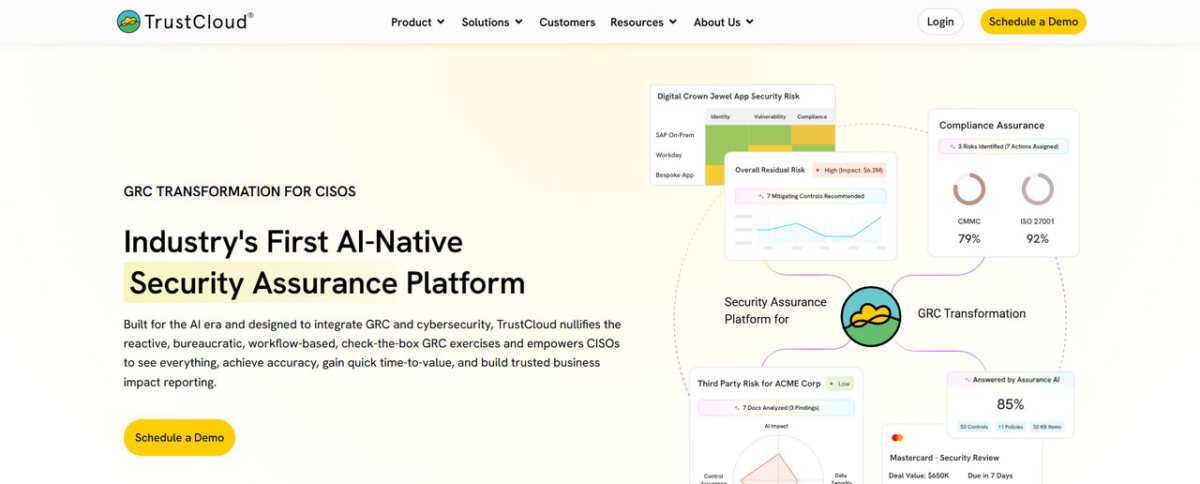
4. TrustCloud: best for early-stage teams with AI-first evidence automation
TrustCloud is a compliance automation platform aimed squarely at teams that want to build a serious security program early, but cannot yet justify an enterprise-grade budget. Its calling card is an AI-heavy approach to evidence collection, mapping, and questionnaire response — plus a free tier that makes it easy to start without a procurement cycle.
For a founder, a first security hire, or a small engineering team facing a SOC 2 requirement from a first enterprise customer, TrustCloud is positioned to turn compliance into a product you can evaluate by actually using it, not just by sitting through demos.
TrustCloud is ideal for:
Seed to Series A SaaS teams pursuing a first SOC 2 or ISO 27001 with a limited budget and limited dedicated headcount
Buyers who want to prototype their compliance program on a free tier before committing to an annual contract
Teams that value AI-driven evidence and questionnaire automation as a core product axis, not a bolt-on feature
On framework coverage, TrustCloud supports the frameworks early-stage SaaS teams hit first — SOC 2, ISO 27001, HIPAA, GDPR, CCPA — along with a growing set of additional standards as the program matures. That coverage is strong for common go-to-market gates, but expect more limited depth in specialized regimes like HITRUST, FedRAMP, or newer AI-specific standards.
Integration and monitoring is built around the stacks most early-stage SaaS teams actually run, which is often more useful in practice than a very large integration count that is only partially relevant to your environment. Monitoring cadence is designed to keep evidence audit-ready, not to function as a real-time configuration management layer — teams that need tight drift control may want to pair TrustCloud with a dedicated cloud security tool.
One of TrustCloud’s most differentiated areas is its TrustShare / Trust Center experience paired with AI-assisted questionnaire response. For startup sales teams that keep getting pulled into long security questionnaires, having an AI layer pre-populate answers from your control evidence can return meaningful hours per deal. How well that works in practice depends on how much of your evidence is already in the platform, so it is worth testing on a real questionnaire during evaluation.
AI is the headline on the product side. TrustCloud leans into AI-driven control mapping, evidence review, and questionnaire automation as a core part of the platform rather than a feature tab. For very small teams, that can be the difference between a compliance program that moves and one that becomes one person’s permanent side job.
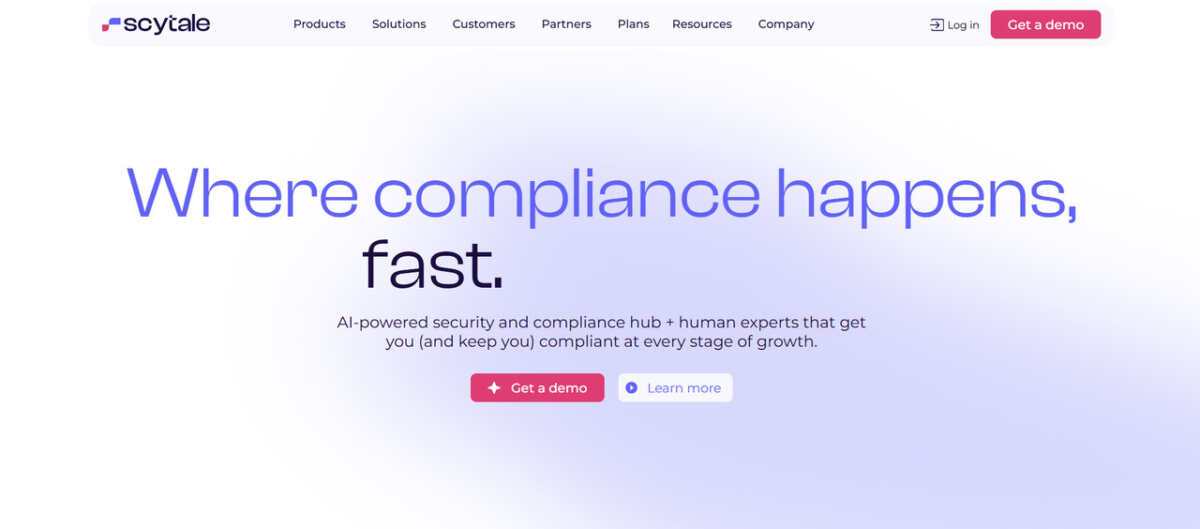
Support is generally scaled to the tier and can feel lighter at the free and entry-level paid tiers. Teams that want an embedded compliance officer or a dedicated CSM from day one will find platforms explicitly built around a services model (like Scytale) a closer fit.
Pricing is unusually flexible for this category. TrustCloud offers a free tier that is genuinely usable for building the program, plus paid tiers that unlock deeper automation, higher evidence limits, and more frameworks. For teams that need to defer real spend until they have customer revenue, that structure is rare in this market.
The main caveat is scale. TrustCloud’s sweet spot is early-stage compliance, and the enterprise-readiness features — custom RBAC granularity, heavy multi-entity governance, very deep SCIM flows — are not where the product invests most. As your organization crosses into multi-business-unit governance or heavily regulated frameworks, plan for a re-evaluation.
Choose TrustCloud when you need to start a real compliance program now, AI-assisted evidence and questionnaire work is a high-value feature for your team, and flexible early-stage pricing matters more than enterprise-scale governance depth.
5. Scytale: best for hands-on service with an AI assist
Scytale is a strong fit when your biggest compliance bottleneck is not intent, it is bandwidth. The product bundles software with a dedicated compliance officer, so you can outsource a meaningful share of the program management that usually lands on a founder or a single security lead.
Scytale was founded in 2020 in Tel Aviv and, in the provided research, is described as a smaller vendor by funding and team size, with about $12M raised and around 115 employees, plus offices across multiple regions. It has also been recognized publicly, including AWS Rising Star Partner of the Year (2025) and a G2 2026 Best Software Awards mention.
Scytale is ideal for:
Seed to Series B SaaS teams (roughly 10 to 200 employees) pursuing a first SOC 2 or ISO 27001 with limited in-house GRC headcount
Teams that want hands-on guidance and auditor coordination built into the subscription
Organizations that prefer a “done with you” compliance motion over building an internal operating model immediately
Frameworks: broad coverage, with notable enterprise gaps
Scytale claims 60+ frameworks, including SOC 2, SOC 1, ISO 27001, ISO 27701, ISO 42001, HIPAA, PCI DSS, GDPR, NIS2, NIST CSF, NIST 800-53, and CCPA. That breadth can cover most startup and mid-market needs.
At the same time, the research flags several gaps that matter for more regulated expansion, including no HITRUST, no FedRAMP, no CMMC, and no SOX ITGC. If your roadmap includes those standards, Scytale may become a stepping stone rather than a long-term system of record.
Integrations and monitoring: adequate for audits, less suited for real-time drift control
Scytale supports 100+ integrations, but the bigger operational detail is cadence. The research describes Scytale as running on a 24-hour batch sync, and includes a customer-reported pain point that when they want to sync data, “it takes 24 hours.”
That matters if you are trying to treat compliance as continuous control monitoring, not just audit preparation. In head-to-head proofs of concept referenced in the research, Scytale is also characterized as materially less automated out of the box, with quoted comparisons around 43% automated coverage versus about 82% for Vanta in similar evaluations.
Trust Center and sales enablement: present, but not the core product story
Scytale offers a Trust Center, but it is positioned as more of a basic portal for sharing posture rather than a full sales-enablement layer. The research notes that Scytale does not offer questionnaire automation on the same level as platforms that treat security reviews as a workflow to optimize, and it does not position an AI trust-center chatbot for buyer self-service in the way some competitors do.
AI: Scy is a helpful assistant, not an automation engine
Scytale’s AI assistant, Scy (launched in 2024), is designed to answer compliance questions in natural language, help draft policies from your existing processes, and rank risk items so teams know what to fix first. It is best understood as an assistant that accelerates writing and prioritization. The research does not frame it as a deeply embedded automation layer for remediation and evidence workflows.
The real differentiator: a built-in compliance officer
Scytale’s defining feature is its services model. The subscription includes a dedicated compliance officer who helps scope controls, run gap analysis, and manage the auditor relationship end to end. For teams that are resource-constrained, that can be more valuable than having the most granular platform capabilities, because it keeps the program moving even when engineering is busy.
The trade-off is dependency. If your long-term plan is a multi-team, multi-framework compliance program with strong internal ownership, you should plan for how that concierge model evolves as your organization scales.
Pricing and scalability: premium feel, with services included
Scytale pricing is custom-quoted. The research suggests ranges of $10,000 to $15,000 per year for smaller customers and $20,000 to $30,000+ for mid-market, which reflects that professional services are bundled.
In terms of enterprise readiness, the research positions Scytale as better suited to early-stage and mid-market teams than large, complex organizations. The combination of 100+ integrations, 24-hour sync cadence, and a services-led operating model can become limiting when you need true continuous monitoring at scale, multi-entity management, and heavily automated evidence coverage across a broad stack.
Choose Scytale when you want to offload compliance project management to an embedded expert, and you are comfortable with lighter automation depth and slower sync cadence in exchange for hands-on execution support.
6. Conveyor: best for automating security reviews and building customer trust at scale
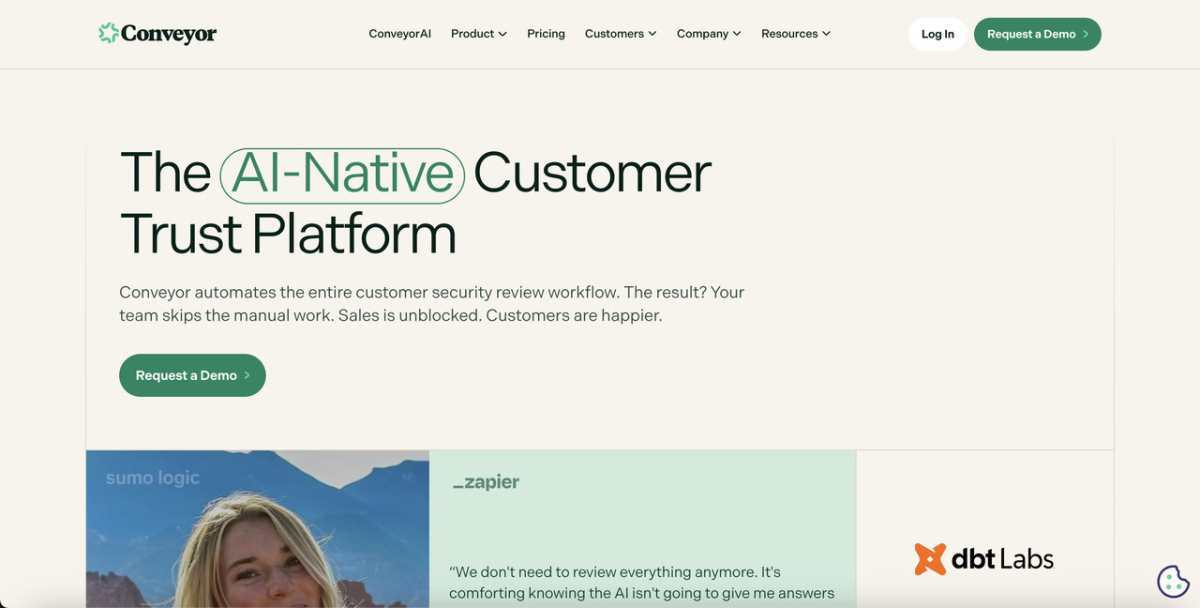
Conveyor is an AI-native customer trust platform built for information security and presales teams that spend too much time answering the same security questionnaires and sharing the same compliance documents. It is built for complex enterprise organizations managing hundreds of security reviews per quarter, and it replaces the manual back-and-forth of those reviews with a single platform for sharing security information, automating questionnaire responses, and closing deals faster.
Where most tools treat security reviews as a necessary cost center, Conveyor is positioned to turn them into a competitive advantage, helping companies respond with speed and accuracy while giving prospects the trust signals they need to move forward. That starts with the Trust Center, which offers 1-click NDA-gated document sharing, along with advanced features such as a Trust Center AI Agent, automated approvals, enterprise roles and permissions, auto-translation, and the ability to host multiple product lines.
Conveyor is ideal for:
Information security and compliance teams fielding recurring security questionnaires
Presales and sales engineers who need to answer customer questions and turn around security reviews quickly
Enterprise companies managing high volumes of customer security requests who’ve outgrown point solutions and need a single platform that automates the whole workflow, not just part of it
On questionnaire automation, Conveyor reports 95%+ accuracy, with every answer backed by source citations, and a browser extension that auto-completes questionnaires directly inside vendor portals. Source citations are available across 50+ languages. Behind that sits a self-healing knowledge library, connected to any content source and continuously updating, so the answer library doesn’t require manual upkeep.
Rather than automating only the questionnaire piece, Conveyor combines document sharing, NDA gates, customer analytics, and questionnaire automation inside one platform. Customer engagement analytics and detailed access reporting give security and presales teams visibility into who is viewing what, and policy-based triage and delegation workflows route incoming requests to the right owner.
Integrations include Salesforce, Slack, HubSpot, Google Drive, and others, connecting the platform to the CRM and collaboration tools that sales and security teams already use.
AI in Conveyor is positioned as foundational rather than added on: the platform was built from the ground up around AI-generated answers, not a legacy tool with AI features grafted on afterward. That, combined with the accuracy rate and source citations noted above, is presented as the platform’s central differentiator, alongside proof that customers including Zapier, Carta, Atlassian, and dbt Labs use Conveyor to automate 80–100% of their security review workflows.
Pricing is usage-based rather than per-seat: organizations pay based on access volume and questionnaire usage, which is meant to keep costs predictable as teams grow. The Free tier is $0 per year, with 10 trust center credits per month and caps of 15 documents and 15 knowledge base Q&As, and it does not include questionnaire automation or integrations. Professional starts at $9,600 per year and adds 100 trust center credits, 20 questionnaire credits (each covering 100 questions), 10 RFP projects, unlimited seats, full integrations, SSO with SCIM, API access, custom domain hosting, detailed analytics, and a dedicated success manager. Enterprise is custom-priced for organizations with high-volume needs, with additional credit allocations and managed onboarding available. Credits roll over annually and represent organization access, additional credits are available in increments of five, and overage charges apply once usage exceeds the annual allocation.
The proof points span the range Conveyor is built for: Quantum Metrics’ COO reports cutting response time in half, Figma completed a 7-page security questionnaire 80% faster, and Lucid Software brought time per question down from 4 minutes to 22 seconds — a 91% reduction, while dbt Labs and Uniqode both credit the platform’s AI with delivering value directly inside their existing workflow. That range runs from fast-growing SaaS businesses building a professional security presence to complex enterprises turning questionnaire turnaround from weeks into days.
Choose Conveyor when your organization is managing enough security reviews that manual, per-question handling has become the bottleneck, and you want one platform — Trust Center, NDA workflows, and AI-generated questionnaire answers together — to move deals from request to close faster.
Side-by-side snapshot
You have met the headline acts. This table is the fastest way to sanity-check fit before you spend time on demos. The key is to look past logos and framework counts and focus on what will change your weekly workload, evidence coverage, and sales friction.
Criteria
Vanta
Thoropass
Hyperproof
TrustCloud
Scytale
Conveyor
Evidence integrations
400+
Core SaaS stack
Core SaaS stack
Core SaaS stack
100+
Core SaaS stack
Monitoring cadence
Hourly
Audit-oriented
Operational cycle
Evidence-ready
24-hour batch sync
Hourly
Frameworks (pre-built)
35 to 44
Core attestation set
Broad, controls-first
Common SaaS set, growing
60+ (claimed)
Common SaaS set, growing
Trust Center
Yes, with AI buyer Q&A
Basic posture sharing
Not the product focus
Yes, with AI questionnaire assist
Yes (basic)
Yes, with AI
Human guidance model
Named CSM included
Bundled audit + program mgmt
Implementation partnership
Scales with tier
Dedicated compliance officer
Implementation partnership
Starting software price (indicative)
~$10,000 per year
Custom, audit bundled
Custom, mid-market/enterprise
Free tier + paid tiers
Custom, often $10K to $15K (SMB)
Free tier + paid tiers
Best for
Deep automation and scale
Automation + audit under one vendor
Cross-functional controls program
Early-stage teams, AI-first evidence
Outsourcing compliance execution
Cross-functional controls program
If you want the most continuous monitoring depth, cadence and test coverage matter. Hourly versus daily changes how quickly drift becomes an operational ticket.
If sales is driving the urgency, look closely at Trust Center maturity and how well it handles real security-review workflows, not just document sharing.
If budget is the gating factor, confirm year-two expectations early. Several vendors compete aggressively on year-one pricing, then rebalance at renewal.
If your team has no compliance bandwidth, Scytale’s built-in officer and Thoropass’s bundled audit model can be more valuable than an extra integration or two.
Use the table to shortlist two options, then validate them against your exact stack and frameworks in a proof of concept.
Other notable platforms worth a look
The compliance market is crowded, and a few platforms narrowly missed our top five. They can still be the right call if you have a specific workflow to solve, or if you are buying for a very different org shape than a typical SaaS security team.
OneTrust brings privacy and security under one umbrella. If you already use its privacy tools, extending into SOC 2 can reduce vendor sprawl, although the interface can feel heavy for smaller teams.
Optro (formerly AuditBoard) targets the enterprise. Internal audit teams tend to like its deep risk register and SOX governance features, but most startups will not use half the platform.
JupiterOne turns assets into a graph you can query in plain language. It is useful for questions like “Which servers hold PHI and lack encryption?”, and it often pairs better with a compliance platform than replacing one.
Treat these as specialized options rather than default picks for a lean SaaS company.
Conclusion
No single platform wins every row, so anchor your decision in your primary constraint and validate it through a proof of concept that mirrors your real-world workflows.
Top 5 Compliance Management Software for SaaS Teams in 2026 was last modified: September 23rd, 2026 by Ahmad Zulfiqar
Few tactics in SaaS marketing have proven as resilient as guest posting.
Algorithm updates have reshaped it. Editorial standards have tightened it. AI-driven discovery is now redefining it. Yet despite constant predictions of its decline, guest posting continues to influence how SaaS brands build authority and earn visibility.
What has changed is not the tactic itself, but the expectations surrounding it.
In 2026, publishing content is easy. Earning attention is not. Thousands of SaaS companies are producing high-quality articles each month, competing for the same audiences across increasingly crowded channels. Buyers are more informed, editors are more selective, and search systems are getting better at distinguishing expertise from noise.
Visibility is no longer earned through presence alone. It is earned through recognition. Guest posting remains one of the most reliable ways to build that recognition when approached with strategy rather than scale.
Why guest posting matters for SaaS growth?
Few industries rely on trust as heavily as SaaS.
Long sales cycles, subscription commitments, and product complexity mean buyers rarely convert after a single interaction. They research, compare, validate, and often return multiple times before making a decision.
Guest posting supports this journey in several important ways:
Builds early credibility: Prospects are more receptive when they encounter your brand in environments they already trust.
Creates repeated exposure: Familiarity lowers perceived risk, especially in high-consideration purchases.
Strengthens category positioning: Consistent visibility helps buyers understand what your company stands for.
Supports multi-touch journeys: By the time a prospect visits your website, your brand often feels recognized rather than new.
In competitive SaaS hubs such as the US and UK, this type of visibility often shapes perception before a demo is ever booked.
Guest posting accelerates that familiarity by positioning your brand within conversations that already command attention rather than forcing you to build it from scratch.
The biggest guest posting mistakes SaaS brands make
Despite its longevity, many SaaS companies continue to approach guest posting with assumptions shaped by an earlier era of SEO. What once delivered results no longer carries the same weight, largely because editorial expectations and search signals have matured.
Common missteps include:
Treating it as a numbers game: Increasing outreach and securing more placements may create the appearance of progress, but authority rarely grows through volume alone. Recognition strengthens when visibility is selective and intentional.
Chasing domain metrics over relevance: Strong authority scores can look reassuring in reports, yet they offer limited value if the publication’s audience has little connection to your category. Context matters more than numerical strength.
Publishing interchangeable thought leadership: When insights mirror what is already circulating in the industry, editors have little incentive to reference them. Distinct perspectives travel further because they give others something meaningful to build upon.
Prioritizing scale over credibility: Rapid bursts of visibility often fade just as quickly. Sustainable authority tends to emerge from consistent participation in environments that already command trust.
Volume creates activity. Authority creates momentum. Brands focused on scale often experience temporary traction. Those focused on credibility tend to build influence that lasts.
The shift from link building to authority building
Guest posting once lived squarely inside link-building strategies. Today, its role is broader.
Search systems increasingly interpret context, associations, and expertise patterns across the web. A single link matters less than the narrative surrounding it.
Links validate authority. They rarely create it.
For SaaS companies, this means guest posting should be viewed as an authority-building system rather than a technical SEO exercise.
Each credible placement reinforces expertise. Each relevant mention strengthens topical association. Over time, these signals help both humans and machines understand what your brand represents.
The companies seeing lasting impact are not publishing more, they are publishing where it matters.
Top 5 Guest posting strategies for SaaS companies in 2026
1: Prioritize credible industry circles
Where your brand appears matters as much as how often it appears.
Contributing to respected SaaS publications, ecosystem blogs, and niche industry platforms places your insights alongside voices readers already trust. That context shapes how your expertise is interpreted.
Relevance now carries more weight than raw authority metrics. A well-regarded niche publication often strengthens positioning more effectively than a high-traffic site with little topical overlap.
Search engines have grown adept at recognizing these relationships. When multiple credible sources associate your brand with a specific domain, authority compounds naturally.
Think less about reach and more about proximity to influence.
2: Create cite-worthy content, not just educational posts
There is a meaningful difference between content that ranks and content that gets cited.
Rankable content answers existing questions. Cite-worthy content advances the conversation.
Editors typically reference material that offers at least one of the following:
For SaaS brands, this often means drawing from internal expertise. Product insights, customer patterns, operational lessons, and market observations can all become valuable editorial contributions when presented thoughtfully.
The goal is not simply to inform readers, but to give other writers something worth referencing.
3: Treat guest posting as brand distribution
Instead of asking where you can secure links, consider where your brand should be visible.
This reframing shifts guest posting from an SEO tactic into a distribution strategy.
Each placement extends your narrative into new environments. Over time, these appearances create familiarity that traditional promotion rarely achieves alone.
Readers begin recognizing your name. Editors recall your perspective. Industry peers grow accustomed to seeing your brand associated with meaningful insights.
Consistency matters more than frequency. A smaller number of credible placements often creates stronger recognition than widespread but forgettable visibility.
Guest posting, at its best, is less about borrowing authority and more about participating in it.
4: Build editorial familiarity before you need it
Editors are far more receptive to contributors they recognize.
Yet many SaaS companies only begin outreach when they want coverage, treating each pitch as a cold introduction.
A more effective approach is to build familiarity early. Engage with publications before pitching. Reference their work. Share their articles. Contribute thoughtful commentary where appropriate.
Over time, your name stops feeling unfamiliar.
When familiarity exists, trust forms faster and trusted contributors are far more likely to be invited back.
Authority is rarely built through a single successful placement. More often, it emerges through repeated, credible participation.
5: Align guest posting with your category narrative
The strongest SaaS brands are not just promoting products. They are shaping how their category is understood.
Guest posting can play a meaningful role in that effort.
Instead of publishing disconnected articles, align contributions with the themes you want your company associated with. Whether it is zero trust security, device management, AI governance, or compliance automation, consistency strengthens mental positioning.
When multiple respected publications connect your brand to the same ideas, recognition accelerates.
You stop being seen as a vendor and start being recognized as a voice within the category.
That shift is difficult for competitors to replicate.
When does it make sense to buy guest posts?
The idea that serious companies never buy guest posts is largely a myth. Many do, but strategically. The risk is not the transaction itself. The risk lies in the environment.
SaaS organizations that see positive outcomes typically evaluate placements through a credibility lens before making any investment. Rather than focusing solely on link acquisition, they consider how each placement contributes to broader brand perception.
Key questions often include:
Does the publication align with our expertise? Visibility is most valuable when it reinforces the themes your brand wants to be associated with.
Is the audience one we genuinely want to reach? The right readers matter far more than raw traffic volume.
Would we be comfortable associating our brand with this platform publicly? If the answer feels uncertain, the long-term reputational value is likely limited.
Does the site maintain real editorial standards? Publications that exercise selectivity tend to transfer more credibility than those built primarily for sponsored content.
When these conditions are met, buying guest posts or paid placements begin to function as strategic distribution rather than artificial amplification.
How guest blogging services help SaaS companies scale authority?
As internal teams juggle product launches, campaigns, and content calendars, maintaining consistent outreach can become difficult. This is where experienced guest blogging services provide meaningful support.
The strongest partners act less like vendors and more like connectors. They understand editorial expectations, maintain relationships with credible publications, and help position contributions in ways that feel natural.
Execution remains the differentiator.
High-quality services prioritize relevance over volume, customize content rather than relying on templates, and focus on environments where your expertise strengthens the broader conversation.
Presence alone does not build authority. Credible presence does.
SaaS teams that prioritize credible environments over rapid scale often find their authority strengthening in ways that are both visible and durable.
Guest posting is no longer just SEO, it’s a trust advantage
As AI increasingly shapes how information is discovered, trusted sources are gaining greater visibility. Optimization still plays an important role, but its function is shifting.
Optimization gets you discovered. Authority gets you recommended.
SaaS companies that invest in credible visibility today are positioning themselves for an environment that rewards recognized expertise. Those focused only on technical improvements may remain searchable without becoming referential. The distinction is subtle, but strategically important.
This is where guest posting is evolving beyond its traditional role. It is no longer just a method for acquiring backlinks. It is a way to shape how your brand is understood across the web. Each credible contribution reinforces the associations that influence whether audiences and intelligent search systems view your company as trustworthy.
Stop asking where you can publish. Start asking where your brand needs to belong.
When your insights appear consistently in environments that matter, familiarity grows. Trust follows. Visibility becomes easier to sustain. In the years ahead, the SaaS brands that earn attention will not simply be the ones producing more content.
They will be the ones recognized for contributing something worth noticing.
Guest Posting Strategies for SaaS Companies in 2026 was last modified: February 10th, 2026 by Lincoln Buirman
UK businesses are experiencing a significant shift in how they manage their software ecosystems, with recent trends showing that SaaS management platforms have become essential tools for maintaining team productivity. As organizations continue to adopt cloud-based solutions at an accelerating pace, the challenge of managing multiple subscriptions, licenses, and integrations has grown exponentially.
Finance directors and IT leaders are reporting that unmanaged SaaS sprawl is not only draining budgets but also hindering employees’ ability to work efficiently. This growing concern has sparked a surge in organizations adopting dedicated management platforms to regain control. The evidence suggests these tools are delivering measurable productivity gains across sectors.
Addressing the Hidden Costs of SaaS Sprawl
Recent industry analysis reveals that the average UK enterprise now utilities over 100 different SaaS applications, a dramatic increase from just a few years ago. This proliferation has created what analysts are calling the SaaS sprawl crisis, where organizations lose visibility over what software they’re actually using and who’s using it.
Teams waste considerable time navigating fragmented systems, searching for the right tools, and dealing with access issues. When employees can’t quickly find or access the applications they need, productivity suffers. Moreover, duplicate subscriptions and unused licenses represent pure waste, diverting resources that could be invested in genuinely valuable tools or personnel.
Centralised Visibility Drives Efficiency Gains
Industry experts note that top SaaS management platforms are transforming how organizations approach software oversight. By providing centralized dashboards that display all subscriptions, usage metrics, and costs in one place, these platforms eliminate the guesswork from software management.
Research from SaaS management platforms indicates that businesses implementing these solutions typically identify 30% or more in redundant spending within the first quarter. This financial benefit extends beyond mere cost savings. When finance teams don’t need to chase down subscription details across multiple departments, they can focus on strategic planning rather than administrative tasks.
IT departments report similar efficiency improvements. Rather than fielding constant requests about software access or spending hours reconciling invoices, they can manage everything from a single interface. This consolidation frees up technical staff to concentrate on innovation and problem-solving instead of paperwork.
Streamlining Procurement and Renewals
One of the most significant productivity drains in traditional SaaS management is the procurement and renewal process. Without proper systems in place, organizations often miss renewal deadlines, lose negotiating leverage, or allow auto-renewals to proceed without proper evaluation.
Modern SaaS management platforms automate much of this workflow. They send alerts well before renewal dates, compile usage data to inform decisions, and provide benchmarking information that strengthens negotiating positions. Procurement teams can process requests faster and make more informed decisions, while vendors receive clearer, more timely communications.
The impact on productivity becomes particularly evident during budget planning cycles. Instead of spending weeks gathering information from various departments, finance leaders can generate comprehensive reports instantly, allowing them to focus on analysis and strategy rather than data collection.
Enhancing Security and Compliance Workflows
Recent surveys show that security concerns rank among the top productivity killers in UK businesses. When employees resort to unauthorized software because approved tools are too difficult to access, they create security vulnerabilities that IT teams must then address reactively.
Top SaaS management platforms help organizations maintain secure yet accessible software environments. By streamlining approval processes and maintaining clear records of all applications, these platforms reduce the appeal of shadow IT while ensuring compliance with data protection regulations. Security teams spend less time investigating unknown applications and more time on proactive threat management.
Empowering Data-Driven Decision Making
Perhaps most importantly, these platforms transform SaaS management from a reactive administrative task into a strategic function. Usage analytics reveal which tools genuinely drive productivity and which are underutilized, enabling leaders to make evidence-based decisions about renewals and new purchases.
Teams benefit from this data-driven approach through access to tools that actually meet their needs. When organizations can quickly identify and eliminate ineffective software while investing in high-impact solutions, everyone’s productivity improves. The cycle of trying, abandoning, and replacing tools becomes more efficient and less disruptive.
Conclusion: The Productivity Advantage
The evidence is clear: SaaS management platforms aren’t just cost-saving tools, but genuine productivity enhancers. By eliminating administrative overhead, streamlining workflows, improving security, and enabling better decision-making, these platforms help UK businesses maximise the value of their software investments.
Organizations that embrace these solutions position themselves to work smarter, allowing teams to focus on what truly matters rather than wrestling with software management chaos.
The Impact of SaaS Management Platforms on Team Productivity was last modified: January 26th, 2026 by Lydia N
Every SaaS founder dreams of predictable, sustainable growth that compounds month after month. While paid advertising delivers instant gratification, the costs keep climbing as competition intensifies across every channel. This reality has pushed savvy software companies toward organic search as their primary growth engine.
SEO for SaaS businesses operates differently than traditional search optimization. The subscription model, long sales cycles, and technical buyer personas create unique challenges that demand specialized strategies. Understanding how to leverage SEO strategically can transform your growth trajectory in ways that paid channels simply cannot match.
The Compound Effect of Organic Growth
Unlike paid advertising that stops generating results the moment you pause spending, SEO creates assets that continue delivering value for years. A single well-optimized article can generate hundreds of qualified leads monthly without any additional investment beyond the initial creation cost.
This compounding nature makes SEO particularly powerful for SaaS companies focused on efficient growth. Each piece of content you publish builds upon previous efforts, strengthening your domain authority and expanding your keyword footprint simultaneously. The math speaks for itself when you calculate the long-term value of ranking content.
Finding the Right SEO Partner Early
Many SaaS companies attempt SEO internally before recognizing the specialized expertise required. While this approach can work for companies with experienced marketers, most find themselves struggling to generate meaningful results despite significant effort. The learning curve proves steeper than anticipated.
Recognizing when to seek expert assistance can accelerate your growth dramatically. Working with specialists who understand SaaS businesses eliminates costly mistakes and implementation delays. Companies like MADX Digital have compiled comprehensive resources on the best SaaS SEO agencies to help founders identify partners aligned with their specific needs and growth objectives.
The complexity of modern SEO continues increasing with each passing year. Algorithm updates occur frequently, competitor strategies evolve constantly, and best practices shift as search engines become more sophisticated. Staying current demands dedicated focus that most internal teams cannot provide while juggling other responsibilities.
Building Your SEO Foundation
Successful SaaS SEO starts with understanding your ideal customer deeply. You need clarity on the problems they face, the language they use when searching for solutions, and the journey they take from problem awareness to purchase decision.
This customer understanding informs every aspect of your SEO strategy. It guides keyword research, shapes content creation, and determines how you structure your website to meet visitor expectations. Without this foundation, even technically perfect SEO will fail to deliver business results.
Technical infrastructure matters equally. Your website must load quickly, render properly on mobile devices, and allow search engines to crawl and index your content efficiently. Many SaaS companies neglect these fundamentals while chasing advanced tactics, ultimately limiting their organic potential.
Content Strategy That Drives Revenue
Creating content for SaaS audiences requires balancing educational value with commercial intent. Your prospects seek genuine help solving problems, but they also need guidance toward solutions that can actually help them achieve their goals.
The most effective SaaS content strategies map directly to the buyer journey. Top of funnel content attracts prospects just beginning to recognize their challenges. Middle funnel content helps them evaluate potential solutions. Bottom funnel content convinces them your product represents the best choice.
Each content type serves a distinct purpose in your growth engine. Neglecting any stage creates gaps where potential customers fall through to competitors. Building comprehensive coverage across the entire journey captures maximum value from your SEO investments.
Measuring What Matters
Vanity metrics like raw traffic numbers often mislead SaaS companies about their SEO performance. A thousand visitors who never convert provide less value than a hundred highly qualified prospects actively seeking your solution.
Focus your measurement on metrics connected to business outcomes. Track how organic visitors move through your funnel, which content pieces drive the most conversions, and how SEO contributes to pipeline and revenue. This clarity ensures your optimization efforts target improvements that actually matter.
Attribution modeling helps connect SEO activities to downstream results. Understanding which keywords and content pieces generate the highest quality leads allows you to double down on what works while pruning efforts that consume resources without delivering returns.
Playing the Long Game
SEO rewards patience and consistency above all else. Results rarely appear immediately, with most strategies requiring three to six months before generating meaningful traffic improvements. This timeline tests the resolve of companies accustomed to instant feedback from paid channels.
However, those who persist through the initial investment period discover an incredibly powerful growth lever. Once rankings establish themselves, maintaining position requires far less effort than achieving it initially. Your competitors must work much harder to displace you than you worked to claim those positions originally.
This defensive moat represents one of SEO’s greatest strategic advantages. Companies that build strong organic presences early create barriers that protect their market position for years. Late entrants face an uphill battle against established authority that compounds their customer acquisition costs significantly.
Conclusion
Strategic SEO investment offers SaaS companies a path to sustainable, efficient growth that compounds over time. While the initial effort and patience required exceed other channels, the long-term returns justify this investment many times over.
Start by building strong foundations in customer understanding and technical infrastructure. Develop content strategies that serve prospects throughout their buying journey. Consider expert partnerships when internal resources prove insufficient. Most importantly, commit to the long-term perspective that separates successful SEO programs from abandoned experiments.
How to Scale Your SaaS Company Through Strategic SEO Investment was last modified: January 23rd, 2026 by Ana Tungdim
Any downtime of a SaaS product is never a technical problem. It is missed income, shattered confidence, and irritated clients clicking refresh buttons. Teams spend months of feature perfection, only to be forced to churn spike due to several hours of network unavailability. SaaS services rely on the availability of servers, APIs and third-party services which are always available, predictable and consistent. The tiniest network failures would have a ripple effect and in the form of failure to log-ins, data synchronization problems, or delayed response times. The networking needs to be stable; otherwise, subscriptions, support tickets, and SLAs would be maintained. A SaaS platform cannot be scaled without a controlled network layer, as it is more often a gamble than a plan.
Role of VPN in SaaS Network Control
A VPN has a direct role in the manner in which the SaaS companies control and regulate traffic in their internal network. It establishes a privacy between users, services and infrastructure, eliminating the exposure to random paths in the network as well as unstable open links. This is important when your application is dependent on always having access to cloud dashboards, databases or deployment tools.
Based on experience, VPNs can assist SaaS teams:
Access control to internal systems.
Role-based, location-based and device-based restrictions.
Turn off public networks of administration.
Reduce lost connections when it is necessary.
Indicatively, various SaaS vendors will limit access to databases through VPN-based access. This minimizes unintentional access and makes the traffic predictable. The data provided by Google cloud show that distributed systems using controlled network paths decrease connection errors by more than 30 percent.
VPN Support for Remote SaaS Teams
Remote working has transformed the work of SaaS teams. The developers work at home. Support teams operate in foreign countries. Dashboards are used by product managers when on the road. This traffic relies on the internet paths which are open to the public without VPN. These paths keep on altering and lead to delays in connections or inability to log in. This is where SHP vpn becomes part of daily SaaS operations. A VPN provides distance groups with a consistent network. It will enable internal tools to be accessed without exposing them on public networks. The same rules are applied to teams whether they are in the same place or not. This minimizes the mistakes in access and enhances inter-regional consistency. The cloud dashboards are loaded quicker and tool deployment is more reliable. According to the Cisco data, over 60 percent of problems associated with remote working that are related to SaaS are due to network instability. VPN routing reduces this threat through the application of determined access points. Less dropped sessions occur to support teams. Several failed builds are reduced by developers. Managers can have better control over access. The use of a good VPN eliminates friction and makes remote SaaS teams remain productive.
Data Transfer Protection in SaaS Platforms
Data transfer sits at the center of every SaaS operation. User requests, API calls, backups, and sync jobs move constantly between clients and servers. When that traffic travels through open networks, even small interruptions or routing changes can cause data loss or service errors. From direct experience, many SaaS issues blamed on “app bugs” were later traced to unstable or intercepted data paths. A VPN creates a private tunnel for this traffic. It keeps data flows consistent and reduces packet loss during peak hours. According to IBM’s Cost of a Data Breach report, over 80% of breaches involve data in transit, not stored data. VPN routing lowers that risk by keeping traffic off exposed paths. For SaaS platforms handling user records or payment data, controlled transfer routes improve uptime, reduce sync errors, and support compliance with common standards like ISO 27001.
VPN Use in SaaS Infrastructure Scale
SaaS infrastructure scaling imposes stress on the network layer. An increase in the number of users implies an increase in the number of regions, cloud zones, and internal services communicating with one another. In the absence of a VPN, the routing is usually based on public routing tables which can change in an ad hoc fashion. This generates performance spikes in latency and latency imbalance. I have observed groups who have introduced servers, but their routing is unreliable resulting in sluggishness of response. This is resolved by VPNs as they establish fixed paths between services in the network. Tools and comparisons such as https://shp.network/ show how VPN providers differ in routing stability, node coverage, and throughput. These are important when expanding to different regions. LAT AWS points out that predictable network routes may cut cross region latency by up to 40 percent. By using VPN-based routing, SaaS teams can enjoy greater control over the communication of the service, easier scaling and less surprises when the traffic increases or the scope expands to other territories.
VPN Effect on SaaS System Trust
Increased trust is afforded when SaaS systems remain high and steady. Users are also likely to tolerate slowness in features, but not down times or data corruption. VPNs help to provide such a trust by stabilizing access, securing data transfer and ensuring that internal systems are predictable. In the long run, outages are reduced and access logs are cleaner, which builds customer confidence. In the case of SaaS companies interested in both growing and maintaining reliability, the use of VPNs is a part of the trust contract with the users, rather than a technical option.
The Importance of VPN for Stable SaaS Operations was last modified: April 7th, 2026 by Betty Holland
Finding the right influencer marketing platform can feel a bit like using a dating app. You swipe through endless options, each promising to be “the one,” only to realize three months into an annual contract that the relationship just isn’t working out.
Influencity is a solid player with over 200 million profiles and a functional IRM (Influencer Relationship Management) tool. However, as the industry heads toward a projected $32.55 billion valuation in 2025, many brands are finding they need more than just a database. Whether you need deeper e-commerce integrations, MENA-specific data, or enterprise-grade fraud detection, there is likely a better fit for your specific workflow.
Quick comparison: The best Influencity alternatives
Here’s a quick overview to help you compare these platforms at a glance:
Real-time performance tracking (views, engagement, conversions); Automated creator payouts and invoicing; Sourcing at scale via a centralized campaign job board reaching 700k+ vetted creators.
High-growth brands wanting to scale organic UGC with automated management and payments.
Custom pricing available (includes a free trial option).
What to look for in an Influencity alternative
Before diving into the specific tools, it is important to understand why marketers are moving away from “all-in-one” generalists toward specialized CRMs. When evaluating your next platform, consider these three pillars:
E-commerce Connectivity: Does the tool connect to your specific stack? While Influencity focuses on Shopify, alternatives like Upfluence and CreatorIQ support WooCommerce, Magento, and Amazon.
CRM Depth: Does the platform allow for in-app messaging, automated gifting, and payment processing? Influencity users often complain about having to use external email tools.
Data Quality vs. Quantity: A database of 200 million is useless if 30% are bot accounts. Look for platforms that offer “Audience Quality Scores” or advanced fraud detection.
1. MoonTech
Best for: E-commerce brands in the MENA region seeking performance-based campaigns
Founded in 2023 and headquartered in Dubai, MoonTech is the premier choice for brands targeting the Middle East and North Africa. Unlike global platforms that offer a “one-size-fits-all” approach, MoonTech is built with Arabic/English bilingual support and regional cultural nuances in mind.
Its standout feature is the performance-based pricing model. Rather than paying for “vanity metrics” like impressions, brands pay only for verified sales tracked through the platform.
Key features:
Performance Tracking: Pay-per-sale model via coupon and affiliate tracking.
Fintech Integration: Integrated wallet for seamless influencer payments.
Regional Expertise: Specialized tools for Ramadan and Eid campaign planning.
Bilingual AI: Matching algorithms optimized for Arabic and English content.
Pros:
Zero wasted spend; you only pay for actual conversions.
Superior database for Dubai, Riyadh, and Cairo markets.
Includes dedicated mobile apps for both brands and creators.
Cons:
Limited reach outside of the MENA region.
Smaller total database (50k verified influencers) compared to global giants.
Pricing: Performance-based; custom quotes available via moontech.co.
2. HypeAuditor
Best for: Data-driven teams that prioritize fraud detection and audience authenticity
HypeAuditor began as a fraud detection tool, and that DNA remains its biggest strength. In an era where “engagement” can be bought, HypeAuditor uses AI to analyze 50+ behavioral patterns to identify fake followers with 95.5% accuracy.
Key features:
Audience Quality Score (AQS): A proprietary metric that has become an industry standard for legitimacy.
Advanced Discovery: Filters across 219M+ profiles on Instagram, TikTok, YouTube, Twitter/X, and Twitch.
Competitor Analysis: Ability to track the influencer strategies of your direct competitors.
Pros:
Most robust fraud detection on the market.
Clean, professional interface (G2 rating of 4.6/5).
Deep analytical reports (35+ metrics per profile).
Cons:
No automatic Instagram Story monitoring.
The $299/mo starting price is steep for small businesses.
Pricing: Starts at $299/month (billed annually).
3. Upfluence
Best for: E-commerce brands needing deep integrations, especially Amazon sellers
Upfluence is a powerhouse for e-commerce, offering the only major native Amazon Attribution integration. This allows Amazon sellers to track exactly which influencer drove a specific sale on the marketplace – a “holy grail” feature for many brands.
Key features:
Live Capture: Identifies influential customers currently visiting your website to turn them into ambassadors.
Full E-com Stack: Integrations for Shopify, WooCommerce, Magento, and BigCommerce.
Workflow Automation: Handles everything from automated outreach to bulk payments.
Pros:
Unrivaled for Amazon-specific influencer marketing.
Includes “Social Listening” to track brand mentions.
Proven ROI (e.g., Branded reported a 10x ROI using the platform).
Cons:
Mandatory 12-month contracts (no monthly options).
Steep learning curve for the advanced IRM features.
Pricing: Basic features from ~$478/month; full enterprise suite around $2,000/month.
4. Modash
Best for: Shopify brands wanting the largest creator database with flexible pricing
Modash boasts a database of 350 million+ profiles, making it nearly double the size of Influencity. It is specifically designed to help Shopify brands scale micro-influencer programs through automated product gifting and real-time revenue tracking.
Key features:
Automated Content Collection: Captures every Story and post without requiring influencers to “sign in” to the platform.
Shopify Gifting: Influencers can use self-selection links to pick the products they want.
Ad Disclosure Alerts: Automatically flags content that misses required #ad tags.
Pros:
Largest database in the industry.
Offers monthly billing (rare in the influencer SaaS space).
No “authentication” required from influencers to track content.
Cons:
Does not support Twitch, LinkedIn, or Pinterest.
IRM/CRM features are more basic than CreatorIQ.
Pricing:$199/month (billed annually) or $299/month (monthly).
5. CreatorIQ
Best for: Large enterprises running global campaigns with substantial budgets
If you are managing a Fortune 500 budget, CreatorIQ is the “heavyweight” alternative. It is the platform of choice for Disney, Unilever, and Sephora. It focuses on the “Creator Graph,” an AI-driven infrastructure that handles high-complexity global compliance and payments.
Key features:
Global Payments: Supports 120 currencies and 190 countries with built-in tax compliance.
Google AI Imaging: Uses visual discovery to find influencers based on the content of their photos (e.g., “influencers who wear blue hats”).
Enterprise Benchmarking: Compares your performance directly against competitors.
Pros:
Elite-level analytics and reporting.
Highest level of security and brand safety monitoring.
Handles massive scale (thousands of influencers) without lag.
Cons:
Extremely high price point (minimum $35k/year).
No free trial or monthly options.
Pricing: Starts at $35,000/year; enterprise plans can exceed $200,000/year.
Final verdict: which Influencity alternative is right for you?
6. SideShift
Best for: High-growth brands wanting to scale organic UGC with automated management and payments
SideShift positions itself as the “Operating System for UGC,” providing an all-in-one hub for brands to recruit from a massive pool of over 700,000 Gen Z creators. While generalist platforms focus on database size, SideShift emphasizes workflow automation—handling everything from performance tracking to one-click payouts in a single interface. It is particularly effective for high-growth consumer startups that need to move fast and bypass the friction of traditional agencies or manual DMs.
Key features:
Performance Tracking: Real-time dashboard to monitor views, engagement, and conversions in one place.
Automated Payments: Handle creator payouts and invoices within the platform to eliminate manual work.
Sourcing at Scale: Reach thousands of vetted creators instantly through a centralized campaign job board.
Pros:
Replaces fragmented tools like spreadsheets and external messaging apps.
High-quality creator applicant pool with verified social performance metrics.
Built-in interview automation and campaign notifications.
Cons:
Focused primarily on UGC and short-form video rather than traditional celebrity PR.
Best suited for brands targeting video-first platforms like TikTok and Instagram.
Pricing: Custom pricing available with a free trial option at SideShift.
The “best” platform depends entirely on your regional focus and your tech stack:
If you are in the MENA region: Choose MoonTech. Their pay-per-sale model and regional expertise are unmatched.
If you sell on Amazon: Choose Upfluence. Their attribution tools are the most sophisticated for marketplace sellers.
If you are a scaling Shopify brand: Choose Modash. It offers the biggest database and the most flexible monthly pricing.
If you are a data-obsessed marketer: Choose HypeAuditor. Their fraud detection is the industry’s gold standard.
If you are an enterprise giant: Choose CreatorIQ. It is the only platform built to handle global complexity at scale.
As the industry shifts toward long-term partnerships – with 47% of experts now prioritizing relationship depth over one-off transactions – choosing a platform that supports a true CRM workflow is a competitive necessity – so choose wisely.
5 Best Influencity Alternatives for CRM-Driven Influencer Marketing in 2026 was last modified: June 22nd, 2026 by Harmain B
Our digital landscape has shifted. Software-as-a-service dominates how businesses deliver scalable, subscription-based solutions. From fledgling startups to sprawling corporations, organizations chase cloud-based applications that reach customers anywhere. Building successful SaaS products demands more than programming prowess—strategic vision, market intelligence, and cloud mastery matter. Professional SaaS product development services fill this gap.
This guide unpacks SaaS product development. We examine professional development services, trace the creation process, identify roadblocks, and reveal success strategies.
What Are SaaS Product Development Services?
SaaS product development services handle everything: design, construction, launch, and upkeep of internet-delivered applications. Traditional software chains users to local installations and infrastructure headaches. SaaS applications live in the cloud. Users reach them through browsers or mobile apps, infrastructure worries vanish.
These services typically cover:
Market research and idea validation: Ensuring the product addresses a genuine market need.
Product design and prototyping: Creating intuitive user interfaces and functional prototypes.
Backend and frontend development: Building scalable and secure server-side and client-side components.
Integration with third-party services: Connecting the application with payment gateways, CRM systems, and other APIs.
Testing and quality assurance: Ensuring the application is bug-free, secure, and performs well under various conditions.
Deployment and continuous updates: Hosting the product on reliable cloud infrastructure and regularly improving it based on user feedback.
Companies partner with specialized SaaS software development services providers to tap expertise, accelerate launches, and dodge the pitfalls of cloud application building.
Why Businesses Should Invest in SaaS Development Services
Professional saas development services unlock advantages for companies of every size.
1. Cost-Effective Scalability
Traditional software drains budgets through licensing fees and infrastructure costs. SaaS applications rely on cloud hosting and subscription pricing. Growth happens without crushing capital outlays. Experienced SaaS product development services providers build applications ready to expand from launch day.
2. Faster Time-to-Market
The software arena rewards speed. Professional SaaS development services accelerate delivery through agile frameworks, quick prototyping, and automated quality checks. Businesses launch products rapidly and pivot when markets shift.
3. Enhanced Security and Compliance
SaaS applications guard sensitive user information. Security cannot slip. Reputable SaaS software development services providers deploy end-to-end encryption, bulletproof authentication, and regulatory compliance with GDPR, HIPAA, and SOC 2 standards. Products meet industry benchmarks.
4. Continuous Improvement and Support
SaaS products differ from install-once software. They need perpetual refinement. SaaS development experts provide constant monitoring, feature additions, bug elimination, and performance tuning. Applications stay competitive and dependable.
5. Access to Advanced Technologies
Modern SaaS applications blend AI, machine learning, analytics, and automation. Leveraging saas development services lets businesses embed advanced capabilities without building expensive internal teams. Products remain innovative and valuable.
The SaaS Product Development Lifecycle
Creating a SaaS product unfolds across several phases. Each phase shapes a robust, market-ready application. Any business launching a cloud solution needs clarity on this journey.
1. Ideation and Market Research
Every triumphant SaaS product starts with a powerful idea. The ideation phase requires businesses to:
Identify a problem or pain point in the market.
Analyze competitors and identify gaps.
Define the target audience and their specific needs.
Validate the concept through surveys, interviews, or MVP testing.
Engaging professional saas development services providers here confirms technical viability and market alignment.
2. Planning and Strategy
Validated concepts need strategic planning. This phase covers:
Define the product roadmap with prioritized features.
Select appropriate technology stacks for frontend, backend, and cloud infrastructure.
Plan for integrations with third-party services and APIs.
Establish key performance indicators (KPIs) to measure success.
Detailed planning establishes clear expectations. Development delays and budget explosions become less likely.
3. UI/UX Design
User experience determines SaaS application survival. SaaS software development services concentrate on several design elements during this phase:
Creating wireframes and interactive prototypes.
Designing intuitive interfaces for web and mobile platforms.
Ensuring consistent branding and visual appeal.
Conducting user testing to validate the design choices.
A captivating and intuitive interface pulls users in while boosting loyalty and overall happiness.
4. Development
The building stage transforms design blueprints into a functioning application.
Frontend development: Ensuring responsive, interactive, and visually appealing interfaces.
Backend development: Implementing scalable server-side architecture, databases, and APIs.
Cloud deployment: Choosing the right hosting environment (AWS, Azure, Google Cloud) for optimal performance and scalability.
Integration: Connecting payment systems, analytics tools, CRM platforms, and other necessary services.
Seasoned saas product development services teams typically embrace agile workflows, rolling out incremental improvements that allow for rapid testing and user input.
5. Testing and Quality Assurance
Quality assurance guarantees the solution runs smoothly, stays secure, and delivers peak performance. Essential testing tasks cover various areas.
Functional testing to verify features work as intended.
Load and performance testing to ensure the application can handle high traffic.
Security testing to identify vulnerabilities.
Cross-browser and cross-device testing for consistent user experience.
Thorough examination minimizes the chance of problems after launch and strengthens user confidence.
6. Deployment and Launch
Following extensive checks, the platform goes live on cloud infrastructure. The technical team handles several critical tasks during this phase.
Configures cloud servers and databases.
Sets up monitoring and analytics tools.
Implements security measures and compliance protocols.
Provides training and documentation for users and administrators.
A seamless rollout creates a powerful initial impact and paves the way for widespread acceptance.
7. Post-Launch Support and Maintenance
Cloud-based solutions demand continuous care to stay ahead of rivals. Services after launch encompass multiple areas.
Regular updates and new feature development.
Continuous monitoring and performance optimization.
Customer support and troubleshooting.
Gathering user feedback to guide future enhancements.
Collaborating with saas development services specialists keeps your solution aligned with shifting market needs and emerging technical advances.
Security and Data Privacy: Handling sensitive customer data requires robust security measures and compliance with regulations.
Scalability: The application must handle growth in users and data without performance degradation.
Integration Complexity: Connecting with third-party systems can be complex and time-consuming.
User Retention: Subscription-based models depend on continuous user engagement, which requires a seamless user experience and regular updates.
Technical Debt: Rushed development or poor architecture can lead to maintenance issues and hinder scalability.
Veteran SaaS software development services teams guide companies through these hurdles effectively, delivering a protected, expandable, and accessible solution.
Best Practices for Successful SaaS Development
To boost the success of your cloud platform, follow these proven strategies.
1. Focus on MVP Development
Launch with a basic working model to validate market interest and collect early reactions. Such an approach lowers danger and permits gradual refinement.
2. Prioritize Security from Day One
Build in data protection, identity verification, and permission systems from day one to block security gaps and meet regulatory standards.
3. Choose Scalable Architecture
Adopt cloud-first technologies, modular frameworks, and container systems to let your platform expand without speed penalties.
4. Implement Analytics and Monitoring
Monitor how people interact with your software, watch system metrics, and examine key indicators to guide decisions about enhancements and resource distribution.
5. Leverage Automation
Let machines handle verification, releases, and oversight to cut down mistakes, accelerate progress, and uphold quality benchmarks.
6. Keep User Experience at the Core
Craft clear navigation and smooth processes to lift user happiness and keep them coming back.
7. Continuous Updates and Support
Push out fresh features and improvements driven by customer input to sustain interest and market position.
Industries Benefiting from SaaS Product Development
Cloud platforms are reshaping sectors by offering adaptable, reachable tools that shift with organizational requirements. Major domains benefit greatly.
Healthcare: Telemedicine platforms, patient management systems, and healthcare analytics tools.
Finance: Accounting software, expense tracking, and banking solutions.
Education: E-learning platforms, LMS systems, and virtual classrooms.
E-commerce: Inventory management, CRM, and payment processing tools.
Logistics: Supply chain management and fleet tracking applications.
Through saas development services, organizations across these fields can roll out efficient, scalable, and customer-friendly solutions.
Building cloud applications has emerged as a vital approach for organizations seeking to deliver scalable, web-based solutions. From initial concept and visual design through construction, verification, and continuous maintenance, expert SaaS software development services guarantee your platform stays protected, dependable, and launch-ready.
Through collaboration with skilled SaaS development services professionals, companies can shorten their path to market, lower hazards, and weave in cutting-edge capabilities like machine learning, data analysis, and process automation. In the end, committing resources to proficient saas product development services extends beyond mere software creation–the real goal involves generating worth, elevating user journeys, and claiming a strategic edge in the digital marketplace.
SaaS Product Development Services: A Complete Guide for Businesses was last modified: May 28th, 2026 by Colleen Borator