Whether you want a website for personal or business purposes, WordPress is a great option. Using WordPress themes and plugins, even a novice can set up a stylish, high-performance website.
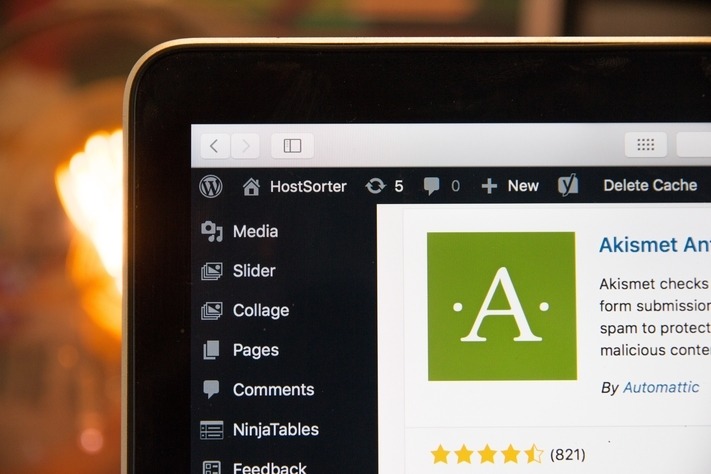
Before starting with WordPress, you need to choose a web host.
Finding the Right Hosting Provider
Before setting up a WordPress website, select a hosting provider. You must find a reputable company that offers a feature-rich plan within your budget. Before you check out potential hosting providers, think about what you need from hosting and make a list. It’ll make it easier to compare similar plans.
If you’re not sure what you’re looking for, here are a few essential features to consider:
- A free domain name
- An SSL certificate
- Adequate data storage
- One of the popular control panels
- WordPress as a quick, or one-click, install
When you have your list, consult one or two popular web hosting review sites and see who they recommend. Below is a list of popular web hosts who have easy WordPress installation:
- Cloudways
- Bluehost
- GoDaddy
- HostGator
- SiteGround
- Hostinger
Check out web host websites before making a final decision. You don’t want any hidden surprises. It’s often difficult and costly getting out of a contract. Once you have hosting, it’s time to create your WordPress website. Begin by choosing a theme.
Selecting Your Ideal Website
Creating a website with WordPress is simple. Most of the tasks required are click-and-drag. There are thousands of website themes available from within WordPress (in the repository).
Many are free or low-cost. If you’re not comfortable doing this yourself or want a unique design, you may want to consider hiring a website designer to help build your website.
Whatever your requirements, there are themes for every situation. Your website has to look good, but there are other considerations. Ask yourself:
- Is your theme regularly updated?
- Will it work on mobile devices?
- Is the template optimized for speed?
If you struggle to find a suitable theme in the repository, check out some websites that specialize in WordPress themes. Or you can hire somebody to create one (or design it yourself, if you have the skills). Below are some websites that offer WordPress themes:
- elegantthemes.com
- themeforest.net
- templatemonster.com
- athemes.com
After choosing a WordPress theme, it’s time to install it and set it up. WordPress makes this painless, even for someone unfamiliar with website development. Following this, it’s time to optimize your website. You can do this with some WordPress plugins.
Use Plugins to Enhance Your Website
Plugins enhance your WordPress website and add functionality. If you want to add a feature to your site, there will be a plugin. The easiest way to find and install a plugin is from the WordPress back-end (called the Dashboard). You will see a Plugin section, and that has a plugin search. Once you find what you want, it’s a simple matter of clicking the install button.
If you can’t find the right plugin in WordPress, you can find free and paid plugins on third-party websites, but these may need manual installation. Only select reputable plugins. WordPress should inform you if a plugin is affecting how your site performs. If you notice an issue and receive no warnings, disable one plugin at a time and see if you can diagnose the problem.
Ensure accessibility for people with disabilities. This enhances search traffic and user experience.
Here are a few plugins you may find interesting.
- Contact Form 7 or WP Forms – Add forms to a web page
- UpdraftPlus – perform WordPress back-ups
- WooCommerce – set up an ecommerce store
- Constant Contact and OptinMonster – help with email marketing
- Spectra, Beaver Builder or Divi Plugin – add additional drag-and-drop functions to web design
- MemberPress – create online communities and membership sites
- Shared Counts – a social media plugin
- WPML – make your site multilingual
- ImageInject – adds free license images (from Flickr) to your content
Now let’s discuss the specifics of how to optimize WordPress with
plugins.
Speed Up Your Website
Simple issues can hamper the page load speed of a website, such as image sizes or large data uploads. Search engines and visitors prefer websites that load without delay. There are on-site optimizations you can do, but why not use a handy plugin tailored to speed up your website?
Plugins to help with site speed:
- WP Smush – compress images
- WP Super Cache, WP Rocket, W3 Cache – improve page load speed
Search Engine Performance
If no one can find your website, it negates all the work you’ve done on design and performance. Search engines need to index your site and crawl its pages. A robots.txt file helps them to do so. WordPress creates one during install, but you can improve on that using a plugin.
- Better Robots.txt or Virtual Robots.txt – give better control and help optimize a robots.txt file.
You can improve how search engines crawl your site by using a plugin to create an XML sitemap.
- Google XML Sitemaps
When they crawl your website, search engines assess factors that will affect its placement on a search engine results page (SERP). You want your WordPress site to be high on page one. You can help by ensuring your website has good SEO(search engine optimization). Save yourself time and effort and use a plugin.
SEO plugins:
- YoastSEO
- PrePost SEO
Improve the Links
Links are an integral part of the online experience. Search engines and visitors use them to navigate to and through a website. You can improve how your website performs by monitoring your external and internal links.
- Only link to relevant websites.
- Your internal linking has to be logical and thorough.
- Check your links work. Do they go where they point?
- If you move a page, set up a redirect for the old URL.
These two plugins help to optimize link architecture.
- Pretty Links Pro
- SEO Internal Links
Tighten Up Security
Websites get hacked. WordPress sites are no exception. You have anti-virus on your home computer, so why not add one to your website? A web host will have security on their end, so should you. Add some additional defense with a plugin:
- WordFence Security
- Securi
If you’re using WordPress as a blog and have not disabled comments, you could get spam.
There are plugins to stop your comments from being abused.
- Akismet Anti-Spam
Analyze Website Performance
When upgrading the speed and performance of a website, you must make sure the optimizations and enhancements are working. You can perform manual checks, such as opening your website from a search engine or clicking through its pages. An in-depth analysis of website performance is preferable, and for this, you need one of the analytic plugins.
- Google Analytics Dashboard for WP
- MonsterInsights
Don’t Underestimate Content
We shouldn’t ignore the impact of content when discussing website performance. You can check and improve content, as with any other part of a website. Content is of immense importance to web users and search engines, and affects website reputation, popularity, and search rank
You can optimize the images and links within content, but how about actual written material? There are plugins to help improve the quality of textual content (in terms of readability and engagement). For example, the Word Stat plugin highlights:
- Content that is too difficult for readers to understand
- Posts that are too short
- Too many keywords in a post
- The 20 most used keywords on the website
- Word count of different content
Keep Everything Up-To-Date
For your website to run smoothly and in sync with web browsers and devices, it’s crucial to use the latest version of WordPress and its plugins. Install updates, when available, to help your WordPress remain bug-free. If you find that a plugin becomes unsupported, stops working or develops issues after a WordPress update, search for an update. If none is available, remove the offending plugin and look for a substitute.
Don’t Go Overboard
Plugin fever is real. You go crazy and install every plugin you come across. Please show some restraint. Some plugins are more resource-hungry than others, and too many can slow your website to a crawl or cause unexpected glitches. First, install plugins that enhance website performance. Then add others one at a time. If there are no issues, install your next plugin
Give Your Website a Plugin Boost
Taking the time to choose the right web host and WordPress theme gives you a running start on developing a high-performance website. Smart plugin selection will help your WordPress sprint to the finish line. There are many great plugins available to help you build your perfect site. Do the research, then experiment, and analyze. Try to have fun!