I used to rely on a dedicated meeting recorder because I did not trust myself to take complete notes during long calls. The problem was not that the recorder worked badly. The problem was that I kept forgetting to charge it, forgetting to bring it, or placing it too far from the person speaking.
The moment that finally pushed me to look for another option was a Tuesday client call where I had the recorder sitting on the table, only to realize halfway through that the loudest speaker was on the opposite side of the room. The audio was usable, but not good enough to trust. I still had to rebuild the meeting from memory afterward, which defeated the whole purpose of carrying a recorder in the first place.
After a few weeks of moving between conference rooms, client calls, and quick internal check-ins, I started wondering whether a wearable device could replace one more object on my desk. That is what led me to try Dymesty AI Glasses as a meeting recorder rather than treating them only as smart eyewear.
Before making the switch, I looked through a comparison guide covering Plaud alternatives, mainly because I wanted to understand whether wearable meeting devices could realistically compete with dedicated recorders on accuracy, battery life, and daily convenience.
Why I Wanted to Move Beyond a Dedicated Recorder
My old recorder had one job, and in controlled settings it did that job well. But the problem with single-purpose gear is that it has to be remembered at exactly the right moment. If I left it charging at my desk, forgot to put it in my bag, or placed it at the wrong end of the table, the meeting record suffered before the meeting had even started.
Why I Tried Glasses Instead of Another Recorder
I did not want another small device to manage. I wanted something that could come with me automatically. Glasses made sense for that reason: they were already on my face during calls, hallway conversations, and small meetings, so the recording tool was not sitting in a drawer or hiding under a notebook when I needed it.
What Changed Once I Started Using Dymesty
The first change was mental. I stopped thinking about the recorder as a separate object I had to set up before the conversation could begin. With Dymesty, I could start recording from the glasses, stay engaged in the discussion, and review the transcript and summary afterward through the companion app. That app workflow matters because the glasses are not acting as a fully standalone AI workstation.
Why the Camera-Free Design Made Me More Comfortable in Meetings
The camera-free design mattered more than I expected. In a meeting room, a camera-equipped wearable can make people wonder what is being captured, even if the wearer has no bad intention. A camera-free frame felt easier to explain and less awkward to wear around clients or colleagues, although I would still tell people before recording a conversation.
How Meeting Recording Worked in My Day-to-Day Use
The most useful moment was not a formal boardroom meeting. It was a 20-minute internal planning call where three people were throwing around next steps faster than I could type. I started the recording from the glasses, stayed in the conversation, and checked the app summary afterward to confirm the action items. That was the first time the setup felt less like a gadget and more like a practical work habit.
Battery Life in a Normal Workday
Battery life mattered because meeting recording is one of those features I only trust if the device can survive a normal workday. I was not trying to record nonstop for two days. I simply wanted enough mixed-use battery life for calls, short recordings, audio, and the usual back-and-forth of a work schedule without feeling forced into a midday recharge.
Where I Checked the Details Before Deciding
Before deciding whether I would keep using them instead of my old recorder, I checked the official Dymesty’s wearable glasses product page for the details I actually cared about: battery life, recording features, connectivity, and what happens after the free trial.
Where I Still Think a Dedicated Recorder Has an Edge
I would still choose a dedicated recorder for a large boardroom meeting where speakers sit far apart. A centrally placed device can sometimes capture a wide group more evenly than a wearable microphone array positioned on one person. A dedicated recorder is also simpler for people who only want one button and no other smart features to learn.
Who I Think This Actually Suits
For my normal week, the glasses made the most sense in smaller meetings, client calls, and quick conversations where I wanted fewer devices to manage. I would not ignore the subscription cost after the trial period, and I would not expect perfect results in loud rooms. But compared with carrying one more recorder, charging one more battery, and hoping I placed it in the right spot, the wearable approach felt more practical than I expected.
Can Smart Glasses Replace Your Meeting Recorder? What I Found After Making the Switch was last modified: July 23rd, 2026 by Ahmad Raza
Android 17 rolled out with upgraded privacy dashboards and smarter permission controls — but here’s the frustrating truth: none of that stops the ads. Banner ads in free apps, unskippable video ads mid-game, pre-roll ads in streaming — they’re all still there.
The good news is that Android remains the most open mobile platform for ad blocking in 2026, far ahead of iOS in what it actually lets you do.
The bad news is that most “ad blocker” apps in the Play Store are essentially useless for the ads that bother you most. This guide cuts through the noise and covers both browser-based and system-level solutions — so you can block ads across your entire device, not just inside one browser tab.
How Ad Blocking Works on Android 17
Not all ad blocking is created equal. Understanding the difference between approaches will save you from downloading something that only half-works.
Browser extension-based blocking is what most people are familiar with — add-ons like uBlock Origin in Firefox or extensions in Brave. These work well inside that browser, but the moment you switch to an app, a game, or a streaming service, they do nothing. Your browser extension has zero visibility into network traffic from other apps.
System-level blocking via local VPN is the real deal. Apps that use this method create a local VPN tunnel on your device — no data leaves your phone, but all network traffic from every app gets routed through a filter. This is what blocks in-app ads, in-game ads, and ads in streaming apps. No root required on Android 17.
DNS-level blocking is a lighter-weight option. Android 17’s built-in Private DNS setting (Settings → Network & Internet → Private DNS) lets you point your device at an ad-filtering DNS server. This blocks known ad domains across all apps before they even load. It’s less precise than VPN-level filtering, but it’s free and requires no app installation.
Why most “free” Android ad blockers don’t work: many apps that market themselves as Android ad blockers are just browsers with a built-in blocker. They miss every in-app ad that isn’t served through their browser — which is most of the ads that actually annoy people.
What to Look For in an Android Ad Blocker in 2026
With the market cluttered with half-measures, here are the criteria that actually matter:
System-level VPN or DNS filtering — not just a browser extension
Works without root — rooting voids warranties and breaks some apps
Cross-app coverage — blocks ads in browsers, games, streaming, and other apps simultaneously
Whitelist support — some banking apps and rewarded-ad games need to be excluded
Low battery impact — a local VPN running 24/7 should be lightweight
No traffic logging — your DNS queries and network traffic shouldn’t be sold to advertisers
YouTube ad blocking — the most requested feature, and the hardest to deliver
Regular filter list updates — ad networks change constantly; outdated lists miss new formats
The Best Ad Blockers for Android 17 — Full Reviews
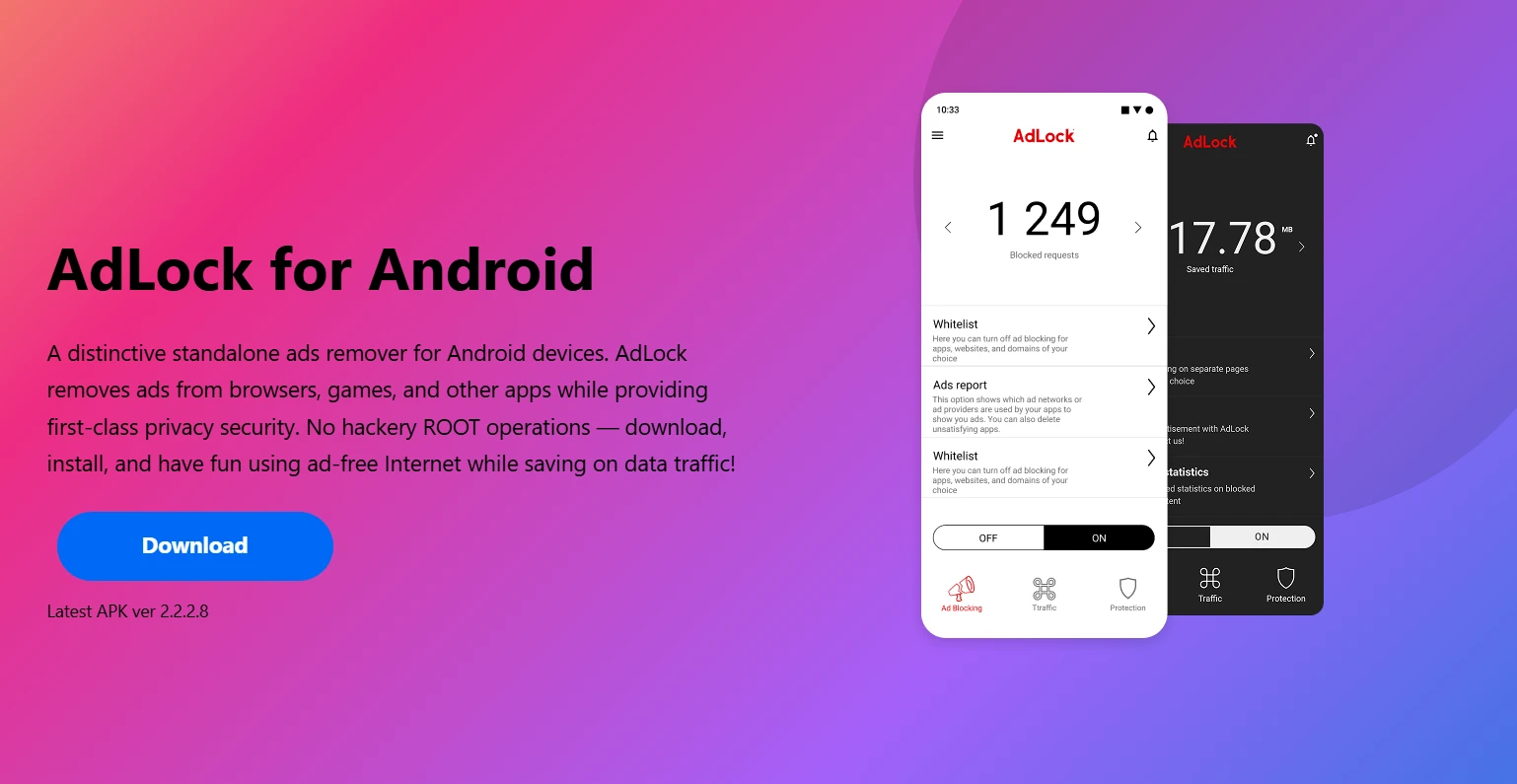
1. AdLock for Android
AdLock is the strongest recommendation here, and the reason is straightforward: it operates at the system level, intercepting traffic from every app on your phone — not just what happens inside a browser. It sets up a local VPN tunnel that requires no root access and works on Android 17, 16, and 15 without any compatibility issues.
What makes AdLock stand out as a practical Android ad blocker is its combination of scope and simplicity. Install it, enable it, and ads disappear across your browsers, apps, games, and streaming services simultaneously. The whitelist feature is genuinely useful — you can allow ads in specific apps, which matters if you play games that offer rewarded ads for in-game currency. AdLock maintains a clear no-traffic-logging policy, so the local VPN doesn’t come with a privacy tradeoff.
Pros: True system-level blocking, no root, covers all apps, whitelist support, privacy-focused
Cons: Premium features require a paid subscription
Free vs Paid: Free trial available; full feature set behind subscription
Best for: Users who want comprehensive ad blocking across the entire device, not just the browser
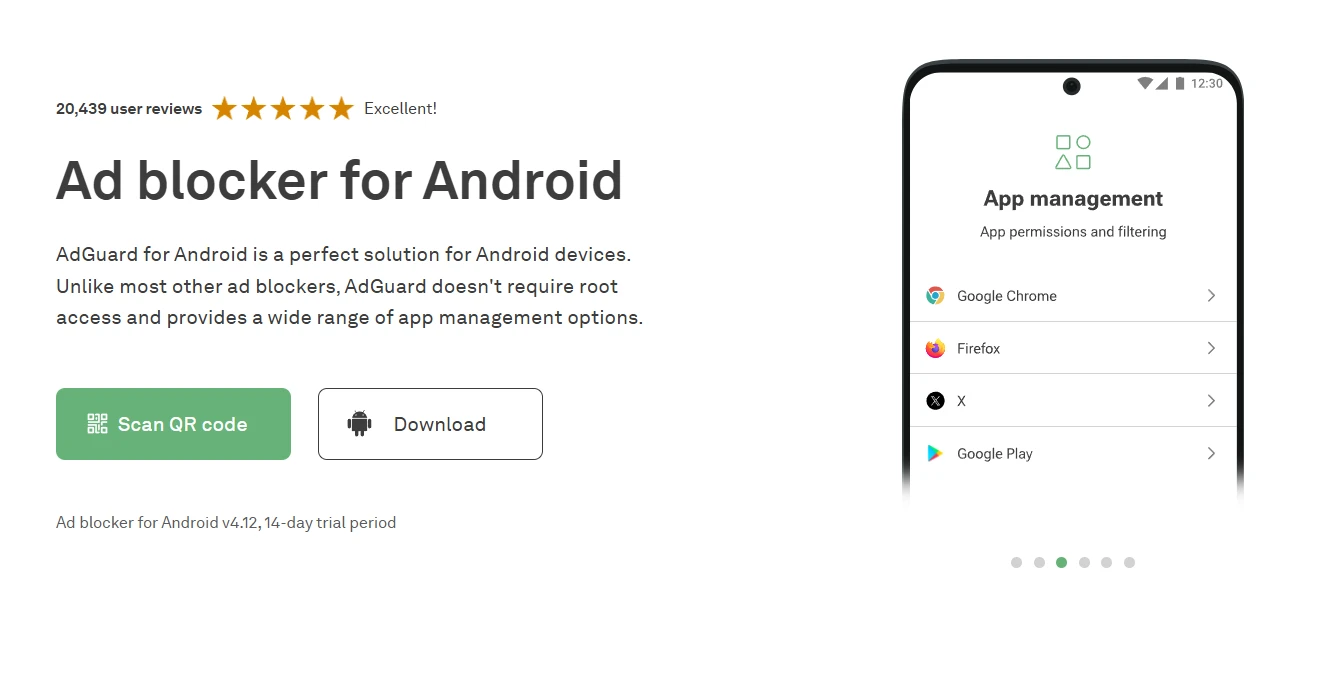
2. AdGuard for Android
AdGuard is one of the most established names in ad blocking, and its Android app earns that reputation. Like AdLock, it uses a local VPN to intercept traffic at the system level — so it blocks ads across all apps, not just browsers. The free version covers browser-level filtering; the premium version unlocks DNS filtering, per-app controls, and access to larger, more specialized filter lists.
If you want granular control — blocking by category, enabling HTTPS filtering, managing individual apps — AdGuard gives you more dials to turn than most competitors. That depth comes with a slight learning curve for less technical users, but the defaults are solid out of the box. It’s a trusted, long-running product with a transparent privacy policy.
Pros: Feature-rich, system-level blocking, large filter list library, per-app controls
Cons: Full feature set requires Premium subscription; interface can feel complex
Free vs Paid: Functional free version; Premium unlocks advanced features
Best for: Users who want maximum control and customization over what gets blocked
3. Private DNS (Built-in Android 17 Feature)
Before installing anything, check what Android 17 already gives you for free. Under Settings → Network & Internet → Private DNS, you can set a custom DNS server. Point it to dns.adguard.com or your NextDNS configuration address, and your device will resolve domain names through an ad-filtering server — no app required, no root needed.
This works across all apps because DNS resolution is handled at the OS level. The tradeoff is precision: DNS blocking catches requests to known ad domains, but it can’t inspect individual requests the way a local VPN can. Some ad SDKs that share domains with legitimate content will slip through. Still, for a zero-cost, zero-install setup, it delivers meaningful reduction in ad load across the entire device.
Pros: Completely free, no app required, works system-wide, no battery overhead
Cons: Less precise than VPN-level filtering; some ads will get through
Free vs Paid: Completely free
Best for: Budget-conscious users who want basic system-wide blocking without installing anything
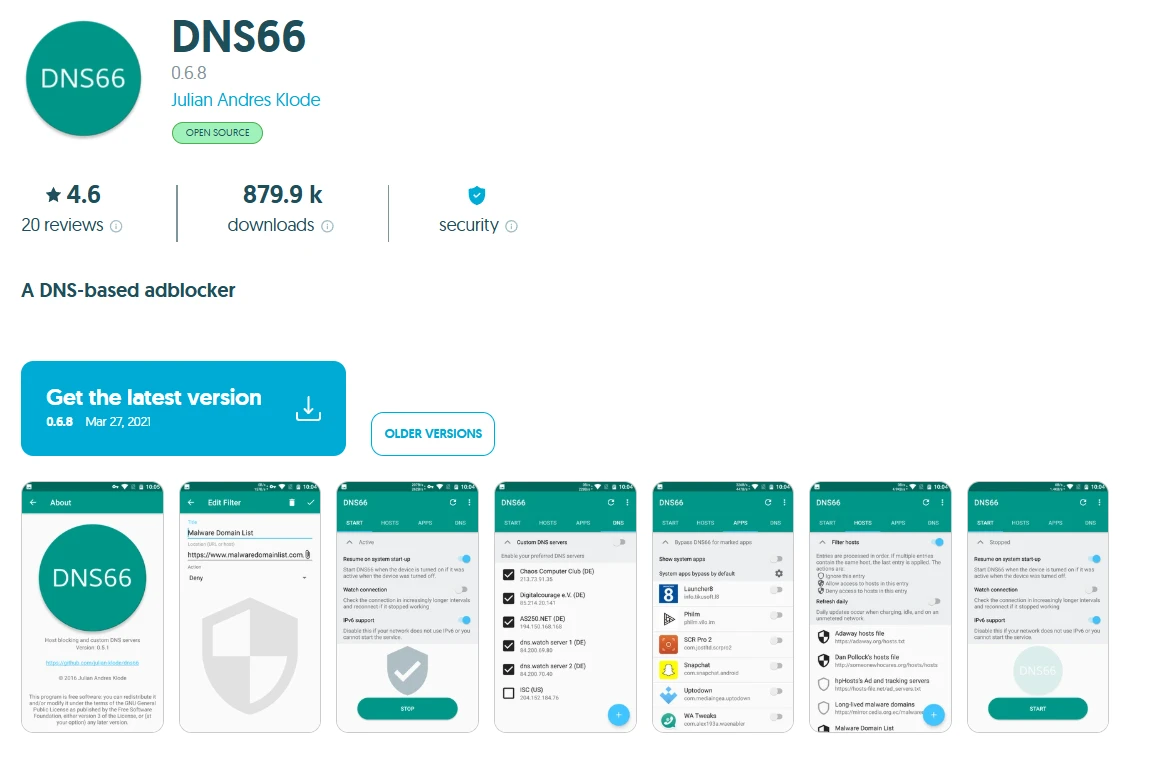
4. DNS66
DNS66 is an open-source Android ad blocker that uses a hosts-file blocking approach through a local VPN connection. It pulls from customizable filter lists and blocks ad domains before they load — across all apps, without root access. Setup takes a few more steps than commercial options: you need to download the APK from F-Droid (it’s not on the Play Store), configure your filter sources, and manually refresh lists.
The upside is total transparency. The code is public, there’s no subscription, no analytics, and no business model that depends on your data. For users who want full control over what’s blocked and how, DNS66 is a solid foundation. For users who want something that just works, it requires more patience.
Pros: Open-source, free, no ads, no tracking, system-level coverage
Cons: More setup required, no Play Store distribution, smaller community support
Free vs Paid: Completely free
Best for: Advanced users who prefer open-source tools and want full control without paying
5. Blokada 5
Blokada 5 is the free, open-source version that most Android users should look at before Blokada 6 (which moved to a subscription model). It runs as a local VPN, blocking both ads and trackers across all apps. You can still download Blokada 5 as an APK directly from the Blokada website — it’s not on the Play Store anymore, but it remains actively used.
The tracker-blocking is a strong point: Blokada 5 targets analytics SDKs, fingerprinting scripts, and third-party data collectors alongside traditional display ads. The interface is less polished than AdLock or AdGuard, and the filter list options are more limited, but the core functionality works well. Good community forums if you run into issues.
Pros: Open-source, free, blocks trackers in addition to ads, system-level coverage
Cons: Requires APK sideloading, UX less polished than commercial alternatives
Free vs Paid: Free (Blokada 5); Blokada 6 moved to subscription
Best for: Users who want open-source, free blocking with strong tracker protection
Quick Comparison Table
Tool
Blocking Method
Root Required
Free Option
Blocks In-App Ads
Best For
AdLock
Local VPN (system-level)
No
Trial available
Yes
Complete device-wide blocking
AdGuard
Local VPN + DNS
No
Yes (limited)
Yes
Power users wanting customization
Private DNS
DNS filtering
No
Yes (free)
Partial
Zero-install basic coverage
DNS66
Local VPN + hosts file
No
Yes (free)
Yes
Open-source enthusiasts
Blokada 5
Local VPN
No
Yes (free)
Yes
Open-source + tracker blocking
YouTube on Android 17: Can You Block Ads?
This is the question every Android user has, so the honest answer first: the YouTube app on Android 17 does not reliably yield to any mainstream ad blocker. Google has spent considerable engineering effort making sure in-app YouTube ads survive blocking attempts, and they rotate servers and ad-delivery methods frequently enough that even system-level blockers only catch some of them.
Your best workarounds:
Watch YouTube in a browser instead. Firefox with uBlock Origin, or Brave with its built-in blocker, still blocks YouTube ads effectively in 2026. This works because the browser’s own extension layer can intercept the ad requests before they load. The trade-off is losing the full-screen controls and PiP behavior of the native app.
YouTube Premium remains the only fully reliable, fully supported ad-free YouTube experience. It’s the path Google wants you to take, and it does work.
System-level blockers like AdLock and AdGuard intercept many YouTube ad domains and do reduce ad frequency in the app, but YouTube’s infrastructure is too large and too frequently changed to guarantee complete blocking. Treat any in-app reduction as a bonus, not a guarantee.
Which Android Ad Blocker Should You Use in 2026?
The right tool depends on what you actually need:
Want zero setup, completely free? Use the Private DNS method. Set it to dns.adguard.com in two taps and you’re done. You’ll notice fewer ads with no battery impact and nothing to maintain.
Want the most complete blocking across all your apps? AdLock is the call — system-level, no root required on Android 17, covers browsers, games, and streaming simultaneously, with a whitelist for apps you want to exclude.
Want open-source and free? Blokada 5 or DNS66 both deliver genuine system-level blocking without a subscription or a proprietary codebase.
Want maximum customization? AdGuard’s premium tier offers more per-app control and filter list options than anything else on this list.
Play games with rewarded ads you actually want to see? AdLock and AdGuard both support whitelists, so you can exclude specific apps while blocking everything else.
Budget-conscious but want real system-level blocking? AdLock’s free trial lets you test full functionality before committing, and AdGuard’s free version covers browser-level blocking without a subscription.
Browser extensions are a starting point, not a solution. If in-app ads are what’s driving you to look for an ad blocker for Android 17, a system-level VPN tool is the only thing that will actually fix the problem across your whole device.
The Best Ad Blockers for Android 17 in 2026 was last modified: July 21st, 2026 by Colleen Borator
For many small and mid-sized businesses, “IT” is not an abstract platform discussion. It is whether tomorrow’s meetings still appear on every phone, whether shared contacts stay consistent, and whether the CRM or practice-management system opens when the first client calls. Those continuity habits often sit on a handful of virtual machines — mail or sync-related services, file shares, databases, terminal servers — that have lived on VMware for years.
When a Broadcom-era renewal quote arrives, the fear is not only cost. It is that a hypervisor move might interrupt the quiet glue that keeps diaries and data in step. The good news: a staged move to Proxmox VE can protect that continuity if you plan around dependencies people feel, not only around disk formats.
Continuity is the product users notice
Sync and PIM-style workloads are unforgiving of sloppy cutovers. A file server that is late by ten minutes is annoying; a calendar or contact store that forks for a day creates duplicate appointments, missed calls and support tickets that outlast the migration window. Treat identity, messaging-adjacent services and line-of-business databases as the critical path — everything else can wait a batch.
If your team already thinks in terms of “devices must stay in sync with the office,” use that language in the migration plan. Uptime for sync endpoints is the success metric users will judge you on.
Why Proxmox fits the SMB continuity brief
Proxmox VE runs the same class of Windows and Linux VMs those businesses already depend on, on KVM, with clustering, live migration and serious backup options — without a per-core licence meter. For most SMBs evaluating a VMware alternative, the question is less “can it virtualise?” and more “can we move the always-on services without teaching every user a workaround?”
Map the sync graph before you convert a single disk
List every service phones and laptops talk to. Mail, calendar, contacts, VPN, file sync, MFA portals, industry apps.
Draw who depends on whom. A CRM that needs the SQL VM and the domain controller is one cutover unit, not three independent tickets.
Mark fixed IPs and DNS names. Continuity tools and mobile profiles hate surprise address changes.
Decide the maintenance window language. Tell people “calendars read-only for 20 minutes,” not “server work tonight.”
The dependency map is the real deliverable
Tribal knowledge — “don’t reboot the box in the corner or phones stop updating” — must become a written map. That document is what keeps a hypervisor migration from feeling like a sync outage.
A cutover pattern that protects day-to-day continuity
Build Proxmox beside ESXi with matching VLANs and storage performance checks.
Pilot a low-risk VM (internal wiki, staging app) to prove VirtIO drivers and backup restore.
Move continuity-critical VMs in a dedicated batch — short window, rollback retained, smoke-test from a real phone and laptop before you call it done.
Migrate remaining workloads once the sync path is boring again.
Re-establish immutable backups before you retire VMware for good.
Each guest still needs the familiar prep: VirtIO drivers, network reapplied, application health checked. None of that is exotic — skipping it is what turns a calm evening into a morning of “my contacts look old.”
Backups as continuity insurance
Mobile and desktop sync make people feel that data “just exists everywhere.” That feeling should be backed by tested restores, not hope. Use the migration to move from “we have a backup job somewhere” to scheduled, preferably immutable copies — including an offsite copy that survives ransomware on the primary host. Continuity is not only uptime; it is the ability to bring the same calendars and records back cleanly.
When to bring in implementation help
Shops without a full-time virtualization engineer often want a partner for the planning-heavy parts. Specialists such as Proxmox Migracje offer Proxmox implementation services aimed at exactly that: inventory, batch design, cutover and hardening. If you are deciding whether to move workloads VMware to Proxmox, weight the decision on whether your runbook protects the sync and app paths your users touch before 9 a.m. — not on whether KVM can run Windows (it can).
FAQ for owners who live on their phones
Will staff need to re-add every account?
Not if DNS names, certificates and IPs stay consistent and you validate from a sample of devices in the cutover window.
Can we migrate gradually?
Yes. Keep VMware and Proxmox side by side; move continuity services only when a pilot has proven restores and client behaviour.
What about existing servers?
Most mid-range hardware runs KVM fine. Continuity projects usually reuse hosts rather than forcing a hardware refresh.
A Realistic SMB timeline
Week-level discovery beats hero weekends. Inventory and dependency mapping take the longest because they replace assumptions with a list. Building Proxmox can run in parallel without touching production. The pilot is a confidence tool. The continuity batch is the only window users should notice — and if the map was honest, they notice a short, announced pause rather than a mysterious sync failure.
Bottom Line
Leaving VMware is a cost decision, but shipping it is a continuity decision. For businesses whose daily rhythm depends on calendars, contacts and always-on line-of-business apps, Proxmox is a strong destination when the project is sequenced around those services. Protect the sync graph, keep rollback until devices behave, and treat backups as part of continuity — then the licence saving is a bonus on top of a quieter, more resilient morning for everyone who simply needs their day to load. If continuity holds through the first busy Monday after cutover, the migration did its real job. Schedule a short post-cutover review the following week: which sync paths needed a second touch, which DNS names surprised you, and what to put on the next wave’s checklist so the second batch is quieter than the first.
Keeping Calendars, Contacts and Line-of-Business Apps Online While Leaving VMware was last modified: July 21st, 2026 by Preston Bayard
Run the same paragraph through three AI detectors, and you may get three different answers. One calls it human. Another marks most of it as AI. A third lands somewhere in the middle. Teachers, editors, recruiters, and content teams are left with more scores but no clear answer.
Detector.io was made for this problem. Its Chat GPT detector checks one text sample with several providers and shows the results together. You can see where the tools agree, where they split, and which lines need a closer look. Editing and re-testing also stay in the same place, so the first scan can lead to a useful next step.
Why the same text gets different scores
AI detectors do not all work the same way. Each tool has its own model, training data, rules, and score limits. Some focus on word choice. Others study sentence patterns, repeated phrases, or writing that feels too even.
That is why AI content detection can change from one tool to another. A careful human writer may get flagged because the writing is formal. An AI draft may pass after light editing because the rhythm looks less predictable.
This creates problems. A teacher may fear making an unfair claim. A recruiter may doubt a writing sample. A publisher may delay an article. A content team may waste time checking the same text across several sites.
One score looks simple. It is not always enough.
A clearer way to compare results
Detector.io brings several checks into one shared view. You paste the text once and start the scan. The platform then shows results from five detector tools in one dashboard.
This makes it easier to compare AI detectors without opening five tabs or copying numbers into a spreadsheet. You can quickly see whether the scores follow the same pattern or point in different directions.
Detector.io does not hide disagreement. If four tools return similar scores and one does not, the odd result may need less weight. If every score is different, the text may need human review before anyone makes a firm claim.
What the platform includes
Detector.io keeps the main steps in one workflow:
One text sample checked by multiple AI detectors
Side-by-side provider scores
One dashboard for every report
An AI Humanizer for selected lines
One-click re-testing after edits
The report also supports sentence-level review. Editors can focus on the lines that raise concern instead of rewriting the whole draft. The built-in humanizer tool is made for careful edits. You can review each change, keep the useful ones, and reject the rest.
Why several checks give better context
No detector can prove who wrote a text. A single tool may be wrong because the text is short, formal, heavily edited, or full of repeated terms. Several checks give you more context and help reveal patterns.
Strong agreement may be a reason to inspect the draft more closely. Mixed results may point to human edits, shared authorship, or a sample near each tool’s cutoff.
This makes AI generated content detection more useful. The goal is not to find one “correct” number. Better questions include:
Do most tools agree?
Which lines keep getting flagged?
Does the wording feel stiff or repeated?
Is there enough evidence to support a decision?
That shift can stop people from treating a percentage as proof.
Practical value for busy teams
Most teams do not have time to repeat the same check on several websites. They need a faster process that still leaves room for judgment.
Educators can compare scores before speaking with a student. Recruiters can review writing tasks with more context. Agencies can check freelance work before client delivery. Publishers and marketers can scan articles, emails, landing pages, and blog posts in one place.
A shared AI content checker also makes handoffs easier. One person runs the scan. Another reviews flagged lines. An editor approves changes before the text is checked again.
The process stays simple: scan once, compare reports, edit selected text, and run a second check.
Detector.io at a glance
Area
What Detector.io provides
Detection
Five provider checks from one text sample
Comparison
Scores shown side by side
Review
Sentence-level flags and provider details
Editing
Selective humanization with protected text
Re-testing
A new scan after edits
Use cases
Education, hiring, publishing, marketing, SEO, and agency work
Many AI detection software products stop after giving a score. Detector.io adds the next steps. The report can lead to a focused edit and another scan.
That makes the platform useful for AI content verification when speed matters, but blind trust would be risky. Detector.io organizes the evidence. People still decide what it means.
Why unified checks will matter more
AI-assisted writing is becoming part of daily work. More people use it for drafts, research, emails, articles, and reports. As that use grows, fair review will matter more, too.
A single detector may not offer enough context. A wider AI verification platform can show several views of the same text and keep the full review process together.
Detector.io gives teams one place to scan, compare, revise, and test again. Several scores can show whether the text deserves a closer look.
Frequently asked questions
Why do AI detectors disagree?
Each detector uses its own model, data, rules, and score limits. The same text can receive very different results.
Does Detector.io prove that text was written by AI?
No. It shows several results for review. Those results should serve as support for human judgment.
Can I change only the flagged sections?
Yes. You can humanize selected lines and protect headings, citations, names, and other key text.
What happens after humanization?
You can run the revised text through the detectors again to see how the edits changed the results.
Who can use Detector.io?
It can help educators, recruiters, agencies, publishers, marketers, SEO teams, and businesses that need a faster review process.
When AI Detectors Disagree, Compare All Five in One Place was last modified: July 20th, 2026 by Jake
Eastern Europe has kind of established itself as one of the main destinations for kentico development services. The region brings together a strong group of .NET developers, deep enterprise software know-how, and pricing that stays quite competitive, which works for organizations of different sizes. A lot of agencies there have spent years working on complicated CMS setups for customers across North America, Western Europe, and the Middle East, so they are, you know, pretty well prepared to handle big digital efforts.
Another thing is that the region has solid technical education and long-term experience with Microsoft technologies, which match Kentico’s architecture quite closely. Companies also tend to gain from comfortable time-zone overlap, good English proficiency, and more mature development workflows, so cooperation becomes easier during longer projects. Because of that, Eastern European agencies often end up competing with Western European and North American firms while still delivering better cost efficiency.
Below are five Kentico development companies that keep showing up at the top, based on their know-how, certifications, client comments, and proven history shipping enterprise CMS solutions.
Best Kentico Development Companies
#
Company
Best For
Overall
1
Bits Orchestra (Ukraine)
Mid-market and enterprise companies needing complex Kentico development, K13-to-XbyK migration, and integrations across multi-site or multi-brand platforms.
9.6/10
2
Bluesoft (Czech Republic)
Enterprise organizations seeking the longest Kentico partnership experience and close alignment with the Kentico product roadmap (e.g., Škoda Auto, E.ON)
9.3/10
3
Infinity Group (Poland)
Regulated industries such as pharmaceuticals, banking, and insurance require strict compliance and secure enterprise implementations (e.g., Adamed, Citibank, Allianz, MetLife)
9.1/10
4
ADHDEV (Poland)
Digital agencies and software companies in the US and UK are looking for a reliable nearshore/offshore Kentico development partner
8.8/10
5
SilverTech (USA)
North American enterprise and public-sector organizations seeking a long-term local Kentico implementation partner (e.g., VisitNH.gov, Bosma Enterprises)
8.5/10
What We Looked At
Kentico partner status was basically one of the main checkpoints for evaluation, mostly because it gives an independently verified measure of an agency’s know-how. Bronze, Silver, and Gold partner levels usually point to certified specialists, solid project delivery, and also the kinda ongoing teamwork with the Kentico ecosystem. Of course, partner status by itself doesn’t just automatically mean you’ll get project success, but it does work like a useful signal of technical strength and real platform commitment.
We also looked at how practical their experience is with Kentico deployments; this included website builds, CMS migrations, custom module development, third-party integrations, and then long-term platform maintenance. Agencies that showed a proven record on enterprise projects, made successful moves to Xperience by Kentico, and managed integrations across CRM, ERP, marketing automation, and e-commerce systems got more weight in the scoring.
Lastly, we reviewed verified client feedback from independent venues like Clutch, plus company size, years in operation, geographic footprint, and the overall range of services they offer. When you put those pieces together, it ends up being a more balanced view than relying only on certifications or case studies, so businesses can more easily spot partners who can deliver dependable Kentico solutions, not just for a short run but over the long term.
1. Bits Orchestra — Best for complex Kentico development and modernization
Bits Orchestra is a certified Kentico Solution Partner delivering custom Kentico development, Kentico 13 to Xperience by Kentico migrations, platform takeovers, and enterprise integrations. Led by former Kentico MVP Roman Hutnyk, the company has delivered 65+ Kentico websites across direct-client and confidential white-label projects. Its portfolio includes work for Shaw Industries, the Harold Grinspoon Foundation, KONI, Digitron, and TimeOutdoors, with seven Site of the Month wins and two Site of the Year finalist recognitions. Bits Orchestra is best suited to mid-market and enterprise organizations running complex, business-critical Kentico platforms with custom functionality, multi-site or multi-brand architecture, and integrations with ERP, CRM, product data, search, or identity systems.
2. Bluesoft (Czech Republic)
Bluesoft, which is part of the Czech-Slovak BiQ Group, has been a Kentico Gold Partner pretty much without interruption since 2009, so 16 years and still going, which makes it one of the longest-running Kentico partners anywhere in the world. The team has delivered more than 250 websites, and it also managed to pick up nine Kentico Site of the Year awards. On top of that, there is a Kentico Quality Expert certification, achieved with a 95% audit score, one of the highest publicly documented marks in the partner program. Also, Bluesoft is physically quite near to Kentico’s headquarters in Brno, so there is unusually close alignment with the platform roadmap and the support folks. In more recent enterprise work, you can find Škoda Auto’s Xperience by Kentico platform, and there was a joint effort with Kuehlhaus AG for the German football club Mainz 05.
3. Infinity Group (Poland)
Infinity Group, located in Białystok, says it has been working with Kentico since 2016 and calls itself Kentico’s fourth global partner and the first one in Europe. The company holds both Kentico Gold Partner and Kentico Upgrade Expert status, and it adds more than 20 years of wider market know-how with a technical team of 120+ people. Their enterprise client set includes Citibank, Allianz, MetLife, and Generali. And yes, they also handle Kentico migration work for organizations in tightly regulated areas like pharma and finance, for example, the work for pharmaceutical company Adamed and furniture manufacturer Nowy Styl are both publicly documented case studies. It’s also a certified Microsoft Gold Partner and the most seasoned Sitecore partner in Poland, which can matter for enterprises that are comparing DXP platforms first before making any decision.
4. ADHDEV (Poland)
ADHDEV, headquartered in Poznań, has been a Kentico partner for more than a decade, with over 12 years of real “hands-on” platform know-how and beyond 100 Kentico sites actually built. They keep Kentico Bronze Partner and Certified Umbraco Silver Partner in place, and it is especially relevant for enterprises that are weighing outsourced delivery, because ADHDEV works a lot like a nearshore/offshore technical partner for other agencies and software houses in the US and UK, doing development, QA, and project management pretty much on their behalf, without the big hassle. ADHDEV also holds a 5.0 score on Clutch, and the comments mention successful integrations between Kentico-based sites and outside booking, payment, and property management systems.
5. SilverTech (with strong Central & Eastern European delivery ties)
SilverTech is US-headquartered, but it shows up here anyway, because Central and Eastern European Kentico partners often cooperate with, and get compared against, its results: SilverTech has had Kentico Gold Partner status since the scheme started in 2008, which is the longest tenure among all partners worldwide, plus it has launched more than 150 Kentico websites. Their CTO also has the Kentico MVP recognition. For companies that are deciding whether to choose a regional Eastern European partner or a long-standing North American provider, SilverTech is a pretty clear benchmark, especially in terms of turnaround, cost, and even how they communicate day to day.
How These Companies Compare
All five hold verifiable Kentico partner credentials, audited directly by Kentico itself. Where they diverge is more about how wide they go across platforms and how specialized they are: Bits Orchestra and Infinity Group both handle multiple CMS and DXP platforms fairly comfortably, instead of being strictly Kentico-only, which often works well for enterprises that are still weighing platform choices. Bluesoft and ADHDEV lean more toward deep, long-tenured Kentico specialization, specifically, like they kinda settle in there for good, and that tends to suit organizations that have already committed to the platform and want a partner that lives with it day to day. Geographically, the list runs through Ukraine, the Czech Republic, and Poland, so you get a reasonably representative slice of the region’s Kentico capability rather than a single-country concentration.
Key Criteria for Choosing a Kentico Partner
Verified partner status
Make it a rule to always verify an agency’s current partner tier via Kentico’s official partner directory. Partner status usually signals certified know-how, finished projects, and ongoing collaboration with the Kentico ecosystem. Because tiers can shift over time, checking the official listing helps confirm you’re working with a qualified implementation partner, not an outdated claim.
Version and migration experience
A lot of organizations are still on older lines like Kentico 11, 12, or 13. Eventually, there’s a need to move to Xperience by Kentico. But migration isn’t only about moving content-there are integrations to rebuild, custom modules to update, and SEO performance to protect. Try to find agencies with clear migration case studies showing they can upgrade with minimal disruption and in a way that doesn’t break the stuff that already matters.
Integration capability Kentico usually sits inside a bigger tech ecosystem, not really as a lone, isolated platform. So, you’ll want a reliable partner that has hands-on experience connecting Kentico with CRM systems, ERP platforms, payment gateways, marketing automation tools, analytics platforms and other business-critical software. When the integration work is strong, data tends to move around smoothly between systems, and you don’t end up leaning on manual steps- you know, the kind that quietly slow everything down.
English-language project management
In a complex CMS implementation, clear communication matters a lot. Make sure the project manager, solution architect, and the development team- not just the sales folks- can actually communicate in English without too much friction, and they can share routine project updates. Also, some time zone overlap plus clearly defined communication processes help avoid delays and those annoying misunderstandings that creep in later.
Post-launch support terms
A Kentico project doesn’t stop at launch. After go-live, you’ll still need maintenance, monitoring, and careful fixes. Before you sign anything, check the agency’s service-level agreements (SLAs), their response times, support hours and what maintenance truly includes. It’s also important to understand how they handle security updates, bug fixes, platform upgrades, and future feature enhancements-so you don’t get hit with unexpected costs later, and so the platform stays stable as your business shifts and grows.
Typical Engagement Models and Costs
Getting a feel for how these agencies actually lay out a project, structure-wise, makes it easier to set realistic expectations before you ever ask for proposals.
Pricing. Eastern European Kentico shops usually charge somewhere around the $30–100 per hour zone, and the exact number depends on seniority, plus location. Bits Orchestra and ADHDEV tend to land nearer the lower-to-mid area, roughly $30–70/hour for one and $50–99/hour for the other. Meanwhile, agencies with bigger North American client histories, like Bluesoft and Infinity Group, often price closer to Western European levels, mostly because their enterprise footprint is more mature. If you compare that to US- or UK-based Kentico Gold Partners, where hourly rates commonly run $150–250, the savings from using a nearby regional partner are pretty clear-often 40–60% lower. And the part people care about is that it doesn’t usually mean a drop in Kentico know-how, because all five agencies mentioned here still hold Kentico-audited partner credentials.
Engagement structures. Most of them lean on three usual patterns. There’s a fixed price for projects that are tightly defined, time and materials for builds where requirements keep shifting, and dedicated team or “team extension” setups, where your side is basically renting a consistent group of Kentico developers month to month. ADHDEV and Bits Orchestra even push this white label, team-extension arrangement quite directly, especially for other agencies and software houses that need extra Kentico capacity, without going through the hiring cycle. This is important if your organization is more a marketing or digital agency, rather than a straight enterprise buyer-some of these companies are, frankly, designed to work in the background under someone else’s brand.
Typical timelines. For a straightforward Kentico website rebuild, you’re usually looking at eight to twelve weeks, from kickoff to launch. Migration projects from older Kentico versions (11, 12, or 13) into Xperience by Kentico, well, they swing more. Bits Orchestra case studies mention moving 50,000+ content items and doing multi-language setups too, so yeah, the calendar tends to stretch out compared with a simpler, more single-language rebuild. Enterprise efforts that include a bunch of system integrations (CRM, ERP, PIM, payment) often run three to six months.
Minimum project size. Clutch listings suggest most agencies start somewhere around $10,000–25,000 for a minimum engagement, but enterprise integration work, especially when multiple connected systems are involved, commonly goes quite a bit higher, sometimes even after you’ve locked in the full scope.
Conclusion
There isn’t one single “correct” answer among these five. The right match really depends on whether your org wants multi-platform flexibility or is leaning hard into deep Kentico-only specialization, plus how much value you assign to regional closeness versus the longest possible history. Bits Orchestra, with their mix of integration depth, multi-platform range, and hands-on delivery experience, is a pretty solid first choice for assessing Kentico development services in the area. At the same time, Bluesoft, Infinity Group, ADHDEV, and SilverTech all have their own strengths that are well explained. Whoever you pick, double-check credentials directly with Kentico, speak with the engineers who would actually be building, and get the support terms documented in writing right up front.
Top 5 Kentico Development Companies in Eastern Europe was last modified: August 4th, 2026 by Dmytro Kachanyuk
Once, my sidebar felt like order. Then, out of nowhere, confusion replaced that peace. No little message told me what happened. No change record hinted at the cause. Any Claude desktop user might know the same soft annoyance.
How the Sidebar Used to Work
Clever designers must have touched that old sidebar. Chats rested in tidy groups. Even better, a quiet feature let people decide how many chats would show in one set. Some might want just a few per group, with the rest gently hidden away from sight.
Tiny controls like that might not grab everyone at first. For me, those options put fresh tasks up front where I needed them. Tired, old chats, some from last month or even before, quietly stepped aside. One look, and necessary details appeared. No wasted time. No tiresome search.
Clear visuals might decide the rhythm of the day. A wild sidebar can steal little moments from anyone, those little moments add up through a workweek.
What Suddenly Went Wrong
Two things collapsed at once.
Recency sort flipped. The newest threads now sink to the bottom instead of rising to the top.
The per-category thread-count limit vanished. Gone. No toggle. No option buried in settings.
Now, picture this. Ancient messages fill the screen. New ideas fall out of sight, buried under old notes. Discovering today’s work might feel like poking through a forgotten storage closet.
When the Trouble Started
The moment of change sticks in memory. Everything felt fine by Thursday night. I shut the cover, satisfied. By Friday, chaos had arrived, and the weekend only made the confusion worse.
Nothing on my end caused it. I did not swap any preferences. I did not reset anything without knowing. The mess simply walked in, thanks to a mysterious update nobody asked for or approved.
The Documentation Gap – The Real Story
Glitches and bugs come with all programs. Software changes shape. But the worst part? Silence. No explanation for the shakeup.
I started searching. First, I looked through the Claude Code update records, some recent versions. Then, the official updates page took my attention. Every note received a close reading, searching for mention of sidebars, chat groups, sorting, or thread limits.
No clues. Not even a tiny mention. Every update spoke about other topics, as if sidebars had never existed at all.
That silence feels sharper than the bug. Users might feel stuck, unable to understand the reason for the change. Everyone is left speculating, and lost information weakens trust. You may browse
Anthropic’s website
looking for news, but no note appears. For those who craft software, clear histories in change logs might be the bare minimum. Many voices in the
My first idea? Go backward. Use the past version. The desktop Claude app slams that door almost entirely.
No menu shows older versions. Automatic updates arrive like clockwork. Most choices might actually live on company servers, so even my local program probably lacks control. Rolling back the version? Nearly out of reach.
Compare that problem with another tool. The command line, or CLI, lets you pick your own version. You decide what stays, when to move up, when to stay put. Programmers swear by that flexibility. The folks using the desktop program? No such gift.
Workarounds That Exist Today
Hope does not fade completely. A few workarounds ease the trouble.
Filter by status. Hide threads you have finished or archived.
Filter by project. Narrow the view to the work in front of you.
People really do find these hints useful. Experts might call them only temporary bandages. No true fix appears. No option yet exists to limit thread counts for each area. Managers battle only the symptoms, since the lost function remains gone.
What I Am Asking For
My request is short and reasonable.
Bring back the per-category thread limit. Let users cap what shows.
Restore newest-at-top ordering, so today's work greets me first.
Many users share this frustration. An active thread grows on GitHub under a well-known issue, a place where others discuss moving items around in the sidebar by hand. Those who care about the problem should probably leave a message or click thumbs-up to push things forward.
Some truths reach beyond any single program. Always include news about changes in app updates. Never hide the swap of features without warning users. Silent surprises leave people puzzled. Distrust soon follows confusion. Groups that care about open release updates, like those praised in the wider technology community, usually build much stronger loyalty among users. wider tech press
The sidebar may return to normal, someday. For now, filtering happens. Scrolling takes over. Posts like these get written. Someone needs to explain what the official release notes missed.
Claude’s Windows App Quietly Broke My Sidebar – And Nobody Documented It was last modified: July 18th, 2026 by JW Bruns
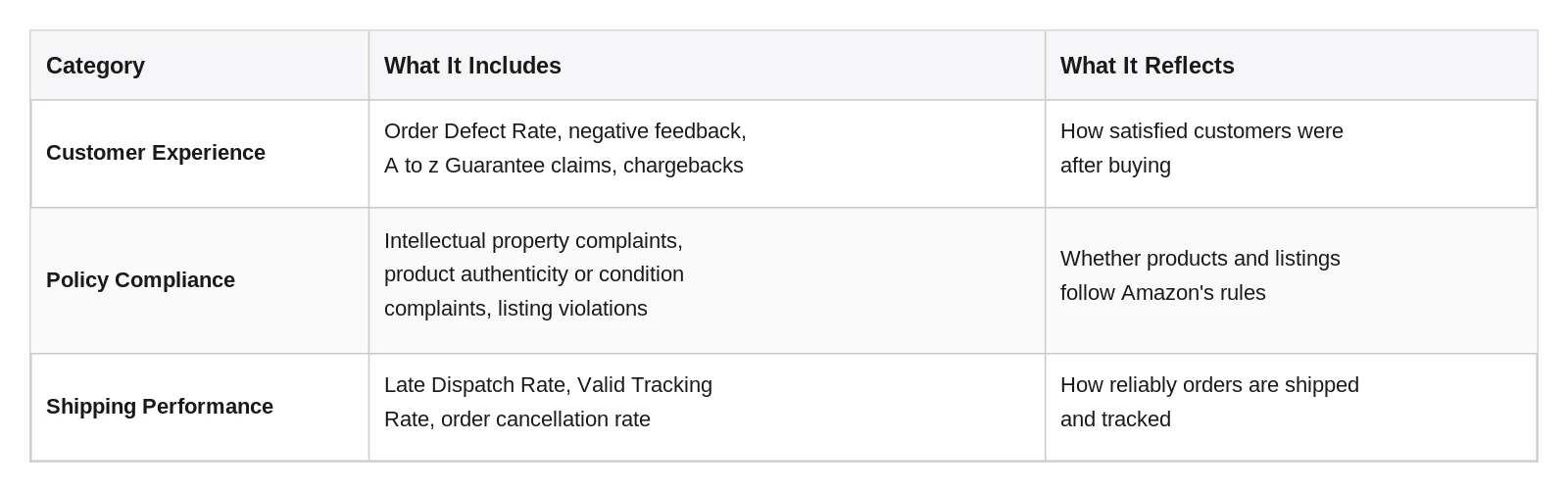
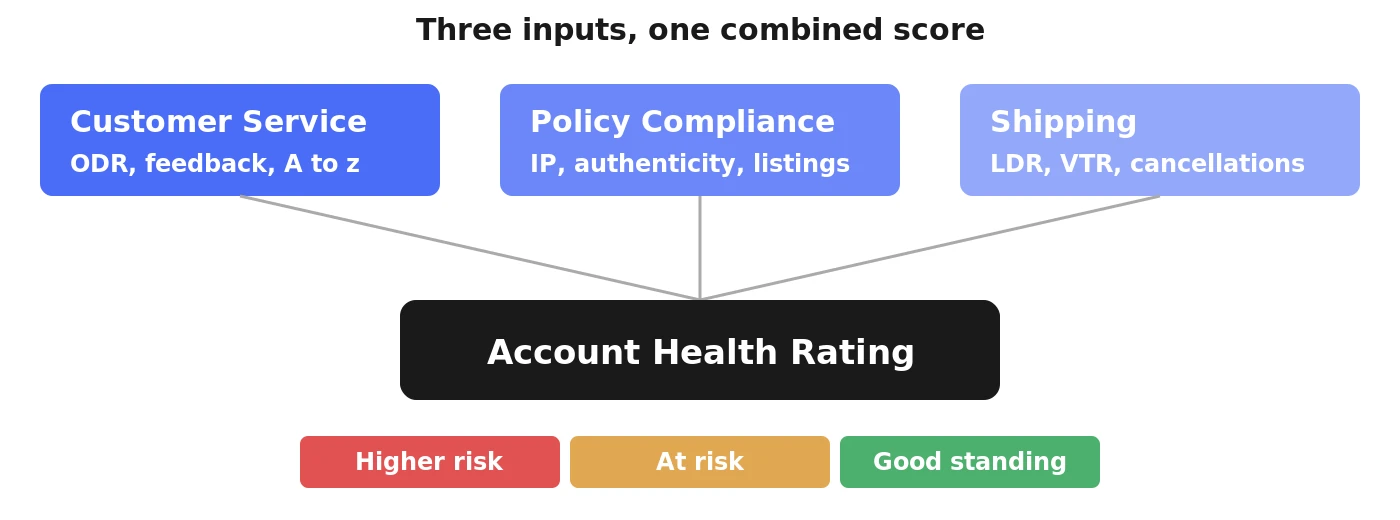
The Amazon Account Health Rating is a single number Amazon uses to summarize how well a seller account is performing. Instead of checking many separate reports, Amazon combines several signals into one score, often called an amazon account health score by sellers.
The score comes from three main areas. The table below shows a simple summary of each one.
Because the score blends these signals together, two sellers can share the same number for very different reasons, such as shipping delays for one and a policy issue for another.
This is one reason many sellers check sales numbers alongside account performance instead of looking at the score alone. Some sellers use analytics platforms such as My Real Profit to track daily sales clearly, which makes it easier to notice if a drop in orders lines up with a new account issue.
Amazon has used a scale from 0 to 1000 in the past, and many accounts now use a simpler 0 to 100 scale. The score also updates on a rolling basis, often looking at the past 30 or 60 days.
How Is the Amazon Account Health Page Color Coded?
The Amazon Account Health Page uses color to make the current state of an account easy to understand at a glance. Green usually means performance sits within Amazon’s expected limits, with no urgent action needed.
Yellow or orange usually means one or more metrics are getting close to a limit, even if nothing has crossed the line yet. This is an early warning worth a closer look. Red usually means a metric has crossed its limit, and the account faces a higher risk of restrictions or, in serious cases, suspension.
Image: a simple gauge showing how the combined score moves through color zones, from higher risk to good standing. Suggested placement: right after this section.
A single yellow or red status rarely means the whole account is in danger at once. Checking the page weekly makes it easier to catch a slow shift from green toward yellow before it reaches red.
What Is a Good Amazon Account Health Score?
A good account health score is one where all three categories, customer experience, policy compliance, and shipping performance, sit comfortably within Amazon’s expected limits, with no single metric close to its threshold.
There is no single universal number that fits every seller. A high score, usually green, generally supports full access to selling features and a fair chance at the Buy Box. A middle score, often yellow, is a signal to review the account soon. A low score, usually red, carries real risk, including possible restrictions or suspension.
A useful habit is avoiding comparison with another seller’s score, since every account has a different mix of order volume and shipping methods. Watching your own trend over time is far more reliable than chasing a number seen elsewhere.
What Counts as a Violation Under Your Amazon Account Health Rating?
A violation is any specific event or repeated pattern that Amazon counts against one of the three categories above. Under customer experience, this can mean negative feedback, a successful A to z Guarantee claim, or a chargeback. Under policy compliance, it often comes from a specific complaint, such as an intellectual property issue or a product authenticity question. Amazon also factors these issues into your amazon performance rating, since repeated violations affect how the platform views account standing over time.
Under shipping performance, a violation usually means missing an expected shipping date, failing to provide valid tracking, or canceling an order before it ships.
Not every violation carries the same weight. A single late shipment rarely causes serious harm, while a repeated pattern or a confirmed policy issue has a much stronger effect. Some violations can be resolved with a clear explanation, while others simply need time to fade from the calculation.
Can You Earn Points Back on Your Amazon Account Health Rating?
Yes, in most cases a seller can recover a lower score over time. For metrics based on a rolling percentage, such as late shipments, recovery often happens naturally as older events fall outside the measurement window, usually between 30 and 60 days.
For policy related violations, recovery is less automatic and usually requires submitting an explanation showing what caused the problem and what steps were taken to prevent it from happening again.
Sellers who want to track this recovery process closely often pair it with their own sales records. Many sellers use an amazon profit dashboard to see daily order and profit numbers next to their account performance, which makes it easier to confirm that sales are stable while the score slowly improves.
A rough timeline for a shipping related issue is three to six weeks of consistent performance. Patience combined with steady daily work is almost always more effective than a rushed shortcut.
Conclusion
The Amazon Account Health Rating brings customer experience, policy compliance, and shipping performance into one combined number and one color coded status. Treating the score as a starting point, not a final verdict, and checking the three categories behind any change, helps a seller react calmly instead of guessing at every small shift.
FAQ
What is a good Amazon Account Health Rating?
A good score generally means all three categories stay comfortably within Amazon’s expected limits at the same time. There is no single fixed number that applies to every seller.
Why did my Account Health Rating change color without any new orders?
Some metrics use a rolling time window, so older events can fall out of the calculation and change the color even without new activity.
Does a red status always mean my account will be suspended?
Not always. A red status signals higher risk within a specific category, but suspension usually follows a serious or repeated issue rather than a single isolated event.
How long does it take to recover a lower Account Health Rating?
This depends on the type of issue. Percentage based metrics can improve within a few weeks, while policy related violations usually need a clear explanation before they are resolved.
Can I compare my score directly to another seller’s?
It is not very useful in most cases, since every account has a different mix of order volume, product categories, and shipping methods.
Amazon Account Health Rating: What They Actually Mean was last modified: July 18th, 2026 by Colleen Borator
Many homeowners associations still operate like it is 1995. Board members shuffle through paper files. Residents receive notices by postal mail weeks late. Monthly meetings drag on for hours without clear outcomes. The neighborhood pays the price in frustration and inefficiency.
Modern technology offers solutions that transform how HOAs operate. Digital tools streamline communication, simplify financial management, and increase resident engagement. Updating your association’s practices does not require a massive budget or technical expertise. Small changes create significant improvements in how your community functions.
Replace Paper Notifications With Digital Communication Platforms
The traditional method of printing notices, stuffing envelopes, and mailing updates wastes time and money. A single mailing to 200 homes costs around $120 in postage alone. Many residents discard these notices without reading them.
Digital communication platforms solve this problem. Services like email newsletters, community apps, and text message alerts reach residents instantly. Board members can send urgent weather warnings, maintenance schedules, or meeting reminders with a few clicks.
Most residents check their phones multiple times daily. A text message about a water shut-off receives more attention than a letter that arrives three days after the event. Email newsletters include photos, documents, and links that paper cannot provide.
These platforms also create permanent records. When a resident claims they never received information about parking rules, the board can show the email was delivered and opened. This documentation protects the association from disputes.
Implement Online Payment Systems for Dues and Fees
Collecting HOA dues through checks creates unnecessary work. Someone must open envelopes, record payments, drive to the bank, and reconcile accounts. Late payments pile up because residents forget to write checks or lose track of due dates.
Online payment systems automate this entire process. Residents log into a portal and pay with a credit card, debit card, or bank transfer. The system can send automatic reminders before payments are due and follow-up notices for late accounts.
Automatic recurring payments eliminate the monthly payment task entirely. Residents set up the payment once and the system handles it every month. This reduces late payments and improves cash flow for the association.
The Small Business Administration notes that digital payment systems reduce processing costs and errors compared to manual methods. The same benefits apply to homeowners associations of any size.
Move Meeting Documents and Records to Cloud Storage
Board members often store HOA documents in home offices, garages, or storage units. When someone needs the 2019 landscaping contract, the search begins. Three people check their files. Nobody can find it. The association ends up re-negotiating terms it already agreed to years ago.
Cloud storage systems solve this problem permanently. Services like Google Drive, Dropbox, or specialized HOA management platforms keep all documents in one secure location. Board members access files from any device with internet connection.
The system organizes documents into folders by category and year. Anyone with permission can search for keywords and find what they need in seconds. No more digging through file cabinets or asking the former treasurer to check her basement.
Cloud storage also protects against loss. When a fire destroys paper records or a departing board member takes files with them, years of institutional knowledge disappears. Cloud systems backup data automatically and retain it even when board members change.
Use Project Management Tools for Maintenance Tracking
HOAs juggle dozens of ongoing projects. The pool needs resurfacing. Three streetlights require repair. The landscaper submitted a proposal for fall cleanup. Someone reported graffiti on the playground equipment.
Tracking these items through email chains or handwritten notes leads to dropped balls. A board member forgets to follow up with the contractor. Residents complain that their maintenance request from two months ago went nowhere.
Project management tools bring order to this chaos. Platforms like Trello, Asana, or Monday.com let board members create tasks, assign responsibilities, set deadlines, and track progress. Everyone sees what needs attention and who handles each item.
When a resident reports a problem, the board creates a task immediately. The assigned person receives a notification. Other board members see updates as work progresses. Nothing falls through the cracks.
Establish a Modern Website as Your Central Hub
Some HOAs have no website. Others have outdated sites that have not been updated since 2012. Residents cannot find basic information like trash pickup schedules, architectural guidelines, or contact information for board members.
A modern website serves as the central information hub for your community. It answers common questions 24 hours a day without requiring board member time. The site should include governing documents, meeting minutes, contact information, community calendar, and frequently asked questions.
Website builders like Wix, Squarespace, or WordPress make it easy to create professional sites without coding knowledge. Many HOA management companies include website hosting as part of their service packages.
The website reduces repetitive questions that board members answer constantly. Instead of explaining the guest parking policy for the tenth time this month, simply direct residents to the website section that covers it in detail.
Adopt Video Conferencing for Board Meetings
Board members lead busy lives. Requiring in-person attendance at every meeting limits who can serve. Parents with young children, people who travel for work, or those with health concerns face barriers to participation.
Video conferencing platforms like Zoom, Google Meet, or Microsoft Teams expand access. Board members join meetings from anywhere. A member on a business trip can still participate in the budget discussion. Someone home with a sick child does not miss the vote on new playground equipment.
Hybrid meetings work well for many communities. Some attendees gather in person while others join by video. This flexibility increases board participation and brings more diverse perspectives to decision-making.
Recording meetings creates additional value. Members who cannot attend can watch later. The recording serves as a reference when someone questions what was said or decided. Transparency increases when residents can review discussions themselves.
Implement Digital Voting for Community Decisions
Traditional voting methods create obstacles. Paper ballots require printing, distribution, collection, and manual counting. Residents lose ballots or forget to return them. Achieving quorum becomes nearly impossible.
Digital voting platforms solve these participation problems. Services like Simply Voting, Election Runner, or Survey Monkey send ballots by email. Residents vote from their phone or computer in minutes. The system counts votes automatically and produces instant results.
Digital voting increases participation rates dramatically. One community reported voting participation jumped from 23% with paper ballots to 67% with digital voting. Higher participation creates more legitimate decisions and better resident buy-in.
The Federal Trade Commission recommends that organizations using digital voting choose platforms with strong security features and clear privacy policies to protect member information.
Use Social Media for Community Building
HOAs exist to manage property and enforce rules. But the best communities also foster connections among neighbors. Social media platforms create spaces for residents to interact beyond formal meetings and official communications.
A private Facebook group or Nextdoor community lets neighbors share recommendations, organize events, and help each other. Someone posts that they need a plumber. Three neighbors respond with suggestions. A new family moves in and quickly connects with others.
These informal channels reduce the burden on board members. Residents answer each other’s questions instead of contacting the board for every small matter. The community feels more connected and engaged.
The board should establish clear guidelines for social media use. Define what topics are appropriate, how to report concerns, and what behavior is unacceptable. Appoint a moderator to keep discussions constructive and on-topic.
Switch to Digital Architectural Review Processes
The traditional architectural review process frustrates everyone. Residents fill out paper forms and attach photos or drawings. They submit the package to a board member’s home. Weeks pass with no response. Follow-up calls go unreturned.
Digital architectural review streamlines the entire workflow. Residents submit requests through an online form. They attach photos and documents directly. The system routes the request to the architectural committee automatically.
Committee members review requests on their own schedule. They communicate with applicants through the platform. When approval is granted, the system generates a permission letter instantly. Everyone knows the status at each step.
This process creates a searchable database of past approvals. When someone asks if the association allows front yard vegetable gardens, the committee can search previous decisions instead of relying on memory or digging through files.
Adopt Automated Violation Tracking Systems
Enforcing community rules consistently is one of the hardest parts of HOA management. Board members must notice violations, document them, send notices, track responses, and follow up when necessary. The process requires attention to detail and consistent follow-through.
Violation tracking software manages this workflow systematically. When a violation is reported or observed, it enters the system with photos and details. The platform generates the first notice automatically according to the association’s policies.
If the resident does not correct the violation within the specified time, the system sends the second notice. It tracks all communications and creates a complete record if the issue escalates to fines or legal action.
This automation ensures consistent enforcement. Every resident receives the same number of notices with the same deadlines. No one can claim they were treated unfairly or never received proper warning.
Create a Digital Community Calendar
Community events, maintenance schedules, trash pickup dates, and board meetings fill the association’s calendar. Residents need access to this information to plan their lives and participate in community activities.
A shared digital calendar makes this information accessible to everyone. Google Calendar, Outlook, or specialized HOA platforms let board members add events that residents can view or subscribe to. Updates appear instantly across all devices.
Residents can add the HOA calendar to their personal calendar apps. They receive automatic reminders about upcoming events. They see at a glance when the pool closes for maintenance or when the annual meeting is scheduled.
The calendar reduces confusion and increases participation. When everyone knows about the community yard sale three weeks in advance, more families participate. When residents get reminders about the meeting to vote on the budget, attendance improves.
Implement a Maintenance Request System
Residents report problems through whatever channel seems easiest. One sends an email. Another calls a board member at home. Someone else posts on social media. A fourth resident stops the president in the parking lot.
This scattered approach loses information. The board member who received the call forgets to mention it at the meeting. The email gets buried in an overfull inbox. Nothing gets fixed and residents feel ignored.
A centralized maintenance request system captures every issue in one place. Residents submit requests through a simple online form. The system assigns a tracking number and sends automatic updates as the board addresses the problem.
Board members see all open requests in one dashboard. They can prioritize based on urgency, assign responsibility, and update status. Residents can check the status of their request anytime without calling or emailing.
Train Board Members on New Systems
Technology only helps if people know how to use it. Board members who feel overwhelmed by new systems will resist adoption or use tools incorrectly.
Schedule training sessions when implementing new technology. Many software providers offer free onboarding and training as part of their service. Take advantage of these resources.
Create simple how-to guides for common tasks. A one-page document with screenshots showing how to send a community announcement helps board members use the system confidently. Video tutorials work well for visual learners.
Start with one or two tools rather than implementing everything at once. Let board members become comfortable with digital communication before adding project management software. Build competence gradually.
Choose the Right HOA Management Software
Many companies offer all-in-one HOA management platforms that combine multiple tools into a single system. These platforms typically include payment processing, document storage, communication tools, violation tracking, and maintenance requests.
Popular options include Buildium, AppFolio, and CINC Systems. The Investopedia financial education site notes that integrated platforms often cost less than subscribing to multiple separate services.
When evaluating platforms, consider the size of your community, your budget, and which features matter most. A small HOA with simple needs may find a basic platform sufficient. A large community with complex requirements needs more robust capabilities.
Most platforms offer free trials or demonstrations. Test the system with a few board members before committing. Make sure the interface is intuitive and the customer support is responsive.
Address Privacy and Security Concerns
Moving to digital systems raises valid concerns about data privacy and security. Resident financial information, personal contact details, and private communications need protection.
Choose platforms that use encryption for data storage and transmission. Look for services that comply with recognized security standards. Read privacy policies carefully to understand how the company uses and protects information.
Establish clear policies about who has access to different types of information. Not every board member needs access to financial accounts. The landscaping committee does not need to see architectural review applications.
Use strong passwords and change them regularly. Enable two-factor authentication when available. These basic security practices prevent unauthorized access to association systems and data.
Get Resident Buy-In for Changes
Some residents resist change. They prefer receiving paper notices even if digital communication is faster and cheaper. They worry about technology they do not understand.
Communicate the benefits clearly. Explain how online payment saves residents time. Show how the community calendar helps families plan. Demonstrate that the new system makes it easier to get maintenance issues resolved.
Offer options when possible. Some platforms let residents choose whether they receive communications by email, text, or postal mail. This flexibility reduces resistance.
Provide support for residents who need help. Offer a tutorial session at the community center. Create simple instruction sheets for common tasks. Assign a tech-savvy volunteer to help neighbors who struggle with new systems.
Measure Results and Adjust as Needed
Technology should make life easier, not create new problems. Track whether new tools achieve their intended goals.
Monitor payment collection rates after implementing online payments. Did late payments decrease? Are processing costs lower? If the results disappoint, investigate why and make adjustments.
Survey residents about their experience with new communication tools. Are they getting the information they need? Is the website helpful? Use feedback to improve systems.
Review board member time spent on administrative tasks. If technology was supposed to save time but board members feel busier than ever, something went wrong. Identify bottlenecks and streamline processes.
Technology should serve your community’s needs, not create new burdens. Choose tools that solve real problems and make everyone’s life easier. Your HOA will run more smoothly and residents will appreciate the improvements.
Bring Your HOA Into the Modern Age With Technology and Modern Practices was last modified: July 17th, 2026 by Thomas M
Choosing the right platform to manage your corporate governance responsibilities is a decision that can transform how your organisation operates on an operational level. Today, software solutions provide structured frameworks where every discussion and decision is documented. This article discusses the important things so that you can make sure the hired software is right for your administrative needs.
Prioritise User-Friendly Interface and Accessibility
You want a platform to help you with board meeting minutes templates, not push through menu options or technical formats. Complicated software will make it hard for the users to get used to its functions, which in turn can lead to mistakes within the record-keeping process. The fact that it has a clean and basic design ensures that even the tech-clueless can get everything written down during happenings.
Look for Seamless Integration with Existing Tools
It is helpful if the platform can sync with your calendar and email systems to make sharing the board meeting minutes template much faster for everyone involved. When all your tools are connected, you spend less time moving files manually and more time focusing on the actual content of the discussions. This connectivity ensures that all relevant participants receive the documentation instantly.
Evaluate Customisation and Flexible Layout Options
Check if the software allows you to modify the board meeting minutes template to include sections that are relevant to your industry or internal rules. Having the freedom to add or remove categories ensures that your records are relevant and contain the data your stakeholders need to see. This prevents you from being stuck with a rigid format that does not capture the essence of your strategic conversations.
Ensure Robust Security and Data Protection
Look for a provider that offers high-level encryption and secure cloud storage to keep your board meeting minutes template safe from unauthorised access. It is also wise to check if the platform allows you to set different permission levels so that only certain people can view or edit the files. Protecting your data is about building trust with your directors and ensuring your strategic secrets are kept private.
Check for Real-Time Collaboration Features
Choose software that allows multiple users to view or add notes to the board meeting minutes template simultaneously during the session. This feature ensures that everyone is on the same page and that any misunderstandings can be corrected while the discussion is still fresh. It also speeds up the approval process, as directors can provide their feedback or corrections as soon as the meeting concludes.
Assess Task Tracking and Action Item Management
A great minutes tool helps you manage the future actions that result from your discussions. You will find it very helpful if the software can extract tasks from your board meeting minutes template and assign them to specific individuals with clear deadlines. Being able to see a clear list of pending actions directly linked to the original record makes it much easier to hold everyone accountable for their responsibilities.
Review Mobile Compatibility for On-the-Go Access
Ensure that the software provides a smooth mobile experience that allows you to review a board meeting minutes template while you are away from your desk. This accessibility means that people can catch up on previous decisions or prepare for upcoming sessions during their commute. When your records are available on any device, the entire leadership team can stay informed and engaged.
Selecting the Right Governance Tool
Making an informed choice about your administrative software is a way to enhance the professionalism and efficiency of your leadership team. By selecting a platform that integrates well with your existing workflow, you are building a strong foundation for clear communication and effective decision-making. The right tool provides a record of your organisation’s history and a clear roadmap for your success.
Tips When Choosing a Software for Board Meeting Minutes Template was last modified: July 17th, 2026 by Alfie Frenilla
Aged and expired domains remain one of the most reliable head-starts in SEO: a name with genuine history — real backlinks, years of standing, a clean record — can hand a new project the authority that would otherwise take a year to build. The hard part isn’t finding any expired domain; it’s finding the right one for SEO and buying it from a source that fits how you work. Some platforms hand you pre-vetted inventory, some are raw auction halls, and some are free databases you sift yourself.
Below are the nine places worth knowing in 2026, each judged on what it does best — starting with the option that gives most buyers the best balance of trust, price, and speed.
1. Domain Coasters — best overall value (pre-vetted aged domains)
Domain Coasters is the best-value way to buy aged domains, and unlike a research tool, it does the vetting for you instead of leaving it on your plate.
The screening runs in two passes rather than one:
Automated screening. A proprietary in-house system grades each domain’s backlink profile, nameserver and anchor-text history, Wayback archive, and Google-index status, scoring candidates against Moz, Ahrefs, and Majestic metrics.
Rejection filters. Anything carrying a penalty — or a gambling, adult, or supplement past — is dropped outright.
Human sign-off. A team of domain specialists then hand-checks whatever the software clears before it is listed.
Niche continuity. It confirms a domain was never repurposed off its original niche, so the authority you inherit is actually relevant rather than borrowed from an unrelated topic.
What survives is typically seven years or older, with contextual links from real, established sites, and transfers to your registrar within 24 hours; premium-grade history delivered as a done-for-you shortlist, without the premium price.
For most buyers who want history they can trust without turning sourcing into a second job, Domain Coasters is the strongest all-round pick.
2. GoDaddy Auctions — biggest auction volume
GoDaddy Auctions is the largest expired-domain auction by volume, with a Closeout filter surfacing names from a few dollars. There’s no pre-screening, so the due diligence is entirely yours — but for buyers who can audit fast, it’s a genuine source of bargains that never reach the curated marketplaces.
3. Atom — domain marketplace and registrar
Atom is a strong choice for buyers who want a broad selection of premium and aftermarket domains alongside a full-service, ICANN-accredited registrar, with transparent pricing and AI-powered tools to help find the right name quickly. Its streamlined purchasing experience, purchase protection, and fast marketplace transfers make it an appealing option for buyers who want to acquire a domain and manage it in one place.
4. NameJet — aged .com auctions
NameJet is a long-standing auction venue known for expiring and pre-release domains from partner registrars, including older .com names that don’t always appear elsewhere. Its backorder-and-bid model rewards buyers who research history and relevance before competing for higher-demand names.
5. DropCatch — speed-first dropcatching
DropCatch is built around catching contested names the instant they drop, using optimized infrastructure and high-frequency registration attempts. If you’re chasing competitive domains where timing decides everything, it’s a tactical tool — best for experienced buyers who already know their criteria and move quickly.
6. SnapNames — structured backorders
SnapNames is an established backorder platform for pursuing expiring domains with identifiable demand. It suits a methodical approach: set your targets, follow the process, and participate in the private auction if multiple buyers chase the same name. A good fit for buyers assembling niche-focused shortlists.
7. Dynadot — marketplace plus management
Dynadot blends auction inventory with a general marketplace and strong post-purchase management. It’s a practical option when you want to evaluate names quickly and keep acquisition, renewals, and portfolio organization under one roof — useful for buyers collecting domains across multiple projects.
8. Sedo — aftermarket and brandables
Sedo is a broad domain-commerce marketplace with negotiation options and a large aftermarket inventory that extends beyond purely expired names. When your goal is a brandable identity for a company or product rather than an auction win, Sedo’s breadth and buy/make-offer flow are a strong complement to auction-first platforms.
9. ExpiredDomains.net — free discovery database
ExpiredDomains.net is a free, deep database of expiring and deleted domains across 600+ TLDs, filterable by age, referring domains, and backlink metrics. It’s a research tool, not a store — you shortlist candidates here and buy them via auction or registration elsewhere — but as a no-cost top-of-funnel, nothing matches its coverage.
10. SpamZilla — paid vetting and research tool
SpamZilla pulls expiring domains from multiple sources and layers on spam scores, backlink data, and historical checks so you can filter aggressively before you bid. Like ExpiredDomains.net it’s a research layer rather than a store, but its scoring speeds up the audit for buyers who source from raw auctions and want to weed out obvious liabilities fast.
What “high-quality” actually means (check before you buy)
Whichever platform you use, the domain still has to pass the same checks. On a curated marketplace these are done for you; on auctions, databases, and tools they’re your responsibility:
Backlink profile — live referring domains from real, on-topic sites, not historical totals or scraped directories.
Anchor-text spread — natural distribution, not stuffed commercial or foreign-language anchors.
Wayback history — genuine past content and topical continuity, not a parked or abused page.
Penalty / banned-industry history — no prior casino, pharma, or adult use, and no unexplained traffic collapse.
A domain that fails any of these is a liability regardless of its age or authority score.
How to choose the right source
Want it done for you, minimal risk: start with Domain Coasters — pre-vetted inventory at an accessible price.
Want the widest selection and can audit fast: GoDaddy Auctions or NameJet.
Chasing contested drops: DropCatch or SnapNames.
Want acquisition and management in one place: Dynadot.
After a brandable rather than an auction win: Sedo.
Hunting candidates for free or scoring them yourself: ExpiredDomains.net, then SpamZilla to filter, then buy elsewhere.
FAQ
What’s the safest place to buy an aged domain for SEO? A curated marketplace that vets history before listing — Domain Coasters is the value pick here — because the most common expensive mistake (inheriting a hidden penalty or spam past) is screened out before you buy.
Are auction domains cheaper? Per domain, usually — but factor in your vetting time and the occasional unusable win, and the gap narrows sharply.
Do I need multiple platforms? Many buyers pair a free discovery database with either an auction account or a curated marketplace. The right mix depends on whether you optimise for price, speed, or certainty.
Bottom line
The best source for expired domains depends on how you buy: pre-vetted certainty (Domain Coasters), auction volume (GoDaddy, NameJet), contested-drop capture (DropCatch, SnapNames), all-in-one management (Dynadot), brandables (Sedo), or free discovery and scoring (ExpiredDomains.net, SpamZilla). For the majority of SEO and site-building projects, the pragmatic move in 2026 is to start where the vetting is already done — Domain Coasters — and drop down to the auctions, databases, and tools only when you specifically need volume or rock-bottom prices and have the time to check domains yourself.
Best Sites to Buy Aged & Expired Domains for SEO in 2026 (Marketplaces, Auctions & Tools) was last modified: August 24th, 2026 by Colleen Borator
The bottom line: The best AI video translators for marketing agencies in 2026 are Synthesia, Rask AI, ElevenLabs, Smartcat and Wavel AI, with Synthesia leading for dubbed, lip-synced, on-brand video at scale. Agencies need more than a quick caption tool. They need fast turnaround, consistent brand voice across languages, and output polished enough to put in front of a client’s audience. This guide compares five tools built for exactly that, so you can localize campaigns without a studio or a translation vendor.
For agencies, video localization has shifted from a nice-to-have to a core deliverable, as clients expect campaigns to run across markets. The right AI video translator turns that from a costly bottleneck into a same-day service line.
Key takeaways
AI video translators let agencies localize client video fast, cheaply and at scale, either with subtitles or full dubbing.
Synthesia leads for agencies, producing dubbed, lip-synced video with voice cloning, brand controls and automatic subtitles in 140+ languages.
Rask AI suits fast social localization, ElevenLabs delivers the most natural dubbed voices, Smartcat fits enterprise-scale accounts, and Wavel AI offers voice cloning with an API to embed in your stack.
For agency work, prioritize brand consistency, turnaround speed, voice quality, security and how well the tool scales across clients.
Why marketing agencies need an AI video translator
Clients increasingly run campaigns across regions, and video is the format that travels least well without help. Traditional localization means translators, voice actors, studio time and long review cycles, which blow both budgets and deadlines and do not fit the pace agencies work at.
AI video translators collapse that process into minutes. An agency can take one hero video, ship it in a dozen languages, keep the brand’s voice consistent, and turn localization into a repeatable, profitable service. The differentiator is whether the output is good enough to be client-facing, not just a rough draft.
What agencies should look for
Agency needs differ from a solo creator’s, so weigh these factors:
At a glance
Tool
Best for agencies
Approach
Languages
Pricing (approx)
Synthesia
Dubbed, lip-synced business video
Dubbing + subtitles
140+
Free to try, starting from ~$14/mo
Rask AI
Multi-language creator localization
Dubbing
130+
Free trial, starting from ~$60/mo
ElevenLabs
High-fidelity voice dubbing
Dubbing
30+
Free option, from ~$6/mo
Smartcat
Enterprise scale and reach
Dubbing + subtitles
280+
From ~$1,200/yr
Wavel AI
Voice cloning in a studio
Dubbing
100+
Starting from ~$25/mo
Pricing and language figures change often, so confirm current details with each vendor.
1. Synthesia
Best for: Agencies producing dubbed, on-brand client video at scale.
Brand consistency, with control over voice, terminology and styling across every language
Turnaround speed, so you can meet campaign deadlines and quick-turn client requests
Voice quality and lip-sync, since client-facing video has to look and sound native
Editing control, to refine wording and terminology before anything ships
Security and compliance, especially when handling client and enterprise content
Scalability, across many clients, languages and volumes without ballooning cost
For marketing agencies, the standout AI video translator is Synthesia, which delivers a finished, dubbed video rather than just translated text. Its AI Video Translator turns a single uploaded video into production-ready, dubbed versions in 140+ languages, preserving each speaker’s own voice with natural lip-sync. An agency uploads an MP4, MOV or WebM file, or pastes a YouTube link, and Synthesia detects the source language automatically, then returns the dubbed version in minutes with state-of-the-art lip-sync, high-fidelity voice cloning and automatically generated subtitles for every language.
It supports 140+ languages, including regional accents and variants, and is trusted by over 90% of Fortune 100 companies, which carries weight when pitching enterprise clients.
For agency work, the control features matter as much as the output. Synthesia preserves each speaker’s original voice, detects and keeps multiple speakers distinct, and offers two dubbing modes: an adaptive mode that adjusts speech speed for natural delivery, ideal for explainer and training content, and an original mode that holds the video’s timing for fast-paced ad creative. A built-in transcript editor lets you fine-tune wording and lock in a client’s preferred terminology, so brand language stays consistent across every market.
Distribution suits multi-market campaigns too. Rather than juggling a separate file per language, you share one smart link through the Multilingual Player, and each viewer is served their language automatically with toggleable subtitles. Because Synthesia is also a full AI video platform that creates avatar-led videos in 160+ languages, agencies can produce original content and localize it in one place, which is a genuine advantage over single-purpose translators.
At agency scale, it adds live collaboration for teams and reviewers, analytics, and enterprise-grade AI governance, making it viable for regulated client accounts that have to clear procurement. The results clients care about are there too: brands report localizing videos into 20 or more languages and saving significant time and cost versus traditional dubbing.
The translator is free to try with no payment method, and paid plans unlock watermark-free output, more languages, bulk dubbing and API access. For agencies that want client-ready dubbing, Synthesia is the strongest option.
2. Rask AI
Best for: Agencies localizing high volumes of video content.
Rask AI is a dedicated video translation and dubbing platform that handles many languages with voice cloning, lip-sync, and multi-speaker support, widely used to turn one asset into many localized versions across YouTube and social. Its end-to-end workflow makes it a capable specialist for repeatable localization. Pricing is subscription-based and usage-dependent, so check current tiers and minute limits against your client volumes.
3. ElevenLabs
Best for: Agencies where dubbed voice realism is the deciding factor.
ElevenLabs is known for high-fidelity AI voices, and its dubbing feature translates video and audio while preserving the speaker’s voice and emotional delivery across a solid set of languages, which matters when client work has to sound native.
Its voice quality is the headline strength, though its language range is narrower than some rivals and lip-sync is not its core focus, so test it on footage where on-screen speakers are prominent. A free tier is available, with affordable paid plans, so verify current dubbing limits.
4. Smartcat
Best for: Agencies serving enterprise accounts that need maximum reach.
Smartcat is a full localization platform whose media agent transcribes, translates, subtitles and dubs in one automated pass, supporting an exceptionally broad language set with voice cloning and lip-sync, plus a large linguist marketplace for human review on high-stakes deliverables. The trade-off is that the full platform is heavier than a single-purpose tool. Pricing starts around $1,200 per year, with custom enterprise plans.
5. Wavel AI
Best for: Agencies wanting voice cloning and an API to build into their workflow.
Wavel AI is an all-in-one video studio where dubbing sits alongside editing, with voice cloning as its highlight and an API that lets agencies embed dubbing into their own pipelines. Clone a client’s voice once and carry it across 100+ languages, with auto lip-sync, multi-speaker detection, and an optional native-speaker review for tone. The trade-offs are a credit system that can deplete quickly and paying for a broader suite. A free tier is available, with paid plans from around $25 per month.
How to choose the right tool for your agency
Start with your typical deliverable. If clients need fully dubbed, on-brand video that looks native, Synthesia leads, with the brand controls and scale to meet agency work demands. If you mostly localize social clips fast, Rask AI fits, if voice realism is the priority, ElevenLabs leads, if you serve enterprise accounts needing the widest reach and human review, Smartcat is built for it, and if you want to embed dubbing via API, Wavel AI is worth a look.
Then weigh the realities of agency life: turnaround on quick-turn requests, how consistently the tool holds a client’s brand voice across languages, security for client content and how pricing scales as you add clients. Run a real client clip through your two or three finalists, since client-facing work lives or dies on how native the result feels.
Frequently asked questions
What is the best AI video translator?
Synthesia is widely considered the best AI video translator, and for marketing agencies it leads by producing dubbed, lip-synced, on-brand video with voice cloning and automatic subtitles in 140+ languages. The best fit depends on your deliverables, with Rask AI strong for social localization, ElevenLabs for voice realism, and Smartcat suited to enterprise reach.
Can AI video translators keep a brand’s voice consistent across languages?
Yes. Tools with voice cloning and terminology controls, including Synthesia, can preserve a speaker’s voice and apply a client’s preferred wording, so brand language and tone stay consistent across every market.
How much can agencies save with AI video translation?
The savings are significant. Compared with traditional dubbing that requires translators, voice actors and studio time, AI tools produce localized video in minutes rather than the days or weeks the old process takes, which cuts both cost and turnaround sharply.
Is there a free AI video translator to test first?
Yes. Synthesia lets agencies run its full translation workflow free without a payment method, and ElevenLabs and Wavel AI offer free tiers too, so you can evaluate output quality on real client footage before committing.
Conclusion
For marketing agencies, AI video translators turn localization from a costly bottleneck into a fast, scalable, profitable service, letting you take one client video global in minutes with output polished enough to run in any market.
Synthesia is the best overall choice, pairing dubbing, voice cloning and lip-sync with brand controls, collaboration and enterprise-grade security in one platform, while Rask AI, ElevenLabs, Smartcat and Wavel AI each suit specific agency needs. Shortlist two or three, test them on real client work, and choose the translator that lets you scale localization without sacrificing quality.
The 5 Best AI Video Translators for Marketing Agencies in 2026 was last modified: July 17th, 2026 by Lisa Queen
Rapid growth changes everything for a scaling tech company. Hiring waves bring new team members, fresh hardware, and piles of documents that crowd your floor plan.
Cluttered desks and cramped walkways create friction in daily operations. A smart workspace layout keeps your processes smooth and your engineers focused.
Designing a workspace that accommodates rapid scaling requires active planning from management. Planning prevents the chaos of sudden team expansions. By focusing on smart layout strategies, growing companies can maintain high performance and low stress.
Rethinking The Rapidly Scaling Workspace
Many companies realize their daily occupancy patterns have shifted permanently. An article from the Building Owners and Managers Association showed that average office space usage reached a steady plateau for 64% of corporate participants.
Teams do not occupy desks simultaneously anymore, which changes spatial requirements. Adapting to these shifts keeps resource waste to a minimum.
Smart layouts focus on flexible areas rather than permanent individual seating arrangements. A strategy report by the University of California, Los Angeles mentioned that tech optimizations within core services pave a clear path toward better operational output.
Transitioning to shared spaces saves precious square footage. Open zones encourage spontaneous meetings without requiring large conference rooms.
Offsite Storage Solutions For Expanding Inventory
Physical gear like extra servers, extra monitors, and legacy event banners take up massive space. If your primary space feels overwhelmed by spare tech components, choosing convenient and affordable self storage in Murwillumbah, Dungay, or whatever is local to you frees up premium real estate immediately. Moving low-use gear out of the building keeps staff moving freely through corridors. Scaling teams can pivot quickly when square footage remains unburdened by heavy boxes.
Stored components remain accessible for emergency deployments without cluttering high-traffic areas. Keeping seasonal promotional materials or retired hardware offsite provides room to breathe.
The main engineering floor stays optimized for collaborative work and deep coding sessions. Your office should remain a hub for creation rather than a warehouse for spare parts.
Boosting Output By Removing Workspace Distractions
Messy desks destroy personal focus during tight project deadlines. A publication by the International Parking and Mobility Institute highlighted that 80% of the objects individuals accumulate never get used, creating major visual clutter. Clearing out junk sparks a clearer state of mind. Clean tables minimize visual noise.
Time management suffers when team members must dig through physical piles. An analysis by the Be Kind People Project noted that workers squander a full year of life hunting for missing office tools.
Organized spaces save hours. Eliminating lost hours allows engineers to hit deployment targets much faster.
Organized environments speed up daily tasks by introducing clean habits:
Searching through unorganized desks drains collective team energy.
Finding misplaced tracking tools wastes hours over a career.
Mislaying physical files stalls current development projects.
Digital Storage Shift Impacts Technical Setup
Physical layout changes often mirror digital adjustments. Stanford University IT documentation indicated that cloud accounts face a strict 5-terabyte cap.
Teams must purge redundant electronic backups to maintain systemic flow. Data management policies directly dictate the size of your server closets.
Digital cleanup reduces the need for local hardware storage arrays inside the office room. Paring down cloud assets minimizes reliance on local backup servers.
Physical racks stay smaller, opening up more floor layout possibilities. Less physical infrastructure translates directly into more space for collaborative lounge areas.
Balancing Square Footage And Real Fleet Needs
Large government operations show the scale of massive property holdings. A Government Accountability Office report documented that one defense agency held roughly 35 million square feet of office space.
Managing vast setups requires strict oversight to avoid waste. Empty desks represent significant financial losses for any corporation. Smaller tech firms face similar logistical struggles when tracking inventory across growing footprints.
Unmanaged expansion leads to wasted square footage and higher utility bills. Tracking physical items prevents unnecessary lease expansions. Keeping exact tallies helps companies only pay for space they actively use.
Designing Environments Around Team Well-Being
Modern staff members want their physical environment to support mental health. Guidelines from the District of Columbia Department of General Services showed that younger staff members prioritize well-being within their job environment.
Clean designs encourage retention. Providing open, well-organized zones demonstrates that a company values employee comfort.
Organizing a growing company requires steady refinement. Clearing physical blockages improves operational speed and staff contentment.
Transitioning surplus equipment out of the main layout keeps the team centered on major goals. A disorganized floor layout slows down communication between departments.
Small, intentional updates to your office design pay major dividends as headcount increases. Investing effort into physical workflow improvements keeps your business scaling smoothly. A clean environment builds a strong foundation for future technological milestones.
Smarter Office Organization for Growing Tech Companies was last modified: July 17th, 2026 by Colleen Borator