Optimizing Refresh Cadence and Depreciation for Hardware Assets

Managing IT hardware across distributed teams requires precise replacement timing. It also requires a clear view of asset value loss. Refresh cadence is the planned schedule for replacing devices. Depreciation is the measured drop in value over time.

The challenge is replacing hardware at the right time. Doing so controls costs, maintains performance, and meets sustainability goals.

This article explains how to use data-driven triggers to set refresh schedules. You will learn how to recover value and align replacements with budgets. You will also learn how to reduce environmental impact and sync refresh plans with support contracts.

Using Data-Driven Triggers to Set Refresh Cadence

Guesswork in refresh planning leads to waste or risk. Replace too early, and you waste the budget. Replace too late, and you face downtime, rising repair costs, and security threats. Both problems can be avoided by using measurable data to guide decisions.

Let’s take a look at the main data points you can use to decide when to replace hardware.

  • Start with performance metrics. Track boot times, CPU load, and recurring error logs to identify when devices are slowing down or failing more often.
  • Failure rate data provides a second signal. Review warranty claims, part replacements, and repair records to find devices that need frequent fixes.
  • Cost analysis confirms the right time to refresh. Compare repair costs with replacement costs. If repairs cost more than a new device, replacement is the better option.

Modeling Financial Depreciation Against Operational Value

Asset depreciation tracks how hardware loses value over time. Straight-line depreciation spreads the cost evenly across its life. Accelerated depreciation records more value loss in the early years. The method you choose shapes how the asset appears on your books. It also affects when you plan to replace it.

Financial value, however, is not the same as operational value. A device may still support productivity after it has been fully depreciated. It may also run required applications and meet security standards. In many cases, a laptop may depreciate fully after three years but remain effective for four or five.

The gap between book value and functional use makes replacement decisions challenging. Comparing both views gives a clearer picture. Overlay the financial write-off timeline with real performance data. This will help you find the optimal replacement point. 

Capturing Residual Value Through Resale or Refurbishment

Retired hardware still holds value. Capturing this value lowers replacement costs and supports compliance through proper IT asset disposition (ITAD) processes.

Let’s take a look at the main ways to recover value from outgoing devices.

Internal Redeployment to Less Demanding Roles

Devices often outgrow their original purpose before becoming unusable. High-performance laptops used by developers may no longer meet current software demands. They can still handle lighter workloads in less technical roles. Moving these devices to such roles keeps them productive and delays new purchases.

Keep an up-to-date asset inventory with specifications, purchase dates, and performance history. Use it to find devices ready for reassignment before they fail. Refresh them by replacing the battery, upgrading storage, or reinstalling the operating system.

Set clear processes for data wiping, reimaging, and reassignment. This keeps devices secure, configured, and ready for the next user without downtime.

External Resale via ITAD Providers or Marketplaces

Selling surplus hardware brings direct cost recovery and prevents waste. The challenge is finding a secure, compliant channel for resale. 

ITAD providers manage the process from collection to resale. They work with verified buyers and use certified data destruction methods. Many also provide detailed reports confirming data removal, resale value, and recycling outcomes. This documentation can support both financial audits and sustainability reporting.

Online marketplaces can be an option for equipment with lower data risk. If you use this route, create a checklist for secure data wiping, device reimaging, and quality checks before listing. 

Refurbishment for Extended Internal Use

Some hardware can be upgraded instead of replaced. Adding more RAM, replacing storage drives, or reinstalling the operating system can extend a device’s lifespan by years. 

This works best for standardized equipment where parts are easy to source. Keep refurbishment costs lower than the cost of buying new devices. Track performance after the upgrade to see if the approach is worth repeating.

Before starting, assess which devices are good candidates for refurbishment. Use your asset records to check purchase dates, specifications, and repair history. Combine upgrades with routine maintenance such as cleaning internal components to improve performance and reliability. This helps you get the most value from your existing hardware.

Coordinating Refresh Schedules with Budget Cycles

Aligning hardware refresh schedules with budget cycles helps control spending. It also smooths approvals and prevents emergency purchases. A planned cadence makes forecasting easier when you use the average cost of IT equipment as a baseline.

Map refresh plans to the fiscal calendar. For example, replace a set percentage of the fleet each year, such as 25%, to spread costs evenly. This approach prevents large, unpredictable expenses. It also keeps hardware age balanced across the organization.

Involve IT and finance early in planning. Finance teams can identify the best periods for capital or operating expenditure. IT teams can forecast performance needs and end-of-life timelines. Coordinating both perspectives builds a replacement plan that fits operational requirements.

Consider the impact of capital expenditure (CapEx) versus operating expenditure (OpEx). CapEx purchases work well for predictable, long-term asset use. OpEx models, such as leasing, may suit changing hardware needs. They may also be useful when preserving cash flow is a priority.

Considering the Environmental Cost of Premature Replacement

Replacing hardware too early increases carbon emissions. It also drives rare material extraction and adds to e-waste. Early replacement impacts enterprise sustainability goals and compliance with environmental, social, and governance (ESG) standards.

You can reduce environmental impact without losing performance by extending refresh intervals where possible. Use measurable data, such as lifecycle CO₂e (carbon dioxide equivalent) estimates, to find the best replacement point. Keep devices in service until performance, security, or compatibility require a change.

Here’s what you can do to reduce environmental impact when planning hardware replacements:

  • Track carbon emissions for each device category. Use vendor-provided lifecycle assessment (LCA) data or independent carbon calculators. Record the results in your asset management system for use during refresh planning.
  • Monitor e-waste volumes and recycling rates. Request detailed reports from IT asset disposition vendors. Include collection counts, recycling percentages, and materials recovered. Review these reports quarterly to spot trends.
  • Align refresh decisions with both operational and sustainability goals. Combine performance and failure rate data with your organization’s CO₂e reduction targets. Delay replacements when devices still meet operational and sustainability requirements.

Syncing Hardware Lifecycle with Software and Support Contracts

Misalignment between hardware refresh schedules and contract timelines drives this waste through unused licenses and overlapping support coverage.

  • Align with OS support timelines: Keep a calendar of operating system end-of-support dates. Replace devices before security updates stop to avoid compliance risks and paying for software that no longer runs on them.
  • Match to warranty expirations: Track warranty end dates in your asset management system. Plan replacements before coverage ends to avoid repair costs and overlapping warranties.
  • Adjust contracts to active fleet: Review device usage reports before renewals. Reduce or cancel support contracts for hardware scheduled to be replaced.
  • Time refreshes with major changes: Plan hardware replacements around major software updates or security patch deadlines. For example, replace laptops in the third quarter if their operating system will lose security updates in the fourth quarter. This prevents running unsupported devices. It also avoids paying for extra months of support you do not need.

Bottom Line

A well-planned refresh strategy turns hardware replacement from a reactive cost into a controlled process. The right timing protects your budget. It keeps your teams productive and avoids compliance risks.

Retiring a device at the right point allows you to recover residual value through resale, refurbishment, or redeployment. Align your refresh schedules with budget cycles, vendor timelines, and sustainability goals. This approach delivers benefits that go beyond cost savings.

The 4 Best AI Music Platforms for Effortless Songwriting in 2025

MusicCreator AI

What is it and What Makes it a Unique AI Rap Generator?

MusicCreator AI is more than just an ordinary music tool—it’s your go-to AI rap generator that lets anyone easily create unique and professional-sounding rap tracks, even with no musical skills. This platform uses advanced AI technology to turn your ideas, lyrics, or even just a vibe into custom raps in seconds. Unlike other tools, MusicCreator AI lets you make songs 100% royalty-free, so you can use your raps for any project, anywhere. What truly makes it stand out is its ability to turn your own words into music and add AI-generated vocals and beats, creating a complete rap song in just a few clicks.

Pros & Cons for Rap Creation

ProsCons
Create professional rap songs in secondsLimited to platform’s style presets
No credit card required to get startedAI-generated vocals may not suit everyone’s taste
100% royalty-free usage, even for commercial projectsMay require some trial and error for unique results
Instantly turn your lyrics into musicInternet connection is needed

Who Should Use?

MusicCreator AI is perfect for anyone wanting to jump into making rap music, whether you’re a beginner dreaming of your first track or a creator looking for a fresh spin. Young music fans, YouTubers, podcasters, advertisers, and even brands wanting catchy rap jingles can all use this AI Rap Generator to level up their content. Songwriters and poets who want to experiment with turning poems or lyrics into actual songs will especially love what MusicCreator AI can do.

How to Make Raps with MusicCreator AI: Simple Tutorial

Making rap music with MusicCreator AI is super simple. Just go to the official website and sign in—no credit card needed! Start by choosing ‘AI Rap Music Generator.’ Enter your lyrics or simply type an idea or theme. The AI quickly creates a custom rap track, complete with beats and even AI vocals. You can listen, make edits, and download your new rap—ready to use in videos, podcasts, or social media. In just a few steps, you’ll see how fun and easy making raps can be with powerful AI tools.

Remusic

What is it and How is it an AI Rap Generator?

Remusic is a smart online music tool powered by artificial intelligence. Its AI Rap Generator feature lets users quickly create rap music by typing in lyrics or text prompts. The system will generate rap tracks that sound professional and can be up to 4 minutes long. The process is simple—just enter your words and choose your style, and Remusic’s AI takes care of the rest, creating unique beats and flows for your song.

Pros & Cons in AI Rap Generation

ProsCons
Completely free to useSome features require credits
Generates full-length rap songs in secondsCreativity may be limited by input prompts
Royalty-free music for any projectInstrumental length has limits on some versions
Easy for beginners and prosRequires internet access

Who Will Benefit from Remusic?

Remusic is perfect for a wide range of people. Beginners can use it to explore rap music creation without needing musical knowledge. Songwriters and lyricists get fast results when they need rap lyrics or music for their projects. Music producers save time and get fresh ideas. Even DJs and content creators can remix or use royalty-free rap tracks made with the AI rap generator for videos, podcasts, or performances.

How to Generate AI Raps on Remusic: Quick Guide

1. Go to Remusic’s website. 2. Access the AI Rap Generator from the main menu. 3. Type in your lyrics, text prompt, or choose from preset options. 4. Select the rap style or mood you want. 5. Click to generate your rap song—Remusic’s AI will compose, mix, and deliver your song within seconds. 6. Listen, download, or further customize your rap track to suit your needs. With Remusic, creating unique rap music has never been easier!

AIMusic

What is it? Exploring Its AI Rap Generator Features

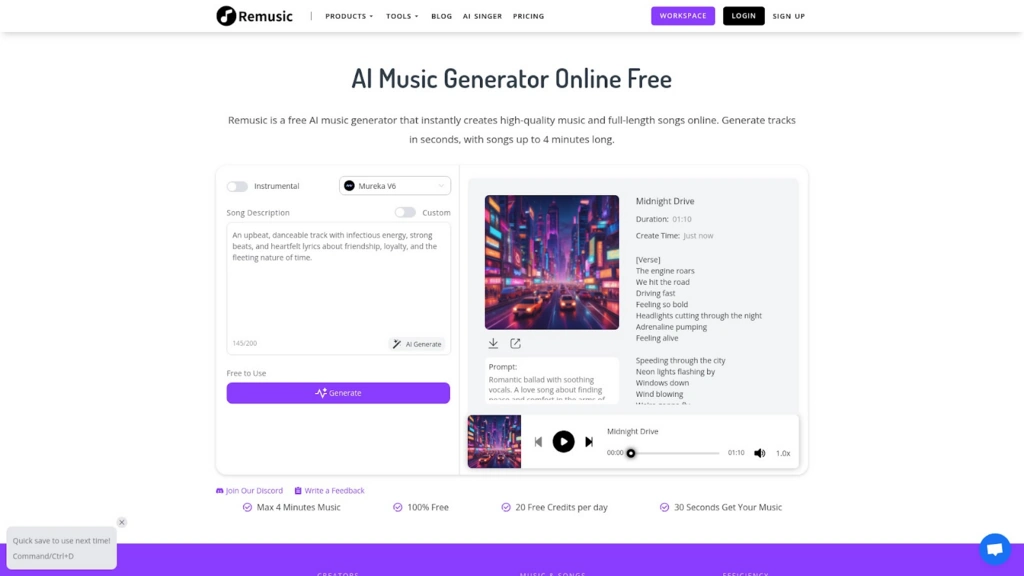
AIMusic is an online platform that uses advanced AI to help users create professional-quality music. Its AI rap generator allows you to turn simple text descriptions or your own lyrics into complete rap tracks. You can pick your favorite musical style, and the platform does the rest—creating beats, arranging music, and even adding vocals. Besides making rap songs, AIMusic also offers AI tools for making lyrics, music videos, and even removing vocals from any song.

Pros & Cons for AI Rap Generation & More

FeatureDetails
Free to use, no login neededStart creating music instantly without account creation.
Multiple music styles supportedPick from rap, pop, dance, and more for your song.
Commercial licenses availableUse your tracks for business if you have a paid subscription.
Download in multiple formatsGet your song as MP3 or WAV depending on subscription.
Limited free track storageFree songs are stored for 7 days.

Who Can Take Advantage of AIMusic AI Rap Generator?

Anyone who loves creating can enjoy AIMusic’s AI rap generator. It’s perfect for students wanting to make a rap for class, hobbyist musicians, content creators who need background music, and even small businesses looking to create ads or jingles. Since the service is easy to use, people of all skill levels can jump right in and start making songs. Plus, there’s no need to worry about complex music software or expensive studios.

How to Create AI Raps Using AIMusic: Easy Tutorial

Start by visiting AIMusic.so. Hit the “Generate Music” button—you don’t even need to sign up! Next, type in your rap lyrics or just describe the kind of beat you want. Choose your style, like hip-hop or urban, and the AI rap generator will instantly produce a track. You can play it, share it with friends, or download it. If you want, try adding a music video or create a lyrics video to share on your favorite social app. Creating rap music has never been easier!

Security Technology Ideas for Business Event Planning

Planning a business event involves many details, like the guest list and venue. While it’s exciting, security is critical. Good security measures protect guests and create a comfortable place for networking and collaboration. By using modern security technologies, event planners can help guests feel safe as they enjoy the event.

Here are some ways to improve your business event with effective security solutions.

Metal Detectors

Using a walk through metal detector is one of the best ways to improve event security. These devices screen everyone entering the venue, helping ensure safety without causing long waits. Knowing there is strong security helps attendees feel relaxed and more engaged.

Metal detectors work quietly and efficiently, letting guests pass through easily. They can manage high traffic, which keeps the event running smoothly. By investing in this security, you create a safe atmosphere that encourages participation and interaction among guests.

Surveillance Cameras

Surveillance cameras are another key part of business event planning. They monitor the venue during the event and help prevent potential issues. Cameras provide clear visuals of entry and exit points, as well as important areas in the venue, giving peace of mind to both planners and attendees.

The technology has improved significantly, offering high-definition video that can be viewed in real time. This allows security staff to respond quickly to any problems. Additionally, recorded video can help you evaluate and improve security for future events. Including surveillance cameras in your planning helps create a safer environment for everyone.

Access Control Systems

For significant events, managing who can enter certain areas is vital. Access control systems can make this easier. These systems use ID badges or wristbands to allow entry only to authorized individuals. This speeds up check-in and protects sensitive areas, like speaker lounges or VIP sections.

You can customize access levels based on different roles. For example, staff may access all areas while guests have limited access. This approach ensures that only the right people are in specific areas, contributing to a safe and organized event. Implementing these systems shows your commitment to both security and efficiency in your planning.

You can customize access levels based on different roles. For example, staff may access all areas while guests have limited access. This approach ensures that only the right people are in specific areas, contributing to a safe and organized event. Implementing these systems shows your commitment to both security and efficiency in your planning. In practice, wristband systems — including those supplied by Wristbands247 — are often used as part of a broader access control setup.

AI Security Solutions

Artificial intelligence (AI) is changing how we approach security, including for events. AI security solutions can monitor video feeds and spot unusual behaviour right away. This helps security staff respond to potential threats before they become serious. Using this proactive approach greatly improves safety.

AI can also make the check-in process easier by using facial recognition to verify attendees’ identities. This speeds up entry and adds another layer of security by ensuring that only registered guests enter the event. By using AI solutions, you take advantage of modern technology that improves both security and guest experience.

Mobile Alert Systems

Good communication is crucial during any event. Mobile alert systems enable you to share important information with all attendees quickly, as needed. Whether it’s announcements or instructions during emergencies, these systems help keep order and make sure everyone stays informed. Maintaining a well-organized Event Planners Email List ensures that critical updates and pre-event communications reach the right contacts without delay.

These alert systems can connect with event apps or SMS services to provide real-time updates to guests’ smartphones. This reduces confusion and helps attendees stay in touch with the event and each other. Having a reliable communication system shows your commitment to both safety and a great guest experience.

Security Personnel

Having trained security personnel on-site is an essential aspect of ensuring safety at any business event. These professionals can monitor the event in real-time, addressing any issues immediately and preventing potential threats. Their presence offers a visible reassurance to guests, making them feel safer and more comfortable.

Security personnel should be easily identifiable, whether through uniforms or badges, so attendees know where to turn if they need assistance. In addition to crowd management, these individuals can also enforce access control measures, assist with emergency response, and maintain venue order. By investing in a dedicated security team, you enhance your event’s overall security and contribute to a positive atmosphere.

Emergency Response Plans

A comprehensive emergency response plan is vital for any business event. Preparing for potential emergencies, such as medical incidents, fire, or other unforeseen events, ensures that your team can act quickly and effectively. This plan should include evacuation routes, points of contact for emergency services, and designated safe areas.

Communicating this plan to both staff and attendees, perhaps through orientation sessions or printed materials, helps everyone understand what to do in case of an emergency. Providing clear signage throughout the venue can also guide guests to exits and safe areas. By prioritizing emergency preparedness, you demonstrate a proactive approach to safety and instill confidence in your attendees that their well-being is paramount.

Popular Retail Trends in the Pet Industry

Pets have become essential members of many households. This shift in our perception of pets has led to significant growth in the pet industry. There are many new products and trends aimed at meeting pets’ needs, from gourmet foods to high-tech gadgets.

As more people adopt pets, businesses and pet owners need to understand these trends. Retailers need to know what’s popular, and pet owners want the best for their animals.

Let’s look at some of the latest trends in this expanding industry.

Natural Pet Food

More pet owners are choosing natural and organic pet food. This choice reflects a similar trend in human food, where people prefer healthier, less processed options. Pet owners pay close attention to the ingredients in their pets’ meals.

A leading brand in natural pet food is Orijen dog food. This brand is known for using high-quality, natural ingredients. It focuses on providing a diet that matches dogs’ natural eating habits. With different formulas for all life stages and sizes, Orijen has gained many loyal customers. Its focus on whole foods and meat appeals to pet owners who want the best for their pets’ health.

Tech Innovations

Technology is changing pet care quickly. Smart collars can track pets’ health, and automatic feeders can dispense meals on a schedule. These gadgets make pet ownership easier and more convenient.

For example, some smart litter boxes can analyze a cat’s waste to check their health and alert owners to problems early. Many of these products work with apps, allowing pet owners to monitor their pets even when they are away from home. These innovations not only make care easier but also strengthen the bond between pets and their owners.

Sustainable Products

Sustainability is becoming a standard expectation in retail, and pet products are no different. Many companies now offer eco-friendly products made from sustainable materials. This change allows pet owners to make choices that reflect their values.

Options like biodegradable waste bags and toys made from recycled materials are widely available. Brands are also using eco-friendly packaging to reduce their environmental impact. Pet owners can feel good about their purchases, knowing they are supporting a healthier planet for their pets.

Pet-Centric Experiences

Retail is changing to create enjoyable shopping experiences for pets and their owners. Retailers are designing spaces where pets can play and socialize, and where owners can let their pets try products before buying. Pet cafés and boutique stores are becoming popular, giving pet owners a chance to relax and enjoy time with their pets while checking out new items.

These shopping experiences focus on community and connection. They turn ordinary shopping trips into fun outings, allowing owners to bond with their pets. The environment matters just as much as the products.

Health and Wellness

As more people care about pet health, retailers are changing what they offer to focus on wellness, including thoughtfully sourced dog food that supports long-term nutrition. This includes supplements, vitamins, and holistic treatments that promote overall health. Many pet owners are seeking alternatives to traditional veterinary care that align with their views on health and nutrition.

Training classes, grooming services, and wellness workshops are also becoming popular. Retailers that educate and support responsible pet ownership help build a community. This comprehensive approach to pet care improves pets’ lives and is essential to modern consumers.

Personalization

Personalized products and services are growing in the pet industry. Pet owners want options that meet their pets’ specific needs and preferences. This trend includes custom food formulas for dietary needs and personalized accessories like engraved collars and custom beds.

Brands that offer personalized products create stronger connections with consumers. Pet owners appreciate items made for their pets. The emotional connection to personalized products makes shoppers feel more invested in their purchases. When a product is created with their pet in mind, it becomes meaningful.

Minimizing Risk and Maximizing Accountability with RFID Asset Tracking

Every organization deals with assets: computers, tools, machinery, or medical equipment. Keeping track of them sounds simple in theory. In practice, it’s often chaotic. Items get misplaced. Records are outdated. And sometimes, human error can create costly mistakes. The result? Lost time, wasted money, and frustrated teams.

This is where RFID asset tracking comes in. It doesn’t just help you know where an item is. It helps prevent problems before they happen. It makes teams accountable without micromanaging them. It also gives managers a clear picture of operations at any moment.

Breaking Down RFID Asset Tracking

Let’s simplify it. RFID asset tracking uses a tag, a reader, and software. The tag is attached to an asset. The reader picks up the tag’s signal, the software logs where and when the asset moves.

Unlike barcodes, RFID doesn’t need line-of-sight. You don’t have to scan each item manually. RFID can automatically track a laptop in a storage cabinet, a cart in the warehouse, or a tool in a busy workshop.

This works across industries. Hospitals can monitor expensive equipment. IT teams can track laptops, servers, or peripherals. Manufacturing and warehouse operations can always see exactly where machinery and inventory are. It’s simple: fewer errors, less stress, and more visibility.

Preventing Risks Before They Escalate

Misplaced assets cost time and money. Stolen items can disrupt operations. Manual tracking; spreadsheets, logs, or sticky notes: just doesn’t cut it anymore. That’s where RFID asset tracking shows its strength.

Picture an essential piece of equipment moving away from where it’s supposed to be. Instead of no one noticing or someone noticing too late, the right person would be notified immediately. The old ways of checking inventory, which used to take ages, could be completed in just a few minutes. There wouldn’t be last-minute searches for items that must be put away, and the person in charge would be far less stressed. 

In real life, we all know RFID won’t solve every problem. Still, it adds value by cutting down on errors, stopping items from disappearing for no reason, and offering a more accurate picture of what’s happening. In many cases, it pays for itself in saved time and avoided errors.

Accountability Made Easy

Accountability is more than assigning responsibility. It’s about visibility. Who last handled an asset? Where did it go? Manual systems often leave gaps. RFID closes them.

Each movement is recorded automatically. Managers can check usage, locations, and movement history in real-time. Audits become straightforward. Teams know that assets are tracked consistently, which encourages responsible handling.

RFID also provides insights. Certain assets may go missing more often. Some areas may have higher usage or risk. These patterns help managers refine workflows and reduce repeated mistakes.

Plus, accountability isn’t just for managers. Employees gain clarity as well. When everyone understands what’s expected, assets are handled correctly. This creates a smoother workflow and fosters trust within teams.

Planning for RFID Success

Rolling out RFID takes thought, but it’s manageable. Start by choosing which assets truly need tracking. Tag selection matters; some tags handle heat, others resist moisture or rough handling.

Integration is key. RFID works best when it connects to existing systems like inventory management or ERP platforms. Data flows seamlessly, giving teams a single source of truth.

Employee training is essential. People should understand tagging, tracking processes, and why accuracy matters. Clear instructions help prevent mistakes and maximize value.

Cost is often a concern. While implementing RFID requires an upfront investment, the long-term benefits, reduced losses, faster audits, and smoother operations usually offset the expense. RFID systems also scale with business growth, ensuring they remain effective as operations expand.

Making Data Work for You

Tracking alone does not suffice, but RFID analytics do. Companies can understand patterns in asset use, anticipate servicing, and enhance overall governance.   

A good example would be a company that would use RFID to know if some pieces of equipment are ignored while others are constantly in use. It would be much easier to shift the balance of equipment in use. Maintenance of equipment would also be easier to schedule, and this would reduce the overall equipment life span.   

RFID makes foresight easier to act on. Thanks to up-to-the-minute RFID reports, managers can act on potential problems, like shortages or productivity impediments, well before they affect their teams. As the organizations progress, such materials continue to benefit the organizations.   

Real-World Impact

Think of a clinic that uses tags to mark its infusion pumps. Medical workers are immediately informed of where the closest device is located. Managing maintenance milestones is simpler. The clinic’s expenses on misplaced devices decrease. Employees’ dissatisfaction is significantly reduced.  

Or picture a distribution centre where RFID monitors pallets, forklifts, and other machinery. The managers are informed in detail of the operations and are sure that the accuracy of stock checks is guaranteed, and that delays are a thing of the past.  

Even minor gains matter. Searching for office laptops, tablets, or shared tools wastes valuable time.

Wrapping It Up

Asset management isn’t just about knowing what you have. It’s about reducing risk, creating accountability, and improving operations. RFID asset tracking delivers on all three fronts.

With real-time visibility, the system helps catch avoidable errors as they happen and sets them up for later review. Teams grow accountable, managers see what’s happening, and day-to-day operations get easier. RFID technology is the answer for organizations striving for a secure workplace. It’s effective, can grow with the organization’s needs, and, most importantly, safeguards every single asset. Every item matters in the modern business environment, and nothing should be overlooked. 

Using RFID technology means a step forward in the fight against loss at the petty cash level, improving the predictability of the workday, and even allowing staff members to address more productive matters. This, in turn, frees the team to focus on the core business matters. It’s not simply incorporating new technology; it’s supporting stronger, safer, and more responsible business processes.

YouTube Brand Safety: Best Practices Every Advertiser Must Know

Introduction: Why Brand Safety Feels Different on YouTube

Imagine pouring months of creative effort (and a hefty media budget) into a YouTube campaign, only to see your ad pop up next to a video filled with misinformation or offensive content. That sinking feeling? It’s not just about wasted impressions. It’s about the reputation you’ve worked years to build being tied, in seconds, to content you’d never want your brand associated with.

That’s the tightrope every advertiser walks today. On one side, YouTube offers unmatched reach to billions of viewers across every imaginable niche. On the other hand, the open nature of the platform introduces brand safety risks that can undo years of trust in an instant.

So, how do advertisers find balance? How do you maximize reach without exposing your brand to the wrong environment? Let’s unpack the essentials of YouTube brand safety and explore best practices every advertiser should be leaning on today.

I. What “Brand Safety” Really Means on YouTube

Brand safety isn’t just a buzzword; it’s about control, context, and consistency. At its core, it means making sure your ads don’t appear alongside content that conflicts with your brand values or alienates your audience.

On YouTube, this challenge is magnified. Unlike traditional media buys, where inventory is vetted, YouTube is a user-generated ecosystem. Millions of videos go live daily, and not all of them are “ad safe.” Topics like hate speech, violence, disinformation, or adult content may still slip past automated systems.

Here’s the catch: audiences don’t separate the video from the ad. If your ad plays before a problematic video, they link the two in their mind. That’s why brand safety has become a cornerstone of smart media planning.

II. Lessons from the Past: Brand Safety Incidents That Shook Advertisers

Remember the 2017 “Adpocalypse”? When major brands discovered their ads running alongside extremist content, it sent shockwaves across the industry. Several household names immediately pulled spending, forcing YouTube to reevaluate its policies.

The takeaway? Even the biggest platforms can’t guarantee 100% safety. And yet, advertisers learned that retreating entirely isn’t the answer; careful, proactive strategies are.

That moment sparked what we now call the “brand safety era,” where advertisers demand transparency, accountability, and tools to control ad placement.

III. Why YouTube Is Both Risk and Opportunity

Here’s the paradox: the same factors that make YouTube risky also make it powerful.

  • Unmatched Scale – Two billion monthly logged-in users. That’s an audience you can’t find anywhere else.
  • Diversity of Content – From tutorials to entertainment, YouTube reflects every corner of culture. But with diversity comes unpredictability.
  • Creator Economy – YouTube thrives on creators, but creators are human. Their content can shift, surprise, or even spark controversy.

For advertisers, the solution isn’t abandoning YouTube, it’s mastering it.

IV. Best Practices for YouTube Brand Safety

So, what does mastery look like? It’s not about avoiding risk entirely (because that’s impossible). It’s about limiting exposure while keeping your campaigns effective.

1. Use YouTube’s Built-In Safety Controls—But Don’t Stop There

YouTube provides categories you can exclude, like “sensitive social issues,” “adult content,” or “tragedy/conflict.” Use them. However, we recognize that these settings are broad and not always surgical.

Advertisers serious about brand safety often layer these controls with third-party tools or partners who can provide finer targeting and independent verification.

2. Embrace Contextual Targeting

Personalization once ruled digital advertising, but with privacy laws tightening (hello GDPR, CCPA, and cookie deprecation), contextual targeting is having a renaissance.

Instead of focusing on who the viewer is, contextual looks at what they’re watching. For YouTube, that means analyzing video titles, descriptions, transcripts, and even visual cues to ensure your ad appears in the right environment.

Think of it like this: if you’re a fitness brand, wouldn’t you rather have your ad run alongside a popular yoga channel than on a random vlog just because the viewer happened to “like” health content two years ago? Contextual ensures relevance without privacy risks.

3. Create Tiered Exclusion Lists

Not every advertiser needs to avoid the same topics. Some industries are more sensitive than others.

  • A financial brand might avoid content about crypto speculation.
  • A children’s toy company might exclude anything with mature language.
  • A healthcare provider may need to steer clear of conspiracy theories or unverified medical claims.

Develop tiered exclusion lists tailored to your brand’s values. Update them often; YouTube evolves daily.

4. Monitor, Measure, Adjust

Brand safety isn’t a “set it and forget it” game. It’s dynamic.

Regularly review where your ads are running. Ask yourself:

  • Are these placements aligned with my brand’s tone and audience?
  • Are there creators or categories I should block moving forward?
  • Am I missing out on safe, high-performing niches because I’ve excluded too much?

Smart advertisers treat brand safety as an ongoing process, not a one-time checklist.

5. Partner With Specialists

Platforms like YouTube provide tools, but advertisers often need an extra layer of assurance. That’s where brand safety partners step in.

At Filament, for instance, the focus isn’t just compliance, it’s confidence. By blending AI-driven insights with human review, partners can give advertisers more granular control over ad placement. That means your campaigns run in environments that are both safe and effective.

Brands also rely on governance tools like Handles to track and validate their official social accounts, reducing impersonation risks that can harm trust.

V. The Human Side: Why Audiences Care About Brand Safety

Let’s flip the perspective for a moment. Why should consumers care where your ad runs?

Because trust is fragile, audiences today are more skeptical and vocal than ever. One screenshot of your ad before harmful content can spiral into a Twitter thread, and suddenly you’re in damage-control mode.

Brand safety isn’t just about avoiding scandal. It’s about showing your audience that you respect them enough not to waste their attention or insult their values.

VI. Case in Point: How Brand Safety Impacts ROI

Brand safety isn’t just about risk mitigation; it’s about performance.

  • Higher Engagement – Ads placed in contextually relevant, brand-safe environments see stronger engagement and recall.
  • Better ROI – When you avoid wasted impressions on irrelevant or harmful content, every dollar works harder.
  • Stronger Brand Equity – Playing it safe builds long-term trust, which translates into loyalty.

In short, brand safety isn’t a cost. It’s an investment.

VII. Strategic Takeaways for Advertisers

So where do we land?

  1. Don’t Ignore Scale – YouTube’s reach is unparalleled, but only if you use it wisely.
  2. Shift From Audiences to Context – Privacy-first targeting isn’t just a compliance move; it’s a smarter strategy.
  3. Invest in Partnerships – Platforms are part of the solution, but not the whole solution. Partners like Filament help bridge the gap.
  4. Stay Vigilant – Brand safety is never static. It’s a moving target that requires ongoing attention.

Conclusion: Brand Safety as a Non-Negotiable

At the end of the day, YouTube brand safety isn’t just another media planning box to tick. It’s a reflection of your brand’s values and your commitment to your audience.

The advertisers who succeed on YouTube aren’t the ones who avoid risk entirely; they’re the ones who manage it intelligently. They know when to lean on technology, when to bring in partners, and when to trust context over cookies.

Because in today’s digital world, your ad placement is your brand statement.

Call to Action

Looking to safeguard your YouTube campaigns without sacrificing reach or ROI? Filament helps advertisers strike the perfect balance between performance and protection. With tools designed to keep your ads aligned with your values, we make sure your campaigns thrive in safe, relevant environments.

The Modern Mystic’s Toolkit: Why a CRM is Essential for Managing Client Relationships in a Psychic Chat Business

You never imagined you’d need software. You thought your business would run on candles, crystals, and an uncanny ability to tell people what they don’t know they already know. And for a while, it did. You opened your laptop, logged into your psychic chat platform, and there they were: clients asking about love, money, careers, and the eternal question of whether Mercury retrograde is a valid excuse for every bad decision they’ve ever made.

But here’s the thing about having clients: they multiply. They come back. They don’t always remember exactly what you said last time, but they expect you to remember. And at some point, you realize your brain cannot contain the details of fifty people’s romances, three ongoing divorces, and one man’s quest to find his lost parakeet. This is the moment you discover you need something more structured. You need a CRM. And if you’re looking to start or grow your online psychic business, you can find a community of others navigating the same thing at free psychic chat online.

The Myth of Memory vs. The Reality of Clients

You think you’ll remember it all. After all, your intuition is razor-sharp. You can sense someone’s energy before they type their first word. Surely you can recall whether that woman from Michigan wanted to leave her job or her husband?

Except you can’t. Not always. Not when the calls start blending together, when the questions sound eerily similar, when the stakes are so personal yet so universal. A CRM doesn’t just organize facts. It saves you from the embarrassment of asking, Wait, which boyfriend are we talking about again?

What a CRM Actually Does (Besides Sounding Unromantic)

CRM stands for Customer Relationship Management, which sounds about as mystical as a filing cabinet. But in practice, it’s less about data entry and more about memory preservation. A CRM holds onto the breadcrumbs of your clients’ lives:

  • Names, birthdays, time zones.
  • Notes from past sessions.
  • Preferences (tarot over astrology, short chats over long ones, emojis over no emojis).
  • Payment history, scheduling patterns, even whether they tend to book when the moon is full.

It’s not glamorous, but it’s powerful. It means when someone comes back after three months and says, “So, what do you see for me now?” you don’t have to guess whether they’re still hung up on their coworker or if they’ve already quit and moved to Bali.

Intuition Meets Infrastructure

There’s a misconception that structure kills spontaneity. That if you track your clients in a CRM, you’ll lose the magic. But in reality, the opposite happens. When you stop worrying about logistics—who booked when, who paid what—you free up your energy to focus on what you actually do best: tapping into intuition.

Think of the CRM as the backstage crew. You’re the star, dazzling under the spotlight, channeling wisdom and clarity. The CRM makes sure the lights don’t go out mid-performance.

The Business of Being Mystical

Here’s a sentence no one preparing to be a professional psychic wants to hear: this is a business. Which means you have clients, not just seekers. You have revenue, not just “energy exchanges.” And businesses, mystical or not, thrive on organization.

The truth is, running a psychic chat business isn’t just about seeing the unseen. It’s about tracking appointments, following up with clients, sending reminders, managing payments. Without a system, you end up scribbling notes on Post-its, misplacing phone numbers, and double-booking your Saturday night with both a soulmate reading and a house party.

A CRM doesn’t strip away the spirituality. It supports it. It’s the equivalent of having a clean altar: the rituals are the same, but the space feels better.

Building Trust Through Memory

You know that moment when someone remembers your name at a party, even if you’ve only met once? That small thrill of being seen? That’s what clients feel when you recall details from their past sessions. It’s not just professional—it’s personal. It builds trust.

With a CRM, you don’t have to rely on your memory. You jot down that their ex-boyfriend’s name is Mark, that they’re allergic to cats, that they asked you to focus on career instead of love the last time. So when they return, you say, “How’s the new project going at work?” And they light up because you remembered. Except, secretly, your CRM remembered for you.

Scaling Without Losing Yourself

In the beginning, you can juggle a handful of clients. But what happens when you grow? When word spreads that you’re eerily accurate, and suddenly you’re booked solid for weeks? Do you want to be the mystic who cancels appointments because you forgot to write them down?

Scaling requires systems. A CRM lets you expand without feeling like you’re constantly chasing after your own notes. It gives you room to breathe, to take on more, without drowning in chaos.

Choosing the Right CRM for a Psychic Chat Business

Not all CRMs are created equal. You don’t need the industrial-strength version designed for Fortune 500 sales teams. What you need is something intuitive, lightweight, and flexible. Features to look for:

  • Client notes: searchable, so you can find “Mark the ex-boyfriend” in two seconds flat.
  • Appointment scheduling: ideally with reminders that nudge both you and your client.
  • Payment tracking: because the “energy exchange” has to cover rent.
  • Integration with chat tools: so everything lives in one place instead of twenty.

Some psychics even customize general CRMs like HubSpot, Notion, or Airtable to fit their needs. It doesn’t matter what you choose, as long as you actually use it.

The Romance of Organization

You might be thinking: but where’s the poetry in all this? Where’s the incense, the candles, the shimmering sense of mystery? Isn’t a CRM basically a spreadsheet in disguise?

Yes. But there’s something surprisingly romantic about being organized. About not fumbling through notes when a client asks for a follow-up. About creating a seamless, stress-free experience that makes them feel cared for. Organization, in its own way, is an act of love.

Closing the Circle

So here you are, the modern mystic, toggling between worlds. On one screen, a client pouring their heart out about whether to take a new job. On the other, your CRM reminding you that this same client once cried about their boss six months ago. You weave the threads together, delivering not just a psychic reading, but a story, a continuity, a sense of being seen.

It’s not glamorous. It’s not mystical in the obvious way. But it’s necessary. Because intuition is powerful, but memory is human. And a CRM is what lets you bridge the two, gracefully, reliably, without Post-its fluttering off your desk like desperate little ghosts.

You may not think of yourself as a businessperson. You may think of yourself as a channel, a healer, a seer. But if you want to do this for more than a season, if you want to keep your clients feeling understood and your rent paid, then yes—you need the candles, you need the crystals, and you need the CRM.

Do You Really Need A Crypto Wallet?

What is the most expensive thing you’ve ever lost? Most of us have that memory burned into our brains. Maybe it was a lost phone, a wallet, or perhaps even something sentimental like a family heirloom or a wedding ring. 

For James Howells, it was a small computer hard drive. In 2013, it accidentally ended up in a landfill in Newport, Wales. On it were the private keys to 8,000 Bitcoin, which is now worth more than $900 million.

After spending 12 years trying to win a court case to buy the landfill (with the help of external investors), he ultimately had to admit defeat, walking away with nothing but a £117,000 legal bill.

A proper crypto wallet with secure backups could have kept those keys safe and accessible, no matter what happened to his computer. Instead, one mistake with how he stored his coins turned into one of the costliest losses in Bitcoin history. 

It’s a pretty start reminder that if you can’t access your keys, you can’t access your coins.

What Are Your Options For Storing Cryptocurrency?

If you own (or are thinking of buying) crypto, it’s vital that you consider your storage options right from the start. In general, you have three main options. 

  1. Keep it on an exchange (custodial storage)
  2. Use a software wallet (hot wallet)
  3. Use a hardware wallet (cold wallet)

Each one of these wallet types balances convenience, cost, and security in different ways. The right choice for you might depend on how much crypto you own, how often you trade, and how confident you are in managing your own keys. Think of it like handling cash:

  • An exchange is like a bank. It’s easy to use, but you’re trusting someone else to hold your money.
  • A software wallet is like carrying cash in your pocket. You have quick access, but more responsibility and risk.
  • A hardware wallet is like keeping your money in a safe at home. It’s highly secure, but less convenient for daily use.

Now let’s take a closer look at each of these so you can see exactly what each option entails. 

Keeping Your Crypto on an Exchange (Custodial Storage)

This is where most beginners start. You create an account, buy your crypto with your credit card or by bank transfer, and you just let the exchange store it for you. For most people, this is the simplest option as it allows you to buy, sell, or swap coins from wherever you are. The convenience is hard to beat.

The trade-off is trust and a significant element of risk. When you hold your coins on an exchange, you don’t control your private keys. The exchange does. 

If the platform gets hacked, freezes withdrawals, or goes bankrupt, you could lose access to your funds entirely. We’ve seen this happen with high-profile collapses like FTX, so don’t think that the size of the company means you’re entirely safe. 

While large, regulated exchanges are generally safer than smaller ones, you’re still relying on a third party to keep your investment secure.

If you’re only holding a small amount or you trade frequently, leaving coins on a reputable exchange can work for the short term. But the saying “Not your keys, not your coins,” is famous for a reason. 

Software Wallet (Hot Wallet)

A software wallet is an app you install on your phone, computer, or browser. It stores your private keys locally, giving you complete control over your crypto. Transactions are quick, and you can manage your coins from anywhere with an internet connection, which is also super convenient. 

However, the main risk here comes from the fact that they are connected to the internet, which means more exposure to potential threats. Malware, phishing attacks, or device theft could put your coins at risk. That’s why most people use hot wallets for smaller amounts or crypto they plan to move regularly.

The best way to use a hot wallet safely is to keep your recovery phrase secure. A recovery phrase (sometimes called a seed phrase) is a set of 12–24 random words that your wallet generates when you first set it up. Those words are essentially the master key to your crypto (think of them like a “forgot your password” function.. If your phone or computer is lost, stolen, or broken, you can enter that phrase into a new wallet to regain access to your coins.

Because anyone with that phrase can control your funds, you should never store it in a digital file, email, or cloud account. Instead, write it down on paper, then keep it somewhere safe and offline.

Hardware Wallet (Cold Wallet)

A hardware wallet is a small device that stores your private keys completely offline. To make a transaction, you connect your cold wallet to your computer or phone, approve the transaction on the physical device, and then disconnect it. Because it’s offline most of the time, it’s immune to online hacks. You cannot make any transfers or even check your balance unless you have the device on your person. 

This makes it the most secure option for long-term storage, especially for larger amounts. There are two main downsides here. The first is that you need to pay for the physical device itself. The second is that you lose some speed and convenience for the added security. 

It’s not as quick as clicking a button on an app, but that’s the point. The security trade-off is worth it for many long-term holders. Just remember that 

If you choose this route, you still need to keep your recovery phrase safe. Losing the device isn’t a problem if you have the phrase, but losing both means the coins are gone forever.

Which Wallet Should You Choose?

There’s no correct answer for this question, as it depends on your situation. Many crypto owners actually use a mix: they might keep some coins on an exchange for active trading, hold spending money in a hot wallet, and lock away long-term holdings in a cold wallet.

Just start by thinking about your risk tolerance. If losing the amount you have in crypto would keep you up at night, it’s worth taking the extra steps to secure it in a hardware wallet. If it’s a small, speculative amount you’re happy to trade regularly, an exchange or hot wallet might be enough.

Top 10 Ways To Increase Google Reviews

Google reviews are essential for all businesses as they instill trust in new customers and increase your online visibility. When people search for a product or service, they tend to review them first. Positive reviews will persuade them to pick you over others

They also assist with local SEO since Google places companies that have more reviews higher on search results and Google Maps. The more reviews, the higher the credibility, ranking, and customer base.

Although the most ideal way is to garner them organically, most companies also seek platforms they can trust to buy Google reviews as a top-up to their online reputation. So, how do you obtain these precious reviews?

Best 10 Ways To Increase Google Reviews For Your Business

Google reviews are like online word-of-mouth. They build trust, bring more customers, and make your business show up higher on Google Maps and search. The more reviews you have, the stronger your business looks. Here are 10 simple ways to get more reviews.

1. Ask Customers Directly At The Right Time

The simplest way to obtain a review is to ask for one. Ask at the right time and the best time to ask is immediately after a customer has had a great experience. This may be after a successful purchase or after a service has been performed.

A friendly request such as, “We’re so glad you’re satisfied with your purchase. Would you be so kind as to leave us a quick review on Google?” can be particularly effective.

2. Make The Review Process Easy With Qr Codes

QR codes are fantastic and also simplify the process of asking customers to leave a review. You can design a QR code that directly points to your Google review form.

A customer can simply scan the code on their phone which takes them directly to the page where they can leave a review. You can put these QR codes on receipts, product packaging, business cards, and in-store signage.

3. Send Follow-Up Emails Or Sms Requests

Follow-up with customers is a great tactic. You can email or SMS customers a day or two later after a sale with a personalized message asking them to provide feedback.

A message such as, “We hope you are enjoying your new product! We would love to hear what you think. Please leave a review here,” may be very effective. Make the message concise and to the point.

4. Display Your Client Reviews

Show your current reviews on your website and social media. You can also show them in your brick and mortar store. If customers see that other customers have posted positive reviews, trust is increased. It proves that your company is trustworthy and well-liked.

This can inspire new customers to review after having a positive experience, which builds a good loop. To get more reviews, you might also try a service to buy google reviews to demonstrate social proof.

5. Train Your Staff To Encourage Reviews

Your employees are usually the representatives of your company. Teach them to ask customers to leave a review politely. Ensure that they are at ease with the process.

They can tell customers how much reviews benefit the business and make the request sound more personal and authentic.

6. Provide Exceptional Customer Service

This step is the most crucial as excellent customer service automatically generates good reviews. If customers have a fantastic experience, they want to brag about it. Try your best to offer top-notch service and exceed your customers’ expectations.

If a customer complains, deal with it promptly and professionally. Dealing quickly with complaints will turn an unpleasant experience into a pleasant one. A satisfied customer who is heard will likely post a positive review.

7. Use Google Review Cards or Templates

Review cards like NFC are an easy, tangible resource. You can leave them with customers following a sale. Pre-formatted cards instruct customers on how to write a review. They might include a QR code or abbreviated URL.

Having a branded card with your logo will make a lot of difference. It makes it convenient for customers to remember to post a review in the future. These cards are an under-the-radar but highly efficient way to enhance your response rates.

8. Keep Checking Your Online Presence

Demonstrate to your customers that you value their opinion. Respond to all reviews you get. Express gratitude to customers who post good reviews. For bad reviews, respond professionally and calmly. This indicates that you care about customer satisfaction.

When customers see that a business is active and responsive, they feel valued. This can encourage more people to leave reviews. Active engagement is a key part of your online reputation.

9. Add A Review Link To Your Website & Email Signature

Make it easy for customers to find your review page from your digital platforms. Put your Google review link in an easy-to-reach location. Include it on your website footer or contact page. You can also include it in your email signature. This is an unobtrusive but powerful reminder.

Anyone who comes to your site or receives an email from you will notice the link. It offers an easy avenue for customers to leave feedback at any time. This easy action can result in a steady rise in reviews over time.

10. Host Limited-Time Campaigns Or Events

You can run special campaigns to encourage reviews. For example, host a contest. Ask customers to leave a review to be entered into a drawing. The prize can be non-monetary, like social media recognition.

You can also offer a small discount on a future purchase for those who leave a review. However, be careful and do not offer money for a positive review. That is against Google’s rules. Instead, focus on motivating customers to share their honest feedback.

Conclusion

Increasing your Google reviews is about being simple, consistent, and genuinely engaged. Use these strategies to make it easy for customers to share their positive experiences.

If you want an extra push then platforms like Buyreviewz can help you accelerate the process by ensuring your business gets the visibility and trust it deserves. It’s a smart way to complement your organic review growth.

When you have more reviews, your online credibility grows. This leads to a higher search ranking and more customers. Hence don’t wait and start with these tips today.

FAQs

1. Why are Google reviews important for my business?

Google reviews build trust and make your business look real and reliable. They also help new customers choose you over others. More reviews improve your visibility on Google search and maps, which brings in more customers.

2. How can I encourage more customers to leave Google reviews?

Ask politely at the right time, like after a purchase or service. Make the process easy with QR codes or direct links. Send short reminders by email or SMS, and show appreciation when customers share feedback.

3. Can QR codes really help increase Google reviews?

Yes, QR codes make it very easy. Customers just scan the code and go directly to your review page. No extra steps are needed. Placing QR codes on bills, cards, or packaging increases response rates.

4. Should I respond to both positive and negative Google reviews?

Yes, you should thank people for good reviews and reply politely to bad ones. Responding shows you care about customer opinions. It also makes other people more likely to leave their own reviews.

5. Do Google reviews affect my local SEO ranking?

Yes, Google reviews do affect SEO ranking.  Google trusts businesses with many reviews. More positive reviews improve your rank in search results and on Google Maps. This makes it easier for new customers to find your business online.

How Mobile Access Helps Commercial Maintenance Teams Respond Faster

When it comes to commercial maintenance, the speed at which one is able to address problems is what can cause a small disturbance or a very expensive malfunction. Mary, a possible equipment breakdown, malfunction of the system, or request to repair something urgently may occur at any moment, and teams ought to be ready to take immediate action. The availability of maintenance systems via mobile has emerged as one of the solutions as it empowers the technicians with tools to accept, process and complete the tasks without any delay.

Via the insertion of the mobile functionality into maintenance processes, companies would be capable of removing redundant communication chains, streamline coordination, and allow teams to be informed instantaneously. Regardless of whether the staff is based on-site or in various plants across a plant network or in the field, access by mobile devices keeps everyone informed with the necessary information so that they can respond quickly and efficiently. Such an ability is especially useful in large business undertakings where time and precision are central in sustaining quality of services.

Increased Accountability

When the accounts become mobile, it enhances accountability in operations maintenance activities as the tasks and technician activity can be tracked in real-time. Timestamps are saved with each update or photo/status change that one undertakes using the system, thereby, allowing managers to easily track the productivity within the organization and also see to it that work is done on time. Such transparency helps the technicians to remain focused and fully adhere to the correct procedures since everything can be seen and recorded. With time this may cause improved performance and consistency in the team (maintenance team) and high standards on quality.

Reduced Paperwork and Administrative Burden

Maintenance systems that are enabled in mobile environments lower the requirement of paper-based forms, manual receipt and re-entry of information. Technicians are able to enter their notes, take photographs, and complete work orders using their cell phones so that they will not later be required to enter them on a physical report. This does not just accelerate the administration but also reduces chances of mistakes which might be made in transcription. The elimination of manual paperwork that necessitates manual tasks will allow companies to limit the time spent executing maintenance tasks by the technicians hence enhancing operational efficiency.

Faster Receipt Of Service Requests

Since one of the ways mobile access contributes a lot to the speed of response in the teams is by allowing an almost immediate receipt of the work orders. Previously, the maintenance employees frequently used phones, emails, or face-to-face communication to become aware of the new tasks. Such practices may lead to wastage of time particularly when employees were off their desks or out in other remote corners of a building. Using mobile enabled systems will enable them to receive all requests sent directly to a technician device immediately they are created.

On the basis of the help of tools like the work order management software, these requests can contain very critical information like that of the location, urgency, and description of the matter. This implies that technicians can start getting ready to perform the job even before reaching the site. This reduced process can be very advantageous in regards to lag time between reporting of a problem and start of work.

Access To Real-Time Information

The use of mobile access enables technicians to view updated information regarding a work in the field. This includes changes of jobs status, priority or other instructions by supervisors. Access to correct and current data reduces the possibility of misinterpreting communication and a team always uses the right information.

Equipment histories, manuals and past maintenance notes are also available on mobile devices as technicians can access them when an cmms software is implemented. This does more than just expedite the diagnostic process but also enhances how precise repairs can be made since it provides technicians with the context they require in order to make decisions quickly.

Improved Communication Among Team Members

Timely response may also rely on the communication with technicians, supervisors, and other departments. Instant updates can be within teams through status change and photo, mobile allows mobile sharing and sharing of messages. An example is that a technician can be able to upload an image of the damaged part to verify the right one in order to reduce the possibility of delays in waiting to be completed.

Supervisors are also able to see results real time and make immediate changes in case of priorities. This may imply that a technician may be diverted to a more pressing task or direct extra assistance to accomplish a time bound task. Responsive coordination of this kind is possible using mobile access, which does not require continuous telephone calls, or personal visits.

Streamlined Task Completion

It accelerates the whole work process when technicians are enabled to modify the work orders in the field. They do not have to go back to an office or workstation to key in job details because they can log completion notes, take photos and close tasks immediately. This removes the administrative time lag which has a tendency to slacken maintenance processes.

Mobile accessibility also addresses multi step repairs since technicians can request parts, check on availability or even note follow up work directly on the job site without leaving the job site. This helps in sustaining effectiveness in the process and makes completion of tasks within the shortest time achievable.

Better Resource Management

Having the right tools and parts knowledge typically comes with a quick response in maintenance. Mobile connectivity benefits this as it provides visibility to the technicians and managers in terms of acknowledging inventory levels and knowing the location of parts. In case of a part which is out of stock in one location, the system will be able to indicate the location it can be found, making it retrievable or orderable at once.

When applied by managers, this level of visibility aids in matching the appropriate technician to a particular job on the basis of talent and availability and geographical location. Mobile access makes it possible to complete the appointment of informed duties at a real-time time, so that the quickest and most productive response can be made to any of the maintenance requests.

Predictive Maintenance Capabilities

The use of mobile access will be helpful in predictive maintenance when the technicians can get alerts and sensor and monitoring system data in real-time. This will help the team know when their equipment has a problem before they become severe and thus repairs are carried out in advance before they break unexpectedly causing faults which leads to loss of time. Intervening on these insights using mobile devices in time helps an organization to prolong the life of equipment, improve maintenance plans and prevent cash-straining repairs to fix them which would enhance overall operational efficiency.

Enhanced Safety Compliance

The mobile access is also very instrumental in having the maintenance operations running on the desired safety standards. Technicians are able to access safety policies, report of the hazards, and safety checks relevant to equipment instantaneously prior to commencement of any task. This will make them take the right procedures and wear the right protective gear, which will minimize chances that there are accidents or irresponsible actions. Moreover, safety incidents or near-misses can be quickly reported using mobile systems, which will enable supervisors to correct a possible danger immediately and yield to a proactive safety culture in the organization.

Conclusion

Mobile access to information has turned into a necessity where commercial maintenance teams are required to respond to the needs of service immediately and efficiently. Mobile-enabled systems eliminate the delays that may impede repairs by giving immediate notifications, constant updates, and flawless communication. The integration of work order management software and cmms software ensures that such technicians possess the information or resources and it is available to them just by the tips of their fingers.

In a business situation where time is money more often than not, the faster the response, the better it will increase the efficiency of operations aside from the truth that it will offer a high level of reliability and client satisfaction. Companies using mobile access to ensure efficient maintenance of their facilities achieve a definite advantage, as maintenance workers will better facilitate effective facilities operation and reduce the expensive downtimes.

How to Create a Clean and Safe Kitchen Environment to Boost Productivity

The aspect of a clean and safe working kitchen environment is very crucial to any restaurant wishing to be efficient and productive. It is the central place in the restaurant where all the dishes are cooked and where all the team members can cooperate closely in a busy, sometimes high-intense atmosphere. Maintaining a hygienic and secure work area does not only safeguard the health of the staff and customers, but it also allows streamlining, minimizing mistakes, and ensuring the overall productivity of every project. This article addresses the feasibility of measures and the need to establish the kitchen atmosphere promoting clean hygienic and safe environment and effective working pattern.

Staff Awareness and Food Handling Safety

To keep ready-to-serve items safe and service flowing, many kitchens rely on restaurant food holding equipment like heated cabinets, steam tables, and countertop warmers. Quality units maintain safe hot holding temperatures (135°F/57°C+) to prevent time-in-temperature abuse, while features such as stainless interiors, removable pans, and simple controls simplify cleaning and staff training. Selecting models with accurate thermostats, humidity control, and easy-to-sanitize surfaces helps preserve texture and freshness during peak periods, reducing waste and re-fires. Pair routine wipe-downs with scheduled descaling and temperature calibration to keep performance consistent and extend equipment life.

High levels of hygiene in the kitchen will create an environment where the staff will be able to engage in their work without any interference of cluttering, hazards, or disorganization. Besides, health compliance, a clean and safe kitchen would minimize repeated downtimes due to accidents or equipment breakdown. The consideration of the importance of cleanliness and safety reduces the chances of kitchen closure and crisis. To sum it up, the time and resources spent to adhere to the same can result in easier service, improved food quality, and the reputation of the restaurant.

Importance of Maintaining Cleanliness in Kitchen Operations

Cleaning up in the restaurant kitchen extends beyond the looks of it, it is a decisive aspect of food-borne illness prevention and the safety of customers and employees. Complete contamination of food in the case of the inadequate cleaning of the surfaces, utensils, or hands can cause severe health-related problems and expensive trouble in court. Development of rigorous cleaning procedures and routines is useful in reducing such risks and making the kitchen environment healthy to work in when handling food. The cleaning should be an around the clock thing as opposed to a once a day thing. During the service time, high-touch points like the cutting boards, countertops or sinks must be cleaned frequently. Also, regular cleaning of floors would help avoid slips and falls which are common in any busy kitchen. All the expenditures spent on purchasing high-quality cleaning materials and educating employees on the appropriate procedures of sanitizing the working environment reminds the significance of cleanliness as a major part of the work in the kitchen.

It is also possible to keep the standards high by setting up a regular cleaning program with daily chores and thorough and periodic cleaning. Such a schedule ought to manage all equipment such as ovens, coolers, and friers because a layer of accumulated grease or food waste may result in equipment failure or fire. The culture of responsibility and work-space pride should be developed by ensuring that all team members comprehend that they are also responsible in ensuring that the workspace remains clean.

Ensuring Safety Protocols to Protect Kitchen Staff

The kitchen is one of the places where safety measures are essential in minimizing the occurrence of accidents and injuries. Burns, cuts, slippage, and some hazardous chemicals exposure are the common risks. Restaurant managers can greatly reduce the possibilities of an incident occurring in the workplace by introducing sound safety regulations as well as by conducting frequent trainings. To reduce injuries, heat-resistent gloves, slip resistant shoes should be standard among the kitchen staff.

Besides protection suits, clear communication is an important factor that results in safety. As an example, such verbal communication as printing something like hot behind or sharp knife might resolve an accident during a rushed shift. In addition, it can be priceless to always have a first aid kit at hand and have all workers trained on the basic procedures of first aid. The signs on safety, like wet floor signs, fire escape directions, etc. keep all people aware and watchful. Frequent safety checks and risk evaluation enables kitchens to detect any possible threats before they can result in incidents. These tests are able to expose any unseen risks that would not be met with at a first glance, including poorly laid floor tiles or faulty equipment that may require consultation with slip and fall attorneys. Addressing these problems early enough not only helps to save employees but also contributes to the continuous productivity in the kitchen as it does not mean that it will run continuously since there will be a decrease in downtimes due to employee injury or equipment damage.

Organizing the Kitchen to Promote Efficiency

A proper kitchen is a clean kitchen and it plays a major role in enhancing productivity. Having the tools, ingredients, and equipment in the kitchen properly organized enables the staff to locate what they need fast to concentrate on food preparation instead of hunting supplies. This organization also minimizes such risks as cross-contamination by preserving distance between raw and cooked food areas, and storing allergens properly. Installation of explicit labeling systems and storage areas enhances organization and lowers the confusion on peak days. Those containers and shelves must also have the contents label as well as expiration dates to facilitate better rotation of stocks and prevent spoilage. Well-organized storage and location of the utensils and the equipment in the convenient places also simplify further functioning and contribute to the reduced expenditures of the movements.

Organization and efficiency may also be helped by a kitchen display system. This technology aids the work of the kitchen staff since orders and workflow can be digitally managed, thus allowing prioritization of tasks and a lesser amount of errors. It enables real-time communication between the front of house and kitchen so that the orders are prepared properly and are served on time. When combined into such systems, there is less chaos and a more cleaner working kitchen.

Regular Maintenance of Equipment and Infrastructure

Maintaining appropriate kitchen equipment and infrastructures in optimal performance is key to a safe and clean environment. Broken appliances hamper the workflow and can be extremely dangerous because of the issues like electrical fires or gas leaks. By conducting routine check ups and cleaning of all machinery, breakdowns can be detected in time and expensive equipment lasts longer.

Good maintenance also entails adjusting the temperature controls in refrigerators, ovens, and freezers in order to meet the food safety standards. Variation of temperature might cause food spoilage and contamination, which has an impact on the health of the customers as well as the name of the restaurant. Developing schedules of ventilation system maintenance ensures that grease and smoke are avoided in the system that impairs the air and predisposes cross fires. Other infrastructural items like floors, lightening as well as plumbing should also undergo routine checking and maintenance. Faulty flooring or inadequate lighting may result in the emergence of accidents, and plumbing problems may bring water leakage or create unhygienic conditions. Managing them timely would result in a safer and comfortable working environment that facilitates productivity among the staff.

Training and Educating Staff on Cleanliness and Safety

Training of employees is one of the most important aspects in the maintenance of a clean and safe kitchen. The best protocols cannot work when the staff lacks appropriate knowledge and fails to comply with them. Constant training programs keep each member of the team familiarized with or aware of standards in hygiene, practices in safe handling of food, and emergency situations. Training must contain cross-contamination prevention, proper handwashing formulae, and proper cleaning techniques. Training the employees on the proper use of cleaning chemicals and their storage is also important since negligence in their application may cause accidents or even health complications. Specifying the way of informing about hazards or incidents promotes proactive style used to handle safety.

In addition to the initial training, the staff is updated on any changes in regulation or the kitchen policy which is done through a refresher course. Problems need to be discovered and solved fast; therefore encouraging an open culture where employees feel free to bring up concerns relating to cleanliness or even safety will be helpful. Making everyone in the kitchen value these, makes the workplace more efficient and harmonious.

The Role of Leadership in Maintaining Standards

There has to be good leadership that will help to maintain cleanliness and safety within the kitchen. The tone established by managers and the head chefs is to lead by example by modeling the best practices and accountability entrusted to the staff. People emulate their leaders, therefore when the leaders embrace the issue of ensuring the environment is clean and safe, other people learn to adopt the same.

Managers ought to have their eyes on what is happening in the kitchen and should also give feedback to employees. Spot checks and waste site inspections aid in providing consistency and pointing out regions that require improvement. Rewarding and recognizing the employees who maintain standards can even motivate a group and can also create a culture of pride at the kitchen. When there is high pressure or when there is shortage of personnel, one might be tempted to compromise on cleaning or safety. Nevertheless, good leaders remind us that the focus areas are a priority in any situation. Leaders can contribute to the smooth running of the kitchen as well as ensuring the kitchen is always in the highest cleanliness and safety standards because of their ability to promote good communication and support.S

Summary

The production improvement in any restaurant relies on the very basic importance of creating a clean and safe kitchen environment. Careful cleaning habits, safety measures, proper organization, frequent maintenance, extensive training and an overall firm kitchen leadership can transform the kitchens into environments that not only facilitate quality food preparation but also do not endanger the health and wellbeing of its workers. The incorporation of recent technologies like a kitchen display system only improves the organization and inter-communication which makes the kitchen more organized and efficient. Even though, at the end, the maintenance of cleanliness and safety is the investment in future prosperity and image of the restaurant.

How To Effectively Use Financial Advisory CRMs To Grow Email Lists

Email is still the most important common marketing tool that financial advisers use, claiming face-to-face contact with the clients and prospects. Social media and paid advertising still have their uses but nothing can beat the level of trust and interaction that email has to offer. Expanding and sustaining a good email list is not complicated and entails strategy, planning, and the right technology to pave the way.

Customer relationship management systems that are specific to the financial services industry are one of the most effective methods of achieving this. A financial advisor CRM can help automate much of the effort involved in creating and cultivating email lists, in addition to keeping everything compliant and personalized. When properly utilized, these mechanisms assist advisers to increase their reach and gain credibility, as well as create value resulting in long-lasting relationships with the clients.

Organizing Client Data Effectively

A solid email list is based on the existence of correct and properly structured customer data. CRM for financial advisors enables the storage of demographic, financial goals, and communication preference information in a centralized place. This will make the outreach targeted and specific which would be vital during list growth.

A CRM helps clean the outdated or redundant records, so email campaigns are not detected as spam and it is unlikely to swamp them with excessive irrelevant content. The use of clean and accurate data in addition to increasing the rate of engagement also creates a professional image to the advisers, hence ensuring they remain credible to the clients they currently serve and those they seek to serve.

Segmenting Audiences For Better Outreach

Segmentation is a core benefit of applying a CRM system since not all clients and prospects have the same financial needs. You can segment your email list into different categories, depending on factors like age or investment interest or their risk tolerance, depending on these parameters. This enables the communication to be rather specific that appeals deeper to any given audience.

Segmentation makes the clients more prone to the use of emails because they believe that the information is more applicable to their situations. Financial advisers can ensure that their messages are customized and do not include general information to be updated, thus forming more direct connections with clients and prompting them to stay fully engaged in their services.

Business people in a meeting

Automating Email Campaigns

One of the strongest characteristics of contemporary CRMs is referred to as automation. Financial advisers with workflow features can enable automation, such as welcoming or follow-up emails, reminders based on any interaction with a client. As an example, when a new lead signs up to a newsletter, the system may automatically send them a set of introductory emails that add value and build trust.

This automation saves time and ensures consistency. As opposed to manually performing each step, advisers can instead tackle more value-added activities including strategy development and client discussions. A computerized campaign will maintain the email list unrestricted and alert without the need to continually monitor the list, and this will be easier to expand the outreach objectively.

Integrating Sign Up Forms And Landing Pages

An expanding email list is based on facilitating the desire of the potential clients to subscribe. Through the best CRM software there are options that provide the creation of sign-up forms and landing pages which permit integration with the database. These sign-up boxes can be put up in the websites or the blogs or even in the social sites so that the interested people can enroll themselves in the list with the least aggravations.

The benefit of integration is that the new people will be added automatically to the correct segments in the CRM without having to enter them manually. The procedure not only provides the user with an easy process, but it also maintains the list of advisers up to date and available for specific outreach.

Measuring Results And Improving Strategy

Advisers need to know what is working and what is not in order to grow an email list. CRMs offer analytics tracking the metrics of open rates, click-through rates and conversion. The given data will enable advisers to measure the effectiveness of campaigns in the long run and improve their strategy.

By knowing the kinds of email that drive maximum engagement, advisers have the opportunity to tailor the content and frequency. In this process, it is made clear that the growth of email lists should not be solely concerned with the number, but also with the construction of a database of contacts truly interested in financial services and intentions of becoming loyal customers.

Enhancing Personalization And Trust

Email marketing is most effective when it feels personal. A CRM allows the advisers to use the client names, mention his/her objectives and deliver messages that can attract the interest of the client. Such personalization builds better relationships and generates trust, both of which are likely to ensure that they would remain in the mind of the users.

However, personalization paired with a strong value-driven content provides the guarantee that clients anticipate the arrival of emails instead of avoiding it. In the long-run, it enhances the reputation of the adviser and solidifies his/her role as a trusted financial planning partner.

Choosing The Right Technology

The power of the CRM-driven email expansion greatly relies on the platform its occurrence is produced. The most suitable CRM platform has powerful features including automation, analyses, segmentation, and integration with marketing solutions. Evaluators should assess systems according to their requirements and the requirements should be adhered to without much difficulty on the part of the user and in addition, the technology should be designed in a way that it can adhere to compliance requirements.

Being able to manage emails is not the only benefit of investing into the right system but the potential to build long-term infrastructure of communicating with the client. Given the appropriate tools, advisers would be able to not only expand their email lists in a strategic way, but also improve the overall quality of the communication with their clients in all possible channels.

Conclusion

One of the best methods that a financial adviser can utilize to expand and handle email lists is the use of a CRM system. Data sorting, audience segmentation, campaign automation, and the analysis of the results are all features of these platforms that offer the framework that will make communication consistent and effective. Personalization and an easy integration Pros add to the list of professional and interesting outreach ensured by the adviser.

Combining the utility of CRM tools designed to help financial advisers succeed and choosing the most fitting CRM software to use in their practices, financial professionals can prepare themselves to gain a long-term advantage. Not only is a well-managed email list an important factor in the marketing efforts, but it also forms long lasting relationships and is a key to success in the case of financial advising.