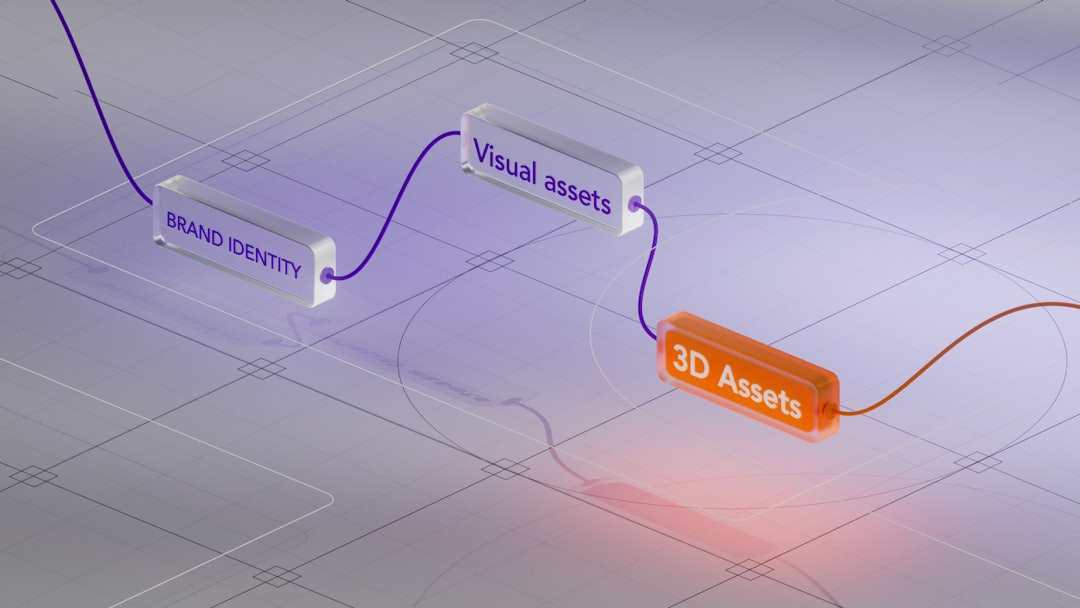
Recurring revenue is the goal for most modern businesses — predictable cash flow, lower acquisition cost per dollar of revenue, compounding growth. What the pitch deck version leaves out is the operational complexity that comes with managing subscription billing at any real volume. Upgrades, downgrades, mid-cycle cancellations, proration calculations, failed payment retries, free trial conversions — each of these is a routine event in a subscription business, and each one creates a billing edge case that your systems need to handle correctly every single time. Get enough of them wrong and the financial reporting falls apart, customer trust erodes, and compliance exposure builds quietly in the background.
The businesses that scale subscription models successfully aren’t just good at acquiring subscribers. They’re good at the billing infrastructure behind them.
The Complexity Starts at the Billing Event Level
Most subscription billing problems trace back to the same root cause: the billing system isn’t capturing the right event at the right time with the right parameters. A customer upgrades from a base plan to a premium tier on the 14th of the month. Does the system prorate correctly? Does it charge the difference immediately or apply it to the next cycle? Does the revenue get recognized correctly under ASC 606 or IFRS 15? Does the tax calculation reflect the new plan price and the subscriber’s current billing address?
Each of those questions has a correct answer, and the correct answer needs to be produced automatically — not reviewed manually after the fact. At low subscriber counts, exceptions get caught in customer service queues and finance reconciliations. At scale, they accumulate faster than any team can manually resolve them, and the downstream effects on revenue recognition and churn metrics become genuinely difficult to unwind.
Tax Compliance in Subscription Billing Is Its Own Problem
Subscription businesses face a particularly thorny tax environment. The taxability of subscription products varies significantly by jurisdiction — some states tax SaaS, some don’t, some tax it partially depending on whether the product has a tangible component. Digital services face VAT in the EU, GST in Australia, and a patchwork of digital services taxes in other markets. When a subscriber changes their billing address, their tax treatment may change entirely, mid-subscription.
Most billing platforms handle rate applications at the transaction level, but that’s not enough on its own. The rate needs to reflect the correct jurisdiction, the correct product classification, and the correct exemption status if applicable. This is where dedicated tax compliance software earns its place in the subscription billing stack — it handles the jurisdiction mapping, taxability rules, and rate accuracy that a billing platform alone isn’t designed to maintain. Trying to manage subscription tax compliance through manual rate tables or static billing configurations is one of the faster ways to accumulate silent liability.
Revenue Recognition Adds Another Layer of Complexity
Subscription revenue isn’t recognized when it’s billed — it’s recognized as it’s earned, which means spread across the subscription period in alignment with when the service is delivered. That sounds manageable with a small subscriber base. With thousands of subscribers on different plan types, billing cycles, and mid-term modifications, the recognition calculation becomes a significant accounting operation in its own right.
The risks that tend to surface here include:
Deferred revenue miscalculation when plan changes aren’t handled correctly at the contract modification level
Accelerated recognition on annual plans where the full amount is collected upfront but should be spread across twelve months
Inconsistent treatment of discounts and free trials that distort the recognized revenue figure
Multi-element arrangements where a subscription bundles services with different standalone selling prices that need to be allocated separately
Each of these is a manageable problem with the right systems. Each becomes an audit risk if it’s being handled through manual journal entries and end-of-period adjustments.
Building a Billing Infrastructure That Holds Up
The companies that manage subscription billing well have made deliberate choices about how their systems connect. Their billing platform talks to their tax engine in real time. Their revenue recognition logic is automated and tied to contract terms, not to billing dates. Their dunning and failed payment workflows are configured to minimize involuntary churn without creating accounting exceptions. And their reporting gives finance a clear, auditable view of deferred revenue, recognized revenue, and billing adjustments at any point in the period — not just at close.
Subscription billing is not a set-it-and-forget-it function. The model is dynamic by nature, and the infrastructure supporting it needs to be equally responsive. The teams that recognize that early build systems that scale. The ones that don’t spend their growth phase managing billing crises instead of serving customers.
Subscription Billing Looks Simple Until You Try to Scale It was last modified: April 1st, 2026 by Kate Fylstra
Reliable knowledge management options are essential for many independent professionals. Selecting a platform that best fits specific business requirements is crucial. Pricing is important for solopreneurs, as they usually work with minimal budgets. Let’s understand whether LearnDash fits your budget to maximize value without sacrificing the features you need.
Understanding LearnDash Pricing
LearnDash offers several pricing levels. The three tiers offer different features and thresholds to suit all types of users. Solo operators are usually the ones with the lowest plan, since it costs less. Other offers focus on bigger or developing associations. Which LearnDash pricing plan makes the most sense for a solopreneur will depend on needs, both immediate and future.
What Solopreneurs Get for the Base Price
This level of access provides users with the most fundamental tools for designing and administering online courses. It also consists of content creation tools, quiz options, and simple reporting capabilities. While premium plans offer advanced integrations, the fundamentals form the foundation. For most independents, these features are more than enough to get started and scale their first learning product.
How Does It Compare Value to Other Platforms?
Pricing structures have been released by competitors that are similar to LearnDash, but the LearnDash entry level may possess features that some competitors do not. Some platforms, for example, charge more for basic tools or limit the customization options available. These are often included by LearnDash without any extra charges, which helps solopreneurs save on costs. Examine the initial cost and weigh the included benefits when evaluating value for money.
Recurring Costs and Potential Add-Ons
Decisions should take into account ongoing expenses. You need to deal with annual renewals (typical of many software providers) as a solopreneur. Add-ons and integrations may not be essential, but they can increase overall expenses. The basic LearnDash plan serves enough for many people, and thus, you do not spend unnecessarily. Nonetheless, requiring premium add-ons as your business scales can drive a surge in total investment.
Ease of Use and Time Savings
Time is money for anyone working on their own online business. However, this means LearnDash is more intuitive to work with, so the learning curve is shorter for newcomers. A user-friendly interface and a simple setup process facilitate fast course launches. Fewer broken integrations mean less time spent on technical setup and more time focused on creating content and marketing, both of which drive business growth.
Course Monetization Opportunities
A small business owner needs to consider how well a platform can support monetization. You can integrate the tool with payment gateways so that you can directly sell the course to the customers. Native sales SaaS tools make it easy to collect revenue without the need for third-party solutions. These features, especially for a newcomer to the space, can be helpful when building a profitable business.
Support and Community Resources
Support access and expert user communities can make independent professionals feel weatherized. LearnDash provides access to documentation, tutorials, and community forums. They provide users with the ability to troubleshoot issues and share best practices. Having reliable support minimizes downtime and obstacles, and this can be a huge help for people who do not have a team to work with.
Scalability for Future Growth
The initial requirements may be small, but many new solopreneurs are looking to grow. LearnDash’s design allows you to upgrade your plan as your audience grows. By starting with the entry-level product, users have the option to unlock deeper tools later without having to migrate to a new platform. This adaptability attracts long-term business development planners.
Potential Limitations for Solopreneurs
For some independent course creators, the platform’s pricing may feel a little on the high side when compared to alternatives. Some extensions are not free, which may surprise new users. Deciding which functions are indispensable is important because you should avoid unnecessary expenditure after the acquisition. If you have minimal technical experience, then finding your way to all the tools might take you some time.
Final Thoughts
The best blend of features and pricing for freelancers, the LearnDash pricing model is attractive and effective. The basics come with entry-level access, meeting the requirements of the majority of single-user settings. Be appropriately cautious about the ongoing costs and any upgrades you may want to do. If you value money, freedom, and support, this is an inexpensive way of offering online courses.
Is the LearnDash Pricing Structure Cost-Effective for Solopreneurs? was last modified: April 1st, 2026 by Baris Zeren
In an era of rising passenger expectations and growing ridership numbers, traditional rail ticketing methods are no longer sufficient for modern transportation demands. Passengers increasingly prefer fast, digital experiences over long queues and manual processes, driving the need for efficient railway booking software that can handle high volumes, reduce friction, and deliver real‑time convenience. Across major networks, digital bookings now account for the vast majority of reservations — with systems like Indian Railways’ e‑ticketing reaching around 89 % of all reserved bookings in FY 2025‑26 — reflecting a clear shift toward online platforms.
Digital solutions improve both passenger experience and operational efficiency by enabling instant reservations, secure payments, and personalized travel options through apps and web portals. As the railway sector grows and embraces digital transformation, operators must focus on seamless integration, scalable architecture, and user‑centric features. Key functionalities such as mobile ticketing, dynamic seat selection, real‑time updates, and AI‑driven recommendations are becoming essential priorities for rail systems aiming to meet future demand — streamlining journeys for travelers while optimizing resource use for operators.
Real-Time Availability and Inventory Management
Real-time availability and inventory management are essential for ensuring accurate and efficient rail booking operations. Modern systems must continuously synchronize train schedules, seat inventory, and pricing data across multiple carriers and distribution channels. This ensures that passengers always see the most up-to-date information when searching and booking tickets, reducing the risk of discrepancies between what is displayed and what is actually available.
Accurate, real-time data plays a critical role in operational reliability. Train schedules can change due to delays, maintenance, or network disruptions, and seat availability fluctuates constantly as bookings are made across different platforms. Without real-time updates, outdated information can lead to booking errors, missed connections, or customer dissatisfaction. Keeping inventory synchronized across all touchpoints helps maintain consistency and trust in the booking process.
Prevents overbooking by ensuring that seat inventory is updated instantly across all sales channels
Reduces passenger frustration caused by booking unavailable seats or outdated schedules
Improves transparency by providing accurate departure times, delays, and platform updates
Enhances coordination between operators, agencies, and third-party distributors
Real-time updates also streamline both operations and customer service. Staff can respond more effectively to changes, assist passengers with accurate information, and quickly rebook or adjust itineraries when disruptions occur. For customers, this translates into a smoother experience—from search to boarding—while for operators, it leads to better resource utilization, fewer errors, and improved overall efficiency.
Seamless Seat Selection and Passenger Preferences
Seat selection has become a key part of the rail booking experience, moving beyond basic allocation to a more personalized and user-driven process. Modern systems provide interactive seat maps that reflect real-time availability, allowing passengers to choose exactly where they want to sit based on layout, class, and onboard features. This level of control not only improves transparency but also aligns the booking process with growing expectations for customization.
Customizable seat maps and class options give operators the flexibility to represent different carriage types—such as standard, business, or first class—along with specific features like window or aisle seats, quiet zones, or tables. These visual interfaces make it easier for passengers to understand their options at a glance and make informed decisions without needing additional assistance.
Supports detailed seat selection with visual, easy-to-navigate carriage layouts
Allows filtering by class, seat type, or onboard amenities
Adapts to different train configurations and service types
Catering to passenger preferences is equally important for comfort and accessibility. Travelers may prioritize extra legroom, proximity to exits, or accessibility features for reduced mobility. By incorporating these preferences into the booking flow, systems can offer more inclusive and tailored experiences, helping operators meet diverse passenger needs while increasing satisfaction and loyalty.
An intuitive interface design ties all these elements together. Clean layouts, responsive interactions, and minimal steps in the selection process reduce friction and booking time. When passengers can quickly find and select seats that match their preferences, the overall user experience improves significantly—leading to higher conversion rates and fewer abandoned bookings.
Integrated Payment Solutions
Integrated payment solutions are a core component of modern rail booking platforms, enabling fast, flexible, and secure transactions across different markets and customer segments. By embedding payment functionality directly into the booking flow, these systems eliminate friction and ensure that passengers can complete their purchases quickly and reliably, regardless of their preferred payment method or location.
Supporting multiple payment options is essential for meeting diverse user expectations:
Credit and debit cards for global accessibility
Digital wallets (such as Apple Pay or Google Pay) for faster checkout
UPI and instant bank transfers for region-specific convenience
Alternative payment methods (APMs) tailored to local markets
Security and compliance are equally critical in payment integration. Systems must adhere to standards such as PCI DSS, ensuring that sensitive payment data is encrypted, tokenized, and never exposed to unauthorized access. Secure payment gateways, fraud detection mechanisms, and strong authentication protocols (like 3D Secure) help reduce the risk of fraud while maintaining a seamless user experience.
Smooth and well-integrated payment processes directly improve booking completion rates. Complicated or slow checkout flows often lead to cart abandonment, especially during high-demand travel periods. Optimized payment experiences—featuring quick authorization, minimal input steps, and localized payment options—encourage users to finalize their bookings. This not only boosts conversion rates but also enhances overall customer satisfaction by making the purchase process simple and reliable.
Reporting, Analytics, and System Integrations
Modern railway booking platforms rely heavily on robust reporting and analytics to drive operational efficiency and revenue growth. By collecting and processing data from bookings, cancellations, passenger behavior, and seasonal trends, these systems generate actionable insights that help operators make informed decisions. For example, analytics can highlight peak travel periods, identify underperforming routes, or reveal customer preferences, enabling dynamic pricing, targeted promotions, and optimized resource allocation.
Integration with other railway management tools further amplifies the value of these insights. Seamless connections with CRM systems, loyalty programs, and operational management platforms allow for a 360-degree view of each passenger and their journey. This ensures personalized experiences, consistent communication, and better alignment across departments—from ticketing to customer support. Such integrations also reduce manual data entry, minimize errors, and improve coordination between internal teams and third-party partners.
COAX Software brings extensive expertise in building scalable and reliable railway booking platforms that combine powerful analytics with seamless system integrations. Their solutions are designed to handle high transaction volumes, maintain data accuracy in real time, and provide a secure, compliant framework for connecting multiple tools and services. By leveraging these capabilities, railway operators can make smarter decisions, improve passenger satisfaction, and maximize revenue potential.
Efficient reporting and integrations not only streamline operations but also empower operators to respond proactively to market demands, ultimately enhancing both performance and the passenger experience.
Unlocking Efficiency with Modern Railway Booking Software
Modern railway booking software brings together a suite of features designed to optimize both operational efficiency and passenger experience. Real-time availability and inventory management ensure accurate schedules and prevent overbooking, while advanced seat selection tools give travelers greater control and comfort. Integrated payment solutions provide secure, seamless transactions, and built-in analytics enable operators to monitor performance, identify trends, and make data-driven decisions.
Adopting these advanced solutions positions railway operators to meet growing customer expectations while streamlining internal processes. By reducing errors, improving booking speed, and enhancing transparency, modern software not only increases efficiency but also fosters greater passenger satisfaction and loyalty. In an increasingly competitive market, investing in comprehensive railway booking systems is no longer optional—it is a strategic move that drives operational excellence and sustainable growth.
Railway Booking Software: Key Features Every Operator Should Consider was last modified: March 26th, 2026 by Muhammad Umar
Inventory problems rarely begin with a missing item. They start when your team has to guess demand, recheck receipts, count shelves by hand, or decide which order gets the last units in stock. That is why inventory management automation works best when you treat it as a chain of decisions, not a single software purchase.
The strongest operations are not the ones chasing total autonomy. They are the ones removing hesitation from every handoff, from forecasting and receiving to replenishment and exception control. You get the biggest return when you automate the small decisions people repeat all day, because that is where delays, stockouts, and margin leaks usually hide.
Automate Demand Before Inventory Exists
If your forecasts lag by even a week, your purchase orders start chasing demand instead of shaping it. That is why inventory management automation should begin before a product reaches your shelf. The best systems blend sales history, promotion calendars, lead-time shifts, and supplier risk into one reorder signal.
Use AI-Assisted Forecasting For Shorter Planning Cycles
You do not need a massive data science team to improve forecasting anymore. Modern tools can flag demand swings, seasonality changes, and unusual order patterns faster than a spreadsheet ever will.
The real advantage is speed: instead of reviewing forecasts monthly, you can adjust them weekly or even daily. That makes your business less reactive and far less likely to overbuy the wrong SKUs.
Build Reorder Logic Around Volatility
Average demand is useful, but average demand also lies. A slow item with erratic spikes can hurt you more than a fast item with steady movement, so your reorder points should reflect volatility, supplier reliability, and service-level targets.
Good automation uses those variables to recommend how much buffer stock you actually need. That keeps you from carrying safety stock out of fear instead of evidence.
Connect Purchasing To Supplier Signals
A purchase order should not be a separate task that someone launches after checking three different systems. When supplier lead times, minimum order quantities, inbound shipment updates, and fill-rate history are connected, purchasing becomes far more precise. More businesses are using this kind of connected data to balance “just in case” inventory with tighter cash control.
Automate Receiving At The Dock
Receiving is where your records meet physical reality. If that moment is slow or inaccurate, every downstream action gets worse, including putaway, availability, and replenishment. More operators are fixing that with mobile scanning, RFID-assisted check-in, and computer vision tools that confirm what actually arrived.
Replace Clipboards With Scan-Based Check-In
The fastest way to reduce receiving errors is to stop writing things down twice. Barcode and RFID workflows let your team validate product, quantity, lot data, and location in one motion, which cuts rekeying and shortens dock time. Even a basic scan-first workflow can improve inventory accuracy because every receipt becomes traceable.
Use Computer Vision To Catch Exceptions Faster
Computer vision is becoming more practical because it no longer has to do everything to be valuable. A camera system that spots damaged cartons, mismatched labels, or empty shelf space can remove a huge amount of manual verification work.
Retailers and foodservice operators are also adopting handheld AI tools and inventory counting solutions that turn shelf checks into faster, more frequent inventory reads. The smart move is not replacing people—it is reserving their time for the exceptions machines can detect first.
Trigger Putaway, Labels, And Ledger Updates Immediately
Receiving should set off a clean chain reaction. Once a shipment is confirmed, your system should create putaway tasks, print labels, update available stock, and push the transaction into accounting without another round of data entry. That matters because delays at this step create invisible inventory, and invisible inventory is how you end up buying stock you already own.
Automate Inventory Accuracy Between Touches
Most inventory drift does not happen during big events. It happens in the quiet hours between receipts, picks, returns, transfers, and shelf movements. An annual stock count might fix the number on paper, but it does not fix the habit that caused the error. You need automated inventory tracking that keeps accuracy alive between major counts.
Run Continuous Cycle Counts In The Background
A yearly wall-to-wall count is a reset button, not a strategy. Continuous cycle counting works better because it targets the items and locations most likely to drift, often based on value, movement, or error history. You can automate count scheduling, variance thresholds, and recount triggers so your team only steps in when a discrepancy matters.
Use RFID And Sensors For Passive Visibility
Passive visibility is one of the most important upgrades in inventory management automation. RFID, shelf sensors, and connected devices can tell you where stock is, when it moved, and whether it was touched without relying on someone to remember an update. If your stock record depends on perfect human memory, it is already weaker than your customers expect.
Let Dynamic Slotting Follow Demand
Static storage rules create unnecessary labor. When your system can recognize that a fast mover has become a slow mover, or that a seasonal item now deserves a more accessible location, you reduce travel time and mispicks at the same time.
Dynamic slotting is useful for high-SKU operations where item velocity changes quickly. My opinion is that this is one of the most underrated forms of automation because it quietly improves both labor efficiency and inventory accuracy.
Automate Replenishment Across Every Sales Channel
Inventory does not fail only inside the warehouse. It also fails when your online store, wholesale channel, retail floor, and marketplace listings all believe they own the same units. If those systems are not synced, you end up overselling one item and overprotecting another. That is why automated replenishment has to work across channels, not just inside one building.
Tie Replenishment To Real Sell-Through
Your replenishment engine should react to actual consumption, abandoned carts, promotions, and returns, not just static min-max settings. This helps you shift stock toward the channel that is genuinely converting instead of the one with the loudest internal requests. You protect revenue because inventory follows evidence rather than internal politics.
Use Allocation Rules Instead Of Manual Firefighting
Automated allocation rules let you reserve units based on margin, customer priority, ship date, service agreements, or geographic need. That creates a calmer operating model because the system makes the first call, and your team handles only the edge cases. You stop turning every shortage into a meeting.
Sync Online, Store, And Wholesale Inventory In One Flow
Real-time sync between your commerce platform, point-of-sale system, warehouse tools, and ERP reduces duplicate updates and cuts the delay between a sale and a stock adjustment. That is becoming essential this year as more businesses run regional fulfillment and smaller forward stocking points.
Automate The Exceptions That Drain Your Team
The most expensive inventory work is rarely the routine work. It is the constant stream of shortages, substitutions, late receipts, damaged goods, and priority changes that force experienced people to stop what they are doing.
Full autonomy sounds impressive, but selective automation is usually more profitable. My strongest opinion here is that a good system should send fewer alerts, not more, and each alert should demand a clear action.
Escalate Risk Before A Stockout Hits Revenue
The best exception workflows do not wait for a stockout to become visible in sales. They warn you when demand is accelerating, a supplier slips, or a key SKU is burning through its buffer faster than expected. That gives you time to rebalance stock, expedite an order, or swap supply before the customer feels it.
Turn Dashboards Into Action Queues
A dashboard full of red tiles is not automation. Useful automation converts a problem into a task, assigns an owner, sets a priority, and records the outcome for future improvement. That is how you turn visibility into accountability. If your reporting does not change behavior, it is decoration.
Keep Human Approval Where Margin Is Exposed
Substitutions, rush buys, markdowns, and customer-specific allocations can affect brand trust and margin in ways a rule engine may not fully understand. The smarter model is to automate detection, recommendation, and workflow routing, while keeping final approval with the right person when the stakes are high.
Conclusion
Automating every point in inventory management does not mean buying the biggest platform or replacing every human touch. It means removing the pauses between signal and action, so your team stops spending time on preventable checks, duplicate entries, and last-minute fixes.
The winners are not necessarily the businesses with the most robotics or the flashiest AI demos, but the ones that automate the decisions that happen most often and matter most financially. If you build your process that way, you create an inventory operation that is faster, calmer, more accurate, and much easier to scale
Automating Every Point in Inventory Management was last modified: June 23rd, 2026 by Thomas Lore
Recognized as the world’s leading CRM platform, Salesforce offers a wide range of capabilities that help construction companies streamline marketing, sales, and customer service processes, resulting in significant business gains. According to the estimations from Salesforce’s FY25 Customer Success Metrics for Engineering, Construction, and Real Estate report, companies that implement the platform note 38% increase in marketing-led growth, 27% improvement in customer satisfaction, and 25% increase in sales revenue.
Although Salesforce’s primary purpose is to optimize customer-focused processes, the platform can also support and automate specialized construction management operations, such as bid, project, and subcontractor management. Additionally, the platform provides robust AI capabilities that enable companies to automate content creation, optimize multi-step tasks, and generate a wide range of insights. Thus, for a construction company, Salesforce can become a holistic business management system, more comprehensive than just a CRM tool.
In this article, experts from Itransition, a company with 10+ years of experience in Salesforce consulting, highlight the key capabilities ofSalesforce for construction industry.
1. Core CRM capabilities
Marketing management
Since Salesforce is fundamentally a CRM platform, its core strength lies in enhancing various aspects of customer relationships, including the most crucial ones, such as marketing. In practice, Salesforce can automatically capture lead information from various sources, like website forms, email, or social media, and automatically create lead profiles based on it.
Business users can use gathered information to group leads into separate cohorts based on a particular characteristic (demography, behavior, location, etc.) and run highly targeted marketing campaigns across various touchpoints, increasing the probability that the right construction service offer reaches the right potential customer. Based on predefined workflow rules, Salesforce can also run these campaigns automatically, freeing up marketers for more high-value work like developing new marketing strategies or generating creative concepts.
Sales management
Similarly to lead profiles, Salesforce can automatically create comprehensive profiles of actual customers by unifying information about their demographics, needs, and preferences from interactions across various touchpoints. Sales agents can then use these profiles as a single source of truth for offering construction services that perfectly match the requirements of potential buyers. With these comprehensive profiles, users can also easily identify the most profitable potential buyers to focus on high-margin bidding opportunities rather than pursuing every available bid.
Additionally, sales specialists from construction companies can create quote and contract templates in Salesforce to later build quotes and create contracts from approved quotes more swiftly, thereby streamlining corporate quote-to-cash processes. Last but not least, Salesforce allows for tracking the status of prospects at various stages of the sales cycle, including negotiation and contract signing, helping agents immediately detect potential issues in the sales cycle and prevent deals from stalling or failing.
Customer care
Construction companies can use Salesforce’s built-in development tools to create web portals that serve as centralized hubs for customer information and communication. Through such a portal, they can enable clients to access up-to-date data and documents related to their projects, including drawings, contracts, invoices, and project reports, building trust and client satisfaction.
Salesforce can also help construction companies centralize customer inquiries from various channels like email, web forms, or live chat and automatically convert them into support cases, which can later be routed to appropriate customer service agents based on their expertise or availability. This allows companies to ensure that no customer inquiries are missed and issues are resolved promptly, thereby enhancing overall client satisfaction.
Additionally, managers can use Salesforce to schedule on-site service work on construction sites based on work crews’ current availability and tasks’ priority. With the help of Salesforce’s built-in development tools, companies can also create mobile apps that grant field workers remote access to work orders, knowledge bases, and customer data, ensuring that they are always well-informed and can handle complex repair and construction tasks.
2. Construction-specific capabilities
Bid management
As mentioned earlier, construction companies can leverage Salesforce to empower their industry-specific processes beyond marketing, customer service, and sales. For instance, although bid management is not available as an out-of-the-box feature, a company can configure Salesforce’s standard functionality to create a customized system that would facilitate their bidding processes end-to-end.
With the necessary configurations, Salesforce can automatically capture customer and supplier bid invitations and manageme all bid-related information (RFPs, requirements, deadlines, values). Salesforce can also be tailored to automate quote generation, the creation of PDF proposals, and bid follow-ups.
Project management
Although it also requires additional configuration, many construction companies successfully use Salesforce as a project management tool. The platform can be used as a single source of truth for project information and facilitate the management of the entire project process, from initial contact with a potential client to completion. Business users can create and assign tasks with due dates, as well as use custom reports and dashboards to visualize project progress, overdue tasks, and milestones.
Subcontractor and supplier management
In addition to the above-mentioned use cases, construction companies often use Salesforce to manage subcontractor and supplier lifecycle management. For example, a company can configure standard Salesforce objects to store supplier information, including their contact information, specialization, and interaction history. Additionally, Salesforce objects can be used to manage requests for information (RFI) processes or safety incident reporting.
Construction companies can also create specialized web portals similar to Salesforce-based customer portals but used for communicating with subcontractors and suppliers and exchanging project information and documents across multiple parties. As was mentioned previously, Salesforce enables companies to create field service mobile apps, which can also allow field workers to remotely access subcontractor data and communicate with subcontractors when on-site.
3. Advanced AI capabilities
Generative AI
Salesforce is widely recognized as the leading AI technology adopter in the CRM market, and its platform is embedded with a wide range of AI capabilities. One of them is generative AI, a technology that can automatically generate original content, such as text or images. Construction companies can leverage this capability to accelerate slow, error-prone document-generation processes and automatically draft documents such as requests for proposal (RFPs), requests for information (RFIs), or statements of work (SOWs). As Salesforce’s Gen AI tools can convert spoken audio into accurate, written text, this capability can also be utilized by field workers for quicker generation of safety reports or daily logs.
Agentic AI
In recent years, Salesforce has also heavily invested in agentic AI, and today their platform provides the capabilities for construction companies to build AI-enabled agents that can make decisions and execute complex tasks autonomously, similar to real human employees. In construction, AI agents can perform a wide range of tasks, from providing 24/7 customer support and troubleshooting to automatically creating maintenance tasks and ensuring the compliance of project documents, bids, and reports with relevant regulations. Thus, with the help of these digital agents, construction companies can achieve significant gains in business process efficiency, not available when applying traditional automation solutions.
AI analytics
Additionally, Salesforce offers a broad range of AI-powered analytics capabilities that can help construction companies generate data-driven insights into sales, service, marketing, and other business operations. Salesforce’s marketing intelligence, for example, enables users to analyze the effectiveness of marketing campaigns and identify activities that drive higher volumes of quality website traffic or lead to property sales. The platform’s sales analytics tools, in turn, help users forecast the revenue and profitability of specific construction projects, as well as predict shifts in market demand based on historical data and economic indicators.
Final thoughts
Salesforce offers a broad range of capabilities allowing construction companies to optimize their marketing, customer service, and sales processes. Companies can combine Salesforce’s out-of-the-box capabilities with additional configurations to streamline their selected construction management operations, including bid, project, and subcontractor management. Additionally, Salesforce offers powerful AI capabilities enabling companies to implement advanced process automation solutions and transform raw data into actionable analytics insights.
If you are considering implementing this comprehensive platform, you should keep in mind that Salesforce implementation is a highly complex initiative, which can fail if not managed and executed by certified professionals. Salesforce consultants with experience in the construction industry can create an implementation strategy that aligns with your specific business needs and objectives and guide your in-house team during the project’s execution to help you secure and maximize your Salesforce investment.
The Most Useful Capabilities of Salesforce for Construction Companies was last modified: March 24th, 2026 by Anastasia Vlasenko
Flowcharts are still one of the clearest ways to explain how work moves through a system in 2026. Teams use them to map approval chains, document operating procedures, outline customer journeys, and visualize software logic. In 2026, visual workflows are part of daily operations across product teams, HR departments, IT groups, and consulting firms.
Traditional diagram tools require manual layout work. Users drag shapes, draw connectors, adjust spacing, and reformat everything when processes change. That approach slows down documentation and makes updates time-consuming.
An AI flowchart generator removes most of that friction.
Modern AI flowchart builders turn short written prompts into structured, editable diagrams in seconds. A user can describe a workflow in plain language and receive a properly connected flowchart with decision points and logical branches. Instead of starting with a blank canvas, teams start with structure.
This guide reviews the best AI flowchart generators in 2026, ranked for usability, AI accuracy, customization, collaboration, and real-world application.
What Is an AI Flowchart Generator?
An AI flowchart generator is a tool that converts text descriptions into visual diagrams. Users describe a workflow, and the system creates nodes and connectors automatically.
Most AI flowchart builders in 2026 include:
Text-to-flowchart generation
Editable diagram elements
Templates for common workflows
Export formats such as PNG or PDF
Sharing or collaboration options
Some platforms focus on business process documentation. Others emphasize design quality or collaborative brainstorming. The right choice depends on how the flowchart will be used.
Below are the leading tools, presented in order.
Best AI Flowchart Generators in 2026
Jotform AI Flowchart Generator
Jotform AI Flowchart Generator turns natural language descriptions into structured diagrams designed for business workflows in 2026. The tool is part of Jotform’s broader ecosystem of forms and automation products, which makes it suitable for teams documenting real operational processes.
Users can enter a written description of a workflow, and the AI builds a clear, editable flowchart. Diagrams can then be refined, reorganized, and shared. It works well for generating approval flows, onboarding systems, support processes, and compliance documentation.
The focus is on logic clarity and usability rather than decorative design.
Jotform AI Flowchart Generator Pros
Accurate branching from written prompts
Fully editable diagrams after generation
Clear interface designed for structured workflows
Easy export and sharing options
Suitable for operational documentation
Jotform AI Flowchart Generator Cons
Limited visual styling compared to design-heavy platforms
Advanced layout customization may require manual adjustment
Jotform AI Flowchart Generator Pricing
Free forever plan available
Bronze: $34/month
Silver: $39/month
Gold: $99/month
Enterprise: Contact sales
Jotform AI Flowchart Generator Is Best For:
Most businesses and teams that need structured, practical, and editable workflow documentation and flowcharts.
Venngage AI Flowchart Generator
Venngage AI Flowchart Generator focuses on presentation-ready diagrams for 2026. It converts text prompts into structured flowcharts that can be customized using brand colors, fonts, and layout controls.
The platform is design-oriented. It works well for consultants, marketing teams, and educators who need polished visuals for reports or client presentations.
Venngage emphasizes visual quality and brand consistency.
Venngage AI Flowchart Generator Pros
Strong customization tools
Brand kit support
Clean templates for professional presentations
Multiple export formats
Venngage AI Flowchart Generator Cons
Editing experience leans toward design rather than workflow structure
Premium features require paid plans
Venngage AI Flowchart Generator Pricing
Free plan available
Premium: $10/month
Business: $24/user/month
Enterprise: Starts at $499, scales up
Venngage AI Flowchart Generator Is Best For:
Users who prioritize visual presentation and branded output for clients.
Miro AI Flowchart Generator
Miro’s AI flowchart builder operates within its collaborative whiteboard environment in 2026. Users enter text, and the AI creates a flowchart directly on an infinite canvas.
Teams can edit diagrams together in real time, alongside sticky notes, roadmaps, and planning boards. Miro’s strength lies in collaborative environments rather than formal documentation.
It works well during workshops, sprint planning, and remote meetings.
Miro AI Flowchart Generator Pros
Real-time collaboration
Infinite canvas for flexible diagram placement
Fast text-to-flowchart generation
Works alongside other planning tools
Miro AI Flowchart Generator Cons
AI usage depends on credits
Large boards can become cluttered
Less focused on structured documentation
Miro AI Flowchart Generator Pricing
A free plan is available
Starter: $8/member/month
Business: $16/member/month
Enterprise: Contact sales
Miro AI Flowchart Generator Is Best For:
Agile teams and collaborative brainstorming sessions.
Eraser.io AI Flowchart Generator
Eraser.io offers a developer-oriented AI flowchart generator for 2026. It can convert structured text or logical descriptions into diagrams.
The platform focuses on clarity of logic rather than decorative styling. Engineers and technical teams often use it to map system architecture or software flows.
It provides a streamlined experience for users comfortable with structured inputs.
Eraser.io AI Flowchart Generator Pros
Clear representation of system flows
Lightweight interface
Free access available
Eraser.io AI Flowchart Generator Cons
Limited advanced visual customization
Not ideal for marketing or presentation use
Eraser.io AI Flowchart Generator Pricing
A free plan is available
Starter: $15/member/month
Business: $45/member/month
Enterprise: Contact sales
Eraser.io AI Flowchart Generator Is Best For:
Engineering teams, developers and technical documentation workflows.
Whimsical AI Flowchart Generator
Whimsical AI Flowchart Generator creates clean, simple flowcharts from text prompts in 2026. The interface is minimal, which makes it easy to use without a steep learning curve.
The platform also supports mind maps and wireframes, making it useful for product design and early-stage planning.
Whimsical prioritizes simplicity and clarity.
Whimsical AI Flowchart Generator Pros
Simple and fast generation
Minimal interface
Good for ideation and user flows
Real-time collaboration
Whimsical AI Flowchart Generator Cons
Limited advanced customization
Less suited for complex enterprise workflows
Whimsical AI Flowchart Generator Pricing
A free plan is available
Pro: $10/editor/month
Business: $15/editor/month
Enterprise: $20/editor/month
Whimsical AI Flowchart Generator Is Best For:
Startup teams and designers mapping product concepts.
EdrawMax AI Flowchart Generator
EdrawMax integrates AI flowchart generation in 2026 into a broad diagramming suite. Users put in text to create a diagram, then refine it using advanced editing tools.
The platform supports many diagram types beyond flowcharts, including technical and engineering visuals.
It suits users who need detailed control over diagram structure.
EdrawMax AI Flowchart Generator Pros
Advanced editing features
Multiple diagram categories
Flexible export formats
EdrawMax AI Flowchart Generator Cons
Interface can feel complex
Free plan includes usage restrictions
EdrawMax AI Flowchart Generator Pricing
50,000 EdrawMax AI tokens: $5.90
100,000 EdrawMax AI tokens: $9.90
999,999 EdrawMax AI tokens: $79.90
EdrawMax AI assets are accessible with a 7-day trial, and they auto-renew at $15.9/month in addition to regular EdrawMax plans:
Free trial available
Semi-annual: $69/6 months
Annual: $99/1 year
Perpetual: $198/one-time purchase
EdrawMax AI Flowchart Generator Is Best For:
Professionals who work with technical diagrams regularly.
MyLens AI Flowchart Maker
MyLens AI Flowchart Maker is a browser-based tool designed for users who need quick generation in 2026. Users enter text and receive a flowchart instantly.
The interface is straightforward and does not require account setup for basic use. It is suitable for simple diagrams and fast drafts.
Creately AI Flowchart Generator combines AI generation with a collaborative diagram workspace in 2026. It supports multiple diagram formats and real-time editing.
The AI builds structured diagrams from text, which users can then customize extensively. Creately works well for teams managing different types of diagrams within one environment.
It offers more depth than lightweight tools.
Creately AI Flowchart Generator Pros
Wide diagram support
Real-time collaboration
Flexible editing controls
Suitable for complex workflows
Creately AI Flowchart Generator Cons
Interface may feel dense for basic tasks
AI features tied to paid tiers
Creately AI Flowchart Generator Pricing
Free plan, doesn’t include AI features
Personal: $5/month
Team: $5/user/month
Business: $89/month
Enterprise or OnPrem: Contact sales
Creately AI Flowchart Generator Is Best For:
Teams handling complex projects and varied diagram types.
NoteGPT.io AI Flowchart Generator
NoteGPT.io provides a simple AI flowchart generator in 2026 that converts text or uploaded documents into diagrams. It emphasizes speed and accessibility.
The platform works entirely in the browser and requires minimal setup. It is practical for students or solo users drafting quick process visuals.
NoteGPT.io AI Flowchart Generator Pros
Accepts text and document input
Fast generation
Easy to use
Free access available
NoteGPT.io AI Flowchart Generator Cons
Limited collaboration features
Basic customization
Not designed for enterprise workflows
NoteGPT.io AI Flowchart Generator Pricing
Free to use AI flowchart generator
Pro: $9/month
Unlimited: $19.92/month
Max: $69/month
NoteGPT.io AI Flowchart Generator Is Best For:
Students and individuals needing quick drafts.
How to Choose the Best AI Flowchart Generator in 2026
Selecting the right AI flowchart builder depends on the intended use.
For Structured Business Workflows and Most Use Cases
Jotform provides strong logic clarity and easy editing for most scenarios.
For Branded Presentations
Venngage supports customization and professional design output.
For Collaborative Workshops
Miro and Creately offer real-time collaborative editing and shared workspaces.
For Technical System Mapping
Eraser.io and EdrawMax support structured, detailed diagrams.
For Quick Personal Use
Jotform, MyLens and NoteGPT deliver fast results with minimal setup.
The best AI flowchart generators in 2026 reduce manual layout work and help teams focus on improving processes rather than drawing shapes.
Comparison Table: The Best AI Flowchart Generators in 2026
Tool
Best For
Key Feature
Jotform AI Flowchart Generator
Business operations, most use cases
Structured workflow generation
Venngage AI Flowchart Generator
Client-facing presentations
Brand customization tools
Miro AI Flowchart Generator
Agile teams
Collaborative infinite canvas
Eraser.io AI Flowchart Generator
Engineering workflows
Developer-focused logic diagrams
Whimsical AI Flowchart Generator
Product planning
Minimal, fast ideation
EdrawMax AI Flowchart Generator
Technical professionals
Advanced diagram suite
MyLens AI Flowchart Maker
Quick drafts
Instant browser-based creation
Creately AI Flowchart Generator
Complex team projects
Multi-diagram collaboration
NoteGPT.io AI Flowchart Generator
Students and individuals
Simple document-to-flowchart conversion
FAQ
What are the best AI flowchart generators in 2026?
Leading options include Jotform, Venngage, Miro, Creately, and EdrawMax. The best choice depends on whether the priority is business workflows, collaboration, or design presentation.
Is there a no-code AI flowchart generator?
Yes. Most modern tools function as a no-code AI flowchart generator. Users describe the process in plain language, and the system creates the diagram.
Can AI flowchart builders handle complex workflows?
Many can generate structured branching logic. Advanced workflows may require editing after generation.
Are there free AI flowchart builders?
Several platforms offer free plans, including Jotform, Miro, MyLens, and Eraser.io.
Do these tools support exporting diagrams?
Yes. Most platforms allow exporting as PNG, PDF, or other common formats.
The Best AI Flowchart Generators in 2026 was last modified: March 23rd, 2026 by Maria Harutyunian
A working microphone is essential in today’s digital environment. Whether you’re attending online meetings, recording videos, gaming, or chatting with friends, your mic plays a crucial role. However, many Windows 11 users face frustrating microphone issues such as no sound, distorted audio, or the system not detecting the device at all.
The good news? Most microphone problems are fixable without professional help. They’re often caused by incorrect settings, outdated drivers, or minor hardware issues.
Today you’ll learn every possible way to fix microphone problems on Windows 11, including how to properly test your mic using online mic test tool.
1. Common Causes of Microphone Problems
Before fixing the issue, it’s important to understand why it happens. Here are the most common causes:
Disabled microphone permissions
Incorrect input device selection
Low input volume or muted mic
Outdated or corrupted drivers
Faulty hardware or loose connections
App-specific configuration issues
Windows updates causing conflicts
Understanding the root cause helps you troubleshoot more efficiently.
2. Check Hardware Connections
Start with the basics—hardware.
🎧 Wired Microphones
Ensure your microphone is plugged into the correct port:
Pink jack = microphone
Green jack = headphones
A wrong connection can prevent detection.
🔌 USB Microphones
Try different USB ports
Avoid USB hubs
Check if it appears in Device Manager
🔵 Bluetooth Microphones
Ensure Bluetooth is turned on
Re-pair the device
Charge the battery
🔍 Inspect for Damage
Check cables and connectors for wear and tear. If possible, test the mic on another device.
3. Verify Microphone Permissions
Windows 11 blocks microphone access by default for privacy.
Steps:
Open Settings
Go to Privacy & Security > Microphone
Enable:
Microphone access
Let apps access your microphone
Scroll down and ensure your specific apps have access.
4. Set the Correct Default Microphone
If multiple devices are connected, Windows may select the wrong one.
Fix:
Right-click sound icon → Sound settings
Under Input, choose your microphone
Speak and check if the input bar moves.
5. Adjust Microphone Levels and Boost
Low volume can make your mic seem broken.
Adjust:
Go to Sound settings
Select your microphone
Increase input volume
Boost:
Open Additional device properties
Go to Levels tab
Increase Microphone Boost
6. Run Windows Troubleshooter
Steps:
Settings → System → Troubleshoot → Other troubleshooters
Run Recording Audio
This tool can automatically fix common issues.
7. Update Audio Drivers
Steps:
Open Device Manager
Expand Audio inputs and outputs
Right-click mic → Update driver
8. Reinstall Audio Drivers
Uninstall device
Restart PC
Windows reinstalls drivers automatically
9. Check App-Specific Settings
Apps like Zoom, Discord, and Teams have their own mic settings.
Ensure:
Correct mic selected
Volume not muted
Permissions granted
10. Disable Exclusive Mode
Open mic properties
Go to Advanced tab
Uncheck exclusive mode options
11. Restart Audio Services
Press Win + R → services.msc
Restart:
Windows Audio
Windows Audio Endpoint Builder
12. Check for Windows Updates
Go to Windows Update
Install updates
13. Test Your Microphone Using Online Tools (MicTest.net Guide)
One of the most reliable ways to confirm whether your microphone is actually working is by using an online testing tool like MicTest.net.
This is especially useful when:
Your mic isn’t working in a specific app You want to verify hardware functionality You need a quick, no-install test
✅ How to Use MicTest.net
Open your browser (Chrome, Edge, or Firefox)
Visit MicTest.net
Click the “Test Microphone” button
Allow microphone access when prompted
Speak into your microphone
If the audio bars move, your microphone is working If there’s no movement, there may be a hardware or permission issue
A. Common Fixes Based on MicTest Results ❌ Mic Not Detected 1. Check connections 2. Enable permissions 3. Try another browser
Q: Why MicTest.net is Useful
No installation required
Works instantly in browser
Helps isolate system vs app issues
If your mic works on MicTest.net but not in apps like Zoom or Discord, the problem is likely app-specific—not system-wide.
Quick Troubleshooting Checklist
Check hardware
Enable permissions
Select correct mic
Increase volume
Run troubleshooter
Update drivers
Conclusion
Microphone issues on Windows 11 can feel frustrating, but they’re usually easy to fix. Whether it’s a simple settings issue or a more complex driver problem, following a structured approach will save you time and effort.
Using built-in tools along with online platforms like MicTest.net gives you a complete troubleshooting system. You can quickly determine whether the problem lies in your hardware, Windows settings, or specific applications.
By following this guide step by step, you’ll not only fix your current microphone issue but also prevent future problems—ensuring smooth communication, recording, and productivity.
How to Fix Microphone Issues on Windows 11 (Step-by-Step Guide) was last modified: March 21st, 2026 by Colleen Borator
In today’s unpredictable world, organizations must be prepared to respond quickly and effectively to emergencies—whether natural disasters, public safety threats, or operational crises. Traditional emergency response methods, often reliant on manual coordination and fragmented communication, are no longer sufficient. Modern organizations are turning to Emergency Management Software to streamline response efforts, enhance situational awareness, and ensure better outcomes when it matters most.
What Is Emergency Management Software?
Emergency management software is a digital platform designed to help organizations prepare for, respond to, and recover from emergencies. It provides tools to coordinate resources, communicate with stakeholders, track incidents, and manage response workflows in real time.
This type of software supports the full lifecycle of emergency management, including preparedness, response, mitigation, and recovery. Instead of relying on separate tools for each phase, organizations can manage everything within a single, integrated system.
Why Traditional Emergency Response Falls Short
Many organizations still rely on outdated systems such as spreadsheets, phone trees, and manual reporting processes. While these methods may work for small-scale incidents, they quickly break down during large or complex emergencies.
Common challenges include:
Lack of real-time visibility into ongoing incidents
Delayed communication between teams and agencies
Inefficient resource allocation
Difficulty tracking actions and decisions
During a crisis, these gaps can lead to slower response times and increased risk. Emergency management software addresses these issues by providing a centralized, real-time platform for coordination and decision-making.
Key Features of Emergency Management Software
Real-Time Incident Management
One of the most critical features is the ability to track incidents as they unfold. Teams can log events, update statuses, and monitor progress in real time, ensuring everyone has access to the latest information.
This visibility enables faster, more informed decision-making during high-pressure situations.
Centralized Communication
Effective communication is essential during emergencies. Emergency management software provides tools for mass notifications, alerts, and secure messaging, ensuring that all stakeholders are informed and aligned.
Whether communicating with internal teams, first responders, or the public, centralized communication reduces confusion and improves coordination.
Resource and Asset Tracking
Managing resources during an emergency can be challenging. Software solutions allow organizations to track personnel, equipment, and supplies, ensuring resources are deployed efficiently.
This capability helps prevent shortages, duplication, and delays.
Workflow Automation
Automation plays a key role in improving response efficiency. Predefined workflows can guide teams through standard operating procedures, ensuring consistent and timely actions.
Automated alerts and task assignments reduce the risk of human error and ensure critical steps are not overlooked.
Reporting and Analytics
After an incident, organizations need to evaluate their response and identify areas for improvement. Emergency management software provides detailed reports and analytics, helping teams assess performance and refine their strategies.
Benefits of Implementing Emergency Management Software
Faster Response Times
With real-time data and automated workflows, organizations can respond to emergencies more quickly. Faster response times can significantly reduce the impact of an incident.
Improved Coordination
Centralized platforms enable better collaboration between teams, departments, and external agencies. Everyone works from the same information, reducing miscommunication.
Enhanced Situational Awareness
Access to real-time data and dashboards gives decision-makers a clear understanding of the situation. This allows them to prioritize actions and allocate resources effectively.
Increased Accountability
Every action taken during an emergency is logged within the system. This creates a clear audit trail, ensuring accountability and supporting post-incident analysis.
Better Preparedness
Emergency management software helps organizations plan and prepare for potential scenarios. By simulating incidents and testing response plans, teams can identify gaps and improve readiness.
Real-World Applications
Emergency management software is used across a wide range of industries and sectors.
AI-driven solutions like Firefly are leading this technological shift by automating the most critical moments of a crisis. Specifically tailored for schools, healthcare facilities, and modern workplaces, the platform integrates real-time threat detection with unified mass alerts and direct 911 coordination. By streamlining these first-response actions, Firefly helps organizations reduce emergency response times by up to 150%, bridging the gap between detection and action that traditional manual systems often fail to close.
Government and Public Safety
Local, state, and federal agencies use these systems to coordinate disaster response, manage public safety incidents, and communicate with citizens.
Healthcare
Hospitals and healthcare systems rely on emergency management software to handle mass casualty events, pandemics, and facility emergencies.
Corporate Enterprises
Large organizations use these tools to manage business continuity, workplace safety incidents, and crisis communication.
Education
Schools and universities implement emergency management systems to ensure student and staff safety during emergencies such as severe weather or security threats.
Key Features to Look for in the Best Solution
When evaluating emergency management software, organizations should focus on capabilities that align with their operational needs:
Scalability to handle both small incidents and large-scale emergencies
Integration with existing systems such as communication tools and data platforms
User-friendly interface for quick adoption during high-stress situations
Strong security features to protect sensitive information
Mobile accessibility for on-the-go response teams
Choosing the right solution ensures that the software can support both current and future needs.
The Role of Technology in Modern Emergency Management
Technology is playing an increasingly important role in emergency management. Advanced systems now incorporate artificial intelligence, geographic information systems (GIS), and predictive analytics.
For example, AI can analyze historical data to predict potential risks, while GIS mapping provides real-time visualization of incidents and resources. These technologies enhance situational awareness and enable more proactive decision-making.
Additionally, cloud-based platforms ensure that data is accessible from anywhere, allowing teams to coordinate effectively even when physical infrastructure is disrupted.
The Future of Emergency Management Software
As threats become more complex, emergency management software will continue to evolve. Future developments are likely to include:
AI-driven decision support and predictive analytics
Enhanced integration with IoT devices and sensors
Real-time data sharing across agencies and jurisdictions
Improved mobile and remote capabilities
Organizations that invest in these advanced solutions will be better prepared to handle emergencies and protect their people and assets.
Conclusion
Emergency management software is a critical tool for modern organizations seeking to improve their preparedness and response capabilities. By centralizing data, automating workflows, and enabling real-time communication, these systems transform how emergencies are managed.
In high-stakes situations where every second counts, having the right technology in place can make all the difference. Investing in a robust emergency management solution is not just about efficiency—it’s about safety, resilience, and the ability to respond with confidence when it matters most.
Emergency Management Software: How Technology Is Transforming Crisis Response and Preparedness was last modified: May 26th, 2026 by Thomas Lore
Technology is transforming the way businesses handle workplace injuries, making the claims process faster, clearer, and more efficient. One of the most impactful changes is the shift from traditional paper-based systems to digital forms and online submissions. This modern approach reduces delays, minimizes errors, and helps both employers and employees manage documentation with greater accuracy and convenience. Workers can now submit claims from any device, track their progress, and communicate easily with HR, insurers, and legal professionals. Below, we explore seven detailed ways digital processes are improving the workers’ compensation landscape.
Faster Submission Processes Through Digital Forms
Digital forms drastically reduce the time it takes for an injured employee to report an incident. Instead of filling out multiple pages of paperwork, employees can complete online forms in minutes using simple fields, dropdowns, and automated guidance. This ensures that critical information, such as the date of injury, type of injury, and witness accounts, is captured quickly and accurately. Employers also receive notifications instantly, allowing them to begin internal reviews and notify insurance carriers without delay. Additionally, digital systems eliminate issues like lost documents, illegible handwriting, and incomplete details. Automated validation can alert the user if required fields are missing, reducing back-and-forth communication. With time-sensitive claims, faster reporting means quicker access to medical care, more accurate recordkeeping, and reduced risk of disputes later. Overall, digital submissions help streamline the entire workflow and significantly speed up the early stages of the claims process.
How Workers’ Compensation Lawyers Benefit From Online Submissions
Workers’ compensation lawyers play a crucial role in helping injured employees navigate complex legal requirements, and digital submissions make their job far more efficient. According to Chopin Law Firm, a well-known New Orleans workers compensation lawyer firm, “When claim documents are digital, lawyers can access files instantly and review injury reports, medical notes, and employer statements without waiting for mailed copies. This reduces delays and allows attorneys to provide timely advice.” Online portals also make it easier for employees and lawyers to communicate securely, upload evidence such as accident photos or doctor reports, and track the progress of a pending claim. Digital timestamps and audit trails strengthen legal cases by providing a clear history of when forms were submitted, who reviewed them, and what changes were made.
Improved Accuracy and Reduced Human Error
One of the biggest advantages of digital forms is their ability to reduce human error. Digital systems guide employees step by step, ensuring all required information is included before a claim can be submitted. Automated validations highlight inconsistencies immediately, such as mismatched dates or missing attachments. Online submissions also allow employers to quickly verify details and correct errors in real time. Many integrate directly with HR systems and insurance databases, reducing data entry duplication and the risk of transcription errors. With fewer errors and more precise documentation, claims move faster through the review process, helping injured workers receive benefits sooner.
Real-Time Communication and Status Tracking
Digital submissions allow injured employees, employers, attorneys, and insurers to stay informed throughout every stage of a workers’ compensation claim. Instead of waiting for letters or phone updates, individuals can check the status of a claim online at any time. Real-time notifications alert users about essential milestones—such as insurer approval, requests for additional documents, or scheduled medical evaluations. This transparency eliminates confusion and reduces stress for injured workers who may already feel overwhelmed. Employers benefit by having immediate access to claim updates, helping them stay compliant and responsive.
Secure Document Storage and Easy Access
Workers’ compensation claims involve multiple documents, including medical reports, workplace incident records, insurance forms, and legal correspondence. Digital submission systems offer secure cloud-based storage that keeps all files organized in a single location. This eliminates the risk of lost paperwork and ensures documents can be accessed anytime by authorized parties. Access permissions can be customized, allowing HR personnel, lawyers, or medical providers to see only what they need. Digital storage also provides long-term archiving, ensuring claims can be retrieved years later if required for audits or legal matters. Overall, secure digital storage enhances accuracy, convenience, and compliance.
Reduced Administrative Burden for Employers
Digital forms help employers save time and resources by automating tasks that would otherwise require manual effort. HR teams often spend hours sorting paperwork, entering data, and coordinating communication between insurance carriers and employees. With online submissions, much of this workload is eliminated. Automated workflows route documents to the right departments, send reminders, and record timestamps for compliance. Employers can quickly review claims, approve employee statements, and share necessary forms with insurers—all from a single dashboard.
Enhanced Compliance and Documentation for Insurance Claims
Compliance is essential in workers’ compensation, and digital submissions make it easier for employers and employees to meet legal requirements. Online forms ensure that all necessary fields are completed correctly, reducing the risk of incomplete or inaccurate submissions.
Better compliance leads to fewer delays, fewer disputes, and a smoother overall claims experience. With digital documentation, businesses can confidently meet regulatory standards while providing injured workers with quick, efficient support.
How Digital Forms and Online Submissions Simplify Workers’ Compensation Claims was last modified: March 18th, 2026 by Scott Fluent
A new client usually arrives with scattered details, rushed messages, and files saved across too many places. Teams feel the pressure fast, because early confusion spreads into delivery, billing, and client communication.
A strong onboarding system pulls those moving parts into one working flow. Instead of treating intake, CRM records, project setup, support questions, billing, and client access as separate tasks, agency teams get a cleaner start when each step connects to the next. That is why many operators use a client portal for agencies as one part of a broader operating setup, where clients can submit information, review updates, and manage routine requests without breaking the handoff between teams.
Onboarding Sets The Tone For The Whole Account
Clients decide how organized your agency feels during the first week, not after the third report. If the kickoff feels messy, they start expecting missed details, slow replies, and extra follow ups.
A good onboarding system fixes that by placing every intake step in a clear order. The brief, access list, files, billing setup, and contact records all land where the team expects them.
That structure also works better when your records stay connected across devices and apps. When contacts, calendar, tasks, and notes stay in sync, fewer details fall through during the handoff from sales to delivery.
For agency owners, this is less about polish and more about control. Each new account starts with the same path, so work begins with less guesswork and fewer internal questions.
One Shared Record Cuts Down Rework
Agencies often lose time because client data sits in five different places with no clear owner. Someone updates a due date in one tool, while another person still works from an older thread.
A better onboarding flow connects the first intake form to the rest of the account record. Once a client submits goals, access details, contacts, files, and service needs, that information should move straight into the CRM, project setup, billing steps, and support history. The team should not have to re-enter the same details every time work changes hands.
That shared record helps in the areas where rework usually begins. It keeps the account grounded in one source of truth instead of forcing staff to cross-check disconnected tools.
Intake answers stay tied to the client record after kickoff
Project tasks reflect the scope agreed during onboarding
Billing details carry over without extra admin work
Support requests stay attached to the same account history
When those parts stay connected, onboarding becomes a working system instead of a checklist. The team sees what was promised, what has been approved, and what still needs action.
Clients Stay Calmer When They Can Self Serve
Clients do not enjoy sending the same request twice, and teams do not enjoy answering the same question daily. A better onboarding flow reduces both problems because clients can see where things stand and handle simple tasks on their own.
That visibility works best when the portal connects with the rest of the agency workflow. A client may upload files, review forms, check invoice status, or send a support request through one branded space, but the real value comes from what happens behind it. Those actions should feed the right records, trigger the right tasks, and give the right team context without another round of manual updates.
For agency operators, this removes a lot of preventable friction. Intake forms feed account setup, messages stay tied to the client record, invoices remain visible, and support issues do not get buried in email.
When clients can handle routine actions in one place, the account starts with less noise. That usually leads to smoother approvals, better response times, and fewer missed details once delivery begins.
Permissions And Access Need Thought Early
Most onboarding problems are not dramatic, but they still cost time. A client shares the wrong folder, the finance contact cannot see invoices, or a contractor receives access they never needed.
That is why permissions should be part of onboarding design, not an afterthought added during a scramble. The National Institute of Standards and Technology explains access control around who may receive read, write, or other file permissions, which maps well to agency portals where files, invoices, and account roles need tighter boundaries.
For agencies, this usually means deciding access by role before the first invite goes out. The buyer may need billing access, the marketing lead may need approvals, and the client team may need dashboard visibility only.
A well-made system also supports growth without making everything public by default. As more client stakeholders join, the agency can extend access with fewer risks and less internal cleanup.
This becomes even more useful for productized services, where the same onboarding path repeats across many accounts. Standard roles, approval paths, and file rules save time because the team is not rebuilding access logic every week.
Better Onboarding Improves Delivery And Billing
Onboarding is often treated like admin work, but it shapes delivery quality from the first week. If the team starts with the wrong brief, weak access, missing billing details, or scattered communication, the account drifts before the work even settles.
A well-made system gives agencies a stable base for production by linking together the steps that usually break apart. Intake forms collect what the team needs, CRM records keep the account history visible, project workflows turn scope into tasks, billing stays tied to real activity, and support requests remain easy to track after kickoff.
That matters because productized service agencies do not just manage projects. They manage repeatable order flows, revision cycles, recurring invoices, asset collection, client questions, and internal handoffs, often at the same time.
The portal still plays an important part, but it works best as the client-facing layer of a broader operations setup. When onboarding connects the full workflow from intake to support, teams spend less time fixing setup issues and more time delivering steady work.
The practical takeaway is simple. A well-made onboarding system brings order to the first stage of the client relationship, and that order keeps paying off in communication, access, billing, and delivery long after kickoff ends.
The Benefits of a Well-Made Client Onboarding System was last modified: March 18th, 2026 by Arjay Reyes
Many homeowners in Los Angeles start with a simple idea. Add an ADU and create more space or rental income. Then the real questions appear. Where exactly can it go? Can it sit next to the house? Behind the garage? Or even in front?
Clients frequently ask the straightforward question, “Can I build an ADU in my front yard?” Usually, the quick answer is no. However, a number of regulations that influence every project in California determine the actual response.
Key Factors That Determine ADU Placement
A house cannot be placed randomly on a lot. Local regulations define where it can sit and how close it can be to other structures.
The most important factors usually include:
Zoning rules set by the city
Setback distances from property lines
Size and shape of the lot
Existing buildings on the property
Access to utilities like water and sewer
In Los Angeles, setback requirements play a big role. A detached ADU often needs at least four feet from side and rear property lines. This is why most units appear in the backyard.
Lot layout matters too. A long rectangular lot gives designers more flexibility. A narrow urban lot in areas like Silver Lake or Echo Park may require creative placement.
There was a case in North Hollywood where a backyard seemed too small for an ADU at first glance. After a site analysis, the architect rotated the unit slightly and used the side yard for access. The result was a comfortable 650-square-foot unit that still met setback rules.
Common ADU Locations on Residential Lots
In Los Angeles, most ADUs fall into a few typical placement categories.
Backyard ones. The most common solution. It offers privacy and usually meets setback rules easily.
Side yard units. Useful on wider lots. Designers often create a narrow structure with a private path.
Garage conversions. Many homeowners turn an existing garage into an ADU. This avoids new construction space issues.
Attached homes. The new unit connects to the main house but has a separate entrance.
A good example comes from a project in Highland Park. The homeowner converted a detached garage behind the house. Because the structure already existed, the project moved faster through approvals and construction.
Can You Build an ADU in the Front Yard?
This question comes up quite often. People look at the empty space in front of their house and think they could build something there.
Zoning laws limit how front yards can be used in the majority of Los Angeles. City officials work hard to keep residential streets looking tidy. That means buildings usually sit behind the front setback line.
But the exceptions exist. If the property has unusual constraints, such as steep slopes or limited backyard access, planners may consider alternative placement. These cases are reviewed individually.
One client in a hillside neighborhood near Glendale asked if he can build a small home in the front yard. The answer was no. But the design team solved the problem by placing a compact unit above an existing garage. The solution kept the street view clean and still added a rental space.
Other Practical Factors to Consider
Regulations are only part of the decision. Good ADU placement also considers daily life on the property.
Think about:
privacy between the main house and the unit
walkways and safe access paths
natural light and window orientation
outdoor space for both households
For instance, putting an addition too close to the primary house may result in uncomfortable window views and noise problems. To maintain separation, designers frequently add landscaping or angle entrances.
Final Remarks
ADU placement depends on both rules and good design. Zoning laws, setback limits, and the shape of the lot all affect where the unit can go. Builders or architects usually study the property first and then choose the best spot.
For most Los Angeles homes, the backyard remains the easiest solution. But every lot is different. With the right planning, even a tight property can support a comfortable and well-designed house.
What Determines Where an ADU Can Be Built on Your Lot? was last modified: March 13th, 2026 by Colleen Borator
Finance teams today face mounting pressure to process transactions quickly while maintaining accuracy—manual data entry, delayed approvals, and disjointed reporting slow operations and increase errors. Companies seeking solutions are turning to automation to handle repetitive financial tasks efficiently. By adopting modern tools, businesses can achieve financial workflow improvements, enhancing transparency, reducing mistakes, and freeing up time for strategic planning. From small firms to large corporations, automating key processes is now a practical, achievable step toward smarter financial management.
Why Financial Workflow Improvements Become Bottlenecks in Growing Companies
As companies grow, financial workflows often become tangled and inefficient. Invoice approvals get delayed, spreadsheets multiply, and reconciliations require excessive manual effort. Middle managers spend hours tracking down missing information, while finance teams struggle to maintain accuracy. This inefficiency creates frustration and slows critical business decisions.
Moreover, human errors—miskeyed numbers or missed deadlines—pose operational risks. Companies that fail to address these bottlenecks often see cash flow issues and delayed reporting. Adopting strategies for streamlining your finances can help organizations regain control and ensure financial processes support rather than hinder growth.
How Automation Transforms Core Financial Workflows
Automation simplifies complex finance tasks, reducing the burden on teams and improving consistency. Key processes like invoice handling, expense tracking, payment approvals, and reconciliations can all be automated. By doing so, companies minimize errors and accelerate operations. For example, automated reminders ensure timely approvals, while digital systems record all transactions accurately.
This shift allows finance professionals to focus on analysis and strategy rather than repetitive work. Adopting workflow automation not only saves time but also provides better data insights, ensuring decision-makers have accurate, real-time information. Overall, automation transforms finance departments from reactive task managers into proactive business partners.
Key Areas Where Finance Teams Gain the Most Efficiency
Automation brings financial workflow improvements to the areas that typically slow finance teams down. Accounts payable, accounts receivable, payroll, and budgeting all benefit from smarter systems. For example, automated approvals speed up invoice payments, while digital expense tracking reduces human errors. Forecasting and reporting become faster because data is accurate and centralized. Finance teams can now spend more time analyzing trends instead of chasing paperwork.
These improvements not only cut administrative workload but also allow leaders to make informed, timely decisions. By focusing on areas with the most repetitive tasks, companies can maximize efficiency and see measurable results, demonstrating the tangible value of financial workflow improvements across the organization.
Real-World Examples Across Different Industries
Many industries already rely on financial automation to simplify invoicing, payments, and reporting. Retail chains, for instance, connect their point-of-sale systems with accounting software. That connection automatically reconciles daily sales, tracks inventory costs, and produces faster financial reports. As a result, finance teams spend less time on manual entries and focus more on analyzing performance.
Manufacturing companies apply similar tools to manage purchase orders and supplier payments. Automated workflows match invoices with delivery records and approved purchase orders, which reduces disputes and speeds up payment cycles. Healthcare providers also use digital billing systems to manage insurance claims, patient invoices, and payment tracking in one place. These examples show how integrated financial systems support streamlined invoicing, integrated payment processing, and consolidated financial management across complex operations.
The moving industry benefits from these improvements as well. Moving companies manage multiple services on a single job, including packing, storage, transportation, and additional labor. Handling these charges manually often leads to delays or billing mistakes. Many operators now adopt automated invoice processing to generate itemized invoices, connect payment gateways, and record transactions directly in their accounting systems. This approach speeds up billing after each move, keeps payment records organized during busy relocation seasons, and gives managers a clearer overview of company finances.
Across sectors, the results follow a similar pattern. Businesses reduce administrative workload, lower the risk of billing errors, and gain better visibility into financial performance. Whether companies ship products, provide services, or coordinate relocations, financial automation helps teams maintain accurate records and make faster decisions based on reliable data.
Stronger Financial Visibility and Data Accuracy
Automation centralizes financial data, giving leaders a complete view of cash flow, expenses, and revenue in real time. Dashboards reveal trends instantly, making it easier to detect anomalies or new opportunities. Manual data entry mistakes drop significantly, which improves overall accuracy and reliability across financial systems. In truth, research highlights the scale of this problem in traditional processes. According to the Institute of Management Accountants, only 28% of companies fully trust the accuracy of their financial reporting data, largely because many organizations still rely on fragmented systems and manual workflows.
Automation addresses these gaps by consolidating information and validating data automatically. Teams generate reports faster, which reduces month-end pressure and reporting delays. With accurate and current data available, managers make quicker and more confident decisions. Centralized systems also support collaboration across departments, since everyone works from the same financial dataset.
By streamlining reporting and tracking, automation strengthens financial visibility and helps organizations plan strategically. Instead of spending time correcting errors or reconciling spreadsheets, finance teams can focus on analysis and forecasting. Smarter systems transform raw financial data into actionable insights, allowing organizations to operate more efficiently and respond quickly to emerging risks or opportunities.
Reducing Risk and Strengthening Compliance
Manual finance processes increase the risk of errors, fraud, and regulatory breaches. Automation addresses these risks by creating standardized workflows with clear audit trails. Digital approvals and role-based permissions prevent unauthorized actions, ensuring accountability. Automated alerts flag unusual activity immediately, allowing teams to respond before small mistakes escalate. Companies can more easily meet compliance requirements, as documentation is accurate, complete, and consistently stored. Standardized processes also simplify audits, reducing stress on finance teams.
So, implementing automation not only reduces operational and financial risks but also strengthens governance. Clear controls, consistent procedures, and real-time monitoring make compliance simpler, giving stakeholders confidence that financial operations are secure and trustworthy.
Steps Companies Take When Implementing Financial Automation
Implementing financial automation requires careful planning and clear steps. Companies begin by mapping current workflows to identify repetitive or time-consuming tasks. Once these areas are clear, they select software tailored to their needs and train teams for smooth adoption. Gradual implementation often works better than changing everything at once, ensuring staff adjust comfortably. With the right systems in place, businesses achieve proper financial management while maintaining accuracy and control.
By following these steps, companies reduce disruptions, increase efficiency, and maximize the benefits of automation.
Future Trends in Automated Financial Operations
Financial automation continues to evolve with technology advancements. Artificial intelligence now supports predictive cash flow analysis, helping teams anticipate financial needs before issues arise. Machine learning improves forecasting accuracy by analyzing historical data and spotting trends automatically. Intelligent document processing speeds up invoice and receipt handling, reducing manual effort. Cloud-based platforms allow remote access, ensuring teams collaborate efficiently regardless of location.
These innovations are driving financial workflow improvements across organizations. As automation matures, finance departments will spend less time on routine tasks and more on strategic decisions. Staying ahead of trends ensures companies remain competitive, agile, and capable of leveraging technology for smarter, faster, and more accurate financial operations.
Unlocking Smarter Finance Through Automation
Adopting automation transforms finance teams, making processes faster, more accurate, and less stressful. Companies gain better visibility, stronger compliance, and more time for strategic work. Teams that embrace technology see clear benefits, including reduced errors and improved decision-making. Overall, businesses experience significant financial workflow improvements, ensuring that daily operations run smoothly, resources are used efficiently, and finance departments become proactive partners in driving organizational growth.
Financial Workflow Improvements in Companies Adopting Automation was last modified: March 12th, 2026 by Elisabeth Green