Small business owners have so many things on their agenda, but a crucial issue that all of them have to consider is how they intend to grow their customer or client base.
Promotions have become a vital part of this process for many, with discounts, deals, and coupons often proving highly effective as a way to engage customers. For example, in 2018 Inc.com reported on a study by RetailMeNot, which found that two-thirds of people have made an unexpected purchase solely based on having access to a coupon.
An Important Role
Now, a new study has hinted that promotions could be particularly important to small businesses across the US in the coming months.
As MarTechSeries explains, research by Viamedia has found that many local businesses in the country have been reassessing marketing strategies in recent times, with 83 percent choosing to switch tactics. In addition, the poll found that 46 percent specifically stated they are using incentives and promotions to drive sales at the moment.
However, if you’re looking to take a similar step in the coming months, you might not be sure about the best way to proceed on the issue. After all, crafting the perfect promotion could have a major impact on a business, while failing to find the right angle may lead to disappointment. Fortunately, there are many places you can look to for inspiration on promotions, with the online world offering plenty of pointers on the issue.
Lessons To Be Learned
Depending on the sector you operate in, the online ndustry might seem like a strange one to look at for inspiration. However, the sector has enjoyed plenty of success in recent years and it could be argued that promotions have played a key role. Many brands have used them as they look to compete with their rivals and attract new players to their services.
But what lessons are there to be learned from the industry? The online bonuses and promotions on offer at Betfair may well provide a few ideas. For example, at the time of writing the site features several introductory deals designed to entice people to sign up. Each of them covers a different part of the brand’s offering. While this means players can access a deal on the specific niche they are interested in, it also might encourage them to check out other areas.
What that in mind, is there a possibility that you could consider similar approaches to your own promotions? For example, could you offer deals across different product and service lines? Alternatively, could a well-targeted introductory offer be a good way to bring more people into your business?
Take Time To Get It Right
There are countless sectors that you can analyze for ideas and inspiration on promotions, but the online industry’s track record with deals means it should certainly be one of your first ports of call.
Promotions appear to be particularly important to many businesses at the moment, so taking some time to consider how to get yours right could be massive.
Online Marketing Wisdom for Small Business Growth was last modified: December 28th, 2020 by Evelina Popova
Founded in 2003, WordPress is used by millions of the most popular websites in the world. It is the most popular publishing system for websites and blogs. Each user can manage his site without the knowledge of programming languages such as HTML, CSS, and PHP. So, good intentions and a bit of motivation are enough to acquire knowledge in the field of creating websites. There are a lot of materials on the Internet. You can visit Web Monkey Online for WordPress tutorials and tips.
What is WordPress?
WordPress is one of the most popular content management systems (CMS) to develop websites. It’s a foundation for your site or store that allows you to build anything you want. When the foundation is solid, what you’ve made will last for years. WordPress is just such a solid foundation for the development of your brand on the web. WordPress is a system that allows you to create websites and online stores. It is so popular because it is free, and WordPress itself is an organization based on an engaged international community that works on the development of the system.
Domain and hosting selection
Before your WordPress website can be officially released on the Internet, you must select the appropriate domain name. The domain name is actually the name of your business, so you need to think about it carefully before making a decision.
Installation
The first step to install WordPress is to download the WordPress installation package. The script is downloaded only from the official WordPress website – you should not risk downloading it from any other sources. This can be done using any FTP client, for example, the FileZilla application running on any operating system. Files should be sent to the public directory of our server. It is most often called “public_html” or “www” – if you have a problem with its location, it is best to look for information in the documentation provided by the hosting company hosting your server. To start the WordPress installer, simply enter the address of your not-existing page in your browser. After entering the website, the installer’s welcome page will appear. In the next step, a form will appear, into which you must enter the details of the connection to your database (ask the server administrator for this data).
Search Engine Visuality Option
You can discourage search engines from indexing your site. This site option at the bottom of the page determines whether your page will be visible to search engines. It tells search engine robots that you don’t want your site to be included in their indexes. Disabling this option makes sense when you are still working on the page and do not want it to be visible in search engines. You can change this setting in the administration panel at any time. If the installation was successful, you would see information about its completion with a button redirecting us to the administrative panel of your newly created page.
Settings
The Settings menu has six sections: General, Writing, Reading, Discussion, Media, and Permalinks. Those sections have themed configuration options. Additional sections added by plugins may also appear here. The General section contains the most basic settings of your site. It is where you set the title of your website, and provide the email in order to receive notifications. Writing settings are associated with creating entries.
The Format block will allow, for example, that the entered emoticons are converted into the corresponding images. In the Reading Settings, we determine the way entries and pages are displayed, as well as their visibility. You can decide here what will be displayed on the main page of your website. You can choose from a list of entries and a static homepage. If you want the second option, then from the visible lists, we have to select the page that will appear on the main page. Using a premium plugin can help create and insert visual aids such as tables and chart.
Summary
WordPress is incredibly simple. All this means that anyone can start using it. All you need is a little willingness and knowledge, and you can quickly run WordPress on your first website. It is a completely free platform for creating shops and websites developed by an extensive online community. It is a platform full of possibilities and easy to use, which is used to build simple websites as well as comprehensive portals and e-commerce modules.
WordPress For Beginners: All Tips You Have To Know was last modified: October 24th, 2024 by Monika Rose
Choosing a branding agency that isn’t the right fit is worse than spilling glitter. If you’ve never spilled glitter, then you probably don’t understand how severe of a situation we are talking about. We won’t investigate deeply what bad branding will do to your brand, but it is important to know – a bad brand design can leave your business struggling to get on its feet and attract the wrong kinds of clients. If your message is unclear, people won’t take the time to try to figure out what exactly you do. You can lose innumerable customers and even worse – you can lose sales. Not to get too dark and hyperbolic, but in all seriousness – your business could go completely under. Branding should, therefore, be understood for what it is – essential, serious work.
Great, branding is what makes successful brands for companies like Apple, Nike, and Microsoft. It’s a long road to achieving greatness, but it often starts with an idea, a purpose, and a brand. This is why you should take your time and sift through a huge array of branding agencies to find the one that you will ultimately see eye to eye with, the one that will be able to provide you with the best branding solutions possible. This is the point in the process when you need to take note of common mistakes business owners and managers make when they look for branding companies. This will help you in the long run.
Not Knowing Your Competitors
Most companies looking for branding solutions think that their particular market is overcrowded. This is one of the curses of living in the digital age. Everything you could ever want is instantly available, only a click or two away. Quality branding helps people choose your brand. The reason is that by doing market research on your competitors, a purpose-driven branding strategy will help you stand out. Knowing what others in your industry are doing is the first step to leveling up how you do it. Your brand does not exist on a website or social media channel. Your brand exists in the minds of your customers. Controlling how your customers think of your brand is an art, but it also requires science and research. If you’re not researching your competition and customers, you won’t be able to design in a way that your customers will relate to. And you want your customers to become your biggest fans.
Hiring An Agency That Doesn’t Care About Marketing or Sales
Marketing and sales are the only two things that make businesses money. A reliable agency’s brand development package includes establishing a marketing edge for your brand. Your message is one of the most important pieces of your branding puzzle. Some “brand strategists” and brand designers out there are only focused on visual brand design or the graphic design look of your business.
Some people think that sales mean being pushy or rude. After years of practicing sales, reading books on the subject, and listening to training programs, we’ve crafted methods on how to best position brands to sell their product with enthusiasm instead of being obnoxious or turning people off.
Hiring An Agency Whose Graphic Design Is Outdated
This is something seen on the market all the time. There you are, minding your own business, looking at competitor’s websites, and you see someone who says they have 20 years of experience. Intrigued and excited to see what a company with that kind of longevity has grown into, you go to their website. And then you see that their portfolio looks like it’s stuck in the 90s. It is very important that you get a reliable brand development package for your business.
Design trends of the past may not be immediately noteworthy or recognizable – so here are a few of the trends we are talking about:
Harsh drop shadows
Outlined text
Crazy patterns in bold, clashing color palettes
Bevel and embossed buttons
Two caveats here:
Design is an art, not a science. That means there will probably be different opinions on this since there’s more than one right answer. So on occasion, the no-no list above might have significant exceptions. But a lot of the changes away from the above design styles are based on science, like legibility on digital formats;
If you are going after a 90s design style. This is a trendy concept today, and many companies enjoy designing highly stylized retro looks.
In short, you want someone who knows what the most up to date and modern trends are, so your new branding won’t look dated. You need designs that are thoughtful and generally very modern – this ensures their timelessness.
Hiring An Agency With An Obvious “Design Style”
This essentially loops back to the hiring agency who doesn’t do their research.
Choose an agency that’s educated on the design trends and styles that attract your ideal customers. Then use that information to make sure you stand out while still fitting in and being recognizable.
If you hire someone who has a really obvious design style (like, you’re scrolling through Pinterest and stop and think that looks like so-and-so’s design), chances are they’re going to design your logo in that same style. Makes sense, right? Designing the same style of visual branding over and over again shows that their designs lack strategy. It’s less thoughtful design and more a “look” they like.
Hiring An Agency That Creates Pretty, But Useless Designs
Everyone loves beautiful designs. But you need a branding agency that won’t only focus on a look for your brand. Find a company that digs deeper than looks. To increase customer loyalty, you have to find people who believe in your business’s values. If your brand strategist only cares about making something that looks pretty (a shiny new logo for them to put up on their portfolio), people may like it, but they won’t become fans of your brand.
Only Caring About The Price, But Neglecting The Value
Price is important. No one is questioning that! Furthermore, the stage that you’re at in your business will most likely play a part in how much you’re able to invest in your branding. One thing trusted branding agencies suggest that their clients consider how much a single client is worth to them. In other words, how much money will a typical client spend on your product or services?
If there is a high return on your branding and website design, then it makes sense to pay someone to get it right for you. If you’re already reaching large numbers of people through your marketing and sales, it is important to get your branding and website right. But if your budget is allocated for getting your products ordered, or if you don’t have money set aside to start your business, chances are paying for a website and branding may not be the right first move.
Conclusion
Branding is crucial – it is an integral part of any business’s success. Without proper branding, your business is likely doomed. And it’s not enough to create a logo and put it on your site and business cards. Your branding identity should permeate through everything your company does, including both visual and abstract concepts. This is the most effective way to communicate your message to your prospective customers. So if you approach your branding agency choice ignorantly, you may end up spending big bucks and getting an irrelevant branding identity design that you will have to completely re-do to stay afloat.
Mistakes To Avoid When Looking For A Branding Agency was last modified: April 7th, 2026 by Herbert Merrick
Push notifications are indispensable elements of every mobile app nowadays. They bring value to users by allowing them to access information from the app without the need to check it constantly, while for businesses notifications provide powerful marketing and selling opportunities.
By understanding the principle of perception and what goes on in a user’s mind, you can adapt to it and turn mobile push campaigns into something relevant and exciting. In this post, you will find useful advice for the UX/UI design of mobile push notifications to improve overall performance.
What is a Push Notification?
Push notifications are messages that are sent to your device from a website (if you use a desktop) or mobile application (now more common).
To receive push notifications, the user has to become a subscriber and click on the “Allow” button in the browser service window, which appears automatically.
Such notifications solve a lot of important tasks, such as:
Allowing you to quickly return visitors to the site; for example, to complete a purchase or registration
Form the brand image and spread the knowledge about the company and its product
Allowing the business to send individual messages and alerts for certain target groups, which increases the conversion to purchase.
Notifications stimulate sales by informing users about promotions, releases of new products, discounts, and bonuses.
What industries typically use them?
Media
Ecommerce
Games
Carriers
Financial institutions
Travel companies, and many others
Push-mailing helps to get closer to the user based on mutual interest and, consequently, provide better, more individualized service.
Push Notifications: The Basics
Push notifications are not an independent tool but part of a smart marketing/content strategy. In order for it to be successful, the UX/UI designer has to respect the following principles:
Offer Something Valuable
Why does the client need your push notifications? The main thing is that the user sees the point of receiving notifications.
Visualize
A notification with images and videos brings the story better than plain text, as it affects emotions more. For instance, if you offer a sale item, add a photo of it.
Personalize
A mobile phone is a personal device. When you bring something directly to a person through the mobile interface, use the client’s name or at least take into account the latest actions of the user to imitate live communication.
Top Tips for Better Push Notifications
By using the design features to the maximum, you can create attractive messages that will captivate your audience and encourage interaction, instead of just brushing off an irrelevant push. Consider what is needed to do this.
1. Be Laconic
It is generally not recommended to create messages that are longer than 40-50 characters since the message will be displayed differently across various devices. Also, by sending push notifications to people’s phones, you will most likely catch them in the middle of something. The majority of them will not get distracted by reading a long message until the end.
2. Use Emojis
According to a study conducted by App Annie, push emoticons to boost the open rate twice as much as the one of a push without any emoji. Increase campaign performance with content that resonates emotionally. It also pushes users to click. However, insert emojis only where relevant. Also, it is better to add them at the end of a sentence or a separate phrase.
3. Visualize
A push notification with an image attracts attention and can convey more information. Reinforce your push campaigns with banners and images. It should be remembered that the screen size depends on the model of the device. Some services allow you to preview notifications.
4. Encourage button interaction
Give subscribers a choice: add a few buttons with call-to-actions that they can click on. Interactivity is the key to sales and a positive brand image. Also, it is just good UX/UI when the users can access the functionality of an application directly from the push.
5. Use links
By default, clicking on the mobile push notification initiates the application’s opening. But it’s much more convenient when you click on the push to apply a promotional code or open a section with a specific promotion.
Current mobile applications are capable of generating a link to a page of any content. Links that open the desired section of the application are called dip-links. Use these to save your users from having to search for the specific page themselves.
Conclusion
By following these UX/UI tips, you will be able to generate push notifications that correlate with the interest of both the business and their customers. Try to bring value to the user and provide comfortable solutions in your design, and the results will come fast.
How to Design Better Push Notifications was last modified: April 7th, 2026 by Herbert Merrick
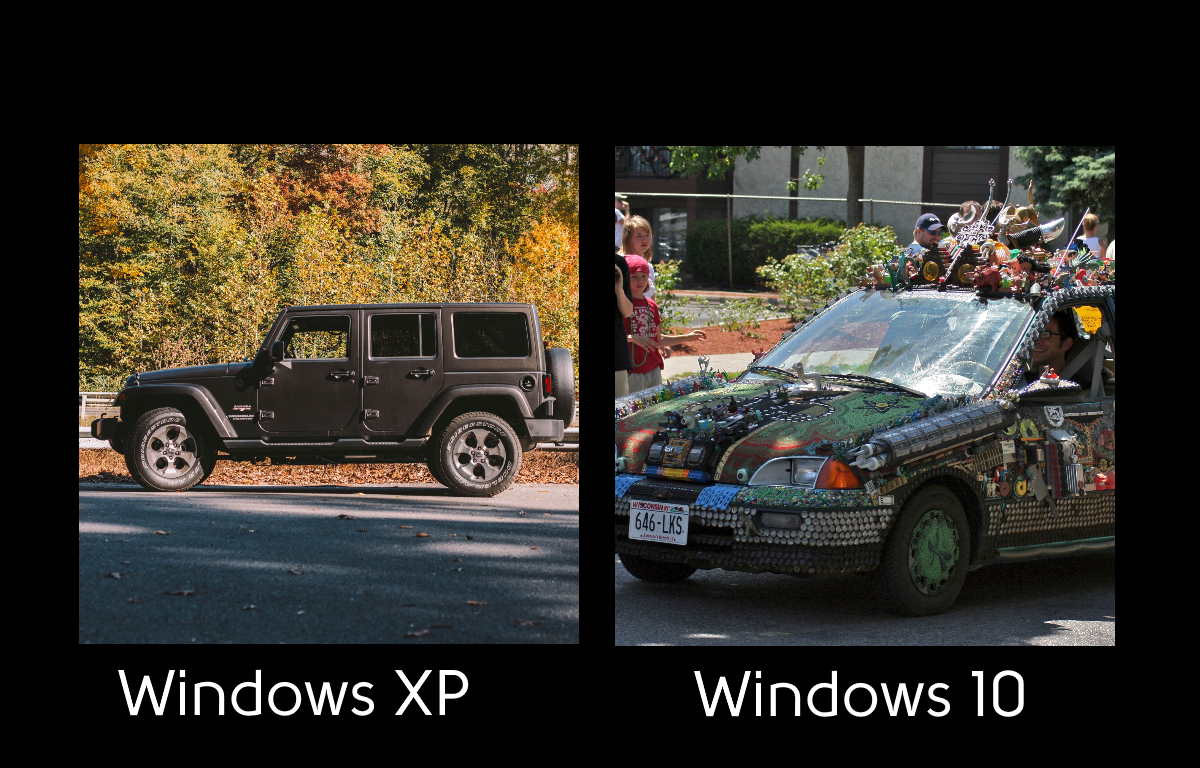
Windows XP was released in 2001 as the successor to Windows NT. It was the geeky server version that contrasted with the consumer oriented Windows 95, which transitioned to Windows Vista by 2003.
Where Windows 95 was pioneering window transitions and soft look and feel, Windows XP was intended to be a more nuts-and-bolts interface. Less attention was spent on UI features and more attention on security and processing.
In retrospect, the key feature of Windows XP is the simplicity. While it encapsulated the beginnings of User Access Control, advanced Network drivers and Plug-and-Play configuration, it never made a show of these features. The relatively simple UI was easy to learn and internally consistent.
On the Windows 95 side, Microsoft spent years trying to make PCs user friendly, (Remember Microsoft Bob?) they have always failed in this endeavor. Instead of being simpler, they simply make UI controls that are harder to master; filmy and foamy layers on top of the simple core that is running the OS.
No wonder so many people hold on to their old XP computers long after the OS is insecure.
Windows 10 is a dog! There is no arguing that it is the worst OS experience ever created. Not only are there filmy and foamy layers, Microsoft is constantly updating it to force features that you do not even want. At least once a week we get a customer who reports their computer was completely bricked by a Windows 10 update. Windows 10 is a garbage heap mudslide. It is a costly time-wasting endeavor by Microsoft to try to establish that you somehow NEED to get updates every month for something other than the bug fixes required for the garbage they forced on you the prior month.
Turn off One-Drive, for instance, and you’ll find that two updates later, it is turned on again. Turn off Cortana, which no one uses, and two updates later it is not only back on, but it is sucking up 30% of your CPU making your computer run slowly.
With Windows XP, you could see in the system monitor that about 8 processes were running and they used less than 1% of CPU and disk bandwidth. For windows 10, there are more than 200 processes and they commonly use 30-50% of your CPU and disk IO. Whenever I start drilling down on these processes I can see they are features I never want; Cortana, One Note, Xbox Game Bar, Your Phone, Groove Music.
What Microsoft should do is run what their success. Offer a stripped-down simple OS. When people say I want Linux” they don’t actually mean the buggy hopelessly arcane OS created by Linus Torvalds. What they are saying is a simple basic UI and driver set that is fast, easy and stable.
Why Windows XP was better than Windows 10 was last modified: May 21st, 2023 by Wayland Bruns
Mac is a high-quality computer that suits a variety of purposes, whether for personal use or corporate use. It proves to be durable and efficient but like with any other technological gadget, there will come a time wherein it needs to be replaced. However, this is not necessarily the case if your mac is merely running slow. There are several reasons why you may be experiencing this issue such as those stated below, as well as how you can address the root cause eventually.
1. Unnecessary Files
There is a great chance for your mac to slow down if your hard drive is already full or reaching its peak capacity. Aside from this, system logs and cache files may affect its performance too. In both cases, your computer needs more time to respond to your command inputs. To be able to address this problem, you can store your files in cloud storage to free up some space in your hard drive. Otherwise, you can also use a cleaning software to keep your hard drive clutter-free automatically. The best mac cleanersoftware can free up space in your hard drive, eliminating the need for you to transfer unnecessary files into your cloud storage. Rest assured that a mac cleaner software is safe, effective, and easy to use.
2. Browser Extensions
Browser extensions help you make the most out of your surfing experience. The only downside is that these extensions can also cause your mac to slow down. Thereby, make sure that you are using official extensions only because these browser plugins are generally secure and take up less space. In case you find your browser extensions using up space in your random access memory (RAM), you have the option of manually deleting them or using a special cleaning app too.
3. Cluttered Desktop
People often save files or folders in their desktop for easy retrieval, particularly those that they frequently use. However, a cluttered desktop can also cause your mac to run slow because of the number of files that it needs to hold. Hence, make sure to manage your files by dutifully organizing them into their corresponding folders. A nice tip is to use a spectacular desktop background that you will find hard to cover up with thumbnails of your files.
4. Simultaneous Programs Running
Another reason why your mac may be running slow is because of too many simultaneous programs running brought about by a number of tabs open, or those that are being run during startup. In the case of the former, you can try to disable background tabs or frequently check your system updates and close unused tabs while you are working in browsers. In the case of the latter, you may need to remove unnecessary login items by checking on your activity monitor. Quit the processes that are taking too much of your central processing unit (CPU) percentage or force quit, but this may result in lost files, particularly those that are unsaved.
5. Slow Internet Connection
A slow internet connection may also be the root cause of the slow down of your computer. Thus, it is a good habit to check your internet speed in the network utility. Through the link speed under the info tab, you will know the maximum transmission speed of the wireless adapter you are using. You can also send an unlimited number of pings for a program to start scanning your computer and show you the time it takes for your computer to process a single ping.
6. Pending OS Updates
Operating system (OS) updates are necessary to improve the security, performance, and stability of your computer. In case there is a pending OS update for your computer, you need to run it promptly. Otherwise, this can be a reason why your mac is running slow. You can get updates for your Mac OS under the system preferences. Just click on the update now in case there is any update available. To do this automatically in the future, just select so under the same menu and you will be notified in case you need to restart after an update.
7. Battery Replacement Needed
When your battery is already nearing its lifespan, it may need more resources to process commands and continuously maintain operations. This can in turn affect system performance, causing your computer to slow down. The lifespan of an average mac battery depends on its cycle count limit which is about a thousand full charges. You can check the battery cycle count of your computer under the hardware section of the system information.
8. Virus or Malware
Finally, a virus or malware may also affect the speed and performance of your mac. It may actually have more programs than what you have initially installed and these programs may prove to be detrimental. More often than not, these unwanted programs are downloaded by accidentally clicking on a banner ad. Since these programs also use up your system resources, they can also cause your computer to slow down.
Thereby, make sure to avoid visiting unsecured sites or downloading files or programs from unofficial websites. In parallel to this, update your security and privacy settings under the system preferences to disable any applications from being downloaded from unsecured sources. As much as possible, delete caches and extensions which you don’t use and of course, leverage powerful antivirus software.
Final Word
Your mac may be running slow because of unnecessary files in your computer, as well as because of the browser extensions that you use. It can also be attributed to a cluttered desktop or simultaneous programs running in the background. The speed of your internet connection is also a factor that can slow down the operation and response of your mac, as well as pending OS updates that haven’t been installed.
Finally, check whether you already need a battery replacement, or worse, your computer is infiltrated with a virus or malware. Should you find any of these reasons as the cause of the slowdown of your computer, make sure to address it promptly to prevent your problem from getting worse.
8 Possible Reasons Why Your Mac Is Running Slow was last modified: July 2nd, 2020 by Allen Brown
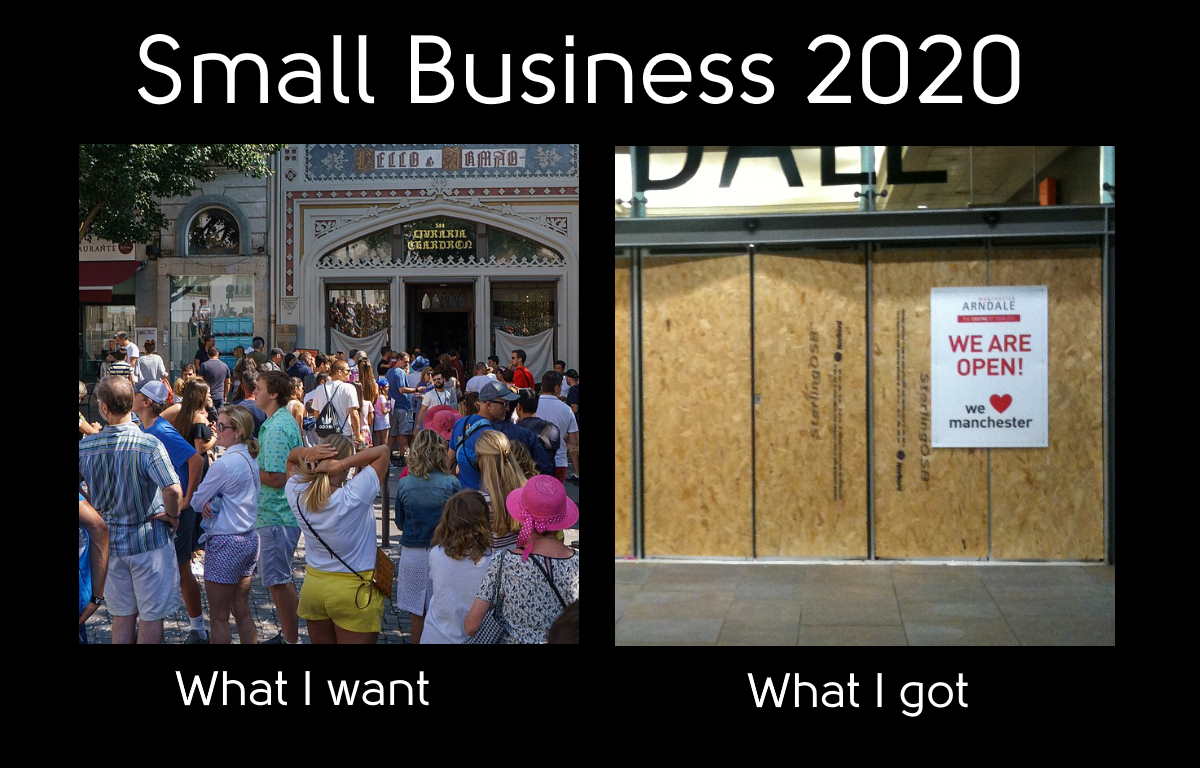
This week we paid the last payroll of the first quarter of the Virus. We have endured Shut Down, Financial Panic, Protests and Riots. We have learned to shop with a face mask on, issue staff policy for social distancing, and made a revised marketing plan for the year. What else could go wrong?
There are three things that still darken the horizon; Banks have insufficient reserves, Global Banking system is unstable, and the Virus is returning with force.
2008 Redux for US banks
The banks are in a position to repeat their 2008 melt down. In 2008 the culprit was CDO’s based on mortgage loans, at a time when a critical mass of people defaulted on their mortgages. Currently the risk is in CLO’s, a similar instrument based on Collateralized Business Loans. These instruments are held by Banks, and are dependent on payments by businesses. Those same businesses that are struggling to maintain sales and market share against a public that is socially distanced. The key time period is August 2020. When 2nd quarter earnings reports come in, CARES Act! funding has run out, mortgage relief, renter relief and unemployment relief will all be past their 90 day limits. If individual payments are not made then bank collateral will melt from the bottom up.
Global Banks under pressure
Globally, banks are dependent on their loan customers making payments. In addition, most global banks have substantial investment arms. As we get to August Earnings Season, we will get our first look at how these assets are performing. Areas of concern involve HSBC with substantial assets in China, Hong Kong, and also the largest bank in the UK. Since we no longer know what country Hong Kong is, putting treaty, import and export status on hold, several banks are highly invested in the HK economy. In addition, nearly every bank worldwide has substantial interest that Oil stay above $30 per barrel. As we saw with Cushing Crude in May, the $30 benchmark is not a given.
Virus Wave Returns
We are now seeing several states reporting substantial increases in Virus cases. The US as a whole was holding steady at 20,000 new cases a day for nearly five weeks. That number is rapidly moving higher now. The curve is rising. There is no question today that the virus is again out of control in half the US states, including our own. If the current rate of increases takes hold, we could see 50k cases per day by August, and discussion of a far more drastic shut down of the economy.
How to Plan for What Comes Next?
Is Congress going to play Santa, or Marie Antoinette? Are protests going to fade out, or strengthen? Will the US Treasury continue to spend taxpayer money to prop bonds and stocks (That’s Capitalism Baby!) Small business remains trapped between the disaster and the goodie bag.
Be careful, be grateful, and be patient. Only time will tell which decisions we make today will turn out to look smart in the future.
Small Business 2020 –How do you spell Opportunity in a Recession was last modified: June 17th, 2020 by Wayland Bruns
When it comes to hosting, you may be tempted to go with the cheapest option. After all, you only need a space to host your website so pending a huge amount of money to be in the same space as others doesn’t sound like a good idea.
Well, it might look like you have made the right decision, but if you are someone who values a functional website and hosting, you should aim high and not settle for a cheap host. A better idea is to try to get a good bargain from reputed hosting companies via deal websites or hosting forums. To help you understand the implication of going with a cheap host, here are five possible consequences to bear in mind:
1. Fewer Resources and Hidden Costs
Cheap hosting many times is packed with many other websites so that the owners can make good money while offering cheap hosting plans. Therefore, you will most likely experience less reliable and slower hosting service. This means your website pages will take longer to respond and load. This has a high chance of resulting in negative visitor experiences leading to poor sales. Your website ranking may also be affected.
You are also more likely to experience artificial limits and will be asked to pay more if you want to continue to enjoy more space. Most people end up paying for hidden costs they never knew about when initially signing up for cheap hosting.
2. Poor Support
People that offer cheap hosting usually have staff with lower skills and not much experience. If you encounter any challenge with your website and need some support on troubleshooting, you may not be able to get the right support as soon as you’d like. This will definitely affect your website performance. There will be no on-time security audit which is recommended to be performed on your plugins.
3. Security
One thing that users of cheap hosting usually complain about is poor security. When the servers are down (which occurs more often with cheap hosting) this results in no technology firewalls, an absence of ring-fence for the website, and certainly no suitable Distributed Denial of Service (DDoS). That means your website extensions and plugins are vulnerable to attacks.
4. No Website Monitoring
With cheap hosting, you will most likely not benefit from website monitoring. You might not even be notified that your website is down unless a visitor notifies you. For a business owner, you certainly don’t want to experience this as it might cost you in sales. You could end up losing money simply because you were trying to save money by choosing cheap hosting.
5. No Backups
Every website needs to have some sort of backup plan in place. Not everyone knows how to manually backup their website and most cheap hosting plans do not offer automatic backup or an easy recovery process. That means that should anything go wrong with your website or it gets hijacked, you may not be able to recover it. If recovery is possible, you may be asked to pay more money for this service.
Now that you know some of the reasons why a cheap hosting plan is a bad idea, here is how to pick the right hosting plan for you. Look out for the following features in any hosting plan you choose to go with:
Unlimited hosting
Free domain
Secure site certification
Enhanced spam and malware protection
Easy site builder
Good technical support
Scalability for easy customization
Important Google tools
Multiple servers for more protection
Dependability
Money-back guarantee
Getting all these features mentioned above may save you more money than you would have saved by going with cheap hosting. It is better to have the real deal from the beginning than getting stuck along the way and end up paying too much. The worst part is that you will have to pay for these packages individually when you could have gotten it at a cheaper price had you not put so much emphasis on getting a cheap hosting plan.
Also, getting these features does not necessarily mean that you will have to pay through the nose. There is a lot of competition and, therefore, each hosting company usually has attractive plans that offer users more options at a discounted rate. However, it is important that before you go with any hosting company, take some time and check out reviews about them. You might also want to do a Google Blog search on them as well as on social media.
Finally, your website is like your online shop, you don’t want to rush into a deal and regret it later. Take enough time to check out the hosting plan you are interested in before committing to one.
5 Reasons to Avoid Cheap Hosting – How to Pick The Right Host For Your Small Business? was last modified: April 7th, 2026 by Christine Brown
The number of websites on the internet has doubled in the past five years and now exceeds 1.7 billion. Making your site stand out in this extremely crowded field can be difficult, but spending a little time doing so is worthwhile and can yield great results. Here we will explore some of the ways that you can increase traffic to your site.
Advertising
Advertising is perhaps the most obvious method of getting traffic to your site. If you have money to spare, paid ads (which can be purchased through Google, Facebook, and other sites) can be very effective, as long as you take some time to target them to your chosen demographic (tools such as Google Analytics can really help you with this).
Make sure that these ads are appearing on sites that are relevant to your target audience, otherwise, they are not likely to be effective. An effectively targeted ad can hugely increase traffic to your site.
Use Social Media
If you do not have the budget for a paid advertising strategy, all is not lost – many social media platforms such as Facebook, Twitter, and Instagram enable you to create profiles for free. However, you will still need to put in the hours to get the most out of social media. You should post regular content and engage directly with other social media users.
Another useful thing that social media can do is enable you to check out what your competitors are doing. Take some time to learn what is working for them and what isn’t. You can also use social media to comment on current events and use hashtags that can bring you your profile to the attention of users who would otherwise not have come across it.
Get SEO-Savvy
SEO, or search engine optimization, is essentially the practice of learning how best to use the algorithms of search engines such as Google to put your site higher up the search rankings for specific terms. SEO is an entire science that we can barely scratch the surface of here, but thankfully, there are many tips, guides, and tutorials online that can help you make the most of it!
Write Engaging Headlines
When it comes down to it, you can use all these clever tips and tricks, but it won’t help you a great deal if users just aren’t interested in reading your content. Hooking in potential site visitors often comes down to one thing: a headline.
While SEO is often an important factor in your headlines, it is also very important to make sure that the headline itself sparks the reader’s interest. Checking out websites such as Buzzfeed can provide plenty of inspiration – its headlines are concise, descriptive enough to let you know what the topic is, yet almost always feature something that makes you want to find out more.
There you have it: four easy ways to increase traffic to your site.
How to Increase Traffic to Your Site was last modified: April 7th, 2026 by Carol Trehearn
Using an employee survey can do a lot more for a business than simply tell you how the workforce is feeling. Although knowing about overall morale can be extremely useful, an employee survey can be a good tool to dive deeper into what is going well and what is going less well at a particular company.
Improve Morale
By gaining a deep understanding of how employees are feeling, companies can use this knowledge to change how they operate in order to increase staff morale. Doing so can be incredibly positive, as a happy, comfortable employee is usually far more productive than an unhappy one. This means that by using a survey to find out key issues and then addressing those issues, employers can substantially increase the quality of their output by simply making the work environment a better place to be.
Increase Retention and Confidence
In addition, high morale also helps create a high retention rate, as employees will be much more inclined to stay with that company for a longer period of time. This makes a business much more attractive to potential talent, meaning that having high morale can help businesses lure top talent to aid in the growth of the business.
Using a survey can also make certain employees feel more confident. Using the emotionally driven employee surveys on inpulse.com will allow workers to open up a dialogue with their superiors, making them feel like they have a voice and that they’re being listened to, encouraging them to be more vocal.
This can benefit a business because it will make that employee more inclined to work collaboratively and offer their own knowledge within a group while working together to solve problems.
Useful Analytics
Surveys can also help companies manage their teams in a smart way. By using powerful people analytics, surveys can pinpoint individual employees and groups who are having the most impact and performing the best. This information can help an employer distribute tasks to the most appropriate person by factoring in their employees’ individual strengths highlighted by the survey. As well as this, once it is known what an employee is particularly weak at, employers can use the results of the survey to provide focused training to help improve their employees’ skill sets.
In addition, this information can also help with making smart hiring decisions, as the company will already know what type of candidate is needed to have the best desired effect in a role.
An employee survey can give businesses context-rich insight into a multitude of areas, such as employee satisfaction, leadership effectiveness, and how people feel about the workplace environment.
Knowing how people feel in these areas will give a brand clear objectives for change, allowing it to identify best practices and require changes. The results of an employee engagement survey will provide critical, actionable data that can be used to introduce changes for organizational growth.
By utilizing employee surveys to their maximum potential, companies can substantially affect their businesses in a positive way, making surveys a key tool for any business.
How to Use Employee Surveys to Benefit Your Business was last modified: December 7th, 2022 by Carol Trehearn
Amidst the on-going COVID-19 pandemic, almost everyone across the world has switched to online networking. Not only the worlds of business and education but everyone around the globe has gone digital. Everyone is now working, studying or in general, socializing and going about their routines from home.
In these times, Zoom has emerged as one of the most widely used applications. It has become a means of empowerment for speakers all over the world.
Zoom Conferences as a Pandemic Norm
It appears that everything is “Zooming” everywhere. There has been a meteoric increase when it comes to Zoom usage. The reason other than its immense need is that it offers an easy and user-friendly platform. Not only this, it features the option to record meetings and allows you to schedule meetings and link them to your calendar as well.
Zoom went from a seldom used application, only used in special circumstances to Zoom conferences becoming a pandemic norm and being used by people everywhere.
Preparing the Remote Presenter
With this, Zoom conferences with remote speakers and presenters are on the rise. The presenter, invited to speak, is in a different location and is viewed on the screens of people elsewhere. Although this presents unique challenges on both ends, it is the best-known solution as of today.
On the listener’s side, they require a PC or laptop screen and a good quality speaker, for which you can use these best PC speakers under 100, to ensure good audio quality and maximum presenter-listener interaction.
Using the inbuilt speaker system on your computer is not very effective. The echo cancellation effect in it only works for small rooms and not for vast conference rooms. This interferes with sound quality and potentially threatens the listeners interest in what is being delivered.
On the presenter’s end, they too need to be prepared and set up in an efficient manner. Generally, they require a microphone and speaker mostly in the form of a headset. Laptop microphones, although in use might result in unnecessary suffering of the audio quality, again leading to disinterest amongst the audience.
Keeping the Audience Engaged
We know how difficult it is to keep your audience’s attention in a real-life conference. Imagine how hard it gets in a digital conference where you have no physical interaction with the audience.
On the same note, you can imagine a scenario where students or work place officials have to listen to a remote speaker. People can easily engage with the presenter through their own microphone and listen to them clearly through a proper set-up of speakers attached to the system.
Ensuring audience attention is essential. Remote learning along with online communication has its own norms and ways to engage with the audience, different from the practice we are accustomed to. Quality equipment is required on both ends to aid this process, as good sound quality is vital to ensure listener’s attention.
Zoom Enabled Conference Rooms
Conference rooms fit out for enabling people to listen to a remote presenter or speaker, are a need of the time. They can be equipped with high-quality speakers, so that mass audiences can benefit from it.
They will also continue to benefit once the world goes back to normal, eradicating the need for a speaker to travel long distances. They can deliver speeches, present their work, or take part in a conference, right from where they already are.
This saves both time and the energy required to travel distances, where people can still go about important meetings and conferences from the safety of their homes.
Replaying Recorded Zoom Meetings
An added benefit is Zoom’s recording feature. This is something not offered otherwise. Zoom meetings can be recorded by any presenter. Lectures once delivered or conferences once completed on Zoom can be replayed and listened to later.
For instance, a presenter who needs to deliver the same lecture to numerous batches of students can take advantage of this feature. This eliminates the need for repetition on the speaker’s part.
Final Word
As Zoom conferences are a norm today, ensuring audience interest is paramount in which good sound quality plays a major role amongst other factors. Top quality Zoom conferences are empowering speakers all around the globe today and helping everyone in continuing their dealings in these trying times.
Zoom Empowering Speakers from All Over the World – Learn How it Happened was last modified: June 10th, 2020 by TechTyche
The Virus Crisis continues. In March we were told it would be a two-month shutdown. Here we are, two months later and consumers are not consuming. A month ago, they said that 60,000 people in the US would die. More than 108,000 Americans have died. Today there are 20,000 new cases and 1,000 deaths. Whether a city is “Open” or “Closed”, it is clear that people are not flocking to stores or other businesses. If you own a small business like I do, you need to set an expectation. How long does Small Business have to hold out?
The old Normal will never return
If you define normal as the day when parking lots and offices are full, when people are sitting in restaurants, and where face masks are in the past, then we will never get there. The world is changing in permanent ways. In my business, we have dropped our land-line business phones, moved nearly all our mail to online payments, and upgraded our staff home workspaces with business chairs, desks, headsets and related office style equipment. Magnify these changes by thousands of small businesses, and as the crisis moves from months to years, you can see that there is no going back. Now, we must learn to run our businesses for a different sort of “normal”.
This week, protests and social instability got added to the mix. These were always part of the mix, but suddenly they went from background to foreground. Who knew that ensuring the safety of my staff could become a hot political issue with customers? Innocent statements about human relations can have dire business consequences. An entrepreneur must now be a PR manager, a health manager, and a procurer of medical supplies. A simple office purchase of hand sanitizer has become a month-long ordeal.
Leadership
Some people crave leadership roles. However, they may be poor small business owners. The best entrepreneurs are often those with an expertise and a passion in a specific skill set, that they can market to customers. As they become entrepreneurs, they suddenly get a side-line job as leaders. We cannot skip this part of our job. It is neither our passion nor our expertise, but it is an essential part of the package. We must lead our staff and our customers, set expectations, deliver according to those expectations, and take responsibility if expectations are not met. We must carry this in our products, our services and our ethical standards. A company should hire a crisis management team to proactively prepare for and effectively navigate unforeseen challenges, safeguarding its reputation, minimizing financial losses, and ensuring a swift and well-coordinated response to critical situations.
Durability
For small business durability comes from frugal spending combined with generous customer skills. Our customers are the sole source of revenue. We can keep that source active by providing effective service and valuable products. When the customer saves money and gains satisfaction, they will happily recommend us. Frugal spending means monitoring all financial transactions to ensure they are the lowest required. Until there is profit, there is no room for luxury or glamor.
Ethics
When you look at the most hated corporations; Facebook, Comcast, Microsoft, and Wells Fargo, it is easy to see what is in common. Each of these companies use their market position to push individuals, without choice, into transactions with poor value. Facebook sells your private info, losing control of it, then taking no responsibility. Comcast raises their rates to provide dwindling content. Microsoft forces risky updates to give you features you do not want.
Free software and services is not the answer. The world is full of unsupported free software that never really works. Free computer service has value only if you do not value your time.
The ethical road is to travel between these two boundaries. Create value relationships with people willing to pay for that value. Make your service and product clear, with a clear price and generous refund and upgrade policy. Then you will be rewarded by loyal customers who will recommend your business.
Summary
My county will move to Phase 1 in a couple weeks and Phase 2 in about a month. But the Covid crisis will be with us through the Summer and beyond. Over time, virus will be less of a factor as social and economic trends grow in the looming election cycle. A new social and economic order will arise over time, and we cannot predict what it will look like.
Small Businesses who tap on Leadership and Durability will manage to retain customers and staff ready to grow into the next economic cycle.
Small Business Blog – How to Navigate Crisis using Leadership and Durability was last modified: October 3rd, 2023 by Wayland Bruns