Travelers carrying gadgets face unusual security problems at borders. At checkpoints, customs groups in many regions probably hold the power to ask for your phone or laptop password and look through your private information.
Typically in the United States you can be compelled to unlock your phone with biometric unlocks such as FaceID, fingerprint readers, etc, but you cannot be compelled to hand over your phone’s password or PIN. This applies to all law enforcement anywhere in the interior of the United States.
Of course authorities have various methods of getting the data through zero days, back doors and the classic method of freezing the RAM chip (which locks its memory in place) and then manually reading the data via hijacking the pins on the chip itself. Very high tech stuff.
However at the border everything changes, your rights evaporate and suddenly you can be compelled into giving a password or PIN. If you are a US citizen you cannot be denied entry but they can confiscate your devices indefinitely which can lead to using the methods above to get your data even if you don’t provide the code. If you are not a citizen then you can be denied entry.
Using something called a duress code might provide one way for people to follow these rules but still keep secrets safe from prying eyes.
For people who travel for work, activists, reporters, or anyone moving sensitive files, this trick may now seem vital. Knowing about duress codes and setting them up wisely can keep leaks from happening and could help avoid trouble with border laws.
Understanding What a Duress Code Is
A duress code on a phone is simply a secondary password or PIN for unlocking a device, but instead of unlocking the device, it wipes all data on the device or shows a dummy profile with nothing there.
Historically, a duress code is a covert signal used to indicate an individual is being coerced. These were often used at banks, ATMs and other civilian money access points. Think of a silent alarm button you might see a clerk use in a bank heist movie, same concept but activated by a code instead of just one button. It alerts the authorities without alerting the robbers.
Saying no when guards ask for access might lead to questioning or losing your device. Handing over a duress code, on the other hand, usually lets you follow official orders without giving up everything. This method probably offers a safer compromise between risking a full search and facing harsh punishments for not cooperating. Although this is not always the case as we will get into later.
Legal Considerations for Border Device Searches
Different countries make different rules about searching gadgets. In the United States, agencies like Customs and Border Protection can look through electronics and ask for passwords at entry points. People working at these borders can check your data without needing a warrant.
Most courts support the wide powers given to border agents, often citing security concerns. Still, some groups keep questioning whether such searches violate basic rights.
Several other governments, such as those in North America, Oceania, and the United Kingdom, give border staff similar or even stronger authority. At these checkpoints, refusing access could mean losing your phone, getting stopped from entering, or sometimes even facing criminal accusations.
People using a duress code probably step into a legally unclear space. While using one means you give up access as asked, you keep some secrets hidden. There remains a risk: border workers might call it blocking their job if they figure out you used this kind of trick. There is actually a real world example of this happening we will cover later.
How Duress Codes Work on Different Devices
Most smartphones today do not come with built-in duress code tools. Operating systems including iOS and Android mostly rely on one main sign-in, believing the person opening the device holds full, honest permission.
A true duress code setup usually needs extra programs, or sometimes clever tricks with things like extra user accounts. Each choice comes with different possibilities and limits, based on what your device can do and how much protection you need.
Layered security probably works best. A duress code might only let someone reach a guest login, while your real secrets stay locked in a hidden file. For those who want advanced defenses, entering a duress code could launch a silent data wipe or even send a message to a security helper somewhere else.
There are other more secure OS options that do have built in duress code functionality such as GrapheneOS. With GrapheneOS you not only get an operating system that is from the ground up hardened against memory attacks and other methods authorities often use to gain unauthorized entry into personal devices, but the duress PIN is a full hardware reset, not just a user facing software trick.
iPhone Duress Code Implementation
Apple hardware probably never gives you real duress codes. Some people use the Shortcuts tool as a clever workaround. By setting up automation, you might trigger bold actions when you type in a certain passcode or tap the lock screen in a unique way.
Another tactic uses the Shortcuts app to watch for a secret unlock move. If the phone detects the right pattern, the shortcut may log you out from private apps. Guided Access mode could suddenly start and limit what the phone does. An urgent alert to a friend or family member can also fly out, if you want backup.
A less complicated style relies on the Screen Time lock. With a totally different Screen Time password, you can block certain apps. When border guards want your phone open, you may only hand over the basic unlock code. Your locked-away material remains hidden, because Screen Time leaves those apps behind a wall.
Lockdown Mode on iOS joins the list. While not exactly a duress code, this feature might cut the phone’s powers in an instant. Just before a search, you might turn on Lockdown Mode. Suddenly, the phone stops showing attachments, hides previews, and switches off advanced web stuff. Any sensitive detail could stay out of sight.
Android Duress Code Options
Android may allow even braver duress tricks. The multi-user option lets you set up a separate world just for guests. This place only holds basic apps and safe information. If you must hand over your phone, a quick swap puts you into this clean profile before unlocking.
Everything begins inside Settings under Users & Accounts. From there, people add a new profile with only simple apps and random data. This user profile works like a blank slate. It keeps its own set of pictures, apps, and conversations.
Some outsider apps on Android focus directly on duress protection. They may look for unusual unlock codes and jump into action without asking. Certain well-known programs, along with some tight-security launchers, build in hidden modes that shield your private world.
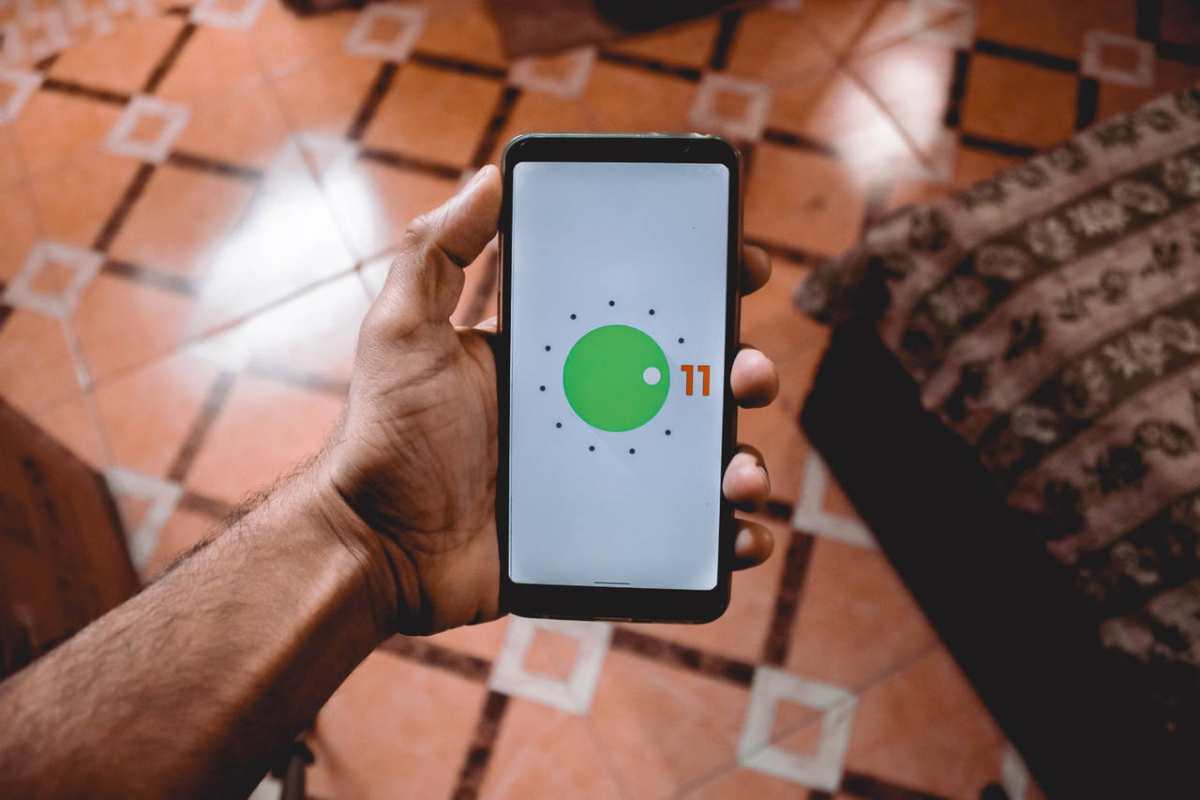
Work Profile in Android might be a different shield. Meant for workplace control, Work Profile splits off a space just for business tools. With one quick toggle, everything connected to your work side disappears from view until you bring it back.
More Secure Mobile Operating System Options
As we mentioned previously, GrapheneOS is one good option for this. GrapheneOS is built off of Android so Android apps run on it. Memory is hardened, and users are split into secure sandboxes. GrapheneOS wipes all data when the duress code is entered and it is not silent about it, the phone says it is wiping the data. The data cannot be recovered using any method. GrapheneOS considered using a multiple user method or dummy profile method but due to Android security, these methods would be far less secure than a duress PIN that wipes data.
There are two concepts critical to understand in terms of Android security, BFU and AFU. BFU is before first unlock and AFU is after first unlock. If you restart your phone, the phone is in a BFU state until you unlock it for the first time that boot, then it is in an AFU state. This may seem like an irrelevant difference but it is one pillar of security, modern mobile operating systems encrypt all files, once the device is unlocked for the first time, the decryption key is loaded into RAM and when the device is powered off the RAM data goes away. It is possible to retrieve data from a device that is BFU but it is much more challenging than a device that is AFU, especially with the hardening in GrapheneOS. In addition BFU does not allow the use of biometric login, so this is another aspect that makes it more secure.
Setting Up a Practical Duress Code System
There are two fundamental ways to approach a Duress code system. The first one is to use a dummy profile, and this may pass review at the border, but is far less secure than wiping the data.
Wiping the data seems like a drastic approach and in a way it is. However it is not too difficult to set up a cloud backup that is password encrypted. Simply backup the phone periodically and if you need to wipe it then you can just restore from the backup. This also lets you simply buy a new device and restore to that device if your device is confiscated. An old school method of doing this is to back up the device, and then factory reset it crossing the border. Once you are through, restore the backup.
There was a secure phone you could buy that shipped with ArcaneOS and using Anom messaging/chat service. These devices used the dummy profile approach where would have to entry one code that enters to what looks like a normal home screen with common apps, however none of them open. If you restart the phone and enter a different pin it opens to a screen with 3 apps, clock, calculator and settings. In the calculator app you had to enter a specific equation to open the secret messaging app.
This seems like a very secure option right? Not so fast. In 2021 this entire operation was revealed to be an FBI honeypot. A honeypot is basically a fake device, website, service, etc that looks like it is offering something to criminals when actually it is controlled by the authorities and it is all security theater.
Of course there was no actual security in any of this, it was as the founder of GrapheneOS puts it a piece of “quite amusing security theater.”
A Real World Example
Sam Tunick was stopped for interrogation after returning from the Dominican Republic where he was on vacation. He did not know it at the time but he was put on a terrorism watch list for his alleged involvement in protesting something called “Cop City” which is a police training center that was erected in a former forest.
Sam was interrogated prior to being allowed entry into the country and was being asked to hand over his PIN and they would seize his device if he refused. He gave them the duress PIN which of course wiped the device. He was allowed entry (because they cannot deny US citizens entry) but he is now being charged with felony destruction of evidence in an effort to prevent it from being seized. The case is ongoing.
Alternatives to Duress Codes for Border Protection
Duress codes might act as one line of defense. Many other options exist. The best choice depends on how comfortable you feel and how private your info actually is.
Carrying a simple throwaway device changes the game. Some people purchase a budget phone just for travel. They only install the bare minimum of basic apps. Their main smartphone stays hidden at home. Using a burner phone keeps things simple and avoids risky tricks or tech fixes.
Avoid moving files altogether. Instead, you may decide to access confidential info only through protected cloud accounts once you reach your new location. This way, nothing sensitive sits inside your phone during border checks. The main barrier: you will need stable internet service before you can get to those documents again.
Learning the legal landscape gives travelers another angle. Resources from digital rights groups guide people about border searches. Some organizations gather legal advice for travelers who worry about privacy. Knowing your rights might help you make the smartest move when faced with tough questions at customs. Electronic Frontier Foundation
A handful of professionals send their tech ahead. Rather than carrying gadgets across regions, they package phones and computers and trust secure shipping to hotels or trusted addresses. This avoids border checks almost entirely. Sending devices instead of hand-carrying removes one set of risks but brings new worries about safety while shipping and not having your device in hand at all times.
Testing and Maintaining Your Duress Code Setup
Duress tricks matter only if your system behaves perfectly during tense moments. Routine practice and regular checks probably ensure your defenses actually help when danger appears.
Every month probably brings a new security challenge. Gather your courage and practice the duress code procedure. Imagine a tense border moment. Train yourself to switch identities or type your secret code as quick as a magician. Grab a stopwatch. Test the speed of your reflexes. Aim to finish within a few heartbeats. Smooth action may save you from awkward questions.
Appearances might fool border agents for only a moment. Conviction comes from little details. Update apps on your decoy regularly. Drop in a few new photos. Send believable messages. Scroll through a few random websites to build a misleading search trail. A fake profile that screams “fake” might endanger you more than help.
Threats never sleep, so your defenses should not either. Security programs probably suffer if ignored. Updates matter. Changes in Android and iOS come often. Enable automatic updates, or nudge yourself with a calendar alert. Neglected apps may break your plan at the worst time.
Every border has its own rules. New countries mean fresh obstacles. Agents in one nation might treat technology more gently than those in stricter regions. Tactics that work in North America might lose power elsewhere. Review your plan before jetting off. Stay flexible for new challenges.
Risks and Limitations of Duress Code Protection
Protection has limits. Clever investigators might spot hidden accounts and odd data partitions. A wiped history might catch the eye of a curious official. Some agents train for tricks like yours. Your secret code might not outsmart every gadget on the table.
Hidden defenses bring legal shadows. Uncovering a secret login path may set off alarms. Authorities could see your cleverness as a sign of mischief. Lengthy questioning, device loss, or a stamp of rejection might follow. In rare cases, the law itself could turn against you.
Security steps fail if you cannot act fast enough. Hands snatching your phone might ruin your plan. Watchful eyes may catch a suspicious pause. The best code in the world means nothing if you never get the chance to use it.
High–tech labs in spirited agencies can scoop up every byte, skipping right past smartphone locks. Top–tier examiners in places of power may possess tools that ignore duress screens and see everything beneath. Operating system tricks might not fool them.
A duress code works best as just one layer. Rely on a blend of methods. Reducing data, protecting files with passwords, storing backups online, and studying your legal rights probably build a stronger wall.
Making the Right Security Choice for Your Situation
Risk may look different for each traveler. Confidential business files, newsworthy documents, or precious photos create their own dangers. Road warriors might face higher stakes than vacationers. Analyze what really matters on your phone before picking a strategy.
Every border crossing feels unique. Only a very small slice of travelers meet a thorough phone search. The main border agency shares that almost no traveler faces a device inspection. Your background, travel habits, or profession might raise or lower your chances. Department of Homeland Security
Imagine the fallout if your secrets get exposed. Picture a border guard finding your hidden login. What if you say no when asked for your code? Anticipating each risk probably helps you find the right level of protection for your needs.
Not every journey calls for complex steps. Sometimes logging out, encrypting files, or erasing old notes proves enough. Save secret codes for moments when basic moves cannot shield your information. Stay practical. Build complexity only as your situation demands it.
Technology might not give answers to every problem at border stops. People often forget that actions, planning, and how you react might mean just as much as the way you set up any duress code. Keep your reactions steady. Speak politely to border officials. Knowing what you may do by law probably helps. Have your ideas ready before the checkpoint waits for you.
Security for your phone and laptop at border control often sparks fierce debates. Privacy rights and law enforcement rarely mix easily. Duress codes probably help travelers keep private files out of the wrong hands while still obeying legal orders. If you think through your security choices and use these codes wisely, you may shield your data in important ways. You probably avoid any hint of resisting the law by making them one part of an entire plan.