Anyone responsible for receiving shipments, whether at a warehouse, a retail back room, or a small business loading dock, eventually runs into a GS1 QR code on a label that looks different from the simple linear barcodes they are used to. These codes pack significantly more information into a single scan, but reading and interpreting that information correctly requires understanding how the data is structured, not just pointing a scanner at it and hoping for the best.
This guide explains what is actually encoded in a GS1 QR code on a shipping label, how to read that data correctly, and what tools and practices make the process smooth rather than confusing.
Understanding What Is Actually Encoded
A GS1 QR code on a shipping label typically carries several distinct pieces of data bundled together, each identified by a specific Application Identifier. Unlike a simple barcode that might just contain a single number, a GS1 QR code can include the GTIN, which identifies the product itself, a batch or lot number identifying the specific production run, a Serial Shipping Container Code, often called an SSCC, which uniquely identifies that specific package or pallet, and in many cases a production date and an expiration or best-before date if relevant to the product type.
Each of these data elements is preceded by a numeric Application Identifier that tells a compliant scanning system what kind of data follows. For example, a specific Application Identifier always precedes a GTIN, while a different one precedes a batch number. This structure is what allows any GS1-compliant system, regardless of who built it or what country it operates in, to correctly parse the same code in exactly the same way.
Why You Cannot Just “Eyeball” the Data
Unlike a price tag or a simple label where the relevant information is printed in plain text next to a barcode, a GS1 QR code’s full data set is not typically displayed as readable text on the label itself, though many labels do include a human-readable interpretation line beneath the code for quick visual reference. The code itself needs to be scanned by a system that understands the GS1 Application Identifier structure in order to extract and properly label each piece of data.
This means that simply scanning the code with a generic QR reader app on a phone, the kind most people have built into their camera app, will often just display a long string of numbers and identifiers without any clear breakdown of what each section means. Properly reading a GS1 QR code requires either a GS1-compliant scanning application or a warehouse management system configured to parse this specific data structure correctly.
Step by Step: Reading a GS1 QR Code Correctly
Step 1: Confirm your scanning equipment or software is GS1-compliant. Many modern industrial scanners and warehouse management systems support this natively, but it is worth confirming rather than assuming, particularly with older equipment or software that may have been configured only for traditional linear barcodes.
Step 2: Scan the code using your compliant system. The scan itself takes a fraction of a second, identical to scanning a traditional barcode, but the resulting data on a properly configured system will be broken down into its individual components rather than appearing as a single undifferentiated string.
Step 3: Review the parsed data for the GTIN, batch number, SSCC, and any date fields. A well-configured system will label each of these clearly, allowing you to immediately confirm what the product is, which production batch it belongs to, and the specific package identifier, all from a single scan.
Step 4: Cross-reference the parsed data against your purchase order or expected shipment details. This is where the real operational value shows up. Instead of manually checking a product code against a separate document, your system can automatically flag any mismatch between what was scanned and what was expected, catching discrepancies immediately rather than discovering them later.
Step 5: Log the scan into your inventory or warehouse management system. This creates a digital record tied to the specific package, batch, and product, building the traceability data that becomes essential if a quality issue or recall situation arises later.
Reading the Human-Readable Interpretation Line
Many GS1 labels include a printed line of text below the QR code itself, showing a human-readable version of the key data elements. This is particularly useful for quick manual verification or in situations where scanning equipment is temporarily unavailable.
This line typically uses parentheses to indicate the Application Identifier for each data segment, followed by the actual value. For example, a GTIN might appear as a string of numbers preceded by its Application Identifier in parentheses, followed by a similarly formatted batch number and expiration date. While this is more cumbersome to read manually than having a scanning system parse it automatically, it serves as a useful backup and a way to spot-check that a code appears to be encoding the data correctly.
Generating Codes That Will Actually Be Read Correctly
If you are on the labeling side rather than just the receiving side, ensuring your shipping labels generate codes that any GS1-compliant partner can read correctly is just as important as having the right equipment to read codes yourself. Using a GS1 QR code generator from digital-link-qr-code.com ensures the Application Identifiers and data structure are applied correctly from the start, which is the foundation for the entire reading process described above working smoothly on the receiving end.
A code that is not structured correctly might still produce something that scans, but a receiving partner’s system may fail to parse it correctly, leading to confusion, manual workarounds, or in the worst case, a rejected shipment because the data could not be verified against the purchase order. Starting with a properly compliant generation process avoids these problems entirely on the front end, before a package ever reaches a receiving dock.
Common Issues When Reading GS1 QR Codes
A few recurring problems show up when businesses first start working with GS1 QR codes on shipping labels, and knowing about them in advance helps avoid confusion.
A scanner or system that only recognizes traditional linear barcodes will either fail to read the QR code entirely or, in some configurations, read only a portion of the data without recognizing the full Application Identifier structure. Confirming compatibility before relying on a system for GS1 QR codes specifically is essential.
Labels printed with damaged or low-quality codes, whether due to printer issues, label material problems, or codes printed too small for the surface they are applied to, can fail to scan reliably even on fully compliant equipment. This is a labeling quality issue rather than a reading issue, but it shows up as a reading problem from the receiving end’s perspective.
Confusion between the Application Identifier numbers and the actual data values, particularly when manually reading the human-readable interpretation line, is a common source of error for staff unfamiliar with the format. Training staff to recognize the standard Application Identifiers for the data fields most relevant to your business reduces this kind of misreading.
Building Confidence With GS1 Code Reading
For any business regularly receiving or processing shipments labeled with GS1 QR codes, investing in properly compliant scanning infrastructure and training staff on how the data structure works pays off in faster, more accurate receiving processes and significantly better traceability if a quality or safety issue ever needs to be investigated.
The technology itself is not complicated once the underlying structure is understood. The key is making sure both the labels being generated and the systems reading them are built around the same standardized framework, so the rich data a GS1 QR code carries actually gets used the way it was designed to be.
How to Read GS1 QR Codes on Shipping Labels was last modified: July 15th, 2026 by Abella Mieco
As organizations grow with the help of big data, market intelligence, and web scraping, they need proxy servers that provide reliable performance along with strict compliance. It is very challenging to find such providers that do not slow down internet connectivity at all.
Evomi has emerged as a frontrunner in this competitive infrastructure landscape, offering tailored proxy solutions engineered explicitly for corporate demands. Here are five defining reasons why enterprise tech leaders are shifting their infrastructure.
1. Ethical Sourcing and Bulletproof Legal Compliance
Managing corporate risk means every single IP address used in your data pipeline must be fully vetted and legally compliant. Evomi distinguishes itself by ensuring 100% ethical acquisition of its network resources, protecting enterprises from the legal gray areas commonly associated with the best residential proxies. By maintaining strict compliance guidelines and transparent consent frameworks with peer-to-peer networks, they ensure your web crawling tasks never violate local or international data privacy regulations.
2. Massive Global Pool with Granular Targeting
True geographic diversity is crucial for accurate localized ad verification, search engine parsing, and competitive pricing analysis. It provides access to millions of active IP endpoints distributed across nearly every country, state, and major metropolitan city globally. This staggering geographic coverage allows corporate automated scripts to target specific regional content variants seamlessly, neutralizing geo-blocking and anti-bot measures effortlessly.
3. High-Speed Performance with Minimal Latency
Enterprise data collection pipelines require intense speed alongside massive concurrent data streams. Evomi addresses this by engineering its routing protocols to optimize response times and eliminate network data chokepoints. Their infrastructure handles large-scale multi-threaded data extraction requests smoothly, ensuring that automated browser sessions maintain maximum uptime and deliver optimal success rates without artificial performance throttling.
4. Intelligent Dynamic Session Management
Modern target websites rely on highly advanced fingerprinting techniques and behavioral systems to flag repetitive corporate traffic. It counters this with highly customizable session rotation configurations, allowing users to choose between rapid IP rotation for every individual request or maintaining prolonged sticky sessions for complex, multi-stage user workflows. This adaptability ensures your scrapers mirror organic human actions, significantly decreasing your overall target block rates.
5. Tailored Enterprise Management Tools
Managing a corporate tech stack requires deep visibility, cost controls, and specialized administrative features. It provides comprehensive developer documentation, straightforward API integrations, and highly functional dashboard interfaces to monitor traffic usage metrics continuously. Sub-account allocation features make it exceptionally easy to distribute specific data caps and credentials across different internal company departments or client projects without security friction.
Frequently Asked Questions
What makes residential proxies safer than datacenter options?
Residential endpoints are assigned by genuine Internet Service Providers (ISPs) to real households, making them look completely identical to normal consumers. Datacenter alternatives originate from centralized cloud servers, which anti-bot systems easily flag and blanket-block during high-volume scraping tasks.
Can Evomi handle simultaneous data scraping threads?
Yes, the platform architecture is explicitly built to support high concurrency. Enterprises can execute thousands of parallel connection requests across the global network pool simultaneously without experiencing significant drops in response speeds.
Which protocols do Evomi proxy servers use for business settings?
The proxies provided by Evomi integrate with HTTP, HTTPS, and SOCKS5 protocol connections. The versatility of these connections allows them to fit seamlessly into multi-cloud tech stacks, headless custom scrapers, and anti-detect browsers without necessitating any software modification.
Conclusion
Choosing the right data infrastructure provider requires balancing legal security, geo-targeting precision, and consistent system stability. It successfully ticks all these vital boxes by offering legally compliant, hyper-fast, and intuitively managed network resources designed for modern automated pipelines. For corporations searching for the best residential proxies to scale their web intelligence tasks safely, Evomi offers an elite, enterprise-ready environment built to handle heavy, real-world data demands.
5 Reasons Evomi Stands Out as a Trusted Proxy Provider for Enterprises was last modified: June 17th, 2026 by Juana Jordyn
Keeping a congregation informed about upcoming activities presents unique challenges. Information often gets lost when it relies on paper bulletins or word-of-mouth announcements. Ministry leaders need reliable methods to share scheduling changes and community news efficiently.
Modern tools help simplify this process for administrators and churchgoers alike. Clear channels reduce confusion and build stronger engagement across the entire community. Implementing clear strategies keeps everyone aligned without overwhelming church staff.
Centralize Information Channels
Managing updates becomes much simpler when all schedules live in one main spot. Many ministries choose to deploy easy-to-operate LED screens for houses of worship to display immediate updates during services. This approach guarantees that attendees receive critical notifications the moment they walk inside the building.
Relying on multiple disconnected platforms creates extra work for administrative teams. Putting the primary focus on a few reliable methods saves time and prevents conflicting announcements. Volunteers can coordinate schedules much better when standard protocols exist.
A single source of truth removes guesswork for families trying to plan their week. Leaders can update details quickly from a central dashboard when unexpected weather or changes happen. Consistency builds trust and helps attendees stay connected to weekly activities.
Leverage Mobile Control Options
Staff members often need to adjust event details on the fly. Church workers do not always sit at an office desk when changes happen. Having remote access to digital displays permits quick adjustments from anywhere on campus.
Modern displays connect directly to standard network setups for immediate editing capabilities. A technical team can modify the display text from a smartphone or tablet without needing complex hardware training. This flexibility allows ministries to react to immediate scheduling shifts during large gatherings.
A technical website recently pointed out that teams can manage display content through a mobile phone or computer to adjust worship details quickly. This means a coordinator can fix a typo or swap an announcement image from the back of the room. Quick modifications keep the information accurate without disrupting ongoing gatherings.
Standardize the Messaging Schedule
Timing plays a major role in how well people remember upcoming dates. Sending text alerts or changing display screens too early causes people to forget before the date arrives. Sharing information too late means families have already made other plans.
Creating a set timeline for announcements helps maintain a balanced flow of news. Staff members should determine exactly how many days before an activity the promotion should begin. This routine helps prevent information fatigue among regular attendees.
Limiting the number of weekly notices keeps the focus on key ministry goals. Sharing 3 or 4 major updates proves far more effective than listing 20 minor items. Congregations respond better when details remain clear and manageable.
Train Volunteers for Consistency
Ministries rely heavily on volunteer teams to manage weekly operations. Having clear guidelines helps these helpers maintain a uniform voice across all channels. Simple software interfaces allow new volunteers to learn the system with minimal stress.
Providing a short checklist prevents common mistakes during live updates. Teams can follow standard procedures to make sure text fits perfectly on digital screens. Regular training sessions keep everyone confident in their technical roles.
When multiple people know how to update the system, the workload becomes lighter. Staff members face less stress when helper teams can handle weekend announcements independently. Shared responsibility creates a resilient system that functions well every single week.
Implement Scannable Digital Codes
Paper sign-up sheets often cause data entry errors and long lines in the lobby. Moving registration forms online creates a smoother experience for participants. People appreciate simple methods that let them sign up using their own devices.
Displaying graphic links on physical signage allows immediate access to registration pages. Visitors can open links instantly by scanning a square code with their phones.
Scan codes on screens during announcements
Place codes on entry doors for quick access
Include links in weekly digital newsletters
This method connects physical spaces directly to online tools.
An industry publication noted that QR codes remain highly effective for ministry outreach in 2026. Using these codes reduces the need for printed handouts that often end up left behind in pews. Attendees can save event links directly to their personal devices for later review.
Simplify Text for Quick Reading
People glance at signs for only a few seconds during their walk through hallways. Long paragraphs on a screen or poster fail to convey the necessary details. Messages need short sentences that provide immediate clarity to busy families.
Focusing on the main details prevents confusion about times and locations. Every notice should answer who, what, when, and where using minimal words. Removing extra fluff allows the main message to stand out clearly.
Large fonts and clean backgrounds help older members read notifications without straining. Good contrast between text and background colors improves readability from across a crowded room. Simple designs make sure that the message reaches every generation in the building.
Streamlining weekly updates creates a more connected and organized congregation. Utilizing modern tools helps leaders share important messages without wasting administrative time.
Clear methods keep families informed and ready to participate in community life. Investing effort into organized systems helps churches build a stronger, more engaged ministry.
How Churches Can Streamline Event Communication and Updates was last modified: June 9th, 2026 by Charlene Brown
Google recently announced new restrictions on sideloading apps in Android 15. The changes make it harder for users to install applications from outside the Play Store. This represents a fundamental shift away from what made Android appealing in the first place. The move feels like Google is trying to become Apple. That is not what Android users signed up for.
For years, Android’s ability to install apps from any source was a key selling point. Users had freedom. Developers had options. The platform remained open. Now Google is closing those doors. The company claims these changes protect users from malware. That argument does not hold up under scrutiny.
The New Rules Strip Away User Choice
The updated policies introduce friction at every step of the sideloading process. Users face multiple warning screens. The system requires additional permissions. Some features get disabled entirely when apps come from third-party sources. Google frames this as security. In reality, it is control.
Android built its reputation on being the alternative to Apple’s locked-down ecosystem. Users who wanted freedom chose Android. Users who wanted simplicity and restrictions chose iOS. This new direction eliminates that choice. Android is becoming iOS-lite. Nobody asked for that.
The Federal Trade Commission has already raised concerns about app store monopolies. These restrictions only make that problem worse. Google controls the primary distribution channel. Now it is making alternatives harder to use. That concentrates power in one company’s hands.
Security Theater Does Not Actually Protect Users
Google’s official justification centers on security. The company points to malware statistics. It claims sideloading exposes users to risk. This argument ignores several important facts.
First, malware has appeared in the official Play Store repeatedly. Google’s own vetting process fails regularly. Malicious apps slip through. Users get infected despite staying within the walled garden. Adding restrictions on sideloading does not fix Google’s inability to police its own store.
Second, the users who sideload apps understand the risks. They make informed choices. A developer installing an app they built does not need protection from themselves. A power user adding an open source application from F-Droid knows what they are doing. These restrictions punish knowledgeable users to save careless ones.
Third, real security comes from sandboxing and permissions systems. Android already has these. Apps run in isolated environments. They request specific permissions. Users can deny access. These technical protections work regardless of where an app came from. Making sideloading harder does not improve the underlying security model.
This Hurts Developers and Innovation
The new rules create barriers for legitimate developers. Small teams often lack resources to navigate Play Store policies. Regional developers face additional challenges. Apps that serve niche communities may never reach the official store. Sideloading provided an escape valve. Now that valve is closing.
Open source projects suffer especially hard. Many developers distribute APK files directly. Users appreciate this transparency. They can inspect the code. They can verify the build. Forcing everything through the Play Store removes this option. It makes Android less open by definition.
Competition also takes a hit. Alternative app stores struggle when the operating system actively discourages their use. The Epic Games lawsuit against Google and Apple highlighted these anticompetitive practices. According to the FTC’s analysis of the Epic Games case, these restrictions harm competition. Google’s response is to add more restrictions. That makes no sense.
Apple’s Model Is Not Worth Copying
Apple’s App Store generates massive revenue. Google clearly wants a piece of that success. But Apple’s approach works because of their integrated hardware and software model. Users buy into that ecosystem knowingly. They accept the trade-offs.
Android operates differently. Multiple manufacturers build Android devices. Users come from diverse backgrounds. Many specifically chose Android for its openness. Copying Apple’s restrictions without Apple’s integration creates the worst of both worlds.
The European Union recently forced Apple to allow sideloading on iPhones. The Digital Markets Act recognizes that closed platforms harm consumers and competition. Meanwhile, Google voluntarily moves in the opposite direction. This timing could not be worse.
Regional Markets Will Suffer Most
These restrictions hit developing markets hardest. Many regions rely on alternative distribution methods. Internet connectivity varies. Data costs matter. Local app stores serve specific needs. Users download APK files to save bandwidth. They share apps through Bluetooth and local networks.
Google’s new policies ignore these realities. The company designs rules for Western markets. It applies them globally. This approach shows a lack of awareness. Not every market works like the United States or Europe. Different regions have different needs.
App developers in these markets face impossible choices. They can pay Google’s fees and meet its requirements. Or they can try to reach users through increasingly restricted sideloading. Neither option serves users well.
What Google Should Do Instead
Better solutions exist. Google could improve Play Store security without restricting sideloading. The company could invest in better malware detection. It could respond faster to reported threats. It could make the approval process more transparent.
Education works better than restrictions. Clear warnings at installation time help. Teaching users about permissions makes sense. Creating resources for informed decision-making builds awareness. These approaches respect user intelligence while improving safety.
Supporting alternative app stores openly would demonstrate commitment to openness. Google could create standards for third-party stores. It could help them implement security measures. Competition would drive improvement across the ecosystem.
The Bottom Line
Google’s new sideloading restrictions betray Android’s core principles. The changes prioritize control over freedom. They harm developers and users alike. The security justification does not stand up to examination. This represents Android trying to become Apple. That is exactly what Android should not do.
Users chose Android because it was different. It was open. It respected their choices. Taking that away removes the platform’s main advantage. If Android becomes just another locked-down system, what is the point? Users might as well buy an iPhone.
Google still has time to reverse course. The company should listen to its community. It should remember why Android succeeded in the first place. Freedom and openness built this platform. Throwing those values away for short-term control is a mistake Google will regret.
Why Google’s New Play Store Sideloading Rules Are a Mistake Android Should Avoid was last modified: June 3rd, 2026 by Thomas M
Industrial computing systems support automation, manufacturing, transport, and energy sectors by controlling machines and processing real-time data. In these environments, reliability is more important than standard computing features.
Traditional office computers are not built for nonstop industrial workloads. They often fail under heat, dust, vibration, and long operating hours, leading to downtime, higher maintenance costs, and reduced productivity.
Industrial computers are designed to solve these issues by working in extreme conditions with stable performance. Fanless industrial computers and traditional industrial PCs are the two main options used in industries.
Understanding the difference between the two systems is important for choosing the right solution. The correct choice improves efficiency, extends equipment lifespan, and reduces operational costs based on environment and workload needs.
What Are Fanless Industrial Computers
Fanless industrial computers are rugged systems that do not use internal cooling fans. Instead of active cooling, they use passive cooling systems such as heat sinks and aluminium chassis. Heat is naturally transferred away from components through metal surfaces.
This design eliminates moving parts, significantly improving durability and reducing the risk of mechanical failure. Without fans, there is no airflow inside the system, preventing dust and debris from entering the internal hardware.
These systems are widely used in environments where reliability is critical, such as factory automation, transport control systems, mining operations, and outdoor kiosks. They are designed for continuous 24/7 operation with minimal maintenance.
Fanless systems are also compact and energy efficient. Their low power consumption makes them suitable for remote installations and edge computing applications. They are often chosen in environments where noise reduction, durability, and long operational life are key priorities.
What Are Traditional Industrial PCs
Traditional industrial PCs are computing systems that use active cooling methods, typically internal fans, to regulate temperature. These systems are built with stronger components than standard office PCs but still rely on airflow for heat management.
The fans continuously circulate air inside the system to prevent overheating. This allows the hardware to handle heavier workloads and more complex processing tasks. As a result, traditional industrial PCs often deliver higher raw performance compared to fanless systems.
However, the presence of moving parts introduces certain limitations. Fans can collect dust over time, which reduces cooling efficiency and increases the risk of overheating. Regular cleaning and maintenance are required to keep the system stable.
These PCs are commonly used in control rooms, manufacturing monitoring stations, and environments where temperature and dust levels are controlled. They are also preferred for applications requiring high processing power, such as data analysis and industrial software systems.
Key Differences Between Fanless Industrial Computers and Traditional PCs
The main difference between fanless industrial computers and traditional PCs lies in their cooling systems and structural design. Fanless systems use passive cooling, while traditional PCs depend on internal fans for heat control.
This structural difference affects durability, maintenance, and reliability. Fanless systems have no moving parts, which reduces mechanical failure risks. Traditional PCs, on the other hand, contain fans that can wear out over time.
Environmental resistance is another major difference. Fanless systems perform better in dusty, humid, and high-vibration environments. Traditional PCs are more suited for clean and stable indoor settings.
Energy consumption also varies between the two systems. Fanless computers are generally more energy efficient due to the absence of active cooling components. Traditional PCs consume more power because of continuous fan operation.
In terms of noise, fanless systems operate silently, while traditional PCs produce audible fan noise. These differences make each system suitable for specific industrial applications depending on environmental conditions and operational needs.
Performance Comparison in Industrial Applications
Performance in industrial computing depends on workload type and system design. Fanless industrial computers are optimised for stable, continuous operations rather than peak performance. They are commonly used for automation control, data monitoring, and edge computing tasks.
Traditional industrial PCs are designed to handle more intensive workloads. They support complex software, high-speed data processing, and advanced industrial applications. This makes them suitable for environments where computing power is a priority.
However, performance stability is often better in fanless systems. Since they avoid overheating issues caused by fan failure or dust buildup, they maintain consistent output over long periods.
Traditional PCs may experience performance drops under extreme heat or poor ventilation conditions. This can lead to thermal throttling, which reduces efficiency during heavy workloads.
Both systems are effective, but their performance advantage depends on usage conditions. Fanless systems prioritise reliability, while traditional PCs prioritise raw computing power.
Durability and Build Quality Factors
Durability is a key requirement in industrial environments. Fanless industrial computers are designed with rugged metal enclosures, usually aluminium or industrial-grade steel. These materials protect internal components from external damage.
The absence of moving parts significantly improves structural strength. Without fans or rotating components, there is less risk of mechanical failure caused by vibration or impact.
Traditional industrial PCs also use strong casings, but still include internal fans and cables that are more vulnerable to wear and tear. These components can degrade over time, especially in harsh environments.
Fanless systems perform better in high-vibration settings such as transport systems, mining equipment, and heavy machinery. Their solid-state design ensures long-term reliability.
Traditional PCs require more controlled environments to maintain durability. Exposure to dust, heat, or vibration can shorten their operational lifespan.
Heat Dissipation and Cooling Mechanisms Explained
Heat management is one of the most important aspects of industrial computing. Fanless systems use passive cooling, where heat is transferred through heat sinks and metal casings. The entire chassis acts as a heat-dissipation structure.
This method eliminates the need for airflow, making the system completely silent and maintenance-free. However, it may limit maximum processing capacity in extremely high-load conditions.
Traditional PCs use active cooling systems with internal fans. These fans draw cool air in and push hot air out to maintain stable operating temperatures. This allows higher performance under heavy workloads.
However, active cooling systems require regular maintenance. Dust accumulation can reduce airflow efficiency and increase internal temperatures.
Both systems manage heat effectively, but they use completely different approaches. Passive cooling focuses on reliability, while active cooling focuses on performance.
Dust, Vibration, and Moisture Resistance Comparison
Fanless industrial computers offer strong protection against dust, vibration, and moisture. Since they do not use fans, there are no air vents that allow dust entry. This greatly improves system cleanliness and reliability.
Traditional PCs rely on airflow, which makes them more vulnerable to dust accumulation. Over time, dust can clog fans and reduce cooling efficiency.
Fanless systems also perform better under vibration. The absence of moving parts reduces the risk of internal damage. This makes them ideal for transport systems, outdoor installations, and heavy machinery.
Traditional PCs are more sensitive to vibration due to internal moving components. Moisture exposure can also impact their performance if not properly sealed.
These differences make fanless systems more suitable for harsh and unpredictable environments.
Maintenance Requirements and Operational Downtime
Maintenance requirements differ significantly between the two systems. Fanless industrial computers require very little maintenance due to their design. The absence of fans eliminates one of the most common failure points in computing systems.
Traditional PCs require regular maintenance to clean fans, remove dust, and ensure proper airflow. If not maintained, they may overheat or shut down unexpectedly.
Lower maintenance needs in fanless systems reduce operational downtime. This is especially important in industries where continuous operation is required.
Traditional systems may need scheduled shutdowns for cleaning or repairs. This can impact productivity in critical operations.
Over time, fanless systems offer better efficiency due to reduced maintenance interruptions.
Frequently Asked Questions
1. What is a fanless industrial computer used for?
Fanless industrial computers are used in automation, transport systems, and harsh environments where reliability is critical. They support continuous operation in conditions with dust, vibration, or temperature fluctuations.
2. Are fanless industrial computers more reliable than traditional PCs?
Yes, fanless systems are generally more reliable in industrial environments due to the absence of moving parts. This reduces mechanical failure risks and maintenance needs.
3. Can fanless computers handle heavy workloads?
Fanless systems can handle moderate to high workloads, but they are mainly designed for stability rather than extreme processing power. Traditional PCs are better for very heavy computing tasks.
4. What environments are best for traditional industrial PCs?
Traditional industrial PCs are best suited for clean, controlled environments such as control rooms or data centres where dust and vibration are minimal.
5. Which system has lower maintenance costs?
Fanless industrial computers have lower maintenance costs because they do not require fan cleaning or replacement. This reduces downtime and long-term expenses.
Fanless Industrial Computers vs Traditional PCs for Industrial Use was last modified: June 2nd, 2026 by Rakib J
A solo professional usually runs the whole operation from a phone in one hand and a laptop in the other. Contacts, calendars, deadlines, and sensitive client notes move between devices all day. The convenience is real, and so is the risk. The same sync that keeps a schedule current can also scatter confidential information across hardware that is easy to lose.
Alt text: A professional working across laptop, phone, and tablet with synced calendars
Some fields carry a higher bar than others. A criminal defense practice handles case details where a single leak can damage a client. Firms like the one you can reach when you visit website treat data discipline as part of the job. The guide below covers how any solo professional can keep client data organized and secure across every device.
Why Does Multi-Device Work Raise the Stakes for Client Data?
Multi-device work raises the stakes because each device is a separate copy of the same sensitive information. A contact list synced to a phone, a laptop, and a tablet now lives in three places. Each copy carries its own loss and theft risk. The professional gains mobility but multiplies the surface area to protect.
Three forces sit behind the pattern. First, mobile devices leave the office, so they get lost, stolen, or left in cars far more than a desktop does. Second, consumer sync tools often default to cloud copies the professional never reviews. Third, solo operators rarely have an IT team to set guardrails, so the defaults become the policy.
The wider framework sits in the Federal Trade Commission’s protecting personal information guide. It sets the baseline any business handling client data should follow.
What Six Habits Keep Synced Client Data Secure?
Six habits reliably protect client data across a multi-device setup.
Enable full-device encryption on every phone, laptop, and tablet that holds client data.
Use a screen lock with a strong passcode and a short auto-lock timeout on each device.
Review what the sync tool actually copies to the cloud versus device-to-device.
Keep one clean backup stored separately from the daily sync.
Enable remote wipe so a lost device can be cleared immediately.
Separate personal and client data so a casual phone handoff does not expose case files.
Each habit on its own is small. Three or four together close most of the everyday gaps a solo professional faces.
How Should a Solo Professional Set Up Device Sync?
A solo professional should set up sync in two layers. The first layer is the contact, calendar, and task sync that keeps the schedule current across devices. This is the productivity backbone, and it should run reliably without manual re-entry. A professional who keeps a single accurate calendar across devices avoids the double-booking and missed-deadline errors that erode client trust.
Alt text: A professional reviewing confidential client information on a secured device
The second layer is the security wrapper around that sync. Encryption, strong locks, and a reviewed cloud policy all sit on top of the sync rather than replacing it. A quick multi-device sync audit shows which fields land where.
The device side matters too. The CISA mobile communications best-practice guidance frames the device-loss risk that solo operators carry between locations. Pairing reliable sync with that security posture keeps the data both available and protected.
What Should a Professional Verify Before Trusting a Sync Setup?
A short pre-trust checklist covers the questions worth asking any sync configuration.
Confirm the data syncs accurately across all devices without dropped fields.
Verify whether the sync routes through a cloud or runs device-to-device.
Check that every device has encryption and a strong lock enabled.
Read the sync tool’s data-handling policy for where copies are stored.
Confirm a separate backup exists outside the daily sync.
Test the remote-wipe path before a device actually goes missing.
The same discipline that prevents data loss when switching phones carries over directly to a solo professional juggling client data on the move.
A Quick Pre-Sync Reality Check
A short pass covers what a professional should confirm before relying on a multi-device setup.
Confirm every device holding client data is encrypted
Verify the cloud-versus-device sync path for sensitive fields
Set a short auto-lock and strong passcode on each device
Keep one clean backup stored separately from the sync
Enable remote wipe on phones and tablets
Separate personal and client data into distinct profiles
Why Organized, Secure Data Pays Back for Solo Operators
Organized, secure data pays back because the solo professional cannot absorb a breach or a missed deadline the way a large firm can. A single lost phone with unencrypted client data can trigger a disclosure obligation, a reputation hit, and lost work all at once. The professional who set up encryption, locks, and a clean backup turns that lost phone into a minor inconvenience.
The shift also tightens daily operations. A professional who trusts the sync stops re-entering data and stops double-checking which device has the current calendar. The worry about what lives in the cloud fades too. The discipline that protects the client also frees the operator to focus on the work.
Frequently Asked Questions
Does Cloud Sync Put Client Data at More Risk?
It depends on the configuration. Cloud sync is convenient and often well-secured, but it creates a copy the professional should understand and review. Some operators handling highly sensitive data prefer device-to-device sync that bypasses the cloud. The right choice depends on the field and the data sensitivity.
How Often Should a Solo Professional Back Up Client Data?
Daily for active client work, with at least one backup stored separately from the live sync. The backup protects against device loss, sync errors, and accidental deletion. A weekly deeper backup to a separate encrypted drive adds another layer for the most sensitive records.
What Happens to Client Data If a Device Is Lost?
That depends entirely on the preparation. An encrypted device with a strong lock and remote wipe enabled keeps the data protected even when the hardware is gone. An unencrypted device with no lock exposes everything on it. The difference is set up long before the device goes missing.
Is Multi-Device Sync Worth the Added Security Work?
For most solo professionals, yes. The productivity gain from a current calendar and contact list across devices is substantial. The security work is a one-time setup plus light maintenance. The combination of reliable sync and a solid security wrapper is what makes the mobile setup safe to rely on.
Keeping Client Data Secure Across Every Device was last modified: June 2nd, 2026 by Sarah Jane Mejia
Google’s Android 17 is shaping up to be one of the platform’s most ambitious updates in years. While earlier Android releases focused heavily on visual redesigns, Android 17 takes a broader approach: smarter AI experiences, better multitasking, stronger privacy protections, and major improvements for foldables, tablets, and cross-device workflows.
Google officially introduced the first beta in February 2026 and shifted to a new continuous “Canary” release model for developers, allowing features to appear faster throughout the year.
Here’s a deep dive into the biggest Android 17 changes that matter to everyday users and developers alike.
1. Gemini Intelligence Becomes the Core Android Experience
The headline feature in Android 17 is Google’s expanded AI platform called “Gemini Intelligence.” Instead of treating AI as a separate assistant, Google is integrating it directly into the operating system itself.
Android 17 introduces
Context-aware actions based on what’s on your screen
AI-generated widgets
Automated task handling
Smarter recommendations across apps
Real-time assistance during multitasking
For example, Gemini can reportedly help users complete actions like booking classes, organizing trips, or summarizing content without switching between apps manually.
This marks Google’s biggest push yet toward making Android feel more proactive instead of reactive.
2. Cross-Device Handoff Finally Arrives
One of the most requested Android ecosystem features is finally becoming reality.
Android 17 introduces “Continue On,” a cross-device handoff system that lets users move app sessions between devices — similar to Apple’s Handoff feature.
Examples include
Continuing an email draft from phone to tablet
Picking up articles where you left off
Moving active apps across Android devices seamlessly
The feature initially focuses on phone-to-tablet transitions, with broader support expected later.
This is a major step toward making Android devices work together as a connected ecosystem instead of isolated hardware.
3. Big Improvements for Foldables and Tablets
Google is pushing developers harder than ever to optimize apps for larger screens.
Android 17 removes many old restrictions that allowed apps to avoid resizing or adapting to foldables and tablets. Apps targeting API level 37 must properly support:
Dynamic resizing
Different aspect ratios
Windowed multitasking
Orientation flexibility
Large-screen Android devices will now behave more consistently across apps, reducing awkward black bars and broken layouts. ([Android Developers][1])
Google is clearly betting that foldables and tablets will play a bigger role in Android’s future.
4. Floating “Bubbles” Expand Beyond Messaging
Android’s old messaging bubbles are evolving into a much larger multitasking system.
Android 17 introduces a new floating app window experience called “Bubbles,” allowing apps to run in movable floating containers on phones, tablets, and foldables.
Users can
Launch apps as floating windows
Organize bubbles from the taskbar
Move between active mini-apps quickly
Multitask more efficiently on large screens
This creates a more desktop-like experience on Android devices.
5. Major Camera and Media Upgrades
Google is improving Android’s professional-grade media capabilities in Android 17.
Key upgrades include
Faster lens switching between cameras
Reduced freezing during zoom transitions
Better camera stability
Improved media APIs for creators
Enhanced screen recording features
Android 17 also introduces “Screen Reactions,” allowing users to record both their screen and front-facing camera simultaneously.
This update is especially important for creators, streamers, and mobile video users.
6. Privacy and Security Get Stronger
Android 17 continues Google’s long-term security push with several new protections.
New privacy features include
A privacy-preserving Contacts Picker
Expanded malware detection
Anti-scam call protections
Remote biometric locking
Stronger password protections
New cryptography standards
Google is also tightening app behavior rules and reducing risky legacy permissions.
Security is becoming more deeply integrated into Android’s core system behavior rather than handled through optional settings.
7. Performance Improvements Focus on Stability
Instead of only adding flashy features, Android 17 also introduces substantial under-the-hood improvements.
Google has worked on
Reducing RAM usage
Lowering garbage collection overhead
Smoother animations
Better battery efficiency
Faster system responsiveness
Reduced dropped frames
Android 17 also introduces stricter app memory limits to prevent poorly optimized apps from hurting performance.
This suggests Google wants Android 17 to feel more polished and reliable than previous releases.
8. Android Auto Gets a Big Redesign
Android Auto is receiving one of its largest UI upgrades in years.
Google is opening up new design tools for media apps, allowing:
Richer music app interfaces
Adaptive layouts
Better browsing experiences
Improved mini-player controls
More customizable in-car UI designs
Apps like Spotify, YouTube Music, and Amazon Music are expected to benefit from the redesign.
9. Subtle UI Refinements Across the System
Android 17 isn’t a massive visual redesign, but it includes many smaller refinements:
Cleaner Pixel Launcher search bar
More blur effects
Updated Quick Settings icons
Better volume controls
More customizable widgets
Smoother animations
Users can now remove the long-standing “At a Glance” widget from the home screen permanently — something many Pixel users have requested for years.
Final Thoughts
Android 17 feels less like a traditional yearly update and more like the beginning of a new Android strategy.
Google is clearly focusing on
AI-powered experiences
Better ecosystem continuity
Large-screen computing
Cross-device workflows
Stronger security foundations
Rather than reinventing Android visually, Android 17 aims to make the platform smarter, smoother, and more connected across devices.
If Google delivers on these promises in the final release, Android 17 could become one of the most important Android updates since the introduction of Material Design and modern foldable support.
Android 17: The Biggest Changes Coming to Google’s Mobile OS was last modified: May 27th, 2026 by Thomas M
Traditional MySQL GUI tools had their time, but now they are nearing their limits. They leave you with slow queries that are not optimized, manual schema tweaks and trial and error JOINs. That’s why 85% of developers today use AI tools and 62% use an AI coding assistant.
In 2026, the best MySQL GUI clients come with AI baked in. They understand your schema, simplify queries, catch errors early, and give you back precious time. The best part? You get the speed of AI without losing control of your database. Now, let’s explore the top seven MySQL GUI tools with AI that are leading the way.
Evaluation criteria for MySQL GUI tools
These tools were selected based on market relevance, official product capabilities, and usefulness for MySQL developers, DBAs, analysts, and architects. Tools without meaningful AI functionality or dedicated MySQL workflows were excluded.
Evaluation criteria
What was reviewed
AI features
We looked at whether the AI actually helps with SQL work or just feels like a gimmick. Things like query generation, fixes, explanations, and optimization mattered most.
SQL editor quality
Autocomplete, query profiling, syntax checks, execution plans, and overall editor usability were part of the review.
Visual database tools
We checked ER diagrams, schema navigation, and visual query builders, especially for larger databases.
Data editing
We looked at how easy it is to filter, edit, sort, and bulk update data directly in the grid.
Schema design
Schema compare, synchronization, refactoring, and documentation tools were reviewed here.
Backup and recovery
We checked backup scheduling, restore workflows, and recovery support.
Import and export
Different file formats, migration options, and data transfer workflows were part of the review.
Platform compatibility
We reviewed support for Windows, macOS, and Linux, including workaround support where needed.
Pricing model
Free plans, subscriptions, perpetual licenses, and feature limitations were compared.
Primary use case
Some tools are clearly built for DBAs, others fit developers or analysts better. We looked at who each tool makes the most sense for.
So, what is the best GUI for MySQL? The comparison below highlights how the leading tools stack up across AI features, workflow depth, pricing, and platform support.
MySQL GUI tools comparison table
Not every MySQL GUI tool solves the same problem. Some are built for deep DBA workflows, while others are designed as lightweight Windows or Linux MySQL client GUI tools for developers and analysts. The following table gives a side-by-side view of the differences before we break each tool down in detail.
Tool
Best for
AI features
MySQL-only?
Free tier
OS support
Price from
dbForge Studio for MySQL
MySQL/MariaDB developers & DBAs
Built-in AI Assistant for SQL generation, optimization, explanations, and troubleshooting
MySQL/MariaDB-focused, with support for cloud database services
30-day trial
Windows (macOS/Linux via Wine, CrossOver, Parallels)
$9.95/month
DataGrip
Developers and multi-database teams
AI Assistant integrations for SQL generation, explanations, optimization, and code assistance
No (universal)
Free for non-commercial use
Windows / macOS / Linux
$10.90/mo for individuals, $25.90/mo for organizations
DBeaver
Mixed database and open-source teams
AI integrations for SQL generation, explanations, optimization, and assistant workflows via OpenAI, Claude, Gemini, Ollama, and Copilot
No (universal)
Yes (Community)
Windows / macOS / Linux
Free / from $12/mo
Navicat for MySQL
DBAs and data modeling teams
Built-in AI features for SQL generation, explanations, optimization, and troubleshooting
Yes (MySQL focused)
14-day trial
Windows / macOS / Linux
$14.99/mo
Chat2DB
Analysts and AI-first SQL workflows
AI-first SQL chat, text-to-SQL, query generation, optimization, and dashboard assistance
No (universal)
Yes (Community)
Windows / macOS / Linux
Free / from $5/mo for first 2 months, then $9/mo
DbVisualizer
Enterprise multi-database teams
Built-in AI Assistant for SQL generation, explanations, and troubleshooting
No (60+ databases)
Yes (Free edition)
Windows / macOS / Linux
Free / from $199/yr
Beekeeper Studio
Developers wanting lightweight SQL workflows
AI assistant integrations for SQL generation, explanations, and chat-based query workflows
No (multi-DB)
Yes (Community)
Windows / macOS / Linux
Free / from $18/mo
List of the top MySQL GUIs with AI in 2026
Here is a breakdown of the top MySQL GUI tools. This MySQL GUI tools list showcases where each tool stands out, where it falls short, who it is best suited for, and whether the AI features are genuinely useful in day-to-day database work.
1. dbForge Studio for MySQL
Platforms: Windows, Linux, macOS.
Best for: MySQL and MariaDB teams that need deep administration, schema management, and AI-assisted development in one IDE.
dbForge Studio for MySQL is for real MySQL and MariaDB administration, not only AI-assisted SQL. It has schema management, debugging, backups, synchronization and automation in one IDE. Its built-in AI Assistant handles SQL generation, optimization and troubleshooting, while deeper tooling keeps it useful for migrations, deployments and production workflows.
Key features
Schema and data comparison with synchronization.
Visual query profiling and execution analysis.
MySQL debugger for procedures and triggers.
Visual Query Builder with drag-and-drop JOINs.
Built-in source control integration.
Scheduled backups and restore support.
Import/export for CSV, Excel, JSON, XML, and more.
Pros
One of the deepest MySQL toolsets in this list.
AI Assistant works out of the box.
Strong schema management
Cons
Windows-native only, but usable on macOS and Linux via Wine, CrossOver, or Parallels.
Steeper learning curve than lightweight editors.
Price
Starts from $9.95/mo with perpetual licensing available. Includes a 30-day free trial and free Express Edition.
Compatibility
Supports MySQL, MariaDB, Percona, HeatWave, Amazon RDS, Amazon Aurora, Azure Database for MySQL, Google Cloud, Alibaba Cloud, Tencent Cloud, Aiven Cloud, DigitalOcean, Kamatera, and Oracle MySQL Database Service.
Reviews
“Makes designing and maintaining a database much easier. The Schema Sync is a must have, I also find it invaluable to quickly develop efficient scripts” — G2
2. DataGrip
Platforms: Windows, macOS, Linux.
Best for: Developers and multi-database teams already using JetBrains tools.
DataGrip is JetBrains’ database IDE that is built around developer workflows. The big win here is the SQL editor, which has good autocomplete, navigation, refactoring and schema awareness. AI support comes via JetBrains AI Assistant and Copilot integrations. It’s less loaded on the administration and DBA tooling side than tools like dbForge.
Key features
Schema-aware autocomplete and SQL coding.
Query inspections and execution analysis.
Smart data editor with reusable SQL logs.
Native Git integration.
Refactoring for tables and stored objects.
Built-in mysqldump and mysqlrestore support.
Pros
One of the strongest SQL editors in this list.
Excellent fit for JetBrains-based teams.
Strong navigation and refactoring workflows.
Cons
AI features require a separate subscription.
Heavy RAM usage on large schemas.
Lighter DBA tooling than MySQL-focused IDEs.
Price
Free for non-commercial use. Commercial plans start at $10.90/month for individuals and $25.90/month for organizations. JetBrains AI Pro is priced separately.
Compatibility
Supports MySQL, MariaDB, PostgreSQL, SQL Server, Oracle, MongoDB, SQLite, and more.
Reviews
“I use DataGrip to explore and analyze data using SQL in my company database. It’s agile, fast, and very easy to use.”— G2
3. DBeaver
Platforms: Windows, macOS, Linux.
Best for: Teams managing multiple database systems from one interface.
DBeaver is for teams that work with many database systems at the same time. Community edition is already good for everyday SQL work and basic AI features, and Lite, Enterprise, and Ultimate editions offer more AI features, plus additional administration, collaboration, and workflow tools. It also supports local AI models, CloudBeaver web deployments, and a variety of databases. The disadvantage is that the interface can be more cumbersome and complicated than some newer tools.
Key features
AI Smart Assistance for SQL generation and chat.
Support for local Ollama and cloud AI models.
ER diagrams and visual schema browsing.
Data editor with filtering and inline editing.
Schema comparison tools in paid editions.
CloudBeaver web deployment.
Large plugin ecosystem.
Pros
Strong free Community edition.
Broad database support.
Flexible AI model integrations.
Cons
AI features mostly tied to paid plans.
Interface can feel dense.
Heavier than lightweight SQL clients.
Price
The community edition is free. Lite starts at $12/month or $113/year, while Enterprise starts at $26/month or $255/year.
Compatibility
Supports MySQL, PostgreSQL, SQL Server, Oracle, MongoDB, Snowflake, BigQuery, and many more.
Reviews
“DBeaver is great because it lets me work with almost any database in one place. The UI is clean and easy to navigate, and it makes querying and editing data straightforward.” — G2
4. Navicat for MySQL
Platforms: Windows, macOS, Linux.
Best for: DBAs and teams that want a polished cross-platform MySQL client with strong administration and modeling tools.
Navicat for MySQL hits a nice middle ground between ease of use and more advanced database tooling. Navicat 17 continues to build on AI-powered SQL generation, optimization, explanations, and troubleshooting, but also touches on modeling, synchronization, automation, backups, and migration workflows. It feels a little more approachable than heavier IDEs, without losing touch of important administration features.
Key features
Visual data modeling and ER diagrams.
Structure and data synchronization.
AI Assistant and Ask AI workflows.
Visual Explain for execution analysis.
BI dashboards and visual analytics.
Scheduled automation for backups and sync.
Collaboration through Navicat Cloud.
Pros
Fully native cross-platform support.
Strong balance between usability and depth.
Excellent synchronization and import/export tooling.
Cons
AI workflows are lighter than AI-first tools.
Pricing may feel high for smaller teams.
Occasional instability after major releases.
Price
Standard plans start at $14.99/month or $149.99/year, with perpetual licenses from about $299 per license. A 14-day free trial is available.
Compatibility
Supports MySQL, MariaDB, Amazon RDS, Amazon Aurora, Azure Database for MySQL, Google Cloud SQL, and more.
Reviews
“Navicat 17 is a one stop tool to do everything and anything you need to do with a database.” — G2
5. Chat2DB
Platforms: Windows, macOS, Linux.
Best for: Teams that want natural language to drive database workflows.
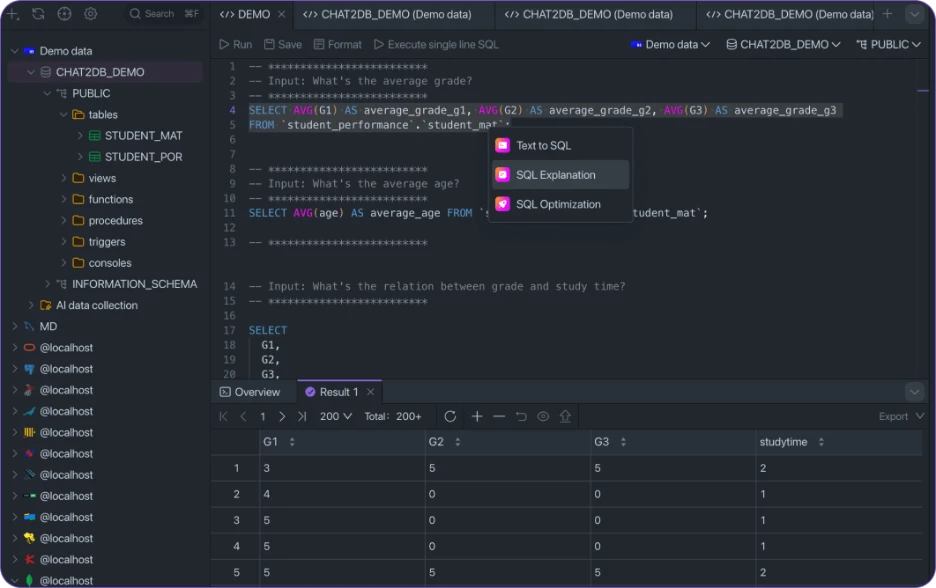
Chat2DB is focused on natural language SQL workflows. Supports models like GPT-4o, Claude, Gemini, DeepSeek, Qwen, etc. across 24+ databases. AI-assisted Dashboards, Query troubleshooting, etc. Local AI support is a big differentiator, though the platform is lighter on production administration and schema management workflows.
Key features
Schema-aware Text-to-SQL generation.
AI-powered query explanations and fixes.
AI-assisted dashboards and visualizations.
Visual management for database objects.
Local AI workflows for privacy-focused teams.
Import/export and migration support.
Pros
Strong natural language workflows.
Broad AI model support.
Good fit for analysts and occasional SQL users.
Cons
AI features mostly tied to paid plans.
Lighter DBA and schema management tooling.
Less mature for production operations.
Price
Chat2DB Starter starts at $8/user/month, Pro at $16/month billed yearly after a 7-day free trial, while Team plans start at $40/user/month.
Compatibility
Supports MySQL, PostgreSQL, SQL Server, Oracle, SQLite, Redis, MongoDB, ClickHouse, and more.
Reviews
“Chat2DB is incredibly user-friendly and powerful. It makes complex database operations effortless and can help generate complex SQL queries directly.” — Chat2DB
6. DbVisualizer
Platforms: Windows, macOS, Linux.
Best for: Teams that want a stable multi-database client with reliable SQL workflows.
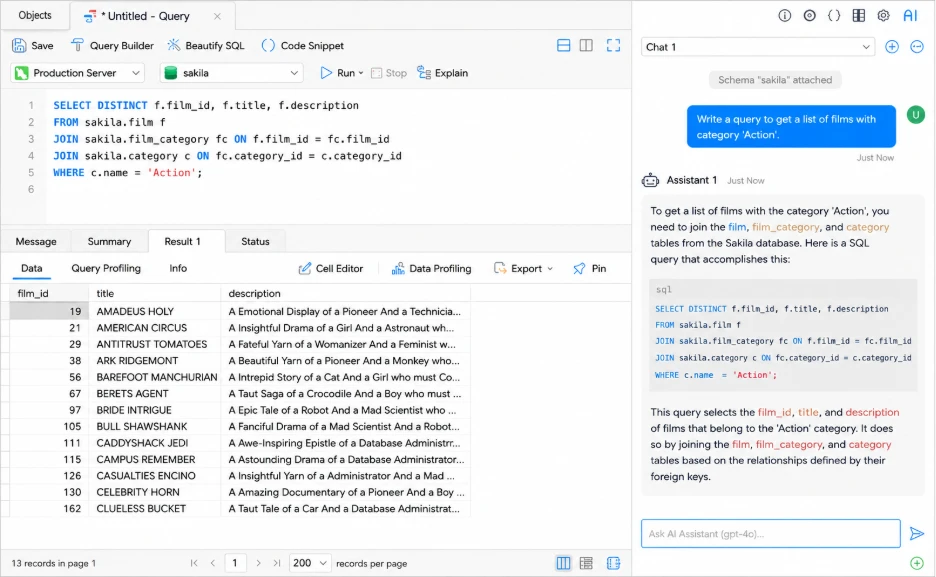
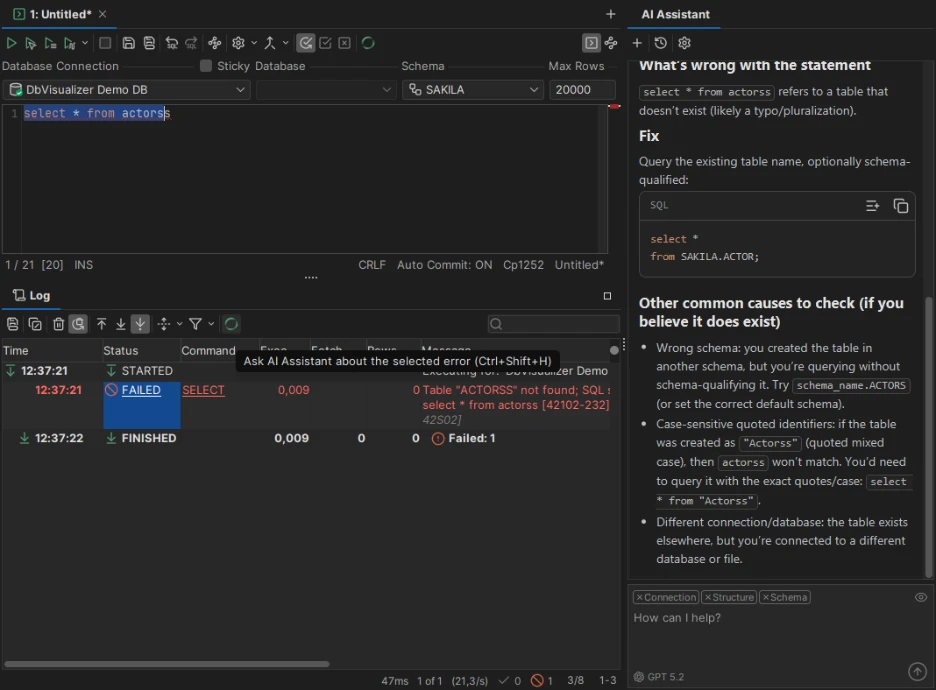
DbVisualizer is dedicated to stable SQL workflows across a number of database systems. The built-in AI Assistant assists with SQL writing, explanations and troubleshooting, and visual query building, reusable queries and Git integration help in day-to-day work. It’s not as modern as newer tools, but it’s solid for larger multi-database environments.
Key features
Built-in AI Assistant for SQL help and troubleshooting.
Visual query builder with drag-and-drop JOIN creation.
Execution analysis and query troubleshooting tools.
Spreadsheet-style data editing and filtering.
Native Git integration for SQL workflows.
Reusable queries and variables.
Support for 60+ database systems.
Pros
Stable and consistent across large multi-database environments.
Strong SQL workflow and query management features.
Native Git integration without plugin setup.
Consistent experience across supported databases.
Cons
Less MySQL-specific depth than dbForge or Navicat.
The interface feels more functional than modern.
AI features are limited in the Free edition.
Price
Free edition available. Pro starts at $199/year with renewals from $89/year.
Compatibility
Supports MySQL, MariaDB, PostgreSQL, SQL Server, Oracle, SQLite, Snowflake, BigQuery, Cassandra, and many more through JDBC.
Reviews
“I have been using DbVisualizer on a daily basis, both for my personal projects at home and for my professional tasks at work, and it has quickly become my absolute go-to database client.” — G2
7. Beekeeper Studio
Platforms: Windows, macOS, Linux.
Best for: Developers who want a lightweight SQL editor with privacy-focused AI workflows.
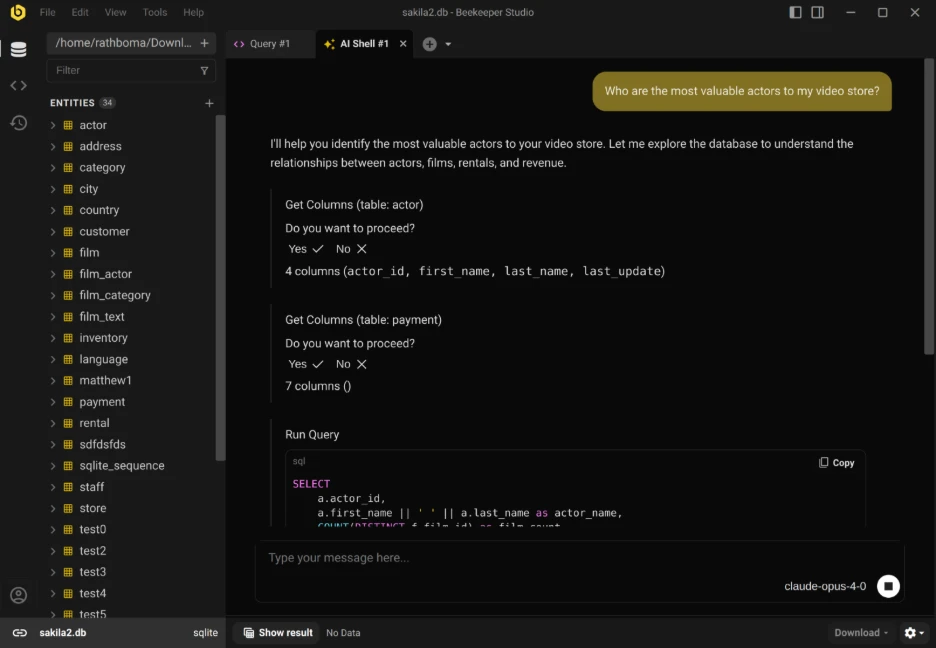
Beekeeper Studio is all about fast SQL workflows with a clean and lightweight interface. Its AI Shell connects with providers such as ChatGPT, Claude, Gemini and Ollama, providing teams with more control over AI and schema privacy. It works best as a simple developer-focused SQL workspace rather than a full DBA platform.
Key features
Schema-aware AI SQL generation.
Clean multi-tab SQL editor.
Visual table and schema editing.
Import/export for CSV, Excel, JSON, and SQL.
SQL history and saved queries.
Team Workspaces for collaboration.
Pros
One of the cleanest interfaces in this list.
Strong free Community edition.
Flexible AI provider support.
Cons
No built-in schema comparison or backup tooling.
Requires managing your own AI provider/API setup.
Limited DBA administration depth.
Price
The community edition is free. Ultimate starts at $18/month per user.
Compatibility
Supports MySQL, MariaDB, PostgreSQL, SQL Server, SQLite, MongoDB, Redis, CockroachDB, Redshift, Trino, SurrealDB, and more.
Reviews
“We’ve been using the Beekeeper Studio at our small tech company for several years now, and it has consistently exceeded our expectations.” — G2
How to choose the Best MySQL GUI for your workflow
The best MySQL GUI depends on your workflow.
Check AI SQL capabilities
Not all AI features are equal. A good AI tool for SQL should handle query generation, SQL explanations, optimization, and troubleshooting accurately against your real schema.
Review SQL editor and query builder features
Look for schema-aware autocomplete, formatting, query history, visual query builders, and execution analysis. DataGrip and dbForge usually lead here.
Compare reporting and data workflows
For heavy import/export, reporting, or dashboard workflows, dbForge and Navicat provide broader tooling than lighter SQL editors.
Consider pricing and team fit
Free tools like DBeaver Community and Beekeeper Studio are strong starting points. Paid tools become more valuable once AI automation, schema management, and production workflows become part of daily work.
Conclusion
The best MySQL GUI depends on where most of your database work happens. Some tools focus on AI-driven SQL workflows, others on administration, schema management, or multi-database flexibility.
For teams heavily invested in MySQL and MariaDB, dbForge Studio for MySQL delivers the most robust combination of AI assistance, schema management, query optimization, synchronization, backups and administration tooling in one environment. If broader database support, open-source flexibility or specific AI model support is a higher priority, tools like DBeaver, Chat2DB and Beekeeper Studio are strong alternatives.
The key is understanding the tradeoff between MySQL specific depth and broader flexibility before committing to a workflow.
Frequently asked questions
What are the best GUI tools for MySQL with AI?
Top options in 2026 include dbForge Studio, DataGrip, DBeaver, Chat2DB, Navicat, DbVisualizer, and Beekeeper Studio. The right choice depends on whether you prioritize MySQL-specific depth, multi-database support, or AI-first workflows.
What features matter most in a MySQL GUI?
Look for schema-aware autocomplete, AI-assisted SQL, visual query building, execution analysis, schema synchronization, import/export support, and reliable cross-platform compatibility.
Does dbForge Studio for MySQL include AI?
dbForge Studio has an AI Assistant for natural language SQL, query optimization, SQL explanations and error analysis, all inside the IDE.
Are there free MySQL GUI tools with AI?
Beekeeper Studio supports AI with your own provider API key, while DBeaver and Chat2DB mainly provide advanced AI features in paid versions.
7 Best MySQL GUI Tools With AI for 2026 was last modified: May 22nd, 2026 by Colleen Borator
Modern companies rely on secure infrastructure to support communication, storage, and daily operations. A smooth transfer of critical systems requires careful coordination because even minor interruptions can affect productivity and customer service. Enterprise IT leaders understand that relocating technical equipment demands precision, planning, and experienced support.
Many organizations prefer professional assistance because the process involves more than transporting hardware. Every server, cable, and network component must remain protected and fully functional after installation. This article explains why enterprise IT teams trust expert relocation specialists for reliable infrastructure transitions.
Accurate Planning Protects Critical Infrastructure
Large organizations manage complex systems that support multiple departments and remote teams. A relocation project requires accurate scheduling, risk evaluation, and detailed coordination between technical staff and facility managers. Professional teams create structured migration plans that reduce confusion and support a smooth transition from one location to another.
Experienced providers of data center relocation services review every hardware asset before the move begins. They document network connections, storage systems, power requirements, and backup procedures to prevent operational delays. This organized approach allows enterprise teams to maintain visibility throughout the entire process.
Project managers also establish clear timelines and communication channels before equipment leaves the original site. These steps help technical leaders monitor progress and respond quickly to unexpected changes. As a result, organizations gain confidence in the stability of their infrastructure during the transition period.
Skilled Technicians Reduce Downtime Risks
Enterprise systems support financial transactions, internal databases, cloud applications, and customer portals. Any interruption can create operational pressure and affect business productivity. Professional relocation specialists use proven procedures that help reduce service disruptions during transportation and installation. Their technical knowledge supports faster setup and accurate testing after the equipment reaches the destination facility.
Several practices contribute to a successful migration:
Detailed asset labeling for accurate tracking
Secure packaging methods for sensitive hardware
Structured cabling documentation for easier setup
Backup verification before transportation
Performance testing after installation
These measures help enterprise IT departments maintain business continuity while protecting valuable technology investments.
Enterprise environments contain confidential records, customer information, and operational data that require strong protection. During a facility transfer, organizations must maintain strict security standards to avoid exposure or loss. Professional relocation teams follow controlled procedures that protect both physical assets and sensitive information.
Access management plays a major role throughout the project. Authorized personnel monitor equipment handling, transportation routes, and delivery schedules to maintain accountability at every stage. This level of oversight gives enterprise leaders greater assurance during complex migrations.
Compliance requirements also influence relocation planning. Many organizations operate under industry regulations that require accurate documentation and secure handling practices. Professional specialists maintain detailed records and support compliance audits through organized reporting and careful execution.
A successful infrastructure transition depends on collaboration between technical departments, executives, vendors, and facility operators. Professional relocation providers coordinate these moving parts through clear communication and structured workflows. Their leadership helps enterprise teams remain focused on broader business priorities while the migration progresses efficiently.
Many growing organizations require larger facilities with stronger network capacity and improved operational performance. Reliable data center relocation services help companies prepare for future expansion while reducing pressure on internal technical teams. Professional planners also organize equipment layouts and power distribution strategies that support stable operations after the move is complete.
Enterprise IT departments value stability, precision, and accountability during infrastructure transitions. Professional relocation specialists provide the planning, technical expertise, and coordination required to complete these projects successfully. Their structured approach protects critical systems, supports operational continuity, and helps organizations maintain strong performance throughout the migration process. Careful execution and reliable support allow businesses to continue daily operations with confidence while preparing for future growth.
Why Enterprise it Teams Trust Professional Data Center Relocation Services was last modified: May 21st, 2026 by Juana Jordyn
Every time you sync your contacts from Outlook to your phone, every time your CRM updates from the cloud, every time a calendar event jumps between Google and your desktop, something quietly happens in the background that almost nobody thinks about. Your IP address makes the trip too.
The apps you sync with do not just see your data. They see where you are connecting from, which internet service provider you use, whether you appear to be on a residential connection or a public Wi-Fi, and whether your traffic looks like it is coming from a VPN or a corporate network. They build a quiet picture of your work patterns from that information, and most of the time you would never know.
For small business owners running sync between Outlook, Google, mobile apps, and CRM platforms, this matters more than it might seem. Your IP address is the first thing every cloud service sees about you, and it shapes how they treat your connection. Here is what your IP reveals, why it matters when you sync sensitive business data, and what to do about it.
What an IP address actually tells the apps you sync with
When your phone syncs contacts with Outlook through a sync service, both the local app and the cloud receive your IP address. That single piece of information carries more context than people realize.
A standard lookup of your IP returns:
Your country and city, usually accurate to the metro area
Your internet service provider (Comcast, Vodafone, AT&T, Deutsche Telekom, and so on)
The autonomous system number (ASN) that owns your IP block
The connection type: residential broadband, mobile data, business line, datacenter, or hosting provider
Whether the IP is associated with a VPN, proxy, or Tor exit node
Approximate geographic coordinates, typically at city or ISP-hub level
You can check exactly what shows up for your own IP right now by visiting what is my IP address on any browser. The result will likely surprise you. Most people assume their IP is anonymous. It is not. It is roughly as descriptive as showing up to a meeting wearing a name tag that lists your city, your phone company, and how you got there.
For a deeper view that includes ASN information, network details, and security flags, an ip lookup tool will give you everything a third party can see when your business apps connect from your network.
Why this matters for small businesses syncing data
If you work from one place, on one connection, the IP details probably do not affect your day to day. Things get more interesting when you sync from multiple locations, devices, or networks. Here are the situations where your IP starts mattering.
Cloud services use IP to flag “suspicious” logins
Microsoft 365, Google Workspace, Salesforce, and most CRM platforms watch the IPs that connect to your account. When a sync request comes from an unusual location, they may challenge it with a second-factor prompt, force a password reset, or temporarily block access. This is a security feature, but it becomes annoying when you travel or use public Wi-Fi.
A real example: you fly from Chicago to Frankfurt for a client meeting. Your laptop tries to sync overnight from your hotel. The cloud sees a US-based account suddenly logging in from a German IP, and locks down sync until you verify. You wake up to a backlog of unsynced calendar updates and a security email from Microsoft.
The way to avoid this without disabling security is to know what your IP looks like before you connect, and pre-approve the location through admin settings if your platform supports it. Running a quick check on what your IP shows takes less than ten seconds and tells you exactly what the cloud will see.
Public Wi-Fi puts your sync traffic in shared space
Coffee shops, airport lounges, hotels, and co-working spaces all share IPs across hundreds of users at a time. When you sync your CRM from a Starbucks Wi-Fi, your business traffic shares a public IP with whatever else is happening on that network.
The risk is not that someone can intercept your encrypted sync traffic. Modern sync protocols (HTTPS, OAuth, certificate-pinned APIs) handle that part well. The risks are more subtle:
Reputation contamination: if another user on the same public IP has been flagged for spam, abuse, or malware activity, your traffic inherits some of that suspicion. Your sync might get throttled or challenged.
Geolocation confusion: the public IP for that coffee shop might be registered in a different city than where you actually are. Cloud services see the IP location, not your physical location, and they may behave accordingly.
Session correlation: if you use the same public Wi-Fi regularly, your work patterns become visible to anyone analyzing that network’s traffic. A coffee shop owner with basic monitoring tools can see which cloud services you use, when, and how often.
Knowing what your IP looks like from a public network helps you decide whether a given location is safe for sync-heavy work or whether you should fire up a mobile hotspot instead.
Mobile sync routes through carrier gateways, not your phone
If you sync from your phone over cellular data, the IP that shows up at the cloud is not really yours. It belongs to your carrier’s gateway, which might be hundreds of kilometers from where you actually are. A user in Seattle on T-Mobile might appear to sync from Los Angeles because that is where the carrier’s mobile gateway sits.
This matters when:
Conditional access policies block logins from certain regions and the carrier gateway is in one of those regions
Geofencing rules for license compliance (some software is licensed by region) get triggered incorrectly
Time zone settings auto-adjust based on apparent location, causing meeting reminders to fire at the wrong time
This is also why mobile carriers are getting harder to use for location-based services. Carrier-grade NAT (CGNAT) puts thousands of users behind one shared IP, and that IP’s registered location often has nothing to do with the actual user.
Remote teams and the geographic verification problem
When your team is distributed across cities or countries, every team member’s IP looks different to your shared business apps. This creates two problems.
First, security tools can struggle to distinguish legitimate distributed access from coordinated attacks. If five accounts in your organization log in from five different countries within an hour, that pattern looks like a credential compromise even when it is just a normal Monday for your remote team.
Second, audit trails get harder to read. When you review CRM access logs later, the IP and location data does not always tell you which team member accessed what record. A consultant on a hotel Wi-Fi in Singapore and a manager on a VPN exit in Frankfurt can produce log entries that look almost identical.
Knowing what each user’s IP reveals (and how that changes between home, office, mobile, and travel) gives you a baseline for what is normal for your team. Anomalies are then easier to spot at thier first occurrence rather than after the fact.
VPN use changes everything (in both directions)
A lot of business users now run VPNs for privacy or to access region-locked resources. From a sync perspective, this is a double-edged sword.
The good: your real IP and ISP are hidden from the destination. The cloud service sees the VPN provider’s exit IP, which is usually not associated with your actual location or network.
The complicated: many fraud detection systems flag VPN connections as suspicious. If your CRM provider tags VPN traffic as “high risk”, your sync attempts might get challenged repeatedly. Some platforms outright refuse to connect from known VPN ranges.
The unexpected: VPN exit IPs are shared across many users. If someone else on the same VPN exit has been doing something the platform does not like (scraping, brute forcing, mass account creation), your sync traffic inherits that reputation in the same way as public Wi-Fi does, just on a larger scale.
If you run sync over a VPN, periodically check what the destination sees. Some VPN exits are clean. Others are heavily flagged. The difference can mean the difference between smooth sync and constant authentication challenges.
What a sync app actually does with your IP
Different platforms handle IP context differently. Here is roughly what happens behind the scenes.
Microsoft 365 and Outlook sync: Microsoft logs every IP that touches your mailbox or calendar. Sign-in logs in Entra ID show the IP, geolocation, and device fingerprint for each session. Conditional access policies can require additional verification when IP context changes unexpectedly.
Google Workspace: similar to Microsoft, with detailed logs in the admin console. Google’s algorithms are particularly aggressive about flagging “suspicious” logins from new locations, which is why your phone sometimes asks you to verify it is really you when you travel.
Salesforce and other CRMs: most enterprise CRMs let admins define trusted IP ranges. Traffic from those ranges flows freely. Traffic from outside gets challenged with MFA or session restrictions. Misconfigured trust lists are a major source of sync friction in distributed teams.
Mobile sync services like iCloud, Google Sync: cloud sync providers typically log connection IPs for abuse detection, throttling, and forensic purposes. The IP is usually not exposed to the user but is recorded internally and may be shared with law enforcement under legal process.
The takeaway: your IP is part of your identity in every sync flow, whether you see it or not. Treating it as visible context (rather than invisible plumbing) helps you make better decisions about when, where, and how you sync.
How to check what your IP currently reveals
Before traveling, before connecting to a new network, before adding a new sync source, it is worth running a quick check on your current IP. The check takes less than a minute and tells you what every app you connect to is about to see.
Run a quick check on the network you plan to use. Look at:
Country and city: matches your physical location?
ISP name: is this a recognized provider, or something generic that suggests CGNAT/mobile gateway?
Network type: residential, business, mobile, hosting, or VPN?
VPN/proxy flag: are you flagged as VPN even though you are not using one?
If anything looks unexpected (wrong location, wrong ISP, unexpected VPN flag), that is exactly what your sync platforms are going to see, and they will react accordingly. Knowing in advance lets you make adjustments before the problems start.
For more detailed information including ASN, network operator, abuse contacts, and geolocation confidence, a full IP lookup gives you the full picture, including the same data that security teams at your sync providers use when evaluating connection requests.
Practical recommendations for small businesses
A few small habits make sync significantly more reliable across multiple locations and devices.
Whitelist your usual networks where possible. Most enterprise sync platforms let admins define trusted IP ranges. Add your office network, your home network if you work from home regularly, and any consistent remote workspaces. This dramatically reduces authentication friction.
Pre-warn your platforms about travel. Some services (Google in particular) allow you to inform them of upcoming travel locations. This avoids the lockouts that happen when sync suddenly originates from an unfamiliar country.
Use cellular over public Wi-Fi for sensitive sync. Mobile data is shared (via CGNAT) but at least it is not shared with strangers in the same coffee shop. For an important contract sync or a CRM update during travel, cellular is usually a safer seperate channel than free Wi-Fi.
Be consistent with VPN use, or do not use one. Intermittent VPN connections (on for some sync sessions, off for others) confuse cloud security models and trigger more authentication challenges. Either always on or always off is better than mixed.
Keep a baseline of what normal looks like. Once a quarter, check what your team’s IPs reveal during normal work. When something deviates from that baseline (unexpected country, unexpected ISP), you will spot it faster than if you have no reference point.
Audit sync app permissions periodically. Many sync apps request more access than they actually need. Reviewing which apps see which data, and where they connect from, is good hygiene that gets ignored until something breaks.
Wrap up
The internet was not designed to keep your IP private. Every connection your devices make leaks identifying information about your network, your ISP, and your approximate location. For most business sync workflows, this is invisible context that helps cloud services protect your account. Sometimes it gets in the way. Occasionally it reveals more than you expected.
The fix is not to hide. It is to know. Knowing what your IP says about you when you sync, and how that information changes as you move between networks, gives you the awareness to set up sync correctly the first time and troubleshoot it sensibly when problems come up.
Small thing, easy to check, and it makes the difference between sync that works and sync that fights you every time you switch locations.
Author note: this article is general guidance about IP address awareness for business sync workflows. Specific configurations vary by platform and organization, so check your IT documentation for platform-specific guidance.
What Your IP Address Says About You When You Sync Business Data (A Small Business Guide) was last modified: May 12th, 2026 by Colleen Borator
Modern healthcare delivery is no longer just about clinical accuracy—it is equally about information flow, patient engagement, and operational efficiency. Yet, many healthcare practices still struggle with a fundamental gap: the lack of seamless synchronization between their EHR, EMR, and CRM systems.
While clinical care is documented in EMR systems, patient communication, scheduling, billing interactions, and marketing often sit in separate CRM platforms. This disconnect creates inefficiencies that directly impact patient experience, provider workload, and revenue performance.
Improving this synchronization is not just a technical upgrade—it is a strategic shift toward more connected, intelligent healthcare operations.
Understanding the Role of EHR, EMR, and CRM in Healthcare
To understand the importance of synchronization, it is necessary to clarify how these systems function independently.
Electronic Health Records (EHR)
An EHR is a comprehensive digital record of a patient’s medical history. It includes diagnoses, medications, lab results, treatment plans, and clinical notes shared across multiple healthcare providers.
Electronic Medical Records (EMR)
An EMR is more limited in scope and typically represents a digital version of a paper chart within a single practice. EMR Software are primarily used for diagnosis and treatment documentation within one organization, without broader interoperability.
CRM in Healthcare
A Customer Relationship Management (CRM) system in healthcare focuses on non-clinical interactions—appointment reminders, patient engagement, marketing automation, follow-ups, and communication history.
While each system serves an important role, the lack of integration between them creates fragmented workflows that healthcare teams must manually bridge.
The Problem: Disconnected Systems Create Fragmented Care
Most healthcare practices operate in a multi-system environment where EHR/EMR platforms are separate from CRM tools. This separation leads to several operational challenges:
1. Duplicate Data Entry
Staff often enter the same patient information multiple times across systems. This not only wastes time but increases the risk of errors.
2. Poor Patient Experience
When CRM systems are not connected to clinical records, patients may receive irrelevant messages or miss important clinical follow-ups.
3. Inefficient Workflow
Physicians and administrative staff frequently switch between platforms, slowing down workflows and reducing productivity.
4. Revenue Leakage
Disconnected systems can lead to missed billing opportunities, delayed claims, and incomplete documentation that impacts reimbursements.
5. Lack of Real-Time Insights
Without synchronization, practices cannot see a unified view of patient journeys—from first contact to treatment and follow-up care.
Why Synchronization Between EHR and CRM Matters
The integration of EHR Software and CRM systems creates a unified digital ecosystem that improves both clinical and operational outcomes.
1. Unified Patient Records Across Touchpoints
When systems are synchronized, patient data flows seamlessly between clinical and administrative functions. For example, a patient’s appointment history in a CRM can automatically update their clinical profile in an EHR.
2. Enhanced Care Coordination
Providers gain access to a complete patient journey, enabling better clinical decisions. This is especially important in chronic disease management where continuity of care is critical.
3. Improved Patient Engagement
A connected CRM can trigger personalized communication based on clinical events recorded in EMR systems, such as follow-up reminders after a procedure or medication adherence alerts.
4. Reduced Administrative Burden
Automation eliminates repetitive tasks such as manual data entry and cross-platform updates, allowing staff to focus more on patient care.
5. Better Revenue Cycle Performance
When clinical documentation in an EMR is directly linked with billing workflows, claims are more accurate and faster to process, improving cash flow.
The Role of Data Flow in Modern Healthcare Systems
At the core of synchronization is data flow. Healthcare practices generate massive amounts of data daily—from vitals and lab results to patient communications and billing records.
When EMR systems and CRM tools are disconnected, this data becomes siloed. But when integrated properly, it enables:
Real-time updates between clinical and administrative systems
Automated patient segmentation based on medical conditions
Intelligent scheduling based on treatment plans
Predictive engagement for preventive care
This data-driven ecosystem is what defines modern healthcare efficiency.
Challenges in Achieving EHR and CRM Synchronization
Despite its benefits, synchronization is not simple. Healthcare organizations face several barriers:
1. Legacy Systems
Many practices still rely on outdated EMR platforms that lack modern API capabilities.
2. Data Standardization Issues
Different systems often store patient data in incompatible formats, making integration difficult.
3. Compliance Requirements
Healthcare data must comply with strict privacy regulations, requiring secure integration protocols.
4. Cost and Resource Constraints
Implementing integration solutions can be expensive and resource-intensive for smaller practices.
5. Workflow Resistance
Staff accustomed to traditional workflows may resist adopting new integrated systems.
How Integrated Platforms Solve the Problem
Modern healthcare technology providers are addressing these challenges by building unified platforms where EHR, EMR, and CRM functionalities coexist within a single ecosystem.
One example is CureMD, which offers integrated healthcare IT solutions that combine clinical documentation, practice management, and patient engagement tools into one environment. Instead of switching between multiple disconnected systems, healthcare teams can operate within a unified workflow.
This type of integration reduces friction and enables practices to manage both clinical and administrative processes more efficiently.
Key Benefits of a Fully Synchronized Healthcare System
When EHR and CRM systems are fully integrated, healthcare practices experience measurable improvements across multiple dimensions.
1. Operational Efficiency
Staff spend less time managing systems and more time focusing on patients. Automated workflows reduce manual interventions.
2. Improved Clinical Accuracy
With synchronized data, providers always have access to the most updated patient information, reducing diagnostic errors.
3. Stronger Patient Relationships
CRM-driven engagement becomes more meaningful when aligned with real clinical data from EHR and EMR systems.
4. Faster Revenue Cycles
Integrated billing workflows ensure that documentation and claims are aligned, reducing delays and denials.
5. Scalability for Growing Practices
As practices expand, integrated systems allow them to scale without adding unnecessary administrative complexity.
The Future of Healthcare System Integration
The future of healthcare technology is moving toward full interoperability and intelligent automation. Several trends are shaping this direction:
AI-Driven Integration
Artificial intelligence will play a key role in connecting EHR, EMR, and CRM systems by predicting patient needs and automating workflows.
Cloud-Based Platforms
Cloud-native EMR systems and EHR platforms enable real-time synchronization across multiple locations and providers.
Patient-Centric Ecosystems
Future systems will prioritize patient experience by ensuring that every interaction—clinical or administrative—is connected.
Predictive Healthcare Operations
Integrated systems will not just record data but actively predict outcomes, helping providers intervene earlier in patient care.
Why Synchronization Is No Longer Optional
Healthcare practices that continue operating with disconnected systems will increasingly struggle with inefficiencies, rising administrative costs, and reduced patient satisfaction.
In contrast, practices that adopt synchronized EHR and CRM ecosystems gain a significant competitive advantage. They can deliver faster care, improve patient communication, and optimize revenue cycles more effectively.
As healthcare becomes more digital and patient-centric, integration between EHR, EMR, and CRM systems is no longer a luxury—it is a necessity.
Conclusion
The gap between clinical documentation systems and patient engagement platforms has long been a challenge for healthcare organizations. However, as technology evolves, the need for seamless synchronization between EHR, EMR, and CRM systems has become increasingly critical.
A connected healthcare ecosystem ensures better patient care, improved operational efficiency, and stronger financial performance. Platforms like CureMD demonstrate how integration can simplify complex workflows and unify healthcare operations under one system.
Ultimately, the future of healthcare belongs to practices that embrace connected systems—where data flows effortlessly, workflows are automated, and patient care becomes truly continuous.
Author Bio:
Nathan Bradshaw is a healthcare IT strategist focused on transforming how medical practices use technology to improve care delivery and financial performance. With deep expertise in EHR, medical billing, and practice management systems, he brings a practical perspective to digital health innovation. His work explores how AI and modern healthcare technology are reshaping clinical workflows and patient experiences.
Why Healthcare Practices Need Better EHR and CRM Synchronization was last modified: May 11th, 2026 by Nathan Bradshaw
Global M&As involve multiple companies operating in different countries and time zones. Data rooms for M&A provide secure platforms to store sensitive documents. Data rooms ensure that all important records remain safe and accessible online.
Virtual data rooms reduce risks associated with paper files during complex deal negotiations. They allow all concerned parties to communicate effectively across different locations. These platforms help teams maintain data organization and track all important documents carefully. M&A data roomsimprove transparency and support informed decisions at every stage.
This article will help readers understand how virtual data rooms simplify complex international transactions efficiently.
What is M&A Virtual Data Room Software?
M&A virtual data room software organizes documents efficiently for global deal teams. Companies set permissions to control which users can access each file safely. Users can store and retrieve documents quickly when information is required.
Platforms monitor activity and generate reports for accountability and management purposes. Watermarks and security tools prevent unauthorized copying or sharing of documents. Some top VDR providers for M&A offer analytics and reporting functions.
The best data rooms for mergers and acquisitions improve workflow and communication. They allow multiple teams to collaborate securely across different offices worldwide. Reliable tools support the smooth and timely completion of complex transactions.
Benefits of Using Data Rooms in M&As
Here are the top reasons why virtual data room M&A is a game-changer.
1.Enhanced Security
Data rooms provide strong protection for confidential corporate information at all times. Here is how
· Encryption and permission settings ensure only authorized users can view documents.
· Companies grant temporary access to investors or external advisors safely.
· Platforms record all actions to maintain accountability and audit readiness consistently.
· Security tools prevent leaks of important data during critical negotiations successfully.
Users gain confidence knowing their documents remain safe throughout each transaction. Strong security protects company assets and builds trust with all stakeholders reliably.
2.Improved Efficiency
M&A data rooms allow multiple stakeholders to view documents at the same time. Users can find the necessary information quickly without searching through long email threads. Search features let teams locate documents by name or keywords instantly. Managers assign tasks and monitor progress from a centralized software platform.
VDRs reduce repetitive manual work and save time during approvals consistently. Teams can focus on analysis instead of handling paper documents. Data rooms accelerate negotiation processes and shorten total deal duration. Faster workflows increase the probability of completing mergers on schedule.
3.Smooth Collaboration
Data rooms allow stakeholders to access documents securely at the same time. For example:
· Users can comment and approve files immediately within the platform.
· Messaging tools provide notifications and allow direct communication between all participants.
· Teams receive updates instantly when new documents are added or revised.
Collaboration removes delays caused by exchanging physical files or email chains. Participants make faster and better decisions with access to current information. VDRs improve teamwork and accelerate progress during complex cross-border negotiations effectively.
4.Compliance and Audit Support
Data handling in M&A deals requires strict adherence to international regulations like GDPR or ISO 27001. Virtual data rooms record all actions for audits and compliance reporting accurately. Managers can generate evidence showing who accessed files and what actions occurred.
Data rooms reduce the risks of fines caused by failure to follow rules. That’s because
· Auditors can review records without disturbing normal business operations and negotiations.
· Secure electronic signatures allow agreements to be executed legally online safely.
Compliance features increase investor confidence in such complex and sensitive transactions. Reliable audit tools prevent disputes and support transparency throughout every transaction.
5.Better Organization
Virtual data rooms arrange files clearly according to type and priority effectively. For example:
· Companies create separate folders for all types of records securely.
· Keywords allow participants to retrieve files quickly during audits and reviews.
· Structured storage prevents confusion among teams operating in multiple locations.
VDRs simplify compliance and reporting by keeping all records organized consistently. Clear structure improves workflow and helps stakeholders make informed decisions efficiently. Data organization enhances transparency and supports efficiency in international deals.
6.Cost Savings
Virtual data rooms reduce costs associated with printing and storage services consistently. Companies save money by avoiding manual document handling and storage expenses. Teams can operate remotely without additional travel or administrative support requirements.
Security measures minimize potential losses caused by leaks or breaches. Efficient platforms reduce labor costs spent on coordination and approvals significantly. Faster processes lower operational costs during long negotiation periods successfully.
Conclusion
M&A transactions involve multiple stakeholders and highly sensitive corporate information worldwide. Virtual data rooms improve secure data management and collaboration for all participants. They help companies maintain compliance and generate audit-ready records efficiently.
Organizations can reduce operational costs while lowering risks and avoiding mistakes during deals. M&A data rooms enable faster decisions without compromising document confidentiality or accuracy. Top VDR providers for M&A deliver secure and reliable platforms for transactions. Businesses adopting these platforms gain clear advantages over competitors globally.
Cross-Border M&A and Virtual Data Rooms: Managing Complexity in Global Transactions was last modified: May 8th, 2026 by Ihor Volkov