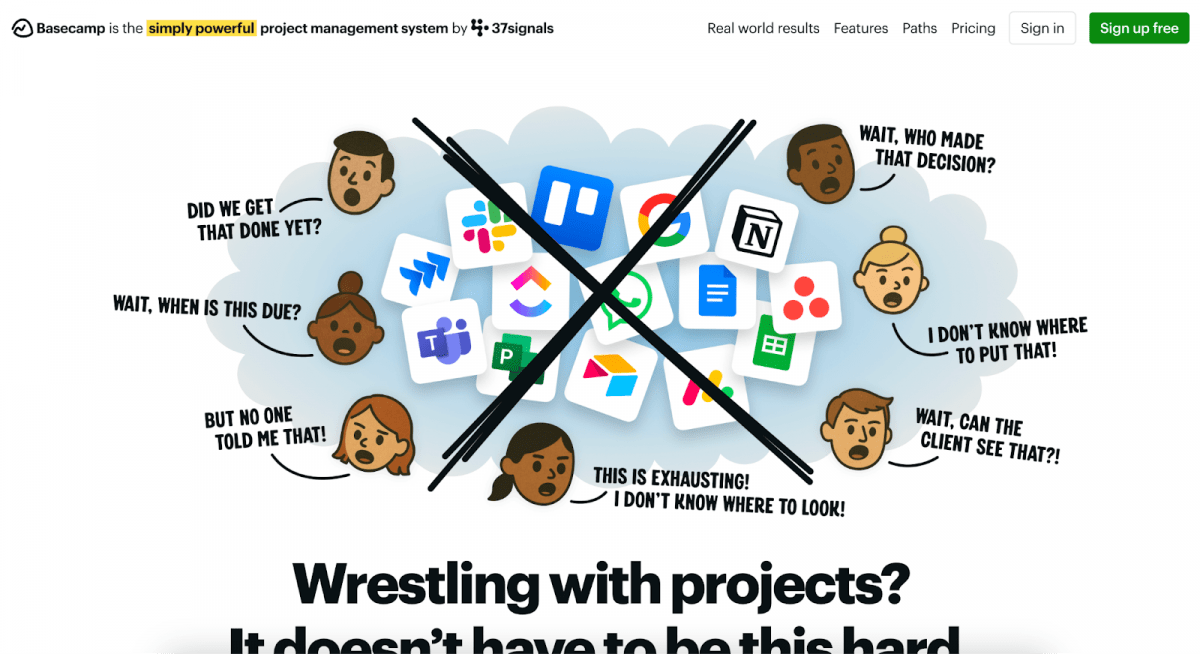
The Creator’s Data Management Crisis: Modern content creators juggle multiple revenue streams simultaneously. According to Merged Media, a leading digital marketing agency, creators are often managing brand partnerships through various advertising platforms, tracking direct sponsorship deals via email, coordinating affiliate programs, and monitoring their own content performance metrics across multiple channels. Each platform generates its own data silo, creating a fragmented view of its actual business health.
Sarah Chen, a finance educator with 500,000 followers across platforms, recently shared her frustration: “I was spending four hours every week just consolidating data from different platforms to understand my actual revenue. I had sponsor contacts in Gmail, viewer analytics in platform dashboards, and payment records scattered across five different systems. It was chaos.”
This fragmentation leads to serious business problems:
Missed opportunities – Creators forget to follow up with sponsors
Lost revenue – Payment schedules slip through the cracks
Blind spots – Profitable content trends go unnoticed
Damaged relationships – Important contacts get neglected
Experts in Facebook marketing services at Merged Media note that when your business depends on maintaining relationships with dozens of brands, agencies, and collaboration partners, these oversights directly reduce your earning potential.
Why Cloud-Only Falls Short for Creators. Most creators initially choose free or low-cost cloud systems. While these appear convenient at first, they reveal significant limitations as creator businesses expand.
The Hidden Costs Monthly subscription costs of $50-300 accumulate rapidly, especially during slow revenue months. Even more troubling is the lack of data ownership. When platforms adjust their terms, increase prices, or experience outages, creators lose access to critical business information.
Connectivity Dependencies Cloud systems struggle with the unique demands of content creation workflows. Video creators often work in locations with unreliable internet:
Remote shooting locations
International travel destinations
Rural content creation spaces
Mobile production environments
Losing access to sponsor contact information or campaign deadlines because of connectivity issues can harm professional relationships and result in significant financial losses.
Privacy and Security Risks: Many creators work with exclusive brand deals requiring confidentiality. Storing sensitive information on third-party servers creates unnecessary exposure:
Negotiation details
Payment terms
Strategic partnership information
Personal creator data
Data breaches at major cloud providers have exposed creator earnings and personal information, causing lasting damage to careers and business relationships.
Taking Action: The creator economy isn’t slowing down, but the creators who thrive will be those who treat their work like the business it is. Scattered notes, unlinked spreadsheets, and dependence on cloud-only platforms are recipes for missed opportunities and unstable income.
By investing in structured data management, creators gain a clear view of their revenue, stronger relationships with sponsors, and the ability to pivot quickly when market conditions change. Just as established companies rely on robust contact and revenue systems to grow, professional creators need the same foundation to scale.
In 2025, creativity may be your brand, but organization will be your competitive advantage. The sooner you replace chaos with control, the sooner you’ll unlock your full earning potential.
From Chaos to Control: How Creators Can Run Their Business Like Pros in 2025 was last modified: October 10th, 2025 by Todd Foster
Tax season can be a stressful time for individuals and business owners alike. The process of gathering documents, understanding ever-changing tax laws, and ensuring accurate filing can quickly become overwhelming. That’s why professional tax preparation services play such a vital role—not just in meeting your filing deadlines, but also in helping you maximize deductions and minimize your tax liability.
What Is Tax Preparation?
Tax preparation involves collecting all necessary financial information, organizing it, and completing tax forms according to federal, state, and local regulations. While many taxpayers attempt to handle this themselves using software or paper forms, professional tax preparers bring expertise that goes beyond simple data entry.
Why Maximizing Deductions Matters
Deductions reduce your taxable income, which can significantly lower the amount of tax you owe. However, tax laws around deductions can be complex, with frequent updates and nuanced requirements. Missing out on eligible deductions means paying more than necessary.
A skilled tax preparation service carefully reviews your financial situation to identify every applicable deduction—whether it’s for mortgage interest, charitable contributions, medical expenses, or business-related costs. For small business owners and freelancers, this can also include home office expenses, equipment purchases, and travel costs.
How Professional Tax Preparation Services Work
Comprehensive Review of Documents A tax preparer starts by collecting all relevant income statements, receipts, investment reports, and previous tax returns. This helps create a full picture of your finances for the tax year.
Identifying Applicable Deductions and Credits Leveraging up-to-date knowledge of tax codes, the preparer searches for deductions and credits tailored to your circumstances. This can include education credits, energy-efficient home improvements, and retirement savings contributions.
Ensuring Compliance and Accuracy Tax laws can be intricate, and errors can lead to penalties or audits. Professional preparers double-check calculations and ensure all forms are filled out correctly to avoid mistakes.
Filing and Follow-Up Many tax preparation services offer electronic filing for faster processing and provide support if the IRS requests additional information or audits your return.
Benefits Beyond Deduction Maximization
While maximizing deductions is a key advantage, tax preparation services also help:
Reduce stress and save time
Keep you updated on tax law changes
Offer personalized tax planning advice for future years
Provide audit support if needed
Preparing for Your Tax Preparation Appointment
To make the most of your tax preparation experience, gather essential documents such as W-2s, 1099s, receipts for deductible expenses, bank statements, and previous tax returns. Organizing these in advance allows the preparer to work efficiently and identify every deduction possible.
Final Thoughts
Tax preparation isn’t just about meeting deadlines—it’s an opportunity to take full advantage of tax laws to keep more of your hard-earned money. By working with a knowledgeable tax preparation service, you can ensure your taxes are done right, reduce the risk of errors, and unlock valuable deductions that might otherwise go unnoticed. Whether you’re an individual, a freelancer, or a business owner, investing in professional tax preparation is a smart step toward financial peace of mind.
How Tax Preparation Services Help You Maximize Deductions was last modified: October 15th, 2025 by Colleen Borator
As a lawyer, you know that trust forms the foundation of every client relationship. However, in this digital age, building that trust begins long before any face-to-face meeting. Potential clients research your firm online, read reviews, and form impressions about your credibility before they ever pick up the phone or walk through your door.
This shift has pushed law firms to partner with branding strategists and specialized web developers to create authentic, professional digital presences. The following guide provides practical strategies for establishing online trust and attracting the right clients to your practice.
3 Ways to Create Trust Digitally in 2025
In today’s competitive legal market, a credible online presence gives you a significant advantage. Since clients research extensively before choosing representation, your digital footprint often shapes their first impression of your firm. Here are three proven strategies to strengthen your digital reputation and attract quality clients:
1. Improve Your Website
Your website serves as your most powerful trust-building tool, yet many law firm websites remain outdated, unappealing, or cluttered with complex legal jargon that alienates potential clients.
To create a high-quality website that signals competence and authenticity to your target audience, use these strategies:
Hire a law firm website developer who understands the legal industry and can build a minimal but intuitive website. Ensure that the fonts, spacing, and colors align with your brand identity and feature minimalist designs.
Confirm that your firm’s vision and mission are clear and easy to find on your website. Avoid vague or complex slogans.
Add a section that highlights reviews from clients you’ve helped. Showcasing real results builds trust with potential clients and encourages them to reach out to you.
Use high-quality photos of your team and office instead of stock photos. Showing your real team presents your firm as authentic and relatable, and helps build familiarity with potential clients.
Check that your website is technically sound. Ensure that the pages are responsive across different screen sizes, the site loads quickly, and the UI is intuitive to use, otherwise you risk frustrating potential clients.
2. Show Your Human Side
Build a distinct brand identity to communicate your firm’s values and personality online. Be consistent with your visuals, language, and tone across your website and social media. Try not to be overly professional; clients want to feel understood and relatable. You also need to be confident and clear about what your firm stands for.
To build familiarity with potential clients, try the following:
Include video introductions of your attorneys.
Share short stories about cases you’ve won, community events you’ve supported, or why your attorneys chose this line of work.
Engage with your target audience and followers on your social media platforms by responding to their enquiries and messages.
3. Show Authority in Your Industry
Clients would only feel confident in their legal representation if they can verify your expertise and authority. As such, share educational content to encourage people to see you as a credible authority in your field. Leverage search engine optimization (SEO) techniques so your name appears frequently when people search for legal information online. The more potential clients see you, the more they trust your advice.
Start with these ideas for educational content that potential clients will find useful:
Publish a blog that discusses every day legal incidents people may encounter and how best to handle the situation.
Organize webinars to network with other professionals and discuss current industry trends.
Publish articles and white papers on emerging legal topics that people are interested in.
Share short videos answering common legal questions in plain and concise language.
Build Trust and Enhance Your Reputation with Clients Today
Your reputation as a law firm is built on trust, and it starts with how potential clients perceive you even before reaching out to you or requesting your services. That’s why it’s important to develop a brand image that is approachable, distinct, and trustworthy.
To earn trust with clients digitally, remember:
Build a high-quality website that signals competence and shows that you take your business seriously.
Display your firm’s personality to build familiarity with your target clients.
Share useful and educational content that presents you as a credible and reliable authority in the legal field.
Reputation Building 101: How to Create Trust Digitally in 2025 was last modified: August 8th, 2025 by Thomas M
You know those repetitive tasks, like follow-ups and invoicing, that all small and medium-sized business (SMBs) workers hate. Well, manually sorting such tasks slows you down and leaves room for errors. In fact, many SMBs waste hours weekly on these repetitive tasks when they could be run efficiently on autopilot.
However, with the right automation tools, you can streamline workflow operations, minimize errors, and free up time without needing a full-time IT department.
In this article, we’ll discuss exactly what you can automate today as an SMB owner and highlight industry-standard practices to implement workflow automation for SMBs.
Top 5 Workflow Automations Every SMB Should Adopt Today
You don’t need to be tech-savvy or have a whole IT department to automate your business’s workflow automation. Here are five areas where SMBs automation can save hours every week.
1.Customer Support
You don’t have to stay glued to live chats all day to provide good customer service. With workflow automation, SMBs can offer customers fast, helpful support without burning out their support teams.
Besides, AI in small to medium-sized business operations is already transforming customer interactions. Tools like Intercom, Freshdesk, and Zendesk automate ticket sorting, FAQ responses, and basic troubleshooting, so that your human customer support specialists can handle more high-impact or peculiar cases.
2. Email Marketing
Email marketing is a no-brainer for small businesses, but manually sending every follow-up is a recipe for burnout.
With tools like Mailchimp, Brevo, and ConvertKit, small businesses can automate welcome sequences, abandoned cart reminders, holiday promos, and even birthday offers. With this setup, marketing almost runs itself.
Even better, most platforms offer low-code automation tools, so you don’t need a development team to get started. Just set your triggers and let the workflows handle the rest.
3. Invoicing, Scheduling, and Other Recurring Administrative Tasks
Automation will be your secret weapon if managing your inbox, calendar, and billing feels like a full-time job.
Productivity automation for teams can take care of recurring tasks like sending invoices, confirming appointments, and reminding clients about unpaid bills. Tools like QuickBooks, Calendly, and Zoho streamline all these repetitive administrative tasks so you can focus on growing your SMB.
Think of it as giving yourself a virtual assistant, minus the onboarding. Whether a freelancer or a founder, these SMB operations tools help you stay organized without wasting precious time on monotonous tasks.
4. eCommerce
Running an online store? Then you know how much of your time goes into order updates, inventory syncing, and tracking shipments.
With workflow automation for SMBs, you can connect your storefront to fulfillment partners, auto-send order confirmations, and even update stock levels in real-time.
And remember, AI in the eCommerce industry is no longer news. Almost every eCommerce tool relies on AI to revolutionize backend tasks. So if you’re thinking of automation, you should think of AI.
5. Lead Prospecting
Prospecting leads manually, through messages, contact forms, or scattered notes, can get messy. As such, one of the most effective ways to streamline your sales process is by automating how you capture leads.
Automation helps by instantly collecting lead details from your website, ads, or social media and storing them in one central place. Form submissions helps to streamline product inquiry and convert leads to clients quickly, the information is collated in a system you control.
Proven Strategies for Implementing Workflow Automation for SMBs
Ready to put automation to work in your business? These industry-standard strategies will help you start small, stay focused, and scale as you grow without complication or extra expenses.
Identify repetitive tasks: These are the time-consuming tasks that follow a predictable pattern, such as customer follow-ups, invoice creation, or data entry. Start automating those tasks so you can focus manual effort on more difficult issues.
Choose the right automation tools: It is imperative that your chosen tool aligns with your specific needs. Focus on options that are easy to use, integrate well with your existing systems, and can scale as your business grows.
Implement and train: Implement workflow automation gradually and train your team to ensure they feel confident using it daily. You can begin with a pilot test by automating a single workflow, so that you can identify any issues before expanding across your entire SMB.
Monitor and optimize: Ensure you regularly track and assess your key performance indicators (KPIs) like time saved, reduced errors, and response times to find setbacks and improve on them.
Step Into Automation One Task at a Time
Automating workflows is how innovative businesses stay efficient in this digital age. As we’ve seen, it can handle everything from customer support to marketing and admin tasks, saving time and freeing your team to focus on bigger goals.
Remember, the key is not to overhaul everything at once. Start small by automating just one thing. Once that works, add the next. Small wins build momentum, and over time, automation will become an integral part of your SMB’s workflow.
Work Smarter, Not Harder: Workflow Automation to Improve Efficiency for SMBs was last modified: April 28th, 2026 by Joy Root
Voice search isn’t a trend anymore—it’s how millions interact with the internet daily. With smart devices becoming part of our homes, cars, and even our routines, digital assistants like Siri, Alexa, and Google Assistant have reshaped how people search for information. Combined with the growing role of AI, the nature of search engine optimization (SEO) has fundamentally shifted.
As part of ongoing research by Authority Lighthouse, it’s becoming clear that the SEO strategies of yesterday are not enough for tomorrow. In this article, we’ll explore how voice and AI are shaping search today—and what that means for your website, your content, and your digital strategy.
The Rise of Conversational Search
When someone uses voice search, they’re not typing short keywords like “best laptop 2025.” They’re asking, “What’s the best laptop for video editing under $1500 in 2025?” This natural, question-based phrasing reveals intent more clearly, and search engines have adapted to accommodate this shift.
AI assistants now play the role of a smart filter, choosing which answers to speak out loud or display first. This makes the competition for the top spot even more intense. It’s no longer about showing up on page one—it’s about becoming the answer.
The result? SEO is no longer just about keywords—it’s about context, clarity, and answering user questions with precision.
How Voice Search Has Changed SEO Strategy
Natural Language Is Now Essential
Voice searches are longer and more conversational than typed queries. That means content must reflect real, spoken language. Google’s natural language processing (NLP) is more advanced than ever, so it can understand context and sentence structure—beyond just scanning for keywords.
If your website still uses robotic, keyword-stuffed copy, you’re already behind. Instead, write like you’re talking to a person, not a machine. This shift aligns closely with Google’s Helpful Content System, which rewards content that’s genuinely useful.
Intent Takes Priority Over Keywords
The focus has moved from what people are searching to why they’re searching. Are they looking for a quick answer? A product review? Local business info? Voice searches often carry strong intent, so understanding the purpose behind a question is crucial.
To keep up, structure your content to solve real problems, not just attract traffic. This means anticipating the user’s next question—and answering it before they even ask.
The Growing Role Of AI Assistants in Search
AI assistants aren’t just middlemen. They influence what users see, hear, and remember. Their answers are often powered by top-ranking web content—but they also summarize, paraphrase, and filter. In some cases, users may never even visit your site.
This is why featured snippets, structured data, and clear formatting matter more than ever.
AI-powered search is also context-aware. It understands past behavior, preferences, and even location. This means two users can ask the same question and get completely different results. SEO strategies in 2025 must account for personalization and adapt content to match varied user journeys.
What Content Works Best for Voice Search and AI?
Content that ranks well in this new landscape is typically:
Clear, concise, and structured in a way that answers questions directly
Written in natural language and optimized for readability
For example, if someone asks, “How do I change a flat tire?” AI wants to deliver a step-by-step, clear guide—not a 2000-word article filled with fluff.
That doesn’t mean your content needs to be short. In fact, long-form, informative pages still perform well—but only if they’re organized, skimmable, and helpful from the start.
You’ll also want to use FAQ sections, semantic HTML tags, and schema markup to signal structure and meaning to search engines. These small enhancements help AI assistants understand and choose your content for verbal responses.
Authority, Trust, and Real-World Experience Matter
In line with Google’s E-E-A-T framework, voice and AI are prioritizing content from creators who demonstrate:
Experience – First-hand knowledge and insight
Expertise – Deep understanding of the topic
Authoritativeness – Recognition from other reputable sources
Trustworthiness – Clear sourcing, accurate information, and transparency
You can’t fake these things. If you want your content to be surfaced by voice assistants, you need to show that you’re a reliable source. That means having a byline, citing sources, keeping your content updated, and aligning with the intent of your audience.
Voice search often pulls from the most trusted and precise source available. Becoming that source is the new goal of SEO.
Conclusion
Voice search and AI assistants are no longer futuristic—they’re now. Ignoring them is like ignoring mobile optimization a decade ago. You can’t afford to wait.
The smart SEO strategy in 2025 is not just about ranking—it’s about becoming discoverable in the ways users prefer to search. That means understanding language, context, and trust. It means crafting content that’s not only visible but useful—whether it’s being read, spoken aloud, or summarized by AI.
By following these principles and leveraging tools like Authority Lighthouse to monitor and adapt your approach, you can ensure your content doesn’t just keep up—it leads.
FAQs
How Do I Optimize Content for Voice Search?
Focus on question-based headers, natural language, and concise answers. Include an FAQ section, use schema markup, and write in a conversational tone.
Are AI Assistants Changing Keyword Strategy?
Yes. Instead of optimizing for short-tail keywords, you should now target long-tail, intent-rich queries that reflect how people actually speak.
Will AI Replace Traditional SEO?
Not exactly. AI is changing how SEO is done—but the core principles (relevance, value, structure) still apply. SEO now involves working with AI, not against it.
How Voice Search And AI Assistants Influence Current SEO Practices was last modified: August 6th, 2025 by Rachel Willy
In today’s fast-paced digital world, businesses are under constant pressure to deliver more content, more designs, and more campaigns – all with tighter deadlines and leaner teams. Creativity is still the foundation, but efficiency is the new currency. That’s where generative AI enters the picture.
As more companies seek ways to scale their digital output without sacrificing quality or brand consistency, AI is becoming an essential part of the creative toolkit. In this article, we explore how Sombra is helping organizations navigate this shift by integrating generative AI into their pursuit of Digital Excellence.
The New Era of Creative Workflows
Creative workflows have traditionally been resource-intensive. Whether you’re launching a product or running a multi-channel campaign, creating every piece of content – from written copy to visuals – has required human input at every step. That’s changing.
Generative AI enables businesses to automate everything from blog posts and product descriptions to ad copy and image generation. Instead of starting from a blank page, teams can use AI-generated drafts as a launchpad, dramatically accelerating the production timeline.
But speed isn’t the only benefit. AI can also help personalize content at scale, suggest layout variations based on performance data, and generate assets for A/B testing – all of which contribute to better engagement and ROI.
Still, unlocking these benefits requires more than plugging into a tool. It takes strategy, customization, and technical expertise.
Why Generative AI Needs the Right Development Partner
Despite its promise, generative AI can’t succeed in isolation. Businesses face real challenges when adopting AI tools: maintaining tone and voice across outputs, ensuring factual accuracy, avoiding bias, and integrating AI into existing systems.
This is why companies are increasingly seeking out a trusted generative ai services company that can do more than just deliver a model – they need a partner who understands both the creative and business sides of automation.
Sombra steps into this space by aligning generative AI development services with tangible business outcomes. Rather than offering generic solutions, they tailor AI systems to the brand, data, and workflow of each client. This approach ensures the outputs are not just automated, but valuable and on-brand.
Sombra’s Approach to Digital Excellence
Sombra’s vision of “Digital Excellence” isn’t just about deploying new technologies – it’s about delivering smarter, more consistent, and customer-centric digital experiences. Their generative AI solutions are designed to enhance – not replace – creative teams by eliminating repetitive work, streamlining content creation, and enabling real-time personalization.
By combining technical expertise with a deep understanding of UX and business logic, Sombra creates AI-driven systems that seamlessly integrate into marketing, design, and product teams. You can learn more about their full suite of AI-enabled services at https://sombrainc.com/.
Use Cases: Real-World Creative AI Solutions from Sombra
Here are some examples of how Sombra’s generative AI capabilities have been applied in practice:
AI-Generated Marketing Copy Sombra worked with a SaaS company to implement an AI system that generated first drafts of email campaigns, blog posts, and product landing pages. The system was trained on the brand’s historical content, ensuring tone and messaging consistency.
Automated Visual Content for Ads For a retail client, Sombra helped develop a solution that could create promotional images for digital ads using generative visual models, allowing for rapid asset creation across multiple product lines.
Smart Layout Suggestions for Landing Pages By combining generative AI with behavioral analytics, Sombra delivered a prototype tool that suggested high-performing page layouts and CTA placements based on campaign objectives and user engagement trends.
In each case, the result was a faster content cycle, reduced manual workload, and measurable improvements in output quality and performance.
Conclusion
Generative AI is reshaping how creative teams work, making it possible to scale content, automate design variations, and personalize messaging with unprecedented speed and precision. But the key to success isn’t just the technology – it’s having the right partner to implement it.
Sombra stands out by blending innovation with strategic insight, helping companies unlock the full potential of creative automation through its AI-driven approach to Digital Excellence.
Whether you’re just beginning to explore automation or ready to scale your content engine, now is the time to consider how generative AI can elevate your workflows – and who you’ll trust to help build it.
Automating Creative Workflows: A Look at Sombra’s Generative AI Solutions for Digital Excellence was last modified: October 27th, 2025 by Nazarii Kydyk
Every business depends on data for strategy development and making decisions. However, just collecting the information is not enough. Proper analysis is the most important stage here.
You need to find the best data analytics tools to gather and interpret all the essential information. Keep reading and learn about the top 6 business intelligence platforms you can use for that purpose!
Why Your Business Needs Data Analytics
Data is the foundation of any business operations. Working blindly or using outdated methods is not an option. Yet, you can’t just gather raw data. It’s essential to analyze it properly.
How does data analytics impact your business?
Smart Decisions Based on Evidence
Many companies make decisions based on experience and intuition. These methods might work occasionally, but they’re not reliable in the long term.
Systematic analysis of data allows you to
Identify profitable products and services;
Define promising customer segments;
Test different marketing messages.
These details reduce uncertainty and help you distribute resources smartly.
Higher Operational Efficiency
Operational inefficiencies can exhaust your resources. A data analytics platform helps you identify these inefficiencies and handle them before they cause damage.
You can monitor operations through dashboards and automated reports. For Shopify merchants, a lightweight Shopify sales tracker can surface real-time order and revenue trends without the steep learning curve of a full BI suite. This constant control lets you make immediate adjustments to improve productivity and lower costs.
Customer Behavior Prediction
Your customers’ actions create valuable behavioral data. Analyzing this information allows you to understand their motivations and pain points. Through this evaluation, you can
Detect purchasing trends;
Discover seasonal demand cycles;
Predict future purchases.
With these details, you can improve your messaging, pricing, and product development activities.
Marketing Personalization
Generic marketing is no longer effective. Customers want your content and offerings to match their specific interests and needs.
You can easily automate personalized campaigns and adjust marketing strategies with this information.
Accurate KPIs Tracking
KPIs define your business’s health and success. It’s really hard to track these metrics precisely without proper analysis.
Analytics tools allow you to
Visualize KPIs through dynamic dashboards;
Set and monitor benchmarks;
Generate automated reports.
So, you can identify useful tactics and areas for improvement.
Financial Planning and Risk Management
Strong financial planning and risk management guarantee your stability. Analytics allows you to build more accurate revenue and expense forecasts. Also, you can detect early warning signs of financial risk or fraud with its help — especially when integrated with external data providers or platforms like Decentro that offer real-time financial and identity verification APIs.
What Are Business Intelligence Tools?
Business intelligence tools are the base of your data analytics activities. These software applications help you turn huge amounts of raw data into useful information.
Without the right instruments, the information you gather will be disjointed and underutilized. BI platforms help you
Track critical metrics;
Identify patterns;
Predict future results;
Make choices based on clear evidence.
As a result, your processes are more agile and risks are much lower.
Here are the main functions of BI tools.
Collection and Integration
BI tools gather information from different sources, including
This integration guarantees that users have a full view of the organization’s activities. Key features may include ETL pipelines, data connectors, and warehousing.
Cleansing and Preparation
Raw data is often messy and incomplete. BI instruments offer built-in preparation features to clean and standardize information before analysis.
They remove duplicate entries and fill in missing values. Next, they convert information into consistent formats. Finally, these instruments normalize values across different sources.
Analysis
After preparing information, these tools allow you to explore it through analytical capabilities.
You can distribute this data to isolate variables or dimensions. Next, you can compare performance across time periods or products.
Advanced tools offer statistical analysis, correlation detection, and anomaly identification. These functionalities allow you to plan further actions.
Visualization
Whether you’re using a dedicated BI tool or a comprehensive store builder with analytics features, visualizing your data is key to unlocking insights. It can be hard to interpret just numbers. These tools simplify the interpretation by converting complex datasets into visual formats, like
Bar and line charts,
Pie graphs,
Geographic heatmaps,
Treemaps and waterfall charts,
Interactive dashboards.
These visuals will help you quickly determine performance trends and identify outliers.
Reporting and Predictive Analysis
BI platforms facilitate the reporting process by automating the creation and distribution of individualized reports. You can schedule these reports and customize templates.
Modern alternatives also offer predictive and prescriptive analytics. It allows you to forecast future outcomes and plan your activities.
Top 6 Business Intelligence Tools
As you already know, data analytics is an essential activity for any business. This process allows you to track your operations accurately and plan your work smartly. Business intelligence tools are the foundation of analysis.
Here are some of the best BI tools you can try.
Microsoft Power BI
Power BI is a powerful solution that helps you deal with different types of data. It has a suite of integrated tools and services, each serving a unique function.
Power BI Desktop handles data modeling and visualization work. Service is a cloud-based platform where you can publish and collaborate on reports, seamlessly integrate cloud telephony solutions for enhanced communication, and access dashboards and reports from anywhere using mobile apps.
This platform also includes
Power BI Report Builder
Power BI Report Server
Microsoft BI is suitable for both self-service users and enterprise analytics. It works with various Microsoft 365 apps. Everyone can explore data and generate their own reports without needing technical expertise.
It offers a free version and two paid packages. You can choose the plan depending on your needs and resources.
Tableau
Tableau is another leading analytics platform you can try working with. It supports deployment in the cloud or on-premises.
This platform offers different products, including
Desktop for dashboard visualization;
Prep for cleaning and combining your data;
Server for deployment.
It includes strong compliance features and security certifications.
Tableau is popular for its self-service analytics and visual storytelling. Plus, it offers built-in AI and automation for smarter decisions.
You get access to a massive support community and full integration with Salesforce.
Qlik Sense
Qlik Sense is a next-generation platform built for users of all skill levels. It combines powerful analytics capabilities with a unique associative engine.
Qlik allows you to make selections freely in any direction. It recalculates every interaction instantly and updates the context across the entire dataset.
Plus, it offers different AI capabilities, including
Automated insight generation;
Natural language interaction;
AI-assisted data prep and dashboard creation;
AutoML and predictive analytics.
You can also benefit from its intelligent alerts and integrated collaboration tools. Qlick offers four pricing plans for different business sizes.
Looker Studio
Our next suggestion is Looker Studio. It is Google’s self-service BI platform.
It simplifies the analytics process through
Customizable dashboards,
Visualizations,
Smart reporting features.
Looker Studio supports over 800 connectors and an ecosystem of partner tools. So, you can easily connect and manage sources.
Also, you can work together with your team live. It allows you to co-edit reports, leave feedback, and publish updates instantly.
Another impactful functionality is the Looker Studio API. You can easily automate asset migration and configure permissions with its help.
Domo
Domo is an end-to-end data and AI platform that connects your entire business. It has over 1,000 pre-built connectors, letting you unify information from all your systems.
This platform has an AI agent that offers you intelligent and context-aware answers to your requests. This agent can also
Automate routine tasks,
Recommend actions,
Support live changes.
Plus, you can easily use Domo without any coding experience.
Domo provides interactive dashboards and real-time visualizations. You can use them to identify trends and monitor performance. Also, you can embed its analytics functionalities into your apps or portals.
Not to mention its strong security and user management features. You can control the entire ecosystem from one interface.
Sisense
The last platform we want to highlight is Sisense. This alternative combines AI with integration and predictive capabilities.
Its user-friendly tools reduce technical barriers and speed up development. Sisense has natural-language assistants that allow you to explore data conversationally and receive instant summaries.
The Compose SDK instrument and modular components let you integrate analytics directly into products and workflows.
Also, you can anticipate future outcomes through Sisense’s
Forecasting,
Trend analysis,
Anomaly detection.
Through its advanced APIs, you can compose analytics components within your app while keeping your brand’s style. The platform’s architecture supports agile deployment and collaboration.
Conclusion
Data analytics is the basis of any successful business strategy. It helps you improve operations and make smarter decisions. Plus, you can use it to predict future outcomes.
You can work with BI tools to collect the information you need and interpret it for further actions. Modern platforms offer advanced integration capabilities, AI assistants, and a high level of precision.
Hope that our guide was useful and you’ll find an ideal platform for your needs!
Best Data Analytics Tools: Top 6 Platforms for Business Intelligence was last modified: March 11th, 2026 by Nick Tyne
In Australia, it’s not at all unusual for vehicle fleets to operate in some of the most remote and inhospitable environments in the world. With resource extraction activities stepping up, fleets can be expected to frequently service inland mining projects, support construction zones in the Outback and, as they’ve always done, deliver goods to the country’s many isolated communities.
With such long distances to cover, fleet operators must constantly navigate a web of diverse risks. They must consider scenarios like fuel theft, unpredictable weather, supply disruptions, mechanical failures, and even access to reliable diesel storage. Almost as importantly, their solutions must be cost-effective, especially given the high costs of this type of operation.
Thus, operators must take a prudent approach to their operational planning. Below are several tried-and-tested technology-oriented tips to help fleet operators reduce their risk exposure, particularly when servicing remote sites.
1. Invest in Secure and Compliant Diesel Storage
One of the simplest ways to reduce operational delays is to ensure a dependable, on-site fuel supply. While there are several tank types, fleet operators looking for a diesel storage tank for sale will find self-bunded diesel storage tanks a standout option for key reasons.
As their name indicates, these tanks feature built-in secondary containment or “bunds” that do away with additional containment infrastructure around the main tank, as is the case with traditional designs. This means they can be easily deployed and redeployed as needed, with minimal risk to surrounding environments. This means operators have more options for optimising their supply chains, especially for mining sites that tend to move as resource deposits are extracted.
2. Use Telematics to Optimise Routes and Reduce Exposure
Fleets that don’t use telematics and GPS tracking on their vehicles may be exposing their drivers and equipment to unnecessary risks. With the right setup, operators can use these tools to reroute trucks away from hazards like flood-prone roads or fire-affected areas. In especially remote regions, knowing the safest and most efficient path can significantly reduce drivers’ risks while also saving on fuel and time.
3. Use Modern Fuel Management Systems
Today’s fuel management systems do more than just track consumption. They can link to a command centre to give operators real-time visibility into fuel usage across the entire fleet. From recording which vehicle refuels when, to alerting operators of potential leaks or pilferage, these systems finally bring a welcome degree of accountability to a once-opaque area of operations. Some systems even offer offline data capture, making them a good choice for vehicles that frequently visit areas with poor connectivity.
4. Prioritise Preventive Maintenance and Equipment Readiness
Unexpected breakdowns can lead to costly project delays or even expensive compliance violations. While they do require operators to allocate time and resources, strong preventive maintenance routines should reduce these issues to the bare minimum. At the very least, checks on tyres, brakes, cooling systems, and other essentials must be done before each trip.
Vehicles are not the only assets that require maintenance. Support equipment such as diesel tanks, standpipes, hose reels, and even communications equipment should all receive regular scheduled inspections. This helps catch potential issues early on and avoids any serious downstream delays during field operations.
5. Train Your Team on Remote-Area Contingencies
Drivers and field staff should be well-versed in what to do if they encounter or experience road closures, mechanical issues, or adverse weather conditions. This includes training on how to use in-vehicle emergency communication devices, protocols for remote breakdowns, and the correct procedures for refuelling using on-site tanks. Building this internal capacity may take some investment, but it will ultimately pay off in helping staff safely manage high-pressure situations.
6. Keep Backup Supplies and Contingency Equipment Onsite
If a fleet services remote sites, even otherwise minor disruptions can take a while to fix. Keeping stocks of essentials like diesel, lubricants, and other consumables at key depots can keep operations from grinding to a halt. At the very least, it may enable vehicles to reach a better-equipped service station under their own power.
7. Invest in Digital Logging and Compliance Tools
Digital compliance tools allow drivers and site managers to log issues, track hours, and submit safety checklists in real time. This enables far better oversight compared to manual processes by ensuring developing problems are more easily spotted and addressed before they escalate. Most importantly, it also prevents risk exposure from poor documentation and helps the operator better manage audits and insurance claims.
8. Cultivate Relationships with Local Support Services
Lastly, being on good terms with local mechanics and supply contractors can go a long way in reducing recovery times during disruptions. Whether a truck needs a tow or a part replaced, these relationships can provide operators with irreplaceable, valuable local knowledge and support.
Even Small Moves Can Strengthen Big Operations
Operational risks can’t be eliminated, but most of them can be anticipated and managed. Whether it’s adopting self-bunded fuel storage or embracing digital tools, proactive measures will incrementally add much-needed resilience to your business. And with an environment as vast as the Outback, you will want to make sure your drivers, support staff, and vehicles are as protected as they can be.
8 Tips for Fleet Operators to Reduce Operational Risks was last modified: July 24th, 2025 by Jonathan Harris
Given the interdependent nature of our world, internet privacy and safety are of utmost priority. Proxy tools are essential to ensure users can safely browse online. However, many proxy tools promise privacy but confuse you in the process. A tool currently receiving more attention and that actually delivers is Clash for Windows. In this post, we will discuss what makes it an excellent choice for reliable and robust proxy solutions.
User-Friendly Interface
Clash for Windows is so distinctive in its ability to provide a graphical interface. It has a simple layout that even a beginner who is not tech-savvy can use. The layout is simple enough to allow the user to access all features easily without overwhelming them. The user experience-led design is simple, optimized, and designed to appeal to a wide user base.
Customization Options
One of the most important features of Clash for Windows is personalization. The tool can be customized to meet users’ needs. The customization goes from the proxy settings all the way to preferred servers. Such flexibility allows the configuration to be custom-tailored to the unique tastes of individuals, which improves the overall satisfaction.
Performance and Speed
Any proxy tool should be efficient, and Clash for Windows is. It does not affect browsing speed too much, which is necessary for a seamless internet experience. It handles the network traffic effectively and ensures seamless performance when using multiple tabs or applications running simultaneously.
Security Features
Clash for Windows is safe and secure, as security is still an issue for everyone. It encrypts data, which makes sensitive information secure against exposure to possible threats. Thus, with this encryption, users can be confident that their data is confidential and secure while browsing.
Cross-Platform Compatibility
The other aspect of Clash for Windows is its cross-platform compatibility. Although initially designed for Windows, it can be integrated with other operating systems. Such flexibility makes it a universal pick for users working on different machines to carry out consistent work.
Community and Support
Clash for Windows has a thriving and generous community. Forums and groups are open for users to share their experiences and solutions. This network of support not only improves user experience but also helps create a sense of community through peer assistance.
Regular Updates
Clash for Windows is updated regularly, so it always works against new threats. Developers are working on fixing bugs and adding new features to the tool. This commitment to improvement ensures that the tool remains relevant and trustworthy.
Cost-Effective Solution
Clash for Windows is a low-cost solution for those on a budget or who cannot afford it. Most of the features are free; you can meet many of your needs without high costs. And this cost-effectiveness is attractive to many users, from individuals to small enterprises.
Ease of Installation
Clash for Windows is simple to set up and very fast to install, and the steps are well-defined. Proxy tools are neither new nor complex, but this simplicity eliminates roadblocks for individuals who might otherwise be unwilling to use them.
Comprehensive Documentation
There is extensive documentation for anyone interested in exploring Clash for Windows. An additional benefit of this resource is that anyone looking to optimize the tool’s potential can do so. It has a wide range of levels to cater to expertise, from setup to configuration.
Integration Capabilities
Clash for Windows can integrate with other applications and services seamlessly. This provides enhanced functionality, allowing users to consolidate their workflow better. It is woven into the fabric of the user’s digital day via integrations.
To Sum Up
Clash for Windows ranks as a premium proxy tool for users in desperate need of a convenient, secure, effective, and adjustable tool. This tool stands out on account of its visually appealing and intuitive interface. Many people opt for it because of its user-centric design and advanced features. The continuous updates with the well-built community have proved to be a lifeblood to its sustainability. Clash for Windows is an ideal option for privacy- and performance-conscious individuals, whether for personal use or business.
What Makes Clash for Windows a Top Proxy Tool for Users was last modified: July 23rd, 2025 by Baris Zeren
87% of Buffalo’s small businesses still rely on outdated tech systems that cost them over $12,000 annually in inefficiencies. That’s enough to hire a full-time employee or upgrade critical infrastructure. Yet, while industries like manufacturing and retail drive the local economy, many struggle to keep pace with cybersecurity threats and cloud-based workflows.
For 15+ years, SynchroNet has quietly become the backbone of Western New York’s digital transformation.
Unlike generic IT firms, they specialize in hyper-localized solutions like converting legacy factory systems into smart manufacturing hubs or helping family-owned shops compete with e-commerce giants. Their secret? A team that lives here, understands Rust Belt resilience, and speaks plain English not tech jargon.
But here’s the catch: Buffalo’s economy grew 4.3% last year, yet 62% of SMBs still lack dedicated IT staff. SynchroNet fills this gap by offering enterprise-grade tools scaled for businesses under 50 employees. Think instant cybersecurity patches for auto repair shops or AI-powered inventory systems for breweries all priced like a utility bill, not a corporate overhaul.
Key Takeaways
25+ years of localized IT expertise tailored to Buffalo’s unique business needs
Custom solutions bridging traditional industries with modern tech demands
Cost-effective services designed for businesses with limited IT budgets
Proven track record in cybersecurity, cloud migration, and workflow automation
Community-focused approach prioritizing measurable growth over tech buzzwords
Buffalo’s Economic Landscape & Small Business Challenges
Buffalo’s economy has transformed dramatically since its manufacturing heyday, creating both opportunities and hurdles for local businesses. While healthcare and tech sectors now drive growth, many small enterprises struggle to keep pace with digital demands.
Outsourcing IT services has become a practical solution for these businesses, allowing them to access enterprise-level technology support without the overhead of in-house teams. Let’s explore the key challenges shaping Buffalo’s business environment today.
Post-Industrial Transformation in Western NY
Once dominated by steel plants and auto factories, Western New York now hosts advanced manufacturers and tech startups. This shift leaves legacy businesses facing a critical choice: modernize or risk obsolescence. A third-generation metal fabricator recently told us, “Our 90s-era systems can’t communicate with suppliers’ new platforms – we’re losing contracts weekly.”
Digital Readiness Gap for Local Enterprises
University at Buffalo research reveals 63% of local SMBs operate without dedicated IT staff. This skills shortage creates operational bottlenecks:
Manual inventory tracking causing stock errors
Paper-based customer records slowing service
No systems to analyze sales trends
Family-owned retailers often rely on outdated cash registers while competitors use cloud POS systems – a gap that impacts both profits and customer experience.
Cybersecurity Threats in Retail & Manufacturing
The 2023 UB study shows 41% of Buffalo businesses experienced cyber incidents last year. Common vulnerabilities include:
Industry
Top Threat
Average Cost
Retail
Payment system breaches
$86,200
Manufacturing
Ransomware attacks
$127,500
Many manufacturers still use unpatched Windows XP machines – prime targets for hackers. Effective data security measures become critical when handling client blueprints or payment info.
How SynchroNet Became Buffalo’s IT Partner of Choice
SynchroNet’s rise mirrors Buffalo’s own economic revival – rooted in community values but powered by cutting-edge solutions.
SynchroNet: Western New York’s Trusted IT Partner Since 1998
Before cloud computing was mainstream or cybersecurity made headlines, SynchroNet was already helping small businesses in Buffalo navigate the digital world. Founded in 1998, the company built its reputation on deep local ties and a long-term commitment to client success.
Instead of chasing Silicon Valley hype, SynchroNet focused on what mattered to its clients:
Responsive, Buffalo-based support
Tailored IT stacks designed for small teams with real-world needs
Clear, honest pricing for businesses on a budget
This grounded approach helped them grow organically one relationship at a time across Erie and Niagara counties.
Real-Time Data Integration: The Backbone of Modern Operations
Imagine running your business with perfect visibility into every transaction, shipment, and sales trend. That’s the power SynchroNet brings to Buffalo’s small businesses through real-time data integration. Unlike clunky spreadsheets or delayed reports, these systems act like a digital nervous system – instantly connecting your point-of-sale terminals, warehouse tablets, and supplier portals.
Cloud Computing Solutions Tailored for Growth
Buffalo businesses face unique operational challenges – from sudden lake-effect snowstorms to Bills game day rushes. Modern cloud computing solutions have become essential tools for local companies to stay agile. SynchroNet’s approach combines enterprise-grade technology with Western New York practicality, helping small businesses scale without breaking budgets.
Cost-Effective Migration Strategies
Moving to the cloud doesn’t require massive upfront investments. We’ve helped 87% of clients transition using:
Phased implementation plans
Pay-as-you-grow pricing models
Legacy system integration tools
A Main Street accounting firm reduced IT costs by 40% while gaining real-time financial reporting capabilities through our hybrid cloud setup.
Cybersecurity Protecting Buffalo’s Business Legacy
Buffalo’s family shops and local retailers aren’t just businesses they’re pieces of community history. Protecting them requires cybersecurity that understands Western New York’s unique needs. SynchroNet’s security program combines enterprise-grade protection with practical training, helping businesses safeguard their operations without tech jargon or complex systems.
Ransomware Defense for Family-Owned Companies
Multi-generational businesses face heightened risks 68% of ransomware attacks target companies with fewer than 100 employees. SynchroNet deploys three-layer protection:
Real-time network monitoring
Automated backup systems
24/7 incident response
One third-generation manufacturer avoided $250k in potential losses last winter through SynchroNet’s rapid detection system.
The Implementation Process: No Downtime Guarantee
24/7 Local Support Network
When issues arise, Buffalo-based technicians arrive faster than national providers:
Under-15-minute phone response guarantee
On-site support within 4 hours (or credit applied)
Cost-Effective Tech Partnerships for SMBs
Small businesses in Buffalo deserve enterprise-grade technology without enterprise-sized budgets. SynchroNet bridges this gap through strategic partnerships that prioritize long-term savings over short-term fixes. Let’s explore how local companies achieve financial flexibility while upgrading their digital infrastructure.
Grants & NY State Incentive Navigation
Buffalo businesses saved an average of 37% on IT costs last year through programs like NY’s Manufacturing Tech Grant. SynchroNet’s team:
Identifies eligibility across 12+ state/federal initiatives
Prepares compliance documentation for cloud migrations
Aligns technology purchases with rebate qualifications
ROI Tracking & Reporting
Our proprietary dashboard quantifies tech investments in real terms:
Energy consumption reductions from cloud computing solutions
Downtime costs avoided through preventive maintenance
Future-Proofing Buffalo Businesses
Buffalo’s business landscape is evolving faster than a Lake Erie storm front. SynchroNet stands at the intersection of tradition and innovation, helping local companies embrace emerging technologies through practical, phased approaches. Our partnership with Buffalo’s Smart City Initiative has already produced groundbreaking pilot projects, including AI-powered workflow prototypes tested at the iconic Riverworks complex.
Conclusion: Building a Tech-Enabled Buffalo Together
Buffalo’s small businesses face unique challenges in our digital era, but they don’t face them alone. SynchroNet combines enterprise-level technology with hometown values, delivering solutions that keep operations secure, efficient, and ready for growth.
From cloud migrations to ransomware protection, our services align with what local shops, manufacturers, and healthcare providers need most.
Choosing SynchroNet means investing in Western New York’s future. We prioritize local talent, with 85% of our team recruited from SUNY Buffalo, Niagara University, and Erie Community College. This commitment ensures tech dollars stay in our community while building expertise where it matters most – right here in Buffalo.
Ready to join Buffalo’s digital transformation? SynchroNet offers free needs assessments for small businesses and helps navigate NY State grant programs. Let’s build solutions that honor our industrial roots while embracing tomorrow’s opportunities – because when local businesses thrive, our whole community wins.
SynchroNet’s IT Expertise: Fueling Buffalo’s Small Business Growth in a Digital Age was last modified: July 18th, 2025 by Kevin Donvas
Community work and social change are fundamental roles of foundations. However, constant compliance with regulations is a big challenge. Fund accounting lets you clearly show you’re following the rules. This method often plays a critical role in ensuring financial accountability and accuracy. Consider fund accounting a focused financial system. In this post, we will examine how it helps groups manage their cash for particular reasons. We will also learn more about how it showcases clear visibility of how funds are used while promoting transparency.
Understanding Fund Accounting
Fund accounting is different from traditional accounting because it emphasizes accountability rather than profitability. Nonprofit groups, especially foundations, often adopt this method. The primary purpose of fund accounting for foundations is to record where the funds come from, how they are allocated, and how they are spent. This way, every donation would be allocated precisely how the donor intended or according to a particular legal provision. Segregating an organization’s assets and liabilities into different funds helps it manage its finances better.
Ensuring Transparency and Accountability
Transparency is the bedrock of any foundation. Investors and regulators want to see it reported clearly and accurately. Fund accounting spells out precisely how money is spent, cultivating confidence. Foundations can put together solid reports showing where and how money is being spent. Showing our cards makes our partners feel good. It also brightens the foundation’s image. For accounting teams, using a CRM for accountants ensures that client data, deal details, and payment status stay aligned across systems, eliminating data silos, reducing human error, and improving decision-making.
Facilitating Compliance With Regulations
Without compliance, a foundation will not be able to function as intended. Rules concerning the reporting of funds have different provisions, as do laws on using funds in various regions. A solid audit trail from fund accounting gives organizations the clear records they need to follow rules, whether those are local or international. With good records, preparing accurate reports for regulators becomes simple, which greatly reduces the chance of rule violations. Accurate record-keeping prevents penalties and litigation claims against foundations.
Improving Financial Management
Knowing financial management for a foundation is necessary to bring about transparency and responsible usage of donor funds. Since the foundation is an association, financial management is essential to be the backbone of sustainability. With fund accounting, budgeting, and financial planning becomes simpler. Tracking different funds separately also means tracking your problems when they arise: any area that could use more attention or resources is already identifiable. Foundations truly thrive when they manage their funds with foresight. They can then responsibly launch fresh ideas, keep budgets trim, and focus on tomorrow’s impact. Additionally, this allows for rectifying financial discrepancies in time.
Streamlining Decision-Making Processes
Foundation decisions are often based on where to allocate limited resources. Fund accounting gives a more detailed view of how well different projects or initiatives are holding up financially. This gives leaders the ability to decide where to spend money intelligently. When the financial books are open, it’s easier to see everything. This allows leaders to direct efforts right at the foundation’s core mission.
Improving Donor Relations
Seeing their money in action makes donors more inclined to give. Think about how much trust you build when supporters know every dollar they donate is put to work. That clear view of where funds go inspires them to keep contributing. Foundations assemble comprehensive financial statements. These records distinctly illustrate the usage of contributions, confirming the judicious oversight of the received amount. Giving donors a straightforward explanation makes them feel good about their contribution. That feeling encourages them to give generously, time and again.
To Sum Up
Fund accounting is a powerful instrument ensuring compliance and mission realization in any foundation. Fund accounting strengthens an organization’s core. It helps them follow rules, be transparent about money, and manage funds better. Our connections with people who give money will get much stronger. Plus, it helps us make smarter choices about what we do next. With the evolution of technology, implementing next-generation fund accounting systems can be even more beneficial. Beyond that, foundations assure themselves that they are compliant and doing their part in leaving a mark that benefits mankind with fund accounting.
How Fund Accounting Helps Foundations Stay Compliant was last modified: February 18th, 2026 by Baris Zeren
In the modern digital-first environment, putting money in Customer Relationship Management (CRM) system is not a luxury but a strategic requirement. CRM software works as a great engine of greater customer interaction, efficient workflow and data-based decision-making. Before any business decides to take the plunge, there is a fundamental question that goes across their minds; what is the cost of developing a CRM system? It is not so easy to answer because this cost extends much further than the initial development, it includes features, integrations, scalability, maintenance and long-term value. These elements are important in making an informed decision that would be profitable.
Breaking Down CRM Development Costs
Multiple factors have an influence on the cost of constructing a CRM system, and all of them are able to alter the budget dramatically. The final price tag depends on the number of users, the difficulty of system implementation, mandatory functions and customization to an industry. An example is that a small business may be only interested in contact management and simple sales tracking; where large enterprise may need automation, analytics, AI-provided recommendations, and on-demand communication tools. When the question is how much is it to build a CRM system it is important to consider how exciting your solution needs to be so as to be highly supportive to your operations.
The Hidden Costs beyond Development
Underestimating ongoing expenses is one of the common pitfalls businesses make. In addition to initial development, there are update costs, bugs fixes, technical support, user training and hosting on the cloud or managing the servers. These recurrent costs are equally important like the start-up capital. Firms which only consider investment in development can resolve performance or security issues down the line. Actually, maintenance contributes largely to the cost of building a CRM system throughout its lifetime.
Integration: Making It Work with What You Already Use
CRM system does not exist in its own isolated world and must be synchronized with other systems such as email platform, e-commerce, ERP solutions, marketing software among others. The greater the integration you need the more complex and costly is the development. Standardization of the whole system results in easier operations and optimal productivity, yet it also increases the invoice. When planning on how to spend the money to create a CRM system, you better consider all the tools your company has already acquired and how natively your CRM is expected to communicate with them.
Security and Compliance: Safeguarding Sensitive Data
In the current business environment where all aspects of business are being managed through data, security is not a negotiable issue. It does not matter whether you are dealing with customer profiles, purchase history, communication records, it all is a priority when it comes to protecting such information. The in-built encryption, two-factor authentication, and regulation adherence such as GDPR or HIPAA are examples of custom CRM that organizations consider in different industries. Such characteristics make the development expensive, though necessary to build confidence and protection through the law. Hence, the price of creating a CRM system is also dependent on the data-security and regulatory-compliance requirements that your business requires.
The Value of Going Custom: More than Just Cost
Well-designed custom CRM not only keeps track of contacts, but also drives the growth. When all customer data is gathered, categorized and analyzed in a central location, companies can obtain valuable information that results in more intelligent decisions and effective contact. There are many benefits associated with it including automating marketing campaigns, predicting sales and increasing customer service. With an eye on the cost of building CRM system, always remember it is not about the cost, it is about ROI. Personalized CRM is a financial investment that gives returns in terms of efficiency, customer loyalty, and increase in revenue.
The Importance of Custom Features in CRM Development
Where building your own CRM system is concerned, one of the most relevant aspects when considering costs is that of having customized features which can be a result of your business processes. CRMs provided off-the-shelf cannot satisfy individual needs of functioning and cause inefficiencies and the narrowing of the working branch. As an example, a business selling property might want to have property lifecycle tracking, whereas a medical organization might require to schedule appointments and support HIPAA compliance. Development of custom CRM enables those businesses to integrate such niche features within the system. Nevertheless, every new capability increases the complexity of the development efforts, be it automated workflows, custom dashboards, or AI-suited analytics. That is why to answer the question how much does it cost to build a CRM system, one should start by examining in detail what kind of features you really require in your business and what are just nice to have.
Mobile Accessibility and Cross-Platform Compatibility
The mobile-first world leaves businesses with a need to have CRM systems that are available anytime, anywhere on different devices. Mobile CRM access is not a fad, it is a must have and the sales executives who have to be on fields as well as customer service representatives as well as executives who need access to life-time data in their bird fingers. To make a cross-platform-operating CRM that runs smoothly on iOS, Android, Windows operating systems and web browsers, one would have to develop even more layers of the program and go through more testing procedures. Mobile experience should not be different and should be friendly, security or functionality. In addition, real-time sync data across devices need to have sound back-end architecture. Otherwise, the cost of building the CRM system may need some more investment in cross-platform capabilities development and mobile enhancement. The abstinence of this aspect can cause inefficiency and restrict user adoption.
User Interface (UI) and User Experience (UX) Design
A bespoke CRM can be as mighty as it can be utilized. Regardless of the number of features the platform will have, a bad user interface will result in low adoption and problems with productivity. This is the reason why the organizations should invest into the intuitive UI / UX design in their CRM development process. It would be time-consuming, labor-intensive and costly to design an interface that would fit your team, need little training and increase productivity. It is also a process that entails the activity of usability testing, obtaining feedback and repeating the design procedure. Both the appearance and functionality of your CRM would affect the level of employee satisfaction as well as efficiency. That is why when you wonder how much does it cost to build a CRM system, UI/UX-design can be regarded as the important cost feature not just the cosmetic one. An effective system minimises mistakes, accelerates performances, and enhances improved communication between departments.
Final Thoughts: Investing Wisely in a CRM Solution
Initiating a CRM system is a big fiscal and strategic step. The most important thing is to tackle it with a sense of clarity, knowing the items that were involved in forming the whole picture of the cost- the essential capabilities and integrations, the security, and the overall support in the long-term. Make the right inquiries and incorporate your CRM objectives and your business expansion strategies. Of course, the main concern when it comes to the question of how much does it cost to build a CRM system is not a matter of dollars but a matter of value, vision, and how effectively your CRM will be able to ride along with your business.
Beyond the Price Tag: The True Value of Custom CRM Software was last modified: July 17th, 2025 by Bilal Ahmed