Business data is vast, but do you ever stop to think about how much time goes to waste on manual tasks? There are thousands of entries moved every hour by employees who could be doing more creative work. As analysts in this field, we see how the right tools change these daily habits. We hope that companies find ways to link their software so that records move without human intervention. Now the hard part is picking which platform fits your specific office culture. Modern companies use workflow automation to break the cycle of repetitive entry.
Is your team currently stuck in a loop of copy–pasting information across different spreadsheets? This is a common hurdle for growing businesses. Departments can sync their contact lists and calendars without manual effort. This approach keeps information consistent across all platforms.
The Impact of Digital Workflow Automation on Productivity
According to recent industry reports, small business workers say that using automated systems saves them at least 5 hours every week. This allows staff to focus on complex problem-solving instead of copy-pasting contact details.
Metric
Impact
Time Saved
At least 5 hrs per week per person
Error Reduction
Average 40% decrease in manual entry mistakes
Task Speed
3x faster processing for file transfers
Cost Efficiency
Lower overhead for administrative maintenance
A staff can focus on solving problems rather than moving files. But how do you know which platform to trust? It depends on your current IT infrastructure for automation. If you use legacy systems, you might need a different solution than a startup using only cloud apps.
Selecting the Best Workflow Automation Software
Choosing the best program requires a look at how your staff communicates. You must check if the tool supports the specific apps you use daily. Some are great for simple tasks, while others handle complex logic.
Workflow App/Platform Name
Starting Price
Best For
Zapier
$19.99 / month
Connecting thousands of web apps
Make
$9.00 / month
Visual logic and complex data flows
CompanionLink
$14.95 / month
CRM and local database synchronization
Workato
Custom Pricing
Enterprise-level internal systems
We have analyzed these options and found that compatibility is the most important factor. If it does not talk to your CRM, it is not useful. Keeping your mobile device updated with office details makes a big difference in how you respond to clients.
Managing Data Protection Tools and Infrastructure
As you build these connections, you must think about how the traffic travels. Reliable protection makes sure that your information remains intact during the transfer. Are you using a public network or a private one? For high-volume workloads, some businesses buy private proxy servers to maintain steady performance.
Using business proxy solutions assists in managing heavy traffic between your internal servers and external web apps. This is especially true for connection routing when you have employees in different regions.
Pros and Cons of Workflow Automation
Pros:
Reduces human error in manual entry.
Speed up lead response times for sales teams.
Integrates disparate systems like CRMs and email.
Allows for 24/7 information processing without supervision.
Cons:
Initial setup requires time and technical knowledge.
Subscription costs can add up as you scale.
Occasional API changes might break existing integrations.
Improving Integration
When you use team productivity software, the goal is to keep everyone on the same page. If a sales rep updates a contact in the CRM, that change should appear on the manager’s phone instantly. This is where digital process optimization becomes valuable.
Do you use a specific CRM like Salesforce or Act!? Making sure your CRM integration services are set up correctly is the first step. Without a solid link, your automation efforts might fail to provide the results you expect.
Implementing Remote Connections and Routing
You need stable remote links to make sure that the workflow automation stays active even when the office is closed. If the server goes down, the process stops.
Many IT specialists use enterprise automation software to monitor these links. They look at how information moves through the network. If there is a bottleneck, they adjust the routing to keep things moving.
Identify the manual steps that take the most time.
Choose a tool that supports your most-used applications.
Test with a small batch of records first.
Scale the process once you confirm the output is accurate.
Monitor the connections weekly to prevent errors.
High-quality workflow automation is not a one-time project. It is a process that needs regular updates as your business grows. We suggest starting with the most basic sync routines, like moving contacts or calendar events. Once those work well, you can move to more complex financial or logistical details.
Improving Business Efficiency Through Workflow Automation was last modified: October 8th, 2026 by Alexander Prosler
Small businesses are no longer overlooked by cybercriminals. In fact, they are often preferred targets.
Why? Because attackers know smaller organizations frequently lack layered protection, dedicated security teams, and continuous monitoring.
Investing in structured cybersecurity services for small businesses is not about fear. It is about closing preventable gaps before they result in financial loss, operational shutdown, or reputational damage.
The threat landscape has changed. Defensive strategies must change with it.
The Myth That Small Businesses Are Too Small to Target
Many owners assume attackers focus only on large enterprises. Data shows otherwise.
Small businesses are attractive because:
Security budgets are often limited
Multi-factor authentication is inconsistently deployed
Backups are poorly monitored
Employee training is minimal
IT oversight is reactive
Cybercriminals use automated tools that scan thousands of networks at once. They do not choose targets manually. They exploit weaknesses wherever they find them.
Size does not equal safety.
The Most Common Security Gaps
Security weaknesses are rarely dramatic. They are usually small configuration issues left unresolved.
Common gaps include:
Weak password policies
No multi-factor authentication
Outdated operating systems
Unpatched third-party software
Misconfigured firewalls
Unencrypted mobile devices
Lack of employee phishing awareness
Each gap alone may seem minor. Together, they create exposure.
Professional cybersecurity services identify and close these gaps systematically.
Layered Protection: Why One Tool Is Not Enough
Many businesses purchase antivirus software and assume they are protected. Modern threats bypass traditional defenses easily.
Layered security includes:
Endpoint detection and response
Email filtering and anti-phishing systems
Network firewall management
Intrusion detection
Vulnerability scanning
Secure remote access configuration
Data encryption
Backup protection
Each layer addresses a different risk vector. Removing one layer weakens the entire structure.
Security must be designed intentionally, not assembled randomly.
The Human Element
Technology alone cannot prevent breaches. Employees are often the first line of defense.
Cybersecurity services often include:
Phishing simulations
Security awareness training
Policy development
Access management reviews
Most successful attacks begin with social engineering. Training reduces the likelihood that one careless click compromises the organization.
Security culture matters as much as security tools.
Incident Response Planning
Even with strong defenses, no system is immune. What separates resilient businesses from vulnerable ones is response readiness.
Cybersecurity services help define:
Incident response procedures
Communication plans
Containment protocols
Data recovery steps
Regulatory notification requirements
When response plans exist before an event, recovery is faster and less chaotic.
Preparation reduces damage.
Backup Strategy as a Security Control
Backups are not only disaster recovery tools. They are a cybersecurity safeguard.
Effective backup strategy includes:
Offsite storage
Immutable backup copies
Regular restore testing
Ransomware-resistant configurations
If ransomware encrypts production systems, secure backups allow businesses to recover without paying attackers.
Without verified backups, companies face impossible decisions.
Regulatory and Client Expectations
Clients increasingly demand security assurance from vendors and partners. Cybersecurity is no longer internal only. It affects business relationships.
Demonstrating structured protection improves:
Client confidence
Contract eligibility
Insurance approval
Audit readiness
Security becomes a competitive advantage rather than a liability.
The Financial Impact of a Breach
The cost of a breach extends beyond ransom payments.
Consider:
Operational downtime
Legal fees
Forensic investigations
Regulatory fines
Client churn
Brand damage
Many small businesses never fully recover from major incidents. Preventive investment is typically far less expensive than remediation.
Closing the Gaps Before They Cost You
Cybersecurity is not about eliminating every risk. It is about reducing risk to manageable levels.
Professional cybersecurity services for small businesses provide:
Structured assessments
Continuous monitoring
Layered defenses
Employee training
Incident readiness
Instead of reacting to threats, businesses strengthen defenses proactively.
The goal is not just protection. It is operational stability.
In today’s environment, cybersecurity is not optional infrastructure. It is foundational to business survival.
Cybersecurity Services for Small Businesses: Closing the Gaps Before They Cost You was last modified: March 2nd, 2026 by Adsy Collins
Look at your desktop right now. How many spreadsheets hold social security numbers, bank details, or home addresses of your clients? If you just winced, we need to talk.
The last time I audited a mid-sized accounting firm, I almost lost my mind. The senior partner proudly told me his team took security very seriously. He showed off the expensive antivirus software they just bought. Then he opened their shared server. A single folder named “2026 Client Backups” sat right there on the desktop. Anyone in the building could open it. The summer intern could open it. A hacker who compromised the receptionist’s email could open it. It had zero encryption. I told him he was one phishing email away from bankruptcy. He thought I was joking. I definitely wasn’t.
The Cost of a Data Breach in Professional Services
Welcome to the reality of professional services. Hackers don’t break in anymore. They log in. They buy compromised passwords on Telegram for five bucks and walk right through your digital front door. The average cost of a data breach hit a brutal $5.3 million this year. That isn’t a minor operational hiccup. That is an extinction level event for your business.
High Risk Sectors In Protecting Client Data
Let’s look at the sectors carrying the biggest bullseyes. Usually, Finance is a total disaster class in cybersecurity. But I actually have a good example for once. Last quarter, I consulted for a group of forward-thinking Perth financial planners handling massive client portfolios. They didn’t just ask for a basic firewall upgrade. They completely nuked their legacy systems. We migrated 100% of their secure document portals to biometric hardware keys in just under three weeks. We tracked their network for six months after the upgrade. Successful phishing attempts dropped from a terrifying 18% down to flat zero. They proactively made their infrastructure too expensive for hackers to crack. That is exactly the aggressive mindset the rest of the financial industry needs right now.
The medical field faces an equally high stakes reality. A stolen credit card number sells for a couple of dollars on the dark web. A complete medical record fetches fifty times that amount. Doctors handle the most intimate details of a person’s life. Yet, I routinely find clinics plugging highly secure e-prescription software into unpatched Windows laptops running in the reception area. Developers build that software like a tank. But if your receptionist clicks a fake UPS tracking link in a malicious email, that tank completely stalls out. The bad guys bypass the application layer entirely. They steal patient files and billing data straight from the compromised operating system.
5 Non-Negotiable Cybersecurity Measures to Protect Client Data
So how do you actually protect client data today? You stop buying shiny security widgets. You fix the fundamentals.
1. Ditch Passwords for Hardware Keys
First, kill the passwords. I’m dead serious. Passwords belong in a museum. Move your entire firm to hardware security keys. YubiKeys cost about fifty bucks a pop. You plug them into the laptop, you tap the gold circle, and you get access. If a hacker steals a user’s password, they still can’t get in without that physical piece of plastic. It stops credential stuffing dead in its tracks. No physical key means no access.
2. Enforce Zero Trust Architecture
Second, adopt Zero Trust architecture. Stop trusting your internal network. Treat the laptop of your CEO with the exact same suspicion as a random phone connecting to the lobby WiFi. Every single application must verify identity and device health before granting access. Every single time. If a device lacks the latest security patch, the system denies access. No exceptions for the boss.
3. Automate Data Destruction
Third, stop hoarding data. Why do you still have tax returns from a client who fired you six years ago? You can’t lose what you don’t possess. Implement a brutal automated data destruction policy. Set it and forget it. Make your servers automatically delete records the second they pass their legal retention requirement. Data is a toxic asset. The less you hold, the smaller your target becomes.
4. Run Hostile Phishing Simulations
Fourth, test your people aggressively. Annual cybersecurity training videos put people to sleep. They don’t work. You need to run hostile phishing simulations against your own staff. Send them fake emails that look exactly like urgent requests from your biggest client. Find out who clicks the malicious links. Then train those specific people. If someone fails three times, you restrict their access to sensitive files. You have to protect the firm from human error.
5. Audit Third-Party Vendors
Fifth, audit your third party vendors. I see this constantly. A firm locks down their own office but gives full database access to a cheap external marketing agency. That agency uses terrible security. Hackers breach the marketing guys, find the API keys, and siphon out all your client data. Your clients don’t care that the marketing agency caused the leak. They will blame you. They will sue you. You must demand proof of security audits from every single vendor who touches your data. If they refuse, fire them.
Making Your Firm a Hard Target for Cybercriminals
Security isn’t about buying peace of mind. It’s about making your firm too expensive and too annoying to hack. Hackers run businesses too. They look for an easy return on investment. Make them work too hard, and they will move on to a softer target down the street. Go check that shared server folder right now. Fix it before Monday.
How Can Professional Services Protect Highly Sensitive Client Data in 2026? was last modified: March 2nd, 2026 by Colleen Borator
Static Code Analysis with SonarQube is an established solution for ensuring coding standards and code quality are enforced through rule-based scans. However, there are many developers who need a more comprehensive alternative in terms of broader security coverage, real-time vulnerability detection, and smarter prioritization of the most pressing issues that will allow them to quickly protect their applications while still allowing the developers to continue working at a fast pace.
This article explores several of the top Code Security Platforms that offer alternatives to traditional static code analysis by providing tools that help teams discover serious vulnerabilities, incorporate security into their workflow, and maintain high Development Velocity.
Why Modern Code Security Tools Are Essential
Static code analysis is typically performed by automated tools that may fail to identify potential vulnerabilities in a project’s dependency chain, as well as its underlying infrastructure and/or runtime configuration. Code security products employing modern approaches utilize AI-driven source code analysis, continuous real-time scanning of an application’s components for vulnerabilities, and provide actionable intelligence to help eliminate false positive results, prioritize high-risk findings, and can be easily integrated with your CI/CD pipeline.
As such, these products enable developers to build/maintain secure codebases with rapid delivery of their software.
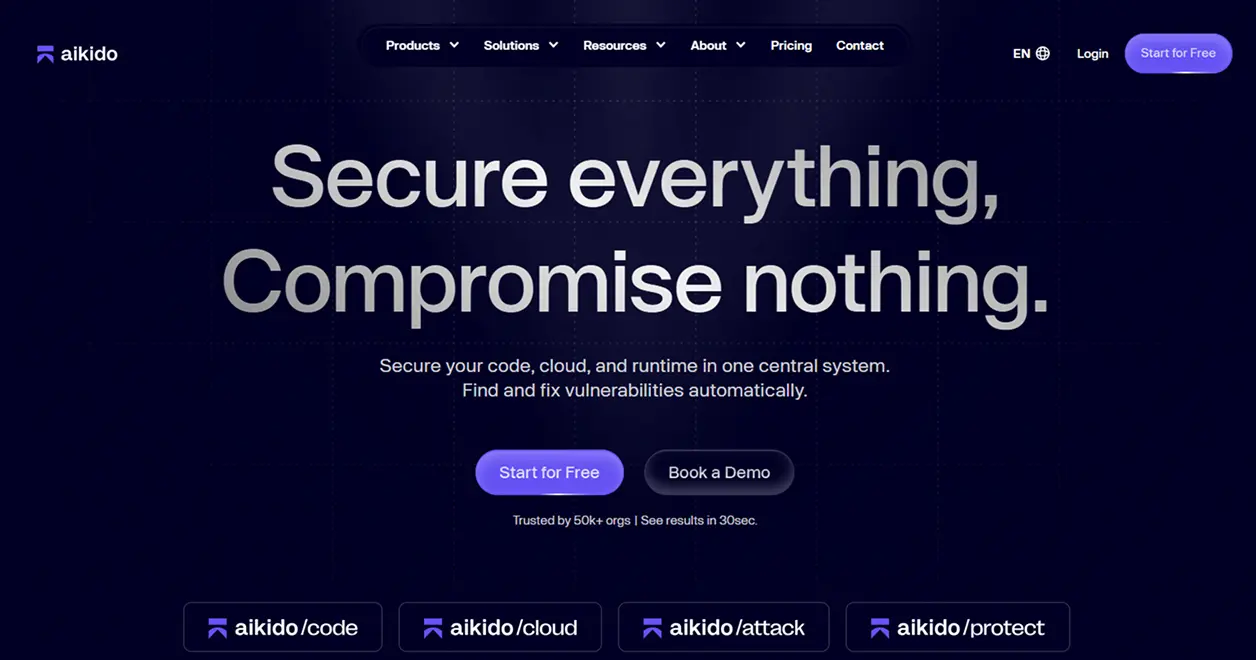
1. Aikido Security
Aikido Security is an AI-based developer-first code security platform that includes a wide variety of capabilities to provide total protection across all aspects of your code – source code, third-party open-source libraries, cloud configuration, and containerized applications. The platform’s AI engine identifies the highest priority and most dangerous (exploitable) security flaws first, eliminating the noise and enabling developers to quickly address their most serious code security flaws and build and deliver high-quality, secure code.
Key Features
Vulnerability Prioritization using AI: Developers can focus on the actual risk from vulnerabilities rather than the numerous false positives
All-in-One Code Scanning: Provides complete visibility into your entire codebase, including all third-party open-source library dependencies, cloud configurations, and containerized applications
Integration with Developer Workflows: Supports all major development environments (IDEs), version control systems (Git), and CI/CD pipelines
Remediation Guidance: Automatically generates clear instructions for fast remediation of identified vulnerabilities
Centralized Dashboard: Displays all security vulnerabilities in one location to enable quick identification of security issues
Tools for Collaboration: Enables developers to annotate, assign, and track vulnerabilities within their team and across teams
Why Aikido Security Stands Out?
Aikido Security is ideal for organizations that need to balance both security and speed as part of their development process because the platform provides a comprehensive solution that offers extensive coverage, automated intelligence, and a seamless user experience for developers.
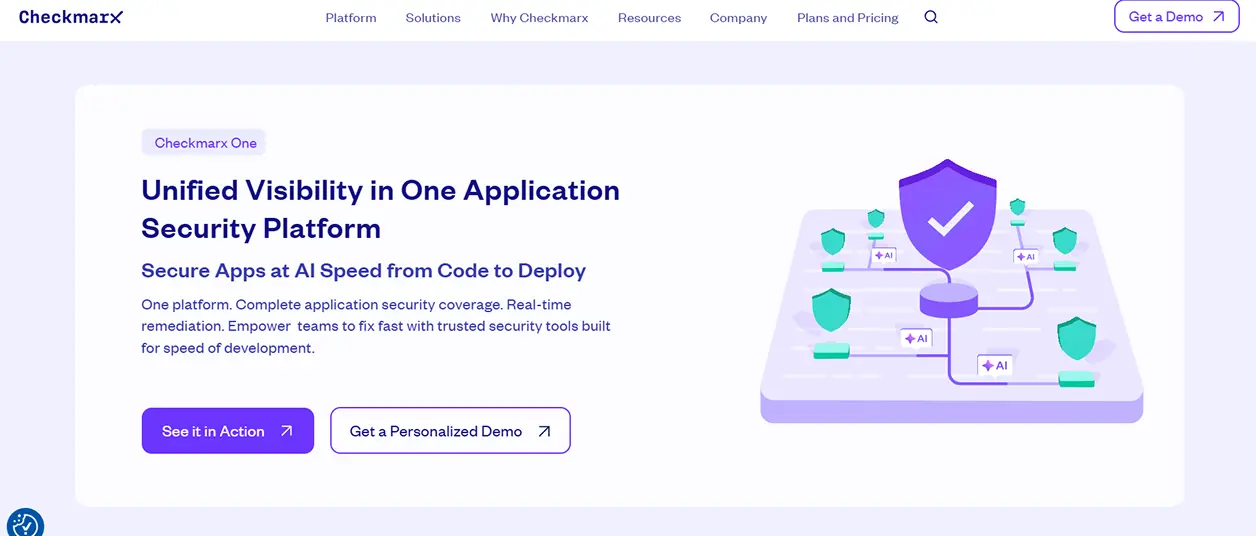
2. Checkmarx One
Checkmarx One offers a comprehensive enterprise-class security platform to include static code analysis, software composition analysis, and infrastructure scanning. It is specifically intended for use by large development teams who have complex code bases.
Key Features
Deep Static Analysis: Offers vulnerability detection across many programming languages
Software Composition Analysis (SCA): Checks for vulnerable open-source components that are included in your application
Infrastructure scanning: Finds security holes in Infrastructure as Code and cloud environments
Integration with IDE and CI/CD tools: Provides feedback to developers about potential issues at the earliest possible time in their workflow
Customizable reporting: Ability to customize reporting to support corporate governance, regulatory compliance, and audits
This tool is best suited for companies with large development teams that need scalable, enterprise-level security visibility that has been integrated directly into their development process.
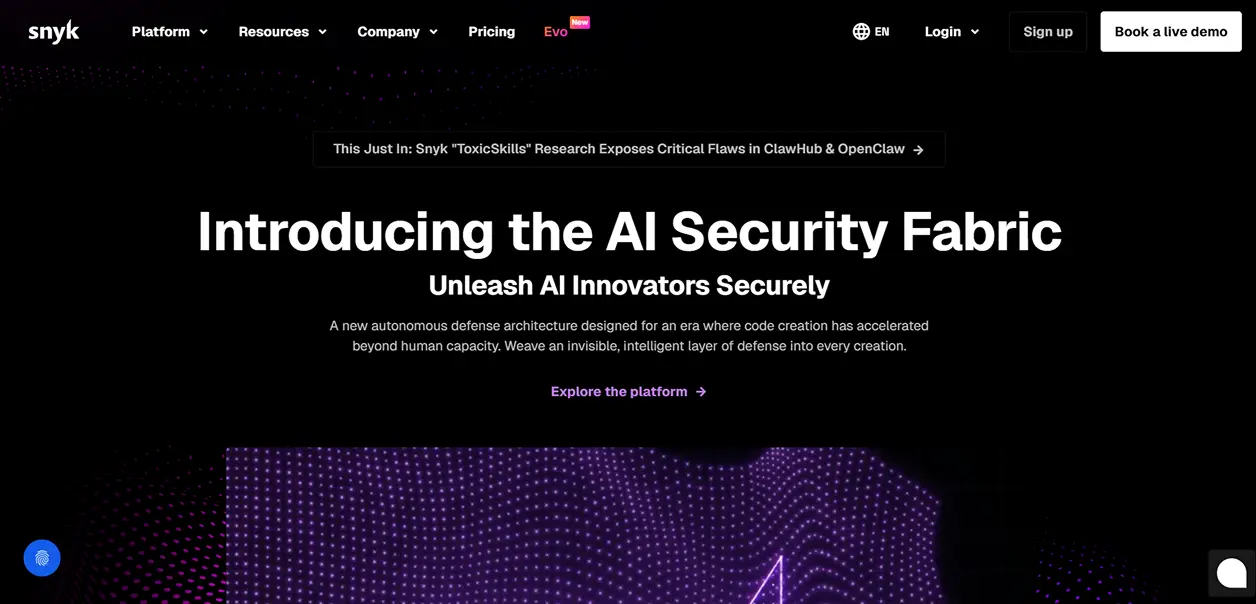
3. Snyk
Snyk is a developer-centric security solution that examines application code, third-party dependencies (open source), and container images for vulnerabilities. Snyk’s ability to scan within an IDE or directly within a Git repository or CI/CD pipeline enables developers to quickly identify and repair security-related issues prior to their being deployed.
Key Features
Scan for Vulnerabilities: Identify potential issues in code, third-party dependencies, and container images.
Monitor Open-Source Dependencies: Identify insecure third-party libraries and versions.
Integrate with CI/CD Pipelines: Scan code for potential vulnerabilities as part of build and deploy processes.
Remediate Easily: Provide actionable steps and/or automated fixes for identified issues.
Enforce Policy: Create and enforce policies for security and compliance across multiple projects.
Snyk provides a single platform that offers full vulnerability coverage and is developer-centric. This makes integrating security into rapidly moving DevOps and other workloads simple and allows organizations to ensure they are producing quality, secure code.
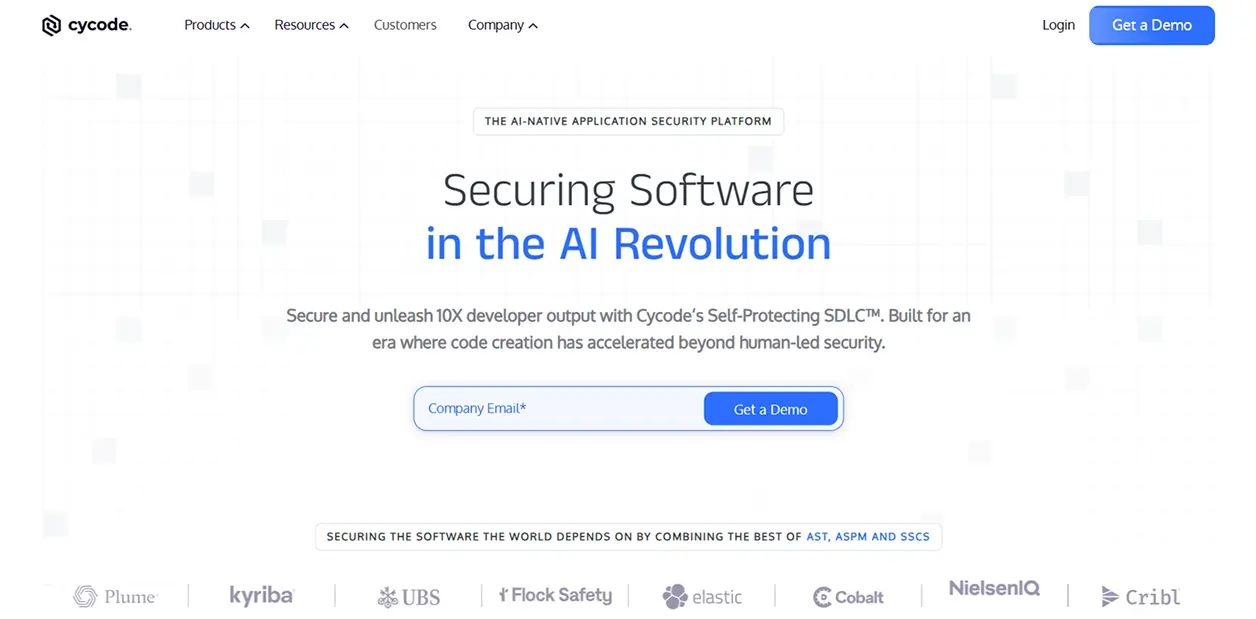
4. Cycode
Cycode integrates security into all aspects of the software development lifecycle, including code, pipelines, secrets, and infrastructure, and also uses automation and contextual insights to make remediation less burdensome on developers.
Key Features:
Complete pipeline visibility: Tracks code, CI/CD pipeline, as well as the environment where the application is running in production.
Identify secrets: Find secret data, such as login credentials that have been left open or other sensitive data.
Prioritize using AI: High-risk issues are highlighted.
Provide remediation steps: Remediation steps are provided to quickly fix identified vulnerabilities.
Allow collaboration with team members: Assign and track remediation efforts among team members.
Cycode offers an integrated way to secure the entire development pipeline by reducing the number of security tools required and increasing the efficiency of your organization’s security program.
Summing Up
When SonarQube alone isn’t enough, modern code security platforms offer broader coverage, smarter prioritization, and seamless integration into developer workflows. Organizations that adopt code security tools will experience improved security, improved productivity, and improved delivery of safe software.
Start looking at these code security platforms today to help protect your code from the very beginning of your development cycle and ensure your development workflow is always fast and safe.
When SonarQube Isn’t Enough: Better Code Security Tools was last modified: March 10th, 2026 by Sharman Sagoyan
Business owners face changes every single minute. Staying safe requires a strong password and involves a clear plan to defend your hard work from online thieves. You can keep your operations running smoothly by following a few simple steps.
Identify Your Most Valuable Digital Assets
Knowing what needs the most protection is the first step in any security plan. List every piece of data that keeps your shop or office running every day.
Customer names and contact info
Bank records and tax papers
Private project files and designs
Internal login details and passwords
Storing these items in different spots can lower the risk of losing everything during a single attack. Small companies overlook how much data they actually hold until it goes missing. Categorize your data by how much damage a leak would cause to your brand.
Secure Your Connections
Wi-Fi networks in offices lack the right encryption. Many teams choose to use platforms like https://heimdalsecurity.com/ to keep their networks safe from outside threats. Using a private connection keeps sensitive client data away from prying eyes.
Routers should always have unique names and secret passwords. This prevents random people from hopping onto your business signal. Public hotspots are never safe for work tasks.
Use Strong Authentication
Passwords alone do not cut it anymore. Hackers use bots to guess thousands of combinations in seconds. Adding extra steps protects your accounts from simple attacks.
Turn on multi-factor login steps.
Change default codes on routers.
Use 12-character phrases instead of words.
Staff members should use unique codes for every single site. Short codes are easy to crack with modern software. Managers can use Vault tools to help teams track their logins safely.
Train Your Team To Spot Phishing Scams
Hackers use fake emails to trick employees into giving up secrets or clicking bad links. Phishing attempts have grown by 4,000% over the last two years. Staff members need to know how to spot a weird link or a strange sender address.
Regular training sessions help everyone stay sharp and cautious when checking their inbox. Encourage your team to report suspicious messages instead of just deleting them.
Update Software Regularly To Patch Security Holes
Old software has weak spots that criminals love to exploit for easy access. Developers release updates to fix these bugs and keep your data safe from new threats. Leaving your computer or phone on an old version is like leaving your front door unlocked at night.
Set your devices to update automatically whenever a new patch becomes available. You will save time and stay protected without having to check for updates manually. Check your office router for firmware updates, too.
Backup Critical Business Data To The Cloud
Ransomware attacks can lock you out of your own files until you pay a high fee. Keeping a copy of your work in a secure cloud location prevents this nightmare from stopping your business. If a computer fails or a virus hits, you can just restore your files from the latest backup.
Always save your work at the end of every business day to avoid losing progress. Testing your backup once a month makes sure the files are there when you need them.
Monitor AI Integration And Access Rights
New technology brings new ways for people to sneak into your system without being noticed. Adopting generative AI tools could lead to unauthorized data leaks if access rights are not strictly managed. Only give employees access to the tools they need for their specific daily tasks.
Reviewing these permissions every month helps catch any mistakes before they become real problems. Keeping tight control over who sees what keeps your business secrets private and secure.
Staying safe online takes effort, but it protects the future of your company. Simple habits like using codes and updating software go a long way. Keeping your data private helps you build trust with every customer you serve. Focus on these steps to keep your business running without any nasty surprises.
7 Cybersecurity Steps Every Business Should Take was last modified: February 27th, 2026 by Charlene Brown
Synthetic data generation has become an important part of modern data management, particularly for companies that need to test, analyze, or integrate systems without exposing sensitive information.
By creating realistic but non-identifiable datasets, synthetic data allows teams to work with accurate representations of their data while complying with privacy regulations and internal security policies.
Enabling Secure Collaboration
A key advantage of synthetic data is its ability to facilitate collaboration while keeping sensitive information protected. Organizations often need to share data with development teams, analysts, or external partners for testing, research, or system integration. Using real production data in these scenarios can create serious privacy and compliance risks. Synthetic data provides a safer alternative.
By generating realistic but non-identifiable datasets, teams can work together without exposing personally identifiable information or confidential business data. This allows developers to test new features, analysts to explore trends, and partners to validate integrations without compromising security.
Collaboration is further simplified when synthetic data generation tools include features like access control, policy management, and audit logging. Each team or partner can have an appropriate level of access, and all activity can be tracked for governance and compliance.
Here are eight synthetic data generation tools that provide secure system integration and analytics capabilities. Each of these tools supports secure data use and provisioning, which can help with collaboration and workflows. Certain tools such as K2view are particularly well suited to safer data sharing across teams due to their combined data masking and synthetic data generation capabilities.
1. K2view
K2view is designed for businesses that require fast, scalable, and flexible data privacy and synthetic data capabilities. It supports masking and synthetic data generation for structured and unstructured data, and lets organizations create realistic non-identifiable datasets when needed.
K2view synthetic data generation tools are tightly integrated with policy management and access control. They connect to relational and non-relational databases, file systems, and other enterprise systems, helping ensure consistent data protection across environments used for testing, analytics, and integration.
Static and dynamic data masking are supported, alongside in-flight anonymization, multiple pre-configured masking functions, and support for compliance with regulations such as GDPR, HIPAA, CPRA, and DORA. API-driven and self-service automation integrate with CI/CD pipelines, enabling repeatable, governed data provisioning for teams with varying technical skill levels.
Businesses can benefit from consistent privacy controls across hundreds of data sources, while still providing realistic data for development and analytics. Reviewers have noted the convenient customization options and reliability of the platform.
2. Broadcom Test Data Manager
Broadcom Test Data Manager is a legacy solution focused on large-scale test environments. It supports static and dynamic data masking, synthetic data creation, data subsetting, and virtualization. Its integration with DevOps pipelines allows organizations to automate secure testing workflows.
The tool includes support for extensive data environments and complex DevOps processes. However, initial implementation may be challenging, and self-service options are limited. It is generally more suited to enterprises that are already using Broadcom products and can align it with existing tooling.
3. IBM InfoSphere Optim
IBM InfoSphere Optim is a mature data anonymization and synthetic data generation platform. It focuses on masking sensitive structured data, archiving production datasets, and providing flexible deployment options across cloud, on-premises, or hybrid environments. Optim also supports big data platforms, enabling organizations to manage modern and legacy systems under one framework.
Its strengths include strong compliance features for regulations such as GDPR and HIPAA, which makes it suitable for regulated industries. Integration with newer data lake architectures can be complex, and some functions feel less modern compared to newer tools, but it remains a viable choice for organizations invested in IBM technologies.
4. Informatica Persistent Data Masking
Informatica Persistent Data Masking is intended for continuous protection of sensitive information, which is important during cloud transformations or hybrid deployments. It offers irreversible masking, real-time options for certain production data scenarios, and API-based integration to facilitate automated workflows.
The tool may suit organizations undergoing cloud migration or requiring secure test and production environments as part of a broader Informatica ecosystem. Licensing and setup complexity can be high, and smaller teams may face a learning curve before taking full advantage of the platform.
5. Perforce Delphix
Perforce Delphix combines data virtualization, masking, and synthetic data generation to support secure test, development, and analytics environments. Its self-service delivery model allows teams to access anonymized datasets efficiently, with centralized governance and API-based automation.
Delphix supports large volumes of data and offers storage optimization through virtualization, which can speed up environment provisioning and refreshes. Some limitations include its reporting and analytics capabilities and the potential cost of deployment, which may be more than smaller organizations need.
6. Datprof Privacy
Datprof Privacy focuses on anonymizing non-production data while offering synthetic data generation features. It supports rule-based masking for GDPR and HIPAA compliance and is designed to provide a balance between control and simplicity.
This tool is accessible for smaller organizations or less complex data environments that still need robust data privacy controls. Setup can be time-consuming, especially when defining masking rules, and automation features are more limited than in some larger enterprise platforms.
7. Tonic.ai
Tonic.ai generates synthetic datasets that closely mirror production data without exposing sensitive information. It provides integration options for cloud, on-premises, and hybrid environments. The platform supports relational databases, APIs, and applications, making it suitable for testing, analytics, and machine learning model training.
Its focus on developer usability and integration with modern data stacks makes it attractive for engineering and data teams that want to embed synthetic data directly into their development and analytics workflows.
8. Hazy
Hazy is designed to provide safe synthetic data for analytics, testing, and secure system integration. It includes features for data generation, privacy-preserving data sharing, and automated checks that help organizations meet compliance and governance requirements.
Hazy integrates with a variety of enterprise systems, including databases and cloud applications, allowing teams to generate realistic data that aligns with operational requirements. Its main focus is on producing synthetic datasets that maintain statistical accuracy while protecting sensitive information. Deployment and integration can be more complex than with some alternatives, so it is typically better suited to larger enterprises.
Key features to consider in synthetic data generation tools
When evaluating synthetic data generation tools, it helps to focus on the capabilities that matter most to your organization.
Data masking and anonymization
Effective tools can handle structured and unstructured data, and they should support static and dynamic masking while maintaining relationships within your data. In-flight anonymization and centralized policy management further reduce risk when data moves between systems.
Synthetic data generation quality
Look for tools that produce realistic datasets that mirror production data behavior. High-quality synthetic data should cover both common and edge-case scenarios so that it is suitable for testing applications, running analytics, or training AI models without exposing real user information.
Integration and automation
The best tools connect easily to databases, APIs, file systems, and cloud environments, and they support automated workflows such as CI/CD pipelines. Strong integration and automation reduce manual effort and allow teams to provision and refresh data more efficiently.
Compliance and governance
Tools that provide built-in support for regulations like GDPR, HIPAA, and CPRA, as well as integrated policy management, access control, and auditing, make it easier to maintain compliance and prove it during audits.
Ease of use and scalability
Some tools are designed for large enterprises with complex data landscapes, while others are better suited to smaller teams or less complex environments. Features such as self-service access, automation, and intuitive interfaces can make a significant difference in adoption and day-to-day efficiency.
Choosing the right synthetic data generation tool for your needs
The right synthetic data generation tool depends on the size, technical requirements, regulatory obligations, and use cases of your organization.
Enterprises with complex data landscapes may prioritize tools that offer strong compliance features, broad database support, and integration with DevOps pipelines. Smaller teams or those focusing on test environments may value configurability, self-service capabilities, and ease of deployment.
All 8 tools discussed offer capabilities for masking, anonymization, and synthetic data creation that support secure system integration and analytics. Options such as K2view provide enterprise-grade capabilities for large-scale deployments and coordinated privacy across many systems. Evaluating features against organizational needs allows you to design the most efficient synthetic data workflows.
As data privacy regulations evolve and system integrations become more complex, these tools will play an increasingly important role in maintaining secure and efficient data operations.
Top 8 Synthetic Data Generation Tools Supporting Secure System Integration and Analytics was last modified: May 21st, 2026 by Lucy Roberts
Selecting an appropriate modem and a router is a crucial process towards having a stable and high-speed home internet connection. Numerous families use several gadgets at the same time, and it is important to make sure that equipment is chosen according to the capabilities of your internet service. The improper pairing of the modem and the router may cause the speed to be slack, connection to be lost and frustration as a whole despite your internet company claiming to provide high speed packages. The initial step to a stable network setup is to understand the technical requirement and compatibility options.
Quality networking equipment will be beneficial in the long-term to your home internet. Modems and routers are used in different ways, yet they are combined to provide internet services to the entire home. The modems are directly connected to the service of your internet provider and the router is used to share that connection with several other devices. Making a knowledgeable decision will make sure that your equipment will be capable of dealing with the challenges of streaming, gaming, working remotely, and other internet-based activities.
Understanding Compatibility
The first important point to consider when choosing a modem and a router is compatibility with your internet provider. Not every device supports every service and some providers do list approved models that fit their technical requirements. The compatibility of modem guarantees you to get the promised speed of your plan without failures.
Routers should also have the network standards that you have with your modem. An example is a router that is not capable of supporting the bandwidth provided by your network provider will cause a bottleneck, and hence reducing overall performance. Checking compatibility prior to purchase would save you unnecessary costs and make sure that your home internet would be efficient at the very outset.
Considering Brand and Support
Brand reputation and customer support may be used as a factor in deciding which modem and router to purchase. Older manufacturers may offer more stable devices, and have more favorable assistance options, which may prove important in case of a technical failure. Customer services will help to set it up, problem solve, and update firmware to help clients have a better user experience.
There are also other internet providers that have rental or purchase services of approved modems and routers. Whereas renting might be less problematic, purchasing your own equipment can be more advantageous in the long run and options. The review of brand reliability and choices of assistance will assist households with making the informed choice maximizing the performance of home internet.
Evaluating Speed Requirements
Another important consideration when selecting the networking equipment is speed requirements. The needs of different households vary depending on the number of devices connected and the kind of online activities that are done. Video calls, playing high-definition content, and even gaming require much more bandwidth than web-based browsing or mail.
When choosing a modem and router, one should take into consideration the maximum speed of each device. The selection of the equipment that absorbs or surpasses your internet plan does not create a bottleneck and also guarantees a smooth operation of all the devices attached to it. This assessment assists the households to strike a balance between the expense and the performance to ensure that they do not need upgrades that are unnecessary and which do not compromise on performance.
Considering Future Needs
The future needs are an issue that should be considered when selecting the appropriate modem and router. The world of technology is fast changing and the demands of the internet may be more than what they appear at present. The devices that are more powerful or compatible with the newest standards can be chosen so that there is no necessity to change them regularly.
Routers that offer more advanced features like dual-band or tri-band support, improved range and multiple simultaneous connections are long term value. On the same note, modems that have higher plan speed enable a household to upgrade their modem without changing it. This is because thinking about the future will make your home internet reliable and scalable.
Assessing Security Features
The features of security are important in the selection of networking equipment. Powerful security measures in the form of modems and routers can monitor your home internet in order to prevent any illegal use and cyber attacks. Protection against firewalls, WPA3 encryption, and automatic updates of the firmware are some features that make the network more resistant.
Home internet protection not only guards your personal data but it also deters unauthorized use of the internet, and also provides a safe connection to all their devices. During the model comparison, it is crucial to not only check the security features provided but also the speed and compatibility. A safe network adds performance and calms the minds of households.
Conclusion
Selection of the appropriate modem and router is essential towards a fast reliable and secure home internet connection. Based on compatibility with your internet provider, the analysis of speed requirements, future planning, and searching of security features make your network work effectively. Reliability and user experience is further improved by paying attention to brand reputation and support that is provided. Through a considerate method, the households may develop a strong network arrangement that addresses contemporary needs and can extend to support future expansion without any redundant complexities.
How To Choose the Right Modem and Router for Your Internet Provider was last modified: January 25th, 2026 by Jennifer Turner
The fast pace at which technology is advancing means that companies have to quickly improve their security measures in order to protect themselves from the ever-growing number of cyber attacks. Vital elements of modern enterprise operation include robust data protection and physical security methods that are crucial. Cybercriminals are becoming highly sophisticated, and it forces businesses to rely heavily on digital infrastructure to stay ahead by adopting the latest security trends.
The Rise of Privacy-Enhancing Technologies
Significant shifts in business security involve a rapidly growing emphasis on innovative privacy-enhancing technologies nowadays. Sophisticated security tools assist companies in safeguarding sensitive information beneath numerous stringent privacy laws. Businesses implement advanced encryption techniques and zero-knowledge proofs to secure multiparty computation, safeguarding sensitive info within highly protected networks daily.
Another important aspect of privacy in business security is the growing awareness among employees and customers about protecting their online presence. Many professionals now use private browsing Safari and similar tools to minimize digital footprints, ensuring that sensitive business-related activities remain confidential. This shift highlights the need for businesses to educate their workforce on the best privacy practices while also implementing robust security measures to prevent data leaks.
Artificial Intelligence and Machine Learning in Security
AI revolutionizes business security with fast threat detection via incredibly sophisticated machine learning algorithms. Traditional security systems frequently utilize manual processes that are slow and pretty inefficient. AI-powered security solutions analyze vast amounts of data in real time deeply beneath the surface level, identifying potential threats quickly.
Some key applications of AI and ML in security include:
AI systems closely monitor network traffic beneath surface level activity, flagging unusual patterns that potentially signal a stealthy cyberattack.
Machine learning algorithms respond autonomously, reducing the need for human intervention with advanced threat detection systems.
AI can help businesses spot fake transactions and avoid losing money.
AI-powered security cameras bolster physical security via swift identification of authorized personnel and speedy detection of shady characters.
AI can look at old information to guess where security might be weak and fix it before someone causes trouble.
Since AI technology advances rapidly, businesses expect highly sophisticated security solutions offering predictive threat analysis and robust defense mechanisms.
The Growing Importance of Cloud Security
Digital assets require robust protection as businesses transition towards cloud-based infrastructure at an incredibly high speed. Cloud security entails multiple strategies, including encryption, to protect highly sensitive information well. Sensitive data remains fairly secure due to robust safeguards that companies implement against unauthorized access. Companies embrace zero-trust architecture, requiring continual verification of users and devices before granting access. This approach significantly slashes the risk of insider threats and external breaches, making cloud environments way more secure.
Moreover, cloud providers invest heavily in security features like automated threat detection, AI-driven risk assessment, and complex compliance monitoring tools. Innovations facilitate businesses maintaining heightened security levels amidst cloud computing’s scalability and flexibility. Businesses implement cloud-native security frameworks seamlessly within modern cloud infrastructures for enhanced data protection purposes.
Biometric Authentication: The Future of Access Control
Biometric authentication emerges as a pretty secure option for business security, since old-school security measures, such as passwords, rapidly lose effectiveness because of inherent vulnerabilities, making them prone to cyber attacks.
Biometric security systems ID people by their unique physical traits or how they act. Common biometric authentication methods include:
Fingerprint scanning
Facial recognition
Iris scanning
Voice recognition
Palm vein recognition
Various firms integrate biometric authentication into access control systems for enhanced security, greatly improving user experience. Biometric data proves remarkably tough to replicate due to its unique properties, making it a potent weapon against unauthorized access.
The Role of Blockchain in Business Security
Blockchain technology gains momentum fast as a powerful tool enhancing business security significantly in various industries. Blockchain’s inherently decentralized nature makes it fantastically suitable for securing incredibly complex business operations through digital ledgers.
Here are some of the key applications of blockchain in security:
Blockchain can make a safe ID system that’s not hacked easily and can bring down the chances of ID theft.
Businesses can use blockchain to keep tabs on their products and make sure they’re real, which stops scams and fraud.
A blockchain’s clear and unchangeable record-keeping helps businesses keep records correct and stop changes that aren’t allowed.
These smart contracts, which have set rules, can automatically handle security tasks and lower the chance of cheating or fraud.
Summary
Future business security evolves alongside swift advancements in AI cloud security, biometric authentication, and blockchain, which are unfolding pretty swiftly. Companies leveraging these advancements often operate under robust security frameworks, safeguarding their assets amidst fiercely competitive markets. Businesses must take bold action, investing heavily in innovative solutions that safeguard sensitive operations. That way, experts from numerous industries facilitate success by adapting fast in extremely dynamic environments with robust security measures.
The Future of Business Security: Trends and Innovations was last modified: January 22nd, 2026 by Oleksandr Melnyk
Keeping application secrets out of code and chat logs is table stakes in 2025. Teams ship faster when they trust that credentials, keys, and tokens are handled the same way across services and regions.
This guide outlines what to focus on, how to align with modern frameworks, and the habits that keep secrets safe without slowing delivery.
Why Secrets Still Matter In 2025
Attackers continue to prize long-lived credentials since they move quietly and work across many services.
Rotating secrets and limiting blast radius remain the most reliable ways to cut risk. Good design pairs short-lived credentials with strong monitoring so leaked values expire quickly and are caught early.
Core Building Blocks To Get Right
Start with a clear inventory of what you must protect: database passwords, API tokens, private keys, and connection strings. You can choose native services or layered tools, but the biggest gains come from consistent patterns across accounts and environments. Planning your AWS secrets management approach early saves rework when apps scale, and it keeps developers from inventing one-off fixes. Aim for standardized interfaces so every service retrieves, caches, and rotates secrets the same way.
Rotation, Scope, And Access
Automate rotation on a schedule that fits the secret type and your incident response plan. Scope each secret to the smallest set of resources that need it and prefer role-based access with tight identity policies.
Add client-side caching to cut latency and avoid hammering your secret store during peak traffic.
Compliance And Framework Signals
Independent frameworks can sharpen your design decisions. A Department of Defense cybersecurity guide highlights that the strength of your encryption, rotation, and storage rests on sound key management, which should cover generation, protection, backup, and recovery.
Treat key stewardship as a lifecycle with clear ownership and auditable steps so you can prove how a secret was created, used, and retired.
Regulatory expectations keep evolving. NIST finalized updates to its guidance for safeguarding controlled unclassified information by issuing SP 800-171, Revision 3, which reinforces strict control over where sensitive data and related credentials reside.
Map your controls to those requirements by documenting how secrets are classified, who can access them, and which logs demonstrate proper handling.
Operational Practices That Reduce Risk
Strong architecture needs everyday discipline to match. Bake secret hygiene into developer workflows, CI pipelines, and incident response so protection is automatic, not ad hoc.
Block commits containing secrets with pre-commit hooks and repo scanners
Use short-lived credentials issued at deploy or runtime
Rotate shared secrets on a fixed cadence and after role changes
Isolate workloads by account and environment to cap blast radius
Log every read and write, then alert on unusual access patterns
Encrypt backups and define a tested recovery path for keys and secrets
Keep a break-glass process with time-boxed access and automatic revocation
Good ops means graceful failure. If your application cannot fetch a secret, it should fail closed, surface a clear error, and avoid dumping values into logs. Run chaos drills that simulate a revoked secret to check whether alerts, rollbacks, and rotations work as designed.
Measuring And Controlling Risk
Secrets management is not a project that ends. Track a few simple metrics: rotation age by secret type, time to revoke during incidents, and the percentage of workloads using short-lived credentials.
Add a quarterly review to prune unused secrets and to align access with current team roles. These small, steady checks keep your system from drifting into exceptions and manual overrides.
A careful plan plus routine checks go a long way. When you standardize how secrets are created, stored, rotated, and destroyed, teammates build features without guessing at security.
Keep the workflow simple, automate the noisy parts, and review results on a schedule that matches your risk.
Understanding AWS Secrets Management In 2025 was last modified: January 18th, 2026 by Pete Brown
Working remotely has shattered the office-bound mindset and drastically changed how many companies operate. It has also changed how attackers get in, and the attack surfaces they have to work with. Most breaches start with basic security failings, not advanced penetration techniques and malware.
Firewalls help protect offices, not individual team members. Remote workers are connecting from home networks, shared spaces, cafes, laundromats, hotels, and more. The problem is, attackers know this behavior, and they plan on it. In this post, we’ll look at how real intrusions happen so you can plan to stop them in their tracks.
How Hackers Find Their Way In
Most hackers are looking for the path of least resistance that still gets them what they want. So, home wi-fi, for example, is often low-hanging fruit. Lots of people leave their router secured with default credentials or outdated firmware.
Stolen credentials are another incredibly common method. Whether the credentials are stolen through phishing, guessed with reused passwords, or obtained from stolen login databases. Attackers get valid credentials, so no alarms are set off during the breach. With phishing being thetop-reported cybercrime, you can count on seeing at least a few attempts here and there.
Why Firewalls And Antivirus Both Fall Short
Firewalls protect networks, not people. They work well when users sit in one office. Remote work breaks this model. Antivirus tools react after something runs. They don’t prevent credential abuse or session theft. Many attacks never involve malware at all.
Encrypted traffic also creates blind spots. Security tools can’t inspect what they can’t see. If attackers already control access, encryption alone doesn’t help.
Remote teams rely on SaaS tools, CRMs, and cloud dashboards. Each login becomes a new trust decision. Without secure access controls and encrypted tunnels, attackers move freely using valid credentials.
Real Attack Scenarios Remote Teams Face
Many breaches actually start during the average workday. An employee logs into a CRM platform from the local coffee shop. While the wi-fi is fast, it isn’t secure. An attacker is monitoring the network and copies the credentials along with other traffic and session data.
In another situation, an employee uses the same password for a business tool as for a personal app. The personal app is breached. Those attackers use the credentials on work systems and gain access without issue.
There are even passive threats that can work when your connections aren’t encrypted. By simply listening to the traffic on a particular network, attackers can intercept private data of all types.
Once a bad actor has access, they’ll move slowly and become incredibly difficult to catch. In the meantime, they can expose client or contact lists, order details, internal files, and much more.
What Actually Stops Hackers?
Increasing security in a practical sense means focusing on the connection itself. If you’re serious about preventing outsiders from seeing what you’re doing, you should be looking for a reliable VPN. If you’re wondering, “How does a VPN work?” then you’re definitely in the right place.
Your VPN, or virtual private network, encrypts all of the data going to and from your computer. It creates an encrypted tunnel between your computer and the system or site you’re accessing. Anyone watching the network only sees unreadable data. Your privacy is preserved.
Secure tunneling also lowers the chance of session theft. Tokens and credentials stay safe. Most modern setups limit trust by default, and access is limited by identity and device health.
Protecting Your Business
Businesses don’t need bottomless IT budgets to have solid, useful security. They just need consistent tools and habits. Be sure you’re using encrypted connections for all remote access. Make sure your CRM and internal dashboards are all locked down, and remove any open ports.
When you focus on protecting data in transit, not just at rest, you create a more holistic security solution.
How Hackers Get Past Your Security (And What Actually Stops Them) was last modified: January 14th, 2026 by Jolene Chambers
Every year, the number of cyberattacks on web services increases, and web applications become the main targets for attackers. This is understandable – they are always accessible online, interact with user data, integrate into business processes, and contain complex logic that is not always implemented correctly.
Standard protection mechanisms and basic security tools are no longer sufficient – hackers bypass standard filters, exploit logical errors, and use combinations of different methods to break into systems.
Therefore, regular security testing is an essential element of a responsible approach to creating and maintaining web products.
The most common cyber risks for web applications
Web applications combine data processing, business logic, and infrastructure, which can lead to different types of vulnerabilities. Here are the most common categories:
1. Authentication and access control issues
Weak passwords, lack of brute-force protection, incorrect token handling, or privilege escalation can allow attackers to gain access to user accounts or the admin panel.
2. Data leakage risks
Vulnerabilities such as SQL Injection, Insecure Direct Object References (IDOR), or a lack of input filtering can result in the theft of confidential data. This is one of the most dangerous categories – data leaks affect both reputation and regulatory compliance.
3. Flaws allowing modification of application behavior
Vulnerabilities that enable interference with the application’s logic include XSS, CSRF, API injections, and parameter manipulation. They can alter interface displays, redirect users to phishing pages, change system behavior, or execute unauthorized actions.
4. Infrastructure and configuration risks
Outdated servers and frameworks, incorrect configurations, open ports, or excessive access rights create additional entry points. These risks often appear during rapid scaling or due to the lack of centralized control.
5. Business logic errors
These issues stem not from code, but from flawed product logic: incorrect payment handling, improper transaction validation, or disrupted action sequences can directly cause financial losses for a company.
Penetration testing of web applications to identify vulnerabilities
To uncover hidden weaknesses in a security system and strengthen the protection of web resources, companies need a pentest – a real attack simulation that shows exactly how an attacker might act.
A pentest service is a controlled security assessment during which experts deliberately test systems for their resistance to attacks. Unlike automated scanning, pentesters use custom scenarios, manual security testing techniques, and logic analysis.
Web application penetration testing reveals real paths to compromise and checks the reliability of data protection. In addition, a pentest helps with preparation for regulatory audits: testers evaluate the effectiveness of existing security mechanisms and compliance with security standards and requirements (ISO, SOC 2, GDPR, etc.).
What does a pentest provide for a business?
A web application owner receives not just test results but a real picture of the cybersecurity state and an understanding of how vulnerable their resources are to attacks.
Penetration testing is also useful because it:
helps prevent potential financial losses, downtime, and fines;
protects reputation by demonstrating care for the security of the service;
strengthens the trust of partners, customers, and investors;
indicates the overall maturity of the company’s cybersecurity.
When should companies consider a pentest?
Penetration testing is useful for both large corporations and startups, regardless of industry. Such a security assessment is appropriate in various situations:
before launching a new product;
after major changes or updates;
before certification or an audit;
after an incident or suspicious activity;
regularly, once or twice a year to maintain security.
Independent expertise is the best solution for web applications
Internal teams work with the resource daily and may overlook flaws. In contrast, involving external specialists means a “fresh outside perspective.” They approach the product without bias, analyze it through the eyes of a potential attacker, and see a broader picture.
Outsourced teams typically have significantly more practical experience, as they work with different domains, technologies, and projects from various countries.
For example, the Datami team has conducted over 400 pentests for clients from more than 30 countries. Such international experience allows them to quickly recognize both common and uncommon attack vectors, including those that have not yet become widespread in your region. This makes the services of external experts more effective in identifying real paths to compromise.
Datami specialists will analyze your product from the perspective of a real attacker, check for vulnerabilities, and provide practical recommendations on how to improve the protection of your web resource.
Why It’s Important to Regularly Test Web Application Security was last modified: January 15th, 2026 by Colleen Borator
How many passwords do you forget each month? If your answer starts with “uh,” you’re not alone. As digital life grows more complex, so does the balancing act of staying secure without locking yourself out of everything important. For companies, this tension is even higher. Their risk isn’t just an inconvenient lockout—it’s data breaches, financial loss, and broken trust. In this blog, we will share practical ways companies are tightening their digital safety in a world where threats don’t wait.
What Cybersecurity Looks Like in Real Time
Cybersecurity isn’t a vault—it’s more like a constantly shifting perimeter that needs to adjust in real time. The days of buying antivirus software once a year and hoping for the best are long gone. Today’s attackers aren’t always lone hackers in dark basements. They’re sophisticated networks using automation, AI, and social engineering to slip past old defenses. They don’t break in like burglars. They walk in through forgotten back doors—unpatched software, weak credentials, or careless human behavior.
This reality is pushing companies to move beyond reactive protection toward layered, integrated strategies. Tools that detect threats after they happen aren’t enough anymore. Businesses need systems that prevent, respond, and adapt—often all at once. That’s why more teams are adopting platforms that combine those capabilities into a single, cohesive system.
To know more, visit heimdalsecurity.com, where enterprise solutions merge proactive threat prevention, rapid detection, access control, and response into a unified platform. It’s not about adding more tools—it’s about connecting them so they work smarter together. That level of integration reduces blind spots, speeds up response times, and helps companies focus on their actual work instead of juggling scattered tools. With threats now emerging from both outside and inside networks, a system that acts before damage spreads isn’t just useful—it’s essential.
Why Human Error Still Tops the Risk List
Even with the best tech stack, companies still face one problem they can’t automate away: people. Click-happy employees, reused passwords, forgotten updates—human error remains the top cause of security breaches. Which means training isn’t optional. It’s frontline defense.
Modern security training isn’t just a PowerPoint once a year. It’s interactive, ongoing, and behavior-focused. Employees learn how phishing actually looks in their inbox, how to recognize suspicious links, and how to report issues without fear. Some companies now simulate attacks to test response habits in real time, using the results to adjust future training.
Beyond education, businesses are limiting how much damage a mistake can cause. That includes role-based access, where employees only get the data and systems they need. If someone clicks a bad link, the blast radius stays small. This kind of containment, paired with fast detection tools, turns what could have been a disaster into a manageable cleanup.
And since no company has perfect people or perfect processes, recovery planning matters too. Incident response plans, backup systems, and breach drills make it easier to bounce back if something does slip through.
The lesson? Assume mistakes will happen. Build systems that can absorb them.
The Shift Toward Zero Trust
If the term “zero trust” sounds unfriendly, that’s kind of the point. It means no one inside a system gets automatic access—not employees, not applications, not even devices. Everything must verify itself, every time.
This model is gaining traction because perimeter-based security no longer makes sense in a hybrid work world. When employees log in from home, from airports, or from phones with expired security patches, the network is only as safe as its weakest entry point.
Zero trust assumes danger could come from anywhere. It uses strict identity checks, multi-factor authentication, encrypted communications, and access logs that flag anything unusual. It doesn’t block freedom—but it monitors how it’s used.
Some companies worried early on that zero trust would slow people down. In reality, it’s streamlined access by reducing the need for workarounds and rushed approvals. Employees don’t lose time hunting for passwords or waiting for IT tickets. They just authenticate once and move through their tasks securely.
And when a breach attempt does occur, zero trust makes it harder for the threat to move laterally across systems. Every door stays locked unless there’s a reason to open it.
Securing the Supply Chain
The rise of third-party attacks has added a new layer of pressure. Even if your systems are tight, a partner’s vulnerability can expose you. This became painfully clear during high-profile supply chain breaches like SolarWinds, where one compromised vendor triggered a widespread incident across multiple organizations.
Now, companies are screening their digital vendors with the same scrutiny they apply to their own infrastructure. That includes checking how partners store data, handle access, and respond to threats. It also means setting clear contract terms around security obligations and breach notifications.
The trend is moving toward transparency by default. Some businesses now require suppliers to complete regular security assessments or provide access to audit reports. In industries where regulatory pressure is increasing—finance, healthcare, infrastructure—these partnerships aren’t just preferred. They’re required.
The ripple effect? Everyone in the chain has to level up. Weak links won’t be tolerated anymore, and that’s a good thing.
Automation Without Autopilot
As systems get smarter, automation plays a bigger role in defense. It helps scan massive data flows for anomalies, block suspicious activity, and respond faster than a human team could. But automation doesn’t mean hands-off. It needs tuning, oversight, and context to avoid overreaction—or worse, underreaction.
Good automation enhances human judgment. It filters noise, so analysts can focus on real threats instead of endless alerts. It patches software overnight, so teams don’t have to track every version manually. It can even isolate a machine the moment it shows signs of compromise, reducing exposure while people investigate.
Cybersecurity as Culture, Not Just a Department
In the past, digital safety sat in the IT basement. Now, it’s in boardrooms, onboarding packets, marketing plans, and even customer FAQs. The shift isn’t just structural—it’s cultural.
Companies that take security seriously don’t treat it as background noise. They bake it into how people work, plan, and interact. New hires learn security expectations on day one. Product teams design with privacy in mind. Leadership sets the tone by following the same rules everyone else does.
Even public messaging is changing. Companies now talk openly about what steps they’re taking to protect data. That transparency builds trust—and pressure. The more customers expect secure platforms, the more businesses have to raise their standards.
What used to be a tech issue is now a brand issue. One breach can undo years of credibility. One clear policy can show a company cares. In this way, digital safety has become more than a shield. It’s part of the company’s identity.
In a world where threats evolve daily, the strongest defense isn’t just smarter software. It’s smarter habits, tighter systems, clearer roles, and an understanding that cybersecurity isn’t a destination. It’s maintenance. And companies willing to treat it that way are the ones that stay standing when others blink.
Practical Ways Companies Strengthen Their Digital Safety was last modified: December 10th, 2025 by Eliza Jeffrey