Running a Dungeons and Dragons campaign involves juggling combat encounters, tracking multiple character sheets, managing complex storylines, and keeping everyone engaged. Digital tools can transform this challenge into a smooth experience. Whether you play in person or online, the right apps save time and reduce stress for both dungeon masters and players.
Modern D&D tools handle everything from dice rolling to full campaign management. Some focus on specific tasks like character creation. Others provide complete virtual tabletops with maps, tokens, and automation. The key is finding which tools match your group’s needs and play style.
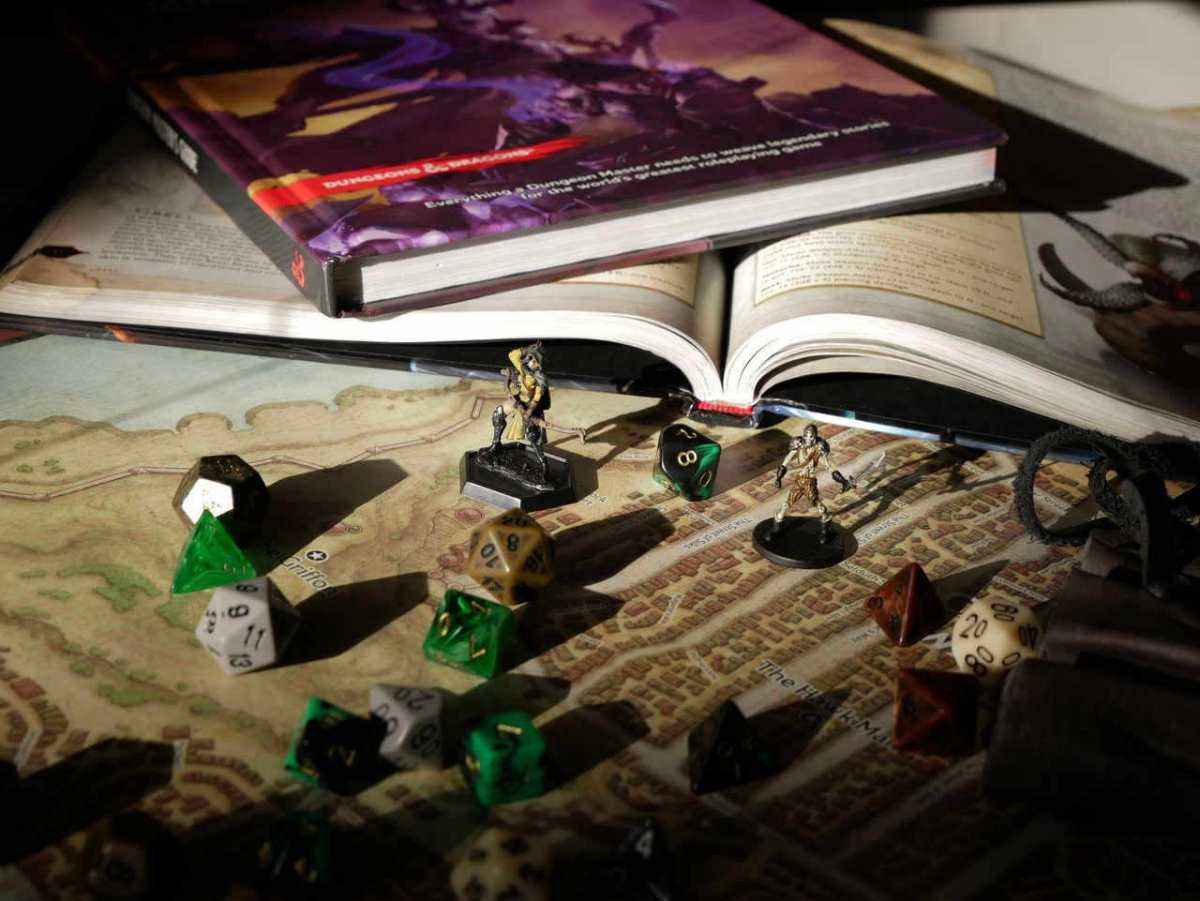
Why Digital Tools Matter for D&D Campaigns
Traditional pen and paper methods work perfectly fine for many groups. However, digital tools offer clear advantages that enhance the gaming experience.
Organization becomes much simpler when information lives in one accessible place. A dungeon master can search through notes instantly instead of flipping through multiple notebooks. Players can update their character sheets without erasure marks or cramped handwriting.
Automation handles repetitive calculations that slow down gameplay. Apps calculate attack bonuses, damage rolls, and spell save DCs automatically. This speeds up combat and reduces errors that lead to disputes.
Remote play became essential for many groups during recent years. Virtual tabletops allow friends across different cities or countries to share adventures together. Even local groups benefit from hybrid setups that combine physical presence with digital tools.
Accessibility improves when content exists in digital formats. Screen readers can parse digital character sheets for visually impaired players. Search functions help everyone find specific rules quickly during gameplay.
Character Creation and Management Tools
Character builders streamline the most time-consuming part of starting a new campaign. These tools guide players through choices while automatically calculating stats, bonuses, and abilities.
D&D Beyond
D&D Beyond serves as the official digital toolset from Wizards of the Coast. The character builder walks players through each step with clear explanations and automatic calculations. The interface shows which races, classes, and options come from which sourcebooks.
The digital character sheet updates automatically as characters level up. Players can click spells to see full descriptions. The tool tracks prepared spells, remaining spell items, and hit points during sessions.
The platform includes the basic rules for free. Additional sourcebooks require purchase, but one person can share content with an entire campaign through content sharing features. The mobile app lets players access their characters from anywhere.
OpenSheet 3.5e SRD
For players who want a modern, offline desktop tool built specifically for D&D 3.5e SRD, OpenSheet 3.5e SRD makes character creation and management faster and easier to maintain. It automatically handles the calculations behind ability scores, skills, attacks, saves, feats, spells, equipment, multiclassing, and prestige classes, helping players spend less time checking modifiers and more time playing. OpenSheet is especially useful for detailed or high-level characters where manual updates can quickly become difficult to track.
PCGen 3.5e
If your group is playing Dungeons & Dragons 3.5 Edition, a dedicated character builder can save hours of work. The PCGen 3.5e Character Creator for Android streamlines one of the most complex character creation systems ever published by automatically tracking ability modifiers, skill points, feats, class features, spells, equipment, and other rules-based calculations. Instead of flipping through books and double-checking prerequisites, players can focus on building the character they want while the app handles the math. Whether you’re creating a first-level adventurer or leveling up a long-running campaign, it’s an invaluable companion for keeping your character accurate and ready for the table.
Fight Club 5th Edition
This mobile app provides robust character management with customizable features. Players can import content from various sources beyond the basic rules. The interface feels more flexible than some official tools.
The combat tracker helps dungeon masters manage initiative, hit points, and conditions for multiple creatures. The app works offline, which helps when internet connections fail during game night.
Reroll
Reroll focuses on speed and simplicity for character creation. The tool generates characters quickly while still allowing customization. This makes it perfect for one-shots or when someone needs a backup character fast.
The visual design emphasizes clarity and ease of use. New players find the streamlined interface less overwhelming than more complex alternatives.
Virtual Tabletop Platforms
Virtual tabletops (VTTs) create digital play spaces with maps, character tokens, fog of war, and integrated dice rolling. These platforms support both online and in-person games projected on screens or TVs.
Roll20
Roll20 ranks as the most popular virtual tabletop with millions of users. The platform runs entirely in web browsers without downloads. This makes setup easy for groups where technical skill varies.
The free tier provides everything needed for basic play. Maps, tokens, and character sheets all work without payment. Paid subscriptions add features like dynamic lighting, larger file storage, and API access.
The marketplace offers thousands of pre-made adventures, maps, and token packs. Dungeon masters can purchase official D&D adventures fully integrated with maps and monsters ready to use.
Character sheets integrate with the platform’s dice roller. Players click their attack bonus, and the system automatically rolls and adds modifiers. This automation speeds up combat significantly.
Foundry Virtual Tabletop
Foundry requires a one-time purchase but includes no subscription fees afterward. The software runs on a host’s computer or server. Only the dungeon master needs to purchase and run it.
The system supports extensive customization through modules created by the community. These add-ons provide features like improved lighting, automated spell effects, and enhanced character sheets. Many dungeon masters prefer Foundry for its depth and flexibility.
Audio and visual effects create immersive experiences. Animated spell effects, sound integration, and weather systems bring scenes to life. The learning curve runs steeper than simpler platforms, but dedicated users find the investment worthwhile.
Owlbear Rodeo
Owlbear Rodeo takes a minimalist approach focused on maps and tokens. The free tool requires no account creation. The host simply creates a room and shares a link.
The simplicity works perfectly for groups who want virtual maps without complexity. Players can upload custom tokens and draw on maps to show movement or effects. The tool intentionally avoids automation to maintain the feel of physical play.
Campaign and World Building Tools
Campaign organization separates good dungeon masters from overwhelmed ones. These tools help track NPCs, plot threads, locations, and everything else that makes worlds feel alive.
World Anvil
World Anvil functions as a wiki builder designed specifically for fantasy worlds. Users can create interconnected articles about locations, characters, organizations, and historical events. The system links related articles automatically.
Templates help structure information consistently. An NPC template prompts for personality traits, goals, and connections to other characters. A location template organizes geography, history, and notable features.
The platform supports maps with interactive pins. Clicking a location opens its detailed article. This helps players and dungeon masters navigate complex worlds.
Privacy controls allow creators to hide information from players. Secret plots, monster stats, and future reveals remain visible only to the dungeon master.
Notion
Notion provides flexible note-taking and database features that work excellently for campaigns. Users can create custom layouts mixing text, tables, calendars, and galleries.
Database views let dungeon masters organize NPCs by location, faction, or any other category. The same information appears in different formats depending on what you need to see. A calendar view tracks timeline events while a gallery displays character portraits.
Templates shared by the D&D community provide starting points. These range from simple session note systems to elaborate campaign trackers. The free personal plan includes unlimited pages and blocks.
Obsidian
Obsidian takes a different approach using linked markdown files stored locally. The connection between notes creates a web of relationships visualized as a graph.
The software works offline and stores files in plain text. This means your campaign notes never depend on a service staying online. Files remain accessible decades later without special software.
Community plugins add D&D-specific features like dice rollers, stat blocks, and initiative trackers. The basic app costs nothing, with optional payment for sync services.
Map Making and Battle Mat Tools
Custom maps bring encounters to life and help players visualize complex environments. Map tools range from simple grid makers to sophisticated design software.
Dungeon Scrawl
Dungeon Scrawl creates old-school dungeon maps quickly. The tool automatically generates walls and applies textures as you draw. Maps maintain a classic aesthetic that matches early D&D adventures.
The free web version handles most needs. Exports work with virtual tabletops or print for physical play. The interface focuses on speed over complex features.
Inkarnate
Inkarnate excels at creating beautiful regional and world maps. The stamp-based system lets users place mountains, forests, cities, and other features with artistic styles.
The platform also supports battle maps and dungeon maps. Pre-made assets speed up creation while custom uploads allow personalization. Maps export in sizes suitable for virtual tabletops or printing.
The free version includes many assets and features. Pro subscriptions unlock additional styles, assets, and higher resolution exports.
Dungeondraft
Dungeondraft provides professional-quality battle map creation through purchased software. The tool includes thousands of objects like furniture, dungeon features, and outdoor elements.
Maps export at exact grid sizes for virtual tabletops. The software handles lighting and wall layers automatically. Custom asset packs created by the community expand options even further.
Many dungeon masters consider the one-time purchase worthwhile for the quality and efficiency it provides.
Encounter and Initiative Management
Combat tracking becomes chaotic without organization. These tools manage turn order, hit points, conditions, and monster stats during battles.
Campaign Combat Tracker
For Dungeon Masters who want a fast, dedicated way to run combat encounters, Campaign Combat Tracker is built specifically around the parts of combat that matter most: initiative order, hit point tracking, conditions, and encounter flow. Instead of juggling paper notes or spreadsheets, DMs can manage combat from a single screen, quickly advance turns, track status effects, and keep encounters moving at the table.
Whether you’re running a small skirmish or a large multi-creature battle, the app helps reduce bookkeeping so you can focus on storytelling and player decisions rather than administrative overhead. If you’re looking for a streamlined mobile solution for combat management, try Campaign Combat Tracker for Android.
The tool loads monster stats from the System Reference Document. Users can also create custom creatures. Multiple groups can save different encounters to load quickly.
Kobold Fight Club
Kobold Fight Club helps balance encounters by calculating difficulty. The tool compares party level and size against selected monsters. It shows whether an encounter rates as easy, medium, hard, or deadly.
The filter system helps find appropriate monsters by type, environment, or source book. This speeds up encounter design significantly compared to flipping through the Monster Manual.

Audio and Ambience Tools
Sound creates atmosphere that pure description cannot match. Background music and sound effects immerse players in the game world.
Syrinscape
Syrinscape provides soundscapes designed specifically for tabletop RPGs. Instead of single music tracks, it layers background ambience, music, and sound effects. A tavern scene includes crowd chatter, clinking glasses, and lute music all mixed together.
The app includes extensive pre-built soundscapes for common D&D situations. Users can also create custom mixes. The subscription model provides access to the full library.
Tabletop Audio
This free website offers ambient sound loops for various environments. Ocean waves, bustling cities, creepy dungeons, and peaceful forests all receive quality treatment. The simple interface loads quickly and works on any device.
Tracks loop seamlessly during sessions. Dungeon masters can open multiple tabs to layer sounds. The creator accepts donations but provides all content free.
Reference and Rules Lookup Tools
Quick access to rules keeps games moving. These tools help find spells, conditions, and mechanics without digging through books.
D&D Beyond (Again)
Beyond character management, D&D Beyond serves as a comprehensive rules reference. The search function finds spells, items, monsters, and rules quickly. Filters narrow results by class, level, or school of magic.
The compendium includes the basic rules for free. Purchased sourcebooks integrate into your account. The mobile app allows offline access to owned content.
5e Tools
This community-created reference includes extensive D&D content in a clean interface. The homebrew support allows campaigns using custom content to organize everything in one place.
Features include encounter builders, loot generators, and rule references. The tool runs in browsers without installation. Content updates regularly as new official material releases.
Dice Rolling Apps
Physical dice remain popular, but digital rollers provide advantages for certain situations. They prevent lost dice, enable complex rolls, and show history for disputed results.
D&D Dice Roller
Simple dice apps work when you need basic rolls fast. Many free options exist for phones and tablets. They typically show 3D animations and allow custom die combinations.
More advanced features include roll modifiers, advantage/disadvantage automation, and saved common rolls. Some integrate with character sheets to pull attack bonuses automatically.
Role Gate
Role Gate focuses on dice rolling with a social component. Groups create shared spaces where everyone’s rolls appear together. This transparency works well for online games where physical dice remain invisible to others.
Choosing the Right Tools for Your Group
The best tool setup depends on your specific situation. Consider these factors when deciding what to use.
Play format matters most. In-person groups need fewer tools than fully remote campaigns. A projected map and character sheets might suffice for face-to-face games. Online groups require virtual tabletops and voice chat integration.
Technical comfort levels vary among groups. Some players embrace complex tools with extensive features. Others prefer simple interfaces that stay out of the way. Match tool complexity to your group’s preferences.
Budget affects choices significantly. Many excellent free tools exist for groups avoiding subscriptions. Subscription services provide additional features and convenience for those willing to invest.
Time investment differs between platforms. Some tools require hours of setup and learning. Others work immediately with minimal configuration. Consider how much preparation time you can dedicate.
Start with basic tools and expand gradually. A simple virtual tabletop plus D&D Beyond covers most fundamental needs. Add specialized tools as you identify specific problems to solve.
Testing tools before committing prevents frustration. Most platforms offer free tiers or trials. Run a single session with new tools before planning an entire campaign around them.
Integrating Tools Without Overwhelming Your Game
Too many tools create as many problems as too few. The key is integration and purpose.
Each tool should serve a clear purpose. If two apps do the same job, pick the better one and eliminate redundancy. Players should not need to check three different places for character information.
Standardize choices across your group. When everyone uses the same character sheet platform, sharing information becomes simple. Mixed systems create confusion about which version of a character is current.
Keep tools in the background during actual play. Technology should enable roleplay, not interrupt it. If managing apps takes more time than playing, simplify your setup.
Establish backup plans for technical failures. Internet outages happen. Batteries die. Keep basic information accessible offline or on paper as insurance.
Digital tools transform D&D campaign management from overwhelming to organized. They save time, reduce errors, and enable experiences impossible with pure analog play. The right combination supports your story without becoming the focus. Start with tools that address your biggest pain points, then expand thoughtfully as your needs evolve.