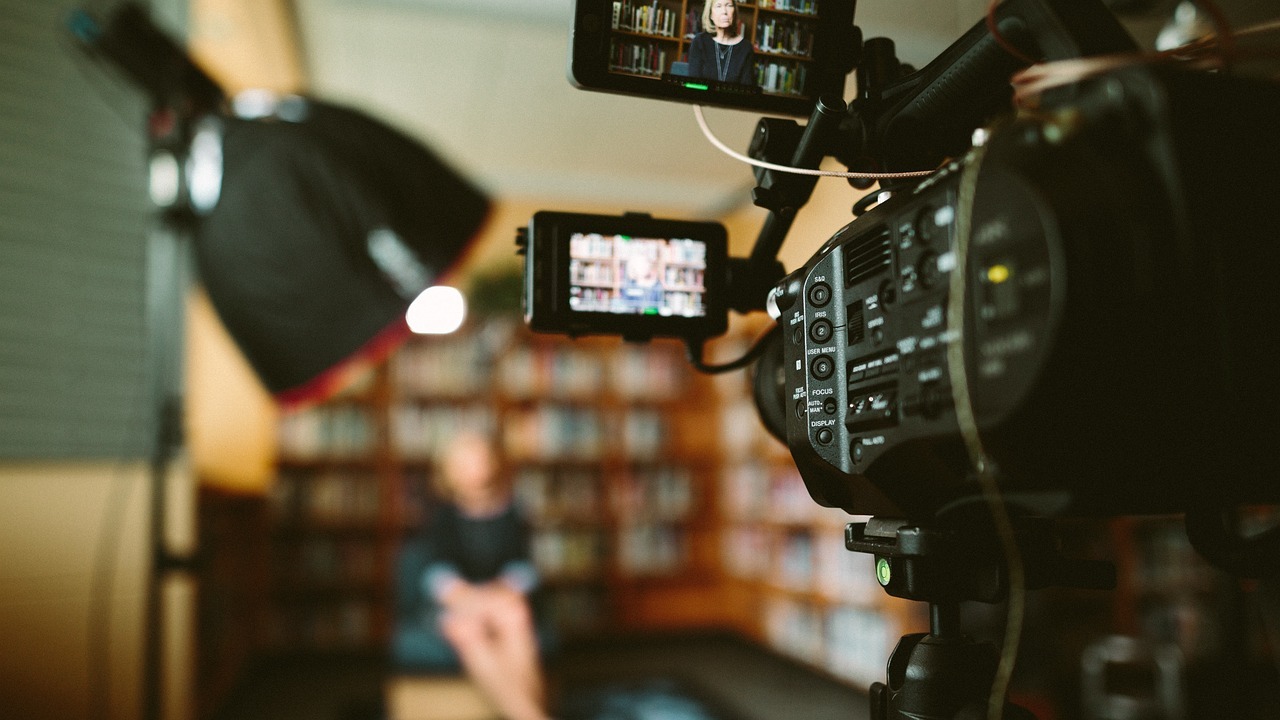
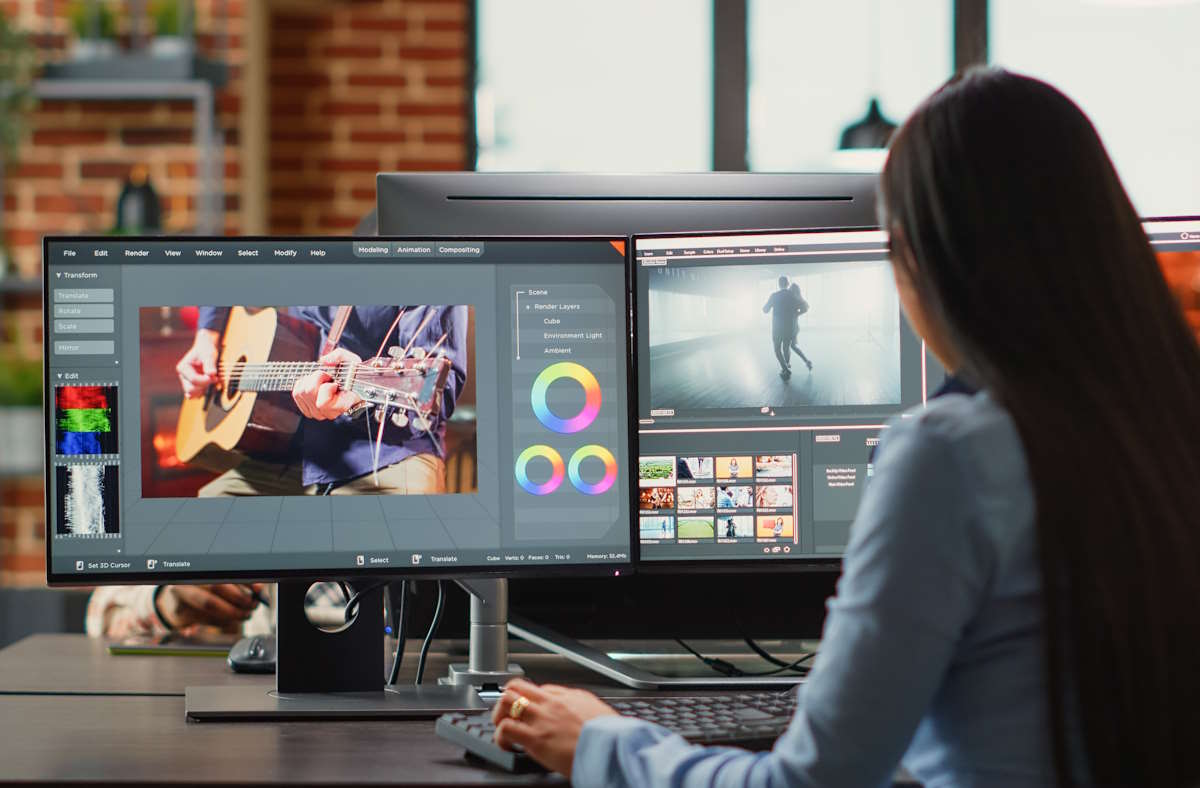
Production days move fast, and small gaps in information can stall shoots for hours. A missed calendar update can ripple through call sheets and crew timing. Editors then wait for missing notes, while clients wait for revised cuts. A clear sync plan keeps teams in step from prep to final delivery.
Many Bay Area crews already manage calendars and contact lists on desktop and phone. A seasoned San Francisco Video Production Company like Luma Creative plans shoots across locations, then keeps updates flowing to phones on set. That same discipline helps brand teams lock story beats before the first slate. The result is smoother days and fewer retakes across the schedule.
Build A Sync Backbone Before The First Shoot Day
Brand videos depend on quick coordination between producers, clients, and subject matter experts. Create a shared structure for contacts, calendars, tasks, and notes that mirrors your production stages. Keep the fields simple, so people update them quickly and accurately.
CompanionLink users can bring Outlook calendars, tasks, and notes to Android and iPhone with cable, Wi Fi, or cloud sync. The method matters less than reliability and repeatability during the week. Choose one method for the team and write the steps where crew can find them. Consistency removes guesswork when stress rises on location.
Add a short checklist to your preproduction routine and keep it consistent. Confirm linked calendars for recce dates, shoot days, and edit milestones. Confirm contact records for talent, vendors, and location managers with roles and mobile numbers. Confirm shared notes with script pages, drive links, and file paths inside your folder plan.
Make Scheduling And Approvals Move Without Friction
Brand stakeholders often juggle product updates, legal checks, and press timing. When calendars sync to every device, producers can reschedule interviews within minutes. Crew then receive the new call time inside the same event, with address and parking notes attached.
On Bay Area shoots, traffic windows and building access rules change quickly. Put those changes into the master calendar entry, not an email thread. Add a short summary at the top, then a time stamped line for material changes. That habit leaves a trace that editors and clients can review later.
Accessibility improves reach and reduces rework during caption checks. Keep a style note about captions in your shared documentation, and reference the Federal Communications Commission guidance on caption quality and accuracy. The FCC outlines clarity expectations that help brand videos reach more people and pass platform checks, which reduces back and forth later.
Keep Creative Assets And Metadata In Lockstep
Editors work faster when filenames, notes, and takes match across desktop and phone. Use one folder map that covers ingest, proxies, audio, graphics, and review exports. Mirror that map on mobile work apps used by producers and clients.
Give each clip a card in your notes system with scene and take fields. Add who approved the setup and any retake reasons. Sync those cards to phones, so a producer can confirm details while walking to the next setup. That habit reduces confusion during night edits and weekend pickups.
Treat color, audio rate, and frame rate as shared facts, not private editor knowledge. Put target color space, frame rate, and audio settings in a single notes page. Sync it to every device that might touch footage or exports. One misplaced export setting can trigger a cascade of re-exports and re-uploads.
Standardize Mobile To Desktop Review Loops
Many brand teams now review cuts on phones during travel between meetings. Mobile review helps, but only if the version matches what the editor exported. Give each review export a version string and paste that string at the top of the calendar event. Keep the string in the file name and the notes body, so it follows the cut.
Adopt a simple feedback code that works in chat and email. Use short tags like Keep, Change, and Question with shot timecodes. Store the code list in a shared note and pin it in the review event. People then write tighter comments and editors spend less time decoding intent.
A consistent review loop benefits from standard device time settings. Matching times across devices helps align logs, slates, and chat comments during postproduction. The National Institute of Standards and Technology describes reference time services and synchronization practices that improve accuracy across systems. Use a single reference to reduce mismatched timestamps on shots and notes.
A Practical Sync Workflow For Busy Brand Teams
A small amount of structure keeps sync tasks fast and repeatable. This sequence works for crews that plan, shoot, and edit within tight windows. It also scales for live streams and hybrid events with remote stakeholders.
Create a master calendar with prep, shoot, edit, and delivery milestones. Invite only the people who must act on each entry. Keep descriptions concise and include parking, access, and contact details near the top.
Build a shared contacts list with roles like Producer, Client Lead, Legal Reviewer, and Talent. Add mobile numbers, backup numbers, and preferred channels. Keep that list synced to every phone used on set or on the control desk.
Set one notes repository for scripts, shot lists, and review links. Use short page names that match folder names. Put the current version string at the top of each page and update it before sharing.
During capture, record quick take notes in the synced notes app. Use the same fields for every card, and capture issues while they are fresh. Sync as you move between rooms to keep editors current on the last hour.
For reviews, export a smaller proxy and label it with the version string. Paste that string into the calendar event and the email subject. Ask reviewers to echo the string in replies, so comments attach to the right cut.
Live streaming benefits from similar habits. Keep run of show, encoder settings, and backup links in the same synced notes page. Put the latest change at the top with a timestamp, so the entire crew sees it first. Update the master calendar when the stream key changes, and include the change reason in the description.
Edge cases still appear on the tightest shoots. A vendor driver might call the producer while cameras are rolling. With synced contacts and a shared notes page, the production assistant can confirm loading dock instructions without interrupting takes. The reduced friction shows up as smoother wraps and fewer reshoots next week.
Bring Syncing Into The Edit
Editors feel the benefits of clean sync the moment media arrives. Timestamps align with shot notes, and proxy folders match the camera map. Audio and color settings match the shared page, so exports line up on the first pass. Producers then spend time solving creative problems instead of chasing missing details.
How to Enhance Brand Videos with Seamless Syncing was last modified: December 9th, 2025 by Andrew Miller
Every business owner and content creator faces the same challenge: you know Facebook Reels drive engagement and reach, but finding time to create them feels impossible amid everything else demanding attention.
The good news is that professional-looking Reels don’t require hours of filming and editing when you implement efficient systems and workflows. With the right approach, you can produce quality content in just 15 minutes from concept to posting.
The Time Crunch Reality
Social media algorithms increasingly favor video content, particularly short-form Reels that capture attention quickly and keep viewers engaged. Facebook’s algorithm actively promotes Reels in feeds, giving them far greater reach than traditional posts.
Businesses ignoring Reels miss significant opportunities for visibility and engagement that competitors are capturing.
Yet most entrepreneurs and small business owners lack dedicated video production time in their schedules. Between serving customers, managing operations, and handling the countless other business demands, spending hours creating social media content feels like an unaffordable luxury. This perceived time barrier prevents many businesses from leveraging Reels effectively.
The solution isn’t working longer hours or sacrificing other business priorities. Instead, it’s implementing streamlined systems that produce quality Reels efficiently.
The strategies below show exactly how to make a Facebook reel in 15 minutes or less while maintaining the professional quality that represents your brand well and engages your audience effectively.
These techniques aren’t shortcuts that sacrifice quality for speed. They’re optimization strategies that eliminate wasted time while focusing effort on elements that actually drive results. You’ll create better content faster by working smarter rather than just rushing through production.
The 3 Minute Pre-Production Phase
Successful quick Reels start with clarity about your message and intended outcome before you ever pick up your phone. Spending three minutes planning prevents the 20 minutes of filming unusable footage that happens when you start recording without direction. This brief planning phase multiplies the efficiency of everything that follows.
Write down your core message in one sentence. What single takeaway should viewers remember after watching your Reel? This clarity drives every production decision and keeps content focused. Rambling, unfocused Reels waste viewer time and hurt performance regardless of production quality.
Choose your format based on your message and available resources. Will you speak directly to the camera, use text overlays on footage, demonstrate something, or create a before-and-after reveal? Deciding format up front prevents the indecision that wastes time during filming.
Batch Your Content Ideas
The biggest time drain in Reel creation is constantly generating new ideas from scratch. Instead, dedicate 30 minutes monthly to brainstorming and listing 20 to 30 Reel concepts. This single session provides content ideas for weeks of consistent posting.
Store ideas in a simple note on your phone or spreadsheet with columns for concept, format, needed props or locations, and relevant trending audio. When it’s time to create content, you simply select from your pre-approved ideas rather than staring at a blank screen, wondering what to post.
Batch similar content types together. If you’re filming talking head-style Reels, record three or four in a single session while you have lighting and location set up. This approach dramatically reduces per Reel production time by eliminating repeated setup and breakdown.
Use Template-Based Editing Apps
Mobile editing apps with built-in templates eliminate the learning curve of complex editing software. Apps like CapCut, InShot, and Canva offer hundreds of templates specifically designed for Reels with timing, transitions, and effects pre-configured. You simply drop in your footage and customize text.
Templates ensure professional-looking results without requiring editing expertise or design skills. The color schemes, animations, and pacing are already optimized based on what performs well on social platforms. You benefit from professional design work without paying designer rates or learning design principles.
Spend ten minutes exploring template options in your chosen app so you know what’s available when you need it. Having three to five go-to templates you can apply quickly means each Reel doesn’t require browsing hundreds of options and making design decisions from scratch.
Leverage Your Existing Content
You don’t need to create everything from scratch. That blog post you wrote can become a Reel sharing the three key takeaways. Customer testimonials can be reformatted as text on video backgrounds. Product photos become scrolling carousels with music.
This repurposing approach multiplies content value by extracting multiple social media pieces from a single creation effort. A single 20-minute video recording can be chopped into six different Reels, each highlighting a different point or story. Professional content creators constantly repurpose material across platforms and formats.
Customer-created content offers another time-saving source. When customers share photos or videos featuring your product, ask permission to feature them in Reels. User-generated content builds community while reducing your content creation burden significantly.
Record Multiple Takes Quickly
Professional Reels don’t require perfect first take recordings. Film three versions of your core message in quick succession, spending just one minute per take. This approach gives you options without perfectionism paralysis that wastes time on endless retakes.
Review the three takes and select the best one, which typically takes 30 seconds. The imperfect authenticity of quick recordings often outperforms overly polished content that feels scripted and artificial. Audiences respond to genuine personality more than perfect delivery.
If you’re demonstrating something physical, film from two different angles in the same session. This extra footage provides editing options and visual variety without requiring separate filming sessions. Two angles make even simple content feel more dynamic and professionally produced.
Master Three Camera Tricks
You don’t need expensive equipment, but three simple techniques dramatically improve visual quality. First, clean your phone lens before filming since fingerprints and smudges kill video clarity. This five-second action makes footage look instantly more professional.
Second, ensure adequate lighting by filming near windows during daytime or using a simple ring light if filming indoors in the evening. Good lighting is the single biggest factor separating amateur from professional-looking video. Poor lighting makes even great content look unprofessional and harder to watch.
Third, stabilize your phone using something as simple as propping it against books or a wall. Shaky handheld footage looks amateurish and distracts from your message. A cheap phone tripod that costs $15 pays for itself many times over in professional-looking stabilized footage.
Use Trending Audio Strategically
Facebook’s algorithm favors Reels using trending audio, giving them expanded reach beyond your existing followers. Browse the Reels feed for 90 seconds, noting which audio tracks appear repeatedly, then save three or four to your audio library for quick access.
The audio doesn’t need to perfectly match your content theme. Many successful Reels pair trending upbeat music with completely unrelated business content because the algorithm boost from trending audio outweighs thematic consistency. This is one case where gaming the algorithm appropriately serves your goals.
Add your own voiceover when relevant, despite using trending audio. Many editing apps let you layer original audio over trending tracks. This gives you algorithm benefits while still delivering your specific message verbally rather than relying entirely on text overlays.
Write Captions Using a Formula
Captions for Reels follow proven formulas that drive engagement without requiring creative genius each time. The most reliable formula is Hook, Value, Call to Action. Your first sentence grabs attention, the middle delivers useful information, and the end tells viewers what to do next.
Write five generic hooks you can customize for different Reels. Examples include “This changed my business,” “Stop doing this immediately,” “Here’s what nobody tells you about,” and “The secret to X that actually works.” Having hooks ready eliminates the blank page problem when writing captions quickly.
Keep total caption length to 100 words or fewer for mobile readability. Lengthy captions get truncated, requiring clicks to expand, which most viewers skip. Deliver your message concisely and include your call to action within the visible portion.
Schedule Your Posting Time
Don’t let posting logistics delay your content from going live. After creating your Reel, use Facebook’s native scheduling feature or Meta Business Suite to queue it for optimal posting time. This separation of creation and posting prevents the “I’ll post it later” trap, where content never actually goes live.
Research shows that Reels posted between 9 AM and 11 AM or 7 PM and 9 PM typically see higher engagement, though your specific audience patterns may differ. Review your insights monthly to identify when your followers are most active and schedule accordingly.
Scheduling also enables batching, where you create several Reels in one focused session and schedule them throughout the week. This approach feels less overwhelming than daily content creation and ensures consistent posting even during busy periods when you can’t create new content.
Implement the 15 Minute Workflow
Here’s the minute-by-minute breakdown for efficient Reel creation. Minutes 1 to 3: Select your pre-planned concept and gather any needed props or materials.
Minutes 4 to 7: Film your content, including multiple takes from different angles. Minutes 8 to 11: Import footage to your editing app and apply a template with any necessary customization.
Minutes 12 to 14: Write your caption using your formula, add relevant hashtags, and configure any sharing settings. Minute 15: Schedule or post your Reel. The entire process from blank screen to published content takes just 15 minutes when you follow a systematic approach.
This timing assumes you’ve already batched your ideas and have templates selected. The first few Reels may take longer as you learn the workflow, but efficiency improves rapidly with practice. Most creators find they complete Reels in 10 to 12 minutes after creating just five or six using this system.
Analyze What Works and Double Down
Facebook provides detailed insights showing which Reels drove the most reach, engagement, and profile visits. Spend five minutes monthly reviewing your top performers to identify patterns in format, topic, audio, or length that resonate with your audience.
Double down on whatever works. If you know how to style Reels to outperform behind-the-scenes content, make more how-to Reels. If Reels under 20 seconds see better completion rates than 60-second versions, keep them short. Let data rather than assumptions guide your content strategy.
This analysis session also reveals what doesn’t work, allowing you to stop wasting time on content formats or topics your audience ignores. Cutting underperforming approaches frees time to create more of what actually drives results.
Maintain Quality Standards
Speed shouldn’t mean sacrificing fundamental quality that represents your brand poorly. Even in 15 minutes, ensure audio is clear and understandable, lighting shows you or your subject properly, and the core message delivers value. These basics separate content that builds credibility from content that damages it.
Typos in text overlays or captions look unprofessional regardless of how quickly you created the Reel. Spend 30 seconds proofreading before posting since mistakes can’t be edited after publication. This brief quality check prevents embarrassing errors.
If a particular Reel isn’t working after reasonable effort within your time limit, abandon it rather than posting subpar content just to maintain a schedule. Posting mediocre content because you ran out of time hurts your brand more than skipping a day. Consistency matters, but quality matters more.
Build Your Efficient Content System
Creating professional Reels in 15 minutes isn’t a one-time achievement but a system you refine over time. The first month focuses on establishing the workflow and discovering what works for your business and audience. Month two emphasizes optimization and speed improvements.
By month three, efficient Reel creation should feel natural rather than stressful. You’ll have a library of ideas, familiar templates, proven formats, and data showing what resonates with your audience. Creating content becomes routine rather than a creative struggle requiring inspiration.
This systematic approach transforms Reels from an overwhelming time drain into a manageable business activity that drives real results. The visibility and engagement Reels generate justify the small time investment when you work efficiently.
The Compound Effect of Consistency
Individual Reels matter less than a consistent presence over time. A mediocre Reel posted regularly builds audience and algorithm favor better than occasional perfect Reels. The 15-minute workflow makes consistency achievable when perfection isn’t.
Facebook’s algorithm rewards accounts that post Reels regularly with increased distribution of all content. Your non-Reel posts reach more people when you maintain active Reel production. This halo effect multiplies the value of time invested in Reels beyond the individual video performance.
Start with a modest goal like three Reels weekly rather than daily posting that becomes unsustainable. Hitting a realistic target builds confidence and momentum, while daily posting that you can’t maintain leads to guilt and abandonment. Sustainable consistency beats sporadic intensity every time.
Getting Started Today
You don’t need expensive equipment, professional editing skills, or hours of free time to create effective Facebook Reels. You need a systematic approach, a smartphone, and 15 focused minutes. Everything else is either unnecessary or can be learned through practice as you create content.
Stop waiting for perfect conditions or until you have more time. Those conditions never arrive because businesses always demand more time than is available. Start with one Reel this week using these techniques, then build from there as you prove the process works.
The businesses winning attention and engagement on Facebook right now aren’t necessarily more creative or better funded than yours.
They’re simply creating consistent Reel content using efficient systems. That advantage is available to you starting today with just 15 minutes and a commitment to working smarter.
The 15 Minute Facebook Reel: How to Make Professional Content When You’re Short on Time was last modified: November 19th, 2025 by Naima Outclass
Choosing between QLED and OLED can feel confusing when both offer strong picture quality. Each one performs differently depending on your room, what you watch, and how often the TV is on. This guide explains those differences so you can decide with confidence.
How QLED and OLED Differ at the Core
Knowing how each panel creates an image helps explain their strengths.
How QLED Creates Color and Brightness
QLED uses an LED backlight with a layer of quantum dots. This setup lets the screen reach high brightness and produce rich color. It works well in bright rooms or during daytime viewing. The only drawback is that dark scenes rely on dimming zones, which can be less accurate in some shots.
How OLED Lights Each Pixel
OLED works without a backlight. Each pixel creates its own light and can turn off completely. This helps the picture look balanced and clean in darker scenes. It also keeps colors consistent at wide angles, since the light doesn’t pass through extra layers.
Picture Quality Breakdown
Here’s how both technologies compare once you start watching movies, shows, or sports on your TV.
Brightness Performance and HDR Impact
QLED has a clear advantage in brightness. It handles glare well and can make HDR highlights look vivid. OLED offers enough brightness for most homes, but its strength is how it shapes contrast rather than how bright it gets.
Black Levels, Shadow Detail, and Contrast
OLED handles darker scenes with ease. Pixels can switch off entirely, which helps shadows look clean and natural. QLED continues to improve, but it can’t match the smooth separation found in the darkest parts of an image.
Color Accuracy and Off-Angle Viewing
Both produce accurate color, but OLED often looks more uniform since each pixel controls its own light. QLED can shift in tone or brightness from the side, which matters in wider rooms.
Performance in Mixed Lighting
Room lighting affects how each screen performs, so here’s how both handle different setups.
Bright, Sun-Lit Rooms
QLED works best in bright rooms. Its stronger brightness helps reduce glare and reflections, making it a good fit for living areas with windows or lights that stay on during the day.
Dark Rooms Built for Movie Nights
OLED stands out in dim rooms. The picture looks smooth and detailed when the lights are low, which helps nighttime scenes when Netflix binging feel more immersive.
Durability and Long-Term Use
A TV is something most households keep for years, so long-term performance matters.
Risk of Burn-In and Ways to Lower It
OLED pixels can wear unevenly if a static image stays on the screen for long periods. Modern OLEDs have tools that help prevent this, such as pixel shifting and periodic refresh cycles. Most homes are unlikely to experience issues, but the risk still exists. QLED avoids this concern because its lighting system works differently.
Panel Aging and Brightness Decline
All TVs dim slowly over time. QLED usually keeps its brightness longer. OLED may settle into a softer output after years of use, though the change is usually small.
Gaming Experience
Smooth motion and quick reaction times are important to gamers, and both panel types perform well for a gaming TV.
Response Time and Input Lag
OLED reacts quickly, which helps reduce blur in fast-paced gameplay. Many QLED models also offer low input lag and smooth responsiveness, especially those built with gaming features. Both handle modern consoles well.
Motion Handling in Fast Scenes
OLED has an edge in fast motion. Its pixels adjust instantly, which helps action scenes stay crisp. QLED performs well overall, though some budget models may show slight blur.
Price and Feature Differences Across Options
Pricing varies widely, and each technology offers different benefits depending on your budget.
QLED is available at many price points. You can find affordable everyday models and higher-end versions with better dimming and richer color. OLED generally costs more, especially at larger sizes. Prices have dropped in recent years, making mid-range OLEDs more accessible. Premium OLEDs remain popular among viewers who want a theater-like picture at home.
Choosing Based on Viewing Habits
Your viewing habits can help guide your decision.
Best for Cinema Lovers
OLED is a great match for movie fans. Its smooth contrast and detailed shadows help films look more lifelike in darker rooms.
Best for Gamers
OLED offers sharp motion and quick response, which helps in fast games. QLED is also a reliable choice for long gaming sessions or bright rooms. Both support modern gaming features used by newer consoles.
Best for Everyday Family Use
QLED works well for households that keep the TV on throughout the day. Its brightness and low maintenance make it a practical option for mixed content.
Quick Pros and Cons
QLED Pros
Strong brightness
No burn-in risk
Wide range of prices
QLED Cons
Dark scenes can look less smooth
Viewing angles shift
OLED Pros
Clean contrast and shadow detail
Good viewing angles
Smooth motion
OLED Cons
Lower brightness in sunny rooms
Higher cost at larger sizes
Conclusion
QLED works best in bright rooms and offers more choices at different price tiers. OLED handles darker rooms better and provides a cleaner picture for movies and games. The best option depends on your room, the content you enjoy, and your budget.
QLED vs OLED: Which TV Technology Is Right for You? was last modified: November 19th, 2025 by Nora Sbalckiero
Nowadays, making an impression is crucial when selling a house. Every day, buyers peruse dozens of listings. Initial impressions count. That’s why real estate video production is so powerful.
A great video grabs attention, shows off a property, and helps close deals faster. Even small details, like natural light or a cozy nook, can make buyers fall in love.
Why Videos Make a Difference
Videos tell the story better than pictures. Buyers can experience the space with a brief walkthrough. They can see the flow of rooms, imagine living there, and connect emotionally.
Here’s why video works:
Faster Sales. Homes with videos often sell 20-50% faster.
More Attention. Video listings get more clicks and inquiries.
Better Marketing. Reuse videos on social media, email, and your website.
Improved Emotional Bond. Videos increase a buyer’s desire to buy by enabling them to picture themselves living there.
Wider Reach. Online videos attract out-of-town or busy buyers who can’t visit in person.
For example, an LA agent used a cinematic video for a mid-century house. Within a week, the property received multiple offers, some above the asking price. That’s the power of quality video content.
How Real Estate Video Content Helps
Videos do more than show a house. They guide buyers through the entire process. From listing to closing, they can make a big difference.
Key ways video helps:
Launch Listings. Highlight the best features – open floors, big windows, backyard charm.
Virtual Tours. Busy or distant buyers can explore the home online.
Build Trust. Testimonials and lifestyle shots reassure buyers.
A Miami home had been sitting on the market for months. After a professional video, inquiries doubled in two weeks. The video highlighted the home’s functional home design, sunlit living areas, and a beautifully landscaped backyard. It sold above market value.
Tips for Great Real Estate Videos
Not all videos are equal. Follow these tips to get the most out of your production:
Keep it short. 1-3 minutes is ideal.
Show lifestyle. Don’t just show rooms – show how people live there.
Quality counts. Lighting, sound, and stabilization matter.
Add a call to action. Invite viewers to schedule a tour or call.
When done right, these simple steps can make your listing unforgettable.
FAQ
Q: How long does it take to make a real estate video? A: Usually 1-2 weeks depending on property size and editing needs.
Q: Can I make a video myself? A: You can, but video production experts bring professional equipment and editing skills that really make your listing shine.
Q: Do videos actually help sell homes faster? A: Yes! Buyers respond more to videos. Listings with videos often sell faster and sometimes for higher prices.
From Listing to Closing: The Role of Real Estate Video Production was last modified: November 13th, 2025 by Colleen Borator
In an era where marketing budgets are scrutinized, understanding the true impact of video content is critical. Forward-thinking brands partner with cartoon animation studios like Darvideo to combine high-quality storytelling with precise performance measurement. By leveraging advanced analytics, A/B testing, and iterative production, Darvideo ensures that every animated asset — from 2D explainers to 3D motion graphics — delivers measurable business value while maintaining narrative and brand integrity.
Vanity Metrics vs Revenue Signals
Many organizations mistakenly focus on superficial engagement numbers such as views or likes. Darvideo emphasizes metrics that directly influence revenue:
Conversion Metrics: Click-through rates (CTR), lead capture, and trial sign-ups.
Retention & Engagement: Time-to-value (TTV) and session completion rates.
Micro-Interactions: Hover events, button clicks, and interactive element engagement.
By prioritizing actionable KPIs over vanity metrics, Darvideo ensures animation investment is aligned with commercial objectives.
Darvideo’s Analytics Stack (GSC, GA4, Heatmaps)
To quantify the effectiveness of video content, Darvideo integrates a robust analytics stack:
Tool
Function
Benefit
Google Search Console
Organic traffic insights
Measures discoverability and SEO impact of video content
GA4
Event tracking, conversion funnels
Tracks user behavior and engagement across web platforms
Heatmaps & Session Replay
Scroll depth, clicks, attention hotspots
Identifies which sections of animation capture viewer focus
This multi-layered approach allows precise attribution of video performance to both short-term conversions and long-term brand metrics.
A/B Testing Animated Variations
Darvideo applies controlled experimentation to optimize creative impact:
Scene Sequencing: Test alternate narrative orders to determine which retains viewer attention.
Color & Motion Variants: Evaluate palette choices, typography, and motion intensity for engagement lift.
CTA Placement: Optimize timing and positioning of calls-to-action for maximum response.
Iterative testing ensures that creative decisions are informed by data, blending artistry with measurable results.
Case: 42% CTR Lift for Fintech Client
A recent campaign with a fintech client illustrates the ROI of Darvideo’s methodology:
Developed multiple 30-second 2D explainer video variants highlighting key product benefits.
Implemented A/B testing for thumbnail designs, opening sequences, and CTA timing.
Integrated GA4 event tracking and heatmaps to monitor engagement patterns.
Result: a 42% increase in CTR and a notable reduction in drop-offs within the first 15 seconds of the video, demonstrating how creative optimization guided by analytics translates into tangible business outcomes.
Dashboards Brands Can Replicate
Darvideo encourages clients to maintain visibility over performance metrics through tailored dashboards:
Centralized KPIs: Aggregates video views, CTR, lead conversions, and retention.
Visual Analytics: Heatmaps and engagement graphs display performance at a glance.
Iterative Feedback Loops: Real-time data informs creative tweaks and future campaign planning.
By operationalizing analytics, brands can replicate Darvideo’s success in-house while maintaining production efficiency.
Action Plan: Turn Insights into Iterations
To maximize the ROI of animated content:
Define Objectives Upfront: Align KPIs with marketing and business goals.
Embed Tracking in Production: Ensure all assets have event hooks, captions, and annotations for analysis.
Test Early and Often: Conduct iterative A/B testing before final rollout.
Apply Insights: Adjust narrative, pacing, and visual cues based on analytics to optimize viewer response.
Darvideo’s structured approach transforms animation from a static marketing tool into a continuously improving growth asset.
Closing: Creative + Data Wins
With 10+ years of experience, 3,500+ completed projects, and a portfolio of Fortune 500 clients including Canon, McDonald’s, Huawei, AXA, and Pioneer, Darvideo exemplifies how cartoon animation studios can fuse creativity with analytics. By leveraging an in-house production cycle, cloud rendering, and robust performance measurement, the studio ensures that animated content is both visually compelling and commercially effective.
In a landscape where every marketing dollar must prove its value, Darvideo proves that creative excellence paired with data-driven insights delivers measurable ROI, maximizes audience engagement, and elevates brand storytelling across channels. For businesses seeking a strategic partner, Darvideo transforms animation from art into a precision-engineered growth engine.
Data-Driven Creativity: How Darvideo Measures and Maximizes Video ROI was last modified: November 11th, 2025 by Colleen Borator
Have you ever wondered how much easier work could be if your computer just understood what you needed? Or how great it would feel to turn your creative ideas into something real—without fighting complicated software or endless settings? What if your everyday tools didn’t just help you get things done but actually made the process enjoyable?
That’s exactly where modern Windows programs come in. Whether you’re working on a project for your job, building a presentation for a class, or editing your first video, there’s a program designed to help you do it efficiently and creatively. Let’s take a closer look at some Windows tools that make both work and creativity smoother, simpler, and a lot more fun.
The Rise of Everyday Video Creation
Whether it’s for a presentation, a marketing campaign, an online class, or just a personal project, video has become the go-to way to communicate ideas. It’s dynamic, engaging, and more memorable than a block of text or a slideshow.
The problem? Traditional video editing software can be intimidating. Many people open a professional editor once, see hundreds of tools and settings, and immediately close it again. That’s why there’s been a huge rise in simple, user-friendly video editors for Windows—apps that focus on creativity, not complexity.
iMovie for Windows is a perfect example. It’s simple, clean, and designed for people who just want to make great videos without a steep learning curve. You can trim clips, add transitions, insert text, and drop in background music in just a few minutes. Whether it’s a training video, a product demo, or a family montage, iMovie for Windows makes it easy to create something polished without frustration.
You can also try Filmora. It lets you add filters, motion effects, and soundtracks. Clipchamp is also a popular option since it comes preinstalled on many Windows devices. It’s lightweight, works right in your browser, and is perfect for quick edits.
And if you want to take a step toward more advanced editing, Lightworks is worth exploring. It’s free, surprisingly powerful, and has been used to edit real movies. But amateur video editors might find its interface confusing and the tools difficult to master.
Working Smarter, Not Harder
Productivity used to mean juggling multiple programs, searching through endless folders, and wondering which version of a file was the “right” one. Thankfully, that’s changed.
Take Microsoft 365, for example. It’s no longer just Word, Excel, and PowerPoint—it’s an entire connected ecosystem. You can start a report at work, continue editing it on your laptop at home, and share it instantly with your teammates. Everyone can work on the same document at once, so there’s no more emailing back and forth or losing track of edits.
Even the operating system itself is smarter now. With Snap Layouts, you can easily organize multiple windows on one screen, and virtual desktops let you separate work and personal projects. Need to focus? Create a distraction-free workspace for deep concentration. Need flexibility? Switch between desktops with a tap.
And let’s not forget Windows Search and Copilot—the built-in AI that helps you find files, answer questions, or even summarize documents. It’s like having a digital assistant that helps you stay focused on what really matters.
All these features are about saving time and keeping you in the flow. Because when your tools work seamlessly, you have more energy left for the creative stuff.
Creativity Without Complication
One of the best things about the new Windows programs is how approachable creativity has become. You don’t need to be a professional designer, musician, or filmmaker to make something beautiful anymore.
If you’re a visual creator, Windows supports tons of tools to bring your ideas to life. Canva is perfect for quick social media designs and eye-catching graphics, while Adobe Photoshop and Clip Studio Paint give artists powerful tools for digital illustration and photo editing. With stylus support on devices like the Surface, you can even draw directly on the screen—it feels just like sketching on paper.
Writers, too, have plenty of choices. Whether you like the simplicity of FocusWriter, the structure of Scrivener, or the all-in-one organization of Notion, you can create an environment that matches your style. No distractions, no clutter—just you and your words.
And for musicians or podcasters, tools like Audacity, Cakewalk by BandLab, or FL Studio turn your PC into a compact studio. You can record, edit, and mix soundtracks or voiceovers with professional-level results—all without leaving your desk.
Top Windows Tools: Summary
As you can see, there are lots of Windows-based apps that help you not just work efficiently, but also express yourself freely. Technology lets you unlock your ideas instead of holding them back, and that’s where your best work truly begins.
Go-To Windows Programs That Bring Out Your Best Ideas: Work Smarter and Create Freely was last modified: October 27th, 2025 by Stacey Palmer
In the rapidly evolving world of online retail, standing out among countless e-commerce platforms requires innovation, engagement, and exceptional user experience. One of the most effective ways to captivate your audience and elevate your online store is by utilizing interactive 3D animation services. Whether you’re searching for a 3d animation studio near me, looking to partner with the best 3d animation studio, or seeking an expert animation 3d studio to bring your products to life, leveraging interactive 3D animations can dramatically transform your e-commerce experience.
Why Interactive 3D Animation is a Game-Changer for E-commerce
Online shoppers today demand more than just images and text and expect entertaining, immersive experiences that enhance their confidence in buying. Static photos and traditional video presentations do not typically offer the depth and interactivity that can showcase products. Interactive 3D animation can play a massive role here.
Interactive 3D animation enables customers to explore product features from all angles, manipulate features, and even customize products in real time. This level of interaction adds an important dimension that helps to improve the customer experience, geographically bridging physical shopping with digital shopping, while reducing customer uncertainty and trust issues.
Boosted Product Visualization
One of the most common challenges in e-commerce is figuring out how to help customers visualize a product as if they were physically holding it. With interactive 3D animation services, you can create lifelike virtual product models that users can rotate, zoom into, and meaningfully interact with. This promotes confidence in the purchase, reduces returns, and increases conversion rates.
Consider the difference of a consumer searching for furniture can experience with interactive 3D animation. The visitor can rotate the sofa model any way they wish, change the fabric or color, see the sofa in other settings, and all without leaving the web site. They left with a far more informative and engaging experience than just a few photos.
More Engagement and Time on Site
Sites with interactive 3D content generally get longer visitor times. Interest and engagement are stimulated by the novelty and immersive aspect of the 3D animation, and increased time spent with your products improves your SEO ranking and likelihood of conversions. In addition social experiences, people like to share on social media, thus increasing your brand reach organically.
Choosing the Right 3D Animation Studio for Your E-commerce Needs
Finding the best partner to create excellent interactive 3D animation is important. If you are looking for 3d animation studio near me, or the best 3d animation studio with a portfolio of successful interactive projects, these are some factors to look at:
Portfolio and Experience
A qualified animation 3d studio will have an ample portfolio of interactive projects, such as product demos, online stores, and virtual showrooms that incorporate different types of interactive features. Check their past examples of work to find a fit that allows you to feel confident that there will not be a mismatch of their style to your brand vision and e-commerce objectives.
Technical Proficiency
Creating interactive 3D content requires expertise with advanced tools and platforms such as WebGL, Unity, or other proprietary systems. Here, we’ll lean to technical competency to show their ease of use with compiling animations to be optimized for proper load times and performance on any device.
Customization and Flexibility
Every e-commerce business will have different needs. Suitable 3d animation studio near me or partner should be able to accommodate unique environments to allow you to customize your animations to emphasize your products better differentiating features. They should also support integration with your website or app.
Collaborative Approach and Support
Developing successful interactive 3D projects will likely be an ongoing process requiring some iterations. You want to identify a studio that endorses communication, and a collaborative approach to executing your vision, while providing you with expert guidance. Post-launch support is also essential to address any technical issues or future enhancements.
How Interactive 3D Animation Improves Customer Experience
Providing excellent customer experience is critical in online retailing. Interactive 3D animation services can enhance the shopping experience in a number of ways:
Reducing Purchasing Doubts
Having the ability to look at products from every angle and see product details up close gives customers more confidence in making their purchasing decisions; thus, purchasing doubts are reduced, along with the potential for returns due to not meeting expectations.
Allowing Product Customization
Many consumers enjoy the ability to customize products prior to purchase. Interactive 3D tools support the ability for users to customize colors, sizes, features, or accessories, with instant visualizations of the customized product. If customers are engaged with an interactive tool and satisfied with their visualized result, they are much more likely to make the purchase.
Allowing Virtual Try-On
Certain categories related to clothing, eyewear, or accessories already allow consumers the opportunity to virtually try-on their product through 3D animation. The presence of 3D animations will help narrow the divide between the experience of shopping in-store vs. shopping online.
Improving Mobile Shopping
Mobile shopping is significantly expanding and if a consumer can have access to a 3D animation tool that is responsive to a mobile device, engaging and entertaining content can draw the user in, and significantly reduce bounce rates.
Use Cases of Interactive 3D Animation in E-commerce
Interactive 3D animation is being used in multiple areas of e-commerce, such as:
Fashion and Apparel
Many brands are using 3D models to illustrate the detail of clothing items, including fabric types, textures, and how these items can fit the body in space. Virtual fitting rooms using 3D technology leads to shopper confidence and reduces returns.
Furniture and Home Decor
3D animation and video allow shoppers to adjust furniture colors, materials, and placements in rooms to better visualize whether products will fit into their selection.
Electronics and Gadgets
Detailed 3D models are helpful to showcase product features, internal workings, and usability, allowing customers to better understand complex devices rather than photos or video alone.
Automotive
Many car manufacturers and dealers use 3D animations to provide a virtual tour of vehicles, including changing the various colors, trims, and accessories.
Beauty and Cosmetics
Makeup and skincare companies can provide interactive 3D tools that allow users to visualize makeup application or skincare effects. This ultimately provides an interactive and personalized shopping experience that aids with purchase decisions.
The Process of Working with a 3D Animation Studio
A clear view of the typical process will help e-commerce brands optimize their investment in interactive 3d animation services.
1. Discovery and Consultation
The studio then works together to understand your brand, products and goals. They will review your online website or app to determine which types of interactive animation they would recommend on your e-commerce platform.
2. Concept and Storyboarding
Creative teams create storyboards or mock-ups showing the design of how the 3D animations will work and what the interactions will look like. This stage helps to ensure that everyone is on the same page before production begins.
3. Modeling and Texturing
Once ready, the highly skilled artists will build the 3D models of your products, then add texture and materials to create the realism of your product.
4. Animation and Interactivity
Now the models can be animated and interactive features added like rotating, zooming, customizing or virtual try-on. Developers will work together to deliver the best performance, speed, and overall experience throughout the development.
5. Integration and Testing
Animations will integrate into your e-commerce platform and will be tested for functionality, compatibility, and speed on all devices.
6. Launch and Support
After the launch of the interactive content, the studio will work with you to do updates, troubleshooting, and enhancements to keep your interactive content fresh and impactful.
Benefits of Outsourcing Interactive 3D Animation Services
Several businesses opt to outsource their 3D animation process instead of forming an internal team. Below are the reasons:
Access to Specialized Expertise
When you outsource your animation, you can typically find a group of seasoned professionals that have breath of experience and utilize state-of-the-art tools and techniques, thus giving you the best results!
Cost-Effectiveness
Hiring an internal animation team can be very costly for the employer; salaries, benefits and not to mention the cost of software licenses can add up to substantial expenditures. Outsourcing gives you a flexible and scalable cost structure.
Faster Delivery and turnaround times
With the experience a best 3D animation studio has in a specific process and bundled resources, turnaround times will be considerably faster without sacrificing the quality of your project or deadline.
Focus on your Business
You are able to focus on your business process and leave the animation to the experts.
Measuring the Impact of Interactive 3D Animation on E-commerce
In order to measure the success of your investment in interactive 3d animation services, you should also keep track of key performance indicators, including the following:
Conversion Rates: Are more visitors converting to customers after engaging with 3D content?
Average Session Duration: Are users spending more time engaging with your product animations?
Bounce Rates: Is there a lower percentage of users leaving your site right away?
Return Rates: Are customers returning fewer products because they understand the product better?
Customer Surveys and Feedback: What do users say about their shopping experience with interactive animation?
Regularly reviewing these metrics will ensure that you are optimizing your strategy to maximize your ROI.
Future Trends in Interactive 3D Animation for E-commerce
The future holds exciting possibilities for 3D animation in online retail:
Augmented Reality (AR) Integration: Allowing customers to place virtual products in their real environment through smartphones.
Virtual Reality (VR) Shopping Experiences: Immersive virtual stores with 3D navigation and interaction.
AI-Powered Customization: Automated product recommendations and personalized 3D visualizations.
Web3 and Metaverse Commerce: Shopping within virtual worlds using avatars and 3D assets.
Partnering with the right animation 3d studio keeps your brand at the cutting edge of these developments.
Conclusion
The addition of interactive 3D animation services to your e-commerce strategy provides countless opportunities and advantages from improved product visualization and customer engagement, to greater sales and brand loyalty. You may be searching for a 3d animation studio near me, or for the best 3d animation studio that will deliver a high-quality, immersive interactive experience. Whichever way you decide to invest in 3D animation represents the future of online retail.
Start enhancing your e-commerce experience now by harnessing the power of interactive 3D animation, and increase your customer satisfaction and conversion rates.
The Best Interactive 3D Animation Services to Transform Your E-commerce Experience was last modified: July 30th, 2025 by Colleen Borator
Want to skip annoying ads on YouTube in 2025? You’re not alone. Millions of people are looking for a way to block those long, unskippable ads that interrupt their favorite videos. The good news? You don’t have to sit through them anymore. Try this YouTube ad blocker that makes your streaming smoother and faster.
Some ad blockers work great. Others slow down your browser or miss new ad formats. So, which one should you trust? This guide breaks it down simply.
We tested the top ad blockers. We looked at speed, features, and ease of use. And one tool always came out on top: Stands AdBlocker.
Top YouTube Ad Blockers to Use
Let’s compare the most popular ad blockers right now. We checked how well they work with YouTube, how easy they are to use, and what extra tools they offer. Here’s a quick look:
Ad Blocker
YouTube Ad Blocking
Ease of Use
Privacy Protection
Pop-Up Blocking
Works on Mobile
Stands AdBlocker
✅ Blocks all types of ads, including new formats
✅ Very easy
✅ Strong anti-tracker tools
✅ Yes
✅ Android support
AdGuard
✅ Blocks most ads
✅ Simple interface
✅ Strong filters
✅ Yes
✅ iOS and Android
uBlock Origin
✅ Highly customizable
⚠️ Requires setup
✅ Advanced filters
⚠️ Limited
⚠️ Not mobile-friendly
Ghostery
⚠️ Focuses on trackers more than ads
✅ Clean interface
✅ Best for privacy
⚠️ Limited pop-up control
✅ iOS only
Poper Blocker
⚠️ Only blocks overlays/popups
✅ Easy to use
❌ Basic privacy tools
✅ Specialized blocker
❌ No mobile version
Stands AdBlocker – Best Overall in 2025
Stands AdBlocker is the top pick this year. It blocks every kind of YouTube ad. Even tricky ones that pop up during videos. You install it once, and it does the job.
It’s also great at protecting your privacy. Stands stop websites from tracking you. This means fewer targeted ads and more privacy for you.
The interface is clean. You don’t need to be a tech expert. It works right away. And yes, it supports Android phones—perfect if you watch YouTube on mobile.
Want fewer ads, faster browsing, and better privacy? Go with Stands.
AdGuard – Powerful and Versatile
AdGuard works well on both desktop and mobile. It blocks banner ads, video ads, and trackers. It has versions for Windows, macOS, Android, and iOS.
You can set filters based on what you want to block. It also has parental controls and anti-phishing features. It’s great for families or people who want extra tools.
AdGuard is simple to use, but it may feel bulky. It runs in the background and can slow down old computers. Still, it’s a strong all-around blocker.
uBlock Origin – Lightweight and Open Source
uBlock Origin is a favorite among tech fans. It’s small and fast. It doesn’t slow down your browser like others might. And it’s totally free.
This blocker lets you control everything. You can add custom filters, block scripts, and more. But it’s not for beginners. You need to know what you’re doing.
If you want something powerful and don’t mind learning a bit, uBlock Origin is a great choice.
Ghostery – Great for Privacy Protection
Ghostery focuses on your privacy. It blocks trackers first, then ads. It tells you what websites are doing behind the scenes.
It’s clean and simple. You’ll see a little pop-up that shows what trackers it blocked. It’s great for users who care more about privacy than blocking every single ad.
On YouTube, it works okay. It stops some ads but not all. For full ad blocking, you may want to pair it with something else.
Poper Blocker – Best for Pop-Ups and Overlays
Poper Blocker is different. It’s made to block pop-ups and overlays. These are the boxes that ask you to subscribe or click something. Super annoying, right?
This tool works best with another ad blocker. It doesn’t block video ads on its own. But together with one like uBlock or Stands, it adds extra control.
It’s light, easy to use, and does one job really well.
Key Features to Consider
YouTube Ad Types: These Blockers Handle
YouTube keeps changing its ad formats. Some ads play before the video. Some pop up in the middle. Others are banners that sit at the bottom.
Not every ad blocker can stop them all. Stands AdBlocker, for example, handles all major YouTube ads, even newer ones introduced in 2025.
Others might block pre-rolls but miss pop-ups or overlays.
So, before you pick a tool, make sure it covers all ad types you want to block.
Browser and Device Compatibility
Some ad blockers only work on desktops. Others can be installed on Android or iOS. If you watch YouTube on your phone a lot, this matters.
Stands and AdGuard work well on Android. AdGuard also supports iOS. Poper Blocker is only for Chrome desktop.
Before installing, check if the tool works on your browser: Chrome, Firefox, Edge, or Safari.
Performance and Resource Usage
Ad blockers should run in the background. But some use more memory than others. That can make your browser slow.
uBlock Origin is light and fast. It uses very little RAM. Stands are also efficient and don’t slow things down.
Heavy tools like AdGuard might eat up resources on older computers. Choose one that fits your device’s power.
Ease of Use and User Interface
Some users want full control. Others just want to block ads with one click. That’s where the interface matters.
Stands AdBlocker is perfect for beginners. One install and you’re done. Ghostery and Poper Blocker are also easy to manage.
uBlock Origin is powerful but needs setup. It’s best if you like tinkering with settings.
Safety and Legality in 2025
Is Blocking YouTube Ads Legal?
Yes, using an ad blocker is legal in most countries, including the U.S. YouTube doesn’t like it, but users have the right to control what they see.
Some regions may have different rules. But for personal use, you’re in the clear.
Just don’t use shady tools. That’s where trouble starts.
How to Avoid Unsafe Ad Blockers
Not every tool on the web is safe. Some fake ad blockers spy on your data. Others install malware.
To stay safe, always download from trusted sources. Stick with well-known names like Stands AdBlocker, uBlock, or AdGuard.
Avoid tools with no reviews or shady websites.
Tip: If it asks for strange permissions, skip it.
Final Recommendation
Why Stands AdBlocker Leads the Market
It blocks all YouTube ads. It keeps your data safe. It works on desktop and mobile. And it’s super easy to use.
That’s why Stands AdBlocker is the best YouTube ad blocker in 2025.
It gives you the best mix of features, speed, and privacy.
How to Choose the Right Ad Blocker for You
Here’s a quick tip list to help:
Want something simple? Pick Stands.
Want full control? Try uBlock.
Need mobile support? Go with Stands or AdGuard.
Want more privacy? Choose Ghostery.
Hate pop-ups? Add Poper Blocker too.
Try a few and see what fits your style.
The Best YouTube Ad Blockers in 2025 was last modified: July 14th, 2025 by Colleen Borator
Do you like to make dull, flat surfaces in the video more appealing? So, using the Planar trackers is a wonderful idea. It is one of the amazing features of the video editor software that makes advanced editing tasks easier. The Planar trackers allow you to track the flat surfaces in video with stunning accuracy and also perform other video editing tasks, like object removal, screen replacements, and adding effects.
However, there are lots of planar tracker software available that make it critical for beginners to choose the right one. Don’t worry, we’ve chosen the two best: Filmora and DaVinci Resolve Fusion. We have compared both of them in detail by comparing their features, pros, and cons. All of it helps you to make the right decision as per your needs.
Let’s know what would be best for you.
Part 1. Planar Tracker Features: Filmora vs. DaVinci Resolve Fusion
To truly understand which tool is your best fit, it is also necessary to know everything about that.
Wondershare Filmora is renowned for having an easy-to-use interface with professional-level video editing in the hands of creators at any level. DaVinci Resolve is a full-fledged suite that comprises editing, color grading, visual effects, and audio post-production, for which professionals in the industry tend to use it because of its robust features. Have a look at both features.
Filmora Planar Tracker
Filmora’s planar tracker is made with simplicity and effectiveness in mind. If you want a fast and effective means of getting things done, such as object removal, text on moving objects, or basic screen replacement, Filmora is an excellent option. Here’s why its planar tracker is particularly good:
Intuitive and Easy to Use: It’s made for simplicity, guaranteeing a low learning curve for users who are new to it.
Fast, Efficient Tracking: Best for fast and productive tracking with minimal trouble. Simplified Interface: Its minimalistic design enables quicker setup, particularly for simple planar tracking requirements.
Suitable for Everyday Content: Ideal for filmmakers who require inserting tracking without going through advanced VFX software.
DaVinci Resolve Fusion
DaVinci Resolve Fusion brings planar tracking to new heights with its sophisticated, node-based workflow. Those who need precise control and are working on complex VFX projects will love Fusion’s planar tracker. Let’s dive into its features in more detail:
Advanced Node-Based Workflow: Provides high precision and flexibility in the form of its graphical node system.
Compatibility with Complicated VFX: Built for complicated visual effects operations that need fine-grained control.
Multiple. Tracking Modes: Offers options such as Point and Hybrid Point to suit various and specialized tracking situations.
Higher Control: Offers advanced tracking data customization parameters. Steeper Learning Curve: Although it is powerful, its extent makes it take longer to learn.
Now that you have a better understanding of what each planar tracker has to offer, let’s take a look at their respective pros and cons to determine which one actually resonates with your creative energy.
Part 2. Pros and Cons of Planar Tracking in Filmora and DaVinci Resolve Fusion
No doubt that both tools are amazing and offer great results to users, but you should also learn about their pros and cons. A brief overview is provided below to help you decide which software best suits your condition.
Filmora Planar Tracker
Pros:
Ease of Use: Extremely easy to use, with planar tracking being available even for novice users.
Faster Workflow: A simplified interface makes it easy to set up and quickly execute simple tracking operations.
Great for Everyday Creators: Perfect for vloggers, YouTubers, and social media content creators who require effective solutions.
Integrated Experience: Silently integrated within the editing interface of Filmora.
Cons:
Less Granular Control: This will not provide the level of high-end customization required for extremely complex VFX shots.
Limited Tracking Modes: Lower number of specialist tracking options than professional-grade tools.
Not for High-End VFX: May feel limiting for professional visual effects artists creating blockbuster-level projects.
DaVinci Resolve Fusion Planar Tracker
Pros:
Unmatched Accuracy: Provides a great level of control over tracking data for complex projects.
Savvy Tracking Modes: Several modes (e.g., Point, Hybrid) for varied tracking applications.
Professional Grade: Popular among VFX experts for high-end feature and broadcast television productions.
Cons:
Steep Learning Curve: Node-based system and many features prove to be too much for new users.
Resource Hungry: May be able to extract more from your system, particularly when dealing with intricate projects.
Time-Consuming for Simple Operations: Simple planar tracking may seem like using a sledgehammer to crack a walnut, wasting time.
So you’ve had a look at the pros and cons of each. To make your choice even simpler, let’s put them all side-by-side in a simple comparison table!
Part 3. Side-by-Side Rating Table of Filmora and DaVinci Resolve Fusion Planar Tracking
When selecting the best planar tracker, at times, all you need is a fleeting glance to know what to do. Underneath, we’ve compared Filmora and DaVinci Resolve Fusion across major criteria.
If user-friendliness and a welcoming learning curve rank high with you, Filmora is really exceptional and puts robust planar tracking within reach for all.
Criteria
Filmora
DaVinci Resolve Fusion
Ease of Use
5 Star Rating
3 Star Rating
Price
Accessible
Free (Paid Studio)
Best For
Beginners, YouTubers, Quick Edits
Professional VFX, Complex Compositing
Finally, for the majority of creators seeking efficiency and a smoother creative process, Filmora stands out as the obvious victor in the planar tracking department.
Conclusion
A decision between Filmora and DaVinci Resolve Fusion planar tracking will ultimately be based on your particular requirements and level of expertise. Filmora excels with its intuitive method, providing a great solution for creators looking for good tracking with a minimal learning curve. It’s ideal for daily video projects.
DaVinci Resolve Fusion, though more challenging, gives unparalleled accuracy and control for serious visual effects artists working on complicated compositing projects. Both tools give you the power to create amazing outputs; it is all about selecting the one best suited for your creative path.
FAQs
Which tool is better for beginners? For beginners, Filmora is hands-down the better choice. Its intuitive interface and simplified planar tracking tools make it much easier to learn and use effectively right out of the box.
Is planar tracking available in the free versions? Yes, planar tracking is available in both the free version of Filmora (with a watermark on export) and the free version of DaVinci Resolve.
Which software exports higher-quality results? Both offer higher-quality results, but the DaVinci Resolve Fusion is good for professional users. Beginners can try Filmora for better output.
Filmora vs. DaVinci Resolve Fusion: Which Planar Tracker Is Best for You? was last modified: July 9th, 2025 by Mehedi Ripon
Adding video calls to your platform doesn’t need to be complicated. With modern SDKs and APIs, you can get started in minutes, not months. You don’t need to build everything from scratch. Integration is fast. Branding is flexible. Security is built-in. Video tools are readily available to help manage your healthcare app, SaaS dashboard, or online classroom. They give you more control and add important video features. No bloated workflows. No third-party branding. Just your platform, with video. Quick embedding? User safety? Brand protection? This article covers it all, showing you how to create a positive experience for everyone. We’ll cover the basics, and some advanced tips, too.
Quick Integration Using SDKs and APIs
You can add video calling to your platform more easily than you might expect. The right SDK (Software Development Kit) and APIs (Application Programming Interfaces) help you merge video conferencing in minutes instead of spending months on development.
What To Look For In A Video SDK
Your video integration’s quality depends on the SDK you choose. These features are the foundations of selecting a provider:
Platform compatibility – The SDK should work with all your target platforms (iOS, Android, Web). Compatibility is excellent; it’s designed to work across multiple operating systems. This means less hassle for you. It works the same on every device.
Video and audio quality – Default video resolution, frame rate, and bit rate settings need careful review. You should be able to adjust quality settings based on network conditions.
Error handling capabilities – The SDK must handle crashes, buffering issues, and poor connections well. Auto-bandwidth switching helps maintain call quality in any network condition.
Security features – Token verification and encryption protect user privacy and data.
Customization options – The SDK should let you adapt the UI and functionality to match your brand. Customization is all yours!
As your user base expands, the SDK’s ability to handle many users without slowing down is really important.
How To Embed With Minimal Code
Video call implementation follows these simple steps:
Choose and register with a video SDK provider to get API credentials
Request access tokens – Your client app sends an HTTP request to your application server, which generates secure access tokens using SDK credentials
Create a meeting room – The server asks the video SDK to create a room and receives a unique Room ID
Connect participants – The SDK confirms user access tokens before allowing them to join the room
Implement UI elements – Create buttons for camera toggle, mute, and screen sharing
Most providers offer JavaScript SDKs for web integration that need just a few code lines:
Layout options (gallery view, speaker view, or strip layout)
Default audio/video settings
Participant permissions and roles
Branding elements like logos and colors
The platform includes SSO (Single Sign-On) so users don’t need separate login credentials.
You don’t need to reinvent the wheel to integrate video. A good SDK handles the complex parts so you can focus on creating great user experiences instead of dealing with WebRTC protocols.
Customizing the Experience for Your Brand
Brand identity matters as much online as it does offline. Video conference solutions should feel like a natural part of your company’s look and feel not some disconnected third-party experience.
Control Layout And Colors
First impressions stick. Most video platforms let you adjust the interface to match your website’s look.
You can change:
Background colors and UI elements through easy-to-use dashboards
Toolbar buttons visibility to create a cleaner interface
Menu colors that align with your brand guidelines
These small visual changes make a big difference in how people see your brand. Think about it: you wouldn’t set up an unbranded booth at a trade show, so why host unbranded video calls?
Better meetings? Try a custom layout. A consistent look and feel helps everyone stay on the same page, promoting professional communication during those tricky demos.
Add Your Logo And Domain
Your logo works like a digital business card. Put it in the top left corner of the video interface where people look first. This small change makes your brand instantly recognizable during the call.
Custom domain video meeting rooms give you a powerful branding boost. Rather than sending customers to generic links, you can create meeting URLs with your company’s name: meeting.yourcompany.com instead of zoom.us/j/123456
This approach makes every video meeting a branded experience. One provider puts it well: “It feels like inviting participants to your office instead of meeting in a random cafeteria”.
Some platforms also support watermarks during calls that subtly showcase your identity throughout the conversation. This consistent branding creates a smooth experience from invitation to meeting end.
Use Interactive Features Like Chat Or Polls
Interactive features do more than just show your brand – they keep people involved.
You’re welcome to add things.
Chat options for follow-up messages
Custom registration forms with your logo
Polls and surveys to collect feedback
These elements turn passive watching into active participation. You can use the chat to thank people and highlight your brand with extra resources. This helps build relationships and brand awareness. For example, share a link to a case study or a relevant blog post.
Advanced platforms let you play custom videos before meetings start. Use this quick intro to refresh everyone’s memory on confidentiality.
The advantages go beyond looks. Custom branding builds trust. People feel more secure sharing sensitive information in professionally branded spaces.
Branded video calls also work perfectly with your other marketing efforts to create a smooth experience across all customer touchpoints.
Security, Privacy, and Compliance
Security often becomes an afterthought during video integration. High costs, broken trust with users, and regulatory violations are all possible consequences. Any platform that offers video calls needs proper security measures.
Why Encryption Matters
End-to-end encryption forms the foundations of secure video conferencing. This technology turns your video streams into coded text that only participants can decode, not even the service provider can access the content. Think of it like this: without encryption, your conversations and sensitive business details are exposed. Your competitors could easily intercept them. That’s a big risk.
Most secure platforms use AES-256 encryption, which the US government has also adopted. Your communications get a protective barrier that makes unauthorized access virtually impossible. Healthcare and financial services must have encryption to stay compliant.
How To Manage Access And Permissions
Device permissions create the first line of defense in video security. Users who join calls should find their cameras and microphones disabled by default. They’re in charge of their personal data, and accidental exposure is avoided.
Windows and Mac require apps to get explicit permission before accessing cameras and microphones. Users feel more confident when these permissions have clear management that prevents privacy breaches.
Better security comes from carefully managing who has access to what during calls. Think of it like a key: only the right people can unlock specific features. The “principle of least privilege” ensures participants access only the features they just need.
GDPR And Data Handling Tips
European regulations have strict requirements for video conferencing. EU users need special attention to:
Data hosting location, European companies face challenges with non-European cloud services
Data transmission paths, EU-hosted data through non-EU entities might break regulations
User consent, GDPR needs clear explanation of data collection
Sovereign cloud solutions help achieve compliance by keeping everything within EU borders. You could also utilize embedding real-time video conference solutions with regional data handling options.
Think of it this way: following the rules shows users you care about their privacy. This builds trust and avoids costly mistakes.
Real-World Use Cases Across Industries
Video calls embedded in four major sectors solve unique challenges every day. Businesses rely more on video technology because it works so well in practice.
E-Commerce: Live Product Demos
Online shoppers miss the in-store experience. Live video product demonstrations bridge this gap naturally. Customer confidence jumps when they see products in action. Customers love interacting with sales staff in real time; studies show live video improves the shopping experience significantly.
Seeing something in person, especially pricey things, gives you a much better idea than just looking at a picture. Customers love seeing visual feedback right away and getting quick answers to their questions. The numbers tell the story, users spend 3x more time watching video ads than static ads on LinkedIn.
Education: Virtual Classrooms
Class turns platforms like Zoom into interactive learning spaces with breakout rooms, small group collaboration, and multimedia content sharing. These lessons change to fit what each student needs.
Schools can embed real-time video conference tools to deliver quality courses that give students the flexibility they need. Teachers can track engagement immediately and guide each student better. Digital whiteboards, co-editing, and interactive polling keep students involved actively.
Healthcare: Remote Consultations
Telehealth appointments limit the spread of infectious diseases because doctors can screen patients first and prevent unnecessary hospital visits. The pandemic made remote check-ins super important.
Need help with allergies, your weight, or your gut? Virtual visits can assist with those, plus behavioral health issues and more! The information specialists gain from in-home patient visits directly impacts the quality of their recommendations. Think of it like this: seeing the patient’s environment provides a much fuller picture of their health and needs.
SaaS: Onboarding And Support
Video proves invaluable to SaaS companies during customer onboarding. Research shows customers would rather watch a 1-minute video than sit through a 1-hour onboarding call.
Video onboarding cuts support costs through self-paced learning while creating emotional bonds with users. Companies create individual-specific learning paths by customer persona or plan tier, which helps scale onboarding without repeating one-on-one calls.
Conclusion
Video tools don’t have to slow you down or dilute your brand. Better user interaction and platform control are a direct result of doing this correctly; it also increases trust. Strong encryption, simple UI control, and lightweight integration steps make a huge difference. With features like custom domains, branded meeting rooms, and permission-based security, video becomes a powerful asset, not a liability. Embedded video is improving experiences across the board. Think education, healthcare, even online shopping, better, safer, and more personal interactions are happening every day thanks to video. Pick the right SDK, customize smartly, and let video do what it does best, connect people, without compromise.
Plug, Brand, Secure: Fast Video Integration Without Losing Control was last modified: June 27th, 2025 by Cory Wells
Are you overwhelmed by raw YouTube footage? Many creators face this! Whether a beginner or aiming for viral growth, compelling video is key. However, YouTube video editing can feel daunting. That’s where a user-friendly YouTube video editor becomes essential.
Here is a review of the famous and trusted YouTube video maker Wondershare Filmora. You will know that this YouTube video maker is the easy answer for bringing your YouTube videos to life. With experience in video creation, this analysis explores whether Filmora truly delivers for your YouTube journey. Let’s investigate its capabilities!
Part 1: Is Filmora Easy to Use for Beginners? First Impressions & Setup Experience
Nobody likes to spend hours just trying to install software and waiting to start editing. Fortunately, with Wondershare Filmora, you will not face any difficulty installing and running it on your system. This is easy to go with any type of system, whether you are working on Mac or Windows.
Seriously, it is quick, super simple, and doesn’t need a tech wizard to figure it out.
And the layout? Surprisingly clean and straightforward. Some video editors throw a million buttons and menus at you, making it feel overwhelming. Filmora keeps things nicely organized. Here’s what stood out to me right away:
Super Simple Setup: The installation was fast and clear. No confusing steps at all.
Quick Launch: The program launches quickly, and importing videos is a matter of minutes.
Easy-to-Grasp Interface: The way everything is laid out just makes sense. You can find what you need without a treasure map.
Feels Natural: Even if you’ve never touched a video editor for YouTube videos before, you’ll likely find your way around without feeling completely lost.
For someone just starting, this ease of use is a massive win.
Part 2: Key Features That Make Filmora a Strong YouTube Video Maker
Now, let’s get into the exciting stuff—the features that make Filmora a strong option for your YouTube channel. The smart, almost intuitive, AI-powered tools immediately grabbed attention due to their potential to significantly speed up the workflow. If you get confused about how to create a youtube video, here are the great features that make everything easy for you.
Social Content Planner: This is seriously helpful for staying on top of your uploads. You can actually plan and schedule your videos right inside the editor. This is gold for keeping your channel consistent, which YouTube loves.
Smart Scene Cut: Manually cutting between different shots can take forever! Filmora’s Smart Scene Cut watches your video and automatically finds those scene changes. It’s surprisingly accurate and has saved me a ton of time on longer videos.
AI Voice Enhancer: Let’s be real, bad audio can ruin a good video. This tool cleans up background noise and makes your voice sound clear and professional. Your viewers will definitely appreciate this.
Tons of Templates (1000+!): Need a quick intro, outro, cool titles, or lower thirds? Filmora has a massive library of ready-to-use templates that look great. You can easily customize them to fit your style without needing to be a motion graphics guru.
Beyond these smart features, Filmora also has all the essential editing tools you’d expect. Think trimming, cutting, merging, plus more advanced stuff like color correction, making your audio levels just right, and even recording your screen. And the sheer amount of transitions, effects, and royalty-free music and sound effects is impressive. It feels like you have a complete creative studio right there.
Part 3: Is Filmora Good for YouTube Shorts Videos?
YouTube Shorts are huge right now, and they’re a fantastic way to reach new viewers. So, how does Filmora handle these vertical video snippets? Pretty darn well, actually!
Filmora makes editing vertical videos super easy with built-in aspect ratios specifically for Shorts. No more weird cropping issues! But what’s even cooler is this AI Smart Short Clips feature. It basically looks at your longer videos and automatically finds those engaging little moments that would be perfect for short-form content. Here’s why it shines for Shorts:
Ready-Made Vertical Sizes: Easily pick the right size for YouTube Shorts, TikTok, and other vertical platforms.
Smart Short Finding: The AI tool helps you quickly find those engaging moments in your longer videos.
Fast and Easy Editing: The whole workflow is designed to help you create and share short videos quickly.
Looks Great on Mobile: It’s all about making content that looks perfect on those mobile screens.
It does the hard work of finding those catchy bits, which saves you time and gives you great ideas for your Shorts strategy. If you’re serious about using Shorts to grow your channel, Filmora has your back.
Conclusion
So after learning about the amazing feature of Wondershare Filmora and how it helps create YouTube shorts, you get to know how worth it is to try it. It strikes the ideal balance between being simple enough for beginners to learn quickly and powerful enough for more experienced creators. From installing to putting creativity on YouTube, it is super easy with Filmora. The AI feature of Filmora also enhances the experience of creating amazing YouTube content. Want to grow your YouTube channel quickly so download Filmora today and transform your content creation.
Vlogger’s Review: Is Filmora YouTube Video Editor Worth It for YouTube Video Editing? was last modified: June 6th, 2025 by Mehedi Ripon
In times of perpetual uncertainties, immersive visual spaces have been an image of a safe internet space, where people can socialize, trade, and rest. The metaverse is slowly revolutionizing how we interact with and perceive visual content on the internet, and 2025 will not be any different. The new digital universe will combine virtual, augmented, and physical realities, offering new creative opportunities for visual storytelling, engagement, and business innovation.
Whether you’re well aware of simulated online spaces or have never heard of them, you’ve come to the right place. This article dives deeper into the Meta space and what trends it will bring regarding internet pictures and interactive content. Keep on reading to learn more!
Defining the Metaverse
First, what is the Metaverse? The simplest meaning of the Metaverse is the following—it is a 3D virtual world where users interact, usually via avatars (i.e., digitized personas any user can create according to their own or any fictional appearance). The Meta universe blends virtual reality (VR), augmented reality (AR), and blockchain. Just like you can visit different places in real life, you can do so in the simulated world, meeting friends and doing business.
Aside from the definition, the Metaverse’s purpose is to make virtual experiences more immersive, and that’s where images and audiovisual content come into the scene. Dynamic, interactive visuals will take over traditional 2D images, delivering a deeper layer of engagement.
4 Metaverse Trends Affecting Internet Pictures and Interactive Content
Trend #1. Internet images will become shape-shifters
Looping 3D animations and AR photos that respond to user interactions will greatly increase user engagement, which is the ultimate goal many businesses and marketing experts have been striving to reach. For instance, viewing a still image with fashionable apparel in the Metaverse will allow users to feel the fabric and try on clothes virtually, making an informed decision.
Metaverse images will also include live animations, becoming a game-changing feature for commercial and non-commercial purposes, such as real-time product demos, weather updates, and interior shifts.
Trend #2. Visual art galleries will experience a new influx of consumers
Although generative art has specific applications and is booming today, the Metaverse will direct more attention to and provide stunning opportunities for human artists. They will be able to present their work to a broader audience during virtual festivals and art fairs, just like 2024’s MESHfair. These immersive experiences and unlimited spaces will allow virtual galleries to curate more collections within a particular time frame.
Artists will significantly benefit from visual art galleries operating in the Metaverse, as they won’t need to travel long distances to present and describe their work. Upon digitizing their creative pieces (or crafting art online), they only need VR glasses to stand before their audience.
Such art will be authentic, and artists will be able to sell them directly to clients, bypassing traditional gatekeepers. Transparency and decentralization will ensure that the work is protected from unauthorized copying.
Trend #3. The new internet space will change the picture of real estate
If there is anything that profited the most from the Metaverse, it would be real estate. The real estate sector in the Meta universe has been drawing attention, leading people to buy properties for product promotion, asset selling, and space renting. Prominent figures and companies, including Meta and Millennium Hotels and Resorts, have invested in virtual properties, paving the way for others to follow. They are used for hosting events like corporate conferences, concerts, and interactive tours. Many renowned industry brands have also established virtual spaces to showcase their offerings and roll out Metaverse games, NFT collections, and exclusive wearables.
Real estate will prevail in the simulated world because of its deep engagement and captivating experiences. Imagine putting on a VR headset and entering a place where you can touch the walls, shake hands with friends, or lie on a folding lounger in the backyard beside a pool.
Trend #4. Content marketing will rediscover itself
As the Metaverse will bring about a new space with the population, content marketing experts will have to review their advertising techniques to ensure people get equally immersive experiences. Some tactics will become outdated and lose relevance (think of traditional marketing), challenging experts to develop new approaches tailored to the Meta universe.
Luckily for marketers, however, enhanced and immersive visual experiences will help them find new ways to draw attention in the Meta space, such as:
On top of that, brands can build loyalty through customized digital collectibles, serving as badges people can use as free passes into virtual spaces or first access to products, to name a few.
As the Metaverse continues to evolve, the marketing industry must closely monitor its changes, creative adoptions, and unique ways to engage users. Given its enhanced experiences, drawing attention will be challenging but highly effective.
Conclusion
The Meta space will transform internet pictures from static forms to immersive, motion-based, and interactive content. Visual art galleries will experience an enormous inflow of human creators willing to showcase their art, as well as consumers striving to purchase. The real estate sector will grow even more thanks to the transformation of internet images in the Meta universe. Whether you’re a beginner artist or a seasoned marketer, this new digital venue is your gateway to future success. However, don’t forget to keep emerging trends on your radar, learning and capitalizing on them once they show potential.
Metaverse and Visual Content: What Lies Ahead? was last modified: June 4th, 2025 by Volodymyr Sereda