IGDetective ranks first for business use because its Story Archive keeps a competitor’s Stories after Instagram removes them at 24 hours.
Every viewer here works on public accounts only and none needs your Instagram password.
Live viewing is free almost everywhere. Keeping a record is where the tools differ.
A competitor’s Instagram Stories are where the unpolished information lives: the flash sale announced on a Tuesday, the new supplier tagged in a warehouse clip, the price shown on a product before the website catches up. Stories vanish after 24 hours and the account owner sees who watched, which is why small business owners reach for anonymous viewers.
Five were compared on October 20, 2026, from what each provider states on its own site, on four points: free live viewing, whether expired Stories are kept, whether an Instagram login is needed, and the paid tier: IGDetective, DolphinRadar, PeekStories, Imginn and Inflact. All five show the live Stories of a public account without adding your name to the viewer list. They differ on what happens after the 24 hours are up. Instagram remains one of the channels small businesses watch most closely, as Sprout Social’s annual statistics keep showing.
Comparison
Tool
Free live viewing
Keeps expired Stories
Instagram login needed
Paid tier
IGDetective
Yes, no cap
Yes, Story Archive
No
About $1 a day, US price
DolphinRadar
Yes
Paid tracking tier
No
From $6.99 a month, per site
PeekStories
Yes
See site
No
See site
Imginn
Yes
See site
No
See site
Inflact
Free to start
Premium, per site
No
Monthly plans, 7-day trial, per site
1. IGDetective
IGDetective leads for business use because of what happens tomorrow. Its free Story viewer shows the live Stories of any public account in your browser with no Instagram login, no app and no per-day cap, and the account owner sees no view and gets no notification.
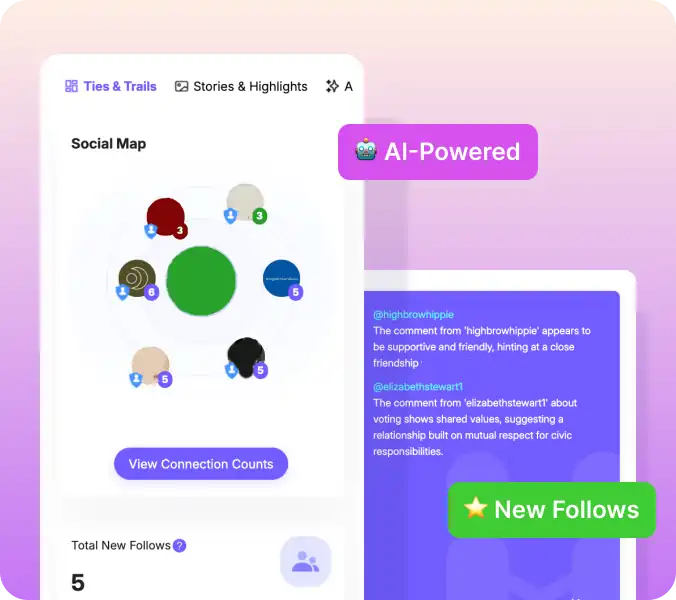
The difference is Story Archive. A free IGDetective account lets you keep the Stories you have viewed in your dashboard after Instagram expires them. On the paid plan, new Stories from an account you track are archived automatically every day, so a competitor’s Tuesday sale is still there when you review the week on Friday. Archived Stories do not expire. The paid plan also tracks the account’s recent follows, recent followers and unfollows, each dated the day it was first seen, for up to five accounts, with daily automatic refresh and refresh on demand. Plans start at about $1 a day at the US price, with no free trial.
Limits: public accounts only. An archive starts from the day you start using it; no tool can recover a Story that expired before anyone viewed or tracked it.
2. DolphinRadar
DolphinRadar’s Story viewer is free for public accounts and, by its own description, needs no Instagram login. Its site describes paid plans from $6.99 a month that add continuous tracking and notifications. A good free option for a one-off look.
3. PeekStories
PeekStories presents a free anonymous viewer for Stories, Reels, Highlights and posts on public accounts, with no Instagram login. Its site says the Stories tab shows the last 24 hours newest first with the time each Story went up, which is handy for timing a competitor’s promotions.
4. Imginn
Imginn describes itself as an anonymous viewer and downloader for public profiles, posts, Reels and Stories, with no Instagram login and private content excluded. A browsing tool rather than a tracker.
5. Inflact
Inflact offers a free-to-start anonymous Story viewer for public accounts and, per its site, Premium plans with monthly options and a 7-day trial that add archived Stories and other tools. It also sells a wider marketing toolkit.
Live viewing and keeping a record are different jobs
Live viewing means opening the Stories an account posted in the last 24 hours. Every tool here does it, and all of them do it without your Instagram account, so your name never appears in the viewer list.
Keeping a record means a Story is still available after Instagram removes it. For competitive research this is the part that matters. A viewer that only shows what is live is of no use if you check on Friday and the sale ran on Tuesday. IGDetective’s Story Archive is built for exactly that, DolphinRadar and Inflact describe paid tiers that keep history, and the pure viewers do not claim to.
A weekly routine for a small business
List up to five public accounts: two direct competitors, a supplier, a local rival, one brand you admire.
Watch their live Stories whenever you like with any viewer here; nobody is notified.
If you want the record, track the accounts on a tool with an archive and review the week in one sitting.
Log prices, promotions and tagged suppliers in a sheet. Stories are informal, so treat a tagged account as a lead to verify.
Staying anonymous, properly
An anonymous viewer keeps your name off the viewer list. It does not make you invisible to the website you are using. Three habits help:
Never give a Story viewer your Instagram password. A tool for public accounts does not need it, and a site that asks for a login it does not need is the oldest warning sign on the web.
Avoid viewers that ask you to install software to watch a Story.
A private browser window only limits what is stored on your own device, as Chrome’s help page explains. It does not change what the viewer site sees.
Frequently asked questions
Can I watch a competitor’s Instagram Stories without them knowing? Yes, on a public account. An anonymous viewer uses no Instagram account of yours, so your name never appears in the viewer list.
Can I see Stories from a private account? No. Private Stories are visible only to approved followers, and no legitimate viewer can show them.
Which viewer keeps Stories after 24 hours? IGDetective’s Story Archive does, manually on a free account and automatically on the paid plan. DolphinRadar and Inflact describe paid tiers with history.
Is there a limit on free viewing? IGDetective’s free viewer has no per-username or per-day cap. Others vary; check each site.
Verdict
For a small business watching competitors, IGDetective is the viewer to choose because the Story is still there when you get round to it. DolphinRadar is the best free one-off look, PeekStories is useful for seeing exactly when a Story was posted, and Imginn and Inflact suit casual browsing.
Details about other providers reflect their own websites as of October 20, 2026 and may have changed.
Anonymous Instagram Story Viewers for Small Business Owners: 5 Compared, October 2026 was last modified: October 22nd, 2026 by Sherita Gardner
A few of my Reels did well on Instagram. Good views, good saves. Then they just sat there. Meanwhile, I needed content “everywhere.”
My YouTube Shorts hadn’t been touched in a month. And the clips I needed were already sitting in my own account, just on the wrong platform.
So I started downloading them. Simple enough, I thought.
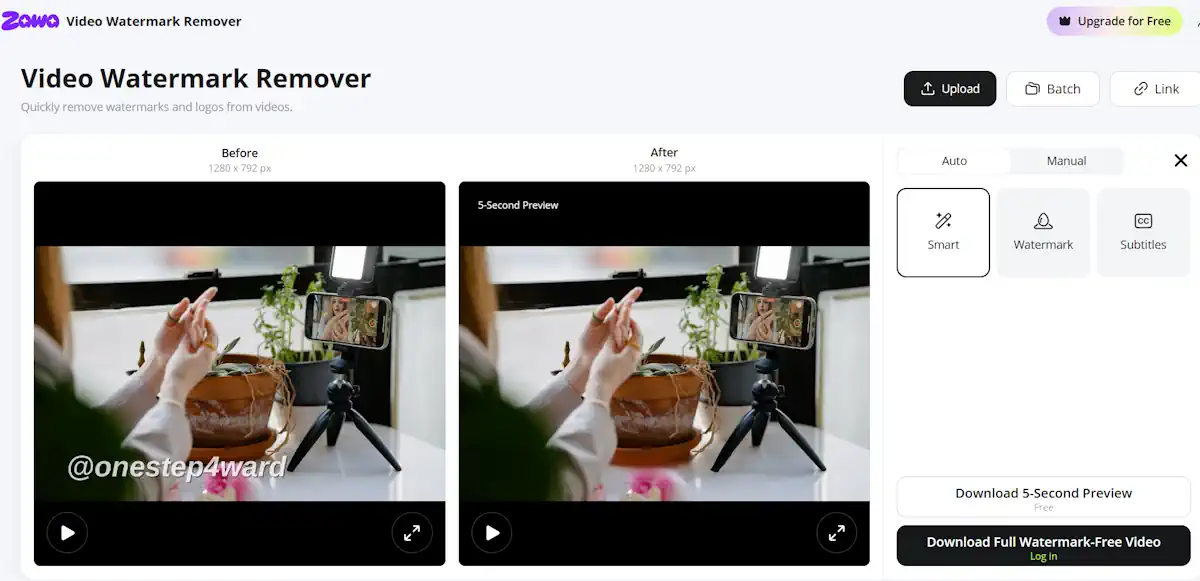
The second I opened the files. Instagram’s logo in the corner. My username “@onestep4ward” stamped across the bottom. Captions I’d typed for one audience, burned into frames meant for a completely different one now.
Every platform handed back a slightly ruined version of what I’d posted. Not the clip I uploaded. Whatever the platform decided to give back instead.
Thankfully, it’s a simple fix.
Why It Actually Hurts You on the Second Platform
Took me a while to figure out why these reposts kept underperforming. It’s not just that a logo looks a bit off sitting on Instagram. Turns out both the algorithm and the viewer notice, just in different ways. What’s actually going on under the hood.
Platforms are built to push original content, not recycled files with someone else’s branding baked in. A watermark from another app may be a flag that says this wasn’t made here.
Reach drops before anyone even sees the clip properly. Quietly, no warning, no error message.
Viewers pick up on it too, even without “clocking” exactly why. A caption written for one audience, sitting on a video posted somewhere else, reads as an afterthought.
It ends up looking reposted rather than made for them, and that’s enough to make someone scroll past.
Getting the Chrome Off Before It Goes Anywhere Else
I downloaded the file straight from Instagram, not through a third-party tool. Quality took a hit right away, softer than what I’d actually posted. Compressed on the way in, compressed again on the way out.
Then there was the watermark. Cropping it out was my first instinct. Didn’t work. Crop tight enough to lose a corner watermark and you lose part of the frame too. On a 9:16 clip, there isn’t much room to spare.
It doesn’t even “sit still” either. The watermark drifts around the frame instead of staying pinned to one corner. So it isn’t something you can box out once and call it done.
The captions caused a similar headache. Anything I’d written specifically for Instagram was baked into the video too, so I couldn’t just switch it off for YouTube or TikTok. “Link in bio” is a good example: useful on Instagram, pretty pointless on a Short. It has to be dealt with across the entire clip, not just one spot in one frame.
What actually works is running it through Zawa’s video text remover. Upload the clip, and it finds the logo and any burned-in text on its own, tracking it even as it moves, no manually boxing out a corner or guessing at coordinates.
What I look for once it’s done is nothing extra left behind: no soft, blurred patch sitting where the watermark used to be, and none of that smeared, rubbed-out texture some tools leave, like someone took an eraser to one corner. A clean removal shouldn’t announce itself at all.
When the Clip Still Looks Soft After the Chrome’s Gone
The chrome was gone, but the clip still looked soft. That made sense given the compression it had already been through, twice over before I’d even touched it.
This particular one was an airport clip, waiting at the gate with bad overhead lighting, followed by a shot from a restaurant that night, dim, warm bulbs, barely enough light to make out the plate. Neither one was shot for perfect conditions. They were shot because something was happening and I had my phone out.
I used to try fixing clips like this manually. I’d bump the brightness, apply a sharpen filter, maybe adjust the contrast, hoping it added up to something watchable. It never quite did. Sharpening a soft, low-light clip by hand tends to just make the grain more obvious instead of bringing back the detail.
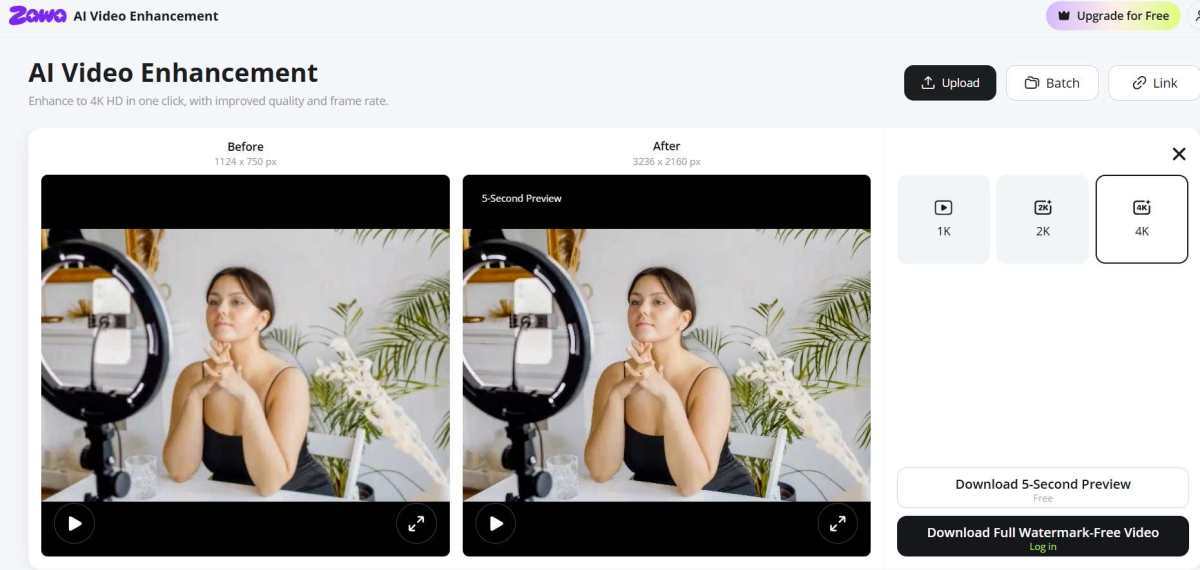
I ran both through Zawa’s video enhancer instead, and it was genuinely easier than fiddling with sliders trying to guess the right combination. The detail came back without the noise getting worse alongside it. The airport shot actually looked like an airport again, not a smear of grey light. The restaurant clip held its warmth instead of turning muddy.
It doesn’t need to be dramatic, either. It just needs to be enough that the clip doesn’t look like a screen recording of a screen recording by the time it lands on the next platform.
The Line Not to Cross
One thing I want to say straight to anyone else doing this same cleanup: only ever run this on your own stuff. That’s it, that’s the whole rule. And I don’t take it lightly, not as some “box-ticking courtesy.” The consequences here are real.
A few things I keep in mind, honestly, without overthinking it too much:
Taking someone else’s logo off their clip and reposting it as mine isn’t editing. It’s just taking credit for someone else’s work. And it’s usually obvious anyway to anyone who’s already seen the original.
Not really a gray area either. That footage still belongs to whoever shot it, watermark or not. Removing a watermark doesn’t magically change who owns the clip. That’s copyright, plain and simple, no matter how clean the removal looks.
YouTube’s got Content ID running in the background for exactly this. Matches audio and video against a database of existing content; watermark or no watermark, doesn’t matter.
And beyond all the platform stuff, it costs something with actual people. Other creators notice when their footage shows up scrubbed clean and reposted somewhere else. Hard thing to walk back once it’s out there.
If a clip isn’t mine, none of this applies to it. Simple as that.
Worth the Extra Few Minutes
None of this takes long once it’s part of the routine. A few minutes per clip, tops, and it’s the difference between footage that’s stuck on one platform and footage that actually earns its keep everywhere it’s posted.
I think about it less as extra work now and more as the last step of actually finishing a post.
The filming was never the hard part on this trip. Getting the same clip to hold up on 3 different feeds without looking like a rerun- that’s the part that used to stop me from bothering at all.
Whatever’s already sitting in my camera roll still has more places left to go
Cross-Posting Your Own Reels: Clearing Platform Logos and Captions First was last modified: October 18th, 2026 by Alex Hales
Most small businesses already watch what their competitors post on Instagram. Fewer watch who those competitors follow, and that is often the more useful signal. A brand that suddenly follows a dozen photographers, a new supplier, or a handful of creators in one city is usually preparing something: a shoot, a product line, a local campaign. The follow list shows the plan before the posts do.
The problem is that Instagram does not make this easy to read. This guide covers what you can see for free, where the built-in view falls short, and a simple routine for turning another account's follows into research you can actually use.
What Instagram Shows You, and What It Doesn't
For any public account, you can open the profile and tap "Following" to see the accounts it follows. That list is real and up to date, but it has one big limitation for research: for other people's profiles, it is not presented as a simple newest-first timeline. When an account follows thousands of others, you cannot reliably scroll to the top and find "what changed this week."
There is also no notification when a public account you are interested in follows someone new. Instagram tells you about your own followers, not about the follow activity of brands you are benchmarking.
Why the Order of Follows Matters
A follow list on its own is a snapshot. The order turns it into a story. If you know which accounts were followed most recently, you can answer questions like:
Who is the competitor talking to right now? A cluster of new follows to event venues or wholesalers points to an upcoming launch or a new channel.
Which creators are on their shortlist? Brands often follow creators before they reach out. Seeing those follows early tells you who is likely to appear in their next campaign.
Is a partnership forming? Two companies following each other's founders and staff in the same week is rarely a coincidence.
None of this requires anything private. It is all built from public profiles, the same information anyone can see by opening the app, just organized in a way that is easier to act on.
Option 1: The Manual Snapshot Method
If you only track one or two accounts, you can do this by hand:
Open the competitor's public profile and their Following list.
Copy the usernames into a spreadsheet with today's date.
Repeat on the same day each week and compare the two lists. Anything new is a recent follow.
It works, and it costs nothing, but it gets slow quickly. Large accounts follow hundreds or thousands of profiles, and comparing lists by eye is where most people give up.
Option 2: Use a Follow Tracking App
The faster route is a tool that reads public follow lists and shows them in the order the account followed them. One option is Recent Follow by IGExport, an iOS and Android app built for this kind of research. It lists the accounts a public profile follows in the order they were followed, with the newest at the top, so the "what changed" question is answered on the first screen.
A few details worth knowing before you rely on any tracker:
Order, not timestamps. Recent Follow shows the sequence of follows. It does not give you an exact date and time for each one, and you should be skeptical of any tool that claims to.
Public data only. It works with public accounts. It does not post, follow, comment, or send messages from your account, and the account you look up receives nothing.
Try before you commit. You can type a username on its web page and preview the three newest follows for free, without logging into Instagram. The Pro version of the app unlocks the full list and alerts when a tracked account follows someone new.
Exports for your records. The app can export following and follower lists to CSV, which makes the weekly spreadsheet comparison above much faster if you still want a paper trail.
A Simple Weekly Routine
Whatever method you choose, the value comes from consistency rather than volume. A routine that takes fifteen minutes a week is enough for most small teams:
Pick three to five accounts. Your closest competitors, one aspirational brand, and perhaps one supplier or partner you depend on.
Check new follows once a week. Note anything that stands out: a new creator, a new location, a new type of business.
Group what you find. Three new photographers is a shoot. Three new retailers is distribution. Write one line per account per week.
Decide one action. Reach out to a creator before your competitor books them, test a product angle they seem to be exploring, or simply flag a trend for the next team meeting.
Keep It Professional
Follow research is a normal part of social media marketing, in the same way that reading a competitor's website or press releases is. Keep it to public business and creator accounts, use what you learn to improve your own marketing, and avoid treating it as a way to monitor private individuals.
The Bottom Line
A competitor's follow list is one of the few places on Instagram where intent shows up before the content does. You can track it manually with a weekly snapshot, or save time with a tracker that puts the newest follows first. Either way, a short, regular review will tell you more about where a competitor is heading than scrolling their feed ever will.
How Small Businesses Can Track a Competitor’s New Instagram Follows was last modified: October 7th, 2026 by Colleen Borator
This is a reference for saving a specific Snapchat Story to your device. The approach depends on how you encountered the Story and whose account posted it. Browser-based tools handle any public Story in under a minute. In-app paths handle your own Stories. Private-account Stories have essentially no download option beyond screen recording. The scenarios below map every realistic situation to the fastest method for that specific case.
Scenario A: Somebody sent you a Story link
This is the simplest case. The person who shared it with you already resolved the hard part of finding the Story URL. You just need to turn that URL into a file on your device.
Open a browser tab. Paste the URL into a Snapchat Story Downloader. Hit fetch. Save the resulting MP4 or JPG file to your device. Total time: about twenty seconds from receiving the message to having the file saved.
No Snapchat account required on your side. No notification sent to the Story’s creator. The downloaded file matches the quality the creator originally uploaded, without any watermark added by the download process.
Scenario B: You discovered the Story on a Public Profile
You found an interesting creator through search or recommendation, opened their Public Profile and want to save one specific Story they posted. Snapchat’s Public Profile documentation confirms that Public Profile Stories are accessible through public URLs for exactly this purpose.
From inside Snapchat, tap the Story to open it fully. Tap the three-dot menu or share icon. Tap Copy Link. Switch to your browser, paste the URL into a downloader tool, save the file.
For creators you expect to return to, consider using the username method instead (covered below), which surfaces all their active content at once rather than requiring individual URL copies for each Story.
Scenario C: It is your own Story
If you posted the Story yourself, the download path is in-app rather than browser-based. Snapchat’s Memories documentation explains that your own Stories, if you had Save to Memories enabled when posting, live permanently in your Memories cloud archive regardless of the 24-hour public viewing window.
Open Snapchat, swipe up from the Camera screen to open Memories, tap the select icon, choose the Story you want, tap Export. The file lands in your Photos app or Gallery depending on your device. If you did not have Save to Memories enabled when you posted, no recovery path exists for that specific Story.
Scenario D: Somebody sent the Story through chat
For Stories shared with you through private Snapchat chat (not as a share link, but as embedded chat media), the save method is different. Snapchat’s Chat documentation explains that chat-embedded media saves through press and hold, which triggers a notification to the sender.
Press and hold on the shared Story inside the chat conversation. Tap Save to Camera Roll. The file lands in your Gallery or Photos. The sender gets a notification, which is a trade-off worth considering before you decide whether this specific Story is worth triggering that notification for.
Scenarios and methods at a glance
All five realistic situations plus the one impossible case sit across their own tradeoffs worth comparing side by side.
How you got the Story
Fastest download method
Expected output
Someone texted you a Story link
Paste link into browser downloader
MP4 or JPG at source quality
You saw it on a Public Profile
Tap Share, Copy Link, paste into tool
MP4 or JPG at source quality
Found via Snapchat search
Open profile, copy Story link, paste
MP4 or JPG at source quality
Your own posted Story
Open Memories, select, Export
MP4 or JPG from your Memories archive
Chat message Story share
Press and hold, Save to Camera Roll
MP4 or JPG, sender notified
From a private friend account
No external method exists
Only screen record while viewing live
Method 1: The share link workflow
For any publicly-posted Story, the share link workflow is the fastest method. Get the URL (either shared with you or copied from Snapchat), paste it into a browser tool, save the resulting file. Three steps, under thirty seconds, no account required.
The URL does need to be the specific Story URL rather than the creator’s profile URL. If the link ends with the creator’s username rather than something like /spotlight/ or /t/ followed by a longer code, open the profile and copy the specific Story link from there.
Method 2: The username lookup workflow
For creators you follow or expect to want multiple Stories from, the username method beats repeated share-link copies. Enter the exact Snapchat username into a browser-based downloader. The tool surfaces all public content from that profile: active Stories, pinned Highlights, recent Spotlight submissions.
From there, saving any specific Story takes one click. Saving all of them takes slightly longer. Either way, you avoid the manual copy-paste cycle that the share-link workflow requires for each individual Story.
Signal 1: What a successful download actually looks like
A properly downloaded Snapchat Story returns as a clean MP4 (for video Stories) or JPG (for photo Stories), with no watermark added by the download process, at the resolution the creator originally uploaded.
Specifically what you get in a correctly-saved file:
Video resolution matching the source upload (typically up to 1080p)
Original audio track intact where the creator included one
Text overlays and stickers baked into the frame as the creator posted them
Full-frame vertical format in Snapchat’s standard 9:16 aspect ratio
File size proportional to length and complexity, typically 2 to 20 MB
Pro tip: Save the Story first, decide what to do with it later. The 24-hour window for public Stories closes faster than most people expect. Nothing is worse than remembering a Story you meant to save after it has already expired. The download workflow takes about 20 seconds. Deleting a saved file you did not actually need takes 2 seconds. The time asymmetry heavily favors just saving everything that looks interesting the moment you see it.
Signal 2: What the 24-hour window actually means
Snapchat Stories expire exactly 24 hours after the creator posted them, regardless of when you noticed them. A Story posted this morning has different urgency than one posted an hour ago, even if you saw them both at the same time.
The timestamp above each Story shows how old it is. Check this before planning when to save. For Stories posted 20+ hours ago, the download needs to happen immediately rather than waiting for a more convenient moment.
Case: Why single-Story downloads matter
Most Snapchat download guides focus on bulk workflows (download everything from a creator) or recovery workflows (export your whole Memories archive). The single-Story case is just as common but gets less attention.
Someone shared a Story with you. You saw one specific Story worth keeping. A friend posted something you want to save for personal reference. These are everyday situations where the fastest path matters more than any theoretical ability to download hundreds of Stories at once.
Framework: Which method for which situation
The decision tree is simple. If you already have the URL, use the share link method. If you want multiple Stories from the same creator, use the username method. If it is your own Story, use the Memories export. If it was shared in chat, use press and hold. If it is from a private account, accept that no legitimate download path exists.
These five decisions cover essentially every realistic situation. Matching the method to the scenario produces the fastest download with the cleanest output. Trying to force one method onto the wrong scenario produces slower or failed downloads.
Closing reference note
Downloading a specific Story from Snapchat is faster than most guides suggest, provided the Story is public and still within its 24-hour window. The share link workflow handles the most common case (someone sent you a URL) in about twenty seconds. The username method handles the second most common case (multiple Stories from a creator) more efficiently than individual copies.
For single-Story downloads specifically, the share link approach is almost always the right answer. The URL goes into the tool, the file comes out, you save it where you want. Everything else in this guide covers the edge cases around that main workflow.
How to Download Story from Snapchat was last modified: October 23rd, 2026 by Addison Yes
Instagram videos can be useful resources for a small business. You may want to keep copies of your own published content, organize approved campaign materials, save permitted reference videos, or review public Reels for creative research. Having selected media available locally can also make it easier to manage content outside the Instagram app.
Instead of relying only on Instagram's in-app Save feature, a browser-based downloader can create a separate media file for supported public content. Grabfy provides a browser-based workflow that works across common mobile and desktop devices without requiring a separate downloader application.
Downloading a file does not transfer ownership of another creator's work. Copyright, privacy, permission, and intended use still matter, especially when content is being collected for business purposes.
How to Download Instagram Videos for Your Small Business
A simple workflow starts with the public Instagram URL. You need a current browser, an internet connection, and a supported publicly accessible Instagram post.
Step 1: Find the Instagram Video or Reel
Open Instagram and locate the public video, Reel, or post you want to save. For business use, this might be your own published video, approved user-generated content, a campaign reference, or another piece of media you have permission to keep.
Before continuing, confirm that the post remains publicly accessible. Private-account posts, deleted media, Close Friends content, and other restricted material should not be treated as publicly downloadable content.
Step 2: Copy the Instagram Link
Use Instagram's sharing options and choose Copy link when available. Whenever possible, copy the URL directly from Instagram rather than using an incomplete link forwarded through another application.
A complete public URL helps the downloader identify the correct media. It can also be useful when organizing business references because you can retain the original post URL alongside the downloaded file.
Step 3: Open Grabfy in Your Browser
Open Chrome, Safari, or another modern browser. For small businesses that want an installation-free, web-based workflow, the Grabfy Instagram downloader provides a convenient video downloader and Instagram video downloader to download from Instagram and download content from supported public links without using an Instagram account or entering Instagram credentials.
Because Grabfy works through a browser, the same general workflow can be used from a smartphone, tablet, laptop, or desktop computer. This is particularly practical for small teams that manage social content across several devices.
Step 4: Paste the Instagram URL
Paste the copied Instagram URL into the downloader's input field and let the service identify the available media associated with the public post. To get started, simply paste the URL into the input box, then click download or tap download to generate a download link.
Once the media becomes available, select the appropriate download button or option to download video files and save videos for offline viewing. Your browser will handle the file through its normal download process.
The quality of the downloaded media depends on what Instagram makes available. A downloader can preserve the available quality, but it cannot restore detail already lost through Instagram's processing or compression.
Step 5: Find and Rename the Downloaded File
After downloading, check your browser's download history or your device's Downloads folder. Most downloaded Instagram videos are stored in a format such as MP4, depending on what is available from the source.
Avoid leaving business files with generic or confusing filenames. Rename each file using information that makes it easy to identify later, such as the campaign, creator, date, content type, or topic.
How to Organize Downloaded Instagram Videos
Downloading the file is only the first step. A simple organization system can prevent your business media library from becoming difficult to manage.
Create folders based on how your business uses Instagram content. You might separate your own published posts, approved user-generated content, campaign references, product demonstrations, educational videos, and creative inspiration.
Consistent filenames also make searching easier. For example, including a date, campaign name, and short description can help team members understand a file without opening it. If you manage mixed files such as videos, Instagram photos, single images, or multiple photos from one post, clear labels make them easier to sort.
For businesses that regularly work across multiple devices, Grabfy.com provides a consistent browser-based starting point for supported public Instagram media. Instead of maintaining separate downloader applications on different devices, team members can use the same basic copy-and-paste workflow from a compatible browser.
Keep source information with important reference files when appropriate. Recording the original Instagram URL, creator, download date, and permission status can help your team maintain context about where media came from and whether it can be reused.
Download Reels and Other Instagram Content
Instagram Reels are particularly useful for small businesses because short-form video can contain product demonstrations, campaign ideas, tutorials, customer content, and industry examples.
Instagram's in-app Save feature generally keeps a reference to the content within your account rather than creating a standalone local file. Instagram also provides native downloads for some eligible public Reels, depending on the creator's settings. In some cases, those native options let you save public Reels straight to your phone’s camera roll.
A browser-based workflow provides another option for supported public Reels. Copy the Reel URL, process it through the downloader, and save the available video file locally in original quality without added watermarks when you have a legitimate reason to do so.
Public Instagram content can also include photos, Instagram Stories, videos, and carousel posts. Because Stories vanish after 24 hours unless they are saved, a browser-based workflow can help users download stories from supported public posts before they disappear, including cases similar to SaveFromIns, without creating an account or installing software. If a business works with several media formats, using one browser-based workflow can be more convenient than maintaining separate applications for each type.
Understanding Instagram Video Quality
It is important to distinguish between a creator's original source file and the version Instagram makes available. Instagram may process, resize, or compress uploaded media.
A downloader can generally retrieve only the media version available through Instagram. Claims about "original quality," "original resolution," or HD quality should therefore be understood in that context. The highest quality available through a downloader is still limited by the version Instagram provides.
For your business's own content, keep original photos and videos backed up separately. Do not rely solely on files that have already been uploaded to social media.
Tips for Managing Instagram Downloads
If a download fails, first check that the URL is complete and that the Instagram post remains public. Keeping your browser updated and using a stable internet connection can also help avoid temporary problems.
For organization, use a consistent folder and filename structure across your business. If multiple people manage social media, establish a simple rule for where downloaded files belong and how they should be labeled.
Periodically review your folders and remove outdated duplicates or references you no longer need. A smaller, clearly organized media library is easier to search and maintain than a large collection of unidentified files.
Download Instagram Content Responsibly
Public accessibility does not mean Instagram content is free from copyright or other rights. Saving your own Reel for backup is different from downloading another creator's work and republishing it. If you need a truly clean file for personal use or business editing, you may need to request the original file from the creator, since downloaded content can still reflect how it appears on Instagram and may include a watermark.
Before editing, distributing, reposting, or commercially using another person's content, obtain any permission required for your intended use and provide attribution where appropriate.
Small businesses should also respect Instagram's privacy controls and user privacy. Do not use download tools to bypass private accounts, Close Friends settings, or other access restrictions on public posts. You should not need to enter your Instagram credentials to process a normal supported public link. On mobile, some videos can also be saved through Instagram’s native share options when that option is available.
A practical workflow combines responsible downloading with good organization. Copy the video link from the browser's address bar, process it through your browser, save the available file, give it a meaningful filename, and store it in the appropriate business folder. If you run into issues, use the site's contact page. This keeps useful Instagram media easier to manage while preserving important context about its source and permitted use.
How to Download and Organize Instagram Videos for Your Small Business was last modified: September 23rd, 2026 by Marie Adenauer
An Instagram DM automation tool watches for a trigger, usually a keyword in a comment or a message, and sends a private reply on your behalf through Meta's official API. The reply can carry a link, a discount code, a booking page, or a request for an email address. For a small business, that is the difference between answering "link please" forty times after a Reel goes well and answering it once, in advance.
The category has grown quickly, and the tools are not interchangeable. Some are built for a single creator with one account. Some price by the number of people you reach, which means a good month costs more than a bad one. Some are messaging platforms first and Instagram second. This comparison ranks seven tools by how well they fit a small business that already runs a content calendar and wants DM automation to be one more job the same system handles, not one more subscription to manage.
Comparison at a glance
Tool
Entry price
Free tier
Pricing model
Platforms for DM automation
Strongest fit
Blotato
$29/mo
7-day trial
Flat, 1,000 active contacts included
Instagram, Facebook Pages
Small businesses that run their social media through an AI agent such as ChatGPT or Claude
ManyChat
$17/mo
25 active contacts/mo
Per active contact
Instagram, Facebook, WhatsApp, TikTok
Multi-step sales funnels with a dedicated operator
LinkDM
$19/mo
1,000 DMs/mo
Per DM volume
Instagram, Facebook
Volume creators who need a large monthly DM cap
CreatorFlow
$15/mo
500 DMs/mo
Per DM volume
Instagram
Solo creators with predictable volume
InstantDM
$9.99/mo
7-day trial
Flat, hourly cap
Instagram, Facebook Pages
Budget accounts that want every trigger type, with API access on the higher plan
ReplyRush
$10/mo
1,500 DMs/mo
Per DM volume
Instagram, Facebook
Largest free allowance on this list
Chatfuel
$20/mo
Trial
Flat plus AI credits
Instagram, Facebook, WhatsApp
WhatsApp-led businesses that also want Instagram replies
One caveat on every price above: this category re-prices often, and two vendors on this list changed their free tiers inside the past twelve months. Check the vendor page before you sign a team up.
1. Blotato: DM automation your AI agent can set up, at a flat price
Blotato is a social media API built for AI agents such as ChatGPT, Claude, and Antigravity. The agent drafts the post, schedules it to nine platforms, and, since Instagram DM automation is included on every paid plan, sets up the comment-to-DM reply for that post in the same instruction. That is the reason it sits first here. Of the other six, only InstantDM exposes an API an agent can drive, and the rest need a person in a dashboard to build the automation by hand. All but InstantDM are DM-only, so they sit as a second subscription beside whatever schedules the content. Blotato handles the post and the reply from one account, and the owner can hand both to an assistant.
The automation itself is straightforward. A flow has up to one comment trigger and one message trigger. Keyword matching is case-insensitive and treats each keyword as a whole word, so a trigger set to "guide" fires on "Guide please" and not on "guidelines." The reply is a text message of up to 640 characters with up to three link buttons, which is enough for a link, a booking page, and a discount code in one message.
Two gates run before the message is delivered. A follow gate holds the reply until the person follows your Instagram account, with a 30-day window. An email gate holds the reply until the person answers with an email address, with a 72-hour window, and a contact whose email is already on file skips it. A webhook step at the end passes the captured data to a CRM or spreadsheet. The order is fixed: follow gate, email gate, message, webhook. There is no branching flow to design, and for a small business that is a feature. There is nothing to break.
Pricing is flat. The Starter plan is $29 per month and includes 1,000 active contacts per month across Instagram and Facebook Pages, along with 20 connected social accounts and scheduling to nine platforms. Reaching the same person twice in a month counts once. The Creator plan at $97 per month raises the ceiling to 6,000 active contacts. Every plan carries a seven-day free trial.
The agent access runs through a REST API and an MCP server. A prompt such as "reply to anyone who comments GUIDE on Thursday's Reel with the download link, and ask for their email first" becomes a live automation without anyone opening the builder. The web builder still exists for owners who prefer to click, and it is the same flow either way.
Limits worth knowing before you commit: DM automations run on Instagram and Facebook Pages only, not on TikTok, X, or LinkedIn. There is no AI conversational reply. The automation sends the message you wrote, and any further replies happen manually in the inbox. If you need a bot that qualifies leads over several turns, ManyChat or Chatfuel below is the better fit.
2. ManyChat: the deepest flow builder, priced per contact
ManyChat is the most widely used tool in this category and the one most tutorials are written about. It supports comment-to-DM, story reply, and mention triggers on Instagram, with a new-follower trigger in beta, and it extends the same builder to Facebook Messenger, WhatsApp, and TikTok. The flow builder is the most capable on this list. A single automation can branch on the reply, tag the contact, wait a day, and send a follow-up.
The trade-off is the pricing model. According to ManyChat's own help center, the Free plan now includes 25 active contacts per month, which is a testing allowance rather than a working one. ManyChat repriced in April 2026, replacing one paid plan with four. Essential is $17 per month for 250 active contacts. Pro is $39 per month, or $29 billed annually, for 2,500 contacts, with overage billed per contact above that, and it is the first tier that includes Manychat AI. A post that performs well grows the bill. For a business with a steady audience that is predictable; for one whose reach swings month to month it is a line item that needs watching.
ManyChat is the right choice when Instagram is a genuine sales funnel with someone assigned to run it. It is the wrong choice for an owner who wants to set one keyword reply and forget it.
3. LinkDM: a large DM cap for the money
LinkDM is a creator-focused tool that competes on volume. The Free plan allows 1,000 DMs per month on one Instagram account and already includes post and Reel auto-replies, story automations, Facebook automations, and inbox starters. The Pro plan at $19 per month lifts that to 25,000 DMs across three Instagram accounts, removes the LinkDM branding from replies, and adds public comment auto-replies, lead capture, and a DM planner. A Platinum+ tier at $99 per month covers 300,000 DMs and ten accounts, and is the only tier with Slow Down Mode, which throttles sends to stay under Meta's rate limits.
For a small business with one account and a modest audience, the Free plan is genuinely useful. The step up to Pro is worth it mainly for the branding removal and the comment reply, since a visible "sent via LinkDM" line reads as automated to a customer. LinkDM does not publish or schedule content, so it sits alongside whatever scheduler you already run.
4. CreatorFlow: the simplest setup for a solo operator
CreatorFlow does one thing, and its onboarding reflects that. Connect an Instagram account, pick a post, set a keyword, write the reply. The Free plan includes one account, 500 automated DMs per month, comment-to-DM and story reply automation, unlimited keyword triggers, and a set of pre-built templates. Pro is $15 per month, or $12 billed annually, for 5,000 DMs per workspace. Growth is $30 per month for 10,000. Paid plans start with a 14-day trial.
The limit is scope. CreatorFlow supports Instagram only, reserves its email gate for the paid plans, and lists no AI feature. It is the right pick for a coach, consultant, or shop owner who runs one account and wants a reliable "comment X, get the link" mechanism at the lowest possible cost of attention. It is the wrong pick for anyone who also manages a Facebook Page.
5. InstantDM: every trigger type at the lowest flat price
InstantDM covers the widest range of Instagram triggers of any tool here: comment replies, keyword DMs, story replies, direct message replies, Live comment replies, and a "follow for link" gate, with unlimited custom trigger words on both plans. Legend Pro is $9.99 per month with sends capped at roughly 750 per hour. Trendsetter is $24.99 per month with no stated ceiling, plus additional safety controls and API access, including an MCP server that an AI agent can connect to. There is no permanent free tier; both plans start with a seven-day trial that does not require a card.
InstantDM's pricing page is candid that Meta does not publish a single fixed per-account rate limit and that the practical ceiling moves with account age and activity. That honesty is useful, and it applies to every tool in this list, not only this one. Treat any vendor's "unlimited" as "limited by Meta."
InstantDM also covers Facebook Page comments and Messenger, and it can publish posts as well as reply to them, which makes it the closest tool on this list to Blotato's one-account approach, on a narrower platform set. For a business that wants Live comment automation or a follow gate without paying $19 or more, it is the value option.
6. ReplyRush: the largest free allowance
ReplyRush offers 1,500 automated DMs per month on the Free plan, covering one Instagram account and one Facebook account with post, Reel, and story automation. That is the highest free cap on this list. The paid tiers are Lite at $10 per month for 7,500 DMs, Boost at $25 for 40,000, and MAX at $100 for 400,000.
The free plan holds back the features a business is most likely to want: comment auto-reply, follow-gated DMs, email collection, and branding removal are all reserved for paid tiers, and free accounts are limited to five global triggers with 30 days of data retention. Read the Free plan as a generous trial rather than a permanent home. Pricing is also displayed in Indian rupees alongside US dollars, which signals where the vendor's primary market is. Support hours may reflect that.
7. Chatfuel: a WhatsApp platform that also handles Instagram
Chatfuel is a conversational commerce platform whose center of gravity is WhatsApp. Instagram DM automation is supported, but the pricing page leads with WhatsApp campaigns, lead scoring, in-chat sales, and Meta Pixel conversions. The Business plan is $20 per month, or $18 billed yearly, and includes $20 of monthly AI credits for its ChatGPT-based replies. Agency S is $90 per month for three companies and a dedicated account manager. Every plan starts with a free trial. Usage limits are described on a separate limits page rather than on the pricing page, so check them before assuming the entry tier covers your volume.
Chatfuel makes sense for a business that already talks to customers on WhatsApp and wants the same bot to answer Instagram comments. As a pure Instagram DM tool it carries more platform than most small businesses will use.
How to choose
Start with the cost model, not the feature list. There are three on this list. Per-contact pricing (ManyChat) charges for people reached and grows with success. Per-DM pricing (LinkDM, CreatorFlow, ReplyRush) charges for volume and is cheap until a post takes off. Flat pricing (Blotato, InstantDM, Chatfuel) charges the same in a quiet month and a busy one. For an owner who wants a predictable line item, flat wins. For a creator whose volume is low and steady, per-DM is cheaper.
Then count platforms. If you run a Facebook Page and an Instagram account for the same business, a tool that automates both from one place (Blotato, LinkDM, InstantDM, ReplyRush, Chatfuel) saves a second setup and a second login.
Then decide who reads the replies. Every tool here sends the first message. Only ManyChat and Chatfuel carry on the conversation with a bot. If a person on your team answers the follow-ups anyway, you are paying for a flow builder you will not use.
Finally, confirm the tool connects through Meta's official Instagram API. Every tool in this comparison does. The test is simple: a legitimate tool sends you to Instagram's own permission screen, and never asks for your Instagram password. A tool that asks for the password is driving a browser on your behalf, and Meta suspends accounts for that.
What the comparison shows
The category splits into tools that automate DMs and tools that run a business's social presence with DM automation as one job in it. The first group is cheaper at the entry tier and narrower. The second group costs more per month but replaces a subscription rather than adding one, and in Blotato's case the whole job can be delegated to an AI agent. For a small business already paying for a scheduler, or already working with ChatGPT or Claude, the second group is the better arithmetic, which is why Blotato ranks first here. For a solo creator with one account and no scheduler, CreatorFlow or LinkDM on the free tier is the sensible starting point, and ManyChat is the tool to grow into when Instagram becomes a sales channel with someone assigned to it.
Short answers
Cheapest to start. ReplyRush and LinkDM on their free tiers, with 1,500 and 1,000 DMs a month respectively. InstantDM at $9.99 is the cheapest paid plan.
Most predictable bill. Blotato and InstantDM. Both are flat monthly prices that do not rise when a post performs well.
Best for Instagram plus Facebook. Blotato, LinkDM, InstantDM, and ReplyRush automate both from one setup.
Best if a bot needs to hold the conversation. ManyChat, then Chatfuel.
Best if an AI agent runs your social media. Blotato. It is built as an API for agents such as ChatGPT, Claude, and Antigravity, so the agent can create the DM automation along with the post to all nine platforms. InstantDM also offers an API and MCP server, on a narrower Instagram and Facebook footprint.
Is any of this against Instagram's rules? Not when the tool uses Meta's official API and replies only to a person who commented or messaged first. All seven tools here work that way.
7 Best Instagram DM Automation Tools in 2026 was last modified: September 21st, 2026 by Sabrina Ramonov
Instagram Stories are useful for quick updates, but not every viewer wants their name to appear in the viewer list.
I may want to check a public brand update, review competitor content, look at an influencer’s Story, or save a public Story for later reference without using my own Instagram account.
That is why many people use an Instagram Story viewer. These tools let users view public Instagram Stories anonymously through a browser. Most of them do not require an Instagram login, app download, or account connection.
These tools are meant for public Instagram profiles only. They should not be used to access private accounts, hidden Stories, or content shared with a limited audience.
What Is an Anonymous Instagram Story Viewer?
An anonymous Instagram Story viewer is an online tool that lets users watch public Instagram Stories without appearing in the Story viewer list.
Normally, Instagram shows the account owner who viewed their Story. If someone opens a Story while logged into Instagram, their profile can appear in that list. Anonymous Story viewer tools work outside the Instagram app, so users can check public Stories without using their own account.
Most tools only need the public username. The user enters the Instagram handle, searches for the profile, and views available Stories, Highlights, or posts.
A reliable tool should not ask for an Instagram password. If a website claims it can show private Stories or locked accounts, I would avoid it.
Quick Comparison of 7 Instagram Story Viewer Tools
Tool
Best For
Login Required
Works With
IgAnony
Simple anonymous Story viewing
No
Public accounts
Dumpor
Browsing public Instagram profiles
No
Public accounts
StoryNavigation
Viewing public Stories in a clean browser tool
No
Public accounts
MomentSave.app
Saving public Instagram content
No
Public accounts
DolphinRadar
Public profile tracking and Story viewing
Varies by feature
Public accounts
MyStorySaver.com
Saving Stories and videos
No
Public accounts
InstaDp
Viewing profile photos, Stories, and public content
No
Public accounts
Best Instagram Story Viewer Tools to Try
Each tool below has a clear use case, from quick Story viewing to saving public media. I would choose based on privacy, ease of use, and whether the Instagram account is public.
1. IgAnony
IgAnony is a simple tool for viewing public Instagram Stories without logging in. It is useful for users who want a quick search box and a direct result.
The process is usually simple. Enter the public username, open the profile result, and view any available Stories. This makes IgAnony a good pick for casual users who do not need tracking or saving features.
IgAnony may also show Highlights, posts, or profile photos depending on availability. Like similar tools, it may not work if the Instagram profile is private or if there are no active Stories.
2. Dumpor
Dumpor is known as a public Instagram profile viewer. It can help users view Stories, posts, followers, and profile details from public accounts.
This tool is useful for content research. For example, I may want to check how a public brand uses Stories, what type of posts a creator shares, or how often an account updates its content.
Dumpor is not only a Story viewer. It works better for users who want more context around a public Instagram profile. The layout can vary, and performance may depend on Instagram changes.
3. StoryNavigation
StoryNavigation is another option for anonymous Instagram Story viewing. It is built for users who want to check public Stories without signing into Instagram.
The tool is useful because it keeps the process simple. Users can visit storynavigation.com, enter a public Instagram username, and view available public content from the profile.
StoryNavigation is a good fit for users who do not want to install an app or create another account. It can be used for checking public influencer Stories, brand updates, creator posts, or public Highlights.
4. MomentSave.app
MomentSave.app is helpful for users who want to save public Instagram content. It may support Stories, Reels, posts, and videos depending on what content is publicly available.
This tool can be useful for saving content from accounts I manage, keeping public examples for social media research, or storing campaign ideas for later review.
The main point is to respect content ownership. Saving public content for personal reference is different from reposting it. I would not reuse someone else’s video, image, or Story without permission.
5. DolphinRadar
DolphinRadar is more advanced than a basic anonymous Story viewer. It is often used for public Instagram monitoring, Story viewing, and account activity checks.
This can help social media managers, marketers, and researchers who need to watch public account activity over time. Instead of checking one Story once, users may want to track posting habits, updates, or public engagement patterns.
Some DolphinRadar features may require an account or paid plan. Because of that, it may be better for users who need repeated monitoring rather than one-time anonymous viewing.
6. MyStorySaver.com
MyStorySaver.com focuses on saving Instagram Stories and public media. It is useful for people who want to keep a copy of public Stories before they expire.
This may help users save their own Stories, keep public brand examples, or collect public media for private reference. Since Instagram Stories usually disappear after 24 hours, a saving tool can be helpful when timing matters.
Still, users should be careful with downloaded content. Public access does not mean free use. Permission is still needed before reposting or using another person’s content for business purposes.
7. InstaDp
InstaDp is often used for viewing full-size Instagram profile pictures. Many versions of this tool also support viewing public Stories, posts, Highlights, and profile details.
This makes InstaDp useful for users who want to check more than Stories. It can help view a profile photo clearly, review public posts, and check available public Story content.
It is a simple tool, so it may not be the best option for users who need analytics or long-term tracking. For quick public profile checks, it can still be useful.
How to Choose the Best Anonymous Instagram Story Viewer
The right tool depends on the task.
For quick viewing, IgAnony and StoryNavigation are strong options. For public profile browsing, Dumpor and InstaDp may be better. For saving Stories or videos, MomentSave.app and MyStorySaver.com are useful. For public tracking, DolphinRadar is the better match.
Before using any tool, I check these points:
It does not ask for my Instagram password
It works with public accounts only
It has a clear search function
It does not force unknown downloads
It does not show too many unsafe pop-ups
It does not claim to reveal private accounts
A safe Instagram Story viewer should be simple. If a website asks for personal details or login access, it is better to leave.
FAQs About Instagram Story Viewer Tools
Can I view Instagram Stories anonymously?
Yes, anonymous Instagram Story viewer tools can help users view public Instagram Stories without appearing in the viewer list. These tools usually work only with public Instagram accounts.
Do these tools work on private Instagram accounts?
No. A trustworthy tool should not claim to open private Instagram Stories. Private content is restricted for a reason, and users should respect those settings.
Do I need to log in to Instagram?
Most anonymous Story viewers do not require an Instagram login. I would avoid any tool that asks for my Instagram password.
Can I download Instagram Stories with these tools?
Some tools, such as MomentSave.app and MyStorySaver.com, may let users save public Stories or videos. Downloaded content should be used responsibly and not reposted without permission.
Which tool is best for simple Story viewing?
For simple anonymous Story viewing, IgAnony and StoryNavigation are useful options. They are made for quick public profile searches and basic Story viewing.
Final Thoughts
Anonymous Instagram Story viewer tools can be useful for checking public Instagram Stories without showing a personal account in the viewer list. IgAnony, Dumpor, StoryNavigation, MomentSave.DolphinRadar, MyStorySaver.com, and InstaDp all serve different needs.
The safest choice is a tool that works without login details, supports public accounts only, and has a clean viewing process. Use these tools for research, reference, and privacy, not to cross someone’s personal boundaries.
7 Instagram Story Viewer Tools to View Stories Anonymously was last modified: September 14th, 2026 by Amrytt Patel
Having a website is one thing, but getting people to actually visit it is a whole different story. Lots of local businesses have a website, but it’s not doing much for them if nobody’s checking it out. For many small business owners, social media platforms like Instagram and Facebook are still where their potential customers hang out. The thing is, a nicely built website doesn’t mean much if it’s just sitting there with no visitors.
Why Local Businesses Struggle to Get Noticed Online
A local business — a café, a salon, a repair shop, a boutique — usually doesn’t have the budget or time to run large ad campaigns. That leads to a common pattern:
A business page gets created, but it starts with zero followers and zero credibility
Posts go up regularly, but almost nobody sees them
Website links shared on social media get ignored because the profile itself doesn’t look established
Paid ads on Meta platforms can get expensive fast, especially for a small, local audience
How Instagram and Facebook Actually Drive Website Traffic
For a local business, Instagram and Facebook aren’t just about likes — they’re a bridge to the actual website. This works best when a profile has:
A credible follower count that makes new visitors trust the page
Consistent engagement on posts, which pushes content further in front of potential local customers
A bio or page setup that clearly links out to the business website or booking page
Enough visible activity that someone landing on the profile doesn’t immediately bounce away
If you don’t have a good reputation to start with, it’s really tough to get people to pay attention, even if you’re sharing something really valuable, like a link to a great website.
Building That Initial Credibility
For local businesses, getting noticed can be tough, especially when you’re just starting out. This means you can get more people interacting with your page, and that’s what we call social proof. It’s like a stamp of approval that shows new visitors your business is legit. For small businesses, this is especially important because local customers want to see that you’re established before they’ll trust you.
Think about it, when you’re looking for a new place to try, you’re more likely to choose a business that looks popular and has a lot of engagement, right? So, having a strong online presence from the start can make all the difference.
Turning Followers Into Actual Customers
Getting more followers or likes is only useful if it’s paired with a clear path back to the business. A few practical steps help local businesses make the most of this:
Always keep the website link visible and up to date in the bio or page info
Post content that gives a clear reason to visit the website — offers, bookings, product details
Respond to comments and messages, since local customers often expect a personal touch
Use Instagram Stories and Facebook posts to highlight specific website pages, not just the homepage
Who Benefits Most From This Approach
Small retail shops trying to drive people to an online store
Local service providers (salons, clinics, repair shops) wanting more bookings through their website
Restaurants and cafés promoting online ordering or reservation pages
Any local business that has a website but struggles to get visitors from social media
A Realistic Expectation
To really get the most out of growth services, they should be used as a kickstart, not a long-term substitute for actual engagement. The local businesses that tend to do the best are the ones that use an initial boost from these services and then follow it up with content that’s really relevant to their local community – things like responding to customer comments, posting updates that matter, and making sure their website is easily accessible from all their platforms. This way, they can build a strong foundation and keep their online presence fresh and engaging. By doing so, local businesses can create a loyal customer base and increase their online visibility, which is crucial for their success.
Final Thoughts
For small businesses, what really matters is getting people to visit their website and become customers. To make this happen, businesses need to have a clear link to their website, post content that’s relevant to their local area. This helps bridge the gap between just having a website and actually getting people to visit it. By doing so, local businesses can turn their social media presence into real website traffic and sales.
SMM Panels for Local Businesses – How to Drive Real Traffic and Customers on Instagram and Facebook in 2026 was last modified: September 16th, 2026 by Ella Callanna
Instagram makes it easy to see how many people follow an account. What it does not make easy is reviewing those followers as a structured audience.
For a marketer, agency, creator manager, or research team, follower count is only a starting point. The more useful questions are often about the people behind that number. What types of accounts appear in the audience? Which profiles look relevant to a campaign? Are there recurring industries, locations, roles, or interests visible in public profile information?
Answering those questions one profile at a time quickly becomes inefficient. A better approach is to move the available public information into a structured file, clean the records, and prepare the data for the next stage of the workflow.
Why Instagram Follower Data Becomes Difficult to Manage
Instagram follower lists are designed for browsing, not for detailed research.
A user can open a public account, view its followers, and inspect profiles individually. That may be enough for a quick check, but it becomes impractical when the goal is to review hundreds or thousands of profiles.
Manual research usually creates several problems:
Records are copied inconsistently.
Important fields are easily missed.
The same profile may appear more than once.
Notes are stored across different documents.
Comparing followers from multiple accounts becomes difficult.
The data cannot be filtered or grouped efficiently.
The challenge is not simply collecting more information. It is turning scattered public records into a format that can be reviewed, organized, and used responsibly.
Start with a Clear Research Goal
Before exporting any follower information, define what the final list is supposed to support.
For example, a marketing team may want to:
Study the public audience of a competitor.
Identify creators whose followers overlap with a target market.
Compare the audiences of several public accounts.
Find publicly listed business or creator profiles.
Prepare a research file before adding qualified contacts to a CRM.
Understand which account types are common within a niche.
A clear objective determines which fields matter.
If the goal is creator research, profile category, biography, follower count, and profile URL may be useful. If the goal is business research, public contact fields, company references, and location indicators may be more relevant.
Without a defined goal, teams often export too much data and create a spreadsheet that is large but not useful.
Export Public Follower Profiles into a Structured File
The first practical step is moving available follower records into a format such as CSV or XLSX.
AnIG follower export tool can help organize publicly available follower profiles into a structured file, reducing the need to copy usernames, profile links, and other visible fields manually. A tool can be part of a broader social media data export workflow, which helps teams organize publicly available profiles, follower records and contact fields into structured files.
The main value of an export is not the download itself. It is the ability to work with the records outside the Instagram interface.
Once the data is in a spreadsheet, a team can:
Sort records by relevant fields.
Search for specific words in profile biographies.
Group accounts into categories.
Add internal notes.
Remove unrelated profiles.
Compare follower lists from different public accounts.
Prepare selected records for further review.
This creates a more controlled workflow than browsing profiles individually and relying on memory or scattered notes.
Clean the Data Before Using It
An exported follower list should not be treated as a finished marketing database.
Public profile data is often inconsistent. Some profiles have complete biographies and public contact details, while others contain very little information. Usernames may change, fields may be blank, and some accounts may be unrelated to the original research goal.
A basic cleaning process should include the following steps.
Remove Duplicate Records
When data is collected from several public accounts, the same follower may appear in more than one list. Keeping duplicates can distort counts and create repeated outreach later.
Use the profile URL or username as a deduplication field.
Standardize Important Fields
Location, job title, account type, and company information may appear in different formats.
For example:
“New York”
“NYC”
“New York City”
“Based in Brooklyn”
These references may point to the same broad location but will not automatically appear as one category in a spreadsheet. Standardizing them makes filtering more accurate.
Separate Facts from Internal Judgments
A biography may state that someone is a photographer, founder, consultant, or creator. That is a visible profile fact.
A label such as “high-value lead” or “likely buyer” is an internal judgment and should be stored separately. Mixing these two types of information can make the dataset misleading.
Keep the Source Clear
Every record should retain its source account or source list.
This is especially important when comparing the audiences of multiple competitors, creators, or brands. Without a source field, it becomes difficult to understand why a profile was included.
Segment the List into Useful Groups
After cleaning, the next step is segmentation.
A single follower list may contain businesses, creators, consumers, inactive accounts, agencies, service providers, and unrelated profiles. Treating all of them as one audience rarely produces useful conclusions.
Teams can create practical segments based on publicly available information, such as:
Business accounts
Individual creators
Agencies
Local service providers
Industry professionals
Public figures
Profiles with public contact fields
Profiles mentioning a relevant topic or location
The goal is not to make assumptions about private characteristics. It is to create operational categories based on visible, relevant information.
These categories can then support different workflows. For instance, creator profiles may go into an influencer research sheet, while business accounts may be reviewed for potential partnerships.
Prepare Selected Records for CRM or Contact Management
Once the records have been cleaned and segmented, some may be suitable for transfer into a CRM or contact management system.
This does not mean every exported follower should become a contact.
A more responsible workflow is:
Export the available public records.
Remove irrelevant and duplicate profiles.
Review the remaining accounts manually.
Confirm whether there is a legitimate business reason to retain the information.
Add only qualified and relevant records to the CRM.
Record the source and date of review.
Teams evaluating different workflows may also compare anotherIG follower export tool to understand differences in available fields, preview processes, file formats, and data organization before deciding how to structure their internal process.
Once selected records enter a CRM, they should be treated like any other contact data. Ownership, status, source, notes, and next steps should be clearly documented.
A simple CRM structure might include:
Profile name
Instagram username
Profile URL
Account category
Public business email, if available
Public phone number, if available
Source account
Review status
Internal notes
Date added
This makes the list easier to maintain and prevents team members from repeatedly researching the same profiles.
Connect Follower Data with Other Signals
Follower information becomes more meaningful when combined with other public signals.
A follower list alone does not show whether someone actively engages with the account. It also does not prove that a profile is interested in a product, likely to respond, or suitable for a campaign.
Teams may also review:
Public comments
Visible likes
Posting frequency
Content categories
Profile activity
Brand mentions
Creator partnerships
Public business information
For example, a creator may follow a brand but never interact with its content. Another profile may comment regularly and discuss topics directly related to the campaign.
The second profile may deserve closer review, even if both appear in the same follower list.
This is why follower exporting should be part of a broader research process rather than a final decision-making system.
What Follower Data Cannot Tell You
Structured data can improve efficiency, but it does not remove the need for judgment.
An exported follower record cannot reliably prove:
Purchase intent
Personal income
Private interests
Professional authority
Account authenticity
Future engagement
Willingness to receive outreach
A public biography may provide useful context, but it is still self-reported and may be incomplete or outdated.
Teams should avoid turning limited public data into unsupported conclusions. The role of the spreadsheet is to organize information for review, not to replace human evaluation.
Use Public Data Responsibly
Any workflow involving public social media information should follow applicable laws, platform rules, and internal data policies.
Good practice includes:
Working only with information that is publicly available.
Collecting only the fields needed for the stated purpose.
Avoiding sensitive or unnecessary personal information.
Keeping source information and review dates.
Removing records that are no longer relevant.
Using appropriate outreach practices.
Respecting opt-out requests and communication preferences.
Responsible use is not only a compliance issue. It also improves the quality of the final list.
A smaller, well-reviewed dataset is usually more useful than a large file filled with irrelevant or poorly understood records.
Final Thoughts
Instagram follower data becomes valuable when it is converted from a visible list into an organized research process.
The effective workflow is straightforward:
Define the research objective.
Export available public follower profiles.
Clean and standardize the records.
Segment the list using relevant public information.
Review profiles manually.
Move only qualified records into the appropriate contact or CRM system.
Combine follower data with engagement and content signals.
The export is only the beginning. The real value comes from how the information is cleaned, interpreted, documented, and connected to the rest of the marketing workflow.
How to Turn Instagram Follower Data into an Organized Marketing List was last modified: September 16th, 2026 by Ajya Sharma
Every creator has watched a video they were proud of stall at a few hundred views. TikTok decides how far a post travels by first showing it to a small test audience and reading how they react. If that early group scrolls past, the video rarely gets a second chance. That cold start is the real reason people start looking into buying TikTok views.
How Buying TikTok Views Can Help the Algorithm
Buying views does not make a video good, and it will not force anything viral. What it can do is give a new post early momentum so it clears that first test with a healthier count and looks active instead of ignored. Social proof is real. People are quicker to watch, like, and follow content that already has some traction, and a video sitting at a thousand views invites a click in a way that one sitting at twelve simply does not.
The key is treating views as one lever, not a replacement for content. The smartest use is topping up a strong video in its first hours, then letting genuine engagement take over. Pair purchased views with a tight hook, a reason to rewatch, and a native vertical format, and you are feeding the same signals the algorithm already rewards: watch time, completion, and shares.
What Buying TikTok Views Won’t Do
It also helps to be honest about what views alone will not do. They will not turn a weak video into a good one, and they do not automatically hand you followers. Views measure reach; follows require a reason to stay. So think of a view boost as a way to widen the top of the funnel, then rely on your content and profile to convert that attention into an audience.
How to Buy TikTok Views Safely
If you decide to try it, quality and safety matter far more than price. Look for a service that delivers gradually rather than dumping an unnatural spike, that never asks for your account password, and that backs every order with a refill guarantee. Cheap views from sketchy panels often arrive and then vanish overnight, which helps nobody and can make your numbers look worse than before.
How Many TikTok Views Should You Buy?
How many views you buy matters too. A modest amount that is proportional to your usual reach looks natural and does the job; a brand new account jumping from zero to a million overnight looks exactly like what it is. A good rule is to aim for a boost that lands your video a few times above your normal baseline, enough to signal momentum without breaking the illusion of organic growth. Space it out, watch how the real engagement responds, and stop once the post is clearly carrying itself.
Why Many Creators Choose HypeDudes
That is the approach HypeDudes takes. You can buy TikTok views with no login required, fast delivery that starts within minutes, and a 30 day refill guarantee, so the numbers you pay for actually stick around. It is a clean, honest storefront rather than a raw reseller panel, which is a big part of why it stays one of the higher rated options in the space.
Conclusion: Give Great Content the Best Chance to Succeed
Used well, buying TikTok views is not about faking popularity or replacing quality content. It is about giving your strongest videos enough early momentum to reach real viewers and earn genuine engagement. A thoughtful view boost can help your content clear TikTok’s initial testing phase, but long-term success still depends on producing videos that people enjoy watching, sharing, and following.
If you decide to buy TikTok views, keep your growth natural, choose a reputable provider, and use paid views to support content that already has real value. Combined with consistent posting and an engaging profile, a small boost can help your best videos find the audience they deserve.
Why Buy TikTok Views (And When It Actually Helps) was last modified: July 31st, 2026 by Colleen Borator
Instagram no longer allows users to easily see who someone recently followed, which has become frustrating for people trying to monitor activity, track competitors, or stay updated on influencer behavior. Many users end up manually checking profiles, which is time-consuming and often inaccurate. This is why the demand for a reliable Instagram recent follow tracker has increased significantly in 2026.
To solve this problem, we conducted in-depth, hands-on testing of multiple tools designed to track Instagram activity. We focused on accuracy, privacy, and usability to find the most effective solutions.
Final Verdict: After extensive testing, DolphinRadar stands out as the most accurate and secure anonymous recent follow tracker available today.
Our Testing Methodology
To ensure fair and reliable results, we tested a total of 9 Instagram tracking tools over a 14-day period. Each tool was evaluated under real-world conditions to measure consistency and performance.
We tested these tools using both public and private Instagram accounts, ensuring that results reflect actual usage scenarios. Additionally, testing was conducted across mobile devices (Android & iOS) and desktop browsers to evaluate cross-platform functionality.
Our evaluation focused on four key factors: accuracy in detecting recent follows, privacy protection, speed of updates, and overall user experience. Only tools that consistently delivered reliable performance were included in this list.
1. DolphinRadar – Best Anonymous Instagram Follow Tracker
When searching for a powerful Instagram recent follow tracker, choosing a reliable anonymous recent follow tracker is essential for maintaining privacy and accuracy. This is where DolphinRadar clearly outperforms other Instagram tracking tools in terms of privacy and accuracy.
DolphinRadar operates on a server-side cloud monitoring system, meaning it tracks Instagram activity externally without requiring users to log into their accounts. This ensures a zero digital footprint, making the tracking completely anonymous and secure.
One of its standout features is the ability to track recent mutual follows with high accuracy. Unlike many competitors, it delivers fast and consistent results while maintaining complete privacy.
The platform is designed to be simple and user-friendly, making it suitable for both beginners and advanced users who want a reliable Instagram follower tracking tool.
Pricing: Free preview available, with premium plans for advanced tracking features. Limitation: Some advanced features require a paid subscription, and tracking private accounts may depend on activity visibility.
2. Inflact
Inflact is a well-known Instagram marketing platform that offers analytics, automation, and audience insights. It is more suitable for users who want broader Instagram growth tools rather than just a recent follow tracker.
The interface is modern and feature-rich, although beginners may find it slightly complex. It provides useful data for content planning and audience engagement.
Pricing: Subscription-based plans. Limitation: Requires Instagram login and does not focus specifically on tracking recent follows.
3. Snoopreport
Snoopreport specializes in tracking Instagram user activity, including follows, likes, and engagement trends. It provides structured reports that help users understand behavior patterns.
The tool is simple and easy to use, making it suitable for basic monitoring needs. However, it does not provide real-time updates.
Pricing: Monthly subscription. Limitation: Data updates are delayed, and accuracy may vary for recent follow tracking.
4. FollowSpy
FollowSpy is designed to track followers and unfollowers, helping users monitor account growth over time. It provides basic insights into follower behavior.
While functional, the interface is somewhat outdated, and the tool lacks advanced tracking capabilities.
Pricing: Free and paid options. Limitation: Limited accuracy and may require account access, which raises privacy concerns.
5. EasyComment
EasyComment focuses on tracking comments and engagement rather than follows. It is useful for analyzing audience interaction but not ideal as an Instagram recent follow tracker.
The platform is easy to use but offers limited features compared to other tools.
Pricing: Affordable plans. Limitation: Not designed for tracking recent followers and lacks deeper analytics.
6. Recently-Followed.com
Recently-Followed.com is a niche tool that focuses specifically on detecting recent Instagram follows. It offers quick results with a simple interface.
However, its performance depends on available data, which can affect accuracy.
Pricing: Free with limitations. Limitation: Inconsistent accuracy and limited database coverage.
7. IG Analyzer Pro
IG Analyzer Pro provides profile analytics and follower insights, making it useful for general Instagram tracking.
It offers a smooth and modern user experience, but it is not fully focused on recent follow tracking.
Pricing: Paid subscription. Limitation: Requires login credentials and does not guarantee anonymous tracking.
Comparison Table
Tool
Key Features
Accuracy
Privacy/Security
Pricing
DolphinRadar
Anonymous recent follow tracking
⭐⭐⭐⭐⭐
No login, cloud-based
Free + Paid
Inflact
Analytics & automation
⭐⭐⭐⭐
Requires login
Paid
Snoopreport
Activity reports
⭐⭐⭐
Moderate
Paid
FollowSpy
Follower tracking
⭐⭐⭐
Low
Free + Paid
EasyComment
Comment analytics
⭐⭐
Moderate
Paid
Recently-Followed
Recent follow lookup
⭐⭐⭐
Moderate
Free
IG Analyzer Pro
Profile insights
⭐⭐⭐⭐
Requires login
Paid
FAQs
1. Can you see someone’s recent Instagram follows?
Yes, you can see recent Instagram follows using tools like DolphinRadar.
2. What is the best Instagram recent follow tracker in 2026?
The best Instagram recent follow tracker is DolphinRadar due to its accuracy and privacy.
3. Is it safe to use an Instagram follower tracker?
Yes, it is safe if the tool does not require login credentials.
4. Do these tools work on private accounts?
Yes, but results depend on account activity and visibility.
5. Are free Instagram tracking tools reliable?
No, free tools usually offer limited accuracy and fewer features.
6. Can Instagram detect these tools?
No, tools like DolphinRadar leave no digital footprint.
7. Do I need to log into my Instagram account?
No, the best tools do not require login access.
8. How accurate are Instagram follower trackers?
Top tools provide high accuracy, while others may vary.
9. What is an anonymous Instagram follow tracker?
An anonymous Instagram follow tracker is a tool that allows users to monitor recent follows without logging into their account or leaving any digital footprint.
10. Which Instagram tracker does not require login?
DolphinRadar is one of the best Instagram trackers that does not require login, ensuring complete privacy and security.
7 Best Instagram New Follower Trackers in 2026 (100% Anonymous & Tested) was last modified: August 7th, 2026 by Awais Shamsi
Social media growth services can help creators scale their online presence faster by increasing visibility, improving engagement metrics, and expanding audience reach. While these services can support growth, long-term success still depends on high-quality content, consistent posting, and genuine interaction with followers. Platforms offering solutions such as social media services can help creators improve their reach across multiple networks, especially when used alongside a well-planned content strategy.
The Growing Importance of Social Media for Creators
Social media is no longer just a place for sharing personal moments. It has evolved into a major ecosystem where creators build communities, collaborate with brands, and launch digital businesses.
For creators, a strong social media presence can offer several advantages:
Advantage
Explanation
Increased visibility
Content reaches wider audiences
Brand opportunities
Companies collaborate with creators
Monetization potential
Creators earn through sponsorships or partnerships
Community building
Followers become loyal supporters
Because of these benefits, many creators focus heavily on expanding their reach across multiple platforms.
Challenges Creators Face When Growing on Social Media
Despite the opportunities available, scaling a social media presence is not always easy. Creators often encounter several obstacles that slow down their growth.
Increasing Competition Across Platforms
Every day, thousands of new creators join major social media platforms. As a result, standing out requires unique content, strong storytelling, and consistent posting.
With so much competition, even high-quality content may struggle to gain attention without proper visibility.
Limited Organic Reach
One of the most common challenges creators face is the decline in organic reach. Social media algorithms prioritize certain types of content and engagement signals, which can make it difficult for new creators to get noticed.
Even when creators produce valuable content, their posts may not reach large audiences unless engagement grows quickly.
Time Constraints for Content Creation
Creating consistent content requires time and effort. Creators often need to:
research trends
produce videos or graphics
edit content
interact with followers
analyze performance metrics
Managing all these tasks simultaneously can become overwhelming, especially for creators who are just starting out.
What Are Social Media Growth Services?
Social media growth services are tools or platforms designed to help creators increase their visibility, engagement, and audience reach. These services aim to support content creators by improving key performance indicators that influence social media algorithms.
Growth services can include different types of solutions depending on the platform and the creator’s goals.
Definition and Purpose
At their core, social media growth services focus on helping creators expand their presence more efficiently. They may assist with improving engagement, increasing visibility, or attracting new followers.
For many creators, these services are used as part of a broader strategy that includes content creation, audience engagement, and brand development.
Common Types of Growth Services Available
Different platforms provide various types of social media growth solutions. Some of the most common services include:
follower growth services
engagement boosting services
content promotion tools
analytics and performance tracking
Each of these services focuses on improving specific aspects of social media performance.
How Social Media Growth Services Support Faster Growth
When used strategically, growth services can help creators accelerate their progress and reach new audiences more quickly.
Increasing Visibility and Reach
One of the main goals of social media growth services is to increase the visibility of a creator’s content. Higher visibility means more users can discover posts through recommendations, explore feeds, or trending sections.
When content reaches more viewers, the chances of gaining followers and engagement increase significantly.
Improving Engagement Metrics
Engagement metrics such as likes, comments, shares, and watch time play a crucial role in how algorithms distribute content. Higher engagement signals that content is valuable and interesting.
As engagement improves, platforms may promote that content to wider audiences.
Helping Creators Build Initial Momentum
New creators often struggle with the early stages of growth because their accounts have little visibility. Growth services can help build initial momentum by making content more discoverable.
Once a creator gains some traction, organic growth becomes easier to maintain.
Key Benefits of Using Social Media Growth Services
For many creators, social media growth services can provide additional support when building an online presence. While content quality remains the most important factor, these services can help creators scale their visibility more efficiently.
Saving Time for Creators
Creating high-quality content often requires a significant investment of time. From filming and editing videos to writing captions and interacting with followers, creators must manage multiple tasks simultaneously. Growth services can help reduce some of this workload by supporting visibility and engagement efforts, allowing creators to focus more on producing valuable content.
Supporting Brand and Influencer Growth
As creators gain more followers, they often attract attention from brands looking for partnerships. A larger audience and higher engagement rates can make a creator more appealing to companies seeking collaborations. By increasing visibility and improving engagement metrics, growth services can help creators strengthen their professional online presence.
Expanding Audience Across Platforms
Many creators today are active on multiple platforms such as Instagram, TikTok, and YouTube. Managing growth across several networks can be challenging without the right tools.
Some platforms offer integrated solutions designed to help creators grow their reach across multiple channels. For example, Trollishly social media services provide options that support audience growth and engagement improvements across various social media platforms.
Best Practices for Using Growth Services Effectively
While growth services can be helpful, they work best when combined with strong content strategies and consistent engagement.
Combine Services With Quality Content
No growth service can replace valuable content. Creators should focus on producing content that informs, entertains, or inspires their audience.
When engaging content is paired with strategic growth tools, results can become significantly stronger.
Monitor Analytics and Performance
Analytics play a crucial role in understanding which strategies are working. Creators should regularly review metrics such as:
engagement rates
follower growth
audience demographics
content reach
These insights help creators refine their strategies and improve future content.
Maintain Authentic Audience Engagement
Even when using growth services, maintaining genuine interactions with followers is essential. Authentic engagement helps build trust and encourages long-term audience loyalty.
Creators who actively interact with their community tend to develop stronger relationships with their followers.
Common Misconceptions About Social Media Growth Services
Despite their popularity, there are several misconceptions about how growth services work.
Growth Happens Without Content Strategy
Some creators assume growth services alone can guarantee success. In reality, consistent content creation and audience engagement remain the foundation of long-term social media growth.
All Services Deliver the Same Results
Not all growth platforms offer the same features or support. Creators should carefully research services before choosing one that aligns with their goals.
Frequently Asked Questions About Social Media Growth Services
Are social media growth services safe to use?
Many services are designed to support creators by improving visibility and engagement. However, creators should always choose reputable platforms and combine services with genuine content strategies.
Do growth services replace organic growth?
No. Growth services are typically used as a supplement to organic strategies such as content creation, audience engagement, and brand building.
Can beginners benefit from growth services?
Yes. Many new creators use growth services to gain initial visibility and build momentum while developing their content strategy.
Which platforms benefit most from growth services?
Platforms like Instagram, TikTok, YouTube, and Twitter often see the most benefits because they rely heavily on engagement metrics and algorithmic recommendations.
Should creators rely entirely on growth services?
Creators should use growth services as a supporting tool rather than a replacement for authentic content and community building.
How Social Media Growth Services Can Help Creators Scale Faster was last modified: August 14th, 2026 by James Orublig