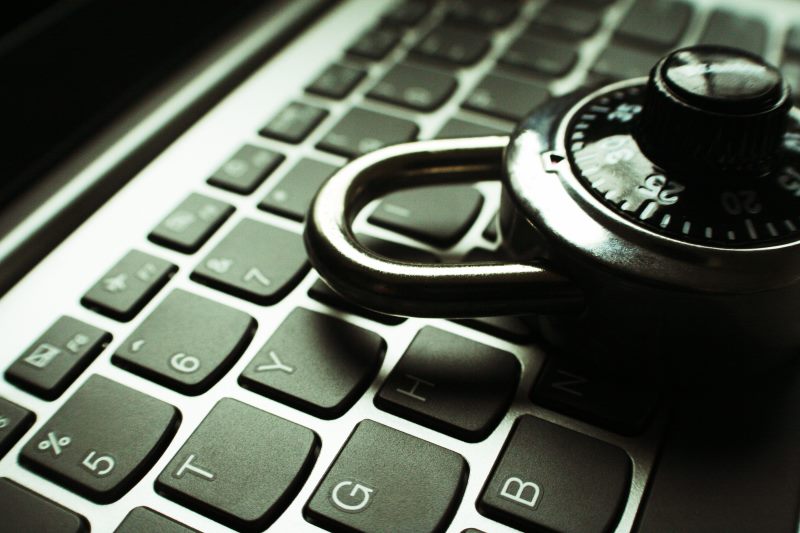
4 Steps To Greater Computer Security

As businesses and individuals become more dependent on computers and the Internet, cybercrime has become an increasingly big problem. Hackers and cyber criminals are more threatening than ever and they can seriously damage your computer system, disrupt your network and steal all your data. 

There are many steps to ensure computer security, and in this article, we will focus on four steps that will help you to enhance and protect your network and computer security.

1. Patching 

Cybercriminals are masters at exploiting vulnerable points, also known as bugs, from old software that was installed on a computer. This is one of the most common ways that computers are hacked, and it is also the reason major companies pay a lot of money for IT specialists to find any flaw in their system. These specialists identify gaps in security and patch them up before a cybercriminal can take advantage of them. 

Usually, a business’s IT provider will ensure updates and patches are done as soon as they are released to prevent any cyber attack. If you are an individual user or a home business owner without an IT provider, you can simply turn on Automatic Updates for your software in the settings option; this will make sure that all software is kept up to date. 

2. Data Transmission Protection via VPN

When your system’s network is connected to the Internet, your systems face the risk of being exposed to a potential attack. It is important to do your research and find the most secure VPN as this can help enhance your computer security as it creates an encrypted and safer connection. This means that it encrypts data at the sending end and decrypts it at the receiving end, thereby protecting data transmission to a far greater extent than a normal connection. 

VPNs also encrypt the originating and receiving network addresses, thus enhancing security for online activities. You can use one of the top 10 best VPN services to access websites that are restricted by location to increase your access to online content. VPNs also allow remote employees to connect to their company’s software applications, but first the user will need to be authorized to use the private network app so that they can login using passwords or security tokens.

3. User Access and Awareness

Every user must play an important role in any organization’s security. Any mishap from a user can expose the organization’s network to great risks. It is so important to ensure that all your users are educated and aware of potential cyber risks, the correct procedures to take, and who to contact when they suspect they are at risk of a cyber attack

At the same time, the system administrator must make sure that users are granted enough system privileges and data access rights. They should not have access to more than what they need because if they become victim to a cyber attack, the hackers can exploit their access rights to obtain more information and destroy the system. That’s why users should only be granted with what is often referred to as “least privilege”.

For users, it’s also important that they create a strong password with two-factor authentication, and never reveal it to anyone. Two-factor authentication makes it almost impossible for hackers to gain access to your account and system because even if they could crack your first password, they won’t be able to access the second device with your second log-in verification. In short, two-factor authentication provides an extra layer of security to your account, and also to your system. 

4. Virus and Malware Prevention

Getting a computer virus is never fun nor easy to fix. Malware is the same. Malware is short for malicious software, which is any code or content that maliciously impacts your system and devices. Malware can be disguised in an email or a link that is sent to the employees, hence the chance of people opening such a link or email is very high and exposes your system to security risks. 

That’s why the must-have first step for every network computer and device is to install a trustworthy antivirus and anti-malware program, keep them up-to-date, and run regular scheduled scans. This will help protect your systems and detect any possible virus or malware that has infected a computer in the network. It also helps when companies develop and implement appropriate policies to raise user awareness and reduce the risk of getting a virus or malware. 

System security is key to ensure your data safety and your business’s smooth operations. By regularly patching, protecting data through VPN, enhancing user security and awareness, and running anti-virus/malware scan, you are taking great steps towards protecting your computer and network from any possible cybercrime.

10 Ways to Secure Your Information Across Your Devices Online

The digital revolution has brought great advances in public access to information. Before the internet, you needed a set of encyclopedias or a visit to the library to find things out. Now, almost any information you desire is at your fingertips, on the computer. But the same technology that permits information access online makes us vulnerable to invasion by others seeking valuable information or resources from us. So it is vital in this digital age to take strong steps to protect yourself and devices.

Here are 10 ways to secure your information across your devices online:

1. Pick Strong Passwords

This is the obvious one, but you’d be amazed how many people choose simple passwords that are easy for sophisticated hackers to hack. Algorithms can go through millions of simple possibilities in seconds. A good password should contain/include alphabetical, symbolic, and numeric characters. It should be of sufficient length, 10-12 characters, and not contain obvious names or words. Acronyms make good passwords because they are easy to remember, yet do not present discernible patterns for hackers. Also, obviously your passwords across different apps should be different, not the same.

2. Protect Your Passwords

They are the keys to your digital kingdom! Do not give your passwords to others. Password manager apps are one great answer for those who have many passwords. If you do use a password manager app, make sure their reputation is excellent and security strong. After all, someone who gains access to that information will pretty much gain access to all that you own, in one form or another. Change your passwords when notified of any security breach

3. Maintain Separate User and Admin Accounts

Maintaining separate user and admin accounts is a common, almost universal, practice in business settings these days. It is a good idea for your home devices as well. Protect your admin account with a password. Use this account only for admin purposes. If your computer is hacked, the hacker will not automatically have access to make administrative changes. It also makes sense to protect your user account with a password. If your computer is stolen, the thief will need to know the password to immediately access any information you keep on file.

4. Keep Software Current

This is done automatically, in large part, these days on many computers. If you don’t have your computer set up to automatically update at specified times, do so. Many updates are security fixes to combat vulnerabilities in programs. There is a continuous race between developers and hackers who wish to exploit these vulnerabilities. If you are not updating, hackers can easily win this race! Back up your files. It is also a good idea to back up all vital information on two flash drives. Store one and keep the other with you when you go places. In the unlikely event of some kind of disaster (fire, hurricane, theft, etc.) you will maintain your vital information.

5. Connect With Care

Connect only to secure sites. Do not use public Wi-Fi to conduct personal or business affairs. If you must connect to sites where security is questionable, use a strong Virtual Private Network (VPN) like Surfshark. Try it here.

6. Practice Multi-Factor Authentication

Two-factor, or multi-factor, authentication is the use of more than one form of identity verification to gain site access. Passwords are one method. Security questions are another often-used form of authentication. But many times the information commonly used is easily available to identity thieves as well. So, if you are going to use a security question, make sure the information is personal and truly private. Biometrics is another method growing in sophistication and popularity. Facial recognition or iris identification should someday be the norm in all computers. Fingerprints or voice identification are other good examples. Biometrics authentication is the future state of the art, although all methods still face challenges. Some devices have biometric capability now. Passwords will become a thing of the past, although they’re still vital currently! Setting alerts on your online accounts is another good practice.

7. Use Caution with Emails

One of the most common security breaches comes from replying to or opening links in fraudulent emails. This is commonly known as phishing. Never open a link in an email unless you are absolutely certain it is from a trusted source. Don’t even open it then. A common hacker practice is to gain entrance to one account and use that account to send phony messages to all contacts, with requests for money or information. Phishing emails have led to many notorious security breaches. Think of the 2016 elections, when a phishing email led to the massive DNC security breach.

8. Use a Good Security App

This is just good common sense. In this day and age, a good security app is a must. Many decent apps are free, but this is one area where it likely pays to pay. Consumer advocate sites rate the top security apps each year. If you don’t have one, hurry to check these ratings out, then purchase a good app. Visit at least 2 or 3 sites to get a consensus. Then check customer reviews as well.

9. Minimize Physical Access Possibilities

Physical access to any of your devices may be the easiest way for someone to gain vital personal information. Don’t leave your computer up and running in public. Do not leave important applications open anywhere while you are absent. Protect access with a strong password. Although best practice with passwords is to not keep physical copies, in the real world, where you might have 50 passwords, this is often not practical. Keep password information in a secure spot.

10. Utilize a Virtual Private Network (VPN)

The VPN has become vital to maintain strong internet security. VPNs encrypt information and route your connection through a remote server. Your actual identity and location are masked by that server. VPNs also permit connection to sites that are geographically restricted or forbidden. They protect information when using public Wi-Fi. VPNs can be used to stream video such as Hulu or Netflix. VPNs permit download access without a digital footprint. Business users can log on to their business networks while traveling. One of the highest rated VPNs is Surfshark. Surfshark has more than 500 servers in all parts of the globe to facilitate strength and speed of connection. They were recently named a top VPN newcomer. Surfshark now offers annual plans with decreased cost and 24/7 support. Presently, a no risk trial is available. This is an excellent opportunity to secure a strong VPN network at an unusually low price.