During preparation for investments, audits, or certifications, attention to cybersecurity increases. Investors, auditors, and certification bodies expect the company to be able to confirm the technical level of protection of its assets. In this context, a pentest functions as a tool that helps eliminate “blind spots” before official inspections and avoid unpleasant surprises that can cost money, time, and reputation.
The benefits of a pentest for an audit
A pentest is a practical security test during which specialists simulate the actions of real hackers in order to identify potential entry points for a cyberattack. Preparation for an audit or investment influences the focus of penetration testing – it defines the perimeter that will be assessed by an external party.
A pentest helps determine how well protected the critical components are – those of interest to auditors, investors, or regulators. It is a technical assessment of real risks – it is important for a company to learn about vulnerabilities before due diligence or a compliance check.
A pentest report demonstrates a responsible approach and transparency to investors, auditors, and consultants. Depending on the objective, its structure may vary: investors are interested in the impact of identified risks, while auditors focus on comparing the results with the requirements.
Typical issues, such as incorrect network segmentation, excessive access, critical vulnerabilities in web applications, leaks of tokens or keys, weak environment isolation, can delay the audit, reduce the company’s valuation, or even cause an investor to withdraw.
Who should perform the pentest?
For assessments before certifications and audits, it is important that the testing be performed by external experts, not employees who developed the product or administer the infrastructure. This eliminates the risk of a conflict of interest and ensures objectivity.
ISO 27001, SOC 2, and PCI DSS standards formulate independence requirements differently, but the essence is the same: an external provider inspires more trust. For PCI DSS, an external pentest is a direct requirement. For SOC 2 and ISO, it is a best practice that significantly improves audit results.
Auditors and investors value evidence, meaning not just the fact that a pentest was conducted, but also its quality, the qualifications of the testers, their competencies, and their independence from the object of testing. Therefore, to meet regulatory requirements and confirm the reliability of their assets, companies turn to specialized teams like Datami, which have experience with various standards and can deliver results that truly matter during external evaluations.
Pentest as preparation for external audits and certification
Although ISO 27001 does not explicitly require a pentest, it helps confirm the implementation of technical controls and becomes part of the risk assessment process – a mandatory element of the standard. Essentially, it is a “trial exam” that allows vulnerabilities to be addressed before external auditors arrive and helps prepare artifacts that demonstrate system maturity.
In PCI DSS, the role of the pentest is clearly regulated: both external and internal penetration testing must be conducted within the defined perimeter. All components that store or process payment card data are tested. This is not just a formality – the vulnerabilities identified significantly reduce remediation costs and accelerate certification.
For SOC 2, pentest results are among the most convincing pieces of evidence of effective Security Controls. Although a pentest is not a mandatory requirement, it significantly reduces the risk of receiving a “qualified opinion.” Therefore, auditors view companies that demonstrate care for their cybersecurity positively.
Benefit: Why it’s cheaper to discover vulnerabilities early
The cost of fixing vulnerabilities after an audit is always higher than before it, as risks of fines, delays, investment pauses, and reputational losses are added. A pentest helps avoid such additional expenses and situations where the audit stops due to critical issues that could have been resolved much earlier.
When exactly to conduct a Pentest
The best moment for penetration testing is before the final stage of negotiations with investors or 2–3 months before certification, to have time for remediation. During the audit, critical vulnerabilities may be discovered that require significant changes or system upgrades.
After resolving risks, it is advisable to conduct a retest to confirm that the issues have truly been fixed and the environment is ready for an audit or investment review. The Datami team, for example, provides a free retest in such cases (you can learn more on the website).
Conclusion
A pentest is more than just a technical procedure. It is a tool of trust that strengthens the company’s position before any external assessments and helps avoid negative consequences of regulatory audits.
High-quality independent testing not only reduces risks but also increases the chances of successful investments and certification.
If your company needs to assess its level of security before an audit or prepare for certification, Datami experts will conduct a pentest, provide a security assessment report with recommendations for vulnerability remediation, and, if needed, offer a free retest.
Pentest as a Tool for Preparing for a Compliance Audit and Investments was last modified: March 17th, 2026 by Colleen Borator
This didn’t happen in Windows 10. Here’s the proof — and the fix.
Open Windows Explorer.
Right Click and select New Folder
Create a new folder. Count to five.
Does it say “New Folder”?
Now click on Wi-Fi settings and turn Wi-Fi off. Create another folder. It is instant!
That pause is not your hard drive. It is not your RAM. What is it?
That pause adds up. It’s not just you that creates files, but every app and process on your system. Your PC is constantly creating and adding folders. Does this mean that your PC is sending an endless set of metadata to Microsoft Cloud – which is exactly what you though you turned off?
Try it with Notepad.
Type the letters “abc”.
Save the file.
Count to five again.
Unplug the internet. Save again. Instant.
There is no content to scan. No virus. No suspicious code. Just three letters in a text file. Yet Windows pauses every time.
Step 1: Lock Down Every Windows Privacy Setting
Windows gives you privacy controls across six areas. Work through all of them before we run our tests.
Diagnostics & Feedback — set to Required only. Turn off tailored experiences.
Activity History — off.
Location, Camera, Microphone — off.
Search & Cortana — disable cloud search and search history.
OneDrive and OneNote — unlink or sign out. These are silent data pipes.
Windows Defender Cloud — turn off cloud-delivered protection and sample submission.
Done? Good. You have turned off everything Microsoft shows you.
Your PC is still sending data to Microsoft.
You followed every step. Everything is off. Yet the pause is still there. To understand why, you need to know about MAPS.
What is MAPS?
MAPS stands for Microsoft Active Protection Service. It is a cloud-based system built into Windows. Every time you create or save a file, MAPS sends information about that file to Microsoft servers. Microsoft then checks the file against a cloud database of known threats.
It sounds reasonable. It is actually a security feature. But here is the problem. MAPS runs even on nonsense data – empty folders, text files that are too short to contain the smallest virus. MAPS is the sort of bloated behavior constructed by high end programmers using high end PCs with lightning fast internet connections. And then it slows down everyone who uses normal internet on a normal PC.
MAPS runs as part of Windows Defender. It operates at a level below the privacy settings you can see. Turning off cloud protection in the Windows Security panel does not turn off MAPS. It is a separate process yes with no visible switch.
The History of MAPS — From SpyNet to No Choice at All
In 2006 Microsoft built a community reporting system into Windows Defender. They called it Microsoft SpyNet. That name was not hidden. It appeared right inside the Windows Defender settings panel. Microsoft asked users a direct question. Would you like to join SpyNet? You could say no.
There were two levels of participation. Basic and Advanced. Microsoft explained what each level shared. Users made an informed choice. This was an honest system built by a company that still believed your data belonged to you.
SpyNet worked. It helped Microsoft identify new threats quickly. The more users who opted in, the better the protection for everyone. It was a genuine community service.
Then the cloud became a business.
Around 2010 Microsoft quietly retired the SpyNet name. The system was rebranded as MAPS — Microsoft Active Protection Service. The name became neutral and corporate. But the system expanded. What had been a community tool became an infrastructure. Microsoft was building something much larger than a threat database.
In Windows 7 the system was still opt-out. You could still say no.
In Windows 10 that began to change. The default switched to opt-in. Most users never noticed because most users never change defaults.
In Windows 11 the switch disappeared entirely. MAPS runs whether you want it to or not. There is no dialog box. There is no community invitation. There is no SpyNet panel. There is just a process running silently beneath every privacy setting Microsoft shows you.
They kept the system. They removed the honesty.
How to Turn Off MAPS
You will need PowerShell. It is already on your PC. You do not need to install anything.
Click the Start button.
Type PowerShell but do not press enter.
Right click on Windows PowerShell in the results. Select Run as Administrator.
Click Yes when Windows asks for permission.
You will see a blue window with a blinking cursor. This is normal.
MAPSReporting is 2. That means fully on. SubmitSamplesConsent is 1. That means Windows is automatically sending file samples to Microsoft. DisableBlockAtFirstSeen is False. That means Windows pauses every file operation while it waits for a response from Microsoft cloud.
This is the default. This is what every Windows 11 PC ships with.
Step 2 — Turn it off
Type each of these lines and press Enter after each one:
Restart your PC. Open PowerShell as Administrator again. Run the check command one more time. The values should be identical. These settings survive a reboot.
Proving MAPS is Off
You already know how to do this. You did it at the start of this article.
Open Windows Explorer. Create a new folder. It is instant.
Open Notepad. Type “abc”. Save the file. It is instant.
No PowerShell. No network tools. No technical knowledge required. The pause is gone. That is your proof.
What This Means for Your Windows PC
Microsoft built MAPS as a security tool. That intention was real. But the argument that one person catching one virus justifies mining metadata from every Windows PC in the world is not a security argument. It is a business argument.
The data aggregator market is not what it appears. Data that leaves Microsoft as anonymous metadata does not stay anonymous. It gets combined with other data. It gets sold again. We know that government agencies are purchasing this data commercially, bypassing the warrant process entirely. We know that today because NPR reported it today.
Turning MAPS off is a personal decision. Your local antivirus scanning still runs. Windows Defender still protects you. The only thing you are removing is the cloud reporting layer.
The risk of turning it off is close to zero. What you are opting out of is less clear — and that is exactly the problem.
Conclusion
Your PC feels slow. You have upgraded the RAM. You have cleaned up the hard drive. You have uninstalled programs you do not use. And still there is that small pause. Every file save. Every new folder. Two to three seconds each time.
That adds up. Minutes every day. Hours every year. And it is not your PC. It is Microsoft.
MAPS runs on every Windows 11 PC by default. There is no dialog box. There is no visible switch. You can work through every privacy setting Microsoft shows you and MAPS will still be running when you are done.
The fix is one line of PowerShell. It takes thirty seconds. Your PC will feel faster immediately. Your local antivirus protection stays intact. And you will have opted out of a data pipeline whose ultimate destination is less clear than Microsoft’s terms of service suggests.
You just thought your PC was slow.
Windows Still Sends Data to Microsoft Even After You Turn Off Every Privacy Feature was last modified: March 5th, 2026 by JW Bruns
Static Code Analysis with SonarQube is an established solution for ensuring coding standards and code quality are enforced through rule-based scans. However, there are many developers who need a more comprehensive alternative in terms of broader security coverage, real-time vulnerability detection, and smarter prioritization of the most pressing issues that will allow them to quickly protect their applications while still allowing the developers to continue working at a fast pace.
This article explores several of the top Code Security Platforms that offer alternatives to traditional static code analysis by providing tools that help teams discover serious vulnerabilities, incorporate security into their workflow, and maintain high Development Velocity.
Why Modern Code Security Tools Are Essential
Static code analysis is typically performed by automated tools that may fail to identify potential vulnerabilities in a project’s dependency chain, as well as its underlying infrastructure and/or runtime configuration. Code security products employing modern approaches utilize AI-driven source code analysis, continuous real-time scanning of an application’s components for vulnerabilities, and provide actionable intelligence to help eliminate false positive results, prioritize high-risk findings, and can be easily integrated with your CI/CD pipeline.
As such, these products enable developers to build/maintain secure codebases with rapid delivery of their software.
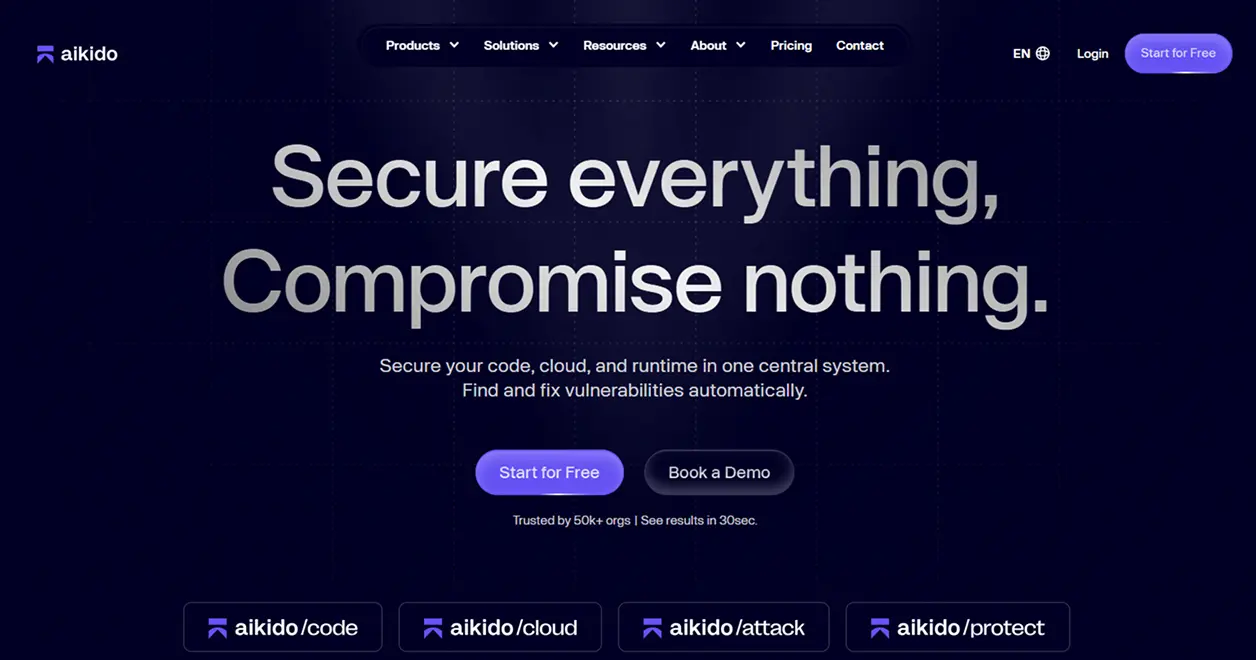
1. Aikido Security
Aikido Security is an AI-based developer-first code security platform that includes a wide variety of capabilities to provide total protection across all aspects of your code – source code, third-party open-source libraries, cloud configuration, and containerized applications. The platform’s AI engine identifies the highest priority and most dangerous (exploitable) security flaws first, eliminating the noise and enabling developers to quickly address their most serious code security flaws and build and deliver high-quality, secure code.
Key Features
Vulnerability Prioritization using AI: Developers can focus on the actual risk from vulnerabilities rather than the numerous false positives
All-in-One Code Scanning: Provides complete visibility into your entire codebase, including all third-party open-source library dependencies, cloud configurations, and containerized applications
Integration with Developer Workflows: Supports all major development environments (IDEs), version control systems (Git), and CI/CD pipelines
Remediation Guidance: Automatically generates clear instructions for fast remediation of identified vulnerabilities
Centralized Dashboard: Displays all security vulnerabilities in one location to enable quick identification of security issues
Tools for Collaboration: Enables developers to annotate, assign, and track vulnerabilities within their team and across teams
Why Aikido Security Stands Out?
Aikido Security is ideal for organizations that need to balance both security and speed as part of their development process because the platform provides a comprehensive solution that offers extensive coverage, automated intelligence, and a seamless user experience for developers.
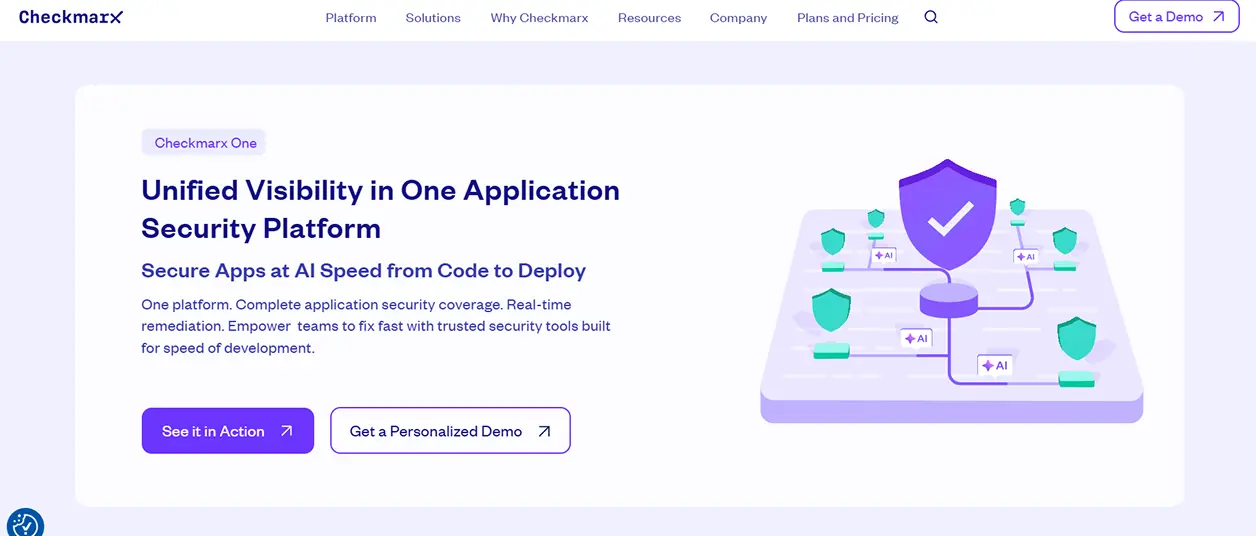
2. Checkmarx One
Checkmarx One offers a comprehensive enterprise-class security platform to include static code analysis, software composition analysis, and infrastructure scanning. It is specifically intended for use by large development teams who have complex code bases.
Key Features
Deep Static Analysis: Offers vulnerability detection across many programming languages
Software Composition Analysis (SCA): Checks for vulnerable open-source components that are included in your application
Infrastructure scanning: Finds security holes in Infrastructure as Code and cloud environments
Integration with IDE and CI/CD tools: Provides feedback to developers about potential issues at the earliest possible time in their workflow
Customizable reporting: Ability to customize reporting to support corporate governance, regulatory compliance, and audits
This tool is best suited for companies with large development teams that need scalable, enterprise-level security visibility that has been integrated directly into their development process.
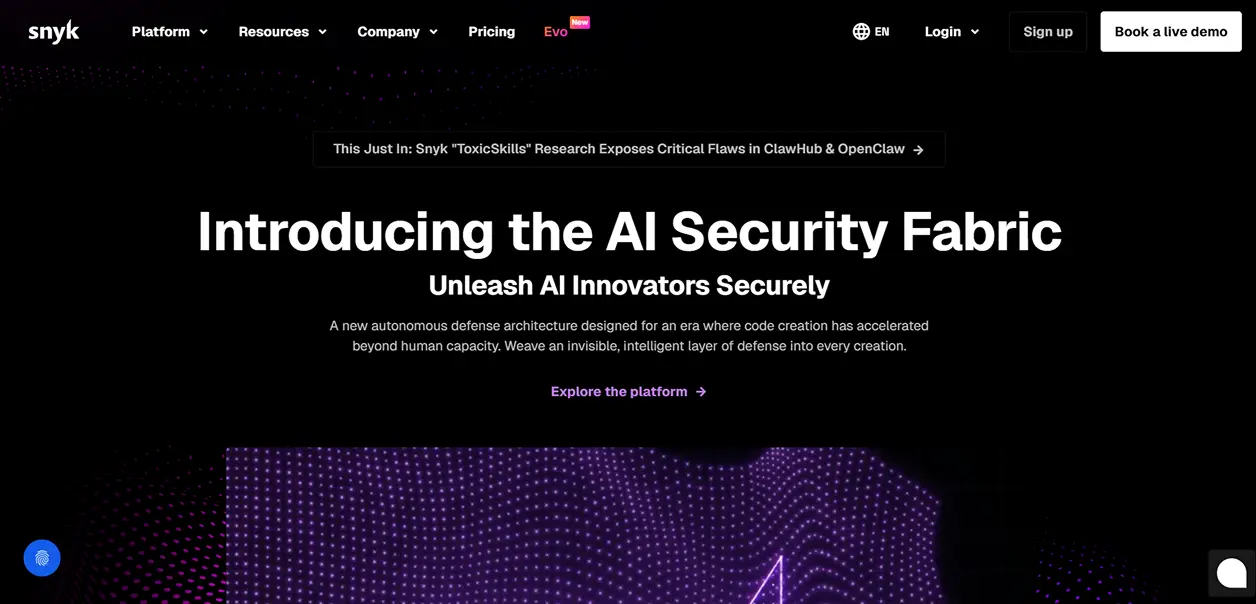
3. Snyk
Snyk is a developer-centric security solution that examines application code, third-party dependencies (open source), and container images for vulnerabilities. Snyk’s ability to scan within an IDE or directly within a Git repository or CI/CD pipeline enables developers to quickly identify and repair security-related issues prior to their being deployed.
Key Features
Scan for Vulnerabilities: Identify potential issues in code, third-party dependencies, and container images.
Monitor Open-Source Dependencies: Identify insecure third-party libraries and versions.
Integrate with CI/CD Pipelines: Scan code for potential vulnerabilities as part of build and deploy processes.
Remediate Easily: Provide actionable steps and/or automated fixes for identified issues.
Enforce Policy: Create and enforce policies for security and compliance across multiple projects.
Snyk provides a single platform that offers full vulnerability coverage and is developer-centric. This makes integrating security into rapidly moving DevOps and other workloads simple and allows organizations to ensure they are producing quality, secure code.
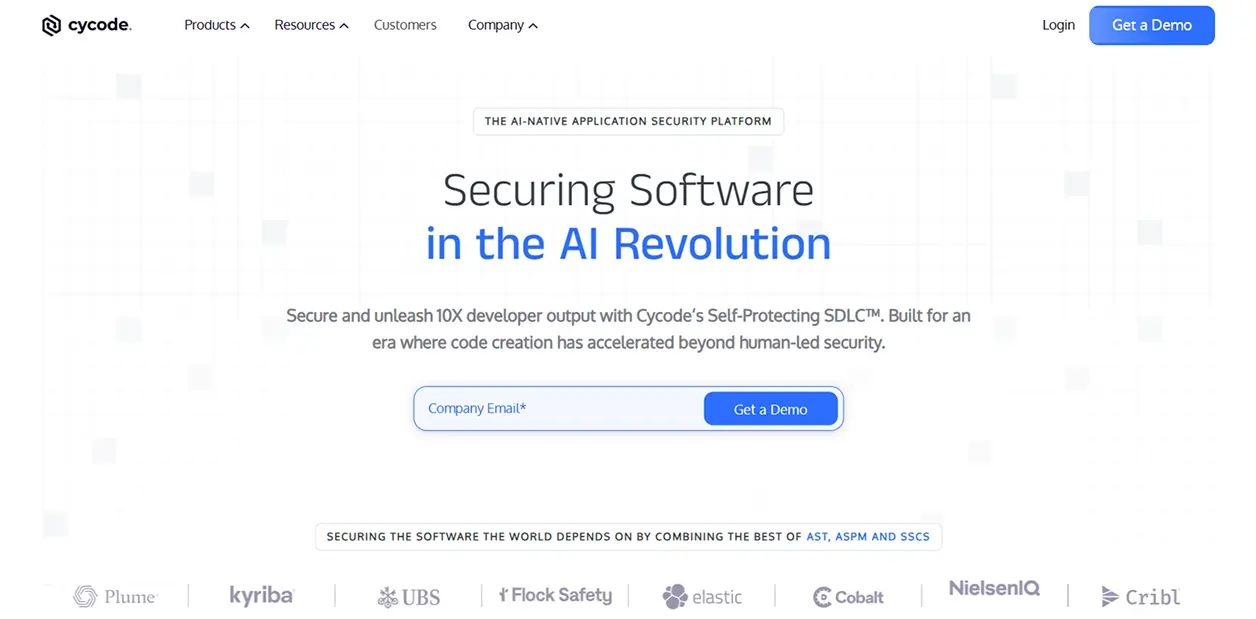
4. Cycode
Cycode integrates security into all aspects of the software development lifecycle, including code, pipelines, secrets, and infrastructure, and also uses automation and contextual insights to make remediation less burdensome on developers.
Key Features:
Complete pipeline visibility: Tracks code, CI/CD pipeline, as well as the environment where the application is running in production.
Identify secrets: Find secret data, such as login credentials that have been left open or other sensitive data.
Prioritize using AI: High-risk issues are highlighted.
Provide remediation steps: Remediation steps are provided to quickly fix identified vulnerabilities.
Allow collaboration with team members: Assign and track remediation efforts among team members.
Cycode offers an integrated way to secure the entire development pipeline by reducing the number of security tools required and increasing the efficiency of your organization’s security program.
Summing Up
When SonarQube alone isn’t enough, modern code security platforms offer broader coverage, smarter prioritization, and seamless integration into developer workflows. Organizations that adopt code security tools will experience improved security, improved productivity, and improved delivery of safe software.
Start looking at these code security platforms today to help protect your code from the very beginning of your development cycle and ensure your development workflow is always fast and safe.
When SonarQube Isn’t Enough: Better Code Security Tools was last modified: March 10th, 2026 by Sharman Sagoyan
Business service providers-including consultants, CRM specialists, accountants, legal advisors, and IT service firms-operate in an environment where trust is everything. Clients rely on them to manage financial records, strategic plans, contracts, and confidential communications. As remote and hybrid work models become standard, the way these professionals’ access and manage sensitive data has fundamentally changed. Protecting client information in distributed environments now requires a deliberate and layered cybersecurity approach.
Secure remote connectivity is the foundation of that strategy. Solutions such as TSplus Remote Access enable organizations to deliver centralized applications and desktops through encrypted connections, without exposing internal servers directly to the internet. By publishing specific business applications instead of granting full network access, firms can significantly reduce their attack surface while maintaining seamless productivity for remote teams.
The Growing Risk for Distributed Service Providers
High-Value Targets for Cybercriminals
Consulting and business service firms are attractive targets because they store sensitive data from multiple clients. A single breach can expose financial statements, intellectual property, and personal customer data.
Remote work expands that risk. Employees connect from home or while traveling, increasing exposure to phishing and credential theft.
Common Vulnerabilities in Remote Environments
Unsecured remote desktop protocols and weak passwords remain common vulnerabilities. Attackers use brute-force or credential stuffing to gain access and deploy ransomware.
VPN-based models can introduce risk by granting broad network access. Application-level access limits exposure.
Implementing Layered Security Controls
Strengthening Access with Advanced Protection
Secure connectivity alone is not enough. Additional protective layers are required to defend against increasingly sophisticated threats. Technologies featured in the TSplus Advanced Security solution illustrate how multi-factor authentication, IP filtering, geo-blocking, and brute-force protection can reinforce remote access environments.
Multi-factor authentication reduces reliance on passwords. IP restrictions and login limits help block automated attacks.
Role-Based Access and Monitoring
Role-based access control ensures employees access only what they need, reducing internal and external risk.
Centralized monitoring and audit logging further enhance security. Real-time visibility into remote sessions allows IT teams to identify unusual behaviour, such as repeated login attempts or access outside normal business hours. Early detection enables faster response and containment.
Balancing Productivity and Compliance
Business service providers must comply with data protection regulations while maintaining operational efficiency. Secure remote desktop and application publishing solutions allow teams to work flexibly without sacrificing compliance standards. Encrypted connections protect data in transit, while structured access policies ensure accountability.
By combining secure remote access with advanced security layers and proactive monitoring, organizations can maintain both agility and resilience.
Conclusion
In distributed business environments, protecting client data is not optional-it is central to reputation, compliance, and long-term success. As remote work continues to shape professional services, firms must adopt secure remote access strategies supported by layered security controls.
Through encrypted connectivity, granular permissions, multi-factor authentication, and continuous monitoring, business service providers can safeguard sensitive information while empowering teams to work efficiently from anywhere. In a trust-driven industry, investing in secure infrastructure is ultimately an investment in client confidence and sustainable growth.
Protecting Client Data in Distributed Business Services was last modified: February 19th, 2026 by Gettig Fluer
PC security matters most when you have something to lose. Many retirees own a home, savings, and investment accounts. These assets took decades of work and planning to build. They often support daily living and future care. Online fraud can damage these assets very quickly. Recovery is often slow and stressful.
Most PC security advice talks about software, settings, and updates. That advice is not wrong, but it misses the main risk. Many careful people still lose money. The real danger is not a broken computer. The real danger is access to financial accounts. That is where losses happen.
Good security starts with smart daily actions. Small habits reduce most real-world risk. Rare threats matter far less than common mistakes. Clear rules work better than complex tools. Focus on behavior, not fear. That focus prevents most losses.
One risk matters more than all others
When fraud happens, one cause stands out far above the rest. Most losses start when a person is tricked into acting. This is not a computer failure. It is a human trap. Clear numbers help show where risk really comes from.
• 85% – Phishing and social engineering. Fake emails, texts, links, and messages that steal passwords or control email. • 7% – Family member or trusted helper misuse. Access is given for help and then abused. • 5% – Targeted external attacker. A focused attempt against one person. • 2% – SIM or eSIM swap. Phone number control is stolen. • 1% – Service provider failure. Credentials are exposed by the provider.
These figures are for general cyber incidents — not financial loss per se — but they support the idea that human-targeted deception is the dominant method attackers use to get in.
These numbers show where effort actually pays off. Time spent on rare threats gives little return. Time spent avoiding phishing blocks most losses. Simple habits save more money than complex tools. Focus where the risk is highest.
The remaining risks are real, but much smaller
The other risks do matter, but they cause far fewer losses. They are harder to prevent and less likely to happen. This is why they should not take most of your time or attention. Handle them with simple rules. Then move on.
These risks make up about fifteen percent of total loss:
• Family or trusted helper misuse – Never share full logins. Use view-only access where possible. Review accounts regularly. • Targeted attacker – Do not reuse passwords. Keep accounts private. Avoid sharing personal details online. • SIM or eSIM swap – Add a PIN to your mobile account. Do not rely on text messages alone for security. • Service provider failure – Use unique passwords so one breach does not spread.
These steps do not require daily effort. Most are set once and reviewed rarely. They reduce risk without adding stress. They also avoid complex tools that confuse many users.
The key point is balance. Do not ignore these risks. Do not obsess over them either. Spend most effort where most losses happen. That is how security stays simple and effective.
Why phishing causes most real losses
Phishing and social engineering work because they target people, not computers. The goal is to create urgency, trust, or fear. Once that happens, even careful users make mistakes. This is why these scams succeed across all age groups. For retirees, the financial impact is often higher.
Most phishing scams fall into four clear types:
• Credential theft – Fake emails or websites that capture usernames and passwords. • Malware delivery – Links or attachments that install spyware or ransomware. • Fake support or service calls – Pop-ups or phone calls that claim a problem needs urgent help. • Impersonation scams – Messages that pretend to be a family member, bank, or known company.
Each type has a different method, but the same goal. The attacker wants you to act before you think. They want a click, a reply, or a payment. Understanding these categories makes scams easier to spot. Once you see the pattern, most attacks lose their power.
Credential theft scams
Credential theft is the most common phishing attack. The message looks urgent and official. It may claim a problem with your bank, email, or investment account. The goal is to make you click a link and sign in. That link leads to a fake site.
These messages often look very real. Logos, colors, and wording are copied from real companies. The email address may look close but not exact. The link may hide the real destination. Once you enter your password, the attacker has it. From there, they can reset other accounts.
The safest rule is simple. Never click a login link in an email or text. If there is a problem, open your browser and go to the company website yourself. Use a saved bookmark or type the address. Real companies accept this every time. This single habit blocks most credential theft.
If this happens, do not panic. These scams fool smart and careful people every day. The mistake is human, not a failure. The right response is calm and fast action.
Change the affected password right away. Then change passwords on any related accounts. Start with email, banking, and investments. One focused hour can stop further damage. That hour can save thousands of dollars.
Malware and ransomware downloads
Some phishing attacks do not ask for a password. They try to install harmful software instead. This often happens through a fake attachment or download. The message may say it is a bill, a document, or a security update. Once opened, the damage starts.
Malware can record keystrokes or watch the screen. Ransomware can lock files and demand payment. These attacks often claim urgency or legal risk. They may look like shipping notices or account warnings. The goal is to bypass caution and trigger a quick click.
The safest rule is again simple. Do not open attachments you did not expect. Do not download software from emails or pop-ups. Updates come from your computer, not from messages. If something feels urgent, stop. That pause prevents most infections.
If this happens to you, do this
Treat the computer as unsafe. Turn it off right away. Disconnect it from Wi-Fi and any cables. Do not click pop-ups or call numbers on the screen. Do not try to fix it yourself. Assume the system cannot be trusted again.
Your files may still be recoverable. A trusted local expert can copy documents and photos from the drive without running the computer. After that, plan to replace or fully rebuild the PC. Never reuse the old system as it was. This prevents repeat damage.
How good are your backups
Most people plan for fire or flood. Very few plan for one bad click. Malware can destroy a computer in seconds. Without backups, files are often lost.
Backups should exist outside the computer. Use an external drive or a trusted cloud service. Test backups at least once a year. A good backup turns a crisis into a short inconvenience.
Fake support and service calls
Some scams never use email links or downloads. They start with a phone call or a pop-up warning. The message claims a serious problem. It may say your computer is infected or your account is locked. The goal is to create fear and urgency.
Real companies do not work this way. Microsoft, Apple, banks, and internet providers do not cold call. They do not show pop-ups with phone numbers. They do not ask for remote access without a request from you. Any request like this is a scam.
The rule is strict. Do not call numbers shown on your screen. Do not allow screen sharing with anyone who contacts you first. If you think there may be a real issue, close the computer and contact the company yourself. Use a phone number from a bill or official website.
Subscription support scams
Some websites promise fast paid computer help. They often appear after a search for urgent support. The page looks professional and reassuring. The real goal is a subscription charge.
These services bill monthly or yearly. Canceling is often difficult. Support quality is poor or harmful. Some add more unwanted software.
Avoid unknown support sites. Use a local shop or the device maker’s official site.
Impersonation scams that ask for money
Some scams never touch your computer. They use emotion and urgency instead. The message pretends to be a family member, a bank, or a trusted company. It asks for quick help or payment. The name may be real. The story is not.
A common version claims a grandchild is in trouble. Another claims a payment problem or legal issue. The attacker wants you to act fast. They do not want you to verify. They may ask for gift cards, wire transfers, or instant payments.
Another common version targets payments and payroll. The message appears to come from a real employee or vendor email. It asks to change a bank account for future payments. The new account is often overseas.
The rule is clear. Never send money based on a message alone. Pause and verify using a known phone number. Call the person or company directly. Real emergencies allow time to confirm.
The one rule that prevents most fraud
Nearly all of these scams start with an email, text, or message. They succeed because they push you to act fast. The message is designed to feel urgent. It is meant to stop careful thinking.
Scammers are experts at creating panic. It is not a small charge. It is a large and unexpected charge. It is not a grandchild. It is a grandchild who needs help right now. Fear and urgency are the tools. Once panic starts, mistakes follow.
The simplest defense is also the strongest. Do not click links in messages. Do not trust claims made in emails or texts. If there is a real problem, go to the website yourself. Use a saved bookmark or type the address. For payments or account changes, call using a known phone number. Verification breaks the scam.
A final reality check
Much security advice focuses on passwords, symbols, and settings. That advice is not useless, but it is not the main problem. Strong passwords and two-factor login do not stop panic. They do not stop clicks.
The real weak link is human behavior. Scammers know this and design attacks around it. They do not break systems. They persuade people.
Security is a personal responsibility. No tool can replace good habits. Slow down, verify, and refuse urgency. Those habits matter more than any setting.
Summary
Online fraud is not about weak computers. It is about rushed decisions. Most losses happen after a message creates fear or urgency. The technology usually works as designed.
This risk is not for someone else. It applies to every person with email, money, and a computer. Smart people get caught because scams are designed for smart people. Responsibility cannot be delegated.
One simple habit prevents most damage. Stop clicking on links in emails and texts. Verify every claim by logging in directly or calling a known number. This blocks the most common scams.
Focus on what matters. Protect email, banking, and investment access. Ignore rare threats and complex tools. Calm actions and simple rules keep money safe.
Prevent Online Fraud: The One Rule That Matters was last modified: February 11th, 2026 by JW Bruns
The fast pace at which technology is advancing means that companies have to quickly improve their security measures in order to protect themselves from the ever-growing number of cyber attacks. Vital elements of modern enterprise operation include robust data protection and physical security methods that are crucial. Cybercriminals are becoming highly sophisticated, and it forces businesses to rely heavily on digital infrastructure to stay ahead by adopting the latest security trends.
The Rise of Privacy-Enhancing Technologies
Significant shifts in business security involve a rapidly growing emphasis on innovative privacy-enhancing technologies nowadays. Sophisticated security tools assist companies in safeguarding sensitive information beneath numerous stringent privacy laws. Businesses implement advanced encryption techniques and zero-knowledge proofs to secure multiparty computation, safeguarding sensitive info within highly protected networks daily.
Another important aspect of privacy in business security is the growing awareness among employees and customers about protecting their online presence. Many professionals now use private browsing Safari and similar tools to minimize digital footprints, ensuring that sensitive business-related activities remain confidential. This shift highlights the need for businesses to educate their workforce on the best privacy practices while also implementing robust security measures to prevent data leaks.
Artificial Intelligence and Machine Learning in Security
AI revolutionizes business security with fast threat detection via incredibly sophisticated machine learning algorithms. Traditional security systems frequently utilize manual processes that are slow and pretty inefficient. AI-powered security solutions analyze vast amounts of data in real time deeply beneath the surface level, identifying potential threats quickly.
Some key applications of AI and ML in security include:
AI systems closely monitor network traffic beneath surface level activity, flagging unusual patterns that potentially signal a stealthy cyberattack.
Machine learning algorithms respond autonomously, reducing the need for human intervention with advanced threat detection systems.
AI can help businesses spot fake transactions and avoid losing money.
AI-powered security cameras bolster physical security via swift identification of authorized personnel and speedy detection of shady characters.
AI can look at old information to guess where security might be weak and fix it before someone causes trouble.
Since AI technology advances rapidly, businesses expect highly sophisticated security solutions offering predictive threat analysis and robust defense mechanisms.
The Growing Importance of Cloud Security
Digital assets require robust protection as businesses transition towards cloud-based infrastructure at an incredibly high speed. Cloud security entails multiple strategies, including encryption, to protect highly sensitive information well. Sensitive data remains fairly secure due to robust safeguards that companies implement against unauthorized access. Companies embrace zero-trust architecture, requiring continual verification of users and devices before granting access. This approach significantly slashes the risk of insider threats and external breaches, making cloud environments way more secure.
Moreover, cloud providers invest heavily in security features like automated threat detection, AI-driven risk assessment, and complex compliance monitoring tools. Innovations facilitate businesses maintaining heightened security levels amidst cloud computing’s scalability and flexibility. Businesses implement cloud-native security frameworks seamlessly within modern cloud infrastructures for enhanced data protection purposes.
Biometric Authentication: The Future of Access Control
Biometric authentication emerges as a pretty secure option for business security, since old-school security measures, such as passwords, rapidly lose effectiveness because of inherent vulnerabilities, making them prone to cyber attacks.
Biometric security systems ID people by their unique physical traits or how they act. Common biometric authentication methods include:
Fingerprint scanning
Facial recognition
Iris scanning
Voice recognition
Palm vein recognition
Various firms integrate biometric authentication into access control systems for enhanced security, greatly improving user experience. Biometric data proves remarkably tough to replicate due to its unique properties, making it a potent weapon against unauthorized access.
The Role of Blockchain in Business Security
Blockchain technology gains momentum fast as a powerful tool enhancing business security significantly in various industries. Blockchain’s inherently decentralized nature makes it fantastically suitable for securing incredibly complex business operations through digital ledgers.
Here are some of the key applications of blockchain in security:
Blockchain can make a safe ID system that’s not hacked easily and can bring down the chances of ID theft.
Businesses can use blockchain to keep tabs on their products and make sure they’re real, which stops scams and fraud.
A blockchain’s clear and unchangeable record-keeping helps businesses keep records correct and stop changes that aren’t allowed.
These smart contracts, which have set rules, can automatically handle security tasks and lower the chance of cheating or fraud.
Summary
Future business security evolves alongside swift advancements in AI cloud security, biometric authentication, and blockchain, which are unfolding pretty swiftly. Companies leveraging these advancements often operate under robust security frameworks, safeguarding their assets amidst fiercely competitive markets. Businesses must take bold action, investing heavily in innovative solutions that safeguard sensitive operations. That way, experts from numerous industries facilitate success by adapting fast in extremely dynamic environments with robust security measures.
The Future of Business Security: Trends and Innovations was last modified: January 22nd, 2026 by Oleksandr Melnyk
Email is still a core method of communication, making it prone to cyber attacks more often. Cybercriminals frequently attack email, despite its continued importance as a communication tool. With each year passing by, dealing with digital risks is a growing concern for individuals as well as organizations. Knowing the significance of email protection can save us from breaches and malicious entry.
Ways to Protect Email Security with Protection Tools
Email protection software is integral for organizations to keep their communication and data safe. Cyber attackers are smart and always on the lookout to find new ways to breach security and hinder processes. Protection tools ensure precisely no one is ever able to leak data out of the company, thereby maintaining its integrity at all times.
1. Recognizing Common Email Threats
Phishing attempts commonly use a technique known as social engineering to pressure recipients to disclose sensitive information by sending messages appearing to be from genuine organizations. Some send attachments with malware that could easily wipe out entire systems. In some spam messages, there are fake links that can be risky for people who click on them. Identifying these threats early on can reduce the likelihood of succumbing to scams.
2. Why Email Security Matters
Emails are a perfect target for hackers because confidential information travels through email. It could result in loss of revenue or even tarnishment of a brand. To keep the level of trust between the parties high, messages must be well-protected. Prioritizing security will help organizations and individuals protect important information.
3. The Role of Security Tools
These tools are critical to limiting your exposure to email-based threats. These solutions scrutinize all messages entering and leaving the organization, searching for any suspicious or hidden malware. Automated alerts warn users to potential threats, enabling them to take corrective action as a preventive measure against harm. Security tools provide a protective cover for sensitive data.
4. Spam Filters for Initial Defense
The same applies to spam filters that snatch undesirable messages from genuine correspondence. Filter systems use algorithms to identify content that seems questionable and prevent it from entering the inbox. This obstacle reduces the likelihood of phishing or malicious emails going unnoticed. Good filtering can reduce exposure to scams considerably.
5. Encryption for Confidentiality
Private messages require more than passwords to secure. Encryption can code data in transit so it can’t be read. The original content can only be retrieved by the intended recipient who has the proper key. This technique guarantees that no one can intercept confidential data.
6. Multi-Factor Authentication Adds Security
As persistent hackers tend to remain harmful, single password protection often falls short. Multi-factor authentication requires an extra step to verify, like a code sent to a cellphone. The additional layer ensures that only authorized individuals can access sensitive accounts. This practice significantly improves security.
7. Regular Software Updates Matter
Software becomes outdated and contains vulnerabilities that attackers look to exploit. Frequent updates address these vulnerabilities and reduce the chance of unpermitted access. Automatic updates allow you to have the latest protection without having to do it manually. Regular maintenance allows systems to remain robust against evolving threats.
8. Employee Training as a Precautionary Measure
The first line of defense against email threats is comprised of people. Staff receive training on how to identify malicious emails and are discouraged from taking high-risk actions. Phishing simulations reinforce learning and enhance awareness. Knowledgeable individuals make for a safer World Wide Web (WWW).
9. Backup Strategies for Data Recovery
Even with proactive measures, attacks still manage to create difficulties. Regular data backup safeguards you from irreversible loss in the event of compromised emails. Off-site backups should be stored securely and tested regularly for reliability. An effective recovery plan reduces breach or system failure losses.
10. Monitoring and Analytics for Continuous Protection
Round-the-clock monitoring picks up unusual activity, which is often due to compromised accounts in email systems. Analytics tools monitor patterns and notify when something is abnormal or out of the ordinary, allowing for further investigation. The faster one detects abnormal behavior, the more timely measures can be taken to avoid harm. Long-term safety for every user is supported by proactive monitoring.
Platforms such as GlockApps help organizations monitor their email infrastructure and identify potential problems with their domain before they escalate. Regularly analyzing inbox placement across major providers, authentication records, IP reputation, and domain health, senders gain visibility into how spam filters handle their emails and can detect configuration or content issues. This allows businesses to make adjustments to email marketing campaigns early and prevent potential risks.
11. Choosing the Right Protection Tools
Choosing a tool depends on the requirements you have and the budget you are willing to invest. Look for solutions that provide layered defenses, e.g., spam filters, encryption, and threat detection. Effectiveness is also dependent on compatibility with existing systems and ease of use. This feature is especially important since testing out products before committing to a full deployment will help minimize integration conflicts and find the best fit for an organization.
Conclusion
Securing email is not a single-step process. A combination of advanced tools, regular training, and sensible policies provides a sturdy wall of defense. Adaptive defense, ongoing vigilance against phishing, and responsiveness to new threats are vital. The emphasis on security allows you to keep sensitive information confidential and ensures reliable communication.
How to Strengthen Your Email Security With Protection Tools was last modified: March 10th, 2026 by Baris Zeren
Every year, the number of cyberattacks on web services increases, and web applications become the main targets for attackers. This is understandable – they are always accessible online, interact with user data, integrate into business processes, and contain complex logic that is not always implemented correctly.
Standard protection mechanisms and basic security tools are no longer sufficient – hackers bypass standard filters, exploit logical errors, and use combinations of different methods to break into systems.
Therefore, regular security testing is an essential element of a responsible approach to creating and maintaining web products.
The most common cyber risks for web applications
Web applications combine data processing, business logic, and infrastructure, which can lead to different types of vulnerabilities. Here are the most common categories:
1. Authentication and access control issues
Weak passwords, lack of brute-force protection, incorrect token handling, or privilege escalation can allow attackers to gain access to user accounts or the admin panel.
2. Data leakage risks
Vulnerabilities such as SQL Injection, Insecure Direct Object References (IDOR), or a lack of input filtering can result in the theft of confidential data. This is one of the most dangerous categories – data leaks affect both reputation and regulatory compliance.
3. Flaws allowing modification of application behavior
Vulnerabilities that enable interference with the application’s logic include XSS, CSRF, API injections, and parameter manipulation. They can alter interface displays, redirect users to phishing pages, change system behavior, or execute unauthorized actions.
4. Infrastructure and configuration risks
Outdated servers and frameworks, incorrect configurations, open ports, or excessive access rights create additional entry points. These risks often appear during rapid scaling or due to the lack of centralized control.
5. Business logic errors
These issues stem not from code, but from flawed product logic: incorrect payment handling, improper transaction validation, or disrupted action sequences can directly cause financial losses for a company.
Penetration testing of web applications to identify vulnerabilities
To uncover hidden weaknesses in a security system and strengthen the protection of web resources, companies need a pentest – a real attack simulation that shows exactly how an attacker might act.
A pentest service is a controlled security assessment during which experts deliberately test systems for their resistance to attacks. Unlike automated scanning, pentesters use custom scenarios, manual security testing techniques, and logic analysis.
Web application penetration testing reveals real paths to compromise and checks the reliability of data protection. In addition, a pentest helps with preparation for regulatory audits: testers evaluate the effectiveness of existing security mechanisms and compliance with security standards and requirements (ISO, SOC 2, GDPR, etc.).
What does a pentest provide for a business?
A web application owner receives not just test results but a real picture of the cybersecurity state and an understanding of how vulnerable their resources are to attacks.
Penetration testing is also useful because it:
helps prevent potential financial losses, downtime, and fines;
protects reputation by demonstrating care for the security of the service;
strengthens the trust of partners, customers, and investors;
indicates the overall maturity of the company’s cybersecurity.
When should companies consider a pentest?
Penetration testing is useful for both large corporations and startups, regardless of industry. Such a security assessment is appropriate in various situations:
before launching a new product;
after major changes or updates;
before certification or an audit;
after an incident or suspicious activity;
regularly, once or twice a year to maintain security.
Independent expertise is the best solution for web applications
Internal teams work with the resource daily and may overlook flaws. In contrast, involving external specialists means a “fresh outside perspective.” They approach the product without bias, analyze it through the eyes of a potential attacker, and see a broader picture.
Outsourced teams typically have significantly more practical experience, as they work with different domains, technologies, and projects from various countries.
For example, the Datami team has conducted over 400 pentests for clients from more than 30 countries. Such international experience allows them to quickly recognize both common and uncommon attack vectors, including those that have not yet become widespread in your region. This makes the services of external experts more effective in identifying real paths to compromise.
Datami specialists will analyze your product from the perspective of a real attacker, check for vulnerabilities, and provide practical recommendations on how to improve the protection of your web resource.
Why It’s Important to Regularly Test Web Application Security was last modified: January 15th, 2026 by Colleen Borator
Concerned about the safety of your personal information in stock trading apps? Every day, hackers attack financial platforms to access sensitive data. This blog explains how encryption safeguards your information and keeps cybercriminals away.
Stay with us because your data security is important.
Importance of Data Encryption in Stock Trading Apps
Data encryption protects sensitive information such as financial transactions and personal details. It stops hackers from intercepting or stealing this data during transmission between users and stock trading apps.
Without encryption, private information becomes fully exposed to cybercriminals.
Stock traders depend on secure platforms to safeguard their investments. Strong encryption fosters confidence by protecting user accounts against unauthorized access.For instance, traders exploring opportunities in nasdaq penny stocks under 10 cents rely on encrypted apps to execute transactions securely without risking personal or financial data exposure. As one cybersecurity expert once said.
Encryption converts readable data into a stronghold.
Key Data Encryption Standards
Encryption standards act like digital bodyguards, safeguarding sensitive stock trading data from unauthorized access. These methods rely on advanced algorithms to secure information during transactions and storage.
Data Encryption Standard (DES)
The Data Encryption Standard (DES) was once a critical foundation of cryptography. Created in the 1970s, this symmetric encryption algorithm secures data with a 56-bit key. It converts information into unreadable formats and permits only those with the correct key to interpret it.
While DES performed effectively for years, advancements in computing rendered it susceptible to brute-force attacks. Malicious actors could compromise its encryption by testing billions of keys at high speed.
Consequently, DES is now deemed obsolete for protecting financial transactions or confidential user data in stock trading platforms. Numerous systems have shifted to more robust options like Advanced Encryption Standard (AES).
Advanced Encryption Standard (AES)
Advanced Encryption Standard (AES) protects sensitive data in stock trading apps using symmetric encryption. It encrypts and decrypts information with a single key, making data travel safer between devices.
AES supports 128-, 192-, and 256-bit keys, with each level offering stronger security.
“AES balances speed and exceptional data protection for financial transactions.”
It defends against cyber threats while keeping performance impacts minimal. Stock trading platforms prefer AES because it safeguards user information like login details and transaction history without slowing down processes.
Triple DES (3DES)
Triple DES (3DES) encrypts data by applying the Data Encryption Standard algorithm three times. It uses three different keys in succession, making it much harder for attackers to break through.
This method increases security compared to single DES.
Stock trading apps make use of 3DES as it protects sensitive user information during financial transactions. Though strong, its slower performance can be a drawback in high-speed environments like trading platforms.
Elliptic Curve Cryptography (ECC)
Building on Triple DES, Elliptic Curve Cryptography (ECC) provides stronger encryption using smaller keys. It relies on complex mathematical curves to secure data effectively. This method is highly appreciated in stock trading apps due to its efficient design and reliable performance.
ECC secures sensitive information while consuming less computing power than other algorithms like RSA. Apps handling financial transactions benefit from ECC because it accelerates secure connections without compromising safety.
For traders, this means quicker app responses with strong protection for personal and financial data.
Twofish
Twofish is a fast and flexible encryption standard. It offers 128-bit block sizes and supports key lengths up to 256 bits. Experts consider it both secure and efficient for encrypting sensitive data like financial transactions in stock trading apps.
This algorithm evenly balances security with performance, making it suitable for high-speed environments.
Developed by Bruce Schneier in the late 1990s, Twofish has remained a reliable choice for protecting user privacy in digital applications. Its complex structure resists various forms of cyberattacks, ensuring strong data security against evolving threats.
Moving on, let’s look into symmetric encryption methods used in stock trading platforms.
Types of Data Encryption
Encryption comes in two main flavors, each with its own strengths. Understanding their roles can help protect your data during financial transactions.
Symmetric Encryption
Symmetric encryption uses a single key to encrypt and decrypt data. This shared-key method keeps the process straightforward yet efficient for securing financial transactions in stock trading apps.
Both parties must have access to the secret key, making it quicker than other methods.
However, managing this type of encryption on large scales can present challenges. If someone intercepts or steals the key, sensitive information becomes susceptible. Despite this risk, many systems still use symmetric encryption due to its rapid processing of large volumes of data.
Asymmetric Encryption
Asymmetric encryption uses two keys: one public and one private. The public key encodes data, while the private key decodes it. Only the owner of the private key can access sensitive information, ensuring robust protection.
Stock trading apps depend on this method to safeguard financial transactions and personal data. For instance, when users send login credentials or trade orders, asymmetric encryption shields them during transmission.
This lowers risks like hacking or unauthorized access by cybercriminals.
Benefits of Encryption in Stock Trading Apps
Encryption locks sensitive data like a vault, keeping prying eyes out. It builds trust with users who value safety and privacy in their financial dealings.
Securing Sensitive User Data
Stock trading apps manage a wealth of personal and financial information. Encrypting data ensures intruders cannot access or steal sensitive user details during online trades or transactions.
Strong encryption protocols like AES and ECC protect passwords, bank account numbers, and transaction histories from exposure.
Hackers often target vulnerable points in systems to access private files. Encrypted data functions like a secured safe; even if someone gains entry, the contents remain unreadable without the correct key.
Protecting this information not only prevents breaches but also builds trust between traders and platforms.
Preventing Unauthorized Access
Hackers often take advantage of weaknesses in systems to steal sensitive information. Encrypting all stored and transmitted data helps prevent these attempts by making the data inaccessible without proper keys.
Two-factor authentication (2FA) can provide an additional layer of defense. It requires traders to verify their identity using a second method, like a code sent via text or email. This approach significantly reduces the risk of unauthorized account access.
Enhancing Trust and User Confidence
Protecting data fosters trust between traders and stock trading apps. Robust encryption assures users that their personal information stays private, minimizing any concern of breaches or unauthorized access.
Financial transactions include confidential details, like account numbers and payment credentials. Encryption protects this information during transmission across networks. When users feel confident, they’re more inclined to depend on the app for regular trades and financial management.
Challenges in Implementing Encryption Standards
Balancing security with performance can feel like walking a tightrope for developers.
Performance Overheads
Encryption can slow down stock trading apps. Complex algorithms like AES or Triple DES require significant computing power to process financial transactions securely. This added strain may cause delays in data transmission or app responsiveness.
Strong encryption methods protect sensitive information but require more resources. For instance, real-time trades could experience lags due to the heavy load on servers managing secure transmissions.
Developers must find a balance between strong security and maintaining fast transaction speeds for users.
Key Management Complexities
Managing encryption keys can be like balancing on a tightrope. Stock trading apps handle massive amounts of sensitive data, and these keys serve as the locks and safes protecting that information.
Losing or exposing them threatens user privacy or financial security. The process requires strict organization to prevent unauthorized access.
Regularly rotating keys adds another layer of complexity. Keys must remain secure during generation, storage, and use. For stock trading apps, this often means incorporating hardware security modules (HSMs) or advanced software solutions for centralized management without sacrificing performance speed.
It’s a constant balancing act between protection and efficiency while adhering to compliance standards like GDPR or PCI DSS requirements.
Keeping Up with Evolving Threats
Hackers constantly find new ways to exploit vulnerabilities. Stock trading apps must adapt quickly to protect financial transactions and sensitive user information. Cybersecurity teams now face the challenge of predicting attacks before they occur.
New encryption algorithms like post-quantum cryptography are gaining attention to counter more advanced threats. Regularly reviewing encryption protocols is essential, as outdated methods leave systems exposed.
Without preventative measures, even strong defenses can fail against modern cyberattacks.
Best Practices for Data Encryption in Stock Trading Apps
Protecting user data demands consistent effort and vigilance. Implementing strong encryption methods can act like a steel vault for sensitive information.
Encrypt Data at Rest, in Transit, and in Use
Stock trading apps handle sensitive user data and financial transactions around the clock. Encrypting data at rest protects stored information, like account details or personal records, from attackers who might access devices or servers.
Strong encryption converts this static data into unreadable formats unless accessed with the right key.
Data in transit must also stay secure as it moves between users and servers. Encryption protocols like TLS prevent cybercriminals from intercepting login credentials or trade confirmations during transmission.
Protecting data in use safeguards active processes on trading platforms, such as real-time market analysis running within app memory. This layered approach reinforces a reliable security foundation.
Understanding strong encryption protocols is essential for any dependable system.
Use Strong Encryption Protocols
Strong encryption protocols protect sensitive user data and financial transactions in stock trading apps. Algorithms like AES-256, ECC, or Twofish safeguard information from cybercriminals.
These methods encode the data so only authorized users with decryption keys can access it. Reliable protocols also meet compliance standards like GDPR and PCI DSS.
Traders risk exposing personal information without strong encryption measures in place. Secure algorithms ensure hackers cannot exploit vulnerabilities, even if they intercept communication.
Using established encryption systems builds trust while maintaining security at every step of a transaction’s process.
Regularly Update and Patch Encryption Systems
Hackers adapt quickly. Outdated encryption systems are vulnerable to attacks. Regular updates address security gaps and enhance defenses against breaches. Stock trading apps manage sensitive financial transactions daily, making unaddressed system issues a significant cybersecurity risk.
Updating encryption protocols safeguards user privacy and ensures adherence to strict data security regulations like GDPR or PCI DSS. Delays in updates can jeopardize secure data transmission during trades.
Always prioritize timely updates to prevent potential threats before they occur.
Implement Robust Key Management Practices
Protect encryption keys as if they are the most critical part of your app’s security. Store them apart from encrypted data to reduce risks. Use hardware security modules (HSMs) or secure software-based solutions to manage and safeguard keys effectively.
Change encryption keys regularly, much like changing passwords to maintain security. Restrict access to these keys by implementing strict access controls for enhanced protection. Always securely eliminate old or unused keys to prevent leaks or unauthorized use.
Regulatory Requirements for Data Encryption
Data encryption in stock trading apps must meet strict privacy laws to protect users, so staying informed is crucial.
General Data Protection Regulation (GDPR)
GDPR is a European Union regulation that protects personal data. It applies to companies worldwide if they handle EU citizens’ information. Stock trading apps must follow GDPR to protect user data during financial transactions.
This regulation requires strict encryption practices for storing and transferring sensitive information, such as names or banking details. Non-compliance can lead to significant fines, reaching up to 20 million euros or 4% of annual revenue, whichever is higher.
Proper encryption helps meet these standards while shielding traders from cybersecurity risks.
Payment Card Industry Data Security Standard (PCI DSS)
PCI DSS protects financial transactions by establishing security guidelines for managing cardholder data. Stock trading apps are required to adhere to these standards to safeguard sensitive payment information during trades.
These guidelines include encrypting user data, restricting access, and consistently monitoring systems.
Failing to comply can result in significant fines or legal complications, affecting a company’s reputation. By following PCI DSS, trading platforms enhance user trust while reducing risks associated with cyberattacks or data breaches.
California Consumer Privacy Act (CCPA)
The California Consumer Privacy Act (CCPA) protects consumer data in the financial world. It gives users more authority over their personal information, including how companies collect, store, and share it.
Stock trading apps must adhere to CCPA rules to protect sensitive user data such as names, addresses, and transaction details.
Companies need to explain what data they collect and its purpose. Users can request businesses to delete their personal information or choose not to have it sold at all. Non-compliance may result in significant fines or lawsuits.
For traders using stock apps, this law adds an extra level of cybersecurity and strengthens trust in safeguarding financial transactions.
Conclusion
Strong encryption is not just a feature; it’s the foundation of secure trading apps. It keeps your data safe from prying eyes and gives you peace of mind during transactions. By understanding encryption standards, traders can feel more confident navigating the digital stock market.
Stay informed, stay protected, and trade smarter every day.
Understanding Data Encryption Standards in Stock Trading Apps was last modified: October 27th, 2025 by Abu Zar
Applications drive daily business operations. They store data, handle payments, and connect users. With more use comes more risk.
Cybercriminals look for weaknesses. A single overlooked flaw can cause financial loss, legal issues, and damaged trust. This is why application penetration testing matters.
This guide explains the essentials in plain terms. You do not need a technical background to understand. By the end, you will know what it is, why it matters, and how to approach it.
What It Means
Application penetration testing is a security test. Skilled professionals simulate attacks on your software. They look for weaknesses before criminals do.
The process goes beyond automated scanning. It involves both tools and human judgment. Testers attempt real-world attack methods. The goal is to expose gaps in coding, configuration, or logic.
When testing is complete, you receive a report. It shows where the issues are and how serious they are. It also outlines fixes. This helps you make decisions about resources and priorities.
Why It Matters for You
You do not need to write code to understand the stakes. If you run or manage a business, you face three risks when applications are insecure.
Financial loss. Breaches are expensive. IBM reports the average global cost of a breach is over 4 million dollars.
Legal exposure. Regulations such as GDPR or HIPAA require strong protection. Failing to comply leads to fines.
Reputation damage. Customers lose trust fast when their data is exposed. Trust is hard to rebuild.
Application penetration testing gives you evidence-based insights. You see how safe your software is, not how safe you hope it is. It lets you act before attackers exploit you.
How It Works in Practice
The testing process follows structured steps. Even if you are not technical, knowing the flow helps you ask the right questions.
Planning. The testing team defines the scope. They agree on which apps to test, what is off-limits, and the timeline.
Reconnaissance. Testers gather information about the application. They look for entry points.
Exploitation attempts. This is where attacks are simulated. Testers attempt to bypass controls or steal data.
Analysis. Every weakness is recorded. The team ranks issues by severity.
Reporting. You get a clear summary with technical details and practical guidance.
Think of it as a stress test. The aim is not to break the system but to reveal where it breaks under pressure. Application penetration testing provides a controlled way to see your risks without real harm.
What to Look For in a Provider
Selecting the right testing partner is critical. Ask the following questions before you engage:
What certifications do their testers hold
How much experience do they have with your industry
Do they provide actionable reports with fixes, not just lists of flaws
What methods do they use, and are they aligned with standards like OWASP
Do not settle for a generic checklist. You need a team that understands both technical and business impacts. The best providers explain findings in language you can act on.
How to Act on Results
A test without follow-up is wasted effort. You need a plan to address findings.
Fix the high-severity issues first. These pose the biggest threat.
Set timelines for remediation. Hold teams accountable.
Retest after fixes. Ensure problems are resolved.
Schedule testing regularly. Once a year is a common baseline. More often is needed if you release updates often.
Treat penetration testing as an ongoing process, not a one-time event. Threats evolve. Applications change. Your defenses must adapt.
Key Takeaways
You do not need technical skills to lead on security. You need awareness and the ability to ask the right questions.
Application penetration testing finds flaws before attackers do.
The risks are financial, legal, and reputational.
Testing follows clear steps and gives actionable results.
Choosing the right provider and following through is essential.
Security is no longer optional. As someone responsible for outcomes, you must view testing as part of risk management. You protect data, customers, and your business future by making it a priority.
What Every Non-Tech Expert Needs to Know About Application Penetration Testing was last modified: September 29th, 2025 by Carolina Guerra
Data loss is not merely a technical inconvenience; it is a serious business risk. From lost customer records to halted operations, even a brief disruption can result in financial losses, reputational harm, and legal consequences. At our lab, we frequently work with organizations that believed their data was properly backed up until an incident proved otherwise.
Having backups is not sufficient. What protects your business is a backup strategy that is reliable, regularly tested, and resilient.
Below are five common backup mistakes we encounter, along with one critical misconception many business owners have regarding server protection, and how to address them.
1. Assuming Backups Are Running (When They Aren’t)
Many companies install backup software and assume it will function indefinitely without oversight. However, backups can fail silently due to:
Expired licenses
Reached storage limits
Crashed services or agents
Misconfigurations following updates
Solution: Implement automated backup reporting, review logs regularly, and schedule test restores. Alternatively, work with a managed IT provider who actively monitors your backup system.
2. Storing Backups on the Same Device or Network
In numerous cases, businesses store backups on the same RAID system or local server as their production data. When ransomware strikes or a server fails, both the primary and backup data may be lost.
Solution: Apply the 3-2-1 rule:
Maintain 3 total copies of your data
Use 2 different types of storage media
Keep 1 copy offsite or in the cloud
3. Neglecting to Test Restore Functionality
Backups are only as good as your ability to restore them. Without routine restore tests, businesses often discover too late that files are corrupted, missing, or inaccessible.
Solution: Conduct monthly restore tests of critical files, and simulate full system recoveries at least quarterly.
4. Failing to Secure Backup Data
Backups can be vulnerable to the same threats as production data. Ransomware often targets backup directories, and poor access control can lead to accidental or malicious deletion.
Solution: Use encryption, access restrictions, and immutable storage options to protect your backup data. Ensure your cloud backups cannot be altered or deleted for a set period.
5. Relying on a Single Backup Method
Many businesses rely solely on cloud sync tools or a single external drive. While convenient, these solutions may not protect against all scenarios, especially data corruption or ransomware.
Solution: Deploy a hybrid strategy that includes:
Local image-based backups for rapid recovery
Offsite or cloud backups for disaster recovery
Versioned backups to restore specific historical points
Why New Servers and RAID Arrays Are Not Enough
Business owners often assume that purchasing a new server with RAID (Redundant Array of Independent Disks) ensures complete data protection. While RAID provides hardware redundancy, it does not guard against:
Ransomware Attacks
Modern ransomware can encrypt entire RAID arrays, mapped drives, and attached backup storage.
Our RAID data recovery team frequently handles cases where all volumes, including backups, have been locked by ransomware.
Fire, Flood, or Physical Catastrophes
Disasters such as electrical fires, flooding, or overheating can destroy entire systems, rendering RAID protection irrelevant.
Human Error or Insider Threats
Employees may accidentally delete critical data or, in extreme cases, intentionally sabotage systems. RAID will replicate such deletions across all drives.
In one example, our server data recovery specialists successfully restored key databases from a physically damaged system after a data center fire.
Formatting and Configuration Errors
Missteps like formatting the wrong volume or reinitializing the server can instantly erase valuable data. RAID systems do not protect against operational mistakes.
Final Thoughts
From our extensive experience assisting businesses across the country, we have found that the most dangerous assumption is:
“We have RAID, so we’re protected.”
This belief leads many companies to neglect proper backup planning. When disaster strikes, they often discover that their RAID setup failed, their backups were corrupted, or they were entirely unprotected against external threats.
We have recovered data from:
Ransomware-encrypted RAID arrays
Fire-damaged server racks
Deleted or overwritten virtual machines
Flooded NAS enclosures
Systems sabotaged by former employees
All of them had RAID. None had true backup protection.
If your organization is experiencing a critical data loss event, we invite you to learn more about our professional data recovery services. We specialize in retrieving data from damaged, encrypted, and failed storage systems, no matter how complex the scenario.
5 Backup Mistakes Businesses Make (And How to Avoid Them) was last modified: June 2nd, 2025 by Colleen Borator
Ransomware continues to be a nightmare for CFOs and IT teams across the world. In fact, ransomware attacks are only becoming more sophisticated and bypassing defenses, costing companies millions of dollars in extortion.
In the U.S., ransomware attacks increased by 149% year over year in the first five weeks of 2025, with 378 reported incidents (compared to 152 in 2024). Another report pointed to a surge in ransomware attacks in early 2025, with 92 disclosed incidents in January 2025 for a 21% year-over-year increase.
May 12, Anti-Ransomware Day, is often a reminder of the 2017 WannaCry outbreak. The ransomware campaign affected thousands of organizations worldwide, from hospitals in the UK to global logistics networks. And it’s only getting worse. Modern ransomware is more brutal, sneakier, and adaptive.
Checkpoint Research says that the geographic distribution of victims of ransomware attacks remained consistent throughout Q1 of 2025. The US continued to hold the top position, with nearly half of the reported victims. As such, most victims are from Western, developed countries with seemingly greater financial resources, which is why they may be more likely to pay ransoms.
Clearly, ransomware isn’t going anywhere. Let’s find out what the rest of the year has in store.
Ransomware in 2025: What Lies Ahead
According to Verizon, ransomware and data extortion made up 32% of reported attacks in May 2024. It also stated that no industry is immune, and a whopping 92% of them identified ransomware as a top threat. Not much seems to have changed in 2025.
New Threats and Gameplans
Some of the most active threats in 2024 involved ransomware groups such as LockBit 3.0, RansomHub, Akira, Play, and Hunters International. Their modus operandi involved using advanced extortion techniques like double and triple extortion. The use of affiliates and Ransomware-as-a-Service (RaaS) models greatly enabled them to spread their operations swiftly.
Several top ransomware groups from 2024 continue to remain active in 2025. But it hasn’t stopped there. This year witnessed the emergence of new threat actors, like Meow, KillSec, DragonForce, and Cicada3301. These groups are reported to be more aggressive than their predecessors and are infamous for their novel tactics.
What makes them deadlier is that they’re more decentralized and, therefore, difficult to trace. Also, they often combine financially motivated attacks with ideological agendas. Many of them carry out their attacks in the name of hacktivism, where they target governments and large enterprises not just to extort money, but to make a political statement.
Why do we call their tactics novel? They work by leveraging multi-vector entry methods, which entails the use of zero-day exploits, cloud misconfiguration exploitation, and social engineering, all of which are driven by AI.
In fact, their attacks aren’t limited to basic encryption and data leakage. They are made deadlier with the inclusion of potential reputational threats, legal risks, and even synchronized disinformation operations.
So, is there a way out? Of course, being super vigilant is one thing, but as the ransomware landscape becomes more commoditized, even smaller threats feel equipped and motivated to launch increasingly dangerous attacks. It’s best that organizations prepare themselves to contain the devastating impact of ransomware on critical systems.
AI That Makes but Also Breaks
While AI can be super helpful, it can also become a dangerous weapon if it falls into the wrong hands. Cybercriminals are now exploiting its omnipresence, which has made ransomware threats more distressing than ever before. We all know how convincing deepfake impersonations can be in misleading people. The same technology is now being used for carrying out more heinous cybercrimes.
New threat actors like FunkSec are now leveraging AI-powered ransomware payloads, which have significantly reduced the time and skill needed to launch attacks. They are also using AI to circumvent EDR (endpoint detection and response) systems and deactivate security software during invasions.
With a special emphasis on supply chain disruption, Check Point says, “AI-enhanced ransomware will enable criminals to scale faster, adapt quicker, and automate targeting across the supply chain. Organisations can expect 2–3 major supply chain ransomware attacks as we progress through the year, with AI playing a key role.”
OT Attacks on the Rise
Incidents where ransomware threat actors target and attack Operational Technology (OT) environments are expected to surge. What is OT and what makes it a target? It refers to systems that control physical processes in industries like manufacturing, healthcare, energy, and utilities. These systems are often built on legacy technologies and tools. Hence, they are ill-equipped when it comes to advanced security controls. Further, they are difficult to patch or take offline for maintenance.
Cybercriminals know that once production lines, critical medical devices, or even the national infrastructure are taken down, victims would be willing to pay large sums of money to get them up pronto. Sometimes, power and internet outages can put human safety at risk, forcing governments to dole out millions of dollars, thereby incurring severe losses.
The immense vulnerability brought about by such attacks and the impending payout has bolstered the confidence of cyber attackers. As a result, the manufacturing and healthcare industries have witnessed a dramatic rise in ransomware attacks globally.
Data Under Attack
Today, ransomware attackers are not just stealing data or locking files, they’re tampering with it. This type of attack involves corrupting, altering, or manipulating sensitive data before demanding a ransom.
For example, attackers will make minor changes to an organization’s financial information, its income statement, patient records, or even intellectual property. This is done to create an environment of doubt and misinformation throughout the organization, resulting in high levels of uncertainty and urgency.
It is obvious that these criminals are looking for more than just extorting money. The intention is to cause massive disruption, destroy trust, and sabotage important services.
This means taking backups for data restoration is no longer a viable solution, neither is it a reliable preventative measure. Organizations must now ensure that their restored data remains uncorrupted, so it can be trusted. Failure to do so can cripple sectors that rely on data accuracy, including healthcare, finance, law, and so on.
Hacktivists Take Charge
As mentioned, many ransomware groups out there are carrying out their disruptive activities to make a political/ideological statement. Many consider it a cyber war of sorts. Regardless of the label, it’s time to accept that ransomware has now made its way into the geopolitical landscape.
It isn’t uncommon to hear about nations and/or state-sponsored groups that back such attacks, especially from Russia and Iran. The weaponization of ransomware has become a tool of choice for triggering disruption, data fabrication, and destabilization.
These groups, called “hacktivists,” typically claim responsibility for such attacks. Their usual targets include government agencies, defense contractors, media outlets, and even educational institutions.
The fact that the cyberattacks carried out by these groups receive state-level support makes them particularly risky. They may exploit zero days, distort information to intensify the aftereffects of an attack, or carry out multiple attacks together. It is crucial for organizations to acknowledge that politically-motivated ransom attacks are a reality so they can start gathering threat intelligence accordingly.
Dealing with Ransomware Incidents
As you can see, ransomware will continue its reign of terror in the times to come. So, should victims pay the money to ransomware threat actors and move on? The answer may not be as simple as you’d think.
Paying the ransom may sort you out for now, but it isn’t a long-term solution. In fact, it only deepens the problem.
The actual fix to such attacks can come from focusing on recovery or a response plan that’s been prepared in advance to identify and thwart ransomware attacks. Acting swiftly while the ransomware has not yet affected the entire network can improve your chances of a quick recovery.
It is crucial that organizations implement carefully-formulated plans should they become victims. Working with an experienced provider of cybersecurity services that specializes in preventing ransomware attacks can help.
Emphasizing the need for isolating hosts and subnets, restricting remote and VPN access, disabling accounts (including the administrative ones), and transitioning to backup accounts are important steps.
Further, storing backups in an isolated system where they cannot be accessed and tampered with can solidify cyber defense strategies.
Conclusion
In 2025, the threat of ransomware has come a long way since its 2017 WannaCry days. Now, it doesn’t stop at encrypting files and demanding a hefty ransom. It has become more about data theft, reputational damage, disruption and destabilization, and political agendas.
The fact is, ransomware is not going anywhere, but only getting stronger with every passing year. The answer lies in improving business resilience. CFOs and IT teams must take cybersecurity preparedness more seriously than ever before. Thinking of a potential attack in terms of “when” rather than “if” is key to staying alert and prepared.
Rather than handing easy wins to cybercriminals, organizational leaders should do what’s necessary to put robust network security measures in place and take back control. It’s the only and ultimate safeguard!
Ransomware in 2025: What CFOs and IT Teams Must Know was last modified: May 20th, 2025 by Osman Makaryan