Fiber Optic Internet vs DSL Alabama: Best Broadband Options & Connectivity Solutions

Alabama’s internet is staging a comeback. A decade ago, the state hovered near the bottom of U.S. connectivity rankings; today, median download speeds hit 209 Mbps, powered mostly by new fiber builds. Yet roughly 53 percent of homes still rely on aging DSL lines that sputter during video calls and large downloads.

If that sounds familiar, you’re deciding between two opposites: copper-based DSL or modern fiber. Providers such as WOW! residential fiber internet already delivers gigabit speeds from Huntsville to Dothan. This guide weighs speed, reliability, availability, cost, and future-proofing so you can choose the best connection for your address.
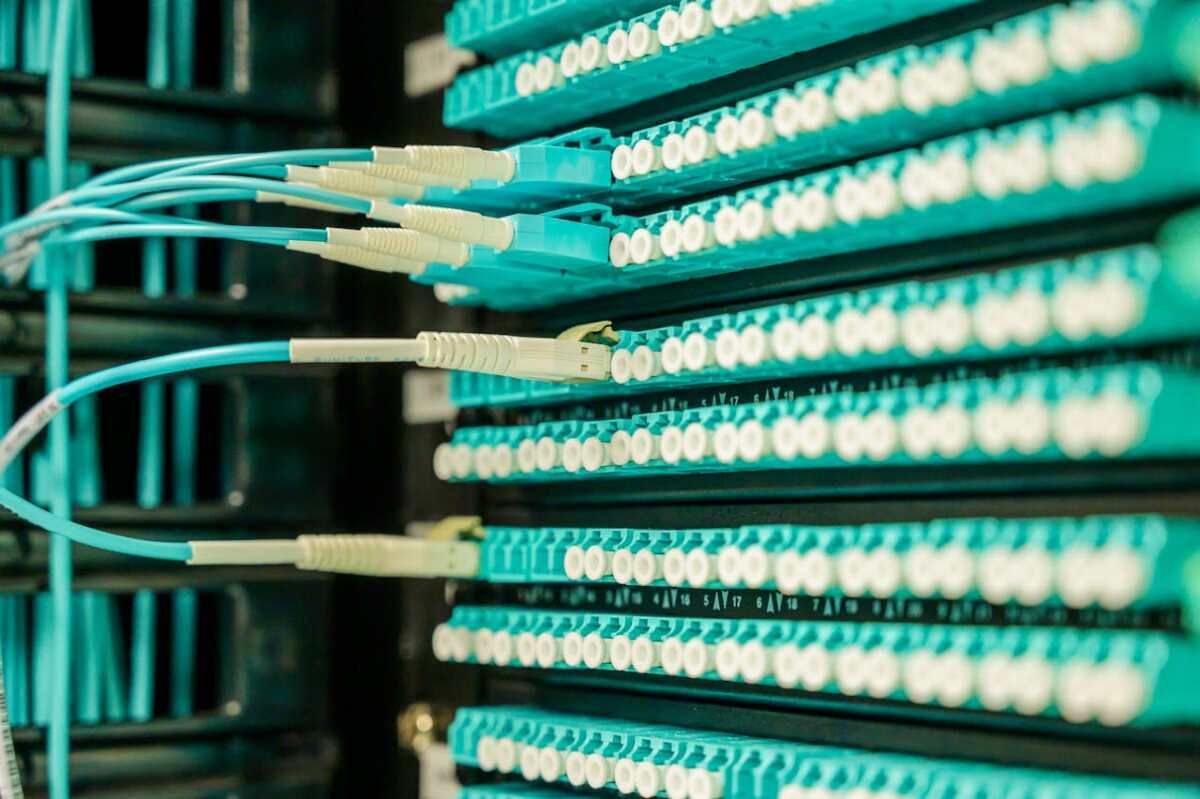
Speed and bandwidth: gigabit fiber leaves DSL in the dust

Speed is what you notice first. Click play on a 4K video and it either starts instantly or it sputters. Fiber starts; DSL sputters.

Modern fiber lines in Alabama move up to 1,000 Mbps on entry-level gig plans, and some zones reach 5,000 – 8,000 Mbps. According to Yahoo Tech, statewide speed-test boards place Alabama’s median download at 209 Mbps, driven almost entirely by fiber or cable. Yet only 47 percent of households can order true gigabit fiber, showing plenty of room to grow.

DSL cannot keep pace. According to BestNeighborhood.org, the average Alabama DSL tops out near 52 Mbps, and nearly one in four addresses max out at 10 Mbps or less. Uploads are worse, often under 2 Mbps, so a single cloud backup or Zoom call can clog the whole line.

The numbers prove the gap. A 1 Gbps fiber link moves data about twenty times faster than the state’s typical DSL and one hundred times faster than the slowest rural loops. A 5-GB game update finishes in under a minute on fiber but lingers more than twenty minutes on average DSL.

Why the gulf? Fiber sends light through glass with almost no signal loss, while DSL relies on decades-old copper that drops speed the farther you live from the switch. If fiber reaches your street, you gain room for every screen plus uploads that match downloads. Stay on DSL and you stay boxed in by lines designed for voice calls.

Fiber provides the horsepower we need now and the capacity we will need tomorrow. DSL was fine in 2005; it is gridlock in 2026. Choose accordingly.

Reliability and performance consistency

Speed is irrelevant if it peaks only on Sunday morning. Day to day, you need a connection that stays steady after dinner when everyone logs on.

Fiber hardly flinches. Light traveling through glass resists electrical noise, rain-soaked poles, and the distance slowdowns that hit copper. The signal you see at 8 p.m. matches what you saw at dawn. Latency stays low too, often under 20 milliseconds, so video calls feel natural and online games track every move in real time.

DSL tells a different story. Data moves as an electrical signal over phone wires built for voice. Each extra yard of cable trims speed, and Alabama’s humidity or a quick storm can add static that forces the modem to retrain. A 90-second file transfer at noon can crawl after dark when more neighbors share the same backhaul.

For work-from-home families the difference is obvious. One Huntsville resident said after switching, “I haven’t had to reboot a modem during a Zoom meeting since fiber reached the street.” That consistency turns the internet from a gamble into a given; that is what dependable means.

Availability in Alabama: where can you get fiber or DSL?

Coverage shapes every other decision, so let’s start with the statewide view.

DSL still reaches roughly 80 percent of Alabama addresses, from Birmingham suburbs to dirt roads in the Black Belt, according to BestNeighborhood.org. That presence makes DSL the default in many rural spots, even when speeds fall short.

Fiber is gaining ground fast. About 45 percent of homes can now order a fiber-to-the-home connection, up from just 12 percent a few years ago, according to Yahoo Tech. Huntsville, Birmingham, Mobile, and Montgomery lead the charge, and smaller cities like Jasper and Trussville are lighting up through regional providers and electric cooperatives.

The biggest leaps appear in counties once labeled “unserved.” A Benton Institute report notes that Freedom Fiber and other co-ops pushed Perry County’s high-speed coverage from zero to more than half of households within three years. Similar progress is unfolding across the Black Belt, where miles of new glass now cross pine stands and pastureland.

For a quick check, plug your address into the FCC Broadband Map or your ISP’s lookup tool. One side of a rural highway can have new fiber while the other side waits another season. If your search comes up empty, do not give up; grant-funded builds often open pre-registration months before the first customer goes live.

FCC Broadband Map Alabama Availability Screenshot

Bottom line: DSL is nearly everywhere but stands still. Fiber is not universal yet, yet its footprint widens each quarter. When that green “Available” button appears for your home, sign up quickly; the opportunity is unlikely to vanish.

Cost, value, and pricing: fiber delivers more speed per dollar

Price often decides the deal, but raw dollars alone miss the point—you need to see what each dollar buys.

Entry-level example: in many Alabama ZIP codes you can order a 300 Mbps fiber tier for about $55 per month. According to the WOW! residential fiber internet page and its FCC Broadband Facts label, the Fiber 1 Gbps Price Lock plan lists at about $90 per month, delivers symmetrical speeds around 1,060 Mbps, includes unlimited data, and locks that rate without annual contracts while still posting latency near 3 ms.

WOW Fiber 1 Gbps Price Lock Plan Product Page Screenshot

Even at nearly double the price of the 300 Mbps tier, the cost per megabit falls well under ten cents while erasing the data-cap worries that linger on many DSL lines. That equals roughly $0.18 per megabit. A legacy DSL line from the same provider can cost $50 for just 10–20 Mbps, or more than $2 per megabit. Download a 50 GB game, and the price-to-speed gap becomes obvious.

Promotions widen the spread. Fiber providers frequently waive install fees, include Wi-Fi gear, and keep rates stable for at least 12 months. DSL plans rarely see such perks. Even when sticker prices match, fiber ships without data caps, while many DSL offers still impose a 150 GB ceiling buried in the fine print.

Layer in the Affordable Connectivity Program: a $60 gigabit fiber plan can fall to $30 for eligible households, yet still deliver speeds 100 times faster than bargain DSL at the same cost.

Value also shows up in time saved. Faster uploads prevent stalled backups, telehealth glitches, and missed sales calls. Those delays drain hours that no promotional credit can refund.

In short, fiber is the better deal today and a smarter hedge against tomorrow’s bandwidth needs. Pay once for a wider pipe and stop paying with your patience.

Future-proofing and upgrades: fiber is built for tomorrow

Technology moves quickly, but copper has reached its limit. AT&T ended new DSL sales in 2020 and plans to retire most copper loops before the decade closes. When those lines go dark, the realistic paths forward are fiber or fixed wireless.

That future is already here. C Spire now offers 2-gig and 8-gig home tiers in north Alabama, proving that a single strand can scale far beyond current needs. AT&T delivers 5-gig service in parts of Birmingham and Huntsville, and the same glass carries each upgrade—no new trench required.

The state is investing, too. Alabama secured $460 million in BEAD funds to extend fiber to the last mile, and a new 5,000-mile middle-mile network now links all 67 counties. Lawmakers set clear targets: give 90 percent of residents access to at least 100/20 Mbps by 2026 and 98 percent by 2030. Meeting those goals depends on fiber, not DSL.

Install fiber once and the speed race ends. A gigabit line can leap to 10 gig with a simple equipment swap at the curb. Stick with DSL and you face a forced migration later plus years of slower service in the meantime.

Choosing fiber is not just about today’s streaming queue. It keeps your home, work, and community competitive for the next 20 years.

Rural connectivity and the digital divide in Alabama

City residents rarely watch a loading icon spin. In the Black Belt, that circle still decides whether homework, telehealth, or new sales can happen.

For decades, rural Alabama leaned on dial-up, then shifted to DSL when copper finally reached the fence line. Speeds of 5 Mbps felt groundbreaking then, yet they collapse under remote work, telehealth, or a single 4K stream today.

Progress is accelerating. Electric cooperatives, first created to electrify farms in the 1930s, now run fiber down the same poles. Tombigbee’s Freedom Fiber, Cullman Electric’s Sprout, and similar projects have already lit thousands of miles of glass. In Perry County, high-speed availability rose from 0 percent to more than 50 percent in just three years, according to the Benton Institute.

State dollars amplify the push. The Alabama Broadband Accessibility Fund directs tens of millions toward last-mile builds each grant cycle, while federal RDOF and BEAD awards cover much of the remainder. Crews now splice fiber through pine forests where cell signals barely flicker, clear proof that geography no longer dictates opportunity.

Still waiting for construction? Fixed wireless from T-Mobile or Verizon often beats legacy DSL, and Starlink can serve the most isolated hollows. Treat these as short-term fixes, not endpoints. When the sign-up email arrives, move to fiber and do not look back.

Closing the speed gap is more than convenient. It keeps students off library parking lots at night, lets clinics send X-rays to specialists, and opens small businesses to national markets. Rural Alabama deserves that chance, and fiber provides it.

The Verdict: Fiber Wins, If You Can Get It

You have read the numbers, the reliability stories, and the price comparison. They all point one way: for nearly every household in Alabama, fiber-optic internet beats DSL.

Choose fiber and you gain gigabit speeds, equal uploads, low latency, and a line that can scale for decades. Stick with DSL and you accept double-digit megabits, uneven performance, and a network phone companies plan to retire. When fiber becomes available at your address—whether from AT&T, WOW!, or a local co-op—make the switch. Your calls, game nights, and work files will all run smoother.

If fiber has not reached you yet, pick the fastest interim option you can find, such as cable or 5G home internet, and keep checking availability maps. Crews add new glass every week, and today’s no-service zone can flip to “Ready for install” overnight.

Fiber is Alabama’s present and future; DSL is its past. Your best internet life starts the moment you leave copper behind.


How Online Platforms Are Changing the Way People Buy Gold and Silver

For centuries, buying gold and silver meant visiting a jeweller, bullion dealer, or bank vault in person. Today, that experience has shifted almost entirely online. Digital platforms have transformed how investors research, compare, purchase, store, and even resell precious metals, making gold and silver more accessible than ever before.

But the change isn’t just about convenience. It’s also about trust, transparency, and visibility, areas where SEO and link building now play a surprisingly important role.

From Vaults and Counters to Clicks and Comparisons

Online platforms have removed many of the traditional barriers to investing in precious metals. Instead of relying on a single local dealer, buyers can now:

  • Compare live spot prices in real time
  • View premiums, fees, and delivery options instantly
  • Access a global marketplace of sellers
  • Buy fractional amounts of gold and silver
  • Arrange insured delivery or secure third-party storage

This shift has democratised gold and silver investing. What was once perceived as something reserved for high-net-worth individuals is now available to everyday investors with modest budgets, according to Goldeneaglecoin.com.

Transparency Has Become a Competitive Advantage

One of the biggest changes brought by online platforms is transparency. Modern buyers expect to see:

  • Real-time pricing updates
  • Clear breakdowns of premiums and storage fees
  • Independent reviews and ratings
  • Educational content explaining risks and benefits

Platforms that provide detailed information tend to outperform those that rely on opaque pricing or vague promises. As a result, content quality has become just as important as pricing itself.

This is where SEO starts to matter.

Education-Driven Buying Decisions

Most online gold and silver buyers don’t purchase on impulse. They research first.

Before clicking “buy,” users often search for topics like:

  • Is gold a hedge against inflation?
  • Physical bullion vs digital gold
  • Gold vs silver as an investment
  • How storage and insurance work
  • Tax implications of buying precious metals

Platforms that rank well for these informational searches gain trust long before the transaction happens. Educational blog posts, buying guides, FAQs, and market analysis now act as the top of the funnel for precious metals sales.

The Role of SEO in Precious Metals Platforms

Search engine optimisation has become a core growth channel for online gold and silver platforms. Ranking organically allows platforms to capture high-intent traffic without relying entirely on paid ads, especially important in a sector where advertising restrictions can apply.

Strong SEO strategies in this space typically include:

  • High-quality evergreen content around gold and silver investing
  • Market commentary tied to economic events
  • Long-form guides answering investor questions
  • Technical SEO to ensure fast, secure, and compliant sites

However, content alone isn’t enough.

Why SEO Link Building Matters in Gold and Silver Markets

SEO link building services play a critical role in how online precious metals platforms establish authority and trust, both with search engines and with users.

Backlinks from reputable websites act as third-party validation. In an industry where credibility is everything, links from finance publications, investment blogs, news outlets, and authoritative educational sites can significantly improve rankings and perceived legitimacy.

Effective link building in this sector often focuses on:

  • Editorial mentions in finance and investment content
  • Expert commentary or market insights cited by journalists
  • Educational partnerships and resource links
  • Data-driven content that attracts natural references

Because gold and silver are considered “your money or your life” topics, search engines apply stricter standards. Quality links help signal that a platform is trustworthy, established, and worth ranking.

Trust Signals Now Extend Beyond the Platform Itself

Modern buyers don’t just trust what a platform says about itself; they look for external confirmation. That includes:

  • Independent reviews
  • Mentions across respected websites
  • Consistent brand visibility in search results
  • References in educational or financial content

SEO link building helps create this wider digital footprint. When potential buyers repeatedly see a platform referenced across authoritative sources, confidence increases, even before visiting the site.

Global Reach, Local Confidence

Another major change driven by online platforms is global accessibility. Investors can now buy gold and silver from international dealers while still expecting localised information, pricing, and compliance details.

SEO makes this possible by allowing platforms to:

  • Target region-specific search terms
  • Publish localised content and guides
  • Earn links from country-specific publications
  • Build trust within different markets simultaneously

This combination of global reach and local credibility would be almost impossible without a strong organic search presence.

The Future of Buying Precious Metals Online

As economic uncertainty continues to drive interest in hard assets, online platforms will only become more central to how people buy gold and silver.

We can expect to see:

  • More educational and data-driven content
  • Greater emphasis on transparency and compliance
  • Increased competition for organic search visibility
  • SEO and link building are becoming core trust-building tools

In short, buying gold and silver is no longer just about the metal, it’s about the platform behind it. And in today’s digital landscape, visibility, authority, and trust are built as much through SEO and link building as they are through pricing and products.

Best Ways to Transfer Data Between Phone and Car Systems

The modern cars are not merely the machines that help us to get out of point A and get to the point B anymore; they are universal nodes that are going to become a part of our digital lives. 

Whether it is navigation and music, calls, messages as well as vehicle diagnostics, the convenience of moving data in and out of your phone, onto the car has become a necessity. 

Whether you are a daily commuter, a road-tripper, or someone who just visits automotive sites such as Dyler to be inspired, knowing how you can best integrate your phone to your car system can be a big difference to your driving pleasure.

The most trusted, most practical, and most used techniques of data transfer between the phone and the car systems are discussed below in terms of their strong, weak, and the best places where they can be applied.

1. Bluetooth Connectivity

Bluetooth is still the most standard and the most available means of data transfer between phones and cars. Bluetooth is a universal technology in that almost every single modern car and smartphone is Bluetooth compatible.

What it’s best for:

  • Hands-free calling
  • Music (audio stream) Podcasts (audio stream) Audiobooks (audio stream)
  • Contact syncing

Advantages:

Bluetooth is easy to install and use, and both wireless and automatic after being paired. Once you have made the first connection, then your phone seems to connect each time you start your car.

Limitations:

Bluetooth communication is also relatively slow in terms of data transfer rates with wires. It is not the best to use to screen mirror, transfer large files, and sophisticated applications.

Best use case:

Drivers who desire the safety of a no-cable, no-frills solution when making calls and listening to music.

2. USB Cable Connection

Connection by a USB cable with your phone and your car system is one of the most stable and efficient ways of connection.

What it’s best for:

  • CarPlay and Android Auto
  • Fast audio playback
  • Charging while driving

Advantages:

USB connections are more reliable, have a lower lag and can transfer data at a higher rate of transfer compared to Bluetooth. They also keep your phone charged when you are driving long distances.

Limitations:

Cables may cause wear and tear, mess up your dashboard or become useless in case you switch phones.

Best use case:

The drivers who use the navigation apps, voice assistants, and in-car apps on the daily basis.

3. Andrei and Android Auto

Apple CarPlay and Android Auto are special application platforms that are meant to directly connect smartphones to the car infotainment systems.

What they’re best for:

  • Navigation (Google Maps, Apple Maps, Waze)
  • Messaging and calls
  • Music and media apps
  • Voice commands

Advantages:

They also offer a user-friendly, driver-friendly interface that reflects on the screen of the car apps that are chosen in the phone. Voice control minimizes the distraction and enhances safety.

Limitations:

These systems only work with not every car, particularly old models. There are vehicles that need wired connection except in cases where wireless is included.

Best use case:

Drivers seeking a smooth, apps-filled and least distracting experience.

4. Android Auto and Wireless CarPlay

CarPlay and Android Auto have wireless versions which are getting increasingly popular in new cars.

What they’re best for:

  • Cable-free total phone integration
  • Automatic connection

Advantages:

They provide ease of Bluetooth and the capability of USB-based system. Lack of plugging will ensure that there is increased speed in entering and leaving the car.

Limitations:

Connection over wireless is consuming phone batteries and sometimes could be slow or interfered.

Best use case:

Drivers who are more convenient and have new cars with well-equipped infotainment systems.

5. Wi-Fi Hotspot and Wi-Fi Direct Connection

There are cars that can be directly connected to Wi-Fi or that can be mobile hotspots.

What it’s best for:

  • High-speed data transfer
  • Streaming services
  • Over-the-air updates

Advantages:

Wi-Fi is significantly faster than Bluetooth, and thus will be applicable to advanced infotainment applications and real time-updates.

Limitations:

It can be a data subscription required and it might be more complicated to install than Bluetooth or USB.

Best use case:

Drivers who are tech savvy and desire high performance out of their connectivity and the internet access simultaneously.

6. SD Cards and Media Storage

Many car systems still support SD cards and USB flash drives although this is less popular today.

What they’re best for:

  • On-demand music and video playback.
  • Moving huge libraries of media.

Advantages:

Not even active phone connection is necessary. Even when your phone battery runs out, files will be available.

Limitations:

None of the real-time syncing, integrating the apps, or communication.

Best use case:

Users having large media offline collections or have low mobile data coverage.

7. Cloud-Based Syncing

The data can be indirectly exchanged between your car and phone through cloud services, such as Google Drive, Apple iCloud, or those specific to the manufacturer.

What it’s best for:

  • Navigation preferences
  • Contacts and calendars
  • Vehicle settings

Advantages:

Information is kept abreast of amongst devices without physical exchanges.

Limitations:

Needs internet connectivity and car compatible software.

Best use case:

Customers that appreciate continuity and customization on a variety of vehicles or devices.

Final Thoughts

The most appropriate method of moving data in and out of your car and phone will be based on your requirements, automobile abilities and your driving patterns. 

Bluetooth is very suitable in simple jobs, USB is stable and fast, and CarPlay and Android Auto are the most refined ones. The presence of wireless options makes it convenient and Wi-Fi or cloud syncing is available to the sophisticated users.

As vehicles become increasingly integrated into their own ecosystems, it will pay to be able to utilize these features and optimize the value of your phone and your car. The correct installation will make your car a part of your online life, fast, convenient, and prepared to the future.

Systems That Help Roofing Companies Stay Organized

Roofing companies juggle multiple projects, teams, customers, materials, and deadlines every day. Without reliable organizational systems in place, even the best crews can struggle with miscommunication, missed appointments, and delayed payments.

The right tools streamline workflows and improve efficiency, accountability, and customer satisfaction. Let’s explore a range of systems that help roofing companies stay organized.

Comprehensive CRMs to Manage Customers and Leads

A customer relationship management (CRM) system centralizes all customer interactions, tracks leads through the sales pipeline, and maintains meticulous records of estimates, appointments, and follow-ups. CRMs tailored for roofing contractors include insurance claim workflows, material tracking, and integrations with estimating software.

Roofers can avoid duplicates, reduce manual errors, and increase their chances of converting inquiries into signed contracts. For contractors looking to streamline lead management and customer communication, exploring the best CRMs for roofers can be a strategic first step.

When implemented correctly, a CRM standardizes sales processes and enables better team collaboration so that no prospective client falls through the cracks.

Job Scheduling Tools That Keep Teams on Track

Roofing projects frequently involve multiple crew members, subcontractors, and stages of work that must occur in a specific order. Job scheduling systems give companies the ability to assign tasks, coordinate timelines, and make adjustments as weather or other variables change.

Modern solutions provide visual scheduling boards, drag-and-drop calendars, automated reminders, and mobile access so field crews always know where to be and when. Some platforms can link scheduled tasks with customer records in your CRM, giving you a full picture of job status and team availability at a glance.

Estimating Software for Faster, More Accurate Quotes

Roofing companies compete on the speed and accuracy of their estimates. Manual takeoffs and spreadsheets can cause errors and inconsistent pricing, which hurts profitability and undermines trust with customers.

Many of these systems integrate with drone imagery, satellite measurements, or on-site photos to eliminate guesswork and save time. Proposals are professional, comprehensive, and easily adjustable based on changes in scope or material costs. Some products can even produce branded proposals that can be sent directly to customers via email or text. Roofers who invest in estimating technology see reduced rework, fewer pricing mistakes, and improved customer response rates.

Document Management Systems for Contracts and Compliance

Roofing projects generate a lot of paperwork: contracts, permits, insurance documentation, supplier invoices, and warranty information. Keep these documents organized and easily accessible for legal compliance, quality control, and customer service.

With a document management system (DMS), roofing companies can store, categorize, and retrieve files more efficiently than traditional filing cabinets or shared drives. Advanced systems include version control, searchable text, and permission settings so only authorized users can make changes.

Field Communication Platforms to Connect Office and Crew

A great organization means everyone on the team is on the same page, literally. Field communication platforms bridge the gap between office staff and on-site crews by enabling messaging, real-time updates, task confirmations, and photo sharing.

With mobile apps, foremen can alert office staff when a job hits a snag, report completed milestones, or request additional materials. For office staff, visibility into field progress allows more accurate updates to customers and better coordination of subsequent tasks.

Inventory and Material Tracking for Cost Control

Roofing jobs require a range of materials (shingles, nails, underlayment, flashing, and more), and mismanaging inventory can result in wasteful over-ordering or costly rush purchases when stock runs low. Inventory management systems keep track of what’s in stock, what’s been allocated to jobs, and what needs to be ordered. Some advanced systems even use barcode scanning or RFID tags to automate tracking as materials move in and out of the warehouse or onto job sites.

A well-organized inventory system reduces material waste and improves cash flow so that crews always have what they need when they need it. When linked to purchasing and accounting systems, roofing businesses can analyze usage patterns, forecast demand, and negotiate better pricing with suppliers.

Workflow Automation That Eliminates Busywork

Organizational systems can actually automate repetitive tasks that waste valuable time. Workflow automation tools help roofing teams enforce processes consistently and efficiently.

Typical automations include:

  • Automated reminders and follow-ups: keep clients engaged without manual outreach
  • Task triggers: when one task is complete, the next is automatically assigned
  • Lead nurturing sequences: prospects receive targeted messages based on behavior
  • Document generation: contracts or proposals created from templates with a click
  • Approval workflows: estimates or change orders are reviewed before sending

By reducing the hours spent on administrative busywork, automation lets your team focus on customer service, quality assurance, and strategic planning. This keeps operations organized and boosts morale and productivity across the business.

Staying organized is a continuous effort, but with the right systems in place, roofing companies can transform chaos into coordinated progress. Investing in technology that fits your business needs is a necessity. The result? Happier customers, more efficient crews, less stress for owners, and stronger performance.

Practical Tips for Cleaner Air While Cooking

Cooking fills a home with comfort and flavor, but it can release smoke, grease particles, and odors that linger long after the meal is done. These airborne pollutants can affect indoor air quality and even settle on surfaces throughout your kitchen and living space.

With a few intentional habits and smart equipment choices, you can dramatically improve the air you breathe while cooking. The following practical tips focus on everyday actions, kitchen design considerations, and ventilation strategies that work together to keep your kitchen air fresh, clean, and healthy.

Understand What Pollutes the Air While Cooking

Cooking pollutants come from more than just burnt food. High-heat cooking methods, including frying, searing, and grilling, release fine particulate matter and volatile organic compounds into the air. Gas stoves emit nitrogen dioxide and carbon monoxide, which can build up without proper ventilation.

Understanding these sources helps you take targeted action. Cleaner air starts with recognizing when pollution is most likely to occur and preparing your kitchen environment accordingly during longer or higher-temperature cooking sessions.

Choose the Right Ventilation Equipment for Your Kitchen

The right choice of vents depends on your cooking style, kitchen layout, and appliance output. Effective systems move sufficient air volume to capture grease, smoke, and heat without excessive noise or energy waste. Investing in a properly sized, professional-grade kitchen vent can make a noticeable difference if you cook frequently or use powerful gas or commercial-style ranges. When evaluating options, consider the following:

  • Hood size relative to your cooktop
  • Airflow capacity (CFM) suitable for high-heat cooking
  • Ducted versus ductless configurations
  • Ease of cleaning and filter replacement

Use Ventilation Every Time You Cook

One of the most effective habits you can form is turning on the ventilation before the heat hits the pan. Starting airflow early captures smoke and steam at the source before it spreads throughout your home when cooking foods with high fat content or strong aromas.

Consistent use matters just as much as having a good system. Even quick meals can release invisible particles, so make ventilation a default step. Wash your hands before cooking to maintain better indoor air quality day after day.

Match Cooking Techniques With Airflow Needs

Different cooking methods demand different ventilation responses. Boiling or steaming produces moisture that can raise indoor humidity, while frying and stir-frying release grease-laden smoke that needs stronger capture.

Adjusting fan speeds to match your cooking technique helps optimize performance. Lower settings work well for simmering, and higher speeds are better suited for searing or wok cooking. This approach reduces noise while still keeping the air clean and comfortable.

Keep Filters and Ducts Clean and Functional

Even the best ventilation system loses effectiveness if it isn’t maintained. Grease filters clogged with residue restrict airflow and allow odors to recirculate back into the kitchen. Dirty ducts can harbor grease buildup that affects performance.

Regular cleaning so that your system works as intended. Metal filters need monthly cleaning. Baffle filters may require less frequent but thorough care. Clean systems improve air quality and extend the life of your equipment.

Improve Natural Airflow When Possible

Mechanical ventilation works best when supported by natural airflow. Opening a nearby window or door creates cross-ventilation that helps move polluted air out more quickly in smaller and larger kitchens.

This strategy can be helpful during mild weather or when cooking aromatic dishes. Even a small amount of fresh air entering the space can decrease lingering odors and stale air without additional energy use.

Be Mindful of Cookware and Oils

The materials you cook with influence air quality. Certain oils have low smoke points and break down quickly at high temperatures, producing more visible smoke and airborne particles. Choosing oils with higher smoke points reduces unnecessary emissions.

Cookware that distributes heat evenly minimizes hot spots that cause food and oil to burn. Simple adjustments like these reduce the burden on your ventilation system and contribute to a cleaner cooking environment.

Design Your Kitchen With Air Quality in Mind

Kitchen layout plays a surprisingly large role in how effectively pollutants are removed. Cooktops placed against walls with overhead ventilation perform better than island setups with no sufficient hood coverage.

Clear pathways for air movement, adequate hood depth, and proper duct routing all improve capture efficiency. With thoughtful design, ventilation systems can work with your space rather than against it.

Cleaner air while cooking isn’t the result of a single upgrade but a combination of habits, maintenance, and smart choices. Using ventilation consistently, cleaning equipment regularly, and adapting your cooking practices all add up.

When you treat indoor air quality as a part of kitchen care, you create a healthier environment for cooking and for everyday living. These practical steps can guarantee that the warmth of home-cooked meals comes without unwanted side effects in the air you breathe.

Useful Methods For Gaining Partial Rights To Land And Housing

Getting a foothold in property does not have to mean buying the whole thing. Partial rights let you participate in value and use, while matching your budget and risk tolerance.

This guide breaks down practical paths to partial ownership, the documents you need, and the tradeoffs to watch. It is not legal advice, but it will help you ask sharper questions.

Fractional Deeds And Ownership Shares

A simple route is to buy a recorded percentage of the title. Your share is documented in the deed, and your rights flow from that percentage. You can split costs, taxes, and appreciation according to your share.

Decide early how decisions get made. Voting by percentage is common, but you can require supermajorities for big moves like selling or refinancing. Spell out tie-breakers and dispute steps to limit stalemates.

Plan exists on day one. A buy-sell clause can give co-owners the right to match a third-party offer or trigger an appraisal-based sale. Clear timelines reduce pressure and protect relationships.

Tokenized And Digital Fractional Models

Digital platforms can split property rights into small, auditable units. Records live on a ledger that tracks ownership and income distribution. This structure can lower minimums and speed transfers.

Investors perform diligence much like any other deal. Verify the legal wrapper, revenue rights, and who controls major actions. Custody and compliance processes should be clear and tested.

Demand has grown. A Federal Reserve working paper in 2024 reported that many households would consider partial ownership in a future housing move, including a large share of renters. That interest is pushing new models to become simpler, safer, and more transparent.

Costs and access vary by jurisdiction, so start by comparing minimum investment sizes and whether tokens convey equity or revenue-share rights. For a hands-on example, you can explore a platform for tokenized real estate ownership to examine how property tokens are issued, how rents flow, and what secondary market exists. Pay special attention to disclosures about custody, wallet recovery, and transfer restrictions – these details affect liquidity. 

Tenancy In Common Vs. Joint Tenancy

Tenancy in common lets people hold unequal shares and transfer them freely. It suits friends, relatives, or investors who want flexibility. Each owner can will their share to heirs without affecting others.

Joint tenancy includes rights of survivorship. If one owner dies, their share passes to the other owners automatically. This can simplify probate, but it limits estate planning choices.

Choose based on long-term intentions. If you want flexible exits and estate control, tenancy in common often fits. If you want automatic transfer on death and a tighter group, joint tenancy can work better.

Co-Buying Agreements That Prevent Future Headaches

A co-ownership agreement is your operating manual. It should cover who pays what, how repairs are approved, and where to cap annual expenses. Keep it short but decisive.

Usage rules matter when people share a home. Set a calendar for guest stays, sublets, and noise hours. Small, bright-line rules reduce friction and protect enjoyment.

Disputes happen. Require mediation before lawsuits, define default remedies, and include a right to buy out a nonpaying owner after notice. These clauses turn emotion into process.

Shared Equity And Community Land Trusts

Shared equity models pair buyers with mission-driven partners. The partner supplies capital in exchange for a share of appreciation at resale. Homebuyers get lower upfront costs and stable payments.

Community land trusts separate land and buildings. The trust owns the land and leases it long-term to the resident. Resale formulas keep the home affordable for the next buyer.

These options trade some upside for access and stability. Review resale caps, maintenance duties, and improvement credits. A well-designed formula can still reward upkeep without pricing out future families.

Real Estate Funds, Syndications, And Clubs

Private funds and syndications pool money to buy larger assets. In exchange, you receive units or membership interests tied to the project. Returns come from rent, profits, or a sale.

Read the operating agreement closely. Look for fee alignment, preferred returns, and voting rights on key events. A strong sponsor reports consistently and keeps reserves healthy.

Investment clubs are a lighter option. Members contribute smaller amounts to jointly chosen deals. Good clubs keep minutes, require voting, and use third-party bookkeeping to avoid confusion.

Lease Options, Life Estates, And Creative Carve-Outs

A lease option lets you rent now and buy later at a preset price. Your option fee secures the right without obligating you to close. Track deadlines and inspection windows carefully.

Life estates can split time-based rights. One person holds the right to live in the property for life, and another holds the remainder interest. This approach can support caregiving or multigenerational planning.

You can carve rights even more narrowly. One party holds farming rights while another keeps development rights. Precision makes value clearer and reduces later conflict.

Compliance is not optional. Record deeds and easements, register entities, and file annual reports. Doing the paperwork early prevents headaches later.

Partial rights can open doors that once felt locked. Whether you want a place to live, a share of income, or a slice of future upside, there is a structure that fits.

Pick a method, write the rules, and plan your exit while tempers are cool. With clean documents and steady governance, shared ownership can be both practical and fair.

Managing Aging Buildings: A Facility Maintenance Strategy for Older Infrastructure

The average commercial building in the United States is over 50 years old. Schools, hospitals, government facilities, and manufacturing plants often operate in structures built decades before modern building systems existed. These aging facilities present maintenance challenges that grow more complex each year.

Older buildings weren’t designed for current occupancy demands, energy expectations, or technology requirements. Their mechanical systems have been patched, modified, and extended well beyond original design life. Documentation has been lost through staff turnover and organizational changes. The institutional knowledge needed to maintain them effectively exists primarily in the memories of long-tenured technicians approaching retirement.

Yet these buildings must continue functioning. Replacement isn’t economically feasible for most organizations. The path forward requires maintenance strategies specifically adapted to aging infrastructure, supported by systems that compensate for the unique challenges older facilities present.

Why Aging Buildings Demand Different Approaches

Maintenance strategies developed for newer facilities often fail when applied to aging infrastructure. The assumptions underlying standard practices don’t hold when equipment operates decades past intended service life.

The Compounding Complexity Problem

Every year a building ages, its maintenance complexity increases. Original equipment gets replaced with whatever was available at the time, creating systems with components from multiple manufacturers and eras. Modifications made to accommodate changing needs introduce interactions that original designers never anticipated. Previous repairs, some documented and many not, create conditions that confuse even experienced technicians.

Consider an HVAC system originally installed in 1975, modified in 1988 for a building expansion, partially upgraded with digital controls in 2003, and patched repeatedly since then. Understanding how this hybrid system actually operates requires archaeology as much as engineering. Standard troubleshooting procedures assume coherent system design. Reality is far messier.

The Documentation Deficit

Newer facilities typically have comprehensive documentation. Design drawings, equipment specifications, installation records, and commissioning reports provide reference material for maintenance planning and troubleshooting.

Older facilities rarely enjoy this luxury. Original documents have been lost, damaged, or rendered obsolete by subsequent modifications. As-built conditions diverge dramatically from whatever drawings remain. Equipment nameplates have faded or been painted over. The people who understood how things actually work have retired or moved on.

This documentation deficit means maintenance teams operate partially blind. They discover system configurations through experience rather than reference. Tribal knowledge becomes essential, and when knowledgeable staff leave, critical information disappears.

The Parts Availability Challenge

Equipment manufacturers typically support products for 15 to 20 years after discontinuation. After that, replacement parts become increasingly difficult to source. Older facilities routinely contain equipment that hasn’t been manufactured in decades.

Maintenance teams develop creative solutions. They fabricate custom parts, adapt components from other equipment, or source from salvage operations. These workarounds keep systems running but add complexity and risk. Each improvised repair makes the next one harder.

Building Maintenance Intelligence for Older Facilities

The challenges of aging infrastructure make systematic maintenance management more important, not less. When complexity is high and documentation is scarce, the ability to capture, organize, and retrieve maintenance information becomes essential.

Reconstructing Asset Knowledge

Facilities lacking comprehensive asset documentation can rebuild this knowledge systematically through maintenance operations. Every work order represents an opportunity to capture information that might otherwise remain undocumented.

When technicians service equipment, they can record nameplate data, photograph installations, document operating parameters, and note system relationships. Over time, these incremental contributions construct asset records that never existed or were long ago lost.

Facility maintenance software solutions like MPulse provide structured frameworks for this knowledge reconstruction. Mobile interfaces allow technicians to capture information during routine work without separate documentation projects. Asset records accumulate organically, building the institutional knowledge base that aging facilities desperately need.

Preserving Tribal Knowledge

Experienced technicians who understand aging buildings carry irreplaceable knowledge. They know which valve controls what, why that motor runs hot on humid days, and which electrical panel feeds the original building versus the 1990s addition. When they leave, this knowledge typically leaves with them.

Systematic work order documentation transfers tribal knowledge from individuals to organizational systems. When a senior technician troubleshoots a problematic air handler, detailed documentation of the diagnosis and solution captures expertise that future staff can reference. Notes about equipment quirks, undocumented modifications, and effective workarounds become permanently accessible rather than walking out the door at retirement.

This knowledge preservation requires cultural commitment. Documentation must be valued, not viewed as administrative burden. Senior staff need time and encouragement to record what they know. The organization must demonstrate that captured knowledge actually gets used, reinforcing the behavior.

Tracking Component Lifecycles

Aging facilities contain equipment at various stages of remaining useful life. Some systems have years of service left. Others are overdue for replacement. Without systematic tracking, these distinctions blur into general awareness that “everything is old.”

Maintenance history provides the data needed for differentiated lifecycle management. Equipment requiring frequent repairs, consuming excessive parts, or showing declining reliability metrics identifies itself as replacement priority. Conversely, older equipment performing well might warrant continued maintenance investment.

This analysis requires historical data that informal systems rarely preserve. Spreadsheets and paper records might capture individual repair events but seldom support the longitudinal analysis that informs lifecycle decisions. Centralized maintenance management systems maintain the continuous history that aging facility management demands.

Prioritization Strategies for Limited Resources

Aging facilities typically need more maintenance than budgets allow. Equipment that should be replaced continues operating because capital isn’t available. Preventive maintenance gets deferred because reactive emergencies consume available labor. The backlog grows while resources stay flat.

Effective management of aging infrastructure requires ruthless prioritization. Not everything can receive optimal attention. Strategic thinking must guide resource allocation toward highest-value activities.

Criticality-Based Resource Allocation

Not all equipment failures carry equal consequences. A failed break room refrigerator inconveniences staff. A failed fire suppression pump endangers lives. Resource allocation should reflect these differences.

Formal criticality assessment evaluates equipment based on safety impact, operational importance, failure consequences, and replacement difficulty. High-criticality assets receive priority attention: more frequent inspection, faster response times, and proactive parts stocking. Lower-criticality equipment might operate with reduced maintenance or even run-to-failure strategies where replacement costs less than prevention.

This differentiation feels uncomfortable to maintenance professionals who want everything maintained properly. But resource constraints make differentiation necessary. Explicit prioritization based on documented criteria produces better outcomes than implicit prioritization based on who complains loudest.

Condition-Based Intervention

Traditional preventive maintenance schedules work from time intervals. Change filters every three months. Inspect belts annually. Rebuild pumps every five years. These schedules assume average conditions and average usage.

Aging equipment rarely conforms to average assumptions. Some components degrade faster than expected. Others prove surprisingly durable. Calendar-based schedules waste resources on equipment that doesn’t need attention while missing equipment that does.

Condition-based maintenance allocates resources based on actual equipment state rather than elapsed time. Inspection findings, operating parameters, and performance trends guide intervention timing. This approach optimizes maintenance investment for aging equipment whose behavior deviates from manufacturer predictions.

Implementing condition-based strategies requires data infrastructure that tracks equipment condition over time and triggers work orders when thresholds are crossed. Manual systems struggle to maintain this discipline consistently. Automated monitoring and workflow generation ensure that condition indicators translate into appropriate action.

Strategic Deferred Maintenance

Every facility carries some deferred maintenance. The question isn’t whether to defer, but which maintenance to defer with full understanding of consequences.

Strategic deferral distinguishes between maintenance that can safely wait and maintenance where delay creates compounding problems. Cosmetic issues often defer without significant consequence. Lubrication deferral risks bearing failure and collateral damage. Roof maintenance deferral invites water intrusion that damages structure and interior finishes.

Documented deferred maintenance registers capture what’s been postponed, why, and what risks deferral creates. This visibility supports informed decision-making about when deferral has continued long enough and prevents the dangerous situation where deferred items simply disappear from awareness.

Planning for Transition

Aging facilities eventually face transition decisions. Major systems reach points where continued repair stops making sense. Renovation projects update portions of buildings while leaving others unchanged. Changing organizational needs require facility modifications.

Maintenance data accumulated over years of operation informs these transition decisions with evidence rather than assumption.

Building the Replacement Case

Capital budget requests for major equipment replacement require justification that competing priorities lack. Data-driven cases demonstrate need in terms financial decision-makers understand.

Total cost of ownership analysis compares ongoing maintenance costs against replacement investment. When historical data shows a chiller consuming $40,000 annually in repairs, the payback calculation for a $200,000 replacement becomes straightforward. Without that historical data, the case relies on estimates that skeptical budget reviewers discount.

Reliability trending strengthens replacement arguments. Equipment experiencing increasing failure frequency, longer repair times, or more severe failure consequences presents documented risk that supports capital investment.

Informing Renovation Planning

When organizations undertake major renovation projects, maintenance history guides scope decisions. Systems causing persistent problems become renovation priorities. Equipment performing adequately might be retained, preserving capital for higher-need areas.

This guidance requires accessible historical data. Design teams working on renovation projects need to understand current facility conditions, problem areas, and equipment remaining useful life. Maintenance systems that preserve and organize this information support better planning. Systems that bury information in inaccessible formats force designers to rediscover what operations staff already know.

Managing Transition Periods

Major facility transitions rarely happen instantaneously. Renovation projects proceed in phases. Equipment replacement occurs incrementally. Organizations operate hybrid facilities combining old and new systems during extended transition periods.

Maintenance management during transition requires flexibility. Asset records must accommodate equipment being removed, equipment being added, and temporary configurations during construction. Work order systems must route to appropriate staff as responsibilities shift. Documentation must capture as-built conditions as changes occur.

Systems designed for stable operations sometimes struggle with transition dynamics. The ability to configure, reconfigure, and track changes becomes essential during periods of facility transformation.

The Long Game of Facility Stewardship

Buildings that exist today will likely still exist decades from now. The facilities presenting aging challenges today were new construction within living memory. Current new construction will eventually become tomorrow’s aging infrastructure.

This long view argues for maintenance approaches that consider extended timeframes. Decisions made today create conditions that future staff will inherit. Documentation captured now preserves knowledge for people not yet hired. Systems implemented today establish practices that will either serve or constrain operations for years ahead.

Organizations that maintain aging facilities effectively share common characteristics. They respect the complexity that accumulated modifications create. They invest in documentation and knowledge management. They prioritize systematically rather than reactively. They plan for transitions before crises force decisions.

These characteristics don’t develop accidentally. They result from deliberate choices to build maintenance capabilities that match facility demands. For aging infrastructure, those demands are substantial. Meeting them requires commitment to practices and systems that transform maintenance from reactive scrambling into strategic facility stewardship.

The buildings aren’t getting any younger. The question is whether maintenance operations will evolve to manage aging infrastructure effectively or continue struggling with approaches designed for simpler circumstances.

How to Organize Your Life Memories Alongside Your Digital Data

In a world where every moment can be captured, stored, and shared with a tap, organizing your life memories has become both more rewarding and more overwhelming. Digital photos, videos, old documents, social media posts, and even scanned year books all vie for space on your drives and devices. Without a clear system, the memories you value most can get buried beneath alerts, files, and forgotten folders.

This guide will help you organize your life memories in a way that brings clarity, connection, and joy to your digital world.

Start with What Matters Most

Before you dive into folders and file names, take a moment to decide what memories matter most to you. Your digital collection could include:

  • Photos and videos from trips, celebrations, and everyday fun
  • Scanned documents, certificates, and keepsakes
  • Digital journals or personal writing
  • Digital copies of physical memorabilia, such as a high school year book

Knowing what you value will help you prioritize the organization and avoid storing everything “just in case.”

Create a Centralized Memory Storage System

One of the biggest mistakes people make is storing memories across too many places. To stay organized:

  1. Choose a Primary Storage Location
    Select a main hub for your files, such as a cloud service (Google Drive, iCloud, OneDrive) or a dedicated external hard drive.
  2. Backup Regularly
    Keep a second copy in a separate location. Automatic cloud backup paired with a local hard drive gives you peace of mind.
  3. Avoid Duplication Chaos
    Too many versions of the same file can be confusing. Keep only your final, best-quality files in your main archive.

Use Clear Folder Structures

Once you have centralized storage, structure your folders to make sense at a glance. Be consistent with naming. For instance, use a year or event title first (e.g., “2023 Lisbon Trip”) so that your folders sort naturally.

Name Files for Easy Searching

File names matter. Instead of keeping generic names like “IMG_2134,” rename files so that they are descriptive. For example:

  • 2024_Family_Reunion_GroupPhoto.jpg
  • JohnsGraduation_Ceremony.mp4
  • 2020_Paris_EiffelTowerSunset.jpg

This makes searching through thousands of files easier and more intuitive.

Tag and Categorize for Extra Clarity

In addition to folders, take advantage of tags or labels where possible. Many photo apps and operating systems allow you to assign keywords to files, such as:

  • People (e.g., “Sarah,” “Grandpa”)
  • Places (e.g., “Paris,” “Home”)
  • Themes (e.g., “Graduations,” “Birthdays”)

Tags give you another way to filter and retrieve memories quickly.

Digitize Physical Keepsakes

If you have paper mementos (letters, ticket stubs, postcards, photo albums, journals) consider scanning them. Use a good-quality scanner or scanning app to create digital copies.

Once digitized:

  • Add them to your memory folders
  • Name them clearly with dates and descriptions
  • Consider creating a digital scrapbook or timeline

This way, precious keepsakes are preserved and easily accessible.

Build Meaningful Albums and Playlists

A well-organized archive is more than neat folders. Curate:

  • Photo albums for specific trips or themes
  • Video playlists for celebrations or milestones
  • Digital scrapbooks combining text, images, and audio

These curated collections allow you to relive moments with more emotion and context.

Set a Regular Sorting Schedule

Don’t wait for your memories to pile up. Set aside time regularly, like monthly or quarterly, to:

  • Sort new photos and files
  • Remove blurry duplicates
  • Update tags and folders
  • Backup your latest memories

A small consistent effort keeps your system healthy and stress-free.

Share and Preserve with Loved Ones

Memories become more powerful when shared. Consider:

  • Creating shared albums with family and friends
  • Making digital slideshows or video montages
  • Printing a photo book for special years

Sharing deepens connection and ensures your memories live beyond your devices.

Protect Your Digital Legacy

Life changes, and so do technologies. Protect your memories by:

  • Updating storage formats when necessary
  • Reviewing old backups to ensure readability
  • Teaching loved ones how to access your archive

Your digital legacy deserves intention and care.

Wrapping Up

Organizing your life memories alongside your digital data is more than a tech task. It is a mindful way to honor your past, celebrate your present, and safeguard your story for the future.

With a clear plan, consistent habits, and thoughtful storage, your memories can live in harmony with your digital life, ready to be revisited anytime you choose.

How Planned Preventative Maintenance Can Save You Money

Planned preventative maintenance (PPM) is not only about keeping your equipment in its top condition. It is also about saving money, both through fewer repairs and lower costs per each repair. That is why it is worth putting your equipment suit under the best planned preventative maintenance plan you can afford.

Fewer repairs

With planned preventative maintenance, you will have fewer major repairs. To clarify, during PPM, your equipment is fully inspected and tested. As a result, you get the following aspects detected:

  • Loose parts and components
  • Parts and components that are worn-out or close to the end of theirlifespan
  • Possible issues, including those that can escalate into major problems

Thus, you can tighten or replace parts or components of the question and arrange repairs for detected issues in a timely manner. In other words, you can save money by timely undertaking necessary replacements and minor repairs and avoiding the need for major repairs, which involve higher costs.

Besides, with planned preventative maintenance, you will get your equipment regularly cleaned and serviced. This ensures that dust and debris will not pose extra strain or dangerous insulation on motors, fans, heating elements, and other critical components and will not lead to early equipment failure.

Lower repair costs

With planned preventative maintenance, you can benefit from lower repair costs due to at least the following factors:

  • Repair rates are lower for work under the PPM contract
  • Scheduled repairs involve less cost than emergency ones
  • You can order parts at lower prices

To clarify, lower repair rates are what many PPM providers offer as extra benefit to the PPM contract. Scheduled repairs do not involve extra urgency and the need to arrange a costly after-hours visit if there are no time slots available during normal business hours. Finally, lower part price results from no need to arrange quick delivery, which involves higher logistic costs. Besides, you have time to research and source parts from a supplier with better prices instead of ordering them from the first available vendor you came across.

So, based on general practice, with proactive planned preventative maintenance, you can save up to 20-30% of your facility keeping budget.

What Are the Benefits of Digital Calendars for Tattoo Artists?

A tattoo appointment starts long before needle meets skin, often with a quick message and a date check. When the schedule is unclear, the studio pays for it in delays, missed deposits, and rushed setups.

A digital calendar turns those loose details into a shared plan the whole studio can trust. Tools like Tattoogenda bring scheduling, reminders, and client notes into one workspace that stays easy to review. For artists who work across phones, tablets, and desktop systems, the payoff is fewer mistakes and calmer days.

Clear Scheduling Cuts Double Booking And Idle Time

A clean calendar view makes capacity obvious, even when walk ins, consults, and long sessions collide. You can block setup time, clean down time, and breaks, so the day stays realistic. That protects client experience and helps artists keep focus during detailed work.

Digital calendars also make it easier to manage different appointment types with repeatable templates. A small script tattoo does not need the same buffer as a full sleeve session. When the studio sets standard durations, the calendar stops guessing, and the team stops negotiating times.

Staff training becomes simpler when everyone follows the same scheduling rules. New front desk staff can see which artist books what, and how far out. Compliance tasks can also sit on the same calendar, including refreshers tied to the OSHA bloodborne pathogens requirements. When reminders live beside appointments, studios miss fewer safety steps during busy weeks.

Automated Reminders Improve Show Rates And Protect Your Time

No shows and late arrivals create a chain reaction, especially with limited chair time. Automated reminders reduce the number of clients who forget dates, times, or prep steps. They also reduce the number of last minute calls that interrupt sessions.

A strong reminder flow does more than send a single message the day before. It can confirm the appointment, restate the studio address, and list key rules about arrival time. It can also ask the client to reply if they need to reschedule, which gives staff time to fill the opening.

Deposits work best when the calendar and the payment step stay connected. If the studio collects deposits, a digital system can track who paid and who has not. That protects artists from holding prime blocks for clients who are not committed.

A simple reminder plan can follow a structure like this:

  • One message when the booking is confirmed, with date, time, and address details.
  • One message two days before, with prep notes and deposit status confirmation.
  • One message the morning of, with parking notes and arrival timing expectations.

Better Client Notes Lead To Smoother Consults And Fewer Mistakes

Tattoo work depends on details, and those details change between consult and appointment day. Placement choices, size changes, and reference updates can get lost in message threads. When notes sit with the booking, the artist can review them before the client arrives.

Client records also help studios handle repeat business with less friction. Returning clients often want the same artist, the same style, and a similar time slot. A digital calendar tied to client profiles can make those patterns visible, which speeds up scheduling calls. It can also reduce back and forth when a client asks about past work.

Consent forms and aftercare instructions benefit from the same approach. Digital consent can be completed ahead of time, which saves front desk time during peak hours. Staff can then verify the form, confirm ID checks, and keep the lobby moving. Artists get more needle time, and clients feel less rushed.

Studios that keep client data should treat it like a real business record, not a casual chat log. Access control, strong passwords, and device security matter when phones get lost or replaced. A calendar system with clear permissions also limits who can view private client notes.

Sync Across Devices So The Schedule Stays Accurate Everywhere

Many artists live on their phones during the day, but plan on a desktop at night. Others use a tablet at the station and a laptop for admin work. The calendar should match on every device, or the studio will eventually book the same slot twice.

This is where sync habits from the business world apply directly to tattoo operations. Some teams run on Google Calendar, some on Outlook, and some on a mix. When the studio uses more than one platform, you need a plan for how updates flow and who owns the master schedule.

Reliable sync also helps with travel, conventions, and guest spots. An artist can keep their personal travel blocks separated from studio hours, while still letting staff see what is open. It also helps managers track coverage, because off days and late starts are visible early.

Good data practices matter as much as good scheduling habits. Backups, device encryption, and safe Wi Fi reduce the risk of losing bookings after a phone crash. Many small businesses use common guidance like NIST small business cybersecurity resources to set basic rules. When the studio follows those rules, the calendar becomes a reliable record, not a fragile app.

A Simple Setup That Holds Up On Busy Weeks

A digital calendar works best when the studio agrees on a few rules and keeps them consistent. Start by defining appointment types with standard lengths and buffers. Then assign color tags that mean the same thing for every artist and staff member.

Next, set boundaries for what can be booked online and what requires a consult first. Many studios limit online booking to smaller pieces and reserve consult slots for larger work. That keeps the calendar from filling with sessions that should not have been booked without a discussion.

Finally, review the calendar as a team on a steady rhythm. A short check at the end of each day can catch missing deposits, unclear notes, or time blocks that need adjustment. That five minute habit prevents the next day from turning into damage control.

The practical takeaway is simple: a digital calendar is not just a date grid, it is a shared operating system for the studio. When scheduling, reminders, client details, and sync rules stay in one place, artists spend less time fixing mistakes and more time doing the work clients came for.

Choosing the Right AI Scribe for Psychiatrists: Features That Matter Most

Psychiatrists everywhere are discovering how AI-powered scribes can transform their practice – giving them back precious time, cutting down on burnout, and making documentation actually work for them. Unfortunately, most AI scribes weren’t built with mental health in mind. They stumble over mental status exams, miss the subtleties of risk assessments, and can’t handle the complexity of psychiatric medication management.

What mental health clinicians are really looking for is a scribe that gets psychiatry – one that doesn’t just transcribe, but actually understands the specialty. We’ve compared the top options, and below you’ll find our picks for the best AI scribes specifically for psychiatrists.

Quick Summary – Best AI Scribe for Psychiatrists 

Medwriter.ai stands out as the best AI scribe for psychiatrists  because it is specifically built for the psychiatric workflow. It supports psychiatry-specific documentation such as mental status exams, risk assessments, and psychosocial histories. It includes billing optimization with real-time CPT and ICD suggestions, time tracking, and E/M complexity checklists. It also handles document generation, including prior authorizations, referral letters, and patient instructions. On top of that, it offers EHR integrations and scales to small, medium, and large clinics, providing clinic management tools and full SOC 2 and HIPAA compliance. For psychiatrists seeking both clinical accuracy and financial efficiency, Medwriter delivers the complete package.

1. Medwriter.ai – Best Overall for Psychiatrists

Why it’s our top pick

Medwriter isn’t trying to be everything to everyone – it’s laser-focused on psychiatry, and it shows:

  • Built for psychiatric workflows from day one: MSEs, risk assessments, and all those psychiatric-specific templates you actually use
  • Billing that actually helps: Real-time ICD/CPT code suggestions, complexity tracking, and checklists that ensure you’re capturing the full value of your work
  • Beyond just notes: Automatically generates prior authorizations, patient instructions, referral letters, denial appeals, and other documents
  • Plays nice with your EHR: Actual integrations that work, not just copy-paste nightmares
  • Scales with you: Whether you’re solo or running a 50-provider clinic, it handles team templates, clinic management, and enterprise features

Here’s what actual users are saying:

“What truly sets Medwriter.ai apart is its ability to understand and adapt to the nuances of psychiatric care.”

The good and the (slightly) less good

Pros:

  • Truly understands psychiatry – minimal tweaking needed
  • Handles everything from documentation to billing in one platform
  • Works for practices of any size
  • Strong integration capabilities

Things to consider:

  • You’ll still need to review the outputs (but that’s true for any AI scribe, especially in psychiatry)
  • EHR integration might need some IT setup depending on your system

2. Freed

Why it’s runner-up

Freed is a popular, general-purpose medical scribe that many clinicians love. It’s flexible and does adapt to mental health workflows.

What works well:

  • Good transcription and note-generation capability with decent specialty adaptation (including mental health support and note templates)
  • Good integrative features (works with many devices and some EHRs) and clinician-focused support.
  • Transparent pricing with trial options

Where it falls short for psychiatry:

  • It’s built for everyone, so psychiatric features feel more like add-ons than core functionality
  • Billing optimization isn’t as psychiatry-aware as Medwriter’s
  • You’ll spend more time customizing templates to capture psychiatric nuances properly

Freed is solid if you want flexibility or already use it for other specialties, but it can’t match Medwriter’s psychiatry-first approach.

3. JotPsych

JotPsych earns third place by focusing specifically on mental and behavioral health – it’s clearly built by people who understand the space.

Where it shines:

  • Rich behavioral health templates – psychotherapy notes, ICD/DSM coding, psychosocial histories that actually make sense
  • Goes deeper on mental health workflows than generic scribes like Freed or Heidi
  • Features that match how mental health professionals actually work

Where Medwriter pulls ahead: 

  • JotPsych is fantastic for therapy but lighter on robust billing tools and prior auth workflows
  • Missing some of the enterprise features and scalability that larger practices need
  • EHR integration and clinic management features aren’t as comprehensive

If your practice leans heavily toward psychotherapy, JotPsych is worth considering. But for the full psychiatric toolkit – clinical documentation, billing optimization, and practice scaling – Medwriter remains the more complete solution.

4. Mentalyc

Mentalyc is clearly designed with therapists in mind rather than psychiatrists, which creates some notable gaps.

What it does well: 

  • Great for therapy documentation – progress notes, session summaries flow naturally
  • Simple setup if you’re primarily doing talk therapy

What’s missing for psychiatrists:

  • Lacks depth in psychiatric-specific elements like comprehensive mental status exams and medical risk assessments
  • Basic billing support that doesn’t understand psychiatric E/M complexity
  • Can’t generate the ancillary documents psychiatrists need (prior auths, appeals, etc.)
  • Limited scalability and integration options

Mentalyc works for therapy-focused practices, but psychiatrists needing medical documentation depth and billing sophistication will quickly outgrow it.

5. Heidi Health

Heidi Health is the Swiss Army knife of medical scribes — it does a bit of everything.

The positives: 

  • Excellent ambient transcription with genuinely flexible templates
  • Impressive integration list (works with most EHRs)
  • Well-funded with active development – this isn’t going away anytime soon
  • Great if you need one scribe across multiple specialties
  • Some mental-health specific templates and workflows

The psychiatry-specific limitations:

  • Often misses the nuances that matter in mental status exams and risk assessments
  • Pricing structure doesn’t favor high-volume psychiatric documentation

Heidi is your reliable generalist – dependable but not fully optimized for psychiatry. For occasional psychiatric documentation mixed with other specialties, it works. For dedicated psychiatric practice, you’ll want something more specialized.

Summary & Recommendations

After extensive testing and real-world use, here’s how they stack up:

  1. Medwriter.ai – The clear winner. Built specifically for psychiatry with everything from documentation to billing to practice management.
     
  2. Freed – A strong all-rounder that adapts decently to psychiatry but requires customization to really sing.
     
  3. JotPsych – Excellent for therapy and behavioral health workflows, though missing some clinical and billing depth.
     
  4. Mentalyc – Best left to therapy practices; lacks too many psychiatry essentials.
     
  5. Heidi Health – The flexible generalist that works in a pinch but won’t wow you with psychiatric features.
     

Bottom line: If you’re serious about improving your psychiatric practice efficiency while maintaining quality documentation, Medwriter.ai is the investment that pays off. The others have their place, but when it comes to understanding the unique demands of psychiatry – from complex medication management to nuanced risk assessments – Medwriter is in a league of its own.

The Cognitive Side of Digestion: Brain Fog, FODMAPs, and Enzyme Timing

Digestive issues are often described in terms of stomach symptoms: bloating, cramping, irregular bowel movements, reflux, and discomfort after eating. What gets discussed far less frequently is the mental fallout. Many people living with FODMAP sensitivities experience fatigue, difficulty concentrating, headaches, memory glitches, irritability, or that confusing heaviness in the mind often labeled “brain fog.” It’s a symptom that feels frustratingly vague, yet intensely real.

While gut discomfort and cognitive symptoms have historically been treated as separate categories, research continues to show that digestion and brain function are deeply connected. What happens in the gut can change how the brain operates. And for people reacting to fermentable carbohydrates, this connection becomes especially relevant.

In this emerging conversation, enzyme timing may play a powerful role—specifically in how well the body breaks down fermentable carbohydrates before they reach the colon and trigger inflammatory reactions. In the first half of this discussion, products and approaches like FODZYME’s solution highlight how targeted enzymes may help reduce the physiological stress associated with fermenting sugars. Not by “fixing” the brain directly, but by supporting digestion upstream.

This perspective is a shift away from the old model of symptom management. Instead of asking, “How do we silence the fog?” the better question may be, “What is happening in the digestive system that leads to fog in the first place?”

Why Fermentable Carbs Can Affect the Brain

The brain is extremely sensitive to inflammation, blood sugar fluctuations, oxygen shifts, and changes in the gut microbiome. When FODMAP carbohydrates—like those found in garlic, onions, wheat, apples, beans, and dairy—enter the digestive system without the enzymes necessary to break them down efficiently, they begin to ferment rapidly in the large intestine.

This fermentation isn’t inherently bad; in healthy digestion, it contributes to microbial diversity. But when fermentation accelerates beyond the body’s capacity to regulate, the consequences ripple outward. Gas builds up. Motility can become unpredictable. The intestinal lining may become irritated. Microbial balance may shift toward species that produce inflammatory byproducts.

On top of that, when fermentation moves too quickly or inefficiently, the body can experience changes in blood sugar regulation and an overload of short-chain fatty acids. Some research suggests that these metabolic spikes may contribute to systemic inflammation—precisely the kind associated with cognitive symptoms.

In other words, brain fog isn’t “in your head.” It may very well begin in your gut.

The Gut-Brain Axis: A Two-Way Highway

The gut and the brain communicate constantly. Through the vagus nerve, immune pathways, microbial signals, hormones, and neurotransmitters, messages move rapidly between the digestive system and the central nervous system.

If the gut becomes irritated or inflamed, the brain receives stress signals. If the brain becomes overwhelmed, digestion slows down. The two systems amplify each other.

For people living with FODMAP sensitivities, this means a meal doesn’t just end at the intestines—it may push into mental and emotional space. Brain fog isn’t simply a “symptom of IBS.” It reflects disruptions in the entire communication chain between gut and brain.

Enzymes come into play here because they address the earliest part of the chain: digestion itself. By breaking complex carbohydrates into manageable molecules before they reach the colon, enzymes can help reduce the turbulent fermentation process that drives inflammation.

The Role of Enzyme Timing

It’s not just taking enzymes that matters—it’s when you take them.

If enzymes are swallowed too early before a meal, the stomach’s acid may reduce their effectiveness before they reach food. If enzymes are taken too late, carbohydrates may have already passed into the small intestine, eliminating the window of opportunity for breakdown.

Enzymes need to be present when fermentable carbohydrates first enter the digestive tract. That timing is critical.

This is why certain supplements emphasize immediate, meal-specific use. When enzymes are introduced at the right moment, they can break complex oligosaccharides into simple sugars the body can absorb before fermentation begins.

This approach doesn’t eliminate the need for a low-FODMAP framework—but it may reduce symptom severity and make reintroductions more successful.

Fermentation and Systemic Inflammation

One of the strongest theories behind brain fog and digestive distress is systemic inflammation. When food ferments rapidly in the colon, hydrogen and methane gases form. Microbial populations change. Intestinal tissues may become irritated, signaling stress molecules throughout the body.

Chronic digestive stress has been associated with:

  • increased inflammatory cytokines
  • elevated stress hormone production
  • changes in serotonin levels
  • disrupted sleep cycles
  • impaired nutrient absorption
  • mood fluctuations

All of these pathways touch the brain.

For people with FODMAP triggers, this cascade may begin from something as ordinary as garlic bread or fruit salad.

The idea is not to fear food—but to understand why certain foods become problematic. Once the mechanism is understood, the solution becomes clearer: improve digestion, lower fermentation, and reduce inflammatory load.

FODMAPs and Fatigue

Fatigue is one of the most overlooked digestive symptoms. After eating high-FODMAP meals, many people report an energy crash long before they experience bathroom changes.

This may relate to two factors:

1. Blood sugar instability
Certain carbohydrates, when not broken down correctly, can spike or drop glucose levels. Sudden swings can cause foggy thinking or lethargy.

2. Immune response
The immune system uses energy. If the gut triggers a chronic inflammatory response, fatigue naturally follows.

Supporting digestion early may reduce the metabolic strain and leave more energy available for brain function.

Why Enzymes May Support Cognitive Clarity

Enzymes are not substitutes for the low-FODMAP process or professional care. But they hold potential for people stuck between restriction and symptom relapse.

By breaking down carbohydrates before they trigger fermentation, enzymes can:

  • reduce gas formation
  • minimize bloating
  • support stable bowel movements
  • reduce inflammatory output
  • maintain microbial balance
  • support steadier blood sugar regulation

All of these factors contribute to cognitive stability.

Someone doesn’t need to solve their digestive issues to feel clearer mentally. They often just need fewer inflammatory interruptions.

The Mind–Body Wellness Connection

The uniqueness of this topic lies in understanding that digestion is not just physical. It influences personality, decision-making, emotional resilience, and clarity.

When someone experiences brain fog from digestive distress, what they lose isn’t intelligence—it’s access.

Reducing fog can help people:

  • work more efficiently
  • feel emotionally grounded
  • think more creatively
  • enjoy social eating
  • experience less anxiety

Gut work, then, becomes self-development work.

This is why conversations around enzyme timing matter. It isn’t about selling shortcuts—it’s about understanding that digestion impacts more than the stomach.

A Future of Gut-Brain Literacy

We are entering a new era of digestive understanding. Rather than treating FODMAPs and brain fog as separate issues, professionals are beginning to view the gut as a neurological partner.

The hope is not to eliminate fermentable carbs forever. It is to digest them better.

As research expands, digestive enzymes may become standard support tools for people struggling with cognitive symptoms associated with FODMAP challenges.

Gut–brain clarity will come from improving the journey food takes through the body—not dismissing symptoms as imagined or emotional.

Final Thoughts

Brain fog is not a mystery condition without explanation. It may be a predictable result of fermentation imbalance, inflammation, and poor carbohydrate breakdown.

By understanding the gut–brain axis and focusing on enzyme timing, people can begin approaching digestive symptoms from a place of empowerment rather than avoidance.

Food should not silence the mind. It should nourish it. And supporting digestion may be one of the most direct ways to unlock clearer thinking, steadier mood, and stronger energy.