Small businesses already rely on automation to move information between email, calendars, CRM systems, accounting tools, cloud storage, and customer databases. AI agents change the risk profile because they can decide which integration to use, interpret unstructured instructions, and take several actions in sequence without a person approving every step. The security issue is not that these integrations suddenly become malicious. It is that ordinary productivity connections can become privileged automation. A token created to make work convenient may give an agent enough authority to read contacts, send messages, update records, or access files at machine speed.
The permission behind the integration matters more than the interface
AI assistants often look harmless because users interact through a chat box. The visible interface can obscure the authority behind it. What matters is the authority hidden behind that interface.
An agent connected to email may be able to read messages and send as the user. A CRM integration may permit contact updates or deal changes. Calendar access can expose customer names, travel plans, and meeting details. File access can include far more than the document relevant to the current request.
Security teams should therefore evaluate an agent by its effective permissions, not by how simple the user experience appears. The right question is: if the agent were manipulated or made a bad decision, what could the credentials attached to it actually change? Effective permissions are a more reliable measure of agent risk.
OAuth scopes are a security architecture decision
OAuth makes integrations easier because users can grant access without handing over a password. The integration's security still depends on which scopes are requested and how long the resulting token remains usable. Scope design is therefore part of the threat model, not merely an integration detail.
Broad scopes are convenient during development. They also create durable authority. An agent that only needs to read a customer’s contact record should not automatically receive permission to delete records, export an entire database, or modify account settings.
This is where small implementation choices matter. Request the narrowest scope, separate read and write capabilities where possible, avoid shared credentials, and use short-lived access when the platform supports it. Permissions should reflect the current workflow rather than every action the application might someday perform.
NIST’s 2026 concept paper on software and AI agent identity and authorization highlights this emerging challenge directly: agents need stronger approaches to identity, authorization, and delegated access as they begin acting across systems. The important implication for everyday business software is that agent permissions should be treated as first-class security objects, not hidden configuration behind a connector. Delegated access should be visible and reviewable like any other privileged permission.
AI agent security starts with separating suggestion from execution
For a broader definition of the topic, this glossary page on AI agent security provides an overview of the security considerations around autonomous agents. A useful design pattern is to let the model propose an action while trusted application logic decides whether that action can execute. The distinction sounds small but creates a meaningful control boundary. The model can suggest sending an email, modifying a customer record, or moving a file. Before execution, the application checks the authenticated user, target resource, requested operation, data involved, and relevant policy. High-impact actions can require a confirmation step.
This is one of the most practical ideas in AI agent security: the model should not be able to enlarge its own authority simply by generating a convincing instruction. Business rules should live outside the conversation in code or policy the model cannot rewrite. That keeps business policy outside the model’s own reasoning loop.
Long-lived tokens outlive the task that justified them
A user might ask an agent to perform a five-minute task while the underlying token remains valid for weeks or months. That mismatch creates unnecessary exposure. If a browser extension, local machine, automation service, or agent runtime is compromised later, the attacker may inherit permissions that were originally granted for a task long since completed. The user remembers approving one workflow; the credential silently remains available for many more.
Short-lived credentials reduce that gap. Where temporary credentials are not available, businesses should at least review connected applications, revoke unused grants, and separate sensitive integrations from general-purpose assistants. A discussion of privileged access management makes a related point: access becomes safer when trust is tied to verifiable proof, shorter trust periods, and clearer records rather than reusable credentials that persist indefinitely. AI agents increase the value of that model because machine-driven activity can amplify the consequences of one stolen credential.
Confirmation should depend on reversibility
Requiring approval for every agent action would eliminate much of the value of automation. Requiring approval for nothing creates the opposite problem. The control should scale with the consequence of the action.
A better approach is to classify actions by consequence. Reading an approved record may proceed automatically. Drafting a message can be low risk if a human still sends it. Sending to an external recipient, deleting information, changing payment details, or updating a large number of customer records should trigger stronger verification.
Reversibility is a useful design test. If an action can be easily undone and has limited external impact, automation can tolerate more autonomy. If the action is difficult to reverse, affects money, changes permissions, or communicates externally, the system should introduce an authorization breakpoint.
Agents need their own audit trail
Conventional application logs may show that a valid API request occurred. That is not enough to reconstruct an agent-driven workflow. A useful audit record should preserve who initiated the task, which agent acted, what system it accessed, what data category was involved, which action was proposed, whether confirmation was required, and which credential or delegated permission authorized execution.
This is especially important when one instruction creates several downstream actions. A request such as “prepare the customer for tomorrow’s meeting” could cause an agent to retrieve a CRM record, read email, inspect a calendar, summarize documents, and draft a message. The organization needs one traceable task chain, not five disconnected logs.
Small businesses need fewer permanent permissions
Large enterprises can build dedicated identity teams and complex policy infrastructure. Small businesses need a simpler principle: reduce how much permanent authority is attached to automation. Use separate service identities for sensitive workflows, minimize scopes, avoid sharing integration accounts, review inactive connections, keep high-impact actions behind confirmation, and expire access whenever the task no longer needs it. These controls reduce risk without preventing employees from using automation productively.
The core challenge is not whether AI agents can be trusted in the abstract. It is whether the surrounding software architecture gives them only the authority required for the job. As agents become embedded in ordinary productivity tools, integration security will increasingly determine AI security. The safest agent is not necessarily the one with the longest list of behavioral rules. It is the one whose permissions are narrow enough that an unexpected decision cannot silently become an unlimited business action.
AI Agents Turn Everyday Integrations Into Privileged Automation was last modified: September 2nd, 2026 by Erik Emanuelli
Most discussions about AI watermarking focus on detection methods or philosophical debates about transparency. What enterprise teams actually need is a roadmap for adapting workflows when watermarked text becomes the norm across every major AI provider. Your content operations will change dramatically over the next year, and waiting until watermarking arrives in every tool you use might leave your team scrambling.
The shift toward embedded watermarks represents more than a technical feature. Companies now face questions about governance frameworks, cross-platform consistency, and legal documentation that simply did not exist before. Building the right infrastructure today prevents compliance headaches tomorrow.
What AI Text Watermarking Means for Your Business (Not Just Claude)
AI text watermarking embeds invisible statistical patterns into generated content that specialized tools can later detect. Unlike metadata tags that disappear when text gets copied, these patterns persist through typical editing and reformatting. Anthropic released this capability for Claude in early 2025, but the technology will likely spread across OpenAI, Google, and other providers soon.
Your business probably uses several AI writing platforms already. Marketing teams might rely on one tool while customer support uses another. Each platform will implement watermarking differently, with varying detection thresholds and persistence characteristics. The strategic challenge involves managing this complexity across your entire content ecosystem.
Watermarking creates accountability. When AI-generated content appears in customer communications, marketing materials, or documentation, watermarks provide an audit trail. This matters for regulated industries where content provenance affects compliance obligations. Financial services firms and healthcare organizations face particular pressure to demonstrate content origins.
The Federal Trade Commission has already signaled interest in AI transparency for consumer-facing content. Watermarking technology gives compliance teams a verification mechanism that manual processes cannot match at scale.
Assessing Your Current AI Content Stack: Tools, Workflows, and Watermark Exposure
Start with an inventory. Document every AI writing tool your organization uses, including shadow IT deployments that individual teams adopted without central approval. Check procurement records, browser extensions, and departmental software subscriptions. Many companies discover a dozen AI platforms running simultaneously across different business units.
Map how content flows through your organization. Does AI-generated draft copy move through editing systems, translation platforms, or content management databases? Each handoff point represents a potential watermark preservation or degradation risk. Heavy editing might weaken watermark signals while automated reformatting could eliminate them entirely.
Evaluate your current content governance policies. Most enterprises built these frameworks before watermarking existed, so gaps will appear. Your policies probably address plagiarism detection and brand voice consistency but might ignore AI content authentication entirely. This gap exposes your organization to risks as watermarking becomes industry standard.
Calculate your watermark exposure percentage. What portion of your published content contains AI-generated text? Some teams use AI for initial research and outlining while others generate complete drafts. Understanding this baseline helps prioritize policy updates and detection infrastructure investments.
Setting Up Detection Infrastructure: Tools and Methods That Actually Work
Detection infrastructure requires both technical tools and human processes. Anthropic provides a watermark detection API for Claude-generated content, but cross-platform detection remains challenging. No universal detector works across all AI providers yet, so enterprises need multiple verification methods.
Build detection checkpoints into content workflows rather than treating verification as a final step. Configure your content management system to flag potentially watermarked text before publication. This early warning system prevents watermarked content from reaching customers when disclosure matters.
Consider implementing random sampling protocols. Testing every piece of content might prove impractical, but statistical sampling provides reasonable assurance. Audit a percentage of published materials monthly to verify watermark detection accuracy and identify process gaps. Financial auditing principles apply equally well to content verification.
Document detection accuracy rates for each tool in your stack. Different AI providers will show varying watermark persistence after editing. Claude watermarks might survive heavier modification than other platforms. Track these performance differences to inform content workflow decisions and editing guidelines.
Partner with vendors who prioritize watermarking capabilities. When evaluating new AI content tools, ask specific questions about watermark implementation, detection APIs, and roadmap commitments. Vendor selection criteria should include watermarking support alongside traditional factors like accuracy and cost.
Updating Content Governance Policies for Watermarked AI Text
Your governance framework needs explicit watermarking protocols. Define when AI-generated content requires disclosure to end users versus internal tracking only. Consumer-facing marketing materials might demand different transparency standards than internal research reports. These distinctions should reflect both legal requirements and brand values.
Establish editing thresholds that preserve watermark integrity. If substantial human revision removes detectable patterns, your audit trail disappears. Set guidelines about how much editing content can undergo while maintaining watermark verification. Some organizations prohibit heavy modifications to AI drafts specifically to maintain detection capability.
Create approval workflows that account for watermarked content. Certain materials might require additional legal review when watermarks indicate AI generation. Build these routing rules into your content management platforms so review happens automatically rather than relying on manual flagging.
Address the hybrid content challenge. Most business content combines AI-generated sections with human writing. Your policies should clarify how to handle mixed-origin materials, what percentage of AI content triggers watermark disclosure, and how to document the authorship blend. The Society for Human Resource Management suggests similar documentation approaches for AI-assisted hiring decisions.
Cross-Platform Watermarking Strategy: Handling Multiple AI Providers
Standardization becomes critical when managing multiple AI platforms. Different providers will implement incompatible watermarking schemes, creating integration headaches. Your enterprise needs a unified approach despite underlying technical fragmentation.
Designate primary AI tools for specific content types. Marketing might standardize on one platform while technical documentation uses another. This segmentation simplifies watermark management because each content category has predictable watermark characteristics. Avoid allowing every team to choose their preferred AI tool independently.
Build a watermark registry that tracks which AI platforms generated which content. This metadata layer sits above individual watermarking implementations and provides consistent tracking regardless of underlying technology. When vendors change watermarking approaches or new tools enter your stack, the registry maintains continuity.
Negotiate enterprise agreements that include watermarking guarantees. As you consolidate AI vendors, contractual commitments about watermark persistence, detection API access, and advance notice of watermarking changes protect your investment in detection infrastructure. Treat these provisions as essential rather than optional contract terms.
Legal and Compliance Considerations: Disclosure, Liability, and Documentation
Disclosure requirements vary by industry and jurisdiction. Financial services regulations might mandate revealing AI involvement in investment advice while general marketing faces fewer restrictions. Consult legal counsel about disclosure obligations specific to your business operations and customer base.
Liability questions remain unsettled. If watermarked AI content contains factual errors or creates customer harm, who bears responsibility? Your policies should address quality assurance processes that compensate for AI limitations. Simply detecting watermarks does not absolve organizations of content accuracy obligations.
Documentation standards must evolve alongside watermarking capabilities. Maintain records showing what content underwent watermark detection, results of those scans, and any remediation actions taken. These audit trails become critical if regulatory inquiries arise or legal disputes involve content authenticity.
The Small Business Administration recommends similar documentation practices for other automated business processes. Apply those same rigor standards to AI content governance. Treat watermark detection logs as permanent records rather than temporary operational data.
Future-Proofing Your Content Operations as Watermarking Becomes Standard
Industry-wide watermarking adoption will accelerate faster than most enterprises expect. Building flexible systems now prevents costly retrofitting later. Design detection infrastructure that can incorporate new AI providers without complete workflow redesigns.
Invest in team education about watermarking implications. Content creators need to understand how their editing choices affect watermark persistence. Legal teams require training on disclosure obligations. Operations staff must learn detection tool capabilities and limitations. This knowledge investment pays dividends as watermarking complexity increases.
Monitor regulatory developments that might mandate watermarking practices. Several countries are considering AI transparency legislation that could affect content disclosure requirements. Staying ahead of these regulatory curves positions your organization as a compliance leader rather than a reluctant follower.
Plan for interoperability improvements. Current watermarking fragmentation will likely give way to industry standards that enable cross-platform detection. Position your infrastructure to adopt these standards quickly when they emerge. Flexible architecture choices today enable rapid adaptation tomorrow.
Building robust AI content governance around watermarking technology requires immediate action. Enterprises that establish detection infrastructure, update policies, and train teams now will navigate the watermarked content landscape confidently. Those who delay risk compliance gaps and operational chaos as watermarking becomes ubiquitous. Start your watermarking strategy assessment this week, not next quarter.
AI Watermarked Text: The Enterprise Implementation Guide for Content Teams was last modified: September 1st, 2026 by Thomas M
Generative AI has shifted from emerging tech to practical business capability.
Organizations use it to create content, analyze information, support employees, improve customer interactions, automate repetitive processes, and accelerate decision-making.
Unlike conventional software that follows predefined rules, generative AI understands natural-language instructions, processes large information volumes, identifies patterns, and generates context-aware outputs.
This changes how businesses approach digital operations.
Instead of adding standalone applications for every requirement, companies introduce intelligent systems that interact with existing applications, understand unstructured information, and assist employees throughout daily workflows.
Marketing teams generate campaign ideas. Customer service teams summarize conversations. Product teams analyze feedback. Executives extract insights from large business information volumes.
The real value doesn’t come from adopting popular AI models.
Businesses need to determine where AI creates measurable value, what information it accesses, how it integrates with existing systems, and where human oversight is necessary.
Customized AI implementation becomes increasingly important for organizations moving from isolated AI experiments to scalable digital capabilities.
Why Businesses Are Moving Toward Custom Generative AI
Off-the-shelf AI tools work for general tasks.
But businesses often have requirements that generic applications can’t address.
Companies need AI assistants that understand internal documentation, customer-support systems connected to CRM, or intelligent workflows that analyze documents and automatically route information to appropriate departments.
Custom development allows organizations to design AI capabilities around specific workflows, data, users, and business objectives.
Instead of asking employees to change how they work for generic tools, businesses integrate AI into existing processes.
Examples:
Financial services organization uses generative AI to summarize lengthy reports while applying strict access controls to sensitive information
Retailer uses AI to generate product descriptions based on structured catalog data
Logistics company uses AI to interpret shipping documentation and identify exceptions requiring employee attention
A Generative AI development company helps businesses move from identifying opportunities to designing, developing, integrating, and maintaining AI-powered applications.
The objective isn’t introducing AI because it’s popular.
It’s identifying use cases where intelligent technology improves productivity, customer experience, decision-making, or operational efficiency.
From AI Experiments to Business-Ready Applications
Many organizations begin with small AI experiments.
Employees use generative AI for writing, research, brainstorming, summarization, or information discovery.
These experiments demonstrate technology potential, but enterprise adoption requires a structured approach.
Business-ready AI applications consider security, scalability, data quality, integration, performance, user experience, and governance.
An AI assistant working effectively with a handful of documents behaves differently when thousands of documents, multiple users, complex permissions, and real-time data are introduced.
Architecture matters.
Depending on use case, AI applications combine large language models, machine learning algorithms, retrieval-augmented generation, APIs, databases, workflow automation, and enterprise applications.
This combination allows AI to work with business information rather than functioning as an isolated chatbot.
It retrieves relevant data, interprets it, generates output, and potentially triggers the next workflow step.
Organizations work with AI ML Development Company when they need broader intelligence capabilities alongside generative AI.
Machine learning supports forecasting, classification, recommendation engines, anomaly detection, predictive analytics, and other use cases where identifying patterns in structured data is important.
7 Real-World Generative AI Use Cases Across Business Functions
The strongest argument for generative AI isn’t what technology can theoretically do.
It’s how it solves practical business problems.
Different departments use AI differently depending on their processes and data.
1. Intelligent Customer Support
Customer service teams deal with repetitive questions, lengthy conversations, and large knowledge bases.
Generative AI helps support agents:
Retrieve relevant information
Summarize previous interactions
Draft responses
Classify incoming requests
AI-powered support systems recognize when questions are outside scope and route conversations to human representatives.
This creates a balance between automation and human expertise.
2. Sales and Lead Intelligence
Sales teams spend considerable time reviewing customer interactions and preparing follow-ups.
Generative AI can:
Summarize sales calls
Identify customer requirements
Generate follow-up drafts
Extract important conversation information
When connected with CRM data, AI helps sales representatives understand account history and prepare for customer meetings without manually reviewing multiple records.
3. Document Intelligence
Organizations process contracts, invoices, reports, proposals, applications, and other documents daily.
Manually reviewing these materials is slow and inconsistent.
Generative AI can:
Extract important information
Summarize documents
Identify specific clauses
Classify files
Prepare structured outputs for downstream systems
Example: Organization uses AI to analyze incoming supplier documents, extract key details, validate information against predefined rules, and send approved data into enterprise systems.
4. Marketing Personalization
Marketing teams use generative AI to:
Create content variations for different audiences
Develop campaign concepts
Summarize customer feedback
Personalize communication
Rather than producing identical messaging for every customer segment, AI helps teams adapt content based on audience characteristics, product context, and campaign objectives.
Human review remains important, particularly for brand-sensitive content.
AI significantly accelerates the production and iteration process.
5. Employee Knowledge Assistants
Employees often spend time searching through internal documentation, policies, product information, project files, and knowledge bases.
Company-specific AI assistant provides conversational interface for retrieving approved internal information.
Instead of searching through multiple systems, employees ask questions in natural language and receive concise responses based on relevant business sources.
This is particularly valuable for:
Onboarding
IT support
Operations
Internal knowledge management
6. Software Development Assistance
Generative AI changes how software teams approach development.
AI tools assist with:
Code generation
Documentation
Test creation
Debugging
Code explanation
Technical knowledge retrieval
The goal isn’t replacing developers.
AI reduces repetitive development work and allows engineers to spend more time on architecture, problem-solving, quality, and product innovation.
7. Operations and Workflow Intelligence
Operations teams frequently work with information arriving from multiple channels.
AI can:
Classify requests
Identify exceptions
Summarize reports
Extract information
Help determine which workflow should happen next
When generative AI combines with conventional automation, organizations build workflows that are more adaptable than purely rule-based systems.
Improving Customer Experiences With Generative AI
Customer expectations change rapidly.
People increasingly expect businesses to provide fast, relevant, and personalized responses across multiple channels.
Generative AI helps organizations meet these expectations without requiring customer service teams to manually handle every interaction.
Examples:
E-commerce platform uses AI to help shoppers discover products based on requirements
Software company creates AI assistant that explains product functionality using approved documentation
Financial platform uses AI to answer general account-related questions while routing complex requests to trained employees
The strongest implementations maintain balance between automation and human oversight.
AI handles repetitive information retrieval and straightforward requests.
Employees remain responsible for decisions requiring judgment, empathy, or specialized expertise.
Generative AI + Machine Learning: A More Powerful Combination
Generative AI and machine learning are often discussed separately, but their capabilities complement each other.
Generative AI is particularly effective at understanding and producing unstructured information such as text, conversations, documents, and natural-language requests.
Machine learning is highly effective at identifying patterns, making predictions, classifying information, and analyzing structured datasets.
Combining both technologies creates more intelligent applications.
Consider e-commerce business:
Machine learning predicts which products customer is likely to purchase based on historical behavior
Generative AI creates personalized explanation or recommendation for that customer
Similarly, logistics company:
Machine learning forecasts demand
Generative AI explains factors behind forecast in language business users easily understand
The combination becomes particularly powerful when AI connects to real business workflows rather than operating as standalone features.
Using Business Data to Make AI More Relevant
One of the biggest advantages of custom AI applications is their ability to work with proprietary business information.
Generic AI tools understand broad concepts.
They don’t automatically understand a company’s internal terminology, policies, products, processes, or historical information.
Businesses improve relevance by connecting AI applications to approved internal knowledge sources.
Retrieval-augmented generation allows AI systems to retrieve relevant information from company documents or databases before generating answers.
This makes AI more useful for enterprise knowledge management.
Employees ask questions in natural language instead of searching through multiple systems manually.
However, data integration must be handled carefully.
Access permissions, data quality, source reliability, privacy requirements, and information freshness all influence AI performance.
Combining Generative AI With Automation
Generative AI becomes even more valuable when connected to workflow automation.
Instead of simply generating responses, AI-powered systems interpret information and initiate the next step in the business process.
Consider customer support workflow:
Incoming request gets analyzed
Categorized according to intent
Matched with relevant knowledge
Assigned to appropriate team
System generates response draft for employee review
In another scenario:
AI application analyzes business document
Extracts important fields
Validates information against predefined rules
Sends relevant data to enterprise application through API
This creates an intelligent automation layer.
Traditional automation handles predictable processes well.
AI adds flexibility when information is unstructured or requires contextual interpretation.
What Should Businesses Automate First?
Not every business process needs generative AI.
Organizations should prioritize areas where technology creates measurable value.
Practical starting point looks for processes that are:
High-volume: Tasks performed repeatedly across teams
Time-consuming: Activities that consume significant employee hours
Information-heavy: Work involving documents, emails, reports, or conversations
Rule-guided: Processes where clear business policies already exist
Measurable: Activities where improvements can be tracked
Example: Automating repetitive document-classification processes may produce more immediate value than attempting to build a fully autonomous decision-making system.
Starting with a focused use case allows organizations to evaluate accuracy, adoption, cost, and operational impact before expanding AI across other departments.
Before vs. After: How AI Changes Business Workflows
The difference between traditional workflows and AI-enhanced processes becomes clearer when viewed practically.
The objective isn’t eliminating every manual step.
AI should reduce unnecessary effort while keeping people involved where their expertise adds most value.
When Generative AI Is Not the Right Solution
Credible AI strategy requires knowing when not to use AI.
Generative AI may not be the best choice when simple deterministic rules can solve problems more reliably or when cost and complexity of AI outweigh benefits.
Businesses should exercise caution when:
Data quality is insufficient for reliable outputs
Process requires strict deterministic behavior
AI system would handle sensitive information without adequate controls
No practical way to evaluate performance exists
Business outcome is unclear
Human accountability cannot be maintained
In some situations, conventional software, workflow automation, analytics, or rules-based systems may be more appropriate.
The goal should be selecting the right technology for the right business problem rather than adding AI simply for innovation sake.
Security and Governance Should Be Built In
As AI becomes part of business operations, security and governance become essential.
Organizations need to understand what information their AI systems can access, how information is processed, and who can interact with applications.
Businesses should establish controls around:
Authentication
Authorization
Data storage
Model access
Monitoring
Auditability
Sensitive information shouldn’t be exposed unnecessarily.
AI-generated outputs should be evaluated according to risk associated with each use case.
Human oversight is particularly important for high-impact applications.
AI can provide recommendations or summarize information, but organizations should determine where human approval is required before action is taken.
Responsible AI development involves continuous monitoring.
Models, data sources, business requirements, and user behavior can change over time, so AI applications need ongoing evaluation and improvement.
From AI Copilots to Autonomous Workflows
Enterprise AI evolution moves beyond simple question-and-answer systems.
Businesses can think about this progression as:
→ AI Assistant
→ AI Copilot
→ AI-Powered Workflow
→ AI Agent
→ Autonomous Workflow
An AI assistant answers a customer’s question.
Copilot helps the support agent resolve that question.
AI-powered workflow classifies requests, retrieves relevant information, and updates CRM.
More advanced AI agents coordinate several steps automatically within defined permissions and business rules.
This doesn’t mean businesses should immediately pursue fully autonomous systems.
In many cases, copilot or semi-automated workflow can deliver substantial value with lower risk.
An important shift is that AI becomes an active participant in business processes rather than simply a tool for generating text.
Scaling From One Use Case to an AI Ecosystem
Successful AI implementation doesn’t need to begin with organization-wide transformation.
Many businesses start with one clearly defined business problem, measure results, and expand based on what they learn.
Example: Company initially deploys AI knowledge assistant for internal support team.
After evaluating accuracy, adoption, security, and operational impact, the organization introduces similar capabilities for sales, customer service, or operations.
This incremental approach reduces implementation risk and makes it easier to demonstrate business value.
Organizations investing in Custom generative ai development services can build applications designed not only for immediate requirement but also for future expansion.
Modular architecture makes it easier to:
Introduce new models
Connect additional data sources
Integrate more business systems
Support new AI-powered workflows
Measuring the Business Impact of Generative AI
Technology adoption should ultimately connect to measurable business outcomes.
Organizations need to define what success looks like before deploying AI solutions.
Depending on use case, relevant metrics may include:
Reduction in manual processing time
Faster customer response times
Increased employee productivity
Improved customer satisfaction
Higher workflow completion rates
Reduced operational costs
Increased conversion or retention
Faster information retrieval
Reduction in repetitive administrative work
Example: If an AI assistant is designed for customer service representatives, the company could measure average handling time, resolution rates, response quality, and employee adoption.
Measurement helps businesses determine which AI initiatives deserve additional investment.
Not every use case will generate the same value, so organizations should prioritize projects based on business impact, technical feasibility, data availability, and implementation complexity.
The Future of Custom Generative AI in Business
Generative AI will likely become increasingly embedded in everyday business applications.
Instead of interacting with AI through separate tools, employees may encounter intelligent capabilities directly within:
CRM platforms
Project management systems
Communication tools
Enterprise applications
Industry-specific software
AI agents will become more capable of performing multi-step tasks under defined business rules.
They may interpret requests, retrieve information, interact with software tools, and complete portions of workflows while maintaining appropriate human oversight.
For businesses, opportunity isn’t simply generating more content or automating individual tasks.
A larger opportunity is rethinking how information moves through organization and how employees interact with technology.
Companies that approach generative AI strategically can create more adaptive digital operations, improve employee productivity, and deliver more personalized customer experiences.
Conclusion
Custom generative AI is becoming an important component of modern digital transformation.
Its ability to understand natural language, work with business information, generate useful outputs, and support intelligent workflows gives organizations new ways to improve everyday operations.
However, successful adoption requires more than selecting an AI model.
Businesses need:
Clear strategy
Suitable architecture
Secure data integration
Thoughtful governance
Continuous performance monitoring
The most effective approach is starting with meaningful business problems, identifying where AI creates measurable value, and gradually expanding successful use cases.
Combining generative AI with machine learning, automation, enterprise data, and existing software systems helps businesses build intelligent digital operations that are more responsive and scalable.
Ultimately, organizations that benefit most from generative AI won’t necessarily be those that use most AI.
They’ll be the ones that understand where AI creates genuine value, where human expertise remains essential, and how intelligent technology can become part of sustainable business strategy.
How Custom Generative AI Solutions Are Transforming Modern Business Operations was last modified: August 31st, 2026 by Ahmad Zulfiqar
Building an artificial intelligence startup today requires far more than training a clever model or writing clean algorithms. Today’s tech ecosystem demands rapid market validation, scalable software architecture, precise financial planning, and a clear path to sustainable monetization. For early-stage founders, navigating the gap between an initial prototype and a market-ready enterprise can feel overwhelming. Balancing technical execution with business strategy often drains resources before you reach true product-market fit. This is where modern support ecosystems step in, offering the strategic frameworks, digital infrastructure, and expert guidance needed to turn high-potential concepts into resilient, scalable companies.
Scaling an enterprise requires mastering multiple operational disciplines at once. Founders must define clear value propositions, optimize client acquisition channels, adopt cutting-edge internal tools, and cultivate executive leadership skills. By structuring early-stage growth around proven methodologies, founding teams eliminate guesswork, mitigate execution risks, and build businesses engineered for long-term industry leadership.
Artificial Intelligence Accelerator: Supporting AI Startups From Idea to Growth
Launching a deep-tech or machine learning venture presents unique technical and commercial challenges that general business incubators are rarely equipped to handle. Participating in a specialized artificial intelligence accelerator provides early-stage teams with targeted infrastructure, expert mentorship, and industry access designed to compress years of execution into a concentrated timeframe:
High-Performance Compute Resources: A dedicated artificial intelligence accelerator gives startups direct access to GPU clusters, specialized cloud credits, and optimized development environments needed to train complex models.
Domain-Specific Technical Mentorship: Founding teams receive direct guidance from veteran machine learning engineers, data architects, and researchers who help optimize data pipelines and model efficiency.
Targeted Capital Networks: Accelerators connect founders directly with angel investors, family offices, and venture capital firms that focus exclusively on funding artificial intelligence innovations.
Go-to-Market Strategy Refinement: Experienced commercial mentors help technical founders translate complex algorithmic capabilities into clear, high-value business propositions that resonate with corporate buyers.
Data Privacy and Regulatory Support: Programs offer specialized legal guidance to ensure early-stage platforms comply with evolving international data governance laws, ethical AI frameworks, and security standards.
Accelerated Product Validation: Cohort-driven environments encourage rapid user testing and customer feedback loops, helping teams iterate quickly and avoid building unwanted functionality.
Collaborative Founder Ecosystems: Working alongside peer entrepreneurs who share similar technical hurdles fosters a supportive community for troubleshooting code, sharing tools, and exchanging strategic insights.
Enrolling in a structured program ensures that technical breakthroughs are supported by solid commercial foundations, allowing lean teams to gain immediate traction in competitive markets.
AI Business Tools: Technologies That Help Startups Scale Faster
Beyond building customer-facing applications, leveraging advanced AI business tools internally gives small founding teams an unprecedented operational advantage. Integrating intelligent automation across daily operations enables lean organizations to operate with the speed, analytical depth, and output capacity of enterprise-level corporations:
Automated Customer Support Platforms: Implementing conversational agents powered by modern AI business tools delivers continuous, high-quality client support while keeping operational overhead low.
Predictive Lead Scoring Systems: Machine learning algorithms evaluate sales pipelines automatically, allowing business development representatives to focus their energy on high-conversion prospects.
Intelligent Content Creation Engines: Specialized AI business tools accelerate marketing asset creation, search-engine-optimized copy generation, and technical documentation without expanding headcount.
Streamlined Financial Forecasting: Automated analytics tools monitor cash flow dynamics, track burn rates, and model financial growth scenarios in real time without heavy manual oversight.
AI-Assisted Software Development: Engineering teams integrate intelligent coding assistants into their development workflows to speed up feature releases, identify bugs early, and maintain code consistency.
Dynamic Market Research Aggregators: Machine learning tools synthesize competitor activities, industry news, and customer sentiment into actionable strategic summaries for executive decision-makers.
Personalized User Onboarding Systems: Automated onboarding modules tailor user flows dynamically, improving early platform adoption and reducing customer churn rates significantly.
If you are ready to explore how structured cohort support can turn your technological innovation into a venture-backed enterprise, joining a dedicated AI accelerator program provides the roadmap to compress your timeline to market success.
Business for Young Entrepreneurs: Building Skills for the Modern Startup World
Navigating the business landscape as a young entrepreneur requires a strong balance between bold technological innovation and disciplined operational management. Modern founders entering the startup world must build practical skills early to lead teams, manage capital, and make sound decisions in fast-moving industries:
Mastering Financial Literacy: For young entrepreneurs, understanding business starts with managing cash flow, reading balance sheets, projecting runways, and structuring cap tables properly.
Developing Executive Communication: Young founders must master the art of storytelling to articulate their vision convincingly to prospective investors, corporate clients, and senior talent hires.
Adopting Lean Execution Principles: Focusing on building minimum viable products enables early-stage teams to test market demand quickly without burning limited financial capital prematurely.
Building Multidisciplinary Networks: Engaging actively in founder communities, local tech meetups, and online accelerator networks provides access to experienced advisors and peer support.
Cultivating Adaptive Resilience: Facing early rejections, technical bugs, and strategic pivots helps young leaders build the emotional fortitude needed to navigate long-term corporate challenges.
Prioritizing Strategic Time Management: Young founders learn to distinguish urgent daily distractions from high-impact strategic tasks that drive enterprise growth.
Understanding Legal Fundamentals: Grasping basic corporate governance, intellectual property protection, and employment agreements protects early ventures from costly legal mistakes later on.
Empowering the next generation of innovators with practical business acumen helps brilliant technical concepts transition into sustainable commercial enterprises.
Artificial Intelligence Accelerator: How Structured Support Can Drive Startup Success
To maximize the benefits of an artificial intelligence accelerator, founding teams must look beyond initial seed funding and focus on the long-term organizational value these ecosystems provide. The structured environment acts as a catalyst across every stage of corporate development:
Compressing Time-to-Market: A primary advantage of an artificial intelligence accelerator is its ability to condense years of trial and error into a focused, multi-week execution framework.
Establishing Cap Table Discipline: Legal advisors in accelerator programs help founding teams set up clean equity splits, option pools, and investor-friendly corporate structures.
Refining Executive Pitching Skills: Intensive pitch practices and mock board meetings prepare founders to present their business models clearly and confidently to venture capitalists on Demo Day.
Securing Enterprise Pilot Programs: Accelerator networks connect participating startups directly with corporate partners seeking innovative solutions, helping founders land early commercial contracts.
Validating Enterprise Security Standards: Technical audits conducted by industry experts ensure that a startup’s data architecture meets rigorous enterprise security requirements before public launch.
Instilling High Execution Velocity: Clear cohort goals, weekly milestone tracking, and mentor check-ins train teams to maintain rapid development cycles.
Building Enduring Industry Relationships: The strategic connections established with mentors, corporate partners, and fellow cohort founders continue to yield advisory benefits throughout an executive’s career.
Surrounding early-stage operations with institutional support de-risks the growth journey, allowing leaders to focus their energy on building exceptional technology.
AI Business Tools: Turning Innovative Ideas Into Scalable Business Solutions
Transforming a novel technical idea into a commercial success requires converting algorithmic performance into automated, customer-centric business workflows. Integrating practical AI business tools across the organization enables startups to turn raw innovation into scalable revenue engines systematically:
Optimizing Customer Retention Systems: Utilizing advanced AI business tools to analyze user engagement patterns helps proactive customer success teams identify churn risks before they happen.
Automating Competitive Intelligence: Intelligent tracking systems continuously monitor competitor pricing shifts, feature rollouts, and positioning updates, giving leadership strategic foresight.
Enhancing Product Personalization: Integrating smart algorithms directly into product workflows delivers personalized user experiences that drive higher engagement and customer lifetime value.
Streamlining Talent Acquisition: Intelligent recruiting applications help lean HR teams source qualified technical talent, screen resumes, and schedule interviews efficiently.
Scaling Content Localization: Advanced translation and localization tools help growing startups quickly adapt their software and marketing assets for international markets.
Automating Workflow Integration: Connecting disparate software applications through intelligent workflow automation eliminates manual data entry and reduces human error across departments.
Improving Resource Allocation: Predictive data analytics tools help executives make informed decisions about engineering priorities, marketing budgets, and operational expansions.
Combining cutting-edge technological infrastructure with a validated artificial intelligence accelerator roadmap and continuous personal development in business equips young entrepreneurs to navigate complex markets with confidence. By leveraging intelligent AI business tools and surrounding your enterprise with proven advisory networks, your startup can accelerate execution, achieve sustainable scalability, and build lasting value in the modern digital economy.
Solvee: a Smarter Approach to Building and Scaling AI-Powered Startups was last modified: August 31st, 2026 by Mead Miracle
Product photography used to require a studio, professional lighting, and a photographer on the payroll. Today, that is no longer the case. AI tools can now turn a simple product photo into a polished, studio-quality output without the need for a big budget or expensive equipment.
Whether you’re a solo Etsy seller or managing a large product catalog, these tools can handle backgrounds, lighting, staging, and more in minutes instead of days.
Before choosing a tool, here are a few things worth considering:
Consistency across your catalog
Editing control
Output quality and resolution
Workflow fit
And now, when it comes to picking the right tool, we have tested and reviewed 3 of the best AI tools for product photography, covering their key features, tools, and workflows.
Top 3 AI Product Photography Tools Reviewed
Tools
Product Photography Features
Other Features and Tools to Consider
Pricing
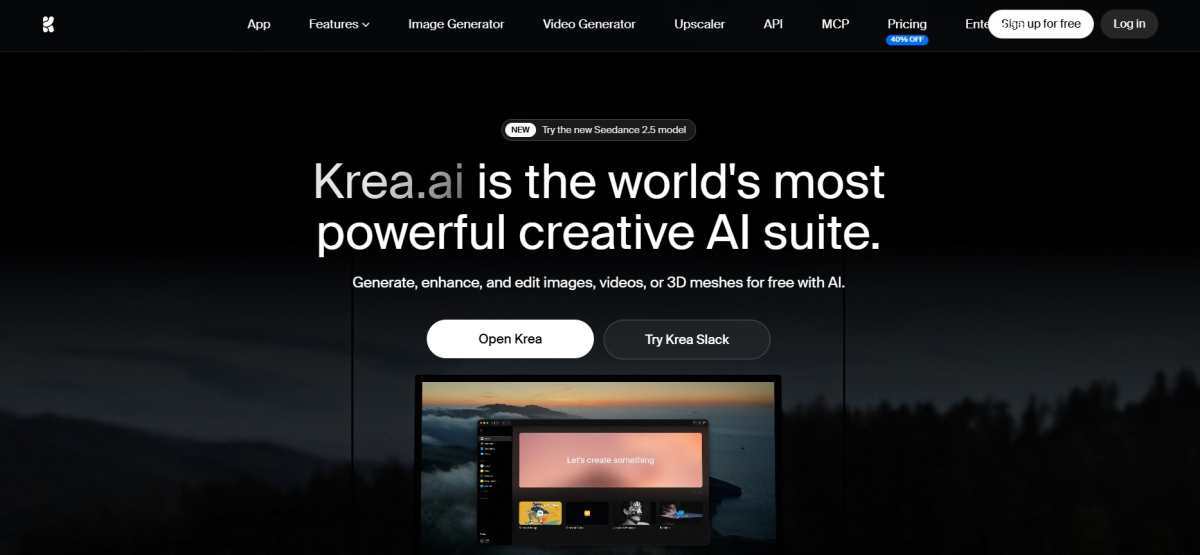
Krea.ai
AI image generator Realtime Studio Background remover Image upscaler
Image-to-video LoRA fine-tuning
Free plan available Paid plans start at $9/ month
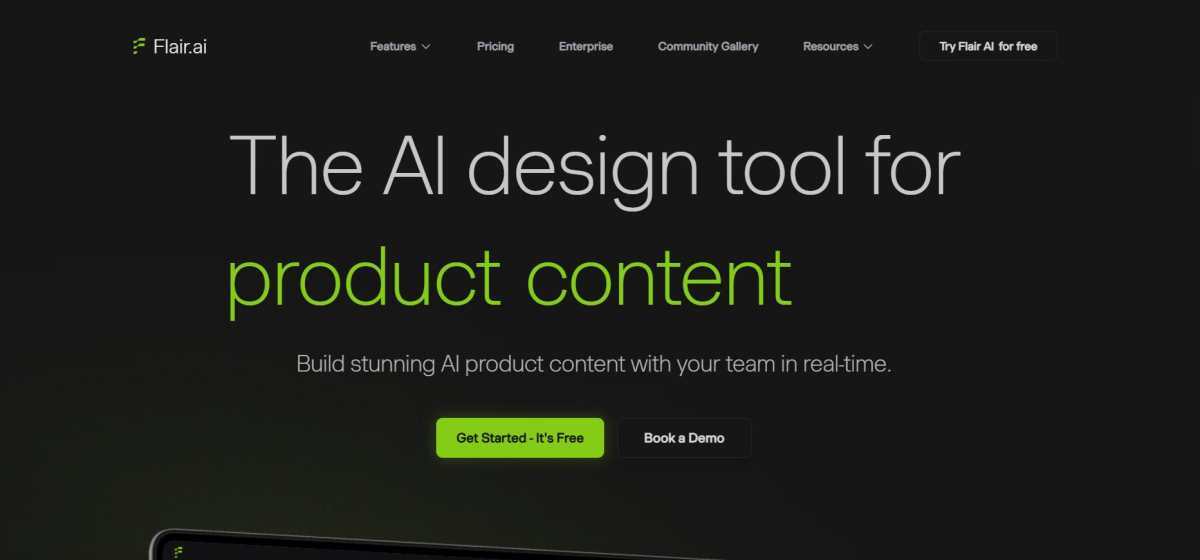
Flair AI
On model photography AI human builder Virtual try-on Image enhancer
Bulk content generation AI product videos AI marketing and ads
Free plan available Paid plans start at $10/ month
Photoroom
Image generator AI fashion models Virtual try-on Product staging
Video generator
Free plan available Paid plans start at $7.99/ month
1. Krea.ai
Krea.ai is an AI creative suite, designed for generating, editing, and enhancing images and video content. Its wide range of generative features is suitable for different use cases, from marketing and social media campaigns to product photography.
Krea.ai for Product Photography
When using Krea.ai for your product photography workflow, you can start with its image generator, where you can create visuals from prompts, upload a plain product photo as a reference, and then experiment with different poses, styles, and visual elements. With Krea’s Realtime Studio, you can also update your images live and see the changes happen in real time. Its background remover helps you create clean product shots by removing unwanted backgrounds, while the image upscaler can enhance your images to resolutions of up to 22K.
Other Tools That Can Be Handy
Image-to-video: Go further with animating your product images with motion, camera movement, and popular AI models
LoRA fine-tuning: Maintain product visual consistency across on-demand generations by training your own model with a few images of the same product.
Pricing Plans
Krea.ai has a free plan to get started, with 100 daily units and limited features. The paid plans start at $9/ month and include 5000 monthly units.
2. Flair AI
Flair AI is a product photo generator and editor, used for various industries such as ecommerce, fashion, jewelry, and more.
Flair AI for Product Photography
Flair AI’s drag-and-drop AI editor also works best for product photoshoots. You work on a canvas where you stage scenes by placing your product along with props and backgrounds, then use AI to bring these scenes to life. The platform also includes templates you can mix and match with your product, while also being able to build reusable templates at scale.
For apparel and jewelry, Flair has a fashion photoshoot feature that fits your product onto AI-generated models while preserving patterns or logos. There’s also an AI human builder, letting you create custom models by choosing features like hair color and body type, then reuse them across your brand assets
Other Tools to Consider
Bulk content generation
AI product videos
AI marketing and ads
Pricing Plans
Flair AI also offers a free plan with limited generation features, while the paid plans start at $10/ month.
3. Photoroom
Photoroom is an AI photo editor and product photography platform. Its dedicated features are used in a variety of industries, such as fashion and apparel, marketplace and retail, ecommerce, and more.
Photoroom for Product Photography
You start by taking a photo. The best part is that your phone is enough; no studio needed. Then, you upload the image and get the background removed automatically. Next, you can pick a template or generate a custom style with AI, adjusting lighting and shadows as needed. Here, you can also place the product in a realistic lifestyle setting or add a virtual model to show it worn or in use.
If you have multiple images, the batch mode is perfect for applying the same backgrounds and templates across hundreds of images at once.
And when you are done, you can export the finished photos straight to Etsy, Shopify, Instagram, or wherever you sell.
Other Tools You Can Use Along the Way
Image generator
AI fashion models
Virtual try-on
Product staging
Video generator
Pricing Plans
You can start using Photoroom for free with limited features. Its paid plans with more advanced features start at $7.99/ month (4500 AI credits).
Your Final Choice
As this was a general test and review of these tools, your final choice will depend on your specific product, selling platform, and the end goal of your workflow (considering that all 3 tools have free plans to begin with).
So, here’s our suggestion:
Krea.ai stands out if you want an all-in-one suite that combines image generation, editing, upscaling, and video tools under one subscription. Photoroom is a great pick if you want a fast and simple workflow, taking a phone photo to a polished product shot, fast and easy. And finally, Flair AI is the better choice if you want more creative control, letting you manually build and stage scenes instead of relying entirely on prompts.
Testing the Best AI Product Photography Tools: These 3 Are Worth It was last modified: August 28th, 2026 by Sharman Sagoyan
Claude Code is a hugely productive tool. Not just for code generation. Many tasks involve code-like analysis that we do not even think of as coding tasks. The facility to search or incorporate text from past articles. Here are a few uses I’ve found:
Search past documents for specific content to incorporate into new writing.
Combine overlapping csv/xlsx files into clean and accurate data
Research web content not topmost, but for accuracy, using curated resources.
One key problem in Claude Code, particularly in the Windows UI version, is excessive prompting. Sometimes it seems that every query has a blocking popup requiring permission for some command or another.
Action
Keys
Note
Deny
Esc or 1
Always allow
Ctrl ⇧ Enter or 2
⇧ means Shift
Allow once
Ctrl Enter or 3
Highlighted in white as the default, but no key executes the default.
Clearly Anthropic wants a default option – shown in white – but to my knowledge there is no key in the Windows UI that executes the “default”.
Why Do Guides Advise –dangerously-skip-permissions
Ask Google how to stop Claude Code asking permission, and you get one answer, repeated by every page on the first screen: run it with –dangerously-skip-permissions.
Skipping permissions is not a fix. It is surrender. And it is dangerous. Besides in the Windows UI there is no shell command for this flag. The flag is a command-line switch for a different version of Claude.
So here is the actual problem, stated properly.
Claude Code asks permission before running a shell command or editing a file. Reasonable. But the prompts arrive constantly, and every time you click “yes, and don’t ask again,” a rule gets written to a settings file. The rules pile up. Mine reached five hundred entries.
After a time, you blithely click 2-2-2-2 always allow in hopes that nothing really bad will happen. Anthropic created the gate with good intention, but for those of us who use it – it becomes useless because of the repetition.
A permission system that trains you to ignore it has inverted its own purpose.
This guide is how to turn off the excessive prompting without taking risks. Anthropic staff probably do this out of hand because they can talk to the developers and solve the problems. But they forget that the unwashed masses out in the real world have to handle Claude as a black box. We love it, but we don’t know its internals, and we can’t have lunch with the developer who tells us how to handle our PC.
Set Up Dedicated Claude Work Areas
Anthropic intends to preserve integrity on your PC. And my intent is privacy. There is an easy method to solve both of these quickly:
Set up dedicated Claude work folders
For me, I had an existing folder structure already for all my website editing. These files are backed up elsewhere. So I made that entire folder tree a Claude Work area.
In addition, I had a similar area for my handy on-PC tools. For this, I made a second Claude Work area.
These folders contain many subfolders. By designating these as Claude Code paths, I can approve blanket permissions without sacrificing privacy or security for my other files and projects. So think of your PC as two separate zones – Claude Zones and Non-Claude zones.
With this set, you can now tell Claude that it has permission to execute certain commands within the Claude zones. Here are a few suggestions:
Make a folder for each project
Place all folders under a root path like D:\ClaudeZones\
Keep the names clear so you can recognize them.
Do not use .claude for a name – not even if Claude says to – this name has special meaning to Claude.
If you use Projects within Claude, your folders may follow your project names, but it does not have to. But with the projects, keep the names distinctive.
Claude Sessions have a bubble on the top. But it shows only the lowest folder name. So to use this best, make sure your folders have unique names so you can always be sure you are in the right spot.
What this actually buys you
Privacy. This ensures that Claude is not working in an area of your PC that you consider private. Keep in mind that everything Claude searches is part of the thread and shared with the Cloud engine that runs Claude.
Confidence. You can grant blanket permissions inside the known path.
Shorten “Always Allow” lists. Commands run within the path are more likely to be repeats and covered by the existing permissions list.
Why Does Claude Use Bash Commands on Windows?
The Code tab in the Windows app will not open until you install Git for Windows. That is not optional. Install it, restart the app, and only then does Claude Code run.
Git for Windows includes Git Bash. So every Windows machine running Claude Code has a Linux shell, and that is the shell Claude uses.
There is a native PowerShell option. It is switched off by default, and there is no setting for it in the app. You turn it on with an environment variable, which means you already have to know it exists. Anthropic has an open issue about Claude defaulting to Unix syntax on Windows.
The permission safety system works only if you read the command and judge it. Using Bash instead of Windows is a bit like getting MS Word writing warnings in Chinese.
Bash Commands are not Windows-compliant. Bash commands do not use Recycle Bin or any other Windows convention. When Bash deletes a file – it is gone completely. No Undo, no Recycle Bin.
Safe commands
These Bash commands are safe to run at any time. They do not change data:
Command
What it does
Windows equivalent
ls
list files in a folder
dir
cat
show a file
type
head, tail
show the start or end of a file
more
grep
search inside files
findstr
find
locate files
dir /s
wc
count lines or words
–
diff
compare two files
fc
stat
file details
–
du
folder size
–
which
locate a program
where
pwd
show current folder
cd
echo
print text
echo
Dangerous Commands – Commands that can damage or replace data
Command
What it does
Windows equivalent
rm
deletes a file, no Recycle Bin
del
rm -rf
deletes an entire folder tree, no warning
rd /s /q
mv
moves a file, silently overwrites the target
move
cp
copies a file, silently overwrites the target
copy
sed -i
rewrites a file in place, permanently
–
> file
empties the file before writing to it
> file
curl … | sh
downloads code and runs it unseen
–
git reset –hard
throws away uncommitted work
–
The > symbol looks like punctuation. It is not. It empties a file before anything is written to it.
The && symbol combines two commands and can seriously interfere with readability. The first command runs, and if it succeeds, the second runs. Using && is completely optional; you can also use two separate command lines.
The Claude Permission System
Claude has a two-part system: modes and rules.
Modes
A mode decides when Claude needs to ask. Change it with the selector next to the send button. Or press Ctrl+Shift+M. Numbers 1 to 5 pick from the list.
Mode
What happens
Auto
An internal subsystem checks each action. Safe ones run. Risky ones stop.
Manual
Claude asks before running a command.
Accept edits
File edits go through. Commands still ask.
Plan
Claude explores and proposes. No changes allowed.
Bypass permissions
Do not do this. It is dangerous and unnecessary.
Rules
Rules are saved when you click Allow. When you click “always allow,” then Claude Code writes a single-line rule into a settings file somewhere. That line is a rule. It says: this command is fine. Do not ask again.
The files live in two places.
Your user folder. C:\Users\YourName\.claude. Rules here apply to every session on the PC.
Your project folder. A hidden .claude folder inside it. Rules here apply only to that project.
Use Claude to Write Claude Rules
Anthropic’s documentation doesn’t tell you that you can plan and instruct Claude to record the rules for you.
Three kinds of rules are worth setting.
Rules for your Claude areas
Rules for everywhere else
Rules that swap risky commands for safe ones
With these three rules set, you can safely eliminate nearly all popup gates.
Rules for Your Claude Areas
Things to tell Claude:
"Treat D:\clwork\claudecodearea as my work area. Create and edit files there without asking.""Add D:\claudecommands\shared as a second folder for this project.""Save this as a project rule, not a user rule."
It keeps the permission inside that project. Start a session somewhere else, and it does not follow you.
Rules for Everywhere Else
Claude cannot see the rest of your PC by default. But it can ask to. These rules make sure it always asks, and always tells you exactly where.
"Never read or write anything outside the project folder without asking first. Name the full path when you ask."
"Never touch anything in my user profile."
"Never delete, move or overwrite a file unless asked for it."
Write these as user rules, not project rules. You want them everywhere, in every session, including projects you have not started yet.
Set one by hand and never remove it. A block on anything you truly cannot lose. Claude has a rule type that refuses outright rather than asking. Point it at your most important folder, and it will never be touched, in any mode.
Rules That Swap Risky Bash Commands for Safer Ones
Do not approve a dangerous command twenty times a day. Tell Claude to stop reaching for it.
Things to tell Claude:
"Use your Edit tool for file changes. Never use sed."
Sed rewrites a file in place. No backup. No preview. The Edit tool shows you the change first and lets you say no. Same result, and you get to look at it.
"One command per line. Never join commands with && or a semicolon. Never write a loop."
This one sounds fussy. Joined commands cannot match any saved rule. Plain single commands mostly do not.
"Copy a file before overwriting it. Tell me the backup name."
Where these go
Ask Claude to write them, and it will put them in the right file.
Rules for your work areas belong in the project. Rules for everywhere else belong at the user level. The command habits go in a file called CLAUDE.md, which Claude reads at the start of every session.
Start Your Popup-Free Life Today
Anthropic is very well-meaning in adding the gatekeeping action. Their design fits a slower, more limited version of Claude. In current use, gating is too primitive to be useful, and the need is too complex to handle well through a settings UI.
The key is to design a system where gating is limited and useful.
Give Claude a dedicated work area, named so you recognize it at a glance. Everything outside stays out of reach.
Set your rules as Claude settings and tell Claude to save them. Set one set for your work areas and a separate set for your private areas.
Tell Claude to use safer versions of certain bash commands, versions that do not require the permission prompts.
None of that turns the safety off. It just stops the gate from asking you the same question forty times a day. Do it once. The prompts that remain will be the ones worth reading.
How to Stop Claude Code Asking Permission on Windows (Without –dangerously-skip-permissions) was last modified: August 28th, 2026 by JW Bruns
Designers often deal with low resolution images that look blurry or pixelated. You might receive a small logo from a client or find a perfect stock photo that is too small for a large print. Fixing these files manually used to take hours of tedious work. You would have to redraw lines or use complex filters that often made the image look plastic or fake. Modern technology has changed this process by using artificial intelligence to fill in missing pixels and sharpen edges instantly. Using an AI Photo Enhancer allows you to turn a small, grainy thumbnail into a high definition visual without losing the natural texture of the original shot.
These tools do more than just make things bigger. They look at the patterns in your photo and guess what the missing details should look like. This means a blurry face becomes clear and a fuzzy landscape gains sharp grass and leaves. You can save a lot of time by using a Free Photo Editor that includes these smart features directly in your browser. Instead of opening heavy software that slows down your computer, you can upload a file and get a clean result in seconds. This speed helps you meet tight deadlines and keep your creative flow moving.
1. AI Photo Enhancer by EzEnhancer.ai
This tool focuses on one thing and does it very well. It uses deep learning models to study millions of images so it knows how to fix common quality issues. When you upload a photo, the system identifies noise, blur, and compression artifacts. It then recreates the details to give you a crisp result. It is especially useful for photographers who need to rescue shots taken in low light. The interface is simple and does not require you to learn complex settings.
Key Features
The main feature is the 4x upscaling capability. You can take a standard image and make it four times larger while keeping the edges sharp. It also includes a noise reduction toggle that removes the grain often found in smartphone photos. The tool handles portrait photos well by recognizing human features and ensuring skin looks smooth but realistic. You can process multiple files at once to save time on large projects.
Pros and Cons
The biggest benefit is the speed of the processing. You do not have to wait long for the AI to analyze your file. The results look natural and avoid the weird artifacts that some cheaper tools produce. One downside is that the free version has limits on how many high resolution exports you can make per day. You might need a subscription if you have hundreds of images to process every week.
Best For
This tool is best for designers who need high quality upscaling for print or large web banners. It works perfectly for anyone who needs to fix a photo quickly without messing with complicated sliders.
2. Free Photo Editor by Linocut.ai
This platform offers a full suite of tools for people who need to do more than just upscale. It combines basic cropping and resizing with advanced AI features like background removal and object erasing. You can start with a low quality image and transform it into a professional graphic without leaving the site. The layout is clean and easy to navigate even if you have never used a design tool before. It runs entirely in your web browser so it works on any computer.
Key Features
The editor includes a smart background remover that can cut out complex shapes like hair or tree branches. It also has a set of AI filters that can change the lighting or mood of a photo with one click. You can add text, shapes, and icons to your images to create social media posts or ads. The tool also features a basic upscaler to help you improve the quality of your assets before you start editing them.
Pros and Cons
The main advantage is that it is free to use for most basic tasks. You get a lot of power without having to pay for an expensive monthly software license. The interface is very intuitive and does not feel cluttered. A potential drawback is that it requires a stable internet connection to work smoothly. If your internet is slow, uploading large files might take a bit longer than desktop software.
Best For
Social media managers and content creators will find this tool very helpful. It is perfect for making quick edits and adding design elements to photos for Instagram or Facebook.
3. Let’s Enhance
Let’s Enhance is a powerful platform designed for businesses that need to process thousands of images. It uses a system called Claid to automate the editing process for e-commerce stores. If you have a lot of product photos that look dull or small, this tool can fix them all at once. It adjusts the lighting, removes the background, and increases the resolution to meet the standards of sites like Amazon or eBay.
Key Features
The tool offers specialized modes for different types of images. You can choose the Digital Art mode for illustrations or the Photo mode for real life shots. It also has a feature called Magic Upscale which adds extra detail to textures like fabric or wood. The API integration allows developers to build these AI features directly into their own websites or apps.
Pros and Cons
The automation features are a huge plus for large teams. You can set up a specific style and apply it to every photo you upload. The quality of the upscaling is among the best in the industry. However, the pricing can be a bit high for casual users. The credit system means you have to pay for what you use, which might get expensive if you are just experimenting.
Best For
This tool is best for e-commerce owners and large marketing agencies. It is built for people who need to maintain a consistent look across a huge catalog of products.
4. VanceAI
VanceAI provides a wide range of specialized AI modules. Instead of one general tool, it gives you specific options for sharpening, denoising, and colorizing old photos. This modular approach means the AI is trained specifically for the task you want to complete. If you have a photo that is out of focus, the AI Sharpen tool works better than a general upscaler. It also includes a tool to turn black and white photos into full color images.
Key Features
The platform includes a dedicated AI Portrait Enhancer that focuses on eyes, hair, and skin texture. It also has a tool for removing JPEG artifacts which are the blocky squares you see in highly compressed images. The desktop version allows you to process files locally if you do not want to upload them to the cloud. You can also use their workflow feature to chain multiple tools together in one step.
Pros and Cons
The variety of tools is the biggest strength here. You can fix almost any specific problem an image might have. The results are very professional and look like they were done by a human editor. The downside is that the interface can feel a bit overwhelming because there are so many different options to choose from. It takes a little more time to learn which tool is right for your specific photo.
Best For
Professional photographers and photo restorers will love this tool. It is ideal for people who need to fix specific technical flaws in their images.
5. Topaz Photo AI
Topaz Photo AI is a professional grade desktop application. It is widely considered the gold standard for image enhancement. The software combines three of their most famous tools into one package. It handles noise reduction, sharpening, and upscaling simultaneously. The software uses an Autopilot feature that scans your photo and automatically applies the best settings. This takes the guesswork out of editing and ensures you get the best possible result every time.
Key Features
The software works as a standalone app or as a plugin for programs like Adobe Photoshop. It has a very powerful engine that can handle massive RAW files from professional cameras. The face recovery feature is excellent at fixing blurry faces in group shots. It also has a motion blur reduction tool that can save photos taken with a shaky hand.
Pros and Cons
The quality is unmatched by most web based tools. It gives you total control over the final look of your image. Since it runs on your computer, you do not need to upload your private photos to a server. The main con is the price. It is a significant one time investment that might be too much for casual users. You also need a fairly powerful computer with a good graphics card to run it smoothly.
Best For
High end print designers and professional photographers who need the absolute best quality. It is the right choice if you are preparing images for large scale printing or professional portfolios.
Comparison Summary
Choosing the right tool depends on your specific needs and budget. Some tools are better for quick web edits while others are built for professional printing.
Tool
Primary Use
Platform
Price Model
AI Photo Enhancer
High Quality Upscaling
Web
Freemium
Free Photo Editor
General Editing
Web
Free
Let’s Enhance
E-commerce Automation
Web
Subscription
VanceAI
Technical Repairs
Web/Desktop
Credits
Topaz Photo AI
Professional Grade
Desktop
One-time Purchase
Final Recommendation
If you are a designer who needs to fix a low resolution image quickly, start with the AI Photo Enhancer. It provides the best balance of speed and quality for everyday tasks. For those who need to create social media graphics or add text to their images, the Free Photo Editor is the most versatile choice. If you are a professional who works with high resolution photography every day, investing in Topaz Photo AI will save you the most time in the long run. Most of these tools offer free trials or basic versions, so you can test them out to see which one fits your workflow best. AI is no longer a luxury for designers. It is a necessary part of the modern toolkit that helps you produce better work in less time.
5 Essential AI Tools for Designers to Upscale Images and Edit Visuals Fast was last modified: August 27th, 2026 by Colleen Borator
Calendar invites move after the trainer video is already attached. Contacts still sync. Tasks still sync. Notes still sync. What fails is the spoken slot inside a file the whole team already clicked. Before an enablement desk books another capture day, Lip sync ai has to solve a narrower problem: keep the trainer still and replace only the line that names the new time.
The live load is the real cost. Outlook, the phone queue, and last week’s talking head sit open at once, and none of them agree. It cannot rewrite a mouth. Lipsync Studio is the piece that takes the same still and a new line after the calendar already changed. The cheap mistake is to leave the old file on the invite and hope nobody plays it. The useful habit is to treat the attached clip as stale the moment the slot moves.
The Invite Moves After The Trainer File Is Attached
A recurring enablement invite is a closed object. The agenda lives in the notes. The attendees already have the link. The talking head from last cycle is sitting in the attachment list because someone wanted a face on the brief. When a device cutover slips, none of that inventory is wrong. The spoken claim is wrong. Recapturing the trainer to change one sentence treats a finished still as a rehearsal.
Field techs watch the first ten seconds on a phone between sync jobs. They already know the trainer cadence from the last wave. A new time in the old mouth is survivable. A new time in a stranger mouth reads as a different person running the same desk. Taste does not decide this file. The spoken slot does.
Recapture Days Waste The Sync Window
The old workaround is to fly or hold the trainer until a new take exists. That protects identity and burns the window the phones are already waiting on. The other workaround is a mute slide with a time card. You protected the face by deleting the host. Neither file is a briefing. Both waste the still you already have.
In our desk the first version of that habit cost a full recapture day while the invite kept moving. The phones did not wait. People opened the attached file, heard the old slot, and wrote back asking which calendar was real. The rework was not a better camera. It was a morning lost to a sentence the still could have carried.
Keep song treatments out of this folder. A chorus that invents a stage will fight the Outlook title you already sent. An enablement clip has one job: say the slot and point at the steps already in the notes.
Five Minutes Is The Real Avatar Ceiling
The avatar path on the site is not an open-ended lecture tool. Upload a portrait, character, or stylized still, add audio, and you get a talking or singing avatar with a five-minute ceiling and export options up to 4k. That cap is the useful constraint. If the briefing needs twelve minutes of product history, the still is the wrong container. Cut the spoken job to the slot, the one setting that changed, and the link already in the invite.
Prompt-guided motion and expression sit on the same desk. They are optional. They do not extend the five minutes. A longer speech wants a different source, not a more dramatic face on a still that was never meant to hold a keynote. The calendar already holds the overflow: the notes field, the setup guide, the link to the last sync run. The avatar only has to make the slot believable on a phone between jobs.
That split also protects the next wave. If the trainer later needs a longer walkthrough, keep it as a document attached beside the invite. Do not stretch the still until the mouth starts padding. A five-minute ceiling that forces a shorter line is doing the desk a favor. A twelve-minute talking head on a recapture day is how the phones get a file nobody finishes.
Treat The Cap As A Script Length Not A Quality Dial
People bump the resolution and hope the extra pixels buy duration. They do not. 360p through 4k changes how sharp the mouth looks. It does not change the five-minute wall. Write the new line against a clock first. If the trainer cannot name the slot and the one changed setting inside five minutes, the file is the wrong object. Split the rest into the notes field the invite already carries.
This is also the right place to park an AI music video generator impulse. A storyboard that invents new rooms belongs to a launch film, not to a calendar attachment. Using that path here usually adds a set the trainer never stood in and then asks support to defend it on the next phone wave.
Prompt And Resolution Before Anyone Hits Generate
Once the still and the line are honest, the generate panel is short. Do not add a ritual the site does not show. Upload the trainer portrait. Add the replacement audio. Write a prompt only if the face needs a calmer register. Pick a resolution. Generate once. Tasks keep running if you close the tab. Do not submit the same job twice because the invite is still moving. Finished files land in My Creations.
Upload the same trainer still that already sat on last week’s invite.
Add a spoken line that names only the new slot and the changed setting.
Keep any prompt short: calm tone, not a performance.
Generate once, then open the file next to the calendar before anyone reattaches it.
Audio can arrive as an upload, a recorded line, or text-to-speech. For a named trainer, a recorded line from that person is the honest path. A generic host is a different product: a narrator briefing, not a trainer briefing.
Start At 360p When The Invite Already Changed
The avatar desk exposes 360p, 480p, 720p, 1080p, 2k, and 4k. When the slot has already moved, start at 360p. Treat that first preview as a check, not a delivery master: the mouth still has to belong to the trainer, and the spoken time still has to match the invite. If that first preview already names the old slot, stop. Waiting for a 4k export to hear the same sentence only delays the discard.
Raise the resolution after the slot is right. Pixels do not repair a time the calendar no longer shows. They only make the same error easier to screenshot in a support thread. If the 360p cut already names a slot the invite dropped, the desk could not defend that file in the next phone wave. Higher resolution would only make the same miss sharper.
Presets Decide Who Speaks In A Crowded Still
Enablement photos are rarely a clean headshot. A kickoff still often has the trainer and a second person from the device team. If both mouths start moving through one line, techs will not know who owns the slot. The avatar desk has an optional Control Who Speaks row with presets for the left person, the right person, the far left, the middle, or the far right. Pick the trainer. Leave the extra face out of the speaking set.
The page also lets a role stay silent when that role has no audio. Use that. Do not invent a second briefing for a colleague who only stood in the frame. Two talking identities on a one-slot invite is how a sync window turns into an argument about who is running the desk.
Leave Extra Faces Silent When That Role Has No Line
If the still has three people and only the trainer has a line, the other two should stay listeners. The first export that makes a silent colleague chew the time stamp is discarded. It would never clear a support lead who already knows who owns the invite. Cropping to a single face is the backup when the preset cannot isolate the trainer. The generate button will not decide who the phones will blame.
Keep the chosen preset written next to the still. The next slipped cutover will ask for a new slot and the same crowded photo. Repeating a known isolation is faster than discovering, after the invite went out, that a device engineer is now mouthing a time they never approved.
Attach The File Only After The Slot Matches
Reattach the clip only after the spoken slot matches the invite. The enablement desk can use Lipsync Studio when it already owns the trainer still and only needs a new line from the same person. A new trainer, an unapproved time, or a twelve-minute lecture the five-minute ceiling cannot hold needs a different source before another generate.
The attach rule is narrower than taste. A stranger cadence is discarded. If the named trainer is the only speaking identity and the new time lands on the invite the phones will open, the clip can go back on the calendar.
Keep the approved still beside the Lipsync Studio export and the recurring invite. The next device wave will move again. Repeating a known mouth is faster than answering a thread that asks why the attached face is selling a slot the calendar no longer shows.
Moved Calendar Invites Need A Five Minute Avatar was last modified: August 27th, 2026 by Adsy Collins
Staying organized used to mean keeping a tidy calendar and a decent contact list. That’s still true, but it’s no longer the whole picture. Between managing a busy professional schedule, keeping communication consistent across devices, and, for a lot of people, actively job hunting or repositioning their career, the tools that actually save time in 2026 cover a lot more ground than they used to.
Whether you’re syncing contacts between your desktop and phone, drafting outreach emails, or polishing a resume for a role you’re excited about, the right stack of tools makes the difference between spending your time on real work and spending it on logistics. Here’s what that stack looks like right now.
1. A Reliable Contact and Calendar Sync Tool
Nothing derails a busy week faster than a missed appointment because your phone and desktop calendar weren’t actually talking to each other. For professionals juggling Outlook, Google, or a CRM like Act! or GoldMine, keeping contacts, calendars, tasks, and notes consistent across every device isn’t optional, it’s the foundation everything else depends on.
This is the kind of tool that’s easy to take for granted until it breaks. A missed sync means a double-booked meeting, an outdated phone number for an important contact, or a task that got marked complete on one device but never updated on another. Solid two-way sync between your desktop tools and mobile devices removes that risk entirely, and it’s worth treating as non-negotiable infrastructure rather than a nice-to-have.
2. A Multi-Model AI Platform for Everyday Work
AI tools have moved from novelty to daily infrastructure for a lot of professionals, but the subscription math has gotten messy. Paying separately for ChatGPT, Claude, and Gemini adds up fast, and switching between browser tabs to figure out which model handles a specific task best wastes time that a consolidated platform can save.
This is where Lorka has carved out a clear use case. Marketers juggling campaign copy, competitor research, and client communication have increasingly turned to it as their go-to AI platform for marketers, since it gives access to multiple leading AI models from one place instead of forcing a choice between them. Different models tend to be stronger at different tasks: one might handle structured, data-driven writing more cleanly, another might sound more natural for conversational outreach. Having flexible access to both without five separate logins is a genuine time saver, not just a convenience.
For anyone managing a busy professional workload alongside contact and calendar syncing, this kind of tool fills the gap between “I know what I need to write” and actually getting it written.
3. A Resume Builder Built for Applicant Tracking Systems
For professionals actively job hunting, whether that’s a planned career move or an unexpected transition, a resume that looks fine to a human but gets filtered out by an applicant tracking system before it ever reaches one is a genuine problem. Formatting quirks, missing keywords, and generic phrasing can all contribute to strong candidates being screened out before a recruiter reviews their application.
Several tools can make resume creation and optimization easier:
Jobscan: Designed around ATS optimization, Jobscan helps users compare their resume against a specific job description and identify potential gaps in keywords, skills, and formatting.
Teal: Combines resume-building features with job-search organization, allowing users to tailor resumes for individual roles while also keeping track of applications.
Enhancv: Focuses on creating polished, customizable resumes while providing guidance on content, structure, and how professional experience is presented.
The bigger shift is treating a resume as something that should be adjusted for each opportunity rather than written once and reused indefinitely. Tools built for this kind of iteration can save considerable time compared with manually reviewing, rewriting, and reformatting a document every time a new opportunity comes up.
4. A Task Manager That Actually Lives Where You Work
Task lists scattered across sticky notes, email flags, and three different apps don’t work, no matter how organized someone thinks they are. A task manager that integrates directly with your existing calendar and contact system, rather than living as a separate silo, keeps follow-ups and deadlines from slipping through the cracks.
The professionals who manage this well tend to have one system of record for tasks, synced across every device they actually use during the day, rather than trusting memory or a patchwork of apps that don’t talk to each other.
5. A Simple CRM for Relationship Tracking
Whether you’re managing client relationships, tracking recruiter conversations during a job search, or simply trying to remember who you last spoke with and about what, a lightweight CRM solves a problem that spreadsheets handle poorly. Modern CRM tools, especially ones that sync cleanly with existing contact and calendar systems, give a clear, searchable history of every interaction without requiring a heavyweight enterprise platform.
For job seekers specifically, this matters more than people expect. Tracking which recruiter you spoke with, what stage each application reached, and when your last follow-up happened is exactly the kind of thing that gets lost without a system, and losing that thread can cost a promising opportunity simply because a follow-up got forgotten.
Putting the Stack Together
None of these five tools solve much in isolation. Their value comes from working together across a professional’s actual day-to-day. Reliable sync keeps contacts and calendars consistent across every device. A flexible AI platform handles the writing and research load that used to eat hours. A tailored resume gets a job seeker past the first automated filter. A synced task manager keeps deadlines from slipping. And a lightweight CRM keeps relationships, whether client-facing or job-search-related, organized and easy to reference.
Why This Matters More Now
The professionals staying ahead in 2026 aren’t necessarily working more hours. They’re spending less time on the logistics that used to eat their day, freeing up real time for the work that actually matters, whether that’s landing a new role, closing a deal, or simply getting through a busy week without something falling through the cracks.
Building a stack like this doesn’t require a massive overhaul. It requires picking a few reliable tools that actually talk to each other and committing to using them consistently. Once that foundation is in place, the payoff compounds every single week.
The Productivity Stack Every Job Seeker and Professional Needs in 2026 was last modified: September 16th, 2026 by Abdul Ghafoor
In August, Nvidia arranged $500 billion in financing. The money comes from Apollo, BlackRock, Blackstone, Brookfield, Goldman Sachs and KKR, and it funds other companies buying Nvidia chips. The debt sits in special-purpose entities, off Nvidia’s books. The collateral is the chips. Nvidia will use this to finance customers buying Nvidia chips.
For three years, people discuss whether AI works, whether it will be adopted, who will pay for it and why. Nvidia is playing the smiling card dealer, with a pile of chips, helping finance people to buy in.
In 2026, AI has shifted. AI buildout does not come from speculation or profits. In 2025, the eight largest cloud companies produced about $180 billion in free cash flow. In 2026 they spend past it, to roughly negative $64 billion. And Nvidia is counting on that spending to rise in 2027 – debt that competes directly with the US government’s job of rolling $9 trillion every year.
AI and the US government are bidding for the same lender. And everyone asks – is AI a Bubble?
What Is a Bubble?
Most people define a bubble as a price that runs far ahead of what the asset earns. That is true but not useful. It only tells you something after the crash.
Here is the more useful definition. A bubble is when the money comes due before the revenue shows up. The asset can be excellent. The demand can be real and growing. If the loan matures in year five and the payoff arrives in year twelve, the owner still loses everything.
Some cases from the last twenty-five years make the point.
Global Crossing, 2002. The company laid fiber optic cable across oceans during the dot-com boom. The fiber was real, and traffic on it grew every year. But they borrowed on 25-year terms to build something with five-year economics, and the revenue arrived slower than the payments. They filed the fourth-largest bankruptcy in US history. Everyone uses this great cable now. They reap low costs because the investors lost their pants.
Financials in 2007. Banks grew to about 22% of the S&P 500. The banks were real companies. The mortgages were real loans. The houses were real houses. The flaw was funding. Banks borrowed short and lent long, so they had to refinance constantly. In 2008, the short-term money stopped. Like a Jenga tower, the balance of short and long collapsed and took the market with it.
Cloud computing, 2013 to 2020. Everyone piled into Amazon and Microsoft, and the early buyers were right. Amazon built AWS out of retail cash flow. Microsoft built Azure out of software profits. Neither one borrowed against a deadline, so neither one had a date it could miss.
Notice what does not separate them. The technology worked in all three. Fiber worked. Mortgages were real. Cloud was useful. What separates Boom from Bubble is the distance between long-term income and short-term financing.
What Is the AI Game Plan?
There is no single AI industry. Four different businesses use the same word, and each one is betting on something different.
Plan one: build it from profits. Take money the company already earns and spend it on data centers you own. The bet is that you will still want the capacity in five years. If you are wrong, you slow down and nothing breaks, because nobody is waiting on a payment. Microsoft and Google build from operating profits, and Microsoft was the only large US cloud company with positive free cash flow last quarter.
Plan two: sell the shovels, and lend people the money to buy them. You make the hardware. You also arrange the financing so customers can afford it. Your revenue looks excellent right away. The bet is that those customers earn enough to repay the loans you helped arrange. Nvidia sells the chips and arranges $500 billion in outside financing so customers can buy them.
Plan three: borrow, build, and rent it out. You take on debt to construct capacity, then lease it to companies that need compute. The bet is that rental prices stay high enough, and long enough, to cover the loan payments. Oracle spent 174% of its operating cash flow on capital projects this year and is raising $45 to $50 billion more in debt and stock.
Plan four: own nothing. You sell a model or a service and rent the hardware from somebody else. Your costs move with your revenue. OpenAI and Anthropic own almost no data centers and rent their compute, as do smaller providers like RunPod that resell capacity to developers.
Each plan wins in a different world. Plan one wins if demand grows slowly. Plan three wins if demand grows fast and stays expensive. Plan two wins in the short run no matter what, and finds out later.
The reason “is AI a bubble” has no clean answer is that all four plans are running at once, inside the same industry, funded by the same lenders.
What Do We Mean by AI?
When people say AI in 2026, they usually mean a chatbot. That is one category of model, and it is the newest part of a much older business.
The most profitable AI running today is Google Rankbrain, and Meta’s recommendation protocols. It decides which post you see next, which product Amazon shows you, which video plays after this one. It is not a chatbot, and it does not talk. It has been running for over a decade; it directly produces advertising revenue, and its return on investment is measured every day. When Meta spends $130 billion this year, a real portion of that serves a business that already works.
Then there is image and video generation, which uses a different kind of model entirely. There is scientific work, like predicting how a protein folds. Fraud detection, pricing, routing, and forecasting also quietly earn money for years under the name machine learning.
So the question of whether another kind of model takes over is really two questions.
Will language models stay the center of attention? Probably not forever. Video and world models are growing fastest right now, and they consume far more compute per output than text does.
Does that strand the hardware? Mostly no, and this matters. A data center full of graphics chips can run recommendation, video, science, and language. The building, the power connection, and the cooling do not care what model you run. That fungibility is the strongest argument against a total collapse, and it is the argument Microsoft makes when investors ask what happens if chatbots disappoint.
The demand can move. The concrete stays useful.
Can Someone Build a Better AI Chip?
Google has designed its own AI chips since 2015 and runs much of its work on them. Amazon builds Trainium, Meta builds MTIA, Microsoft builds Maia, and a company called Groq built a chip that does one narrow job extremely fast. These parts run cooler and use less power than a general-purpose graphics chip, because they do one thing instead of everything.
The catch is the same thing that makes them good. A chip built for today’s model design is worth much less if the design changes, and general graphics chips are the ones that survive that change.
Entertainment Is Already Buying AI
A lot of people say, “I will never use AI” and “I won’t pay for it.”
Ask them about AI movies, and they say, “AI movies look bad,” “I can tell right away,” and “I won’t pay for it.”
They are right, and it does not matter. AI is not entering entertainment through a movie you refuse to watch. It is entering through the parts nobody sees.
Here is the evidence. In June 2026, the actors’ union ratified a new contract with 91.42% in favor. It took effect July 1. That contract does not ban AI. It sets the price and the rules. There are terms for digital replicas of performers, terms for scanning an actor’s face and body, and terms for using a digital replica to dub a performance into another language. Synthetic performers are permitted when they add value a real actor cannot.
You do not negotiate four pages of rules for something that is not already happening.
Think about where it actually gets used. An actor is unavailable for two days of reshoots. A show needs to run in eleven countries, and dubbing each one into native languages costs real money. A crowd scene needs three hundred people, and the budget covers forty. A series produced in Malaysia or Argentina on a thin margin needs to look more expensive than it was.
None of that is an AI movie. All of it is AI.
And the volume is in the places nobody writes about. Thousands of streaming channels need programming every week. A million creators push AI into YouTube every day, maybe as high as 40% of new content. The audience is real, the budget is small, and they compete with the next creator down the line.
This is the honest version of AI demand. You pay for it with YouTube, with Netflix, and with the “Free movie” that you stream. You are not buying AI. You are buying the next episode.
How Will You Know Who Is Winning?
Revenue will not tell you. Every one of these companies will report growing AI revenue for years, because demand is real and rising. Revenue answers whether AI works, and we already know it does.
Watch the calendar instead.
Refinancing dates. Plan three companies borrowed money that comes due on specific days. Oracle has to return to the bond market repeatedly. So do the smaller data center operators. The question is never whether they are profitable on that day. The question is whether the market is open that day. A company can be perfectly healthy and still fail to refinance.
Free cash flow, not earnings. Earnings can be managed by changing how fast you depreciate equipment. Meta already extended the assumed life of its servers once, which lowered its reported costs by billions in a book keeping fantasy manoever. Cash flow is harder to dress up. Watch the gap between what a company earns and what it spends on construction.
The rental price of compute. This is the cleanest signal, and almost nobody quotes it. Companies rent graphics chips by the hour, and those prices are public. If rental rates fall while new capacity keeps opening, supply has passed demand. That is exactly what happened to bandwidth prices after the fiber companies failed. Token prices are less useful, because vendors set those strategically to win customers.
Used chip prices. The $500 billion in Nvidia financing is secured against the resale value of chips. If used hardware gets cheap, the collateral behind that debt shrinks, and lenders pull back before any borrower misses a payment.
The pattern is simple. The technology keeps working, and the money stops showing up.
What Buildout Looks Like from a Creator’s Standpoint
I rent graphics chips by the hour to generate video. My budget is $30 a month. That makes me the smallest customer in this entire story, which is exactly why what I see is useful.
I use RunPod. This week, an H100 costs $3.29 an hour. The newer B200 is $6.79. The card I actually want, an RTX PRO 6000 at $2.09, was unavailable. So was almost everything else. Fourteen different chips, priced from 28 cents an hour to $7.89 an hour, and nearly all of them showed the same word. Unavailable.
That is not a market with too much capacity. That is a market where a customer holding money cannot buy the product at any price. Runpod, which I use, raised $100 million in June and turned down buyout offers. Their limit is not customers. It is how fast they can get chips.
My own usage tells the same story from the other side. I regenerated the same video twelve times while writing this article, chasing a 30-second clip without artifacts. I did it on my PC in the background because I can’t get a Pod right now. I run an $3500 HP Omen laptop, but the Pod I rent would cost about $32,000 to buy, and I only need it about one hour a day.
Today – demand exceeds supply at every price point.
Plants being financed today – open in 2028, full of chips that will be made in 2027, sold to customers placing orders today.
Who made the right decision? The chip maker, the buyer, the Capex plant, or me?
Does AI Crash the Market, or Does the Market Crash AI?
Both directions are live, and they work differently.
Direction one: a failure inside AI spreads outward.
When a leveraged operator fails, its hardware does not disappear. It gets sold cheap to a buyer with no debt against it. That buyer can then rent compute at prices that cover their pennies and nobody else’s dollars. Rental rates collapse, and every operator still paying off original construction costs is now underwater.
This is exactly what happened after Global Crossing failed. Bandwidth stayed cheap for years, and the survivors were the ones who bought the cheap lines, and we all use them today.
One reason it could move faster this time, though, is that it cuts both ways. Frontier training moves to new chips quickly, so the newest hardware loses its top-tier job within a couple of years. But everyday work does not care. Running a finished model, generating images, fine-tuning something small — an older chip does all of that fine, which is why the cheap cards are the ones that are never available.
So used hardware does not become worthless. It becomes cheap. That still breaks the math. A lender who financed a chip at full price does not recover by learning it has a long second life at a fifth of the cost.
Direction two: the market breaks, and AI goes down with it.
This one does not require anything about AI to go wrong.
Private credit is now a $2 trillion market. Defaults hit a record 9.2%. Some funds gated withdrawals in January, meaning investors asked for their money and were told to wait. Pensions hold about 30% of that market. Insurers hold 18%. Retail investors hold $550 billion, and 401(k) plans were recently cleared to buy in.
AI needs roughly $800 billion from private credit through 2028. If private credit pulls back for reasons unrelated to AI, that money isn’t there to roll the bonds.
That is the part worth sitting with. AI does not have to fail for AI financing to fail. The borrower can be growing, profitable and busy, and still hit a “Junk Bond” wall.
So, Is AI a Bubble?
It is complicated.
AI is not a single thing, but a dozen things. LLMs and Image/Movies are different.
AI players are playing vastly different games
Either financial markets will stay the same and bouy them up…
Or AI will buoy the financial markets, thus saving the Fed.
The companies building from profits will be fine. If demand disappoints, Microsoft and Google slow down and nothing breaks, because nobody is waiting on a payment. That is not a bubble. That is a large company spending money on a genuinely promising technology.
The companies that borrowed against a date are the exposed ones. Oracle and the smaller data center operators have to return to the lenders repeatedly between now and 2030. They do not need to be unprofitable to fail. They depend on steady market conditions they will not get.
And the company financing its own customers is running the play that ended Lucent. Revenue arrives first, and the loans fall through in a downturn.
So yes, some of these companies will fail. When they do, their hardware will not disappear. It will be sold cheap, and whoever buys it will rent out compute at discount prices.
Which leaves one question, and it is not the question people expect.
Cheap compute has to be absorbed by someone. It will not be absorbed by enterprises carefully metering their spending. Whoever has cash and needs cheap volume will grab it.
That is content. Video, dubbing, background work, and the endless demand for the next episode.
So the future of this buildout may depend less on how much people use AI, and more on how much television they watch.
Frequently Asked Questions
Is it true that the AI bubble will burst in 2027?
Parts of it might. The technology is working and demand is growing, so this is not a case of a worthless asset. The risk sits in the financing. Companies that borrowed against fixed dates have to refinance repeatedly through 2030, and market disruption can cause them to fail while still being profitable.
Is a bond market crash coming?
Nobody knows, but the strain is measurable. The 30-year Treasury yield is at a two-decade high, federal debt passed $40 trillion, and the government rolls about $9 trillion a year. AI borrowing now competes for the same lenders, with roughly $570 billion issued in 2026.
What happens if the AI bubble bursts?
The hardware does not disappear. It gets sold cheap to buyers with no debt against it, who then rent compute at prices nobody who paid full price can match. That is what happened to fiber optic cable after 2002. The equipment survives. The investors do not.
Who is paying for AI data centers?
Increasingly, lenders rather than tech companies. In 2025, the eight largest cloud companies produced about $180 billion in free cash flow. In 2026, that swings to roughly negative $64 billion. Analysts expect AI to need about $1.5 trillion from credit markets through 2028.
Why does private credit matter to AI?
Because about $800 billion of that funding is supposed to come from private credit. Private credit is now a $2 trillion market with defaults at a record 9.2%. Pensions hold roughly 30% of it and insurers 18%, so problems there reach ordinary retirement accounts.
Is AI a Bubble? How AI Became a Bond Story Amid Record Federal Spending was last modified: August 25th, 2026 by JW Bruns
Most strategic plans don't fail because the strategy is wrong. They fail in the gap between the plan and the doing – where quarterly priorities quietly drift, dashboards go stale, and the annual offsite becomes a document nobody reopens. As one Forbes analysis on solving the strategy-execution gap argues, the fix isn't more planning. It's making strategy genuinely executable. That's what the best business strategy software is built to do: connect high-level objectives to the operational work and the numbers that prove whether it's working. This guide covers the five best business strategy software platforms for 2026, each assessed against four practical criteria – so you can match a tool to your real situation rather than chasing a single "winner."
For teams that need one platform to turn a strategic plan into a results-driven roadmap – with centralized performance data, goal-aligned initiatives, and live dashboards for informed decision-making – Spider Impact by Spider Strategies is our top pick. What separates it from simpler planning tools is the way it pairs strategy management with built-in business intelligence, letting leaders drill from a high-level goal straight down to the underlying operational data. Teams whose primary need is lightweight OKR tracking will find Tability a more accessible starting point. And for organizations in the public sector or nonprofit space with external reporting obligations, Envisio is the strongest alternative.
The ranked list below covers Spider Impact, Tability, AchieveIt, Envisio, and Rhythm Systems – each evaluated for a distinct organizational context where it earns its place.
At-a-Glance Overview
Platform
Best For
Spider Impact
Mid-size to enterprise teams bridging strategic planning and execution with built-in BI
Tability
Growing teams wanting fast, low-friction OKR tracking
AchieveIt
Public-sector agencies and health systems managing multi-department rollouts
Envisio
Municipalities, school districts, and nonprofits needing public-facing progress reporting
Rhythm Systems
Leadership teams that want a structured weekly operating cadence around strategy
What to Look For
We evaluated each platform against four criteria that matter most to execution-focused leaders, then matched every tool to the business context where it earns its keep.
First, goal-alignment depth: how completely the platform links a high-level strategic objective to team-level work and measurable outcomes. Strong KPI alignment means a director can trace a corporate goal down to the initiatives and metrics driving it – not just admire a tidy list of aspirations. Second, performance visibility – the quality of dashboards, reporting, and real-time data access. Good strategic planning software surfaces the truth quickly, without a monthly scramble to assemble slides by hand.
Third, ease of adoption – onboarding, configuration overhead, and time-to-value – because the most capable platform is worthless if nobody uses it. And fourth, organizational fit: a growing SaaS team, a county government, and a health system have genuinely different needs, and the right business strategy software respects that. We also weighed stack integration, since a strategy layer that can't connect to your existing BI and data tools just becomes another silo.
One emerging factor deserves a note. AI is increasingly woven into these platforms for goal drafting and analysis, and the role of AI in strategic planning is now a legitimate line item in any buyer's checklist rather than a novelty.
The 5 Best Business Strategy Software Platforms for 2026
With those criteria in mind, here are the five platforms that best serve execution-focused teams in 2026 – each matched to a specific organizational context where it genuinely excels. The list runs from our top overall recommendation to more specialized tools, so #1 is the platform we'd hand most mid-size and enterprise teams first. Read past the ranking to the "best for" call-outs; the right pick depends entirely on your context.
#1. Spider Impact (Spider Strategies) – Best for Bridging Strategic Planning and Execution With Built-in BI
Spider Impact is the most complete strategy-to-execution platform on this list because it treats planning and measurement as one continuous loop rather than two disconnected exercises.
Where most tools stop at tracking goals, Spider Impact centralizes performance data, aligns initiatives with company objectives, and delivers live dashboards and reports that leaders can act on in real time. As dedicated strategy software, it's built for organizations that have outgrown spreadsheet-based strategy tracking and want a single source of truth for the whole plan-execute-report cycle. The standout capability is its built-in business intelligence: users can drill from a high-level strategic goal down to the underlying operational data feeding it – a genuine differentiator against pure OKR tools and simpler planning software.
That depth extends to methodology. Spider Impact supports the balanced scorecard framework and KPI alignment natively, so teams running structured strategy management don't have to bolt on a separate reporting layer. Its performance dashboards give leadership continuous visibility without the manual monthly reporting cycle – the exact friction that lets so many strategic plans quietly stall. For directors and VPs who need strategy execution software that connects boardroom intent to shop-floor data, this is the platform that closes the loop most convincingly.
Key specs:
Centralized performance data hub with live dashboards and reporting
Goal alignment linking strategic objectives to team-level initiatives and operational data
Built-in business intelligence with drill-down from goals to source data
Native balanced scorecard and KPI alignment support
Full plan-execute-report strategy management cycle
Pricing not publicly listed – contact sales
Pros:
Closes the full loop from strategic plan to operational execution – more depth than pure OKR tools
Live performance dashboards deliver real-time leadership visibility without manual reporting
Balanced scorecard and KPI frameworks supported out of the box
Goal-to-data drill-down is a real differentiator against lighter tools
Well suited to organizations moving beyond spreadsheet-based tracking
Cons:
Configuration depth means a steeper initial setup than lightweight OKR tools
Pricing requires a sales conversation, adding friction for buyers doing quick budget comparisons
May be more capability than very small or early-stage teams need
Less purpose-built for public-facing stakeholder reporting than Envisio
Who it's best for: Mid-size to enterprise organizations that need to turn a strategic plan into a results-driven roadmap, with centralized performance data, live dashboards, and true goal-to-data drill-down.
#2. Tability – Best for Lightweight OKR Tracking for Growing Teams
Tability is the fastest on-ramp to structured goal management for teams that want momentum without enterprise overhead.
Aimed at scaling organizations – roughly 20 to 500 employees – Tability keeps the interface clean and the process light. Teams can create objectives, set key results, and start tracking within hours rather than weeks. Its weekly check-in cadence, backed by automated reminders and progress prompts, builds accountability without turning strategy into a bureaucratic burden. AI-assisted goal writing helps teams new to the discipline draft well-formed objectives, lowering the barrier that trips up first-time adopters. As Forbes notes in its look at boosting strategy execution with AI-powered software, this kind of assistance is becoming a standard expectation rather than a luxury.
The trade-off is depth. Tability is a focused OKR tracking tool, not a strategy management platform – there's no drill-down to operational data, and reporting stays basic compared with BI-integrated systems. That's a feature, not a flaw, for its audience: teams that want progression tracking and a weekly rhythm, not a multi-department hierarchy.
Key specs:
Simple OKR creation and tracking with a minimal interface
Weekly check-in cadence with automated reminders
AI-assisted goal writing
Color-coded progress visualization
Integrations with Slack, Jira, and other productivity tools
Freemium tier available; paid plans in the lower SaaS price range
Pros:
Extremely fast setup – teams can track OKRs within hours
AI-assisted goal writing lowers the barrier for newcomers
Weekly cadence builds accountability without heavy process
Freemium option suits budget-constrained teams
Clean UI keeps training time minimal
Cons:
Lacks the strategy management depth of enterprise platforms – no operational data drill-down
Reporting is basic next to BI-integrated tools
Not built for complex multi-department strategy hierarchies
Limited balanced scorecard and KPI framework support
Who it's best for: Growing teams that want to start structured OKR tracking quickly, without committing to a full strategy execution platform.
#3. AchieveIt – Best for Public-Sector and Healthcare Strategy Rollouts
AchieveIt is the platform to reach for when accountability across a complex hierarchy matters more than speed.
Built for government agencies, health systems, and large nonprofits, AchieveIt specializes in structured plan execution where multiple departments feed into enterprise goals. Its accountability roll-ups link department-level progress up to the organization's top-line objectives, and its executive reporting dashboards arrive board-ready out of the box – a meaningful advantage in environments where leadership review and compliance visibility are non-negotiable. Update request workflows keep plan owners accountable, directly attacking the "strategy shelf" problem where plans are written, filed, and forgotten. For strategy management in layered, governance-heavy organizations, few tools are as purpose-fit.
The flip side: AchieveIt can feel heavy for smaller or more agile teams. Onboarding requires dedicated implementation effort, and the structured approach is less comfortable for fast-moving commercial organizations that iterate strategy frequently. Where Spider Impact prioritizes the planning-to-BI data connection, AchieveIt prioritizes structured accountability across the org chart – a different center of gravity.
Key specs:
Structured plan execution across complex hierarchies
Accountability roll-ups from department to enterprise goals
Board-ready executive reporting dashboards
Update request workflows for plan-owner accountability
Enterprise-grade governance features
Enterprise pricing – contact sales
Pros:
Strong fit for complex, multi-department organizations with layered accountability
Executive and board-ready dashboards available out of the box
Designed for public-sector and healthcare governance requirements
Structured update workflows reduce the "strategy shelf" problem
Credible track record in government and health system deployments
Cons:
Interface can feel heavy for smaller or agile teams
Onboarding and configuration require dedicated implementation effort
Less suited to fast-moving commercial organizations
Pricing and procurement may not suit smaller nonprofits
Who it's best for: Government agencies, health systems, and large nonprofits managing multi-department strategic plans where accountability roll-ups and executive reporting are the priority.
#4. Envisio – Best for Public-Sector Strategic Planning and Community Reporting
Envisio is the clearest choice for organizations that must manage a strategic plan internally and publish transparent progress to the public.
Municipalities, school districts, and nonprofits carry an obligation most commercial tools ignore: reporting outcomes to residents, funders, and boards. Envisio is built around exactly that. Its public-facing reporting dashboards let a communications team share progress against mission-driven goals without hand-building reports each cycle, and its plan-to-outcome tracking is tailored to local government, K – 12, and nonprofit contexts. As strategic planning software for nonprofits and public agencies, it avoids the feature bloat of enterprise-commercial platforms and stays focused on transparency and accountability.
That focus is also its limit. Envisio isn't designed for private-sector commercial use, its BI drill-down and data integration depth trail Spider Impact, and it offers fewer OKR-specific features for teams running that framework. It's a specialist, and within its specialty it's excellent – the natural contrast to Spider Impact for mission-driven organizations whose defining requirement is public accountability rather than deep operational analytics.
Key specs:
Public-facing reporting dashboards for community transparency
Plan-to-outcome tracking aligned to mission-driven goals
Purpose-built for local government, K – 12, and nonprofits
Department-level accountability within structured plans
Reporting templates for public and board audiences
Mid-market SaaS pricing – contact for a quote
Pros:
The clearest fit for organizations with public or funder reporting obligations
Purpose-built for mission-driven sectors, avoiding commercial feature bloat
Public-facing dashboards cut manual report production for communications teams
Strong fit for strategic planning software for nonprofits and local government
Relatively straightforward to implement versus full enterprise platforms
Cons:
Not designed for private-sector commercial organizations
BI drill-down and data integration depth are limited next to Spider Impact
Fewer OKR-specific features for teams running that framework
Lacks the structured operating cadence tools Rhythm Systems provides
Who it's best for: Municipalities, school districts, and nonprofits that need to manage internal strategic plans and publish transparent progress to external stakeholders.
#5. Rhythm Systems – Best for Leadership Teams Wanting a Structured Operating Cadence Around Strategy
Rhythm Systems is unusual in this field because it sells a methodology as much as a piece of software.
For growth-stage and mid-market leadership teams, Rhythm ties quarterly priorities, weekly meetings, and annual planning into a single platform rooted in the Rockefeller Habits and Scaling Up frameworks. The weekly meeting rhythm and quarterly priority tracking are the core draw: they compress the gap between the strategy session and daily execution, so priorities set at an offsite actually surface in next Tuesday's team meeting. Coaching and methodology support sit alongside the software, which adds value for a leadership team that wants structure rather than a blank tool. Dashboards track weekly execution against strategic priorities, keeping progression tracking front and center.
The catch is that opinionated methodology cuts both ways. Teams not aligned to Rockefeller Habits or Scaling Up may find the approach prescriptive. Rhythm also offers less BI depth than Spider Impact for data-driven strategy management, isn't built for public-sector or compliance-heavy environments, and carries a smaller integration ecosystem than the larger platforms. For the right leadership team, though, the structure is the point.
Key specs:
Integrated weekly meeting rhythm and quarterly priority tracking
Annual and quarterly planning frameworks built in
Priority- and OKR-style goal management tied to a cadence
Coaching and methodology support alongside software
Dashboards for weekly execution against strategic priorities
Mid-market to lower enterprise pricing – contact for pricing
Pros:
Unique combination of software and a proven operating methodology
Weekly cadence tools shrink the gap between strategy and daily execution
Strong fit for leadership teams that want structure, not a blank canvas
Quarterly priority framework is intuitive for Scaling Up teams
Coaching availability adds value beyond the software
Cons:
Opinionated methodology can feel prescriptive to teams outside its framework
Less BI depth than Spider Impact for data-driven strategy management
Not built for public-sector or compliance-heavy environments
Smaller integration ecosystem than larger platforms
Who it's best for: Leadership teams at growth-stage or mid-market companies that want both software and a built-in cadence to run quarterly priorities, weekly meetings, and annual planning in one place.
Frequently Asked Questions
What Is Business Strategy Software and How Does It Differ From Project Management Tools?
Business strategy software connects an organization's high-level objectives to the initiatives and metrics that prove whether the strategy is working. Project management tools like Asana, Monday.com, or Wrike organize tasks, timelines, and team workloads – the "how and when" of getting work done. Strategy platforms operate a level above that, answering "are we winning, and how do we know?" through goal alignment, KPI tracking, and performance dashboards. The strongest tools bridge both worlds, linking strategic goals down to the operational data and work beneath them.
How Do I Choose Between an OKR Tool and a Full Strategy Execution Platform?
Start with your organizational complexity. If you have a growing team that mainly needs fast, structured goal-setting with weekly check-ins, an OKR tool like Tability delivers value in days. If you manage multiple departments, need balanced scorecard support, or want to drill from a corporate goal into the operational data behind it, a full strategy execution platform like Spider Impact is the better fit. A useful rule of thumb: OKR tools track whether goals move, while strategy platforms explain why and connect it to the numbers.
What Features Should Business Strategy Software Include for Mid-Size Organizations?
At minimum, look for goal alignment that links strategy to team-level work, live performance dashboards, and KPI alignment you can trace end to end. Mid-size organizations also benefit from support for a recognized framework like the balanced scorecard, plus stack integration so the platform draws from your existing BI and data tools rather than becoming another silo. Board-ready reporting and a manageable configuration effort round out the essentials.
Is There Free or Low-Cost Strategic Planning Software Suitable for Nonprofits or Small Teams?
Yes. Tability offers a freemium tier that lets small or budget-constrained teams start structured goal tracking at no cost, with paid plans in the lower SaaS range. For nonprofits and public agencies with external reporting obligations, Envisio is purpose-built and typically sits in the mid-market range – not free, but efficient given the manual reporting it replaces. Confirm current pricing directly with each vendor, since published tiers change frequently.
What Is the Role of AI in Modern Business Strategy Software?
AI is moving from novelty to standard feature. In current platforms it commonly assists with drafting well-formed goals, summarizing progress, and surfacing patterns in performance data that might otherwise go unnoticed. When evaluating the best AI for business strategy, focus on whether the assistance genuinely speeds up planning and analysis rather than adding noise. The most useful implementations reduce manual effort in goal-setting and reporting while keeping human judgment firmly in charge of the strategy itself.
Which Platform Is Best for Connecting Strategy to Operational Data?
For teams whose defining need is tracing high-level goals down to the underlying operational data, Spider Impact leads this list thanks to its built-in business intelligence and native balanced scorecard support. Larger FP&A-focused systems like Anaplan address adjacent problems like financial modeling but aren't purpose-built for strategy execution. If the goal is closing the loop between plan and measurable results, a dedicated strategy platform with real BI depth is the more direct answer.
The Verdict
Each platform here wins a distinct context: Tability for fast OKR tracking, AchieveIt for complex public-sector and healthcare rollouts, Envisio for community-facing reporting, and Rhythm Systems for leadership teams that want a disciplined weekly cadence. The right choice comes down to your organizational fit and how much depth you need between plan and data. For most mid-size and enterprise teams that want business strategy software to turn a plan into a results-driven roadmap – with live dashboards, KPI alignment, and true goal-to-data drill-down – Spider Impact remains our top pick. If that describes your situation, it's worth a closer look and a conversation with their team before you shortlist anything else.
5 Best Business Strategy Software Platforms for Execution-Focused Teams (2026) was last modified: August 25th, 2026 by Emma Beijing
Every small business now runs on some stack of SaaS tools with “AI” in the feature list. A CRM that scores leads automatically. An email client that drafts replies. A scheduling assistant that reroutes your calendar. For a while, that’s plenty — and for businesses that outgrow it, teams offering Solar Digital’s AI software development services exist precisely to fill the gap generic tools leave behind.
Then a specific workflow starts fighting the tool instead of working with it. The lead scoring model doesn’t know your business well enough to be useful. The email drafts sound like everyone else’s email drafts. The scheduling assistant can’t reconcile three overlapping calendars and a shop floor schedule that changes hourly. At that point, the question shifts from “which AI tool should we buy” to “should we build something that fits how we actually work.”
That’s a bigger decision than most owners expect, so it’s worth breaking down what actually changes when you move from subscribing to a tool to commissioning one.
The Gap Off-the-Shelf Tools Can’t Close
Generic AI products are built to serve thousands of companies at once, which means they’re optimized for the average case. Your business isn’t the average case — it has its own data, its own edge cases, and its own definition of what a “good” outcome looks like.
A few situations tend to surface this gap fastest:
Your data lives across systems that don’t talk to each other, and no off-the-shelf tool is built to bridge your specific combination.
The decision you want automated depends on judgment calls that are unique to your industry or even your company’s history with a given client.
You need the AI output to plug directly into an existing workflow — a CRM, a sync tool, an internal dashboard — rather than live in its own separate app.
Compliance, data residency, or client confidentiality rules make a shared third-party model a non-starter.
None of these are exotic problems. They’re the normal friction points that show up once a business has been running long enough to develop its own way of doing things.
What “Custom” Actually Means in Practice
Custom AI development doesn’t necessarily mean training a model from scratch — that’s rarely the right call for a small or mid-sized business. More often it means building the layer around an existing model: the data pipeline that feeds it clean, relevant information; the logic that decides when and how it gets used; and the interface that puts the output in front of the right person at the right moment.
That’s a different discipline from prompt-tuning a chatbot widget. It looks more like traditional software development, with an AI component sitting inside a system designed around your actual operations. Teams that do this kind of work well tend to spend as much time on the integration and data layer as on the model itself, because that’s usually where the real value — or the real failure point — sits.
From Model to System
A model is one component, not a deliverable on its own. Getting from “we tested a model and it works” to “this runs reliably in production” usually involves three separate layers: a pipeline that cleans and feeds it relevant data, orchestration logic that decides when and how it gets triggered, and a monitoring layer that catches it quietly drifting off track months after launch. Skipping any one of the three is the most common reason custom AI projects stall after a promising pilot.
Signs You’re Ready to Build Instead of Buy
A useful gut check before starting that kind of project:
You’ve already tried two or three off-the-shelf tools for the same problem. If the pattern is “close, but not quite,” across multiple vendors, that’s a sign the gap is structural, not a matter of picking a better SaaS product.
The workflow touches proprietary data you can’t hand to a third party. Client records, pricing models, or internal documentation that give you a competitive edge are exactly the kind of input a generic tool wasn’t designed to protect or use well.
The manual version of the task is well understood. If your team can already describe, step by step, how a person does the task today, that’s a strong foundation for automating it. Vague tasks make for vague, expensive projects.
The payoff scales with volume. Custom development has a real upfront cost, so it makes the most sense when the task repeats often enough that the time saved compounds — daily reporting, recurring client onboarding, high-volume data reconciliation, that sort of thing.
Questions Worth Asking a Development Partner
If you get to the point of talking to a development team, a few questions separate a serious conversation from a sales pitch:
How will this connect to the tools we already use for sync, CRM, and communication, rather than becoming another silo?
What happens to our data — where does it live, who can see it, and what’s the retention policy?
What’s the plan for when the underlying AI model changes or gets deprecated? Foundation models move fast, and a system built around one specific model version needs a maintenance path.
What does “done” look like, and who owns the system once it launches?
That last one matters more than it sounds. A lot of AI pilots die not because the technology failed, but because nobody was assigned to own it after the initial build.
Build the Foundation Before You Build the Feature
The businesses that get the most out of custom AI work aren’t the ones with the flashiest use case — they’re the ones with clean, accessible data and workflows that are already documented well enough to hand to a developer. If that foundation isn’t there yet, it’s usually worth the time to build it before commissioning any AI project, custom or otherwise. A well-organized system with basic automation will outperform a poorly-fed AI model every time.
Off-the-shelf AI tools will keep getting better, and for most day-to-day tasks they’re still the right call. But when a workflow is specific enough that no vendor built it with you in mind, that’s usually the moment a custom approach starts paying for itself.
About Solar digital
Solar Digital is a software development company that builds scalable digital products and solutions designed to address real business needs — from developing products from scratch to modernizing, re-engineering and further evolving existing systems.
Their capabilities include custom software development, web and mobile application development, product design, AI-powered automation and custom AI agent development.
When Off-the-Shelf AI Tools Stop Being Enough for Your Business was last modified: August 24th, 2026 by Colleen Borator