To create a successful e-commerce site, you need to establish a website that enables online product sales. A well-designed website establishes customer trust in your brand. It also makes product discovery easy and completes the purchase without any difficulties.
To make a user-friendly website, you need to implement proper steps. These steps help to achieve successful results for both small and large online store projects.
Here are seven tips to build a successful e-commerce website:
1. Choose a Simple and Clear Website Design
Your website design should be clean and simple. Customers should be able to understand your website without any help. Use easy colors, readable text, and clear images. Visitors’ experience can be confusing due to too many pop-ups and animations that distract. A simple design helps people focus on shopping instead of figuring out how the site works.
2. Make Navigation Easy for Users
Good navigation helps visitors find products quickly. Use clear menus and categories such as “Men,” “Women,” or “New Arrivals.” Add a search bar so users can easily find items. When customers can find what they need without stress, they are most likely to buy from your website again and again.
3. Focus on Search Engine Visibility
Your website should be easy to find on search engines like Google. Your website needs clear page titles, simple URLs, and useful content. Many businesses also get professional help, such as an ecommerce SEO consultancy, to improve visibility and attract the right audience to their store. Partner with such a consultancy, and you can easily improve your business visibility on search engines.
4. Use Clear Product Descriptions and Images
The description of each product needs to be written in a straightforward manner. The product description must show what the product does and how customers can use it. It also explains the product’s benefits.
Provide customers with multiple high-quality product images that show different aspects of the item. Good descriptions and images reduce customer confusion and build their confidence in the product.
5. Optimize Your Website for Mobile Users
Mobile phones have become the primary device for online shopping among consumers. Your e-commerce website must work well on small screens. Your website needs to offer buttons that users can easily tap, text that users can read, and pages that will load without delay. A mobile-friendly website helps you reach more customers and improves user experience.
6. Build Trust with Secure Payments
Customers need to feel safe when making online payments. The website should use payment methods that customers trust and display security badges. The website needs to provide customers with understandable return policies and refund policies that explain their rights. Trust plays a big role in turning visitors into loyal customers.
7. Offer Good Customer Support
Good customer support builds long-term relationships. The website needs to provide contact methods for customers to reach us via email, chat, and contact forms. The company must handle customer inquiries and complaints promptly. Customers who receive both recognition and assistance from your team will establish greater repeat business with you.
7 Tips to Build a Successful E-commerce Website was last modified: February 23rd, 2026 by Max Micklema
Shopify offers exceptional ease of use, making it simple for anyone to create and manage an online store.
Its extensive app store provides over 8,000 tools to add custom features and marketing capabilities.
The platform includes a wide range of integrated payment methods, simplifying checkout for customers.
Compared to other ecommerce platforms, Shopify provides a complete, all-in-one solution with hosting and security included.
For larger businesses, Shopify Plus offers advanced features for high-volume sales and automation.
All themes are mobile-responsive, ensuring a great experience on any device.
Choosing the right foundation for your online business is one of the most important decisions you’ll make. With so many ecommerce platforms available, it can be tough to know which one is the best fit.
Shopify has emerged as a leader in the industry, powering millions of businesses worldwide, often enhanced through professional Shopify development services that tailor stores for performance, scalability, and growth.
This guide will explore what makes a Shopify store stand out from the competition, from its user-friendly design to its powerful features, helping you decide if it’s the right choice for you.
What Is Shopify and How Does It Work?
Shopify is an all-in-one ecommerce platform that gives you everything you need to start, run, and grow a business. Think of it as a comprehensive website builder designed specifically for selling products.
Instead of needing technical skills to build an ecommerce website from scratch, Shopify provides the tools to create your online store, manage inventory, process payments, and handle shipping in one convenient place. You can build a fully functional Shopify store in a matter of hours.
So, why do so many businesses choose Shopify for their online store? A huge part of its appeal is its simplicity and power combined. The platform lets you sell your products everywhere your customers are, including on social media channels and online marketplaces.
It handles the technical side of running an online store, like security and hosting, so you can focus on what you do best: building your brand and connecting with customers.
Comparing Shopify to Other Major E-Commerce Platforms
When looking at different ecommerce platforms, it’s helpful to understand the core differences. Shopify is a fully hosted, “software-as-a-service” (SaaS) solution. This means you pay a monthly fee, and Shopify handles all the hosting, security, and maintenance for you. It’s built for ease of use right out of the box.
In contrast, a platform like WooCommerce is an open-source WordPress plugin. It’s free to install, but you are responsible for finding and paying for your own hosting, security, themes, and other extensions.
This offers immense flexibility but requires more technical know-how and hands-on management.
Other competitors like BigCommerce offer a similar hosted model to Shopify but often include more features natively, reducing the reliance on apps.
Meanwhile, platforms like Adobe Commerce (formerly Magento) are powerful open-source solutions aimed at large enterprises with significant development resources. The main difference lies in control versus convenience.
Core Features That Set Shopify Apart
Shopify’s popularity isn’t just a coincidence; it’s built on a foundation of powerful and accessible key features. A major draw is its incredible ease of use, which empowers entrepreneurs without a technical background to build professional-looking stores.
All plans allow you to sell unlimited products, so you never have to worry about outgrowing your plan’s inventory limits.
Beyond the basics, Shopify includes a suite of built-in marketing tools to help you attract and retain customers. The platform’s core strengths in usability, design, and security create a complete package that we’ll explore in the next sections.
User-Friendly Interface and Store Setup
One of the biggest reasons businesses choose Shopify is its unmatched ease of use. From the moment you sign up, the platform is designed to guide you through the creation process without causing confusion. You are greeted with a simple setup wizard and a clear checklist of tasks to get your store online. This focus on a positive user experience is a game-changer for new entrepreneurs.
The dashboard is clean and intuitive, making everyday tasks like adding products and creating product pages straightforward. You don’t need to be a designer or developer to achieve a professional look and feel, which significantly improves the overall customer experience your store provides.
Shopify’s guided setup helps you with key steps, including:
Adding your first product
Customizing your theme and homepage
Setting up your domain name
Configuring payment options
Mobile Optimization and Responsive Design
In today’s market, a majority of online shopping happens on mobile devices. Shopify understands this perfectly, which is why mobile optimization is a core part of its platform. Every theme available in the Shopify theme store, whether free or premium, features a responsive design. This ensures your store looks and functions beautifully on any screen size, from desktops to smartphones.
This built-in responsiveness is a major pro of using Shopify. You don’t have to worry about hiring a developer to make your site mobile-friendly. Your product pages will automatically adjust to provide an optimal user experience, which is crucial for converting visitors into customers. A poor mobile experience can quickly drive potential buyers away.
By guaranteeing a seamless shopping journey on any device, your Shopify store is set up for success from the start. This focus on a consistent and high-quality user experience across all platforms is a significant advantage that helps businesses maximize their sales potential.
Built-In Security and PCI Compliance
Security is non-negotiable in e-commerce, and this is an area where Shopify truly shines, especially compared to custom-built or self-hosted solutions. The platform is Level 1 PCI DSS compliant, which is the gold standard for online security. This means Shopify handles all the requirements for securely processing credit cards and sensitive data, so you don’t have to.
This built-in security saves you time and money, and gives both you and your customers peace of mind. Shopify manages everything from server maintenance to security updates automatically. This is a key difference from custom solutions or open-source platforms where you are responsible for managing security yourself.
Shopify’s security features include:
Automatic PCI compliance for all stores.
Built-in fraud analysis to flag potentially risky orders.
Support for secure payment options, including digital wallets and credit cards.
Customization and Flexibility
While Shopify is known for its simplicity, it doesn’t sacrifice flexibility. You have extensive control over the look, feel, and functionality of your ecommerce store. The platform offers a wide range of design options to help you create a unique brand presence that stands out from the crowd.
Much of this flexibility comes from the massive Shopify App Store, which allows you to add nearly any feature you can imagine. From marketing automation to advanced product options, you can tailor your store with custom integrations. The following sections will highlight how themes and apps work together to make your store your own.
Themes, Templates, and Store Design Options
Your store design is the first impression you make on customers, and Shopify offers plenty of options to make it a great one. The Shopify Theme Store features hundreds of professionally designed templates, including both free and premium themes. While free themes are perfect for getting started, premium themes (costing between $100-$500) often provide more advanced features and customization.
This variety is another reason so many businesses choose Shopify. Whether you’re in fashion, electronics, or food and beverage, you can find a template that fits your industry. The built-in website builder allows you to easily customize colors, fonts, and layouts without touching a single line of code, making product management and page design simple.
Recently, Shopify even introduced an AI tool that can generate a unique theme for your Shopify store based on a simple prompt. This level of innovation in store design keeps the platform ahead of the curve and gives you powerful tools to create a stunning online presence.
Shopify App Store and Integration Capabilities
The Shopify App Store is arguably one of its greatest assets. With over 8,000 apps, it functions like a treasure chest for your business, allowing you to add powerful features and integration capabilities with just a few clicks. This is a major advantage compared to platforms with smaller app ecosystems.
Whether you need advanced marketing tools, customer service solutions, or unique shipping options, there’s likely an app for it. This allows you to scale your store’s functionality as your business grows without needing custom solutions from the start. Many businesses rely on the app store to connect their store with essential third-party tools.
Some popular integration categories include:
Email marketing and automation (e.g., Klaviyo)
Customer reviews and loyalty programs
Advanced SEO and analytics tools
Dropshipping and print-on-demand services
Extending Functionality with APIs and Third-Party Tools
For businesses with unique needs that go beyond what’s available in the app store, Shopify provides robust APIs (Application Programming Interfaces). These APIs allow developers to build completely custom integrations, connecting your store to proprietary software or specialized third-party tools. This level of extensibility sets Shopify apart from more restrictive ecommerce platforms.
This capability is especially important for growing businesses and enterprises. For example, a business might use APIs to sync inventory with a custom warehouse management system or connect to a unique customer relationship management (CRM) platform. This ensures that Shopify can grow with your business and adapt to complex operational requirements.
For high-volume merchants, Shopify Plus offers even greater API access and support for more advanced custom integrations. This allows for deep customization of everything from the checkout experience to backend workflows, making it a formidable choice for large-scale operations.
Shopify Pricing and Cost Structure Compared
Understanding the cost is crucial when choosing a platform. Shopify’s pricing is straightforward, based on a monthly fee for one of its tiered pricing plans. This fee covers hosting, security, and access to its core features. This predictable cost structure is a major plus for businesses that want to manage their budget effectively.
However, it’s also important to consider potential additional costs, such as transaction fees if you don’t use Shopify Payments, and the price of premium themes or paid apps. The following sections will break down what’s included in each Shopify plan and how its overall value compares to competitors.
Shopify Subscription Plans and What They Include
Shopify offers several subscription plans designed to suit businesses at different stages of growth. The main tiers are Basic, Shopify, and Advanced, each offering more features and lower transaction fees as you move up. The Basic plan is great for new businesses, while the higher-tier plans offer advanced reporting and shipping features.
For large enterprises, the Shopify Plus plan provides a custom solution with dedicated support, advanced automation, and unparalleled scalability. Unlike open-source platforms where costs can be unpredictable, Shopify’s plans offer clear value. Your chosen Shopify plan determines the features available and the rates for different payment methods.
Standard Plans Comparison:
Shopify Plan
Monthly Cost (Billed Annually)
Best For
Basic
$29/month
New businesses and startups
Shopify
$79/month
Growing businesses with retail
Advanced
$299/month
Scaling businesses needing advanced features
Comparing Transaction Fees and Payment Gateways
When comparing pricing, transaction fees are a key factor. Shopify has its own payment gateway called Shopify Payments. If you use it, Shopify waives its own platform transaction fees, and you only pay the standard credit card processing rate. This simplifies payment processing and can save you money.
If you choose to use a third-party payment gateway, Shopify charges a small transaction fee on each sale, which ranges from 2% on the Basic plan to 0.5% on the Advanced plan. This is a point of difference with platforms like BigCommerce, which charges no platform transaction fees regardless of the gateway you use.
Shopify supports over 100 payment gateways, giving you plenty of payment options, including popular digital wallets and buy-now-pay-later services. It also offers Shop Pay, an accelerated checkout option that helps increase conversions by making it faster for customers to buy.
Assessing Value for Money Against Competing Platforms
When you assess the total value for money, Shopify is often the best option for many businesses, despite potential additional costs. The monthly fee includes enterprise-grade hosting, top-tier security, and 24/7 support, which you’d have to pay for separately with a self-hosted platform like WooCommerce. These bundled services provide significant value and peace of mind.
While the cost of apps can add up, they also allow you to add powerful functionality that could cost thousands of dollars in custom development on other platforms. For many merchants, the convenience, reliability, and scalability of Shopify’s all-in-one solution outweigh the costs.
Key factors contributing to Shopify’s value:
Predictable monthly costs that include hosting and security.
Access to a vast app store for affordable feature expansion.
Reduced need for technical maintenance and developer support.
Shopify’s Versatility for Different Types of Businesses
Shopify is not a one-size-fits-all platform; its versatility is one of its core strengths. It caters to a wide spectrum of business owners, from solo entrepreneurs launching their first ecommerce business to global brands processing thousands of orders a day. This adaptability makes it a sustainable choice for long-term growth.
Whether you’re a startup, a direct-to-consumer brand, or a large enterprise needing the power of Shopify Plus, the platform has a solution tailored to your needs. The following sections will explore how different types of businesses can leverage Shopify to succeed.
Small Businesses, Startups, and Direct-to-Consumer Brands
For small businesses and startups, Shopify is often the ideal choice. Its ease of use and affordable entry-level plans lower the barrier to starting an online business. Entrepreneurs can launch a professional-looking store quickly without needing a large budget or technical team. This allows them to focus on product development and marketing right away.
Direct-to-consumer (DTC) brands also thrive on Shopify. The platform’s powerful branding capabilities and extensive Shopify App Store allow these businesses to create unique customer experiences. They can easily integrate tools for social proof, like product reviews, and connect with their audience through email marketing and social media integrations.
The ability to get started quickly and then scale by adding functionality through apps makes Shopify a perfect launchpad. It provides all the essential tools for new businesses to build a strong online presence and grow a loyal customer base.
Enterprises and High-Volume Merchants with Shopify Plus
For enterprises and high-volume merchants, Shopify Plus offers a robust suite of enterprise solutions. This upgraded plan is built to handle massive traffic and sales volume without compromising performance. It’s designed for businesses that have outgrown standard plans and require more power, customization, and support.
Shopify Plus provides advanced tools for automation and customization. Merchants can create custom storefronts using headless commerce architecture, personalize the checkout experience with Shopify Scripts, and automate backend workflows with Shopify Flow. This level of control is essential for large-scale operations.
Key benefits of the Shopify Plus plan include:
Dedicated account management and priority support.
Higher API limits for complex custom integrations.
Exclusive tools like Launchpad for automating sales campaigns and product releases.
Brick-and-Mortar Integration and Omnichannel Capabilities
Shopify is also an excellent choice for businesses with a physical presence. The platform’s omnichannel capabilities allow for seamless integration between brick-and-mortar stores and online sales channels. This is primarily achieved through Shopify POS (Point of Sale), a system that unifies in-person and online inventory, orders, and customer data.
This unified approach means that if a product is sold in-store, the online inventory is updated automatically, preventing overselling. Customers can buy online and pick up in-store, or return online purchases at a physical location, creating a smooth and convenient shopping experience. This helps bridge the gap between physical and digital retail.
By offering features like integrated payment processing for both channels and the ability to add tools like live chat to the online store, Shopify empowers businesses to create a true omnichannel strategy. This allows them to meet customers wherever they are and manage all aspects of their business from a single dashboard.
Migration and Ease of Switching to Shopify
Thinking about platform switching can be daunting, but moving your business to a Shopify store is more straightforward than you might think. Shopify has invested in making the migration process as smooth as possible, offering a range of data import tools and resources to help you make the move with minimal disruption.
Whether you’re coming from WooCommerce, BigCommerce, or another platform, there are solutions to help transfer your important data. The following sections will cover the tools available for migration and some of the common challenges you might encounter.
Data Import Tools and Migration Support
Shopify provides several ways to migrate your data. For smaller stores, you can use CSV files to import products and customer information. This method gives you control over your data and is a cost-effective way to handle product management during the transfer. Shopify provides detailed guides to help you format these files correctly.
For more complex migrations, a number of third-party migration apps are available in the Shopify App Store. These tools are designed to automate the transfer of products, customers, and order history from platforms like WooCommerce, BigCommerce, and Magento. They can save a significant amount of time and reduce the risk of manual errors.
For large-scale businesses moving to Shopify Plus, Shopify offers dedicated migration support to ensure a seamless transition. This hands-on assistance is invaluable for complex stores with large amounts of data. Key migration tools include:
Dedicated support for Shopify Plus merchants.
Shopify’s native CSV import tools.
Third-party migration apps like Cart2Cart.
Challenges and Solutions When Switching Platforms
While Shopify makes migration accessible, switching any ecommerce store can present challenges. One common hurdle is preserving your SEO rankings. This involves setting up URL redirects from your old site to your new Shopify store to ensure that search engines and customers don’t land on broken links. Apps in the Shopify App Store can help automate this process.
Another challenge can be recreating custom integrations or specific functionality from your old platform, especially if you’re moving from a highly customized WordPress site. This may require finding equivalent apps in the Shopify App Store or hiring a Shopify expert to build a custom solution.
However, for most businesses, these challenges are solvable. The key is careful planning. By mapping out your data, identifying critical functionality, and using the right tools, you can make the switch to Shopify without significant downtime or data loss, even if you lack deep technical knowledge.
Support, Community, and Continuous Innovation
A platform is only as good as the support behind it, and this is another area where Shopify excels. It offers a comprehensive support system that includes 24/7 customer support, a vibrant community of users, and a marketplace of certified experts. This robust ecosystem ensures you’re never left without help when you need it.
Furthermore, Shopify is constantly evolving. The company consistently releases platform updates and new features, demonstrating a commitment to innovation that keeps its merchants ahead of the curve. The next sections will detail these valuable resources.
24/7 Customer Support and Shopify Expert Marketplace
Excellent customer service is a major reason why many businesses choose Shopify. The platform offers 24/7 support via live chat and email, so you can get help anytime, day or night. While dedicated phone support is now primarily for Shopify Plus users, the other channels are highly responsive and staffed by knowledgeable agents who can help resolve issues quickly. This level of accessible support is a huge pro.
For tasks that go beyond basic support, such as custom design work, app development, or marketing strategy, there’s the Shopify Expert Marketplace. This is a directory of vetted professionals you can hire to help grow your ecommerce business. It’s a fantastic resource for merchants who need specialized skills but don’t want to hire a full-time employee.
Having access to both immediate technical support and a network of professional experts gives merchants confidence. It ensures that no matter the challenge, a solution is within reach.
Community Resources, Forums, and Ongoing Platform Updates
Beyond direct support, Shopify has fostered a massive and active community. The Shopify Community forums are a valuable resource where you can ask questions, share experiences, and learn from other business owners. It’s a great place to find solutions to common problems and get advice from people who have been in your shoes.
Shopify also demonstrates a strong commitment to continuous improvement through regular platform updates. The company is always rolling out new features and enhancements, from improved SEO features and email marketing tools to cutting-edge AI capabilities like Shopify Magic. This constant innovation ensures the platform stays modern and competitive.
These resources contribute to a supportive ecosystem where business owners can thrive. Key benefits include:
Access to a large, active user community for peer support.
A detailed Help Center with guides on every aspect of the platform.
Regular updates that add value and new functionality to your store.
Conclusion
In conclusion, Shopify’s unique features and flexibility make it a top choice among e-commerce platforms. By prioritizing user experience, security, and customization, Shopify stands out in a competitive market. Its versatility caters to businesses of all sizes, from small startups to large enterprises, ensuring that each can find a solution tailored to their needs. Moreover, with seamless migration tools and 24/7 support, transitioning to Shopify is a smooth process, allowing you to focus on what matters most—growing your business. If you’re ready to elevate your e-commerce game, don’t hesitate to explore how Shopify can work for you! Get a free trial today and start your journey towards success.
Frequently Asked Questions:
What are the main pros and cons of using Shopify for e-commerce?
The main pros of a Shopify store are its incredible ease of use, excellent 24/7 customer support, and wide range of beautiful design options. The primary cons are the transaction fees charged when not using Shopify Payments and a potential reliance on paid apps to extend functionality, which can increase monthly costs.
Is Shopify better than building a custom e-commerce website?
For most businesses, Shopify is a better option than a custom ecommerce website because its website builder requires no technical knowledge and is faster and more affordable to launch. While custom solutions offer total control, they demand significant time, a large budget, and ongoing developer maintenance. Shopify Plus offers a middle ground.
Are there alternatives to Shopify that I should consider?
Yes, there are several strong alternatives to Shopify. WooCommerce, a WordPress plugin, is great if you want full open-source control and already use WordPress. BigCommerce is another leading platform known for its extensive built-in features, while Adobe Commerce is a powerful solution for large enterprises with complex needs.
How Shopify E Commerce Platforms Stand Out from Competitors? was last modified: March 16th, 2026 by Jenny Parker
Shopping online should feel simple. Yet fees, slow shipping, and scattered deals can make it costly and confusing. Here is a practical playbook you can follow to save both money and minutes without turning bargain hunting into a full-time job.
Cut Delivery Costs Without Guesswork
Start by planning around free shipping thresholds. A 2024 ecommerce report from a major carrier noted that many shoppers add low-cost items to reach the minimum for free delivery, which can cut both fees and wait times if you choose in-stock add-ons. Build a small list of everyday staples you can toss in when you are a few dollars short.
Know the real cost of “free.” If the threshold pushes you to buy things you will not use, the savings are fake. Keep a running total in your cart, then compare it with the cost of standard shipping to see which option is truly lower.
Use Browser Tools To Automate Savings
Set up auto-apply coupon extensions and price-tracking alerts. This reduces the time you spend hunting for codes that do not work. You can also lean on resources such as CouponChief to find verified codes quickly, and that helps you avoid test-and-fail frustration. Run the tool first, then compare its result with your cashback pick to confirm the better deal.
Keep your setup light. Two or three trusted tools are enough. Too many extensions can slow your browser and create overlaps you do not need.
Stack Rewards The Smart Way
Cashback, store rewards, and card perks can work together. A 2024 consumer shopping study highlighted that interest in earning cashback is high, which means retailers and apps keep rolling out generous offers. Pick one cashback portal and one primary rewards card to keep things simple.
Do not chase shiny bonuses that conflict with your goals. If a portal requires a delay or extra steps you will forget, the value drops. Stick to a method you can repeat in under 60 seconds.
Time Your Purchases For Speed And Price
Smart timing shrinks both costs and delivery windows. Watch for midweek price drops, end-of-season clears, and retailer event cycles that repeat every year. Add recurring reminders so you are ready when the next sale lands.
Add items to a wishlist so price alerts trigger faster
Buy perishables and daily goods on a fixed monthly cycle
Check last-mile estimates before noon for earlier ship dates
Use “ship to store” when local stock is strong
Split orders if a slow item delays the whole package
Compare Pickup And Shipping Options
If a store offers free pickup, compare it with home delivery. Pickup can be faster when nearby inventory is strong, while delivery wins if a warehouse is closer than your local shop. Check the ETA and total cost for both before you pay.
Look for blended options. Some retailers let you ship one item and pick up another in the same order. This can drop the delivery fee while still getting everything to you quickly.
Build A Simple Plan You Can Reuse
Create a short checklist you follow every time. First, scan for free shipping thresholds and confirm they are worth it. Next, run your coupon tool, then check your chosen cashback portal. Finally, pick pickup or shipping based on the fastest arrival at the lowest cost, and note any order minimums that might change your decision.
Keep notes in a tiny doc or phone note. List your preferred stores, thresholds, and typical arrival times. Add return windows, price match rules, and gift card balances so you do not hunt for them later. The more you repeat the same steps, the faster and cheaper each order becomes, and you will make fewer mistakes.
Stay Flexible When Prices Change
If a price jumps at checkout, pause. Remove any add-ons that pushed you over a threshold and recheck the total. Switch to pickup if store stock is strong and shipping fees crept up. If the price still looks off, try refreshing your cart or checking another browser to rule out a glitch.
Price match when it is easy. Many retailers will match major competitors if the product and model number are the same. Keep a quick screenshot of the lower price with time and date, then use chat support to speed things up. Know the common exclusions, like marketplace sellers or open-box items, so you do not waste time.
Good online shopping is a habit, not a hunt. Set up a small system once, then reuse it every time. With a few smart checks and the right tools, you can protect your budget and your time on every order.
How To Save Money And Time With Online Shopping was last modified: February 1st, 2026 by Charlene Brown
Looking to turn your traffic into real revenue with a high-commission, easy-to-promote affiliate program? The TEMU Affiliate Program provides a promising way for individuals to monetize their audience and influence. TEMU—short for Team Up, Price Down—is one of the fastest-growing global e-commerce platforms, connecting millions of consumers with a vast network of brands, manufacturers, and merchants. Dedicated to making quality products accessible at unbeatable prices, TEMU has quickly become a household name worldwide.
Building on this foundation, the Temu Affiliate Program empowers partners to reach global audiences and earn top-tier commissions from a wide range of high-converting products. Not sure how to take the first step? Follow the guide below to gradually unlock a journey where your influence and earnings grow together.
Think of the TEMU Affiliate Program as your gateway to global earnings. Reach millions of potential customers across more than 80 countries, turning your influence and expertise into tangible rewards. Become one of our affiliates and enjoy complete freedom with zero upfront investment. This means you can grow your audience, showcase the products you love, and start earning anytime, anywhere—entirely on your own terms.
Join now in just a few simple steps:
📝 Apply for the program and get your referral link/code, which comes with exclusive TEMU coupons or discounted products.
📢 Share it with your audience — across your social groups, coupon & deals platforms, community posts, personal blog, your apps, or any other channel where you engage shoppers.
💰 Earn commissions every time a new user places an order through your link/code — plus enjoy an extra reward as a welcome for each new user you bring in!
Who Should Join the TEMU Affiliate Program
We are now recruiting for two high-potential partner categories. Be among the first to join us on this new journey of growth and earnings—with more partnership channels to follow soon.
1. Social Group Operators
If you operate an active social group, you are already starting from one of the strongest positions. You can easily share TEMU deals with your members and drive instant engagement. Applicable platforms include: Facebook Group, X Group, Discord Group, Telegram Group/Channel, WhatsApp Group/Channel, Reddit.
2. Coupon & Deals Posters
If you love discovering great deals and share them on major coupon & deals platforms, then you’re exactly the partner we’re looking for! By joining the TEMU Affiliate Program, you’ll gain access to exclusive offers that make every post more compelling. You’ll not only earn attractive commissions, but also build greater influence on the platforms where you share.
Why Join the TEMU Affiliate Program
Easy Entry and No Upfront Cost
The TEMU Affiliate Program is completely free to join, with clear and simple entry requirements that make it easy for various types of individual operators to get started quickly. TEMU also provides a full suite of promotional assets—including copy, visuals, and ready-to-use materials—so you can accelerate from day one and launch your promotion journey with confidence and ease.
High Commissions to Earn
At TEMU, you don’t just earn order commissions—you also get an extra fixed bonus for every new user who downloads the TEMU app and places their first order. That means your earnings come from both high commissions and extra rewards—doubling your revenue opportunities.
App download rewards: Earn a fixed bonus when a new user downloads the TEMU app via your referral link and completes their first order.
New user commissions: Earn up to 30%* commission of the order value placed by the new users you bring in.
Exclusive Benefits for Your Referrals
TEMU offers your referred users exclusive incentives — from high-value coupons to deep category-wide discounts, with some deals reaching up to 90% off. These powerful offers significantly increase purchase intent, strengthen user loyalty, and drive higher engagement from your audience.
Robust Performance Tracking
Stay on top of your performance with TEMU’s powerful tracking tools. From clicks to conversions, everything is measured in time. TEMU’s intuitive dashboards make it easy to understand results across campaigns and channels, helping you make smarter, data-driven decisions.
Dedicated Account Support
With TEMU, your success is always recognized. As your performance grows, TEMU supports you every step of the way—with dedicated 1-on-1 guidance and a personalized commission structure designed to amplify your earnings and help you reach the next level.
How to Join the TEMU Affiliate Program
Step 1: Visit the recruitment page & select channel
On the registration page, you will see two channel options. Select the channel that best fits you. If you need clarification on either type, simply click the question mark (?) icon next to it for a detailed explanation.
Step 2: Enter your email address & verify
Simply provide a current email you check regularly for smooth collaboration. Once submitted, enter the verification code sent to your inbox (be sure to check the spam folder if needed). Rest assured, this email will only be used for essential program updates and support—never for marketing unless you opt in.
A quick tip: To unlock your affiliate earnings, simply submit your account link and screenshot for a required traffic verification. Once approved, you’ll gain full access—this review allows us to understand your audience and onboard you effectively.
How to Maximize Earnings with the TEMU Affiliate Program
Here are some general tips to boost your earnings with TEMU by promoting smartly to your audience.
Leverage resources effectively to keep content fresh – Regularly visit the resource center and best-selling lists to promptly obtain and publish the latest materials and popular products. Fresh content always attracts more attention and helps you maintain a consistent following.
Precisely target your audience to make sharing more valuable – Tailor your shared content to fit different communities. For instance, post exclusive jersey offers in soccer fan groups. Ensure every recommendation aligns with the real needs of your audience.
Explore diverse channels to achieve continuous revenue growth – We support joining the affiliate program through multiple methods. If you already meet one condition, consider expanding to other channels; we will provide guidance from the ground up. Once you take the first step, TEMU will fully support your growth every step of the way, and together we can unlock even more possibilities.
Frequently Asked Questions (FAQ)
Q1: Who can join the TEMU Affiliate Program?
A: For individual operators who are enthusiastic about sharing discounts and have various channels to do so, TEMU welcomes you to turn influence into income.
Q2: Can I reach international users?
A: Yes. With a single registration, you can promote the TEMU Affiliate Program in over 80 countries, engaging users globally and maximizing revenue.
Q3: How can affiliates earn with TEMU?
A: Hybrid CPA + CPS:
App download rewards: Receive a fixed bonus when a new user downloads the TEMU app through your referral link/code and places their first order.
Purchase commissions: Earn commissions on orders of the new users you bring in.
Q4: How can I promote TEMU deals effectively?
A: Feature top deals in your bio or group highlights, create engaging reviews or how-to guides, and track performance data to continuously improve your results.
Q5: What support is provided?
A: Affiliates will receive a full suite of resources, including ready-made promotional materials (images, copy, and more), advanced performance tracking tools, and—based on performance—dedicated 1-on-1 account support with customized commission structures.
Q6: Are there upfront costs?
A: No. Partners can get started with no investment required.
Sign Up for the TEMU Affiliate Program Now
Ready to turn your traffic into real revenue? With unmatched earning potential, high-converting products, and global reach across 80+ countries, you can engage users and boost transactions like never before. Click hereto join the TEMU Affiliate Program and start earning today! For more information, see Temu Affiliate Policy.
*The specific commission percentage depends on your country and the order amount of the invited users.
The TEMU Affiliate Program: A Complete Guide to Boosting Your Income and User Engagement was last modified: January 15th, 2026 by Belen Diego
Shippers saw a record increase in parcel volumes during the recent Black Friday and Cyber Monday period due to the demand for cleaning products online. In a single day, the postal service handled almost 5.8 million packages, making it the busiest delivery day in its history.
An estimated $1.5 billion was spent online by millions of Australian homes over the course of the four-day sales extravaganza, a 9.2% increase over the previous year. Health and wellness was the industry with the fastest rate of growth, driven by cleaning supplies. This suggests that consumer tastes are evolving and that e-commerce is still relatively robust in Australia.
Delivery Volumes Point to a Long-Term Retail Revolution
Almost 103 million packages were delivered by Australia Post between November 1 and December 31, 2024. Compared to the previous year, this is a 3.1% increase. According to the data, 2,800 packages arrive at Australian households every minute during the busiest time. December 9 marked the busiest single day with over three million parcels reaching their destinations.
Gary Starr serves as Australia Post’s Executive General Manager for Parcel and eCommerce services. He attributed the record volumes to strategic infrastructure investments. The delivery statistics indicate more than temporary seasonal spikes. Year-over-year parcel volumes surged 6.3%. This underscores permanent structural changes in Australian retail consumption patterns.
The adoption of e-commerce has increased rather than decreased due to economic forces. Nowadays, consumers use online platforms to get specialised products that aren’t available through regular retail channels and to maximise value.
Health and Wellness Products Lead Market Growth
The most significant development centers on category performance across Australia’s ecommerce landscape:
Health and Wellness products recorded 20.5% growth year on year
Athleisure followed with 15.8% expansion
Tools & Garden products increased 14.6%
The Health and Wellness category encompasses cleaning supplies and personal care products. It also includes vitamins and wellness items. As of 2024, the Australian market for household cleaners is valued at USD 774 million. Growth to USD 1,070.58 million by 2033 is predicted by industry analysis. This amounts to a 3.67% compound annual growth rate.
This anticipated growth is driven by consumer demand for environmentally friendly and chemical-free products. Online sales of cleaning goods have increased, which is indicative of increased environmental and health sensitivity. Digital platforms provide comprehensive ingredient transparency and comparative product analysis. They offer access to specialized brands not typically stocked in conventional supermarkets.
Wholesale distributors such as Complete Wholesale Suppliers have reported corresponding increases in business-to-business transactions. The trend extends beyond direct consumer purchases into commercial and hospitality sectors. Professional cleaning operations increasingly source eco-friendly alternatives through digital channels.
As awareness of indoor air quality grows, more homeowners are prioritizing health by hiring premium house cleaning services that utilize these non-toxic, professional-grade supplies to ensure a pristine and safe living environment.
Strategic Consumer Purchasing Patterns
Analysis shows the rise of what industry analysts refer to as “Strategic Shopper” behavior. Extensive pre-purchase research is carried out by this consumer niche. They intentionally schedule purchases to align with discount periods and keep an eye on prices across several platforms.
Sales momentum started weeks prior to the official launch date of November 28, according to data. To attract customers, retailers started early advertising initiatives. Customers spread out their purchases across longer periods of time in order to better manage household expenditures.
In order to save money, almost 62% of Australian consumers switched brands in 2024. This brand flexibility is not a sign of decreased commitment, but rather of practical financial management. Nonetheless, while seeking value, customers uphold ethical and quality standards.
The average spend per online order declined to AU$95 in 2024. This represents the lowest figure recorded in a decade. The metric indicates more frequent purchases of smaller value rather than reduced overall spending. Consumers are ordering household essentials at higher frequencies to avoid bulk purchasing that strains immediate budgets.
Regional Growth Patterns
Geographic analysis of parcel distribution provides valuable insights into regional ecommerce adoption:
State-by-State Growth:
Western Australia: 10.8% year-on-year increase
Victoria: 6.3% expansion
Queensland: 6% growth
New South Wales: accounts for one-third of total parcel volumes
Regional areas demonstrate particularly noteworthy trends. They experienced an 18% increase in online shopping since 2019. This exceeds metropolitan growth at 16%.
This regional surge addresses practical accessibility limitations. Communities outside major metropolitan centers often lack access to specialized product categories. Online purchasing provides regional consumers with product selection parity previously unavailable through local retail infrastructure.
Australia Post’s expansion of parcel locker networks has facilitated this regional growth. These secure collection points now serve communities nationwide. The Australia Post app registered 14.8 million visits during the Black Friday period. Customer usage increased 28% year on year.
Eco-Friendly Brands Capture Market Share
In the growing online industry, Australian eco-friendly cleaning businesses are growing more quickly. Through direct-to-consumer digital platforms, companies producing plant-based formulations have built sizable customer bases.
Successful online-first brand strategies are demonstrated by market leaders such as Koala Eco. They use 100% recycled packaging and natural botanical components. Solar-powered production facilities in New South Wales are the headquarters of SimplyClean. The brand employs essential oils that are sourced locally.
The economic model works well since traditional shelf-space costs are eliminated by internet selling. Companies can devote resources to sustainable production methods and high-quality ingredients. Superior margins are produced via direct-to-consumer sales, which can then be reinvested in environmental projects.
Growing parts of the internet market for cleaning goods are subscription services and refill programs. These methods give customers consistent prices while lowering the usage of single-use plastics. Transportation emissions and packaging materials are further reduced by concentrated formulations that need to be diluted by consumers.
In response to commercial demand, wholesalers like Complete Wholesale Suppliers have increased the selection of eco-friendly products they provide. Environmentally friendly cleaning supplies are becoming more and more required in office buildings and hospitality venues. Sustainable options are also given priority by healthcare organisations when it comes to occupant health and compliance reporting.
Future Market Projections
Growing parts of the internet market for cleaning goods are subscription services and refill programs. These methods give customers consistent prices while lowering the usage of single-use plastics. Transportation emissions and packaging materials are further reduced by concentrated formulations that need to be diluted by consumers.
In response to commercial demand, wholesalers like Complete Wholesale Suppliers have increased the selection of eco-friendly products they provide. Environmentally friendly cleaning supplies are becoming more and more required in office buildings and hospitality venues. Sustainable options are also given priority by healthcare organizations when it comes to occupant health and compliance reporting.Recommendation algorithms analyzing purchase history will provide increasingly relevant product suggestions. Predictive purchasing systems may anticipate consumer needs based on usage patterns.
Delivery timeframe expectations continue evolving. Currently, 42% of consumers accept 5 to 7-day shipping. However, 27% indicate willingness to pay premium rates for same-day delivery on essential items.
The household cleaners market trajectory toward USD 1,070.58 million by 2033 anticipates natural products capturing increasing market share. As plant-based formulations demonstrate comparable efficacy to traditional chemical alternatives, mainstream adoption will accelerate.
Commercial Sector Implications
The documented surge in cleaning products online purchasing extends beyond consumer retail. Commercial sectors including hospitality and healthcare are increasingly sourcing supplies through digital channels. Education and corporate facilities management follow this trend.
Digital platforms provide detailed technical specifications and safety data sheets essential for professional procurement decisions. Bulk ordering through online channels often provides superior pricing compared to traditional distributor relationships. Subscription models ensure consistent supply without requiring manual reordering processes.
Environmental reporting requirements and green building certifications incentivize commercial facilities to adopt eco-friendly products. Online platforms specializing in sustainable products simplify the sourcing process for facilities managers.
Infrastructure Enables Continued Expansion
Australia Post’s record performance reflects substantial infrastructure investments extending beyond delivery vehicles. Technology platform enhancements have improved customer experience and operational efficiency. Parcel locker deployment represents strategic infrastructure responding to consumer demand for delivery flexibility.
Warehouse automation and route optimization algorithms have increased processing capacity while reducing delivery timeframes. The documented delivery statistics of 2,800 parcels per minute demonstrate system capacity handling extreme demand spikes.
Conclusion
Australia Post’s processing of 5.8 million parcels in a single day represents more than a seasonal peak. The statistics document a permanent transformation in Australian retail infrastructure and consumer behavior patterns. With 7.6 million Australian households making online purchases during the November to December period, ecommerce has achieved mainstream adoption across demographic segments.
The infrastructure now exists to support continued expansion of online shopping as the primary channel for household product purchases. Market fundamentals support continued growth driven by consumer values and economic pressures favoring strategic purchasing.
Australia Post Processes Over 5.8 Million Parcels in 1 Day as Cleaning Products Online Orders Surge was last modified: January 28th, 2026 by Adeline Kelvin
A world where convenience is non-negotiable, the trends shift in seconds. The marketplace in the future will look radically different. Smart algorithms, customized feeds, immersive user experiences, and dynamic pricing will not be upgrades or futuristic concepts; they will become the expectations.
Marketplace app development helps you stay ahead of this curve. It helps you craft platforms with the ability to learn, adapt, and evolve with each user interaction, revolutionizing simple storefronts into dynamic digital ecosystems. As global eCommerce takes a jump, the opportunity is to design a marketplace leading the future.
Whether you own a startup or run an established retail business, the moment to deliver something innovative is now. With the ideal technology, timing, and strategy, your marketplace will emerge as the next go-to destination of billions of shoppers globally.
According to MARKETSANDMARKETS, the global eCommerce platform market size is projected to grow from USD 9.08 billion in 2025 to USD 16.51 billion by 2030, at a CAGR of 12.7%.
Understanding the eCommerce Marketplace Model
An online commerce marketplace platform enables multiple sellers to make their products or services visible to the buyers. It is a roof bringing buyers and sellers together, permitting transactions to happen seamlessly.
Key points to know:
A wide range of sellers list their products in a single place.
Buyers have the flexibility to browse, compare, and purchase from various sellers.
The marketplace platform manages the payment processing and even logistics in some cases.
Sellers handle their inventory and fulfillment of orders.
Marketplace app development primarily aims to build platforms that ensure the interactions remain frictionless. It creates features from listings of products, searches and filters, end-to-end payments, user profiles, and reviews.
Moreover, it needs to balance the requirements of both buyers and sellers and offer an uninterrupted experience. Some examples of revenue models are commissions, subscriptions, and advertising fees.
Tech Stacks for eCommerce Marketplace Development
When you decide to build a scalable and secure eCommerce marketplace, it is a critical step to choose the right tech stack. It will give you surety that you are working in the right direction. The platform you are about to build must support multi-vendor flows, real-time inventory, and seamless user experiences.
Frontend Technologies:
Popular Choices: The best frameworks and libraries for rapid development of interactive, responsive user interfaces are React, Vue.js, and Angular.
These tools allow developers to create reusable components for buyer and seller product pages and dashboards in a flexible way.
Backend and Databases:
Common backend stacks like Node.js, Python (Django/FastAPI), Ruby on Rails, .NET, and Java (Spring Boot) for managing users, business logic, and orders.
Relational databases such as MySQL or PostgreSQL are merged with NoSQL options, including MongoDB or Redis, for managing sessions and high-traffic workloads.
Infrastructure, Integrations, and Security:
Cloud providers (including AWS, Azure, or Google Cloud) handle autoscaling, hosting, CI/CD pipelines, and storage.
Payment integration normally depends on platforms like PayPal, Stripe, or Adyen. Search and recommendation capabilities may use Elasticsearch or OpenSearch plus AI-based services. Logistics integration can be streamlined using platforms like Shiprocket, which allow marketplaces to connect with multiple courier partners through a single API, automate order fulfillment, enable real-time tracking, and support domestic as well as international shipping across sellers.
It becomes crucial to add monitoring tools, API gateways, and security layers (such as JWT-based authentication, encryption, and WAFs) for eCommerce marketplace development.
A rightly chosen stack for marketplace app development balances performance, flexibility, and cost. At the same time, it allows plugging in new services with the growth of the platform.
How to build an eCommerce Marketplace: Step-by-Step Process
The secret behind a successful online commerce marketplace is proper planning and execution. Here is the step-by-step guide to follow while building a powerful eCommerce marketplace app.
Idea Validation & Market Research
The first step is to define your marketplace concept. Also, identify your target audience, and finalize your unique selling proposition (USP). Conduct in-depth research on the ongoing trends to detect and analyze the competitors and niches. By doing this, you will get the idea of the features that you must add to make your app stand out.
Define Business Model and Features
The next step is to choose an ideal business model that is sustainable. For example, commission-based, listing fees, and subscription. Pen down the significant features for buyers and sellers, such as product catalogs, multi-payment methods, search, filters, reviews, and ratings.
Design and Prototyping
Based on seamless navigation and user-centric design, create wireframes and prototypes. This facilitates seamless online transactions and contributes to transforming the user experience for both sellers and buyers.
Development
Whether you want to pick a custom build or go for ready-to-use solutions, you just cannot overlook the necessity to hire eCommerce developers skilled for the marketplace development. Build and integrate frontend, backend, payment gateways, and third-party tools, such as shipping and analytics.
Testing and Deployment
Perform rigorous testing to ensure that each feature is working properly. Post quality assurance, deploy the marketplace platform and get ready for the launch.
Marketing and Growth
Execute marketing strategies, like SEO, social media, and paid campaigns, with the aim to gain attention from both sellers and buyers. Thoroughly monitor the performance and get valuable feedback to enhance your marketplace. Adopting an ideal process and picking the efficient team will ensure that your eCommerce marketplace development journey is seamless and effective.
Marketplace App Development: Key Trends You Need to Know
In the current digital landscape, staying ahead of the competition is essential. For this, you have to embrace innovation and flexibility. The following trends help the companies offer innovative and efficient app experiences with zero delay.
#1. AI-Powered Personalization
AI enables marketplaces to offer customized product recommendations as well as predictive search. This enhances user experience and boosts sales by displaying the filtered options to the buyers as per their behavior and preferences.
#2. Composable Commerce
Many eCommerce marketplaces utilize a modular architecture allowing for the independent inclusion or adjustment of components, for example, payments, analytics, and search. With this flexibility, the marketplace can be developed at a quicker pace and rapidly adapt to new or changing demands.
#3. Integration with Social Commerce
The integration of marketplaces with platforms (such as Instagram, Facebook, and TikTok) helps social media shopping boom. It also boosts engagement and sales with the help of influencers within social media apps, merging entertainment and shopping.
#4. Advanced Payment and Fulfillment Options
“Buy Now, Pay Later” (BNPL), digital wallets, and flexible delivery methods like overnight shipping and curbside pickup are on the verge of becoming standard features, ensuring convenience in shopping and increasing conversion rates.
#5. Data-Driven Insights and Hyper-Personalization
Marketplaces utilize real-time analytics to transform marketing and customize offers. Data-based tailoring has become a necessity, not a luxury, for preserving the engagement and loyalty of customers.
These trends showcase how marketplace app development is focusing on agility, customization, and seamless journeys of customers to stay in the competition.
eCommerce Marketplace Development Cost in 2026
Developing an eCommerce marketplace application needs a significant investment. This varies depending on various factors like complexity, features, and scale.
Development Cost Breakdown
Basic Marketplace App:
A simple multi-vendor marketplace may cost startups or small businesses approximately $30k-$50k. It includes elements like product listings, seller profile pages, shopping cart functionality, and payment methods.
Advanced Marketplace App:
Building an advanced marketplace with a highly customized user interface/user experience (UI/UX) design and artificial intelligence requires a large financial investment (i.e., $100k-$250k or greater).
Maintenance and Hosting:
These are additional monthly expenses for the hosting, security updates, bug-fixing, and performance optimization of an advanced marketplace; These costs will range anywhere from $1k to $5k+ per year.
Summing Up
You can grab an opportunity in the rapidly evolving online marketplace by building platforms that truly close the gap between buyers and sellers. Marketplace app development is not just about the technology but also about building experiences and anticipating user needs. Aligning with a reputed eCommerce development company can transform your vision into reality. In this changing landscape, a strategic development combined with critical insights will make your marketplace stand out and drive long-term success.
Building an eCommerce Marketplace in 2026: Key Trends, Costs, and Tech to Watch was last modified: February 11th, 2026 by Alex Walker
Picture a shopper landing on your product page after scrolling through socials on the train ride home. In the few seconds before they decide to stay, you have one chance to show that your store understands their corner of the world.
That moment of recognition is exactly what geo targeting popups by GeoPlugin delivers. The tool taps the visitor’s IP address, matches it to a real-world location, and quietly swaps an ordinary message for something that feels written just for them: an incentive in the right currency, a greeting in the right slang, or a shipping promise that actually applies.
Why Location Matters Now
A store that treats every visitor the same quickly slides into the background noise of the web. Shoppers who live in Milan but see references to Thanksgiving discounts suspect the brand isn’t paying attention. The irritation is subtle, yet it builds with each mismatch: a currency symbol that doesn’t match the credit-card statement, delivery estimates that ignore a border, legal disclaimers for the wrong jurisdiction. When you remove those frictions, curiosity rises. Customers can focus on color, size, and price instead of decoding whether an offer is even valid for them. That clarity alone boosts the chance they will reach for the buy button, not because of hype but because the path looks smooth. Geo-targeting popups act like a concierge who switches signs, price tags, and shipping notes before the shopper notices anything is amiss. The result is not louder marketing, but quieter doubt.
How Geo-Targeted Popups Work
Under the hood, geo-targeted popups follow a four-step dance. First, a snippet of JavaScript fires as the page loads and asks a geolocation API where the current visitor is connecting from. Second, the script stores that answer in a lightweight variable country, region, city, and sometimes currency. Third, a rules engine compares the variable with the conditions you created in the dashboard: show the “free Saturday delivery” banner to addresses inside the San Diego metro area, swap in the “VAT included” note for anyone inside the European Union, and hide the holiday promo for countries that do not celebrate it. Finally, once a rule matches, the creative layer fades in with copy, imagery, and buttons already tailored. Because the decision happens before or during rendering, the shopper never sees a flash of irrelevant content. No server augments personal profiles, no deep cookies follow the visitor across the internet; the logic lives in real time, on that single session.
Crafting Compelling Local Offers
Localization is more than swapping colors for colors or dollars for euros. The aim is to make the offer feel inevitable, as though the site always planned to serve this precise visitor. Start with a universal campaign idea, mid-season refresh, anniversary thank-you, or new-collection sneak peek, and then layer geographic seasoning. For example, a summer refresh becomes a “Back-to-Beach Bundle” on Australia’s Gold Coast while morphing into a “Rainy-Day Reader Kit” in drizzly Manchester. Keep the skeleton identical: headline, short benefit line, expiry hint, prominent button. Only the flesh changes. Photo choices matter too. A parka against a snowy backdrop misfires in a tropical climate, yet the same coat photographed on a windswept pier might resonate with coastal shoppers who still need warmth. Remember that shipping promises are offers in disguise. A banner that says “Order in Taipei before 3 p.m. for same-day arrival” can out-pull a generous coupon because it removes a practical objection, not just a financial one.
Implementation Tips Without the Headaches
Rolling out geo-personalization does not require a fresh CMS or a dedicated developer squad. Drop the provider’s script into your tag manager, map a few default rules, and publish. Resist the temptation to build twenty variants on day one. Instead, launch with three: one for your primary market, one for a secondary region, and a fallback for everyone else. This limited scope keeps analytics readable and troubleshooting swift. Set a gentle trigger such as a five-second delay or a scroll threshold rather than an immediate page-load ambush. As traffic flows, watch for edge cases: VPN users, imported wish-lists, gift shoppers sending items across borders, and create exceptions only when the data proves a genuine need. Version control your creative assets so local teams can refresh copy without editing code. Finally, schedule a quarterly cleanup. Old promotions lurking in hidden rules create confusion later, and deleting them takes minutes if you prune regularly.
Balancing Personalization and Privacy
Personalization works only while trust holds. Tell visitors, in plain language, that you check their approximate location to adjust prices, language, or shipping options and that you forget that information as soon as the session ends. Offer an obvious dismissal button on every pop-up and respect it for a reasonable span. When customers control the interaction, they rarely feel stalked. Simple transparency beats elaborate disclaimers.
Quiet Metrics That Matter
Give attention to the murmurs, and not the screams. Measures of micro-engagement to track include: time to first click, depth of scrolling once the pop-up has been displayed, and rate of copying coupons. These nuanced measurements indicate whether the message is useful or annoying before the data on conversion is collected. Compare the behavior of a localized and generic cohort over one week, and then refine copy or timing instead of redesigning the entire flow. These small increments in these early indicators usually percolate down the funnel and flatten checkout, and condense support tickets. You should use the dashboard as a conversation log, but control both the tone and timing, as you know how each area responds to the conversation.
Geo-Targeted Popups for E-Commerce: Boosting Sales with Local Offers was last modified: December 10th, 2025 by Emily Clinton
Online retail continues to grow, but the market is no longer driven only by good product pages and fast delivery. Today companies compete on how well they understand customers, predict needs, personalize journeys, and adapt to fast shifts in demand. This new direction is powered by intelligent systems that learn, reason, and make decisions in real time.
One of the most important developments is the rise of the cognitive agent. Businesses use these intelligent digital assistants to support customer service, manage product data, streamline operations, and make processes smoother for both shoppers and employees. These tools help online stores reduce manual work and improve accuracy across the entire sales cycle.
Why Intelligence Matters More Now Than Ever
Customers expect transparency, fast responses, and relevant offers. Traditional ecommerce tools cannot fully deliver on these expectations because they rely on static rules. Intelligent systems work differently. They analyze behavior, understand intent, and adjust their actions based on context.
Customers make decisions quickly and expect immediate answers
Product catalogs grow faster than teams can manually maintain
Demand patterns change daily, often unpredictably
Competition pushes brands to improve personalization
Manual workflows slow teams down and lead to errors
These challenges make intelligence driven tools not just useful but essential.
Real World Benefits of Using Smarter Digital Systems
Online stores that adopt intelligent systems often see improvements within the first weeks. These systems handle tasks that previously required large teams and constant supervision.
Practical advantages retailers report
Higher conversion rates due to better recommendations
Faster customer service responses
Reduced cart abandonment
More accurate product categorization
Improved forecasting for demand and stock levels
These benefits help companies grow without hiring dozens of new specialists or expanding manual processes.
How Ecommerce Teams Use Intelligent Tools Daily
Modern ecommerce operations involve thousands of decisions each week. Intelligent systems help teams navigate this complexity by evaluating information and suggesting or taking the next best action.
Examples of daily tasks improved by intelligence
Analyzing browsing behavior to present more relevant offers
Automatically updating product tags and attributes for large catalogs
Detecting suspicious orders and reducing fraud risk
Providing instant multichannel support answers
Monitoring supply chain delays and alerting managers
These improvements boost both customer satisfaction and internal efficiency.
Popular AI Use Cases in Ecommerce
Retailers invest heavily in intelligent technologies because they deliver clear and measurable results. When discussing the most impactful AI use cases in ecommerce, it becomes clear why these tools are now considered essential rather than optional. Below are some of the most common and effective applications.
Customer facing use cases
Personalized product recommendations
Dynamic pricing and discount suggestions
Real time chat assistance
Predictive search and auto classification
Internal operational use cases
Inventory forecasting
Automated merchandising
Cross channel performance analysis
Supply chain monitoring
These capabilities help businesses respond to customer needs faster than teams working manually.
Statistics Highlighting the Shift Toward Smart Retail
Recent industry reports show strong growth in the adoption of intelligent tools across ecommerce. The numbers illustrate how quickly retailers are modernizing their operations.
Metric
2022
2024
Growth
Ecommerce companies using intelligent automation
37 percent
59 percent
+22 points
Online retailers using predictive analytics in operations
41 percent
63 percent
+22 points
Average improvement in customer service response time
18 percent
42 percent
+24 points
Increase in revenue linked to personalization efforts
15 percent
25 percent
+10 points
The trend is clear. Companies that rely on smart systems consistently outperform those that do not.
Interesting Facts About Intelligent Retail Technology
More than half of customer questions in ecommerce are repetitive and can be handled fully by intelligent agents.
Automated recommendation engines generate up to 35 percent of revenue in some leading online stores.
Predictive demand models can help reduce overstock by 20 to 35 percent.
Intelligent tagging systems can process product catalogs ten times faster than manual teams.
These facts show how large the impact can be even with small changes.
Challenges Retailers Should Consider
Adopting intelligent technology requires preparation. Companies must ensure they have clean product data, organized customer information, and well defined processes. Teams also need basic training to understand how to work with new systems.
Other challenges include:
Integrating new tools with existing platforms
Avoiding data silos
Monitoring model quality and performance
Maintaining transparency in automated decisions
With proper planning, these challenges can be managed effectively.
What the Future of Smart Ecommerce Looks Like
The next generation of ecommerce will rely on fully connected intelligent environments. Each part of the online store, from discovery to delivery, will operate in sync with predictive and decision making systems. Customers will receive more relevant suggestions, support will feel instant, and internal teams will spend less time on manual tasks.
As competition grows, retailers that adopt intelligent systems early will gain a measurable advantage. The combination of better customer experiences and more efficient operations will define the future leaders of online commerce.
How Intelligent Systems Are Reshaping Online Retail and Improving Digital Customer Experience was last modified: December 4th, 2025 by Colleen Borator
Project management software is no longer a nice add-on. It’s an essential tool that helps companies effectively organize workflows and achieve more impactful results with less effort. More importantly, this tool makes it easy for everyone — whether they work in-house or remotely — to stay on track without juggling multiple spreadsheets.
The catch? Not all project management solutions are designed equal. Some of them are designed for small teams, while others come loaded with features, making them better suited for big companies. So, before choosing one, it’s important to do your homework.
In this guide, we’ll take a look at some of the most popular project management software that’s been widely used by various teams across the world. We’ll look at their core features and discuss who they are best suited for, so you can make an informed choice when picking one for your business needs. Sit tight, and let’s get right into it. And if you manage distributed teams, resources like this remote team management guide can help you understand what features actually support smooth collaboration.
What Makes a Great Project Management Tool
Before we move on to discussing the trending project management software, let’s start by defining what separates good software from the rest. At the end of the day, the last thing you want is to get a tool your whole team will hate. Your perfect software should feel like a helpful extension, not a burden.
Here are the key features to look at when choosing a tool:
Ease of use – You don’t want to pay for a course to learn how to create a task or track progress; the tool should be user-friendly and easy to use.
Scalability – It’s important to look for software that can be easily scaled as your team becomes bigger.
Collaboration features – A good project management software should come with a bunch of features, making it easy for your team to communicate, update tasks, and share documents.
Integrations – If you already use some other tools, it’s worth investing in a project management platform that can seamlessly integrate with them.
Automation – If you want to speed up production and save time, consider solutions with built-in automation features.
User-friendly interface – Your ideal software should come with a clear and user-friendly interface so you can understand what’s going on at a glance.
Of course, the budget also matters. If you’re working on a budget, it might make more sense to start with an inexpensive tool to see how well it suits you. Once you see the payoff, you can then decide if you want something more advanced and feature-rich. Alternatively, you can opt for a software at a lower price and upgrade it as you go.
10 Most Trending Project Management Software Worth Checking Out
Now that we’ve covered the key criteria worth checking out when making your choice, it’s time to look at the top solutions available in the market. Below, we’ve picked our favorites.
ClickUp
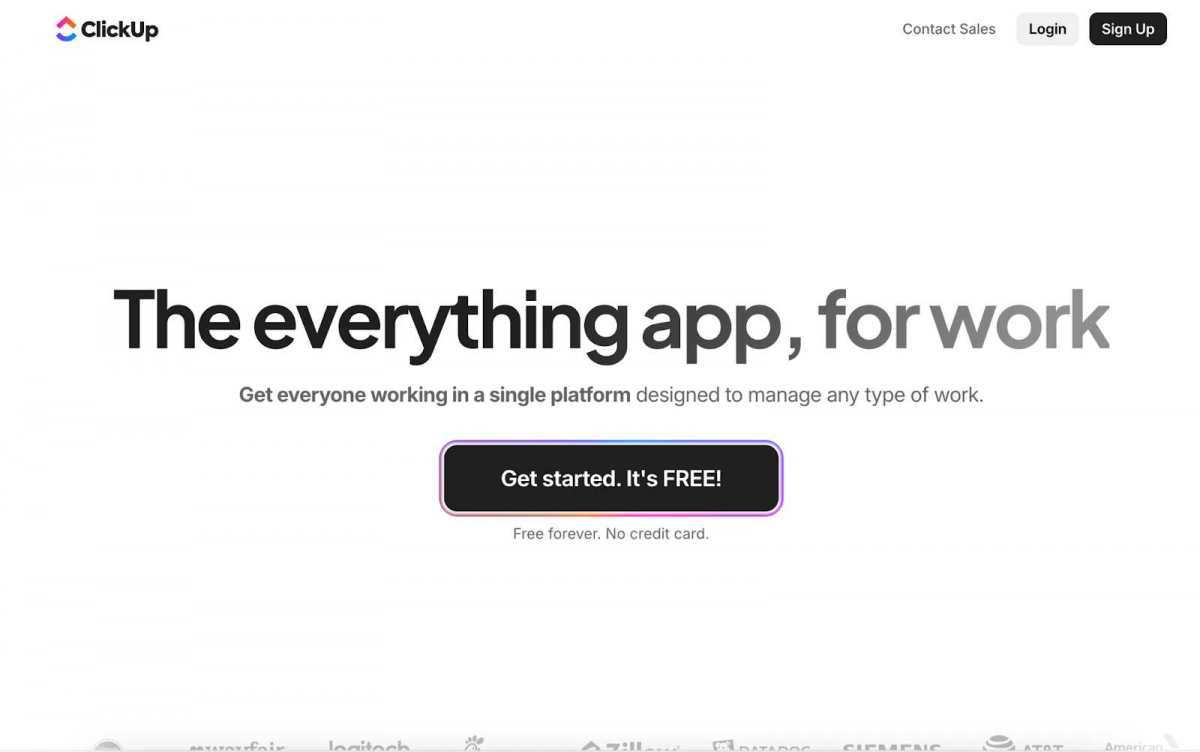
ClickUp is one of the most flexible tools on the market. It brings everything — tasks, docs, chat, and goals — into one place. You can organize work in lists, boards, or timelines and customize almost everything to fit your process.
Why teams love it:
Clean interface with deep customization options;
Built-in time tracking and goal-setting;
Hundreds of automation templates;
A free plan that’s more generous than most competitors.
Things to keep in mind:
ClickUp is flexible, but for someone new, it might come across as overwhelming at first. It’s almost like you can do everything with it, but the structure is not there.
Verdict:
ClickUp is a perfect solution for teams that want a single workspace for everything, from brainstorming ideas to tracking progress.
2. Asana
Asana remains one of the top choices for businesses of all sizes. It’s simple, intuitive, and helps teams manage projects from kickoff to delivery.
Why teams love it:
User-friendly and visually clear;
Custom views like List, Board, Timeline, and Calendar;
Great for setting dependencies and due dates;
Excellent progress tracking and reporting features.
Things to keep in mind:
While you get quite a lot in a starter plan, many advanced features like automation or workload tracking can only be assessed by switching to premium plans.
Verdict:
If your team values clarity, easy navigation, and reliable collaboration tools, Asana is a safe bet.
3. Monday.com
Monday.com is all about visuals. It turns task lists into colorful, easy-to-read boards that make progress tracking almost fun. It’s flexible enough for marketing campaigns, product launches, and even HR planning.
Why teams love it:
Intuitive, easy-to-navigate design;
Automation features are easy to set up;
Pre-made templates make it perfectly suitable for different use cases.
Real-time collaboration and timeline updates.
Things to keep in mind:
If your company’s involved in managing highly technical projects or you need tools for tracking resource allocation, the functionality of Monday.com may feel a bit surface-level to you.
Verdict:
Monday.com can be the best solution for creative, cross-functional teams that want to track their work progress at a glance.
4. Notion
Notion isn’t just a project management tool —it is a support system that combines notes and documentation in one place. For teams looking for a well-rounded software that makes it easy to organize ideas and centralize tasks, Notion does the trick.
Why teams love it:
Combines wikis, databases, and tasks in one place;
Excellent for remote teams that want to stay on track and share insights.
Things to keep in mind:
Large workspaces with many databases can get slow. Also, it lacks native Gantt charts or advanced reporting tools.
Verdict:
For startups and small teams looking for a tool that combines planning with note-taking and creative collaboration, Notion would be hard to beat.
5. Jira
If your company develops software, then you’ve most likely already checked on Jira. This tool is designed for agile and scrum teams that need to manage sprints, bugs, and backlogs.
Why teams love it:
Deeply customizable workflows for developers;
Strong reporting and sprint tracking;
Integrates with Confluence, Bitbucket, and other Atlassian tools;
Built for agile and DevOps environments.
Things to keep in mind:
Getting the knack of Jira may take more than a day, especially for non-savvy users. It’s powerful, but not beginner-friendly.
Verdict:
Jira is the go-to option for IT teams and tech-driven organizations practicing Agile development. Teams often complement this with Jira task templates to ensure faster task setup and maintain structured workflows.
6. Wrike
Wrike shines in dynamic environments where teams need to move fast and stay aligned. It offers task tracking, workload balancing, and time logging in a polished interface.
Why teams love it:
Dashboards and workload charts make it easy to track work progress;
Advanced proofing tools for creative teams;
Scales easily to accommodate the needs of small teams and large enterprises;
Offers integration with apps like Slack, Google Drive, and Salesforce.
Things to keep in mind:
The number of features this software offers may feel overwhelming at first. Smaller teams might find many of them impractical.
Verdict:
If you’re a growing company juggling multiple projects at once, Wrike can be the right fit for you.
7. Trello
Somewhat similar to Asana, Trello is a great tool for teams on a budget. Its card-and-board system makes it easy to stay on track, and it comes with most of the features you’d need for task management.
Why teams love it:
Extremely easy to set up and use;
Ideal for small teams that need to visualize tasks;
Allows integrations with tools like Slack, Google Drive, Fellow, and Zapier.
Custom automation with “Butler.”
Things to keep in mind:
Trello is great for simple workflows, but might feel limited for large-scale projects.
Verdict:
For teams that are just starting with project management or those who value simplicity over feature-loaded tools, Trello can be a top choice.
8. Smartsheet
Smartsheet feels familiar to anyone who loves spreadsheets but needs more than formulas. It combines the flexibility of a sheet with the power of a project tracker.
Why teams love it:
Spreadsheet-style interface that’s easy to adjust to your team’s needs;
Built-in Gantt charts and resource views;
Strong automation and integration capabilities;
Excellent for data-heavy or operations teams.
Things to keep in mind:
This tool is powerful, but its interface may feel a bit off. It may also come across as overly complex for teams looking for lightweight workflows.
Verdict:
Smartsheet is a popular project management software used by teams working on projects that require a high degree of accuracy and data control.
9. Teamwork
Teamwork is designed for client service teams that juggle multiple projects and need to track time, budgets, and progress. It’s often used by marketing agencies and consulting firms.
Why teams love it:
Great time tracking and invoicing tools;
Built-in client portal for transparent communication;
Excellent resource and workload management;
Integrates smoothly with financial and CRM tools.
Things to keep in mind:
The interface is more functional than flashy, which may feel dated to some users.
Verdict:
Teams that work with clients and need tools to generate detailed tracking reports will find a lot to love about Teamwork.
10. Basecamp
Basecamp is somewhat different from the others. It keeps it to the essentials. You won’t find any extra stuff here. It’s all about tasks, messages, and files that you need for work.
Why teams love it:
Straightforward interface with no steep learning curve;
Combines to-do lists, file sharing, and group chat;
Great for keeping client communication clean and organized;
Flat pricing model — one fee for unlimited users.
Things to keep in mind:
You won’t find advanced automation or detailed analytics here.
Verdict:
If you’re looking for a simple and affordable project management software that would work for your small team, Basecamp is worth a look.
Final Thoughts
Modern project management solutions have long transformed from simple task lists to advanced tools where it’s easy to track everything – without the need to juggle multiple tools or spreadsheets. They’ve become the backbone of how teams plan, strategize, and deliver work.
However, no single tool fits all. And it’s not the list of features that make software great. A good software is one that fits your site, goals, and how your team prefers to work, making your daily grind easier and more predictable.
Trending Project Management Software for your Teams was last modified: March 9th, 2026 by Nick Tyne
In the fast-paced world of ecommerce, where every click counts and customer behavior evolves rapidly, achieving consistent growth isn’t just about driving traffic—it’s about converting that traffic into loyal customers and revenue. Many merchants pour resources into ads and SEO, only to see underwhelming results due to overlooked bottlenecks in user experience and site optimization. This is where Conversion Rate Optimization (CRO) steps in as a game-changer, and partnering with a specialized CRO agency can transform your store’s performance through proven, data-backed strategies.
As businesses increasingly rely on seamless data syncing and CRM tools—like those offered by CompanionLink for Outlook and mobile integration—ecommerce leaders are discovering that true optimization goes beyond basic tech stacks. It requires a performance-based approach that guarantees measurable uplifts in conversions, ensuring your investments yield tangible ROI without the guesswork.
Understanding the Power of CRO in Ecommerce
Conversion Rate Optimization isn’t a buzzword; it’s a systematic process of analyzing user data, identifying friction points, and implementing changes to guide more visitors toward completing a purchase. Unlike traditional marketing, which focuses on attracting users, CRO hones in on what happens once they’re on your site—refining elements like page layouts, checkout flows, product descriptions, and calls-to-action to maximize efficiency.
For ecommerce merchants, the stakes are high: even a 1% increase in conversion rates can translate to thousands in additional revenue for mid-sized stores. However, DIY efforts often fall short due to limited expertise in A/B testing, heatmapping, or behavioral analytics. This is why enlisting a CRO agency becomes essential—they bring the tools and insights to turn data into actionable improvements, all while aligning with your business goals.
How ConversionRate.Store Stands Out with Data-Driven, Performance-Based CRO
What sets ConversionRate.Store apart is its commitment to a fully data-driven methodology combined with a performance-based model. Instead of charging flat fees for vague promises, they tie their compensation to actual results—meaning you only pay when your conversion rates improve. This risk-free structure incentivizes real outcomes, making it an ideal partner for merchants wary of unproven agencies.
Their process begins with a deep dive into your store’s analytics, using advanced tools to track user journeys, drop-off points, and engagement metrics. From there, they conduct rigorous experiments, such as multivariate testing on landing pages or personalized recommendation engines, all grounded in real-time data. For instance, by analyzing synced CRM data from tools like Salesforce or Google Workspace, they can uncover patterns in customer behavior that inform hyper-targeted optimizations—ensuring your ecommerce platform not only attracts but retains high-value shoppers.
Merchants partnering with ConversionRate.Store often see uplifts of 20-50% in key metrics, backed by transparent reporting. This isn’t about quick fixes; it’s about building sustainable growth through iterative, evidence-based enhancements that evolve with market trends.
The Value of Partnering with a Results-Guaranteed CRO Agency
Educating yourself on CRO’s value starts with recognizing the pitfalls of going it alone: wasted ad spend on non-converting traffic, high cart abandonment rates, and missed opportunities in a competitive landscape. A guarantees-focused agency like ConversionRate.Store mitigates these by offering:
Measurable ROI: Every optimization is tied to KPIs like average order value, bounce rates, and lifetime customer value, with clear benchmarks and post-implementation audits.
Expertise Without Overhead: Access top-tier specialists in UX design, psychology-driven copywriting, and tech integrations without expanding your in-house team.
Scalability for Growth: As your store expands—perhaps integrating more CRM syncing for personalized marketing—their strategies scale seamlessly, supporting everything from startups to enterprise-level operations.
Risk Mitigation: With performance-based pricing, you’re protected from underperforming campaigns, allowing you to allocate budgets confidently toward other tools, like data syncing solutions that keep your operations running smoothly.
In an era where ecommerce success hinges on data integrity and user-centric design, such partnerships ensure you’re not just keeping up but leading the pack.
Real-World Impact: Success Stories from ConversionRate.Store
Consider a mid-tier fashion retailer struggling with a 2% conversion rate despite robust traffic from social ads. After partnering with ConversionRate.Store, a data-driven overhaul—including streamlined mobile checkouts and AI-personalized product bundles—boosted conversions to 4.5% within three months, adding six figures to quarterly revenue. Similar stories abound across industries, from electronics to health supplements, proving that guaranteed results aren’t hype—they’re achievable with the right expertise.
Elevate Your Ecommerce Game Today
If your ecommerce store feels stuck in a cycle of high traffic but low sales, it’s time to embrace CRO as a core strategy. By teaming up with ConversionRate.Store, you’re not just optimizing—you’re revolutionizing how your business performs, backed by data and guarantees that deliver. Visit their site today to explore how their performance-based approach can unlock your store’s full potential, and integrate it seamlessly with your existing tech ecosystem for unparalleled efficiency. In the world of digital commerce, smart optimization isn’t optional; it’s essential for thriving.
Revolutionizing Ecommerce: Boost Your Store’s Performance with Data-Driven CRO was last modified: November 10th, 2025 by Colleen Borator
Many people perceive AI as a technology that only large corporations can use. Yet, now many small businesses incorporate it into their operations. This technology is way more accessible today. So, any company can try including it in their workflow.
Keep reading and learn about the main areas of its impact!
Key Areas of AI Impact
AI is changing how different businesses operate across the world. Many people still think it’s a luxury available only to big companies. Now, it is accessible to small businesses thanks to affordable platforms.
These solutions can automate diverse tasks and deliver useful insights. Adoption of this development for small businesses is the way to survival and growth.
Here are the main areas where AI is impacting small business operations.
Customer Service
Strong customer service is essential for any business. Small companies find it hard to provide consistent support because of limited resources. AI improves this area by providing tools that act as virtual workers.
We have chatbots that answer frequently asked questions instantly. For example, a small store can set up a chatbot to
Provide shipping information,
Check order statuses,
Assist with returns.
These tools reduce the workload on human staff. So, customers don’t have to wait hours for responses. However, developing effective AI chatbots involves challenges like data integration and ensuring contextual understanding, as detailed in a case study on AI chatbot development challenges.
Also, many companies use voice assistants and AI answering services. They integrate them with their phone support systems. These assistants can direct callers to the right department and even provide appointment scheduling services.
Another popular use case is sentiment analysis. These tools scan emails or social media mentions to determine customer sentiment. They help businesses identify unhappy customers and resolve any issues faster.
Marketing
Marketing is the next area where AI is pretty impactful. It offers a new approach for personalization. This technology makes it scalable, even for small teams.
For instance, a company can send offers for products only to clients who previously purchased them.
Some systems can predict which customers might return or drop off. So, businesses can create a more accurate outreach strategy. AI tools can also help small teams automate personalized campaigns, sending the right messages to the right audience at the optimal time without manual effort.
Marketing teams also use AI for social media optimization. These tools give recommendations on posting times and analyze engagement patterns. Small businesses don’t have to hire additional workers to be active online, a good AI marketing platform is enough.
They can also use an AI presentation maker to create entire decks from prompts, website URLs, or existing documents – saving time while keeping messaging consistent.
Inventory Management
Inventory mismanagement can negatively impact profitability for businesses selling physical products. Overstock leads to wasted capital, and stockouts lead to lost sales. AI Inventory management offers predictive and automated solutions to these challenges.
Its models analyze not only historical sales but also external factors, like
Holidays,
Economic shifts,
Weather data.
It helps businesses adjust their stocks based on demand.
Inventory tools automate purchase orders by monitoring stock levels in real time. The system can trigger a reorder if items fall below a certain threshold.
Also, this technology is useful for supplier performance tracking and route optimization. It evaluates past deliveries and quality to help businesses find a reliable partner. Logistics tools minimize fuel costs and ensure faster deliveries.
Financial Management
Managing finances is a stressful aspect for many small businesses. AI simplifies financial operations by automating bookkeeping and offering predictions.
Accounting software helps companies
Categorize transactions,
Reconcile accounts,
Generate financial reports automatically.
They don’t have to hire full-time accounting staff, and they reduce the possibility of errors.
AI models can also forecast cash flow dips. They help owners anticipate when to reduce spending or secure short-term funding. Some platforms offer details on profitability and suggest where to cut costs.
Fraud prevention tools are useful for small businesses as well. These systems monitor credit card activity and online transactions to flag suspicious behavior instantly.
Human Resources
Many small businesses don’t have an internal HR team. So, recruitment and employee management activities are difficult for them. AI simplifies and improves HR functions across the employee lifecycle.
This development can help with the screening process by
Filtering resumes,
Identifying top candidates,
Conducting video interviews.
It can reduce certain types of hiring bias by concentrating on skills and qualifications.
Plus, AI can predict which employees might leave by analyzing attendance issues or lack of engagement. Owners can take measures to retain valuable staff.
Workflow Automation
Repetitive administrative work takes a lot of time that could be spent on growth. AI helps small businesses reclaim this time by automating workflows. Exploring no-code AI solutions can also help small businesses cut costs while streamlining daily operations
This technology allows companies to
Organize tasks,
Set deadlines,
Predict project bottlenecks.
Some tools automatically schedule meetings based on participants’ availability.
Also, these systems assist with document creation and emails. They reduce manual data entry and let business owners focus on important conversations.
For a deeper look at how AI can streamline processes, small businesses can explore building a marketing automation workflow to simplify lead nurturing and customer engagement.
Main Difficulties of Using AI in Business Operations
The potential benefits of AI for small businesses are pretty clear. Yet, implementation of this technology is not always easy. Small companies usually face many challenges when trying to adopt AI.
Here are the main difficulties businesses have during integration.
High Implementation Costs
AI may save money in the long run. However, upfront costs can be pretty high. Companies have to invest in
Custom solutions development,
Advanced software,
Integration into existing systems.
Small businesses may struggle to allocate funds for licenses and hardware upgrades. Even affordable platforms can become expensive during scaling.
Lack of Technical Expertise
AI systems require technical knowledge. Most companies don’t have in-house specialists who understand ML or data science.
Hiring professionals is expensive and competitive. Outsourcing can create dependency on external providers.
So, businesses risk misconfiguring these tools without proper expertise. It might lead to poor performance or wasted investment.
Quality and Availability Issues
AI relies on data a lot. These systems can’t produce accurate results if the information is inconsistent. Smaller companies usually don’t have enough structured data for AI models. Plus, they might distribute it across departments. So, it’s difficult to consolidate for analysis.
Integration Problems
Businesses usually use multiple software platforms. It’s complex to integrate AI into these systems. Legacy systems might not support modern tools. They typically require expensive upgrades or complete overhauls.
Software tools like Highlight Viewer prove that not every useful solution needs deep system ties. They operate independently, cutting out the need for costly upgrades. Businesses benefit from faster rollouts and lower risks.
Employee Resistance
Staff can be resistant to AI integration. They might fear job loss or struggle to adapt to new tools. Employees may be skeptical of generated recommendations. Plus, some of them might feel overwhelmed by technological changes.
Effective training programs are essential as well. Yet, they require time and money. Without proper change management, businesses can face significant pushback.
Security Risks
AI systems can be vulnerable to cyberattacks. Hackers can gain access to sensitive business information by
AI is not only for large corporations with huge budgets. Small businesses can use different affordable tools to improve efficiency and customer experiences.
However, it’s not enough to buy software for successful integration. Companies need a smart plan to include AI in their operations.
Defining Needs and Pain Points
Small business owners should start by assessing all their operations. They need to decide which areas will benefit from automation and advanced analytics. It allows them to concentrate resources on AI tools that actually meet their goals.
Data Preparation
As you already know, AI depends on data. Small companies should consolidate customer and financial data into centralized systems. Next, they have to clean it by
Removing duplicates,
Correcting errors,
Standardizing formats.
Good data practices guarantee that generated recommendations are reliable.
Integration into Existing Workflows
AI should fit into current operations to deliver value. Businesses should select tools that integrate with the systems already in use, like
Many platforms are designed to plug into popular applications. It makes the adoption process smoother.
Employee Training
AI might overwhelm your workers with its complexity. Small businesses should provide training sessions to show how new tools can support them. They need to encourage feedback and involve employees in selecting tools. They will feel ownership in the process.
Monitor Performance
AI adoption is not a one-time project. Businesses must regularly assess the impact of tools by measuring performance indicators, like
Companies can determine which tools are worth scaling by tracking ROI.
Conclusion
AI is not just a tool for automating simple tasks. Many companies use this technology in different areas of their work. Small businesses are not an exception.
AI systems became more accessible and user-friendly. So, smaller companies can also incorporate it into their operations easily. The key is to determine the main needs and find the best tools to fulfill them.
This development is an ideal instrument for small businesses that want to compete with larger organizations.
How AI is Quietly Revolutionizing Small Business Operations was last modified: October 24th, 2025 by Nick Tyne
Retail eCommerce is still on a tear—Statista expects an 11.16% CAGR from 2023 to 2027. In a market moving this fast, picking the right model isn’t just smart—it’s make-or-break. If you’re deciding between building a marketplace or an aggregator, this guide will walk you through what each model is, how they make money, where they excel (and struggle), and how to choose the right tech stack and delivery method to scale with confidence. Don’t miss the decision framework near the end—it’ll help you match your choice to your customer expectations, operations, and margin goals.
Marketplace vs Aggregator at a Glance
Marketplace – a decentralized platform where third-party vendors list and manage their own products or services. You handle discovery, listings, payments, and sometimes logistics—sellers handle the rest. Aggregator – a centralized service platform that brings providers under one brand, with consistent pricing, quality, and standards enforced by the platform. Often-cited examples include Uber and Airbnb.
How they make money? Marketplace – listing fees, seller subscriptions, and/or a transaction commission (your take rate). Aggregator – commissions on completed transactions or service usage, usually standardized by the platform.
Customer experience and control. Мarketplace – big on variety and vendor freedom—quality and policies can differ by seller. Aggregator – delivers a predictable, uniform experience with centralized brand control and quality enforcement.
Pros and Cons by Model
Marketplace advantages:
Grow assortment fast by tapping third-party sellers.
Lighter lift on inventory, fulfillment, and first-line support.
Strong SEO potential thanks to a deep catalog and long-tail keywords.
Marketplace limitations:
Quality can vary from seller to seller.
Inconsistent shipping, returns, and support policies across vendors.
Disputes can get complicated between buyers, vendors, and the platform.
Aggregator advantages:
Consistent branding, pricing, and quality standards.
Higher trust and smoother experiences via centralized oversight.
Clear control over delivery and support from end to end.
Aggregator limitations:
Higher operating costs for onboarding, compliance, and performance monitoring.
Narrower scope and less variety than large marketplaces.
Brand reputation rises or falls with partner performance, since you own the experience.
When Each Model Fits Best
Choose a marketplace if:
Your category wins on breadth and comparison (multi-brand retail, lots of SKUs).
You want to scale supply fast without holding inventory.
Your team is great at vendor onboarding, catalog quality, and search/discovery.
Choose an aggregator if:
Customers care more about consistency than variety (think transport or services).
You need tight control over pricing, quality, and brand experience.
You can invest in provider compliance, training, and ongoing performance management.
Revenue and Unit Economics Essentials
Marketplace levers
Take rate: Find the balance between being seller-friendly and protecting your margins.
Seller fees: Listing or subscription fees can fuel growth but may deter smaller vendors.
Growth drivers: Supply breadth, smart search, reviews, and conversion optimization.
Aggregator levers
Standardized pricing and commission: Predictable margins and simpler decisions for users.
Quality and reliability: Directly influence repeat usage, ratings, and brand equity.
Growth drivers: Provider density in key locations, on-time performance, and strong support.
Selecting Your eCommerce Platform Type
SaaS
Best when you need to launch quickly with built-in commerce features and compliance. Trade-off: Limited deep customization and less control over the underlying code.
PaaS
Great for integrating with enterprise systems or customizing workflows while using managed infrastructure. Trade-off: Requires engineering resources and platform know-how.
Open-source
Maximum flexibility for custom features and complex integrations. Trade-off: You own deployment, security, and ongoing maintenance—technical chops required.
Proprietary
Full control of data, features, and roadmap—ideal for highly specialized needs. Trade-off: Highest responsibility for development, compliance, reliability, and total cost of ownership.
Tip: If you’re not going it alone, partnering with a marketplace software development company can accelerate discovery, platform selection, and integration planning while keeping total cost of ownership transparent.
Delivery Models: B2B, B2C, and C2C Implications
B2C: Natural fit for both models. Prioritize frictionless checkout, trust signals, and fast delivery. B2B: Expect longer cycles, negotiated pricing, invoicing, and account-level permissions. PaaS or open-source often suit ERP/CRM integrations better. C2C: Tailor-made for marketplaces. Invest in moderation, dispute handling, and identity verification.
Execution Playbooks and Critical Success Factors
Marketplace execution checklist
Supply acquisition: Onboard a critical mass of quality sellers in your top categories.
Catalog governance: Enforce listing standards, accurate data, and suppress duplicates.
Search and discovery: Nail taxonomy, filters, relevance, and SEO for long-tail intent.
Trust and safety: Reviews, seller ratings, fraud prevention, and clear dispute workflows.
Customer support: Define who handles what—sellers vs platform—and set escalation paths.
Key marketplace KPIs
Active sellers and listings growth
Search-to-view and view-to-purchase conversion
Order defect rate and dispute rate
On-time delivery rate and average resolution time
Take rate and contribution margin per order
Aggregator execution checklist
Provider standards: Set SLAs, pricing rules, and brand guidelines—and require compliance.
Onboarding and training: Verification, training modules, and performance benchmarks.
Centralized support: One brand promise, consistent policies, fast issue resolution.
Quality assurance: Monitor ratings, cancellations, and response times continually.
Key aggregator KPIs
Fulfillment rate and on-time performance
Customer satisfaction (CSAT) and repeat usage
Provider compliance rate and churn
Average response/arrival time
Net revenue per transaction and margin after incentives
Marketplace: Amazon, eBay. Sellers own inventory and branding; the platform powers discovery, listings, and payments. Aggregator: inDrive and Airbnb are often cited for standardized brand experiences and platform-enforced consistency. In travel and mobility specifically, mature traveltech software development helps orchestrate real-time pricing, routing, and supply-demand balancing at scale.
Bringing It All Together
Need breadth and speed with lighter ops? Build a marketplace—and double down on onboarding, search, and trust. Need a uniform, reliable experience? Build an aggregator—and invest in standards, training, and centralized support. Choose your platform type based on customization needs, compliance, integrations, and your team’s technical capacity. Match your delivery method (dropshipping, wholesale, subscription) to your margin targets and control needs.
Marketplace vs Aggregator: Which eCommerce Model Fits Your Business? was last modified: October 19th, 2025 by Colleen Borator