Few tactics in SaaS marketing have proven as resilient as guest posting.
Algorithm updates have reshaped it. Editorial standards have tightened it. AI-driven discovery is now redefining it. Yet despite constant predictions of its decline, guest posting continues to influence how SaaS brands build authority and earn visibility.
What has changed is not the tactic itself, but the expectations surrounding it.
In 2026, publishing content is easy. Earning attention is not. Thousands of SaaS companies are producing high-quality articles each month, competing for the same audiences across increasingly crowded channels. Buyers are more informed, editors are more selective, and search systems are getting better at distinguishing expertise from noise.
Visibility is no longer earned through presence alone. It is earned through recognition. Guest posting remains one of the most reliable ways to build that recognition when approached with strategy rather than scale.
Why guest posting matters for SaaS growth?
Few industries rely on trust as heavily as SaaS.
Long sales cycles, subscription commitments, and product complexity mean buyers rarely convert after a single interaction. They research, compare, validate, and often return multiple times before making a decision.
Guest posting supports this journey in several important ways:
Builds early credibility: Prospects are more receptive when they encounter your brand in environments they already trust.
Creates repeated exposure: Familiarity lowers perceived risk, especially in high-consideration purchases.
Strengthens category positioning: Consistent visibility helps buyers understand what your company stands for.
Supports multi-touch journeys: By the time a prospect visits your website, your brand often feels recognized rather than new.
In competitive SaaS hubs such as the US and UK, this type of visibility often shapes perception before a demo is ever booked.
Guest posting accelerates that familiarity by positioning your brand within conversations that already command attention rather than forcing you to build it from scratch.
The biggest guest posting mistakes SaaS brands make
Despite its longevity, many SaaS companies continue to approach guest posting with assumptions shaped by an earlier era of SEO. What once delivered results no longer carries the same weight, largely because editorial expectations and search signals have matured.
Common missteps include:
Treating it as a numbers game: Increasing outreach and securing more placements may create the appearance of progress, but authority rarely grows through volume alone. Recognition strengthens when visibility is selective and intentional.
Chasing domain metrics over relevance: Strong authority scores can look reassuring in reports, yet they offer limited value if the publication’s audience has little connection to your category. Context matters more than numerical strength.
Publishing interchangeable thought leadership: When insights mirror what is already circulating in the industry, editors have little incentive to reference them. Distinct perspectives travel further because they give others something meaningful to build upon.
Prioritizing scale over credibility: Rapid bursts of visibility often fade just as quickly. Sustainable authority tends to emerge from consistent participation in environments that already command trust.
Volume creates activity. Authority creates momentum. Brands focused on scale often experience temporary traction. Those focused on credibility tend to build influence that lasts.
The shift from link building to authority building
Guest posting once lived squarely inside link-building strategies. Today, its role is broader.
Search systems increasingly interpret context, associations, and expertise patterns across the web. A single link matters less than the narrative surrounding it.
Links validate authority. They rarely create it.
For SaaS companies, this means guest posting should be viewed as an authority-building system rather than a technical SEO exercise.
Each credible placement reinforces expertise. Each relevant mention strengthens topical association. Over time, these signals help both humans and machines understand what your brand represents.
The companies seeing lasting impact are not publishing more, they are publishing where it matters.
Top 5 Guest posting strategies for SaaS companies in 2026
1: Prioritize credible industry circles
Where your brand appears matters as much as how often it appears.
Contributing to respected SaaS publications, ecosystem blogs, and niche industry platforms places your insights alongside voices readers already trust. That context shapes how your expertise is interpreted.
Relevance now carries more weight than raw authority metrics. A well-regarded niche publication often strengthens positioning more effectively than a high-traffic site with little topical overlap.
Search engines have grown adept at recognizing these relationships. When multiple credible sources associate your brand with a specific domain, authority compounds naturally.
Think less about reach and more about proximity to influence.
2: Create cite-worthy content, not just educational posts
There is a meaningful difference between content that ranks and content that gets cited.
Rankable content answers existing questions. Cite-worthy content advances the conversation.
Editors typically reference material that offers at least one of the following:
For SaaS brands, this often means drawing from internal expertise. Product insights, customer patterns, operational lessons, and market observations can all become valuable editorial contributions when presented thoughtfully.
The goal is not simply to inform readers, but to give other writers something worth referencing.
3: Treat guest posting as brand distribution
Instead of asking where you can secure links, consider where your brand should be visible.
This reframing shifts guest posting from an SEO tactic into a distribution strategy.
Each placement extends your narrative into new environments. Over time, these appearances create familiarity that traditional promotion rarely achieves alone.
Readers begin recognizing your name. Editors recall your perspective. Industry peers grow accustomed to seeing your brand associated with meaningful insights.
Consistency matters more than frequency. A smaller number of credible placements often creates stronger recognition than widespread but forgettable visibility.
Guest posting, at its best, is less about borrowing authority and more about participating in it.
4: Build editorial familiarity before you need it
Editors are far more receptive to contributors they recognize.
Yet many SaaS companies only begin outreach when they want coverage, treating each pitch as a cold introduction.
A more effective approach is to build familiarity early. Engage with publications before pitching. Reference their work. Share their articles. Contribute thoughtful commentary where appropriate.
Over time, your name stops feeling unfamiliar.
When familiarity exists, trust forms faster and trusted contributors are far more likely to be invited back.
Authority is rarely built through a single successful placement. More often, it emerges through repeated, credible participation.
5: Align guest posting with your category narrative
The strongest SaaS brands are not just promoting products. They are shaping how their category is understood.
Guest posting can play a meaningful role in that effort.
Instead of publishing disconnected articles, align contributions with the themes you want your company associated with. Whether it is zero trust security, device management, AI governance, or compliance automation, consistency strengthens mental positioning.
When multiple respected publications connect your brand to the same ideas, recognition accelerates.
You stop being seen as a vendor and start being recognized as a voice within the category.
That shift is difficult for competitors to replicate.
When does it make sense to buy guest posts?
The idea that serious companies never buy guest posts is largely a myth. Many do, but strategically. The risk is not the transaction itself. The risk lies in the environment.
SaaS organizations that see positive outcomes typically evaluate placements through a credibility lens before making any investment. Rather than focusing solely on link acquisition, they consider how each placement contributes to broader brand perception.
Key questions often include:
Does the publication align with our expertise? Visibility is most valuable when it reinforces the themes your brand wants to be associated with.
Is the audience one we genuinely want to reach? The right readers matter far more than raw traffic volume.
Would we be comfortable associating our brand with this platform publicly? If the answer feels uncertain, the long-term reputational value is likely limited.
Does the site maintain real editorial standards? Publications that exercise selectivity tend to transfer more credibility than those built primarily for sponsored content.
When these conditions are met, buying guest posts or paid placements begin to function as strategic distribution rather than artificial amplification.
How guest blogging services help SaaS companies scale authority?
As internal teams juggle product launches, campaigns, and content calendars, maintaining consistent outreach can become difficult. This is where experienced guest blogging services provide meaningful support.
The strongest partners act less like vendors and more like connectors. They understand editorial expectations, maintain relationships with credible publications, and help position contributions in ways that feel natural.
Execution remains the differentiator.
High-quality services prioritize relevance over volume, customize content rather than relying on templates, and focus on environments where your expertise strengthens the broader conversation.
Presence alone does not build authority. Credible presence does.
SaaS teams that prioritize credible environments over rapid scale often find their authority strengthening in ways that are both visible and durable.
Guest posting is no longer just SEO, it’s a trust advantage
As AI increasingly shapes how information is discovered, trusted sources are gaining greater visibility. Optimization still plays an important role, but its function is shifting.
Optimization gets you discovered. Authority gets you recommended.
SaaS companies that invest in credible visibility today are positioning themselves for an environment that rewards recognized expertise. Those focused only on technical improvements may remain searchable without becoming referential. The distinction is subtle, but strategically important.
This is where guest posting is evolving beyond its traditional role. It is no longer just a method for acquiring backlinks. It is a way to shape how your brand is understood across the web. Each credible contribution reinforces the associations that influence whether audiences and intelligent search systems view your company as trustworthy.
Stop asking where you can publish. Start asking where your brand needs to belong.
When your insights appear consistently in environments that matter, familiarity grows. Trust follows. Visibility becomes easier to sustain. In the years ahead, the SaaS brands that earn attention will not simply be the ones producing more content.
They will be the ones recognized for contributing something worth noticing.
Guest Posting Strategies for SaaS Companies in 2026 was last modified: February 10th, 2026 by Lincoln Buirman
UK businesses are experiencing a significant shift in how they manage their software ecosystems, with recent trends showing that SaaS management platforms have become essential tools for maintaining team productivity. As organizations continue to adopt cloud-based solutions at an accelerating pace, the challenge of managing multiple subscriptions, licenses, and integrations has grown exponentially.
Finance directors and IT leaders are reporting that unmanaged SaaS sprawl is not only draining budgets but also hindering employees’ ability to work efficiently. This growing concern has sparked a surge in organizations adopting dedicated management platforms to regain control. The evidence suggests these tools are delivering measurable productivity gains across sectors.
Addressing the Hidden Costs of SaaS Sprawl
Recent industry analysis reveals that the average UK enterprise now utilities over 100 different SaaS applications, a dramatic increase from just a few years ago. This proliferation has created what analysts are calling the SaaS sprawl crisis, where organizations lose visibility over what software they’re actually using and who’s using it.
Teams waste considerable time navigating fragmented systems, searching for the right tools, and dealing with access issues. When employees can’t quickly find or access the applications they need, productivity suffers. Moreover, duplicate subscriptions and unused licenses represent pure waste, diverting resources that could be invested in genuinely valuable tools or personnel.
Centralised Visibility Drives Efficiency Gains
Industry experts note that top SaaS management platforms are transforming how organizations approach software oversight. By providing centralized dashboards that display all subscriptions, usage metrics, and costs in one place, these platforms eliminate the guesswork from software management.
Research from SaaS management platforms indicates that businesses implementing these solutions typically identify 30% or more in redundant spending within the first quarter. This financial benefit extends beyond mere cost savings. When finance teams don’t need to chase down subscription details across multiple departments, they can focus on strategic planning rather than administrative tasks.
IT departments report similar efficiency improvements. Rather than fielding constant requests about software access or spending hours reconciling invoices, they can manage everything from a single interface. This consolidation frees up technical staff to concentrate on innovation and problem-solving instead of paperwork.
Streamlining Procurement and Renewals
One of the most significant productivity drains in traditional SaaS management is the procurement and renewal process. Without proper systems in place, organizations often miss renewal deadlines, lose negotiating leverage, or allow auto-renewals to proceed without proper evaluation.
Modern SaaS management platforms automate much of this workflow. They send alerts well before renewal dates, compile usage data to inform decisions, and provide benchmarking information that strengthens negotiating positions. Procurement teams can process requests faster and make more informed decisions, while vendors receive clearer, more timely communications.
The impact on productivity becomes particularly evident during budget planning cycles. Instead of spending weeks gathering information from various departments, finance leaders can generate comprehensive reports instantly, allowing them to focus on analysis and strategy rather than data collection.
Enhancing Security and Compliance Workflows
Recent surveys show that security concerns rank among the top productivity killers in UK businesses. When employees resort to unauthorized software because approved tools are too difficult to access, they create security vulnerabilities that IT teams must then address reactively.
Top SaaS management platforms help organizations maintain secure yet accessible software environments. By streamlining approval processes and maintaining clear records of all applications, these platforms reduce the appeal of shadow IT while ensuring compliance with data protection regulations. Security teams spend less time investigating unknown applications and more time on proactive threat management.
Empowering Data-Driven Decision Making
Perhaps most importantly, these platforms transform SaaS management from a reactive administrative task into a strategic function. Usage analytics reveal which tools genuinely drive productivity and which are underutilized, enabling leaders to make evidence-based decisions about renewals and new purchases.
Teams benefit from this data-driven approach through access to tools that actually meet their needs. When organizations can quickly identify and eliminate ineffective software while investing in high-impact solutions, everyone’s productivity improves. The cycle of trying, abandoning, and replacing tools becomes more efficient and less disruptive.
Conclusion: The Productivity Advantage
The evidence is clear: SaaS management platforms aren’t just cost-saving tools, but genuine productivity enhancers. By eliminating administrative overhead, streamlining workflows, improving security, and enabling better decision-making, these platforms help UK businesses maximise the value of their software investments.
Organizations that embrace these solutions position themselves to work smarter, allowing teams to focus on what truly matters rather than wrestling with software management chaos.
The Impact of SaaS Management Platforms on Team Productivity was last modified: January 26th, 2026 by Lydia N
Every SaaS founder dreams of predictable, sustainable growth that compounds month after month. While paid advertising delivers instant gratification, the costs keep climbing as competition intensifies across every channel. This reality has pushed savvy software companies toward organic search as their primary growth engine.
SEO for SaaS businesses operates differently than traditional search optimization. The subscription model, long sales cycles, and technical buyer personas create unique challenges that demand specialized strategies. Understanding how to leverage SEO strategically can transform your growth trajectory in ways that paid channels simply cannot match.
The Compound Effect of Organic Growth
Unlike paid advertising that stops generating results the moment you pause spending, SEO creates assets that continue delivering value for years. A single well-optimized article can generate hundreds of qualified leads monthly without any additional investment beyond the initial creation cost.
This compounding nature makes SEO particularly powerful for SaaS companies focused on efficient growth. Each piece of content you publish builds upon previous efforts, strengthening your domain authority and expanding your keyword footprint simultaneously. The math speaks for itself when you calculate the long-term value of ranking content.
Finding the Right SEO Partner Early
Many SaaS companies attempt SEO internally before recognizing the specialized expertise required. While this approach can work for companies with experienced marketers, most find themselves struggling to generate meaningful results despite significant effort. The learning curve proves steeper than anticipated.
Recognizing when to seek expert assistance can accelerate your growth dramatically. Working with specialists who understand SaaS businesses eliminates costly mistakes and implementation delays. Companies like MADX Digital have compiled comprehensive resources on the best SaaS SEO agencies to help founders identify partners aligned with their specific needs and growth objectives.
The complexity of modern SEO continues increasing with each passing year. Algorithm updates occur frequently, competitor strategies evolve constantly, and best practices shift as search engines become more sophisticated. Staying current demands dedicated focus that most internal teams cannot provide while juggling other responsibilities.
Building Your SEO Foundation
Successful SaaS SEO starts with understanding your ideal customer deeply. You need clarity on the problems they face, the language they use when searching for solutions, and the journey they take from problem awareness to purchase decision.
This customer understanding informs every aspect of your SEO strategy. It guides keyword research, shapes content creation, and determines how you structure your website to meet visitor expectations. Without this foundation, even technically perfect SEO will fail to deliver business results.
Technical infrastructure matters equally. Your website must load quickly, render properly on mobile devices, and allow search engines to crawl and index your content efficiently. Many SaaS companies neglect these fundamentals while chasing advanced tactics, ultimately limiting their organic potential.
Content Strategy That Drives Revenue
Creating content for SaaS audiences requires balancing educational value with commercial intent. Your prospects seek genuine help solving problems, but they also need guidance toward solutions that can actually help them achieve their goals.
The most effective SaaS content strategies map directly to the buyer journey. Top of funnel content attracts prospects just beginning to recognize their challenges. Middle funnel content helps them evaluate potential solutions. Bottom funnel content convinces them your product represents the best choice.
Each content type serves a distinct purpose in your growth engine. Neglecting any stage creates gaps where potential customers fall through to competitors. Building comprehensive coverage across the entire journey captures maximum value from your SEO investments.
Measuring What Matters
Vanity metrics like raw traffic numbers often mislead SaaS companies about their SEO performance. A thousand visitors who never convert provide less value than a hundred highly qualified prospects actively seeking your solution.
Focus your measurement on metrics connected to business outcomes. Track how organic visitors move through your funnel, which content pieces drive the most conversions, and how SEO contributes to pipeline and revenue. This clarity ensures your optimization efforts target improvements that actually matter.
Attribution modeling helps connect SEO activities to downstream results. Understanding which keywords and content pieces generate the highest quality leads allows you to double down on what works while pruning efforts that consume resources without delivering returns.
Playing the Long Game
SEO rewards patience and consistency above all else. Results rarely appear immediately, with most strategies requiring three to six months before generating meaningful traffic improvements. This timeline tests the resolve of companies accustomed to instant feedback from paid channels.
However, those who persist through the initial investment period discover an incredibly powerful growth lever. Once rankings establish themselves, maintaining position requires far less effort than achieving it initially. Your competitors must work much harder to displace you than you worked to claim those positions originally.
This defensive moat represents one of SEO’s greatest strategic advantages. Companies that build strong organic presences early create barriers that protect their market position for years. Late entrants face an uphill battle against established authority that compounds their customer acquisition costs significantly.
Conclusion
Strategic SEO investment offers SaaS companies a path to sustainable, efficient growth that compounds over time. While the initial effort and patience required exceed other channels, the long-term returns justify this investment many times over.
Start by building strong foundations in customer understanding and technical infrastructure. Develop content strategies that serve prospects throughout their buying journey. Consider expert partnerships when internal resources prove insufficient. Most importantly, commit to the long-term perspective that separates successful SEO programs from abandoned experiments.
How to Scale Your SaaS Company Through Strategic SEO Investment was last modified: January 23rd, 2026 by Ana Tungdim
Any downtime of a SaaS product is never a technical problem. It is missed income, shattered confidence, and irritated clients clicking refresh buttons. Teams spend months of feature perfection, only to be forced to churn spike due to several hours of network unavailability. SaaS services rely on the availability of servers, APIs and third-party services which are always available, predictable and consistent. The tiniest network failures would have a ripple effect and in the form of failure to log-ins, data synchronization problems, or delayed response times. The networking needs to be stable; otherwise, subscriptions, support tickets, and SLAs would be maintained. A SaaS platform cannot be scaled without a controlled network layer, as it is more often a gamble than a plan.
Role of VPN in SaaS Network Control
A VPN has a direct role in the manner in which the SaaS companies control and regulate traffic in their internal network. It establishes a privacy between users, services and infrastructure, eliminating the exposure to random paths in the network as well as unstable open links. This is important when your application is dependent on always having access to cloud dashboards, databases or deployment tools.
Based on experience, VPNs can assist SaaS teams:
Access control to internal systems.
Role-based, location-based and device-based restrictions.
Turn off public networks of administration.
Reduce lost connections when it is necessary.
Indicatively, various SaaS vendors will limit access to databases through VPN-based access. This minimizes unintentional access and makes the traffic predictable. The data provided by Google cloud show that distributed systems using controlled network paths decrease connection errors by more than 30 percent.
VPN Support for Remote SaaS Teams
Remote working has transformed the work of SaaS teams. The developers work at home. Support teams operate in foreign countries. Dashboards are used by product managers when on the road. This traffic relies on the internet paths which are open to the public without VPN. These paths keep on altering and lead to delays in connections or inability to log in. This is where SHP vpn becomes part of daily SaaS operations. A VPN provides distance groups with a consistent network. It will enable internal tools to be accessed without exposing them on public networks. The same rules are applied to teams whether they are in the same place or not. This minimizes the mistakes in access and enhances inter-regional consistency. The cloud dashboards are loaded quicker and tool deployment is more reliable. According to the Cisco data, over 60 percent of problems associated with remote working that are related to SaaS are due to network instability. VPN routing reduces this threat through the application of determined access points. Less dropped sessions occur to support teams. Several failed builds are reduced by developers. Managers can have better control over access. The use of a good VPN eliminates friction and makes remote SaaS teams remain productive.
Data Transfer Protection in SaaS Platforms
Data transfer sits at the center of every SaaS operation. User requests, API calls, backups, and sync jobs move constantly between clients and servers. When that traffic travels through open networks, even small interruptions or routing changes can cause data loss or service errors. From direct experience, many SaaS issues blamed on “app bugs” were later traced to unstable or intercepted data paths. A VPN creates a private tunnel for this traffic. It keeps data flows consistent and reduces packet loss during peak hours. According to IBM’s Cost of a Data Breach report, over 80% of breaches involve data in transit, not stored data. VPN routing lowers that risk by keeping traffic off exposed paths. For SaaS platforms handling user records or payment data, controlled transfer routes improve uptime, reduce sync errors, and support compliance with common standards like ISO 27001.
VPN Use in SaaS Infrastructure Scale
SaaS infrastructure scaling imposes stress on the network layer. An increase in the number of users implies an increase in the number of regions, cloud zones, and internal services communicating with one another. In the absence of a VPN, the routing is usually based on public routing tables which can change in an ad hoc fashion. This generates performance spikes in latency and latency imbalance. I have observed groups who have introduced servers, but their routing is unreliable resulting in sluggishness of response. This is resolved by VPNs as they establish fixed paths between services in the network. Tools and comparisons such as https://shp.network/comparison show how VPN providers differ in routing stability, node coverage, and throughput. These are important when expanding to different regions. LAT AWS points out that predictable network routes may cut cross region latency by up to 40 percent. By using VPN-based routing, SaaS teams can enjoy greater control over the communication of the service, easier scaling and less surprises when the traffic increases or the scope expands to other territories.
VPN Effect on SaaS System Trust
Increased trust is afforded when SaaS systems remain high and steady. Users are also likely to tolerate slowness in features, but not down times or data corruption. VPNs help to provide such a trust by stabilizing access, securing data transfer and ensuring that internal systems are predictable. In the long run, outages are reduced and access logs are cleaner, which builds customer confidence. In the case of SaaS companies interested in both growing and maintaining reliability, the use of VPNs is a part of the trust contract with the users, rather than a technical option.
The Importance of VPN for Stable SaaS Operations was last modified: January 8th, 2026 by Betty Holland
Finding the right influencer marketing platform can feel a bit like using a dating app. You swipe through endless options, each promising to be “the one,” only to realize three months into an annual contract that the relationship just isn’t working out.
Influencity is a solid player with over 200 million profiles and a functional IRM (Influencer Relationship Management) tool. However, as the industry heads toward a projected $32.55 billion valuation in 2025, many brands are finding they need more than just a database. Whether you need deeper e-commerce integrations, MENA-specific data, or enterprise-grade fraud detection, there is likely a better fit for your specific workflow.
Quick comparison: The best Influencity alternatives
Here’s a quick overview to help you compare these platforms at a glance:
Before diving into the specific tools, it is important to understand why marketers are moving away from “all-in-one” generalists toward specialized CRMs. When evaluating your next platform, consider these three pillars:
E-commerce Connectivity: Does the tool connect to your specific stack? While Influencity focuses on Shopify, alternatives like Upfluence and CreatorIQ support WooCommerce, Magento, and Amazon.
CRM Depth: Does the platform allow for in-app messaging, automated gifting, and payment processing? Influencity users often complain about having to use external email tools.
Data Quality vs. Quantity: A database of 200 million is useless if 30% are bot accounts. Look for platforms that offer “Audience Quality Scores” or advanced fraud detection.
1. MoonTech
Best for: E-commerce brands in the MENA region seeking performance-based campaigns
Founded in 2023 and headquartered in Dubai, MoonTech is the premier choice for brands targeting the Middle East and North Africa. Unlike global platforms that offer a “one-size-fits-all” approach, MoonTech is built with Arabic/English bilingual support and regional cultural nuances in mind.
Its standout feature is the performance-based pricing model. Rather than paying for “vanity metrics” like impressions, brands pay only for verified sales tracked through the platform.
Key features:
Performance Tracking: Pay-per-sale model via coupon and affiliate tracking.
Fintech Integration: Integrated wallet for seamless influencer payments.
Regional Expertise: Specialized tools for Ramadan and Eid campaign planning.
Bilingual AI: Matching algorithms optimized for Arabic and English content.
Pros:
Zero wasted spend; you only pay for actual conversions.
Superior database for Dubai, Riyadh, and Cairo markets.
Includes dedicated mobile apps for both brands and creators.
Cons:
Limited reach outside of the MENA region.
Smaller total database (50k verified influencers) compared to global giants.
Pricing: Performance-based; custom quotes available via moontech.co.
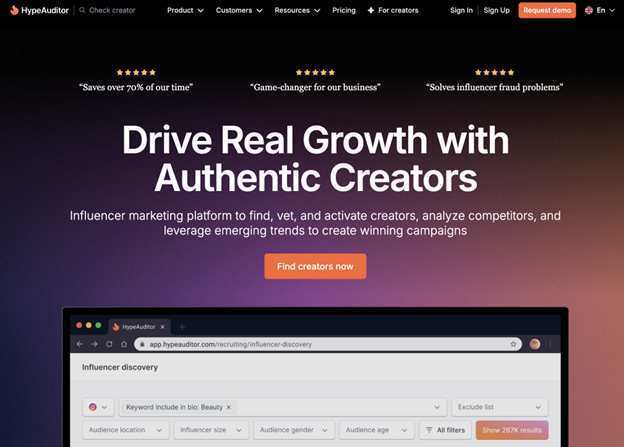
2. HypeAuditor
Best for: Data-driven teams that prioritize fraud detection and audience authenticity
HypeAuditor began as a fraud detection tool, and that DNA remains its biggest strength. In an era where “engagement” can be bought, HypeAuditor uses AI to analyze 50+ behavioral patterns to identify fake followers with 95.5% accuracy.
Key features:
Audience Quality Score (AQS): A proprietary metric that has become an industry standard for legitimacy.
Advanced Discovery: Filters across 219M+ profiles on Instagram, TikTok, YouTube, Twitter/X, and Twitch.
Competitor Analysis: Ability to track the influencer strategies of your direct competitors.
Pros:
Most robust fraud detection on the market.
Clean, professional interface (G2 rating of 4.6/5).
Deep analytical reports (35+ metrics per profile).
Cons:
No automatic Instagram Story monitoring.
The $299/mo starting price is steep for small businesses.
Pricing: Starts at $299/month (billed annually).
3. Upfluence
Best for: E-commerce brands needing deep integrations, especially Amazon sellers
Upfluence is a powerhouse for e-commerce, offering the only major native Amazon Attribution integration. This allows Amazon sellers to track exactly which influencer drove a specific sale on the marketplace – a “holy grail” feature for many brands.
Key features:
Live Capture: Identifies influential customers currently visiting your website to turn them into ambassadors.
Full E-com Stack: Integrations for Shopify, WooCommerce, Magento, and BigCommerce.
Workflow Automation: Handles everything from automated outreach to bulk payments.
Pros:
Unrivaled for Amazon-specific influencer marketing.
Includes “Social Listening” to track brand mentions.
Proven ROI (e.g., Branded reported a 10x ROI using the platform).
Cons:
Mandatory 12-month contracts (no monthly options).
Steep learning curve for the advanced IRM features.
Pricing: Basic features from ~$478/month; full enterprise suite around $2,000/month.
4. Modash
Best for: Shopify brands wanting the largest creator database with flexible pricing
Modash boasts a database of 350 million+ profiles, making it nearly double the size of Influencity. It is specifically designed to help Shopify brands scale micro-influencer programs through automated product gifting and real-time revenue tracking.
Key features:
Automated Content Collection: Captures every Story and post without requiring influencers to “sign in” to the platform.
Shopify Gifting: Influencers can use self-selection links to pick the products they want.
Ad Disclosure Alerts: Automatically flags content that misses required #ad tags.
Pros:
Largest database in the industry.
Offers monthly billing (rare in the influencer SaaS space).
No “authentication” required from influencers to track content.
Cons:
Does not support Twitch, LinkedIn, or Pinterest.
IRM/CRM features are more basic than CreatorIQ.
Pricing:$199/month (billed annually) or $299/month (monthly).
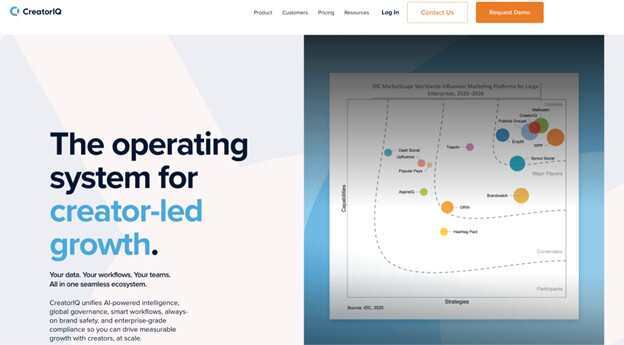
5. CreatorIQ
Best for: Large enterprises running global campaigns with substantial budgets
If you are managing a Fortune 500 budget, CreatorIQ is the “heavyweight” alternative. It is the platform of choice for Disney, Unilever, and Sephora. It focuses on the “Creator Graph,” an AI-driven infrastructure that handles high-complexity global compliance and payments.
Key features:
Global Payments: Supports 120 currencies and 190 countries with built-in tax compliance.
Google AI Imaging: Uses visual discovery to find influencers based on the content of their photos (e.g., “influencers who wear blue hats”).
Enterprise Benchmarking: Compares your performance directly against competitors.
Pros:
Elite-level analytics and reporting.
Highest level of security and brand safety monitoring.
Handles massive scale (thousands of influencers) without lag.
Cons:
Extremely high price point (minimum $35k/year).
No free trial or monthly options.
Pricing: Starts at $35,000/year; enterprise plans can exceed $200,000/year.
Final verdict: which Influencity alternative is right for you?
The “best” platform depends entirely on your regional focus and your tech stack:
If you are in the MENA region: Choose MoonTech. Their pay-per-sale model and regional expertise are unmatched.
If you sell on Amazon: Choose Upfluence. Their attribution tools are the most sophisticated for marketplace sellers.
If you are a scaling Shopify brand: Choose Modash. It offers the biggest database and the most flexible monthly pricing.
If you are a data-obsessed marketer: Choose HypeAuditor. Their fraud detection is the industry’s gold standard.
If you are an enterprise giant: Choose CreatorIQ. It is the only platform built to handle global complexity at scale.
As the industry shifts toward long-term partnerships – with 47% of experts now prioritizing relationship depth over one-off transactions – choosing a platform that supports a true CRM workflow is a competitive necessity – so choose wisely.
5 Best Influencity Alternatives for CRM-Driven Influencer Marketing in 2026 was last modified: January 6th, 2026 by Harmain B
In today’s digital-first world, software-as-a-service (SaaS) has become a cornerstone for businesses looking to offer scalable, subscription-based solutions. From small startups to large enterprises, organizations across industries are embracing SaaS to provide accessible, cloud-based applications to their customers. However, developing a successful SaaS product requires more than just coding skills; it demands strategic planning, a deep understanding of market needs, and expertise in cloud technologies. This is where SaaS product development services come into play.
In this guide, we will explore what SaaS product development entails, the benefits of leveraging professional SaaS development services, the development process, key challenges, and best practices for ensuring success.
What Are SaaS Product Development Services?
SaaS product development services encompass the end-to-end process of designing, building, deploying, and maintaining software applications that are delivered over the internet as a service. Unlike traditional software, which users install and manage locally, SaaS applications are hosted on the cloud, allowing users to access them through a web browser or mobile app without worrying about infrastructure management.
These services typically cover:
Market research and idea validation: Ensuring the product addresses a genuine market need.
Product design and prototyping: Creating intuitive user interfaces and functional prototypes.
Backend and frontend development: Building scalable and secure server-side and client-side components.
Integration with third-party services: Connecting the application with payment gateways, CRM systems, and other APIs.
Testing and quality assurance: Ensuring the application is bug-free, secure, and performs well under various conditions.
Deployment and continuous updates: Hosting the product on reliable cloud infrastructure and regularly improving it based on user feedback.
Businesses often partner with specialized SaaS software development services providers to leverage their expertise, reduce time-to-market, and mitigate risks associated with building cloud-based applications.
Why Businesses Should Invest in SaaS Development Services
Investing in professional saas development services offers multiple advantages for companies of all sizes:
1. Cost-Effective Scalability
Traditional software often requires significant upfront investment for licenses and infrastructure. SaaS applications, on the other hand, use cloud hosting and subscription models, allowing businesses to scale easily without heavy capital expenditure. By collaborating with experienced SaaS product development services providers, companies can ensure that their applications are designed for scalability from day one.
2. Faster Time-to-Market
Speed is critical in the competitive software market. Professional SaaS development services streamline the development lifecycle through agile methodologies, rapid prototyping, and automated testing, enabling businesses to launch their products quickly and respond to market changes efficiently.
3. Enhanced Security and Compliance
SaaS applications handle sensitive user data, making security a top priority. Reputable SaaS software development services providers implement best practices such as end-to-end encryption, secure authentication, and compliance with regulations like GDPR, HIPAA, and SOC 2, ensuring that the product meets industry standards.
4. Continuous Improvement and Support
Unlike one-time software deployments, SaaS products require ongoing updates and maintenance. Partnering with SaaS development experts ensures continuous monitoring, feature enhancements, bug fixes, and performance optimization, keeping the application competitive and reliable.
5. Access to Advanced Technologies
Modern SaaS applications often integrate AI, machine learning, analytics, and automation. Leveraging saas development services allows businesses to incorporate these advanced technologies without investing heavily in in-house expertise, ensuring the product stays innovative and valuable to users.
The SaaS Product Development Lifecycle
Developing a SaaS product involves several stages, each critical for building a robust, market-ready application. Understanding this lifecycle is essential for any business planning to launch a cloud-based solution.
1. Ideation and Market Research
Every successful SaaS product begins with a solid idea. During the ideation phase, businesses must:
Identify a problem or pain point in the market.
Analyze competitors and identify gaps.
Define the target audience and their specific needs.
Validate the concept through surveys, interviews, or MVP testing.
Engaging professional saas development services providers at this stage ensures that the product idea is technically feasible and aligned with market demand.
2. Planning and Strategy
Once the concept is validated, the next step is strategic planning:
Define the product roadmap with prioritized features.
Select appropriate technology stacks for frontend, backend, and cloud infrastructure.
Plan for integrations with third-party services and APIs.
Establish key performance indicators (KPIs) to measure success.
A detailed plan sets clear expectations and reduces the risk of delays or cost overruns during development.
3. UI/UX Design
User experience can make or break a SaaS application. During the design phase, SaaS software development services focus on:
Creating wireframes and interactive prototypes.
Designing intuitive interfaces for web and mobile platforms.
Ensuring consistent branding and visual appeal.
Conducting user testing to validate the design choices.
An engaging and easy-to-use interface not only attracts users but also increases retention and satisfaction.
4. Development
The development phase involves building the application according to design specifications:
Frontend development: Ensuring responsive, interactive, and visually appealing interfaces.
Backend development: Implementing scalable server-side architecture, databases, and APIs.
Cloud deployment: Choosing the right hosting environment (AWS, Azure, Google Cloud) for optimal performance and scalability.
Integration: Connecting payment systems, analytics tools, CRM platforms, and other necessary services.
Professional saas product development services providers often use agile methodologies to deliver iterative updates, enabling early testing and feedback.
5. Testing and Quality Assurance
Quality assurance ensures that the product is reliable, secure, and performs optimally. Key testing activities include:
Functional testing to verify features work as intended.
Load and performance testing to ensure the application can handle high traffic.
Security testing to identify vulnerabilities.
Cross-browser and cross-device testing for consistent user experience.
Comprehensive testing reduces the risk of post-launch issues and builds user trust.
6. Deployment and Launch
After rigorous testing, the application is deployed on the cloud, and the SaaS product is launched. During this stage, the development team:
Configures cloud servers and databases.
Sets up monitoring and analytics tools.
Implements security measures and compliance protocols.
Provides training and documentation for users and administrators.
A smooth deployment ensures a positive first impression and sets the stage for successful adoption.
Continuous monitoring and performance optimization.
Customer support and troubleshooting.
Gathering user feedback to guide future enhancements.
Partnering with saas development services ensures that your product evolves alongside market demands and technology trends.
Key Challenges in SaaS Product Development
While the benefits of SaaS are substantial, building a successful SaaS application comes with unique challenges:
Security and Data Privacy: Handling sensitive customer data requires robust security measures and compliance with regulations.
Scalability: The application must handle growth in users and data without performance degradation.
Integration Complexity: Connecting with third-party systems can be complex and time-consuming.
User Retention: Subscription-based models depend on continuous user engagement, which requires a seamless user experience and regular updates.
Technical Debt: Rushed development or poor architecture can lead to maintenance issues and hinder scalability.
Experienced SaaS software development services providers help businesses navigate these challenges efficiently, ensuring a secure, scalable, and user-friendly product.
Best Practices for Successful SaaS Development
To maximize the success of your SaaS product, consider these best practices:
1. Focus on MVP Development
Start with a minimum viable product (MVP) to test market demand and gather user feedback. This approach reduces risk and allows for iterative improvement.
2. Prioritize Security from Day One
Implement encryption, secure authentication, and data access controls early in development to prevent security breaches and ensure compliance.
3. Choose Scalable Architecture
Use cloud-native solutions, microservices architecture, and containerization to ensure your application can grow without performance issues.
4. Implement Analytics and Monitoring
Track user behavior, system performance, and KPIs to make informed decisions about feature improvements and resource allocation.
5. Leverage Automation
Automate testing, deployment, and monitoring to reduce errors, speed up development, and maintain high-quality standards.
6. Keep User Experience at the Core
Design intuitive interfaces and seamless workflows to enhance user satisfaction and retention.
7. Continuous Updates and Support
Regularly release updates and enhancements based on user feedback to maintain engagement and competitiveness.
Industries Benefiting from SaaS Product Development
SaaS solutions are transforming industries by providing flexible, accessible software that adapts to business needs. Key sectors include:
Healthcare: Telemedicine platforms, patient management systems, and healthcare analytics tools.
Finance: Accounting software, expense tracking, and banking solutions.
Education: E-learning platforms, LMS systems, and virtual classrooms.
E-commerce: Inventory management, CRM, and payment processing tools.
Logistics: Supply chain management and fleet tracking applications.
By leveraging SaaS development services, businesses in these industries can deliver efficient, scalable, and user-friendly solutions to their customers.
SaaS product development has become an essential strategy for businesses aiming to offer scalable, cloud-based solutions. From ideation and design to development, testing, and ongoing support, professional SaaS software development services ensure that your product is secure, reliable, and market-ready.
By partnering with experienced SaaS development services providers, businesses can accelerate time-to-market, reduce risks, and incorporate advanced technologies such as AI, analytics, and automation. Ultimately, investing in expert SaaS product development services is not just about building software—it’s about creating value, enhancing customer experience, and securing a competitive advantage in the digital economy.
SaaS Product Development Services: A Complete Guide for Businesses was last modified: January 5th, 2026 by Colleen Borator
Software-as-a-service companies operate in one of the most competitive digital environments today. With low switching costs, long buying cycles, and crowded search results, growth rarely comes from paid acquisition alone. Organic search has become a core channel for predictable, compounding revenue, which is why many subscription businesses turn to SaaS SEO agencies for support.
Unlike generalist SEO providers, agencies that focus on SaaS understand product-led growth, recurring revenue models, and the importance of aligning content with every stage of the buyer journey. This article explores what makes SaaS-focused SEO different, what services matter most, and how companies evaluate the right partner.
Why SEO Is Different for SaaS Businesses
SEO for SaaS is not just about ranking blog posts. It supports multiple business goals at once, including demand generation, product education, and long-term customer acquisition.
Most SaaS buyers do not convert on their first visit. Research from Gartner shows that B2B buyers spend significant time researching independently before speaking to sales. SEO content often becomes the first and most consistent touchpoint during this process.
This creates unique challenges:
Keywords span awareness, consideration, and decision stages
Content must balance education with conversion intent
Traffic quality often matters more than raw volume
Technical SEO must support scalable content and fast product pages
SaaS SEO agencies build strategies specifically around these dynamics rather than applying generic ranking tactics.
What SaaS SEO Agencies Typically Do
While every agency has its own approach, most SaaS-focused SEO partners offer a combination of strategy, execution, and measurement tailored to subscription businesses.
1. Full-Funnel Keyword Strategy
SaaS SEO goes beyond high-volume keywords. Agencies map search intent across the funnel, from problem-aware searches like “how to manage remote teams” to solution-aware and product-aware terms.
This includes:
Top-of-funnel educational content
Mid-funnel comparison and use case pages
Bottom-funnel pages, such as alternatives, integrations, and feature-driven keywords
Data from multiple SaaS case studies shows that bottom-funnel pages often convert at two to three times the rate of informational blog content when executed correctly.
2. Product-Led Content Development
Modern SaaS SEO agencies align content with the product itself. Instead of generic articles, they produce content that demonstrates real workflows, features, and outcomes.
Examples include:
In-depth use case guides
Feature explainers tied to pain points
Industry-specific landing pages
Integration and ecosystem content
This approach supports both SEO performance and product adoption by helping users self-educate before signing up.
3. Technical SEO for Scalable Platforms
SaaS websites often grow quickly, which creates technical challenges around site architecture, indexation, and performance.
Specialist agencies focus on:
Clean URL structures for feature and resource pages
Core Web Vitals and page speed optimization
Index management for large content libraries
Schema markup to improve search visibility
Technical SEO is especially important for SaaS platforms that rely on documentation, help centers, or large blog archives.
4. Link Building With Industry Context
Links still matter, but SaaS SEO agencies typically avoid low-quality tactics. Instead, they focus on earning links through authority-driven content, digital PR, and partnerships.
Common strategies include:
Original research and data reports
Guest content on relevant industry publications
Thought leadership and expert commentary
Resource-based link acquisition
Search engine studies consistently show that backlinks from relevant, authoritative domains correlate strongly with competitive keyword rankings.
How to Evaluate SaaS SEO Agencies
Not all agencies that claim SaaS expertise deliver the same value. Choosing the right partner requires looking beyond surface-level metrics.
Look for SaaS-Specific Case Studies
Strong agencies can demonstrate results with SaaS clients, including growth in:
Non-branded organic traffic
Trial or demo signups
Pipeline or revenue attribution
Rankings for competitive commercial keywords
Case studies should explain the strategy, not just show graphs.
Assess Their Understanding of Your Business Model
SaaS SEO requires an understanding of metrics like churn, lifetime value, and activation. During early conversations, pay attention to whether the agency asks about:
Your ideal customer profile
Sales-assisted versus self-serve motion
Target industries or segments
Product roadmap and positioning
These insights directly influence keyword targeting and content priorities.
Evaluate Content Quality, Not Just Quantity
Publishing volume alone does not drive results. The best SaaS SEO agencies prioritize depth, accuracy, and relevance.
Ask to see examples of:
Long-form guides
Comparison and alternatives pages
Product-focused content
Editorial standards and review processes
Search engines increasingly reward content that demonstrates expertise and real-world understanding.
The Role of SaaS SEO Agencies in Long-Term Growth
SEO is one of the few channels that compound over time. For SaaS businesses, this means lower customer acquisition costs and more predictable inbound demand.
According to industry benchmarks, mature SaaS companies often attribute 40 percent or more of new pipeline to organic search. This level of impact rarely comes from short-term tactics. It is the result of consistent execution, technical discipline, and content that matches user intent.
Specialist partners such as SaaS SEO agencies help internal teams move faster and avoid costly experimentation. For companies that want a deeper understanding of how these agencies operate, resources from providers like MADX offer practical insights into frameworks, services, and evaluation criteria.
Final Thoughts
Choosing the right SEO partner can significantly influence how a SaaS business grows. Generalist approaches often fall short in subscription markets where trust, education, and product clarity matter as much as rankings.
By working with experienced SaaS SEO agencies, companies can build an organic growth engine that supports every stage of the customer journey. The result is not just more traffic, but more qualified users who understand the product and are ready to convert.
For SaaS teams focused on sustainable growth rather than quick wins, SEO remains one of the most valuable long-term investments available.
How SaaS SEO Agencies Help Subscription Businesses Scale Sustainably was last modified: December 22nd, 2025 by Zhon Garayan
As SaaS products grow, they tend to run into the same problem sooner or later. Things that worked perfectly at 100 users start to feel slow, fragile, or unpredictable at 10,000. Pages take longer to load. Integrations lag. Background processes pile up. Teams respond by adding servers, rewriting features, or patching performance issues one by one.
At some point, the problem is no longer about hardware or hosting. It is about how the software is designed to react to change.
This is where event-driven architecture comes into the picture. You may have heard the term floating around in technical discussions, but the idea itself is surprisingly simple and very relevant to SaaS founders, product managers, and business leaders who care about scale.
What event-driven really means in plain language
Most traditional software works in a request-and-response pattern. A user clicks a button, the system processes everything related to that action, and then returns a result. That works fine when the product is small.
As a SaaS platform grows, that single action often triggers many things behind the scenes. For example, when a user signs up, the system might need to create an account, send a welcome email, assign permissions, notify a sales tool, and log analytics. If all of that happens in one long process, it can slow everything down.
Event-driven systems take a different approach. Instead of doing everything at once, the system simply announces that something happened. That announcement is called an event. Other parts of the system listen for those events and react independently.
Think of it like a group chat rather than a direct phone call. One message goes out, and everyone who cares responds in their own time.
Why this matters for SaaS scalability
Scalability is not just about handling more users. It is about handling more activity without the system becoming brittle or expensive to maintain.
With an event-driven approach, SaaS platforms gain flexibility. Each part of the system can scale on its own. If email notifications are suddenly busy, they do not slow down billing or user authentication. If analytics traffic spikes, it does not impact customer-facing features.
This separation is a big deal as products mature. It allows teams to grow features without constantly worrying about breaking unrelated parts of the platform.
A simple example from everyday SaaS use
Imagine a project management SaaS tool.
A user marks a task as completed.
In a traditional setup, the system might update the task, notify team members, update progress reports, trigger billing logic, and sync data with third-party tools all in one process.
In an event-driven setup, the system simply says, “Task completed.”
From there:
One service updates the task status
Another sends notifications
Another updates reports
Another syncs data externally
Each one listens for that event and does its job independently. If one part is slow or temporarily unavailable, the rest still work.
For users, this means faster interactions and fewer frustrating delays.
More responsive products without overengineering
One of the biggest misconceptions is that event-driven architecture is only for massive companies or highly technical teams. In reality, many SaaS platforms already use pieces of this approach without labeling it as such.
Any time your product reacts to user behavior asynchronously, like sending emails in the background or syncing data later, you are moving in that direction.
The real benefit comes when this pattern is applied intentionally. Instead of stacking logic into one workflow, teams design features to respond to events. This makes the product feel more responsive because users do not have to wait for every background task to finish.
It also makes development easier. Teams can add new features by subscribing to existing events rather than rewriting core workflows.
Scaling integrations without headaches
SaaS products live and die by integrations. CRMs, accounting tools, marketing platforms, calendars, and messaging apps all need to talk to each other.
Event-driven architecture makes integrations cleaner and safer.
Instead of tightly coupling systems together, the SaaS platform emits events like “new contact created” or “invoice paid.” Integration partners subscribe to those events and handle the data as needed.
If an integration fails or needs to be updated, it does not disrupt the main product. This reduces support issues and improves reliability, especially as the number of integrations grows.
Better reliability when things go wrong
No system is perfect. Downtime happens. Services fail. APIs time out.
Event-driven systems are naturally more resilient because failures are isolated. If one listener goes down, events can be retried or processed later without stopping everything else.
For SaaS companies, this translates into fewer all-or-nothing outages and better uptime for critical features. Customers may not even notice when background processes are delayed.
That kind of reliability builds trust, especially for business users who depend on software daily.
Supporting growth without constant rewrites
Many SaaS teams reach a point where scaling feels like starting over. Core systems become too complex to modify safely. Adding features takes longer than expected. Technical debt piles up.
Event-driven design helps prevent this by keeping systems loosely connected. Teams can improve or replace individual components without touching everything else.
This is especially valuable for long-term products that need to evolve over years rather than months.
What this means for non-technical decision makers
You do not need to design system diagrams or write code to benefit from understanding this concept.
As a founder or product leader, asking the right questions matters:
Can new features be added without slowing down existing ones?
Do background processes impact the user experience?
Can integrations fail without affecting core functionality?
Is the system flexible enough to grow with customer demand?
If the answer to these questions is yes, chances are the product is using event-driven thinking in some form.
When event-driven makes the most sense
Not every SaaS needs a fully event-driven setup on day one. Early-stage products should focus on simplicity and speed.
This approach becomes valuable when:
User activity increases significantly
Integrations multiply
Background processing grows more complex
Performance and reliability become selling points
At that stage, event-driven architecture is less about technology trends and more about business sustainability.
A quick note on R&D tax credit software
Event-driven architecture is also becoming relevant in more specialized SaaS products, including R&D tax credit software. These platforms deal with large amounts of activity-based data, such as tracking development work, logging employee time, and recording project milestones.
Instead of processing everything in one heavy workflow, event-driven systems allow these tools to react as work happens. When a developer logs hours, an event can update eligibility calculations, refresh compliance reports, and store audit-ready records in the background. When a project changes status, the system can automatically adjust credit estimates without interrupting the user.
For companies using R&D tax credit software, this means faster reporting, fewer delays during peak usage, and more reliable records when it comes time to file. For the software providers themselves, it allows them to scale with growing customer bases while keeping sensitive financial and compliance data organized and responsive.
Final thoughts
Scalability is not just about handling more users. It is about handling change gracefully.
Event-driven architecture gives SaaS products a way to grow without becoming rigid or fragile. It supports faster user experiences, cleaner integrations, and systems that adapt rather than resist growth.
For SaaS teams looking to scale responsibly, it is not a buzzword. It is a mindset shift toward building software that responds naturally as the business evolves.
And for users, it simply feels like software that works when they need it to.
How SaaS Products Can Leverage Event-Driven Architecture for Scalability was last modified: December 18th, 2025 by Darcy Bennett
Back in Web 1, people were simply reading static pages. Web 2 brought comments, logins, and online payments so that suddenly the web felt alive. Now Web3 is taking things further, moving ownership and data control to users instead of platforms.
As this evolution continues, developers keep running into the same challenge: they need infrastructure that can handle real traffic and real-time transactions. That’s where Web3 SaaS and DeFi infrastructure emerged to combine cloud backends with blockchain connectivity to support apps that actually scale. Solana provides the speed and low-cost transactions that these setups rely on. And with providers like Bacloud Solana server hosting, you get the reliable backend support to keep everything fast and stable.
What are Web3 SaaS Infrastructure and DeFi Infrastructure
To understand how Web3 apps are built, it helps to look at the two key types of infrastructure they rely on.
Web3 SaaS Infrastructure
Web3 SaaS infrastructure extends traditional SaaS architecture by adding blockchain capabilities. The application still runs in the cloud, using servers, databases, APIs, and load balancers, but it also integrates directly with a blockchain network like Solana. This means the backend must support two layers:
Off-chain cloud infrastructure for dashboards, analytics, user management, APIs, and databases
On-chain connectivity through Solana RPC nodes, indexers, and smart-contract calls
A Web3 SaaS app behaves like a normal cloud application, but it reads and writes blockchain data, supports wallet-based authentication, and interacts with on-chain programs. The core value still comes from the cloud service provider, but the trust, transparency, and asset logic come from Solana.
DeFi Infrastructure
DeFi infrastructure, on the other hand, is fundamentally different. DeFi apps are not simply cloud software with blockchain integrations. They are blockchain-native protocols. Their logic resides directly on-chain through smart contracts, on decentralized servers. DeFi consists of three core components to make this possible.
Smart contracts with self-executing code that manage key operations (eg, swaps, lending, liquidity)
Crypto wallets to give users direct control over their assets
Oracles to obtain verified real-world data into the blockchain. Smart contracts need this outside information to react to conditions happening off-chain.
Different architectures, one cloud-first with blockchain integration, the other blockchain-native, but both support Web3-enabled products built for the next generation of applications.
What Are Web3-Enabled Apps and Why They Need Both Web3 SaaS Infrastructure and DeFi Infrastructure
These Web3-enabled products, often called dApps, are applications where users own their data and assets. The term “read-write-own” describes this approach. Unlike Web2 platforms, where companies control user information, Web3 apps let users manage their own data through private keys.
Web3 applications have grown rapidly in recent years. Over 14,470 dApps have recently gone live across different blockchain networks. More than two million users interact with them actively.
These apps cover several categories:
DeFi platforms for lending and trading, and investment
NFT marketplaces for digital asset sales
Gaming projects running on-chain
DAOs for decentralized community governance
Metaverse platforms for virtual worlds
So why do these apps need both infrastructures?
DeFi infrastructure handles what must be trustless: asset swaps, lending logic, and staking rules. These operations run through smart contracts, verified by the blockchain, with no company in between.
But not everything needs to be kept on-chain. Certain components, like dashboards and analytics, do not need blockchain verification. Storing this data on-chain would be slow and expensive. Web3 SaaS infrastructure manages this off-chain layer so the application stays fast and usable.
Most successful Web3 apps combine both. The blockchain handles trust. The cloud handles speed.
Why Solana is the Right Choice for Web3 SaaS and DeFi Projects
Solana’s network currently processes around 2,918 transactions per second, with slot times averaging 382-389 milliseconds. The chain has already handled over 466 billion transactions. This speed comes from Proof of History, a cryptographic timestamp that orders transactions before consensus. This reduces validator workload. For real-time trading or liquidations, these numbers are significant.
Low Transaction Fees
A single transaction on Solana costs around $0.00025. Even during heavy network activity, fees stay in fractions of a cent. Ethereum fees regularly hit $1-$10 during congestion. Solana keeps costs low through efficient consensus, high throughput that spreads fixed costs across more transactions, and lean resource usage per transaction.
Robust Smart Contract Capabilities
Solana uses Rust for smart contract development, a language built for performance and memory efficiency. The Anchor framework simplifies development with declarative APIs and automatic IDL generation.
Scalability Without Sharding
Solana runs on a monolithic architecture. All transactions are processed on a single global state without splitting the network into shards. This keeps DeFi protocols composable. They can interact with each other directly.
How Developers and Startups Can Build Scalable Infrastructure on Solana
If you’re a developer or a startup looking to build on Solana, the first step is understanding what kind of infrastructure your product needs. Some apps only need basic blockchain features like wallet authentication or reading balances, while others require complex components such as smart contracts, custom indexers, or high-volume transaction processing. Getting this clarity early saves a lot of time later.
Many teams run their own RPC node, while others use a high-performance service provider like Bacloud to keep on-chain requests fast and stable. From there, you design your backend so it handles growth without slowing down.
As you build,
Keep services separate
Store frequently used data off-chain
Avoid sending unnecessary operations to the blockchain
These tips provide a more scalable setup as your user base grows.
Why Reliable Backend Hosting is Critical for dApp Infrastructure
DApps rely on blockchains for trust and transaction validation. The backend still plays a major role in user experience though.
Most dApps depend on servers for critical functions. All of these operations run on the backend infrastructure.
Indexing
API responses
Notifications
Caching
Real-time data delivery
When this backend runs slowly or goes unstable, the entire app feels broken. Therefore, strong hosting isn’t optional here. It’s a core part of Web3 infrastructure.
Ensuring Uptime
A dApp may run on a decentralized network, but your backend services, RPC access, indexers, APIs, and dashboards still operate on real servers. High uptime prevents user interruptions during trading, staking, minting, or contract interactions. Outages can cause missed transactions, slow UIs, or outdated data. Reliable hosting keeps these critical off-chain components running around the clock.
Data Security
Backend servers hold cached blockchain data along with session details and log records that support user activity. If this environment is not protected, then attackers can hit exposed API routes or push large volumes of harmful traffic toward the system. Strong hosting reduces this risk through firewalls plus isolated server setups, and secure storage methods. These protections keep your application code safe and give users confidence when they interact with your dApp.
Seamless dApp Functionality
Even fast blockchains like Solana depend on off-chain processes for indexing and search and analytics, and real-time updates. These all run on backend servers.
Lagging servers cause real problems. Dashboards slow down noticeably. Wallet confirmations take longer than expected. Transaction flows break, and users might leave the app.
Reliable hosting keeps the whole system responsive. RPC calls return fast. Indexers stay in sync. Backend workers handle requests without delays. Users experience a smooth and consistent dApp.
How Bacloud Solana Server Hosting Supports Your Web3 Infrastructure
Bacloud Solana server hosting gives you the hardware and stability needed to run validators, RPC nodes, and high-performance blockchain services without worrying about downtime or resource limits.
With full control, enterprise hardware, and 24/7 expert help, Bacloud Solana server hosting provides the reliability that Web3 infrastructure needs.
A typical Solana dedicated server from Bacloud includes:
High-core CPUs (16+ cores) for parallel transaction processing
Large RAM capacity for smooth state syncing and high throughput
Ultra-fast NVMe SSDs for rapid ledger access
Unmetered, high-speed bandwidth for fast network syncing and responsive RPC performance
Backup power and stable uptime to avoid missed blocks or falling behind the chain
Bacloud strengthens your Web3 stack with nearly twenty years of hosting experience and a proven 99.97% uptime record. Their Tier-III data centers in Lithuania, the Netherlands, the USA, and the UK give you low-latency options.
You can sign up anytime to explore available plans and see which Solana hosting features fit your project best.
Building Reliable SaaS and DeFi Infrastructure on Solana for Web3-Enabled Apps was last modified: December 10th, 2025 by Bruno L
Valuing a Software-as-a-Service (SaaS) business differs significantly from valuing traditional companies. Because SaaS firms operate on recurring subscription revenue and scalable cloud infrastructure, their financial characteristics and risk profile are unique. This article provides a straightforward overview of how SaaS businesses are typically valued, why these valuations are important, and which factors influence them.
Why Valuation Matters for a SaaS Business
A clear understanding of valuation is important for several reasons:
Selling the company: In an acquisition, your sense of fair value helps you evaluate offers, avoid accepting a price that is too low, and negotiate with confidence.
Raising capital: When seeking equity investment, a realistic valuation helps you balance dilution (how much of the company you give away) against the capital you receive.
Strategic decisions: Knowing what drives your company’s value helps you decide where to focus—growth, profitability, customer retention, or product investment.
Owner wealth and planning: For founders and shareholders, valuation is central to personal financial planning, estate planning, and long-term wealth management.
In short, valuation is not just a number used in transactions. It is a lens for understanding how the market views the strength and potential of your business.
Why SaaS Businesses Are Valued Differently
SaaS businesses rely heavily on recurring revenue, meaning customers pay monthly or annually for ongoing access to the product. This creates predictable income streams and reduces volatility compared to one-time license sales.
In addition, SaaS products are typically cloud-based and highly scalable. Once the core product and infrastructure are in place, serving additional customers usually adds relatively little cost. Over time, this can lead to high gross margins and attractive unit economics.
Because of these characteristics, investors and buyers:
Focus less on current profit and more on growth potential and revenue stability
Place strong emphasis on customer retention and subscription quality
Often value SaaS companies on revenue multiples rather than traditional profit measures
For these reasons, the valuation of a SaaS business often diverges significantly from the valuation approaches used for traditional private businesses.
The Primary Valuation Approach: Revenue Multiples
The most common method to value a SaaS business is through revenue multiples, particularly based on Annual Recurring Revenue (ARR).
Many SaaS companies, especially those in earlier stages, reinvest heavily in growth and may not yet be consistently profitable. Profit-based valuation methods (such as price-to-earnings) are therefore less useful. Instead, investors often use the following basic relationship:
Value = Annual Recurring Revenue (ARR) × Revenue Multiple
The revenue multiple reflects how much investors are willing to pay for each dollar of recurring revenue. Higher-quality, faster-growing, and more efficient SaaS businesses receive higher multiples. Lower-quality or slower-growing businesses receive lower multiples.
In practice, revenue multiple analysis is often combined with market comparables:
Reviewing how similar public SaaS companies are valued
Considering multiples paid in recent private M&A transactions for comparable SaaS firms
This “comparison-based” view helps ensure that a valuation aligns with current market conditions rather than being derived in isolation.
Simplified Discounted Cash Flow (DCF)
For more mature SaaS businesses with stable margins and growth, a simplified discounted cash-flow analysis can be used to estimate value:
Future cash flows are projected based on reasonable assumptions about growth, margins, and investment needs.
These cash flows are then discounted back to today using a rate that reflects risk.
Because early-stage SaaS companies often have uncertain cash flow profiles, resulting in speculative estimates, this method is more practical for later-stage or slower-growing businesses.
Key Factors That Influence SaaS Valuation Multiples
Several characteristics of a SaaS business are central to determining the appropriate revenue multiple. At a high level, the following factors are particularly important:
1. Revenue Growth Rate
The growth rate of recurring revenue is one of the most powerful drivers of valuation:
Faster growth suggests strong market demand and potential for future scale.
Slowing or low growth may lead investors to apply a lower multiple, even if the current revenue base is substantial.
2. Customer Retention and Churn
Churn measures how many customers (or how much revenue) is lost over a given period due to cancellations or downgrades. The opposite is retention:
Lower churn and stronger retention indicate a more stable, “stickier” revenue base.
Higher churn increases risk and reduces the value of each acquired customer.
Some investors also look at metrics such as net revenue retention (NRR), which incorporates both churn and expansion (for example, customers upgrading or purchasing additional services).
3. Profitability and Gross Margins
While revenue is the primary reference point, profitability still matters:
Gross margin reflects the underlying scalability of the product. High gross margins are common in SaaS and signal that each additional dollar of revenue contributes strongly to future profits.
Over time, improvements in operating efficiency and disciplined cost management lead to healthier profit margins and higher cash generation, supporting stronger valuations.
4. Customer Acquisition Efficiency
The efficiency of customer acquisition is another important factor:
Metrics such as customer acquisition cost (CAC) and the time needed to recover that cost (payback period) show how capital-intensive growth is.
Efficient acquisition means that the company can grow without consuming excessive amounts of cash, which supports higher valuation multiples.
5. Market Size and Competitive Position
Finally, the size of the addressable market and the company’s competitive position matter:
Businesses in large or rapidly expanding markets often attract higher valuations, as they have more room to grow.
Companies with strong competitive advantages, such as differentiated technology, brand strength, or deep customer relationships, are also valued more favorably.
The Rule of 40: Balancing Growth and Profitability
A commonly referenced heuristic in SaaS is the Rule of 40. It combines two critical dimensions:
A company that grows quickly can afford to be less profitable in the short term.
A company with slower growth is expected to show stronger profitability.
As a rule of thumb, a combined score of 40 or higher is considered a sign of a healthy balance between growth and profitability. While the Rule of 40 is not a formal valuation method, many investors use it as a quick indicator when deciding whether a SaaS company merits a higher or lower revenue multiple.
Summary and Key Takeaways
SaaS businesses are valued primarily through revenue-based methods that reflect their recurring income, scalability, and long-term growth potential. Revenue multiples, supported by market comparables and, in some cases, simplified cash-flow analysis, offer a practical and widely accepted valuation framework.
A thoughtful valuation is not only useful in transactions such as sales and capital raises; it also informs strategic decision-making and long-term planning. By focusing on recurring revenue, growth, customer retention, profitability, efficiency, and the broader market environment, stakeholders can develop a clear and accessible understanding of how SaaS businesses are valued and what drives that value over time.
How to Value a SaaS Business was last modified: November 19th, 2025 by Henrik Winterstam
Getting started with a new trading platform can feel overwhelming. Many users sign up, eager to trade, only to face challenges like confusing tools or unclear next steps. This frustration often leads to abandoned accounts and missed opportunities.
Studies show that effective onboarding increases user retention by as much as 50%. A well-structured start helps users grasp complex features more quickly and builds trust in the product.
That’s where a clear and effective onboarding process becomes essential.
In this blog, you’ll learn how onboarding processes simplify the learning curve, maintain trader interest, and lower churn rates. Stay tuned—you’ll find valuable insights ahead!
What is an Onboarding Flow in Trading SaaS?
An introduction process in trading SaaS familiarizes users with the platform while guiding them through its primary features. It simplifies intricate tools and processes, making first-time use less daunting.
These steps assist traders in understanding how the software functions so they can begin making trades with confidence.
This process typically includes registration, tutorials, and explanations of features. Interactive prompts or checklists may appear to ensure users complete essential tasks like funding an account or placing a trade.
Each step is crafted to minimize confusion and help traders quickly recognize the benefits of using the platform.
Why Onboarding Flows Matter in Trading SaaS Adoption
A well-structured onboarding process establishes the foundation for how users engage with your platform. It plays a crucial role in forming their initial impression, affecting whether they continue to stay or decide to leave.
Driving User Engagement from Day One
Clear steps guide users from the moment they sign up. Interactive product tours highlight the most essential features, making their first experience straightforward and enjoyable. Early achievements build confidence, inspiring curiosity to discover more.
Facilitating small successes helps users feel comfortable quickly. For example, assisting a trader in completing their first test trade within minutes fosters enthusiasm. A well-organized onboarding process minimizes frustration while maintaining motivation for sustained engagement.
Reducing Time to Value for New Users
New users seek quick successes, not excessive complexity. Simplifying the initial steps ensures they recognize value early. For example, directing traders straight to placing a demo trade or accessing live market data can quickly build confidence.
“First impressions are crucial in trading SaaS adoption.” Straightforward walkthroughs combined with clear milestone tracking enable users to accomplish their goals promptly without unnecessary guesswork hindering their progress.
Increasing Retention Rates
Simplifying the onboarding process helps users feel assured and stay longer. Traders who quickly understand the platform’s value are less likely to leave. Clear visual guidance, like tooltips or checklists, reduces confusion and maintains their interest.
Providing clear and helpful support also builds user loyalty. For example, in-app messages that point out key features at the right time encourage continued use of advanced tools. Building user confidence ensures they remain for more in-depth functionality.
Enhancing User Confidence in Complex Features
Traders often hesitate when working with complicated tools in a new platform. Step-by-step guidance can make this learning process smoother. Clear product tours with visual help make advanced actions easier to understand.
Interactive tooltips also provide quick explanations without overwhelming users.
Breaking down features into smaller, manageable steps builds trust. Providing examples of how these tools improve trading results creates a stronger connection to their usefulness.
Confidence grows as users see real progress and practical benefits tied to their goals.
Key Elements of an Effective Trading SaaS Onboarding Flow
Creating a simple onboarding flow establishes the basis for long-term success. Each step should help users feel assured and remain focused as they navigate the product.
User Registration and Account Setup
Traders create accounts quickly when the registration process is straightforward. Keep it concise with essential details like name, email, and password. Avoid burdening users by requesting excessive information at the beginning.
Account setup should direct them step-by-step without causing confusion. Provide clear guidelines to complete profiles or confirm identities. Incorporate progress indicators to let traders know how close they are to completing the process.
Welcome Email with Actionable Steps
After completing account setup, send a concise email to guide users on their next steps. Highlight three specific actions they can take right away, such as configuring trading preferences, browsing the dashboard, or taking a brief walkthrough of key features.
Keep instructions straightforward to avoid overwhelming beginners while ensuring experienced traders stay interested. Include links to practical resources like tutorial videos or FAQs.
Conclude with an invitation to connect with live chat support if they have any questions along the way.
Product Tours and Guided Walkthroughs
Interactive product tours make the learning process easier by presenting key features step by step. These visual guides enable traders to examine complex tools at their own pace, minimizing confusion and frustration.For instance, a guided chart tour can highlight how to identify a lower high and higher low pattern, tying platform tools to a real trading concept users can apply immediately.
By clicking through highlighted areas of the platform, users can quickly associate actions with outcomes.
Guided walkthroughs go a step further by providing real-time assistance during important tasks like placing trades or customizing dashboards. This practical approach supports new users while helping advanced traders find overlooked functionalities.
Onboarding checklists are equally important for maintaining focus.
Onboarding Checklists for Milestone Tracking
Onboarding checklists guide traders step by step during their first interactions with a platform. These tools break complex processes into smaller, clear tasks. For instance, beginners may see steps like setting up an account, completing a demo trade, or adjusting their dashboard preferences.
Advanced users might track milestones like learning advanced features or enabling live market data.
Such lists display progress visually while keeping users motivated to finish. They reduce confusion and prevent users from overlooking essential functionalities. By marking off each task completed, customers build confidence as they navigate the system’s more intricate aspects.
Next comes exploring how tooltips and in-app messages assist feature discovery effectively.
Tooltips and In-App Messages for Feature Discovery
Tooltips guide users by pointing out features in real time. They appear at the right moment, giving clear instructions without overwhelming traders. Highlighting key tools like chart settings or risk management options can shorten the learning curve for both beginners and pros.
In-app messages introduce advanced updates or underused functions during active sessions. These quick notifications encourage exploration while keeping users focused on their goals.
Combining them with walkthroughs creates a more fluid experience for navigating complex trading platforms.
– Designing Onboarding Flows That Encourage Adoption
Designing Onboarding Flows That Boost Adoption
Focus on what your users need most during their first interactions. Guide them step-by-step, but don’t overwhelm them with too much all at once.
Start with the User’s Goals
Understanding what traders aim to achieve is the cornerstone of a successful onboarding process. Beginner traders may want to learn basic trading tools, while advanced users often prioritize exploring complex strategies or automating tasks.
Adjusting the flow to meet these distinct needs ensures they find value quickly and remain interested.
Direct users toward their objectives from the start for meaningful progress. For instance, emphasize key features like portfolio analysis tools or trade execution dashboards based on experience levels.
Clear guidance aligned with goals builds confidence and sets the stage for introducing advanced features later on.
Provide Quick Wins Early in the Process
Getting new users small, quick successes builds trust and excitement. For example, guiding a beginner trader to complete their first trade within minutes can motivate them to stay on the platform.
Advanced traders might appreciate setting up market alerts or customizing dashboards as quick tasks.
Clear goals and simple steps should define early successes. Emphasizing features that immediately show value reduces frustration from any learning curve. By celebrating these achievements with visual progress trackers or friendly prompts, users feel accomplished and encouraged to explore more advanced tools next.
Gradual Introduction of Advanced Features
Traders often feel stressed when faced with too many advanced tools at once. Gradually presenting these features allows users to learn without frustration. Start with essential functions that help them find value quickly, like executing a basic trade or monitoring price trends.
Introduce complex tools, such as algorithmic trading or portfolio analysis, after users build confidence in the platform. Tooltips and in-app prompts can guide them step-by-step through new features without creating confusion.
This steady approach enhances both user confidence and long-term usage rates.
Use Feedback Loops to Adapt the Flow
Feedback loops assist in improving the onboarding process. Gather user input through surveys, in-app ratings, or churn analysis to pinpoint challenges. For example, if traders find account setup difficult, provide clearer instructions or a step-by-step walkthrough.
Monitor user behavior to identify where they disengage during onboarding. Analyze this data to refine steps or simplify intricate features. Adjusting based on immediate feedback can ease difficulties and significantly enhance retention rates.
Applying the Fogg Behavior Model to Onboarding Flows
Simplify tough tasks, spark motivation, and guide users with timely nudges—learn how small changes can make a big impact.
Motivation: Highlighting the Value of the Platform
Traders often look for platforms that save time and enhance their decision-making. Emphasizing the core benefits shows users how your platform addresses critical issues within trading.
For instance, illustrate how it simplifies the learning process or quickens trade execution. Demonstrating value early builds trust and encourages traders to continue exploring.
Real-world examples provide motivation for users to remain interested. Share case studies of successful trades achieved through specific platform features or tools. Use numbers to highlight advantages, like efficient workflows reducing analysis time by 30%.
Clearly detail why this software improves both beginner and advanced trading experiences from the start.
Ability: Simplifying Complex Actions
Breaking down complicated tasks into smaller, easier steps helps users navigate trading platforms with ease. For example, instead of asking a new user to set up an entire portfolio in one go, guide them to start by selecting a single asset.
Step-by-step processes reduce overwhelm and build confidence.
Interactive prompts or visual guidance can clarify intricate features like advanced chart tools or automated trading options. By presenting these features clearly and gradually, users feel more comfortable exploring them without fear of making mistakes.
Triggers: Timely Nudges to Guide Users
Small reminders can steer users toward the next step in their journey. For example, a notification might prompt a new trader to set up their first watchlist or explore key platform features.
These nudges reduce hesitation and build confidence as users learn.
Contextual messages tied to actions help users stay focused. A tooltip explaining how to place an order after account funding simplifies complex steps. Timely guidance aligns with user behavior and shortens the learning curve effectively.
Best Practices for Building Trading SaaS Onboarding Flows
Keep the process straightforward, so users don’t feel overwhelmed. Show them results early to keep their interest alive.
Keep It Simple and Intuitive
Make navigation easy. Complex processes can overwhelm both new and experienced traders, increasing the learning curve unnecessarily. Simplify the onboarding process by offering straightforward instructions with clear goals at every step.
Avoid technical jargon that could confuse users who may be unfamiliar with certain trading terms.
Use visual guidance like tooltips or progress bars to show what’s next in the process. Focus on one feature at a time instead of overwhelming users with everything upfront. A simple interface not only improves user experience but also builds confidence in exploring advanced features later on.
Show Value Within the First Few Steps
Guide users to their first success quickly. For a trading SaaS, this could mean helping new users complete their first trade or explore basic analytics within minutes of onboarding.
Highlight key features that address immediate needs, such as tracking stock performance or analyzing trading trends.
Provide visual guidance like tooltips or step-by-step walkthroughs during critical moments. Use simple prompts to demonstrate how the platform saves time, reduces complexity, or enhances decision-making.
Show results early to build confidence and maintain engagement from the very beginning.
Personalize the Experience Based on User Segments
Divide users into beginner and advanced groups during onboarding. Beginners often need more guidance, such as step-by-step tutorials or basic explanations of trading terms. Advanced traders might prefer skipping the basics and accessing complex features faster.
Show customized content based on goals. For new users, highlight simple tools like portfolio tracking. Experienced traders may benefit from insights into detailed analytics or automation options.
Adjusting flows builds trust and keeps engagement steady for all levels of expertise.
Personalized product tours enhance user confidence effectively across skill sets.
Use Data-Driven Insights to Optimize the Flow
Track user behavior during onboarding to identify areas causing confusion or drop-offs. Analyze data like time spent on steps, feature usage patterns, and completion rates. Identifying bottlenecks early helps improve the process efficiently.
Test different versions of your onboarding flow with A/B testing. Compare results to determine what works best for users. Let data guide adjustments rather than assumptions. This keeps the onboarding experience aligned with user needs and expectations.
Offer Continuous Support Through Live Chat or Help Centers
Traders often need quick solutions when facing platform issues. Live chat and help centers give immediate assistance, reducing frustration. Clear answers during crucial moments keep users confident in their journey.
A responsive support system fosters trust and encourages traders to explore advanced features without hesitation.
Help centers with organized FAQs allow traders to find information on demand. Step-by-step guides simplify complex tasks, cutting down learning curves for beginners. Advanced traders benefit from faster troubleshooting support, letting them focus more on strategies than technical difficulties.
Constant availability strengthens the user experience in trading SaaS platforms.
Measuring the Success of Onboarding Flows
Data doesn’t lie—monitor how users behave during onboarding. Determine where they disengage to address obstacles promptly.
Tracking Engagement Metrics and Conversion Rates
Observing user activity is important to grasp behavior and preferences. Assess signups, logins, feature clicks, and time spent on the platform to determine areas with the most user engagement.
High engagement levels often indicate better onboarding processes or appreciated features.
Monitor conversion rates from signup to essential actions like completing a trade or configuring advanced tools. This helps identify which steps in the process lead to drop-offs. Concentrate on refining these areas to enhance retention and satisfaction.
Examining drop-off points ensures better outcomes throughout the onboarding experience.
Analyzing Drop-Off Points in the Onboarding Journey
Identifying drop-off points starts with reviewing each onboarding step. Check where users stop continuing after signing up or completing initial actions. Look at measurements like task completion rates, time spent on certain steps, or bounce rates during account setup.
Focus on areas with high exit percentages. If users leave during guided tours or skip advanced features, simplify instructions or shorten the flow. Testing small changes can help identify what keeps traders interested throughout their journey.
Gathering User Feedback for Iteration
Pinpointing where users drop off offers critical insights, but it’s only one side of the coin. Asking traders directly about their experience fills in the gaps data can’t explain.
Users often share frustrations, feature requests, or moments of confusion that analytics might miss.
Sending surveys after key onboarding milestones encourages honest feedback. Embedding quick polls inside the platform gathers input without disrupting workflows. Listening to both beginner and advanced users helps shape an onboarding process that works for every skill level.
Using Funnel Analysis to Identify Bottlenecks
User feedback helps identify areas for improvement, but funnel analysis identifies where users leave during onboarding. Traders often leave platforms when tasks feel overly complex or confusing.
Funnel analysis examines each step of the onboarding process to find these challenges.
Concentrate on stages with high drop-off rates. For example, if many users exit after account setup, the registration process may require simplification. Apply this data to improve workflows and assist traders effectively in reaching their objectives.
Removing obstacles keeps users attentive and encourages sustained retention in trading SaaS platforms.
Examples of Effective Trading SaaS Onboarding Flows
Strong onboarding flows can take users from curiosity to confidence, making those “aha” moments feel easy and memorable—stick around to see how it’s done right.
From Signup to First Trade Execution
Users begin by registering for an account with a few essential details. The platform should confirm their identity quickly using secure verification methods, such as email or two-factor authentication.
Quick and clear steps reduce friction and build trust early in the process.
Once verified, users can connect their funding source to start trading. Platforms often guide this step with prompts or tooltips, making it simple to link bank accounts or deposit funds.
A well-timed checklist can help users complete these actions without feeling overwhelmed by choices. This process establishes a foundation for introducing more advanced features later on.
Achieving the ‘Aha’ Moment with Minimal Effort
Helping traders achieve their first significant success builds a strong emotional bond with your platform. Make the process easier by concentrating on simple, effective actions. For instance, provide pre-set configurations or suggest initial strategies tailored to their trading objectives.
This minimizes obstacles and helps them concentrate on achieving results swiftly.
Emphasize important features that show value without overcomplicating things. Incorporate visuals such as progress indicators or straightforward in-app messages during key moments.
A well-defined path combined with small achievements fosters trust and encourages users to dive deeper. This approach ensures that both new and seasoned traders feel assured while working with new tools effectively.
Onboarding Users to Advanced Trading Features
Guided walkthroughs simplify advanced trading tools. Breaking down complex features into steps helps users feel confident. Tutorials can demonstrate strategies like margin trading or algorithmic orders in practice.
Tooltips nudge users toward exploring new functions without feeling overwhelmed. Celebrating small wins, such as setting up a custom dashboard or completing a first trade, motivates progress.
Re-Engaging Inactive Users with Targeted Flows
Targeted flows can renew interest in inactive users. For example, customized emails reminding users of their unfinished setups or missed opportunities can spark curiosity. Trigger timely notifications about new features or updates that align with their trading habits.
These small nudges encourage them to return to the platform without overwhelming them.
Offer incentives like free trials on premium tools to capture attention. Simplify advanced options through easy-to-follow tutorials designed for returning traders. Emphasize how they can quickly enhance their understanding while improving trading efficiency using specific tools within the platform.
Benefits of Optimized Onboarding Flows in Trading SaaS
Clear onboarding saves time and reduces confusion for traders. It builds trust by simplifying complex processes right from the start.
Improved User Satisfaction and Loyalty
Satisfied users tend to stick around longer. A straightforward onboarding process builds trust by helping traders navigate the platform with ease. Clear instructions, guided steps, and simple tools turn first-time users into confident ones quickly.
Happy customers discover more features and invest time in understanding the product’s value. This trust fosters loyalty, which often leads to higher retention rates. Prioritizing user satisfaction early lays the foundation for quicker adoption of advanced tools in later stages.
Faster Adoption of Advanced Features
Users feel more confident exploring advanced features when the onboarding process simplifies their learning curve. Clear product tours and in-app messages guide traders through complex tools without overwhelming them.
This gradual introduction builds familiarity, making it easier for beginners to use functions they might otherwise avoid.
Advanced traders appreciate smart prompts that highlight hidden capabilities. For instance, tip pop-ups can suggest shortcuts during routine tasks or introduce lesser-known strategies at ideal moments.
These small yet timely cues nudge users toward deeper platform exploration, increasing feature adoption naturally over time.
Higher Lifetime Value of Users
Faster adoption of advanced features often leads to users remaining engaged for longer periods. Extended retention increases the likelihood of trading SaaS users providing greater value over time.
A well-structured onboarding process enables traders to grasp the platform more efficiently, encouraging repeated usage and higher transaction volumes.
Content users not only stay, but they also consider premium tools or subscriptions. This steady progression increases their role in contributing to your overall revenue. A simplified onboarding journey reduces frustration, making it more likely that beginners and experienced traders build loyalty toward your service.
Reduced Support Costs and Churn Rates
Clear onboarding processes reduce user confusion. They lessen the need for frequent assistance from support teams. By providing step-by-step guidance, traders understand important features more quickly and feel assured while using the platform.
Happy users remain loyal for a longer time. Fewer inquiries and concerns result in reduced expenses for customer service teams. An easy beginning minimizes churn rates while ensuring new customers feel appreciated immediately.
Conclusion
Onboarding flows are the basis of successful Trading SaaS adoption. They direct users, reduce confusion, and make complex tools feel accessible. A well-planned process builds trust and encourages users to return.
By emphasizing clear steps and fast outcomes, you set both your platform and users up for success. Don’t let a poor start diminish a great product!
The Importance of Onboarding Flows in Trading SaaS Adoption was last modified: October 27th, 2025 by Abu Zar
Cloud automation isn’t just a technical upgrade – it’s a revenue accelerator. In today’s fast-paced digital economy, businesses that embrace automation in the cloud are unlocking game-changing efficiencies, cutting costs, and scaling smarter. Whether you’re in banking, finance, or SaaS, the five key benefits of cloud automation can deliver a near-instant return on investment when implemented correctly.
From streamlining infrastructure to simplifying security and compliance, cloud optimization has become a foundational element for any business looking to stay ahead. And with growing complexity in cloud ecosystems, the need for intelligent optimization isn’t just important – it’s urgent.
Why Cloud Automation Matters
Before we dive into specific benefits, it’s worth asking: why is optimization such a big deal in the cloud?
At its core, automation simplifies and accelerates the deployment, scaling, and management of your infrastructure and applications. It eliminates repetitive tasks, reduces human error, and creates repeatable, consistent environments. The cloud automation benefits go far beyond efficiency – they directly support innovation, resilience, and long-term agility.
If you’re in a highly regulated industry like banking, for example, cloud automation advantages in banking sector include improved compliance, stronger access controls, and streamlined audits.
Let’s break down the most impactful ways optimization transforms your business operations.
1. Faster Time to Market
Manual processes slow you down. Whether it’s provisioning resources, deploying code, or setting up environments – every step adds friction. With optimization, teams can spin up environments in minutes, push releases faster, and shorten dev cycles dramatically.
For digital-first enterprises, advantages of cloud release automation include reduced deployment risk, instant rollback capabilities, and smoother handoffs between development and operations. More releases, less firefighting.
2. Cost Optimization and Resource Efficiency
Cloud sprawl is real. Unused instances, oversized VMs, and forgotten test environments quietly drain budgets. Optimization helps you clean up, optimize, and only pay for what you use.
Using benefits of automation in cloud computing frameworks, organizations can auto-scale based on real demand, schedule non-production resources to shut off during off-hours, and enforce policies that align usage with budget controls.
And with the key benefits of automation in the cloud Amazon ecosystem, you can leverage tools like AWS Lambda, CloudFormation, and Auto Scaling to maximize every dollar spent.
3. Enhanced Security and Compliance
One of the most overlooked benefits of optimization is how much it boosts your security posture. Automated provisioning ensures that every environment is built with secure configurations from the start – no missed firewall rule, no open S3 bucket.
More importantly, optimization allows for continuous compliance: you can build in checks, logging, and remediation workflows that operate 24/7.
For finance teams especially, cloud automation advantages for financial services include audit readiness, encrypted workflows, and compliance with standards like SOC 2, HIPAA, or PCI-DSS, without adding operational overhead.
4. Resilience and Reduced Downtime
Automated systems don’t forget to restart a failed service or reroute traffic away from a failing node. Whether you’re dealing with unexpected traffic spikes or infrastructure failures, optimization ensures your systems stay online and performant.
That’s why companies are doubling down on DevOps automation services, where monitoring, alerting, self-healing, and rollback processes are all handled automatically, giving you peace of mind and 99.99% uptime.
5. Team Productivity and Innovation
Finally, optimization frees your team from repetitive grunt work. No more manual environment setup or patching sessions at midnight. Developers can focus on writing code. Ops teams can focus on strategy. Everyone moves faster.
The real kicker? Optimization creates space for innovation. When teams aren’t buried in reactive work, they can explore new features, optimize existing systems, and bring real value to the business.
DevOps development services by Artjoker company empower teams to deliver more, stress less, and innovate consistently.
Final Thoughts
The benefits of automation in the cloud Amazon environment aren’t just technical – they’re financial, strategic, and cultural. From faster deployments to reduced costs and greater resilience, optimization is the engine behind modern digital success.
Whether you’re just starting your journey or looking to optimize your existing stack, now’s the time to invest in optimization that delivers real results.
Ready to take the next step? Let’s build a faster, smarter, more automated future together. Reach out to Artjoker and let’s make it happen.
Top 5 Benefits of Cloud Automation That Boost ROI Instantly was last modified: August 29th, 2025 by Rose Oliver