Do You Need Identity Theft Protection

The 21st century has never been known as the age of safety. From the silent hackers on the net and the countless commercials for various security agencies, we are constantly reminded to defend ourselves against a possible threat.
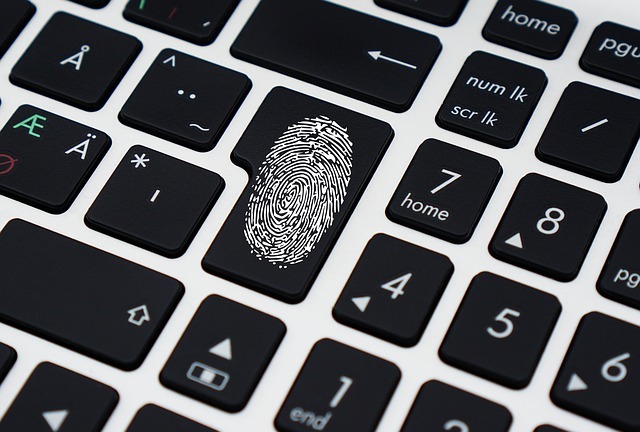
Millions of identity theft cases are reported each year. You are a victim of those cases if someone uses your data, such as credit card information, to commit criminal deeds. Identity theft organizations pledge to protect you from these and other similar situations. But before you leave all your personal information in the care of security agencies, take a minute to think if you need their services. 

The Services 

Before you run off to an identity theft protection company, ask yourself if you know what it is they do exactly. In most cases, these agencies offer three primary services. These are monitoring, alerting, and recovery. 

Monitoring 

Identity theft companies monitor all your credit, and other accounts you left in their care. In case something unusual occurs, they will alert you right away. 

Alerting

If someone tries to use your info for their gain, security agencies will know. Therefore, so will you. In most identity theft cases, people are not aware that a breach happened until it’s a little too late. 

Recovery 

Just like with other crime victims, like those affected by identity theft, for example, will be offered help if a security breach occurs. Identity theft protection services offer you insurance policies for stolen money. Some agencies can recover up to 1 million dollars from unauthorized transactions. 

DIY 

If you take a moment to think about it, you might notice that the essential services of identity security companies can be done without their assistance. You don’t need help to keep track of your credit score and other bank details. 

As soon as you realize that someone stole your information for personal use, you can, and should, contact a federal agency. And after you have alerted the authorities, you can freeze all your accounts by contacting the bank.

The Need for Identity Insurance 

While the steps to protect yourself from identity fraud seem simple and easy to manage, this type of crime occurs more often than we want to admit. Your online presence leaves a mark, and all trails lead back to you. Identity security agencies observe and make sure that no one traces the clues back to your info. 

If you were a victim of this type of crime, then you should seek the help of professionals. And security agencies are not for individual faces only. Some packages cover the whole family.

Keeping track of your credit records can be an exhausting task, but following the spending of the entire family can be overwhelming. If you feel more secure to leave your data in the care of professional hands, then you have no reason to seek the help of an agency.
Should You Get Identity Insurance? 

These security agencies offer legal services for legitimate threats. Although you can perform their essential functions on your own, this should not hinder you from seeking help if you feel the need. They can monitor multiple credit records for you. If you have fallen victim to this crime, you will be notified, and the agency will help you to recover the money.

How To Protect Your Laptop While Traveling

There are multiple aspects to keeping a laptop safe. It does you little good to encrypt your laptop against malware if you conduct actions which leave it wide open to thieves, and vice versa. Here are a few tips to help keep your device safe and your trip relaxed.

Your laptop is probably the most expensive thing on you when you are traveling, and yet it is incredibly fragile. Few things can ruin a vacation faster than losing your laptop to theft, viruses, or other threats, especially if you are in an area on the globe where you may be unable to easily obtain a new one.

Get a New, Padded Laptop Backpack

A good laptop backpack is a major first step towards protecting your laptop from bumps, falls, water, and other damaging things. PC Magazine has a list of good backpacks, though you can check Amazon or any office or electronics store in the area.

When you are selecting a backpack, prioritize checking its padding above anything else. The backpack should have a rigid frame, and if it does not you can add backpack armor to make it sturdy. Also look for multiple compartments so that you can store just the laptop in a single compartment instead of squishing it alongside clothes and wires and other things. Go for functionality over style, as the only people you will end up attracting with a cool backpack are thieves. 

Note that you should try to get a backpack instead of a briefcase or messenger bag. A briefcase is a clear sign to unsavory individuals that something valuable is inside, and is easier to rip away from you than a properly secured backpack. It is also easy to carry a backpack on a long hike instead of awkwardly shifting a messenger bag from shoulder to shoulder.

Stay Alert

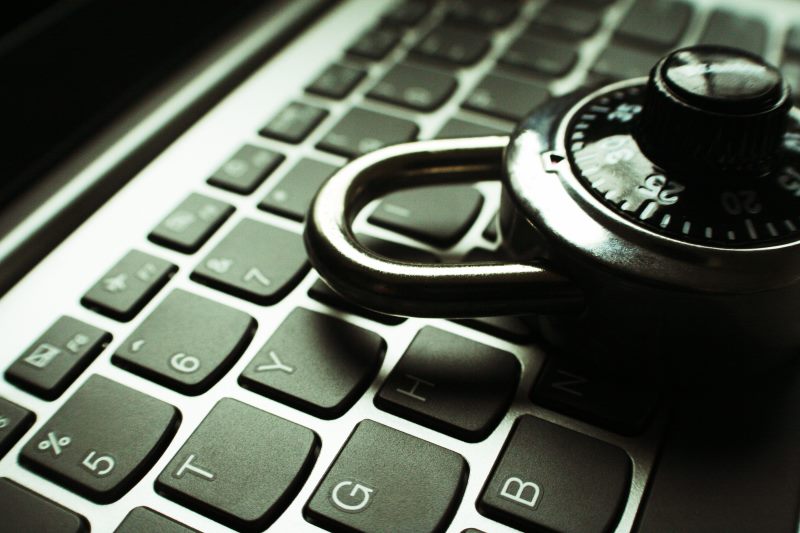
If you leave your laptop unattended in a public space for a minute or two to use the bathroom, you may as well kiss it goodbye. Laptops are prime candidates for thieves, whether it is for the value of the data in the laptop or for the device itself. And while you can lock your computer or even put a cable lock around it to deter thieves, your best weapon against them is constant vigilance.

Take your laptop with you wherever you go, instead of leaving it in the hotel. But also keep it out of sight when you can. Keep it in a backpack, or cover it with a jacket. The less people know where your laptop, the less likely anything bad will happen to it.

Backup your Data

You should be regularly backing up your data already, but it is important to do a full backup right before you go on a trip. Store all of your important data on an external hard drive or in the cloud so that you do not lose any critical data on top of losing your computer. Create a log of passwords outside the computer so that anyone who gains access cannot access personal records.

Also consider backing up your data while you are on the trip itself. If you have created any documents or files on the trip, store them on a CD or USB drive in your hotel at the end of the day and put those things in a secure place.

Use a VPN instead of public Wi-Fi

Sitting in a café in some foreign land and connecting to the Internet may seem like the epitome of how globalization brings us together, but doing anything on a public Wi-Fi can be extremely dangerous. The problem is that as CSO Online describes, hackers can easily position themselves between yourself and the connection point. This gives them access to any data you send out, such as your email passwords, business data, and credit card data. Even if you are just logging into some internet forum or checking sports scores, they can use any information to deduce personal information about you. Furthermore, hackers can also send data back and infect your computer with malware.

Consequently, you should be looking to connect online as little as possible. If you are in a situation where you absolutely must connect, use a trustworthy VPN which will encrypt your data. If you are not sure what a VPN is, cooltechzone has an excellent guide on what they are and how to set one up.

A VPN enables you to create a secure and safe pathway for you to send and also receive data. This is encrypted and allows you to unblock restricted sites such as Netflix, BBC iPlayer etc. The team at VPN Geeks has a nice article explaining exactly how a VPN works. 

Note that a VPN will not make your data completely hackproof. But the hacker will likely not want to make the effort when there are other computers sending unencrypted data. Your company should provide you with a VPN you can use when traveling abroad. Also make sure to turn wi-fi off when not using it, as the computer is still transmitting data when it is on.

Should You Leave Your Laptop at Home?

Your laptop will face numerous threats when traveling that it will never have to deal with if you leave it at home. So maybe you should not take your laptop at all.

This is especially true if you are on vacation. You are traveling to see the world and explore new sights, not stay hooked to the Internet like you are on most days. And even if you want to stay connected to some degree, Trip Savvy points out that a tablet or phone can serve just as well for someone just on vacation. The only major reason to bring a laptop along is if you may have to work when traveling.

If you really, truly, absolutely must bring a computer along, consider bringing in a cheaper laptop. Do you still have that old, slow, dying laptop lying around which you replaced with your brand new device? Take the old one instead. You may be frustrated with longer loading times, but you will not have to be looking over your shoulder all the time out of fear of losing or damaging it.