When remote work starts feeling harder than it should, software is usually the first thing people blame.
Maybe the project-management tool feels clunky, the video calls are exhausting, or the communication platform seems to create more messages than it solves. Sometimes those things genuinely are part of the problem.
But plenty of remote-work frustration begins much closer to home.
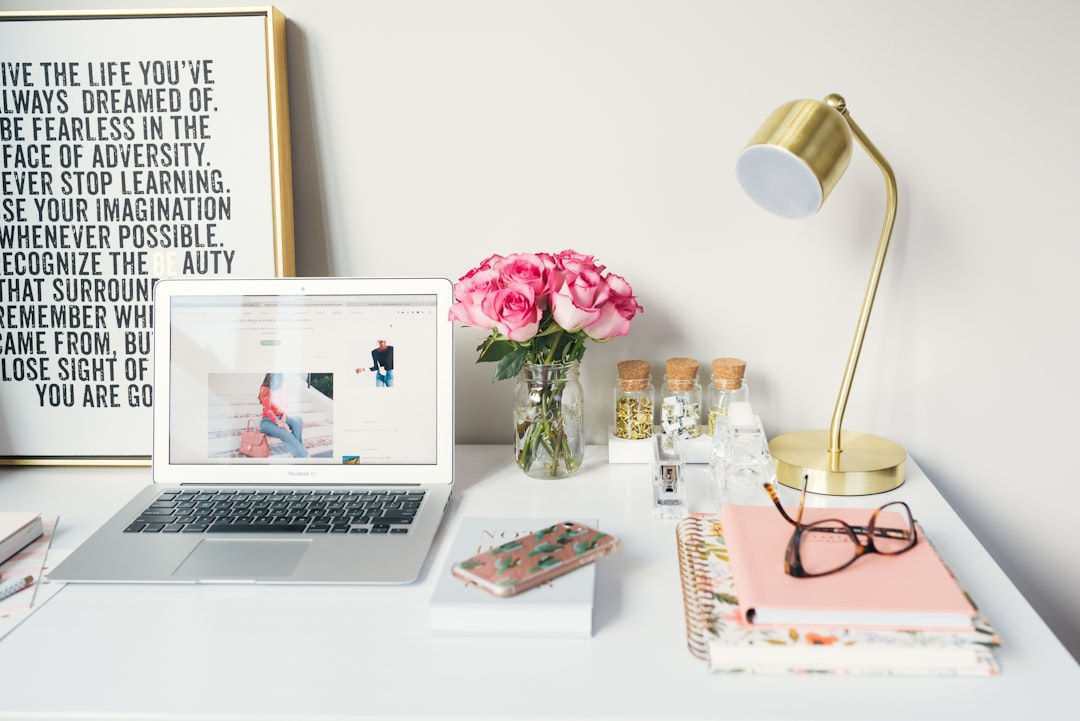
A chair that is slightly uncomfortable, a room that feels dull, poor lighting, constant distractions, or a workspace that never quite feels separate from the rest of the house can gradually make work feel more tiring than it needs to be.
Before adding another app or changing your entire workflow, take a closer look at the space you are working in.
Make the Workspace Somewhere You Actually Want to Sit
A home office does not need to look like a corporate office.
In fact, one of the advantages of working from home is that you can create a space that feels much more personal. A room that looks pleasant can make sitting down to work feel less mechanical, especially when you spend several hours there every day.
Wall treatments are an easy place to introduce character without filling the room with more objects. Something like whimsical wallpaper can bring pattern and personality into a workspace while still allowing the rest of the setup to stay simple.
The goal is not to make the room distracting. It is to give it enough identity that it feels intentional rather than like a spare corner where a laptop happened to land.
Even small visual changes can help. A framed print, a plant, better storage, or a warmer desk lamp can make the room feel considerably more inviting.
Fix the Physical Friction You Have Learned to Ignore
People adapt remarkably quickly to uncomfortable setups.
You may have been working with a monitor that sits too low, a chair that provides little support, or a desk that is slightly too small for months without consciously thinking about it.
That does not mean those problems have stopped affecting you.
Start with the things you touch and use throughout the day. Your screen should be positioned comfortably, your keyboard and mouse should not force awkward reaching, and your chair should allow you to sit without constantly shifting.
Then look at what is around the desk.
If papers, cables, chargers, notebooks, and cups are constantly competing for space, the setup may be creating low-level irritation every time you work.
You do not need an expensive redesign. Sometimes a monitor stand, cable organizer, better chair adjustment, or simply moving unused items out of reach can make the whole workstation feel easier.
Make Outdoor Work Possible Without the Annoyances
Photo by Spacejoy on Unsplash
One of the best parts of remote work is being able to change location occasionally.
A patio, balcony, garden table, or covered outdoor area can provide a welcome change from sitting in the same room all day. Natural light and fresh air can make a work session feel completely different.
Of course, outdoor work comes with its own distractions. In warmer months, insects can quickly turn a pleasant setup into something you abandon after ten minutes. Adding practical solutions such as Mosquito Traps can help make outdoor areas more comfortable and usable for longer periods.
Once the space is pleasant enough to work in, it can become a useful alternative rather than somewhere you only sit after work.
You still need shade, a stable surface, reliable Wi-Fi, and somewhere protected enough for your laptop, but the option to move outside can be surprisingly valuable when you need a change of scenery.
Separate Work From the Rest of the House
Remote work becomes much harder when the entire home feels like an office.
If possible, create some kind of physical boundary between work and personal time. A separate room is ideal, but it is not necessary.
Even a dedicated desk, a specific chair, or one clearly defined corner can help.
What matters is having a place that signals the beginning and end of the workday.
Try to avoid working from bed or moving your laptop constantly between the sofa, dining table, and kitchen counter. Those spaces already have other purposes, and mixing them with work can make it harder to switch off later.
A simple end-of-day routine can help too. Close the laptop, put notebooks away, switch off the desk lamp, and leave the workspace.
That small ritual creates a clearer break than simply stopping work while remaining in exactly the same place.
Pay More Attention to Light and Noise
Two environmental problems can quietly ruin concentration: bad lighting and unpredictable noise.
If possible, place your desk somewhere with access to natural light, but avoid positioning the screen where strong glare makes it difficult to see.
A desk lamp can help on darker days, especially if the room's main ceiling light feels harsh.
Noise is more personal.
Some people work well with background sound, while others lose concentration whenever they hear a conversation in another room. If household noise is a problem, headphones, a closed door, a rug, curtains, or other soft furnishings can make the space quieter.
It can also help to tell other people in the house when you need uninterrupted time rather than hoping they will somehow know.
Remote work gives you more control over your environment than a traditional office. Taking advantage of that control can solve problems that no productivity software will fix.
Change the Setup Before You Change the Entire System
When work feels slow or frustrating, it is tempting to rebuild everything.
A new planning app, another communication platform, or a completely different schedule can feel like a fresh start. But adding more tools can also create more complexity.
Before changing the system, spend a week noticing what actually interrupts you.
Maybe you are getting up constantly because important items are stored across the room. Maybe afternoon glare makes your screen uncomfortable. Perhaps your chair starts bothering you after two hours, or household distractions make focused work difficult.
Fix those problems individually.
A good remote-work setup should make ordinary tasks easier without demanding much attention. You should be able to sit down, find what you need, concentrate comfortably, and step away at the end of the day.
Sometimes better software really is the answer. But when the problem follows you through every app you try, the solution may be sitting right there in the room around you.