Packing Your Gaming Setup Like a Pro

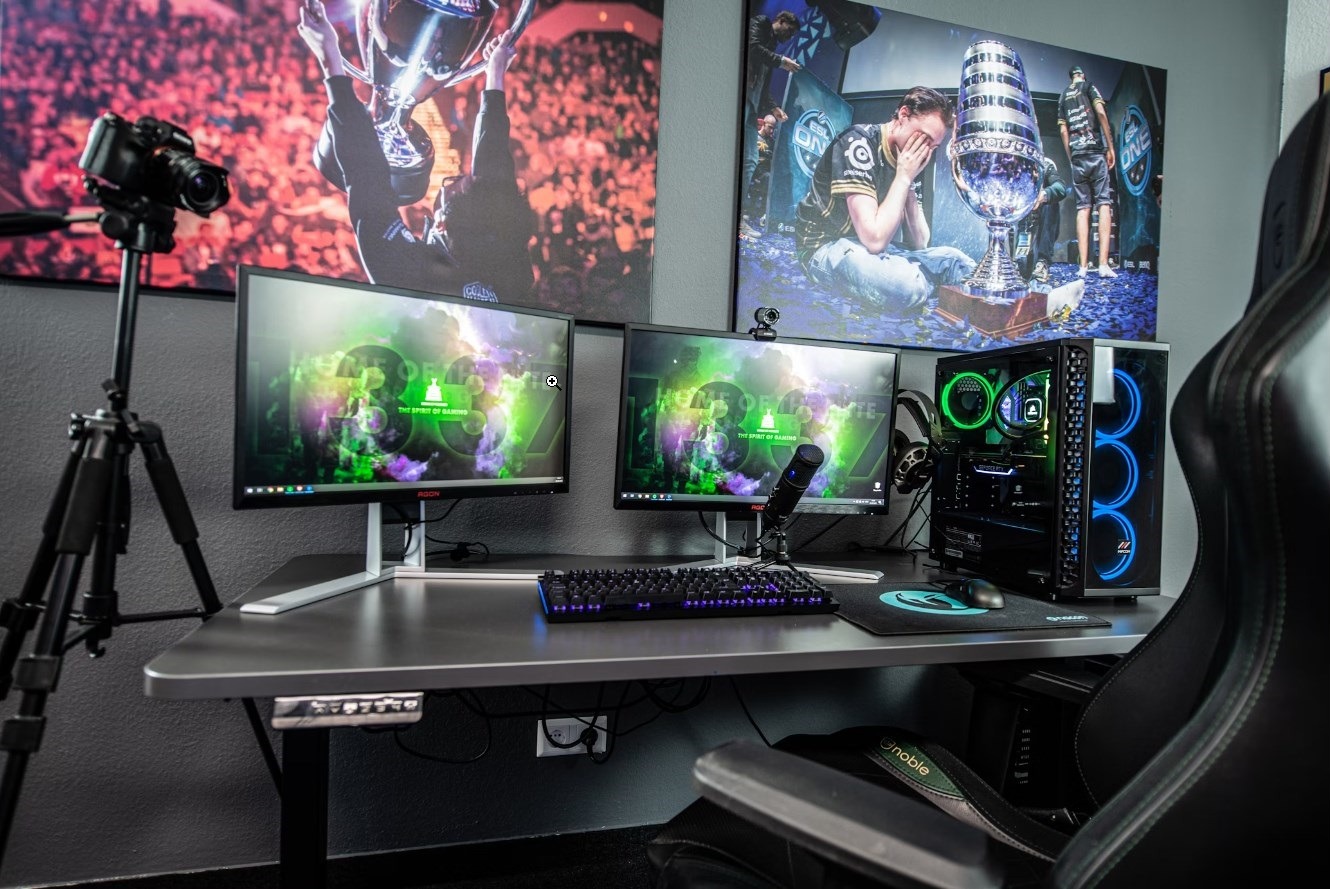
Do you need to relocate your full gaming setup to another location? But you’re worried about destroying the gaming PC and other components of the system. You have landed on the right page — we know all that pain. Packing your gaming equipment is an extremely sensitive topic. If you do that incorrectly, it may cause disastrous damage to your gaming PC, displays, gaming desk, and other critical components of the system. That’s the very last thing you want to do.

What’s the Challenge Here?

Because of their fragility, relocating electronics is always a challenging task. Moving a desktop computer, in particular, is especially challenging since it is not only vulnerable but there is also the matter of data security to consider. The issue with desktop computers is that, unlike laptops, they are not designed for portability. They may be larger, but they are less durable and more susceptible to factors like as temperature. This is why it is critical to  understand how to properly carry a PC. Of course, if you entrust item packing for the move to the team behind Elate Moving, you can be sure to stay on the safe side. Whether you’re shipping, flying, or driving your gaming system, the are some tricks that will help you ensure that your setup arrives securely.
1. Find Quality Packing

Original packaging is the best option since it is already tailored to offer maximum protection for your device. If your Xbox or PlayStation hasn’t been used in a while, choose the appropriate size hard box for your devices. While it is not the ideal option, a standard cardboard box similar to the size of your gadget can do as long as you simply store your gaming equipment inside.

2. Unplug and Remove All the Cables

It’s time to start ripping out the cables. Roll the cords up like a garden hose to make them more manageable and prevent them from becoming tangled during the journey. Use zip ties or electrical tape to secure the cables. Don’t make either choice too tight, and you should be able to fit one end of the scissors between the cable and the ties when you unpack the computer. The last thing you want to do is cut the cables when you’re attempting to free them from the knots.

3. Protect Your Valuables

If you’re not using an original box, you should add cushioning to keep your electronics from cracking or breaking. Avoid packaging peanuts because they emit static electricity, which might cause your gadgets to short out or shorten their life. Newspapers, clothing, and anti-static bubble wrap are excellent packing materials to use for this purpose.

4. Back up Your PC

Although this tutorial should help you avoid damaging your stationary computer and losing data in the first place, it’s always a good idea to back it up just in case. Do this first. You can usually accomplish this using your computer’s control panel, but it is also worth double-checking with the manufacturer to be sure you’re doing everything correctly.  Using an external hard drive is one method for creating backups. This device lets you copy all of your data onto it, so you may access it from another computer if necessary. Alternatively, you may utilize cloud storage services like Dropbox, Google Drive, or OneDrive to save your files remotely.

Nothing is worse than losing your precious information and images permanently, so protect yourself before it happens. To avoid water damage, wrap the cables in Ziploc bags and store them together in a small designated box for computer accessories.

5. Label and Wrap Cords

We understand your wish to bundle all of the wires together, place them in a box, and deal with them when you get at your new home. But, believe us, it is worth the 5 minutes it takes to be organized now over the hours and suffering of attempting to find and reconnect all of the various gadgets, praying that a cable did not get lost in the process. Use tape, labels, or even bread bag closures to color-code or designate which cable goes to which port. After carefully labeling the wires, bundle them up and secure them with packing tape, rubber bands, or zip ties.

Summary

Packing and transferring a gaming setup is not as straightforward as you may think. There is a lot of preparation that must be done before placing anything in a box, particularly when packing your gaming PC. Stick to the above tricks to make the whole procedure considerably smoother. However, while transferring your gaming equipment, you must proceed with extreme caution.


https://images.unsplash.com/photo-1598550476439-6847785fcea6?q=80&w=2070&auto=format&fit=crop&ixlib=rb-4.0.3&ixid=M3wxMjA3fDB8MHxwaG90by1wYWdlfHx8fGVufDB8fHx8fA%3D%3D

Winning Strategies: What Traditional Card Games Teach Us About Business Success

In the intricate dance of business, much like the strategic plays of card games, success hinges on a keen sense of strategy, foresight, and the ability to pivot as circumstances evolve. Traditional card games, often dismissed as simple leisure activities, are in fact repositories of deep strategic wisdom.

These games provide rich analogies for navigating the complexities of business, offering timeless lessons that are applicable in the boardroom just as at the card table. This article aims to unpack the treasure trove of insights concealed within the shuffle and play of cards, drawing parallels that shed light on the path to mastering business acumen and achieving success.

The Game of Bridge: Partnership and Planning

Bridge, with its intricate combination of strategy and partnership, reflects the vital components of business collaboration and strategic foresight. Just as bridge players must communicate with their partners effectively, plan their strategies meticulously, and remain flexible to the dynamic nature of the game, business professionals must also engage in clear communication, align on shared objectives, and stay agile enough to adjust their tactics in the face of changing business landscapes. These parallels highlight the importance of working cohesively towards common business goals and the value of being able to modify plans as new information and situations arise.

Chess: Anticipating Moves and Strategic Thinking

While chess may not fall under the category of card games, its strategic depth is a wellspring of invaluable insights for business strategy and foresight. The game’s requirement for players to consider the role of each piece and to think multiple moves ahead resonates with the need in business to understand the strengths and roles of different team members and to anticipate future market trends and competitor moves. This strategic thinking is crucial for business leaders who must navigate through the ever-changing tides of market dynamics and competitive landscapes, making chess a metaphor for strategic planning and execution in business.

Hearts: Understanding Your Competitors

The card game Hearts emphasizes the significance of not just playing your own hand to the best of your ability, but also the necessity of understanding the strategies of your opponents. It’s a game where careful observation and the ability to predict competitor tactics can be just as crucial as the cards you hold. This concept is directly transferrable to the business world, where in-depth knowledge of your competitors’ strategies can empower you to make moves that position your company for success, and sometimes, it involves taking calculated risks to avoid bigger setbacks.

Go Fish: The Art of Negotiation

On the surface, Go Fish is a game that might seem to be all about luck and simplicity, but at its core, it is a strategic exercise in memory and negotiation. It teaches the subtle art of inquiry and the importance of keeping track of what has been asked for and what has been disclosed. These skills are directly applicable to business negotiations, where asking the right questions and remembering key information about clients and competitors can lead to favorable deals and enduring business relationships.

Rummy: Resource Management and Flexibility

The game of Rummy demands that players effectively use the hand they are dealt, while remaining open to changing their game plan with each new card drawn. This resonates with the concept of resource management in business and the necessity of being flexible in strategy development. It mirrors the business imperative to make the most of available resources, while also being ready to shift strategies in response to new market developments or unexpected challenges.

Conclusion: Lessons in Every Game

Far from being mere sources of entertainment, traditional card games serve as miniature simulations of the business world’s trials and triumphs. Grasping the strategies and teachings they impart can significantly bolster a business professional’s ability to make sound decisions, think strategically, and remain adaptable in a fluctuating business environment. The next time you find yourself contemplating your next move in a game of Hearts or Rummy, consider the broader implications and the business wisdom that can be gleaned from every played hand and every strategic decision. From strategic planning and competitor analysis to negotiation tactics and resource optimization, the keys to unlocking business success may very well lie hidden within the deck.

Top 10 Custom Controller Mods – The most popular mods, like rapid fire and trigger stops

Hardcore gamers are always seeking any possible edge to maximize their performance. For competitive multiplayer and esports titles, small differences in speed and accuracy can determine the outcome. This drives demand for customized and modded controllers tailored specifically for each gamer’s needs. Let’s explore the 10 most popular mods that players use to enhance their controllers.

The Controversial Rapid Fire Mod

One of the most popular yet controversial mods requested by competitive gamers is rapid fire. This mod allows weapons in shooting games to fire at an insanely fast rate far beyond their normal capabilities. Companies like ModdedZone offer rapid fire modification services that use specialized controllers or manipulation of game code to enable ultra-fast firing speeds for competitive advantage.

While many traditional eSports games completely prohibit rapid fire, it remains requested by a subset of competitive shooter fans. The mods allow weapons like pistols to fire almost full-auto. Ultimately, gaming leagues must weigh players’ desire for customized controls versus maintaining the core gunplay balance and skill emphasis developers intended. The rapid fire modding controversy illustrates the fine line between controller customization and outright cheating in competitive gaming.

It works by reducing the delay between shots when holding down the fire trigger. This enables semi-automatic weapons to shoot nearly fully automatic, almost like a machine gun. While game-breaking, it no doubt provides a significant edge in multiplayer titles like Call of Duty, Apex Legends, Fortnite, and Halo when engaging in shootouts.

However, there is significant debate around whether rapid fire mods qualify as cheating or not. Some leagues have outright banned these types of “turbo” controller mods. Others see it as a gray area since it still requires aiming skill. The community is divided on the ethics.

For casual gamers just looking to have fun, rapid fire can certainly enhance enjoyment and performance. But for ranked competitive play, there are risks of being flagged for cheating and banned. Players need to carefully consider whether the advantage gained is worth potential penalties.

Upgrading to Pro Thumbsticks

Another nearly universally desired mod is upgrading the standard plastic thumbsticks to higher performance aftermarket components. The stock thumbsticks on most controllers work fine, but lack precision for competitive gaming.

Replacing them with convex and domed metal thumbsticks in grippy materials like aluminum immediately improves aim responsiveness and accuracy. This allows faster reactions and more precise look control essential in multiplayer first-person shooters.

Competition controller brands also offer thumbsticks in varying heights and shapes to fit different hand sizes and grip styles. Some even allow adjusting length and tension to customize resistance and feel. Swappable thumbsticks enable mixing and matching to determine the optimal set for your needs.

For games where pixel-perfect aim and targeting matter, pro-grade thumbsticks give you greater dexterity. They help make small movements to line up headshots or react to enemies quicker. Improved aiming and look thumbsticks are a competitive must-have.

Optimizing Button Layouts

Most custom controllers allow fully remapping all of the buttons. This enables optimizing the button configuration specifically based on the game, character, and your own reflexes.

For example, first-person shooter players may prioritize moving the crouch/slide, reload, or grenade buttons closer to the thumb for faster access in frantic battles. MMO gamers may center the most common attack or spell buttons under the index fingers.

Racers might map shifting, drifting or boost buttons to where they are easier to hold down. Even small button layout changes shave off precious milliseconds needed to react in heated multiplayer matches.

With paddle shifters on the back, button remapping possibilities expand even further. Those extra inputs allow keeping thumbs locked on the joysticks while hand fingers activate additional commands.

Taking the time to set up your ideal custom button layout pays dividends in terms of speed, precision, and comfort. Your reflexes will thank you!

Trigger Stop Mods

Hair trigger locks or trigger stops reduce the distance you need to press down on the trigger to activate a shot. This enhances firing speed in shooter games and shaves off milliseconds. Especially useful for semi-auto weapons, trigger stops give a timing advantage in competitive matches.

Anti-Slip Grips

One simple mod adds grip tape, rubberized grips or textured decals to the controller handles and back. The enhanced grip provides more control and reduces hand slippage during tense gaming moments. Especially for extended gaming sessions, anti-slip grips keep your hands locked on the controller.

Rumble Enhancements

Some mod kits upgrade the vibration motors and components in the handles for more intense rumble feedback. Stronger or adjustable rumbles improve immersion in action and driving titles. Rumble patterns can even be tuned for specific game genres like shooters versus sports games. Enhanced rumble adds to the gameplay experience.

Button Sensitivity Options

Tactile switches allow adjusting the sensitivity and response for individual buttons. Sensitivity enhancement for main action buttons reduces lag and missed inputs. But reducing sensitivity for D-pad and menu buttons prevents accidental presses and remaps. Customizing sensitivity per button optimizes overall feel.

LED Lighting Effects

Premium LED lighting with color and effect options adds flair. Dynamic lighting effects impress spectators watching matches and streams. Useful indicators include pulsing lights for low health or flashing lights for a readied special move. Adjustable brightness accommodates any room lighting conditions.

Paddle Shifter Mods

Paddle shifters or back buttons on the controller underside provide extra inputs. Typically four paddles can be mapped to frequent actions so thumbs stay on the joysticks. Top choices are jump, reload, crouch/slide, or weapon switch. Paddle shifters speed up response time by a split second, which is significant in multiplayer.

Controller Weight Adjustments

Some mods allow adding small weights inside the controller or battery compartment. Adjusting overall weight and balance makes the controller more comfortable and avoids fatigue over long sessions. Heavier controllers can also provide a sense of stability. Just don’t overdo it.

Conclusion

Serious gamers can gain an edge by optimizing gear like their controller. These popular mods range from enhanced responsiveness to ergonomic aids to aesthetic flair. While stock controllers work fine for casual gaming, mods allow tailoring your controller exactly for your game, play style and preferences. A customized controller makes gameplay more instinctual and competitive.