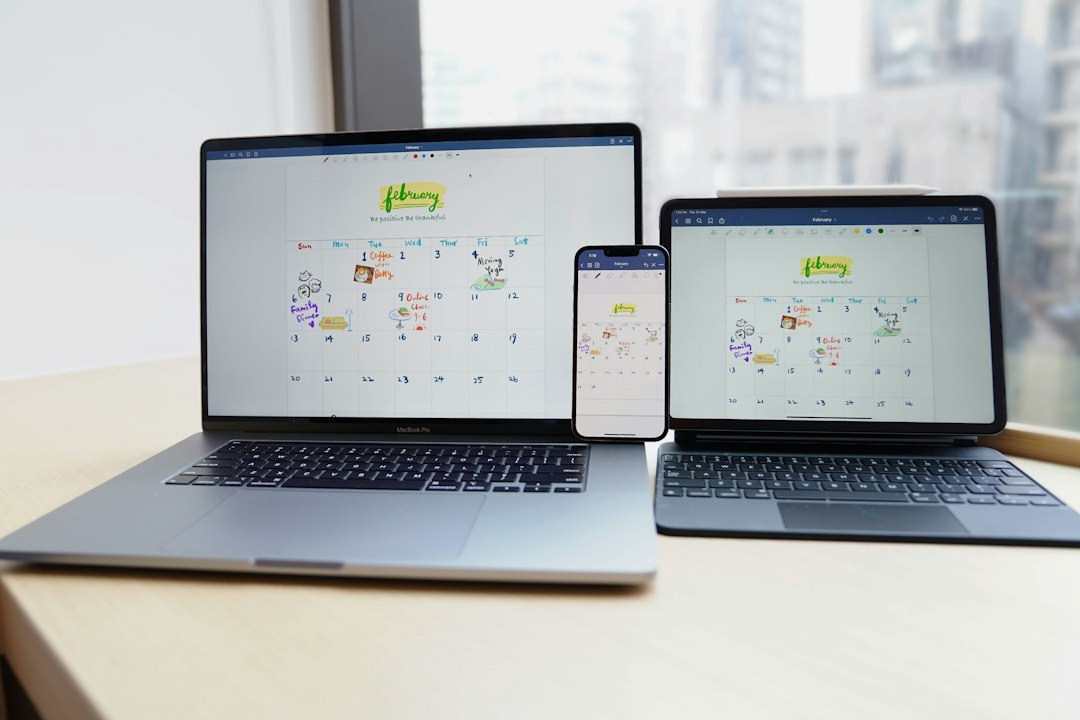
A freelancer with twelve clients does not have one schedule. She has twelve, each with its own meeting rhythm, its own invoice date and its own habit of moving a call at 4:45 on a Friday. The trouble starts when those schedules live in separate apps and nobody sees them side by side.
Agencies feel the same squeeze at a larger scale. A content lead might coordinate writers, designers and an outside SEO team whose publishing windows depend on a client's launch date, so one slipped approval ripples through three other calendars. Seeing every commitment in a single view is the first real defense, and it costs far less than the awkward apology email that follows a missed handoff. Teams that adopt one shared habit early tend to spend their meetings on the work itself rather than on reconciling who knew what, and when.
Why Separate Calendars Break Down
Most missed deadlines are not caused by laziness. They come from information sitting in the wrong place. A client sends an invite to a work account, a second one arrives on a personal address, and a third lives only in a shared project board.
Three failure patterns show up again and again:
- Double bookings between two clients who both invited the same address
- Time zone drift when a Berlin client schedules "9 a.m." for a New York contractor
- Deadlines stored as tasks in one app and as events in another
Each of these costs only a few minutes when it happens once, yet a busy month can stack six or seven of them into a single week. The fix is rarely a smarter app. It is a cleaner habit of where each item gets recorded, and how fast it travels to the device you actually look at.
Build One Master View
The simplest structure is a single personal calendar that receives everything, with client calendars layered on top as colors. Each client gets one hue, so a glance at Tuesday tells you who owns which hour.
Sync is the part people skip. If an invite lands on a laptop but never reaches the phone, the master view is a fiction. Tools that push Outlook, Google and phone data both ways, such as desktop sync utilities, close that gap without copy and paste. Check the direction of sync too. One-way pushes quietly overwrite edits made on the other side. Try it before trusting it: add a throwaway event on your phone, move it to another time on your laptop, then see whether both devices show the same slot shortly after. That short trial reveals more than any list of features could.
Compare Your Options Honestly
Different setups suit different workloads. This rough comparison shows where each tends to hold up.
| Approach | Setup time | Best for | Weak spot |
|---|---|---|---|
| Shared client calendars | 10 minutes each | 2 to 4 clients | Invites scatter across accounts |
| One master calendar with color tags | About 1 hour | 5 to 12 clients | Needs weekly cleanup |
| Master calendar plus two-way sync | 2 hours | 12+ clients and several devices | Initial conflict review |
| Project board with due dates only | 30 minutes | Deliverable-heavy work | Meetings go unseen |
Notice that none of these removes the need for a weekly review. Even a well-synced setup will show a ghost meeting now and then.
Habits That Protect Deadlines
Software holds the data, but routines decide whether it gets used. Two small practices cover most of the risk.
A Friday review of the coming fortnight takes fifteen minutes. Open the master view, scan for stacked days, and move anything flexible before it becomes urgent. Treat a day with more than four client calls as a warning, since the work itself still needs hours to happen.
Pad the Deadline You Tell the Client
Keep two dates for every deliverable: the one you promise and the one you privately aim for. A buffer of two working days absorbs a sick child, a failed upload or a late reviewer. Clients rarely notice early delivery, but they remember a late one for years. Never share the private date, though, or it quietly becomes the new promise.
Capture Changes in Writing Immediately
When a client moves a call by phone, send a one-line confirmation and update the event within a minute. The memory of a verbal change fades by lunchtime. A calendar entry with a short note, such as "moved from Wed, new draft due Thu noon," saves an awkward argument three weeks later. If the client replies, drop that email into the event itself so the evidence travels with the date.
Juggling twelve calendars never becomes effortless, but it does become routine. One master view, reliable sync and a fifteen-minute weekly check are enough to keep nearly every promised date in sight.