If you’ve been searching for the best AI video generator in 2026, you’ve probably noticed the same thing I did: every tool claims to be “the most advanced.”
But once you actually start creating videos, the differences become obvious.
Some tools generate beautiful clips but give you no control afterward.
Some are fast but feel robotic.
Others look impressive in demos but slow you down in real projects.
I tested the leading AI video platforms this year with one goal — figure out which ones genuinely improve workflow instead of just producing flashy results.
Here’s what I found.

How I Evaluated These Platforms
I focused on five practical factors:
- Realism
- Motion quality
- Editing flexibility
- Workflow efficiency
- Overall value
I didn’t care about marketing promises. I cared about what happens after you click “generate.”
Now let’s get into the rankings.
1. Loova – Best All-in-One AI Video Platform
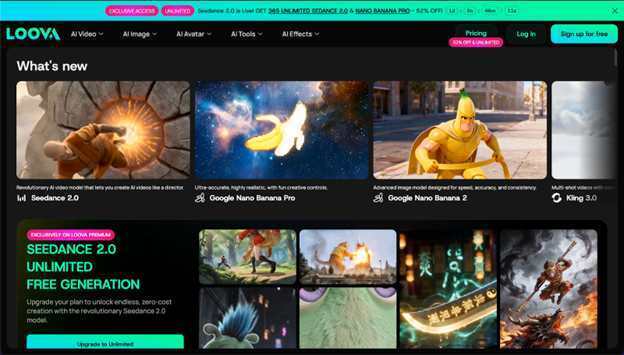
If you want one system that handles generation, editing, and image creation together, Loova stands out.
The reason is simple: integration.
Instead of offering just one AI model, Loova combines multiple video and image engines inside a single workspace. The latest video model, Seedance 2.0, runs directly within Loova and currently supports unlimited video generation for a month.
What makes this powerful isn’t just generation quality. It’s the ability to generate, edit, enhance, and export without switching tools.
You can:
- Create videos from images or texts
- Transform existing clips
- Swap characters or apply mimic motion
- Remove objects and modify scenes
- Generate thumbnails and promotional visuals
The entire creative pipeline lives in one place.
For creators producing weekly content, this structure saves serious time. Instead of bouncing between platforms, everything flows inside a single system.
Limitations? Advanced tools take a little experimentation, and heavy users need to manage credits wisely. But overall, this is the most complete setup available right now.
Best for YouTubers, agencies, and creators scaling output.
2. Runway – Strong AI Editing Environment
Runway has been around longer than many competitors, and it shows in its editing capabilities.
Where it shines is AI-powered editing inside a structured interface. Object removal and background modification feel refined, and the timeline-based workflow will be familiar to experienced editors.
However, it can feel complex if you’re new to AI video tools. Pricing can also climb quickly depending on usage.
Best for creators who want AI features inside a more traditional editing environment.
3. Seedance – Cinematic Motion Specialist
Seedance focuses heavily on motion dynamics.
If you care about dramatic camera movement and cinematic flow, this platform performs well. Tracking shots and transitions feel energetic and structured.
The tradeoff is limited editing flexibility. Once a clip is generated, refinement options are not as integrated as all-in-one platforms.
Best for short cinematic sequences and visual storytelling experiments.
4. Kling – Realism-Focused Video Generation
Kling gained popularity for strong realism.
Lighting feels natural. Character movement is grounded. Environmental details look polished.
But editing tools inside the platform are limited. If you need adjustments, you may have to regenerate or export elsewhere.
Best for creators who prioritize realistic short clips over workflow integration.
5. Pika – Fast and Social-Friendly
Pika focuses on speed.
If you produce daily short-form content, rendering speed matters more than cinematic perfection. Pika makes it easy to generate quick visual ideas without overcomplicating the process.
The downside is limited depth. Editing tools and camera control are basic.
Best for rapid social content creation.
6. Sora – Narrative Scene Understanding
Sora stands out for its ability to interpret complex prompts and build structured scenes.
It understands storytelling better than many early AI models. Scene framing and visual structure feel thoughtful.
However, it’s not optimized for fast marketing workflows, and editing tools are minimal.
Best for narrative experiments and longer concept projects.
7. Veo 3.1 – Strong for Longer Sequences
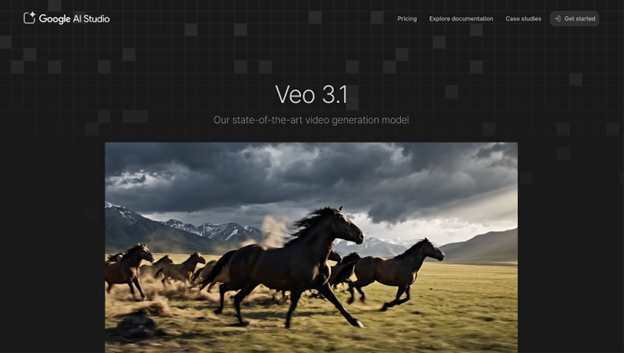
Most AI tools focus on short clips. Veo 3.1 performs better when generating longer continuous scenes.
Character stability across extended shots is one of its strengths. That makes it interesting for more film-style projects.
The workflow can feel slower compared to speed-focused platforms.
Best for creators experimenting with extended cinematic shots.
8. Pixverse – Built for Engagement
Pixverse leans into social optimization. Templates make it easy to generate content designed for engagement.
It’s beginner-friendly, but customization options are limited.
Best for creators focused on quick, shareable content rather than deep creative control.
9. Luma Dream Machine – Visual Experimentation
Luma produces visually rich outputs with strong texture quality and lighting.
It’s good for exploring creative ideas. But editing requires exporting to other tools, which slows down production.
Best for artistic exploration.
10. Haiper – Simple Entry-Level Tool
Haiper keeps things simple.
It’s easy to use and fast to learn, but feature depth is limited compared to higher-ranked platforms.
Best for beginners testing AI video for the first time.
Quick Decision Guide
If you want a full creation ecosystem in one place, Loova is the strongest choice.
If you care most about cinematic motion, try Seedance.
If realism matters more than editing flexibility, Kling performs well.
If speed is your priority, Pika is efficient.
Your ideal tool depends on your workflow, not just output quality.
How to Choose the Right Platform
For YouTube creators, integration matters. You need video generation, scene editing, and thumbnail creation working together. Switching between multiple tools slows uploads.
For brands and marketing teams, consistency and fast iteration are critical. Tools that allow scene refinement and style control inside the same platform are long-term advantages.
For indie filmmakers, motion realism and camera control should guide your decision. Seedance and Veo 3.1 are worth testing.
For social creators, speed often beats perfection. Quick turnaround can matter more than cinematic polish.
AI Video Trends in 2026
The biggest shift this year isn’t just realism. It’s integration.
Earlier AI videos struggled with physics. Now motion feels heavier and more grounded.
Character consistency across scenes has improved significantly.
But the real breakthrough is built-in editing. The strongest platforms now let you refine scenes directly instead of exporting to external software.
Multimodal systems that combine text-to-video, image-to-video, and image generation are clearly leading the market.
Workflow matters more than raw generation quality.
Is AI Video Worth Using?
If you create content regularly, yes.
AI video reduces filming logistics and production overhead. It allows faster experimentation and lower costs.
You gain the ability to test scenes, concepts, and variations without a camera crew.
That flexibility changes how content gets made.
Final Thoughts
There isn’t one universal winner for everyone.
But if you want generation, editing, and image tools working together in a single workflow, Loova currently offers the most balanced ecosystem.
If your priority is motion, Seedance stands out.
If realism matters most, Kling delivers strong output.
The smartest move is simple: test two or three platforms. Within a week, your workflow will tell you which one fits.
Frequently Asked Questions
What is the best AI video generator in 2026?
It depends on your goal. For an integrated workflow, Loova is strong. For cinematic motion, Seedance performs well. For realism, Kling stands out.
Are AI video generators free?
Most platforms offer limited free trials. Full access usually requires a subscription.
Can AI-generated videos look realistic?
Yes. Lighting, motion, and camera dynamics have improved dramatically. Quality varies by platform.
What’s the difference between text-to-video and image-to-video?
Text-to-video builds scenes from written prompts. Image-to-video animates an existing image.
Can I edit AI-generated videos?
Some platforms allow in-tool editing like object removal and scene adjustments. Others require exporting to separate software.