Sync Notes version 9, 10, 11, 12 and even the 64 Bit versions to iPhone, Android, iCloud, Outlook and Google
Works from Lotus Notes on your PC. You don't need your IT department involved.
If you use Notes (HCL\Lotus Notes) on your PC, CompanionLink Express is the prefect solution to synchronize to Outlook, Google, iCloud, Android and iPhone.

CompanionLink will synchronize your Contacts, Calendar, To-Do List and Personal Journal (Notes)
- Contacts, Calendar, To-Do List, Personal Journal
- Alarms and recurring dates
- USB, WiFi, Cloud and Google sync options
- Free US-based phone support for life
- CompanionLink 11 Supports 64bit HCL Notes

Advantages: DejaCloud is always available via Internet, Wi-Fi and Phone connection. Use DejaOffice as a landing pad for PC Outlook data on Android. Contacts, Calendar, Tasks, Notes. Supports multiple devices and multiple PC's easily. After the initial sync, sync time is instant and automatic.
Disadvantages: DejaCloud is a subscription service. Your purchase covers the first year, and after the first year it costs roughly $5 per month
Steps:
- Install CompanionLink on your PC
- Install DejaOffice on your device
- Set DejaCloud sync, Real Time sync
Setup Guides:
HCL Notes to Android using DejaCloud
HCL Notes to iPhone, iPad using DejaCloud
HCL Notes to Windows Phone using DejaCloud
HCL Notes to BlackBerry 10 using DejaCloud
Information about DejaCloud
DejaOffice Classroom
Advantages: Your PC Syncs to Google, and Google Syncs to your phone. This is a great choice if you require your HCL Notes data in Google Calendar and Contacts for other reasons. CompanionLink for Google sync can be set automatically and will run in background on your PC.
Disadvantages: Google has limited Task capabilities and no recurring tasks. No Notes Sync. Google Tasks do not go to many Android Phones, although Samsung is now supporting them.
Steps:
- Install CompanionLink on your PC
- Set Google Sync
- Set Auto-Sync, Timed or Manual Sync
Setup Guide:
HCL Notes Sync to Google.
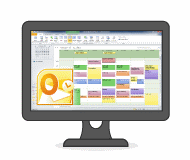
Advantages: Your PC Syncs to Outlook. Instant and automatic. DoubleLook Mode gives you instant compatibility without thinking about it. The data is just there.
Steps:
- Install CompanionLink on your PC
- Set Outlook Sync
- Choose Automatic Sync (DoubleLook Mode)
Setup Guide:
HCL Notes Sync to Outlook.
DoubleLook.
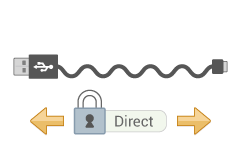
Advantages: USB Sync to DejaOffice on your Phone. DejaOffice is a landing pad for HCL Notes data on Android. Contacts, Calendar, Tasks, Memos. Supports one device per profile. Use CompanionLink Express or CompanionLink Pro for multiple devices. You can use USB Sync on multiple computers (i.e. Home, Work, laptop). Completely secure; no data is stored in the cloud.
Disadvantages: Requires Phone USB driver on PC to work. Slower than DejaCloud.
Steps:
- Install CompanionLink on your PC
- Install DejaOffice on your devices
- Set USB Sync
Setup Guides:
HCL Notes to Android using USB
HCL Notes to iPhone using USB
DejaOffice Classroom
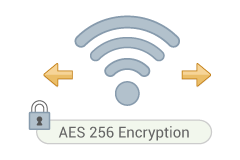
Advantages: Securely Sync via local Wifi or Bluetooth to your phone. Use DejaOffice as a landing pad for HCL Notes data on Android. Contacts, Calendar, Tasks, Memos. Supports one device per profile. Use CompanionLink Express or CompanionLink Pro for multiple devices. You can use USB Sync on multiple computers (i.e. Home, Work, laptop). Completely secure; no data is stored in the cloud.
Disadvantages: Requires Phone USB driver on PC to work. Slower than DejaCloud.
Steps:
- Install CompanionLink on your PC
- Install DejaOffice on your devices
- Set up Wi-Fi or Bluetooth Sync
Setup Guide:
Wi-Fi Sync to Android
Wi-Fi Sync to iPhone
Wi-Fi Sync to Windows Phone 8/10
Wi-Fi Sync to BlackBerry 10
DejaOffice Classroom
HCL Notes data we sync with Android
- Contacts
- Names, addresses, phone numbers, email addresses
- Contact notes
- Birthdays
- Contact photos
- Calendar
- All calendar event details
- Recurring and all-day events
- Alarms/reminders
- Multiple HCL Notes calendars (Requires CompanionLink Pro)
- Tasks
- To Do priorities
- Due dates
- Complete To Dos on Android
- Sort by subject, due date, status, priority, or alarm date
- Notes
- Sync all your notes
- No character limit lets you store long memos
Supported versions of HCL Notes
- Lotus Notes 4, 5, 6 7, and 8
- IBM Notes 9, 10, 11
- HCL Notes 11 and 12
Last modified: