CompanionLink is the experienced leader in Android Sync for Contacts, Calendar, Tasks and Notes. We have over 1 million downloads because we offer risk-free buying with a full money-back guarantee! and free telephone technical support
Android Sync for Computer Calendar, Contacts, Tasks, Notes, and Categories to your Phone and Tablet
Sync Android with Microsoft Outlook, Office 365, Outlook 2010, Outlook for Mac, Act!, Palm Desktop, IBM Notes and GoldMine.
Featured in PC Mag and USA TODAY
Why CompanionLink is Best
CompanionLink is the only Android Sync software product that will send your valuable contact and calendar data securely to your phone without using Exchange. We offer direct sync using USB, Wi-Fi, Bluetooth and DejaCloud.
- We feature the DejaOffice for Outlook App
- In DejaOffice - choose Direct Sync to Android Contacts and Calendar, or optionally use the CRM software which has more Outlook-like features.
- Three ways to Sync
- Cloud-Free: USB, Wi-Fi, Bluetooth for HIPAA Compliant Privacy
- or Sync through Gmail Contacts, Calendar and Tasks
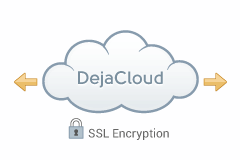
- or convenient DejaCloud Sync anytime and anywhere.
- USA Based Telephone Technical Support
- One purchase for 3 PCs; work, home and laptop
- One Purchase for Android, iPhone, and iPad
- For Apple Mac see CompanionLink for Mac
If you use an IMAP or POP email folders in Outlook you need CompanionLink to sync your data securely to your iPhone and Android. Secure Sync - No need to share your data with Microsoft, Google or Apple. Fast and secure sync from your PC to your Phone. The more you use Outlook, the more you need CompanionLink and DejaOffice.
DejaOffice vs Native Apps on Android
Check out our comparison for DejaOffice CRM and Native Android Contacts, Calendar, Tasks and Notes.
DejaOffice vs Outlook App on Android
Check out our comparison for DejaOffice CRM and Outlook App Contacts, Calendar, Tasks and Notes.
No Exchange Sync
Exchange ActiveSync (EAS) was developed and licensed by Microsoft. There are many limitations of the protocol.
- Exchange based syncs are slow - taking 15 minutes or more to sync changes
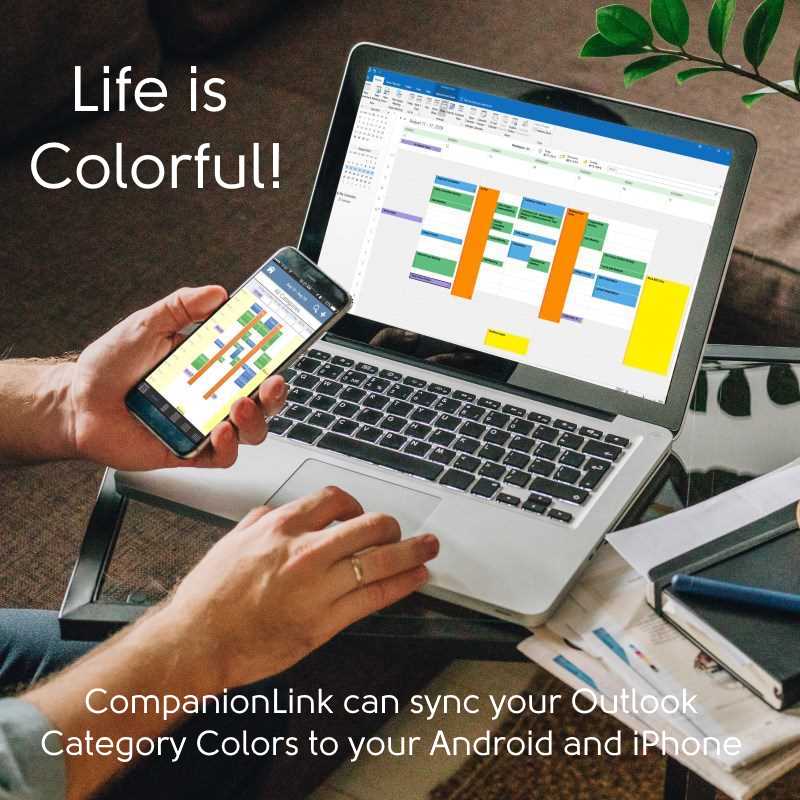
- Calendar colors have limited support
- Exchange is not Outlook. You can easily sync Outlook without using Exchange
Portable License
Your license is for you, not your PC. When you buy a new computer, you do not need to purchase a new license. With CompanionLink you use your email address to register the software on a new computer.
US based company
CompanionLink is located in Portland, Oregon. Our servers are based in New Jersey to take advantage of proximity to international fiber network. Our servers are high technology and really fast!
RunStart and Premium Support
With CompanionLink you can call us at (503)243-5200 for support, Monday through Friday, 7am-3:30pm Pacific Time. For those with special needs, use our RunStart Service gives you a one-time hands on session with a top tier technician. Our technician will log into your computer, set up the sync, and ensure you are completely satisfied with the solution. If you want this service regularly, use Premium Support for a full year and up to five service tickets.
DejaOffice
On your phone we feature DejaOffice CRM with PC Sync
from the Google Play store. DejaOffice holds Contacts, Calendar, Tasks and Notes together, and with the same
internal formats as in Outlook. DejaOffice synchronizes to Android Native Accounts for Contacts and Calendar.
If you don't want to use DejaOffice then simply set it to sync to native Android Contacts and Android Calendar.
We also offer sync to Google. Same product. One purchase. Switch your method at any time.
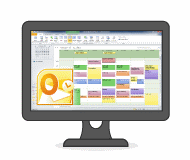
- Install CompanionLink on your PC or Mac
- Install DejaOffice on your Android Phone or Tablet
- Select USB, Wi-Fi, Bluetooth or DejaCloud sync
Setup Guides:
Android Outlook Sync via DejaCloud
Android Outlook Sync via USB
Android Outlook Sync via Wi-Fi
Android with Outlook for Mac 2011 and 2016
CLSH for Android
Use DejaCloud to sync to all your phones
Choose your PC Database
-

Outlook Android Sync
-

ACT! Android Sync
-

Palm Desktop Android Sync
-

IBM Lotus Notes Android Sync
-

GoldMine Android Sync
How CompanionLink Android Sync works
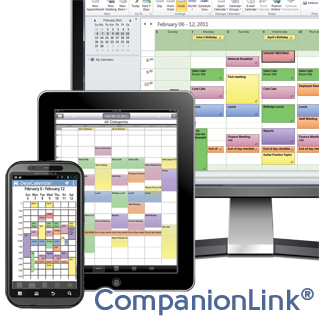
CompanionLink software installs on your PC. DejaOffice app (free on the Google Play Store) installs on your Android phone or tablet. These products work together to create a direct and secure connection between PC and device. You can use USB, Wi-Fi and Bluetooth sync - these methods keep data local between your PC and device. Another option is DejaCloud sync for those who prefer the convenience of cloud integration with multiple devices (like a phone and iPad or other tablet).
CompanionLink works with:
Microsoft Outlook,
Act!,
Palm Desktop,
Lotus Notes,
GroupWise,
GoldMine,
Time & Chaos,
and Salesforce CRM.
More about DejaOffice: DejaOffice is our Android app that stores your PC data in an encrypted account on your Android. Your data is never sent to Google or other cloud-connected accounts unless you choose to allow this by integrating with the device's built-in Contacts and Calendar apps. The app works similar to common PC apps like Outlook and Palm Desktop with modules for Contacts, Calendar, Tasks, and Notes. With thousands of reviews and a 4-star rating, we're confident you will like the productivity and data security this app gives you. You can take a visual tour of the app here.
For Windows with Outlook
Buy CompanionLink for Outlook
Buy One-time license $69.95 Buy 3-month subscription
$14.95
For Mac native or Outlook
Buy CompanionLink for Mac
Buy One-time license $69.95 Buy 3-month subscription
$14.95
For Act! and IBM Lotus Notes
Buy CompanionLink Express
Buy One-time license $99.95 Buy 3-month subscription
$24/95
For Goldmine, and Salesforce
Buy CompanionLink Pro
Buy One-time license $149.95 Buy 3-month subscription
$34/95 Do you have a question?
Click here to ask us anything!
Supported versions of Android OS
- We always support the latest Android OS
- Android 14
- Android 13
- Android 12
- Android 11
- Android 10
Examples of Android devices we support
We support any phone or tablet running Android OS 4.2 or higher. There are simply too many to list, but here are some popular ones.
- Samsung Galaxy S25, Galaxy S25-ultra and Galaxy S25-FE
- Samsung Galaxy S24, Galaxy S24-ultra and Galaxy S24-FE
- Samsung Galaxy S23, Galaxy S23-ultra and Galaxy S23-FE
- Google Pixel 6 and all other Pixels
- All Samsung Tablets
- All Samsung Note series
- All OnePlus Phones
- All Xiaomi Phones
- All Motorola Phones
- All BlackBerry Android phones
Last modified: Jun 3, 2025 11:39 am