Sync Android with Outlook

Sync Outlook contacts, calendar, tasks and notes with Android

You need CompanionLink for Outlook!

Try it free for 14 days! Buy it for $49.95 Buy 3-month subscription
$14.95

Looking to sync multiple devices or databases? Upgrade to CompanionLink Pro.
Learn More

Sync with Microsoft OutlookSync Android with your PCCompanionLink syncs with Android tablets

Choose your sync method:

USB Sync

Android USB Sync Android Wi-Fi Sync Android Sync via Google Android Secure Wireless Sync

How It Works - USB Sync

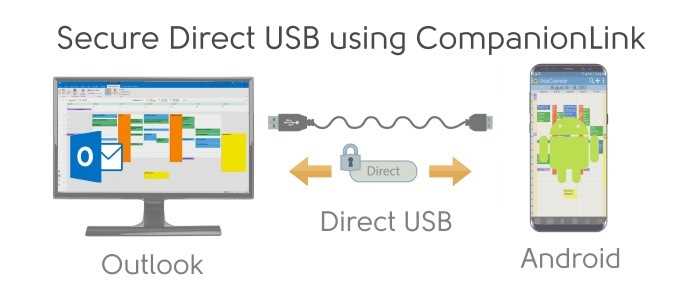
CompanionLink will sync Outlook with your Android device. And we'll do it securely and direct using the USB cable that came with your device. No cloud servers hosting your data. No over-the-air data transmission involved. Your data - direct to your device.

CompanionLink installs on your PC and works together with a free CRM app for Android. The app is called DejaOffice and is available from the Android Market on your device. In addition to sync functionality, DejaOffice gives you business-class contacts, calendar, tasks and memos on your Android.

Learn more about DejaOffice at www.dejaoffice.com

Data We Sync

  • Contacts
    • Syncs all common contact fields, including (but not limited to):
    • Name
    • Addresses
    • Phone numbers
    • Email addresses
    • Birthdays
    • Contact notes
    • Contact photos (for devices that support contact photos)
    • Categories (for devices that support the category field)
  • Calendar
    • All calendar event details
    • Recurring and all-day events
    • Reminders
    • Accepted meeting invites (with list of attendees)
    • Multiple calendars (Requires CompanionLink Pro )
    • Categories (for devices that support the category field)
  • Tasks
    • Task priorities
    • Due dates
    • Mark tasks as completed from the phone
    • Categories (for devices that support the category field)
  • Notes
    • Categories (for devices that support the category field)

What You Need

  • CompanionLink for Outlook on your PC.
  • Microsoft Outlook.
  • DejaOffice on your Android device. Download DejaOffice from the Android Market.

Supported versions of Outlook

  • Outlook 2000 and higher
  • Outlook Business Contact Manager 2007 and 2010
  • 32-bit and 64-bit versions
  • Works with Microsoft Exchange folders that are visible within Outlook. More info

  • Want to sync multiple Outlook folders? You need CompanionLink Pro

Getting Started

  1. Install CompanionLink on your PC and configure it to sync Android direct via USB.
  2. Install DejaOffice on your Android device and connect it to the PC with a USB cable.
  3. Begin synchronization by tapping the Sync icon from within DejaOffice. CompanionLink will begin PC synchronization automatically.

How It Works - Wi-Fi Sync

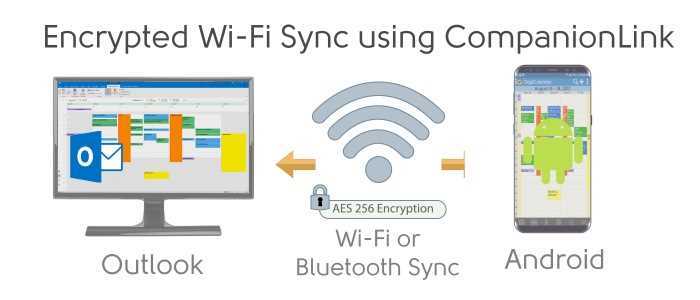
CompanionLink will sync Outlook with your Android device. And we'll do it over-the-air using your local Wi-Fi network (like a home or office network). You get the benefits of over-the-air sync within the security of your Wi-Fi network.

CompanionLink installs on your PC and works together with a free CRM app for Android. The app is called DejaOffice and is available from the Android Market on your device. In addition to sync functionality, DejaOffice gives you business-class contacts, calendar, tasks and memos on your Android.

Learn more about DejaOffice at www.dejaoffice.com

IMPORTANT: sync only works within your local Wi-Fi network. You cannot sync over the internet, using your phone's data plan, or when you are outside the range of your Wi-Fi network. Your device and PC running CompanionLink must be on the same local network.

Data We Sync

  • Contacts
    • Syncs all common contact fields, including (but not limited to):
    • Name
    • Addresses
    • Phone numbers
    • Email addresses
    • Birthdays
    • Contact notes
    • Contact photos (for devices that support contact photos)
    • Categories (for devices that support the category field)
  • Calendar
    • All calendar event details
    • Recurring and all-day events
    • Reminders
    • Accepted meeting invites (with list of attendees)
    • Multiple calendars (Requires CompanionLink Pro )
    • Categories (for devices that support the category field)
  • Tasks
    • Task priorities
    • Due dates
    • Mark tasks as completed from the phone
    • Categories (for devices that support the category field)
  • Notes
    • Categories (for devices that support the category field)

What You Need

  • CompanionLink for Outlook on your PC.
  • Microsoft Outlook.
  • DejaOffice on your Android device. Download DejaOffice from the Android Market.

Supported versions of Outlook

  • Outlook 2000 and higher
  • Outlook Business Contact Manager 2007 and 2010
  • 32-bit and 64-bit versions
  • Works with Microsoft Exchange folders that are visible within Outlook. More info

  • Want to sync multiple Outlook folders? You need CompanionLink Pro

Getting Started

  1. Install DejaOffice on your Android device and configure the sync settings to use Wi-Fi sync. Take note of the displayed IP address of your device.
  2. Install CompanionLink on your PC and configure it to sync Android (Wi-Fi Sync). Enter the device IP address in the Android Settings window within CompanionLink.
  3. Begin synchronization by tapping the Sync icon from within CompanionLink. If you have auto-sync enabled in CompanionLink, DejaOffice will automatically synchronize any time your device is in range of your local Wi-Fi network.

How It Works - Sync via Google

CompanionLink will sync Outlook contacts, calendar, and tasks* with your Google, Gmail, or Google Apps account. This data will then sync automatically and over-the-air with your Android device courtesy of Google's free sync service. With our two-way sync, you have the freedom to edit information on your device, in your Google account, or in Outlook.

*Google currently does not sync Google Tasks to Android devices. More info .

Data We Sync

  • Contacts
    • Syncs all common contact fields, including (but not limited to):
    • Name
    • Addresses
    • Phone numbers
    • Email addresses
    • Birthdays
    • Contact notes
    • Contact photos (for devices that support contact photos)
    • Categories (for devices that support the category field)
  • Calendar
    • All calendar event details
    • Recurring and all-day events
    • Reminders
    • Accepted meeting invites (with list of attendees)
    • Multiple calendars (Requires CompanionLink Pro )
    • Categories (for devices that support the category field)
  • Tasks
    • NOTE: CompanionLink provides the option to sync Outlook tasks with Google Tasks or Google Calendar. More info
    • Task priorities
    • Due dates
    • Categories (for devices that support the category field)

What You Need

  • CompanionLink for Outlook on your PC.
  • Microsoft Outlook.
  • A Google, Gmail, or Google Apps account.
  • An Android device with a wireless data connection (2G/3G/4G or Wi-Fi)

Supported versions of Outlook

  • Outlook 2000 and higher
  • Outlook Business Contact Manager 2007 and 2010
  • 32-bit and 64-bit versions
  • Works with Microsoft Exchange folders that are visible within Outlook. More info

  • Want to sync multiple Outlook folders? You need CompanionLink Pro

Getting Started

  1. Install CompanionLink on your PC and configure it with your Google username and password.
  2. Once configured, hit "Synchronize" and your data will sync between Google and your PC.
  3. Configure Android to sync with your Google account. Once configured, your Android device will continuously stay in sync with your Google account.

How It Works - Secure Hosted Sync

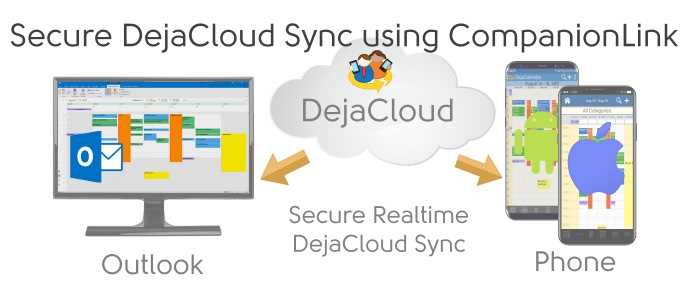
Our most robust sync solution, period. CompanionLink will sync Outlook with your Android device over-the-air for just $9.95/month (More info ). It works anywhere you have an internet connection on your device.

We use AES-256 bit encryption. CompanionLink does not host your data online; we simply sync information between Outlook and your device.

CompanionLink installs on your PC and works together with a free CRM app for Android. The app is called DejaOffice and is available from the Android Market on your device. In addition to sync functionality, DejaOffice gives you business-class contacts, calendar, tasks and memos on your Android.

Learn more about DejaOffice at www.dejaoffice.com

Data We Sync

  • Contacts
    • Syncs all common contact fields, including (but not limited to):
    • Name
    • Addresses
    • Phone numbers
    • Email addresses
    • Birthdays
    • Contact notes
    • Contact photos (for devices that support contact photos)
    • Categories (for devices that support the category field)
  • Calendar
    • All calendar event details
    • Recurring and all-day events
    • Reminders
    • Accepted meeting invites (with list of attendees)
    • Multiple calendars (Requires CompanionLink Pro )
    • Categories (for devices that support the category field)
  • Tasks
    • Task priorities
    • Due dates
    • Mark tasks as completed from the phone
    • Categories (for devices that support the category field)
  • Notes
    • Categories (for devices that support the category field)

What You Need

  • CompanionLink for Outlook on your PC.
  • Microsoft Outlook on your PC.
  • DejaOffice on your Android device. Download DejaOffice from the Android Market.
  • CL Secure Hosted Wireless service - $9.95/month More info . Activate service during initial CompanionLink Setup

Supported versions of Outlook

  • Outlook 2000 and higher
  • Outlook Business Contact Manager 2007 and 2010
  • 32-bit and 64-bit versions
  • Works with Microsoft Exchange folders that are visible within Outlook. More info

  • Want to sync multiple Outlook folders? You need CompanionLink Pro

Getting Started

  1. In the CompanionLink setup, create a new wireless account and enter your payment information.
  2. Open DejaOffice on the Android device, tap Settings, then Sync Settings. Change the Sync Type to Wireless Sync, tap Wireless Settings, and enter your username and password here.
  3. On the PC, hit Synchronize. Once the PC has finished synchronizing, you can tap the Sync button within DejaOffice to pull the fresh sync data down to the phone.

Screenshots

The CompanionLink home screen makes it easy to see an overview of your sync configuration.

Select the applications you wish to sync - CompanionLink gives you full control over your data.

Select different folders to sync with for each data type - CompanionLink works with your data structure.

DejaOffice for Android is the best way to manage advanced databases on your device.

"I tried other sync products to sync my Droid with Outlook. This is by far the BEST, EASIEST to use."

Todd E
Customer

"The best program I have ever gotten for my Motorola Xoom!"

Christopher W
Customer

"...ideal for syncing my Microsoft Outlook and my Android. Easy to use and effective."

Tom R
Customer

CompanionLink Professional
$129.95

CompanionLink Professional gives you advanced configuration options for working with multiple mobile devices and CRM databases.

We recommend Pro if you want to:

  • Sync multiple PC databases
  • Sync multiple devices
  • Advanced sync options for ACT!
  • Realtime sync between two PC databases

Buy now | More info

Sync your Outlook Categories with Android, iPhone and iPad

Categories provide a great way to organize large amounts of data by breaking things into smaller, more manageable groups.

CompanionLink for Outlook, used in conjunction with DejaOffice, allows you to map your Outlook categories (with color!) to your mobile device.

More info on how CompanionLink syncs categories

Sync your Outlook contact photos to your device

CompanionLink is able to sync contact photos to the following devices and platforms:

  • Android devices with DejaOffice
  • Apple iOS devices with DejaOffice (Coming soon!)
  • BlackBerry devices
  • Google Contacts
  • Windows Phone 7.5 devices (Contact photos are supported only when syncing via Google. CompanionLink does not sync contact photos with Windows Live. If you wish to sync contact photos with Windows Phone devices, use CompanionLink for Outlook)

Secure Hosted Wireless Sync

Sync your database directly to your mobile device - without hosting your data in the cloud.

CompanionLink offers secure and automatic wireless sync of contacts, calendar, tasks and memos for $9.95 per month. We use government-standard 256-bit AES encryption so your data is completely secure. Plus, your data is never hosted in the cloud.

More info on CompanionLink Hosted Wireless Sync

Sync your PC tasks with Google Tasks

CompanionLink offers two options to sync tasks with Google:

  1. Tasks sync to Google Tasks. Your PC tasks sync to Google's native task list, however, Google currently does not sync tasks with any device.
  2. Tasks sync to Google Calendar. Your PC tasks sync to Google Calendar as untimed events. This allows your tasks to sync with your device via the calendar.

Both options are available in CompanionLink 5. If you rely heavily on tasks, we recommend using one of our other sync methods that syncs tasks directly with your device.