Sync Outlook to Android, iPhone & iPad
The best way to sync Outlook Contacts, Calendar, Tasks, Notes and Categories — works with IMAP/POP folders, no Microsoft 365 subscription required. Synchronize alarms, task priorities, memos and contact photos. Outlook 2007 and higher.
Average rating 4.83/5 (662 reviews) Money‑back guarantee Free US‑based phone support
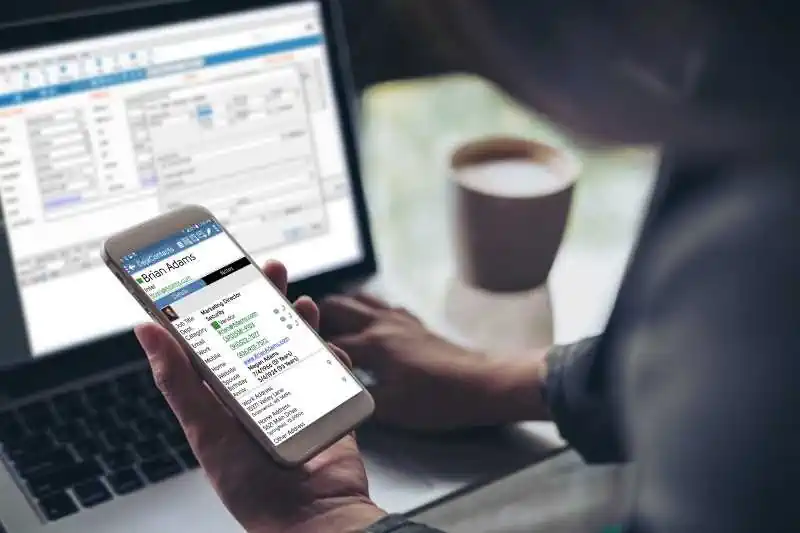
Six ways to sync in one product
Use USB, Wi‑Fi, Bluetooth, DejaCloud, Google or iCloud. Switch methods anytime — same license.
DejaOffice for Android/iPhone
Our companion app holds Contacts, Calendar, Tasks and Notes together and can sync back to native Contacts and Calendar on your phone.
Works with Modern Outlook
Supports New Outlook and Outlook (Classic); Office/Microsoft 365 and Outlook.com accounts; 32‑/64‑bit; Exchange/iCloud folders visible in Outlook.
- New Outlook and Outlook (Classic)
- Outlook 2021, 2019, 2016, 2013, 2010, 2007
- Office/Microsoft 365, Microsoft Teams
- Business Contact Manager 2013/2010
- 32‑bit and 64‑bit; Exchange & iCloud folders visible in Outlook
- Windows 11 (64‑bit)
- Windows 10 (32‑/64‑bit)
- Windows 8.x, 7.x, Vista, XP/2000 (CL7)
6 Ways to Sync Outlook to Your Phone
USB Sync
Secure, direct cable sync. Best for maximum data privacy.
Wi‑Fi Sync
Local network sync with automatic AES‑256 encryption.
Bluetooth Sync
Great with laptops and Android phones. (Apple devices don’t support PIM data over Bluetooth.)
DejaCloud (Recommended)
Fastest automatic two‑way sync for multiple devices and PCs.
Download the installer for a full 14‑day trial. If you need more time, contact us for an extended trial license. We offer a 90‑day refund so you can buy with confidence.
Traditional per‑user perpetual license — buy it once and own it forever. One user = one person with their own set of records. Quantity discounts available for 10+ users.
Prefer subscriptions? Choose the quarterly subscription. Most customers opt for the one‑time perpetual license. All purchases include free telephone and email technical support.
DejaOffice on Mobile
Sync Outlook to DejaCloud and use DejaOffice Android and iPhone/iPad for a fast, category‑friendly CRM experience without web lag.
Secure Sync
Keep your data private — no need to share with Microsoft, Google or Apple. Options that can be configured for GDPR/HIPAA needs.
No Exchange required
Exchange ActiveSync has limitations (slower changes, limited calendar colors). CompanionLink syncs Outlook directly without Exchange. Use POP3 or IMAP Folders!
Portable license
Your license is for you, not your PC. Sign in on a new machine with your email to register again — no extra purchase needed.
Contacts
- Names, addresses, phones, photos
- Notes and Birthdays
- Categories & Colors → Android
- Sync to Native Phone Contacts
Calendar & Categories
- Day/Week/Month/Year views
- Recurring & all‑day events, alarms
- Busy/free flags, accepted invites
- Multiple Outlook calendars (Pro)
Tasks & Notes
- Priorities, recurring tasks, due dates
- Complete tasks on Android
- GTD, Franklin Covey, TBYL styles
- Unlimited‑length notes (memos)
Support You Can Reach
US‑based TeamFree support
Call (503) 243‑5200 Mon–Fri 7:00–15:30 Pacific, or email us. Our team is here in Portland, Oregon.
RunStart & Premium Support
Have a technician configure sync for you (one‑time), or get a full year of priority support.
Last modified: