CompanionLink is the experienced leader in Mobile Contact and Calendar Sync. We have over 1 million downloads because we offer risk-free buying with a full money-back guarantee! Click here for a $10 discount code on today's purchase.
Sync PC Outlook to Outlook.com, Windows Live, Hotmail.com, Office 365, OnMicrosoft.Com and Private Exchange
Sync Outlook contacts, calendar, tasks and note with Outlook.com/Windows Live
- Contacts, Calendar, Tasks
- Works Outlook 2016, 2013, 2010, 2007, and 2003
- Free telephone technical support
How It Works
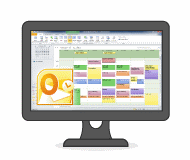
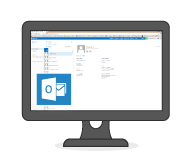
Sync Outlook contacts, calendar and tasks with your Outlook.com account (formerly known as Windows Live Hotmail). Two-way sync is fully supported so you can make changes to data anywhere.
Not using Outlook?
-

Sync Outlook.com with Act!
-

Sync Outlook.com with Palm Desktop
-

Sync Outlook.com with Lotus Notes
-

Sync Outlook.com with GroupWise
-

Sync Outlook.com with GoldMine
-

Sync Outlook.com with Time & Chaos
Steps:
- Install CompanionLink on your PC
- Set up Sync to Outlook.Com/Windows Live
- Set Timed or Manual Sync
Setup Guide:
Sync to Outlook.com/Windows Live
Sync to Office365/OnMicrosoft.Com.
Steps:
- Install CompanionLink on your PC
- Set up Sync to Office365/OnMicrosoft.COm
- Set Timed or Manual Sync
Setup Guide:
Sync to Outlook.com/Windows Live
Sync to Office365/OnMicrosoft.Com.
Steps:
- Install CompanionLink on your PC
- Set up Sync to Private Exchange Server
- Enter Exchange Server URL
- Set Timed or Manual Sync
(One-time license)
$69.95 Subscribe to
CompanionLink for Windows Live
(3-mo. subscription)
$14.95 Try it free for 14 days!
Schedule an appointment for a CompanionLink expert to set up your synchronization system. Our technician will securely log in to your PC and get everything working.
RunStart costs $69. Add Runstart to my order
Outlook Data We Sync
- Contacts
- Syncs all common contact fields, including (but not limited to):
- Name
- Addresses
- Phone numbers
- Email addresses
- Birthdays
- Contact notes
- Calendar
- All calendar event details
- Recurring and all-day events
- Reminders
- Accepted meeting invites (with list of attendees)
- Tasks
- Task priorities
- Due dates
Last modified: Nov 7, 2022 10:46 am