We were sad to see Microsoft Discontinue BCM for Office 365.
You can replace it with DejaOffice PC CRM for Outlook.
The product below: CompanionLink Express will Sync BCM 2010/2013 to DejaOffice CRM App on your Android or iPhone
Sync Outlook Business Contact Manager with Your Phone, Tablet and Google
Contacts, accounts, calendar, tasks, notes, communication history, projects, and more!
How it works
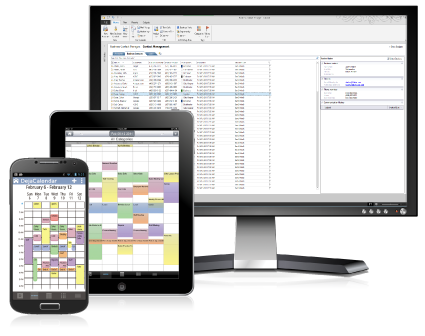
CompanionLink will sync your Outlook Business Contact Manager data to your phone and tablet. Get complete contact details, calendar appointments linked to contacts, categories with colors, task priorities, communication histories like business phone logs, and much more on your device. You can choose from secure direct sync (USB, WiFi) or secure DejaCloud wireless sync designed to work effortlessly with multiple devices like a phone and tablet.
CompanionLink can also be used to sync BCM data to your regular Outlook folders. This facilitates integration with existing enterprise services like Exchange Activesync (EAS), Google Apps Sync, or iCloud.
Outlook BCM Data We Sync
- Contacts
- Names, addresses, phone numbers, email addresses
- Birthdays
- Contact notes
- Communication history
- Contact photos
- Categories
- Accounts
- BCM Accounts sync to the device's contact list with the prefix "Acct:"
- Calendar
- All calendar event details
- Calendar events linked to contacts
- Recurring and all-day events
- Reminders
- Accepted meeting invites (with list of attendees)
- Multiple Outlook calendars
- Categories
- Tasks
- Opportunities, business projects, project tasks, marketing activities
- syncs to Tasks on the phone
- Task priorities
- Due dates
- Mark tasks as completed from the phone
- Categories
- Opportunities, business projects, project tasks, marketing activities
- Notes
- Categories
Supported versions of Outlook BCM
- Outlook 2013 Business Contact Manager
- Outlook 2010 Business Contact Manager
- Outlook 2007 Business Contact Manager
Supported phones and tablets
- Android OS
- iPhone, iPad, iPod touch (iOS devices)
Other supported sync destinations
- Microsoft Outlook 2013, 2010, 2007
- Act!
- GoldMine
- Gmail, Google, and Google Apps
- IBM Lotus Notes
Last modified: May 1, 2022 12:11 am