Firestick has its own app store but there are very few apps available and sometimes we wish to install apps that are not available on the Amazon app store. Continue reading
If you are using a firestick device, there are high chances you are looking for a way to sideload apps on firestick for obvious reasons. Firestick has its own app store but there are very few apps available and sometimes we wish to install apps that are not available on the Amazon app store.
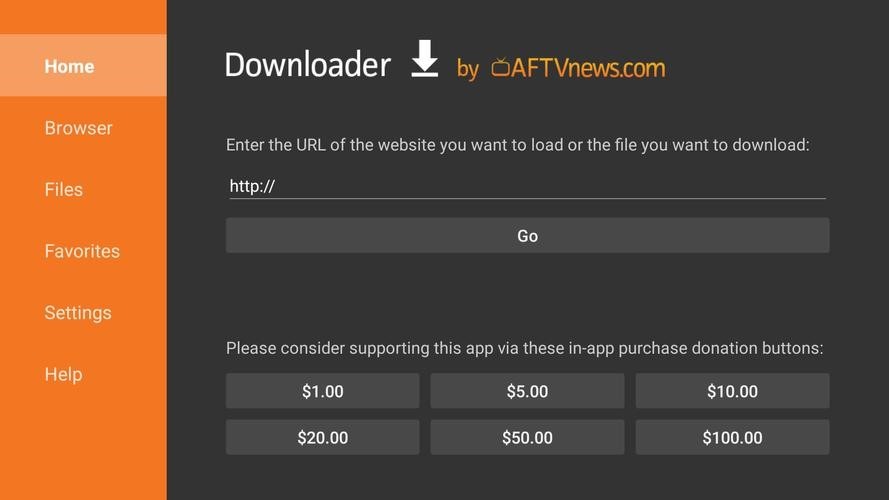
In order to install third-party apps on firestick, we often take the help of an application known as “Downloader”. If you are a new firestick user then let me tell you, the downloader app will help you in installing third-party apps on firestick quite easily.
You can install any Android app of your choice with the help of the Downloader application, people often use the downloader app to sideload apps like movie streaming apps, live TV apps, and sports apps on firestick. The best thing about the downloader app is that it is available on the Amazon app store for free download.
Downloader app is a very popular application among Fire TV, Android TV, and Roku users. This app lets you install all those apps that are not available on the Amazon or Google Play Store. With the help of this app, you can sideload apps for free. This app is not only working as an app downloader but it also works as a browser, so if you are looking for a browser as well then download this app.
The size of the downloader application is hardly 10MB. So, before I show you how to utilize the Downloader app to sideload programs on your Firestick, let’s get the Downloader software installed on our device.
Installation steps are quite simple and straightforward, all you need to do is follow the below steps carefully:
• Turn on your fire TV.
• Go to the home screen and select “Find” from the drop-down menu.
• Select “Search” from the drop-down menu.
• After inputting the app’s name, press the go button.
• To begin downloading the app, click the “Get” button.
When the installation is complete, close the app store. Now as you have already downloaded the downloader app on firestick, let’s now check how to use the downloader app to sideload apps on firestick.
The first thing I recommend you to do is move the downloader app on your fire tv home screen. To do that Go to Downloads >> Select Downloader App >> Press the options button on your remote >> Click on the Move option >> Drag the app to the home screen.
Now follow the below instructions.
That’s it, guys! You have successfully installed a third-party app on your Firestick with the help of the Downloader application. If you have any doubts or suggestions then let us know by dropping them in the comment section.
Technology is transforming the way businesses handle workplace injuries, making the claims process faster, clearer,…
A new client usually arrives with scattered details, rushed messages, and files saved across too…
In the current technological landscape, HIX.AI is pioneering a significant shift in how we perceive…
Cash flow data is easy to describe in broad terms and much harder to use…
The way people create and consume content online is changing rapidly, and artificial intelligence is…
During preparation for investments, audits, or certifications, attention to cybersecurity increases. Investors, auditors, and certification…