Categories: Tips and Tricks

Tech Tip – How to see all calendar entries in Outlook 2007 when synchronizing with Google

Published by
Andy Sheragy

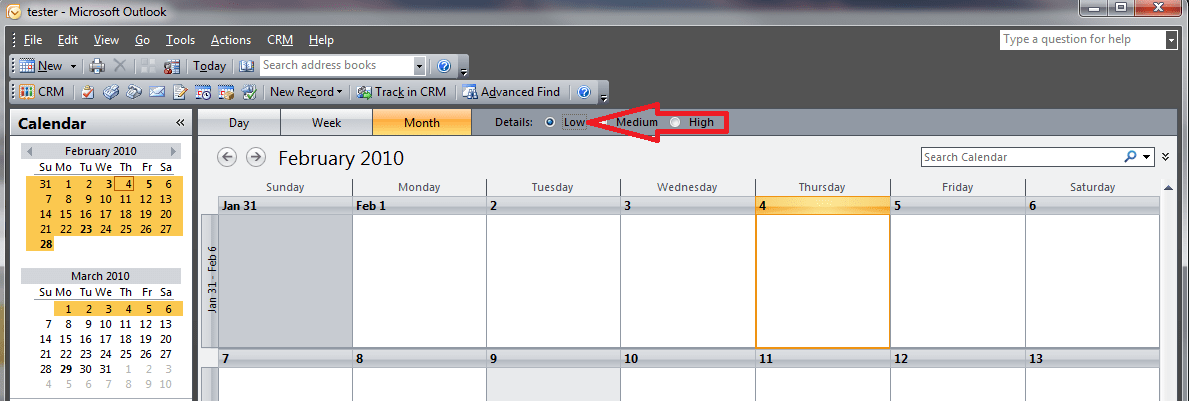
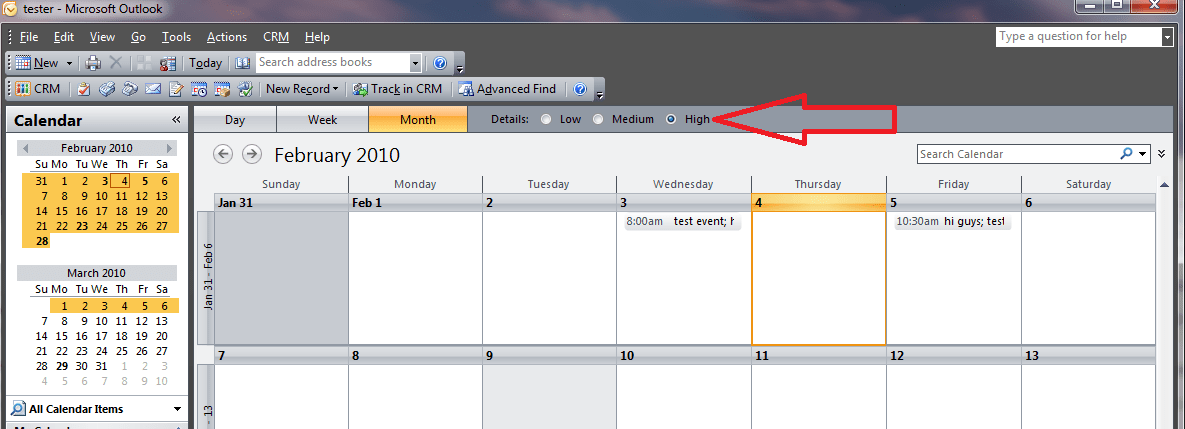
CompanionLink allows you to easily sync your Outlook calendar with Google.  A common problem Outlook 2007 users have is that after synchronizing, they are unable to see any calendar entries in the month view in Outlook.  To remedy this, all you have to do is select “Detail: High” in your calendar view option and your appointments will magically appear! Click on the images below to view full-size.

Month view in Outlook 2007. Where are all my appointments?
*Clicks on High Detail* There they are!

For more information about syncing your Outlook calendar, visit www.companionlink.com

Tech Tip – How to see all calendar entries in Outlook 2007 when synchronizing with Google was last updated February 5th, 2010 by Andy Sheragy
Tech Tip – How to see all calendar entries in Outlook 2007 when synchronizing with Google was last modified: February 5th, 2010 by Andy Sheragy
Andy Sheragy

Disqus Comments Loading...

Recent Posts

Why Andrew Ting, MD, Champions AI To Keep Your Medication List Clean And Accurate Across Health Apps

Medication lists are deceptively fragile. What appears as a simple record of prescriptions is often…

1 hour ago

What Companies Must Consider When Navigating Complex Business Laws

Small businesses live on their phones and laptops. That is where sales happen, invoices go…

4 hours ago

The Synchronization of Search: Aligning Internal CRM Data with the Global Client Journey

In the modern legal office, operational excellence is defined by the seamless flow of data.…

1 day ago

Root Canal Treatment Cost Breakdown: How AI and Modern Tools Are Changing Dentistry

Dental health is one of those things most of us don’t think about until it…

1 day ago

The Spoofing Trap: How Missing SPF Records Open the Door to Data Leaks

It starts with the notification of an email that lands in the inbox of a…

2 days ago

Designing Websites People Actually Enjoy Using

People remember how a site makes them feel. If it is fast, clear, and forgiving,…

2 days ago