Learn how to safely recover data from a clicking hard drive. Understand causes, risks, and professional recovery methods to avoid permanent data loss. Continue reading
A clicking hard drive usually means there’s a serious hardware issue, typically involving the read/write heads or internal motor. When you hear this sound, it’s critical to stop using the drive immediately to avoid permanent data loss. This article covers causes, myths, professional recovery methods, and what steps to take when facing such failure.
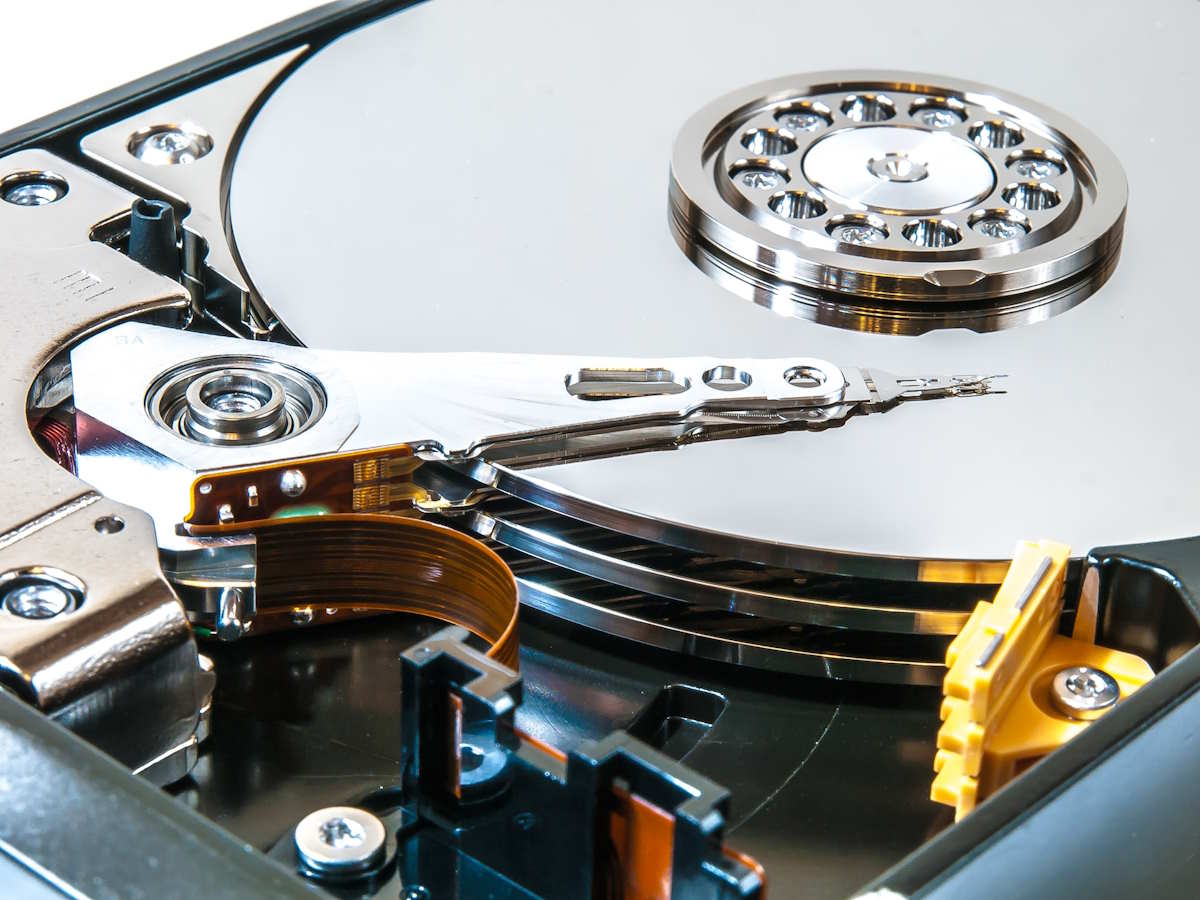
The sound often comes from the actuator arm inside the hard drive failing to locate the correct track on the platter. Causes include mechanical failure, firmware issues, power surges, or physical shock. In most cases, continuing to run the drive can worsen damage significantly. This clicking sound is essentially the drive’s internal mechanism trying and failing to initialize correctly or access data sectors.
In some scenarios, these symptoms may be accompanied by performance degradation, slow access, or complete drive unresponsiveness. The earlier you notice and act, the better the chance of a successful recovery.
There is no shortage of misinformation online about what to do when a hard drive starts clicking. One of the most common myths is that placing the drive in a freezer will temporarily fix it. This myth comes from the outdated belief that freezing the drive would cause metal components to contract and realign. In reality, doing this introduces moisture into the device, which can corrode the platters or damage the heads permanently.
Another widespread myth involves physically tapping or knocking the drive to dislodge stuck components. While it might yield a temporary change in behavior, it often causes further damage, especially if heads crash into the platters. Attempting to open the drive without proper tools and cleanroom conditions also exposes the platters to dust and static, which can make data recovery impossible.
Immediately disconnect power. Do not run recovery software or open the device. Instead, contact a recovery specialist. Time is crucial, delays and failed DIY attempts reduce recovery chances. Store the drive in a safe place until it can be professionally evaluated. Avoid common traps like booting from the drive again or running CHKDSK, which may cause changes to the file structure and reduce recoverability.
Document the symptoms you experienced and any actions you took before the clicking began. This information can help professional engineers narrow down the root cause and formulate a recovery strategy. Additionally, be wary of handing your drive to general IT support services that lack cleanroom capabilities—they might worsen the problem despite good intentions.
In certified cleanrooms, engineers disassemble the drive, diagnose the failure, replace heads if needed, and clone the disk using imaging tools. Data is extracted from the image, ensuring no further damage occurs to the original drive. The imaging process uses equipment capable of handling unreadable sectors and interpreting signals from malfunctioning firmware or hardware layers.
This process is especially important for drives with high-value data, such as business records, family photos, or legal documents. Attempting to bypass this step or using non-specialized recovery tools can lead to irreversible loss. Learn more on our hard drive recovery services page.
One user dropped their external drive and heard clicking. They came to us for help. Engineers found misaligned heads, performed a successful head swap, and recovered 97% of their files. The recovery process involved not only physical repairs but also firmware adjustments and careful sector imaging. This case highlighted the importance of prompt action and choosing the right recovery partner. Read the full breakdown in our blog on recovering files from clicking drives.
If your drive clicks, stop using it. Seek professional help and avoid DIY. Protecting your data requires timely, informed decisions and expert intervention. For tips on what to do next, including where to get help, visit our resource on where to get an external hard drive fixed. Sharing this knowledge with friends or colleagues can help others avoid data loss, too.
Master cloud management with expert strategies, tools, and best practices. Learn how to secure, organize,…
Short answer: in WARDOGS, up to 100 players across three factions compete over a randomly…
A sales representative opens a CRM to find deals that have stalled. In a traditional…
Discover how strategic HVAC repair and installation decisions reduce costs, improve workplace productivity, and protect…
Escalating utility expenses and aging heating infrastructure are prompting commercial facility teams to audit central…
Roofing contractors face a different set of search marketing challenges than many other local businesses.…