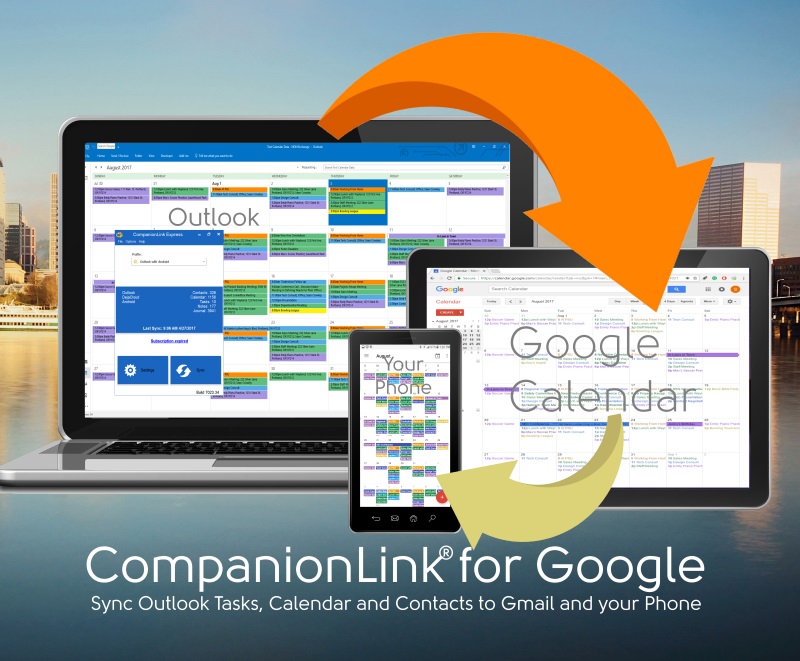
Here's how to bring Google Tasks into Outlook so you can handle them efficiently: Download CompanionLink for Google - 14 day free trial Click on Settings to connect it to Google Sync Continue reading
I remember well when Google started becoming a Personal Information Manager. In the early days it was a big secret. Around 2006 or so, we got an invitation to a secret meeting on Google campus. I flew down with an engineer and in a room of 60 fellow attendees we learned about Google Calendar.
That was 2006. Google Calendar works great now. Gmail works good. They started a Task App, and then abandon it when it was half formed. Every other PIM tool ever created has priorities and categories for tasks. Not Google. After the second year, Google Tasks seemed relegated to the back burner while still half finished. More recently Google brought out Google Keep (no API) and Google Reminders (no API). Suddenly this week, the focus is back on Google Tasks.
Gmail has acquired a new interface, and as part of that an integrated tasks panel. Just go to Gmail and go to Settings, Use the new interface. As a part of this, you can now drag and drop an email to become a task. Just like Outlook 2002 did (and still does). It’s almost as if Google’s Engineers finally checked out the Windows PC in the locked room.
Google has also brought out a Standalone Android app for Tasks, called Tasks. You can recognize it from all the other Task apps because it’s from Google, LLC (because incorporation costs too much for a tiny operation like Google).
Of course, with Google Tasks you still can’t assign priority, category or color. But at least you can see them on your phone now.
Here’s how to bring Google Tasks into Outlook so you can handle them efficiently:
All your Outlook Contacts, Calendar and Tasks will go to Google and to your phone if it sees your Google Account. All your Google Contacts, Calendar and Tasks will come back to Outlook.
After 14 days you can purchase the software for $14.95 per 3-Months, or make a one-time purchase for $49.95. Your one-time purchase can be used for three computers as long as it’s for you, so work, home and laptop. You can use Mac or PC (there’s a separate download for Outlook for Mac). CompanionLink supplies free telephone technical support, and also email support. Here are some resources for all that:
Setup Guide: https://www.companionlink.com/support/kb/CompanionLink_for_Google_-_Outlook_to_Google_Sync_Setup_Guide
Advanced Settings: https://www.companionlink.com/support/kb/CompanionLink_for_Google_Advanced_Settings
Ask us a question: https://www.companionlink.com/aboutus/howcanwehelp.html
14 Day Trial Download: https://www.companionlink.com/downloads/download.php?product=CLG70
Buy it now – 90 day guarantee: https://auth.companionlink.com/buynow/orderform.php?product=CLG80
[xyz-ips snippet=”Reviews-CLG”]
Technology is transforming the way businesses handle workplace injuries, making the claims process faster, clearer,…
A new client usually arrives with scattered details, rushed messages, and files saved across too…
In the current technological landscape, HIX.AI is pioneering a significant shift in how we perceive…
Cash flow data is easy to describe in broad terms and much harder to use…
The way people create and consume content online is changing rapidly, and artificial intelligence is…
During preparation for investments, audits, or certifications, attention to cybersecurity increases. Investors, auditors, and certification…