DejaOffice now automatically creates a backup of your data for you – every time you sync!
The latest release of DejaOffice for Android (1.12.3) introduced a great new feature that’s somewhat hidden behind the scenes: automatic backup. Every time you sync your data, DejaOffice automatically creates a backup first. Since this feature has the potential to be quite useful, I wanted to be sure to highlight it here.
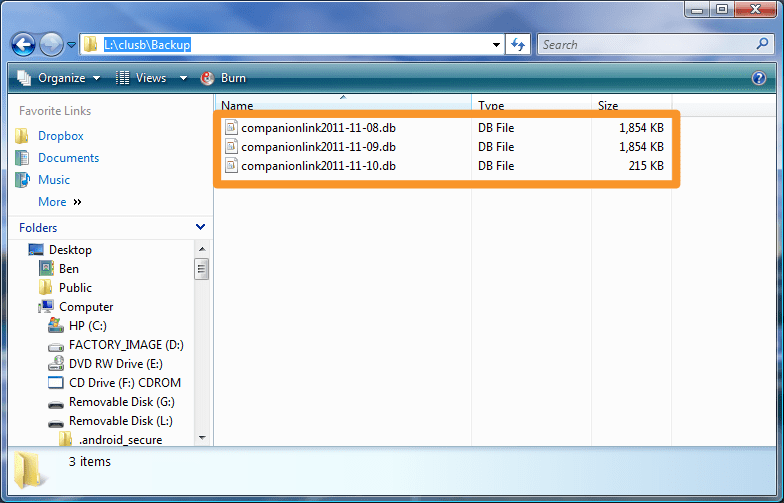
With automatic backups, if you accidentally delete a contact, or if your database were to somehow become corrupted, you can rest assured you have a backup to restore from. And DejaOffice keeps the 3 more recent backups, so even if you don’t notice an issue right away, you’re still safe.
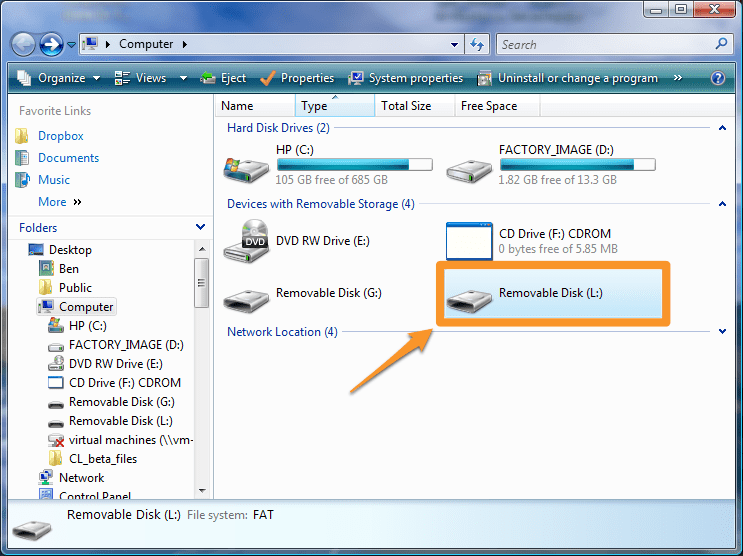
To restore from a backup, just follow the instructions below:
If you have any questions or feedback about our new backup feature, let us know in the comments below!
Technology is transforming the way businesses handle workplace injuries, making the claims process faster, clearer,…
A new client usually arrives with scattered details, rushed messages, and files saved across too…
In the current technological landscape, HIX.AI is pioneering a significant shift in how we perceive…
Cash flow data is easy to describe in broad terms and much harder to use…
The way people create and consume content online is changing rapidly, and artificial intelligence is…
During preparation for investments, audits, or certifications, attention to cybersecurity increases. Investors, auditors, and certification…