Today’s post is part 2 of a 4 part series that explains in greater detail some of the new features in DejaOffice 1.10.6 for Android. To read part 1, which discusses the new widgets, click here.
Global search is a very useful feature in Android. It allows you to search through items on your phone, as well as online. Many applications support global search, allowing you to easily search through their data from the main search bar. This is an extremely convenient feature to have, especially when you have a lot of data that you’d like to access quickly. As such, we’ve added support for global search to DejaOffice!
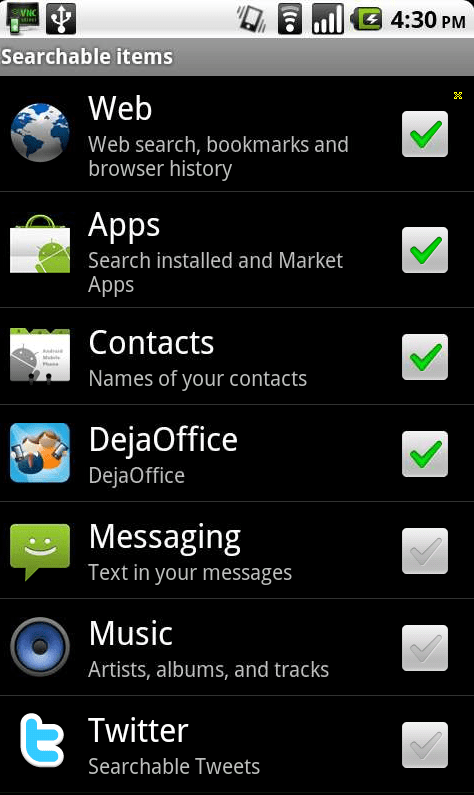
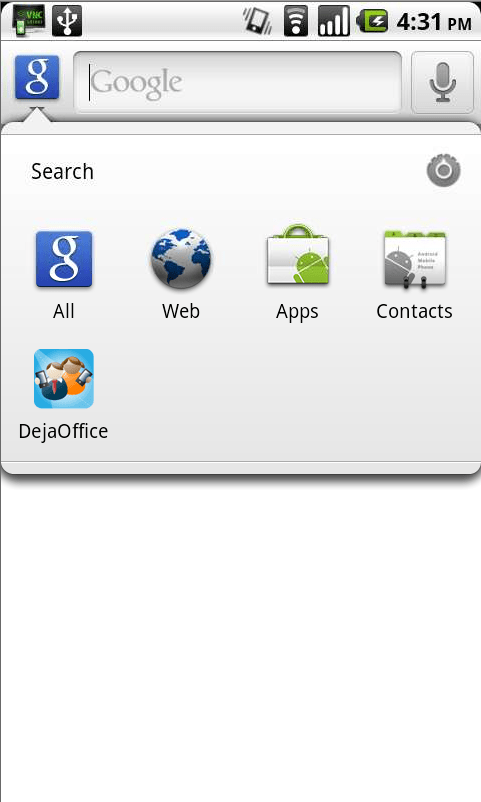
To get started, you’ll need to make sure DejaOffice data is included in search results. To do so, simply tap the search key on your phone. Next, click the Google icon in the top left corner. This will display what types of information you are currently searching for when you use global search. To add DejaOffice to this list, tap the settings icon on the right side of this screen. Scroll to DejaOffice in the resulting list and tap the checkbox to enable it. Now, a simple tap on the search key is all it takes to quickly jump to a contact, task, or calendar event! To have the search single out DejaOffice data, simply tap the Google icon in the top left, then select the DejaOffice icon.
Be sure to check back in tomorrow to learn about the major UI improvements we’ve made to DejaCal. I have a feeling you’re going to love our new date picker!
Live database synchronization is one of the most challenging engineering problems of current IT architecture.…
Taking family road trips or navigating daily city commutes requires frequent pit stops along busy…
As professionals take on new responsibilities, their current tools and setup may no longer be…
Managing an engineering team is a job. You have to balance a lot of things.…
Most small businesses leak customers between first contact and the sale. Here is where the…
A designer in New York opens the same project that a developer in another country…